audio FORD ESCORT 1997 7.G Audio Guide
[x] Cancel search | Manufacturer: FORD, Model Year: 1997, Model line: ESCORT, Model: FORD ESCORT 1997 7.GPages: 21, PDF Size: 0.09 MB
Page 1 of 21
Audio Systems 2
Controls and Features 7
Display 16
Care and Cleaning 17
Radio Frequency Information 20
Index 21
Contents
1
Page 2 of 21
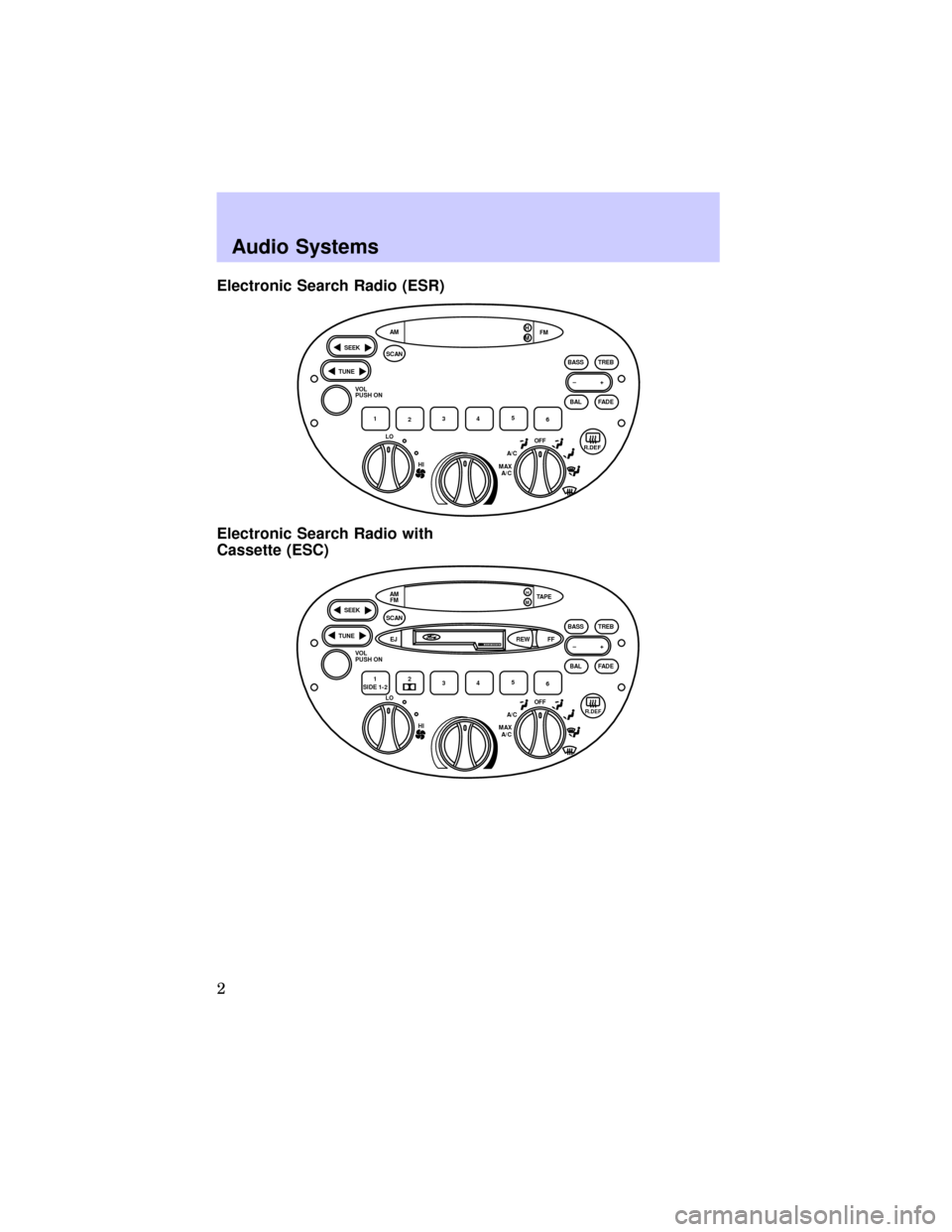
Electronic Search Radio (ESR)
Electronic Search Radio with
Cassette (ESC)
HI LO
OFFA/C
MAX
A/C
TUNE
SEEK
SCAN
BAL BASS TREB
FADE FM AM
–+
1
2345
6 VOL
PUSH ON
H
M
R.DEF
TUNE
SEEK
SCAN
BAL BASS TREB
FADE TAPE AM
FM
–+
1
SIDE 1-22
345
6 VOL
PUSH ON
EJ
H
M
REW FF
R.DEF
DOLBY SYSTEM
HI LO
OFFA/C
MAX
A/C
Audio Systems
2
Page 3 of 21
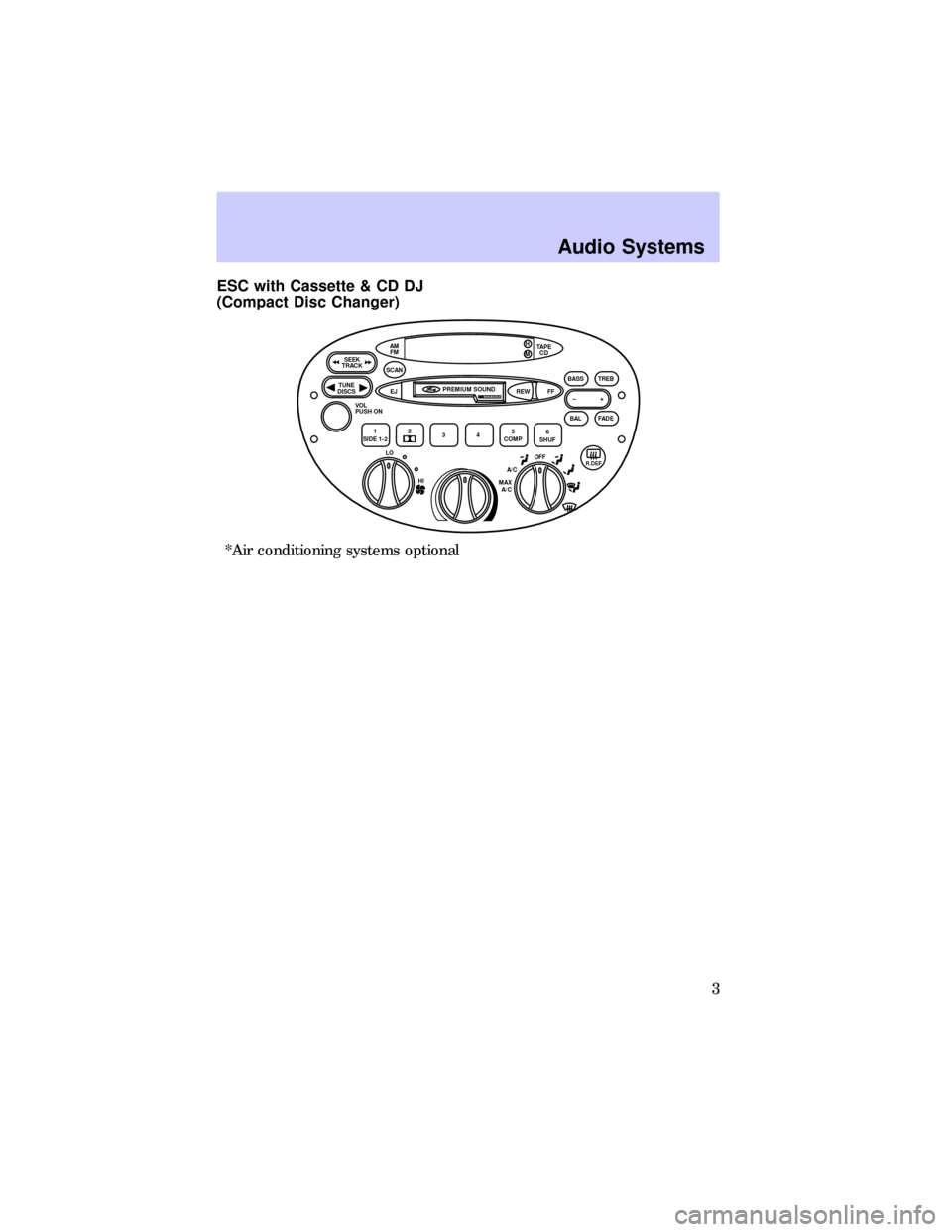
ESC with Cassette & CD DJ
(Compact Disc Changer)
*Air conditioning systems optional
TUNE
DISCS
SEEK
TRACK
SCAN
BAL BASS TREB
FADE TAPE
CD H
AM
FM
–+
1
SIDE 1-22
345
COMP6
SHUF VOL
PUSH ON
EJ REWPREMIUM SOUND
FF
R.DEF
DOLBY SYSTEM
M
HI LO
OFFA/C
MAX
A/C
Audio Systems
3
Page 4 of 21

Electronic Search
Radio (ESR)
Electronic Search
Radio with
Cassette (ESC)
ESC with CD DJ
(Compact Disc
Changer)Name
Radio Station
Memory Preset AM/FM Select
Bass Adjust
Treble Adjust
Speaker
Balance Adjust
Speaker
Fade Adjust Seek Function Tune Adjust
Scan Function
4
4
4
4
4
4
4
4
44
4
4
4
4
4
4
4
44
Volume/Power
Control444
4
4
4
4
4
4
4
4
4= Feature included on audio system
Audio System Feature Audio System
VOL
PUSH ON
1234
5
6
AM
FMAMFM OR
BASS
–+
TREB
–+
BAL–+
FADE –+
SCAN
TUNE
SEEK OROR
TUNE
DISCS
SEEK
TRACK
Audio Systems
4
Page 5 of 21
Electronic Search
Radio (ESR)
Electronic Search
Radio with
Cassette (ESC)
ESC with CD DJ
(Compact Disc
changer)Name
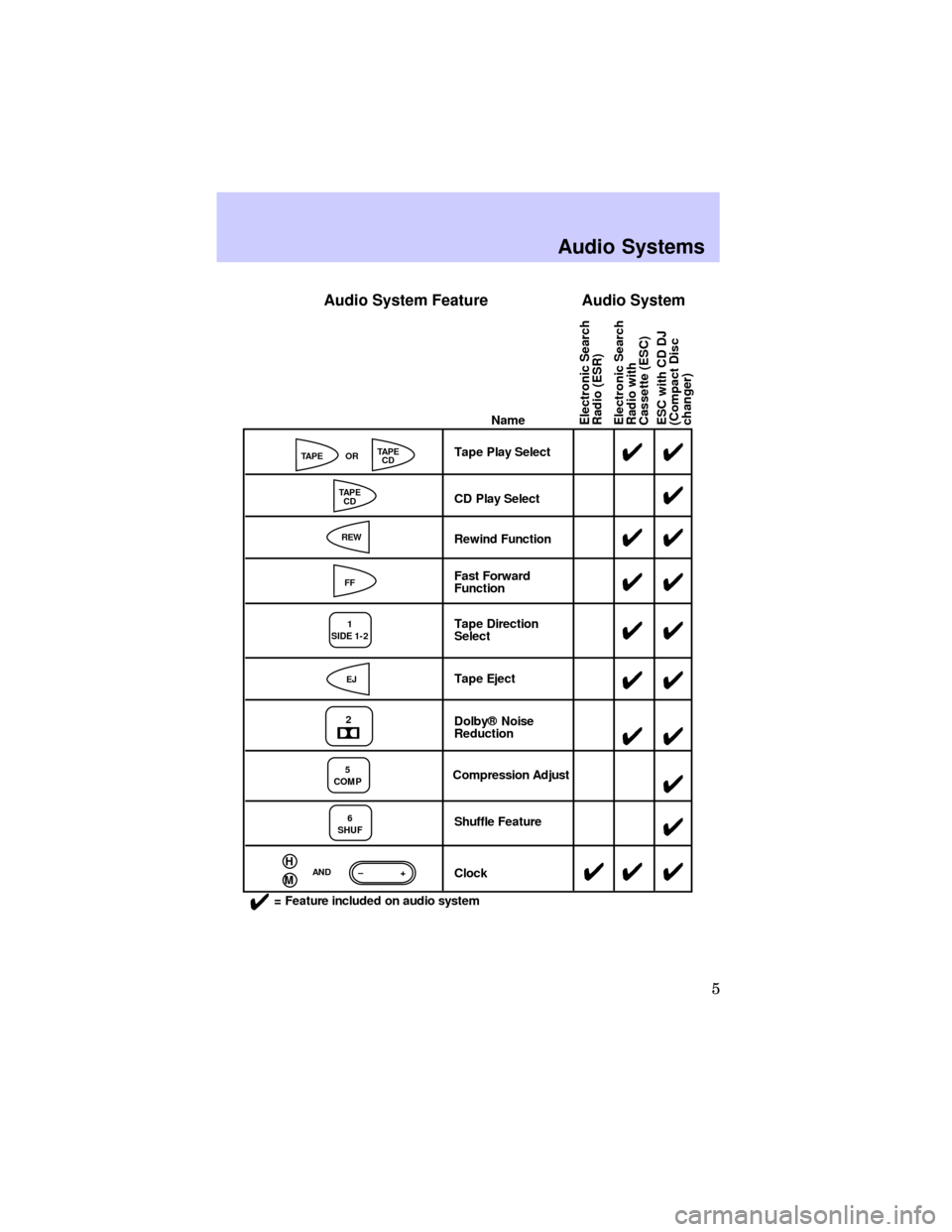
Tape Play Select
CD Play Select
Rewind Function
Fast Forward
Function
Tape Direction
Select
Tape Eject
Dolby® Noise
Reduction
Compression Adjust
Shuffle Feature
Clock44
4
44
44
44
44 44
4
4
4 4
4
4
= Feature included on audio system
Audio System Feature Audio System
TAPETAPE
CD
TAPE
CD
FFOR
AND
REW
EJ
1
SIDE 1-2
2
5
COMP
6
SHUF
H–+M
Audio Systems
5
Page 6 of 21
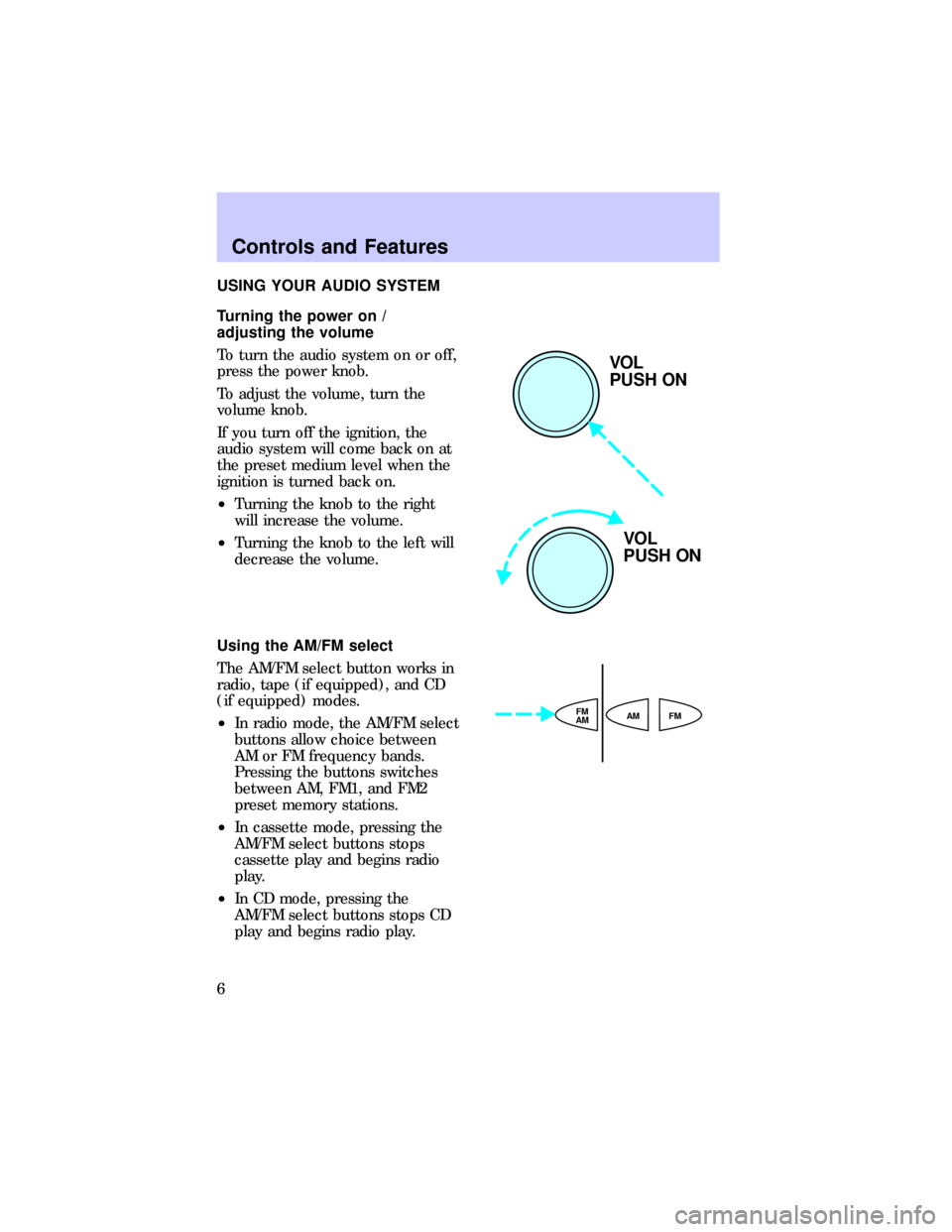
USING YOUR AUDIO SYSTEM
Turning the power on /
adjusting the volume
To turn the audio system on or off,
press the power knob.
To adjust the volume, turn the
volume knob.
If you turn off the ignition, the
audio system will come back on at
the preset medium level when the
ignition is turned back on.
²Turning the knob to the right
will increase the volume.
²Turning the knob to the left will
decrease the volume.
Using the AM/FM select
The AM/FM select button works in
radio, tape (if equipped), and CD
(if equipped) modes.
²In radio mode, the AM/FM select
buttons allow choice between
AM or FM frequency bands.
Pressing the buttons switches
between AM, FM1, and FM2
preset memory stations.
²In cassette mode, pressing the
AM/FM select buttons stops
cassette play and begins radio
play.
²In CD mode, pressing the
AM/FM select buttons stops CD
play and begins radio play.
VOL
PUSH ON
VOL
PUSH ON
AMFM
AMFM
Controls and Features
6
Page 10 of 21
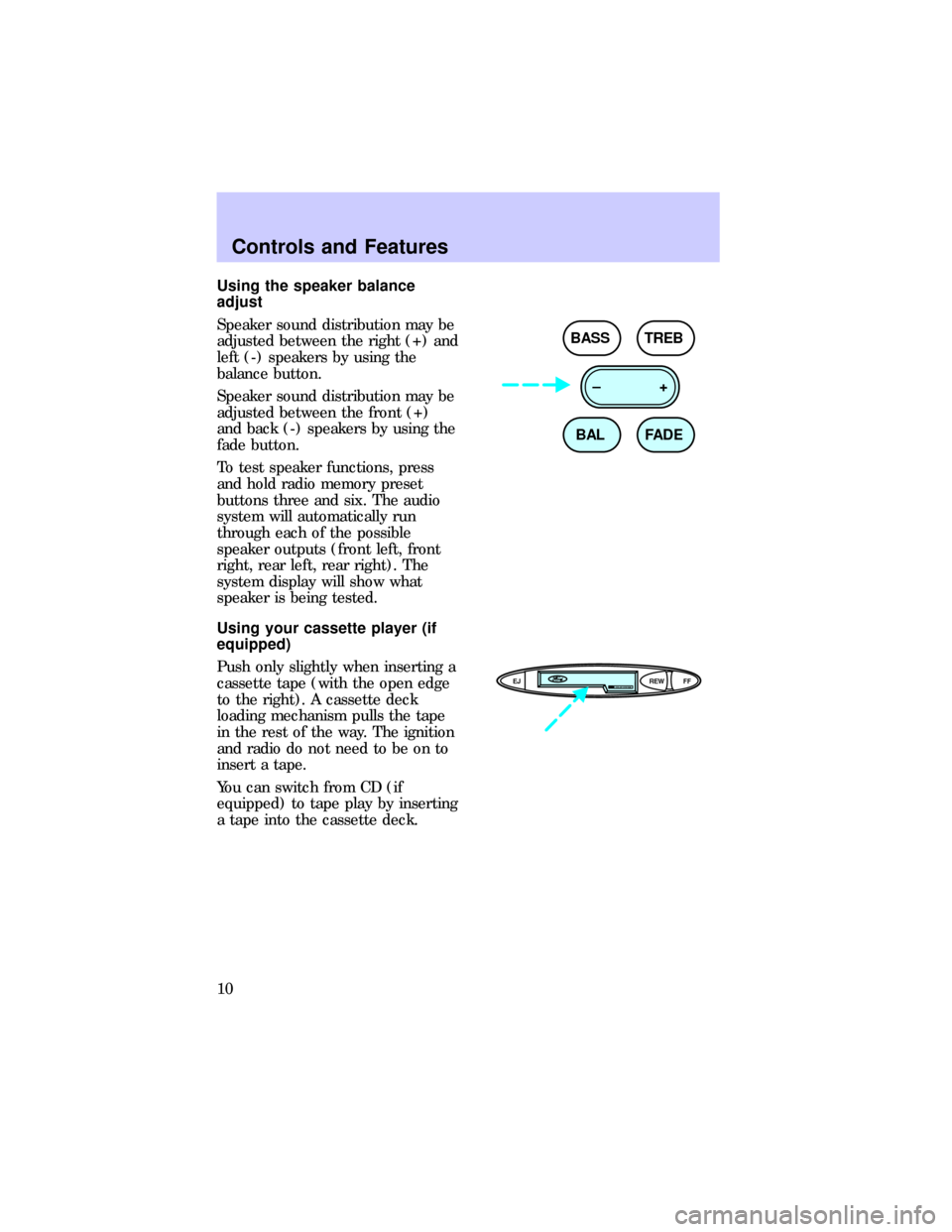
Using the speaker balance
adjust
Speaker sound distribution may be
adjusted between the right (+) and
left (-) speakers by using the
balance button.
Speaker sound distribution may be
adjusted between the front (+)
and back (-) speakers by using the
fade button.
To test speaker functions, press
and hold radio memory preset
buttons three and six. The audio
system will automatically run
through each of the possible
speaker outputs (front left, front
right, rear left, rear right). The
system display will show what
speaker is being tested.
Using your cassette player (if
equipped)
Push only slightly when inserting a
cassette tape (with the open edge
to the right). A cassette deck
loading mechanism pulls the tape
in the rest of the way. The ignition
and radio do not need to be on to
insert a tape.
You can switch from CD (if
equipped) to tape play by inserting
a tape into the cassette deck.
BAL BASS TREB
FADE –+
EJ REW FFDOLBY SYSTEM
Controls and Features
10
Page 11 of 21
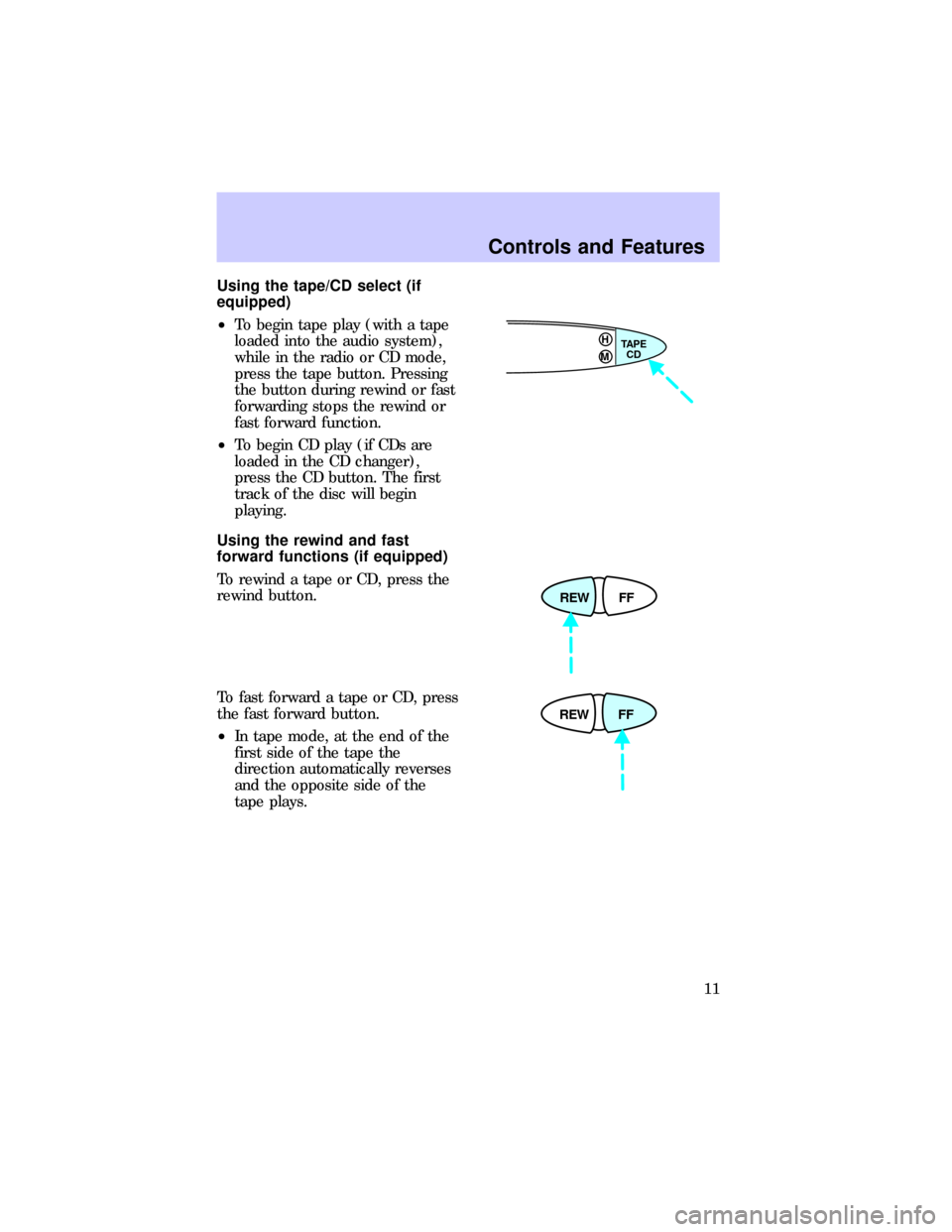
Using the tape/CD select (if
equipped)
²To begin tape play (with a tape
loaded into the audio system),
while in the radio or CD mode,
press the tape button. Pressing
the button during rewind or fast
forwarding stops the rewind or
fast forward function.
²To begin CD play (if CDs are
loaded in the CD changer),
press the CD button. The first
track of the disc will begin
playing.
Using the rewind and fast
forward functions (if equipped)
To rewind a tape or CD, press the
rewind button.
To fast forward a tape or CD, press
the fast forward button.
²In tape mode, at the end of the
first side of the tape the
direction automatically reverses
and the opposite side of the
tape plays.
TAPE
CD HM
REW FF
REW FF
Controls and Features
11
Page 13 of 21
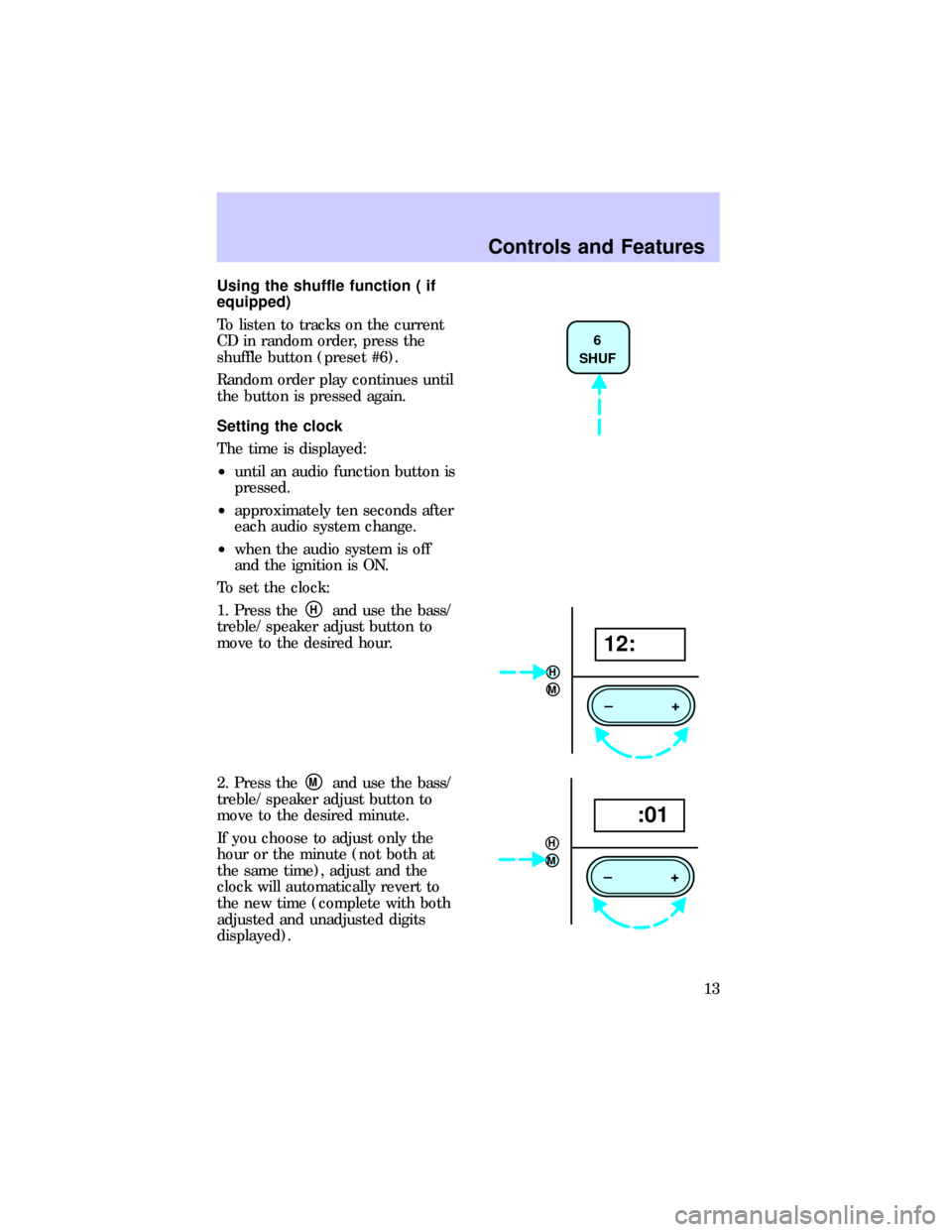
Using the shuffle function ( if
equipped)
To listen to tracks on the current
CD in random order, press the
shuffle button (preset #6).
Random order play continues until
the button is pressed again.
Setting the clock
The time is displayed:
²until an audio function button is
pressed.
²approximately ten seconds after
each audio system change.
²when the audio system is off
and the ignition is ON.
To set the clock:
1. Press the
Hand use the bass/
treble/ speaker adjust button to
move to the desired hour.
2. Press the
Mand use the bass/
treble/ speaker adjust button to
move to the desired minute.
If you choose to adjust only the
hour or the minute (not both at
the same time), adjust and the
clock will automatically revert to
the new time (complete with both
adjusted and unadjusted digits
displayed).
6
SHUF
H
M
–+
12:
H
M
–+
:01
Controls and Features
13
Page 14 of 21
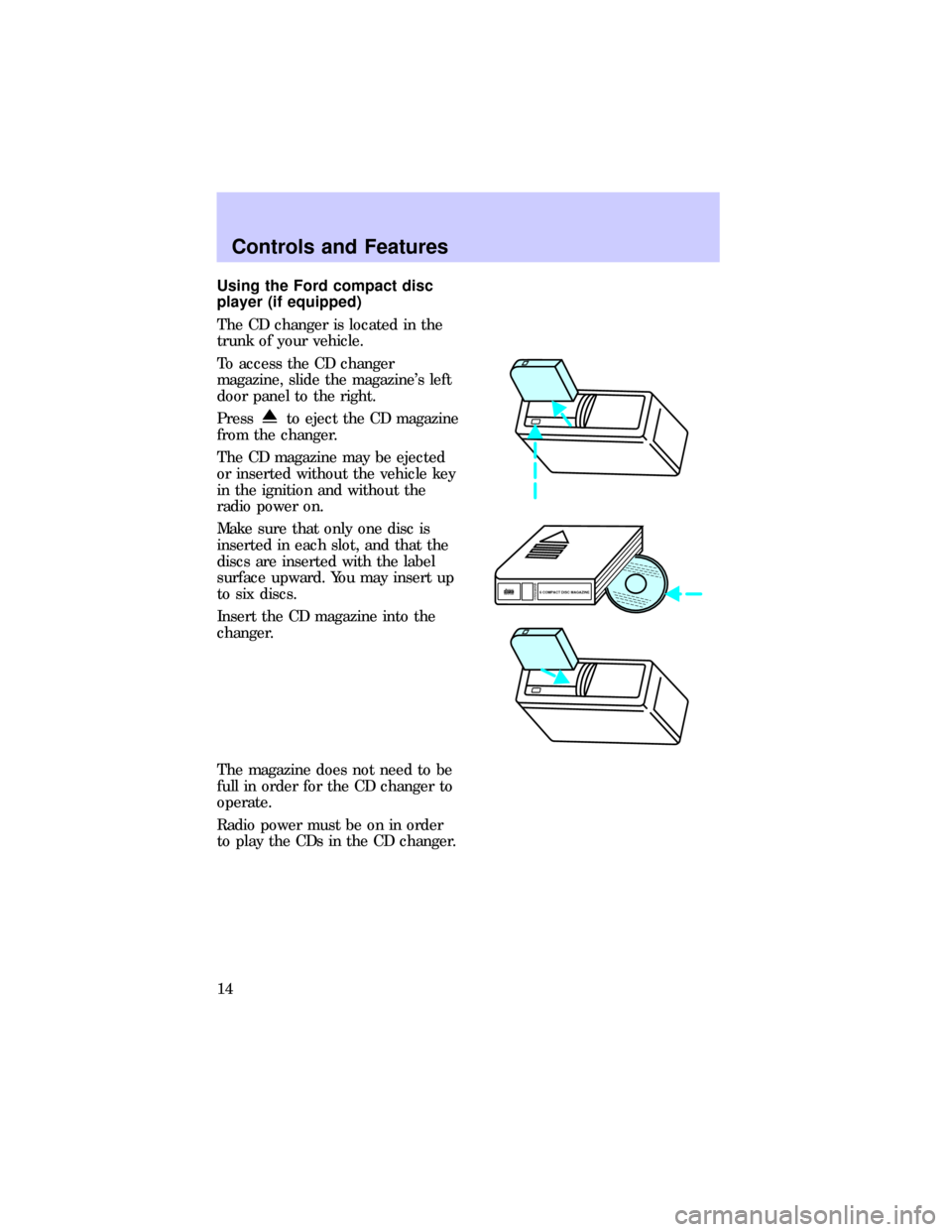
Using the Ford compact disc
player (if equipped)
The CD changer is located in the
trunk of your vehicle.
To access the CD changer
magazine, slide the magazine's left
door panel to the right.
Press
to eject the CD magazine
from the changer.
The CD magazine may be ejected
or inserted without the vehicle key
in the ignition and without the
radio power on.
Make sure that only one disc is
inserted in each slot, and that the
discs are inserted with the label
surface upward. You may insert up
to six discs.
Insert the CD magazine into the
changer.
The magazine does not need to be
full in order for the CD changer to
operate.
Radio power must be on in order
to play the CDs in the CD changer.
6
5
4
3
2
16 COMPACT DISC MAGAZINECOMPACT
DIGITAL AUDIO
Controls and Features
14