rear FORD EXPEDITION 2001 1.G User Guide
[x] Cancel search | Manufacturer: FORD, Model Year: 2001, Model line: EXPEDITION, Model: FORD EXPEDITION 2001 1.GPages: 280, PDF Size: 1.79 MB
Page 49 of 280
Setting the clock
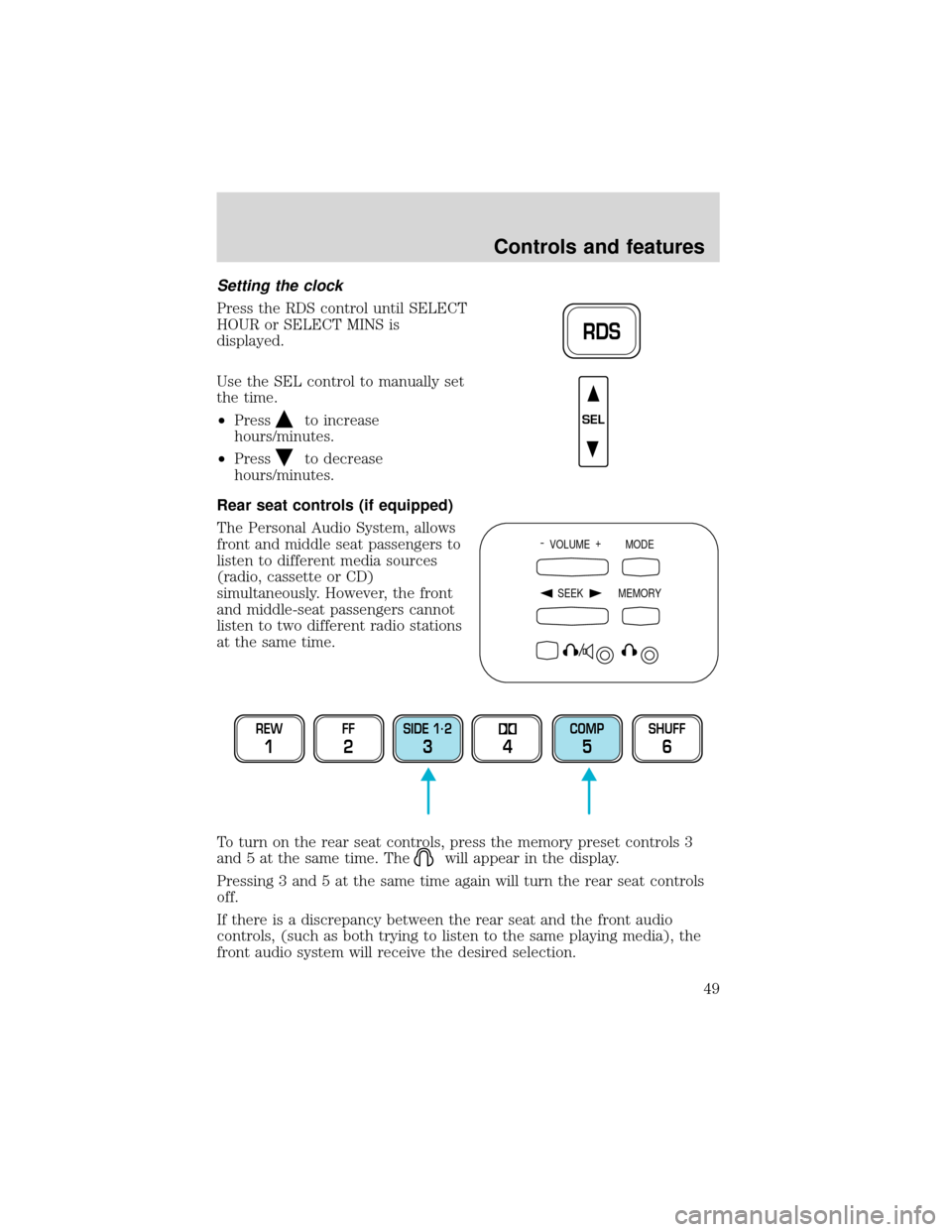
Press the RDS control until SELECT
HOUR or SELECT MINS is
displayed.
Use the SEL control to manually set
the time.
•Press
to increase
hours/minutes.
•Press
to decrease
hours/minutes.
Rear seat controls (if equipped)
The Personal Audio System, allows
front and middle seat passengers to
listen to different media sources
(radio, cassette or CD)
simultaneously. However, the front
and middle-seat passengers cannot
listen to two different radio stations
at the same time.
To turn on the rear seat controls, press the memory preset controls 3
and 5 at the same time. The
will appear in the display.
Pressing 3 and 5 at the same time again will turn the rear seat controls
off.
If there is a discrepancy between the rear seat and the front audio
controls, (such as both trying to listen to the same playing media), the
front audio system will receive the desired selection.
RDS
SEL
- VOLUME +
MODE
SEEK MEMORY
REW
1
FF
2
SIDE 1.
2
34
COMP
5
SHUFF
6
Controls and features
49
Page 50 of 280
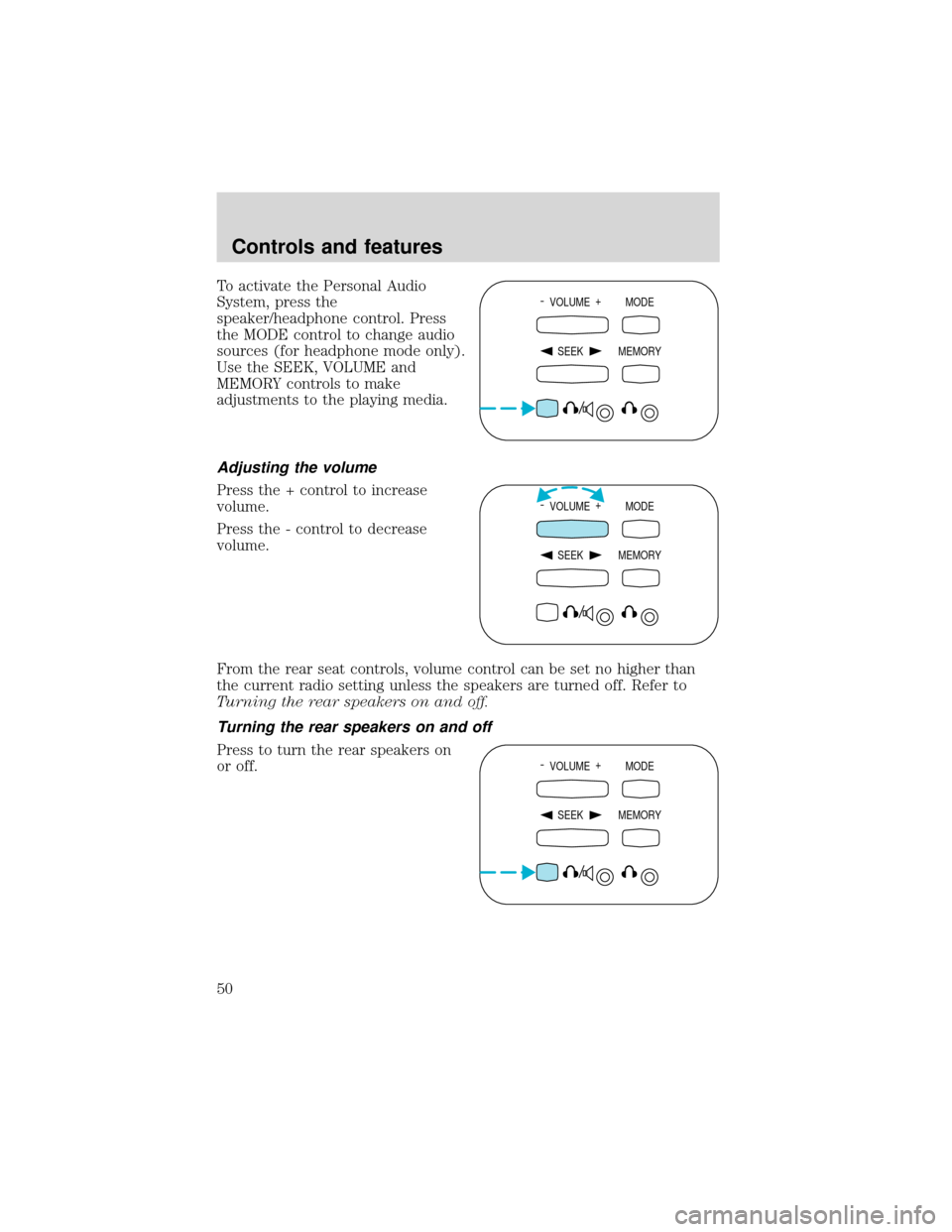
To activate the Personal Audio
System, press the
speaker/headphone control. Press
the MODE control to change audio
sources (for headphone mode only).
Use the SEEK, VOLUME and
MEMORY controls to make
adjustments to the playing media.
Adjusting the volume
Press the + control to increase
volume.
Press the - control to decrease
volume.
From the rear seat controls, volume control can be set no higher than
the current radio setting unless the speakers are turned off. Refer to
Turning the rear speakers on and off.
Turning the rear speakers on and off
Press to turn the rear speakers on
or off.- VOLUME +
MODE
SEEK MEMORY
- VOLUME +
MODE
SEEK MEMORY
- VOLUME +
MODE
SEEK MEMORY
Controls and features
50
Page 51 of 280
Using headphones/Personal Audio System
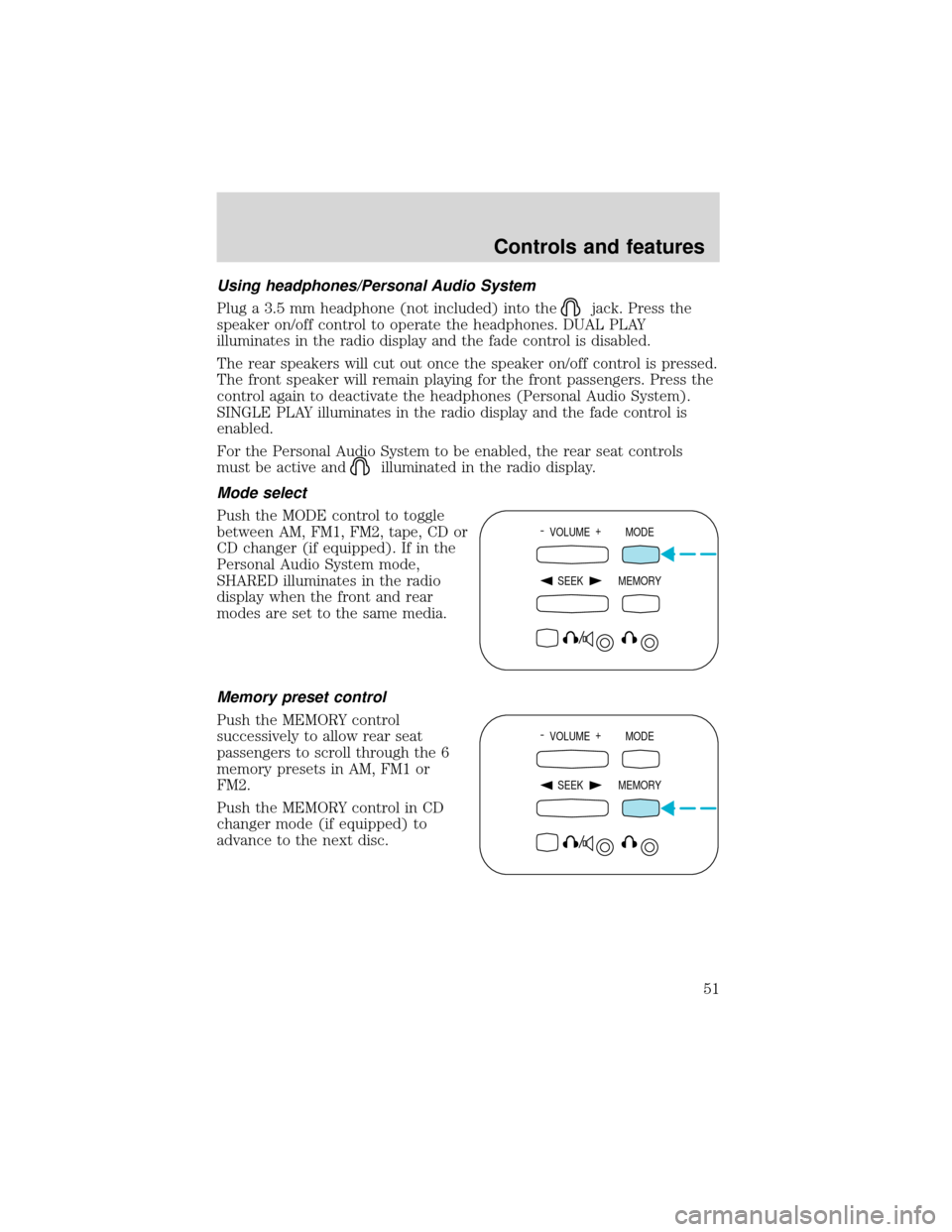
Plug a 3.5 mm headphone (not included) into the
jack. Press the
speaker on/off control to operate the headphones. DUAL PLAY
illuminates in the radio display and the fade control is disabled.
The rear speakers will cut out once the speaker on/off control is pressed.
The front speaker will remain playing for the front passengers. Press the
control again to deactivate the headphones (Personal Audio System).
SINGLE PLAY illuminates in the radio display and the fade control is
enabled.
For the Personal Audio System to be enabled, the rear seat controls
must be active and
illuminated in the radio display.
Mode select
Push the MODE control to toggle
between AM, FM1, FM2, tape, CD or
CD changer (if equipped). If in the
Personal Audio System mode,
SHARED illuminates in the radio
display when the front and rear
modes are set to the same media.
Memory preset control
Push the MEMORY control
successively to allow rear seat
passengers to scroll through the 6
memory presets in AM, FM1 or
FM2.
Push the MEMORY control in CD
changer mode (if equipped) to
advance to the next disc.
- VOLUME +
MODE
SEEK MEMORY
- VOLUME +
MODE
SEEK MEMORY
Controls and features
51
Page 66 of 280
Auxiliary A/C-heater controls (if equipped)
Depending on your equipment package, your vehicle may be equipped
with auxiliary A/C-heater controls. The auxiliary A/C-heater feature
provides increased capacity to quickly heat or cool the vehicle. Besides
the driver’s control panel for the front seat occupants, the second row
auxiliary A/C-heater controls allow the rear passengers to control the
temperature in the rear of the vehicle through a second control panel
above the second row, or in the floor console.
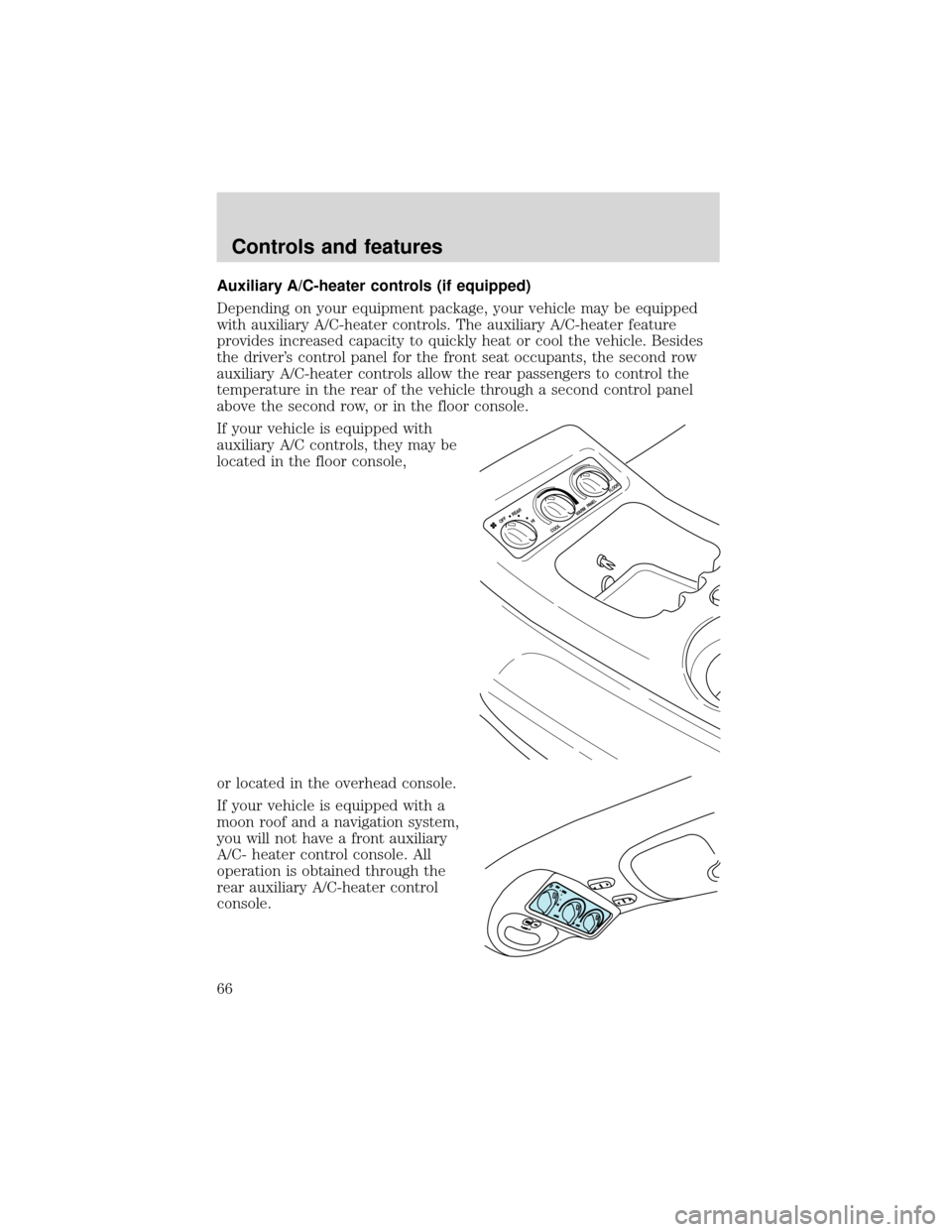
If your vehicle is equipped with
auxiliary A/C controls, they may be
located in the floor console,
or located in the overhead console.
If your vehicle is equipped with a
moon roof and a navigation system,
you will not have a front auxiliary
A/C- heater control console. All
operation is obtained through the
rear auxiliary A/C-heater control
console.
HI OFF
REARW
ARM
COOL
PA N E L
FLOOR
Controls and features
66
Page 67 of 280
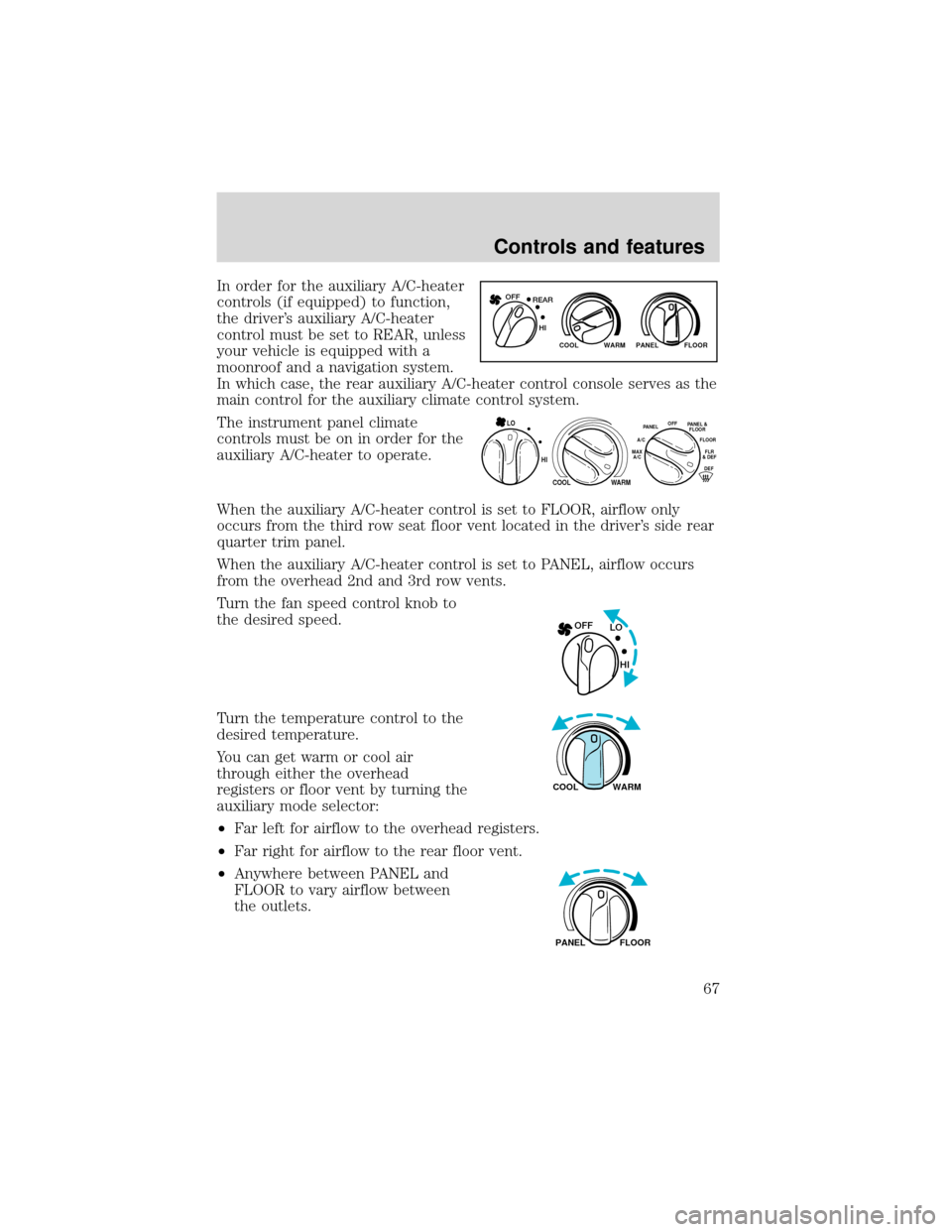
In order for the auxiliary A/C-heater
controls (if equipped) to function,
the driver’s auxiliary A/C-heater
control must be set to REAR, unless
your vehicle is equipped with a
moonroof and a navigation system.
In which case, the rear auxiliary A/C-heater control console serves as the
main control for the auxiliary climate control system.
The instrument panel climate
controls must be on in order for the
auxiliary A/C-heater to operate.
When the auxiliary A/C-heater control is set to FLOOR, airflow only
occurs from the third row seat floor vent located in the driver’s side rear
quarter trim panel.
When the auxiliary A/C-heater control is set to PANEL, airflow occurs
from the overhead 2nd and 3rd row vents.
Turn the fan speed control knob to
the desired speed.
Turn the temperature control to the
desired temperature.
You can get warm or cool air
through either the overhead
registers or floor vent by turning the
auxiliary mode selector:
•Far left for airflow to the overhead registers.
•Far right for airflow to the rear floor vent.
•Anywhere between PANEL and
FLOOR to vary airflow between
the outlets.
WARM PANEL FLOOR COOL
REAR OFF
HI
HI
COOL
WARM
OFFPANELFLOO
R
DEFFLR
& DEF A/C
M
AX
A/CPA
NEL &
FLOOR
LO
LO OFF
HI
WARM COOL
FLOOR PANEL
Controls and features
67
Page 74 of 280
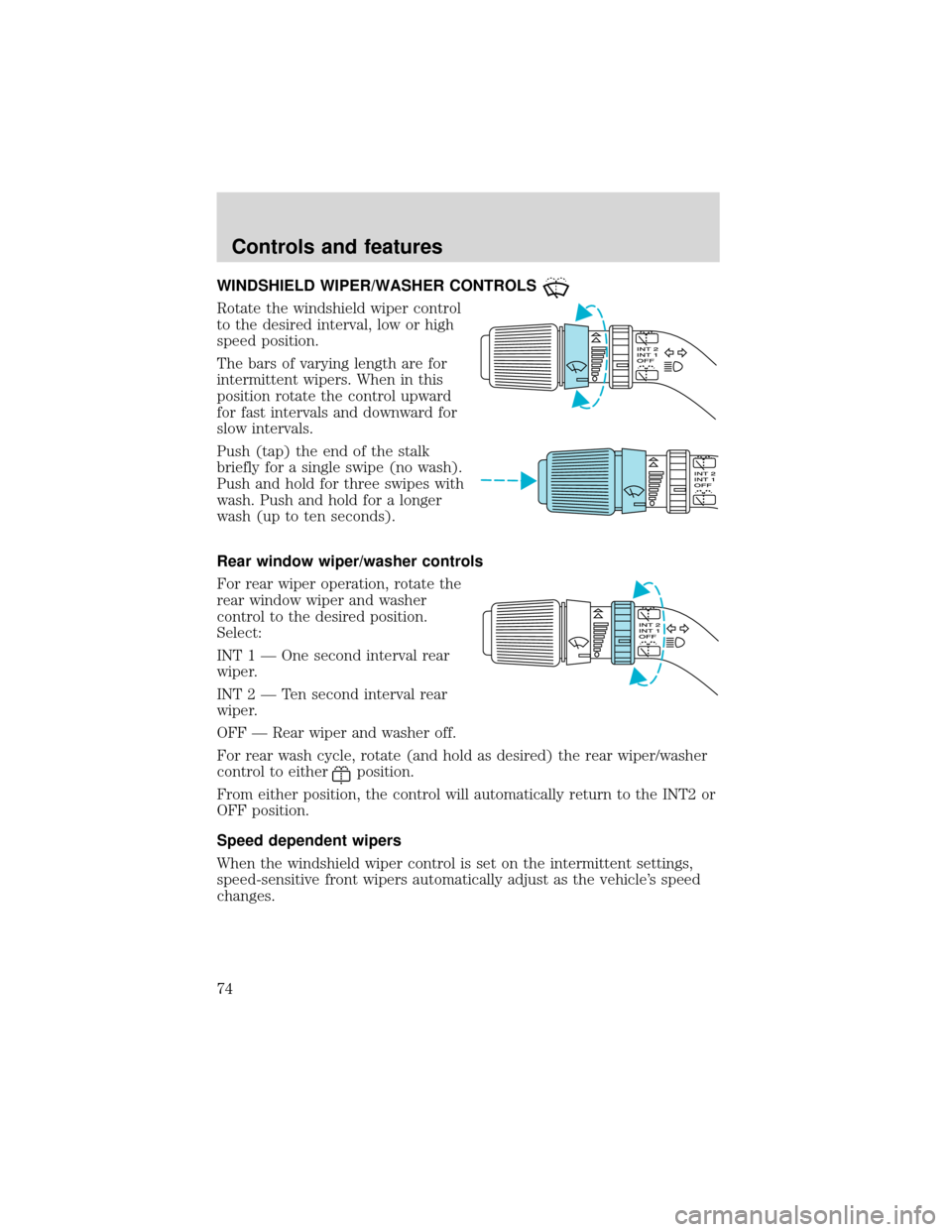
WINDSHIELD WIPER/WASHER CONTROLS
Rotate the windshield wiper control
to the desired interval, low or high
speed position.
The bars of varying length are for
intermittent wipers. When in this
position rotate the control upward
for fast intervals and downward for
slow intervals.
Push (tap) the end of the stalk
briefly for a single swipe (no wash).
Push and hold for three swipes with
wash. Push and hold for a longer
wash (up to ten seconds).
Rear window wiper/washer controls
For rear wiper operation, rotate the
rear window wiper and washer
control to the desired position.
Select:
INT 1—One second interval rear
wiper.
INT 2—Ten second interval rear
wiper.
OFF—Rear wiper and washer off.
For rear wash cycle, rotate (and hold as desired) the rear wiper/washer
control to either
position.
From either position, the control will automatically return to the INT2 or
OFF position.
Speed dependent wipers
When the windshield wiper control is set on the intermittent settings,
speed-sensitive front wipers automatically adjust as the vehicle’s speed
changes.
Controls and features
74
Page 77 of 280
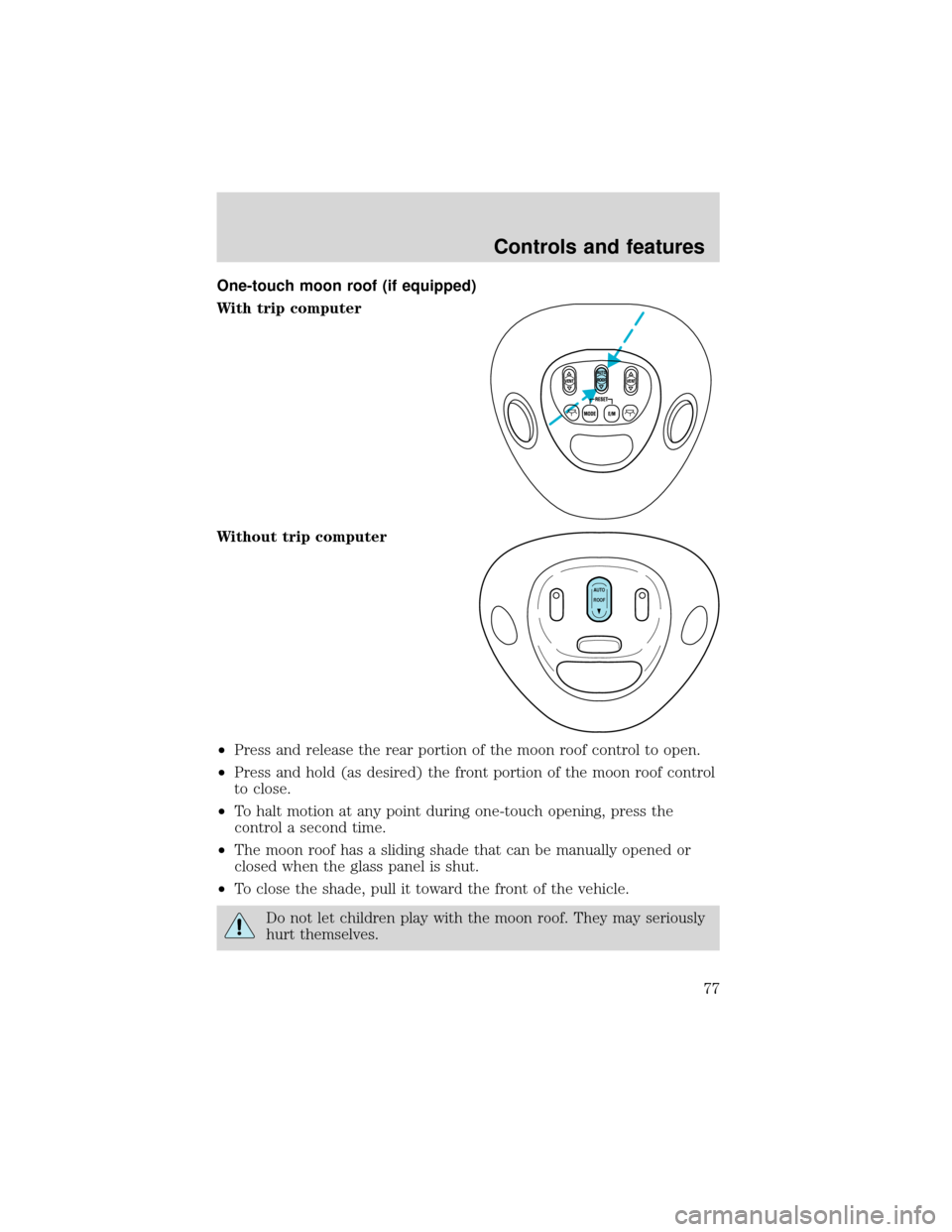
One-touch moon roof (if equipped)
With trip computer
Without trip computer
•Press and release the rear portion of the moon roof control to open.
•Press and hold (as desired) the front portion of the moon roof control
to close.
•To halt motion at any point during one-touch opening, press the
control a second time.
•The moon roof has a sliding shade that can be manually opened or
closed when the glass panel is shut.
•To close the shade, pull it toward the front of the vehicle.
Do not let children play with the moon roof. They may seriously
hurt themselves.
VENT VENTROOF
AUTO
ROOF
Controls and features
77
Page 79 of 280
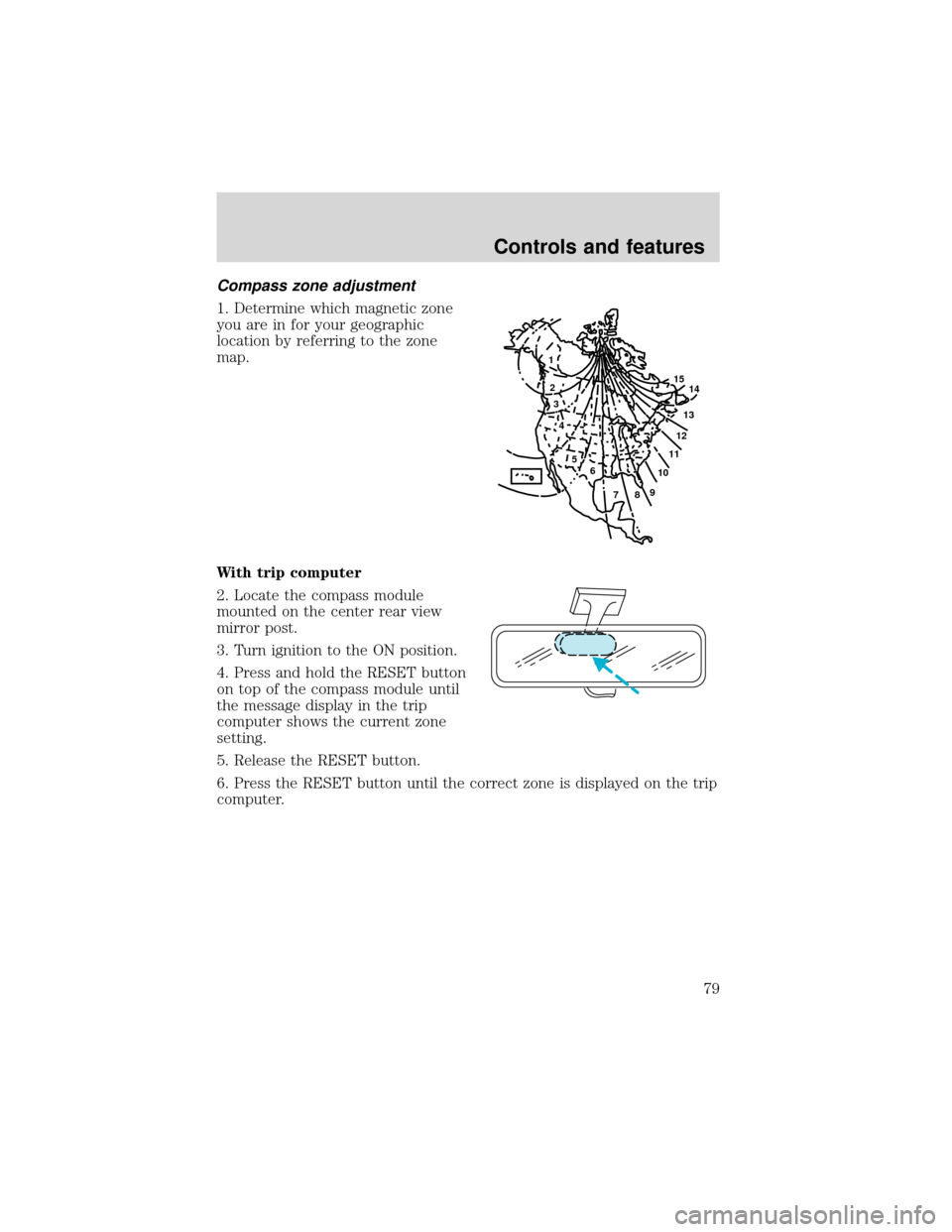
Compass zone adjustment
1. Determine which magnetic zone
you are in for your geographic
location by referring to the zone
map.
With trip computer
2. Locate the compass module
mounted on the center rear view
mirror post.
3. Turn ignition to the ON position.
4. Press and hold the RESET button
on top of the compass module until
the message display in the trip
computer shows the current zone
setting.
5. Release the RESET button.
6. Press the RESET button until the correct zone is displayed on the trip
computer.
1
2
3
4
5
6
7891011121314 15
Controls and features
79
Page 81 of 280
![FORD EXPEDITION 2001 1.G User Guide Without trip computer
1. Press and hold the SELECT
control until CAL appears in the
display (approximately eight
seconds) and release.
2. Drive the vehicle slowly (less
than 5 km/h [3 mph]) in circles](/img/11/4910/w960_4910-80.png "FORD EXPEDITION 2001 1.G User Guide Without trip computer
1. Press and hold the SELECT
control until CAL appears in the
display (approximately eight
seconds) and release.
2. Drive the vehicle slowly (less
than 5 km/h [3 mph]) in circles")
Without trip computer
1. Press and hold the SELECT
control until CAL appears in the
display (approximately eight
seconds) and release.
2. Drive the vehicle slowly (less
than 5 km/h [3 mph]) in circles until
CAL indicator turns off in about 2–3
complete circles.
3. The compass is now calibrated.
Power quarter rear windows (if equipped)
•With out a moon roof
•With a moon roof
AUTO
CAL
ROOF
RESET
VENTV
E
N
T
MODE E/M
VENT VENTROOF
Controls and features
81
Page 82 of 280
Press theportion of the VENT control to open the power rear
quarter windows.
Press the
portion of the VENT control to close the power rear
quarter windows.
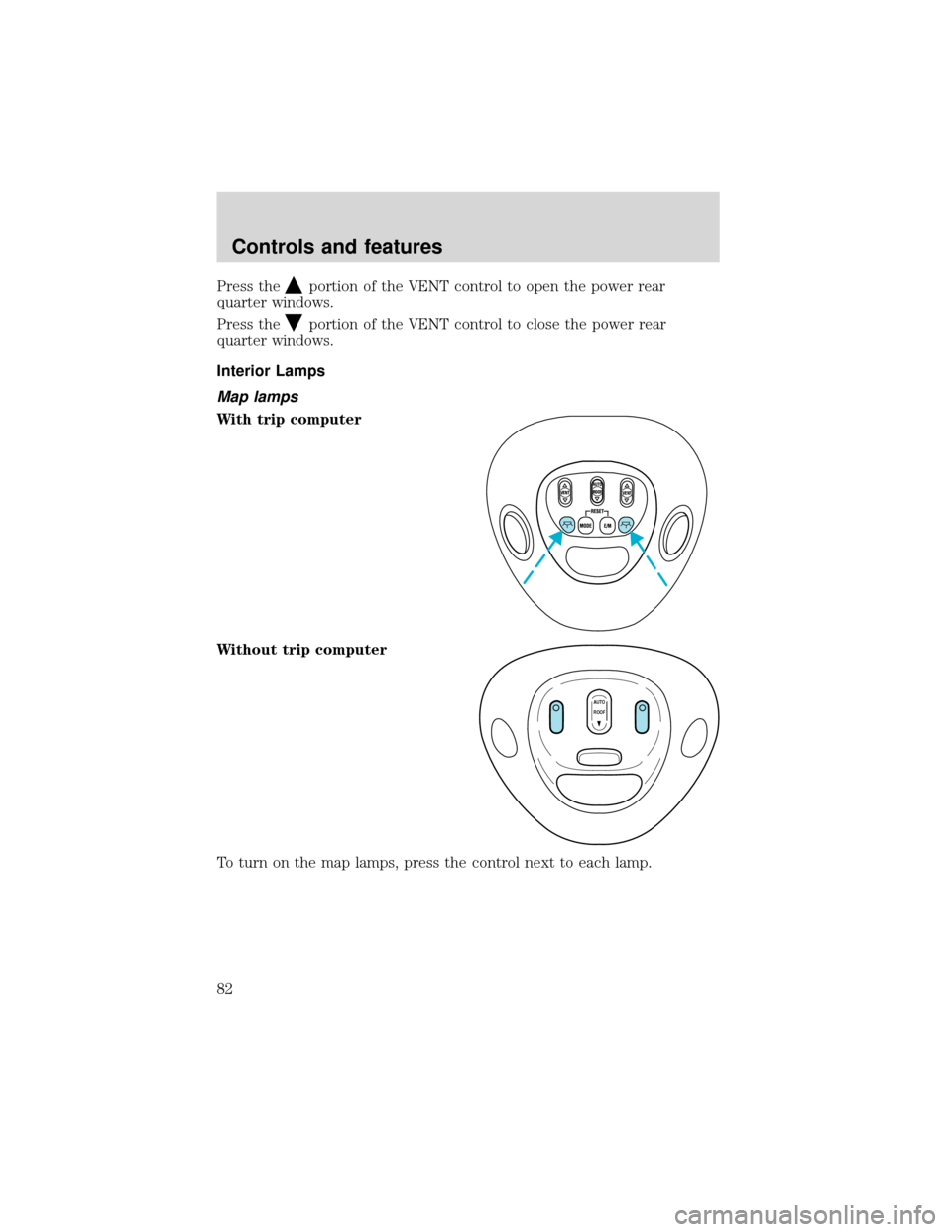
Interior Lamps
Map lamps
With trip computer
Without trip computer
To turn on the map lamps, press the control next to each lamp.
VENT VENTROOF
AUTO
ROOF
Controls and features
82