warning FORD EXPEDITION 2013 3.G Repair Manual
[x] Cancel search | Manufacturer: FORD, Model Year: 2013, Model line: EXPEDITION, Model: FORD EXPEDITION 2013 3.GPages: 497, PDF Size: 5.64 MB
Page 143 of 497
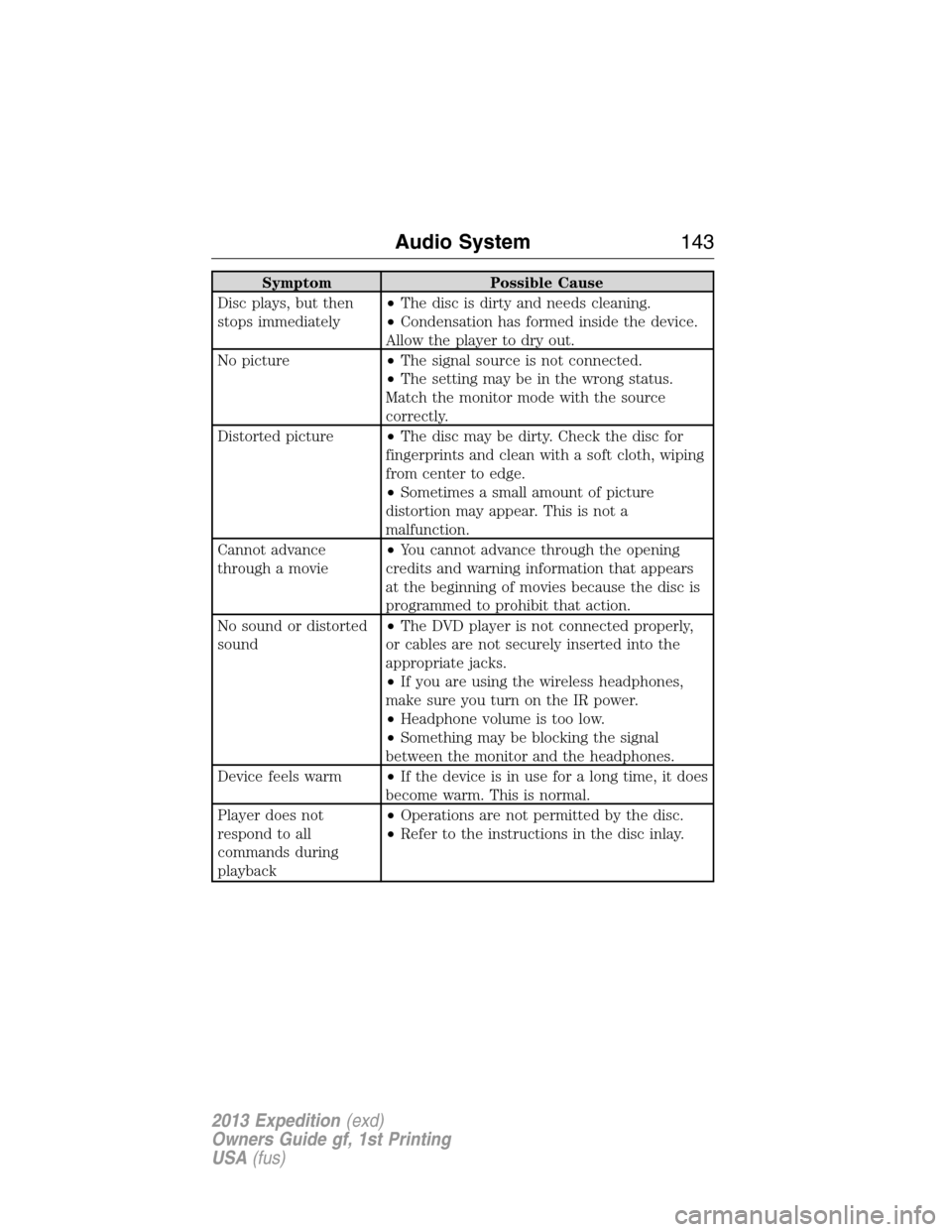
Symptom Possible Cause
Disc plays, but then
stops immediately•The disc is dirty and needs cleaning.
•Condensation has formed inside the device.
Allow the player to dry out.
No picture•The signal source is not connected.
•The setting may be in the wrong status.
Match the monitor mode with the source
correctly.
Distorted picture•The disc may be dirty. Check the disc for
fingerprints and clean with a soft cloth, wiping
from center to edge.
•Sometimes a small amount of picture
distortion may appear. This is not a
malfunction.
Cannot advance
through a movie•You cannot advance through the opening
credits and warning information that appears
at the beginning of movies because the disc is
programmed to prohibit that action.
No sound or distorted
sound•The DVD player is not connected properly,
or cables are not securely inserted into the
appropriate jacks.
•If you are using the wireless headphones,
make sure you turn on the IR power.
•Headphone volume is too low.
•Something may be blocking the signal
between the monitor and the headphones.
Device feels warm•If the device is in use for a long time, it does
become warm. This is normal.
Player does not
respond to all
commands during
playback•Operations are not permitted by the disc.
•Refer to the instructions in the disc inlay.
Audio System143
2013 Expedition(exd)
Owners Guide gf, 1st Printing
USA(fus)
Page 144 of 497
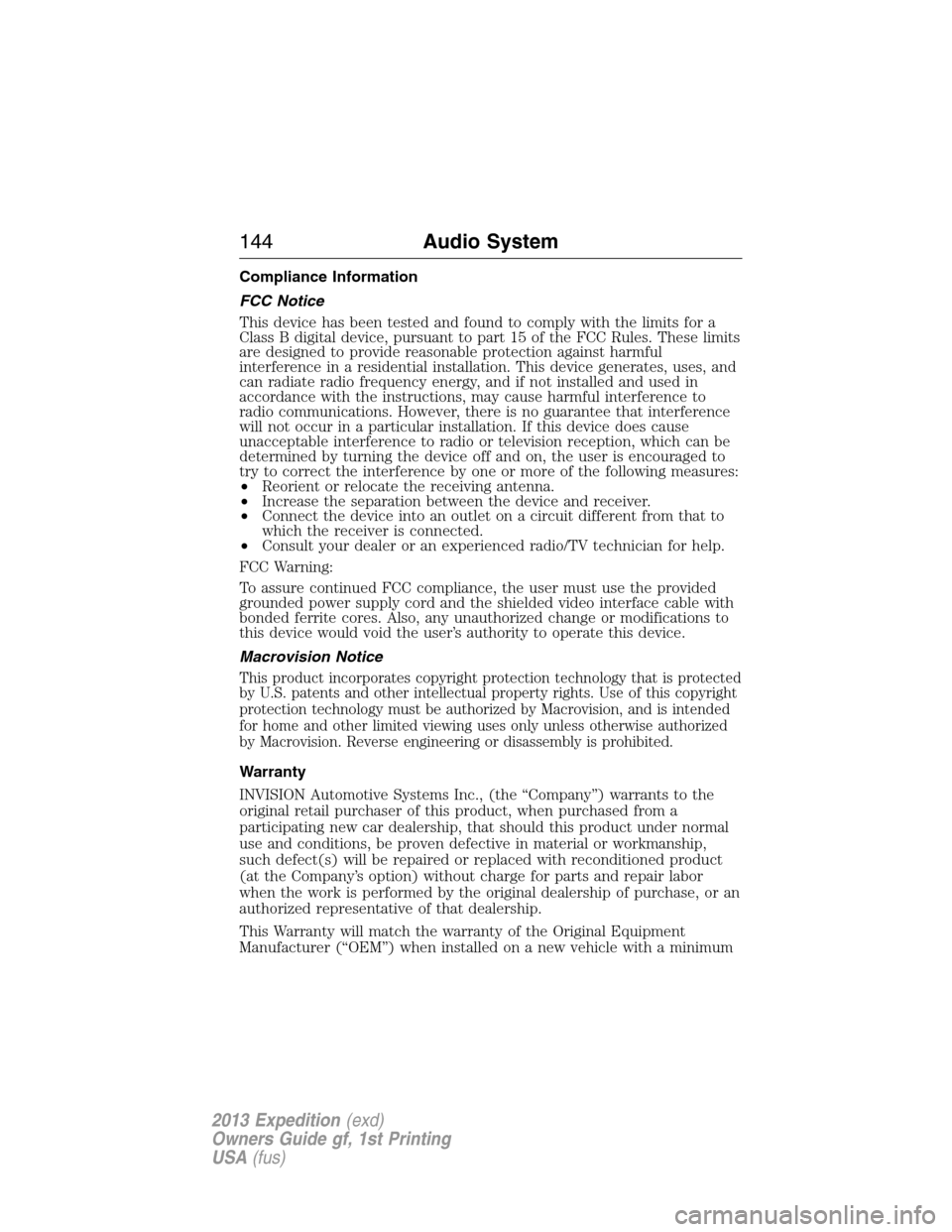
Compliance Information
FCC Notice
This device has been tested and found to comply with the limits for a
Class B digital device, pursuant to part 15 of the FCC Rules. These limits
are designed to provide reasonable protection against harmful
interference in a residential installation. This device generates, uses, and
can radiate radio frequency energy, and if not installed and used in
accordance with the instructions, may cause harmful interference to
radio communications. However, there is no guarantee that interference
will not occur in a particular installation. If this device does cause
unacceptable interference to radio or television reception, which can be
determined by turning the device off and on, the user is encouraged to
try to correct the interference by one or more of the following measures:
•Reorient or relocate the receiving antenna.
•Increase the separation between the device and receiver.
•Connect the device into an outlet on a circuit different from that to
which the receiver is connected.
•Consult your dealer or an experienced radio/TV technician for help.
FCC Warning:
To assure continued FCC compliance, the user must use the provided
grounded power supply cord and the shielded video interface cable with
bonded ferrite cores. Also, any unauthorized change or modifications to
this device would void the user’s authority to operate this device.
Macrovision Notice
This product incorporates copyright protection technology that is protected
by U.S. patents and other intellectual property rights. Use of this copyright
protection technology must be authorized by Macrovision, and is intended
for home and other limited viewing uses only unless otherwise authorized
by Macrovision. Reverse engineering or disassembly is prohibited.
Warranty
INVISION Automotive Systems Inc., (the “Company”) warrants to the
original retail purchaser of this product, when purchased from a
participating new car dealership, that should this product under normal
use and conditions, be proven defective in material or workmanship,
such defect(s) will be repaired or replaced with reconditioned product
(at the Company’s option) without charge for parts and repair labor
when the work is performed by the original dealership of purchase, or an
authorized representative of that dealership.
This Warranty will match the warranty of the Original Equipment
Manufacturer (“OEM”) when installed on a new vehicle with a minimum
144Audio System
2013 Expedition(exd)
Owners Guide gf, 1st Printing
USA(fus)
Page 158 of 497
SITTING IN THE CORRECT POSITION
WARNING:Sitting improperly out of position or with the
seatback reclined too far can take off weight from the seat
cushion and affect the passenger sensing system, resulting in serious
injury or death in a crash. Always sit upright against your seatback,
with your feet on the floor.
WARNING:Do not recline the seatback as this can cause the
occupant to slide under the seat’s safety belt, resulting in severe
personal injury in the event of a collision.
WARNING:Do not place objects higher than the seatbacks to
reduce the risk of injury in a collision or during heavy braking or
when stopping suddenly.
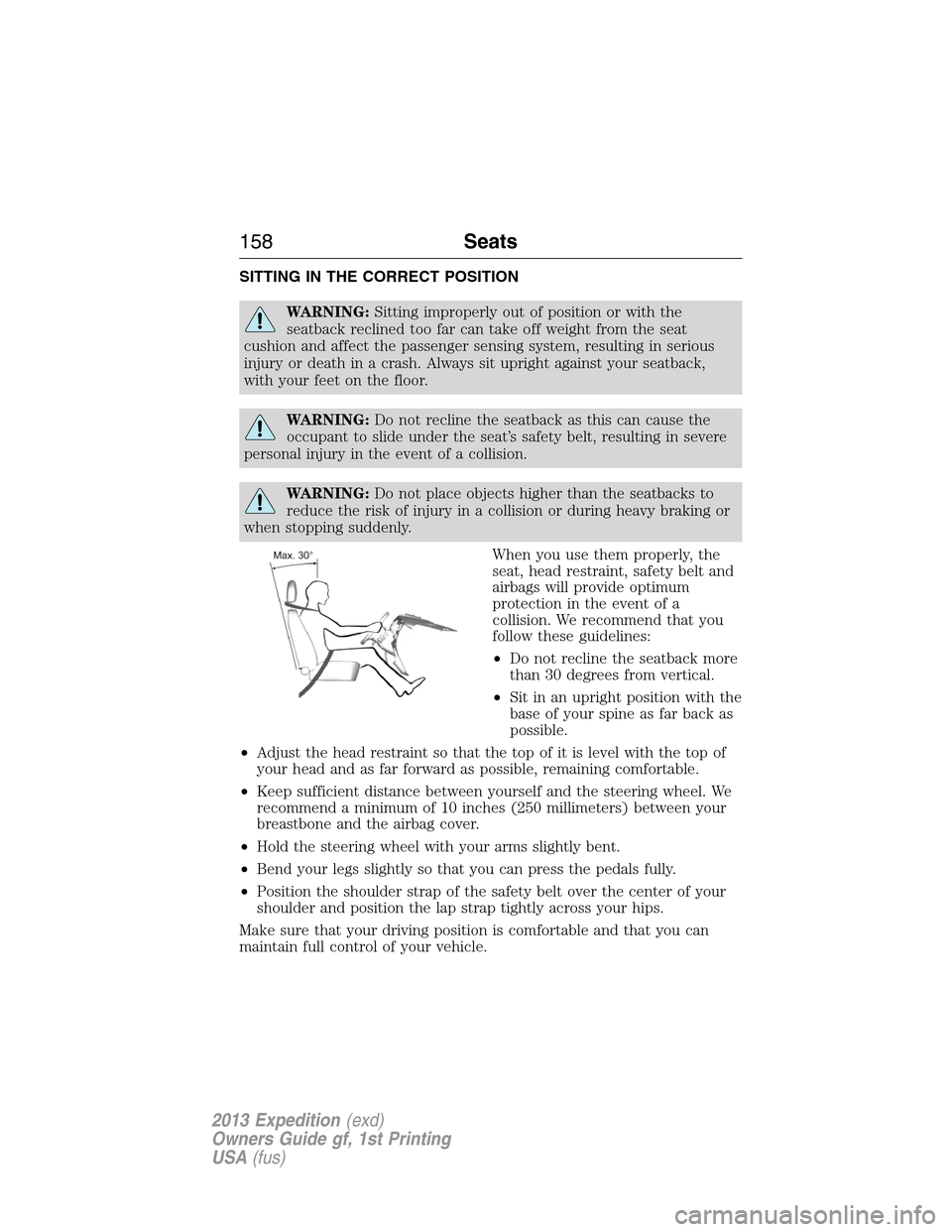
When you use them properly, the
seat, head restraint, safety belt and
airbags will provide optimum
protection in the event of a
collision. We recommend that you
follow these guidelines:
•Do not recline the seatback more
than 30 degrees from vertical.
•Sit in an upright position with the
base of your spine as far back as
possible.
•Adjust the head restraint so that the top of it is level with the top of
your head and as far forward as possible, remaining comfortable.
•Keep sufficient distance between yourself and the steering wheel. We
recommend a minimum of 10 inches (250 millimeters) between your
breastbone and the airbag cover.
•Hold the steering wheel with your arms slightly bent.
•Bend your legs slightly so that you can press the pedals fully.
•Position the shoulder strap of the safety belt over the center of your
shoulder and position the lap strap tightly across your hips.
Make sure that your driving position is comfortable and that you can
maintain full control of your vehicle.
158Seats
2013 Expedition(exd)
Owners Guide gf, 1st Printing
USA(fus)
Page 159 of 497
HEAD RESTRAINTS
WARNING:To minimize the risk of neck injury in the event of a
crash, you and the passenger occupants should not sit in and/or
operate the vehicle, until the head restraint is placed in its proper
position. Never adjust the head restraint while the vehicle is in motion.
WARNING:The adjustable head restraint is a safety device.
Whenever possible it should be installed and properly adjusted
when the seat is occupied.
WARNING:Install the head restraint properly to minimize the
risk of neck injury in the event of a crash.
Note:Adjust the seatback to an upright driving position before adjusting
any head restraint. Properly adjust the head restraint so that the top of
the head restraint is even with the top of your head and positioned as
close as possible to the back of your head. For occupants of extremely
tall stature, adjust the head restraint to its full up position.
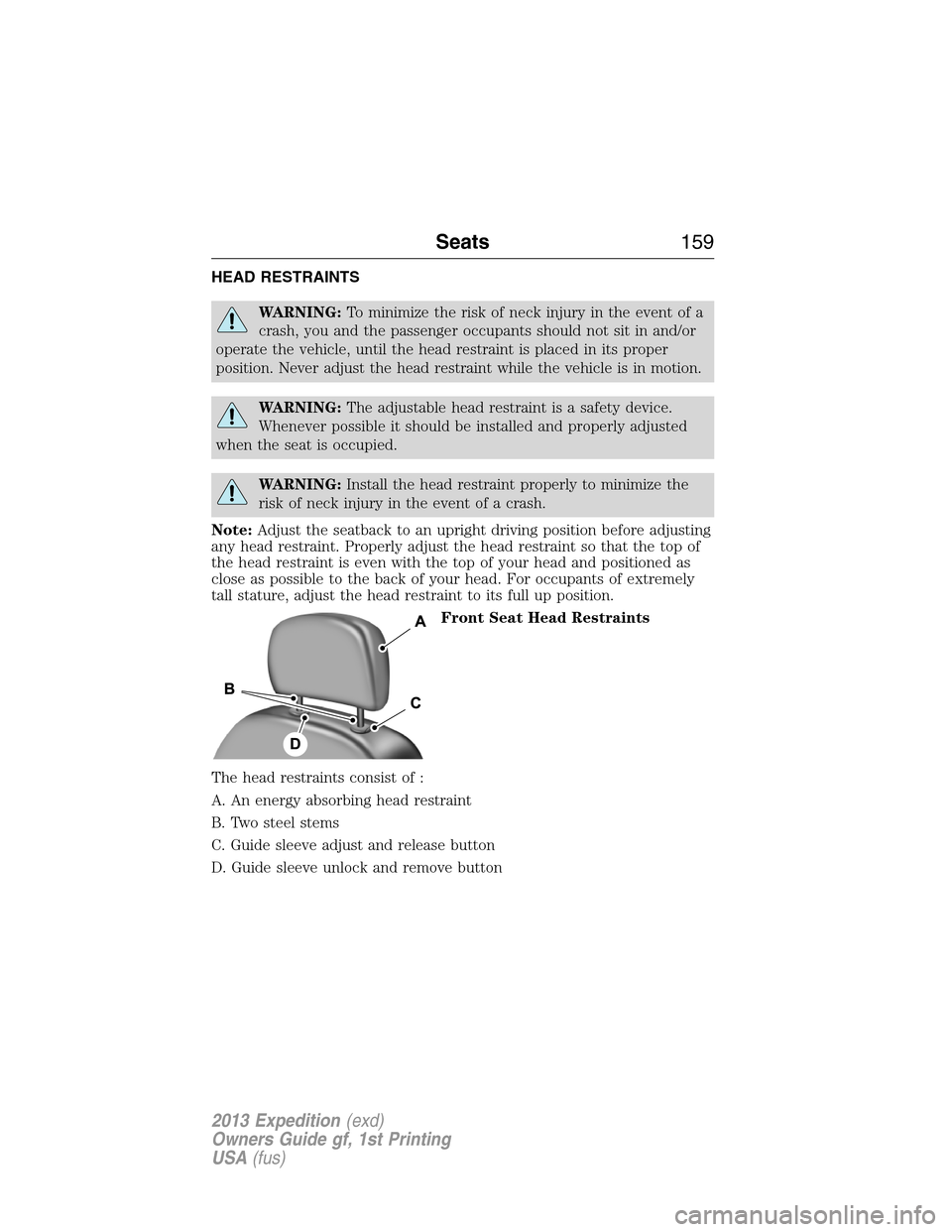
Front Seat Head Restraints
The head restraints consist of :
A. An energy absorbing head restraint
B. Two steel stems
C. Guide sleeve adjust and release button
D. Guide sleeve unlock and remove button
Seats159
2013 Expedition(exd)
Owners Guide gf, 1st Printing
USA(fus)
Page 161 of 497
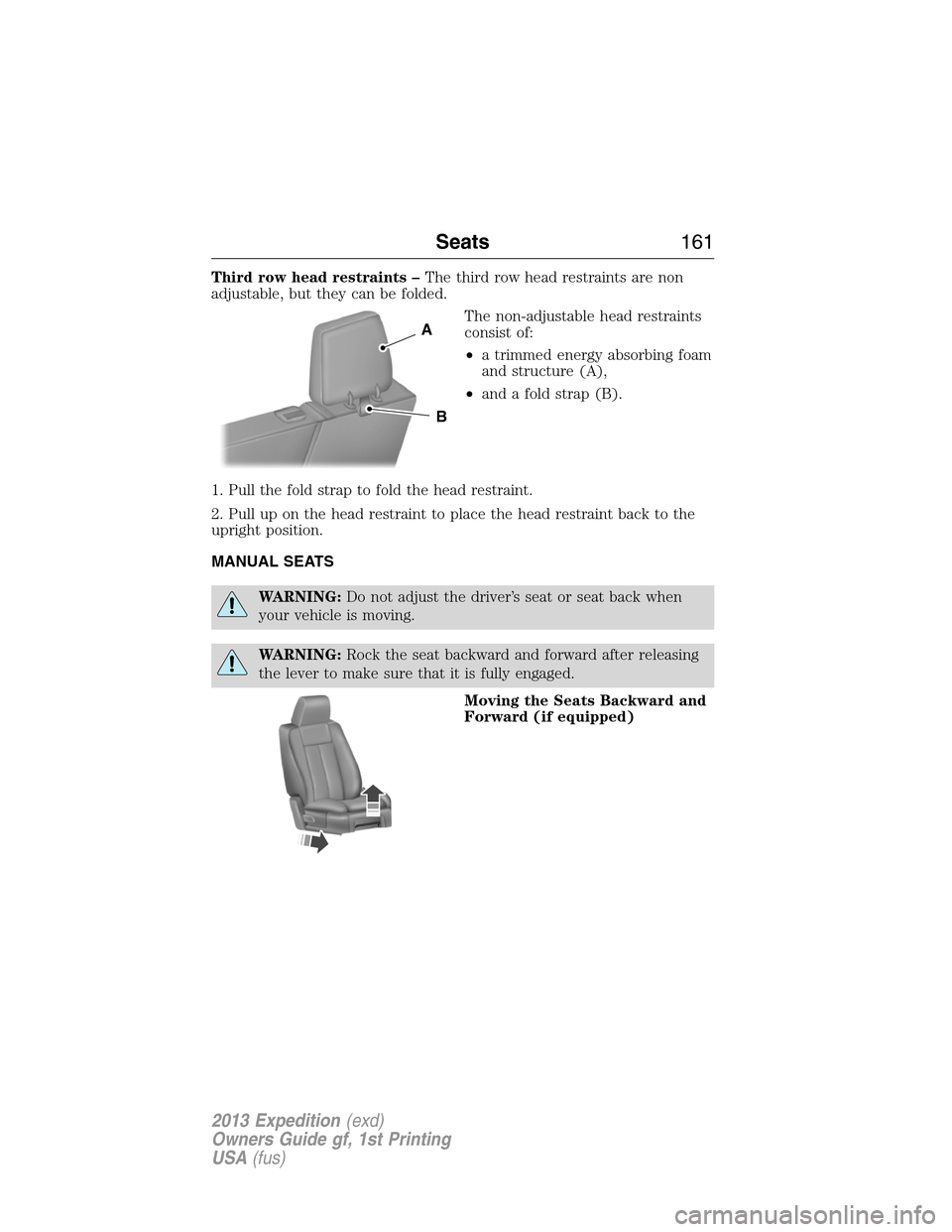
Third row head restraints –The third row head restraints are non
adjustable, but they can be folded.
The non-adjustable head restraints
consist of:
•a trimmed energy absorbing foam
and structure (A),
•and a fold strap (B).
1. Pull the fold strap to fold the head restraint.
2. Pull up on the head restraint to place the head restraint back to the
upright position.
MANUAL SEATS
WARNING:Do not adjust the driver’s seat or seat back when
your vehicle is moving.
WARNING:Rock the seat backward and forward after releasing
the lever to make sure that it is fully engaged.
Moving the Seats Backward and
Forward (if equipped)
A
B
Seats161
2013 Expedition(exd)
Owners Guide gf, 1st Printing
USA(fus)
Page 162 of 497
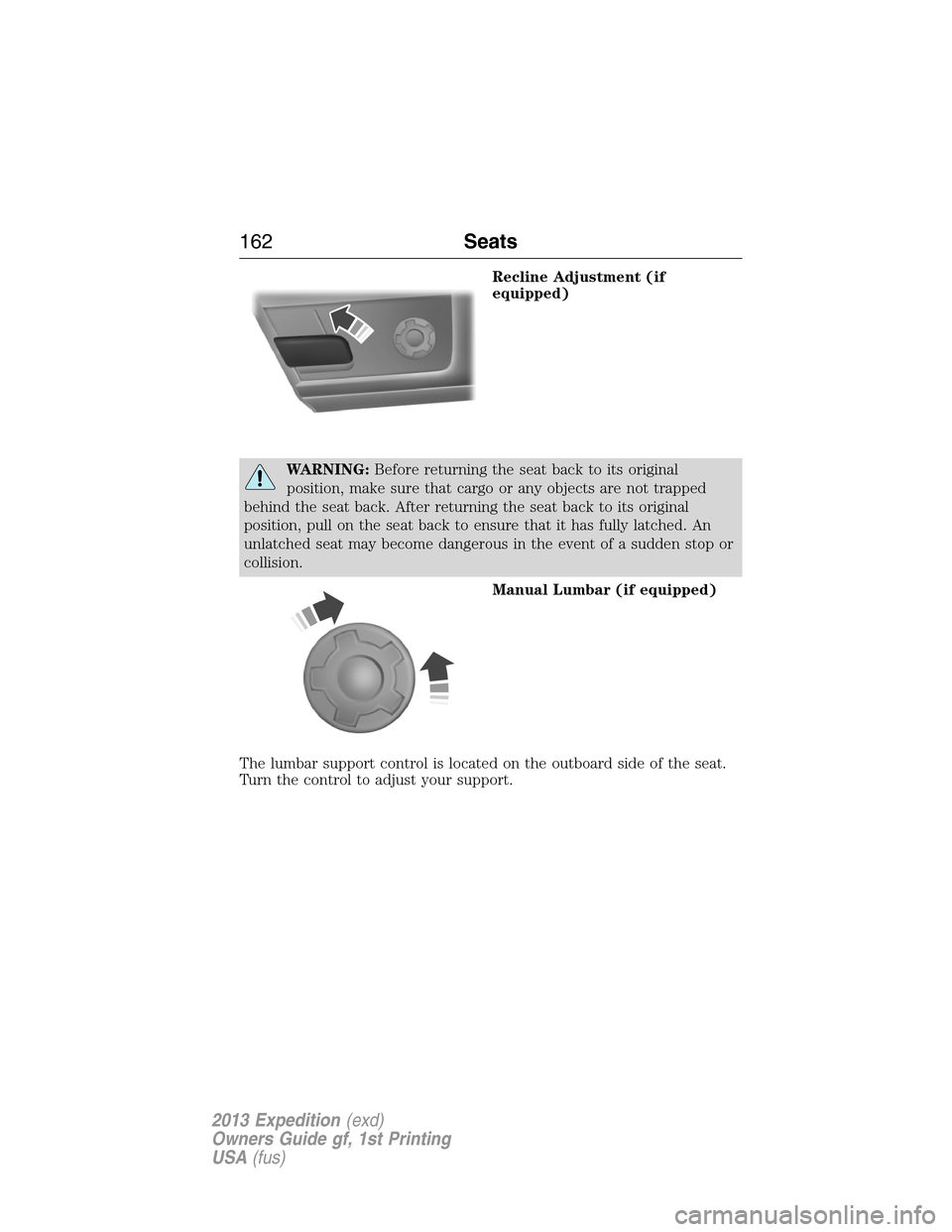
Recline Adjustment (if
equipped)
WARNING:Before returning the seat back to its original
position, make sure that cargo or any objects are not trapped
behind the seat back. After returning the seat back to its original
position, pull on the seat back to ensure that it has fully latched. An
unlatched seat may become dangerous in the event of a sudden stop or
collision.
Manual Lumbar (if equipped)
The lumbar support control is located on the outboard side of the seat.
Turn the control to adjust your support.
162Seats
2013 Expedition(exd)
Owners Guide gf, 1st Printing
USA(fus)
Page 163 of 497
POWER SEATS (IF EQUIPPED)
WARNING:Before returning the seat back to its original
position, make sure that cargo or any objects are not trapped
behind the seat back.
WARNING:Never adjust the driver’s seat or seat back when the
vehicle is moving.
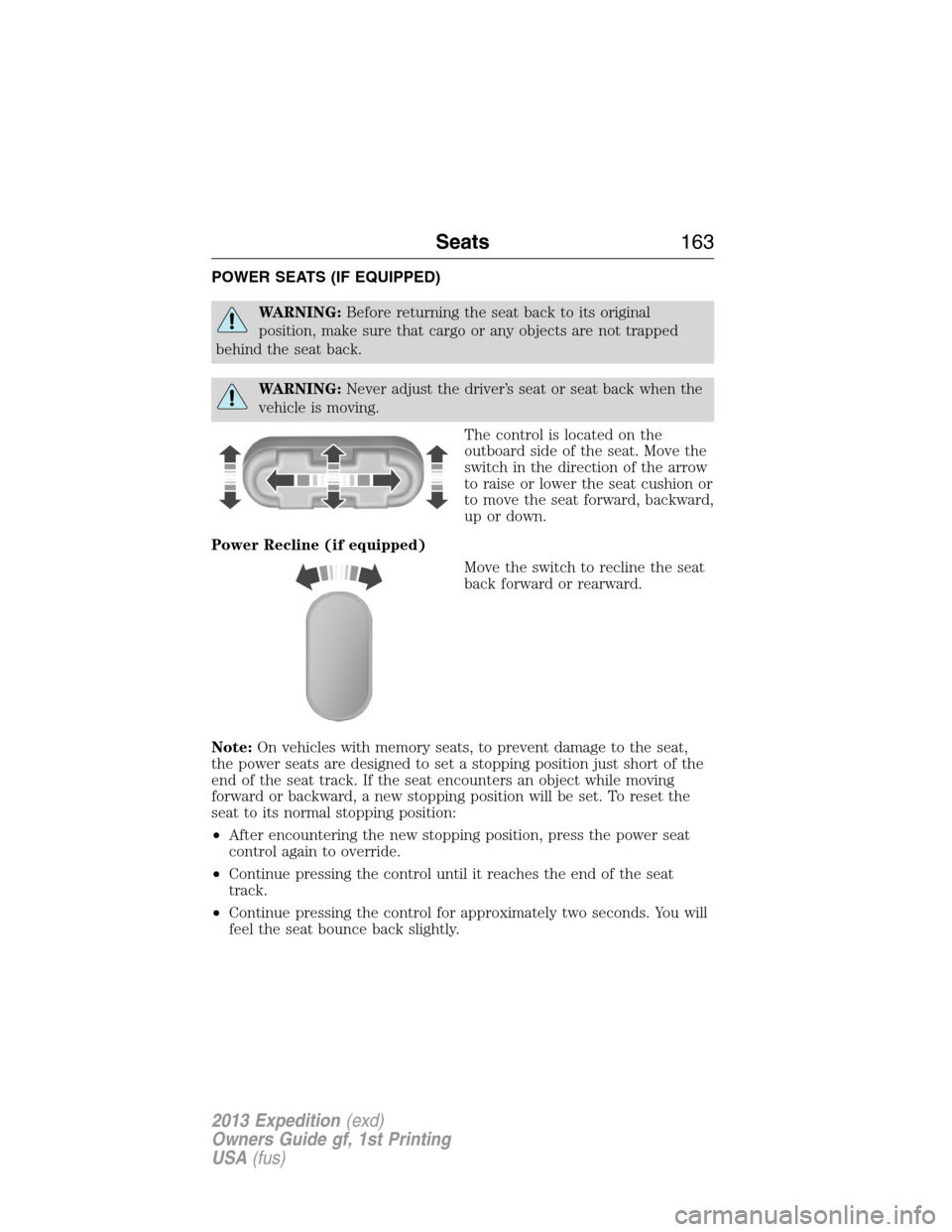
The control is located on the
outboard side of the seat. Move the
switch in the direction of the arrow
to raise or lower the seat cushion or
to move the seat forward, backward,
up or down.
Power Recline (if equipped)
Move the switch to recline the seat
back forward or rearward.
Note:On vehicles with memory seats, to prevent damage to the seat,
the power seats are designed to set a stopping position just short of the
end of the seat track. If the seat encounters an object while moving
forward or backward, a new stopping position will be set. To reset the
seat to its normal stopping position:
•After encountering the new stopping position, press the power seat
control again to override.
•Continue pressing the control until it reaches the end of the seat
track.
•Continue pressing the control for approximately two seconds. You will
feel the seat bounce back slightly.
Seats163
2013 Expedition(exd)
Owners Guide gf, 1st Printing
USA(fus)
Page 166 of 497
Climate Controlled Seats (If Equipped)
Heated Seats
WARNING:Persons who are unable to feel pain to the skin
because of advanced age, chronic illness, diabetes, spinal cord
injury, medication, alcohol use, exhaustion, or other physical conditions,
must exercise care when using the seat heater. The seat heater may
cause burns even at low temperatures, especially if used for long
periods of time. Do not place anything on the seat that insulates against
heat, such as a blanket or cushion, because this may cause the seat
heater to overheat. Do not puncture the seat with pins, needles, or
other pointed objects because this may damage the heating element
which may cause the seat heater to overheat. An overheated seat may
cause serious personal injury.
Note:Do not do the following:
•Place heavy objects on the seat
•Operate the seat heater if water or any other liquid is spilled on the
seat. Allow the seat to dry thoroughly.
The heated seats will only function when the engine is running.
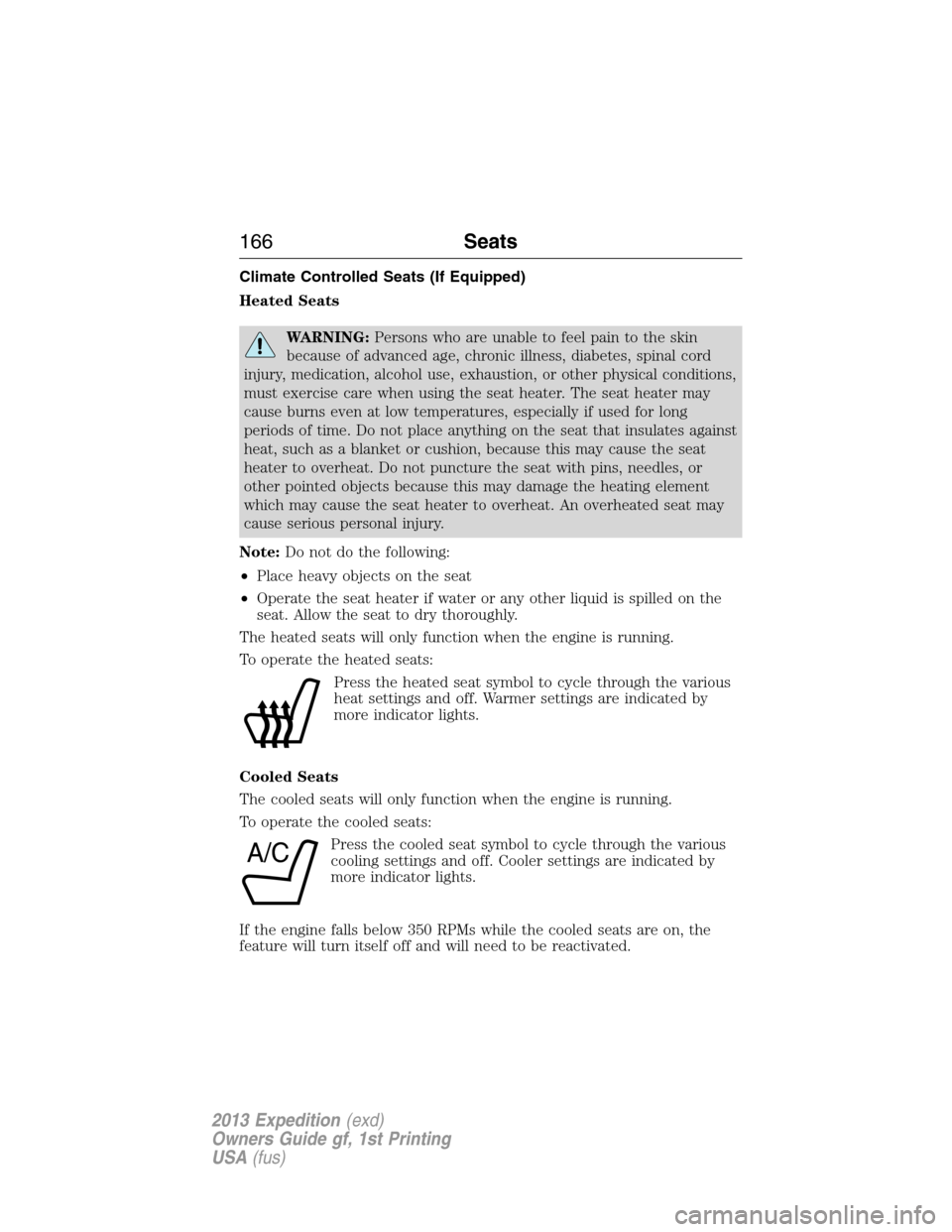
To operate the heated seats:
Press the heated seat symbol to cycle through the various
heat settings and off. Warmer settings are indicated by
more indicator lights.
Cooled Seats
The cooled seats will only function when the engine is running.
To operate the cooled seats:
Press the cooled seat symbol to cycle through the various
cooling settings and off. Cooler settings are indicated by
more indicator lights.
If the engine falls below 350 RPMs while the cooled seats are on, the
feature will turn itself off and will need to be reactivated.
A/C
166Seats
2013 Expedition(exd)
Owners Guide gf, 1st Printing
USA(fus)
Page 168 of 497
REAR SEATS
Folding Down the 2nd Row 40% Seat System
WARNING:Use caution when folding the seat back to the flat
back position as the system will move forward when you lift the
release handle.
WARNING:Before returning the seat back to its original
position, make sure that cargo or any objects are not trapped
behind the seat back. After returning the seat back to its original
position, pull on the seat back to ensure that it has fully latched. An
unlatched seat may become dangerous in the event of a sudden stop or
collision.
Make sure that the head restraint is in the down position and no objects
such as books, purses or briefcases are on the floor in front of the
second row seats before folding them down.
Move the front passenger seat forward so that the second row seat
headrest clears the front seat.
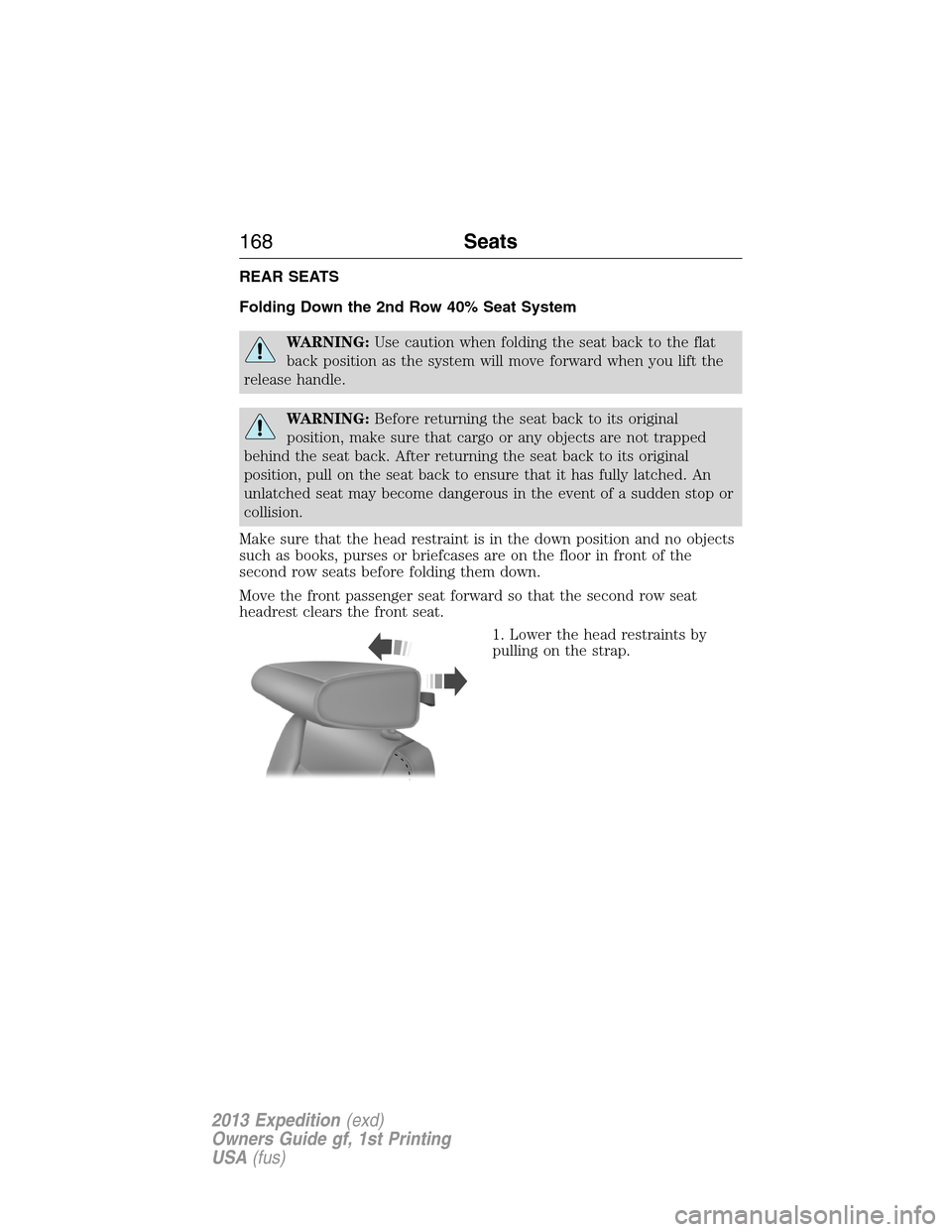
1. Lower the head restraints by
pulling on the strap.
168Seats
2013 Expedition(exd)
Owners Guide gf, 1st Printing
USA(fus)
Page 170 of 497
Placing the 2nd Row Outboard 40% Seats in Cargo Mode
WARNING:Use caution when folding the seat back to the flat
back position as the system will move forward when you lift the
release handle.
WARNING:Always return the seat from the kneel position prior
to raising the seat back. Failure to do so could result in personal
injury.
The 2nd row seats can be placed in a kneel down load floor position to
allow more cargo space.
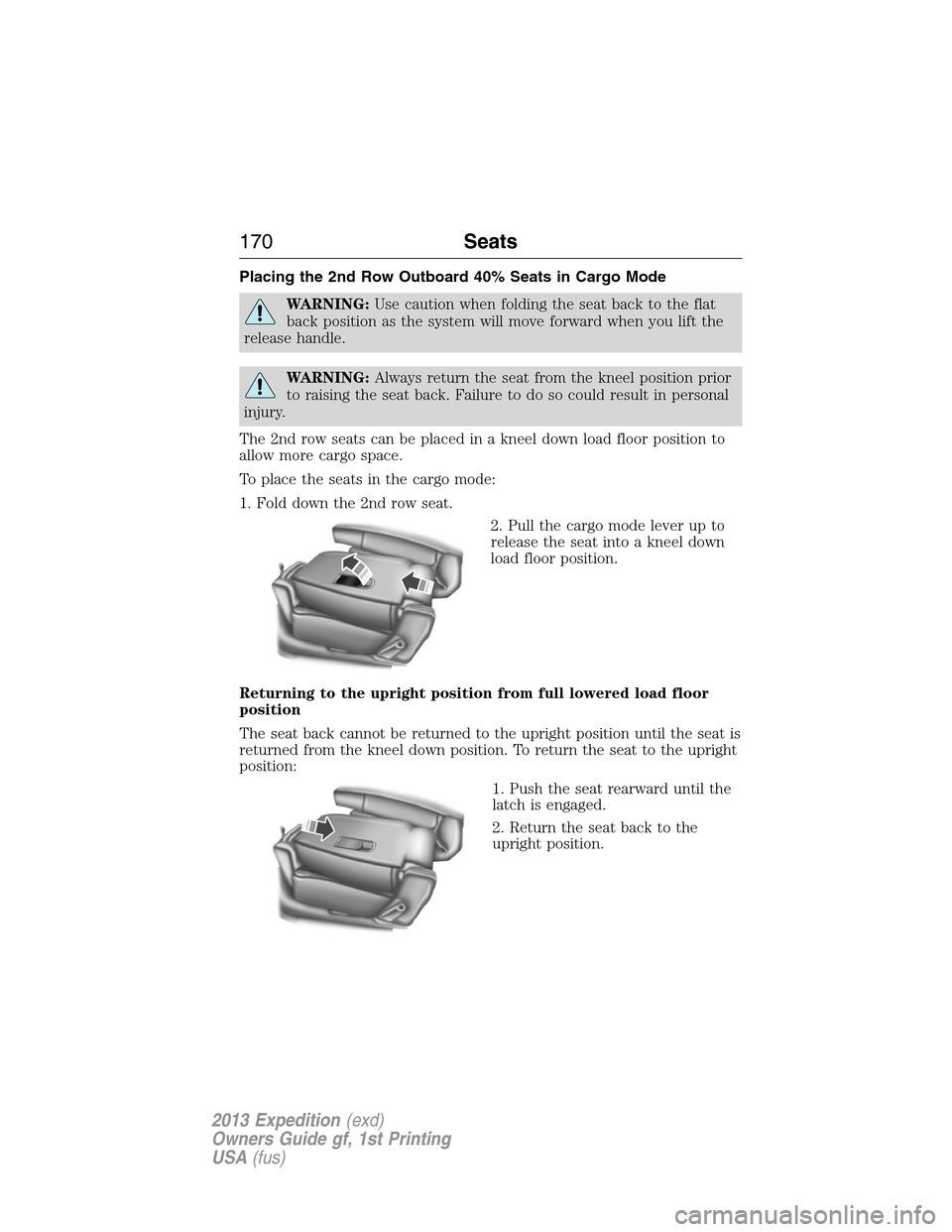
To place the seats in the cargo mode:
1. Fold down the 2nd row seat.
2. Pull the cargo mode lever up to
release the seat into a kneel down
load floor position.
Returning to the upright position from full lowered load floor
position
The seat back cannot be returned to the upright position until the seat is
returned from the kneel down position. To return the seat to the upright
position:
1. Push the seat rearward until the
latch is engaged.
2. Return the seat back to the
upright position.
170Seats
2013 Expedition(exd)
Owners Guide gf, 1st Printing
USA(fus)