light FORD EXPEDITION 2015 3.G User Guide
[x] Cancel search | Manufacturer: FORD, Model Year: 2015, Model line: EXPEDITION, Model: FORD EXPEDITION 2015 3.GPages: 564, PDF Size: 6.71 MB
Page 47 of 564
•Front crash severity sensors.
•Restraints control module with impact and safing sensors.
•Restraint system warning light and backup tone.
•The electrical wiring for the airbags, crash sensor(s), safety belt
pretensioners, front safety belt usage sensors, driver seat position
sensor, and indicator lights.
How does the Restraint Safety System work?
The Restraint Safety System can adapt the deployment strategy of your
vehicle’s safety devices according to crash severity and occupant
conditions. A collection of crash and occupant sensors provides
information to the restraints control module. During a crash, the
restraints control module may activate the safety belt pretensioners
and/or either one or both stages of the dual-stage airbag supplemental
restraints based on crash severity and occupant conditions.
SOS POST-CRASH ALERT SYSTEM™
The system flashes the direction indicator lamps and the horn sounds
(intermittently) in the event of a serious impact that deploys an airbag
equipped on your vehicle.
The horn and lamps turn off when:
•You press the hazard button.
•You press the panic button (if equipped) on the remote entry
transmitter.
•Your vehicle runs out of power.
46Supplementary Restraints System
2015 Expedition(exd)
Owners Guide gf, 1st Printing, July 2014
USA(fus)
Page 48 of 564
DRIVER AND PASSENGER AIRBAGS
WARNING:Never place your arm or any objects over an airbag
module. Placing your arm over a deploying airbag can result in
serious arm fractures or other injuries. Objects placed on or over the
airbag inflation area may cause those objects to be propelled by the
airbag into your face and torso causing serious injury.
WARNING:Airbags can kill or injure a child in a child seat.
Never place a rear-facing child seat in front of an active airbag. If
you must use a forward-facing child seat in the front seat, move the
seat upon which the child seat is installed all the way back.
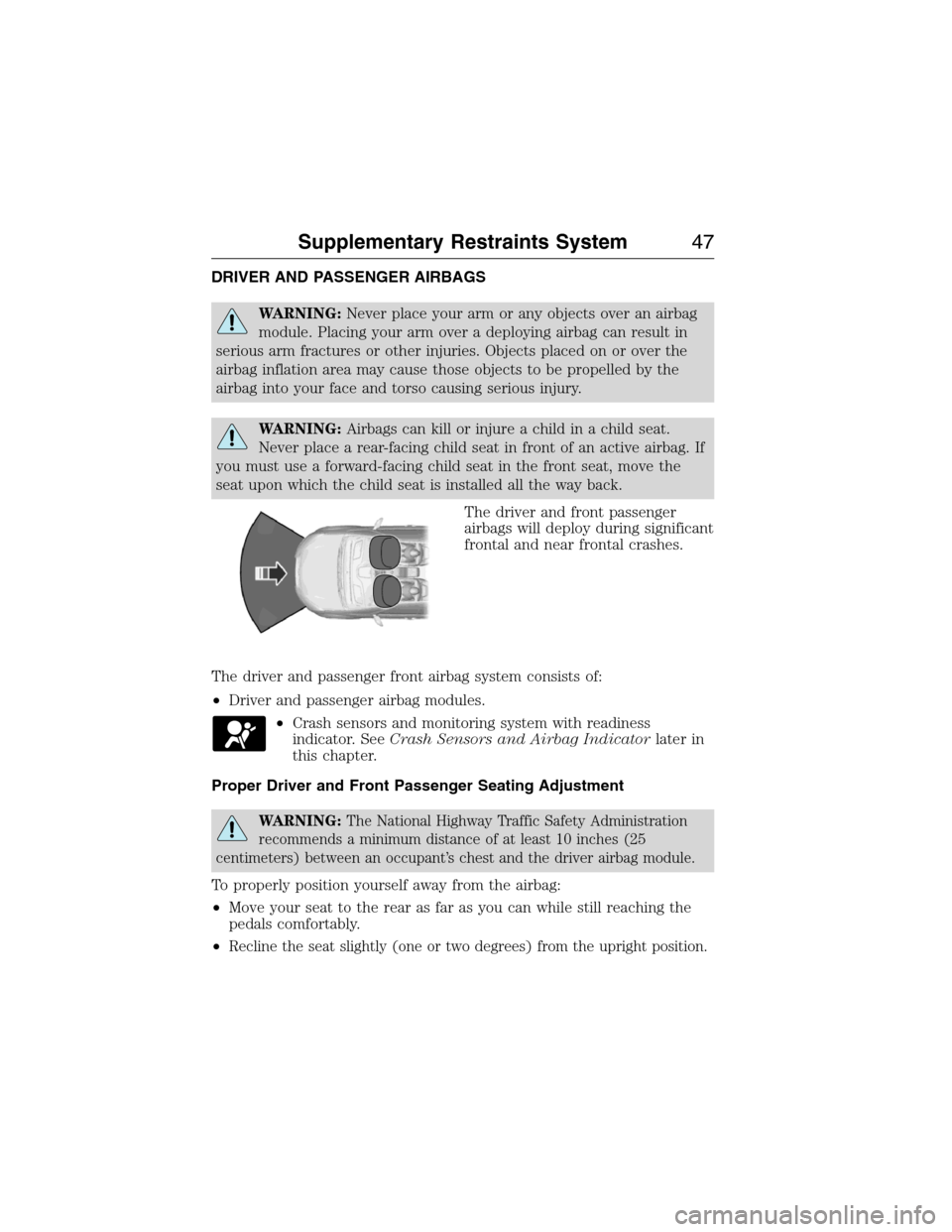
The driver and front passenger
airbags will deploy during significant
frontal and near frontal crashes.
The driver and passenger front airbag system consists of:
•Driver and passenger airbag modules.
•Crash sensors and monitoring system with readiness
indicator. SeeCrash Sensors and Airbag Indicatorlater in
this chapter.
Proper Driver and Front Passenger Seating Adjustment
WARNING:The National Highway Traffic Safety Administration
recommends a minimum distance of at least 10 inches (25
centimeters) between an occupant’s chest and the driver airbag module.
To properly position yourself away from the airbag:
•Move your seat to the rear as far as you can while still reaching the
pedals comfortably.
•
Recline the seat slightly (one or two degrees) from the upright position.
Supplementary Restraints System47
2015 Expedition(exd)
Owners Guide gf, 1st Printing, July 2014
USA(fus)
Page 53 of 564
CRASH SENSORS AND AIRBAG INDICATOR
WARNING:Modifying or adding equipment to the front end of
your vehicle (including frame, bumper, front end body structure
and tow hooks) may affect the performance of the airbag system,
increasing the risk of injury. Do not modify the front end of your
vehicle.
Your vehicle has a collection of crash and occupant sensors which
provide information to the restraints control module. The restraints
control module deploys (activates) the front safety belt pretensioners,
driver airbag, passenger airbag, seat mounted side airbags, and the
Safety Canopy. Based on the type of accident (frontal impact, side
impact or rollover) the restraints control module will deploy the
appropriate safety devices.
The restraints control module also monitors the readiness of the above
safety devices plus the crash and occupant sensors. The readiness of the
safety system is indicated by a warning indicator light in the instrument
cluster or by a backup tone if the warning light is not working. See the
Instrument Clusterchapter. Routine maintenance of the airbag is not
required.
A difficulty with the system is indicated by one or more of the following:
•The readiness light will either flash or stay lit.
•The readiness light will not illuminate immediately after the
ignition is turned on.
•A series of five beeps will be heard. The tone pattern will repeat
periodically until the problem or light are repaired.
If any of these things happen, even intermittently, have the supplemental
restraint system serviced at an authorized dealer immediately. Unless
serviced, the system may not function properly in the event of a crash.
The safety belt pretensioners and the airbag supplemental restraint
system are designed to activate when the vehicle sustains frontal or
sideways deceleration sufficient to cause the restraints control module to
deploy a safety device or when a certain likelihood of a rollover event is
detected by the rollover sensor.
52Supplementary Restraints System
2015 Expedition(exd)
Owners Guide gf, 1st Printing, July 2014
USA(fus)
Page 60 of 564
Car Finder
Press the button twice within three seconds. The horn will sound
and the turn signals will flash. We recommend you use this
method to locate your vehicle, rather than using the panic alarm.
Sounding a Panic Alarm
Press the button to activate the alarm. Press the button again
or switch the ignition on to deactivate.
Note:The panic alarm will only operate when the ignition is off.
Remote Start (If Equipped)
WARNING:To avoid exhaust fumes, do not use remote start if
your vehicle is parked indoors or areas that are not well
ventilated.
Note:Do not use remote start if your vehicle is low on fuel.
The remote start button is on the transmitter.
This feature allows you to start your vehicle from outside your vehicle.
The transmitter has an extended operating range.
Vehicles with automatic climate control can be configured to operate
when the vehicle is remote started. See theClimate Controlchapter for
more information. A manual climate control system will run at the setting
it was set to when your vehicle was last turned off.
Many states and provinces have restrictions for the use of remote start.
Check your local and state or provincial laws for specific requirements
regarding remote start systems.
The remote start system will not work if:
•the ignition is on
•the alarm system is triggered
•you disable the feature
•the hood is open
•the transmission is not inP
•the vehicle battery voltage is too low
•the service engine soon light is on.
Keys and Remote Control59
2015 Expedition(exd)
Owners Guide gf, 1st Printing, July 2014
USA(fus)
Page 64 of 564
•Audio system maximum volume of 45% for some audio systems. A
message will be shown in the display when you attempt to exceed the
limited volume. Also, the speed-sensitive or compensated automatic
volume control will be disabled.
•Always on setting. When this is selected, you will not be able to turn
off certain features.
CREATING A MYKEY
Use the information display to create a MyKey.
1. Insert the key you want to program into the ignition.
2. Switch the ignition on.
3. Access the main menu on the information display. PressSETUP
using the information display buttons untilPRESS RESET TO
CREATE MYKEYis displayed.
4. Press and release theRESETbutton.HOLD RESET TO
CONFIRM MYKEYwill be displayed.
5. Press and hold theRESETbutton for two seconds untilMARK
THIS AS RESTRICTEDis displayed Wait untilKEY
RESTRICTED AT NEXT STARTis displayed.
MyKey is successfully created. Make sure you label it so you can
distinguish it from the admin keys.
You can also program configurable settings for the key(s). Refer to
Programming/Changing Configurable Settings.
Programming/Changing Configurable Settings
Use the Information display to access your configurable MyKey settings:
1.
Switch the ignition on with an admin key. If your vehicle has keyless
start, place the intelligent access transmitter into the backup slot. The
location of your backup slot is in another chapter. SeeStarting and
Stopping the Engine.
2. Access the main menu on the information display controls and press
SETUPuntil you seeRESET FOR MYKEY SETTINGSin the display.
3. Press and release theRESETbutton to display the MyKey setup menus.
4. Press theSETUPbutton to display the next menu and scroll through
your choices.
5. Within any of the menus, pressRESETto highlight your choice. Use the
arrow buttons to make a selection.
6. PressSETUPto enter your choice. The next configurable setting will
display.
7. Repeat Steps 4 and 5 until you are done changing the configurable
settings.
MyKey63
2015 Expedition(exd)
Owners Guide gf, 1st Printing, July 2014
USA(fus)
Page 73 of 564
Illuminated Entry
The interior lamps and select exterior lamps illuminate when you use the
integrated keyhead transmitter, intelligent access key or the keyless
entry keypad to unlock the vehicle.
The system will turn off the lights if:
•you switch the ignition on
•you press the lock button on the remote control
•you lock your vehicle using the keyless entry keypad
•after 25 seconds of illumination.
The lights will not turn off if:
•you turn them on with the dimmer control
•any door is open.
Illuminated Exit
The interior lamps and select exterior lamps illuminate when all doors
are closed and you switch the ignition off and remove the key from the
ignition (integrated keyhead transmitter only).
The lamps turn off if all the doors remain closed and:
•25 seconds elapse
•you insert the key in the ignition (integrated keyhead transmitter
only)
•you press theSTART/STOPbutton (intelligent access key only).
Battery Saver
If you leave the courtesy lamps, dome lamps or headlamps on, the
battery saver shuts them off 10 minutes after you switch the ignition off.
Accessory Mode Battery Saver for Intelligent Access Keys
(If Equipped)
If you leave your vehicle in the run ignition state, it will shut off once it
detects a certain amount of battery drain or after 45 minutes.
72Locks
2015 Expedition(exd)
Owners Guide gf, 1st Printing, July 2014
USA(fus)
Page 78 of 564
SECURICODE™ KEYLESS ENTRY KEYPAD (IF EQUIPPED)
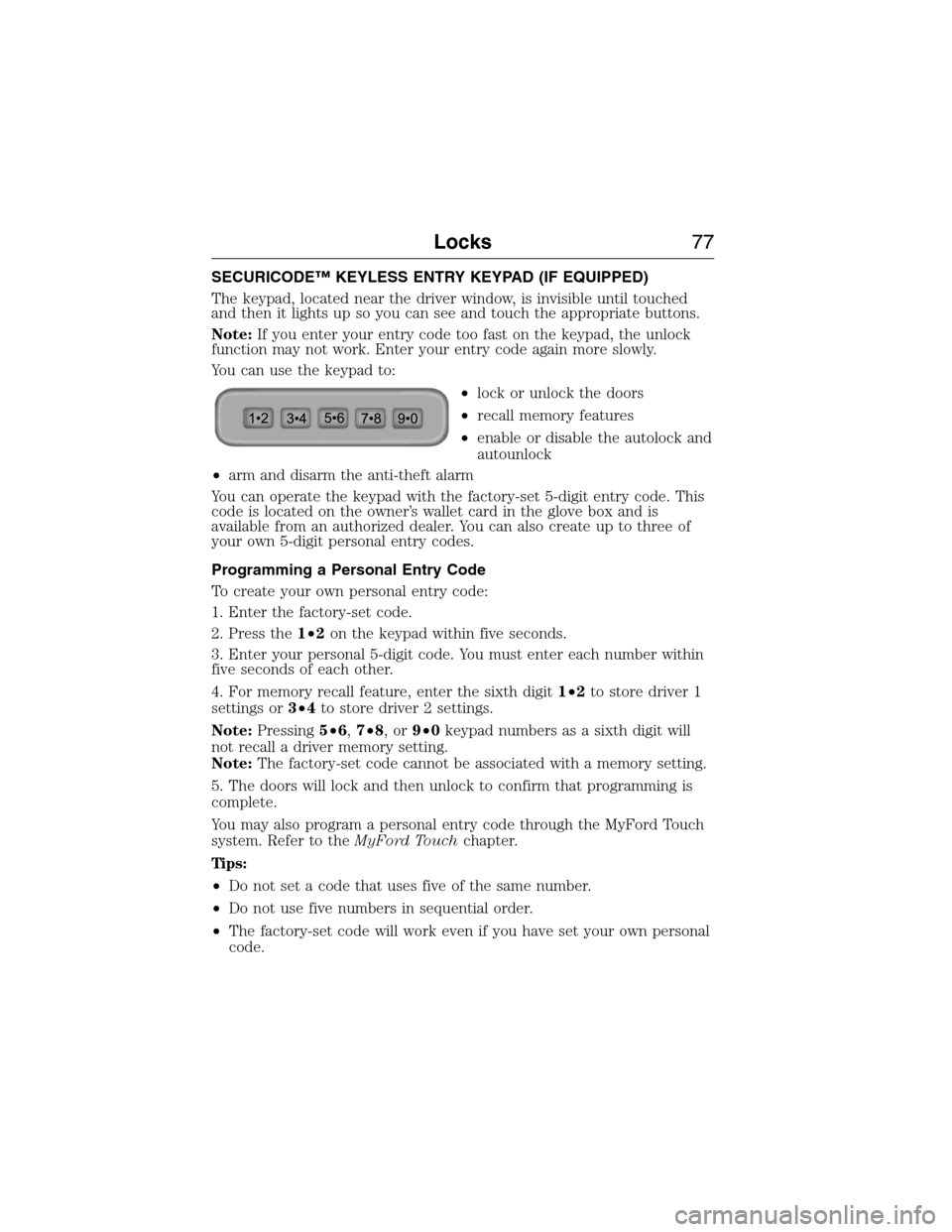
The keypad, located near the driver window, is invisible until touched
and then it lights up so you can see and touch the appropriate buttons.
Note:If you enter your entry code too fast on the keypad, the unlock
function may not work. Enter your entry code again more slowly.
You can use the keypad to:
•lock or unlock the doors
•recall memory features
•enable or disable the autolock and
autounlock
•arm and disarm the anti-theft alarm
You can operate the keypad with the factory-set 5-digit entry code. This
code is located on the owner’s wallet card in the glove box and is
available from an authorized dealer. You can also create up to three of
your own 5-digit personal entry codes.
Programming a Personal Entry Code
To create your own personal entry code:
1. Enter the factory-set code.
2. Press the1•2on the keypad within five seconds.
3. Enter your personal 5-digit code. You must enter each number within
five seconds of each other.
4. For memory recall feature, enter the sixth digit1•2to store driver 1
settings or3•4to store driver 2 settings.
Note:Pressing5•6,7•8,or9•0keypad numbers as a sixth digit will
not recall a driver memory setting.
Note:The factory-set code cannot be associated with a memory setting.
5. The doors will lock and then unlock to confirm that programming is
complete.
You may also program a personal entry code through the MyFord Touch
system. Refer to theMyFord Touchchapter.
Tips:
•Do not set a code that uses five of the same number.
•Do not use five numbers in sequential order.
•The factory-set code will work even if you have set your own personal
code.
Locks77
2015 Expedition(exd)
Owners Guide gf, 1st Printing, July 2014
USA(fus)
Page 82 of 564
6. Turn the ignition off and remove the second previously programmed
coded key from the ignition.
7. After three seconds but within 20 seconds of turning the ignition off
and removing the previously programmed coded key, insert the new
unprogrammed key into the ignition.
8. Turn the ignition from off to on. Keep the ignition on for at least six
seconds.
9. Remove the newly programmed coded key from the ignition.
The key will start the vehicle’s engine and will operate the remote entry
system (if the new key is an integrated keyhead transmitter) if it has
been successfully programmed. The theft indicator light will illuminate
for three seconds and then go out to indicate successful programming.
If the key was not successfully programmed, the theft indicator light may
flash on and off. Wait 20 seconds and repeat Steps 1 through 8. Take
your vehicle to your authorized dealer to have the new key programmed
if you are still unsuccessful.
Wait 20 seconds and then repeat this procedure from Step 1 to program
an additional key.
Intelligent Access Key (if equipped)
Your intelligent access key functions as a programmed key that operates
the driver door lock and activates intelligent access with the push button
start system, or the remote start system. If your programmed intelligent
access transmitters are lost or stolen, and you do not have an extra
coded key, you will need to have your vehicle towed to an authorized
dealer. Your dealer will erase the key codes from your vehicle and
program new coded keys. Store an extra programmed key away from the
vehicle in a safe place to help prevent any inconvenience. See your
authorized dealer to purchase additional spare or replacement keys.
Programming a Spare Intelligent Access Key
See an authorized dealer to have additional keys programmed to your
vehicle.
Security81
2015 Expedition(exd)
Owners Guide gf, 1st Printing, July 2014
USA(fus)
Page 93 of 564
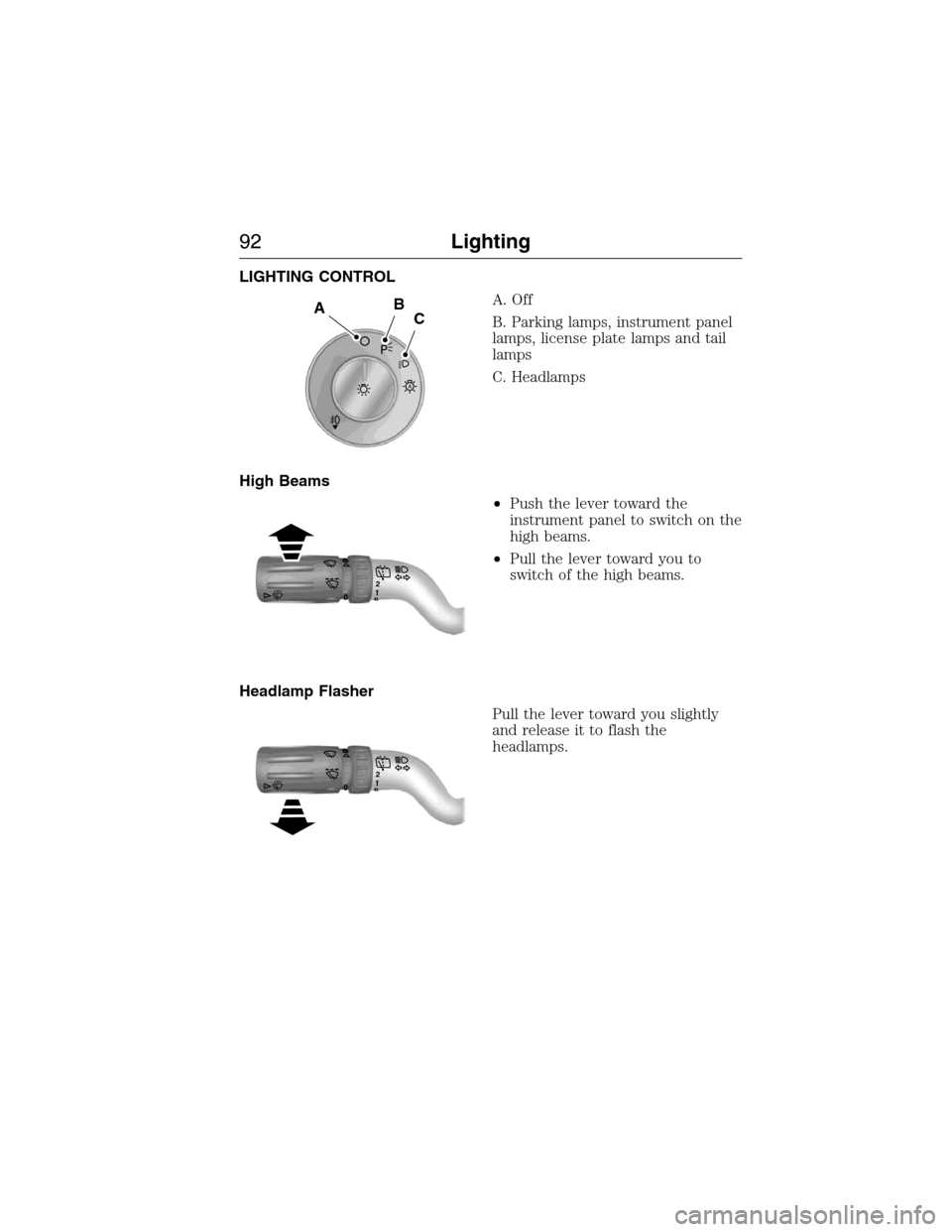
LIGHTING CONTROL
A. Off
B. Parking lamps, instrument panel
lamps, license plate lamps and tail
lamps
C. Headlamps
High Beams
•Push the lever toward the
instrument panel to switch on the
high beams.
•Pull the lever toward you to
switch of the high beams.
Headlamp Flasher
Pull the lever toward you slightly
and release it to flash the
headlamps.
A
ABC
120
120
92Lighting
2015 Expedition(exd)
Owners Guide gf, 1st Printing, July 2014
USA(fus)
Page 94 of 564
AUTOLAMPS
WARNING:The daytime running lamps system does not activate
the rear lamps and may not provide adequate lighting during low
visibility driving conditions. Also, the autolamps switch position may not
activate the headlamps in all low visibility conditions, such as daytime
fog. Always ensure that your headlamps are switched to auto or on, as
appropriate, during all low visibility conditions. Failure to do so may
result in a collision.
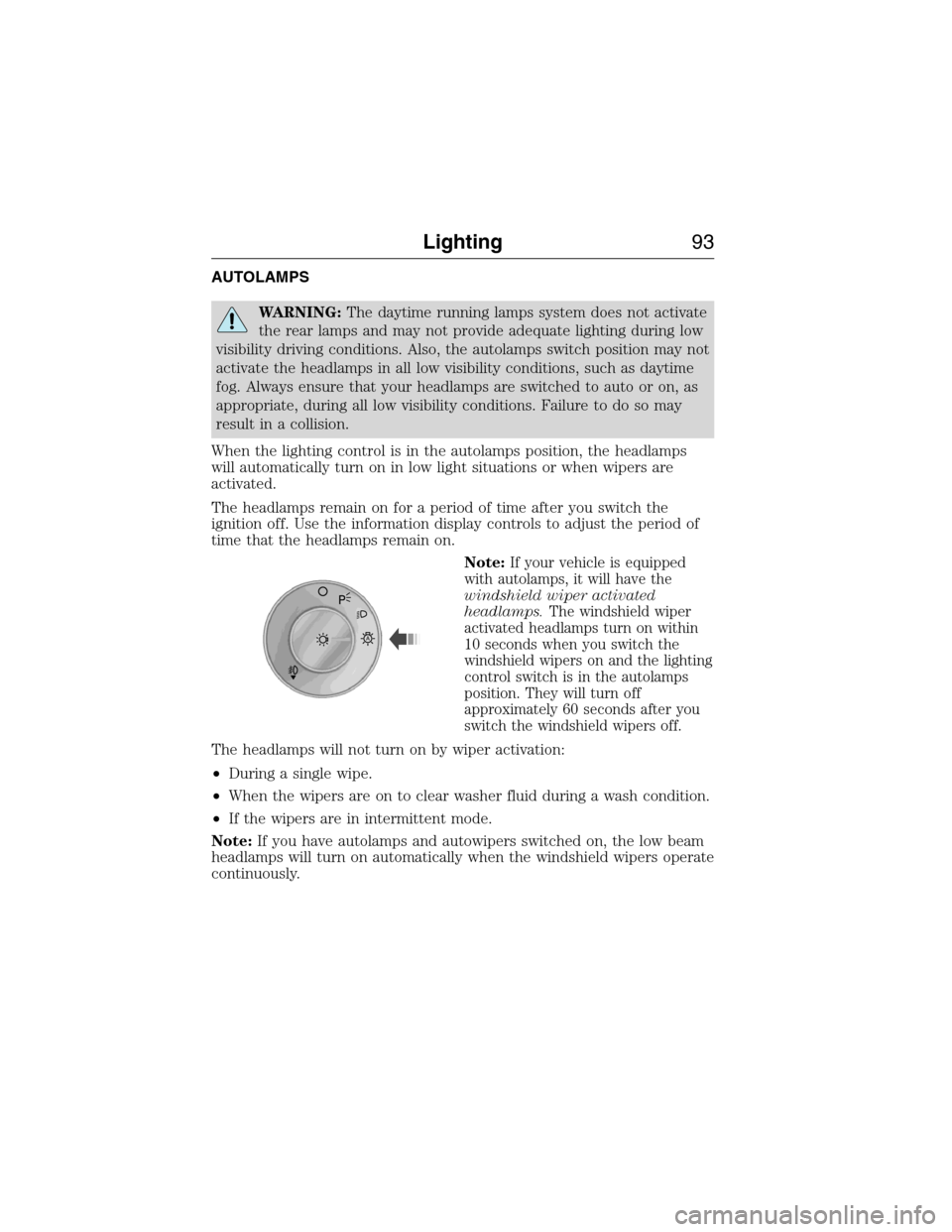
When the lighting control is in the autolamps position, the headlamps
will automatically turn on in low light situations or when wipers are
activated.
The headlamps remain on for a period of time after you switch the
ignition off. Use the information display controls to adjust the period of
time that the headlamps remain on.
Note:
If your vehicle is equipped
with autolamps, it will have the
windshield wiper activated
headlamps.The windshield wiper
activated headlamps turn on within
10 seconds when you switch the
windshield wipers on and the lighting
control switch is in the autolamps
position. They will turn off
approximately 60 seconds after you
switch the windshield wipers off.
The headlamps will not turn on by wiper activation:
•During a single wipe.
•When the wipers are on to clear washer fluid during a wash condition.
•If the wipers are in intermittent mode.
Note:If you have autolamps and autowipers switched on, the low beam
headlamps will turn on automatically when the windshield wipers operate
continuously.
A
Lighting93
2015 Expedition(exd)
Owners Guide gf, 1st Printing, July 2014
USA(fus)