key FORD EXPEDITION 2015 3.G Owner's Guide
[x] Cancel search | Manufacturer: FORD, Model Year: 2015, Model line: EXPEDITION, Model: FORD EXPEDITION 2015 3.GPages: 564, PDF Size: 6.71 MB
Page 114 of 564
Scroll up/down to highlight one of the categories, then press the right
arrow key or OK to enter into that category. Press the left arrow key as
needed to exit back to the main menu.
Display Mode
Use the arrow buttons to choose between the following display options.
Display Mode
Distance to E
Digital Speedo
Oil Press
Oil Temp
Trans Temp
Trip1&2
Use the arrow buttons to choose between the following.
Note:Pressing OK stops/starts the timer. Holding OK resets the
odometer and timer.
Trip1&2
Trip Odometer
Trip Timer
Average Fuel
•Trip Odometer — Registers the distance traveled of individual
journeys.
•Trip Timer — Registers the time of individual journeys.
•Average Fuel— Indicates the average fuel consumption since the
function was last reset.
Fuel Economy
Use the arrow buttons to choose the desired energy display.
Fuel Economy
Distance to E
Inst Fuel Econ
Long term Average Fuel
Average Speed
Information Displays11 3
2015 Expedition(exd)
Owners Guide gf, 1st Printing, July 2014
USA(fus)
Page 116 of 564
Settings
*MyKeyCreate MyKey Hold OK to create MyKey
911 Assist Always On or User Selectable
Do Not Disturb Always On or User Selectable
Traction Control Always On or User Selectable
Max Speed 65 MPH (105 km/h), 70 MPH
(110 km/h), 75 MPH
(120 km/h), 80 MPH
(130 km/h) or Off
Speed Minder45 mph (72 km/h), 55 mph
(89 km/h), 65 mph
(105 km/h) or Off
Volume Limiter - check enabled or uncheck
disabled
Do Not Disturb Always On or User Selectable
Clear MyKeys Hold OK to Clear All MyKeys
Display SetupDistanceMiles & Gallons, L/100km or
km/L
Temperature Fahrenheit or Celsius
Language Select Language — Hold OK
to set language
*Some MyKey items will only appear if a MyKey is set.
Main menu (type 2)
From the main menu bar on the left side of the information display, you
can choose from the following categories:
•Display Mode
•Trip/Fuel
•Towing
•Off Road
•Settings
Scroll up/down to highlight one of the categories, then press the right
arrow key orOKto enter into that category. Press the left arrow key as
needed to exit back to the main menu.
Information Displays11 5
2015 Expedition(exd)
Owners Guide gf, 1st Printing, July 2014
USA(fus)
Page 120 of 564
Settings
Advanced SettingsVehicleLightingAutolamp
DelaySelect time
interval
Locks Autolock - check enabled or
uncheck disabled
Autounlock - check enabled or
uncheck disabled
Remote
UnlockDriver’s Door
or All Doors
Oil Life Remaining Life — HoldOKto
Reset
Power
LiftgateEnable or Disable switch
Rear Park Aid- check enabled or uncheck
disabled
Wiper
ControlsCourtesy Wipe - check enabled
or uncheck disabled
*MyKeyMyKey StatusNumber of Admin Keys,
MyKeys and MyKey Mileage
Create MyKey HoldOKto Create MyKey
911 Assist Always On or User Selectable
Do Not
DisturbAlways On or User Selectable
Traction
ControlAlways On or User Selectable
Max Speed 65 MPH (105 km/h),
70 MPH (110 km/h),
75 MPH (120 km/h),
80 MPH (130 km/h) or Off
Speed Minder 45 mph (72 km/h), 55 mph
(89 km/h), 65 mph (105 km/h)
or Off
Volume Limiter - check enabled or uncheck
disabled
Clear MyKeys HoldOKto Clear All MyKeys
Display SetupDistanceMiles & Gallons, L/100km or
km/L
Temperature °Fahrenheit or °Celsius
Language Select Language — HoldOKto
Set
*Some MyKey items will only appear if a MyKey is set.
Information Displays11 9
2015 Expedition(exd)
Owners Guide gf, 1st Printing, July 2014
USA(fus)
Page 121 of 564
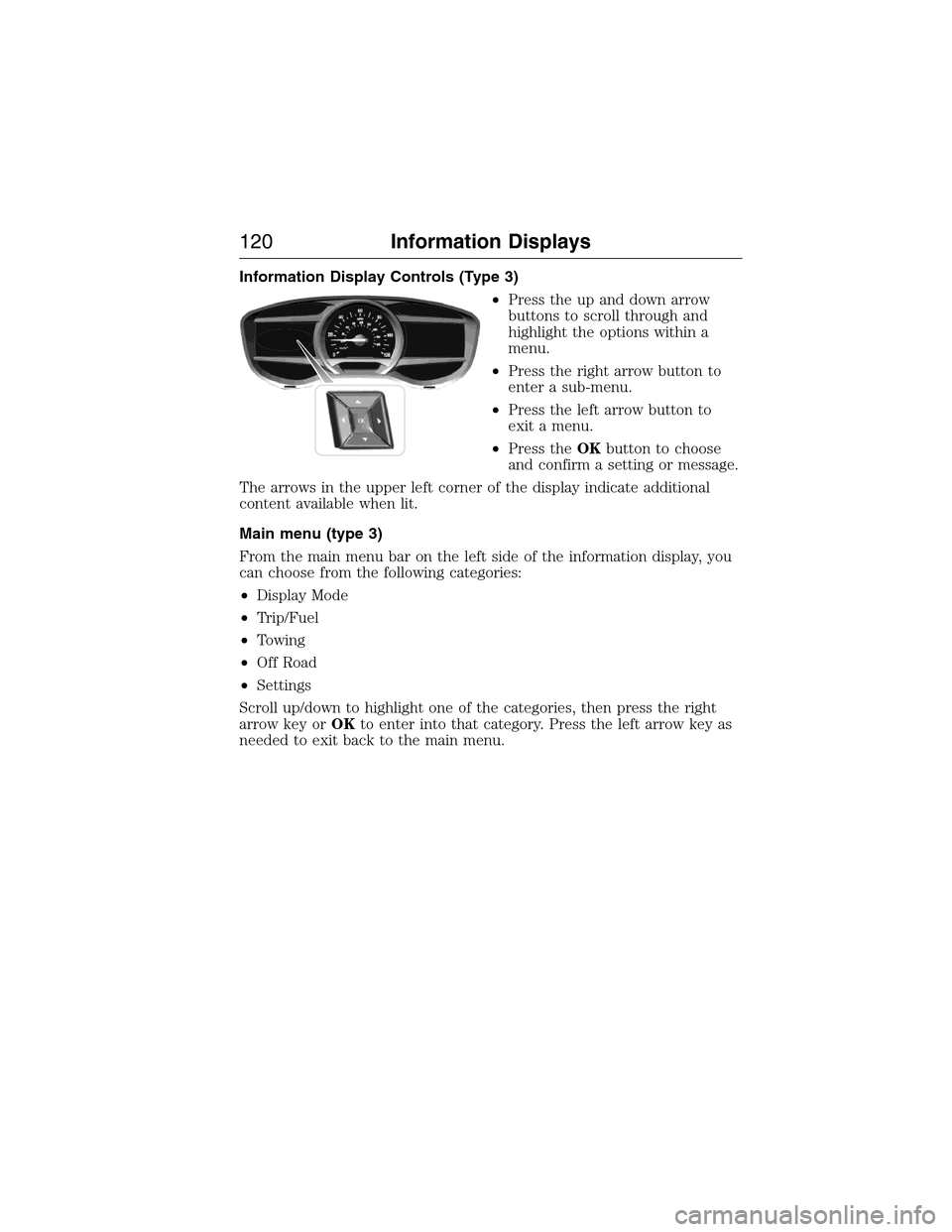
Information Display Controls (Type 3)
•Press the up and down arrow
buttons to scroll through and
highlight the options within a
menu.
•Press the right arrow button to
enter a sub-menu.
•Press the left arrow button to
exit a menu.
•Press theOKbutton to choose
and confirm a setting or message.
The arrows in the upper left corner of the display indicate additional
content available when lit.
Main menu (type 3)
From the main menu bar on the left side of the information display, you
can choose from the following categories:
•Display Mode
•Trip/Fuel
•Towing
•Off Road
•Settings
Scroll up/down to highlight one of the categories, then press the right
arrow key orOKto enter into that category. Press the left arrow key as
needed to exit back to the main menu.
120Information Displays
2015 Expedition(exd)
Owners Guide gf, 1st Printing, July 2014
USA(fus)
Page 125 of 564
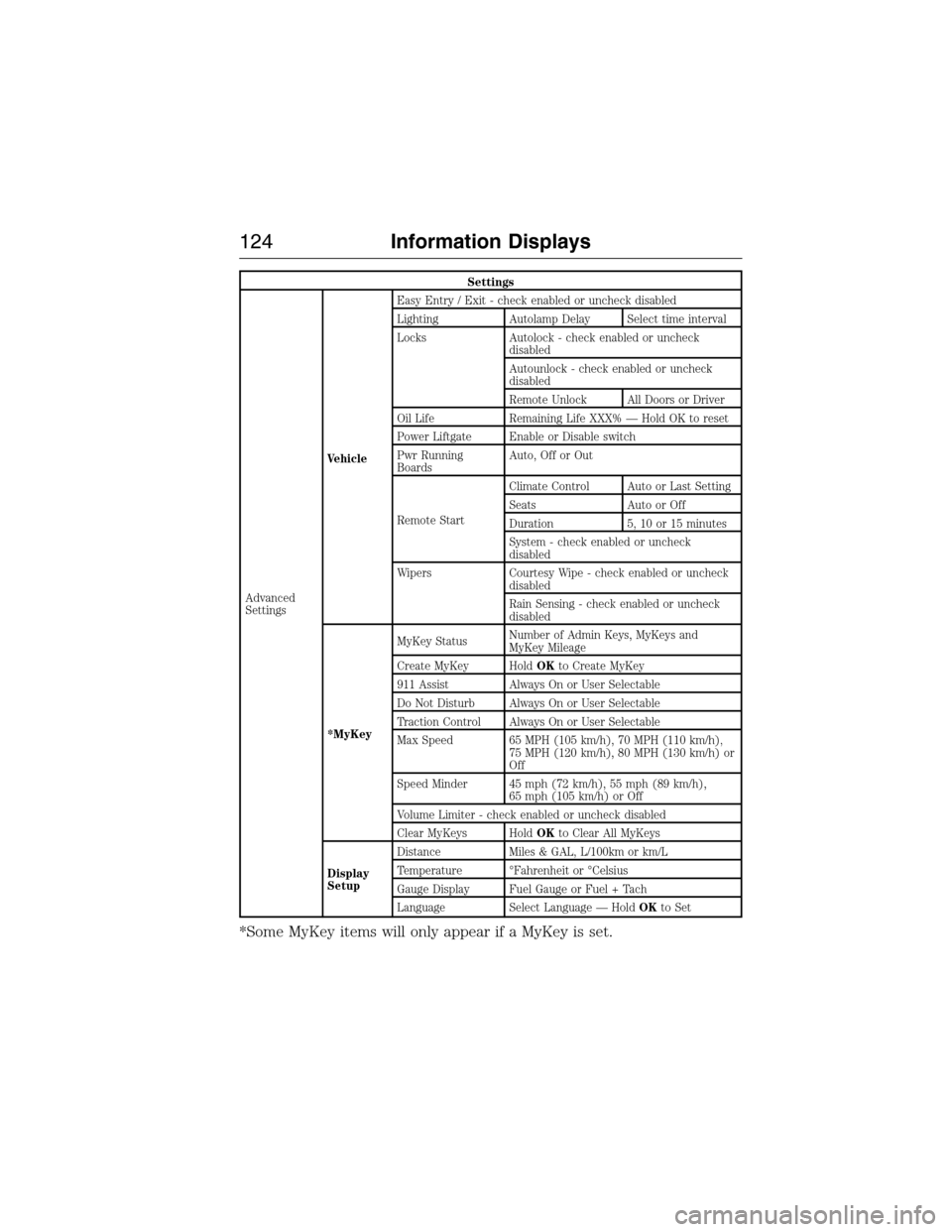
Settings
Advanced
SettingsVehicleEasy Entry / Exit - check enabled or uncheck disabled
Lighting Autolamp Delay Select time interval
Locks Autolock - check enabled or uncheck
disabled
Autounlock - check enabled or uncheck
disabled
Remote Unlock All Doors or Driver
Oil Life Remaining Life XXX% — Hold OK to reset
Power Liftgate Enable or Disable switch
Pwr Running
BoardsAuto, Off or Out
Remote StartClimate Control Auto or Last Setting
Seats Auto or Off
Duration 5, 10 or 15 minutes
System - check enabled or uncheck
disabled
Wipers Courtesy Wipe - check enabled or uncheck
disabled
Rain Sensing - check enabled or uncheck
disabled
*MyKeyMyKey StatusNumber of Admin Keys, MyKeys and
MyKey Mileage
Create MyKey HoldOKto Create MyKey
911 Assist Always On or User Selectable
Do Not Disturb Always On or User Selectable
Traction Control Always On or User Selectable
Max Speed 65 MPH (105 km/h), 70 MPH (110 km/h),
75 MPH (120 km/h), 80 MPH (130 km/h) or
Off
Speed Minder 45 mph (72 km/h), 55 mph (89 km/h),
65 mph (105 km/h) or Off
Volume Limiter - check enabled or uncheck disabled
Clear MyKeys HoldOKto Clear All MyKeys
Display
SetupDistance Miles & GAL, L/100km or km/L
Temperature °Fahrenheit or °Celsius
Gauge Display Fuel Gauge or Fuel + Tach
Language Select Language — HoldOKto Set
*Some MyKey items will only appear if a MyKey is set.
124Information Displays
2015 Expedition(exd)
Owners Guide gf, 1st Printing, July 2014
USA(fus)
Page 128 of 564
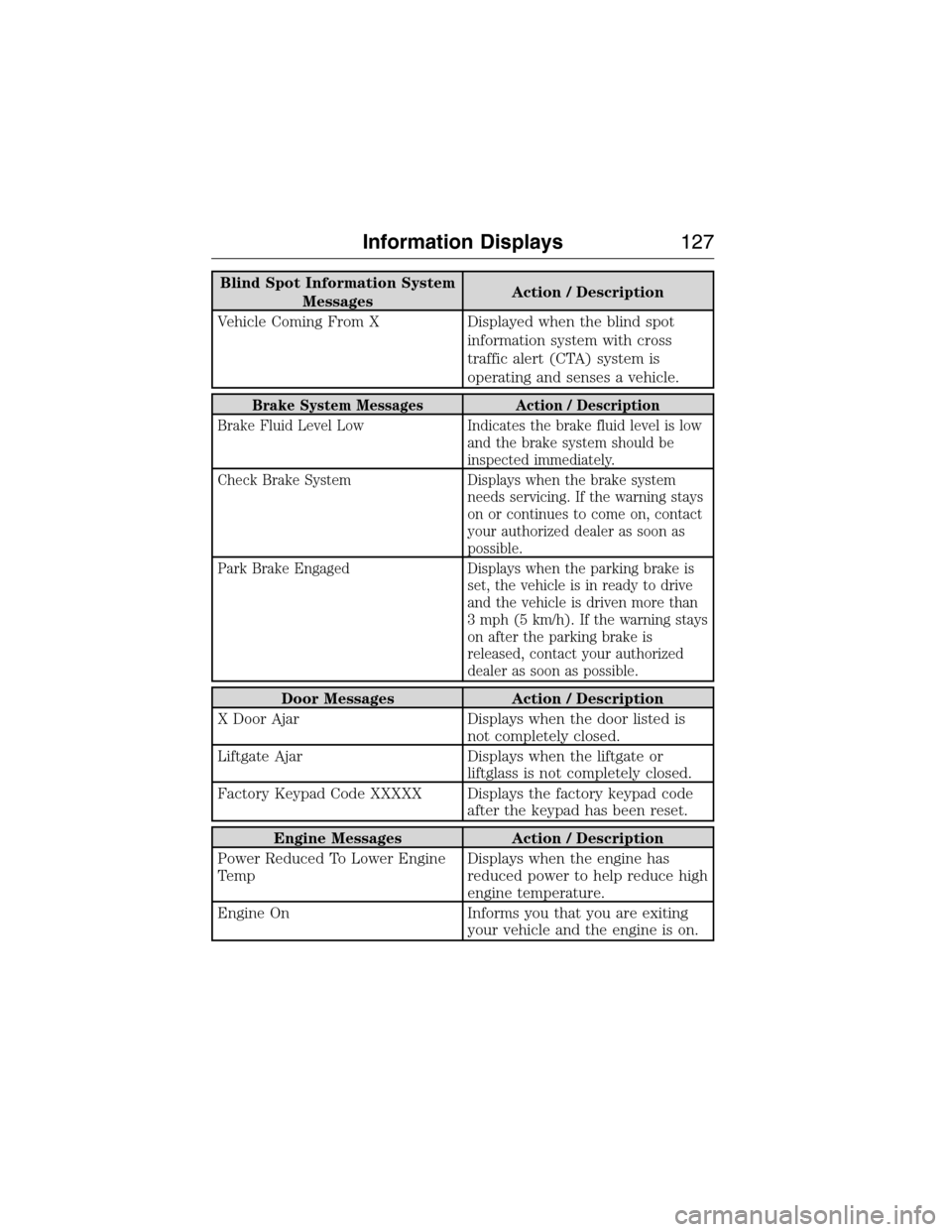
Blind Spot Information System
MessagesAction / Description
Vehicle Coming From X Displayed when the blind spot
information system with cross
traffic alert (CTA) system is
operating and senses a vehicle.
Brake System Messages Action / Description
Brake Fluid Level Low Indicates the brake fluid level is low
and the brake system should be
inspected immediately.
Check Brake System Displays when the brake system
needs servicing. If the warning stays
on or continues to come on, contact
your authorized dealer as soon as
possible.
Park Brake Engaged Displays when the parking brake is
set, the vehicle is in ready to drive
and the vehicle is driven more than
3 mph (5 km/h). If the warning stays
on after the parking brake is
released, contact your authorized
dealer as soon as possible.
Door Messages Action / Description
X Door Ajar Displays when the door listed is
not completely closed.
Liftgate Ajar Displays when the liftgate or
liftglass is not completely closed.
Factory Keypad Code XXXXX Displays the factory keypad code
after the keypad has been reset.
Engine Messages Action / Description
Power Reduced To Lower Engine
TempDisplays when the engine has
reduced power to help reduce high
engine temperature.
Engine On Informs you that you are exiting
your vehicle and the engine is on.
Information Displays127
2015 Expedition(exd)
Owners Guide gf, 1st Printing, July 2014
USA(fus)
Page 129 of 564
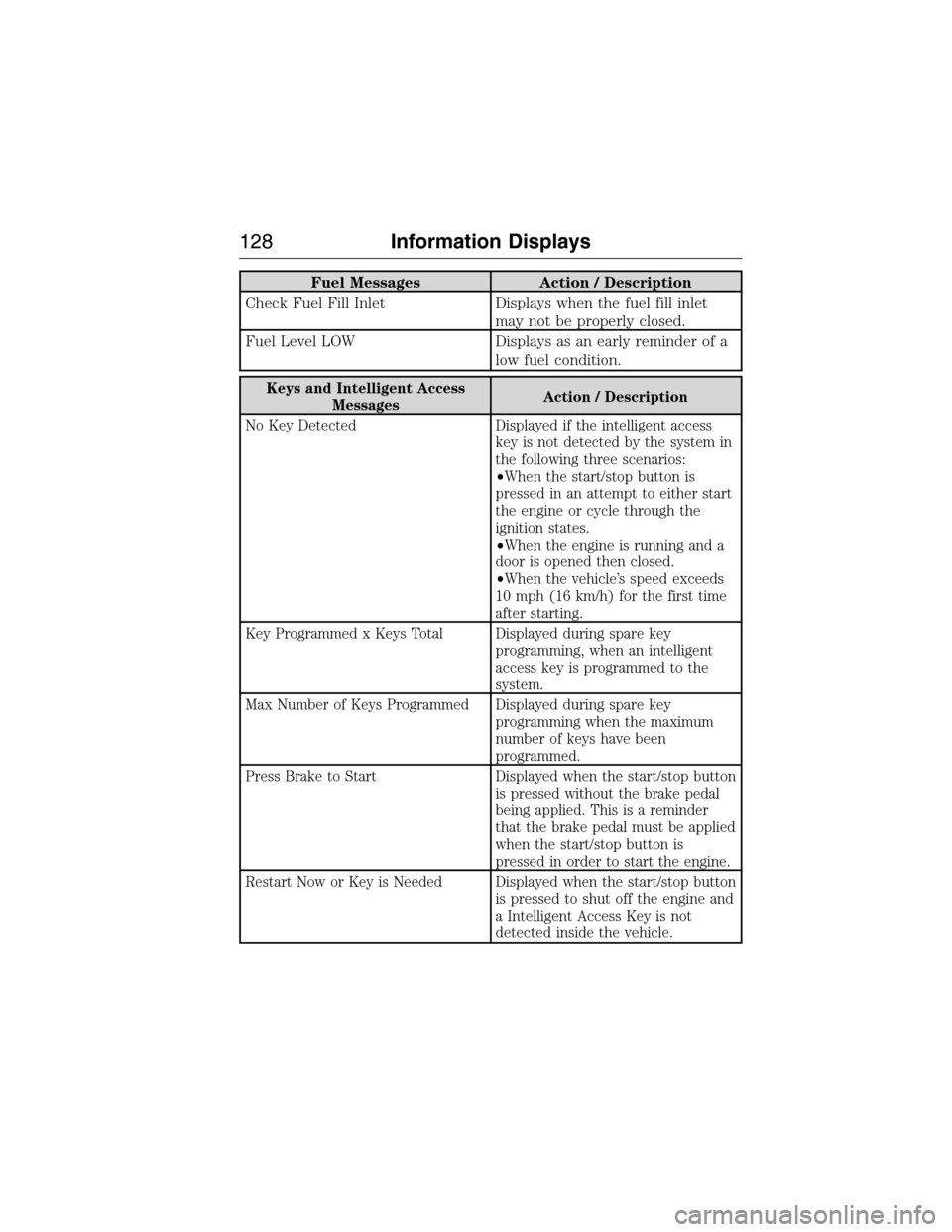
Fuel Messages Action / Description
Check Fuel Fill Inlet Displays when the fuel fill inlet
may not be properly closed.
Fuel Level LOW Displays as an early reminder of a
low fuel condition.
Keys and Intelligent Access
MessagesAction / Description
No Key Detected Displayed if the intelligent access
key is not detected by the system in
the following three scenarios:
•When the start/stop button is
pressed in an attempt to either start
the engine or cycle through the
ignition states.
•When the engine is running and a
door is opened then closed.
•When the vehicle’s speed exceeds
10 mph (16 km/h) for the first time
after starting.
Key Programmed x Keys Total Displayed during spare key
programming, when an intelligent
access key is programmed to the
system.
Max Number of Keys Programmed Displayed during spare key
programming when the maximum
number of keys have been
programmed.
Press Brake to Start Displayed when the start/stop button
is pressed without the brake pedal
being applied. This is a reminder
that the brake pedal must be applied
when the start/stop button is
pressed in order to start the engine.
Restart Now or Key is Needed Displayed when the start/stop button
is pressed to shut off the engine and
a Intelligent Access Key is not
detected inside the vehicle.
128Information Displays
2015 Expedition(exd)
Owners Guide gf, 1st Printing, July 2014
USA(fus)
Page 130 of 564
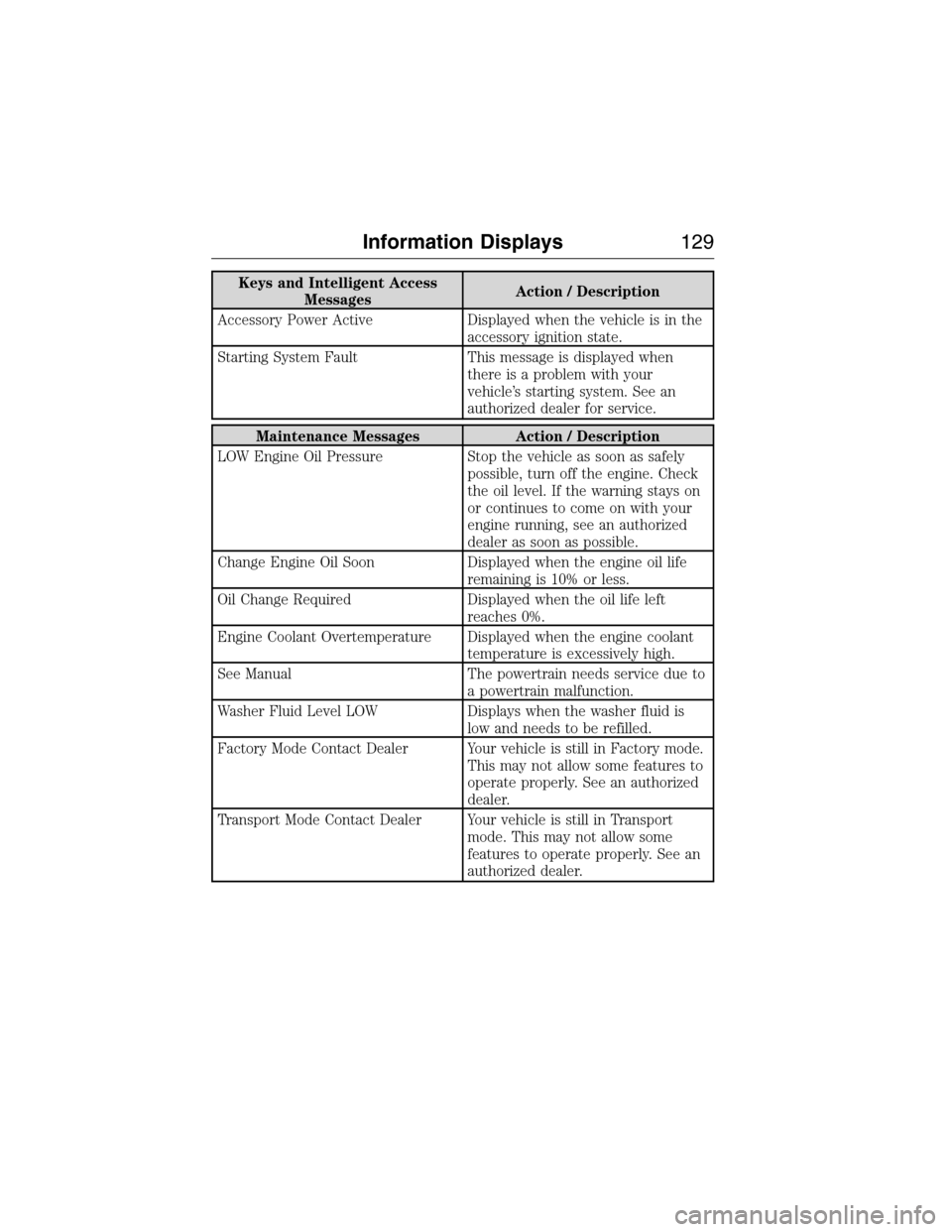
Keys and Intelligent Access
MessagesAction / Description
Accessory Power Active Displayed when the vehicle is in the
accessory ignition state.
Starting System Fault This message is displayed when
there is a problem with your
vehicle’s starting system. See an
authorized dealer for service.
Maintenance Messages Action / Description
LOW Engine Oil Pressure Stop the vehicle as soon as safely
possible, turn off the engine. Check
the oil level. If the warning stays on
or continues to come on with your
engine running, see an authorized
dealer as soon as possible.
Change Engine Oil Soon Displayed when the engine oil life
remaining is 10% or less.
Oil Change Required Displayed when the oil life left
reaches 0%.
Engine Coolant Overtemperature Displayed when the engine coolant
temperature is excessively high.
See Manual The powertrain needs service due to
a powertrain malfunction.
Washer Fluid Level LOW Displays when the washer fluid is
low and needs to be refilled.
Factory Mode Contact Dealer Your vehicle is still in Factory mode.
This may not allow some features to
operate properly. See an authorized
dealer.
Transport Mode Contact Dealer Your vehicle is still in Transport
mode. This may not allow some
features to operate properly. See an
authorized dealer.
Information Displays129
2015 Expedition(exd)
Owners Guide gf, 1st Printing, July 2014
USA(fus)
Page 131 of 564
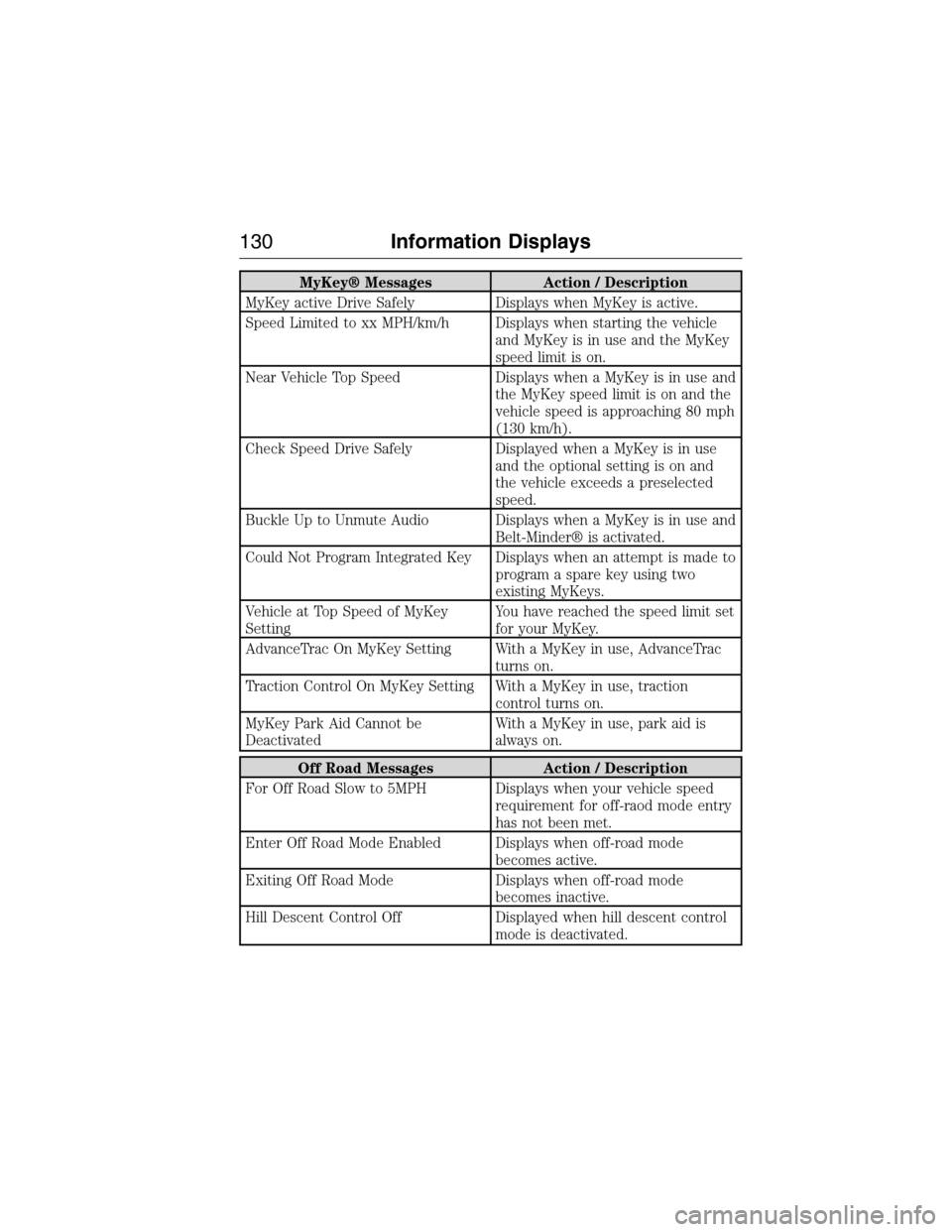
MyKey® Messages Action / Description
MyKey active Drive Safely Displays when MyKey is active.
Speed Limited to xx MPH/km/h Displays when starting the vehicle
and MyKey is in use and the MyKey
speed limit is on.
Near Vehicle Top Speed Displays when a MyKey is in use and
the MyKey speed limit is on and the
vehicle speed is approaching 80 mph
(130 km/h).
Check Speed Drive Safely Displayed when a MyKey is in use
and the optional setting is on and
the vehicle exceeds a preselected
speed.
Buckle Up to Unmute Audio Displays when a MyKey is in use and
Belt-Minder® is activated.
Could Not Program Integrated Key Displays when an attempt is made to
program a spare key using two
existing MyKeys.
Vehicle at Top Speed of MyKey
SettingYou have reached the speed limit set
for your MyKey.
AdvanceTrac On MyKey Setting With a MyKey in use, AdvanceTrac
turns on.
Traction Control On MyKey Setting With a MyKey in use, traction
control turns on.
MyKey Park Aid Cannot be
DeactivatedWith a MyKey in use, park aid is
always on.
Off Road Messages Action / Description
For Off Road Slow to 5MPH Displays when your vehicle speed
requirement for off-raod mode entry
has not been met.
Enter Off Road Mode Enabled Displays when off-road mode
becomes active.
Exiting Off Road Mode Displays when off-road mode
becomes inactive.
Hill Descent Control Off Displayed when hill descent control
mode is deactivated.
130Information Displays
2015 Expedition(exd)
Owners Guide gf, 1st Printing, July 2014
USA(fus)
Page 133 of 564
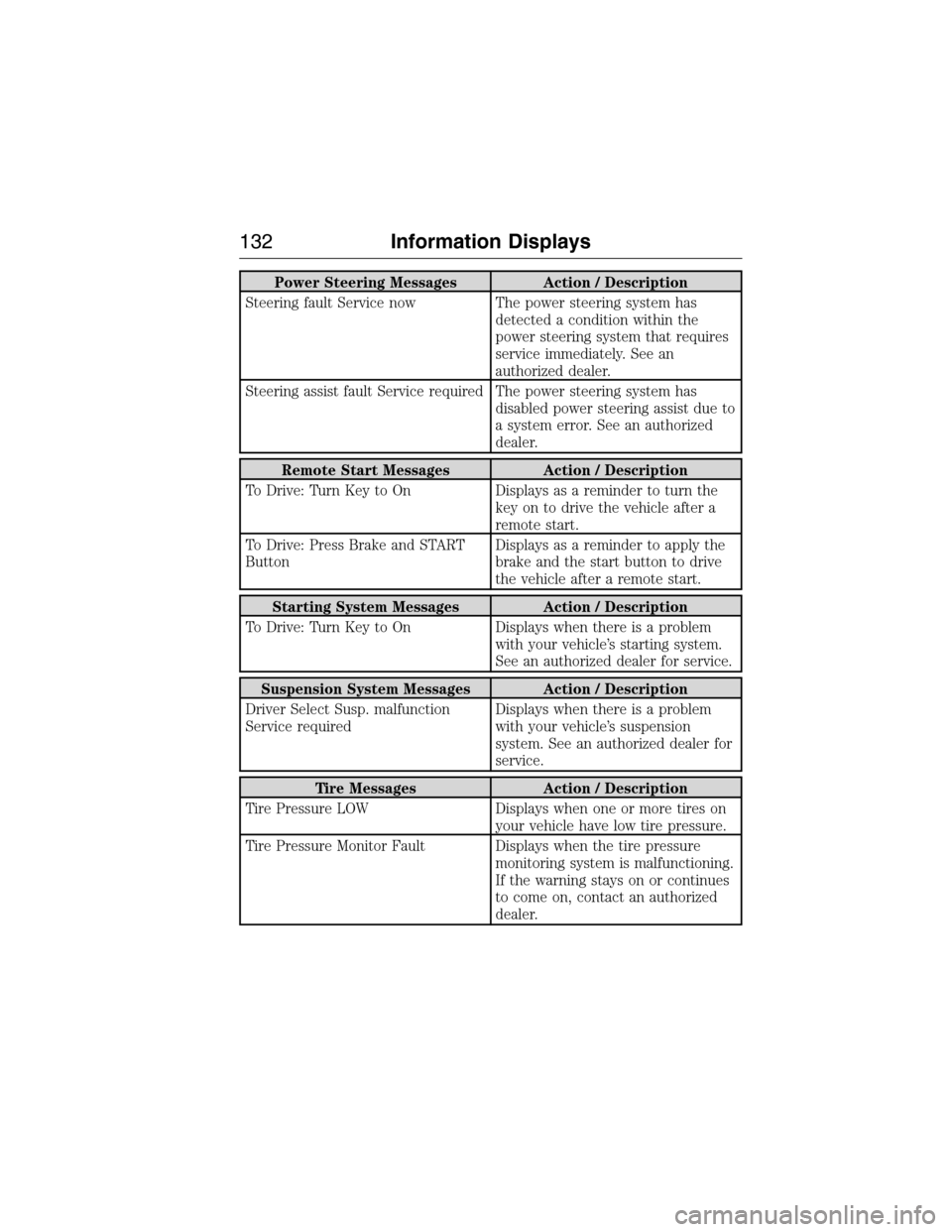
Power Steering Messages Action / Description
Steering fault Service now The power steering system has
detected a condition within the
power steering system that requires
service immediately. See an
authorized dealer.
Steering assist fault Service required The power steering system has
disabled power steering assist due to
a system error. See an authorized
dealer.
Remote Start Messages Action / Description
To Drive: Turn Key to On Displays as a reminder to turn the
key on to drive the vehicle after a
remote start.
To Drive: Press Brake and START
ButtonDisplays as a reminder to apply the
brake and the start button to drive
the vehicle after a remote start.
Starting System Messages Action / Description
To Drive: Turn Key to On Displays when there is a problem
with your vehicle’s starting system.
See an authorized dealer for service.
Suspension System Messages Action / Description
Driver Select Susp. malfunction
Service requiredDisplays when there is a problem
with your vehicle’s suspension
system. See an authorized dealer for
service.
Tire Messages Action / Description
Tire Pressure LOW Displays when one or more tires on
your vehicle have low tire pressure.
Tire Pressure Monitor Fault Displays when the tire pressure
monitoring system is malfunctioning.
If the warning stays on or continues
to come on, contact an authorized
dealer.
132Information Displays
2015 Expedition(exd)
Owners Guide gf, 1st Printing, July 2014
USA(fus)