ignition FORD EXPEDITION 2015 3.G Repair Manual
[x] Cancel search | Manufacturer: FORD, Model Year: 2015, Model line: EXPEDITION, Model: FORD EXPEDITION 2015 3.GPages: 564, PDF Size: 6.71 MB
Page 223 of 564
The sensing system warns the driver of obstacles within a certain range
of the bumper area. The system turns on automatically whenever the
ignition is switched on.
When receiving a detection warning, the radio volume is reduced to a
predetermined level. After the warning goes away, the radio volume
returns to the previous level.
Using the Front and Rear Sensing System
Rear Sensing System
The rear sensors are only active when the transmission is in R (Reverse).
As the vehicle moves closer to the obstacle, the rate of the audible
warning increases. When the obstacle is fewer than 10 inches (25
centimeters) away, the warning sounds continuously. If a stationary or
receding object is detected farther than 10 inches (25 centimeters) from
the side of the vehicle, the tone sounds for only three seconds. Once the
system detects an object approaching, the warning sounds again.
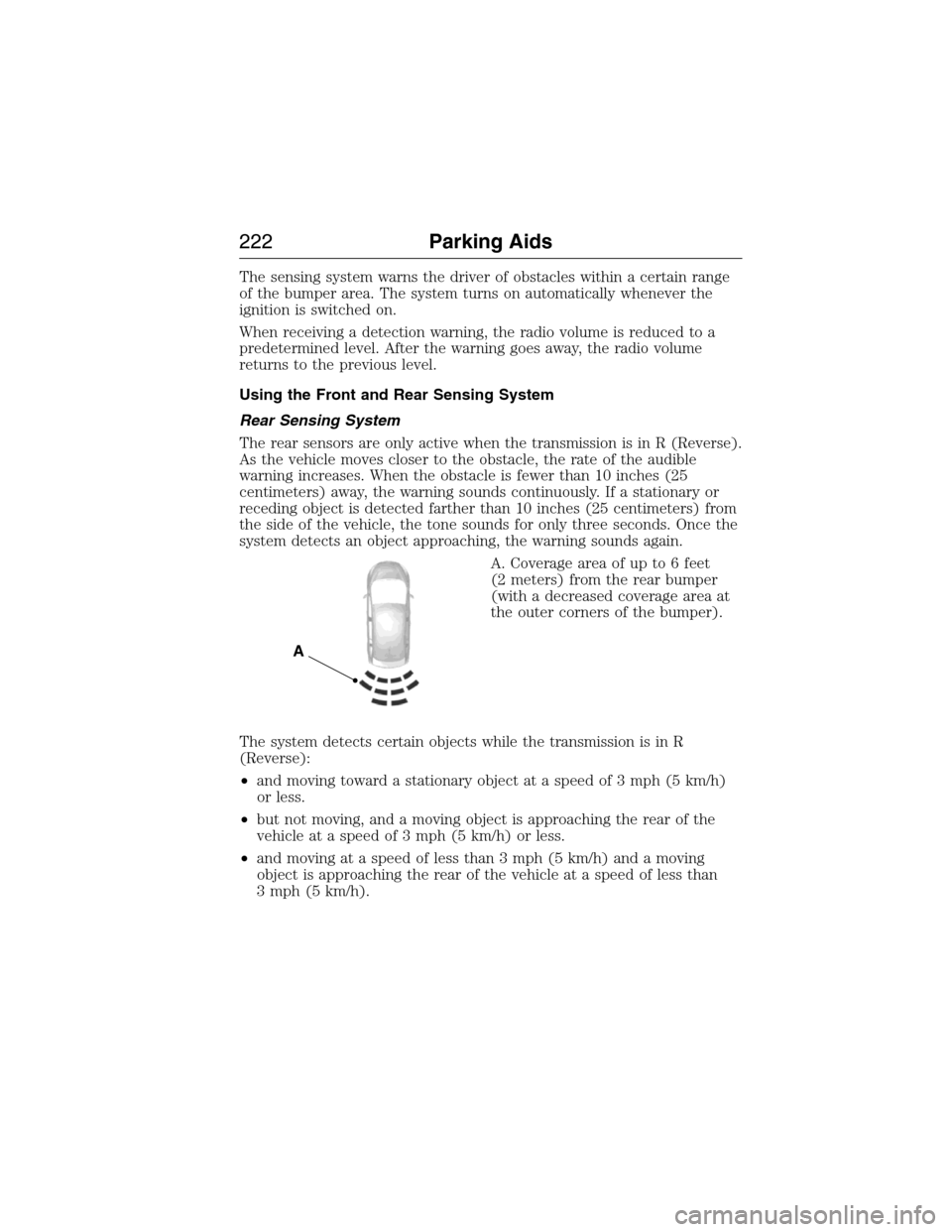
A. Coverage area of up to 6 feet
(2 meters) from the rear bumper
(with a decreased coverage area at
the outer corners of the bumper).
The system detects certain objects while the transmission is in R
(Reverse):
•and moving toward a stationary object at a speed of 3 mph (5 km/h)
or less.
•but not moving, and a moving object is approaching the rear of the
vehicle at a speed of 3 mph (5 km/h) or less.
•and moving at a speed of less than 3 mph (5 km/h) and a moving
object is approaching the rear of the vehicle at a speed of less than
3 mph (5 km/h).
A
222Parking Aids
2015 Expedition(exd)
Owners Guide gf, 1st Printing, July 2014
USA(fus)
Page 230 of 564
Type Two
Switching On Cruise Control
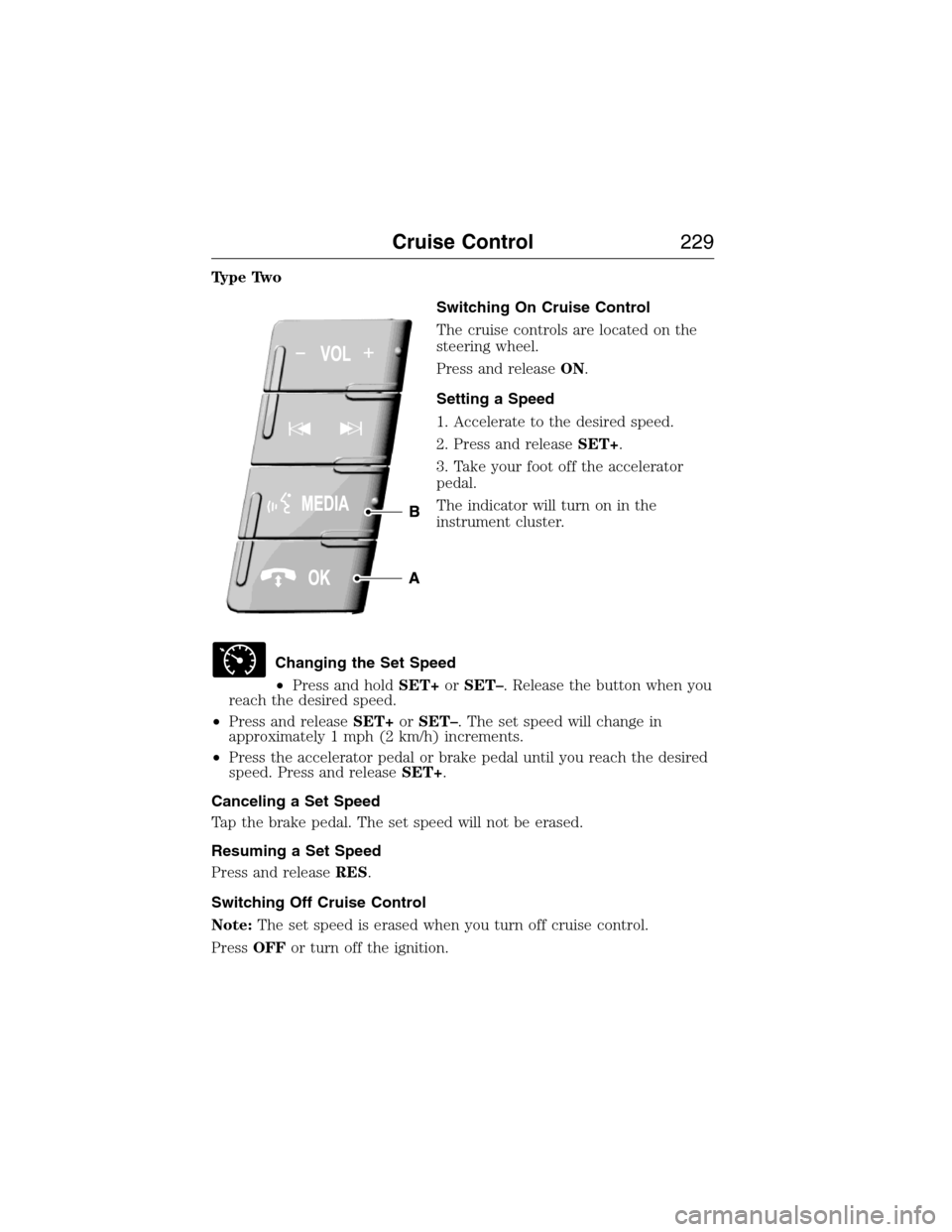
The cruise controls are located on the
steering wheel.
Press and releaseON.
Setting a Speed
1. Accelerate to the desired speed.
2. Press and releaseSET+.
3. Take your foot off the accelerator
pedal.
The indicator will turn on in the
instrument cluster.
Changing the Set Speed
•Press and holdSET+orSET–. Release the button when you
reach the desired speed.
•Press and releaseSET+orSET–. The set speed will change in
approximately 1 mph (2 km/h) increments.
•Press the accelerator pedal or brake pedal until you reach the desired
speed. Press and releaseSET+.
Canceling a Set Speed
Tap the brake pedal. The set speed will not be erased.
Resuming a Set Speed
Press and releaseRES.
Switching Off Cruise Control
Note:The set speed is erased when you turn off cruise control.
PressOFFor turn off the ignition.
Cruise Control229
2015 Expedition(exd)
Owners Guide gf, 1st Printing, July 2014
USA(fus)
Page 234 of 564
System Sensors
WARNING:Just prior to the system recognizing a blocked
condition and alerting the driver, the number of missed objects
will increase. To help avoid injuries, NEVER use the BLIS® as a
replacement for using the side and rear view mirrors and looking over
your shoulder before changing lanes. BLIS® is not a replacement for
careful driving.
Note:It is possible to get a blockage warning with no blockage present;
this is rare and known as a false blockage warning. A false blocked
condition either self-corrects or clears after a key cycle.
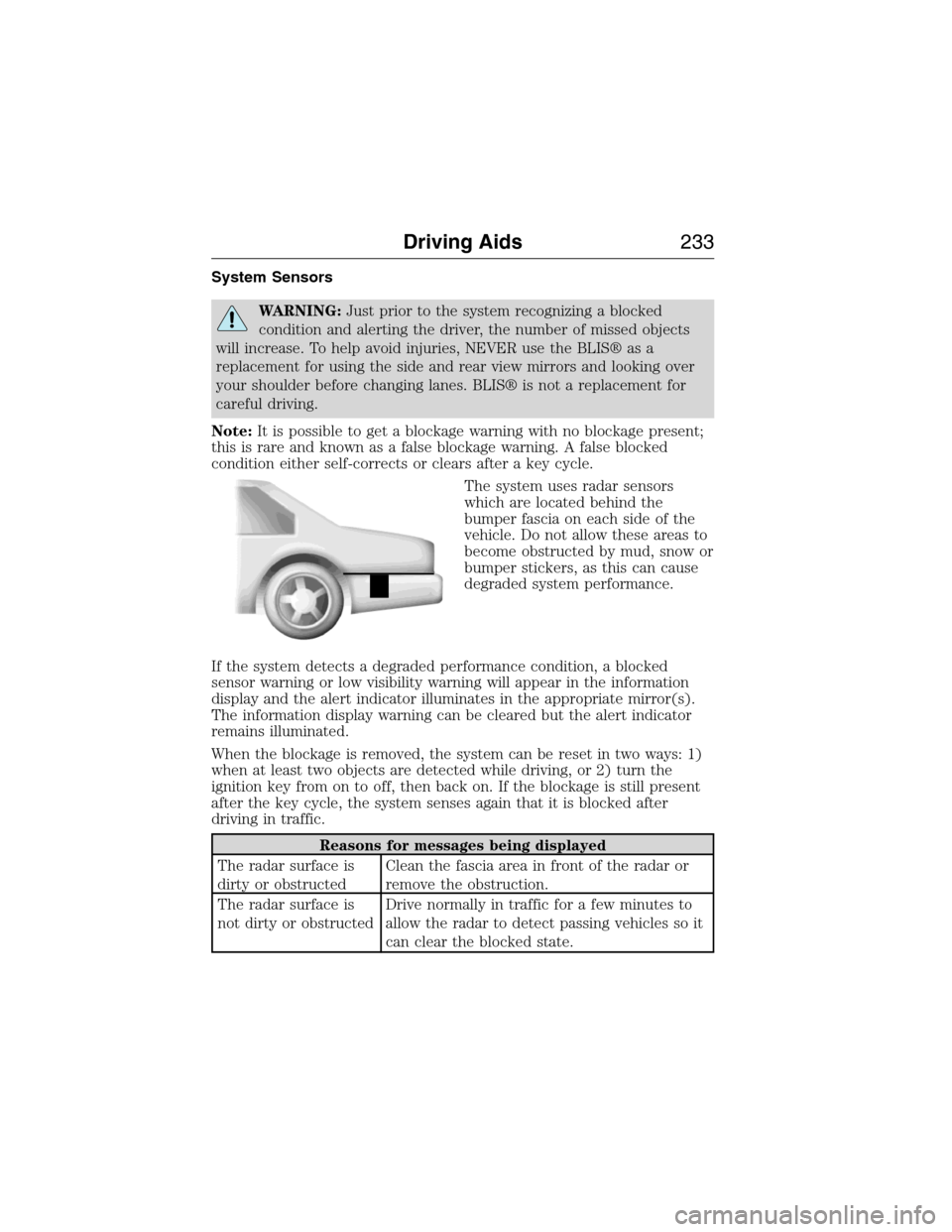
The system uses radar sensors
which are located behind the
bumper fascia on each side of the
vehicle. Do not allow these areas to
become obstructed by mud, snow or
bumper stickers, as this can cause
degraded system performance.
If the system detects a degraded performance condition, a blocked
sensor warning or low visibility warning will appear in the information
display and the alert indicator illuminates in the appropriate mirror(s).
The information display warning can be cleared but the alert indicator
remains illuminated.
When the blockage is removed, the system can be reset in two ways: 1)
when at least two objects are detected while driving, or 2) turn the
ignition key from on to off, then back on. If the blockage is still present
after the key cycle, the system senses again that it is blocked after
driving in traffic.
Reasons for messages being displayed
The radar surface is
dirty or obstructedClean the fascia area in front of the radar or
remove the obstruction.
The radar surface is
not dirty or obstructedDrive normally in traffic for a few minutes to
allow the radar to detect passing vehicles so it
can clear the blocked state.
Driving Aids233
2015 Expedition(exd)
Owners Guide gf, 1st Printing, July 2014
USA(fus)
Page 236 of 564
Switching the Systems Off and On
One or both systems can be switched off temporarily by using the
information display control; refer to theInformation Displaychapter.
When you switch off the Blind Spot Information System, you will not
receive alerts and the information display will display a system off
message. The yellow alert indicator in the outside mirror will also flash
twice. The system switches back on whenever you switch the ignition on.
You can also have one or both systems switched off permanently at an
authorized dealer. Once switched off, the system can only be switched
back on at an authorized dealer.
STEERING
Electric Power Steering
WARNING:The electric power steering system has diagnostic
checks that continuously monitor the system to ensure proper
operation. When a system error is detected a steering message will
appear in the information display.
WARNING:The electric power steering system has diagnostic
checks that continuously monitor the system to ensure proper
operation of the electronic system. When an electronic error is
detected, a message will be displayed in the information display. If this
happens, stop the vehicle in a safe place, and turn off the engine. After
at least 10 seconds, reset the system by restarting the engine, and
watch the information display for a steering message. If a steering
message returns, or returns while driving, take the vehicle to your
dealer to have it checked.
WARNING:Obtain immediate service if a system error is
detected. You may not notice any difference in the feel of your
steering, but a serious condition may exist. Failure to do so may result
in loss of steering control.
Your vehicle is equipped with an electric power-assisted steering system.
There is no fluid reservoir to check or fill.
If your vehicle loses electrical power while you are driving (or if the
ignition is turned off), you can steer the vehicle manually, but it takes
more effort. Extreme continuous steering may increase the effort it takes
Driving Aids235
2015 Expedition(exd)
Owners Guide gf, 1st Printing, July 2014
USA(fus)
Page 257 of 564
information display as follows:
•TBC GAIN = XX.X NO TRAILER:Shows the current gain setting
during a given ignition cycle and when adjusting the gain. This also
displays if you use the manual control lever or make gain adjustments
with no trailer connected.
•TBC GAIN = XX.X OUTPUT=//////:Displays when you push
your vehicle’s brake pedal, or when you use the manual control. Bar
indicators illuminate in the information display to indicate the amount
of power going to the trailer brakes relative to the brake pedal or
manual control input. One bar indicates the least amount of output;
six bars indicate maximum output.
•TRAILER CONNECTED:Displays when the system senses a
correct trailer wiring connection (a trailer with electric trailer brakes)
during a given ignition cycle.
•TRAILER DISCONNECTED:Displays, accompanied by a single
audible chime, when the system senses a trailer connection and then
a disconnection, either intentional or unintentional, during a given
ignition cycle. It also displays if a truck or trailer-wiring fault occurs
causing the trailer to appear disconnected. This message can also
display if you use the manual control lever without a trailer
connected.
B.Manual control lever:Slide the control lever to the left to turn on
the trailer’s electric brakes independent of the tow vehicle’s brakes. See
the followingProcedure for adjusting gainsection for instructions on
proper use of this feature. If you use the manual control while the brake
is also applied, the greater of the two inputs determines the power sent
to the trailer brakes.
•Stop lamps:Using the manual control lever illuminates both the
trailer brake lamps and your vehicle brake lamps except the center
high-mount stop lamp, if you make the proper electrical connection
to the trailer. Pressing your vehicle brake pedal also illuminates both
trailer and vehicle brake lamps.
256Towing
2015 Expedition(exd)
Owners Guide gf, 1st Printing, July 2014
USA(fus)
Page 259 of 564
connected, the problem is with your vehicle wiring between the trailer
brake controller and the 7–pin connector at the bumper. If the message
only displays with a trailer connected, the problem is with the trailer
wiring. Consult your trailer dealer for assistance. This can be a short to
ground (such as a chaffed wire), short to voltage (such as a pulled pin
on trailer emergency breakaway battery) or the trailer brakes may be
drawing too much current.
Points to Remember
Note:Do not attempt removal of the trailer brake controller without
consulting theWorkshop Manual.Damage to the unit may result.
•Adjust gain setting before using the trailer brake controller for the
first time.
•Adjust gain setting, using the procedure above, whenever road,
weather and trailer or vehicle loading conditions change from when
the gain was initially set.
•Only use the manual control lever for proper adjustment of the gain
during trailer setup. Misuse, such as application during trailer sway,
could cause instability of trailer or tow vehicle.
•Avoid towing in adverse weather conditions. The trailer brake
controller does not provide anti-lock control of the trailer wheels.
Trailer wheels can lock up on slippery surfaces, resulting in reduced
stability of trailer and tow vehicle.
•The trailer brake controller is equipped with a feature that reduces
output at vehicle speeds below 11 mph (18 km/h) so trailer and
vehicle braking is not jerky or harsh. This feature is only available
when applying the brakes using your vehicle’s brake pedal, not the
controller.
•The controller interacts with the brake control system and powertrain
control system of your vehicle to provide the best performance on
different road conditions.
•Your vehicle’s brake system and the trailer brake system work
independently of each other. Changing the gain setting on the
controller does not affect the operation of your vehicle’s brakes
whether you attach a trailer or not.
•When you turn the engine off, the controller output is disabled and
the display and module shut down. The controller module and display
turn on when you turn the ignition on.
•The trailer brake controller is only a factory-installed or
dealer-installed item. Ford is not responsible for warranty or
performance of the controller due to misuse or customer installation.
258Towing
2015 Expedition(exd)
Owners Guide gf, 1st Printing, July 2014
USA(fus)
Page 263 of 564
TOWING THE VEHICLE ON FOUR WHEELS
Emergency Towing
If your vehicle becomes inoperable (without access to wheel dollies,
car-hauling trailer, or flatbed transport vehicle), it can be flat-towed (all
wheels on the ground, regardless of the powertrain and transmission
configuration) under the following conditions:
•Your vehicle is facing forward for towing in a forward direction.
•Place the transmission in positionN.SeeAutomatic transmissionin
theTransmissionchapter if you cannot move the transmission into
N.
•Maximum speed is 35 mph (56 km/h).
•Maximum distance is 50 miles (80 kilometers).
Four-wheel-down Towing
Note:Make sure you properly secure your vehicle to the tow vehicle.
Entering four-wheel-down towing
1. Put the ignition in the on position:
•If your vehicle has an ignition key, turn the key to on. Do not
start the engine.
•If your vehicle has intelligent access, press the engine
START/STOP button twice without pressing the brake pedal. Do
not start the engine.
2. Press and hold the brake pedal.
3. Rotate the four–wheel drive switch to 2H.
4. Shift the transmission to positionN.
5. Rotate the four–wheel drive switch from 2H to 4L and back to 2H
five times within seven seconds.
•If completed successfully, the information display shows
NEUTRAL TOW LEAVE IN NorNEUTRAL TOW ENABLED
LEAVE TRANSMISSION IN NEUTRAL.This indicates that
your vehicle is safe to tow with all wheels on the ground.
•If you do not see the message in the display, you must perform
the procedure again from the beginning.
•You may hear an audible noise as the transfer case shifts into its
neutral position. This is normal.
6. Release the brake pedal.
262Towing
2015 Expedition(exd)
Owners Guide gf, 1st Printing, July 2014
USA(fus)
Page 264 of 564
7. Leave the transmission in positionN.
•If your vehicle has an ignition key, turn the ignition as far as it
goes toward the off position (it does not turn fully off when the
transmission is in positionN.)You must leave the key in the
ignition while towing. To lock and unlock your vehicle, use the
keyless entry keypad or extra set of keys.
•If your vehicle has intelligent access, turn the ignition off by
pressing the engine START/STOP button once without pressing on
the brake pedal. You do not need to leave your keys in the
vehicle. You can lock and unlock your vehicle as you normally do.
WARNING:Do not disconnect the battery during recreational
towing. Doing so will prevent the transfer case from shifting
properly and may cause the vehicle to roll even if the transmission is in
P (Park).
WARNING:Shifting the transfer case to its neutral position for
recreational towing may cause the vehicle to be able to roll even
if the transmission is in P (Park). The driver or others could be injured.
Make sure the foot brake is depressed and the vehicle is in a secure
and safe position while the transfer case is being shifted to its neutral
position.
WARNING:Failing to put the transfer case in its neutral position
will damage vehicle components.
Note:You can check four-wheel-down towing status at any time by
opening the driver’s door or turning the ignition to the accessory or on
position and verifying theNEUTRAL TOW ENABLED LEAVE
TRANSMISSION IN NEUTRALmessage displays in the cluster.
Exiting four-wheel-down towing
To exit four-wheel-down towing and return the transfer case to its 2H
position:
1. With your vehicle still properly secured to the tow vehicle, put the
ignition in the on position:
•If your vehicle has an ignition key, turn the key to on. Do not
start the engine.
•If your vehicle has intelligent access, press the engine
START/STOP button twice without pressing the brake pedal. Do
not start the engine.
Towing263
2015 Expedition(exd)
Owners Guide gf, 1st Printing, July 2014
USA(fus)
Page 271 of 564
HAZARD WARNING FLASHERS
The hazard flasher control is located on the instrument panel
by the radio. Use it when your vehicle is disabled and is
creating a safety hazard for other motorists.
•Press the flasher control and all front and rear direction signals will
flash.
•Press the flasher control again to turn them off.
Note:With extended use, the flashers may run down your 12–volt
battery.
FUEL SHUTOFF
WARNING:Failure to inspect and, if necessary, repair fuel leaks
after a collision may increase the risk of fire and serious injury.
Ford Motor Company recommends that the fuel system be inspected by
an authorized dealer after any collision.
In the event of a moderate to severe collision, this vehicle includes a fuel
pump shut-off feature that stops the flow of fuel to the engine. Not every
impact will cause a shut off.
Should your vehicle shut off after a collision, you may restart your
vehicle by doing the following:
1. Switch off the ignition.
2. Switch on the ignition.
3. Repeat Steps 1 and 2 to re-enable the fuel pump.
For vehicles equipped with a push button start system:
1. Press the START/STOP button to switch off the ignition.
2. Press the brake pedal and press the START/STOP button to start the
vehicle.
3. Remove your foot from the brake pedal and press the START/STOP
button to switch off the ignition.
4. You can either attempt to start the engine by pressing the brake pedal
and the START/STOP button, or switch on the ignition only by pressing
the START/STOP button without pressing the brake pedal. Both ways
re-enable the fuel system.
270Roadside Emergencies
2015 Expedition(exd)
Owners Guide gf, 1st Printing, July 2014
USA(fus)
Page 287 of 564
Fuse or relay
locationFuse amp rating Protected circuits
75 25A* Vehicle power 1 – powertrain
control module
76 20A* Vehicle power 2 – powertrain
control module
77 20A* Vehicle power4–ignitioncoils
78 — Not used
79 15A* Vehicle power 3 – powertrain
control module
80 5A* Rain sensor
81 — Not used
82 — Not used
83 — Not used
84 — Not used
85 — Not used
* Mini Fuses ** Cartridge Fuses
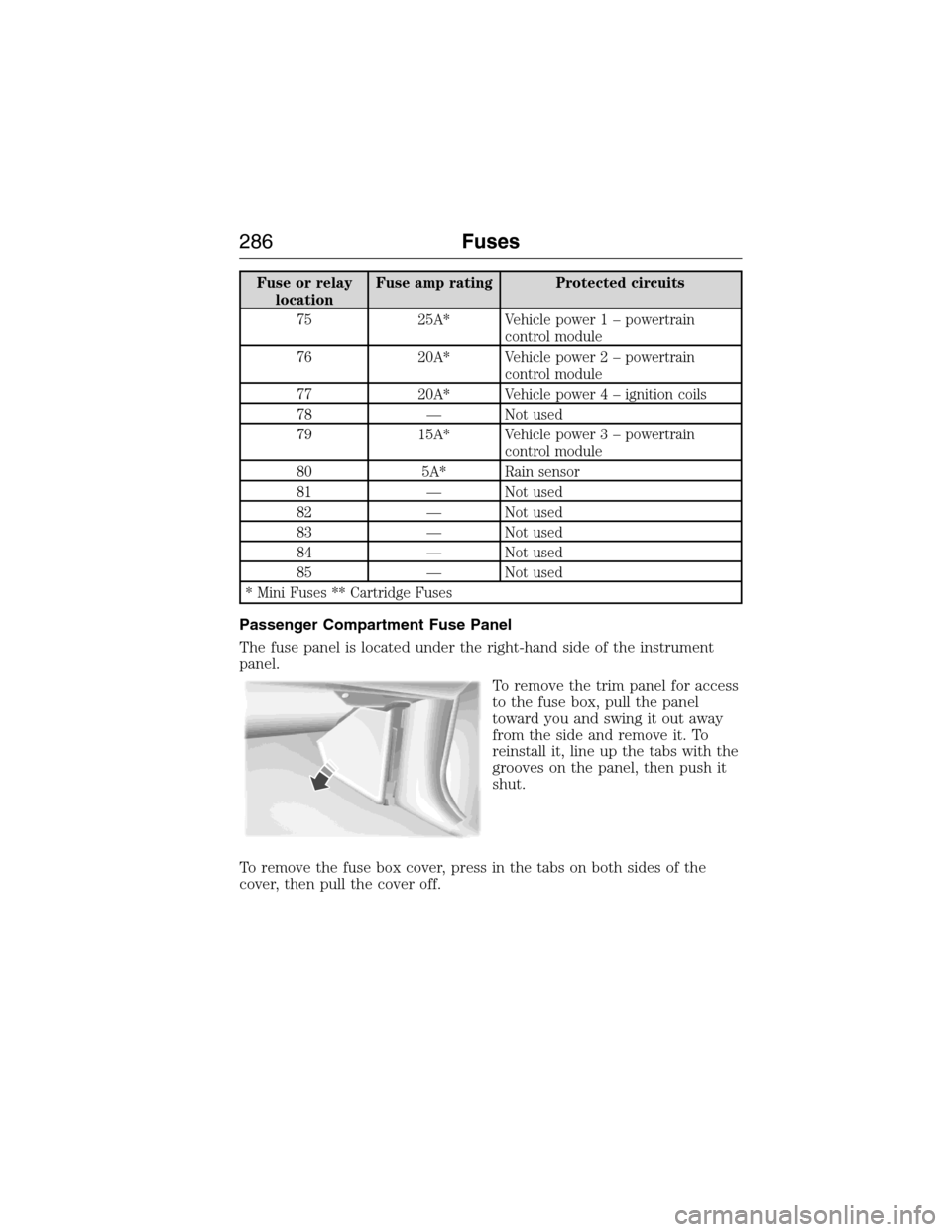
Passenger Compartment Fuse Panel
The fuse panel is located under the right-hand side of the instrument
panel.
To remove the trim panel for access
to the fuse box, pull the panel
toward you and swing it out away
from the side and remove it. To
reinstall it, line up the tabs with the
grooves on the panel, then push it
shut.
To remove the fuse box cover, press in the tabs on both sides of the
cover, then pull the cover off.
286Fuses
2015 Expedition(exd)
Owners Guide gf, 1st Printing, July 2014
USA(fus)