key battery FORD EXPEDITION 2021 User Guide
[x] Cancel search | Manufacturer: FORD, Model Year: 2021, Model line: EXPEDITION, Model: FORD EXPEDITION 2021Pages: 574, PDF Size: 8.33 MB
Page 192 of 574
AUTO-START-STOP
The system helps reduce fuel consumption
by automatically stopping and restarting
the engine when your vehicle has stopped.
The engine restarts automatically when
you release the brake pedal.
In some situations, your vehicle may restart
automatically, for example:
•
To maintain interior comfort.
• To recharge the battery.
Note: Power assist steering turns off when
the engine is off.
Note: If your vehicle is flex fuel capable,
Auto-Start-Stop will be inhibited for a short
time after a refuel event while the system
is verifying the fuel type being used. WARNING: Always fully apply the
parking brake. Make sure you shift into
park (P) for vehicles with an automatic
transmission. Switch the ignition off and
remove the key whenever you leave your
vehicle. WARNING:
Before opening the
hood or performing any maintenance,
fully apply the parking brake, shift into
park (P) or neutral (N) and switch the
ignition off. WARNING:
Always switch the
ignition off before leaving the vehicle. If
the ignition is switched on an automatic
restart may occur at any time. WARNING:
The system may
require the engine to automatically
restart when the auto-start-stop
indicator illuminates green or flashes
amber. Failure to follow this instruction
could result in personal injury. The Auto-Start-Stop system status is
available at a glance within the information
display. See Information Displays (page
119
).
Enabling Auto-Start-Stop
The system automatically enables every
time you start your vehicle if:
• You do not press the Auto-Start-Stop
button (not illuminated).
• Your vehicle exceeds an initial speed
of
3 mph (5 km/h) after you have
initially started your vehicle.
• You have stopped your vehicle.
• Your foot is on the brake pedal.
• The driver door is closed.
• There is adequate brake vacuum.
• The interior compartment has cooled
or warmed to an acceptable level.
• The front windshield defroster is off.
• You have not turned the steering wheel
rapidly or you do not have it at a sharp
angle.
• The vehicle is not on a steep road
grade.
• The battery is within optimal operating
conditions (battery state of charge and
temperature in range).
• The engine coolant is at operating
temperature.
• Elevation is below about
11,000 ft
(3,350 m).
• Ambient temperature is moderate.
• The trailer is not connected.
• If you select Normal, Eco, Snow/Wet
or Grass/Gravel/Snow modes.
• You are not in 4H or 4L.
• You have not selected Manual shift
mode.
189
Expedition (TB8) Canada/United States of America, enUSA, First-Printing Unique Driving Characteristics
Page 193 of 574
•
Hill descent control is not active.
• You have not selected Tow haul, Sport,
Sand or Mud/Rut modes.
Note: Note when in Sport mode it can be
enabled by pressing the Auto-Start-Stop
button. The green Auto-Start-Stop
indicator light on the instrument
cluster will illuminate to indicate
when the automatic engine stop occurs. If the instrument cluster is
equipped with a grey
Auto-Start-Stop indicator light,
it illuminates when automatic engine stop
is not available due to one of the above
noted conditions not being met.
Automatic Engine Restart
Any of the following conditions will result
in an automatic restart of the engine:
• You have removed your foot from the
brake pedal.
• You press the accelerator pedal.
• You press the accelerator and the
brake pedal at the same time.
• The driver safety belt becomes
unfastened or the driver door is ajar.
• Your vehicle is moving.
• The interior compartment does not
meet customer comfort when air
conditioning or heat is on.
• Fogging of the windows could occur
and the air conditioning is on.
• The battery is not within optimal
operating conditions.
• You have exceeded the maximum
engine off time.
• When you press the Auto-Start-Stop
button with the engine automatically
stopped. •
The front defroster is turned to the Max
setting.
• When you shift into park (P), the engine
will restart.
Any of the following conditions may result
in an automatic restart of the engine:
• You have increased the blower fan
speed or changed the climate control
temperature.
• You have an electrical accessory
turned on or plugged in.
Note: You may notice that the climate seat
fan fluctuates during an automatic restart.
Disabling Auto-Start-Stop Press the Auto-Start-Stop button on the
center console to switch the system off.
The button will illuminate. Deactivating
using the button lasts only 1 key cycle.
Press the button again to restore
Auto-Start-Stop function.
Note:
If the Shift to park (P), Restart Engine
message appears and the amber
Auto-Start-Stop indicator light flashes, this
indicates automatic restart is unavailable.
You must restart the vehicle manually. See
Information Displays (page 119).
190
Expedition (TB8) Canada/United States of America, enUSA, First-Printing Unique Driving Characteristics E146361 E181352
Page 205 of 574
Your vehicle may not pass the I/M test if
the service engine soon indicator is on or
not working properly (bulb is burned out),
or if the OBD-II system has determined
that some of the emission control systems
have not been properly checked. In this
case, the vehicle is not ready for I/M
testing.
If the vehicle
’s engine or transmission has
just been serviced, or the battery has
recently run down or been replaced, the
OBD-II system may indicate that the
vehicle is not ready for I/M testing. To
determine if the vehicle is ready for I/M
testing, turn the ignition key to the on
position for 15 seconds without cranking
the engine. If the service engine soon
indicator blinks eight times, it means that
the vehicle is not ready for I/M testing; if
the service engine soon indicator stays on
solid, it means that your vehicle is ready
for I/M testing.
The OBD-II system checks the emission
control system during normal driving. A
complete check may take several days.
If the vehicle is not ready for I/M testing,
you can perform the following driving cycle
consisting of mixed city and highway
driving:
1. 15 minutes of steady driving on an expressway or highway followed by 20
minutes of stop-and-go driving with at
least four 30-second idle periods.
2. Allow your vehicle to sit for at least eight hours with the ignition off. Then,
start the vehicle and complete the
above driving cycle. The vehicle must
warm up to its normal operating
temperature. Once started, do not turn
off the vehicle until the above driving
cycle is complete.
If the vehicle is still not ready for I/M
testing, you need to repeat the above
driving cycle.
202
Expedition (TB8) Canada/United States of America, enUSA, First-Printing Engine Emission Control
Page 310 of 574
Note:
If your vehicle has intelligent access,
you can keep your vehicle on while switching
the engine off by pressing the
START/STOP button two times slowly
without pressing the brake pedal.
5. Press and hold the brake pedal.
6. Enable neutral tow through the information display by selecting
Settings
from the menu. See General
Information (page 119).
7. Then select
Advanced Settings.
8. Then select
Vehicle.
9. Then select
Neutral Tow.
10. Press and hold the
OK button until
the information display confirms
neutral tow is enabled.
Note: If completed successfully, the
information display shows
Neutral Tow
Enabled Leave Transmission in Neutral.
This indicates that your vehicle is safe to
tow with all wheels on the ground.
Note: If you do not see the message in the
display, you must perform the procedure
again from the beginning.
Note: You may hear an audible noise as the
transfer case shifts into its neutral position.
This is normal.
11. Leave the transmission in neutral (N).
If your vehicle has intelligent access,
press the engine
START/STOP
button once without pressing the
brake pedal to switch the ignition off.
You do not need to leave your keys in
the vehicle. You can lock and unlock
your vehicle as you normally do. If
your vehicle has a physical ignition
key, turn the ignition as far as it can
go toward the off position. It does not
turn to the off position when the
transmission is in neutral (N). You
must leave the key in the ignition
when towing. To lock and unlock your
vehicle, use the keyless entry keypad
or an extra set of keys. 12. Release the brake pedal. WARNING:
Do not disconnect the
battery during recreational towing. It
prevents the transfer case from shifting
properly and may cause the vehicle to
roll, even if the transmission is in park
(P). WARNING:
Shifting the transfer
case to its neutral position for
recreational towing may cause the
vehicle to roll, even if the transmission is
in park (P). It may injure the driver and
others. Make sure you press the foot
brake and the vehicle is in a secure, safe
position when you shift to neutral (N).
Note: Failing to put the transfer case in its
neutral position may damage vehicle
components.
Note: You can check four-wheel-down
towing status at any time by opening the
driver door or turning the ignition to the
accessory or on position and verifying the
message displays in the cluster.
Exiting Four-wheel-down Towing
To exit four-wheel-down towing and return
the transfer case to its
2H position:
1. With your vehicle still properly secured
to the tow vehicle, start the engine.
2. After starting your vehicle, switch the engine off but leave the key in the on
position.
Note: If your vehicle has intelligent access,
you can keep the vehicle on when switching
the engine off by pressing the
START/STOP
button two times slowly
without pressing the brake pedal.
3. Press and hold the brake pedal.
4. Shift the transmission out of neutral (N) and into park (P).
5. Release the brake pedal.
307
Expedition (TB8) Canada/United States of America, enUSA, First-Printing Towing
Page 315 of 574
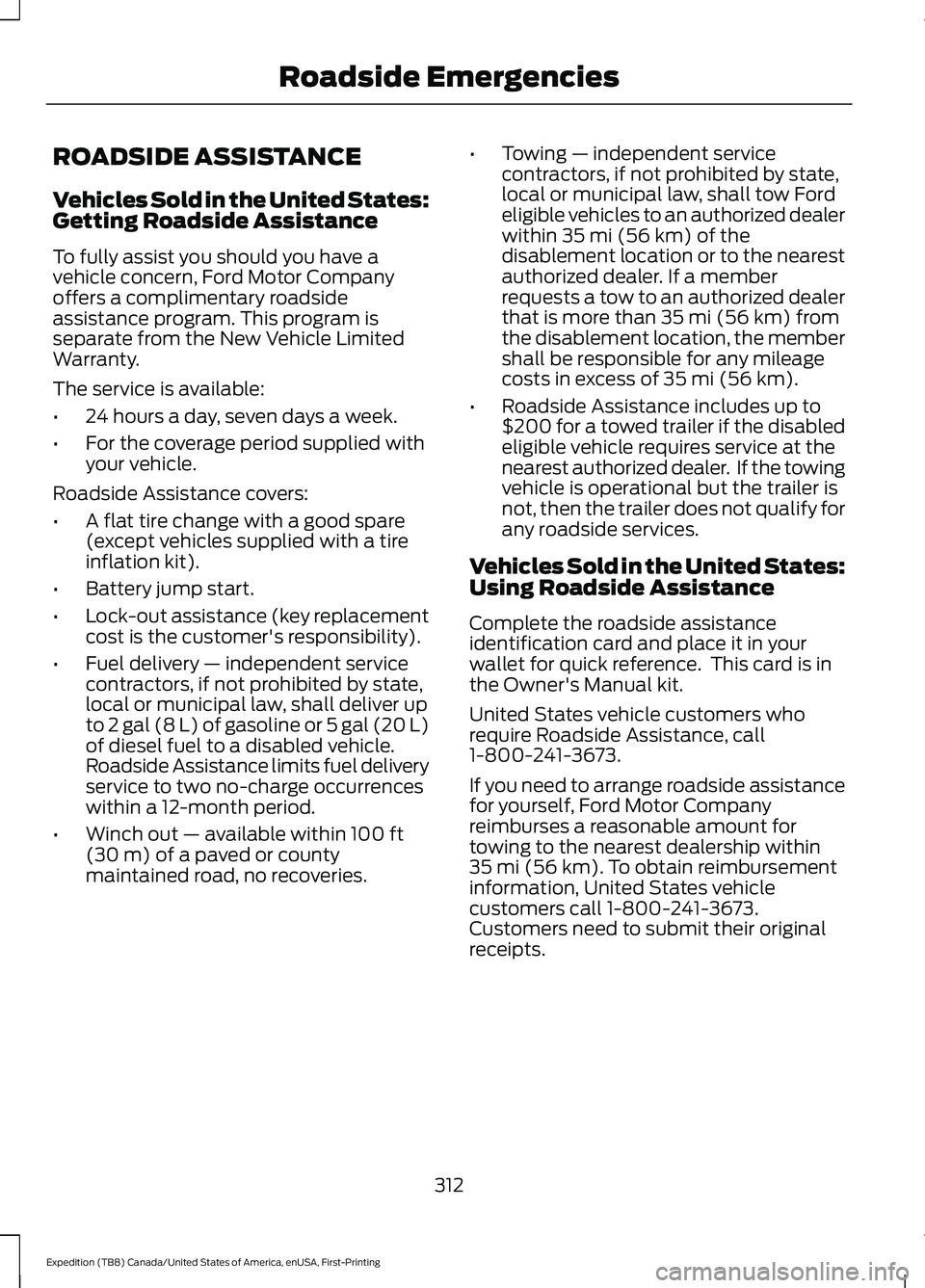
ROADSIDE ASSISTANCE
Vehicles Sold in the United States:
Getting Roadside Assistance
To fully assist you should you have a
vehicle concern, Ford Motor Company
offers a complimentary roadside
assistance program. This program is
separate from the New Vehicle Limited
Warranty.
The service is available:
•
24 hours a day, seven days a week.
• For the coverage period supplied with
your vehicle.
Roadside Assistance covers:
• A flat tire change with a good spare
(except vehicles supplied with a tire
inflation kit).
• Battery jump start.
• Lock-out assistance (key replacement
cost is the customer's responsibility).
• Fuel delivery — independent service
contractors, if not prohibited by state,
local or municipal law, shall deliver up
to 2 gal (8 L) of gasoline or 5 gal (20 L)
of diesel fuel to a disabled vehicle.
Roadside Assistance limits fuel delivery
service to two no-charge occurrences
within a 12-month period.
• Winch out — available within 100 ft
(30 m) of a paved or county
maintained road, no recoveries. •
Towing — independent service
contractors, if not prohibited by state,
local or municipal law, shall tow Ford
eligible vehicles to an authorized dealer
within
35 mi (56 km) of the
disablement location or to the nearest
authorized dealer. If a member
requests a tow to an authorized dealer
that is more than
35 mi (56 km) from
the disablement location, the member
shall be responsible for any mileage
costs in excess of
35 mi (56 km).
• Roadside Assistance includes up to
$200 for a towed trailer if the disabled
eligible vehicle requires service at the
nearest authorized dealer. If the towing
vehicle is operational but the trailer is
not, then the trailer does not qualify for
any roadside services.
Vehicles Sold in the United States:
Using Roadside Assistance
Complete the roadside assistance
identification card and place it in your
wallet for quick reference. This card is in
the Owner's Manual kit.
United States vehicle customers who
require Roadside Assistance, call
1-800-241-3673.
If you need to arrange roadside assistance
for yourself, Ford Motor Company
reimburses a reasonable amount for
towing to the nearest dealership within
35 mi (56 km)
. To obtain reimbursement
information, United States vehicle
customers call 1-800-241-3673.
Customers need to submit their original
receipts.
312
Expedition (TB8) Canada/United States of America, enUSA, First-Printing Roadside Emergencies
Page 316 of 574
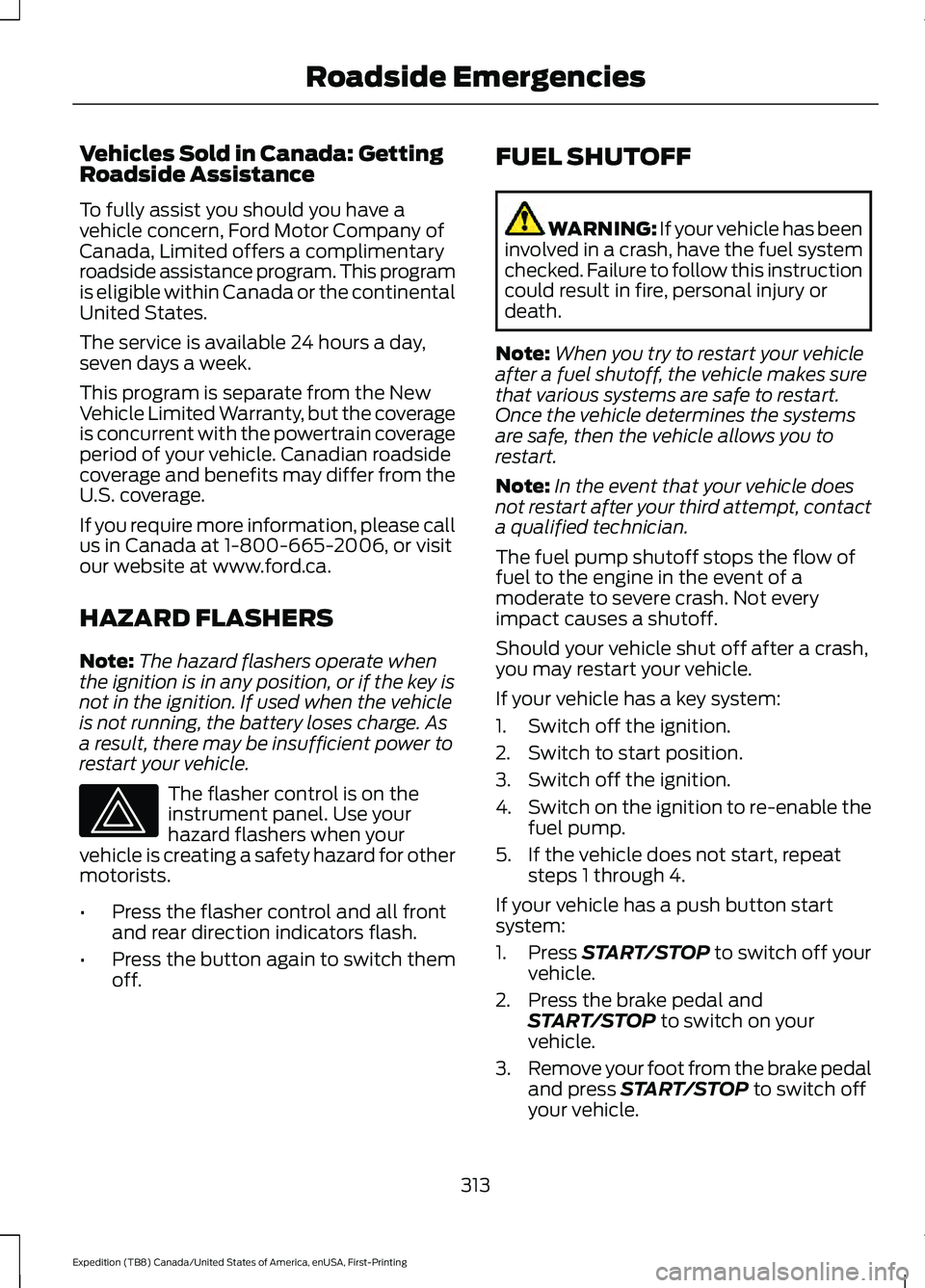
Vehicles Sold in Canada: Getting
Roadside Assistance
To fully assist you should you have a
vehicle concern, Ford Motor Company of
Canada, Limited offers a complimentary
roadside assistance program. This program
is eligible within Canada or the continental
United States.
The service is available 24 hours a day,
seven days a week.
This program is separate from the New
Vehicle Limited Warranty, but the coverage
is concurrent with the powertrain coverage
period of your vehicle. Canadian roadside
coverage and benefits may differ from the
U.S. coverage.
If you require more information, please call
us in Canada at 1-800-665-2006, or visit
our website at www.ford.ca.
HAZARD FLASHERS
Note:
The hazard flashers operate when
the ignition is in any position, or if the key is
not in the ignition. If used when the vehicle
is not running, the battery loses charge. As
a result, there may be insufficient power to
restart your vehicle. The flasher control is on the
instrument panel. Use your
hazard flashers when your
vehicle is creating a safety hazard for other
motorists.
• Press the flasher control and all front
and rear direction indicators flash.
• Press the button again to switch them
off. FUEL SHUTOFF WARNING: If your vehicle has been
involved in a crash, have the fuel system
checked. Failure to follow this instruction
could result in fire, personal injury or
death.
Note: When you try to restart your vehicle
after a fuel shutoff, the vehicle makes sure
that various systems are safe to restart.
Once the vehicle determines the systems
are safe, then the vehicle allows you to
restart.
Note: In the event that your vehicle does
not restart after your third attempt, contact
a qualified technician.
The fuel pump shutoff stops the flow of
fuel to the engine in the event of a
moderate to severe crash. Not every
impact causes a shutoff.
Should your vehicle shut off after a crash,
you may restart your vehicle.
If your vehicle has a key system:
1. Switch off the ignition.
2. Switch to start position.
3. Switch off the ignition.
4. Switch on the ignition to re-enable the
fuel pump.
5. If the vehicle does not start, repeat steps 1 through 4.
If your vehicle has a push button start
system:
1. Press START/STOP to switch off your
vehicle.
2. Press the brake pedal and START/STOP
to switch on your
vehicle.
3. Remove your foot from the brake pedal
and press
START/STOP to switch off
your vehicle.
313
Expedition (TB8) Canada/United States of America, enUSA, First-Printing Roadside Emergencies
Page 562 of 574
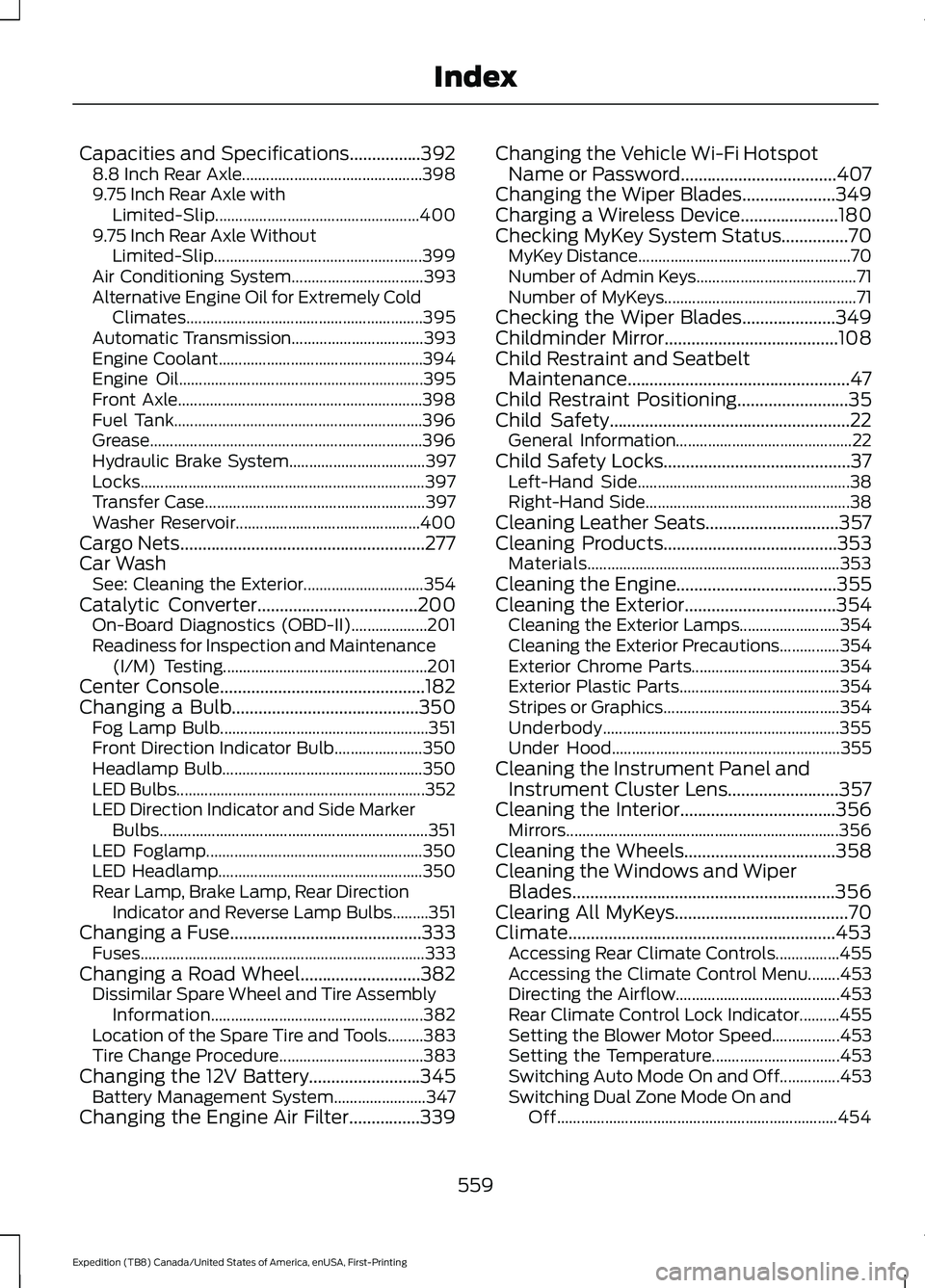
Capacities and Specifications................392
8.8 Inch Rear Axle............................................. 398
9.75 Inch Rear Axle with Limited-Slip................................................... 400
9.75 Inch Rear Axle Without Limited-Slip.................................................... 399
Air Conditioning System................................. 393
Alternative Engine Oil for Extremely Cold Climates........................................................... 395
Automatic Transmission................................. 393
Engine Coolant................................................... 394
Engine Oil............................................................. 395
Front Axle............................................................. 398
Fuel Tank.............................................................. 396
Grease.................................................................... 396
Hydraulic Brake System.................................. 397
Locks....................................................................... 397
Transfer Case....................................................... 397
Washer Reservoir.............................................. 400
Cargo Nets.......................................................277
Car Wash See: Cleaning the Exterior.............................. 354
Catalytic Converter....................................200 On-Board Diagnostics (OBD-II)................... 201
Readiness for Inspection and Maintenance (I/M) Testing................................................... 201
Center Console
..............................................182
Changing a Bulb..........................................350
Fog Lamp Bulb.................................................... 351
Front Direction Indicator Bulb...................... 350
Headlamp Bulb.................................................. 350
LED Bulbs.............................................................. 352
LED Direction Indicator and Side Marker Bulbs................................................................... 351
LED Foglamp...................................................... 350
LED Headlamp................................................... 350
Rear Lamp, Brake Lamp, Rear Direction Indicator and Reverse Lamp Bulbs.........351
Changing a Fuse
...........................................333
Fuses....................................................................... 333
Changing a Road Wheel
...........................382
Dissimilar Spare Wheel and Tire Assembly
Information..................................................... 382
Location of the Spare Tire and Tools.........383
Tire Change Procedure.................................... 383
Changing the 12V Battery
.........................345
Battery Management System....................... 347
Changing the Engine Air Filter................339 Changing the Vehicle Wi-Fi Hotspot
Name or Password
...................................407
Changing the Wiper Blades.....................349
Charging a Wireless Device......................180
Checking MyKey System Status...............70 MyKey Distance..................................................... 70
Number of Admin Keys........................................ 71
Number of MyKeys................................................ 71
Checking the Wiper Blades.....................349
Childminder Mirror.......................................108
Child Restraint and Seatbelt Maintenance..................................................47
Child Restraint Positioning.........................35
Child Safety
......................................................22
General Information............................................ 22
Child Safety Locks..........................................37 Left-Hand Side..................................................... 38
Right-Hand Side................................................... 38
Cleaning Leather Seats..............................357
Cleaning Products
.......................................353
Materials............................................................... 353
Cleaning the Engine....................................355
Cleaning the Exterior
..................................354
Cleaning the Exterior Lamps......................... 354
Cleaning the Exterior Precautions...............354
Exterior Chrome Parts..................................... 354
Exterior Plastic Parts........................................ 354
Stripes or Graphics............................................ 354
Underbody........................................................... 355
Under Hood......................................................... 355
Cleaning the Instrument Panel and Instrument Cluster Lens.........................357
Cleaning the Interior...................................356 Mirrors.................................................................... 356
Cleaning the Wheels..................................358
Cleaning the Windows and Wiper Blades...........................................................356
Clearing All MyKeys.......................................70
Climate............................................................453 Accessing Rear Climate Controls................455
Accessing the Climate Control Menu........453
Directing the Airflow......................................... 453
Rear Climate Control Lock Indicator..........455
Setting the Blower Motor Speed.................453
Setting the Temperature................................ 453
Switching Auto Mode On and Off...............453
Switching Dual Zone Mode On and Off...................................................................... 454
559
Expedition (TB8) Canada/United States of America, enUSA, First-Printing Index
Page 568 of 574
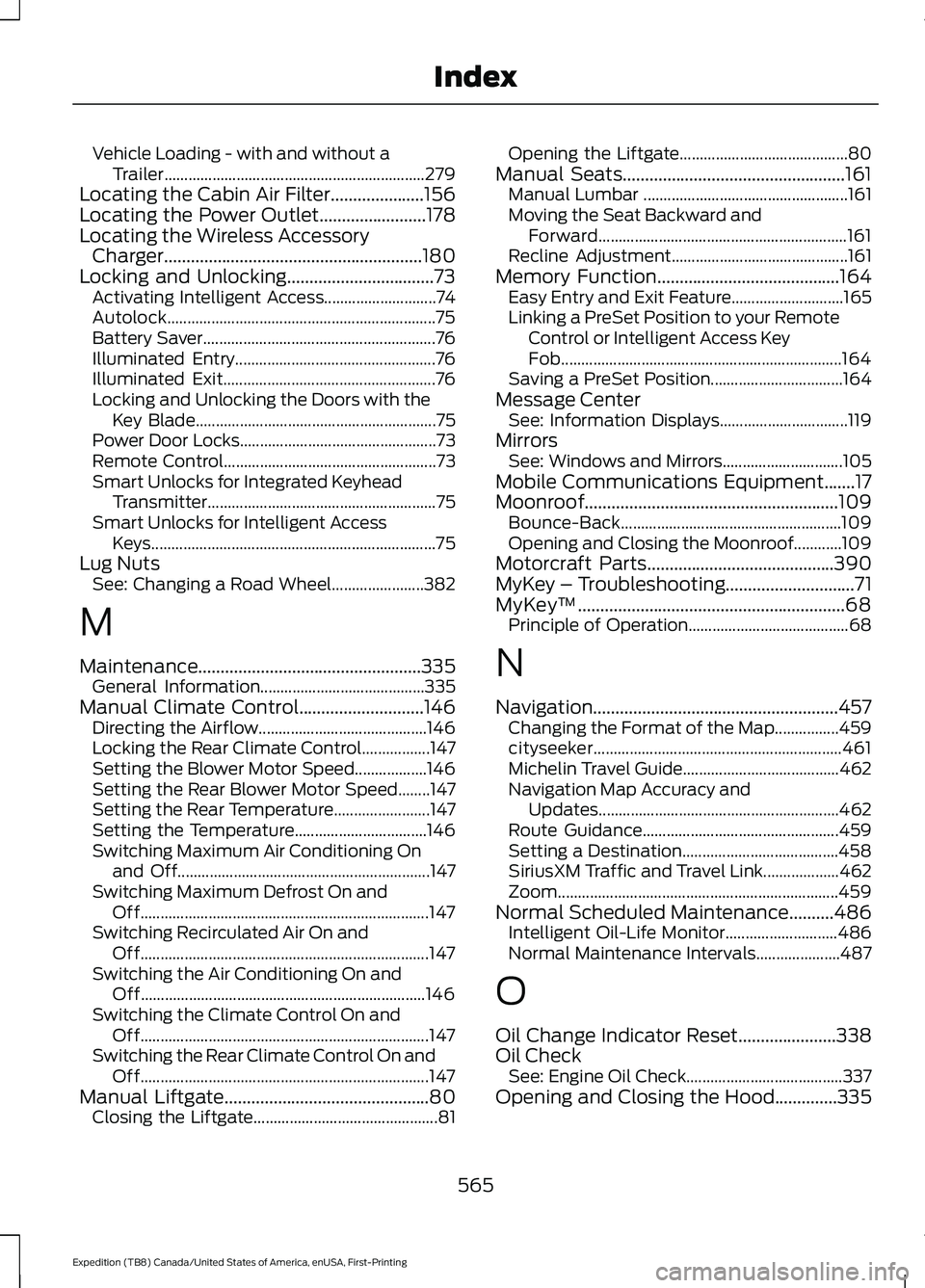
Vehicle Loading - with and without a
Trailer................................................................. 279
Locating the Cabin Air Filter.....................156
Locating the Power Outlet........................178
Locating the Wireless Accessory Charger
..........................................................180
Locking and Unlocking.................................73 Activating Intelligent Access............................ 74
Autolock................................................................... 75
Battery Saver.......................................................... 76
Illuminated Entry.................................................. 76
Illuminated Exit..................................................... 76
Locking and Unlocking the Doors with the Key Blade............................................................ 75
Power Door Locks................................................. 73
Remote Control..................................................... 73
Smart Unlocks for Integrated Keyhead Transmitter......................................................... 75
Smart Unlocks for Intelligent Access Keys....................................................................... 75
Lug Nuts See: Changing a Road Wheel....................... 382
M
Maintenance..................................................335 General Information......................................... 335
Manual Climate Control............................146 Directing the Airflow.......................................... 146
Locking the Rear Climate Control.................147
Setting the Blower Motor Speed.................. 146
Setting the Rear Blower Motor Speed........147
Setting the Rear Temperature........................ 147
Setting the Temperature................................. 146
Switching Maximum Air Conditioning On and Off............................................................... 147
Switching Maximum Defrost On and Off........................................................................\
147
Switching Recirculated Air On and Off........................................................................\
147
Switching the Air Conditioning On and Off....................................................................... 146
Switching the Climate Control On and Off........................................................................\
147
Switching the Rear Climate Control On and Off........................................................................\
147
Manual Liftgate
..............................................80
Closing the Liftgate.............................................. 81Opening the Liftgate..........................................
80
Manual Seats..................................................161 Manual Lumbar ................................................... 161
Moving the Seat Backward and Forward.............................................................. 161
Recline Adjustment............................................ 161
Memory Function
.........................................164
Easy Entry and Exit Feature............................ 165
Linking a PreSet Position to your Remote Control or Intelligent Access Key
Fob...................................................................... 164
Saving a PreSet Position................................. 164
Message Center See: Information Displays................................ 119
Mirrors See: Windows and Mirrors.............................. 105
Mobile Communications Equipment.......17
Moonroof.........................................................109 Bounce-Back....................................................... 109
Opening and Closing the Moonroof............109
Motorcraft Parts..........................................390
MyKey – Troubleshooting.............................71
MyKey ™
............................................................68
Principle of Operation........................................ 68
N
Navigation.......................................................457 Changing the Format of the Map................459
cityseeker.............................................................. 461
Michelin Travel Guide....................................... 462
Navigation Map Accuracy and Updates............................................................ 462
Route Guidance................................................. 459
Setting a Destination....................................... 458
SiriusXM Traffic and Travel Link................... 462
Zoom
...................................................................... 459
Normal Scheduled Maintenance..........486 Intelligent Oil-Life Monitor............................ 486
Normal Maintenance Intervals..................... 487
O
Oil Change Indicator Reset
......................338
Oil Check See: Engine Oil Check....................................... 337
Opening and Closing the Hood..............335
565
Expedition (TB8) Canada/United States of America, enUSA, First-Printing Index
Page 570 of 574
Rear Passenger Climate Controls -
Vehicles With: Automatic Temperature
Control...........................................................152
Directing Air to the Overhead Air Vents................................................................... 152
Directing Air to the Rear Footwell Air Vents................................................................... 152
Rear Climate Control Lock Indicator...........152
Setting the Rear Blower Motor Speed................................................................. 153
Setting the Rear Temperature....................... 153
Switching Rear Auto Mode On and Off........................................................................\
153
Switching the Rear Climate Control On and Off........................................................................\
153
Switching the Rear Heated Seats On and Off........................................................................\
153
Rear Passenger Climate Controls - Vehicles With: Manual Temperature
Control...........................................................153
Directing Air to the Overhead Air Vents................................................................... 153
Directing Air to the Rear Footwell Air Vents.................................................................. 154
Rear Climate Control Lock Indicator...........154
Setting the Rear Blower Motor Speed................................................................. 154
Setting the Rear Temperature....................... 154
Switching the Rear Climate Control On and Off....................................................................... 154
Switching the Rear Heated Seats On and Off....................................................................... 154
Rear Seats.......................................................165
Adjusting the Manual Second Row
Outermost Seats for Easy Entry..............166
Adjusting the Second Row Center Seat.................................................................... 168
Adjusting the Second Row Outermost Seats for Easy Exit......................................... 167
Folding the Power Rear Seats....................... 168
Folding the Second Row Center Seat ........................................................................\
....... 167
Folding the Second Row Outermost Seats ........................................................................\
...... 165
Reclining the Second Row Outermost Seat Backrest............................................................. 167Rear Under Floor Storage.........................275
Advanced System: Forward Divider, Cargo
Shelf and Rear Barrier (Bulkhead
Position)........................................................... 276
Cargo Management System.......................... 275
Rear View Camera......................................240 Camera Guidelines............................................. 241
Manual Zoom...................................................... 242
Obstacle Distance Indicator.......................... 242
Rear Camera Delay........................................... 242
Using the Rear View Camera System.............................................................. 240
Rear View Camera See: Rear View Camera.................................. 240
Rear Window Wiper and Washers...........97 Rear Window Washer......................................... 97
Rear Window Wiper Blade................................ 97
Recommended Towing Weights...........296
Reduced Engine Performance...............309
Refueling..........................................................195 Refueling System Overview........................... 195
Refueling System Warning.............................. 197
Refueling Your Vehicle...................................... 195
Remote Control
..............................................60
Car Finder................................................................ 65
Integrated Keyhead Transmitter.................... 60
Intelligent Access Key.......................................... 61
Remote Start......................................................... 65
Replacing the Battery......................................... 62
Sounding the Panic Alarm................................ 65
Using the Key Blade............................................ 62
Remote Start
..................................................155
Automatic Settings............................................ 155
Heated and Cooled Features......................... 155
Last Settings......................................................... 155
Removing a Headlamp.............................350
Repairing Minor Paint Damage..............358
Replacement Parts Recommendation........................................16
Collision Repairs.................................................... 16
Scheduled Maintenance and Mechanical Repairs................................................................. 16
Warranty on Replacement Parts.................... 16
Replacing a Lost Key or Remote Control.............................................................67
Replacing the Cabin Air Filter..................156
Reporting Safety Defects (Canada Only)..............................................................323
567
Expedition (TB8) Canada/United States of America, enUSA, First-Printing Index