remote control FORD EXPEDITION 2023 User Guide
[x] Cancel search | Manufacturer: FORD, Model Year: 2023, Model line: EXPEDITION, Model: FORD EXPEDITION 2023Pages: 658, PDF Size: 16.16 MB
Page 78 of 658
6.Wait five seconds and then press andrelease the push button ignition switchagain. Keep the ignition on for at leastthree seconds, but no more than 10seconds.
7.Remove the remote control.
8.Place the unprogrammed remotecontrol in the backup slot and pressand release the push button ignitionswitch.
Programming is now complete. With yourfoot on the brake pedal, press the pushbutton ignition switch to verify the remotecontrol functions operate and your vehiclestarts with the new remote control.
If programming was not successful, wait10 seconds and repeat Steps 1 through 8.If you are still unsuccessful, take yourvehicle to an authorized dealer.
KEYS AND REMOTE CONTROLS – TROUBLESHOOTING
KEYS AND REMOTE CONTROLS – INFORMATION MESSAGES
ActionMessage
Replace remote control battery.Key Battery Low ReplaceSoon
74
2023 Expedition (TB8) Canada/United States of America, enUSA, Edition date: 202207, DOMKeys and Remote Controls
Page 80 of 658
Audio System Volume Limit
The audio system maximum volumereduces. A message appears on thetouchscreen if you attempt to exceed thevolume limit. Automatic volume controlturns off.
911 Assist
If you set 911 assist to always on, youcannot switch it off with a MyKey.
Do Not Disturb
If you set do not disturb to always on, youcannot switch it off with a MyKey.
Note:If a phone is connected using AppleCarPlay or Android Auto while driving witha MyKey, the driver can receive phone callsand text messages even if the do not disturbrestriction is on. And if the vehicle comeswith satellite radio, there is no restriction onthe adult content.
Traction and Stability Control
If you set traction control or stabilitycontrol to always on, you cannot switch itoff with a MyKey.
CREATING A MYKEY -
VEHICLES WITHOUT: PUSH
BUTTON START
1.Switch the ignition on using the key youwant to create as MyKey.
2.Press Settings on the touchscreen.
3.Press Vehicle Settings.
4.Press MyKey.
5.Press Create MyKey.
6.Press Yes.
7.Switch the ignition off.
Note:You successfully created a MyKey.We recommend that you label this key soyou can distinguish it from the admin keys.
Note:The programmed restrictions applywhen you switch the vehicle off, open andclose the driver door and restart your vehiclewith the programmed key or remote control.
CREATING A MYKEY -
VEHICLES WITH: PUSH
BUTTON START
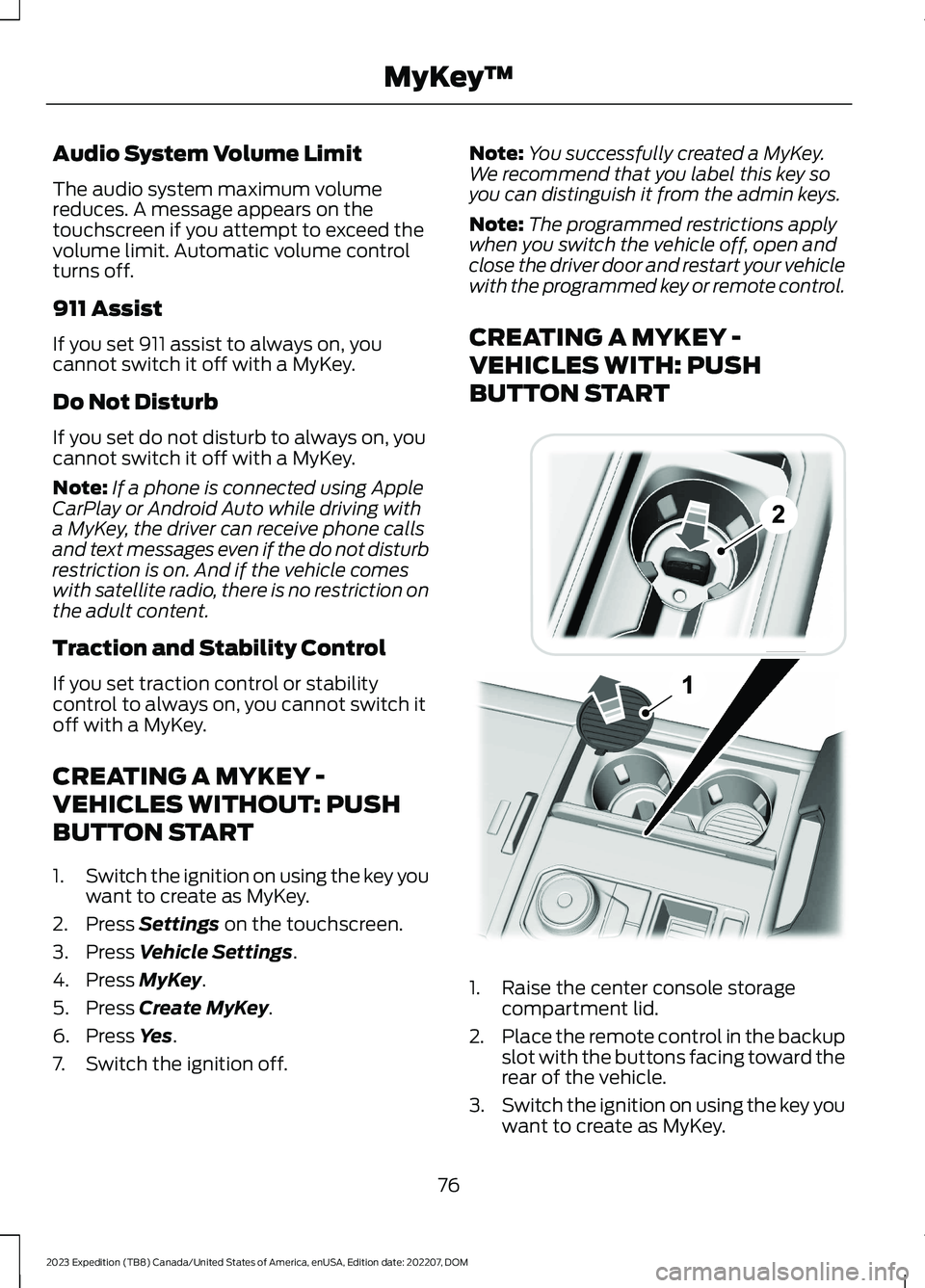
1.Raise the center console storagecompartment lid.
2.Place the remote control in the backupslot with the buttons facing toward therear of the vehicle.
3.Switch the ignition on using the key youwant to create as MyKey.
76
2023 Expedition (TB8) Canada/United States of America, enUSA, Edition date: 202207, DOMMyKey™ E256153
Page 81 of 658

4.Press Settings on the touchscreen.
5.Press Vehicle Settings.
6.Press MyKey.
7.Press Create MyKey.
8.Press Yes.
9.Switch the ignition off.
Note:You successfully created a MyKey.We recommend that you label this key soyou can distinguish it from the admin keys.
Note:The programmed restrictions applywhen you switch the vehicle off, open andclose the driver door and restart your vehiclewith the programmed key or remote control.
PROGRAMMING A MYKEY
You can program any remote control tobecome a restricted MyKey, but you mustleave one unmodified as an admin key.
1.Switch the vehicle on using an adminkey.
2.Press Settings on the touchscreen.
3.Press Vehicle Settings.
4.Press MyKey.
5.Select and configure the settings.
CLEARING ALL MYKEYS
When you clear all MyKeys, you remove allrestrictions and return all MyKeys to theiroriginal admin key status.
1.Switch the vehicle on using an adminkey.
2.Press Settings on the touchscreen.
3.Press Vehicle Settings.
4.Press MyKey.
5.Press Clear All MyKeys.
6.Press Yes.
CHECKING MYKEY SYSTEM
STATUS
You can find information about thedistance traveled using a MyKey, and thenumber of admin keys and MyKeys createdfor your vehicle.
1.Switch the vehicle on.
2.Press Settings on the touchscreen.
3.Press Vehicle Settings.
4.Press MyKey.
5.Press MyKey Information.
USING MYKEY WITH REMOTE
START SYSTEMS
MyKey is not compatible with unapproved,aftermarket remote start systems. If youchoose to install a remote start system,see an authorized dealer for an approvedremote start system.
77
2023 Expedition (TB8) Canada/United States of America, enUSA, Edition date: 202207, DOMMyKey™
Page 85 of 658
OPERATING THE DOORS
FROM OUTSIDE YOUR
VEHICLE
UNLOCKING AND LOCKING THEDOORS USING THE REMOTECONTROL
You can only use the remote control whenyour vehicle is stationary.
Unlocking the Doors
Press the button to unlock alldoors. One long flash of the turnsignal lamps confirms that yourvehicle has unlocked.
Locking the Doors
Press the button to lock alldoors. One short flash of theturn signal lamps confirms thatyour vehicle has locked.
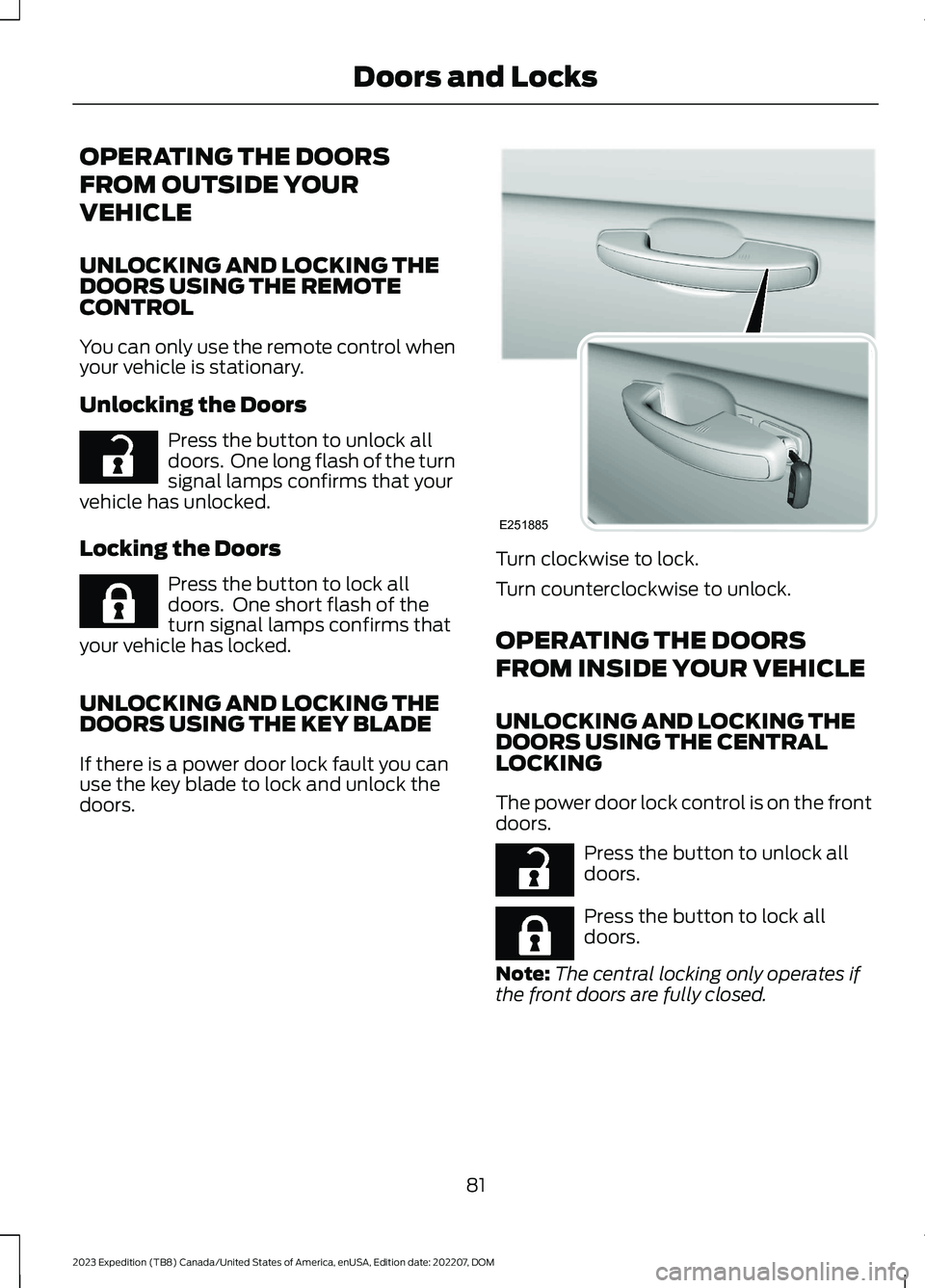
UNLOCKING AND LOCKING THEDOORS USING THE KEY BLADE
If there is a power door lock fault you canuse the key blade to lock and unlock thedoors.
Turn clockwise to lock.
Turn counterclockwise to unlock.
OPERATING THE DOORS
FROM INSIDE YOUR VEHICLE
UNLOCKING AND LOCKING THEDOORS USING THE CENTRALLOCKING
The power door lock control is on the frontdoors.
Press the button to unlock alldoors.
Press the button to lock alldoors.
Note:The central locking only operates ifthe front doors are fully closed.
81
2023 Expedition (TB8) Canada/United States of America, enUSA, Edition date: 202207, DOMDoors and LocksE267112 E267111 E251885 E267112 E267111
Page 87 of 658
If you switch mislock off, the horn does notsound if you press the lock button on theremote control when a door is open.
SWITCHING MISLOCK ON ANDOFF - VEHICLES WITH: 12 INCHSCREEN
1.Press Settings on the touchscreen.
2.Press Vehicle Settings.
3.Switch Mislock Chirp on or off.
SWITCHING MISLOCK ON ANDOFF - VEHICLES WITH: 15 INCHSCREEN
1.Access the vehicle drawer on thetouchscreen.
2.Press SETTINGS.
3.Press Vehicle.
4.Press Locks.
5.Switch Mislock on or off.
DOORS AND LOCKS AUDIBLE
WARNINGS
Door Ajar Audible Warning
Sounds when a door is not fully closed andyour vehicle is moving.
DOORS AND LOCKS –
TROUBLESHOOTING
DOORS AND LOCKS – WARNINGLAMPS
Door Ajar Warning Lamp
Illuminates when you switch theignition on and remains on if anydoor or the hood is open.
DOORS AND LOCKS – INFORMATION MESSAGES
ActionMessage
Displays if a door is open. Fully close the door.Driver Door Ajar
Passenger Door Ajar
Rear Left Door Ajar
Rear Right Door Ajar
Displays if a hood is open. Fully close the hood.Hood Ajar
83
2023 Expedition (TB8) Canada/United States of America, enUSA, Edition date: 202207, DOMDoors and LocksE249859
Page 89 of 658

WHAT IS KEYLESS ENTRY
The system allows you to lock and unlockyour vehicle without taking the passive keyout of your pocket or purse.
KEYLESS ENTRY LIMITATIONS
Make sure your remote control is within 3 ft(1 m) from the front door handles and thetailgate.
The system could not function if:
•The remote control remains stationaryfor about a minute.
•The vehicle battery has no charge.
•The remote control battery has nocharge.
•There is interference causing issueswith the remote control frequencies.
•The remote control is too close tometal objects or electronic devices, forexample keys or a cell phone.
KEYLESS ENTRY SETTINGS
Switching Keyless Entry On andOff
1.Switch the ignition on using an originalkey that has not been created as aMyKey.
2.Press Settings on the touchscreen.
3.Press Vehicle Settings.
4.Press Locks.
Reprogramming the UnlockingFunction
You can enable two-stage unlockingfunction allowing you to unlock only thedriver door when you touch the unlocksensor.
Press and hold both the lock and unlockbuttons on the remote control for fourseconds to disable or enable two-stageunlocking.
If you program the unlocking function sothat only the driver door unlocks, you canunlock all of the other doors from insideyour vehicle using the power door lockcontrol. You can unlock individual doorsby pulling the interior door handles onthose doors.
USING KEYLESS ENTRY
Unlocking the Doors
With your passive key within 3 ft (1 m) ofyour vehicle, touch the unlock sensor onthe back of the door handle for a briefperiod and then pull on the door handle tounlock, being careful not to touch the locksensor at the same time or pull on the doorhandle too quickly. The intelligent accesssystem requires a brief delay toauthenticate your intelligent access key.
85
2023 Expedition (TB8) Canada/United States of America, enUSA, Edition date: 202207, DOMKeyless Entry (If Equipped)E248553
Page 90 of 658
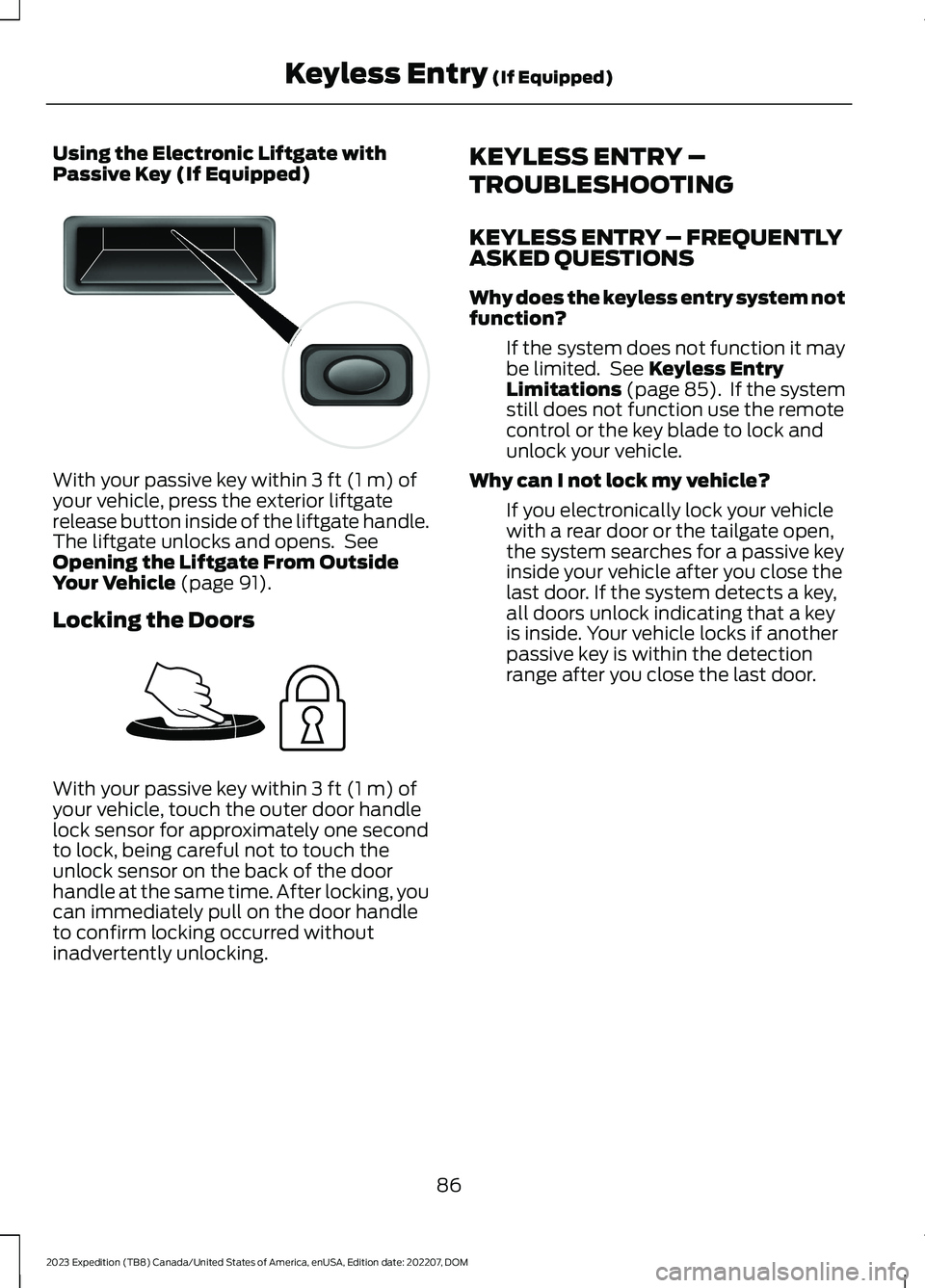
Using the Electronic Liftgate withPassive Key (If Equipped)
With your passive key within 3 ft (1 m) ofyour vehicle, press the exterior liftgaterelease button inside of the liftgate handle.The liftgate unlocks and opens. SeeOpening the Liftgate From OutsideYour Vehicle (page 91).
Locking the Doors
With your passive key within 3 ft (1 m) ofyour vehicle, touch the outer door handlelock sensor for approximately one secondto lock, being careful not to touch theunlock sensor on the back of the doorhandle at the same time. After locking, youcan immediately pull on the door handleto confirm locking occurred withoutinadvertently unlocking.
KEYLESS ENTRY –
TROUBLESHOOTING
KEYLESS ENTRY – FREQUENTLYASKED QUESTIONS
Why does the keyless entry system notfunction?
If the system does not function it maybe limited. See Keyless EntryLimitations (page 85). If the systemstill does not function use the remotecontrol or the key blade to lock andunlock your vehicle.
Why can I not lock my vehicle?
If you electronically lock your vehiclewith a rear door or the tailgate open,the system searches for a passive keyinside your vehicle after you close thelast door. If the system detects a key,all doors unlock indicating that a keyis inside. Your vehicle locks if anotherpassive key is within the detectionrange after you close the last door.
86
2023 Expedition (TB8) Canada/United States of America, enUSA, Edition date: 202207, DOMKeyless Entry (If Equipped)E138632 E248554
Page 92 of 658
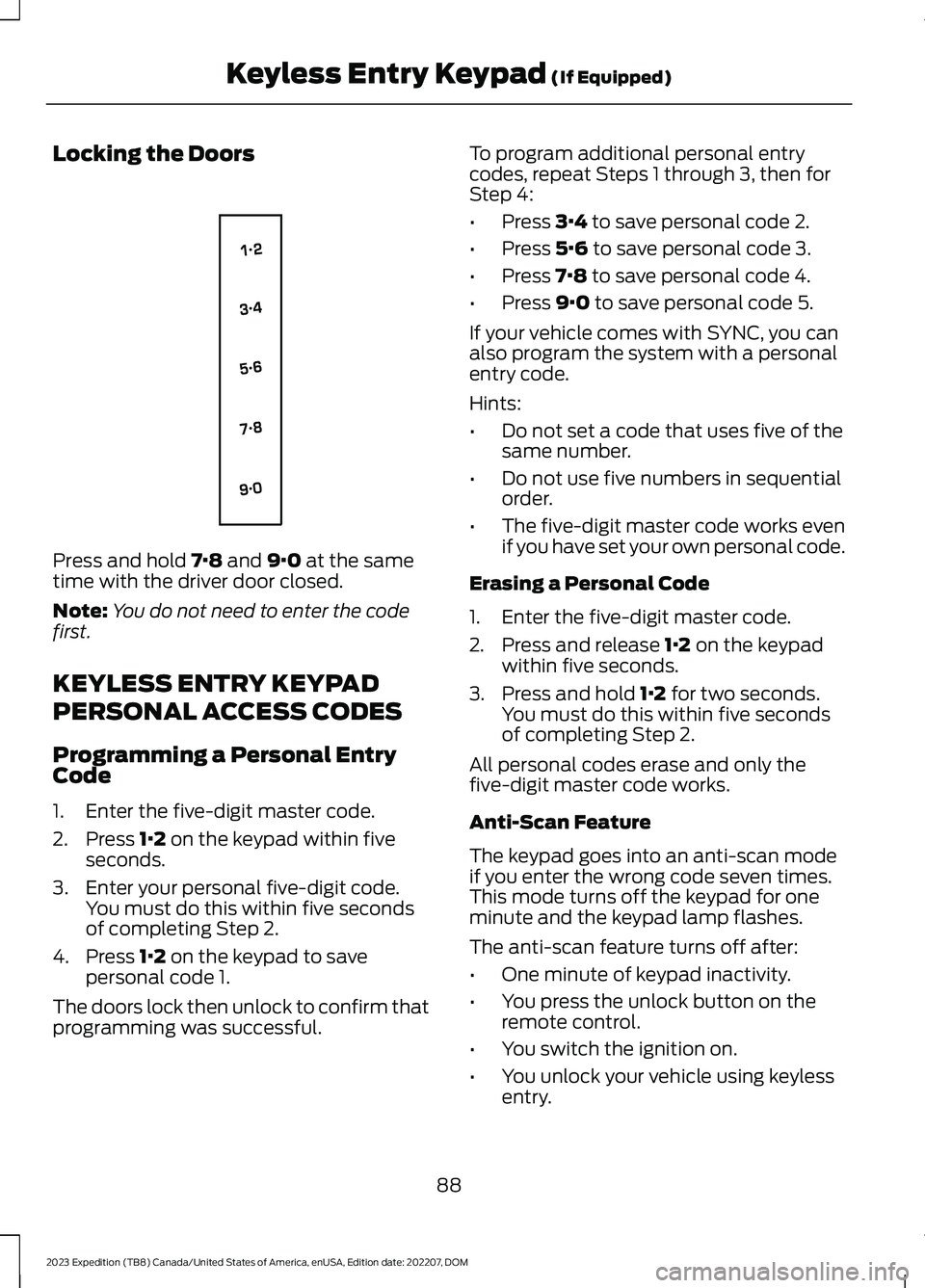
Locking the Doors
Press and hold 7·8 and 9·0 at the sametime with the driver door closed.
Note:You do not need to enter the codefirst.
KEYLESS ENTRY KEYPAD
PERSONAL ACCESS CODES
Programming a Personal EntryCode
1.Enter the five-digit master code.
2.Press 1·2 on the keypad within fiveseconds.
3.Enter your personal five-digit code.You must do this within five secondsof completing Step 2.
4.Press 1·2 on the keypad to savepersonal code 1.
The doors lock then unlock to confirm thatprogramming was successful.
To program additional personal entrycodes, repeat Steps 1 through 3, then forStep 4:
•Press 3·4 to save personal code 2.
•Press 5·6 to save personal code 3.
•Press 7·8 to save personal code 4.
•Press 9·0 to save personal code 5.
If your vehicle comes with SYNC, you canalso program the system with a personalentry code.
Hints:
•Do not set a code that uses five of thesame number.
•Do not use five numbers in sequentialorder.
•The five-digit master code works evenif you have set your own personal code.
Erasing a Personal Code
1.Enter the five-digit master code.
2.Press and release 1·2 on the keypadwithin five seconds.
3.Press and hold 1·2 for two seconds.You must do this within five secondsof completing Step 2.
All personal codes erase and only thefive-digit master code works.
Anti-Scan Feature
The keypad goes into an anti-scan modeif you enter the wrong code seven times.This mode turns off the keypad for oneminute and the keypad lamp flashes.
The anti-scan feature turns off after:
•One minute of keypad inactivity.
•You press the unlock button on theremote control.
•You switch the ignition on.
•You unlock your vehicle using keylessentry.
88
2023 Expedition (TB8) Canada/United States of America, enUSA, Edition date: 202207, DOMKeyless Entry Keypad (If Equipped)E138637
Page 95 of 658
LIFTGATE PRECAUTIONS
WARNING: It is extremelydangerous to ride in a cargo area, insideor outside of a vehicle. In a crash, peopleriding in these areas are more likely to beseriously injured or killed. Do not allowpeople to ride in any area of your vehiclethat is not equipped with seats andseatbelts. Make sure everyone in yourvehicle is in a seat and properly using aseatbelt. Failure to follow this warningcould result in serious personal injury ordeath.
WARNING: Make sure that you fullyclose the liftgate to prevent exhaustfumes from entering your vehicle. If youare unable to fully close the liftgate,open the air vents or the windows toallow fresh air to enter your vehicle.Failure to follow this instruction couldresult in personal injury or death.
WARNING: Keep keys out of reachof children. Do not allow children tooperate or play near an open or movingpower liftgate. You should supervise theoperation of the power liftgate at alltimes.
OPENING THE LIFTGATE
OPENING THE LIFTGATE FROMINSIDE YOUR VEHICLE
With the transmission in park(P), press the button on theinstrument panel.
Note:Be careful when opening or closingthe liftgate in a garage or other enclosedarea to avoid damaging the liftgate.
Note: Do not hang anything, for examplea bike rack, from the glass or liftgate. Thiscould damage the liftgate and itscomponents.
Note: Do not leave the liftgate open whiledriving. This could damage the liftgate andits components.
OPENING THE LIFTGATE FROMOUTSIDE YOUR VEHICLE
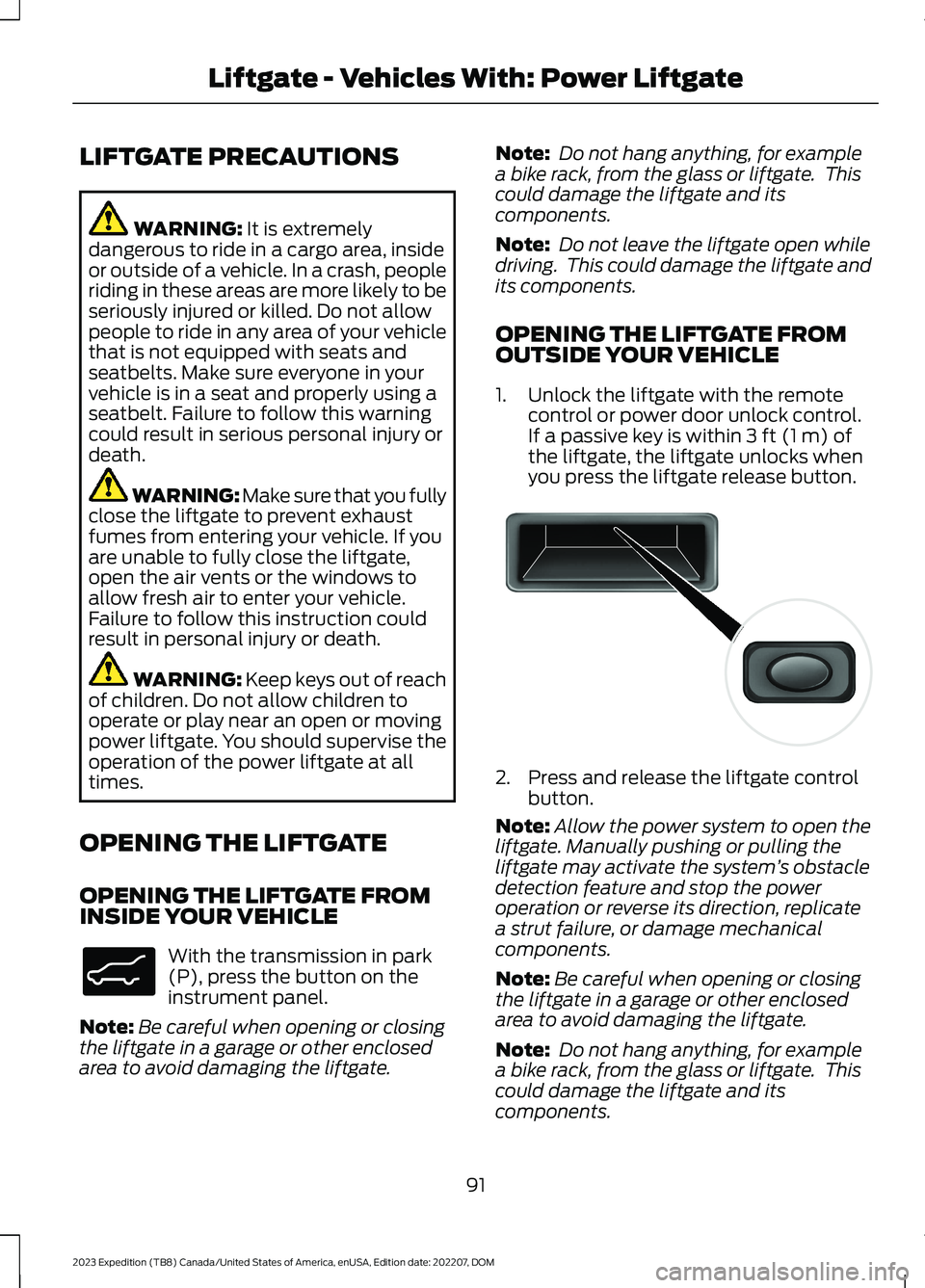
1.Unlock the liftgate with the remotecontrol or power door unlock control.If a passive key is within 3 ft (1 m) ofthe liftgate, the liftgate unlocks whenyou press the liftgate release button.
2.Press and release the liftgate controlbutton.
Note:Allow the power system to open theliftgate. Manually pushing or pulling theliftgate may activate the system’s obstacledetection feature and stop the poweroperation or reverse its direction, replicatea strut failure, or damage mechanicalcomponents.
Note:Be careful when opening or closingthe liftgate in a garage or other enclosedarea to avoid damaging the liftgate.
Note: Do not hang anything, for examplea bike rack, from the glass or liftgate. Thiscould damage the liftgate and itscomponents.
91
2023 Expedition (TB8) Canada/United States of America, enUSA, Edition date: 202207, DOMLiftgate - Vehicles With: Power LiftgateE138633 E138632
Page 96 of 658
Note: Do not leave the liftgate open whiledriving. This could damage the liftgate andits components.
Switching the Power Liftgate Onor Off
You can switch the power liftgate on or offthrough the vehicle settings on yourtouchscreen.
1.Press Settings.
2.Press Vehicle Settings.
3.Press Power Liftgate.
4.Select your option.
When switched off, the liftgate onlyunlatches and will not power open or close.
OPENING THE LIFTGATE USINGTHE REMOTE CONTROL
Press the button twice withinthree seconds.
Note:Be careful when opening or closingthe liftgate in a garage or other enclosedarea to avoid damaging the liftgate.
Note:Do not hang anything, for example abike rack, from the glass or liftgate. Thiscould damage the liftgate and itscomponents.
Note:Do not leave the liftgate open whiledriving. This could damage the liftgate andits components.
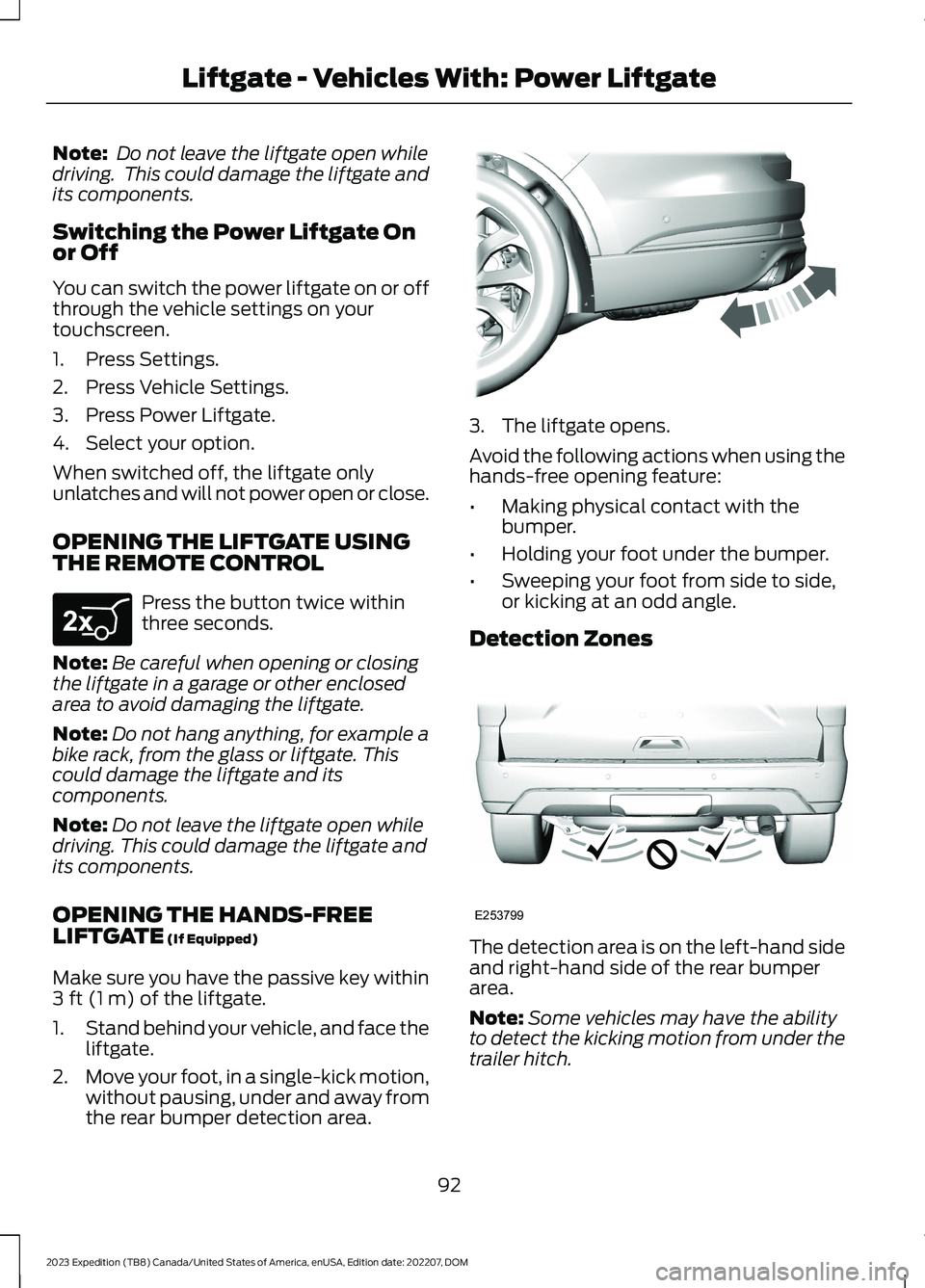
OPENING THE HANDS-FREELIFTGATE (If Equipped)
Make sure you have the passive key within3 ft (1 m) of the liftgate.
1.Stand behind your vehicle, and face theliftgate.
2.Move your foot, in a single-kick motion,without pausing, under and away fromthe rear bumper detection area.
3.The liftgate opens.
Avoid the following actions when using thehands-free opening feature:
•Making physical contact with thebumper.
•Holding your foot under the bumper.
•Sweeping your foot from side to side,or kicking at an odd angle.
Detection Zones
The detection area is on the left-hand sideand right-hand side of the rear bumperarea.
Note:Some vehicles may have the abilityto detect the kicking motion from under thetrailer hitch.
92
2023 Expedition (TB8) Canada/United States of America, enUSA, Edition date: 202207, DOMLiftgate - Vehicles With: Power LiftgateE267940 E300799 E253799