lock FORD EXPEDITION 2023 Repair Manual
[x] Cancel search | Manufacturer: FORD, Model Year: 2023, Model line: EXPEDITION, Model: FORD EXPEDITION 2023Pages: 658, PDF Size: 16.16 MB
Page 185 of 658
GARAGE DOOR OPENER
INTRODUCTION
HomeLink Wireless ControlSystem
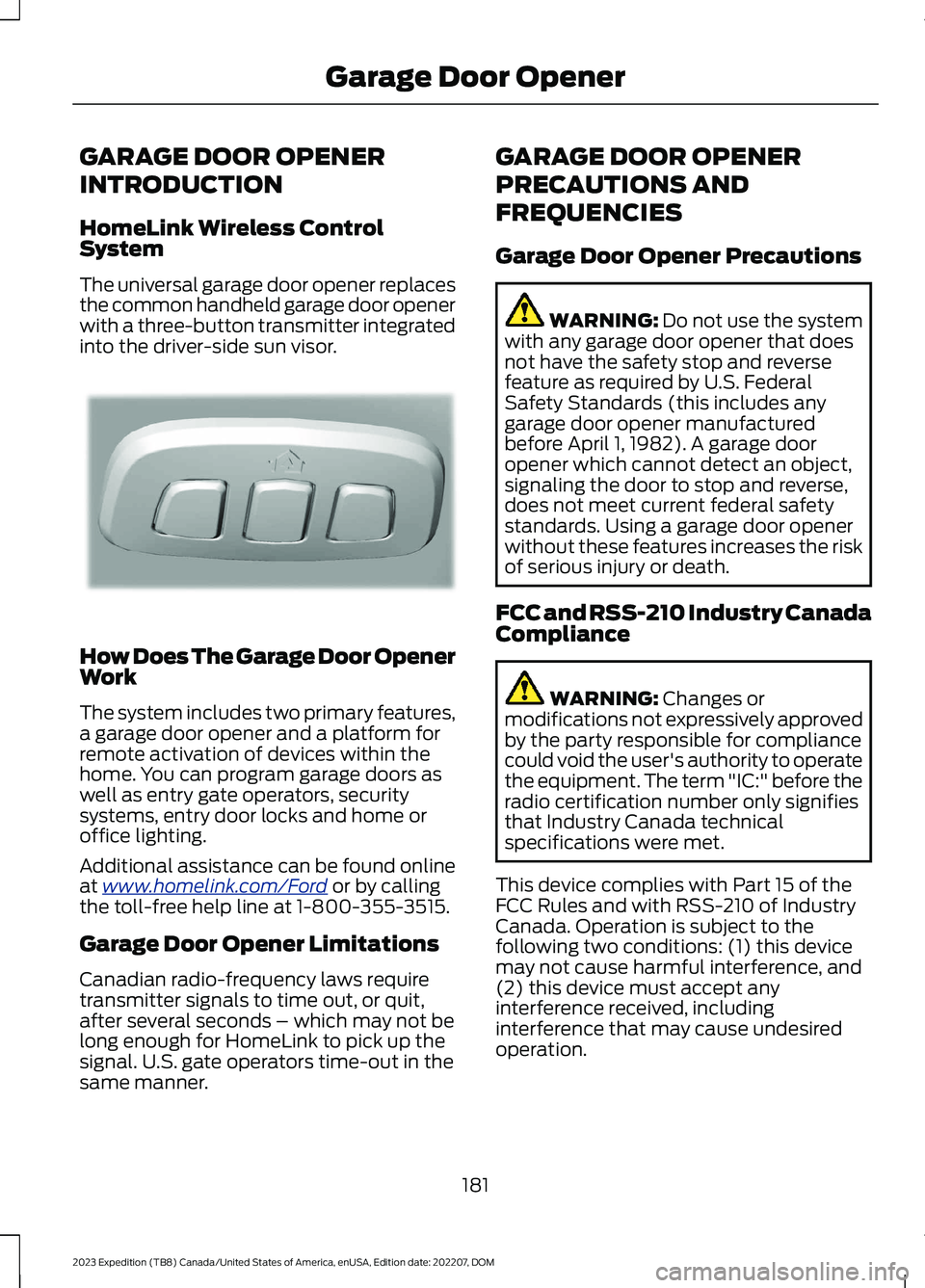
The universal garage door opener replacesthe common handheld garage door openerwith a three-button transmitter integratedinto the driver-side sun visor.
How Does The Garage Door OpenerWork
The system includes two primary features,a garage door opener and a platform forremote activation of devices within thehome. You can program garage doors aswell as entry gate operators, securitysystems, entry door locks and home oroffice lighting.
Additional assistance can be found onlineat www.homelink.com/Ford or by callingthe toll-free help line at 1-800-355-3515.
Garage Door Opener Limitations
Canadian radio-frequency laws requiretransmitter signals to time out, or quit,after several seconds – which may not belong enough for HomeLink to pick up thesignal. U.S. gate operators time-out in thesame manner.
GARAGE DOOR OPENER
PRECAUTIONS AND
FREQUENCIES
Garage Door Opener Precautions
WARNING: Do not use the systemwith any garage door opener that doesnot have the safety stop and reversefeature as required by U.S. FederalSafety Standards (this includes anygarage door opener manufacturedbefore April 1, 1982). A garage dooropener which cannot detect an object,signaling the door to stop and reverse,does not meet current federal safetystandards. Using a garage door openerwithout these features increases the riskof serious injury or death.
FCC and RSS-210 Industry CanadaCompliance
WARNING: Changes ormodifications not expressively approvedby the party responsible for compliancecould void the user's authority to operatethe equipment. The term "IC:" before theradio certification number only signifiesthat Industry Canada technicalspecifications were met.
This device complies with Part 15 of theFCC Rules and with RSS-210 of IndustryCanada. Operation is subject to thefollowing two conditions: (1) this devicemay not cause harmful interference, and(2) this device must accept anyinterference received, includinginterference that may cause undesiredoperation.
181
2023 Expedition (TB8) Canada/United States of America, enUSA, Edition date: 202207, DOMGarage Door OpenerE188211
Page 195 of 658
OVERHEAD STORAGE
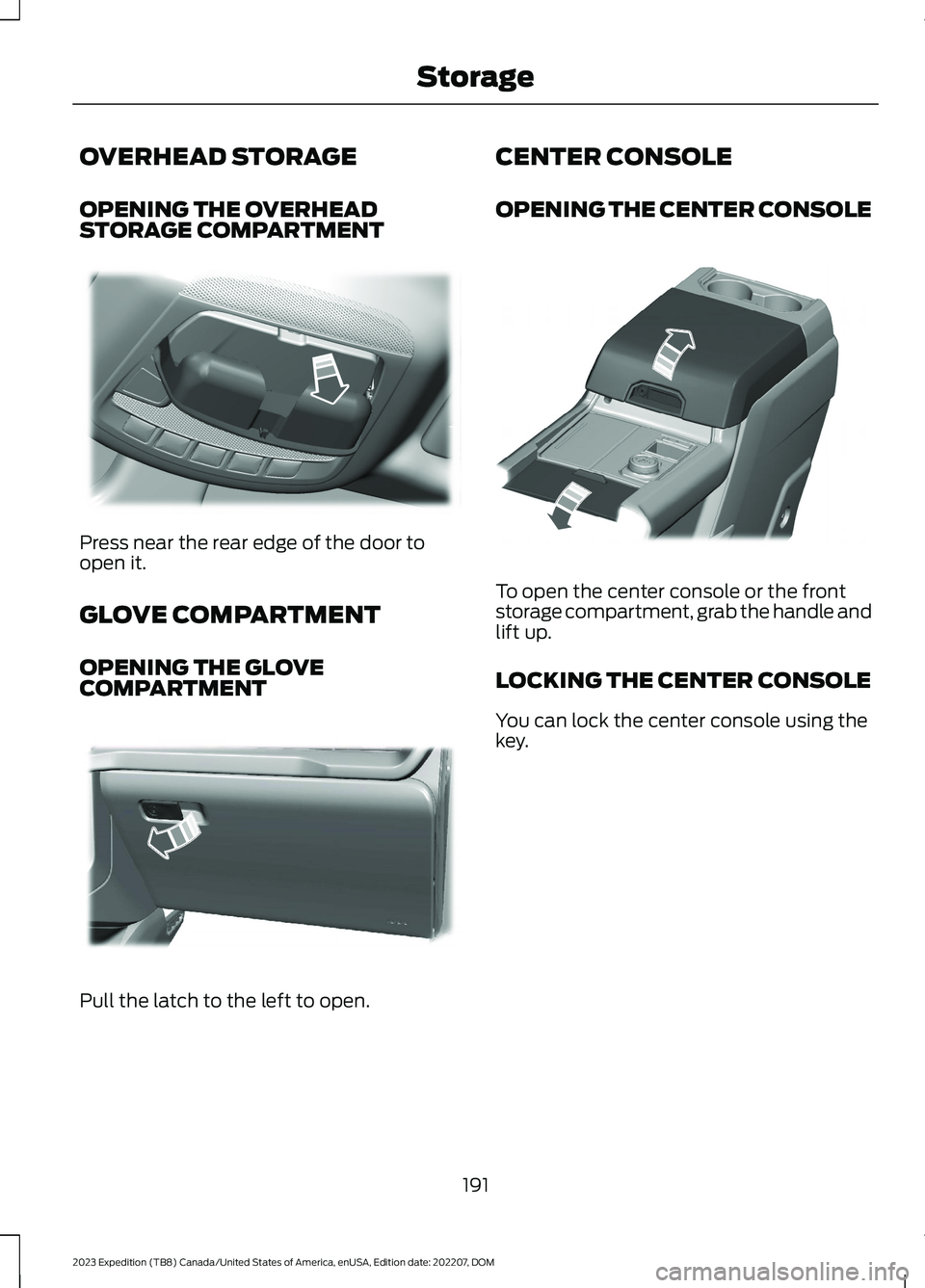
OPENING THE OVERHEADSTORAGE COMPARTMENT
Press near the rear edge of the door toopen it.
GLOVE COMPARTMENT
OPENING THE GLOVECOMPARTMENT
Pull the latch to the left to open.
CENTER CONSOLE
OPENING THE CENTER CONSOLE
To open the center console or the frontstorage compartment, grab the handle andlift up.
LOCKING THE CENTER CONSOLE
You can lock the center console using thekey.
191
2023 Expedition (TB8) Canada/United States of America, enUSA, Edition date: 202207, DOMStorageE332434 E310218 E351263
Page 196 of 658
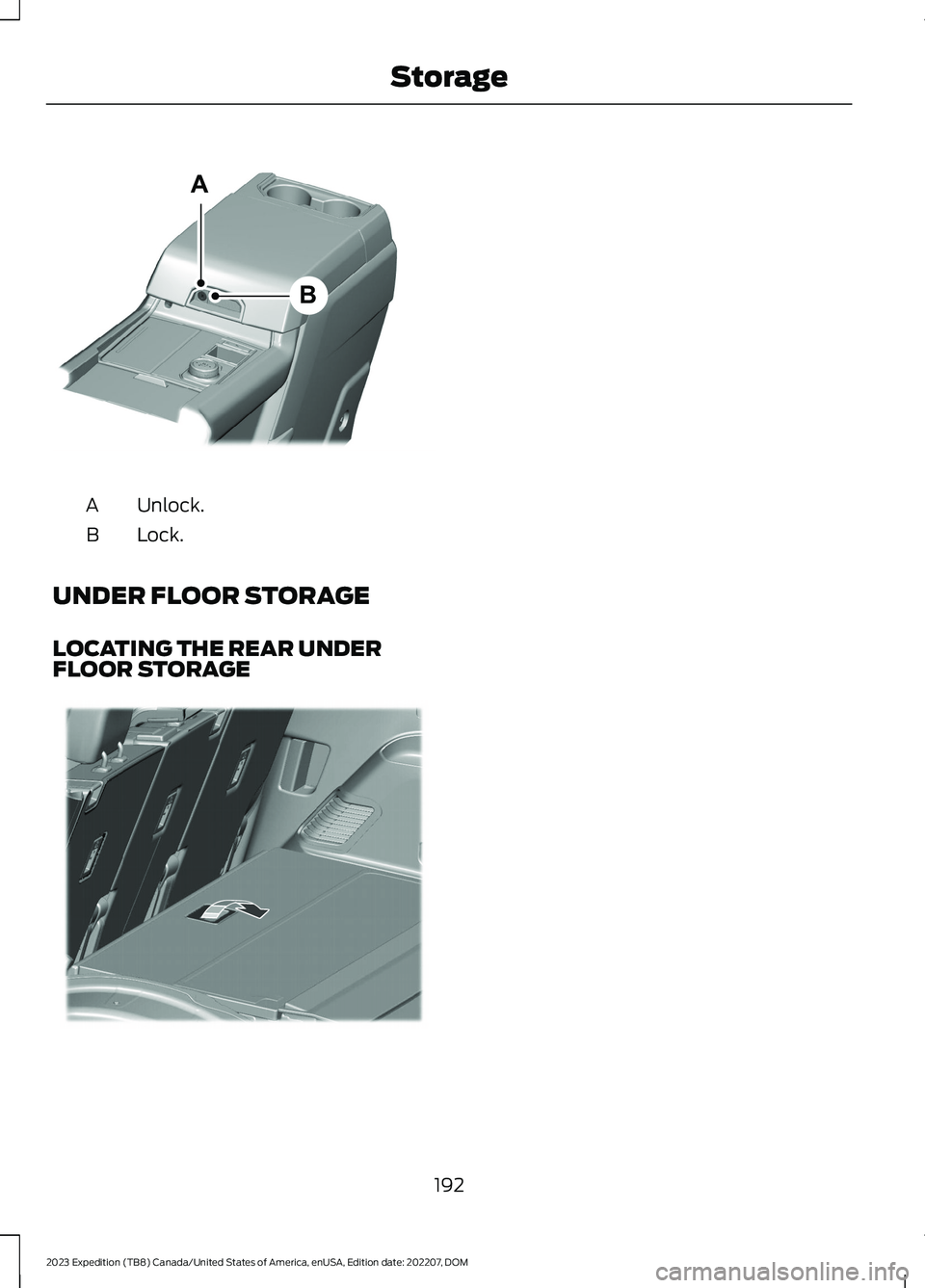
Unlock.A
Lock.B
UNDER FLOOR STORAGE
LOCATING THE REAR UNDERFLOOR STORAGE
192
2023 Expedition (TB8) Canada/United States of America, enUSA, Edition date: 202207, DOMStorageABE351262 E359323
Page 199 of 658
2.Press the push button ignition switch.
Note:The engine may continue crankingfor up to 15 seconds or until it starts.
Note:The engine takes longer to start atlower temperatures. It may crank for severalseconds when very cold.
RESTARTING THE ENGINE AFTERSTOPPING IT - VEHICLES WITH:PUSH BUTTON START
The system allows you to start the enginewithin 10 seconds of switching it off, evenif it does not detect a valid passive key.
Within 10 seconds of switching the engineoff, fully press the brake pedal and pressthe push button ignition switch. After 10seconds, you can no longer start the engineif the system does not detect a validpassive key.
When you start the engine, it remainsrunning until you press the push buttonignition switch, even if your vehicle doesnot detect a valid passive key. If you openand close a door when the engine isrunning, the system searches for a validpassive key.
ENGINE BLOCK HEATER (IF
EQUIPPED)
ENGINE BLOCK HEATERPRECAUTIONS
WARNING: Failure to follow engineblock heater instructions could result inproperty damage or serious personalinjury.
WARNING: Do not use your heaterwith ungrounded electrical systems ortwo-pronged adapters. There is a risk ofelectrical shock.
WARNING: Do not fully close thehood, or allow it to drop under its ownweight when using the engine blockheater. This could damage the powercable and may cause an electrical shortresulting in fire, injury and propertydamage.
We recommend that you do the followingfor a safe and correct operation:
•Use a 16-gauge outdoor extension cordthat is product certified byUnderwriter’s Laboratory (UL) orCanadian Standards Association(CSA). This extension cord must besuitable for use outdoors, in coldtemperatures, and be clearly markedSuitable for Use with OutdoorAppliances. Do not use an indoorextension cord outdoors. This couldresult in an electric shock or become afire hazard.
•Use as short an extension cord aspossible.
•Do not use multiple extension cords.
195
2023 Expedition (TB8) Canada/United States of America, enUSA, Edition date: 202207, DOMStarting and Stopping the EngineE357998
Page 200 of 658
•Make sure that when in operation, theextension cord plug and engine blockheater cord plug connections are freeand clear of water. This could cause anelectric shock or fire.
•If the engine block heater cord is underthe hood, do not remove the wiringfrom its original location. Do not closethe hood on the extension wiring.
•Park your vehicle in a clean area, clearof combustible materials.
•Firmly connect the engine block heatercord and the extension cord.
•Check the extension cord for heatanywhere when the system has beenoperating for approximately 30minutes.
•Unplug and properly stow the systembefore starting and driving your vehicle.The protective cover seals theterminals of the engine block heatercord plug when not in use.
•Check the engine block heater systemfor proper operation before winter.
HOW DOES THE ENGINE BLOCKHEATER WORK
The engine block heater warms the enginecoolant. This allows the climate controlsystem to quickly respond. The equipmentincludes a heater element installed in theengine block and a wire harness. You canconnect the system to a grounded 110 voltAC electrical source.
Note:The engine block heater is mosteffective when outdoor temperatures arebelow 0°F (-18°C).
USING THE ENGINE BLOCKHEATER
Make sure the receptacle terminals areclean and dry prior to use. Clean them witha dry cloth if necessary.
The heater uses 0.4 to 1.0 kilowatt-hoursof energy per hour of use. The system doesnot have a thermostat. It achievesmaximum temperature afterapproximately three hours of operation.Using the engine block heater longer thanthree hours does not improve systemperformance and unnecessarily useselectricity.
STOPPING THE ENGINE
STOPPING THE ENGINE WHENYOUR VEHICLE IS STATIONARY -VEHICLES WITHOUT: PUSHBUTTON START
1.Shift into park (P).
2.Apply the parking brake.
3.Wait until the engine reaches idlespeed.
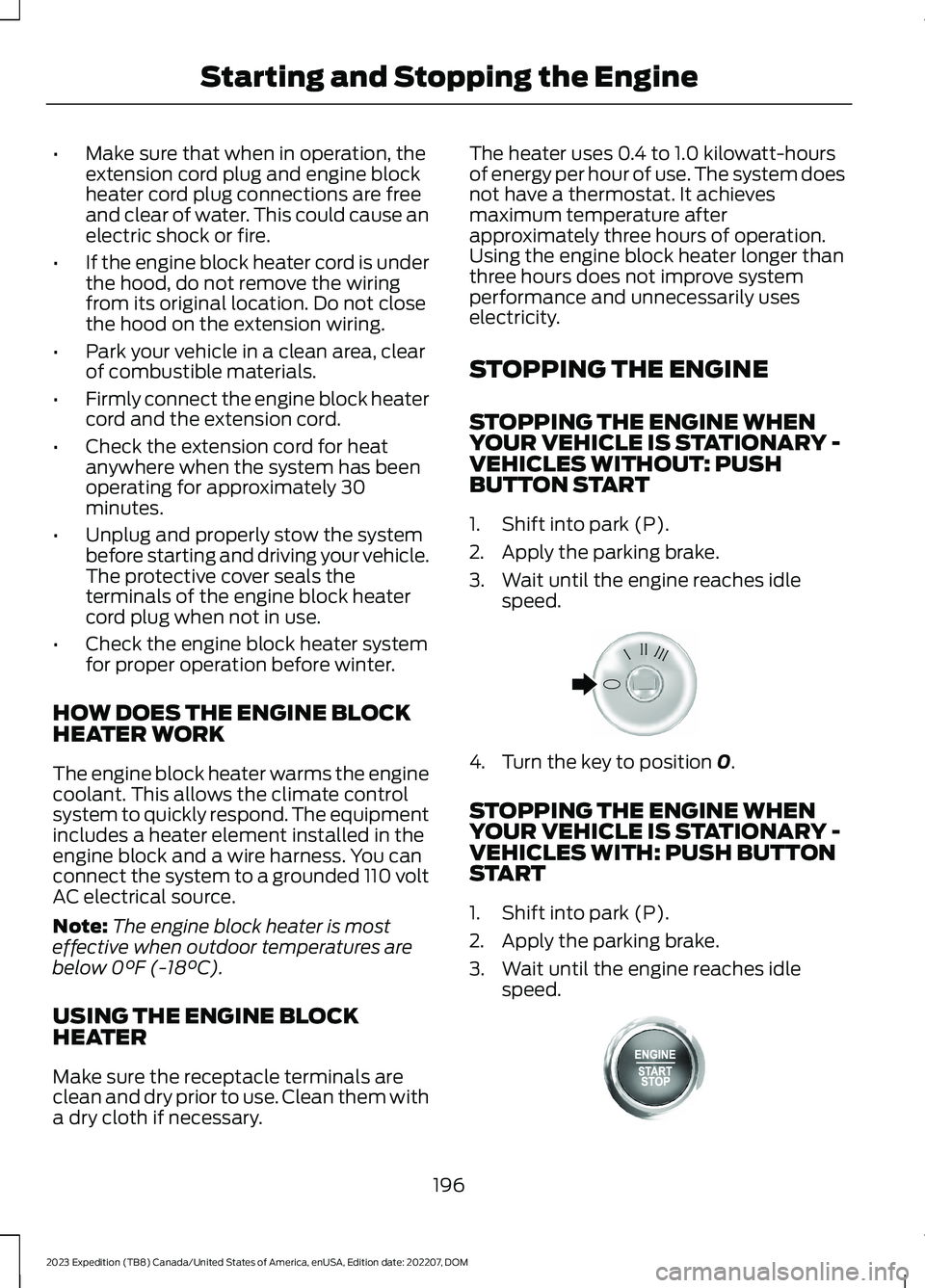
4.Turn the key to position 0.
STOPPING THE ENGINE WHENYOUR VEHICLE IS STATIONARY -VEHICLES WITH: PUSH BUTTONSTART
1.Shift into park (P).
2.Apply the parking brake.
3.Wait until the engine reaches idlespeed.
196
2023 Expedition (TB8) Canada/United States of America, enUSA, Edition date: 202207, DOMStarting and Stopping the EngineE322405 E357998
Page 201 of 658
4.Press the push button ignition switch.
STOPPING THE ENGINE WHENYOUR VEHICLE IS MOVING -VEHICLES WITHOUT: PUSHBUTTON START
WARNING: Switching off theengine when your vehicle is still movingresults in a significant decrease inbraking assistance. Higher effort isrequired to apply the brakes and to stopyour vehicle. A significant decrease insteering assistance could also occur. Thesteering does not lock, but higher effortcould be required to steer your vehicle.When you switch the ignition off, someelectrical circuits, for example airbags,also turn off. If you unintentionally switchthe ignition off, shift into neutral (N) andrestart the engine.
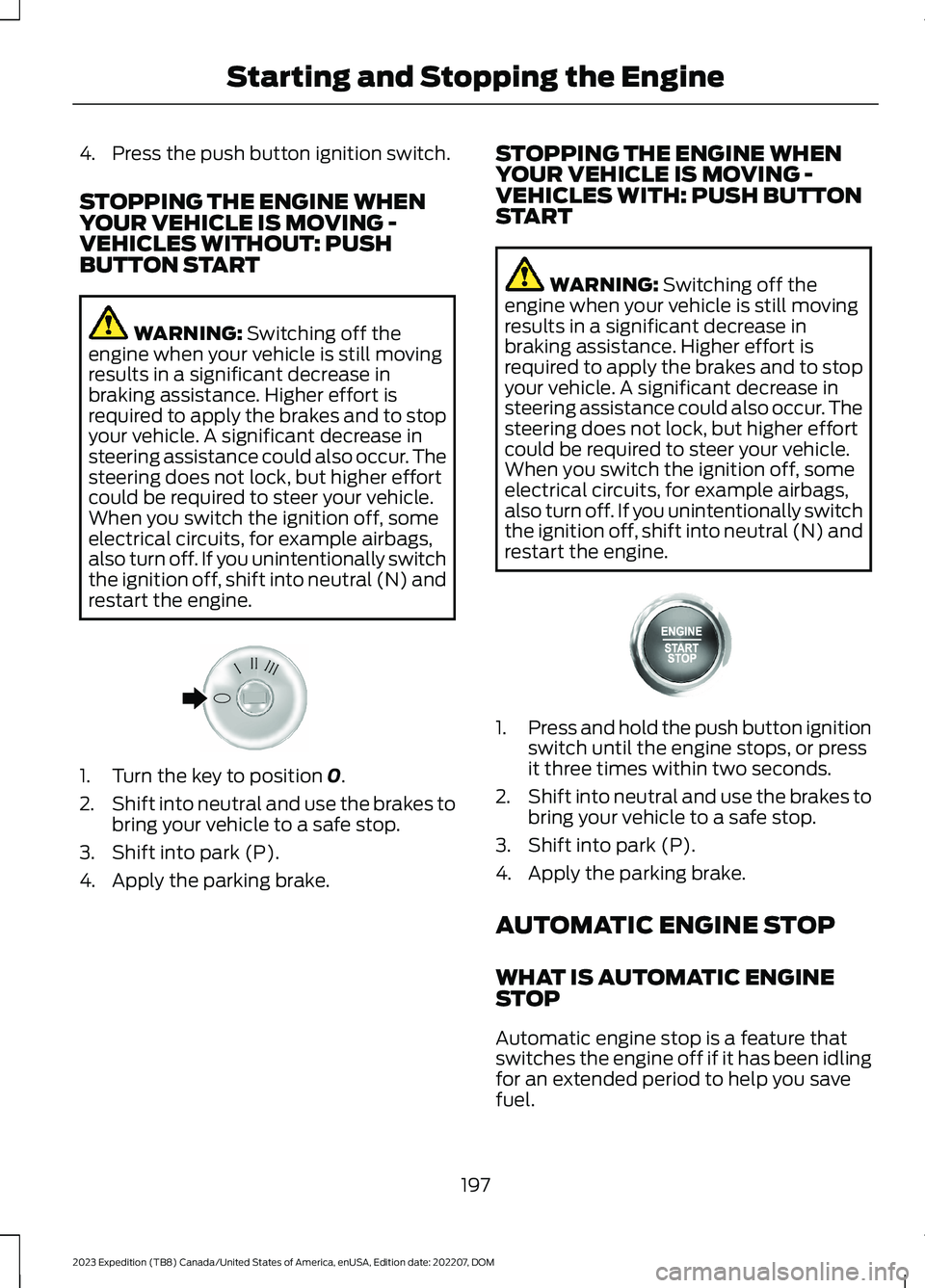
1.Turn the key to position 0.
2.Shift into neutral and use the brakes tobring your vehicle to a safe stop.
3.Shift into park (P).
4.Apply the parking brake.
STOPPING THE ENGINE WHENYOUR VEHICLE IS MOVING -VEHICLES WITH: PUSH BUTTONSTART
WARNING: Switching off theengine when your vehicle is still movingresults in a significant decrease inbraking assistance. Higher effort isrequired to apply the brakes and to stopyour vehicle. A significant decrease insteering assistance could also occur. Thesteering does not lock, but higher effortcould be required to steer your vehicle.When you switch the ignition off, someelectrical circuits, for example airbags,also turn off. If you unintentionally switchthe ignition off, shift into neutral (N) andrestart the engine.
1.Press and hold the push button ignitionswitch until the engine stops, or pressit three times within two seconds.
2.Shift into neutral and use the brakes tobring your vehicle to a safe stop.
3.Shift into park (P).
4.Apply the parking brake.
AUTOMATIC ENGINE STOP
WHAT IS AUTOMATIC ENGINESTOP
Automatic engine stop is a feature thatswitches the engine off if it has been idlingfor an extended period to help you savefuel.
197
2023 Expedition (TB8) Canada/United States of America, enUSA, Edition date: 202207, DOMStarting and Stopping the EngineE322405 E357998
Page 218 of 658
MANUAL (M)
In manual (M) you can select a specificgear. See Manually Shifting Gears (page215).
Note:We recommend using this mode fordriving on hilly or mountainous roads orwhen towing a trailer. See Towing a Trailer(page 358).
SHIFTING YOUR VEHICLE INTO
GEAR
Console Shifter
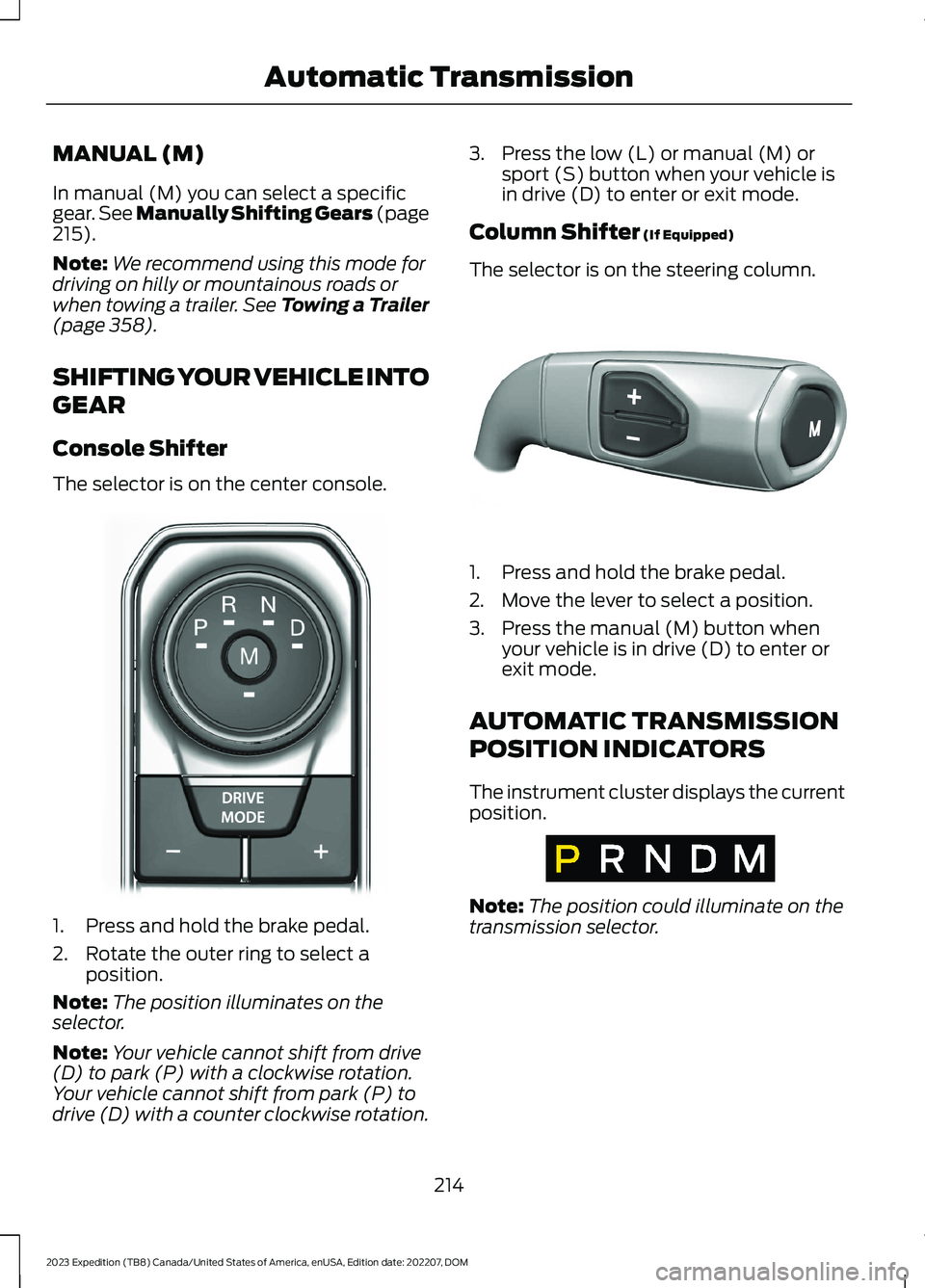
The selector is on the center console.
1.Press and hold the brake pedal.
2.Rotate the outer ring to select aposition.
Note:The position illuminates on theselector.
Note:Your vehicle cannot shift from drive(D) to park (P) with a clockwise rotation.Your vehicle cannot shift from park (P) todrive (D) with a counter clockwise rotation.
3.Press the low (L) or manual (M) orsport (S) button when your vehicle isin drive (D) to enter or exit mode.
Column Shifter (If Equipped)
The selector is on the steering column.
1.Press and hold the brake pedal.
2.Move the lever to select a position.
3.Press the manual (M) button whenyour vehicle is in drive (D) to enter orexit mode.
AUTOMATIC TRANSMISSION
POSITION INDICATORS
The instrument cluster displays the currentposition.
Note:The position could illuminate on thetransmission selector.
214
2023 Expedition (TB8) Canada/United States of America, enUSA, Edition date: 202207, DOMAutomatic TransmissionE252861 E327267 E317778
Page 221 of 658
Do not tow your vehicle in this mode.Failure to follow these instructions couldresult in vehicle damage not covered bythe vehicle warranty.
ENTERING TEMPORARYNEUTRAL MODE
1.Bring your vehicle to a complete stop.
2.Press and hold the brake pedal.
3.Power your vehicle on.
4.Shift into neutral (N).
Note:An instructional message appears.
5.Press the manual (M) button.
Note:A confirmation message appearswhen your vehicle enters the mode.
6.Release the brake pedal.
Note:Your vehicle is free to roll.
7.Switch your vehicle off.
Note:Do not tow your vehicle in this mode.
Note:The neutral (N) indicator on thetransmission selector may flash in thismode.
EXITING TEMPORARY NEUTRALMODE
1.Press the brake pedal.
2.Shift into park (P), or power yourvehicle on and shift into drive (D) orreverse (R).
USING PROGRESSIVE RANGE
SELECTION (IF EQUIPPED)
Progressive range selection gives you theability to lock out gears from the automaticshifting range. This could provide you withan improved driving experience by reducingtransmission shifts, for example, in slipperyconditions or steep slopes.
With the transmission in drive (D), pressthe - button to begin to switch the featureon.
Press the - button again to continue lockingout higher gears. Beginning with the highestgear, the instrument cluster will indicatethe current gear and highest gear available.For example, press the - button twice tolock out 10th and 9th gears.
Note:The instrument cluster will indicatethe current gear and highest gear available.
Press the + button to unlock gears to allowthe transmission to shift to higher gears.
Note: The transmission automaticallyshifts within the gear range you select.
AUTOMATIC RETURN TO
PARK (P)
WHAT IS AUTOMATIC RETURN TOPARK (P)
Your vehicle shifts into park (P) if youattempt to exit your vehicle without thetransmission in park (P).
HOW DOES AUTOMATIC RETURNTO PARK (P) WORK
Your vehicle shifts into park (P) when yourvehicle is stationary and any of thefollowing occur:
•You switch the vehicle off.
•You open the driver door with yourseatbelt unlatched.
•You unlatch the driver seatbelt whenthe driver door is open.
Note:Do not use automatic return to park(P) when your vehicle is moving, except inan emergency. See Starting and Stoppingthe Engine (page 193).
217
2023 Expedition (TB8) Canada/United States of America, enUSA, Edition date: 202207, DOMAutomatic Transmission
Page 223 of 658
HOW DOES FOUR-WHEEL
DRIVE WORK
Using the 1-Speed Automatic Four-Wheel Drive System
The 1-speed automatic four-wheel drivesystem utilizes an electronically controlledon-demand 1-speed transfer case. Thissystem monitors various vehicle sensoryinputs to provide an increased level ofperformance. This system offers the drivertwo-wheel drive high, four-wheel driveauto and four-wheel drive high as availablemodes of operation via the selectable drivemode switch. When you select four-wheeldrive auto the system continuously variespower to the front wheels for optimumperformance for all on-road conditions.When you select four-wheel drive high thesystem provides power to the front andrear wheels for use in off-road or slipperyconditions such as deep snow, sand ormud. There is further information on drivingin unique driving conditions. See DrivingHints (page 389).
Using the 2-Speed AutomaticFour-Wheel Drive System (If Equipped)
The 2-speed automatic four-wheel drivesystem utilizes an electronically controlledon-demand 2-speed transfer case. Thissystem monitors various vehicle sensoryinputs to provide an increased level ofperformance. This system offers the drivertwo-wheel drive high, four-wheel driveauto, four-wheel drive high, and four-wheeldrive low as available modes of operation.When you select four-wheel drive auto thesystem continuously varies power to thefront wheels for optimum performance forall on-road conditions. When you selecteither four-wheel drive high or four-wheeldrive low with the appropriate drive modes,the four-wheel drive system provideselectronically locked power to the frontand rear wheels for use in off-road or
slippery conditions such as deep snow,sand or mud. Selecting four-wheel drivelow also provides additional gearing forincreased torque multiplication forconditions like deep sand, snow, steepslopes, or pulling heavy objects. SeeSelecting a Four-Wheel Drive Mode(page 220).Additionally, the system iscapable of recreational flat towing byputting the transfer case into neutral (N).See Recreationally Towing YourVehicle (page 400).
There is further information on driving inunique driving conditions. See DrivingHints (page 389).
FOUR-WHEEL DRIVE
PRECAUTIONS
WARNING: Vehicles with a highercenter of gravity (utility and four-wheeldrive vehicles) handle differently thanvehicles with a lower center of gravity(passenger cars). Avoid sharp turns,excessive speed and abrupt steering inthese vehicles. Failure to drive cautiouslyincreases the risk of losing control of yourvehicle, vehicle rollover, personal injuryand death.
WARNING: Do not becomeoverconfident in the ability of four-wheeldrive vehicles. Although a four-wheeldrive vehicle may accelerate better thana two-wheel drive vehicle in low tractionsituations, it won't stop any faster thantwo-wheel drive vehicles. Always driveat a safe speed.
Truck and utility vehicles can differ fromsome other vehicles. Your vehicle could behigher to allow it to travel over roughterrain without getting stuck or damagingunderbody components. The differencesthat make your vehicle so versatile also
219
2023 Expedition (TB8) Canada/United States of America, enUSA, Edition date: 202207, DOMFour-Wheel Drive (If Equipped)
Page 225 of 658
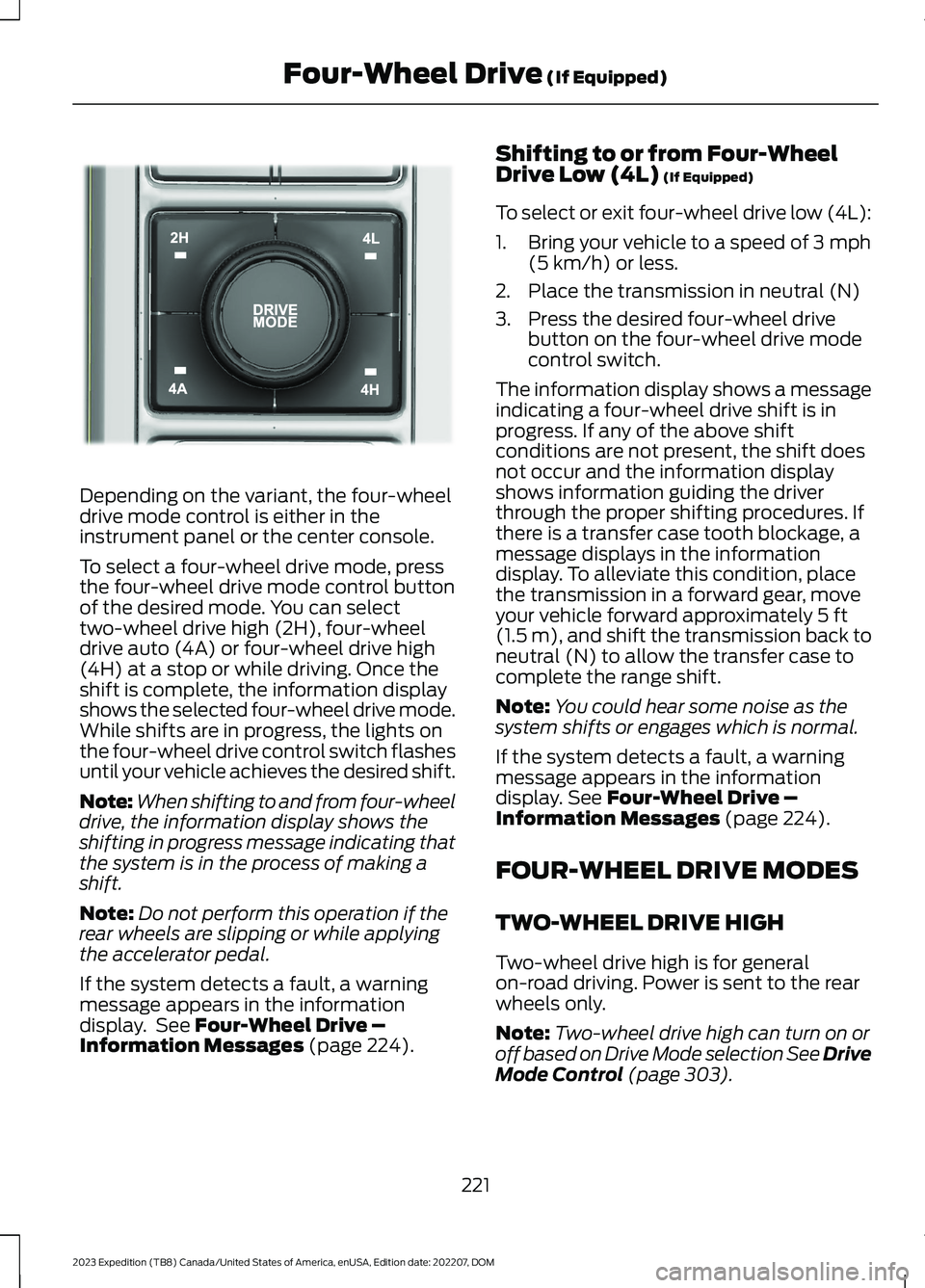
Depending on the variant, the four-wheeldrive mode control is either in theinstrument panel or the center console.
To select a four-wheel drive mode, pressthe four-wheel drive mode control buttonof the desired mode. You can selecttwo-wheel drive high (2H), four-wheeldrive auto (4A) or four-wheel drive high(4H) at a stop or while driving. Once theshift is complete, the information displayshows the selected four-wheel drive mode.While shifts are in progress, the lights onthe four-wheel drive control switch flashesuntil your vehicle achieves the desired shift.
Note:When shifting to and from four-wheeldrive, the information display shows theshifting in progress message indicating thatthe system is in the process of making ashift.
Note:Do not perform this operation if therear wheels are slipping or while applyingthe accelerator pedal.
If the system detects a fault, a warningmessage appears in the informationdisplay. See Four-Wheel Drive –Information Messages (page 224).
Shifting to or from Four-WheelDrive Low (4L) (If Equipped)
To select or exit four-wheel drive low (4L):
1.Bring your vehicle to a speed of 3 mph(5 km/h) or less.
2.Place the transmission in neutral (N)
3.Press the desired four-wheel drivebutton on the four-wheel drive modecontrol switch.
The information display shows a messageindicating a four-wheel drive shift is inprogress. If any of the above shiftconditions are not present, the shift doesnot occur and the information displayshows information guiding the driverthrough the proper shifting procedures. Ifthere is a transfer case tooth blockage, amessage displays in the informationdisplay. To alleviate this condition, placethe transmission in a forward gear, moveyour vehicle forward approximately 5 ft(1.5 m), and shift the transmission back toneutral (N) to allow the transfer case tocomplete the range shift.
Note:You could hear some noise as thesystem shifts or engages which is normal.
If the system detects a fault, a warningmessage appears in the informationdisplay. See Four-Wheel Drive –Information Messages (page 224).
FOUR-WHEEL DRIVE MODES
TWO-WHEEL DRIVE HIGH
Two-wheel drive high is for generalon-road driving. Power is sent to the rearwheels only.
Note:Two-wheel drive high can turn on oroff based on Drive Mode selection See DriveMode Control (page 303).
221
2023 Expedition (TB8) Canada/United States of America, enUSA, Edition date: 202207, DOMFour-Wheel Drive (If Equipped)E357408