ECO mode FORD EXPLORER 2006 4.G User Guide
[x] Cancel search | Manufacturer: FORD, Model Year: 2006, Model line: EXPLORER, Model: FORD EXPLORER 2006 4.GPages: 328, PDF Size: 3.59 MB
Page 83 of 328
2. Record the highway fuel economy for future reference.
It is important to press the RESET control (press and hold RESET for 2
seconds in order to reset the function) after setting the speed control to
get accurate highway fuel economy readings.
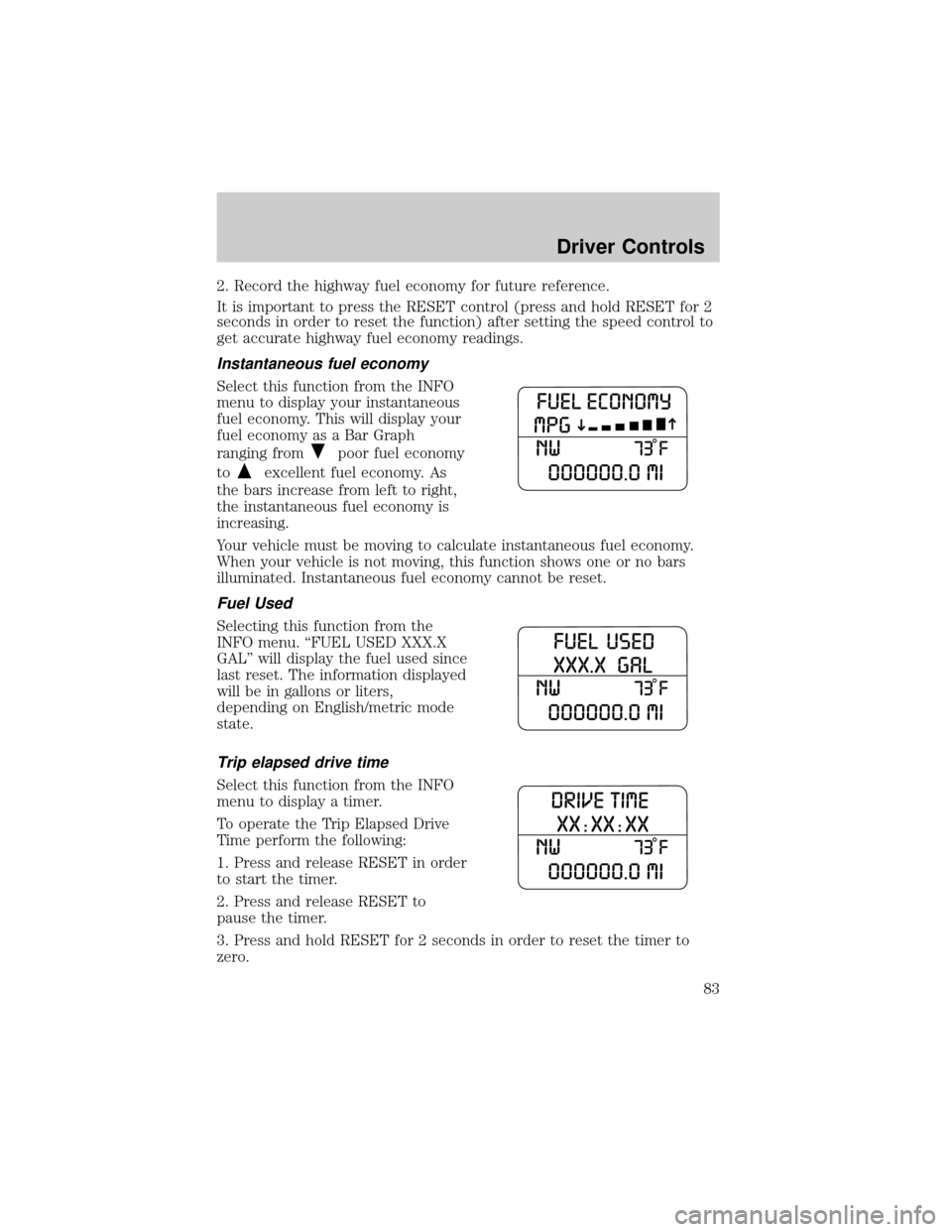
Instantaneous fuel economy
Select this function from the INFO
menu to display your instantaneous
fuel economy. This will display your
fuel economy as a Bar Graph
ranging from
poor fuel economy
to
excellent fuel economy. As
the bars increase from left to right,
the instantaneous fuel economy is
increasing.
Your vehicle must be moving to calculate instantaneous fuel economy.
When your vehicle is not moving, this function shows one or no bars
illuminated. Instantaneous fuel economy cannot be reset.
Fuel Used
Selecting this function from the
INFO menu. ªFUEL USED XXX.X
GALº will display the fuel used since
last reset. The information displayed
will be in gallons or liters,
depending on English/metric mode
state.
Trip elapsed drive time
Select this function from the INFO
menu to display a timer.
To operate the Trip Elapsed Drive
Time perform the following:
1. Press and release RESET in order
to start the timer.
2. Press and release RESET to
pause the timer.
3. Press and hold RESET for 2 seconds in order to reset the timer to
zero.
Driver Controls
83
Page 99 of 328

Power door lock/unlock inhibit feature (if equipped)
If the key is not in the ignition, all doors are closed, and the vehicle has
been locked using the remote entry transmitter, keypad (if equipped) or
the power door unlock control on the door panel while a front door is
open (then subsequently closed), the power door unlock control on the
door panel will become disabled 20 seconds after the lock event
occurred. Your vehicle comes with this feature enabled, but there are
two methods to disable it:
²Through your authorized dealer, or
²Performing the following power door lock control procedure.
Before following the activation or deactivation procedures, make sure
that the anti-theft system is not armed, ignition is in the 1 (OFF/LOCK)
position, and all vehicle doors, liftgate and liftgate window are closed.
You must complete Steps 1-5 within 30 seconds or the procedure will
have to be repeated. If the procedure needs to be repeated, you must
wait 30 seconds.Note: Alldoors must be closed and remain closed
throughout the configuration process.
1. Place the key in the ignition and turn the ignition to the 3 (ON)
position.
2. Press the power door unlock control on the door panel three times.
3. Turn the ignition from the 3 (ON) position to the 1 (OFF/LOCK)
position.
4. Press the power door unlock control on the door panel three times.
5. Turn the ignition back to the 3 (ON) position. The horn will chirp one
time to confirm programming mode has been entered and is active.
6. Press the power door lock control on the door panel two times within
five seconds. The horn will chirp once if trim switch inhibit was
deactivated or twice (one short and one long chirp) if trim switch inhibit
was activated.
7. Turn the ignition to the 1 (OFF/LOCK) position. The horn will chirp
once to confirm the procedure is complete.
Locks and Security
99
Page 105 of 328
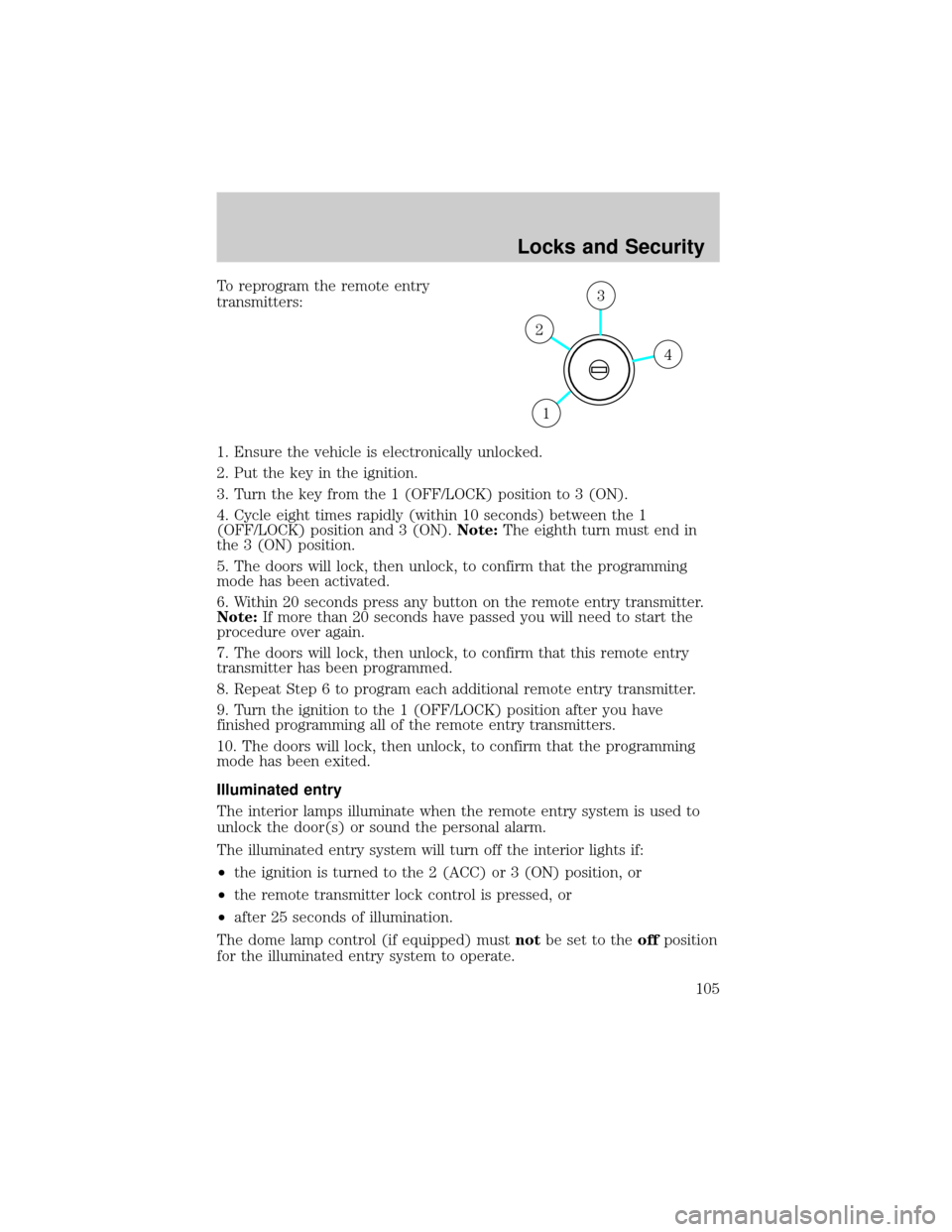
To reprogram the remote entry
transmitters:
1. Ensure the vehicle is electronically unlocked.
2. Put the key in the ignition.
3. Turn the key from the 1 (OFF/LOCK) position to 3 (ON).
4. Cycle eight times rapidly (within 10 seconds) between the 1
(OFF/LOCK) position and 3 (ON).Note:The eighth turn must end in
the 3 (ON) position.
5. The doors will lock, then unlock, to confirm that the programming
mode has been activated.
6. Within 20 seconds press any button on the remote entry transmitter.
Note:If more than 20 seconds have passed you will need to start the
procedure over again.
7. The doors will lock, then unlock, to confirm that this remote entry
transmitter has been programmed.
8. Repeat Step 6 to program each additional remote entry transmitter.
9. Turn the ignition to the 1 (OFF/LOCK) position after you have
finished programming all of the remote entry transmitters.
10. The doors will lock, then unlock, to confirm that the programming
mode has been exited.
Illuminated entry
The interior lamps illuminate when the remote entry system is used to
unlock the door(s) or sound the personal alarm.
The illuminated entry system will turn off the interior lights if:
²the ignition is turned to the 2 (ACC) or 3 (ON) position, or
²the remote transmitter lock control is pressed, or
²after 25 seconds of illumination.
The dome lamp control (if equipped) mustnotbe set to theoffposition
for the illuminated entry system to operate.
4
3
2
1
Locks and Security
105
Page 107 of 328

Tips:
²Do not set a code that uses five of the same number.
²Do not use five numbers in sequential order.
²The factory set code will work even if you have set your own personal
code.
²If you program a code to a position that already contains a set code,
the previously-set code will be erased.
Erasing personal code
1. Enter the factory set 5±digit code.
2. Within five seconds, press the 1²2 on the keypad and release.
3. Press and hold the 1²2 for two seconds. This must be done within
five seconds of completing Step 2.
Allpersonal codes are now erased and only the factory set 5±digit code
will work.
Anti-scan feature
If the wrong code has been entered 7 times (35 consecutive button
presses), the keypad will go into an anti-scan mode. This mode disables
the keypad for one minute and the keypad lamp will flash.
The anti-scan feature will turn off after:
²one minute of keypad inactivity.
²pressing the UNLOCK
control on the remote entry transmitter.
²the ignition is turned to the 3 (ON) position.
Unlocking and locking the doors, liftgate and liftgate window using
keyless entry
To unlock the driver's door,enter the factory set 5-digit code or one
of the vehicle's personal codes. Each number must be pressed within five
seconds of each other. The interior lamps will illuminate.
To unlock all doors and liftgate,press the 3²4 control within five
seconds.
To open the liftgate window,press the 5²6 control within five
seconds.
To lock all doors, liftgate and liftgate window,press the 7²8 and
the 9²0 at the same time.Note:The driver's door must be closed. You
do notneed to enter the keypad code first.
Locks and Security
107
Page 121 of 328
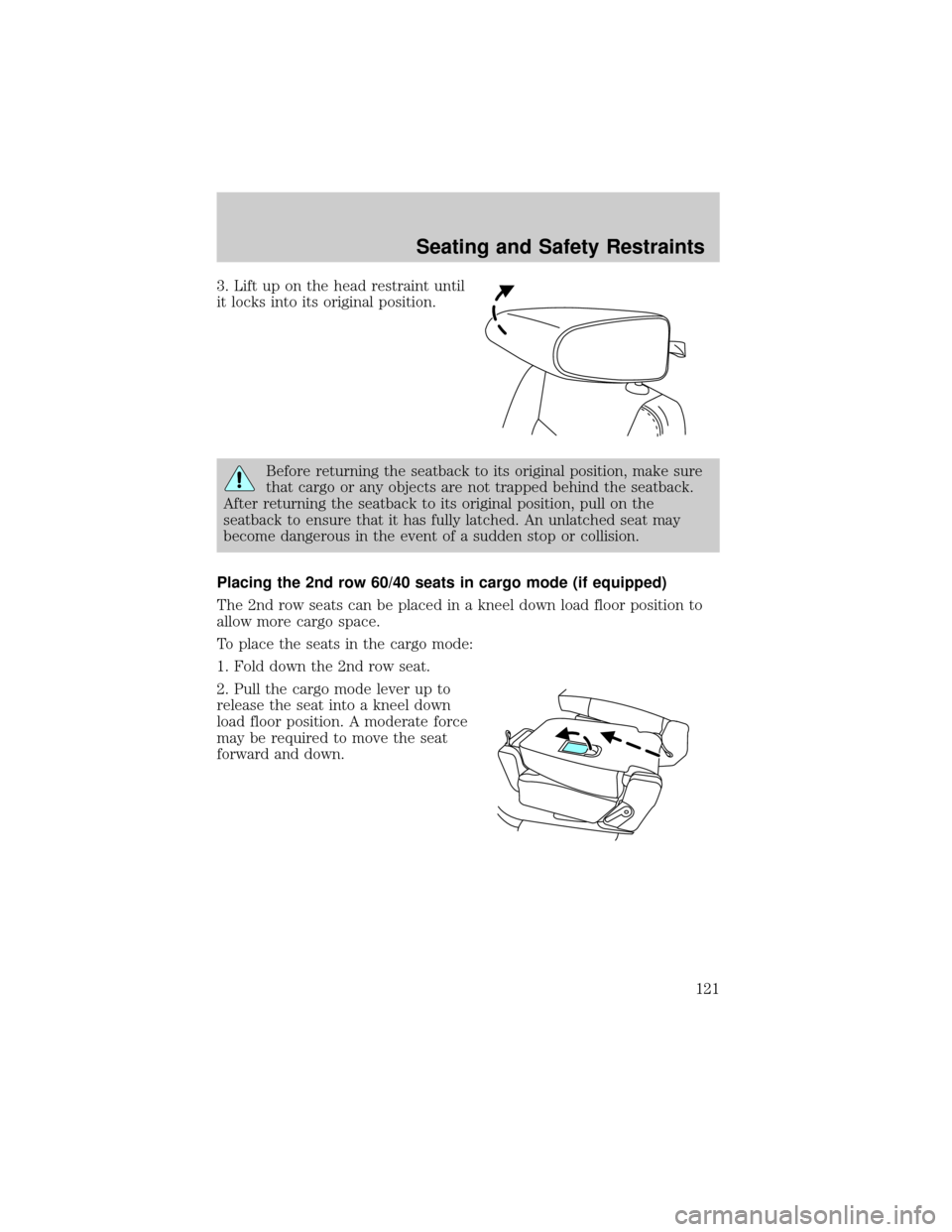
3. Lift up on the head restraint until
it locks into its original position.
Before returning the seatback to its original position, make sure
that cargo or any objects are not trapped behind the seatback.
After returning the seatback to its original position, pull on the
seatback to ensure that it has fully latched. An unlatched seat may
become dangerous in the event of a sudden stop or collision.
Placing the 2nd row 60/40 seats in cargo mode (if equipped)
The 2nd row seats can be placed in a kneel down load floor position to
allow more cargo space.
To place the seats in the cargo mode:
1. Fold down the 2nd row seat.
2. Pull the cargo mode lever up to
release the seat into a kneel down
load floor position. A moderate force
may be required to move the seat
forward and down.
Seating and Safety Restraints
121
Page 123 of 328
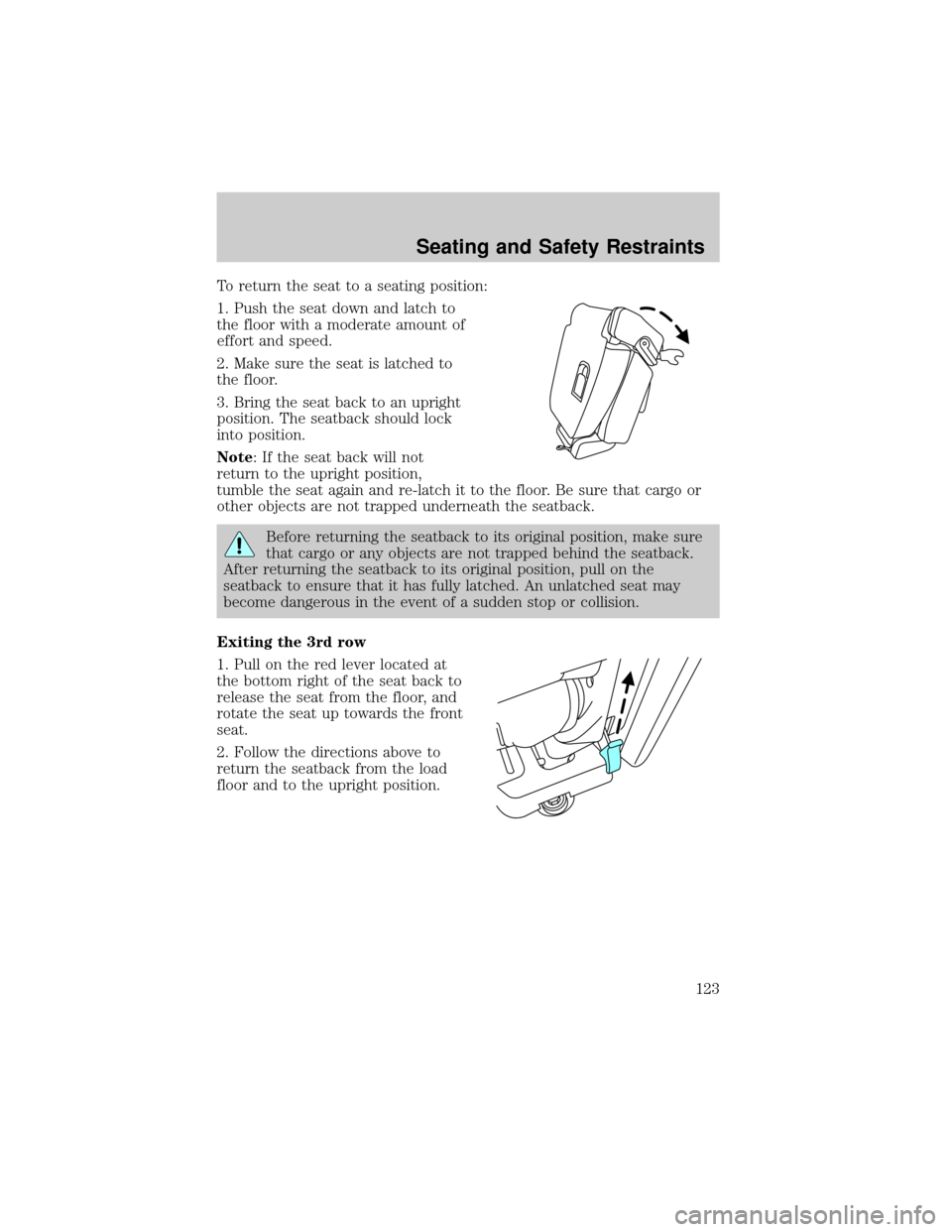
To return the seat to a seating position:
1. Push the seat down and latch to
the floor with a moderate amount of
effort and speed.
2. Make sure the seat is latched to
the floor.
3. Bring the seat back to an upright
position. The seatback should lock
into position.
Note: If the seat back will not
return to the upright position,
tumble the seat again and re-latch it to the floor. Be sure that cargo or
other objects are not trapped underneath the seatback.
Before returning the seatback to its original position, make sure
that cargo or any objects are not trapped behind the seatback.
After returning the seatback to its original position, pull on the
seatback to ensure that it has fully latched. An unlatched seat may
become dangerous in the event of a sudden stop or collision.
Exiting the 3rd row
1. Pull on the red lever located at
the bottom right of the seat back to
release the seat from the floor, and
rotate the seat up towards the front
seat.
2. Follow the directions above to
return the seatback from the load
floor and to the upright position.
Seating and Safety Restraints
123
Page 140 of 328
To reduce the risk of injury, do not deactivate/activate the
BeltMinderyfeature while driving the vehicle.
1. Turn the ignition switch to the RUN (or ON) position. (DO NOT
START THE ENGINE)
2. Wait until the safety belt warning light turns off. (Approximately 1
minute)
²Step 3 must be completed within 50 seconds after the safety belt
warning light turns off.
3. For the seating position being disabled, at a moderate speed, buckle
then unbuckle the safety belt 9 times, ending in the unbuckled state.
(Step 3 must be completed within 50 seconds after the safety belt
warning light turns off.)
²After Step 3, the restraint system warning light (airbag light) will be
turned on for three seconds.
4. Within 10 seconds of the light turning on, at a moderate speed, buckle
then unbuckle the safety belt.
²This will disable the BeltMinderyfeature for that seating position if it
is currently enabled. As confirmation, the restraint system warning
light will flash 4 times per second for 3 seconds.
²This will enable the BeltMinderyfeature for that seating position if it
is currently disabled. As confirmation, the restraint system warning
light will flash 4 times per second for 3 seconds, followed by 3
seconds with the light off, then followed by the restraint system
warning light flashing 4 times per second for 3 seconds again.
Safety belt maintenance
Inspect the safety belt systems periodically to make sure they work
properly and are not damaged. Inspect the safety belts to make sure
there are no nicks, tears or cuts. Replace if necessary. All safety belt
assemblies, including retractors, buckles, front safety belt buckle
assemblies, buckle support assemblies (slide bar-if equipped), shoulder
belt height adjusters (if equipped), shoulder belt guide on seatback (if
equipped), child safety seat LATCH and tether anchors, and attaching
hardware, should be inspected after a collision. Ford Motor Company
recommends that all safety belt assemblies in use in vehicles involved in
a collision be replaced. However, if the collision was minor and an
authorized dealer finds that the belts do not show damage and continue
to operate properly, they do not need to be replaced. Safety belt
Seating and Safety Restraints
140
Page 160 of 328
Never use pillows, books, or towels to boost a child. They can
slide around and increase the likelihood of injury or death in a
collision.
SAFETY SEATS FOR CHILDREN
Child and infant or child safety seats
Use a safety seat that is recommended for the size and weight of the
child. Carefully follow all of the manufacturer's instructions with the
safety seat you put in your vehicle. If you do not install and use the
safety seat properly, the child may be injured in a sudden stop or
collision.
When installing a child safety seat:
²Review and follow the information
presented in theairbag
supplemental restraint system
(SRS) section in this chapter.
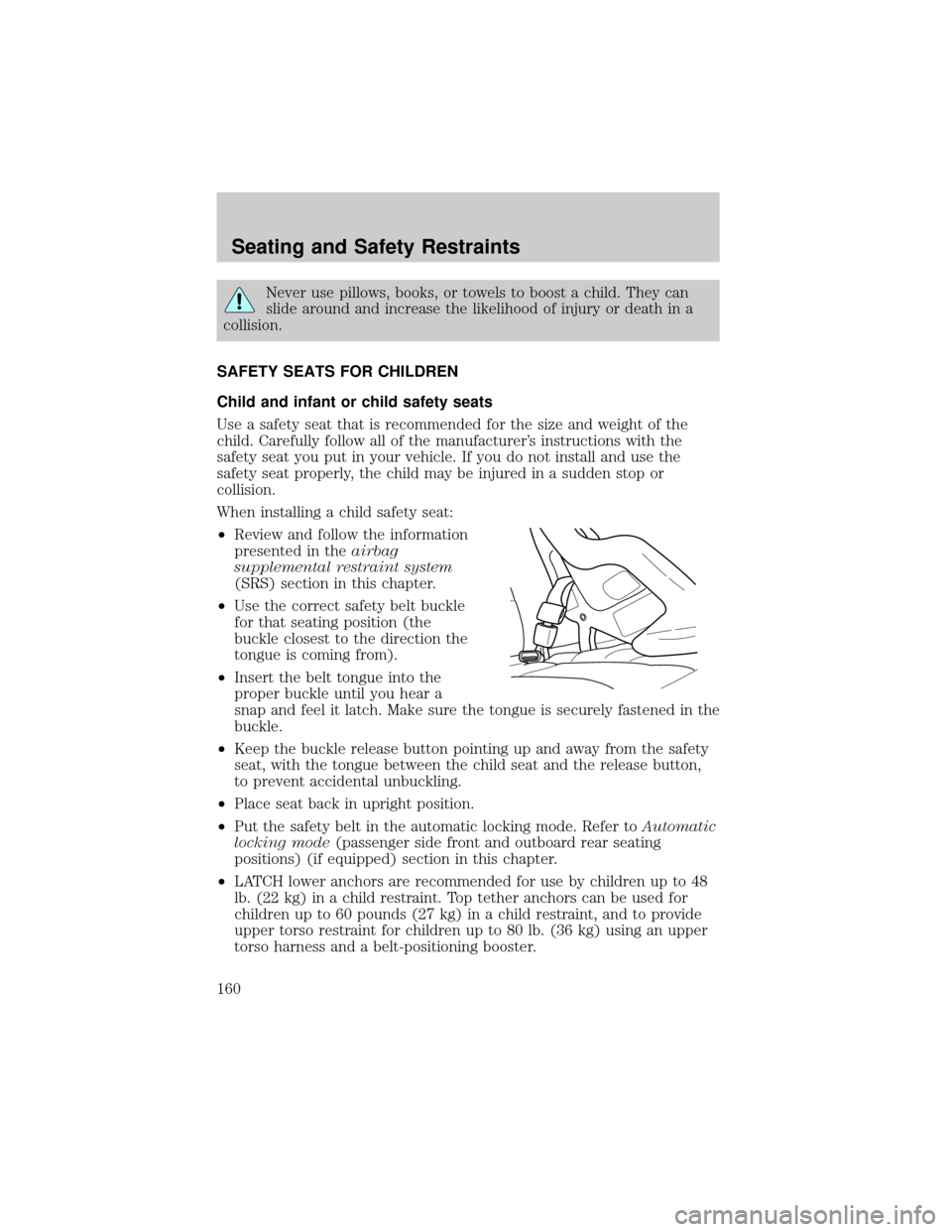
²Use the correct safety belt buckle
for that seating position (the
buckle closest to the direction the
tongue is coming from).
²Insert the belt tongue into the
proper buckle until you hear a
snap and feel it latch. Make sure the tongue is securely fastened in the
buckle.
²Keep the buckle release button pointing up and away from the safety
seat, with the tongue between the child seat and the release button,
to prevent accidental unbuckling.
²Place seat back in upright position.
²Put the safety belt in the automatic locking mode. Refer toAutomatic
locking mode(passenger side front and outboard rear seating
positions) (if equipped) section in this chapter.
²LATCH lower anchors are recommended for use by children up to 48
lb. (22 kg) in a child restraint. Top tether anchors can be used for
children up to 60 pounds (27 kg) in a child restraint, and to provide
upper torso restraint for children up to 80 lb. (36 kg) using an upper
torso harness and a belt-positioning booster.
Seating and Safety Restraints
160
Page 171 of 328
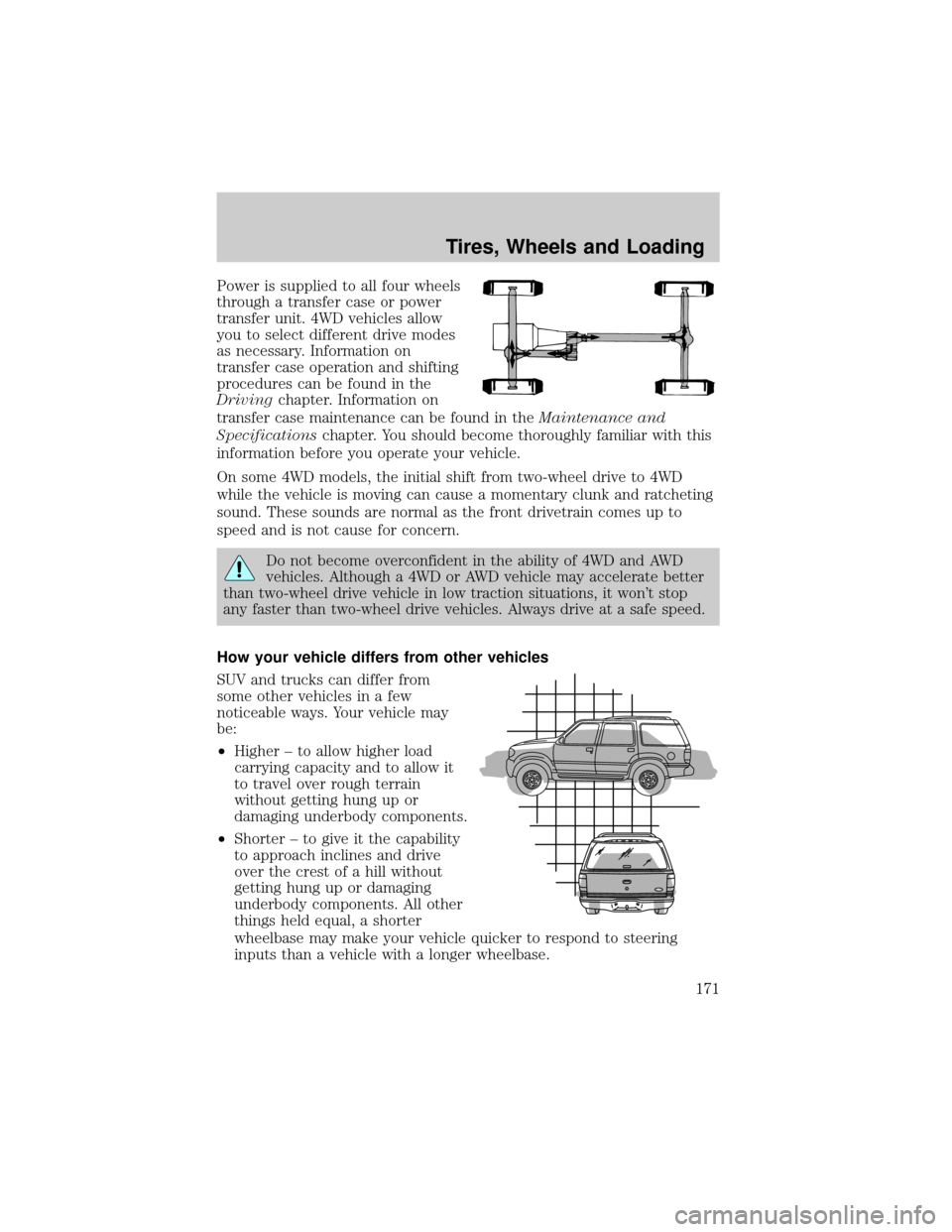
Power is supplied to all four wheels
through a transfer case or power
transfer unit. 4WD vehicles allow
you to select different drive modes
as necessary. Information on
transfer case operation and shifting
procedures can be found in the
Drivingchapter. Information on
transfer case maintenance can be found in theMaintenance and
Specificationschapter. You should become thoroughly familiar with this
information before you operate your vehicle.
On some 4WD models, the initial shift from two-wheel drive to 4WD
while the vehicle is moving can cause a momentary clunk and ratcheting
sound. These sounds are normal as the front drivetrain comes up to
speed and is not cause for concern.
Do not become overconfident in the ability of 4WD and AWD
vehicles. Although a 4WD or AWD vehicle may accelerate better
than two-wheel drive vehicle in low traction situations, it won't stop
any faster than two-wheel drive vehicles. Always drive at a safe speed.
How your vehicle differs from other vehicles
SUV and trucks can differ from
some other vehicles in a few
noticeable ways. Your vehicle may
be:
²Higher ± to allow higher load
carrying capacity and to allow it
to travel over rough terrain
without getting hung up or
damaging underbody components.
²Shorter ± to give it the capability
to approach inclines and drive
over the crest of a hill without
getting hung up or damaging
underbody components. All other
things held equal, a shorter
wheelbase may make your vehicle quicker to respond to steering
inputs than a vehicle with a longer wheelbase.
Tires, Wheels and Loading
171
Page 190 of 328
Low Tire Pressure
Warning LightPossible cause Customer Action Required
Flashing Warning
Light (flashes for 20
to 30 seconds either
at start-up or while
driving)Spare tire in use Your temporary spare tire is in
use. Repair the damaged road
wheel and re-mount it on the
vehicle to restore system
functionality. For a description
of how the system functions
under these conditions, refer to
Changing tires with TPMSin
this section.
TPMS
malfunctionIf your tires are properly
inflated and your spare tire is
not in use and a flashing TPMS
warning light is still present,
have the system inspected by
your authorized dealer.
When inflating your tires
When putting air into your tires (such as at a gas station or in your
garage), the Tire Pressure Monitoring System may not respond
immediately to the air added to your tires. Here are the details:
²The tire pressure sensors mounted in your wheels updates your
vehicle with tire pressure information only once every minute,
therefore it may take up to two minutes of driving over 20 mph (32
km/h) for the light to turn OFF after you have filled your tires to the
recommended tire pressure.
²If your vehicle has been parked for over 30 minutes, the sensors go
into a low power mode to conserve battery life and therefore only
transmit about once every 6 hours. If you inflate your tires under
these conditions, it may take up to two minutes of driving over 20
mph (32 km/h) for the light to turn OFF after you have filled your
tires to the recommended tire pressure.
For these reasons, the low tire pressure warning light is NOT a
substitute for using an accurate tire gauge when checking and filling
your tires.
Tires, Wheels and Loading
190