audio FORD EXPLORER 2006 4.G User Guide
[x] Cancel search | Manufacturer: FORD, Model Year: 2006, Model line: EXPLORER, Model: FORD EXPLORER 2006 4.GPages: 328, PDF Size: 3.59 MB
Page 62 of 328
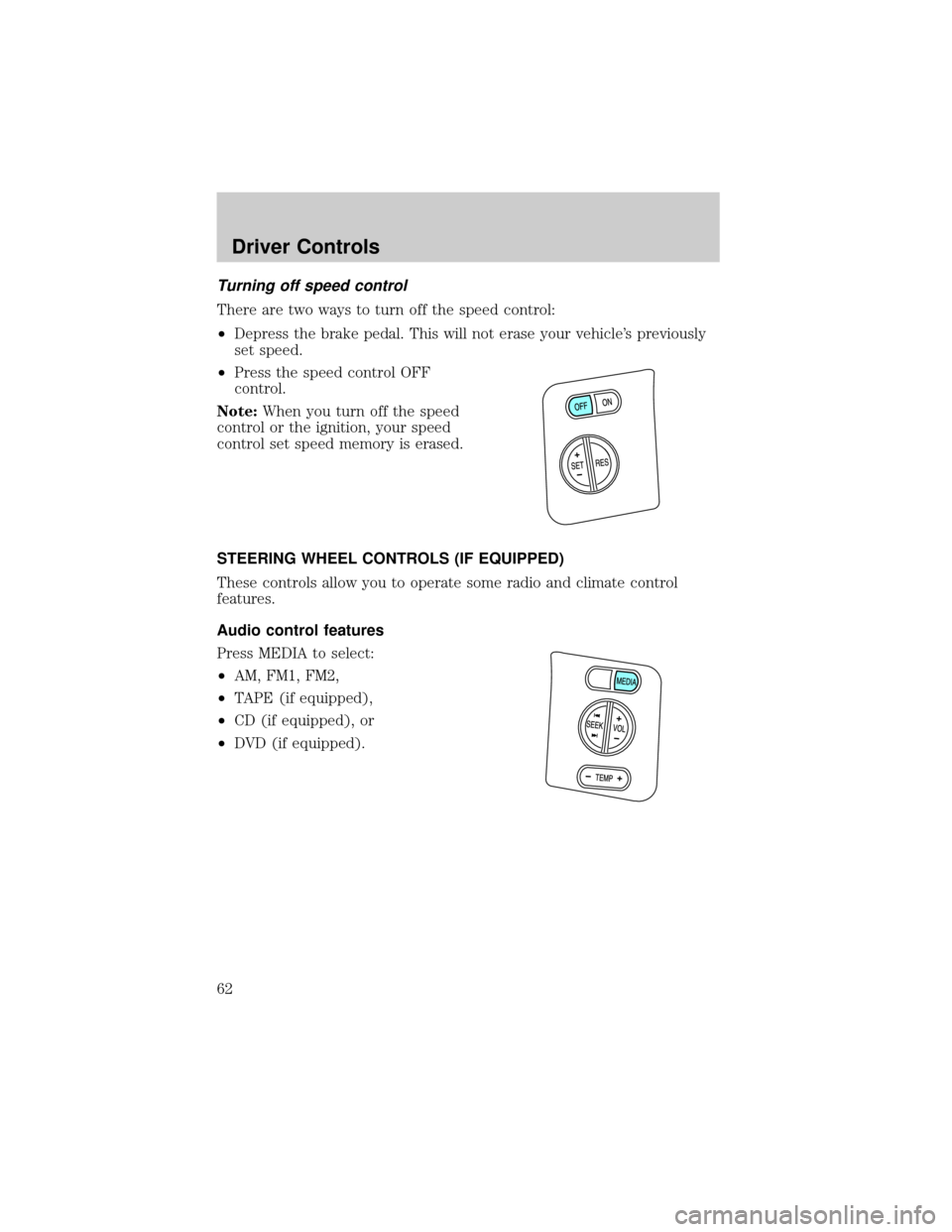
Turning off speed control
There are two ways to turn off the speed control:
²Depress the brake pedal. This will not erase your vehicle's previously
set speed.
²Press the speed control OFF
control.
Note:When you turn off the speed
control or the ignition, your speed
control set speed memory is erased.
STEERING WHEEL CONTROLS (IF EQUIPPED)
These controls allow you to operate some radio and climate control
features.
Audio control features
Press MEDIA to select:
²AM, FM1, FM2,
²TAPE (if equipped),
²CD (if equipped), or
²DVD (if equipped).
Driver Controls
62
Page 65 of 328
Bounce back override:To override bounce back, within 2 seconds after
reaching bounce back position, if the switch is held in the close position
the moon roof will close with a 20±25 percent increase of closing force
before it will bounce back again. If the switch is released before the
moon roof reaches fully closed position, the moon roof will stop. For
example: Bounce Back Override can be used to overcome the resistance
of ice on the moon roof or seals.
To vent:
²To tilt the moon roof into the vent position (when the glass panel is
closed), press and hold the front portion of the control.
²To close the moon roof from the vent position, press and hold the rear
portion of the control until the glass panel stops moving.
The moon roof has a sliding shade that can be opened or closed when
the glass panel is shut. To close the shade, pull it toward the front of the
vehicle.
Accessory delay:
With accessory delay, the window switches, audio system, and moon roof
(if equipped) may be used for up to 10 minutes after the ignition switch
is turned to the OFF position or until either front door is opened.
HOMELINKTWIRELESS CONTROL SYSTEM (IF EQUIPPED)
The HomeLinktWireless Control System, located on the overhead
console, provides a convenient way to replace up to three hand-held
transmitters with a single built-in device. This feature will learn the radio
frequency codes of most transmitters to operate garage doors, entry gate
operators, security systems, entry door locks, and home or office lighting.
When programming your HomeLinktWireless Control System to
a garage door or gate, be sure that people and objects are out of
the way to prevent potential harm or damage.
Do not use the HomeLinktWireless Control System with any garage
door opener that lacks safety stop and reverse features as required by
U.S. federal safety standards (this includes any garage door opener
model manufactured before April 1, 1982). A garage door which cannot
detect an object, signaling the door to stop and reverse, does not meet
current U.S. federal safety standards. For more information, contact
HomeLinktat:www.homelink.comor1±800±355±3515.
Driver Controls
65
Page 320 of 328

A
Accessory delay ..........................58
AdvanceTrac ..............................212
Air cleaner filter ...............306±307
Air conditioning ..........................37
Airbag supplemental
restraint system ........141, 150, 152
and child safety seats ............143
description ..............141, 150, 152
disposal ....................................155
driver airbag ............143, 151, 153
indicator light .................150, 155
operation .................143, 151, 153
passenger airbag .....143, 151, 153
side airbag ...............................150
Ambulance packages ....................8
Antifreeze
(see Engine coolant) ................288
Anti-lock brake system
(see Brakes) ..............................210
Audio system
(see Radio) ......................21, 25, 29
Automatic transmission
driving an automatic
overdrive .........................218, 221
fluid, adding ............................305
fluid, checking ........................305
fluid, refill capacities ..............308
fluid, specification ..................313
Auxiliary power point .................55
Axle
lubricant specifications ..310, 313
refill capacities ........................308
B
Battery .......................................286acid, treating emergencies .....286
jumping a disabled battery ....256
maintenance-free ....................286
replacement, specifications ...307
servicing ..................................286
BeltMinder .................................136
Brakes ........................................210
anti-lock ...................................210
anti-lock brake system (ABS)
warning light ...........................210
fluid, checking and adding ....305
fluid, refill capacities ..............308
fluid, specifications .........310, 313
lubricant specifications ..310, 313
parking ....................................211
shift interlock ..........................217
C
Calculating load ........................199
Capacities for refilling fluids ....308
Cargo cover ...........................94±95
Cassette tape player .............21, 25
Cell phone use ..............................8
Changing a tire .........................246
Child safety restraints ..............156
child safety belts ....................156
Child safety seats ......................160
attaching with tether straps ..164
in front seat ............................161
in rear seat ..............................161
Cleaning your vehicle
engine compartment ..............270
instrument panel ....................272
interior .....................................273
interior trim ............................273
plastic parts ............................272
washing ....................................269
waxing .....................................269
Index
320