door lock FORD EXPLORER 2006 4.G User Guide
[x] Cancel search | Manufacturer: FORD, Model Year: 2006, Model line: EXPLORER, Model: FORD EXPLORER 2006 4.GPages: 328, PDF Size: 3.59 MB
Page 96 of 328
REAR LIFTGATE
The liftgate area is only intended for cargo, not passengers. You can open
and close the liftgate from outside the vehicle. It cannot be opened from
inside the cargo area.
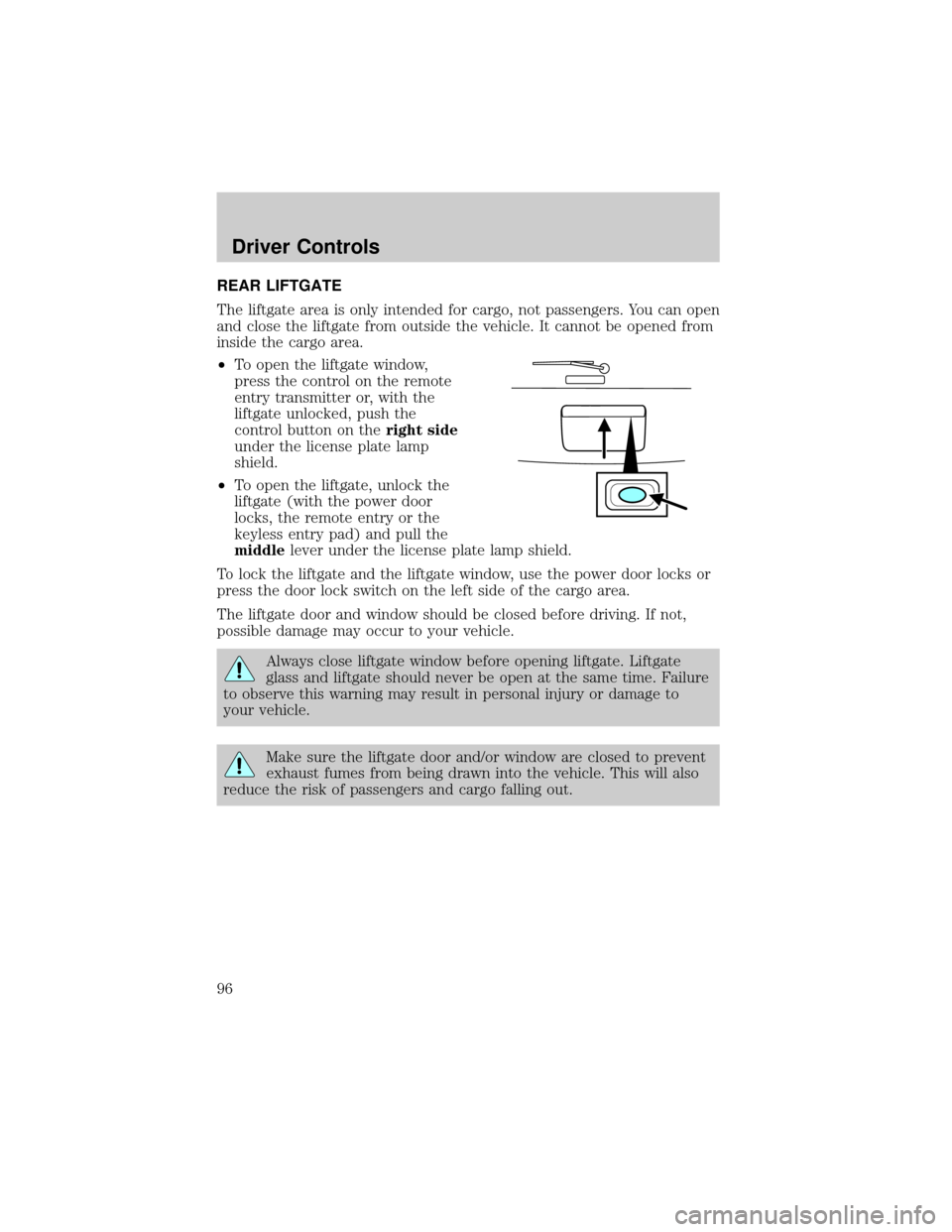
²To open the liftgate window,
press the control on the remote
entry transmitter or, with the
liftgate unlocked, push the
control button on theright side
under the license plate lamp
shield.
²To open the liftgate, unlock the
liftgate (with the power door
locks, the remote entry or the
keyless entry pad) and pull the
middlelever under the license plate lamp shield.
To lock the liftgate and the liftgate window, use the power door locks or
press the door lock switch on the left side of the cargo area.
The liftgate door and window should be closed before driving. If not,
possible damage may occur to your vehicle.
Always close liftgate window before opening liftgate. Liftgate
glass and liftgate should never be open at the same time. Failure
to observe this warning may result in personal injury or damage to
your vehicle.
Make sure the liftgate door and/or window are closed to prevent
exhaust fumes from being drawn into the vehicle. This will also
reduce the risk of passengers and cargo falling out.
Driver Controls
96
Page 98 of 328
KEYS
One key operates all the locks and starts the vehicle. Always carry a
spare key with you in case of an emergency.
Your keys are programmed to your vehicle; using a non-programmed key
will not permit your vehicle to start. If you lose your authorized dealer
supplied keys, replacement keys are available through your authorized
dealer. Refer to theSecuriLockypassive anti-theft systemsection later
in this chapter for more information.
POWER DOOR LOCKS
Press control to unlock or lock all
doors.
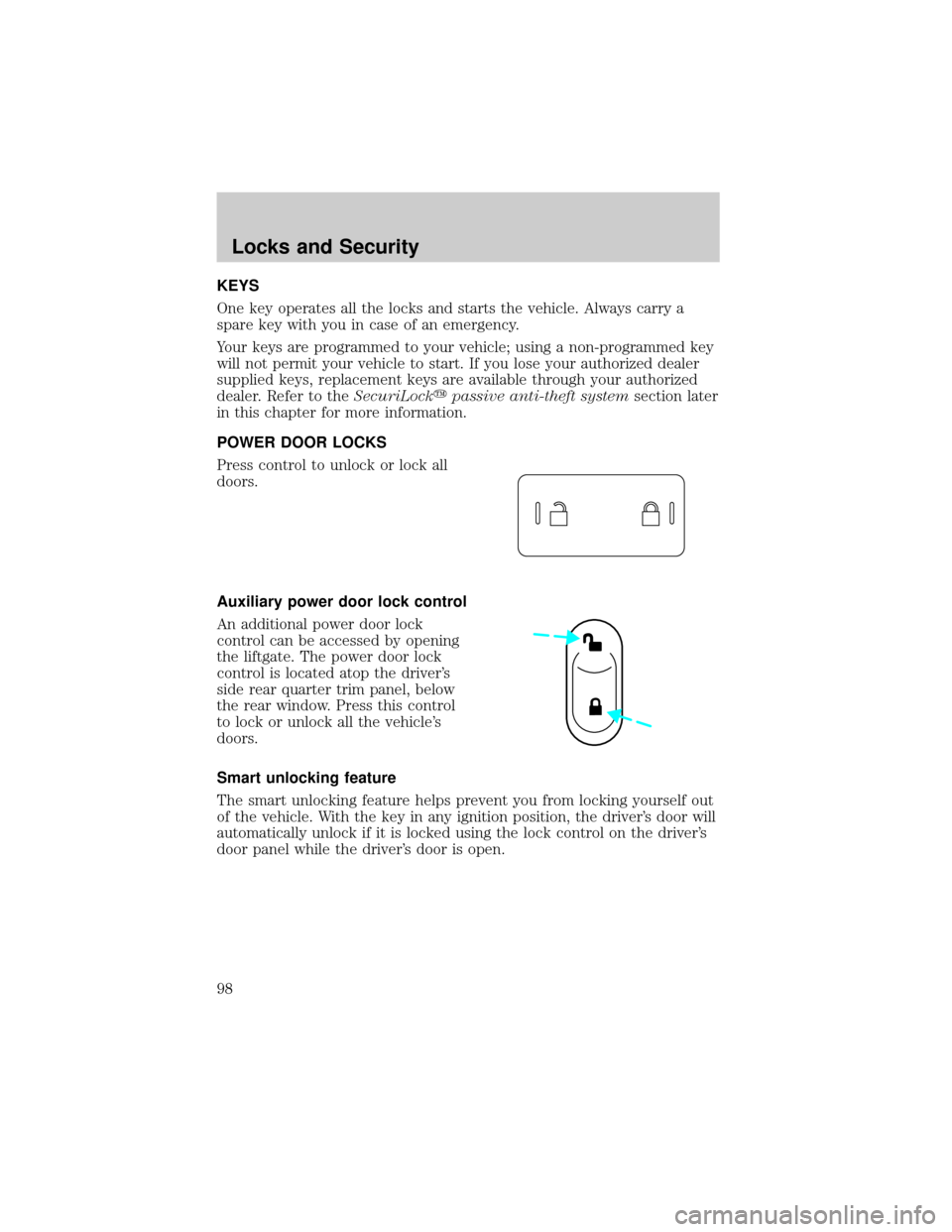
Auxiliary power door lock control
An additional power door lock
control can be accessed by opening
the liftgate. The power door lock
control is located atop the driver's
side rear quarter trim panel, below
the rear window. Press this control
to lock or unlock all the vehicle's
doors.
Smart unlocking feature
The smart unlocking feature helps prevent you from locking yourself out
of the vehicle. With the key in any ignition position, the driver's door will
automatically unlock if it is locked using the lock control on the driver's
door panel while the driver's door is open.
Locks and Security
98
Page 99 of 328

Power door lock/unlock inhibit feature (if equipped)
If the key is not in the ignition, all doors are closed, and the vehicle has
been locked using the remote entry transmitter, keypad (if equipped) or
the power door unlock control on the door panel while a front door is
open (then subsequently closed), the power door unlock control on the
door panel will become disabled 20 seconds after the lock event
occurred. Your vehicle comes with this feature enabled, but there are
two methods to disable it:
²Through your authorized dealer, or
²Performing the following power door lock control procedure.
Before following the activation or deactivation procedures, make sure
that the anti-theft system is not armed, ignition is in the 1 (OFF/LOCK)
position, and all vehicle doors, liftgate and liftgate window are closed.
You must complete Steps 1-5 within 30 seconds or the procedure will
have to be repeated. If the procedure needs to be repeated, you must
wait 30 seconds.Note: Alldoors must be closed and remain closed
throughout the configuration process.
1. Place the key in the ignition and turn the ignition to the 3 (ON)
position.
2. Press the power door unlock control on the door panel three times.
3. Turn the ignition from the 3 (ON) position to the 1 (OFF/LOCK)
position.
4. Press the power door unlock control on the door panel three times.
5. Turn the ignition back to the 3 (ON) position. The horn will chirp one
time to confirm programming mode has been entered and is active.
6. Press the power door lock control on the door panel two times within
five seconds. The horn will chirp once if trim switch inhibit was
deactivated or twice (one short and one long chirp) if trim switch inhibit
was activated.
7. Turn the ignition to the 1 (OFF/LOCK) position. The horn will chirp
once to confirm the procedure is complete.
Locks and Security
99
Page 100 of 328

CHILDPROOF DOOR LOCKS
²When these locks are set, the
rear doors cannot be opened from
the inside.
²The rear doors can be opened
from the outside when the doors
are unlocked.
The childproof locks are located on
rear edge of each rear door and
must be set separately for each
door. Setting the lock for one door
will not automatically set the lock for both doors.
²Move lock control up to engage the childproof lock.
²Move control down to disengage childproof locks.
REMOTE ENTRY SYSTEM
This device complies with part 15 of the FCC rules and with RS-210 of
Industry Canada. Operation is subject to the following two conditions:
(1) This device may not cause harmful interference, and (2) This device
must accept any interference received, including interference that may
cause undesired operation.
Changes or modifications not expressly approved by the party
responsible for compliance could void the user's authority to
operate the equipment.
The typical operating range for your remote entry transmitter is
approximately 33 feet (10 meters). A decrease in operating range could
be caused by:
²weather conditions,
²nearby radio towers,
²structures around the vehicle, or
²other vehicles parked next to your vehicle.
Locks and Security
100
Page 101 of 328
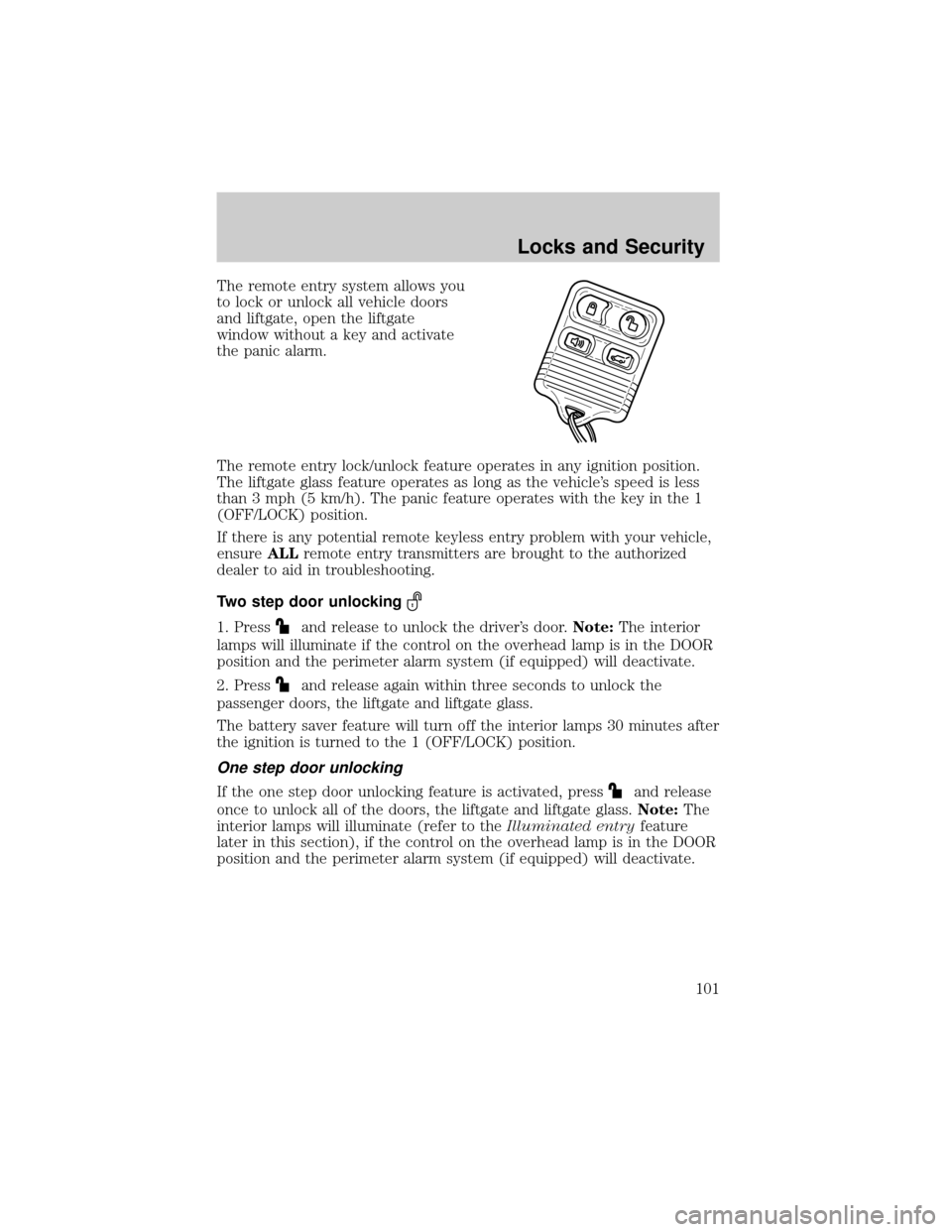
The remote entry system allows you
to lock or unlock all vehicle doors
and liftgate, open the liftgate
window without a key and activate
the panic alarm.
The remote entry lock/unlock feature operates in any ignition position.
The liftgate glass feature operates as long as the vehicle's speed is less
than 3 mph (5 km/h). The panic feature operates with the key in the 1
(OFF/LOCK) position.
If there is any potential remote keyless entry problem with your vehicle,
ensureALLremote entry transmitters are brought to the authorized
dealer to aid in troubleshooting.
Two step door unlocking
1. Pressand release to unlock the driver's door.Note:The interior
lamps will illuminate if the control on the overhead lamp is in the DOOR
position and the perimeter alarm system (if equipped) will deactivate.
2. Press
and release again within three seconds to unlock the
passenger doors, the liftgate and liftgate glass.
The battery saver feature will turn off the interior lamps 30 minutes after
the ignition is turned to the 1 (OFF/LOCK) position.
One step door unlocking
If the one step door unlocking feature is activated, pressand release
once to unlock all of the doors, the liftgate and liftgate glass.Note:The
interior lamps will illuminate (refer to theIlluminated entryfeature
later in this section), if the control on the overhead lamp is in the DOOR
position and the perimeter alarm system (if equipped) will deactivate.
Locks and Security
101
Page 102 of 328
Switching from two step to one step door unlocking
Your vehicle comes with two step unlocking enabled. Unlocking can be
switched between two step and one step door unlocking by pressing and
holding both the
andbuttons simultaneously on the remote entry
transmitter for approximately 4 seconds. The parklamps will flash twice
to indicate that the vehicle has switched to one step unlocking. Repeat
the procedure to switch back to two-step unlocking.
Locking the doors/liftgate
1. Pressand release to lock all the doors and liftgate. The lamps will
flash.Note:If any door, the liftgate or the liftgate glass are not closed
properly, the lamps will not flash.
2. Press
and release again within three seconds to confirm that all the
doors are closed and locked.Note:The doors will lock again, the horn
will chirp and the lamps flash once.
Note:If any door, the liftgate or the liftgate glass are not closed
properly, the horn will make two quick chirps.
Opening the liftgate window
Press
to unlatch the liftgate window.
Sounding a panic alarm
Press
to activate the alarm. The horn will sound and the parklamps
will flash for a maximum of 3 minutes. Press again or turn the ignition to
the 3 (ON) position to deactivate, or wait for the alarm to timeout in 3
minutes.
Note:The panic alarm will only operate when the ignition is in the 1
(OFF/LOCK) or 2 (ACC) position.
Memory seats/adjustable pedals/easy entry-exit feature (if equipped)
The remote entry system can also control the memory seat /adjustable
pedals/easy entry-exit feature.
Press
to automatically move the seat and adjustable pedals to the
desired memory position (the seat position corresponds to the
transmitter being used).
Locks and Security
102
Page 103 of 328
Activating the memory seat feature
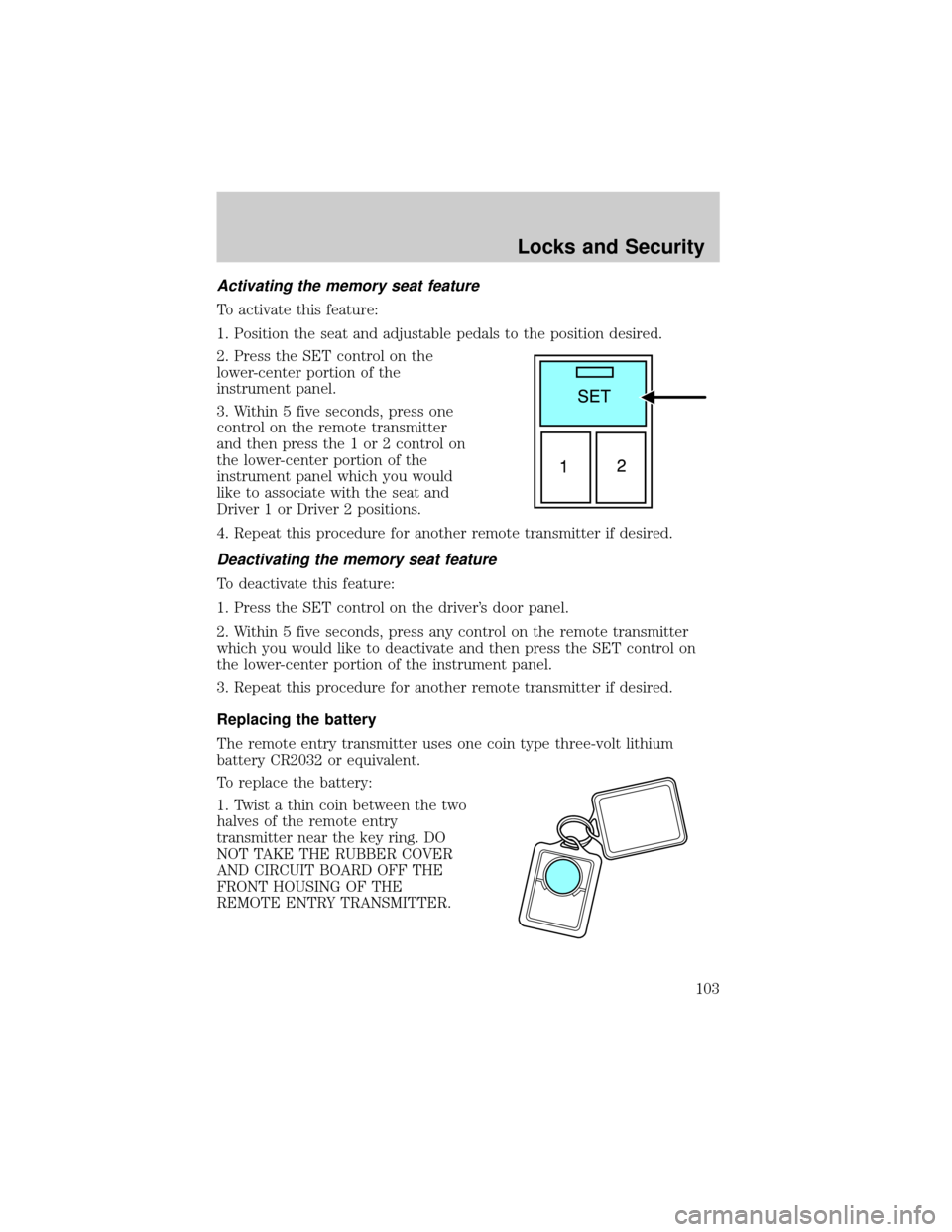
To activate this feature:
1. Position the seat and adjustable pedals to the position desired.
2. Press the SET control on the
lower-center portion of the
instrument panel.
3. Within 5 five seconds, press one
control on the remote transmitter
and then press the 1 or 2 control on
the lower-center portion of the
instrument panel which you would
like to associate with the seat and
Driver 1 or Driver 2 positions.
4. Repeat this procedure for another remote transmitter if desired.
Deactivating the memory seat feature
To deactivate this feature:
1. Press the SET control on the driver's door panel.
2. Within 5 five seconds, press any control on the remote transmitter
which you would like to deactivate and then press the SET control on
the lower-center portion of the instrument panel.
3. Repeat this procedure for another remote transmitter if desired.
Replacing the battery
The remote entry transmitter uses one coin type three-volt lithium
battery CR2032 or equivalent.
To replace the battery:
1. Twist a thin coin between the two
halves of the remote entry
transmitter near the key ring. DO
NOT TAKE THE RUBBER COVER
AND CIRCUIT BOARD OFF THE
FRONT HOUSING OF THE
REMOTE ENTRY TRANSMITTER.
Locks and Security
103
Page 105 of 328
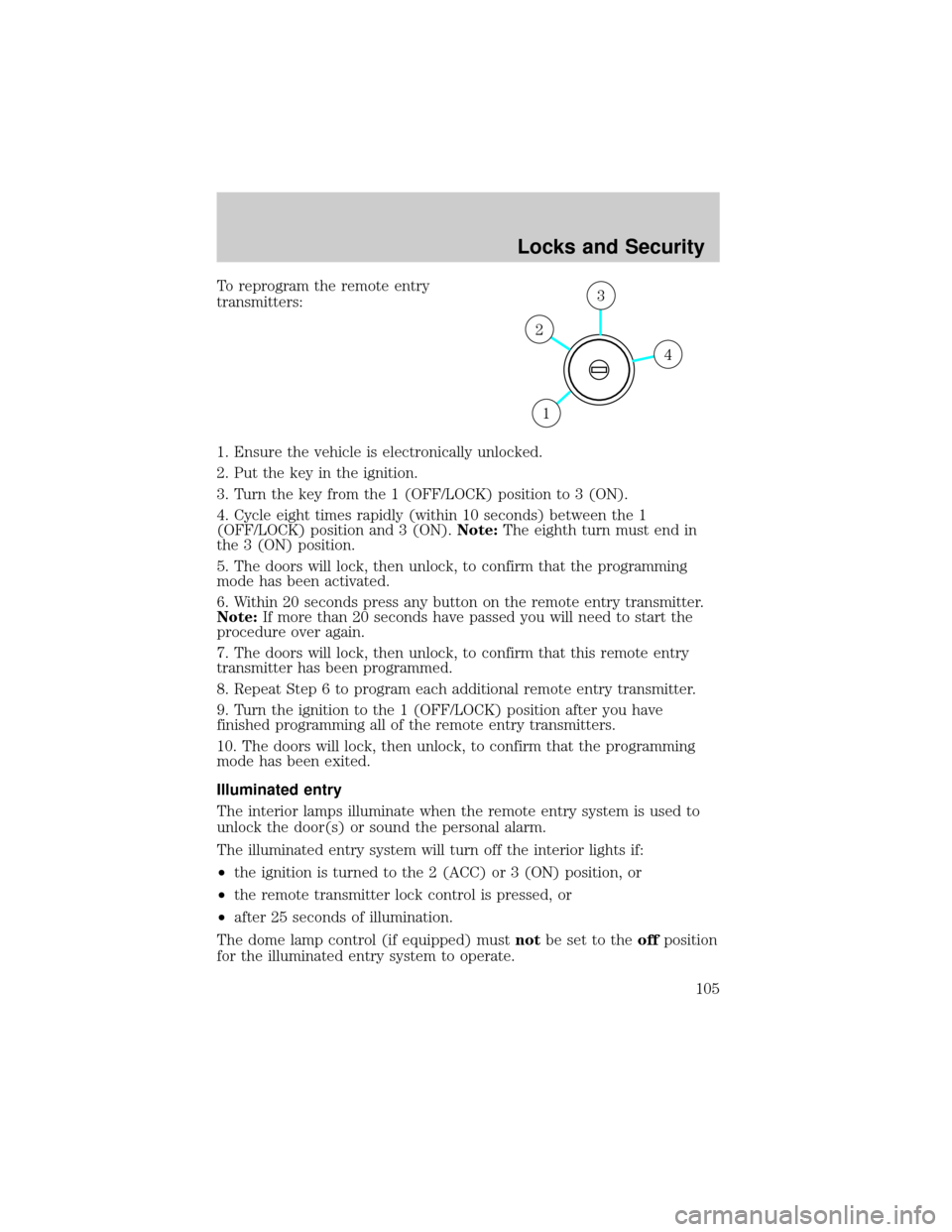
To reprogram the remote entry
transmitters:
1. Ensure the vehicle is electronically unlocked.
2. Put the key in the ignition.
3. Turn the key from the 1 (OFF/LOCK) position to 3 (ON).
4. Cycle eight times rapidly (within 10 seconds) between the 1
(OFF/LOCK) position and 3 (ON).Note:The eighth turn must end in
the 3 (ON) position.
5. The doors will lock, then unlock, to confirm that the programming
mode has been activated.
6. Within 20 seconds press any button on the remote entry transmitter.
Note:If more than 20 seconds have passed you will need to start the
procedure over again.
7. The doors will lock, then unlock, to confirm that this remote entry
transmitter has been programmed.
8. Repeat Step 6 to program each additional remote entry transmitter.
9. Turn the ignition to the 1 (OFF/LOCK) position after you have
finished programming all of the remote entry transmitters.
10. The doors will lock, then unlock, to confirm that the programming
mode has been exited.
Illuminated entry
The interior lamps illuminate when the remote entry system is used to
unlock the door(s) or sound the personal alarm.
The illuminated entry system will turn off the interior lights if:
²the ignition is turned to the 2 (ACC) or 3 (ON) position, or
²the remote transmitter lock control is pressed, or
²after 25 seconds of illumination.
The dome lamp control (if equipped) mustnotbe set to theoffposition
for the illuminated entry system to operate.
4
3
2
1
Locks and Security
105
Page 106 of 328
The inside lights will not turn off if:
²they have been turned on with the dimmer control, or
²any door is open.
The battery saver will shut off the interior lamps 10 minutes after the
ignition has been turned to the 1 (OFF/LOCK) position.
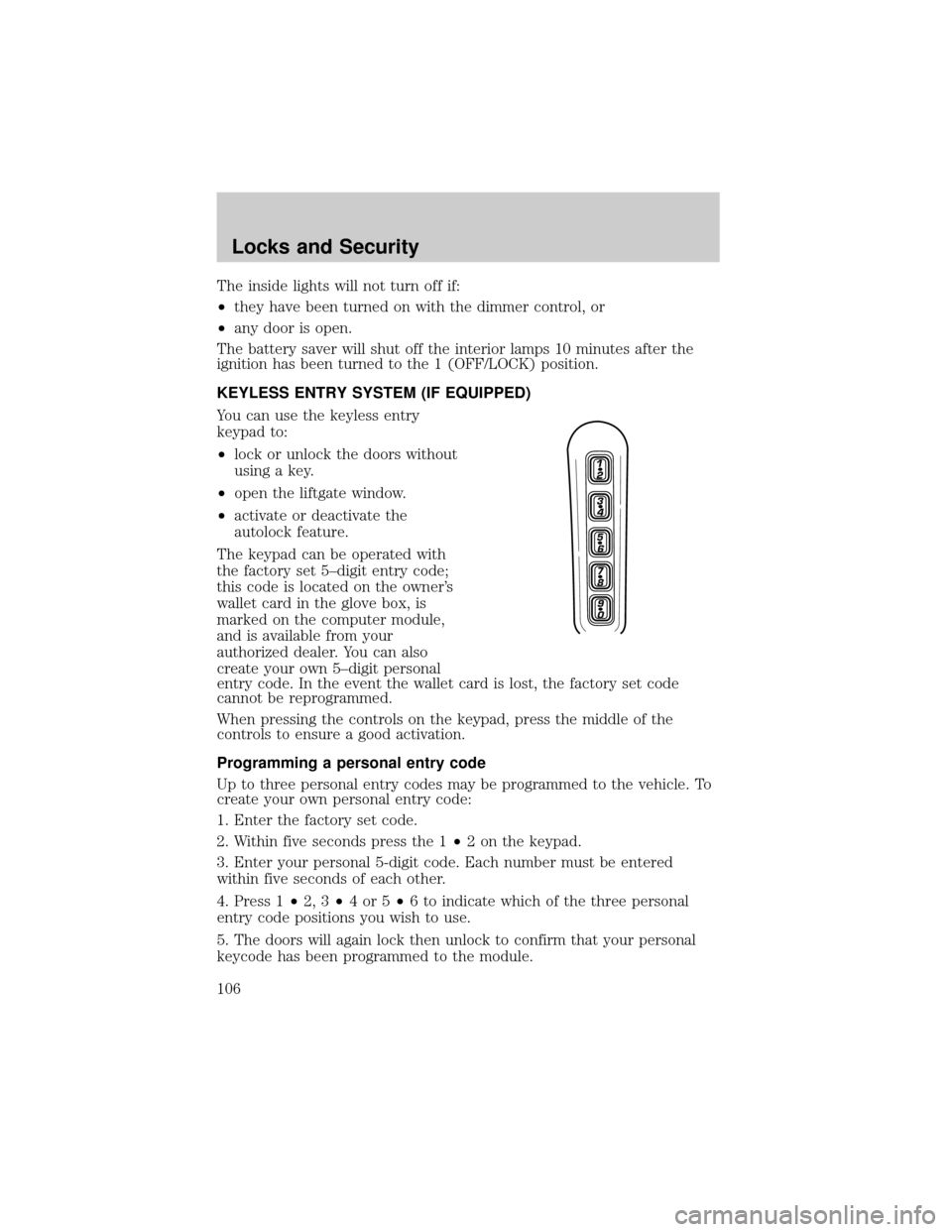
KEYLESS ENTRY SYSTEM (IF EQUIPPED)
You can use the keyless entry
keypad to:
²lock or unlock the doors without
using a key.
²open the liftgate window.
²activate or deactivate the
autolock feature.
The keypad can be operated with
the factory set 5±digit entry code;
this code is located on the owner's
wallet card in the glove box, is
marked on the computer module,
and is available from your
authorized dealer. You can also
create your own 5±digit personal
entry code. In the event the wallet card is lost, the factory set code
cannot be reprogrammed.
When pressing the controls on the keypad, press the middle of the
controls to ensure a good activation.
Programming a personal entry code
Up to three personal entry codes may be programmed to the vehicle. To
create your own personal entry code:
1. Enter the factory set code.
2. Within five seconds press the 1²2 on the keypad.
3. Enter your personal 5-digit code. Each number must be entered
within five seconds of each other.
4. Press 1²2, 3²4or5²6 to indicate which of the three personal
entry code positions you wish to use.
5. The doors will again lock then unlock to confirm that your personal
keycode has been programmed to the module.
Locks and Security
106
Page 107 of 328

Tips:
²Do not set a code that uses five of the same number.
²Do not use five numbers in sequential order.
²The factory set code will work even if you have set your own personal
code.
²If you program a code to a position that already contains a set code,
the previously-set code will be erased.
Erasing personal code
1. Enter the factory set 5±digit code.
2. Within five seconds, press the 1²2 on the keypad and release.
3. Press and hold the 1²2 for two seconds. This must be done within
five seconds of completing Step 2.
Allpersonal codes are now erased and only the factory set 5±digit code
will work.
Anti-scan feature
If the wrong code has been entered 7 times (35 consecutive button
presses), the keypad will go into an anti-scan mode. This mode disables
the keypad for one minute and the keypad lamp will flash.
The anti-scan feature will turn off after:
²one minute of keypad inactivity.
²pressing the UNLOCK
control on the remote entry transmitter.
²the ignition is turned to the 3 (ON) position.
Unlocking and locking the doors, liftgate and liftgate window using
keyless entry
To unlock the driver's door,enter the factory set 5-digit code or one
of the vehicle's personal codes. Each number must be pressed within five
seconds of each other. The interior lamps will illuminate.
To unlock all doors and liftgate,press the 3²4 control within five
seconds.
To open the liftgate window,press the 5²6 control within five
seconds.
To lock all doors, liftgate and liftgate window,press the 7²8 and
the 9²0 at the same time.Note:The driver's door must be closed. You
do notneed to enter the keypad code first.
Locks and Security
107