lights FORD EXPLORER 2006 4.G User Guide
[x] Cancel search | Manufacturer: FORD, Model Year: 2006, Model line: EXPLORER, Model: FORD EXPLORER 2006 4.GPages: 328, PDF Size: 3.59 MB
Page 47 of 328
Replacing exterior bulbs
Check the operation of all the bulbs frequently.
Replacing the interior bulbs
Check the operation of the bulbs frequently. To replace any of the
interior bulbs, see a dealer or qualified technician.
Using the right bulbs
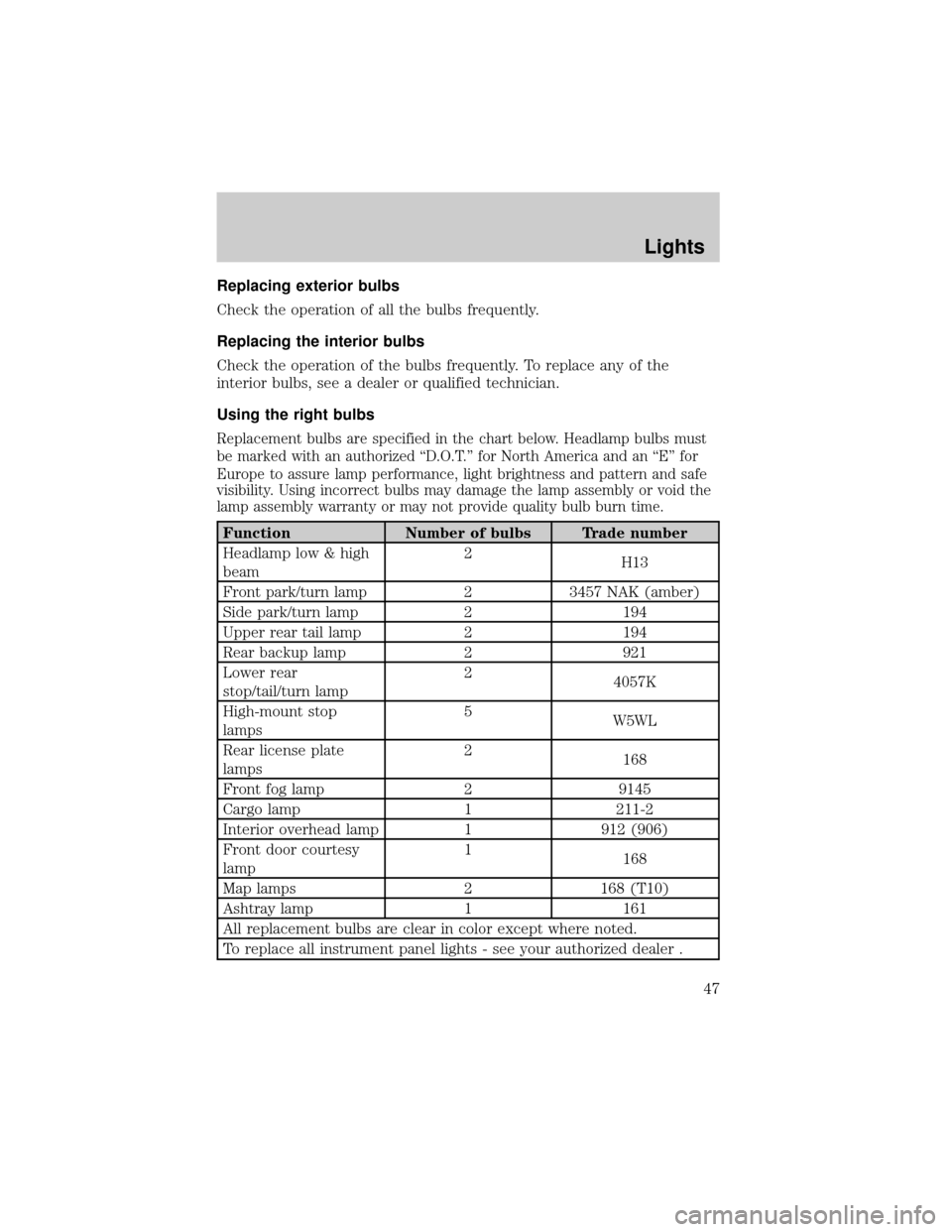
Replacement bulbs are specified in the chart below. Headlamp bulbs must
be marked with an authorized ªD.O.T.º for North America and an ªEº for
Europe to assure lamp performance, light brightness and pattern and safe
visibility. Using incorrect bulbs may damage the lamp assembly or void the
lamp assembly warranty or may not provide quality bulb burn time.
Function Number of bulbs Trade number
Headlamp low & high
beam2
H13
Front park/turn lamp 2 3457 NAK (amber)
Side park/turn lamp 2 194
Upper rear tail lamp 2 194
Rear backup lamp 2 921
Lower rear
stop/tail/turn lamp2
4057K
High-mount stop
lamps5
W5WL
Rear license plate
lamps2
168
Front fog lamp 2 9145
Cargo lamp 1 211-2
Interior overhead lamp 1 912 (906)
Front door courtesy
lamp1
168
Map lamps 2 168 (T10)
Ashtray lamp 1 161
All replacement bulbs are clear in color except where noted.
To replace all instrument panel lights - see your authorized dealer .
Lights
47
Page 48 of 328
Replacing headlamp bulbs
Do not touch the glass of a halogen bulb.
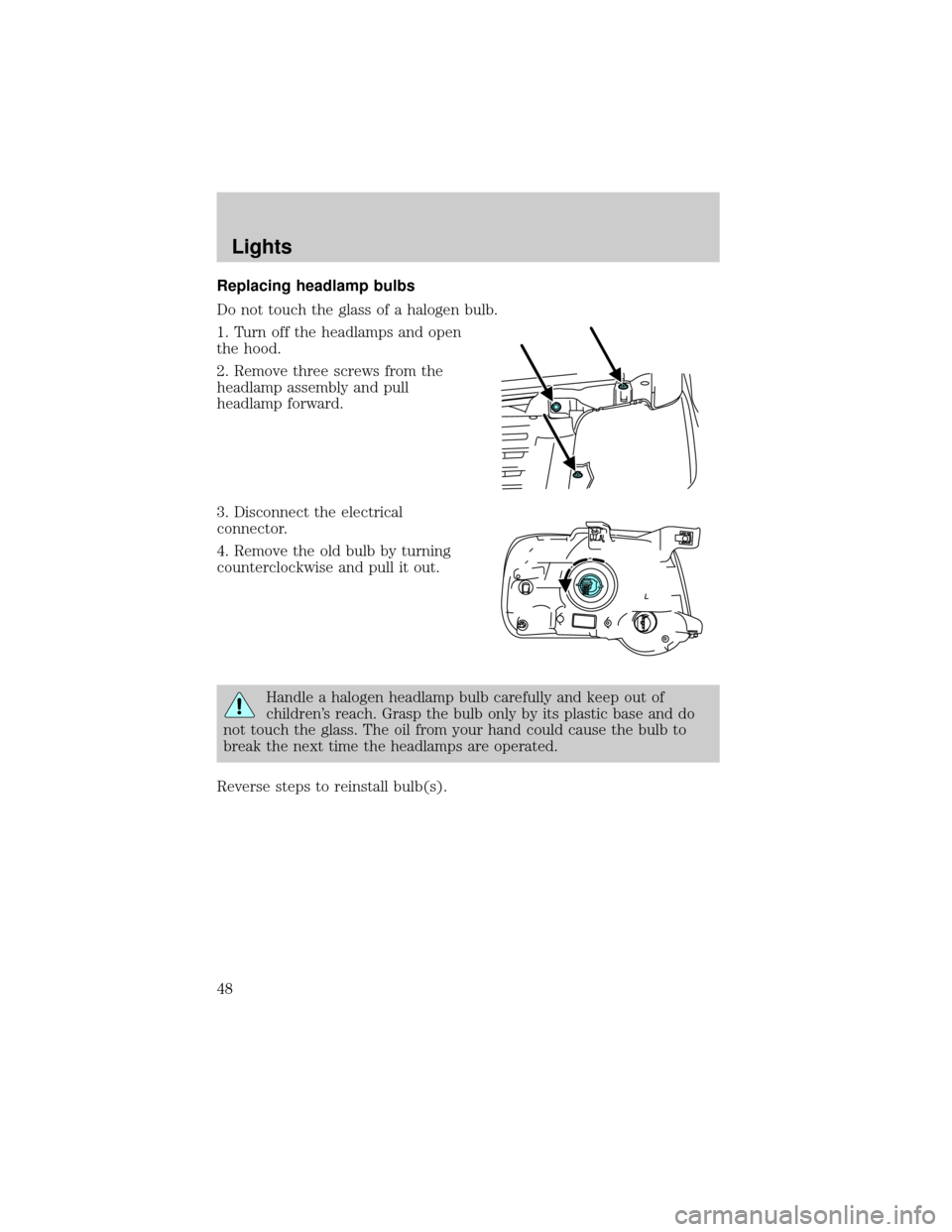
1. Turn off the headlamps and open
the hood.
2. Remove three screws from the
headlamp assembly and pull
headlamp forward.
3. Disconnect the electrical
connector.
4. Remove the old bulb by turning
counterclockwise and pull it out.
Handle a halogen headlamp bulb carefully and keep out of
children's reach. Grasp the bulb only by its plastic base and do
not touch the glass. The oil from your hand could cause the bulb to
break the next time the headlamps are operated.
Reverse steps to reinstall bulb(s).
Lights
48
Page 49 of 328
Replacing front parking lamp/turn signal/sidemarker bulbs
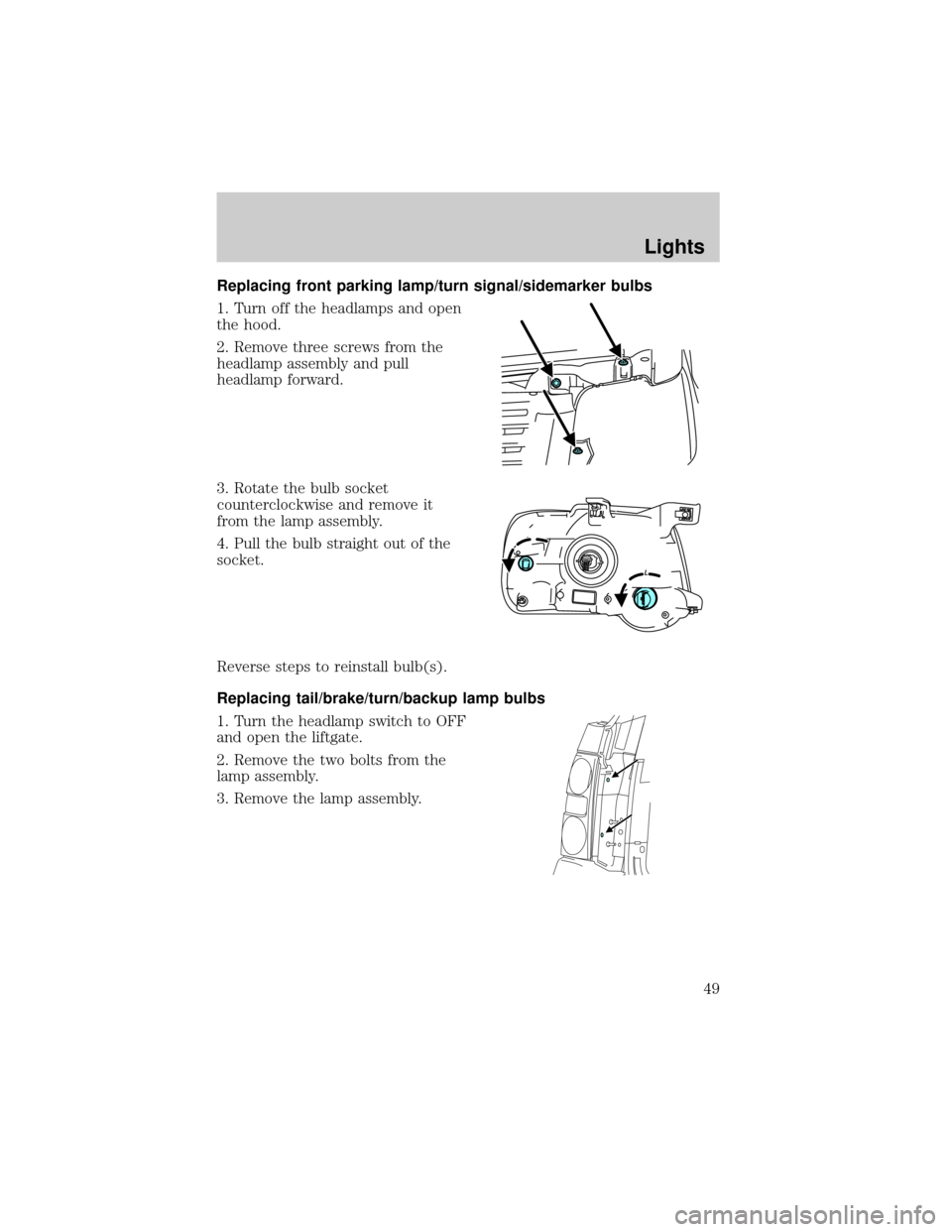
1. Turn off the headlamps and open
the hood.
2. Remove three screws from the
headlamp assembly and pull
headlamp forward.
3. Rotate the bulb socket
counterclockwise and remove it
from the lamp assembly.
4. Pull the bulb straight out of the
socket.
Reverse steps to reinstall bulb(s).
Replacing tail/brake/turn/backup lamp bulbs
1. Turn the headlamp switch to OFF
and open the liftgate.
2. Remove the two bolts from the
lamp assembly.
3. Remove the lamp assembly.
Lights
49
Page 50 of 328
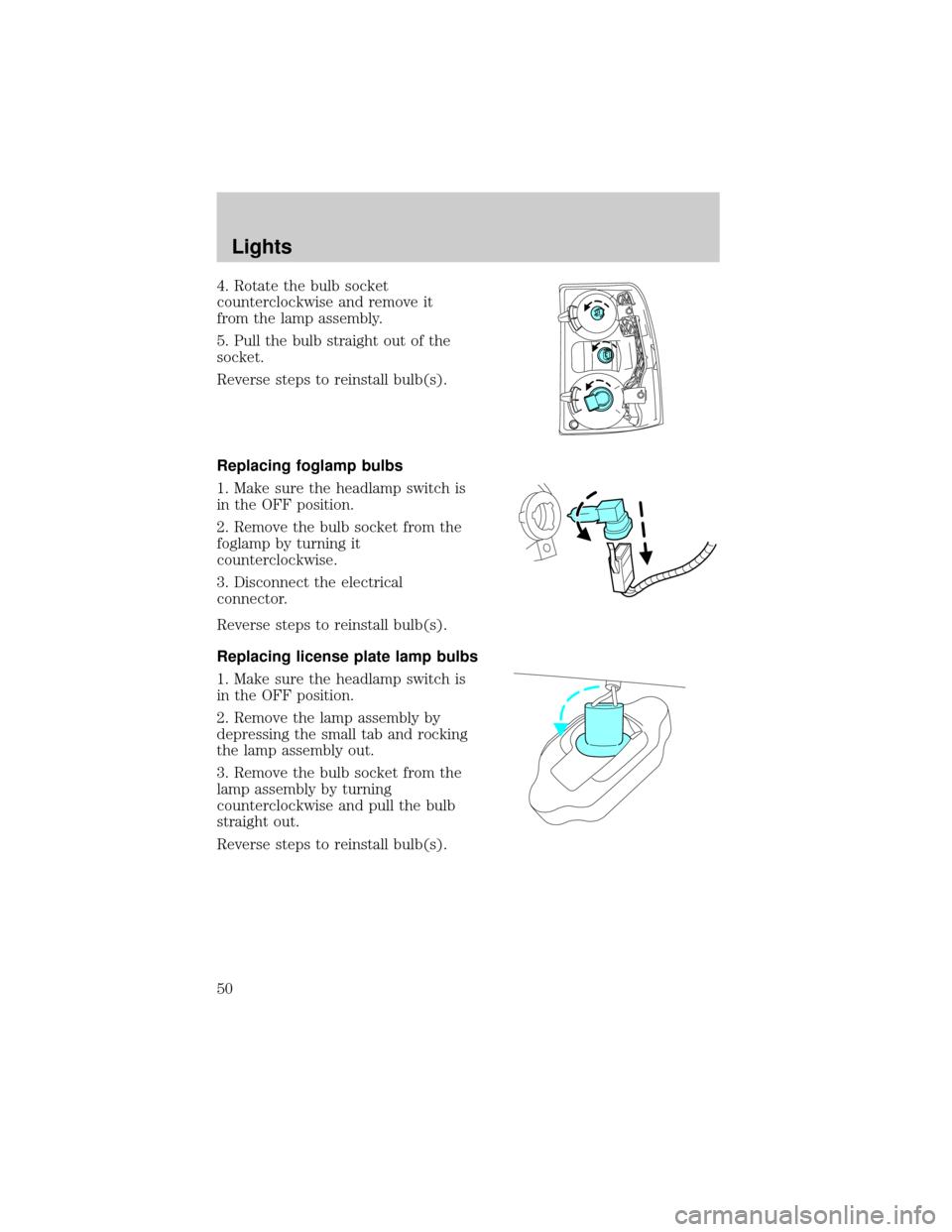
4. Rotate the bulb socket
counterclockwise and remove it
from the lamp assembly.
5. Pull the bulb straight out of the
socket.
Reverse steps to reinstall bulb(s).
Replacing foglamp bulbs
1. Make sure the headlamp switch is
in the OFF position.
2. Remove the bulb socket from the
foglamp by turning it
counterclockwise.
3. Disconnect the electrical
connector.
Reverse steps to reinstall bulb(s).
Replacing license plate lamp bulbs
1. Make sure the headlamp switch is
in the OFF position.
2. Remove the lamp assembly by
depressing the small tab and rocking
the lamp assembly out.
3. Remove the bulb socket from the
lamp assembly by turning
counterclockwise and pull the bulb
straight out.
Reverse steps to reinstall bulb(s).
Lights
50
Page 51 of 328
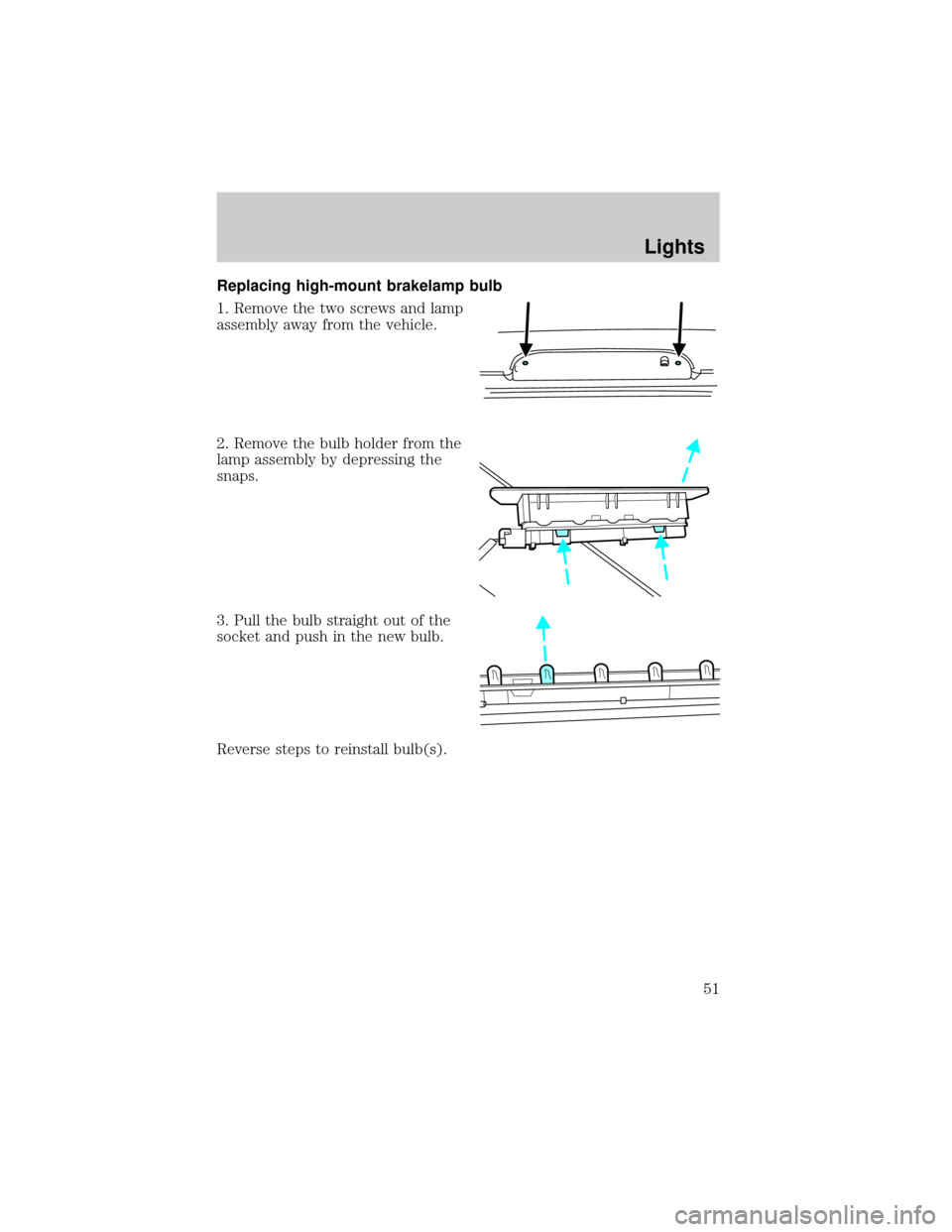
Replacing high-mount brakelamp bulb
1. Remove the two screws and lamp
assembly away from the vehicle.
2. Remove the bulb holder from the
lamp assembly by depressing the
snaps.
3. Pull the bulb straight out of the
socket and push in the new bulb.
Reverse steps to reinstall bulb(s).
Lights
51
Page 58 of 328
Accessory delay
With accessory delay, the window switches, audio system and moon roof
(if equipped) may be used for up to ten minutes after the ignition switch
is turned to the OFF position or until either front door is opened.
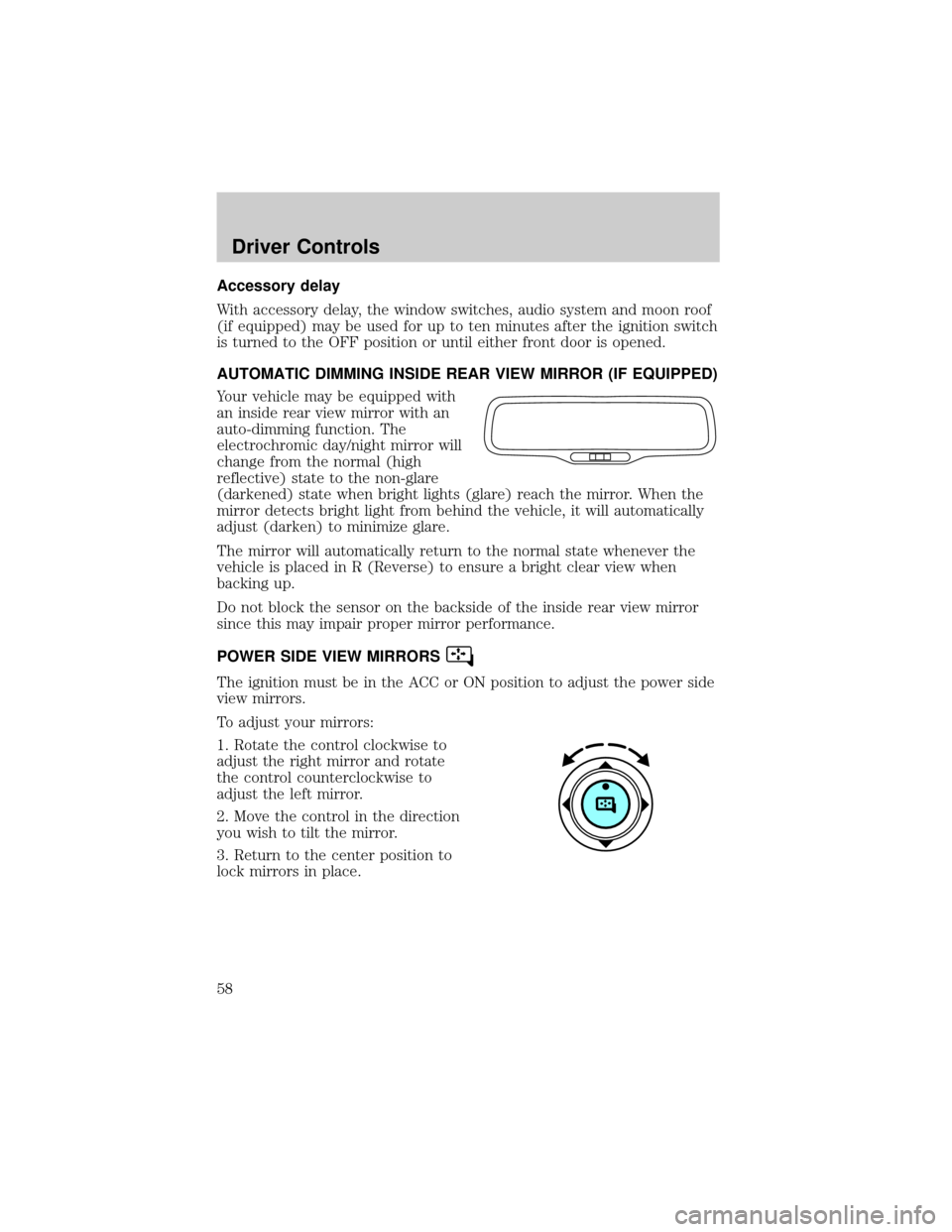
AUTOMATIC DIMMING INSIDE REAR VIEW MIRROR (IF EQUIPPED)
Your vehicle may be equipped with
an inside rear view mirror with an
auto-dimming function. The
electrochromic day/night mirror will
change from the normal (high
reflective) state to the non-glare
(darkened) state when bright lights (glare) reach the mirror. When the
mirror detects bright light from behind the vehicle, it will automatically
adjust (darken) to minimize glare.
The mirror will automatically return to the normal state whenever the
vehicle is placed in R (Reverse) to ensure a bright clear view when
backing up.
Do not block the sensor on the backside of the inside rear view mirror
since this may impair proper mirror performance.
POWER SIDE VIEW MIRRORS
The ignition must be in the ACC or ON position to adjust the power side
view mirrors.
To adjust your mirrors:
1. Rotate the control clockwise to
adjust the right mirror and rotate
the control counterclockwise to
adjust the left mirror.
2. Move the control in the direction
you wish to tilt the mirror.
3. Return to the center position to
lock mirrors in place.
Driver Controls
58
Page 73 of 328
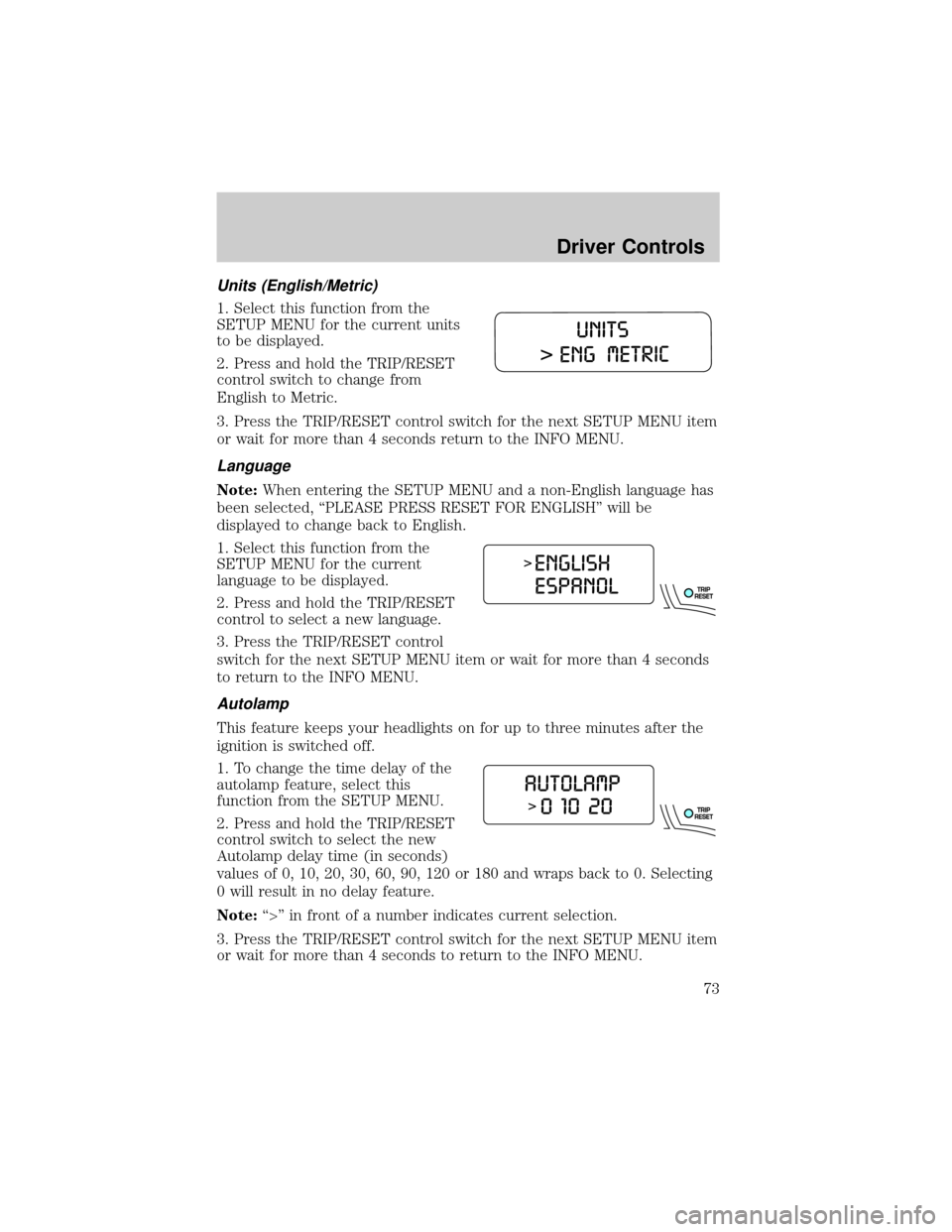
Units (English/Metric)
1. Select this function from the
SETUP MENU for the current units
to be displayed.
2. Press and hold the TRIP/RESET
control switch to change from
English to Metric.
3. Press the TRIP/RESET control switch for the next SETUP MENU item
or wait for more than 4 seconds return to the INFO MENU.
Language
Note:When entering the SETUP MENU and a non-English language has
been selected, ªPLEASE PRESS RESET FOR ENGLISHº will be
displayed to change back to English.
1. Select this function from the
SETUP MENU for the current
language to be displayed.
2. Press and hold the TRIP/RESET
control to select a new language.
3. Press the TRIP/RESET control
switch for the next SETUP MENU item or wait for more than 4 seconds
to return to the INFO MENU.
Autolamp
This feature keeps your headlights on for up to three minutes after the
ignition is switched off.
1. To change the time delay of the
autolamp feature, select this
function from the SETUP MENU.
2. Press and hold the TRIP/RESET
control switch to select the new
Autolamp delay time (in seconds)
values of 0, 10, 20, 30, 60, 90, 120 or 180 and wraps back to 0. Selecting
0 will result in no delay feature.
Note:ª>º in front of a number indicates current selection.
3. Press the TRIP/RESET control switch for the next SETUP MENU item
or wait for more than 4 seconds to return to the INFO MENU.
Driver Controls
73
Page 79 of 328
PARK BRAKE ENGAGED.Displayed when the manual park brake is
set, the engine is running and the vehicle is driven more than 3 mph
(5 km). If the warning stays on after the park brake is released, contact
your authorized dealer as soon as possible.
CHECK BRAKE SYSTEM.Displayed when the braking system is not
operating properly. If the warning stays on or continues to come on,
contact your authorized dealer as soon as possible.
CHECK PARK AID.Displayed when the transmission is in R (Reverse)
and the Reverse Sensing System (Park Aid) is disabled. Refer toReverse
Sensing System (Park Aid)in this section to enable.
LOW TIRE PRESSURE.Displayed when one or more tires on your
vehicle have low tire pressure. Refer toInspecting and Inflating Your
Tiresin theTires, Wheels and Loadingchapter.
TIRE MONITOR FAULT.Displayed when the Tire Pressure Monitoring
System is malfunctioning. If the warning stays on or continues to come
on, have the system inspected by your authorized dealer.
TIRE SENSOR FAULT.Displayed when a tire pressure sensor is
malfunctioning, or your spare tire is in use. For more information on how
the system operates under these conditions, refer toUnderstanding
Your Tire Pressure Monitoring Systemin theTires, Wheels and
Loadingchapter. If the warning stays on or continues to come on, have
the system inspected by your authorized dealer.
BRAKE FLUID LEVEL LOW.Indicates the brake fluid level is low and
the brake system should be inspected immediately. Refer toBrake fluid
reservoirin theMaintenance and Specificationschapter.
CHECK HEADLAMP.Displayed when the headlamps are activated and
at least one bulb is burned out. Check the lamps as soon as possible and
have the burned out lamp replaced. Refer toReplacing headlamp bulbs
in theLightschapter.
CHECK HIGHBEAM LAMP.Displayed when the highbeam lamps are
activated and at least one bulb is burned out. Check the lamps as soon
as possible and have the burned out lamp replaced. Refer toReplacing
headlamp bulbsin theLightschapter.
CHECK TURN LAMP.Displayed when the turn lamps are activated and
at least one bulb is burned out. Check the lamps as soon as possible and
have the burned out lamp replaced. Refer toReplacing headlamp bulbs
in theLightschapter.
Driver Controls
79
Page 86 of 328
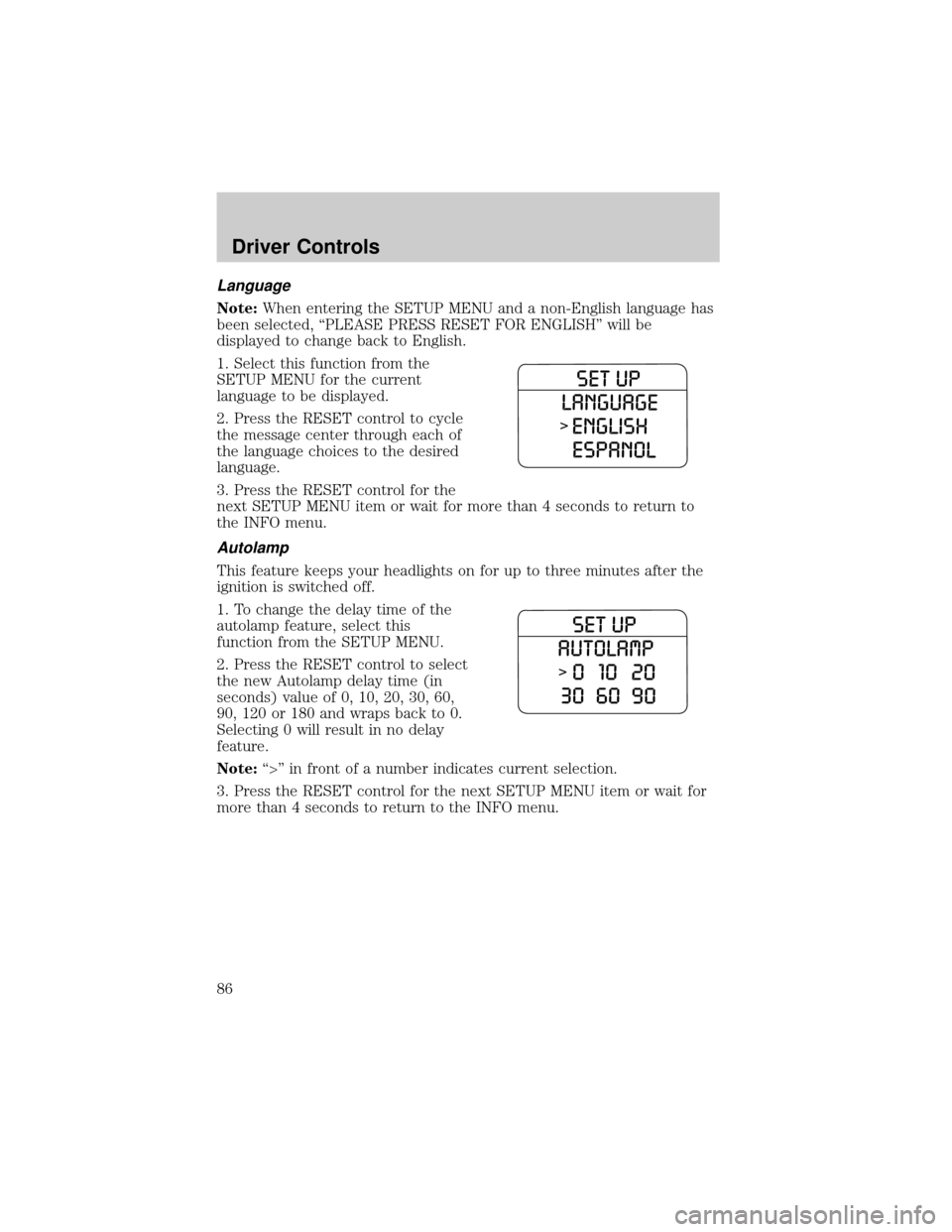
Language
Note:When entering the SETUP MENU and a non-English language has
been selected, ªPLEASE PRESS RESET FOR ENGLISHº will be
displayed to change back to English.
1. Select this function from the
SETUP MENU for the current
language to be displayed.
2. Press the RESET control to cycle
the message center through each of
the language choices to the desired
language.
3. Press the RESET control for the
next SETUP MENU item or wait for more than 4 seconds to return to
the INFO menu.
Autolamp
This feature keeps your headlights on for up to three minutes after the
ignition is switched off.
1. To change the delay time of the
autolamp feature, select this
function from the SETUP MENU.
2. Press the RESET control to select
the new Autolamp delay time (in
seconds) value of 0, 10, 20, 30, 60,
90, 120 or 180 and wraps back to 0.
Selecting 0 will result in no delay
feature.
Note:ª>º in front of a number indicates current selection.
3. Press the RESET control for the next SETUP MENU item or wait for
more than 4 seconds to return to the INFO menu.
Driver Controls
86
Page 93 of 328
LOW TIRE PRESSURE.Displayed when one or more tires on your
vehicle have low tire pressure. Refer toInspecting and Inflating Your
Tiresin theTires, Wheels and Loadingchapter.
TIRE MONITOR FAULT.Displayed when the Tire Pressure Monitoring
System is malfunctioning. If the warning stays on or continues to come
on, have the system inspected by your authorized dealer.
TIRE SENSOR FAULT.Displayed when a tire pressure sensor is
malfunctioning, or your spare tire is in use. For more information on how
the system operates under these conditions, refer toUnderstanding
Your Tire Pressure Monitoring Systemin theTires, Wheels and
Loadingchapter. If the warning stays on or continues to come on, have
the system inspected by your authorized dealer.
BRAKE FLUID LEVEL LOW.Indicates the brake fluid level is low and
the brake system should be inspected immediately. Refer toBrake fluid
reservoirin theMaintenance and Specificationschapter.
CHECK BRAKE LAMP.Displayed when the brake lamps are activated
and at least one bulb is burned out. Check the lamps as soon as possible
and have the burned out lamp replaced. Refer toReplacing headlamp
bulbsin theLightschapter.
CHECK HEADLAMP.Displayed when the headlamps are activated and
at least one bulb is burned out. Check the lamps as soon as possible and
have the burned out lamp replaced. Refer toReplacing headlamp bulbs
in theLightschapter.
CHECK HIGHBEAM LAMP.Displayed when the highbeam lamps are
activated and at least one bulb is burned out. Check the lamps as soon
as possible and have the burned out lamp replaced. Refer toReplacing
headlamp bulbsin theLightschapter.
CHECK TURN LAMP.Displayed when the turn lamps are activated and
at least one bulb is burned out. Check the lamps as soon as possible and
have the burned out lamp replaced. Refer toReplacing headlamp bulbs
in theLightschapter.
WASHER FLUID LEVEL LOW.Indicates the washer fluid reservoir is less
than one quarter full. Check the washer fluid level. Refer toWindshield
washer fluidin theMaintenance and Specificationschapter.
OIL CHANGE REQUIRED.Displayed when the engine oil life
remaining is 0%.
An oil change is required whenever indicated by the message center and
according to the recommended maintenance schedule. USE ONLY
RECOMMENDED ENGINE OILS.
Driver Controls
93