lights FORD EXPLORER 2006 4.G Owner's Manual
[x] Cancel search | Manufacturer: FORD, Model Year: 2006, Model line: EXPLORER, Model: FORD EXPLORER 2006 4.GPages: 328, PDF Size: 3.59 MB
Page 105 of 328
To reprogram the remote entry
transmitters:
1. Ensure the vehicle is electronically unlocked.
2. Put the key in the ignition.
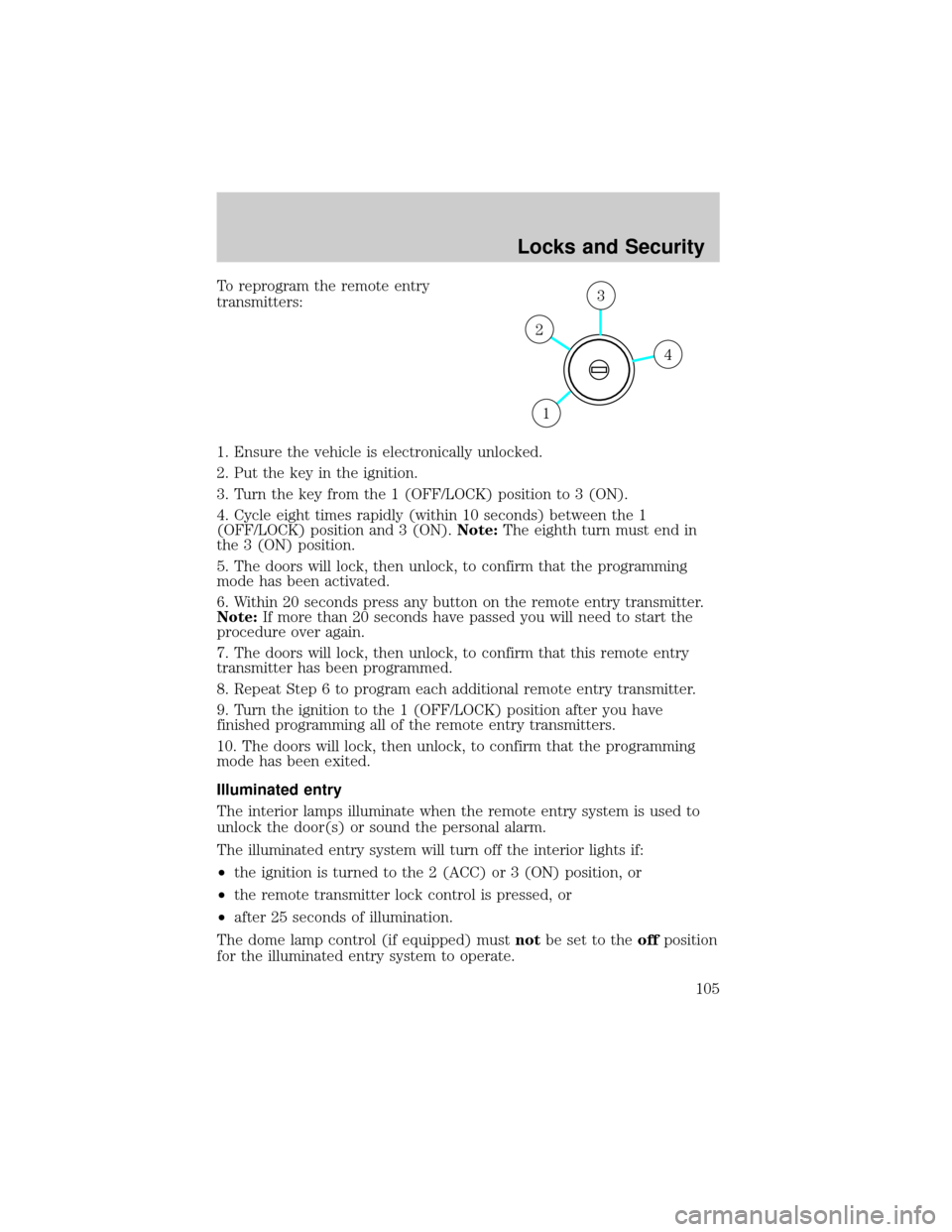
3. Turn the key from the 1 (OFF/LOCK) position to 3 (ON).
4. Cycle eight times rapidly (within 10 seconds) between the 1
(OFF/LOCK) position and 3 (ON).Note:The eighth turn must end in
the 3 (ON) position.
5. The doors will lock, then unlock, to confirm that the programming
mode has been activated.
6. Within 20 seconds press any button on the remote entry transmitter.
Note:If more than 20 seconds have passed you will need to start the
procedure over again.
7. The doors will lock, then unlock, to confirm that this remote entry
transmitter has been programmed.
8. Repeat Step 6 to program each additional remote entry transmitter.
9. Turn the ignition to the 1 (OFF/LOCK) position after you have
finished programming all of the remote entry transmitters.
10. The doors will lock, then unlock, to confirm that the programming
mode has been exited.
Illuminated entry
The interior lamps illuminate when the remote entry system is used to
unlock the door(s) or sound the personal alarm.
The illuminated entry system will turn off the interior lights if:
²the ignition is turned to the 2 (ACC) or 3 (ON) position, or
²the remote transmitter lock control is pressed, or
²after 25 seconds of illumination.
The dome lamp control (if equipped) mustnotbe set to theoffposition
for the illuminated entry system to operate.
4
3
2
1
Locks and Security
105
Page 106 of 328
The inside lights will not turn off if:
²they have been turned on with the dimmer control, or
²any door is open.
The battery saver will shut off the interior lamps 10 minutes after the
ignition has been turned to the 1 (OFF/LOCK) position.
KEYLESS ENTRY SYSTEM (IF EQUIPPED)
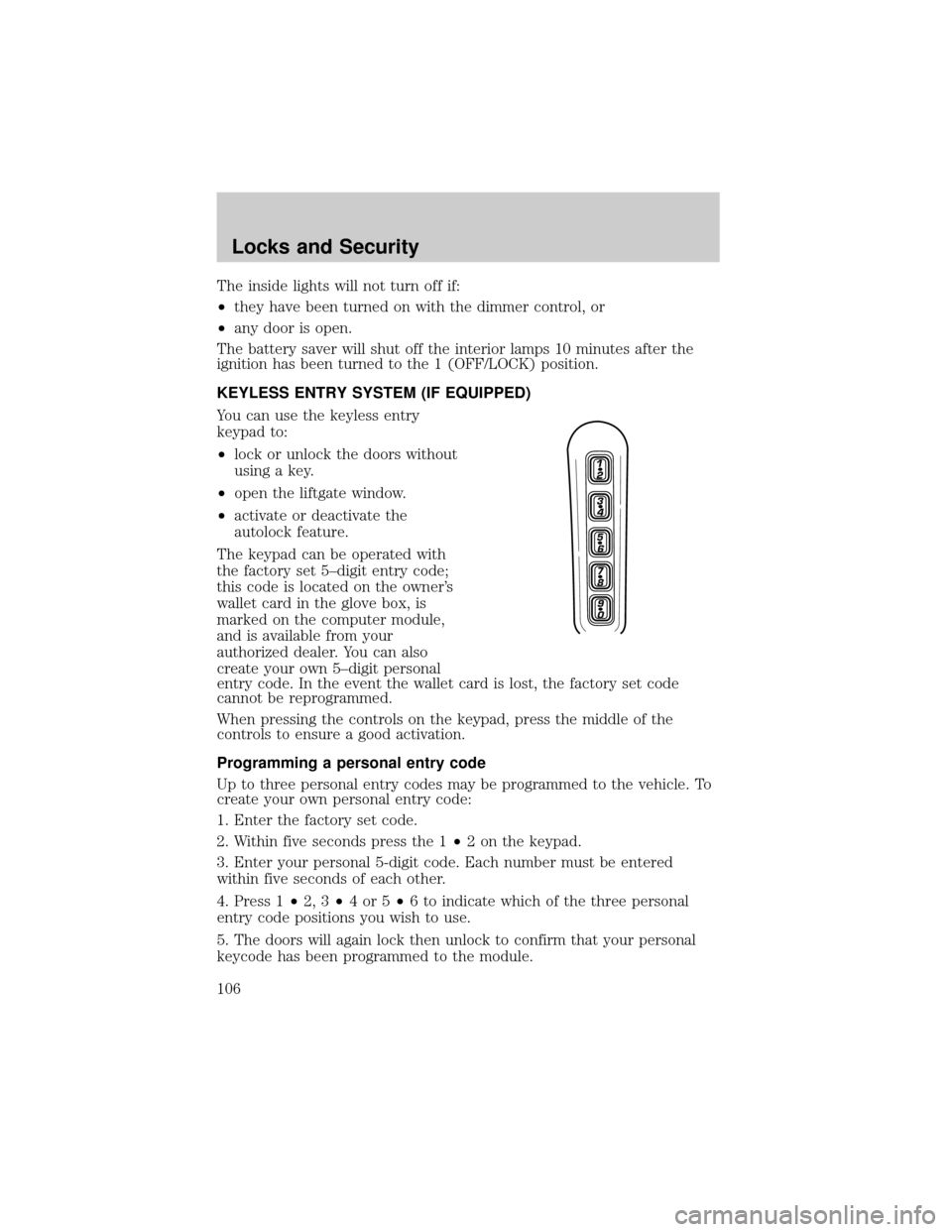
You can use the keyless entry
keypad to:
²lock or unlock the doors without
using a key.
²open the liftgate window.
²activate or deactivate the
autolock feature.
The keypad can be operated with
the factory set 5±digit entry code;
this code is located on the owner's
wallet card in the glove box, is
marked on the computer module,
and is available from your
authorized dealer. You can also
create your own 5±digit personal
entry code. In the event the wallet card is lost, the factory set code
cannot be reprogrammed.
When pressing the controls on the keypad, press the middle of the
controls to ensure a good activation.
Programming a personal entry code
Up to three personal entry codes may be programmed to the vehicle. To
create your own personal entry code:
1. Enter the factory set code.
2. Within five seconds press the 1²2 on the keypad.
3. Enter your personal 5-digit code. Each number must be entered
within five seconds of each other.
4. Press 1²2, 3²4or5²6 to indicate which of the three personal
entry code positions you wish to use.
5. The doors will again lock then unlock to confirm that your personal
keycode has been programmed to the module.
Locks and Security
106
Page 126 of 328
Before returning the seatback to its original position, make sure
that cargo or any objects are not trapped behind the seatback.
After returning the seatback to its original position, pull on the
seatback to ensure that it has fully latched. An unlatched seat may
become dangerous in the event of a sudden stop or collision.
SAFETY RESTRAINTS
Personal Safety SystemY
The Personal Safety Systemyprovides an improved overall level of
frontal crash protection to front seat occupants and is designed to help
further reduce the risk of airbag-related injuries. The system is able to
analyze different occupant conditions and crash severity before activating
the appropriate safety devices to help better protect a range of
occupants in a variety of frontal crash situations.
Your vehicle's Personal Safety Systemyconsists of:
²Driver and passenger dual-stage airbag supplemental restraints.
²Front safety belts with pretensioners, energy management retractors,
and safety belt usage sensors.
²Driver's seat position sensor.
²Front passenger sensing system
²ªPassenger airbag offº or ªpass airbag offº indicator lamp
²Front crash severity sensor.
²Restraints Control Module (RCM).
²Restraint system warning light and back-up tone.
²The electrical wiring for the airbags, crash sensor(s), safety belt
pretensioners, front safety belt usage sensors, driver seat position
sensor, front passenger sensing system, and indicator lights.
How does the Personal Safety SystemYwork?
The Personal Safety Systemycan adapt the deployment strategy of your
vehicle's safety devices according to crash severity and occupant
conditions. A collection of crash and occupant sensors provides
information to the Restraints Control Module (RCM). During a crash, the
RCM activates the safety belt pretensioners and/or either one or both
stages of the dual-stage airbag supplemental restraints based on crash
severity and occupant conditions.
Seating and Safety Restraints
126
Page 129 of 328
Determining if the Personal Safety SystemYis operational
The Personal Safety Systemyuses a warning light in the instrument
cluster or a back-up tone to indicate the condition of the system. Refer
to theWarning lights and chimessection in theInstrument Cluster
chapter. Routine maintenance of the Personal Safety Systemyis not
required.
The Restraints Control Module (RCM) monitors its own internal circuits
and the circuits for the airbag supplemental restraints, crash sensor(s),
safety belt pretensioners, front safety belt buckle sensors, and the driver
seat position sensor. In addition, the RCM also monitors the restraints
warning light in the instrument cluster. A difficulty with the system is
indicated by one or more of the following:
²The warning light will either flash or stay lit.
²The warning light will not illuminate immediately after the ignition is
turned on.
²A series of five beeps will be heard. The tone pattern will repeat
periodically until the problem and warning light are repaired.
If any of these things happen, even intermittently, have the Personal
Safety Systemyserviced at an authorized dealer immediately. Unless
serviced, the system may not function properly in the event of a
collision.
Safety restraints precautions
Always drive and ride with your seatback upright and the lap
belt snug and low across the hips.
To reduce the risk of injury, make sure children sit in the back
seat where they can be properly restrained.
Never let a passenger hold a child on his or her lap while the
vehicle is moving. The passenger cannot protect the child from
injury in a collision.
All occupants of the vehicle, including the driver, should always
properly wear their safety belts, even when an airbag
supplemental restraint system (SRS) is provided.
Seating and Safety Restraints
129
Page 203 of 328
²Class III/IV receiver: 500 lb. (227 kg) (weight carrying); 740 lb. (336 kg)
(weight distributing)
Safety chains
Always connect the trailer's safety chains to the frame or hook retainers
of the vehicle hitch. To connect the trailer's safety chains, cross the
chains under the trailer tongue and allow slack for turning corners.
If you use a rental trailer, follow the instructions that the rental agency
gives to you.
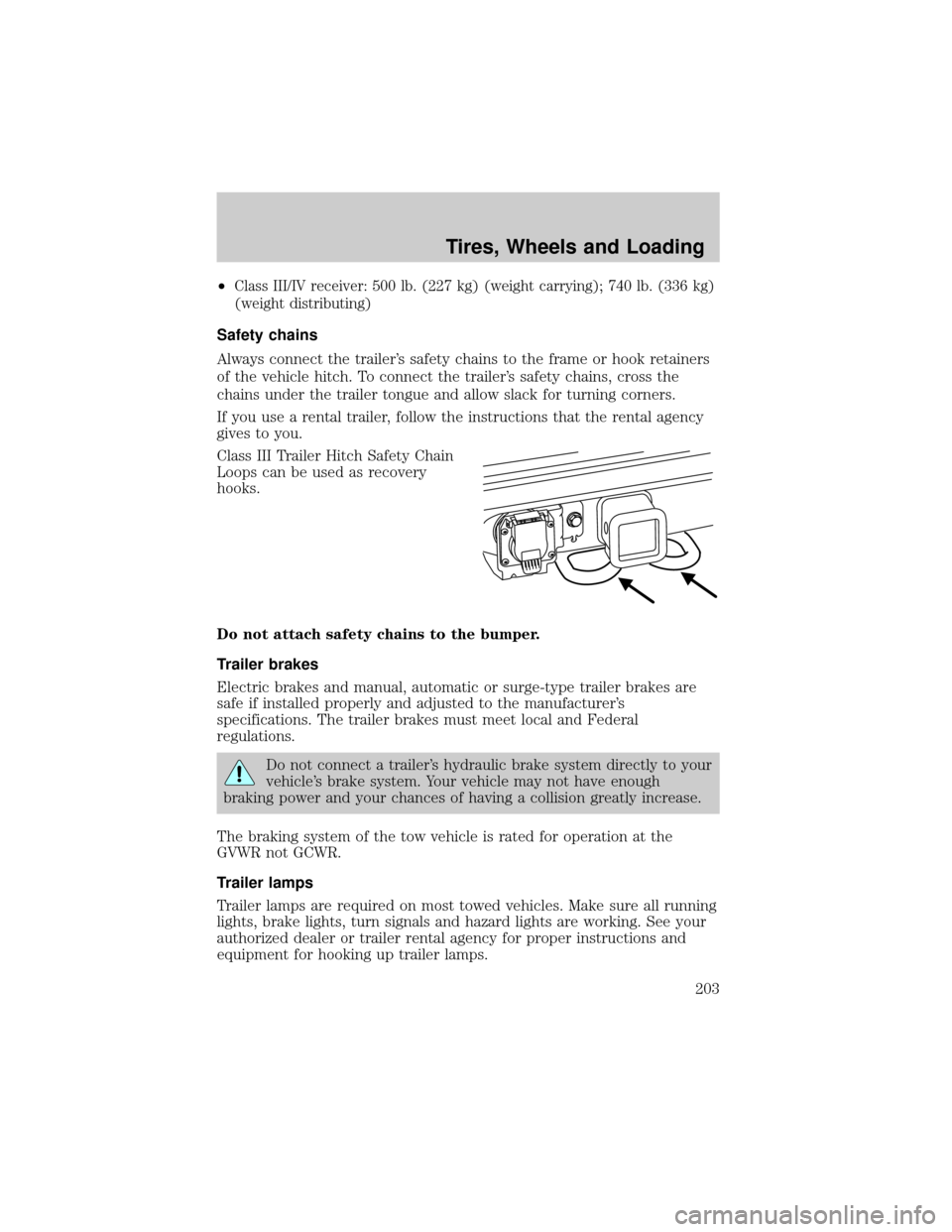
Class III Trailer Hitch Safety Chain
Loops can be used as recovery
hooks.
Do not attach safety chains to the bumper.
Trailer brakes
Electric brakes and manual, automatic or surge-type trailer brakes are
safe if installed properly and adjusted to the manufacturer's
specifications. The trailer brakes must meet local and Federal
regulations.
Do not connect a trailer's hydraulic brake system directly to your
vehicle's brake system. Your vehicle may not have enough
braking power and your chances of having a collision greatly increase.
The braking system of the tow vehicle is rated for operation at the
GVWR not GCWR.
Trailer lamps
Trailer lamps are required on most towed vehicles. Make sure all running
lights, brake lights, turn signals and hazard lights are working. See your
authorized dealer or trailer rental agency for proper instructions and
equipment for hooking up trailer lamps.
Tires, Wheels and Loading
203
Page 207 of 328
STARTING
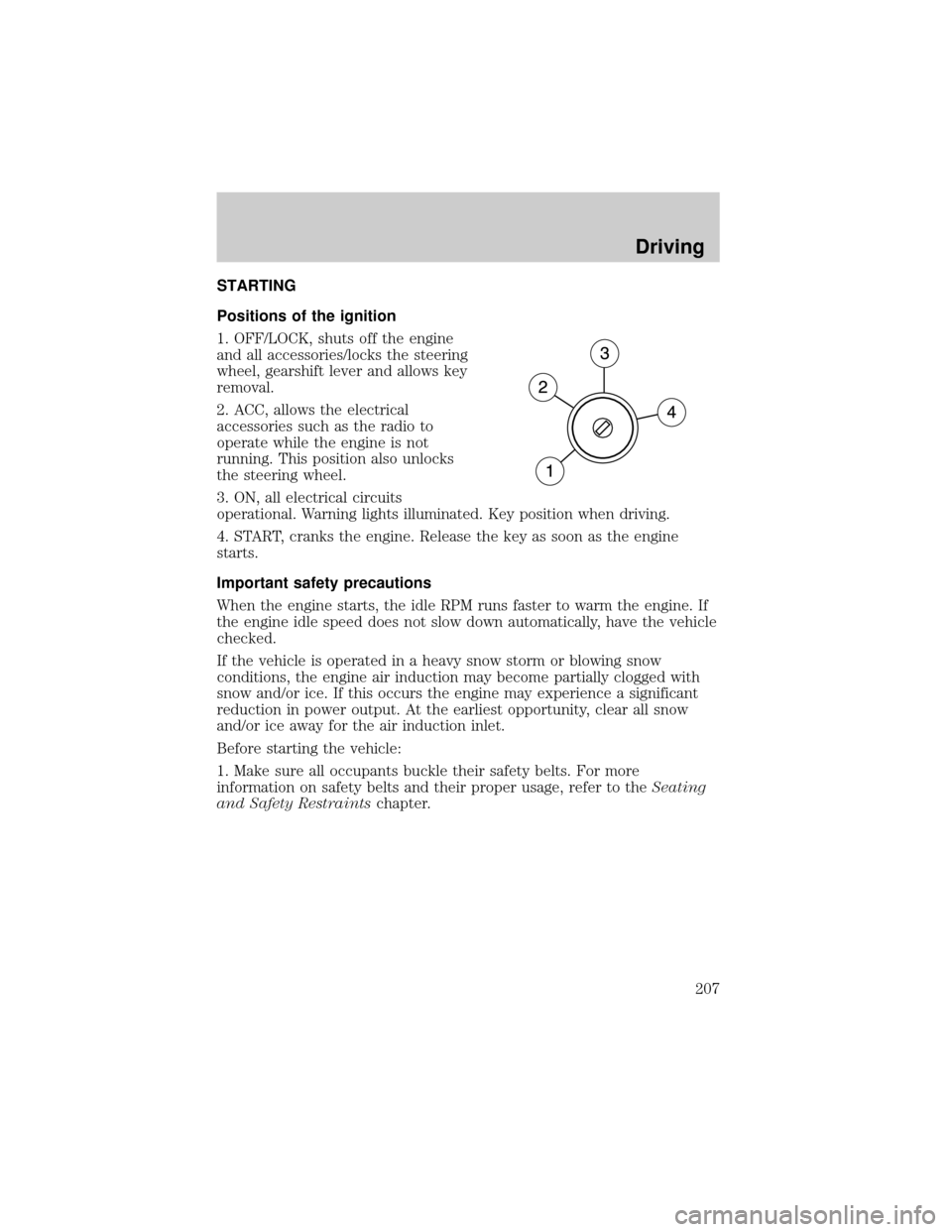
Positions of the ignition
1. OFF/LOCK, shuts off the engine
and all accessories/locks the steering
wheel, gearshift lever and allows key
removal.
2. ACC, allows the electrical
accessories such as the radio to
operate while the engine is not
running. This position also unlocks
the steering wheel.
3. ON, all electrical circuits
operational. Warning lights illuminated. Key position when driving.
4. START, cranks the engine. Release the key as soon as the engine
starts.
Important safety precautions
When the engine starts, the idle RPM runs faster to warm the engine. If
the engine idle speed does not slow down automatically, have the vehicle
checked.
If the vehicle is operated in a heavy snow storm or blowing snow
conditions, the engine air induction may become partially clogged with
snow and/or ice. If this occurs the engine may experience a significant
reduction in power output. At the earliest opportunity, clear all snow
and/or ice away for the air induction inlet.
Before starting the vehicle:
1. Make sure all occupants buckle their safety belts. For more
information on safety belts and their proper usage, refer to theSeating
and Safety Restraintschapter.
Driving
207
Page 208 of 328
2. Make sure the headlamps and electrical accessories are off.
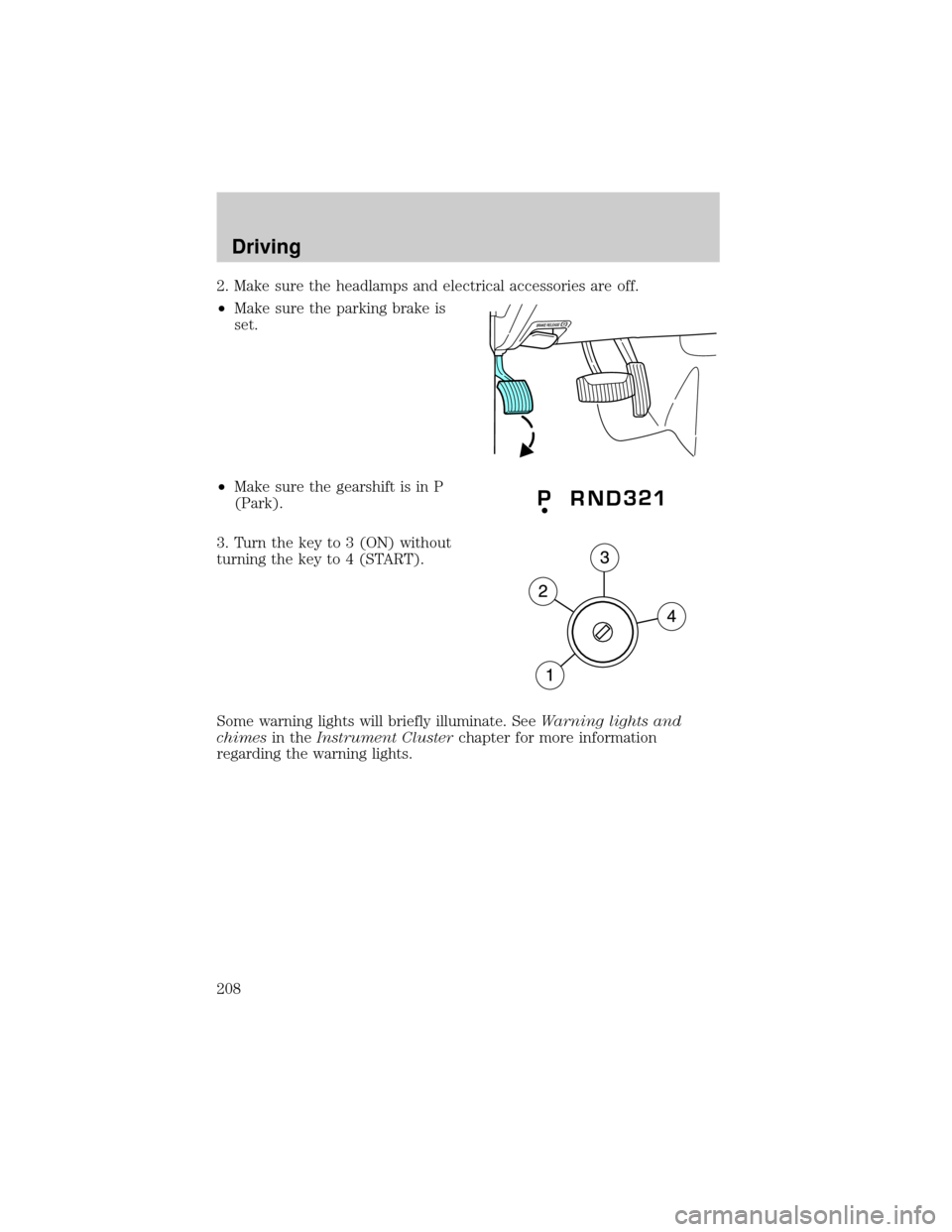
²Make sure the parking brake is
set.
²Make sure the gearshift is in P
(Park).
3. Turn the key to 3 (ON) without
turning the key to 4 (START).
Some warning lights will briefly illuminate. SeeWarning lights and
chimesin theInstrument Clusterchapter for more information
regarding the warning lights.
Driving
208
Page 214 of 328
Driving conditions that may activate AdvanceTractwith RSC include:
²Emergency lane-change
²Taking a turn too fast
²Quick maneuvering to avoid an accident, pedestrian or obstacle
AdvanceTractwith RSC button and icon functionality
The AdvanceTractwith RSC system automatically turns on each time
the engine is started. AdvanceTractwith RSC system status is indicated
by a warning indicator light with a ªsliding carº icon in the instrument
cluster that will flash when the system is active. In R (Reverse), ABS and
the Traction Control feature will continue to function, however ESC and
RSC are disabled.
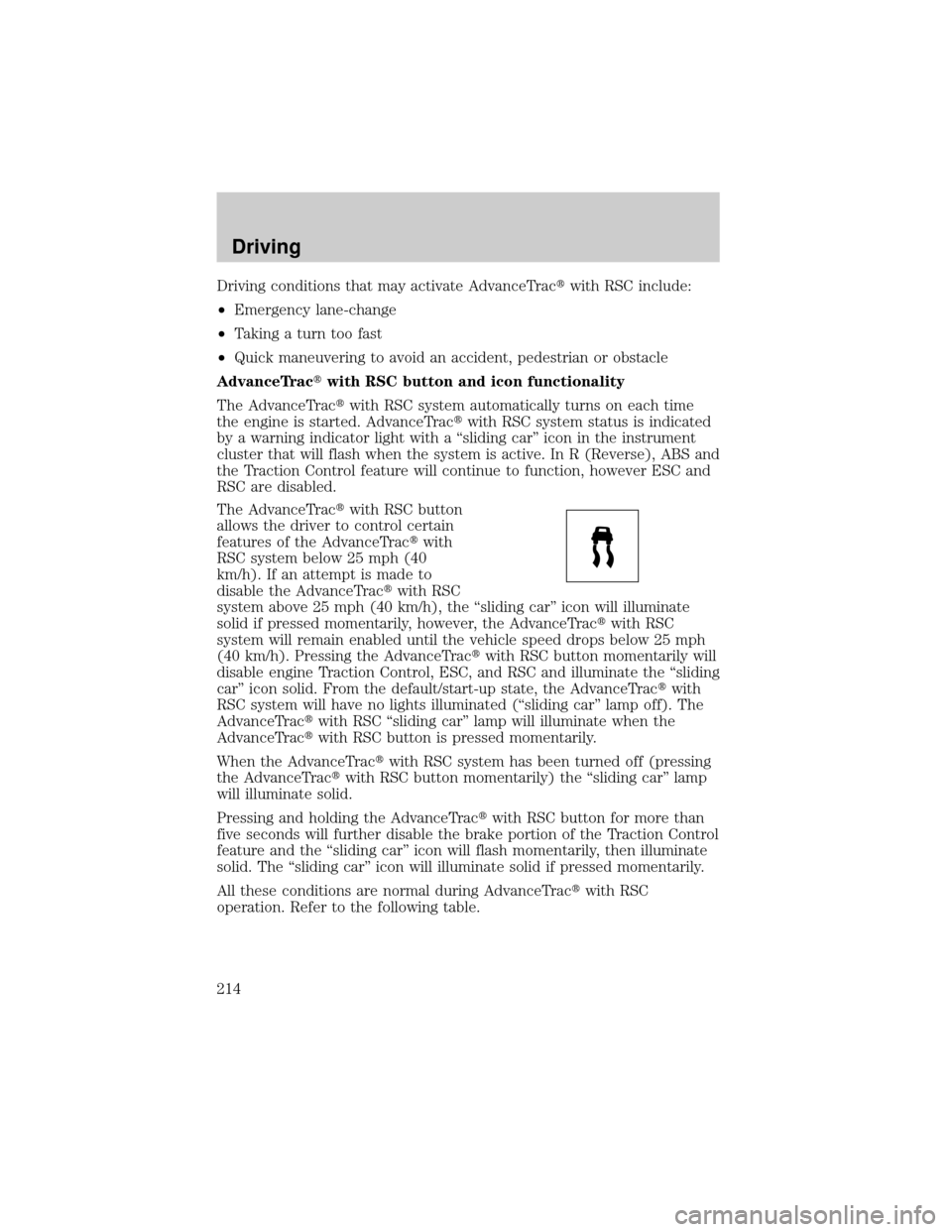
The AdvanceTractwith RSC button
allows the driver to control certain
features of the AdvanceTractwith
RSC system below 25 mph (40
km/h). If an attempt is made to
disable the AdvanceTractwith RSC
system above 25 mph (40 km/h), the ªsliding carº icon will illuminate
solid if pressed momentarily, however, the AdvanceTractwith RSC
system will remain enabled until the vehicle speed drops below 25 mph
(40 km/h). Pressing the AdvanceTractwith RSC button momentarily will
disable engine Traction Control, ESC, and RSC and illuminate the ªsliding
carº icon solid. From the default/start-up state, the AdvanceTractwith
RSC system will have no lights illuminated (ªsliding carº lamp off). The
AdvanceTractwith RSC ªsliding carº lamp will illuminate when the
AdvanceTractwith RSC button is pressed momentarily.
When the AdvanceTractwith RSC system has been turned off (pressing
the AdvanceTractwith RSC button momentarily) the ªsliding carº lamp
will illuminate solid.
Pressing and holding the AdvanceTractwith RSC button for more than
five seconds will further disable the brake portion of the Traction Control
feature and the ªsliding carº icon will flash momentarily, then illuminate
solid. The ªsliding carº icon will illuminate solid if pressed momentarily.
All these conditions are normal during AdvanceTractwith RSC
operation. Refer to the following table.
Driving
214
Page 226 of 328
FOUR-WHEEL DRIVE (4WD) OPERATION (IF EQUIPPED)
For important information regarding safe operation of this type
of vehicle, seePreparing to drive your vehiclein this chapter.
Four±wheel drive (4WD) supplies power to all four wheels. 4WD should
not be operated on dry pavement; driveline damage may occur.
If equipped with the Electronic Shift 4WD System, and 4WD Low is
selected while the vehicle is moving above 3 mph (5 km/h), the 4WD
system will not engage. This is normal and should be no reason for
concern.Refer toShifting to/from 4WD Lowfor proper operation.
System indicator lights
²4X4 HIGH- momentarily
illuminates when the vehicle is
started. Illuminates when 4H is
selected.
²4X4 LOW± momentarily
illuminates when the vehicle is
started. Illuminates when 4L is
selected.
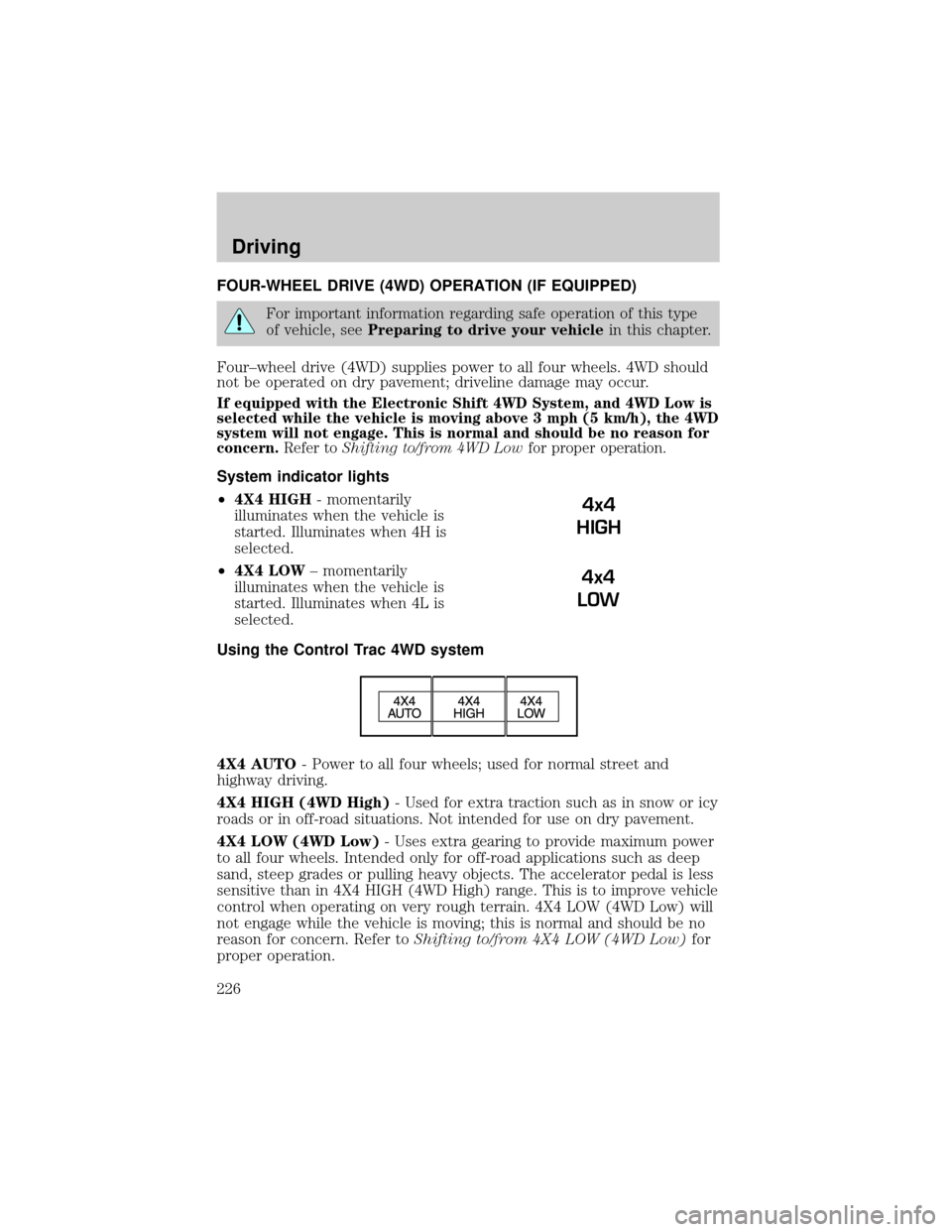
Using the Control Trac 4WD system
4X4 AUTO- Power to all four wheels; used for normal street and
highway driving.
4X4 HIGH (4WD High)- Used for extra traction such as in snow or icy
roads or in off-road situations. Not intended for use on dry pavement.
4X4 LOW (4WD Low)- Uses extra gearing to provide maximum power
to all four wheels. Intended only for off-road applications such as deep
sand, steep grades or pulling heavy objects. The accelerator pedal is less
sensitive than in 4X4 HIGH (4WD High) range. This is to improve vehicle
control when operating on very rough terrain. 4X4 LOW (4WD Low) will
not engage while the vehicle is moving; this is normal and should be no
reason for concern. Refer toShifting to/from 4X4 LOW (4WD Low)for
proper operation.
4x4
HIGH
4x4
LOW
Driving
226
Page 293 of 328
Vehicles driven year-round in non-extreme climates should use a 50/50
mixture of engine coolant and distilled water for optimum cooling system
and engine protection.
What you should know about fail-safe cooling (4.6L V8 engine only)
If the engine coolant supply is depleted, this feature allows the vehicle to
be driven temporarily before incremental component damage is incurred.
The ªfail-safeº distance depends on ambient temperatures, vehicle load
and terrain.
Fail-safe cooling and engine oil temperature sensor (4.6L V8 only)
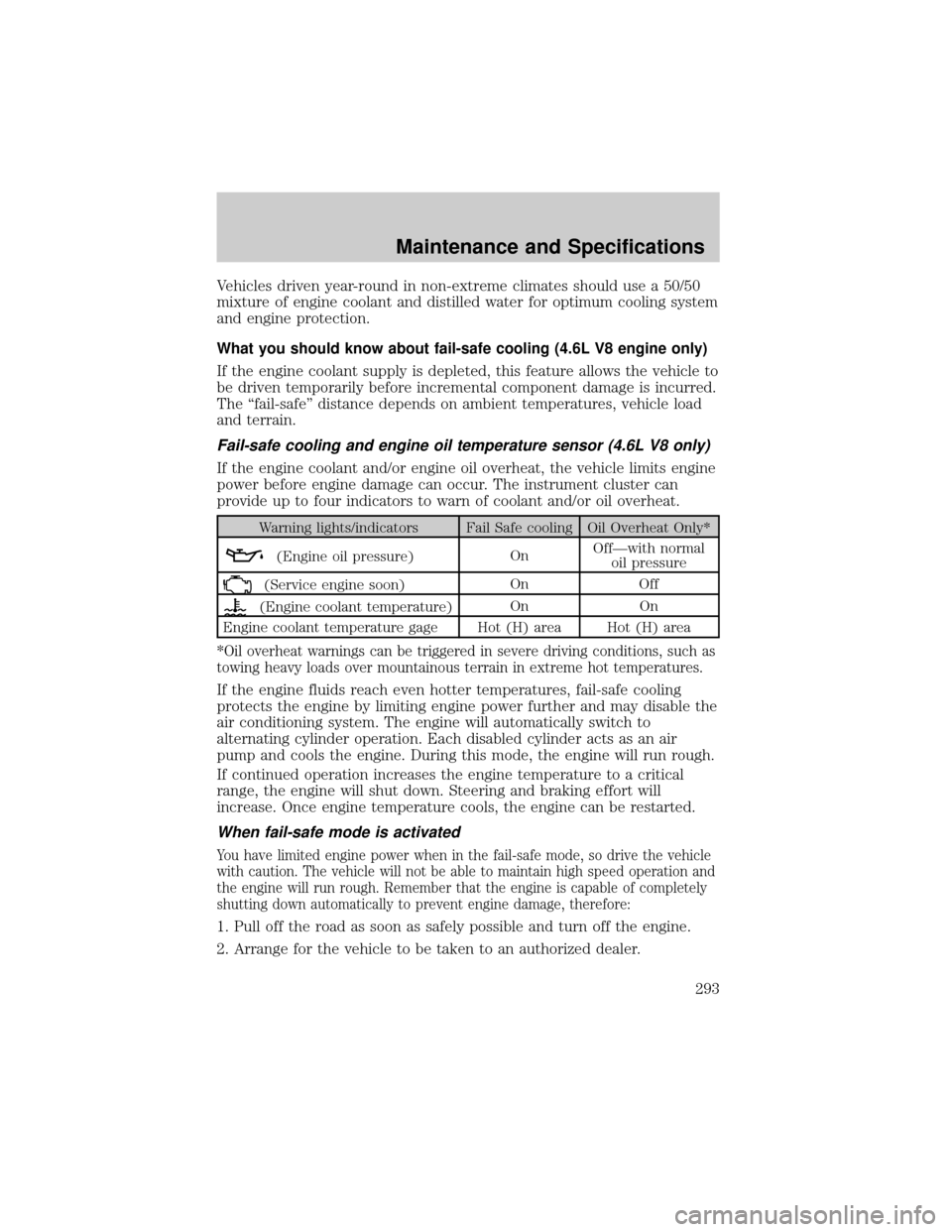
If the engine coolant and/or engine oil overheat, the vehicle limits engine
power before engine damage can occur. The instrument cluster can
provide up to four indicators to warn of coolant and/or oil overheat.
Warning lights/indicators Fail Safe cooling Oil Overheat Only*
(Engine oil pressure)OnOffÐwith normal
oil pressure
(Service engine soon)On Off
(Engine coolant temperature)On On
Engine coolant temperature gage Hot (H) area Hot (H) area
*Oil overheat warnings can be triggered in severe driving conditions, such as
towing heavy loads over mountainous terrain in extreme hot temperatures.
If the engine fluids reach even hotter temperatures, fail-safe cooling
protects the engine by limiting engine power further and may disable the
air conditioning system. The engine will automatically switch to
alternating cylinder operation. Each disabled cylinder acts as an air
pump and cools the engine. During this mode, the engine will run rough.
If continued operation increases the engine temperature to a critical
range, the engine will shut down. Steering and braking effort will
increase. Once engine temperature cools, the engine can be restarted.
When fail-safe mode is activated
You have limited engine power when in the fail-safe mode, so drive the vehicle
with caution. The vehicle will not be able to maintain high speed operation and
the engine will run rough. Remember that the engine is capable of completely
shutting down automatically to prevent engine damage, therefore:
1. Pull off the road as soon as safely possible and turn off the engine.
2. Arrange for the vehicle to be taken to an authorized dealer.
Maintenance and Specifications
293