battery FORD EXPLORER 2006 4.G Owners Manual
[x] Cancel search | Manufacturer: FORD, Model Year: 2006, Model line: EXPLORER, Model: FORD EXPLORER 2006 4.GPages: 328, PDF Size: 3.59 MB
Page 3 of 328
Cleaning 269
Maintenance and Specifications 276
Engine compartment 278
Engine oil 281
Battery 286
Engine Coolant 288
Fuel information 294
Air filter(s) 307
Part numbers 307
Refill capacities 308
Lubricant specifications 310
Accessories 317
Index 320
All rights reserved. Reproduction by any means, electronic or mechanical
including photocopying, recording or by any information storage and retrieval
system or translation in whole or part is not permitted without written
authorization from Ford Motor Company. Ford may change the contents without
notice and without incurring obligation.
Copyright 2005 Ford Motor Company
Table of Contents
3
Page 11 of 328
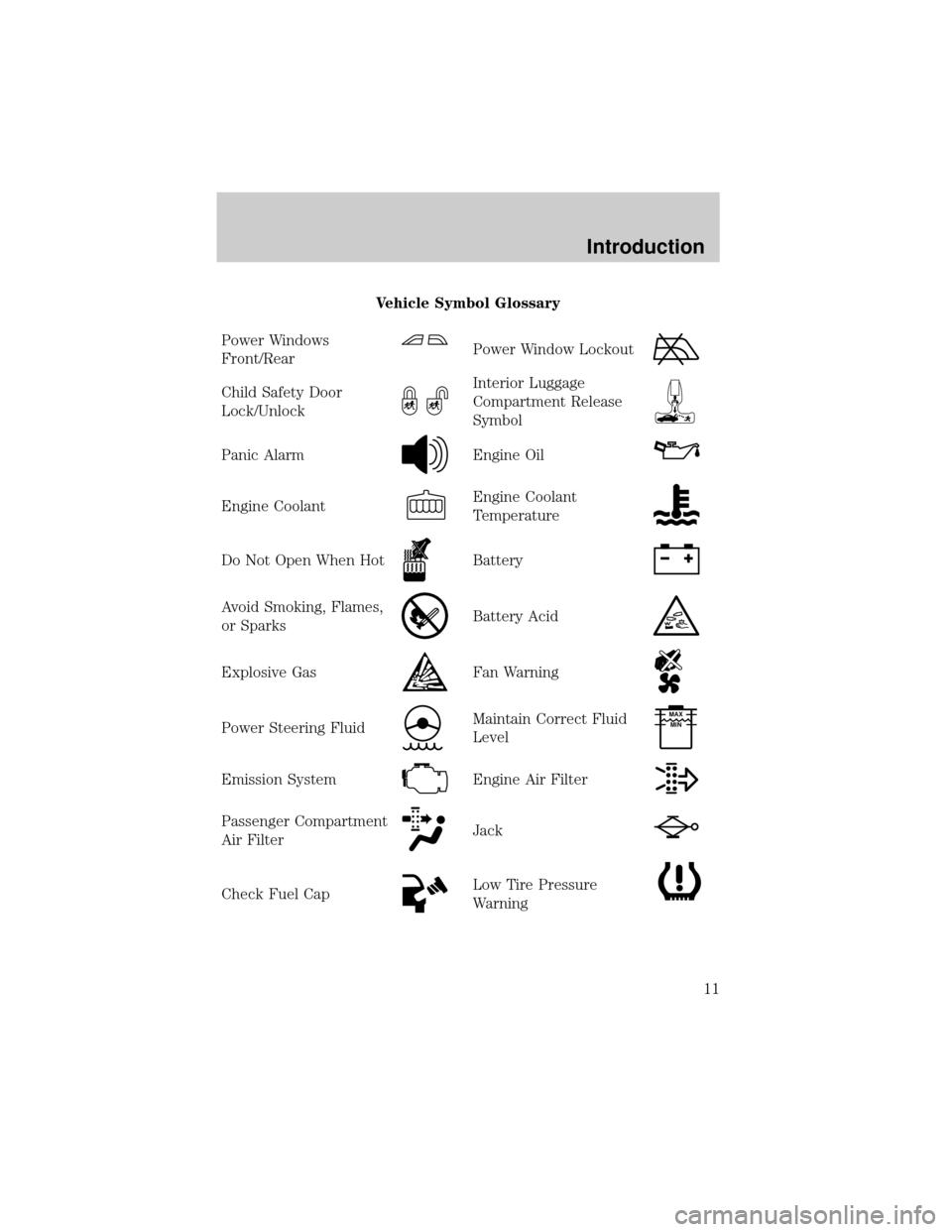
Vehicle Symbol Glossary
Power Windows
Front/Rear
Power Window Lockout
Child Safety Door
Lock/UnlockInterior Luggage
Compartment Release
Symbol
Panic AlarmEngine Oil
Engine CoolantEngine Coolant
Temperature
Do Not Open When HotBattery
Avoid Smoking, Flames,
or SparksBattery Acid
Explosive GasFan Warning
Power Steering FluidMaintain Correct Fluid
LevelMAX
MIN
Emission SystemEngine Air Filter
Passenger Compartment
Air FilterJack
Check Fuel CapLow Tire Pressure
Warning
Introduction
11
Page 14 of 328
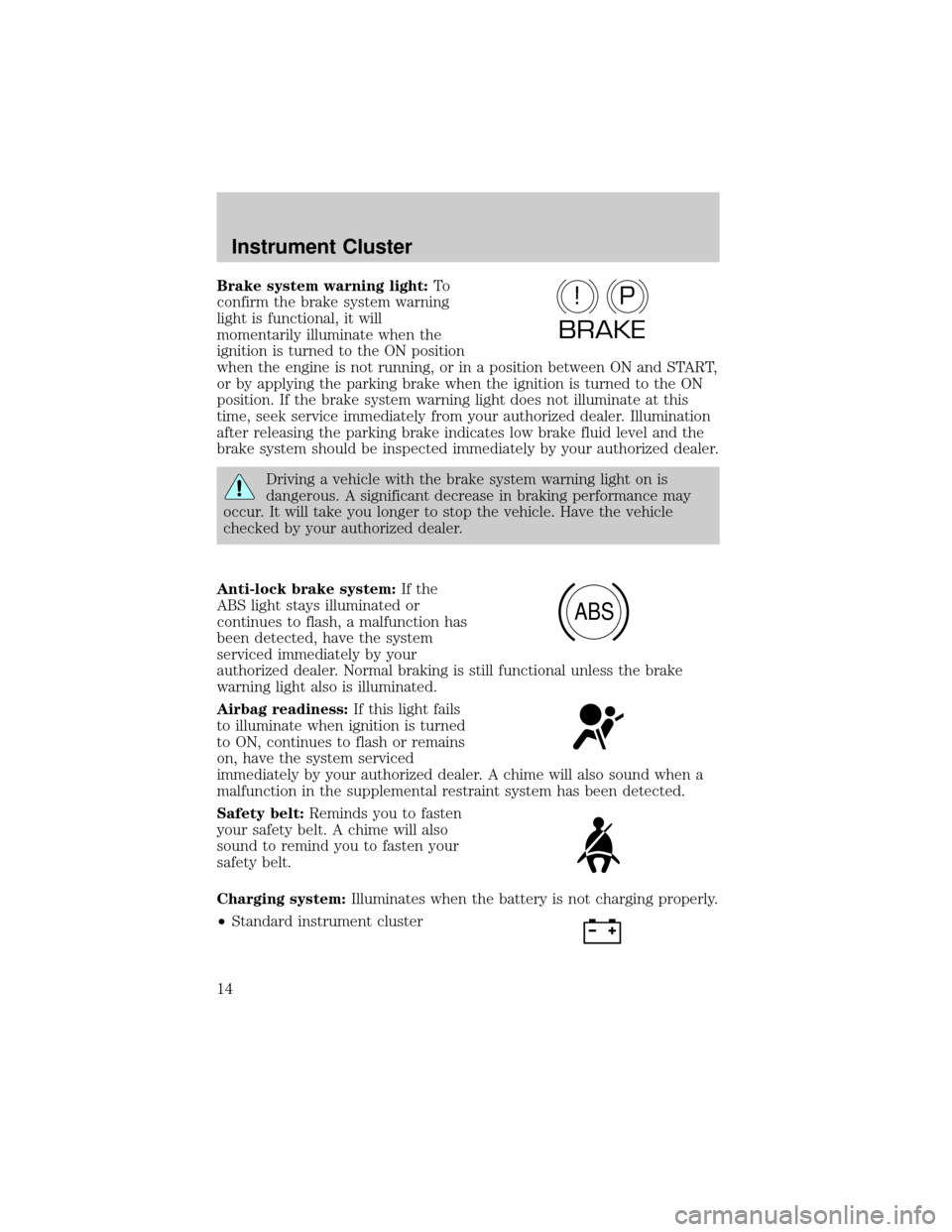
Brake system warning light:To
confirm the brake system warning
light is functional, it will
momentarily illuminate when the
ignition is turned to the ON position
when the engine is not running, or in a position between ON and START,
or by applying the parking brake when the ignition is turned to the ON
position. If the brake system warning light does not illuminate at this
time, seek service immediately from your authorized dealer. Illumination
after releasing the parking brake indicates low brake fluid level and the
brake system should be inspected immediately by your authorized dealer.
Driving a vehicle with the brake system warning light on is
dangerous. A significant decrease in braking performance may
occur. It will take you longer to stop the vehicle. Have the vehicle
checked by your authorized dealer.
Anti-lock brake system:If the
ABS light stays illuminated or
continues to flash, a malfunction has
been detected, have the system
serviced immediately by your
authorized dealer. Normal braking is still functional unless the brake
warning light also is illuminated.
Airbag readiness:If this light fails
to illuminate when ignition is turned
to ON, continues to flash or remains
on, have the system serviced
immediately by your authorized dealer. A chime will also sound when a
malfunction in the supplemental restraint system has been detected.
Safety belt:Reminds you to fasten
your safety belt. A chime will also
sound to remind you to fasten your
safety belt.
Charging system:Illuminates when the battery is not charging properly.
²Standard instrument cluster
P!
BRAKE
ABS
Instrument Cluster
14
Page 55 of 328
²Place the provided height
adaptors onto the back of the
door as needed.
²Close the door.
²Press the depression in the door
to activate the transmitter.
AUXILIARY POWER POINT (12VDC)
Power outlets are designed for accessory plugs only. Do not insert
any other object in the power outlet as this will damage the
outlet and blow the fuse. Do not hang any type of accessory or
accessory bracket from the plug. Improper use of the power
outlet can cause damage not covered by your warranty.
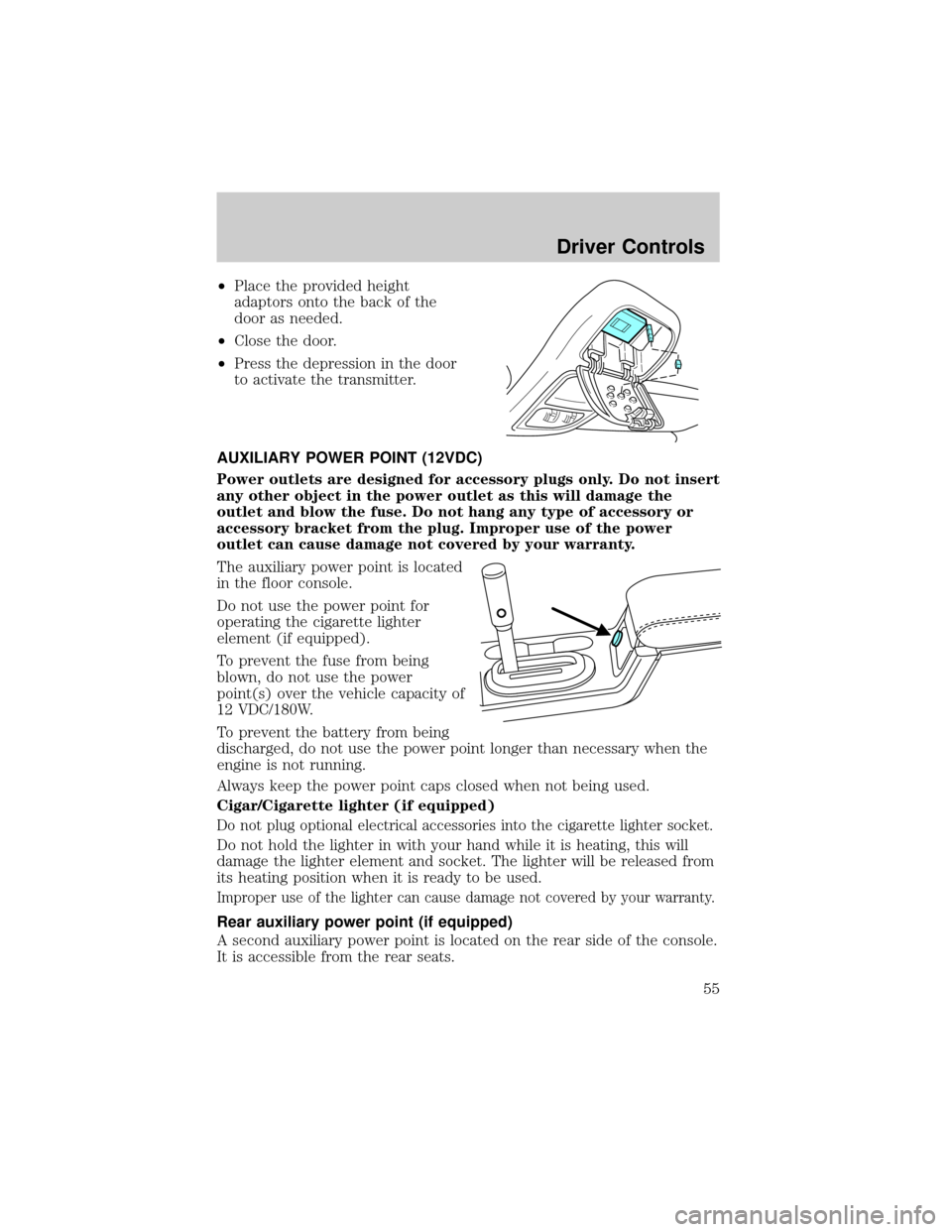
The auxiliary power point is located
in the floor console.
Do not use the power point for
operating the cigarette lighter
element (if equipped).
To prevent the fuse from being
blown, do not use the power
point(s) over the vehicle capacity of
12 VDC/180W.
To prevent the battery from being
discharged, do not use the power point longer than necessary when the
engine is not running.
Always keep the power point caps closed when not being used.
Cigar/Cigarette lighter (if equipped)
Do not plug optional electrical accessories into the cigarette lighter socket.
Do not hold the lighter in with your hand while it is heating, this will
damage the lighter element and socket. The lighter will be released from
its heating position when it is ready to be used.
Improper use of the lighter can cause damage not covered by your warranty.
Rear auxiliary power point (if equipped)
A second auxiliary power point is located on the rear side of the console.
It is accessible from the rear seats.
Driver Controls
55
Page 66 of 328
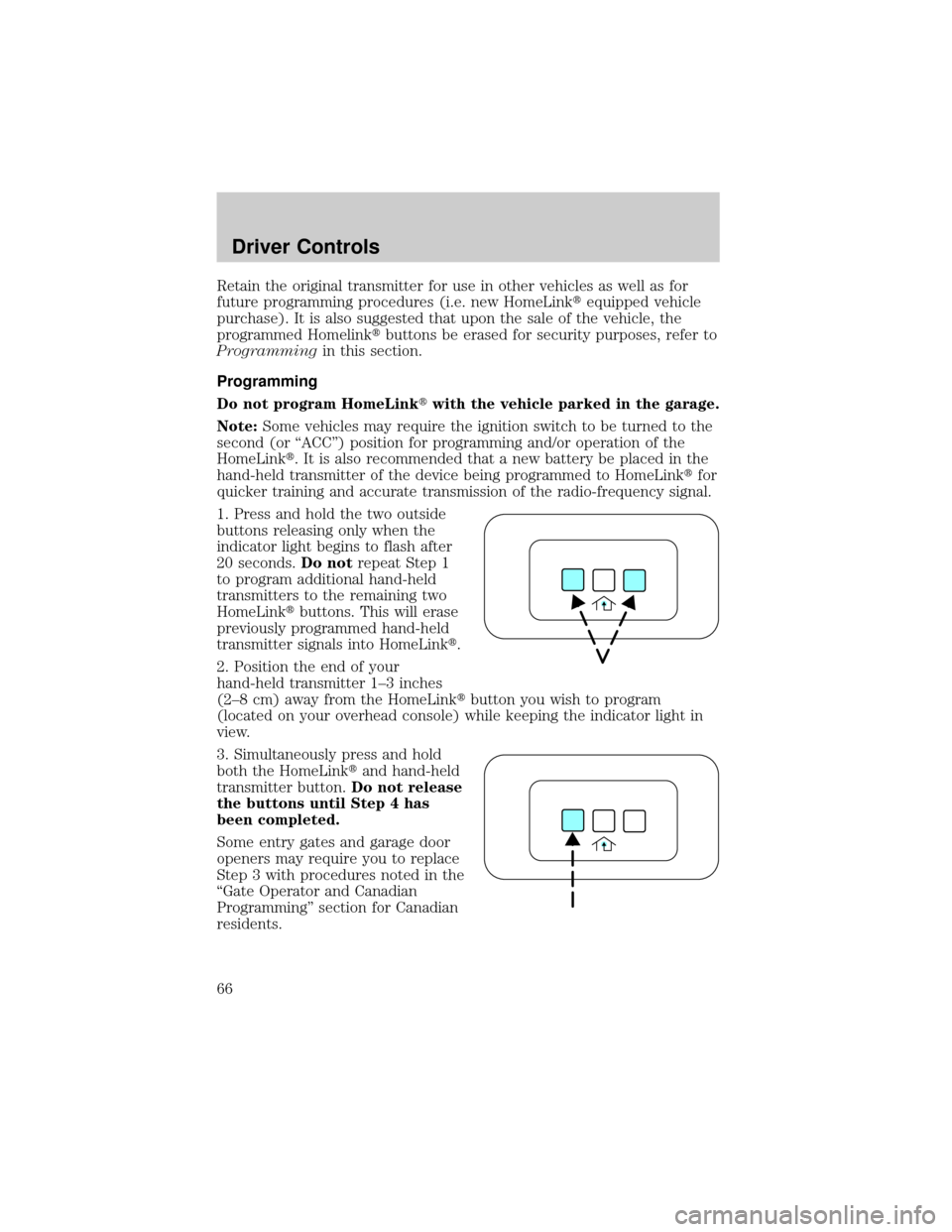
Retain the original transmitter for use in other vehicles as well as for
future programming procedures (i.e. new HomeLinktequipped vehicle
purchase). It is also suggested that upon the sale of the vehicle, the
programmed Homelinktbuttons be erased for security purposes, refer to
Programmingin this section.
Programming
Do not program HomeLinktwith the vehicle parked in the garage.
Note:Some vehicles may require the ignition switch to be turned to the
second (or ªACCº) position for programming and/or operation of the
HomeLinkt. It is also recommended that a new battery be placed in the
hand-held transmitter of the device being programmed to HomeLinktfor
quicker training and accurate transmission of the radio-frequency signal.
1. Press and hold the two outside
buttons releasing only when the
indicator light begins to flash after
20 seconds.Do notrepeat Step 1
to program additional hand-held
transmitters to the remaining two
HomeLinktbuttons. This will erase
previously programmed hand-held
transmitter signals into HomeLinkt.
2. Position the end of your
hand-held transmitter 1±3 inches
(2±8 cm) away from the HomeLinktbutton you wish to program
(located on your overhead console) while keeping the indicator light in
view.
3. Simultaneously press and hold
both the HomeLinktand hand-held
transmitter button.Do not release
the buttons until Step 4 has
been completed.
Some entry gates and garage door
openers may require you to replace
Step 3 with procedures noted in the
ªGate Operator and Canadian
Programmingº section for Canadian
residents.
Driver Controls
66
Page 70 of 328
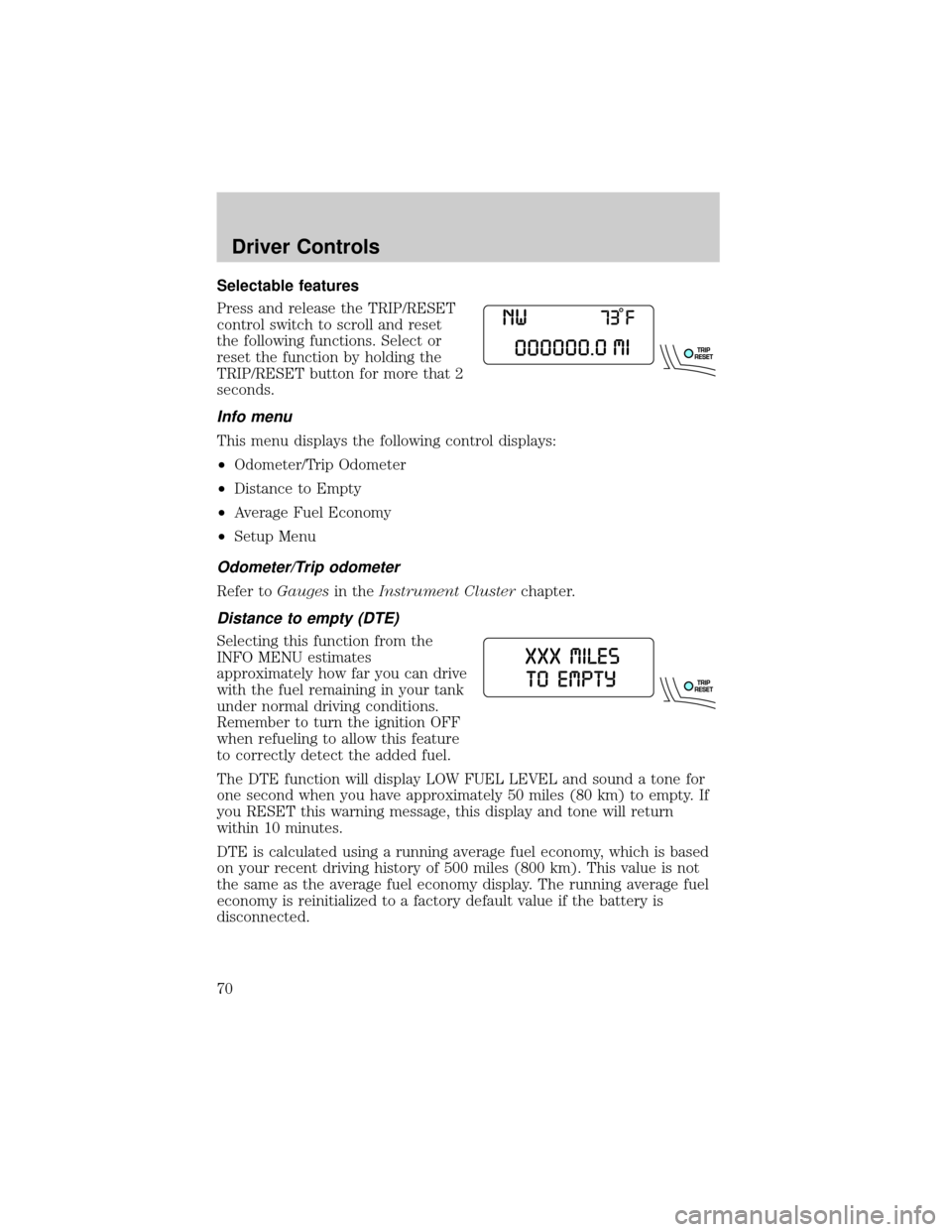
Selectable features
Press and release the TRIP/RESET
control switch to scroll and reset
the following functions. Select or
reset the function by holding the
TRIP/RESET button for more that 2
seconds.
Info menu
This menu displays the following control displays:
²Odometer/Trip Odometer
²Distance to Empty
²Average Fuel Economy
²Setup Menu
Odometer/Trip odometer
Refer toGaugesin theInstrument Clusterchapter.
Distance to empty (DTE)
Selecting this function from the
INFO MENU estimates
approximately how far you can drive
with the fuel remaining in your tank
under normal driving conditions.
Remember to turn the ignition OFF
when refueling to allow this feature
to correctly detect the added fuel.
The DTE function will display LOW FUEL LEVEL and sound a tone for
one second when you have approximately 50 miles (80 km) to empty. If
you RESET this warning message, this display and tone will return
within 10 minutes.
DTE is calculated using a running average fuel economy, which is based
on your recent driving history of 500 miles (800 km). This value is not
the same as the average fuel economy display. The running average fuel
economy is reinitialized to a factory default value if the battery is
disconnected.
Driver Controls
70
Page 82 of 328
Trip odometer
Refer toGaugesin theInstrument Clusterchapter.
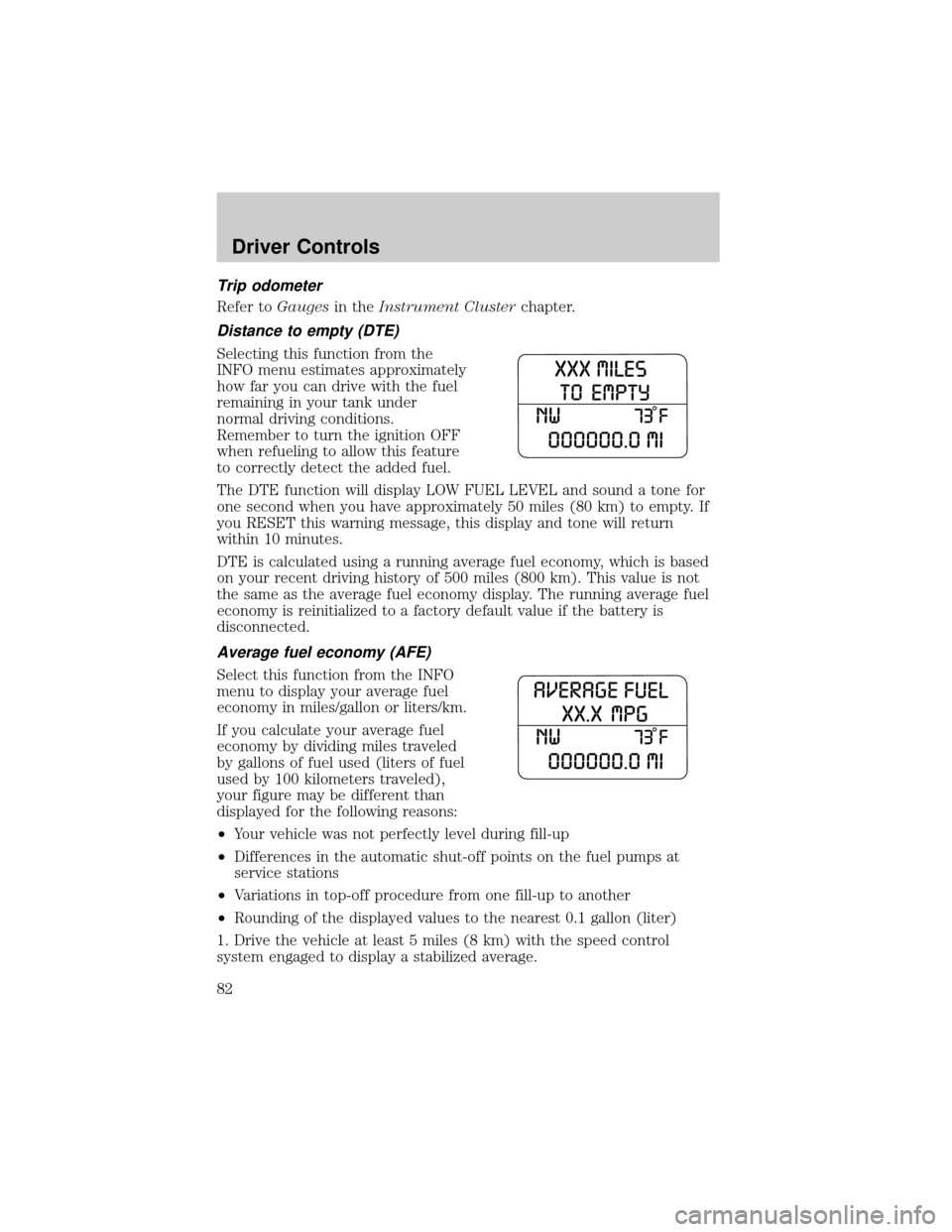
Distance to empty (DTE)
Selecting this function from the
INFO menu estimates approximately
how far you can drive with the fuel
remaining in your tank under
normal driving conditions.
Remember to turn the ignition OFF
when refueling to allow this feature
to correctly detect the added fuel.
The DTE function will display LOW FUEL LEVEL and sound a tone for
one second when you have approximately 50 miles (80 km) to empty. If
you RESET this warning message, this display and tone will return
within 10 minutes.
DTE is calculated using a running average fuel economy, which is based
on your recent driving history of 500 miles (800 km). This value is not
the same as the average fuel economy display. The running average fuel
economy is reinitialized to a factory default value if the battery is
disconnected.
Average fuel economy (AFE)
Select this function from the INFO
menu to display your average fuel
economy in miles/gallon or liters/km.
If you calculate your average fuel
economy by dividing miles traveled
by gallons of fuel used (liters of fuel
used by 100 kilometers traveled),
your figure may be different than
displayed for the following reasons:
²Your vehicle was not perfectly level during fill-up
²Differences in the automatic shut-off points on the fuel pumps at
service stations
²Variations in top-off procedure from one fill-up to another
²Rounding of the displayed values to the nearest 0.1 gallon (liter)
1. Drive the vehicle at least 5 miles (8 km) with the speed control
system engaged to display a stabilized average.
Driver Controls
82
Page 101 of 328
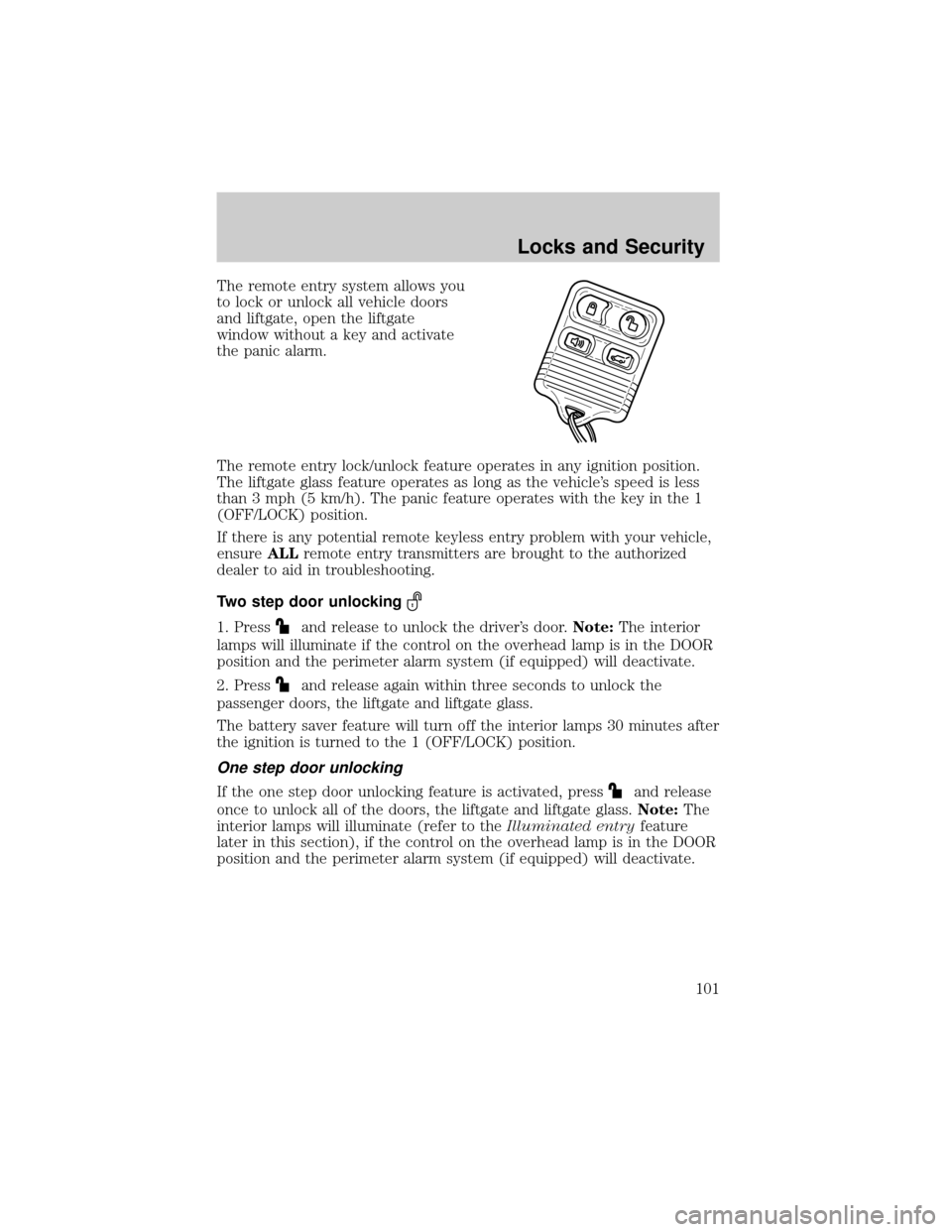
The remote entry system allows you
to lock or unlock all vehicle doors
and liftgate, open the liftgate
window without a key and activate
the panic alarm.
The remote entry lock/unlock feature operates in any ignition position.
The liftgate glass feature operates as long as the vehicle's speed is less
than 3 mph (5 km/h). The panic feature operates with the key in the 1
(OFF/LOCK) position.
If there is any potential remote keyless entry problem with your vehicle,
ensureALLremote entry transmitters are brought to the authorized
dealer to aid in troubleshooting.
Two step door unlocking
1. Pressand release to unlock the driver's door.Note:The interior
lamps will illuminate if the control on the overhead lamp is in the DOOR
position and the perimeter alarm system (if equipped) will deactivate.
2. Press
and release again within three seconds to unlock the
passenger doors, the liftgate and liftgate glass.
The battery saver feature will turn off the interior lamps 30 minutes after
the ignition is turned to the 1 (OFF/LOCK) position.
One step door unlocking
If the one step door unlocking feature is activated, pressand release
once to unlock all of the doors, the liftgate and liftgate glass.Note:The
interior lamps will illuminate (refer to theIlluminated entryfeature
later in this section), if the control on the overhead lamp is in the DOOR
position and the perimeter alarm system (if equipped) will deactivate.
Locks and Security
101
Page 103 of 328
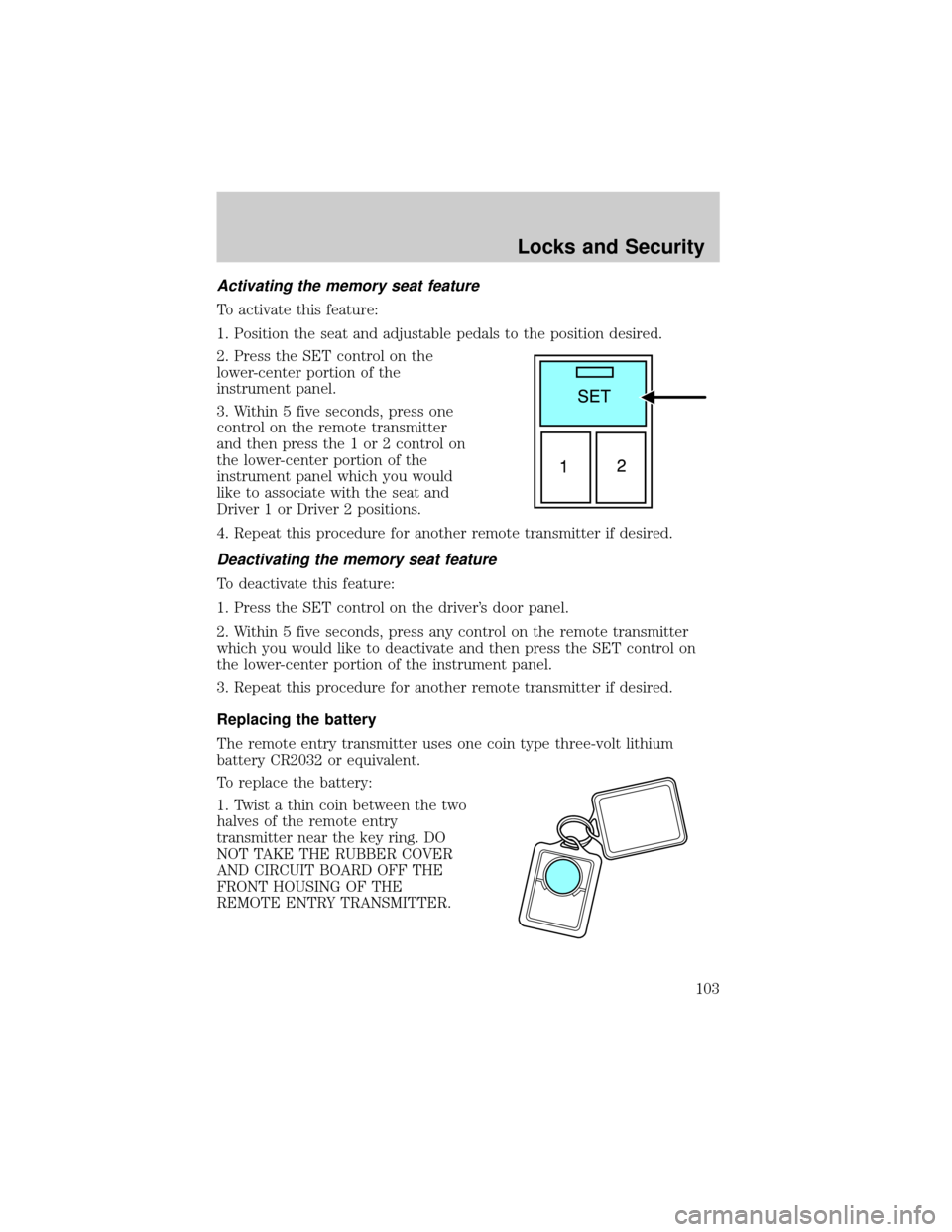
Activating the memory seat feature
To activate this feature:
1. Position the seat and adjustable pedals to the position desired.
2. Press the SET control on the
lower-center portion of the
instrument panel.
3. Within 5 five seconds, press one
control on the remote transmitter
and then press the 1 or 2 control on
the lower-center portion of the
instrument panel which you would
like to associate with the seat and
Driver 1 or Driver 2 positions.
4. Repeat this procedure for another remote transmitter if desired.
Deactivating the memory seat feature
To deactivate this feature:
1. Press the SET control on the driver's door panel.
2. Within 5 five seconds, press any control on the remote transmitter
which you would like to deactivate and then press the SET control on
the lower-center portion of the instrument panel.
3. Repeat this procedure for another remote transmitter if desired.
Replacing the battery
The remote entry transmitter uses one coin type three-volt lithium
battery CR2032 or equivalent.
To replace the battery:
1. Twist a thin coin between the two
halves of the remote entry
transmitter near the key ring. DO
NOT TAKE THE RUBBER COVER
AND CIRCUIT BOARD OFF THE
FRONT HOUSING OF THE
REMOTE ENTRY TRANSMITTER.
Locks and Security
103
Page 104 of 328
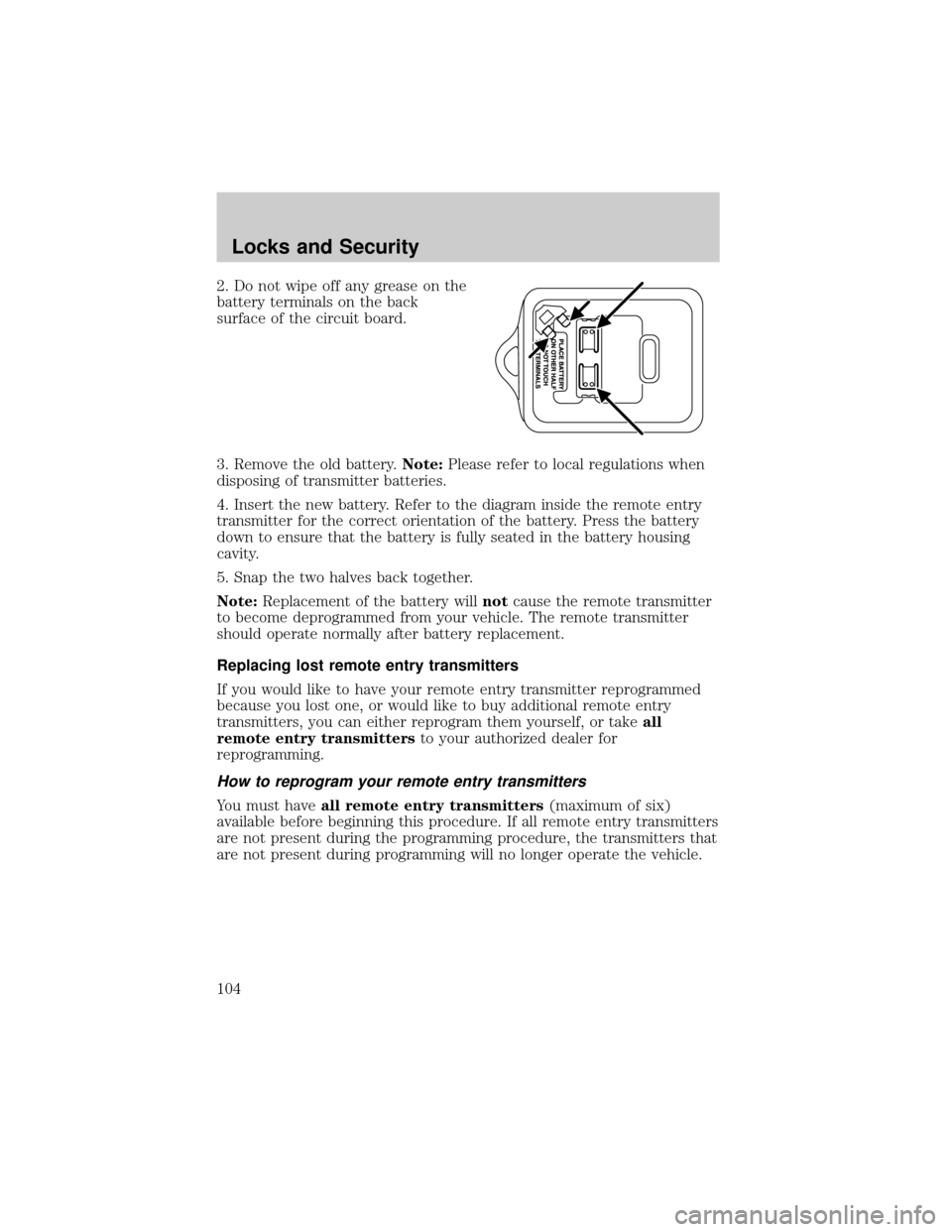
2. Do not wipe off any grease on the
battery terminals on the back
surface of the circuit board.
3. Remove the old battery.Note:Please refer to local regulations when
disposing of transmitter batteries.
4. Insert the new battery. Refer to the diagram inside the remote entry
transmitter for the correct orientation of the battery. Press the battery
down to ensure that the battery is fully seated in the battery housing
cavity.
5. Snap the two halves back together.
Note:Replacement of the battery willnotcause the remote transmitter
to become deprogrammed from your vehicle. The remote transmitter
should operate normally after battery replacement.
Replacing lost remote entry transmitters
If you would like to have your remote entry transmitter reprogrammed
because you lost one, or would like to buy additional remote entry
transmitters, you can either reprogram them yourself, or takeall
remote entry transmittersto your authorized dealer for
reprogramming.
How to reprogram your remote entry transmitters
You must haveall remote entry transmitters(maximum of six)
available before beginning this procedure. If all remote entry transmitters
are not present during the programming procedure, the transmitters that
are not present during programming will no longer operate the vehicle.
Locks and Security
104