roof FORD EXPLORER 2006 4.G Owners Manual
[x] Cancel search | Manufacturer: FORD, Model Year: 2006, Model line: EXPLORER, Model: FORD EXPLORER 2006 4.GPages: 328, PDF Size: 3.59 MB
Page 21 of 328
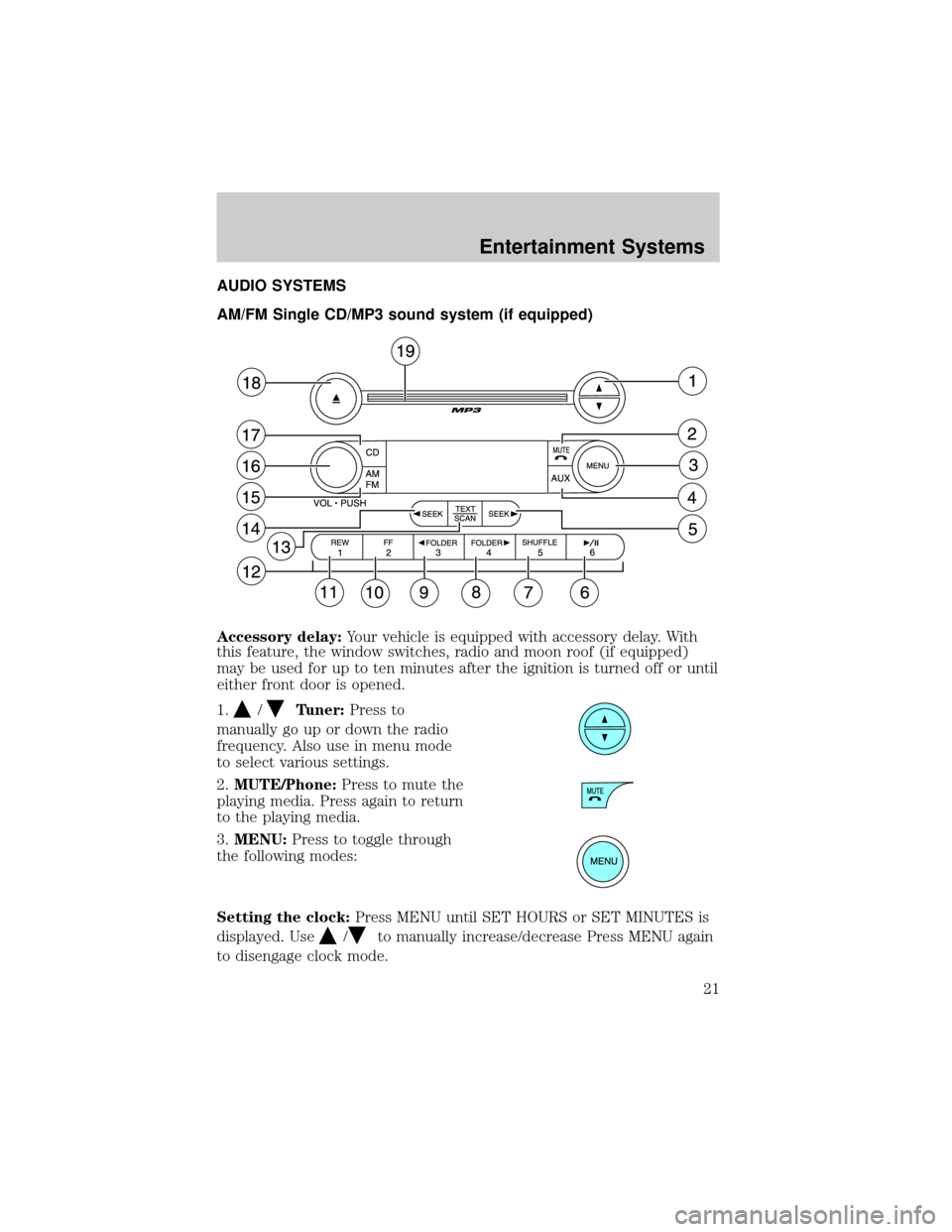
AUDIO SYSTEMS
AM/FM Single CD/MP3 sound system (if equipped)
Accessory delay:Your vehicle is equipped with accessory delay. With
this feature, the window switches, radio and moon roof (if equipped)
may be used for up to ten minutes after the ignition is turned off or until
either front door is opened.
1.
/Tuner:Press to
manually go up or down the radio
frequency. Also use in menu mode
to select various settings.
2.MUTE/Phone:Press to mute the
playing media. Press again to return
to the playing media.
3.MENU:Press to toggle through
the following modes:
Setting the clock:Press MENU until SET HOURS or SET MINUTES is
displayed. Use
/to manually increase/decrease Press MENU again
to disengage clock mode.
Entertainment Systems
21
Page 25 of 328
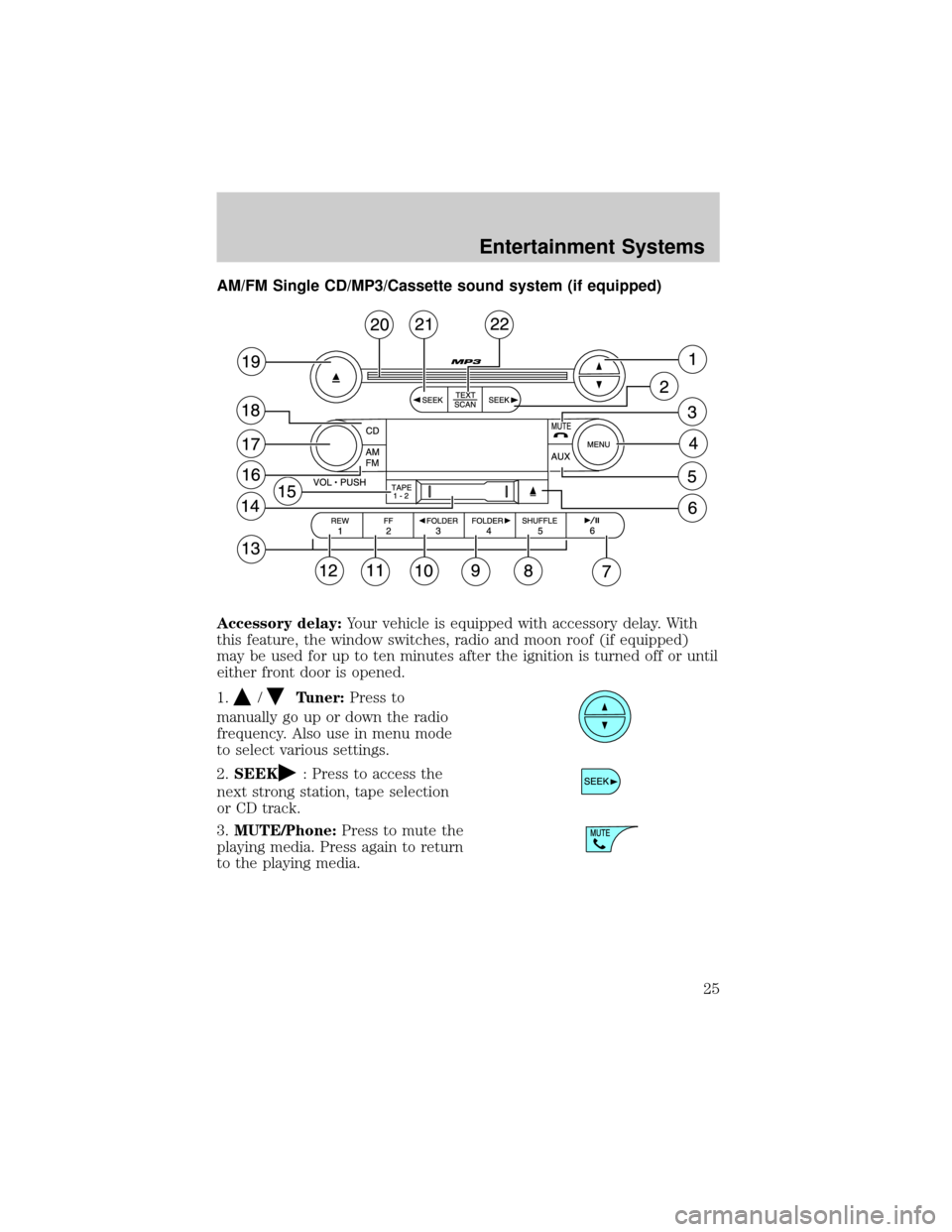
AM/FM Single CD/MP3/Cassette sound system (if equipped)
Accessory delay:Your vehicle is equipped with accessory delay. With
this feature, the window switches, radio and moon roof (if equipped)
may be used for up to ten minutes after the ignition is turned off or until
either front door is opened.
1.
/Tuner:Press to
manually go up or down the radio
frequency. Also use in menu mode
to select various settings.
2.SEEK
: Press to access the
next strong station, tape selection
or CD track.
3.MUTE/Phone:Press to mute the
playing media. Press again to return
to the playing media.
Entertainment Systems
25
Page 29 of 328
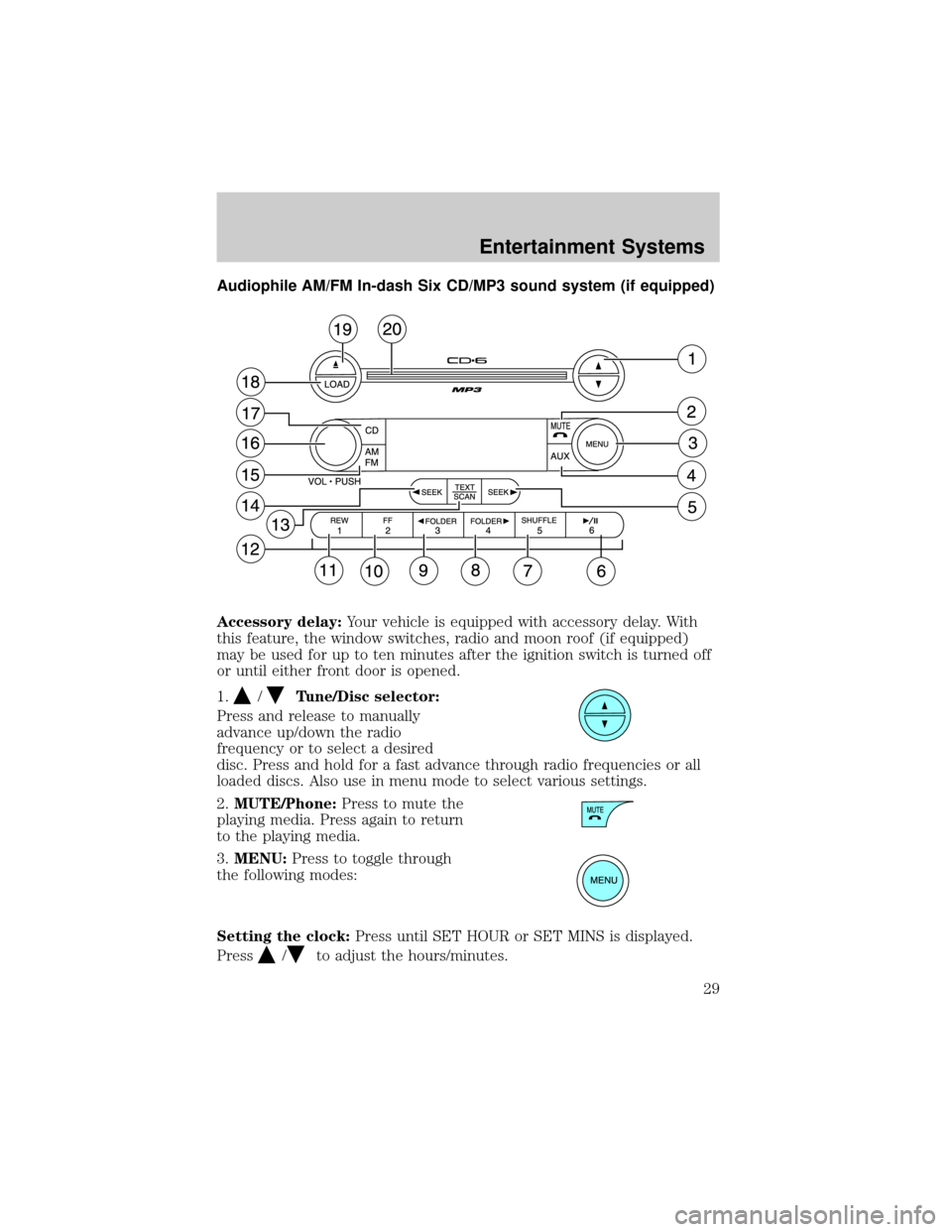
Audiophile AM/FM In-dash Six CD/MP3 sound system (if equipped)
Accessory delay:Your vehicle is equipped with accessory delay. With
this feature, the window switches, radio and moon roof (if equipped)
may be used for up to ten minutes after the ignition switch is turned off
or until either front door is opened.
1.
/Tune/Disc selector:
Press and release to manually
advance up/down the radio
frequency or to select a desired
disc. Press and hold for a fast advance through radio frequencies or all
loaded discs. Also use in menu mode to select various settings.
2.MUTE/Phone:Press to mute the
playing media. Press again to return
to the playing media.
3.MENU:Press to toggle through
the following modes:
Setting the clock:Press until SET HOUR or SET MINS is displayed.
Press
/to adjust the hours/minutes.
Entertainment Systems
29
Page 58 of 328
Accessory delay
With accessory delay, the window switches, audio system and moon roof
(if equipped) may be used for up to ten minutes after the ignition switch
is turned to the OFF position or until either front door is opened.
AUTOMATIC DIMMING INSIDE REAR VIEW MIRROR (IF EQUIPPED)
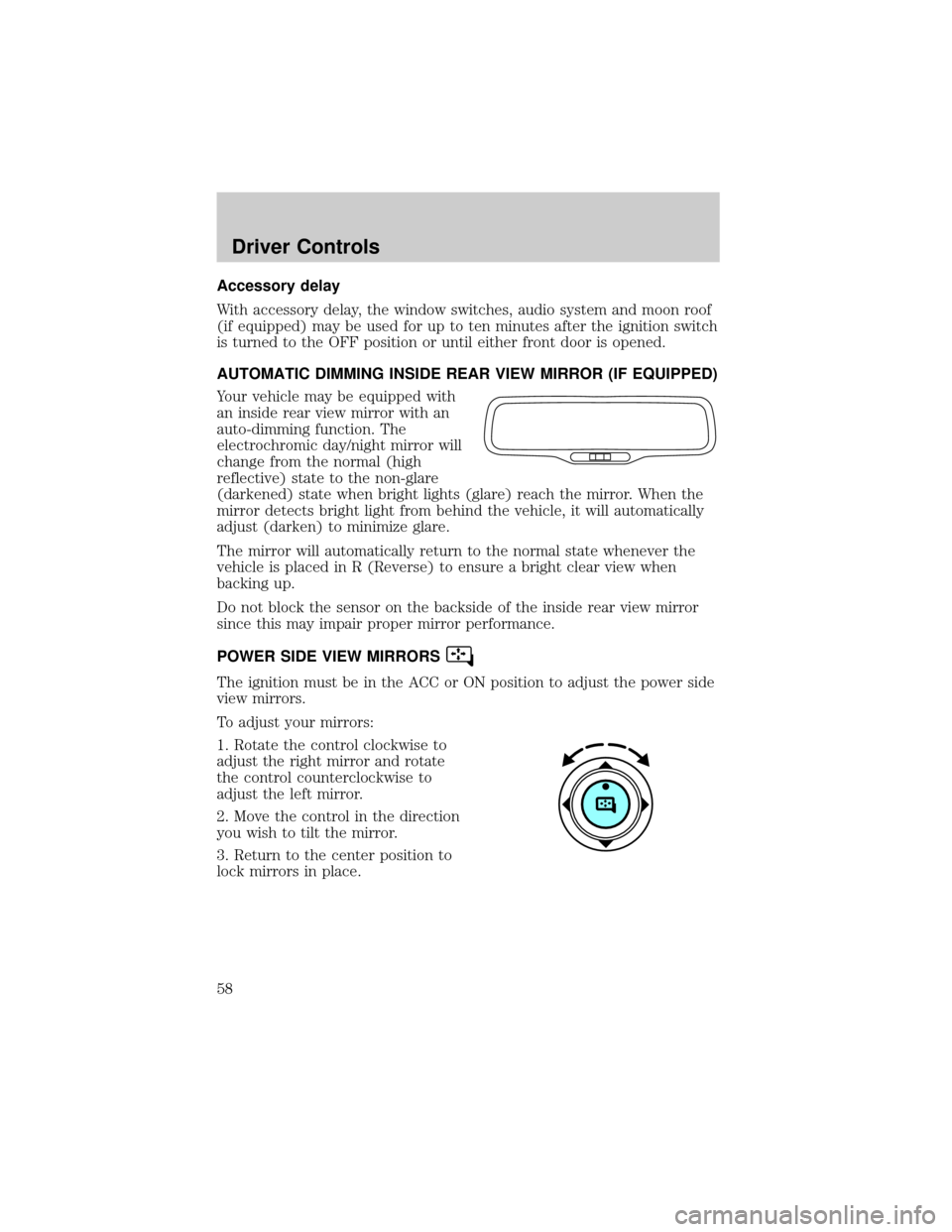
Your vehicle may be equipped with
an inside rear view mirror with an
auto-dimming function. The
electrochromic day/night mirror will
change from the normal (high
reflective) state to the non-glare
(darkened) state when bright lights (glare) reach the mirror. When the
mirror detects bright light from behind the vehicle, it will automatically
adjust (darken) to minimize glare.
The mirror will automatically return to the normal state whenever the
vehicle is placed in R (Reverse) to ensure a bright clear view when
backing up.
Do not block the sensor on the backside of the inside rear view mirror
since this may impair proper mirror performance.
POWER SIDE VIEW MIRRORS
The ignition must be in the ACC or ON position to adjust the power side
view mirrors.
To adjust your mirrors:
1. Rotate the control clockwise to
adjust the right mirror and rotate
the control counterclockwise to
adjust the left mirror.
2. Move the control in the direction
you wish to tilt the mirror.
3. Return to the center position to
lock mirrors in place.
Driver Controls
58
Page 64 of 328
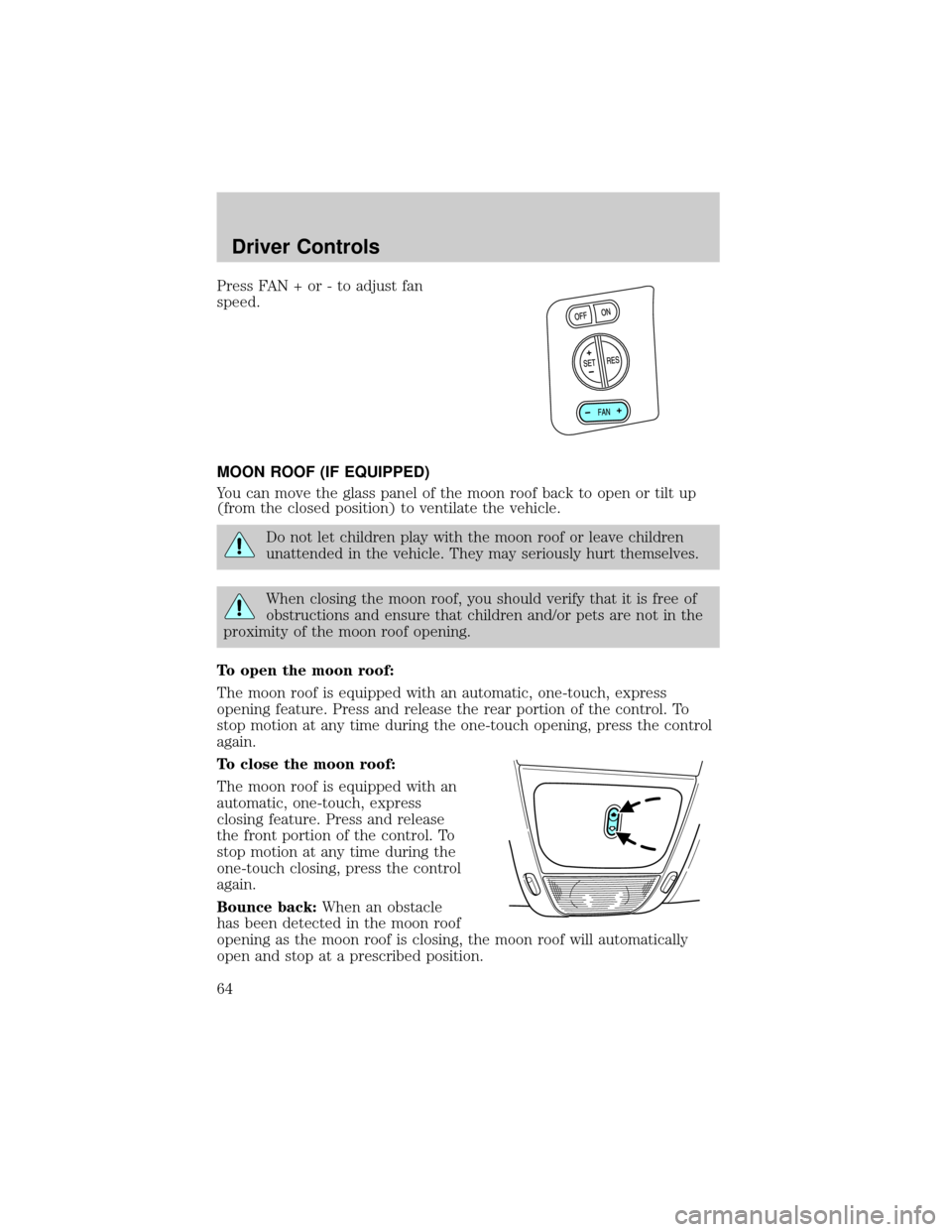
Press FAN + or - to adjust fan
speed.
MOON ROOF (IF EQUIPPED)
You can move the glass panel of the moon roof back to open or tilt up
(from the closed position) to ventilate the vehicle.
Do not let children play with the moon roof or leave children
unattended in the vehicle. They may seriously hurt themselves.
When closing the moon roof, you should verify that it is free of
obstructions and ensure that children and/or pets are not in the
proximity of the moon roof opening.
To open the moon roof:
The moon roof is equipped with an automatic, one-touch, express
opening feature. Press and release the rear portion of the control. To
stop motion at any time during the one-touch opening, press the control
again.
To close the moon roof:
The moon roof is equipped with an
automatic, one-touch, express
closing feature. Press and release
the front portion of the control. To
stop motion at any time during the
one-touch closing, press the control
again.
Bounce back:When an obstacle
has been detected in the moon roof
opening as the moon roof is closing, the moon roof will automatically
open and stop at a prescribed position.
Driver Controls
64
Page 65 of 328
Bounce back override:To override bounce back, within 2 seconds after
reaching bounce back position, if the switch is held in the close position
the moon roof will close with a 20±25 percent increase of closing force
before it will bounce back again. If the switch is released before the
moon roof reaches fully closed position, the moon roof will stop. For
example: Bounce Back Override can be used to overcome the resistance
of ice on the moon roof or seals.
To vent:
²To tilt the moon roof into the vent position (when the glass panel is
closed), press and hold the front portion of the control.
²To close the moon roof from the vent position, press and hold the rear
portion of the control until the glass panel stops moving.
The moon roof has a sliding shade that can be opened or closed when
the glass panel is shut. To close the shade, pull it toward the front of the
vehicle.
Accessory delay:
With accessory delay, the window switches, audio system, and moon roof
(if equipped) may be used for up to 10 minutes after the ignition switch
is turned to the OFF position or until either front door is opened.
HOMELINKTWIRELESS CONTROL SYSTEM (IF EQUIPPED)
The HomeLinktWireless Control System, located on the overhead
console, provides a convenient way to replace up to three hand-held
transmitters with a single built-in device. This feature will learn the radio
frequency codes of most transmitters to operate garage doors, entry gate
operators, security systems, entry door locks, and home or office lighting.
When programming your HomeLinktWireless Control System to
a garage door or gate, be sure that people and objects are out of
the way to prevent potential harm or damage.
Do not use the HomeLinktWireless Control System with any garage
door opener that lacks safety stop and reverse features as required by
U.S. federal safety standards (this includes any garage door opener
model manufactured before April 1, 1982). A garage door which cannot
detect an object, signaling the door to stop and reverse, does not meet
current U.S. federal safety standards. For more information, contact
HomeLinktat:www.homelink.comor1±800±355±3515.
Driver Controls
65
Page 97 of 328
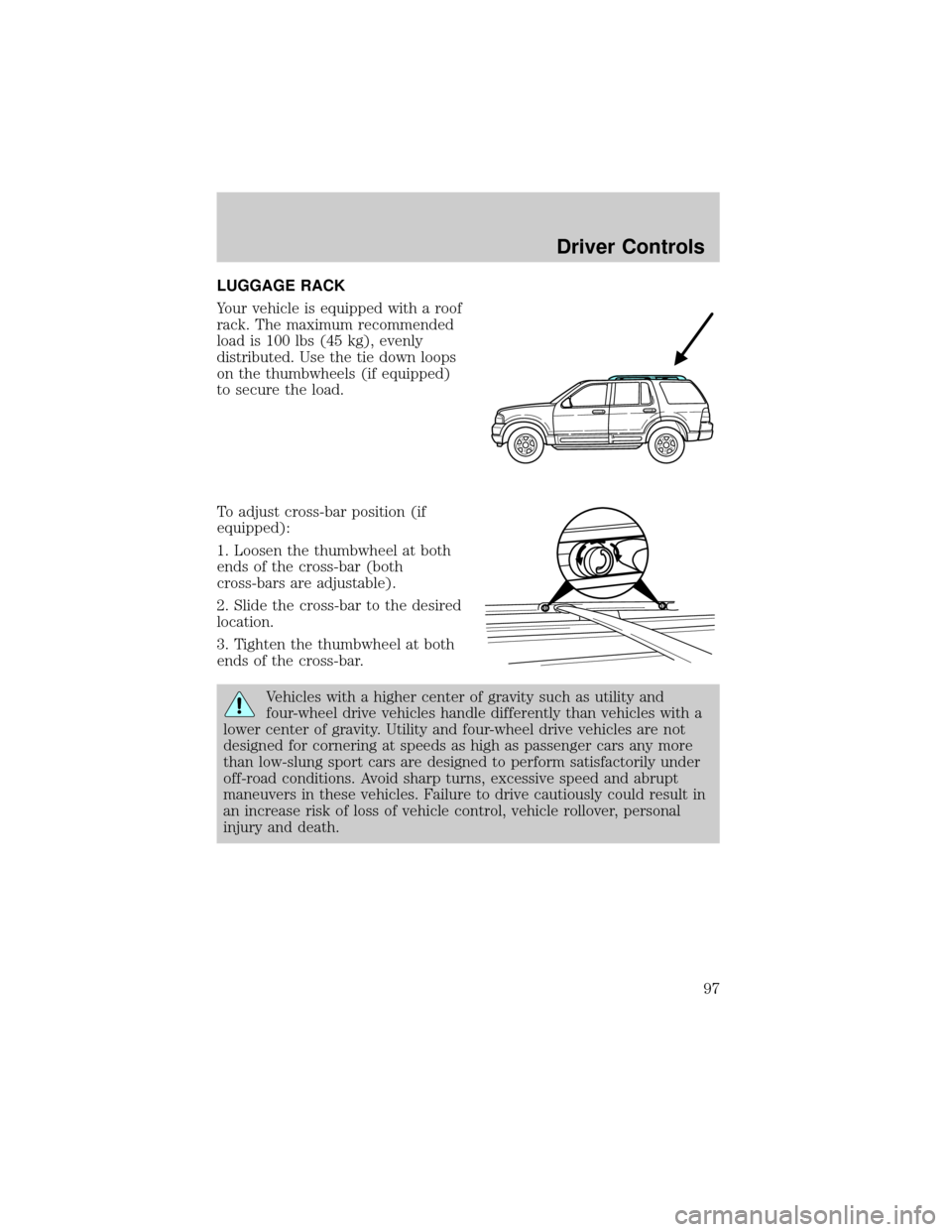
LUGGAGE RACK
Your vehicle is equipped with a roof
rack. The maximum recommended
load is 100 lbs (45 kg), evenly
distributed. Use the tie down loops
on the thumbwheels (if equipped)
to secure the load.
To adjust cross-bar position (if
equipped):
1. Loosen the thumbwheel at both
ends of the cross-bar (both
cross-bars are adjustable).
2. Slide the cross-bar to the desired
location.
3. Tighten the thumbwheel at both
ends of the cross-bar.
Vehicles with a higher center of gravity such as utility and
four-wheel drive vehicles handle differently than vehicles with a
lower center of gravity. Utility and four-wheel drive vehicles are not
designed for cornering at speeds as high as passenger cars any more
than low-slung sport cars are designed to perform satisfactorily under
off-road conditions. Avoid sharp turns, excessive speed and abrupt
maneuvers in these vehicles. Failure to drive cautiously could result in
an increase risk of loss of vehicle control, vehicle rollover, personal
injury and death.
Driver Controls
97
Page 100 of 328
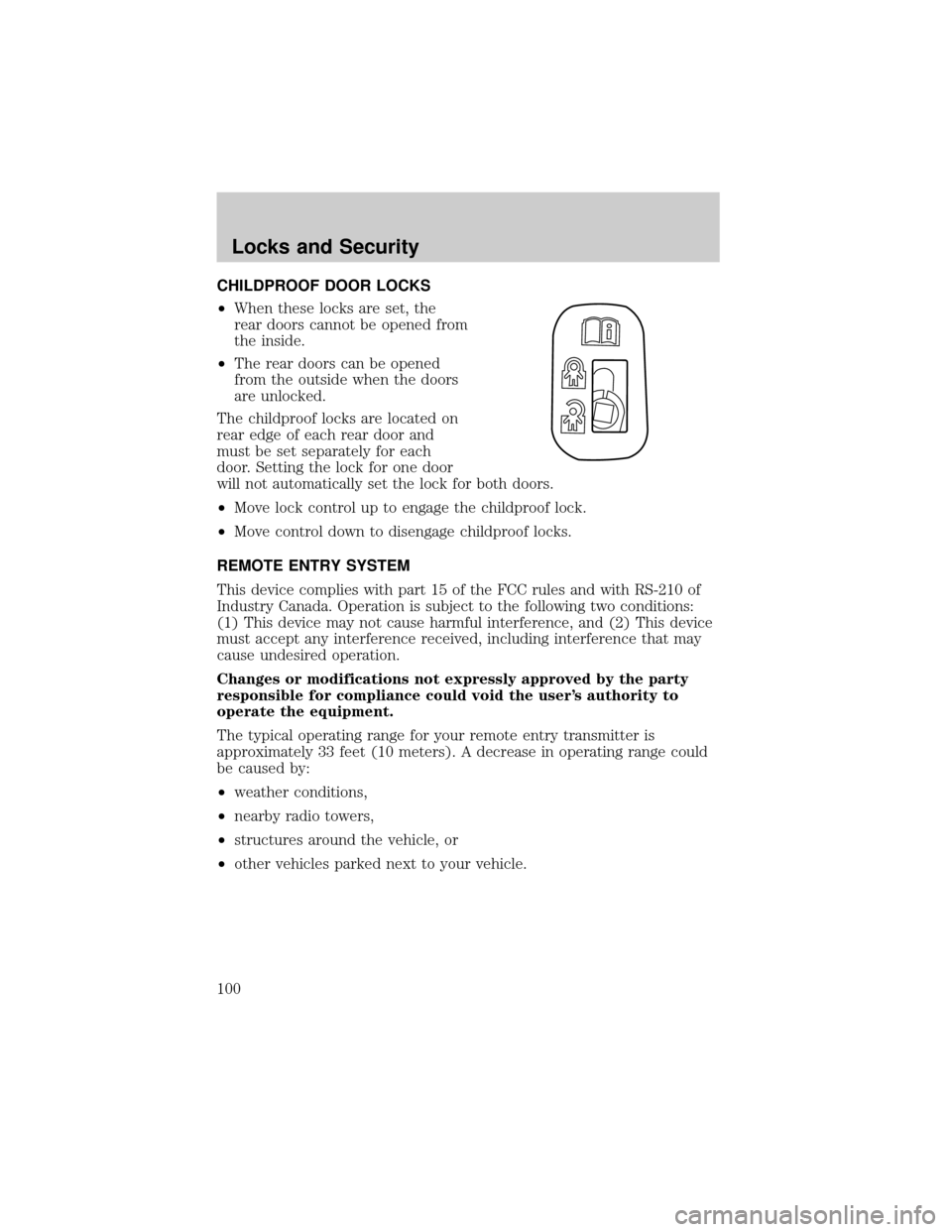
CHILDPROOF DOOR LOCKS
²When these locks are set, the
rear doors cannot be opened from
the inside.
²The rear doors can be opened
from the outside when the doors
are unlocked.
The childproof locks are located on
rear edge of each rear door and
must be set separately for each
door. Setting the lock for one door
will not automatically set the lock for both doors.
²Move lock control up to engage the childproof lock.
²Move control down to disengage childproof locks.
REMOTE ENTRY SYSTEM
This device complies with part 15 of the FCC rules and with RS-210 of
Industry Canada. Operation is subject to the following two conditions:
(1) This device may not cause harmful interference, and (2) This device
must accept any interference received, including interference that may
cause undesired operation.
Changes or modifications not expressly approved by the party
responsible for compliance could void the user's authority to
operate the equipment.
The typical operating range for your remote entry transmitter is
approximately 33 feet (10 meters). A decrease in operating range could
be caused by:
²weather conditions,
²nearby radio towers,
²structures around the vehicle, or
²other vehicles parked next to your vehicle.
Locks and Security
100
Page 154 of 328
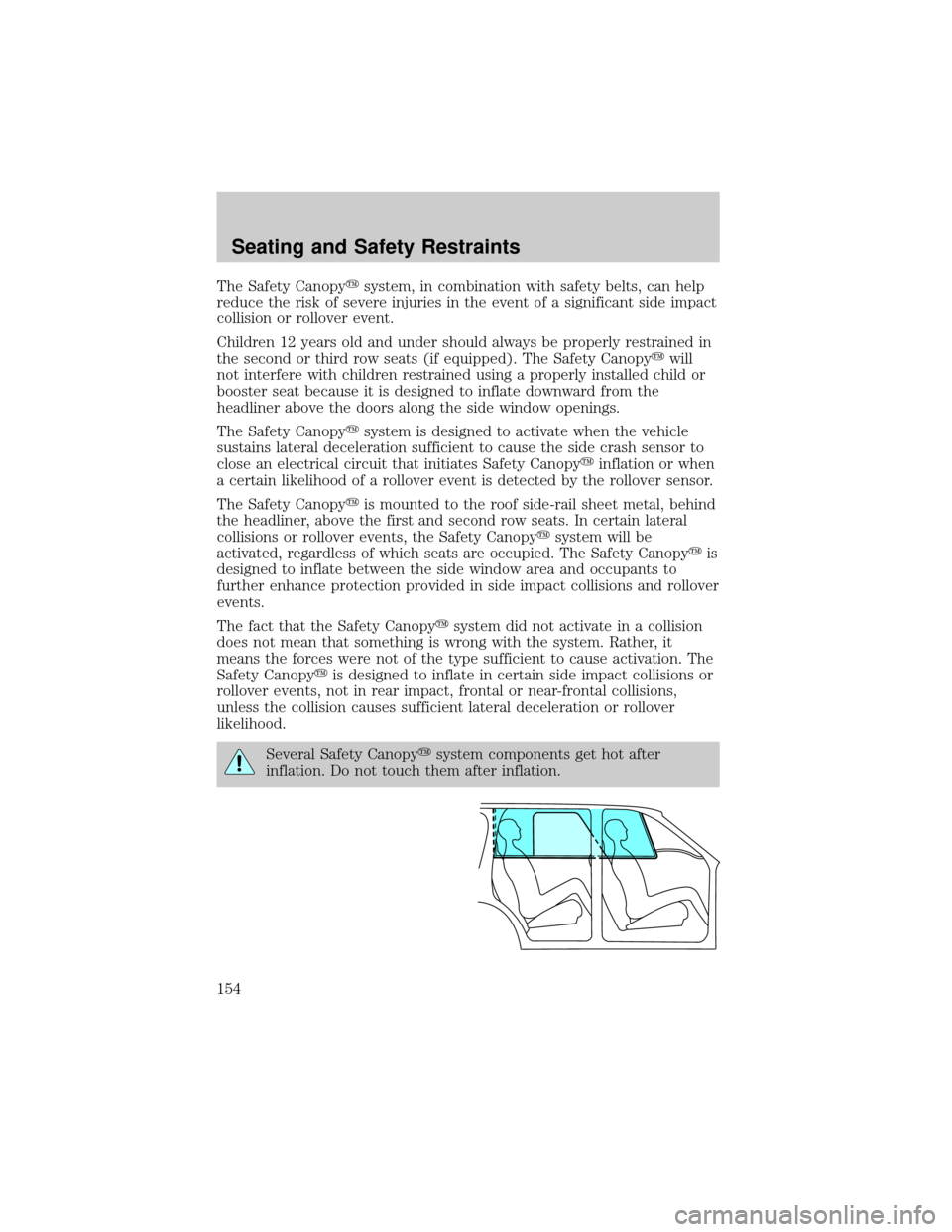
The Safety Canopyysystem, in combination with safety belts, can help
reduce the risk of severe injuries in the event of a significant side impact
collision or rollover event.
Children 12 years old and under should always be properly restrained in
the second or third row seats (if equipped). The Safety Canopyywill
not interfere with children restrained using a properly installed child or
booster seat because it is designed to inflate downward from the
headliner above the doors along the side window openings.
The Safety Canopyysystem is designed to activate when the vehicle
sustains lateral deceleration sufficient to cause the side crash sensor to
close an electrical circuit that initiates Safety Canopyyinflation or when
a certain likelihood of a rollover event is detected by the rollover sensor.
The Safety Canopyyis mounted to the roof side-rail sheet metal, behind
the headliner, above the first and second row seats. In certain lateral
collisions or rollover events, the Safety Canopyysystem will be
activated, regardless of which seats are occupied. The Safety Canopyyis
designed to inflate between the side window area and occupants to
further enhance protection provided in side impact collisions and rollover
events.
The fact that the Safety Canopyysystem did not activate in a collision
does not mean that something is wrong with the system. Rather, it
means the forces were not of the type sufficient to cause activation. The
Safety Canopyyis designed to inflate in certain side impact collisions or
rollover events, not in rear impact, frontal or near-frontal collisions,
unless the collision causes sufficient lateral deceleration or rollover
likelihood.
Several Safety Canopyysystem components get hot after
inflation. Do not touch them after inflation.
Seating and Safety Restraints
154
Page 240 of 328
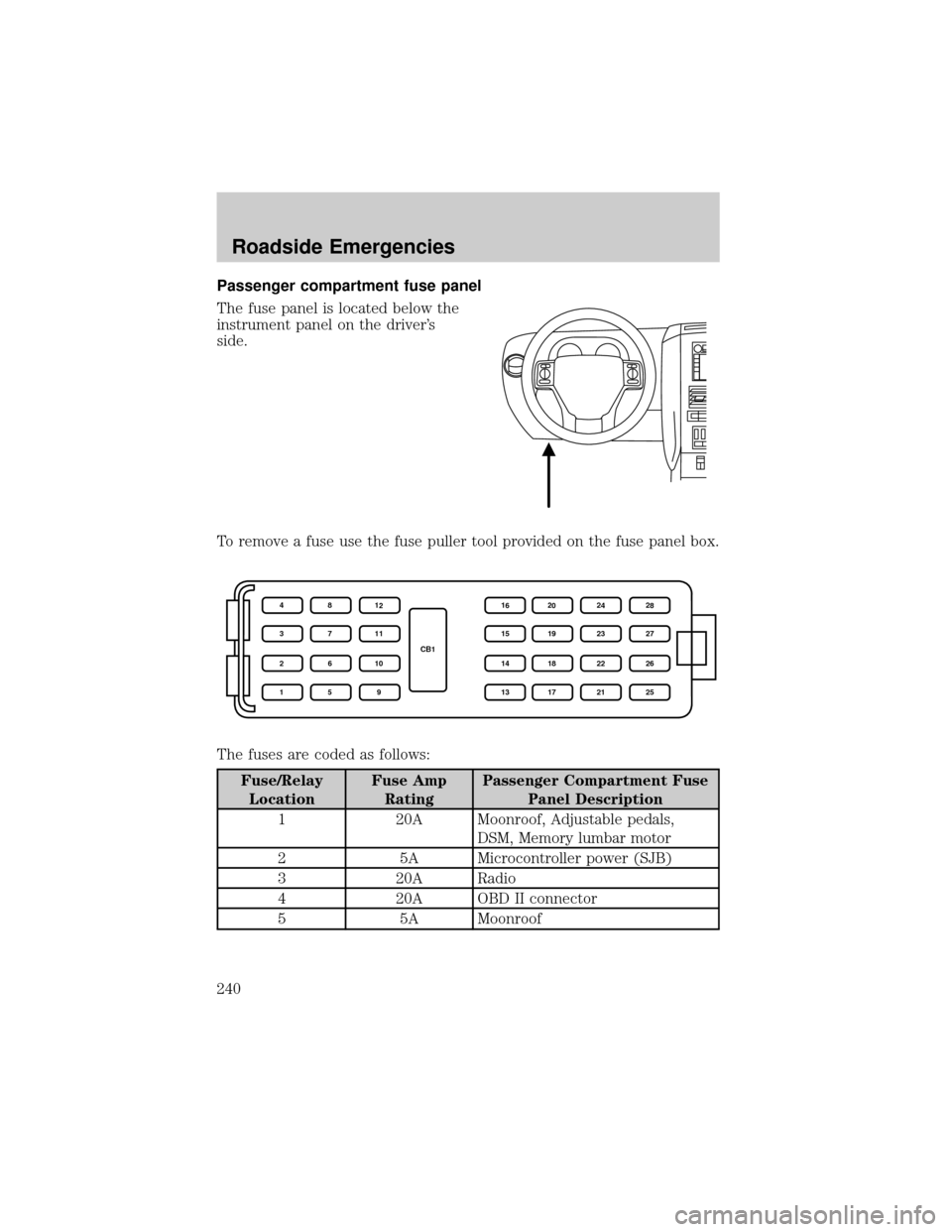
Passenger compartment fuse panel
The fuse panel is located below the
instrument panel on the driver's
side.
To remove a fuse use the fuse puller tool provided on the fuse panel box.
The fuses are coded as follows:
Fuse/Relay
LocationFuse Amp
RatingPassenger Compartment Fuse
Panel Description
1 20A Moonroof, Adjustable pedals,
DSM, Memory lumbar motor
2 5A Microcontroller power (SJB)
3 20A Radio
4 20A OBD II connector
5 5A Moonroof
CB1 4
3
2
18
7
6
512
11
10
916
15
14
1320
19
18
1724
23
22
2128
27
26
25
Roadside Emergencies
240