reset FORD EXPLORER 2010 4.G User Guide
[x] Cancel search | Manufacturer: FORD, Model Year: 2010, Model line: EXPLORER, Model: FORD EXPLORER 2010 4.GPages: 404, PDF Size: 3.22 MB
Page 28 of 404
•Some messages can be acknowledged and reset by pressing the
SELECT/RESET stem. This allows you to use the full message center
functionality by clearing the message.
DOOR AJAR— Displayed when a door is not completely closed.
REMOVE OBJECTS NEAR PASS SEAT— Displayed when objects
are by the passenger seat. After the objects are moved away from the
seat, if the warning stays on or continues to come on, contact your
authorized dealer as soon as possible.
SERVICE RSC NOW— Displayed when the system is not operating
properly. If the warning stays on or continues to come on, contact your
authorized dealer as soon as possible.
CHECK FUEL FILL INLET— Displayed when the fuel fill inlet may
not be properly closed. Refer toEasy Fuel™ “no cap” fuel systemin
theMaintenance and Specificationschapter.
CHECK CHARGING SYSTEM— Displayed when the electrical system
is not maintaining proper voltage when the engine is running. If you are
operating electrical accessories when the engine is idling at a low speed,
turn off as many of the electrical loads as soon as possible. If the
warning stays on or comes on when the engine is operating at normal
speeds, contact your authorized dealer as soon as possible.
FUEL LEVEL LOW— Displayed as an early reminder of a low fuel
condition.
PARK BRAKE ENGAGED— Displayed when the parking brake is set,
the engine is running and the vehicle is driven more than 3 mph
(5 km/h). If the warning stays on after the parking brake is released,
contact your authorized dealer as soon as possible.
CHECK BRAKE SYSTEM— Displayed when the braking system is not
operating properly. If the warning stays on or continues to come on,
contact your authorized dealer as soon as possible.
CHECK PARK AID (if equipped)— Displayed when the transmission
is in R (Reverse) and the reverse sensing system (park aid) is disabled.
LOW TIRE PRESSURE— Displayed when one or more tires on your
vehicle have low tire pressure. Refer toInflating your tiresin theTires,
Wheels and Loadingchapter.
TIRE PRESSURE MONITOR FAULT— Displayed when the Tire
Pressure Monitoring System is malfunctioning. If the warning stays on or
continues to come on, contact your authorized dealer as soon as
possible.
Instrument Cluster
28
2010 Explorer(exp)
Owners Guide(own2002), 1st Printing
USA(fus)
Page 30 of 404
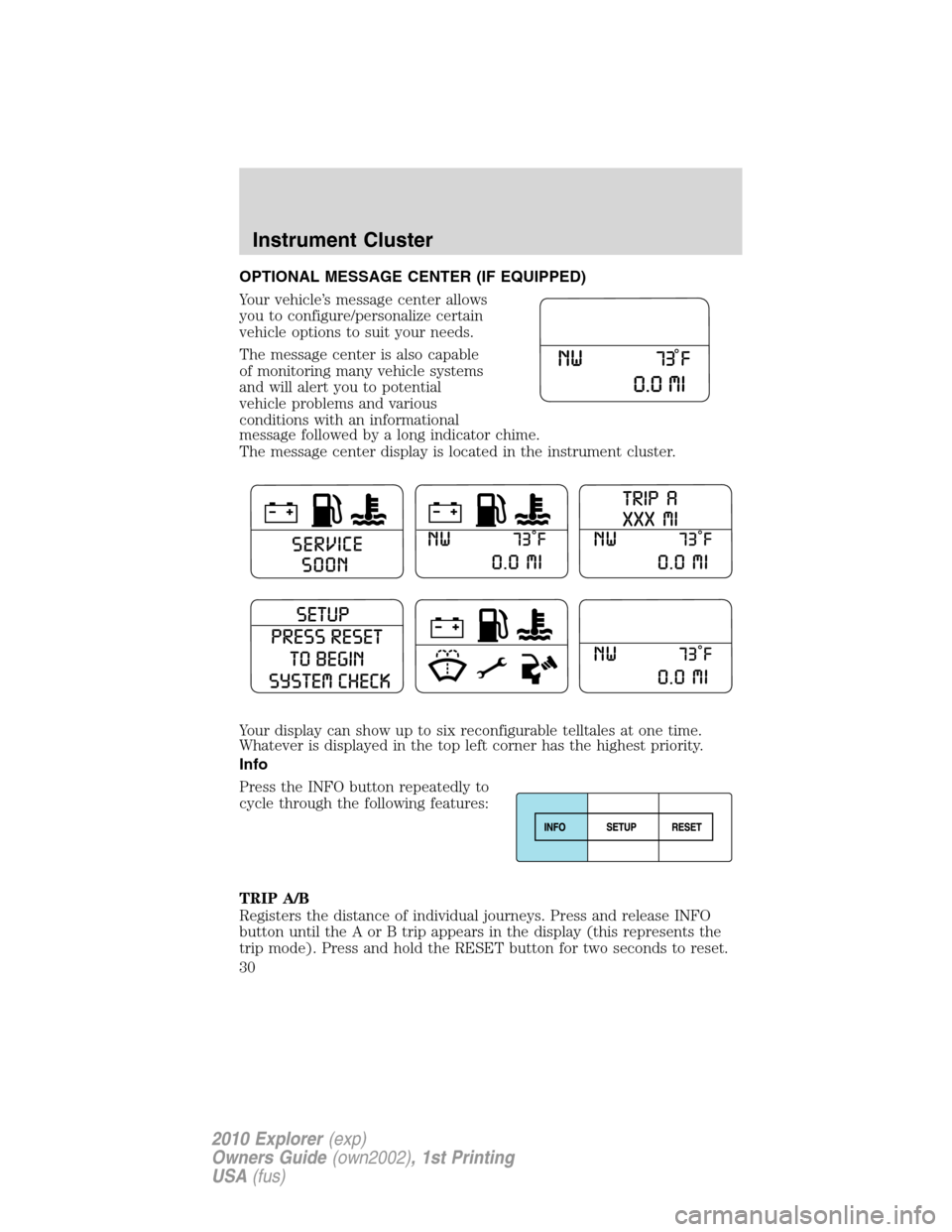
OPTIONAL MESSAGE CENTER (IF EQUIPPED)
Your vehicle’s message center allows
you to configure/personalize certain
vehicle options to suit your needs.
The message center is also capable
of monitoring many vehicle systems
and will alert you to potential
vehicle problems and various
conditions with an informational
message followed by a long indicator chime.
The message center display is located in the instrument cluster.
Your display can show up to six reconfigurable telltales at one time.
Whatever is displayed in the top left corner has the highest priority.
Info
Press the INFO button repeatedly to
cycle through the following features:
TRIP A/B
Registers the distance of individual journeys. Press and release INFO
button until the A or B trip appears in the display (this represents the
trip mode). Press and hold the RESET button for two seconds to reset.
Instrument Cluster
30
2010 Explorer(exp)
Owners Guide(own2002), 1st Printing
USA(fus)
Page 31 of 404
Refer toUNITSlater in this section to switch the display from Metric to
English.
MILES (km) TO E
This displays an estimate of approximately how far you can drive with
the fuel remaining in your tank under normal driving conditions.
Remember to turn the ignition off when refueling to allow this feature to
correctly detect the added fuel.
The DTE function will display LOW FUEL LEVEL when you have
approximately 50 miles (80 km), to empty. Press RESET to clear this
warning message. It will return at approximately 25 miles (40 km),
10 miles (16 km) and 0 miles (0 km) miles to empty.
DTE is calculated using a running average fuel economy, which is based
on your recent driving history of 500 miles (800 km). This value is not
the same as the average fuel economy display. The running average fuel
economy is re-initialized to a factory default value if the battery is
disconnected.
AVERAGE FUEL XX.X MPG (L/100km)
Average fuel economy displays your average fuel economy in miles/gallon
or liters/100 km.
If you calculate your average fuel economy by dividing distance traveled
by gallons of fuel used (liters of fuel used by 100 kilometers traveled),
your figure may be different than displayed for the following reasons:
•Your vehicle was not perfectly level during fill-up
•Differences in the automatic shut-off points on the fuel pumps at
service stations
•Variations in top-off procedure from one fill-up to another
•Rounding of the displayed values to the nearest 0.1 gallon (liter)
1. Drive the vehicle at least 5 miles (8 km) with the speed control
system engaged to display a stabilized average.
2. Record the highway fuel economy for future reference.
It is important to press the RESET button (press and hold RESET for
two seconds in order to reset the function) after setting the speed
control to get accurate highway fuel economy readings.
For more information refer toEssentials of good fuel economyin the
Maintenance and Specificationschapter.
Instrument Cluster
31
2010 Explorer(exp)
Owners Guide(own2002), 1st Printing
USA(fus)
Page 32 of 404
FUEL ECONOMY MPG (L/km)
This displays instantaneous fuel economy as a bar graph ranging from↓
poor economy to↑excellent economy.
Your vehicle must be moving to calculate instantaneous fuel economy.
When your vehicle is not moving, this function shows↓, one or no bars
illuminated. Instantaneous fuel economy cannot be reset.
FUEL USED XX.X GAL (L)
This displays the fuel used since last reset. The information displayed
will be in gallons or liters, depending on English/Metric mode state.
DRIVE TIME
Timer displays the trip elapsed drive time.
To operate, do the following:
1. Press and release RESET in order to start the timer.
2. Press and release RESET to pause the timer.
3. Press and hold RESET until the timer resets.
Blank display
Select this function from the info menu to turn the upper two lines of
the message center display off.
System check and vehicle feature customization
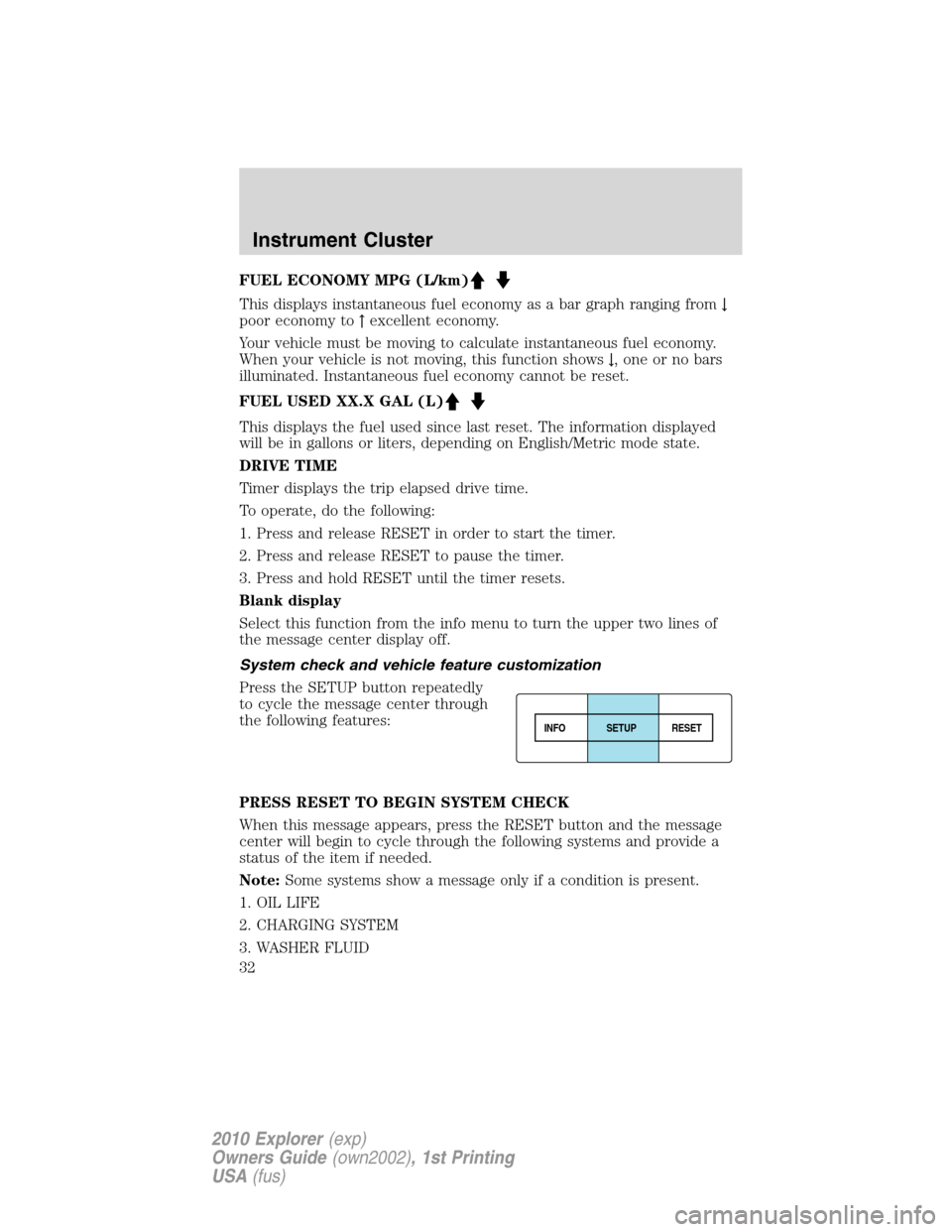
Press the SETUP button repeatedly
to cycle the message center through
the following features:
PRESS RESET TO BEGIN SYSTEM CHECK
When this message appears, press the RESET button and the message
center will begin to cycle through the following systems and provide a
status of the item if needed.
Note:Some systems show a message only if a condition is present.
1. OIL LIFE
2. CHARGING SYSTEM
3. WASHER FLUID
INFOSETUP
RESET
Instrument Cluster
32
2010 Explorer(exp)
Owners Guide(own2002), 1st Printing
USA(fus)
Page 33 of 404
4. DOOR AJAR
5. EXTERIOR LAMP
6. BRAKE FLUID LEVEL
7. PARK BRAKE
8. FUEL LEVEL AND DISTANCE TO EMPTY
AWD AUTO / LOCKED (if equipped)
This feature disables/enables the AWD feature.
Press the RESET button to select the AUTO or LOCKED mode.
Note:When the AWD system is in the locked mode, the 4X4 indicator
will be illuminated.
UNITS
Displays the current units in English or Metric.
Press the RESET button to change from English to Metric.
LANGUAGE ENGLISH / SPANISH / FRENCH / JAPANESE /
ARABIC
Note:When entering the SETUP MENU and a non-English language has
been selected, PRESS RESET FOR ENGLISH will be displayed to change
back to English.
Allows you to choose which language the message center will display in.
Selectable languages are English, Spanish, French, Japanese, or Arabic
Waiting four seconds or pressing the RESET button cycles the message
center through each of the language choices.
Press the RESET button to set the language choice.
AUTOLAMP
This feature keeps your headlights on for up to three minutes after the
ignition is switched off.
Press the RESET button to select the new Autolamp delay values of 0,
10, 20, 30, 60, 90, 120 or 180 seconds.
AUTOLOCK
This feature automatically locks all vehicle doors when the vehicle is
shifted into any gear, putting the vehicle in motion.
Press the RESET button to turn autolock on or off.
AUTOUNLOCK
This feature automatically unlocks all vehicle doors when the driver’s
door is opened within 10 minutes of the ignition being turned off.
Instrument Cluster
33
2010 Explorer(exp)
Owners Guide(own2002), 1st Printing
USA(fus)
Page 34 of 404
Press the RESET button to turn autounlock on or off.
RUNNING BRDS (if equipped)
This feature automatically deploys the side running boards for easy
entry/exit from the vehicle or for cleaning.
1. To disable/enable the power running board feature the vehicle must be
in P (Park),
2. To change operation of the power running board feature, select this
function from the SETUP MENU.
3. Press the RESETbutton to select the running boards setting as
follows:
•AUTOMATIC: the running boards will automatically deploy when a
door is opened and automatically retract when the door is closed,
•OUT: the running boards will remain OUT regardless of the doors
being open/closed. For example, use this setting when washing the
vehicle, or
•OFF: the running boards will remain IN regardless of the doors being
open/closed.
EASY ENTRY
This feature automatically moves the driver’s seat backwards for easy
exit/entry from the vehicle.
Press the RESET button to turn the easy entry/exit seat on or off.
PARK AID (if equipped)
This feature sounds a warning tone to warn the driver of obstacles near
the rear bumper, and functions only when R (Reverse) gear is selected.
Press the RESET button to turn the rear park assist on or off.
This function choice will also appear when putting the transmission in
reverse and can be turned on/off at that time.
TRAILER SWAY
This feature uses the electronic stability control to mitigate trailer sway,
Press the RESET button to turn trailer sway on or off.
COMPASS (if equipped)
The compass heading is displayed as one of N, NE, E, SE, S, SW, W and
NW in the message center display.
The compass reading may be affected when you drive near large
buildings, bridges, power lines and powerful broadcast antenna. Magnetic
or metallic objects placed in, on or near the vehicle may also affect
compass accuracy.
Instrument Cluster
34
2010 Explorer(exp)
Owners Guide(own2002), 1st Printing
USA(fus)
Page 35 of 404
Usually, when something affects the compass readings, the compass will
correct itself after a few days of operating your vehicle in normal
conditions. If the compass still appears to be inaccurate, a manual
calibration may be necessary. Refer toRESET FOR ZONE SETTING /
PRESS RESET FOR CALIBRATIONfollowing.
Most geographic areas (zones) have a magnetic north compass point that
varies slightly from the northerly direction on maps. This variation is four
degrees between adjacent zones and will become noticeable as the
vehicle crosses multiple zones. A correct zone setting will eliminate this
error. Refer toRESET FOR ZONE SETTING / PRESS RESET FOR
CALIBRATIONfollowing.
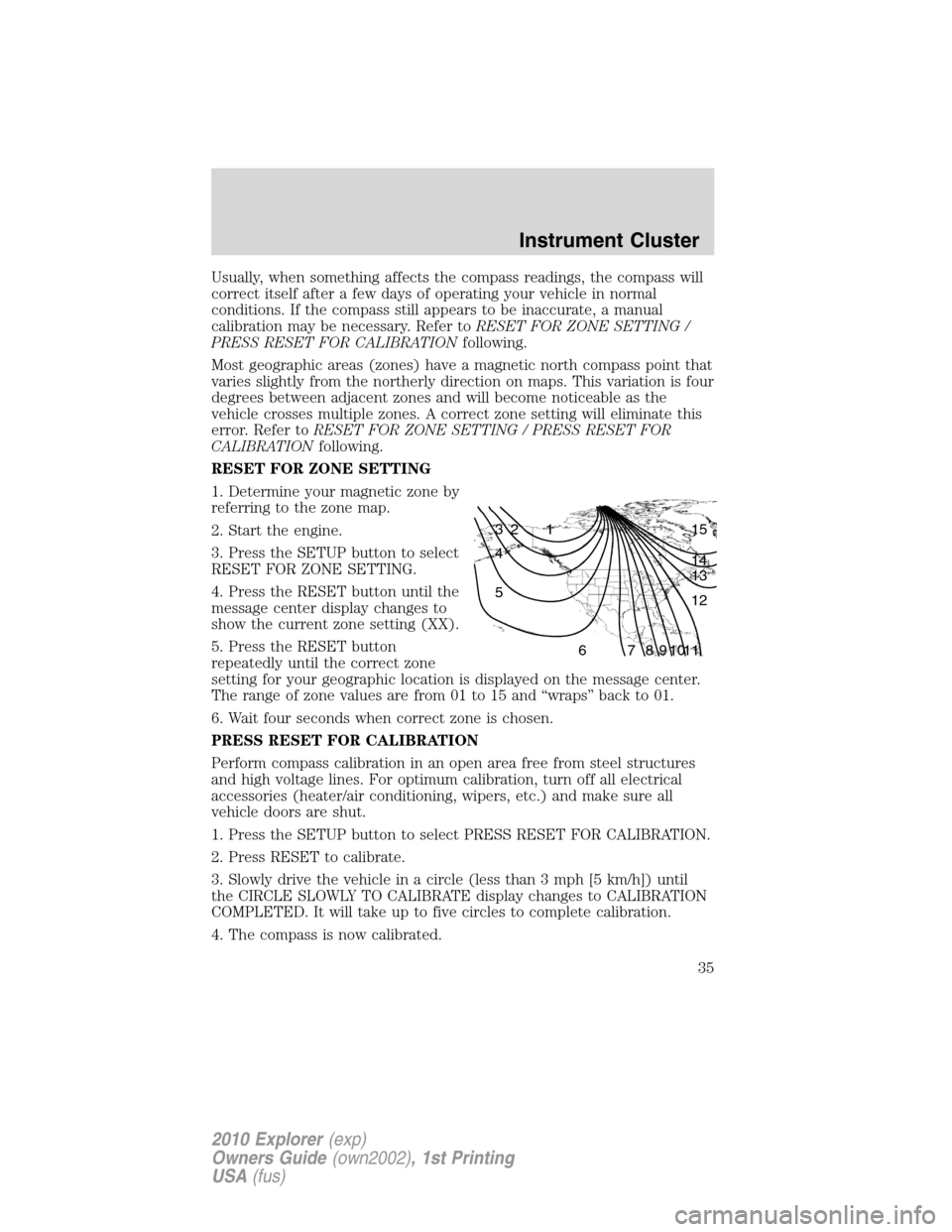
RESET FOR ZONE SETTING
1. Determine your magnetic zone by
referring to the zone map.
2. Start the engine.
3. Press the SETUP button to select
RESET FOR ZONE SETTING.
4. Press the RESET button until the
message center display changes to
show the current zone setting (XX).
5. Press the RESET button
repeatedly until the correct zone
setting for your geographic location is displayed on the message center.
The range of zone values are from 01 to 15 and “wraps” back to 01.
6. Wait four seconds when correct zone is chosen.
PRESS RESET FOR CALIBRATION
Perform compass calibration in an open area free from steel structures
and high voltage lines. For optimum calibration, turn off all electrical
accessories (heater/air conditioning, wipers, etc.) and make sure all
vehicle doors are shut.
1. Press the SETUP button to select PRESS RESET FOR CALIBRATION.
2. Press RESET to calibrate.
3. Slowly drive the vehicle in a circle (less than 3 mph [5 km/h]) until
the CIRCLE SLOWLY TO CALIBRATE display changes to CALIBRATION
COMPLETED. It will take up to five circles to complete calibration.
4. The compass is now calibrated.
1 2 3
4
5
6 7 8 9 101112 13 14 15
Instrument Cluster
35
2010 Explorer(exp)
Owners Guide(own2002), 1st Printing
USA(fus)
Page 36 of 404
![FORD EXPLORER 2010 4.G User Guide HOLD RESET IF NEW OIL
To reset the oil monitoring system to 100% after each oil change
(approximately 7,500 miles [12,000 km] or six months) perform the
following:
1. Press RESET button to display HOL](/img/11/4980/w960_4980-35.png "FORD EXPLORER 2010 4.G User Guide HOLD RESET IF NEW OIL
To reset the oil monitoring system to 100% after each oil change
(approximately 7,500 miles [12,000 km] or six months) perform the
following:
1. Press RESET button to display HOL")
HOLD RESET IF NEW OIL
To reset the oil monitoring system to 100% after each oil change
(approximately 7,500 miles [12,000 km] or six months) perform the
following:
1. Press RESET button to display HOLD RESET IF NEW OIL.
2. Press and hold the RESET button for more than two seconds. Oil life
is set to 100% and OIL CHANGE SET TO 100% is displayed.
Note:To change oil life 100% miles value from 7,500 miles (12,000 km)
or six months to another value, proceed to Step 3.
3. Once OIL LIFE SET TO XXX% is displayed, release and press the
RESET button to change the Oil Life Start Value. Each release and press
will reduce the value by 10%.
Note:Oil Life Start Value of 100% equals 7,500 miles (12,000 km) or six
months. For example, setting Oil Life Start Value to 60% sets the Oil Life
Start Value to 3,000 miles (4,800 km) and 120 days.
System warnings
System warnings alert you to possible problems or malfunctions in your
vehicle’s operating systems.
In the event of a multiple warning situation, the message center will
cycle the display to show all warnings by displaying each one for four
seconds.
The message center will display the last selected feature if there are no
more warning messages.
Types of messages and warnings:
•Some messages will appear briefly to inform you of something you
may need to take action on or be informed of.
•Some messages will appear once and then again when the vehicle is
restarted.
•Some messages will reappear after clearing or being reset if a problem
or condition is still present and needs your attention.
•Some messages can be acknowledged and reset by pressing RESET.
This allows you to use the full message center functionality by clearing
the message.
DOOR AJAR— Displayed when a door is not completely closed.
Instrument Cluster
36
2010 Explorer(exp)
Owners Guide(own2002), 1st Printing
USA(fus)
Page 39 of 404
AUDIO SYSTEMS
Quick start — How to get going
WARNING:Driving while distracted can result in loss of vehicle
control, accident and injury. Ford strongly recommends that
drivers use extreme caution when using any device that may take their
focus off the road. The drivers primary responsibility is the safe
operation of their vehicle. Only use cell phones and other devices not
essential to the driving task when it is safe to do so.
Listening to the radio
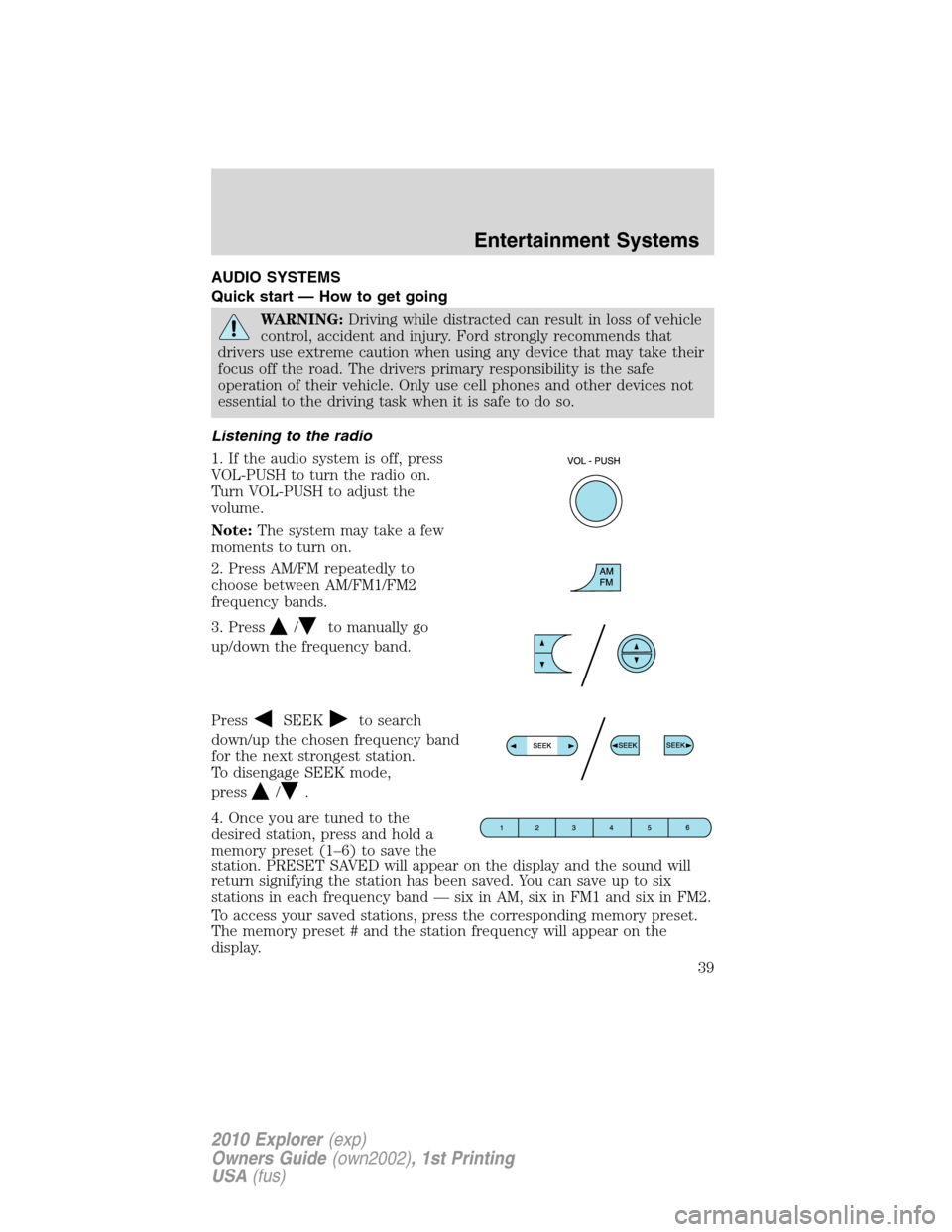
1. If the audio system is off, press
VOL-PUSH to turn the radio on.
Turn VOL-PUSH to adjust the
volume.
Note:The system may take a few
moments to turn on.
2. Press AM/FM repeatedly to
choose between AM/FM1/FM2
frequency bands.
3. Press
/to manually go
up/down the frequency band.
Press
SEEKto search
down/up the chosen frequency band
for the next strongest station.
To disengage SEEK mode,
press
/.
4. Once you are tuned to the
desired station, press and hold a
memory preset (1–6) to save the
station. PRESET SAVED will appear on the display and the sound will
return signifying the station has been saved. You can save up to six
stations in each frequency band — six in AM, six in FM1 and six in FM2.
To access your saved stations, press the corresponding memory preset.
The memory preset # and the station frequency will appear on the
display.
Entertainment Systems
39
2010 Explorer(exp)
Owners Guide(own2002), 1st Printing
USA(fus)
Page 40 of 404
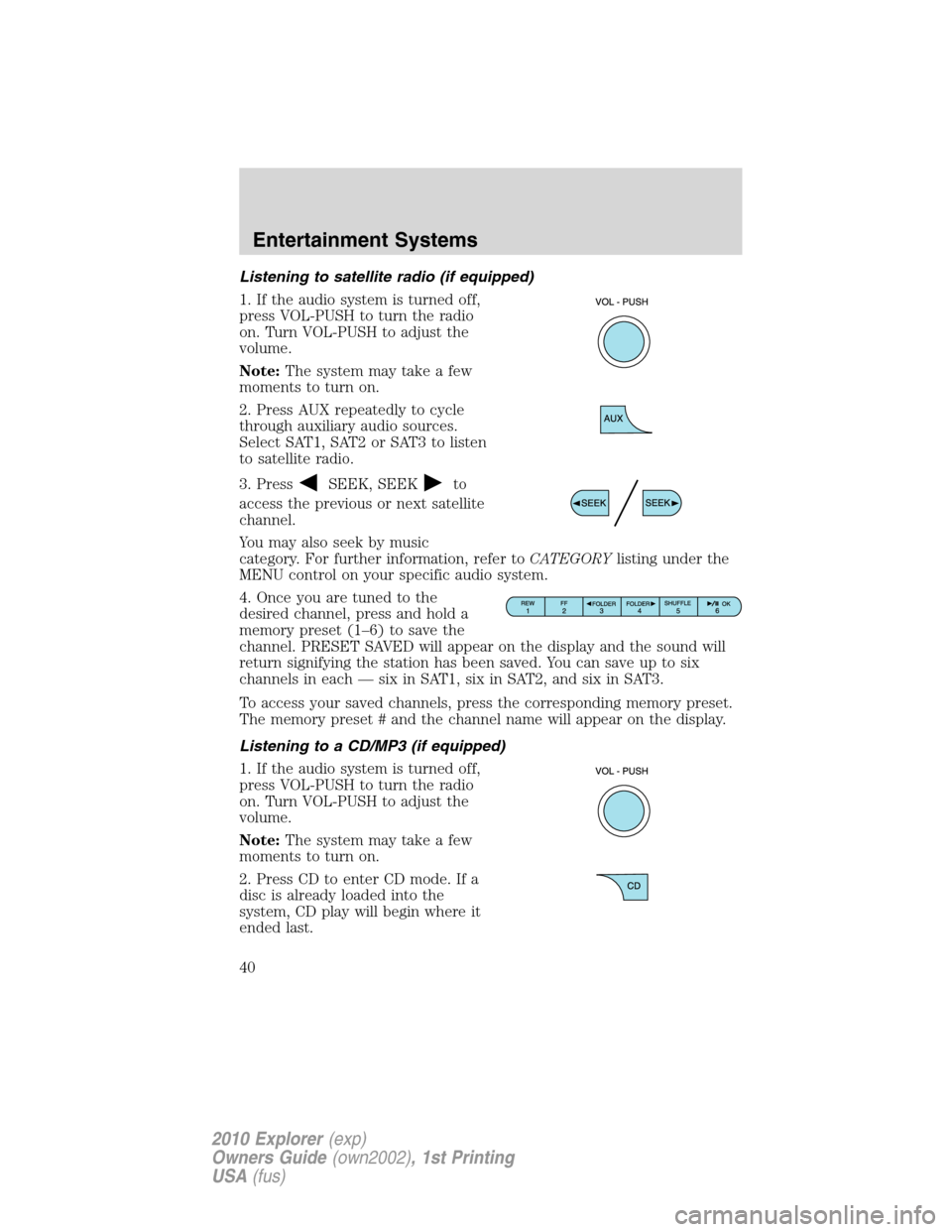
Listening to satellite radio (if equipped)
1. If the audio system is turned off,
press VOL-PUSH to turn the radio
on. Turn VOL-PUSH to adjust the
volume.
Note:The system may take a few
moments to turn on.
2. Press AUX repeatedly to cycle
through auxiliary audio sources.
Select SAT1, SAT2 or SAT3 to listen
to satellite radio.
3. Press
SEEK, SEEKto
access the previous or next satellite
channel.
You may also seek by music
category. For further information, refer toCATEGORYlisting under the
MENU control on your specific audio system.
4. Once you are tuned to the
desired channel, press and hold a
memory preset (1–6) to save the
channel. PRESET SAVED will appear on the display and the sound will
return signifying the station has been saved. You can save up to six
channels in each — six in SAT1, six in SAT2, and six in SAT3.
To access your saved channels, press the corresponding memory preset.
The memory preset # and the channel name will appear on the display.
Listening to a CD/MP3 (if equipped)
1. If the audio system is turned off,
press VOL-PUSH to turn the radio
on. Turn VOL-PUSH to adjust the
volume.
Note:The system may take a few
moments to turn on.
2. Press CD to enter CD mode. If a
disc is already loaded into the
system, CD play will begin where it
ended last.
Entertainment Systems
40
2010 Explorer(exp)
Owners Guide(own2002), 1st Printing
USA(fus)