instrument panel FORD EXPLORER 2011 5.G User Guide
[x] Cancel search | Manufacturer: FORD, Model Year: 2011, Model line: EXPLORER, Model: FORD EXPLORER 2011 5.GPages: 449, PDF Size: 4.03 MB
Page 84 of 449
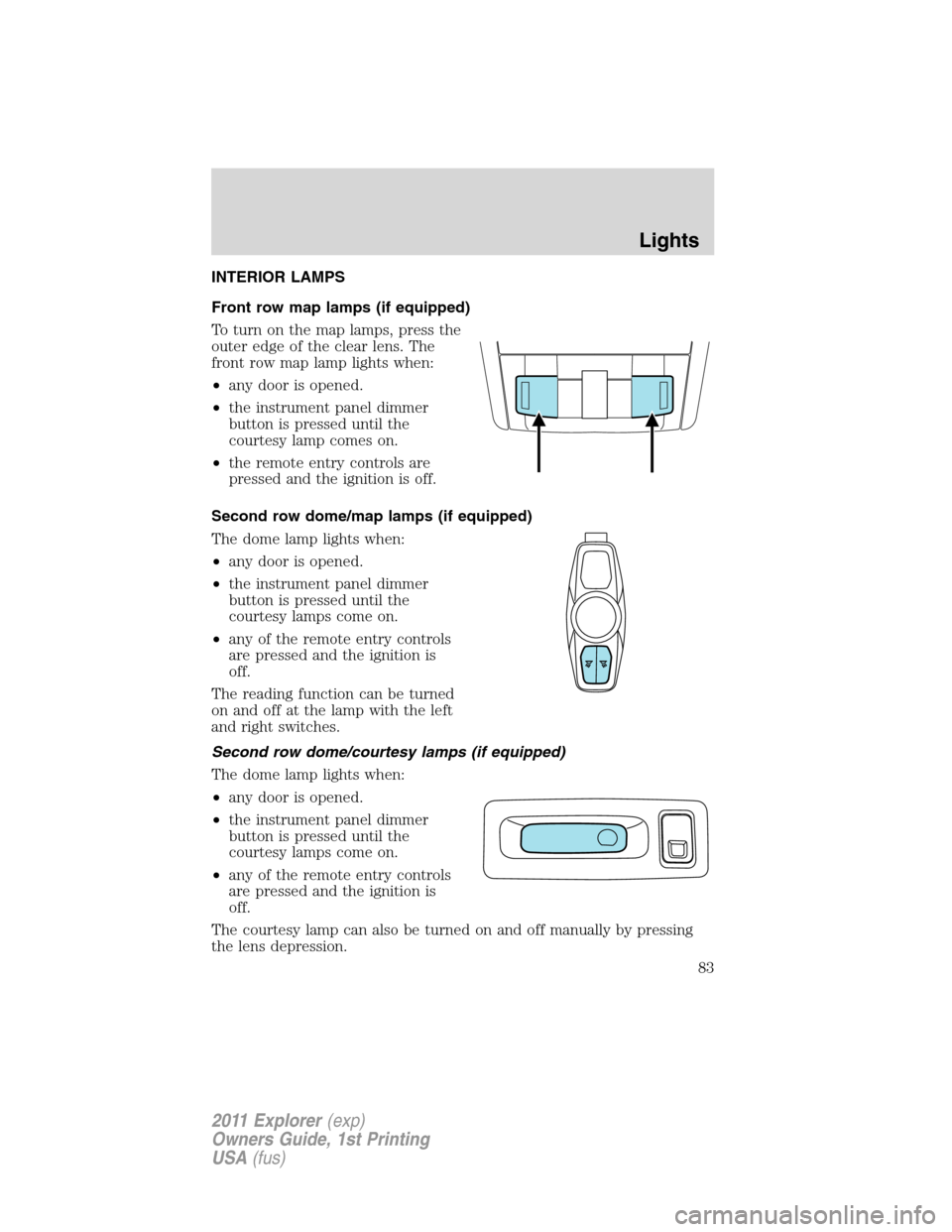
INTERIOR LAMPS
Front row map lamps (if equipped)
To turn on the map lamps, press the
outer edge of the clear lens. The
front row map lamp lights when:
•any door is opened.
•the instrument panel dimmer
button is pressed until the
courtesy lamp comes on.
•the remote entry controls are
pressed and the ignition is off.
Second row dome/map lamps (if equipped)
The dome lamp lights when:
•any door is opened.
•the instrument panel dimmer
button is pressed until the
courtesy lamps come on.
•any of the remote entry controls
are pressed and the ignition is
off.
The reading function can be turned
on and off at the lamp with the left
and right switches.
Second row dome/courtesy lamps (if equipped)
The dome lamp lights when:
•any door is opened.
•the instrument panel dimmer
button is pressed until the
courtesy lamps come on.
•any of the remote entry controls
are pressed and the ignition is
off.
The courtesy lamp can also be turned on and off manually by pressing
the lens depression.
Lights
83
2011 Explorer(exp)
Owners Guide, 1st Printing
USA(fus)
Page 85 of 449
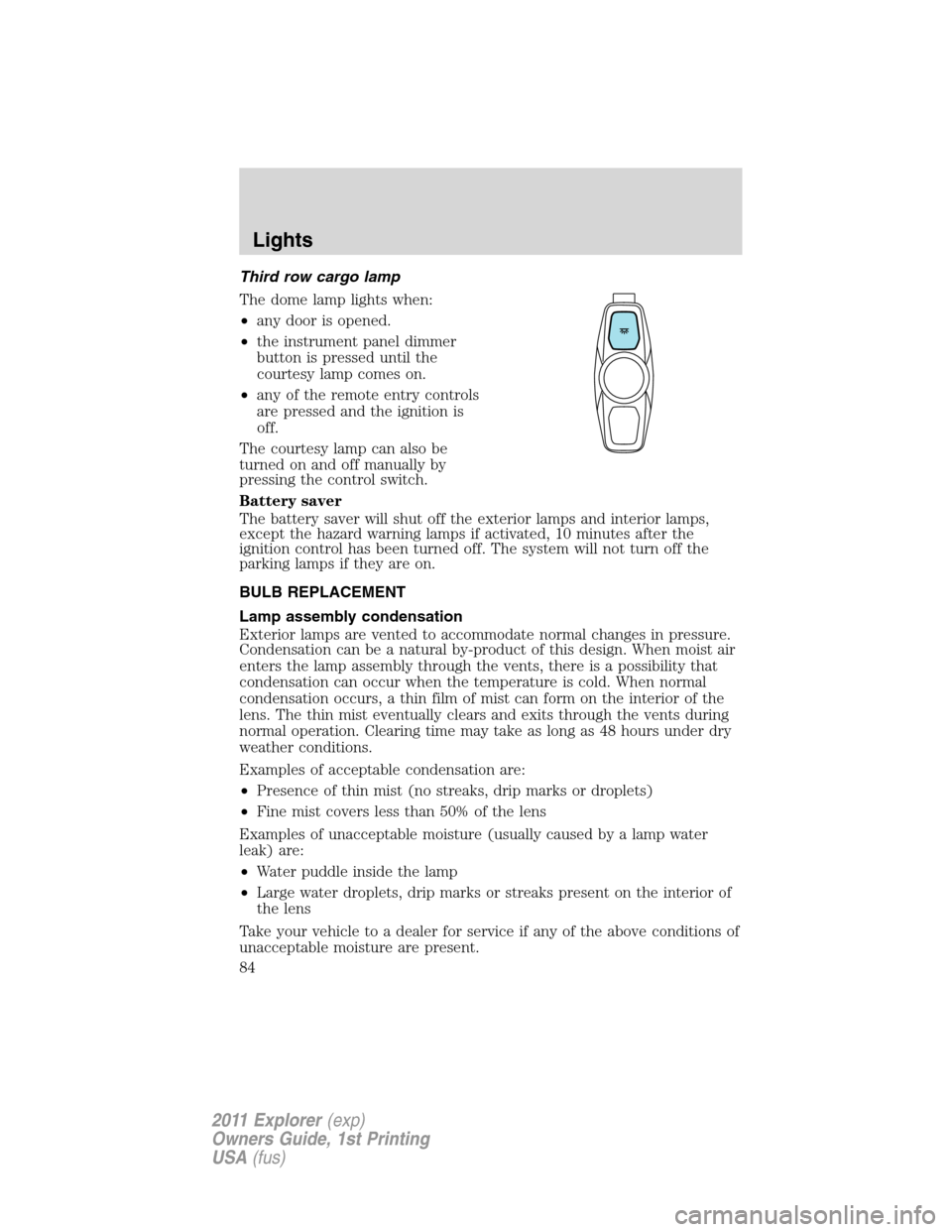
Third row cargo lamp
The dome lamp lights when:
•any door is opened.
•the instrument panel dimmer
button is pressed until the
courtesy lamp comes on.
•any of the remote entry controls
are pressed and the ignition is
off.
The courtesy lamp can also be
turned on and off manually by
pressing the control switch.
Battery saver
The battery saver will shut off the exterior lamps and interior lamps,
except the hazard warning lamps if activated, 10 minutes after the
ignition control has been turned off. The system will not turn off the
parking lamps if they are on.
BULB REPLACEMENT
Lamp assembly condensation
Exterior lamps are vented to accommodate normal changes in pressure.
Condensation can be a natural by-product of this design. When moist air
enters the lamp assembly through the vents, there is a possibility that
condensation can occur when the temperature is cold. When normal
condensation occurs, a thin film of mist can form on the interior of the
lens. The thin mist eventually clears and exits through the vents during
normal operation. Clearing time may take as long as 48 hours under dry
weather conditions.
Examples of acceptable condensation are:
•Presence of thin mist (no streaks, drip marks or droplets)
•Fine mist covers less than 50% of the lens
Examples of unacceptable moisture (usually caused by a lamp water
leak) are:
•Water puddle inside the lamp
•Large water droplets, drip marks or streaks present on the interior of
the lens
Take your vehicle to a dealer for service if any of the above conditions of
unacceptable moisture are present.
Lights
84
2011 Explorer(exp)
Owners Guide, 1st Printing
USA(fus)
Page 86 of 449
Using the right bulbs
Replacement bulbs are specified in the chart below. Headlamp bulbs must
be marked with an authorized “D.O.T.” for North America and an “E” for
Europe to ensure lamp performance, light brightness and pattern and safe
visibility. Using incorrect bulbs may damage the lamp assembly or void the
lamp assembly warranty or may not provide quality bulb burn time.
Function Number of bulbs Trade number
Low/high beam
headlamp2
HB3
* HID headlamp 2 D3S
Front park/turn lamp 2 3457 NAK (amber)
Side park/turn lamp 2 W5W
* Tail lamp n/a LED
Backup lamp 2 PS19W
Rear turn lamp 2 PSY19W (amber)
* Stop lamp n/a LED
* High-mount stop lamps n/a LED
Rear license plate lamps 2 168
Front fog lamp 2 H11
Interior front map lamps 2 168 (T10)
Second row
dome/courtesy lamp2
168 (T10)
* Second row dome/map
lampn/a
LED
* Third row cargo lamp n/a LED
Visor vanity lamp - Slide
on rail system (SOR)2
A6224PF
All replacement bulbs are clear in color, except where noted.
To replace all instrument panel lights - see your authorized dealer .
* To replace these lamps - see your authorized dealer.
Replacing interior bulbs
Check the operation of the bulbs frequently. To replace any of the
interior bulbs, see a dealer or qualified technician.
Lights
85
2011 Explorer(exp)
Owners Guide, 1st Printing
USA(fus)
Page 125 of 449
WARNING:Make sure that the liftgate is closed to prevent
exhaust fumes from being drawn into the vehicle. This will also
prevent passengers and cargo from falling out. If you must drive with
the liftgate door open, keep the vehicle well ventilated so outside air
comes into the vehicle.
Liftgate ajar signal
If the liftgate is not fully latched, you will receive a “LIFTGATE AJAR”
message on the instrument panel. If you see this message, check the
liftgate door to ensure it is fully latched.
Note:In the event of a power failure, the latch can be accessed and
released from the inside using the access panel on the liftgate trim.
POWER LIFTGATE (IF EQUIPPED)
You can power open or close the liftgate with the following controls:
•Instrument panel control button
•Transmitter button
•Outside liftgate control button
•Control button on the liftgate
Opening and closing the power liftgate:
WARNING:Make sure all persons are clear of the power liftgate
area before using the power liftgate control.
WARNING:Keep keys out of reach of children. Do not allow
children to play near an open or moving power liftgate.
The liftgate will only operate with the vehicle in P (Park).
When the liftgate is being power closed, a chime will sound three times
as the liftgate begins to power close. A single chime indicates a problem
with the close request, caused by:
•the ignition is on and the transmission is not in P (Park);
•or the battery voltage is below the minimum operating voltage;
•or the vehicle speed is at or above 3 mph (5 km/h).
Driver Controls
124
2011 Explorer(exp)
Owners Guide, 1st Printing
USA(fus)
Page 126 of 449
If the liftgate reverses and starts to close after an open request, a fast
continuous chime indicates excessive load on the gate or a possible strut
failure. If any excessive load is removed and you still have a faster
chime, have the system serviced immediately by your authorized dealer.
Do not attempt to manually force the liftgate to travel faster than the
power system will permit. This will activate the obstacle detection
feature.
Note:Cycling the ignition prior to completely latching the liftgate could
result in damage to the liftgate and/or its power components. Make sure
the liftgate is fully latched before operating the vehicle.
Care should be exercised in starting the engine before the liftgate is fully
closed (latched). If the ignition is cycled during a liftgate power close
cycle and the liftgate is 6-10 inches (15–24 cm) from being latched, the
liftgate may reverse to the full open position. Verify that the gate is
closed before operating or moving the vehicle, especially in an enclosure,
like a garage or a parking structure. The liftgate or its components could
be damaged in an enclosure if the liftgate is open while the vehicle is
being operated.
When operating the power liftgate after a lower height than full-open has
been programmed, the liftgate can be fully opened by manually pushing
it upward to the maximum open position.
The power liftgate feature can be enabled or disabled using the message
center controls. With the setting turned off, power operation is disabled
from the liftgate handle button and from the control button on the
liftgate. The transmitter and instrument panel switch will still continue to
operate the liftgate regardless of the position state of the message
center. Refer toMessage centerin theInstrument Clusterchapter.
To power open or close the
liftgate from the instrument
panel:
Press the button, located to the left
of the steering column, once to
power open or close the liftgate.
To power open or close the liftgate with the transmitter:
Press
twice within three seconds to open the liftgate. Refer to
Remote entry systemin theLocks and Securitychapter.
Driver Controls
125
2011 Explorer(exp)
Owners Guide, 1st Printing
USA(fus)
Page 127 of 449
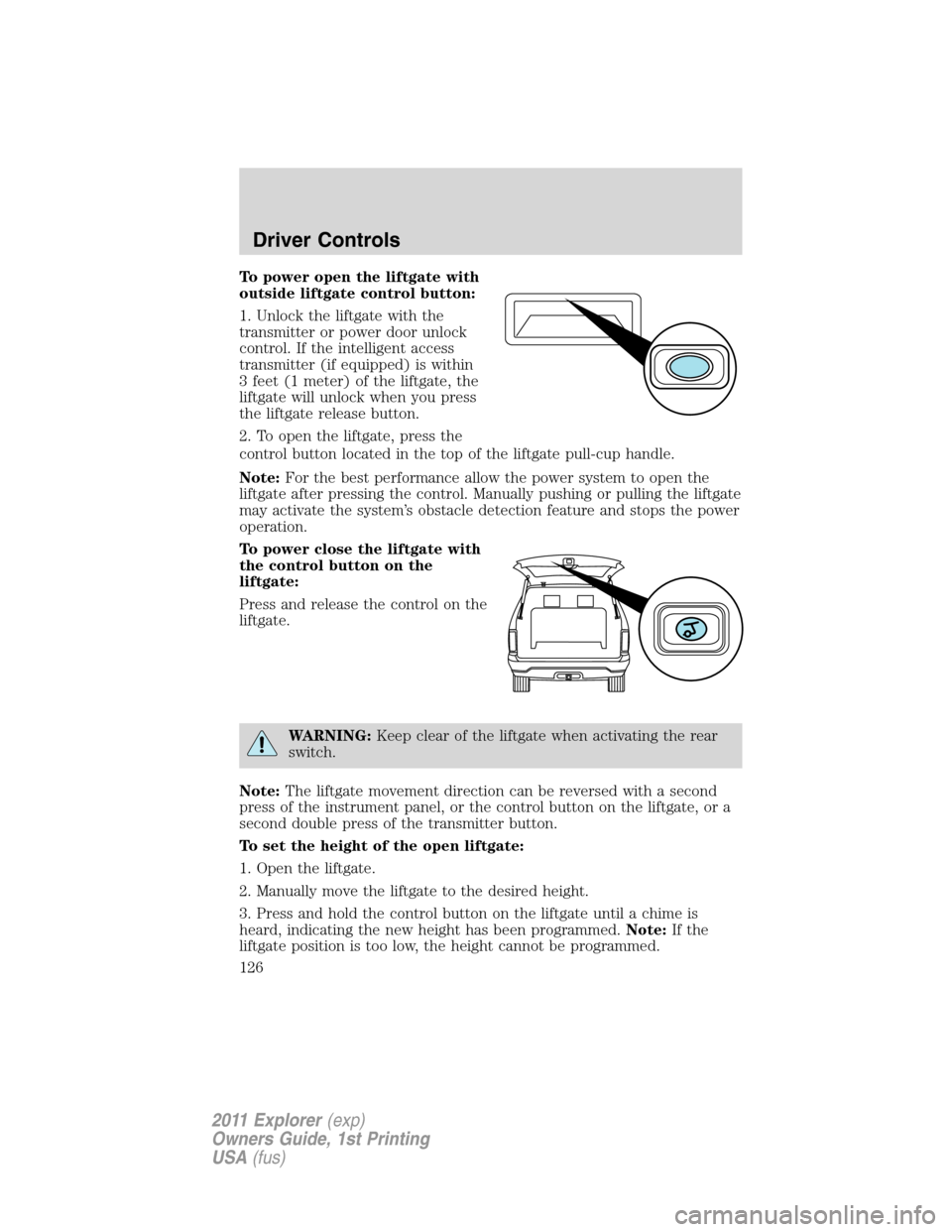
To power open the liftgate with
outside liftgate control button:
1. Unlock the liftgate with the
transmitter or power door unlock
control. If the intelligent access
transmitter (if equipped) is within
3 feet (1 meter) of the liftgate, the
liftgate will unlock when you press
the liftgate release button.
2. To open the liftgate, press the
control button located in the top of the liftgate pull-cup handle.
Note:For the best performance allow the power system to open the
liftgate after pressing the control. Manually pushing or pulling the liftgate
may activate the system’s obstacle detection feature and stops the power
operation.
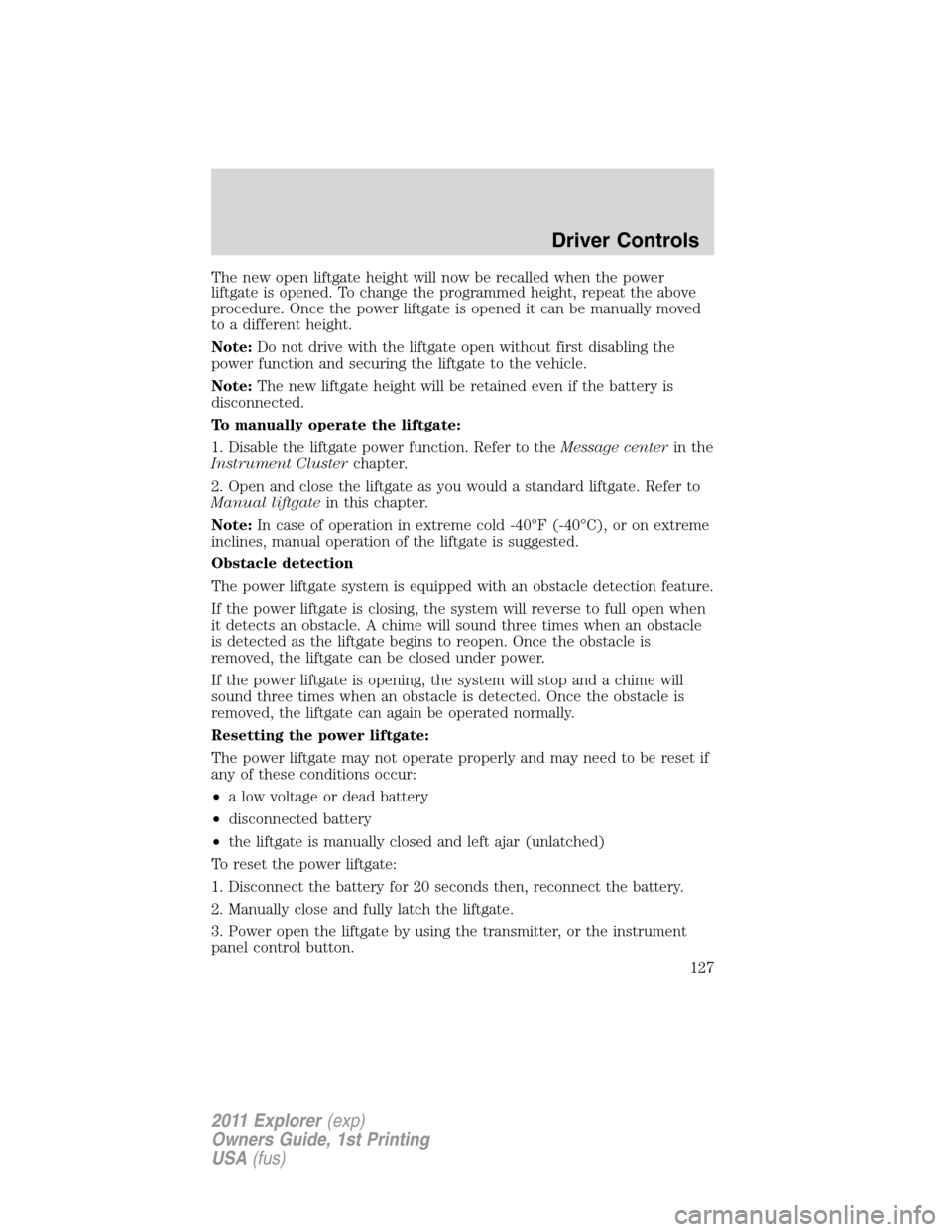
To power close the liftgate with
the control button on the
liftgate:
Press and release the control on the
liftgate.
WARNING:Keep clear of the liftgate when activating the rear
switch.
Note:The liftgate movement direction can be reversed with a second
press of the instrument panel, or the control button on the liftgate, or a
second double press of the transmitter button.
To set the height of the open liftgate:
1. Open the liftgate.
2. Manually move the liftgate to the desired height.
3. Press and hold the control button on the liftgate until a chime is
heard, indicating the new height has been programmed.Note:If the
liftgate position is too low, the height cannot be programmed.
Driver Controls
126
2011 Explorer(exp)
Owners Guide, 1st Printing
USA(fus)
Page 128 of 449
The new open liftgate height will now be recalled when the power
liftgate is opened. To change the programmed height, repeat the above
procedure. Once the power liftgate is opened it can be manually moved
to a different height.
Note:Do not drive with the liftgate open without first disabling the
power function and securing the liftgate to the vehicle.
Note:The new liftgate height will be retained even if the battery is
disconnected.
To manually operate the liftgate:
1. Disable the liftgate power function. Refer to theMessage centerin the
Instrument Clusterchapter.
2. Open and close the liftgate as you would a standard liftgate. Refer to
Manual liftgatein this chapter.
Note:In case of operation in extreme cold -40°F (-40°C), or on extreme
inclines, manual operation of the liftgate is suggested.
Obstacle detection
The power liftgate system is equipped with an obstacle detection feature.
If the power liftgate is closing, the system will reverse to full open when
it detects an obstacle. A chime will sound three times when an obstacle
is detected as the liftgate begins to reopen. Once the obstacle is
removed, the liftgate can be closed under power.
If the power liftgate is opening, the system will stop and a chime will
sound three times when an obstacle is detected. Once the obstacle is
removed, the liftgate can again be operated normally.
Resetting the power liftgate:
The power liftgate may not operate properly and may need to be reset if
any of these conditions occur:
•a low voltage or dead battery
•disconnected battery
•the liftgate is manually closed and left ajar (unlatched)
To reset the power liftgate:
1. Disconnect the battery for 20 seconds then, reconnect the battery.
2. Manually close and fully latch the liftgate.
3. Power open the liftgate by using the transmitter, or the instrument
panel control button.
Driver Controls
127
2011 Explorer(exp)
Owners Guide, 1st Printing
USA(fus)
Page 129 of 449
Note:If the power liftgate system is turned off in the message center,
the system cannot be activated with the outside release handle or
control button on the liftgate. The system will need to be turned on to
resume operation with the outside release handle or control button on
the liftgate. The power liftgate is still operational through the use of the
transmitter and instrument panel button when the power liftgate is
turned off in the message center.
ROOF RACK SYSTEM (IF EQUIPPED)
Loads should never be placed directly on the roof panel. For proper
function of the roof rack system, loads must be placed directly on
crossbars affixed to the roof rack side rails. Your vehicle may be
equipped with factory-installed crossbars. Ford Genuine Accessory
crossbars, designed specifically for your vehicle, are also recommended
for use with your roof rack system.
The vehicle’s roof panel isNOTdesigned to directly carry a load.The
maximum recommended load is 100 lb (45 kg), evenly distributed
on the crossbars.Ensure that the load is securely fastened. When the
rail system is loaded, check the tightness of the load before driving and
at each fuel stop.
WARNING:When loading the roof rail crossbars, it is
recommended to evenly distribute the load, as well as maintain a
low center of gravity. Loaded vehicles, with higher centers of gravity,
may handle differently than unloaded vehicles. Extra precautions, such
as slower speeds and increased stopping distance, should be taken
when driving a heavily loaded vehicle.
Your vehicle may be equipped with
factory or dealer-installed crossbars
that may be easily adjusted to
accommodate a wide range of roof
mounted accessories.
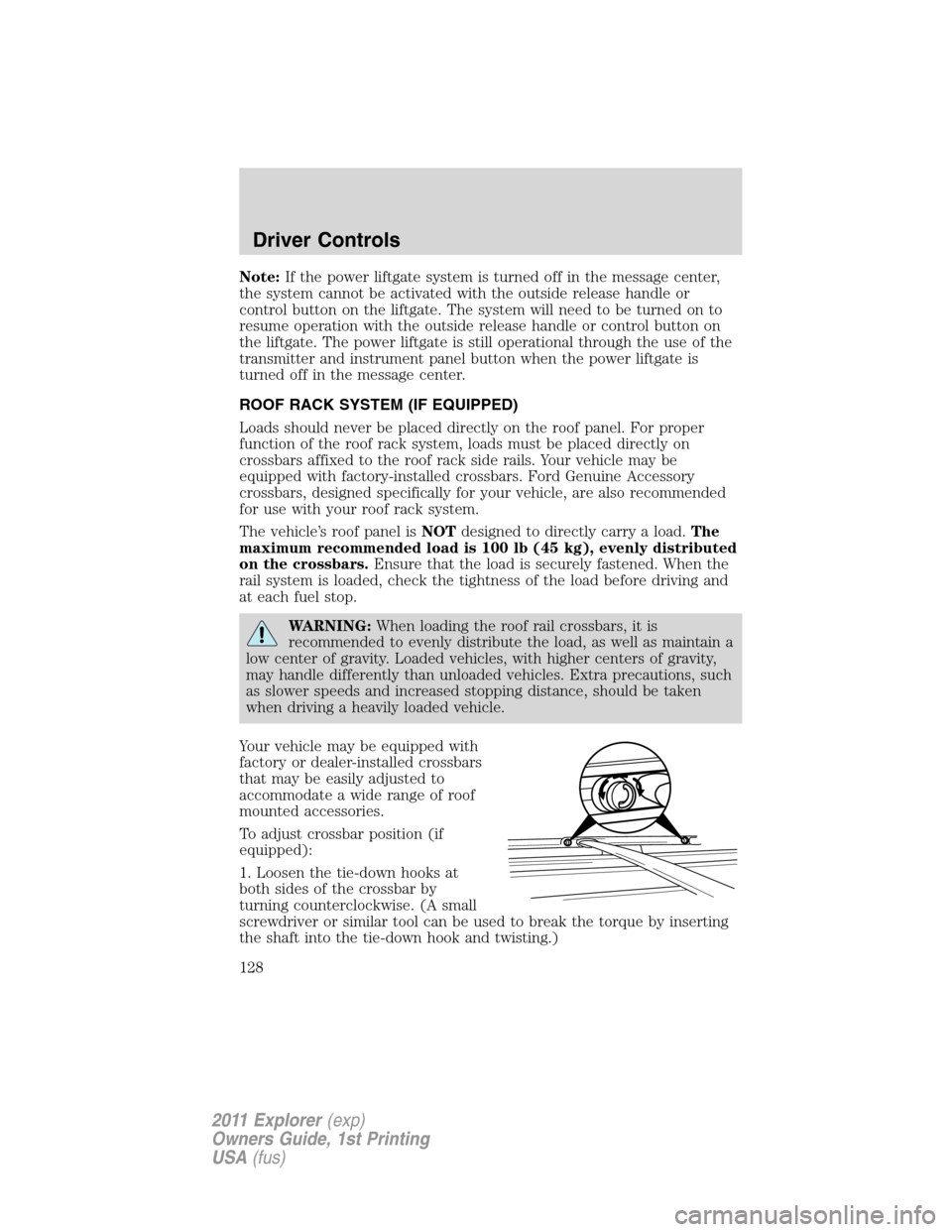
To adjust crossbar position (if
equipped):
1. Loosen the tie-down hooks at
both sides of the crossbar by
turning counterclockwise. (A small
screwdriver or similar tool can be used to break the torque by inserting
the shaft into the tie-down hook and twisting.)
Driver Controls
128
2011 Explorer(exp)
Owners Guide, 1st Printing
USA(fus)
Page 142 of 449
Deactivating/activating autounlock feature
Your vehicle comes with the autounlock feature activated; there are three
methods to enable/disable this feature:
•Through your authorized dealer,
•by using a power door unlock/lock sequence, or
•by using the instrument cluster message center. Refer toMessage
centerin theInstrument Clusterchapter.
Note:The autounlock feature can be activated/deactivated
independently of the autolock feature.
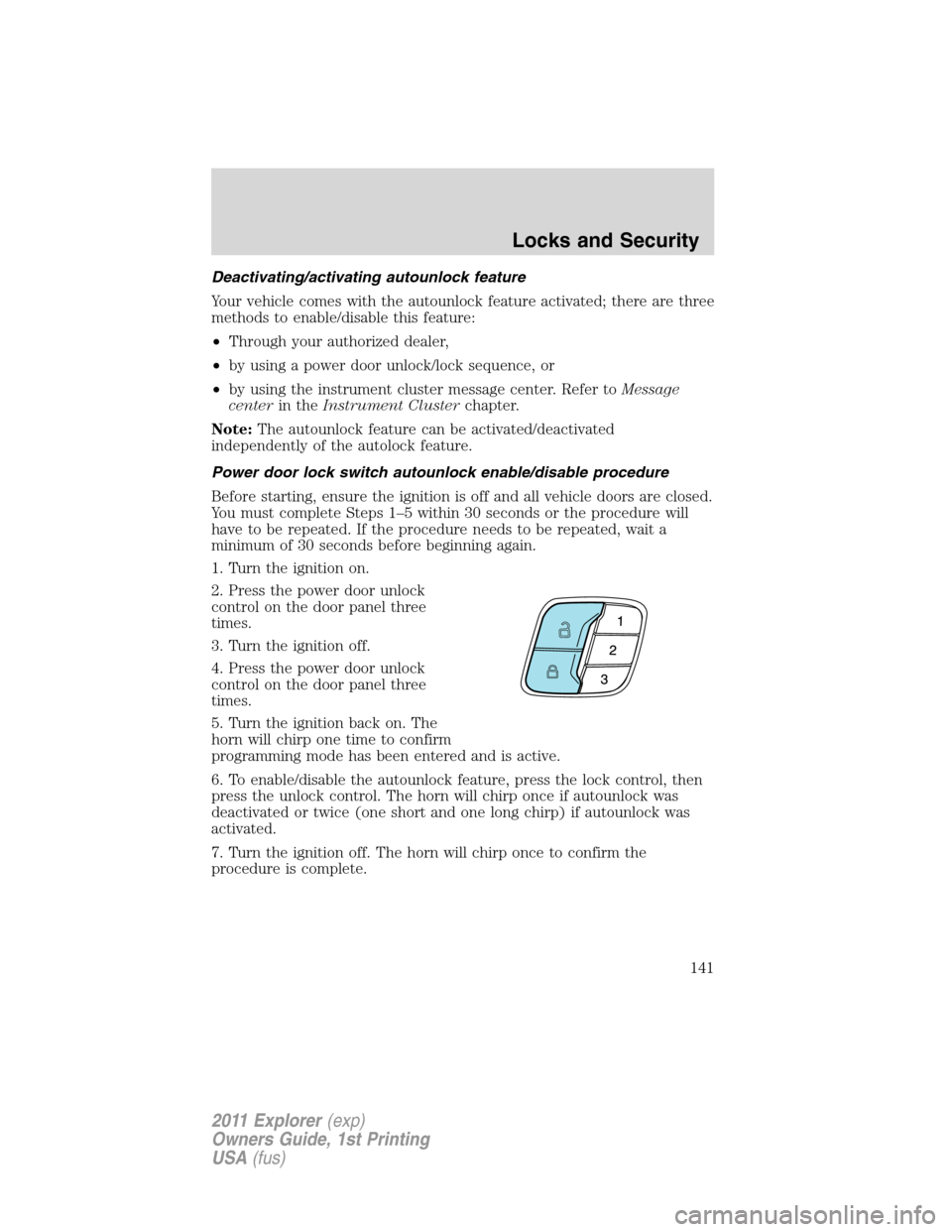
Power door lock switch autounlock enable/disable procedure
Before starting, ensure the ignition is off and all vehicle doors are closed.
You must complete Steps 1–5 within 30 seconds or the procedure will
have to be repeated. If the procedure needs to be repeated, wait a
minimum of 30 seconds before beginning again.
1. Turn the ignition on.
2. Press the power door unlock
control on the door panel three
times.
3. Turn the ignition off.
4. Press the power door unlock
control on the door panel three
times.
5. Turn the ignition back on. The
horn will chirp one time to confirm
programming mode has been entered and is active.
6. To enable/disable the autounlock feature, press the lock control, then
press the unlock control. The horn will chirp once if autounlock was
deactivated or twice (one short and one long chirp) if autounlock was
activated.
7. Turn the ignition off. The horn will chirp once to confirm the
procedure is complete.
Locks and Security
141
2011 Explorer(exp)
Owners Guide, 1st Printing
USA(fus)
Page 150 of 449
Illuminated exit
When all vehicle doors are closed, the ignition is turned off and the key
is removed from the ignition (IKT only), the interior dome lamps,
parking lamps and the puddle lamps (if equipped) will illuminate.
The lamps will turn off if all the doors remain closed and
•25 seconds elapse, or
•the key is inserted in the ignition (IKT only) or (if equipped with
intelligent access with push button start feature) the start button is
pressed.
Battery saver
The battery saver will shut off the lamps 10 minutes after the ignition
has been turned off.
•If the dome lamps were turned on using the panel dimmer control, the
battery saver will shut them off 10 minutes after the ignition has been
turned off.
•If the courtesy lamps were turned on because one of the vehicle doors
or the trunk was opened, the battery saver will shut them off
10 minutes after the ignition has been turned off.
•The battery saver will shut off the headlamps 10 minutes after the
ignition has been turned off.
Accessory mode battery saver for intelligent access keys with
push button start (if equipped)
If you shut off the engine and leave the ignition in the on or accessory
mode, the ignition will shut off after 30 minutes.
Remote start (if equipped)
The remote start feature allows you to start the engine from outside the
vehicle. If your transmitter has a
icon, you have remote start. The
remote start feature has an extended operating range which allows you
to remote start your vehicle from a farther distance from your vehicle.
All the buttons have this increased range performance capability when
equipped with remote start.
Vehicles with automatic climate control can be configured to operate
when the vehicle is started. Refer toRemote start climate optionsin
theClimate Controlschapter for more information and also refer to
Message centerin theInstrument Clusterchapter to learn how to
enable different climate options. A manual climate control system will
run at the setting it was set to when the vehicle was last turned off.
Locks and Security
149
2011 Explorer(exp)
Owners Guide, 1st Printing
USA(fus)