warning light FORD EXPLORER 2011 5.G User Guide
[x] Cancel search | Manufacturer: FORD, Model Year: 2011, Model line: EXPLORER, Model: FORD EXPLORER 2011 5.GPages: 449, PDF Size: 4.03 MB
Page 28 of 449
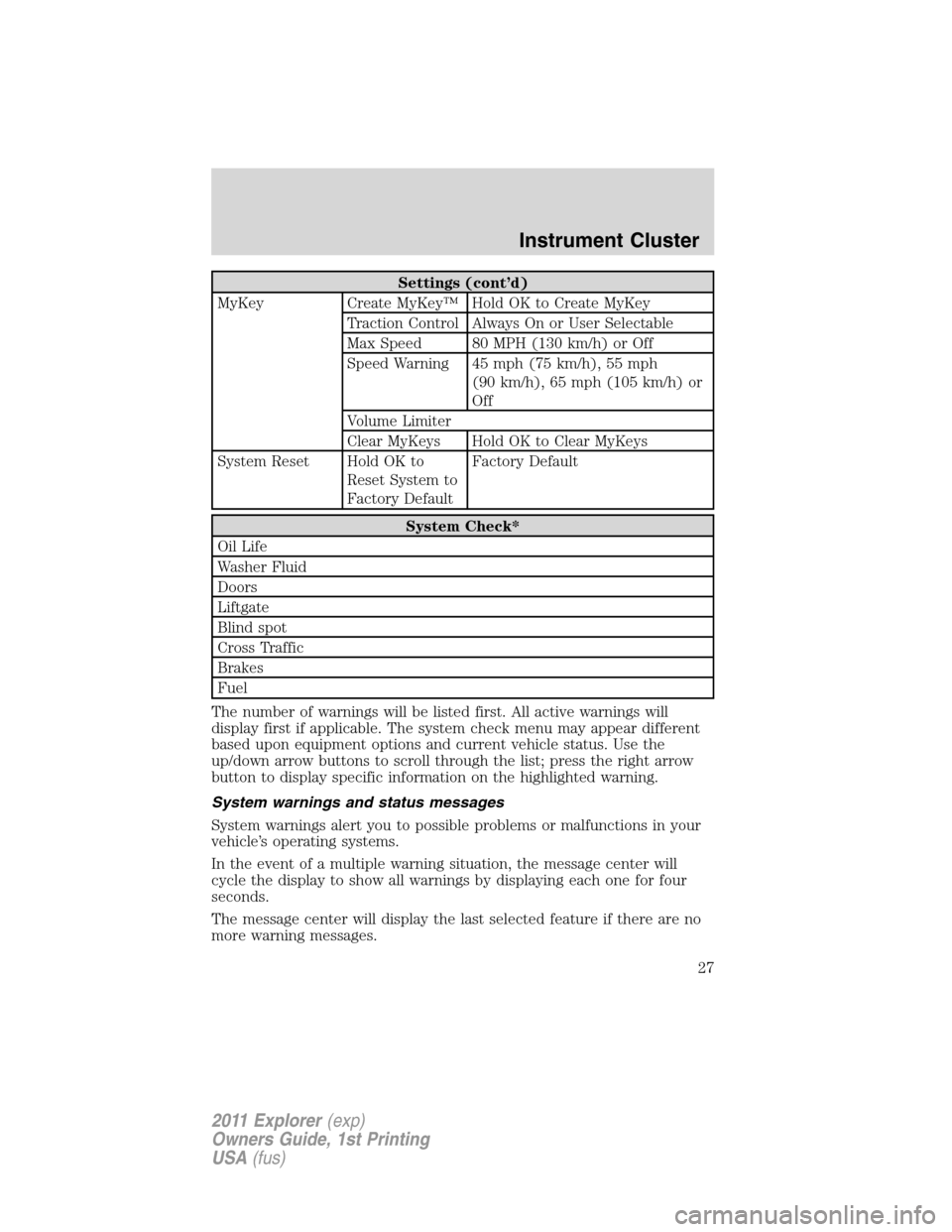
Settings (cont’d)
MyKey Create MyKey™ Hold OK to Create MyKey
Traction Control Always On or User Selectable
Max Speed 80 MPH (130 km/h) or Off
Speed Warning 45 mph (75 km/h), 55 mph
(90 km/h), 65 mph (105 km/h) or
Off
Volume Limiter
Clear MyKeys Hold OK to Clear MyKeys
System Reset Hold OK to
Reset System to
Factory DefaultFactory Default
System Check*
Oil Life
Washer Fluid
Doors
Liftgate
Blind spot
Cross Traffic
Brakes
Fuel
The number of warnings will be listed first. All active warnings will
display first if applicable. The system check menu may appear different
based upon equipment options and current vehicle status. Use the
up/down arrow buttons to scroll through the list; press the right arrow
button to display specific information on the highlighted warning.
System warnings and status messages
System warnings alert you to possible problems or malfunctions in your
vehicle’s operating systems.
In the event of a multiple warning situation, the message center will
cycle the display to show all warnings by displaying each one for four
seconds.
The message center will display the last selected feature if there are no
more warning messages.
Instrument Cluster
27
2011 Explorer(exp)
Owners Guide, 1st Printing
USA(fus)
Page 31 of 449
REMOVE OBJECTS NEAR PASS SEAT— Displayed when objects
are by the passenger seat. After the objects are moved away from the
seat, if the warning stays on or continues to come on contact your
authorized dealer as soon as possible.
TRACTION CONTROL OFF— Displayed when the traction control
has been disabled by the driver. Refer to theDrivingchapter for more
information.
AUTOMATIC BRAKING TURNED OFF (if equipped)— Displayed
when adaptive cruise control automatic braking is turned off.
AWD OFF (if equipped)— Displayed when the 4WD system has been
automatically disabled to protect itself. This is caused by operating the
vehicle with the compact spare tire installed or if the system is
overheating. The 4WD system will resume normal function and clear this
message after driving a short distance with the road tire re-installed or
after the system is allowed to cool.
CHECK AWD (if equipped)— Displayed in conjunction with the
throttle control/transmission/4WD
light when the 4WD system is
not operating properly. If the warning stays on or continues to come on,
contact your authorized dealer as soon as possible.
POWER STEERING ASSIST FAULT— The power steering system has
disabled power steering assist due to a system error, service is required.
SERVICE POWER STEERING— The power steering system has
detected a condition that requires service.
SERVICE POWER STEERING NOW— The power steering system
has detected a condition within the power steering system that requires
service immediately.
ACCESSORY POWER ACTIVE (if equipped)— Displayed when the
vehicle is in the accessory ignition state on keyless vehicles.
COULD NOT PROGRAM INTEGRATED KEY— Displayed when an
attempt is made to program a spare key using two existing MyKeys.
Refer toMyKey™in theLocks and Securitychapter for more
information.
KEY PROGRAMMED 3 KEYS TOTAL— Displayed during spare key
programming, when a third Intelligent Access Key is programmed to the
system.
KEY PROGRAMMED 4 KEYS TOTAL— Displayed during spare key
programming, when a fourth Intelligent Access Key is programmed to
the system.
Instrument Cluster
30
2011 Explorer(exp)
Owners Guide, 1st Printing
USA(fus)
Page 35 of 449
OPTIONAL MESSAGE CENTER (IF EQUIPPED)
Your vehicle’s message center is capable of monitoring many vehicle
systems and will alert you to potential vehicle problems and various
conditions with informational messages and/or warnings.
The message center is also used to program/configure the different
features of your vehicle.
The message center display is located in the instrument cluster.
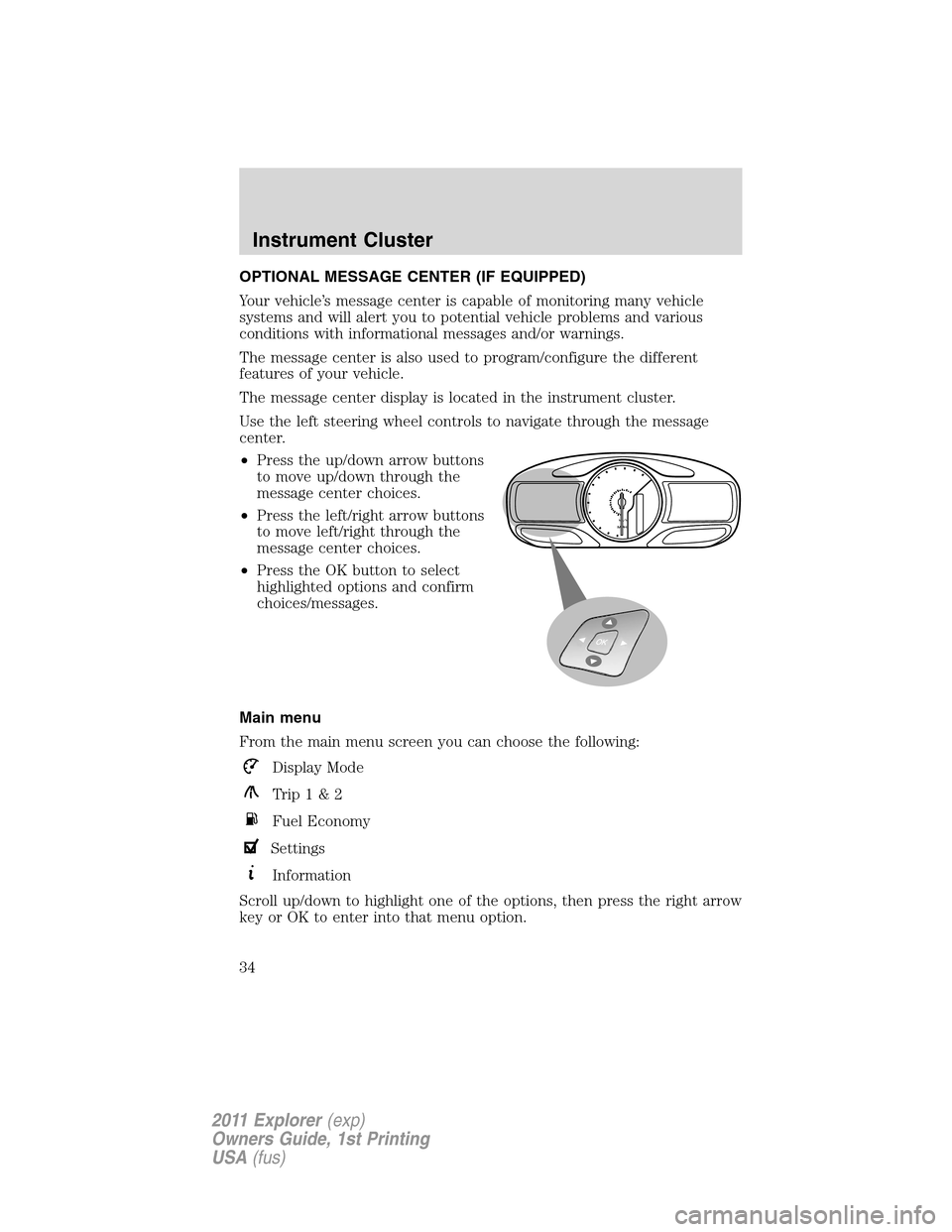
Use the left steering wheel controls to navigate through the message
center.
•Press the up/down arrow buttons
to move up/down through the
message center choices.
•Press the left/right arrow buttons
to move left/right through the
message center choices.
•Press the OK button to select
highlighted options and confirm
choices/messages.
Main menu
From the main menu screen you can choose the following:
Display Mode
Trip1&2
Fuel Economy
Settings
Information
Scroll up/down to highlight one of the options, then press the right arrow
key or OK to enter into that menu option.
km/hMPH
Instrument Cluster
34
2011 Explorer(exp)
Owners Guide, 1st Printing
USA(fus)
Page 37 of 449
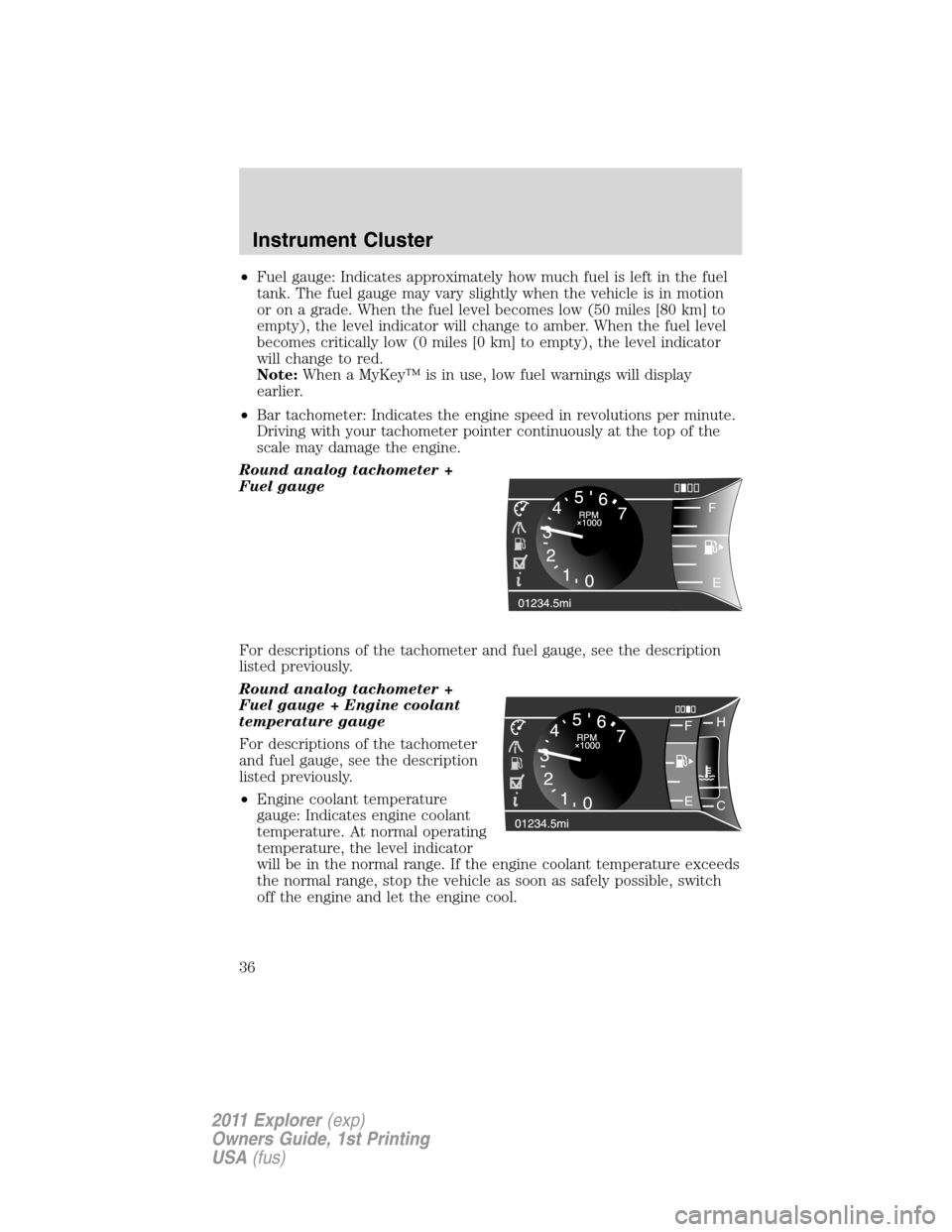
•Fuel gauge: Indicates approximately how much fuel is left in the fuel
tank. The fuel gauge may vary slightly when the vehicle is in motion
or on a grade. When the fuel level becomes low (50 miles [80 km] to
empty), the level indicator will change to amber. When the fuel level
becomes critically low (0 miles [0 km] to empty), the level indicator
will change to red.
Note:When a MyKey™ is in use, low fuel warnings will display
earlier.
•Bar tachometer: Indicates the engine speed in revolutions per minute.
Driving with your tachometer pointer continuously at the top of the
scale may damage the engine.
Round analog tachometer +
Fuel gauge
For descriptions of the tachometer and fuel gauge, see the description
listed previously.
Round analog tachometer +
Fuel gauge + Engine coolant
temperature gauge
For descriptions of the tachometer
and fuel gauge, see the description
listed previously.
•Engine coolant temperature
gauge: Indicates engine coolant
temperature. At normal operating
temperature, the level indicator
will be in the normal range. If the engine coolant temperature exceeds
the normal range, stop the vehicle as soon as safely possible, switch
off the engine and let the engine cool.
i
F
E
FH
C E
Instrument Cluster
36
2011 Explorer(exp)
Owners Guide, 1st Printing
USA(fus)
Page 47 of 449
AWD OFF (if equipped)— Displayed when the 4WD system has been
automatically disabled to protect itself. This is caused by operating the
vehicle with the compact spare tire installed or if the system is
overheating. The 4WD system will resume normal function and clear this
message after driving a short distance with the road tire re-installed or
after the system is allowed to cool.
CHECK AWD (if equipped)— Displayed in conjunction with the
throttle control/transmission/4WD
light when the 4WD system is
not operating properly. If the warning stays on or continues to come on,
contact your authorized dealer as soon as possible.
EXITING OFF ROAD MODE (if equipped)— Displayed when off
road mode becomes inactive.
FOR HILL DESCENT REDUCE SPEED 20 MPH OR LESS (if
equipped)— Displayed when hill descent speed exceeds 20 MPH.
FOR HILL DESCENT REDUCE SPEED 32 KM/H OR LESS (if
equipped)— Displayed when hill descent speed exceeds 32 KM/H.
FOR HILL DESCENT SELECT GEAR (if equipped)— Displayed
when hill descent control mode requires driver shift transmission into
gear.
FOR OFF ROAD SLOW TO 5 MPH (if equipped)— Displayed when
the vehicle speed requirement for off road mode entry has not been met.
DRIVER RESUME CONTROL (if equipped)— Displayed when the
hill control and off road mode require the driver to resume control.
HILL DESCENT CONTROL ACTIVE (if equipped)— Displayed
when hill descent control mode becomes active.
HILL DESCENT CONTROL FAULT (if equipped)— Displayed when
a hill descent system fault is present.
HILL DESCENT CONTROL OFF (if equipped)— Displayed when hill
descent control mode becomes inactive.
HILL DESCENT CONTROL OFF SYSTEM COOLING (if equipped)
— Displayed when hill descent control mode is disabled to cool the
brake system.
HILL DESCENT CONTROL READY (if equipped)— Displayed
when hill descent control mode is ready.
Instrument Cluster
46
2011 Explorer(exp)
Owners Guide, 1st Printing
USA(fus)
Page 61 of 449
CD tips
•Handle discs by their edges only.(Never touch the playing surface).
•Inspect discs before playing.
•Clean only with an approved CD cleaner.
•Wipe discs from the center out.
•Do notexpose discs to direct sunlight or heat sources for extended
periods of time.
•Do notclean using a circular motion.
Note:CD units are designed to play commercially pressed 4.75 in
(12 cm) audio compact discs only. Due to technical incompatibility,
certain recordable and re-recordable compact discs may not function
correctly when used in Ford CD players. Do not use any irregular shaped
CDs or discs with a scratch protection film attached.CDs with
homemade paper (adhesive) labels should not be inserted into
the CD player as the label may peel and cause the CD to become
jammed.It is recommended that homemade CDs be identified with
permanent felt tip marker rather than adhesive labels. Ballpoint pens
may damage CDs. Please contact your authorized dealer for further
information.
Auxiliary input jack (line in)
WARNING:Driving while distracted can result in loss of vehicle
control, accident and injury. Ford strongly recommends that
drivers use extreme caution when using any device or feature that may
take their focus off the road. Your primary responsibility is the safe
operation of the vehicle. We recommend against the use of any
handheld device while driving, encourage the use of voice-operated
systems when possible and that you become aware of applicable state
and local laws that may affect use of electronic devices while driving.
The auxiliary input jack (AIJ) provides a way to connect and play music
from your portable music player over the vehicle speakers. To access:
1. Plug in one end of the cable into the AIJ (located in your center
console).
2. Listen to an FM station or a CD first to adjust the volume to a
comfortable listening level.
Entertainment Systems
60
2011 Explorer(exp)
Owners Guide, 1st Printing
USA(fus)
Page 80 of 449
Daytime running lamps (DRL) (if equipped)
To activate DRL:
•the ignition must be in the on position and
•the headlamp control is in the
orposition
•the transmission is not in P (Park).
WARNING:Always remember to turn on your headlamps at
dusk or during inclement weather. The Daytime Running Light
(DRL) System does not activate your tail lamps and generally may not
provide adequate lighting during these conditions. Failure to activate
your headlamps under these conditions may result in a collision.
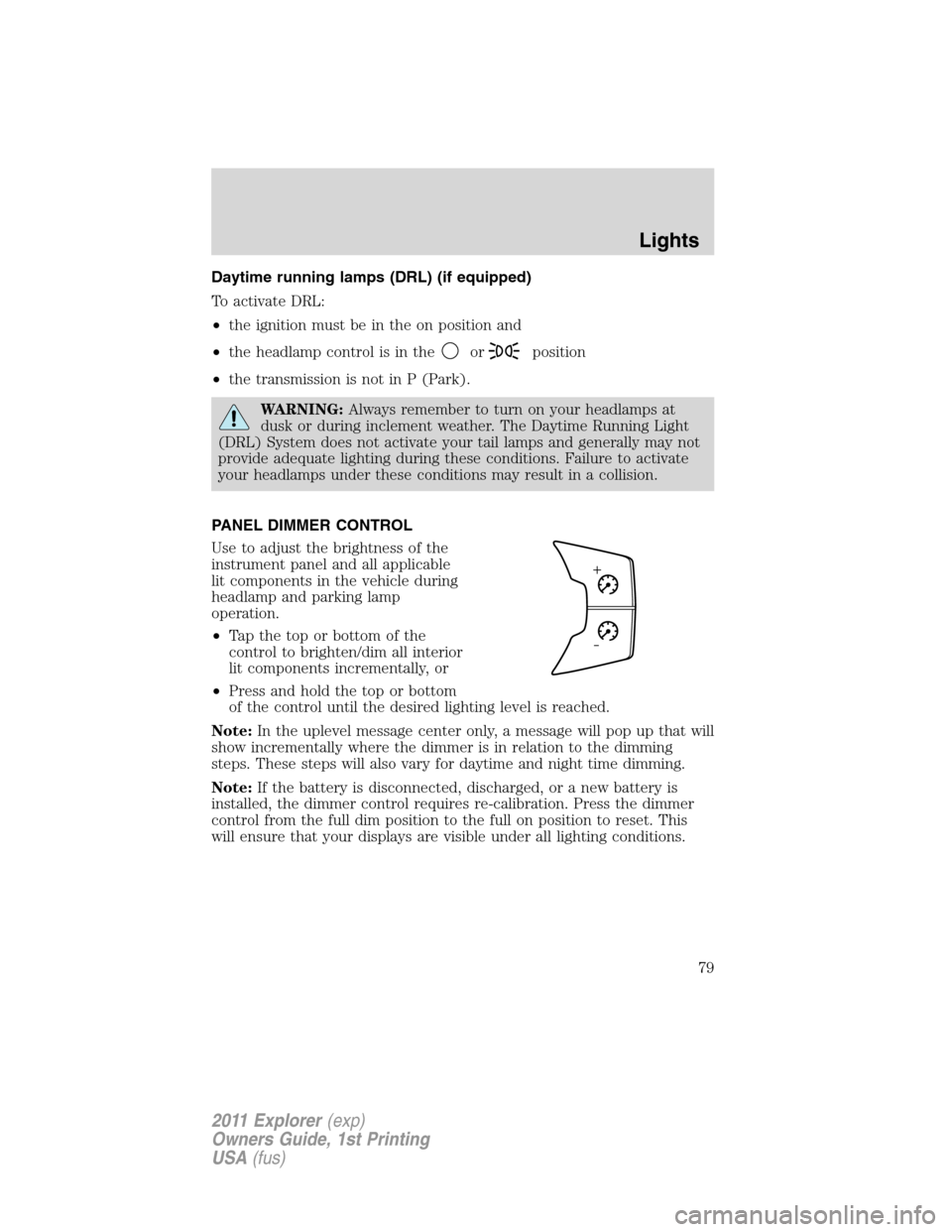
PANEL DIMMER CONTROL
Use to adjust the brightness of the
instrument panel and all applicable
lit components in the vehicle during
headlamp and parking lamp
operation.
•Tapthetoporbottomofthe
control to brighten/dim all interior
lit components incrementally, or
•Press and hold the top or bottom
of the control until the desired lighting level is reached.
Note:In the uplevel message center only, a message will pop up that will
show incrementally where the dimmer is in relation to the dimming
steps. These steps will also vary for daytime and night time dimming.
Note:If the battery is disconnected, discharged, or a new battery is
installed, the dimmer control requires re-calibration. Press the dimmer
control from the full dim position to the full on position to reset. This
will ensure that your displays are visible under all lighting conditions.
Lights
79
2011 Explorer(exp)
Owners Guide, 1st Printing
USA(fus)
Page 85 of 449
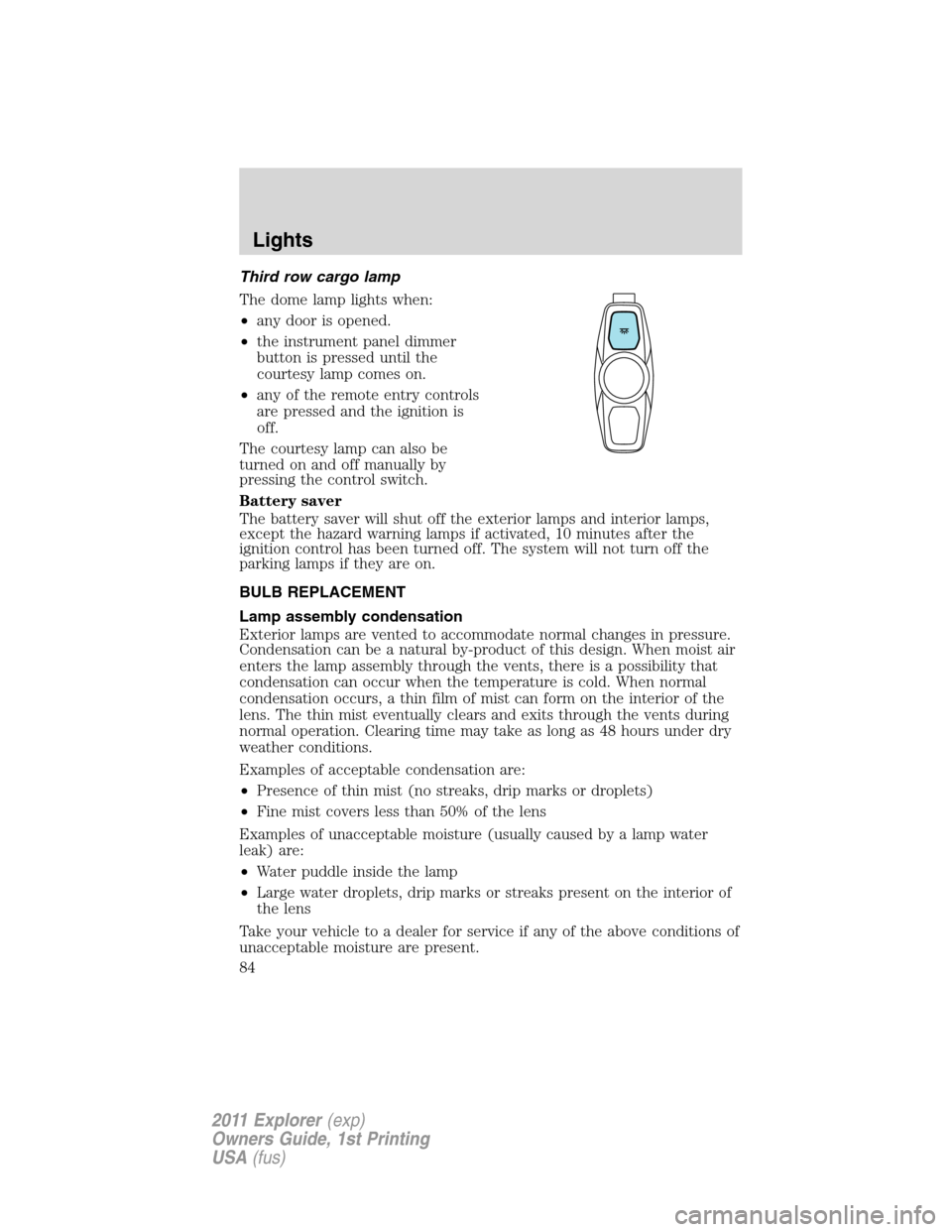
Third row cargo lamp
The dome lamp lights when:
•any door is opened.
•the instrument panel dimmer
button is pressed until the
courtesy lamp comes on.
•any of the remote entry controls
are pressed and the ignition is
off.
The courtesy lamp can also be
turned on and off manually by
pressing the control switch.
Battery saver
The battery saver will shut off the exterior lamps and interior lamps,
except the hazard warning lamps if activated, 10 minutes after the
ignition control has been turned off. The system will not turn off the
parking lamps if they are on.
BULB REPLACEMENT
Lamp assembly condensation
Exterior lamps are vented to accommodate normal changes in pressure.
Condensation can be a natural by-product of this design. When moist air
enters the lamp assembly through the vents, there is a possibility that
condensation can occur when the temperature is cold. When normal
condensation occurs, a thin film of mist can form on the interior of the
lens. The thin mist eventually clears and exits through the vents during
normal operation. Clearing time may take as long as 48 hours under dry
weather conditions.
Examples of acceptable condensation are:
•Presence of thin mist (no streaks, drip marks or droplets)
•Fine mist covers less than 50% of the lens
Examples of unacceptable moisture (usually caused by a lamp water
leak) are:
•Water puddle inside the lamp
•Large water droplets, drip marks or streaks present on the interior of
the lens
Take your vehicle to a dealer for service if any of the above conditions of
unacceptable moisture are present.
Lights
84
2011 Explorer(exp)
Owners Guide, 1st Printing
USA(fus)
Page 87 of 449
Replacing exterior bulbs
Check the operation of all the bulbs frequently.
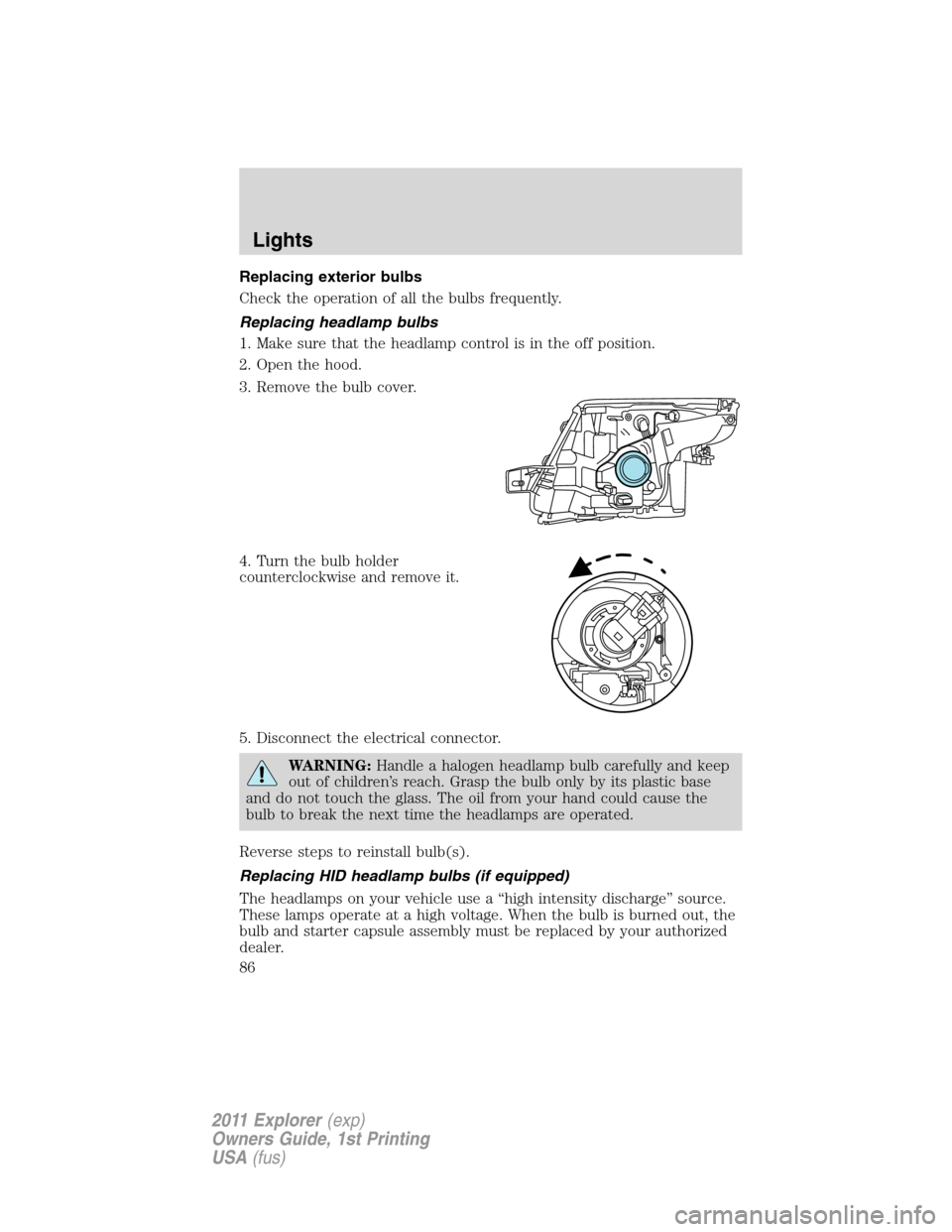
Replacing headlamp bulbs
1. Make sure that the headlamp control is in the off position.
2. Open the hood.
3. Remove the bulb cover.
4. Turn the bulb holder
counterclockwise and remove it.
5. Disconnect the electrical connector.
WARNING:Handle a halogen headlamp bulb carefully and keep
out of children’s reach. Grasp the bulb only by its plastic base
and do not touch the glass. The oil from your hand could cause the
bulb to break the next time the headlamps are operated.
Reverse steps to reinstall bulb(s).
Replacing HID headlamp bulbs (if equipped)
The headlamps on your vehicle use a “high intensity discharge” source.
These lamps operate at a high voltage. When the bulb is burned out, the
bulb and starter capsule assembly must be replaced by your authorized
dealer.
Lights
86
2011 Explorer(exp)
Owners Guide, 1st Printing
USA(fus)
Page 95 of 449
Reverse wiper feature:The rear wiper will be automatically activated in
an intermittent setting when shifting into R (Reverse) if the front wipers
are activated. This feature may be enabled/disabled through the message
center. Refer toMessage centerin theInstrument Clusterchapter.
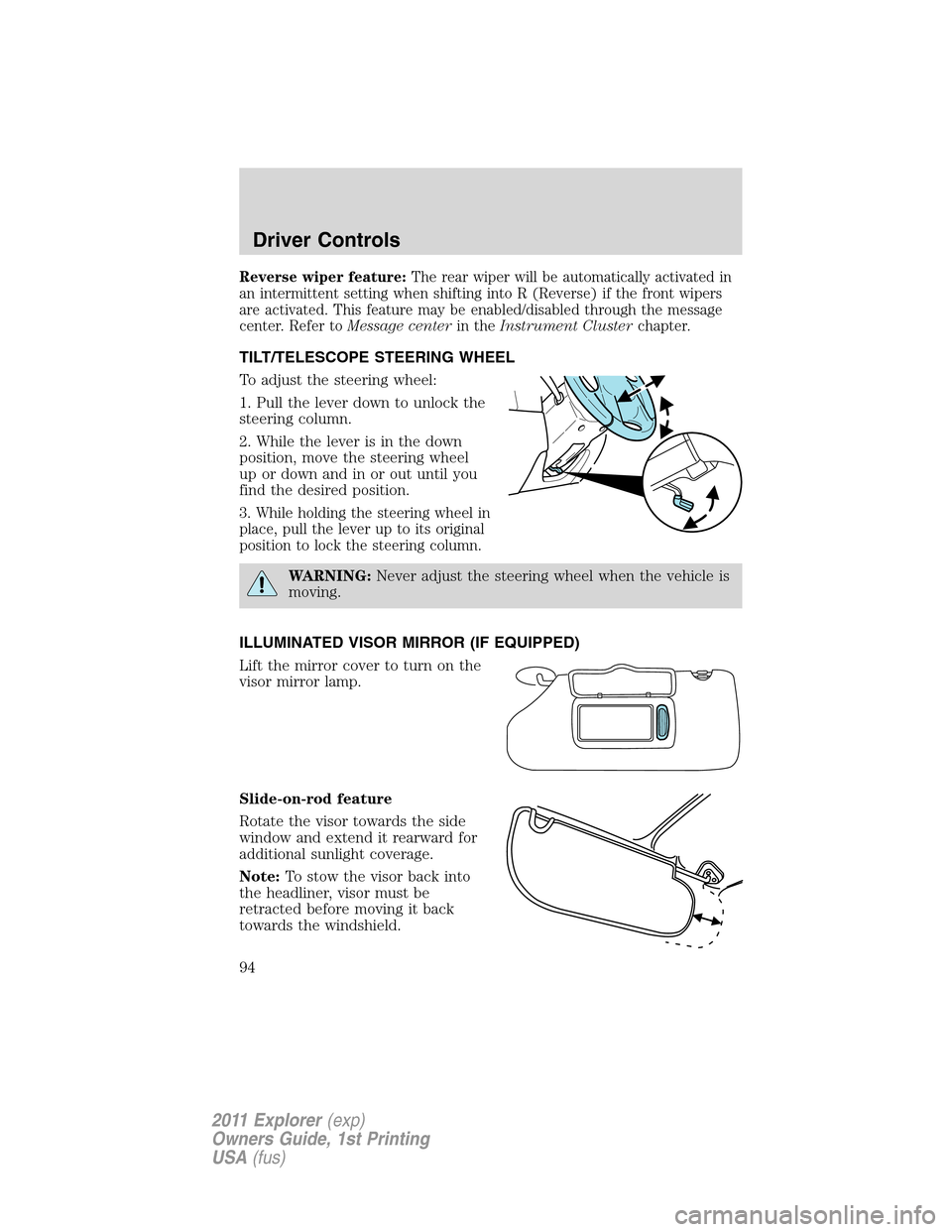
TILT/TELESCOPE STEERING WHEEL
To adjust the steering wheel:
1. Pull the lever down to unlock the
steering column.
2. While the lever is in the down
position, move the steering wheel
up or down and in or out until you
find the desired position.
3. While holding the steering wheel in
place, pull the lever up to its original
position to lock the steering column.
WARNING:Never adjust the steering wheel when the vehicle is
moving.
ILLUMINATED VISOR MIRROR (IF EQUIPPED)
Lift the mirror cover to turn on the
visor mirror lamp.
Slide-on-rod feature
Rotate the visor towards the side
window and extend it rearward for
additional sunlight coverage.
Note:To stow the visor back into
the headliner, visor must be
retracted before moving it back
towards the windshield.
Driver Controls
94
2011 Explorer(exp)
Owners Guide, 1st Printing
USA(fus)