cruise control FORD EXPLORER 2021 Owners Manual
[x] Cancel search | Manufacturer: FORD, Model Year: 2021, Model line: EXPLORER, Model: FORD EXPLORER 2021Pages: 577, PDF Size: 9.79 MB
Page 5 of 577
Clearing All MyKeys
......................................66
Checking MyKey System Status .............
66
Using MyKey With Remote Start Systems ........................................................
67
MyKey – Troubleshooting ..........................
67
Doors and Locks
Locking and Unlocking ...............................
69
Keyless Entry ...................................................
72
Liftgate
Power Liftgate ................................................
74
Security
Passive Anti-Theft System ........................
78
Anti-Theft Alarm ...........................................
78
Steering Wheel
Adjusting the Steering Wheel - Vehicles With: Manual Adjustable Steering
Column .........................................................
80
Adjusting the Steering Wheel - Vehicles With: Power Adjustable Steering
Column .........................................................
80
Audio Control ..................................................
82
Voice Control ..................................................
82
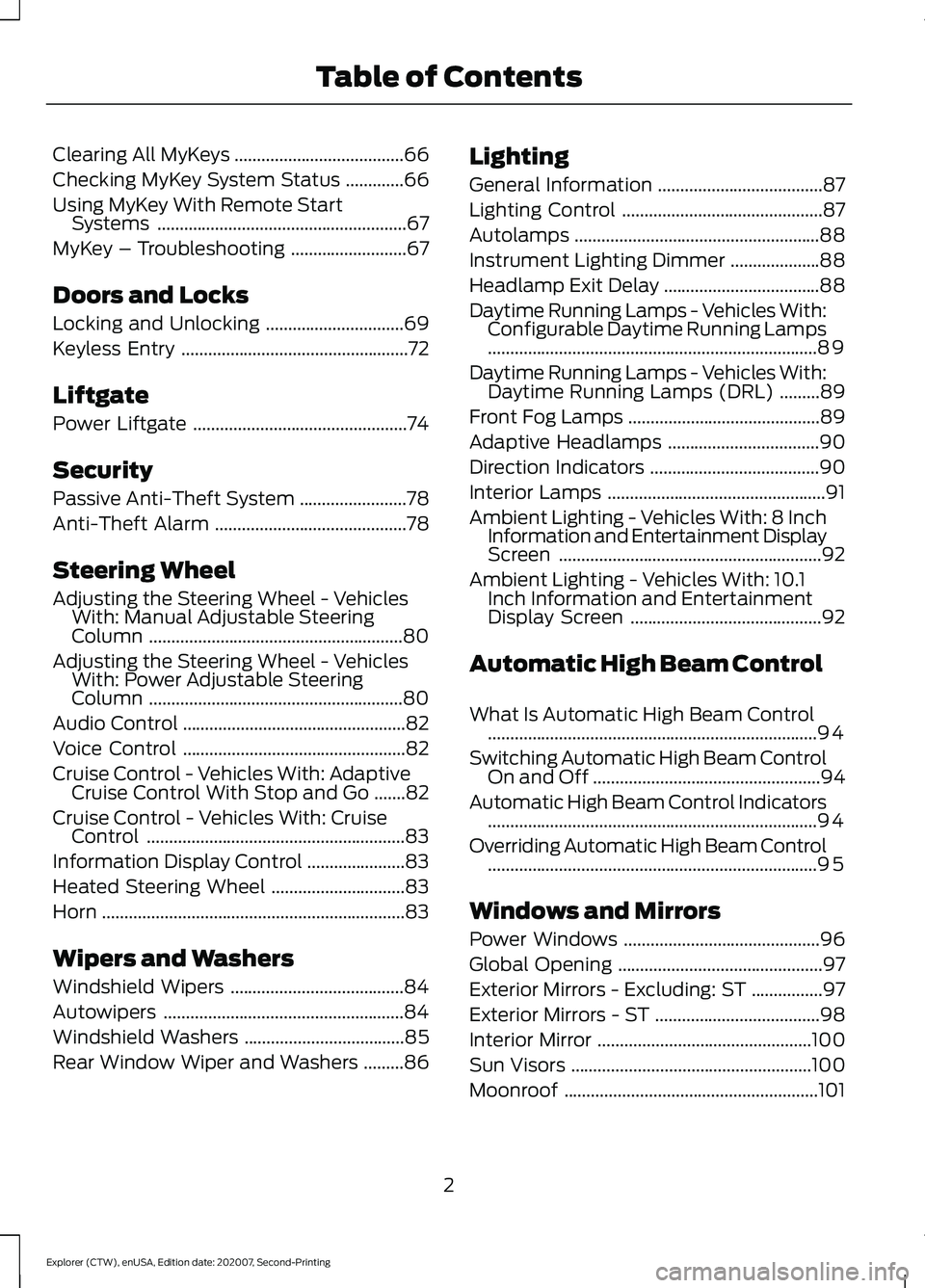
Cruise Control - Vehicles With: Adaptive Cruise Control With Stop and Go .......
82
Cruise Control - Vehicles With: Cruise Control ..........................................................
83
Information Display Control ......................
83
Heated Steering Wheel ..............................
83
Horn ....................................................................
83
Wipers and Washers
Windshield Wipers .......................................
84
Autowipers ......................................................
84
Windshield Washers ....................................
85
Rear Window Wiper and Washers .........
86Lighting
General Information
.....................................
87
Lighting Control .............................................
87
Autolamps .......................................................
88
Instrument Lighting Dimmer ....................
88
Headlamp Exit Delay ...................................
88
Daytime Running Lamps - Vehicles With: Configurable Daytime Running Lamps
........................................................................\
..
89
Daytime Running Lamps - Vehicles With: Daytime Running Lamps (DRL) .........
89
Front Fog Lamps ...........................................
89
Adaptive Headlamps ..................................
90
Direction Indicators ......................................
90
Interior Lamps .................................................
91
Ambient Lighting - Vehicles With: 8 Inch Information and Entertainment Display
Screen ...........................................................
92
Ambient Lighting - Vehicles With: 10.1 Inch Information and Entertainment
Display Screen ...........................................
92
Automatic High Beam Control
What Is Automatic High Beam Control ........................................................................\
..
94
Switching Automatic High Beam Control On and Off ...................................................
94
Automatic High Beam Control Indicators ........................................................................\
..
94
Overriding Automatic High Beam Control ........................................................................\
..
95
Windows and Mirrors
Power Windows ............................................
96
Global Opening ..............................................
97
Exterior Mirrors - Excluding: ST ................
97
Exterior Mirrors - ST .....................................
98
Interior Mirror ................................................
100
Sun Visors ......................................................
100
Moonroof .........................................................
101
2
Explorer (CTW), enUSA, Edition date: 202007, Second-Printing Table of Contents
Page 8 of 577
360 Degree Camera
...................................241
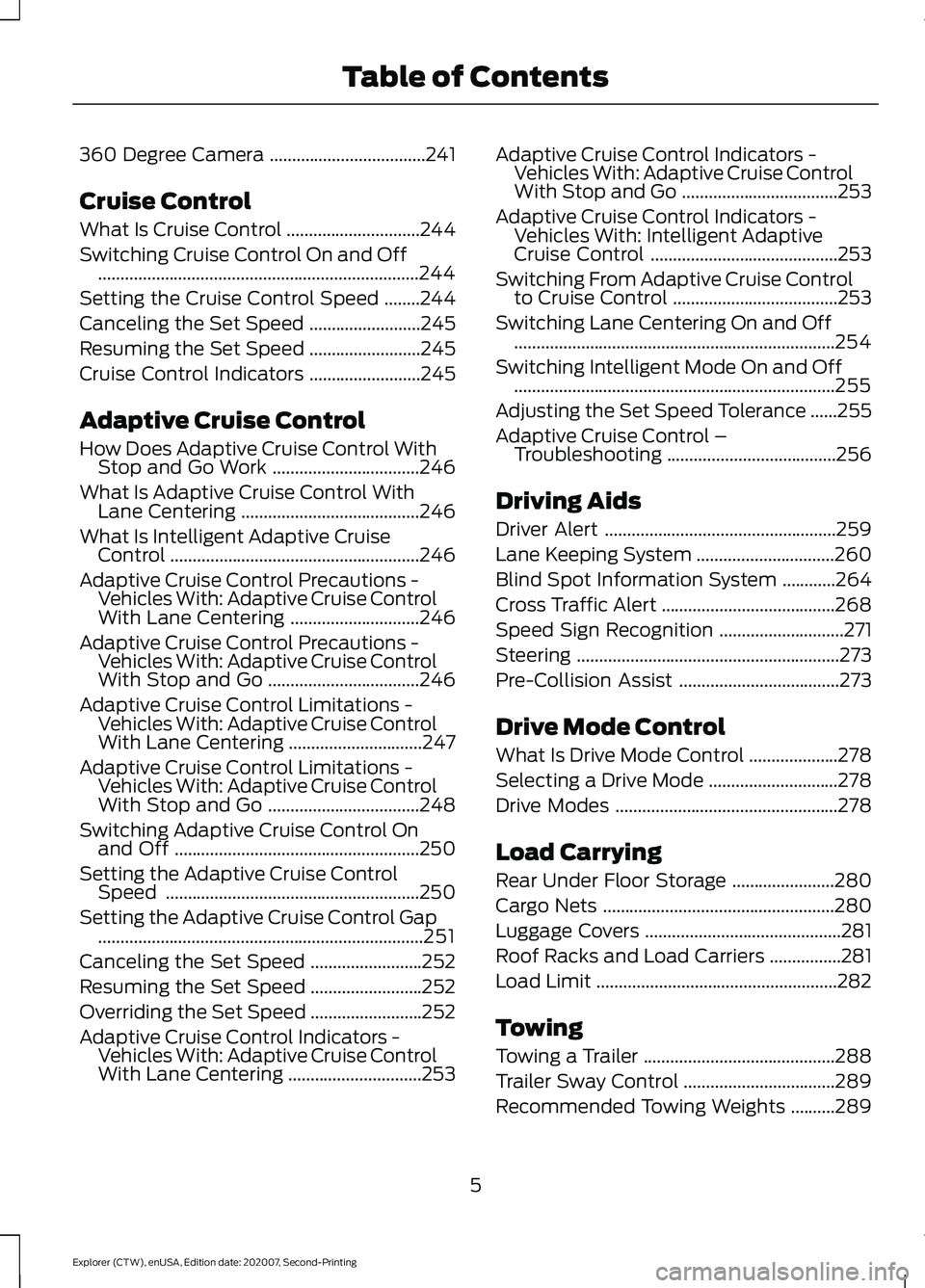
Cruise Control
What Is Cruise Control ..............................
244
Switching Cruise Control On and Off ........................................................................\
244
Setting the Cruise Control Speed ........
244
Canceling the Set Speed .........................
245
Resuming the Set Speed .........................
245
Cruise Control Indicators .........................
245
Adaptive Cruise Control
How Does Adaptive Cruise Control With Stop and Go Work .................................
246
What Is Adaptive Cruise Control With Lane Centering ........................................
246
What Is Intelligent Adaptive Cruise Control ........................................................
246
Adaptive Cruise Control Precautions - Vehicles With: Adaptive Cruise Control
With Lane Centering .............................
246
Adaptive Cruise Control Precautions - Vehicles With: Adaptive Cruise Control
With Stop and Go ..................................
246
Adaptive Cruise Control Limitations - Vehicles With: Adaptive Cruise Control
With Lane Centering ..............................
247
Adaptive Cruise Control Limitations - Vehicles With: Adaptive Cruise Control
With Stop and Go ..................................
248
Switching Adaptive Cruise Control On and Off .......................................................
250
Setting the Adaptive Cruise Control Speed .........................................................
250
Setting the Adaptive Cruise Control Gap ........................................................................\
.
251
Canceling the Set Speed .........................
252
Resuming the Set Speed .........................
252
Overriding the Set Speed .........................
252
Adaptive Cruise Control Indicators - Vehicles With: Adaptive Cruise Control
With Lane Centering ..............................
253Adaptive Cruise Control Indicators -
Vehicles With: Adaptive Cruise Control
With Stop and Go ...................................
253
Adaptive Cruise Control Indicators - Vehicles With: Intelligent Adaptive
Cruise Control ..........................................
253
Switching From Adaptive Cruise Control to Cruise Control .....................................
253
Switching Lane Centering On and Off ........................................................................\
254
Switching Intelligent Mode On and Off ........................................................................\
255
Adjusting the Set Speed Tolerance ......
255
Adaptive Cruise Control – Troubleshooting ......................................
256
Driving Aids
Driver Alert ....................................................
259
Lane Keeping System ...............................
260
Blind Spot Information System ............
264
Cross Traffic Alert .......................................
268
Speed Sign Recognition ............................
271
Steering ...........................................................
273
Pre-Collision Assist ....................................
273
Drive Mode Control
What Is Drive Mode Control ....................
278
Selecting a Drive Mode .............................
278
Drive Modes ..................................................
278
Load Carrying
Rear Under Floor Storage .......................
280
Cargo Nets ....................................................
280
Luggage Covers ............................................
281
Roof Racks and Load Carriers ................
281
Load Limit ......................................................
282
Towing
Towing a Trailer ...........................................
288
Trailer Sway Control ..................................
289
Recommended Towing Weights ..........
289
5
Explorer (CTW), enUSA, Edition date: 202007, Second-Printing Table of Contents
Page 13 of 577
Brake system
Cabin air filter
Check fuel cap
Child safety door lock or unlock
Child seat lower anchor
Child seat tether anchor
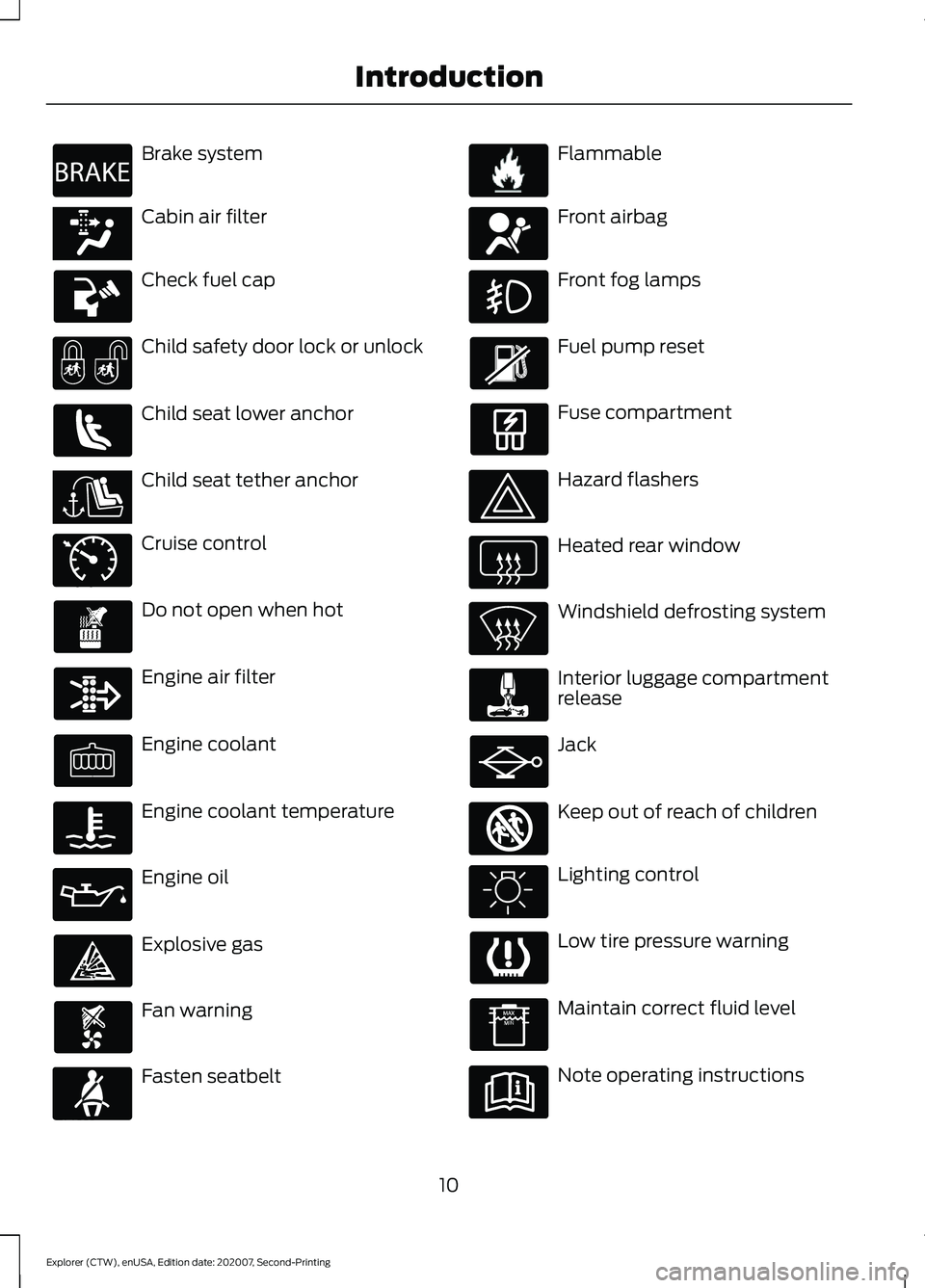
Cruise control
Do not open when hot
Engine air filter
Engine coolant
Engine coolant temperature
Engine oil
Explosive gas
Fan warning
Fasten seatbelt Flammable
Front airbag
Front fog lamps
Fuel pump reset
Fuse compartment
Hazard flashers
Heated rear window
Windshield defrosting system
Interior luggage compartment
release
Jack
Keep out of reach of children
Lighting control
Low tire pressure warning
Maintain correct fluid level
Note operating instructions
10
Explorer (CTW), enUSA, Edition date: 202007, Second-Printing IntroductionE270480 E139223 E141128 E71340 E71880 E231160 E67017 E161353
Page 24 of 577
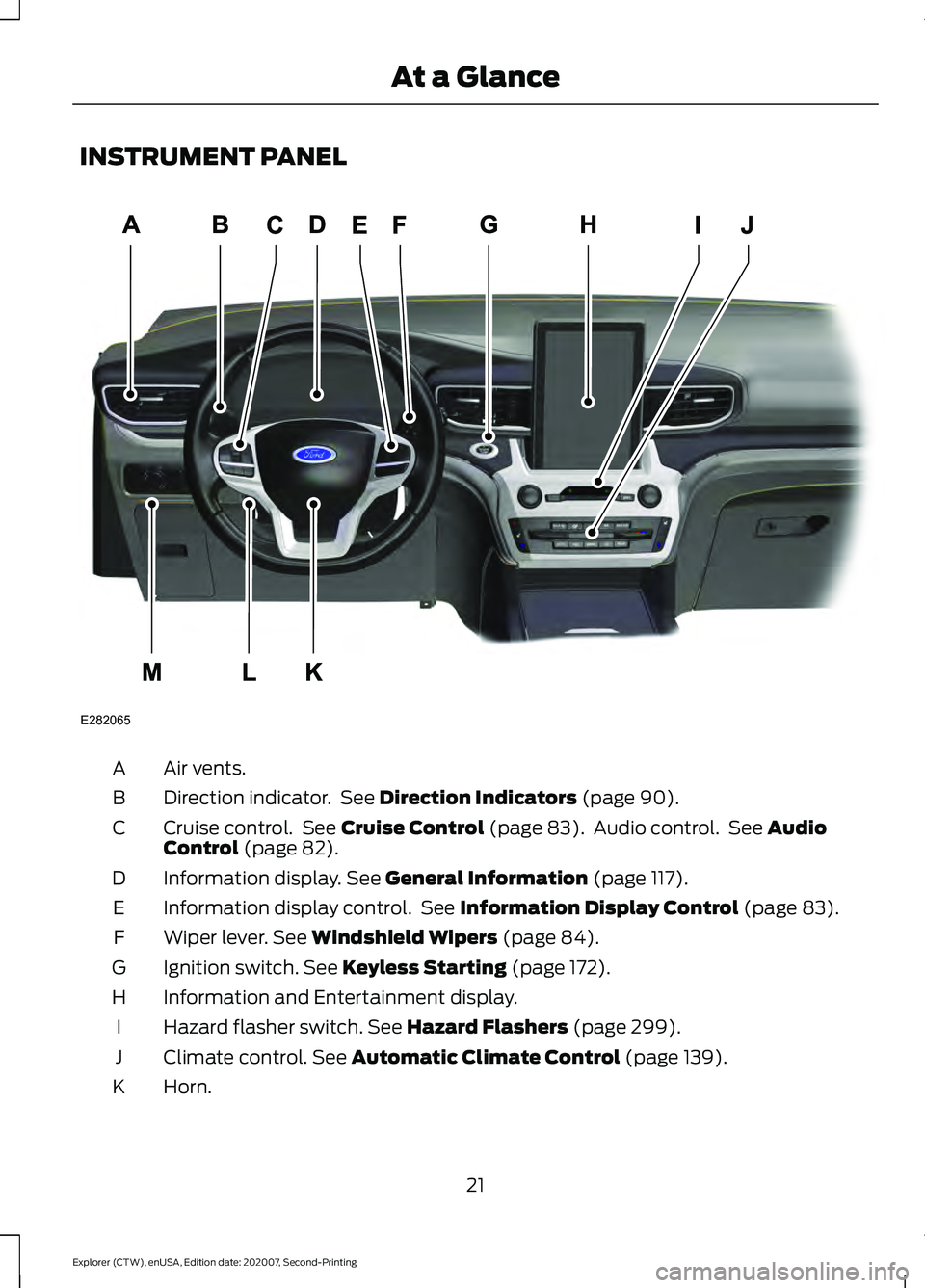
INSTRUMENT PANEL
Air vents.
A
Direction indicator. See Direction Indicators (page 90).
B
Cruise control. See
Cruise Control (page 83). Audio control. See Audio
Control (page 82).
C
Information display.
See General Information (page 117).
D
Information display control. See
Information Display Control (page 83).
E
Wiper lever.
See Windshield Wipers (page 84).
F
Ignition switch.
See Keyless Starting (page 172).
G
Information and Entertainment display.
H
Hazard flasher switch.
See Hazard Flashers (page 299).
I
Climate control.
See Automatic Climate Control (page 139).
J
Horn.
K
21
Explorer (CTW), enUSA, Edition date: 202007, Second-Printing At a GlanceE282065
A
Page 85 of 577
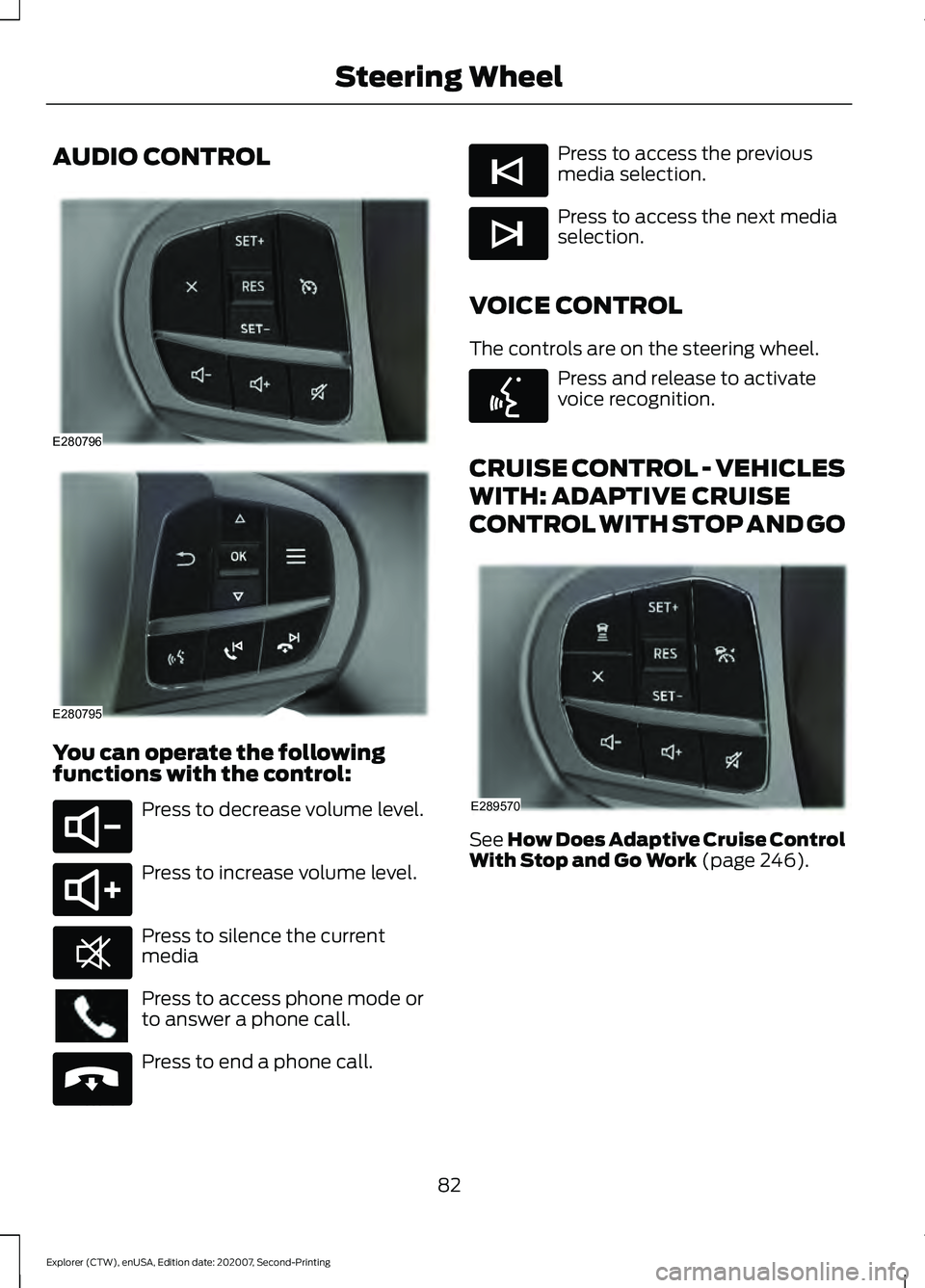
AUDIO CONTROL
You can operate the following
functions with the control:
Press to decrease volume level.
Press to increase volume level.
Press to silence the current
media
Press to access phone mode or
to answer a phone call.
Press to end a phone call. Press to access the previous
media selection.
Press to access the next media
selection.
VOICE CONTROL
The controls are on the steering wheel. Press and release to activate
voice recognition.
CRUISE CONTROL - VEHICLES
WITH: ADAPTIVE CRUISE
CONTROL WITH STOP AND GO See How Does Adaptive Cruise Control
With Stop and Go Work (page 246).
82
Explorer (CTW), enUSA, Edition date: 202007, Second-Printing Steering WheelE280796 E280795 E280802 E280803 E268549 E265040 E265045 E265044 E142599 E289570
Page 86 of 577
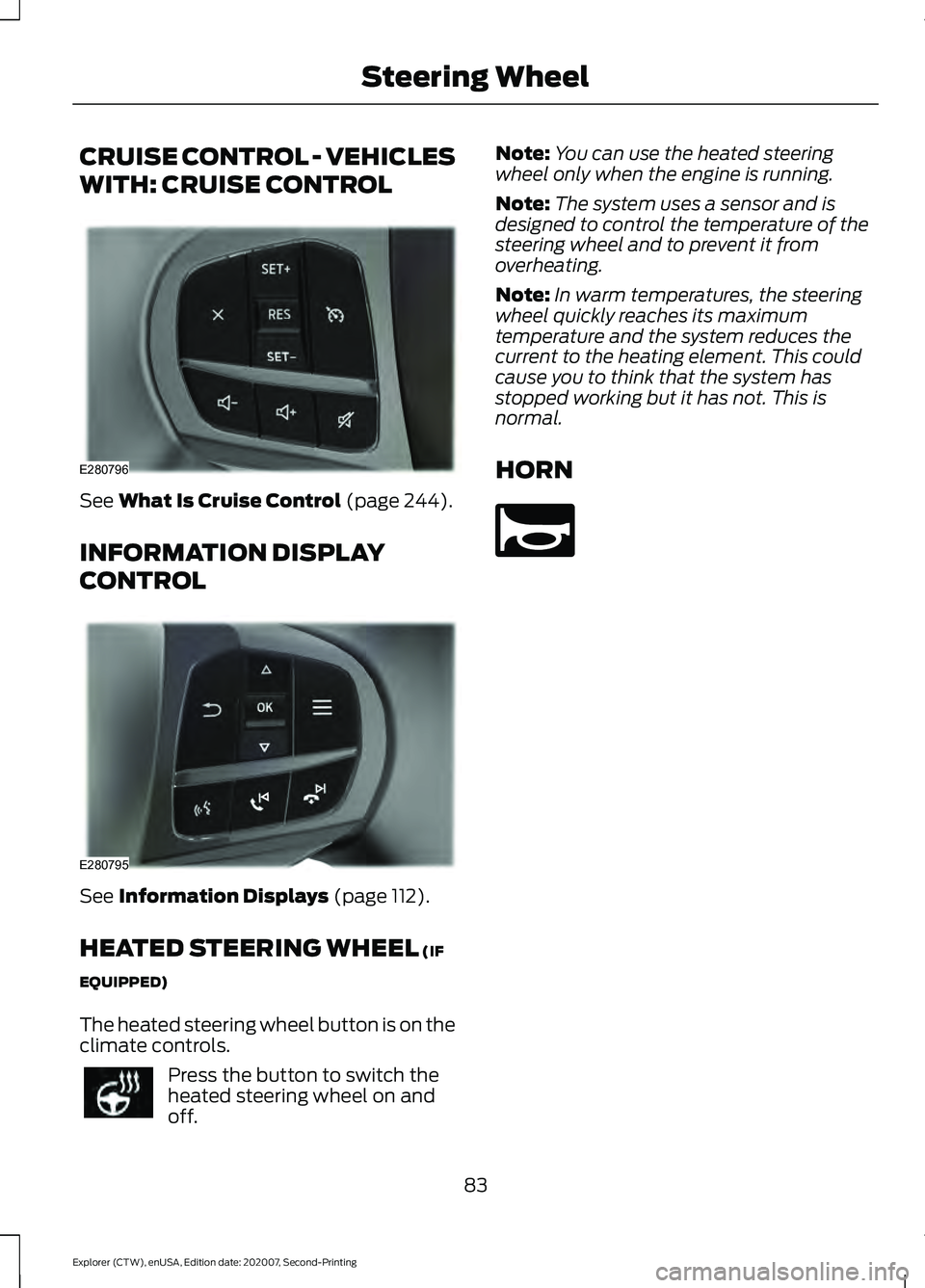
CRUISE CONTROL - VEHICLES
WITH: CRUISE CONTROL
See What Is Cruise Control (page 244).
INFORMATION DISPLAY
CONTROL See
Information Displays (page 112).
HEATED STEERING WHEEL
(IF
EQUIPPED)
The heated steering wheel button is on the
climate controls. Press the button to switch the
heated steering wheel on and
off. Note:
You can use the heated steering
wheel only when the engine is running.
Note: The system uses a sensor and is
designed to control the temperature of the
steering wheel and to prevent it from
overheating.
Note: In warm temperatures, the steering
wheel quickly reaches its maximum
temperature and the system reduces the
current to the heating element. This could
cause you to think that the system has
stopped working but it has not. This is
normal.
HORN 83
Explorer (CTW), enUSA, Edition date: 202007, Second-Printing Steering WheelE280796 E280795 E270945
Page 110 of 577
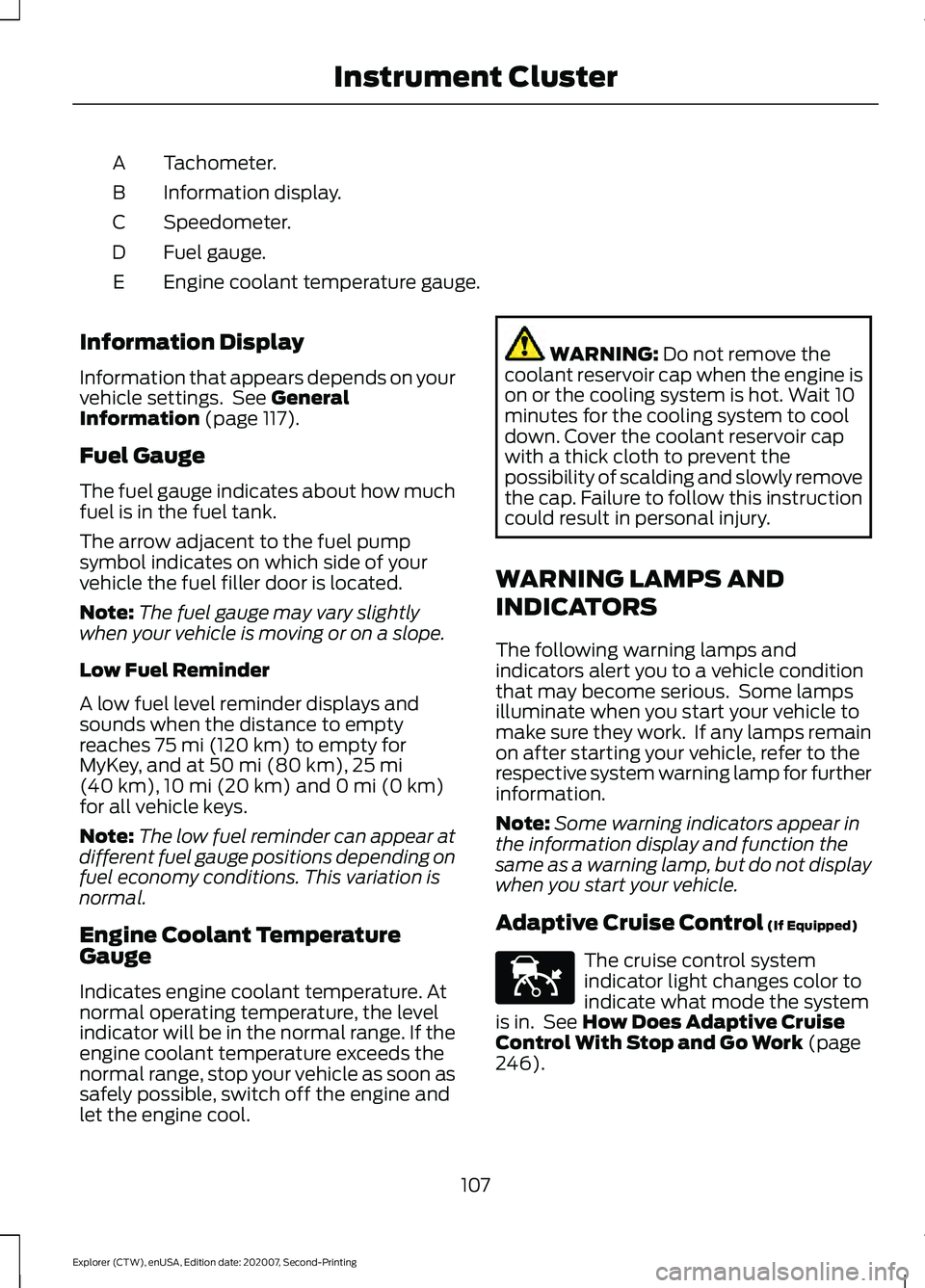
Tachometer.
A
Information display.
B
Speedometer.
C
Fuel gauge.
D
Engine coolant temperature gauge.
E
Information Display
Information that appears depends on your
vehicle settings. See General
Information (page 117).
Fuel Gauge
The fuel gauge indicates about how much
fuel is in the fuel tank.
The arrow adjacent to the fuel pump
symbol indicates on which side of your
vehicle the fuel filler door is located.
Note: The fuel gauge may vary slightly
when your vehicle is moving or on a slope.
Low Fuel Reminder
A low fuel level reminder displays and
sounds when the distance to empty
reaches
75 mi (120 km) to empty for
MyKey, and at 50 mi (80 km), 25 mi
(40 km), 10 mi (20 km) and 0 mi (0 km)
for all vehicle keys.
Note: The low fuel reminder can appear at
different fuel gauge positions depending on
fuel economy conditions. This variation is
normal.
Engine Coolant Temperature
Gauge
Indicates engine coolant temperature. At
normal operating temperature, the level
indicator will be in the normal range. If the
engine coolant temperature exceeds the
normal range, stop your vehicle as soon as
safely possible, switch off the engine and
let the engine cool. WARNING:
Do not remove the
coolant reservoir cap when the engine is
on or the cooling system is hot. Wait 10
minutes for the cooling system to cool
down. Cover the coolant reservoir cap
with a thick cloth to prevent the
possibility of scalding and slowly remove
the cap. Failure to follow this instruction
could result in personal injury.
WARNING LAMPS AND
INDICATORS
The following warning lamps and
indicators alert you to a vehicle condition
that may become serious. Some lamps
illuminate when you start your vehicle to
make sure they work. If any lamps remain
on after starting your vehicle, refer to the
respective system warning lamp for further
information.
Note: Some warning indicators appear in
the information display and function the
same as a warning lamp, but do not display
when you start your vehicle.
Adaptive Cruise Control
(If Equipped) The cruise control system
indicator light changes color to
indicate what mode the system
is in. See
How Does Adaptive Cruise
Control With Stop and Go Work (page
246).
107
Explorer (CTW), enUSA, Edition date: 202007, Second-Printing Instrument ClusterE144524
Page 111 of 577
On (white light): Illuminates when you
switch on the adaptive cruise control
system. Turns off when you switch the
cruise control system off.
Engaged (green light): Illuminates when
you engage the adaptive cruise control
system. Turns off when you disengage the
cruise control system.
Anti-Lock Braking System
If it illuminates when you are
driving, this indicates a system
error. You continue to have the
normal braking (without ABS) unless the
brake system warning lamp also
illuminates. Have the system checked by
an authorized dealer.
Automatic High Beam Control Illuminates when this feature is
on. See What Is Automatic
High Beam Control (page 94).
Auto Hold Active Illuminates when the system
holds your vehicle stationary.
Auto Hold Unavailable Illuminates when the system is
on, but unavailable to hold your
vehicle stationary.
Auto Start-stop
(If Equipped) Illuminates when the engine
shuts down or in conjunction
with a message. Battery If it illuminates while driving, it
indicates a system error. Switch
off all unnecessary electrical
equipment and have the system checked
by an authorized dealer immediately.
Blind Spot Monitor Illuminates when you switch this
feature off or in conjunction with
a message. See
Blind Spot
Information System (page 264).
Brake System Warning Lamp WARNING:
Driving your vehicle
with the warning lamp on is dangerous.
A significant decrease in braking
performance may occur. It may take you
longer to stop your vehicle. Have your
vehicle checked as soon as possible.
Driving extended distances with the
parking brake engaged can cause brake
failure and the risk of personal injury.
Note: Indicators vary depending on region.
This lamp is a dual function lamp and
illuminates when:
• You apply the parking brake with the
ignition on.
• Your vehicle has a brake fault or low
brake fluid level, regardless of parking
brake position. If the lamp illuminates when you
are moving, you may have the
parking brake applied. Make sure
the parking brake is off. Have
your vehicle checked as soon as
possible if the lamp continues to
illuminate.
108
Explorer (CTW), enUSA, Edition date: 202007, Second-Printing Instrument Cluster E197933 E322410 E197934 E322411 E151262 E270480
Page 112 of 577
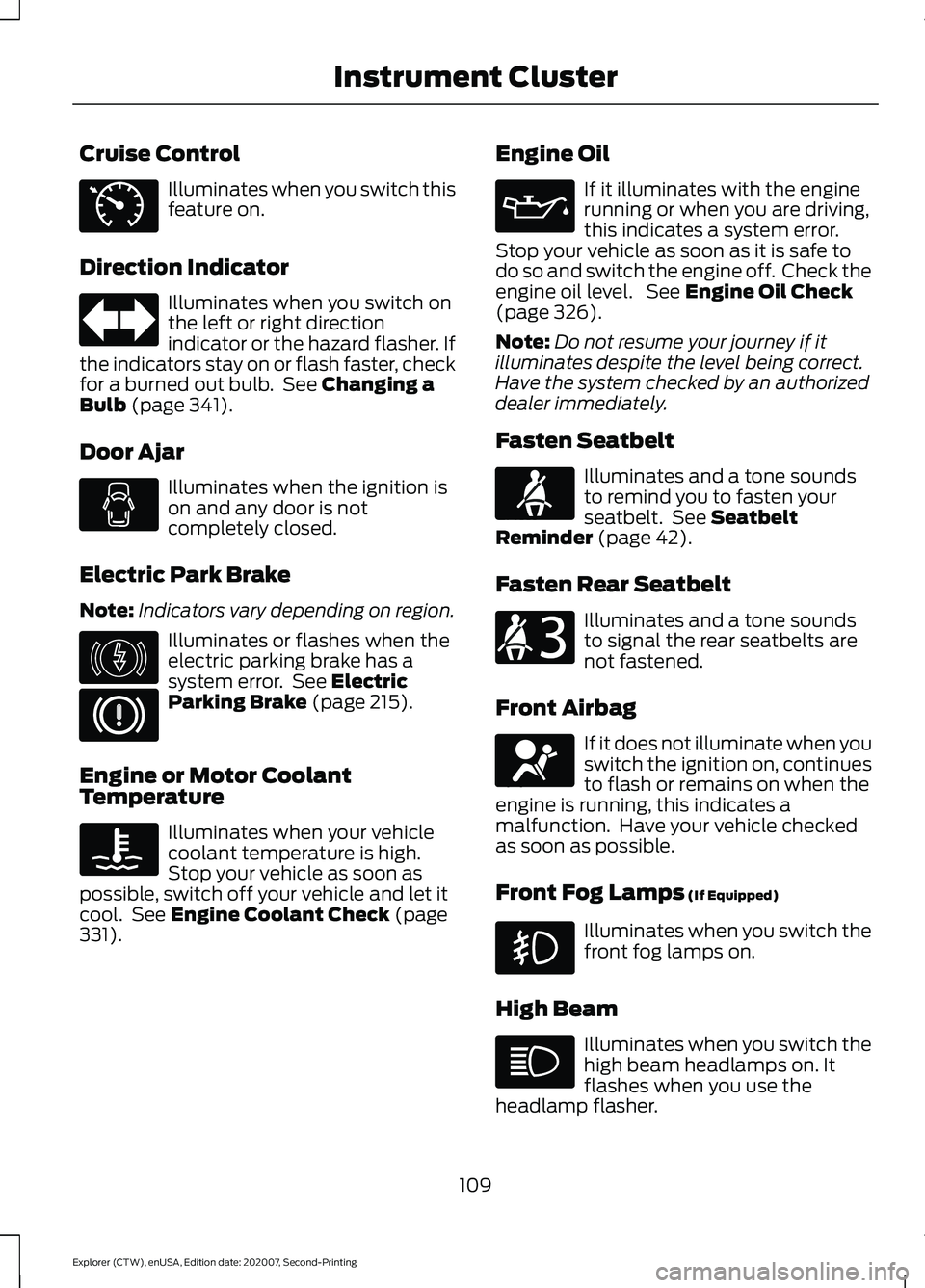
Cruise Control
Illuminates when you switch this
feature on.
Direction Indicator Illuminates when you switch on
the left or right direction
indicator or the hazard flasher. If
the indicators stay on or flash faster, check
for a burned out bulb. See Changing a
Bulb (page 341).
Door Ajar Illuminates when the ignition is
on and any door is not
completely closed.
Electric Park Brake
Note: Indicators vary depending on region. Illuminates or flashes when the
electric parking brake has a
system error. See
Electric
Parking Brake (page 215).
Engine or Motor Coolant
Temperature Illuminates when your vehicle
coolant temperature is high.
Stop your vehicle as soon as
possible, switch off your vehicle and let it
cool. See
Engine Coolant Check (page
331). Engine Oil If it illuminates with the engine
running or when you are driving,
this indicates a system error.
Stop your vehicle as soon as it is safe to
do so and switch the engine off. Check the
engine oil level. See
Engine Oil Check
(page 326).
Note: Do not resume your journey if it
illuminates despite the level being correct.
Have the system checked by an authorized
dealer immediately.
Fasten Seatbelt Illuminates and a tone sounds
to remind you to fasten your
seatbelt. See
Seatbelt
Reminder (page 42).
Fasten Rear Seatbelt Illuminates and a tone sounds
to signal the rear seatbelts are
not fastened.
Front Airbag If it does not illuminate when you
switch the ignition on, continues
to flash or remains on when the
engine is running, this indicates a
malfunction. Have your vehicle checked
as soon as possible.
Front Fog Lamps
(If Equipped) Illuminates when you switch the
front fog lamps on.
High Beam Illuminates when you switch the
high beam headlamps on. It
flashes when you use the
headlamp flasher.
109
Explorer (CTW), enUSA, Edition date: 202007, Second-Printing Instrument ClusterE71340 E146190 E71880 E206718 E67017
Page 125 of 577
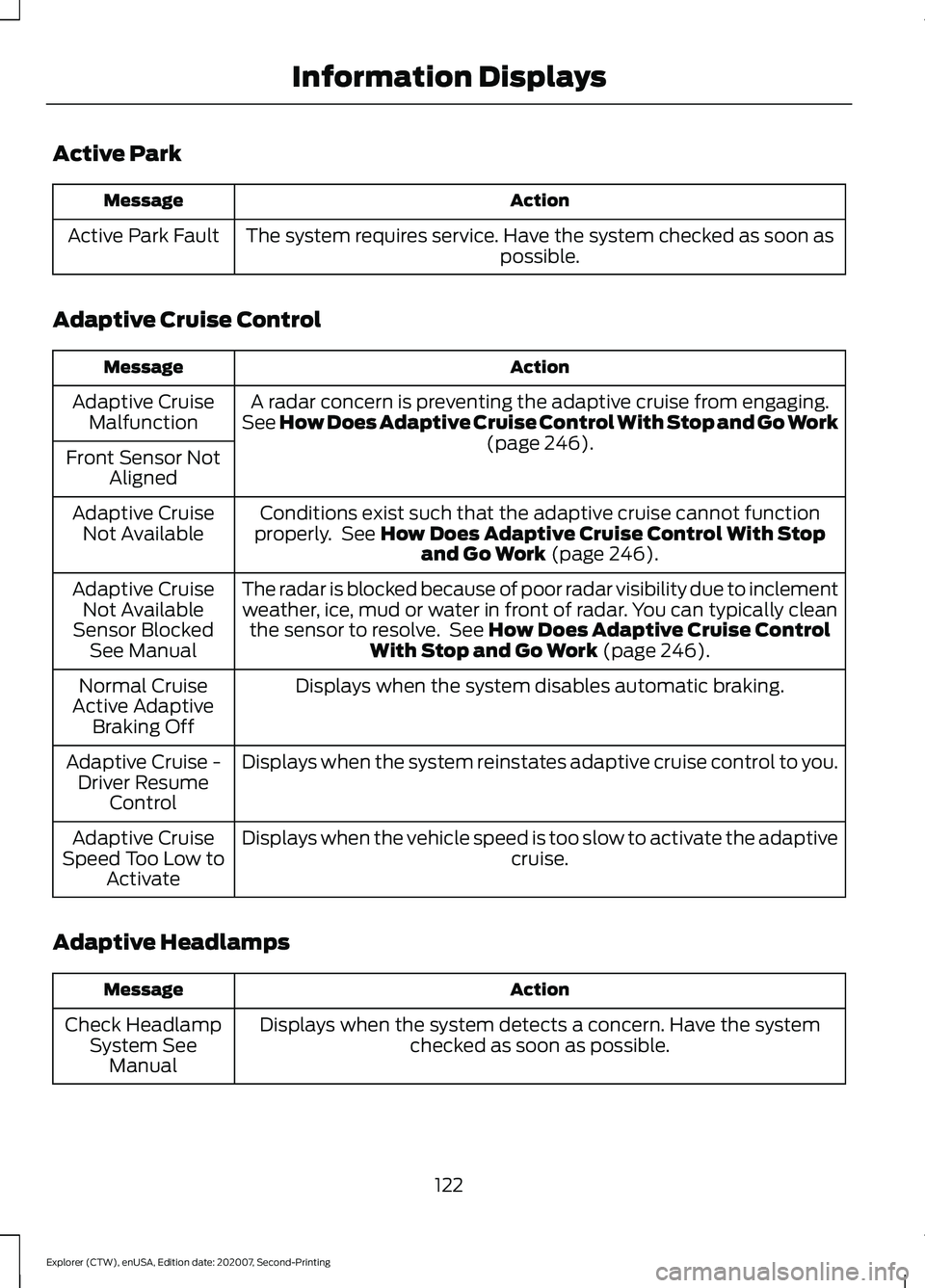
Active Park
Action
Message
The system requires service. Have the system checked as soon as possible.
Active Park Fault
Adaptive Cruise Control Action
Message
A radar concern is preventing the adaptive cruise from engaging.
See How Does Adaptive Cruise Control With Stop and Go Work (page 246).
Adaptive Cruise
Malfunction
Front Sensor Not Aligned
Conditions exist such that the adaptive cruise cannot function
properly. See
How Does Adaptive Cruise Control With Stop and Go Work (page 246).
Adaptive Cruise
Not Available
The radar is blocked because of poor radar visibility due to inclementweather, ice, mud or water in front of radar. You can typically clean the sensor to resolve. See
How Does Adaptive Cruise Control
With Stop and Go Work (page 246).
Adaptive Cruise
Not Available
Sensor Blocked See Manual
Displays when the system disables automatic braking.
Normal Cruise
Active Adaptive Braking Off
Displays when the system reinstates adaptive cruise control to you.
Adaptive Cruise -
Driver Resume Control
Displays when the vehicle speed is too slow to activate the adaptive cruise.
Adaptive Cruise
Speed Too Low to Activate
Adaptive Headlamps Action
Message
Displays when the system detects a concern. Have the systemchecked as soon as possible.
Check Headlamp
System SeeManual
122
Explorer (CTW), enUSA, Edition date: 202007, Second-Printing Information Displays