fuel pressure FORD EXPLORER 2023 Owner's Manual
[x] Cancel search | Manufacturer: FORD, Model Year: 2023, Model line: EXPLORER, Model: FORD EXPLORER 2023Pages: 573, PDF Size: 16.1 MB
Page 418 of 573
WHAT IS A CONNECTED
VEHICLE
A connected vehicle has technology thatallows your vehicle to connect to a mobilenetwork and for you to access a range offeatures. When used in conjunction withthe FordPass app, it could allow you tomonitor and control your vehicle further,for example checking the tire pressures,the fuel level and the vehicle location. Foradditional information, refer to the localFord website.
CONNECTED VEHICLE
REQUIREMENTS
Connected service and related featurefunctionality requires a compatible vehiclenetwork.
Some remote features require additionalservice activation. Log in to your Fordaccount for details. Some restrictions, thirdparty terms and message or data ratesmay apply.
CONNECTED VEHICLE
LIMITATIONS
Evolving technology, cellular networks, orregulations could affect functionality andavailability, or continued provision of somefeatures. These changes could even stopsome features from functioning.
CONNECTING THE VEHICLE TO
A MOBILE NETWORK
WHAT IS THE MODEM
The modem allows access to arange of features built into yourvehicle.
ENABLING AND DISABLING THEMODEM
1.Press Settings.
2.Press FordPass Connect.
3.Press Connectivity Settings.
4.Switch connectivity features on or off.
CONNECTING FORDPASS TO THEMODEM
1.Make sure that the modem is enabledusing the vehicle settings menu.
2.Open the FordPass app on your deviceand log in.
3.Add your vehicle or select your vehicleif already added.
4.Select the option to activate yourvehicle.
5.Make sure that the name on the screenmatches the name shown in yourFordPass account.
6.Confirm that FordPass account isconnected to the modem.
CONNECTING THE VEHICLE TO
A WI-FI NETWORK - VEHICLES
WITH: SYNC 3
1.Press Settings.
2.Press Wi-Fi.
3.Switch Wi-Fi on.
4.Press View Available Networks.
5.Select an available Wi-Fi network.
Note:Enter the network password toconnect to a secure network.
414
2023 Explorer (CTW) Canada/United States of America, enUSA, Edition date: 202209, First-PrintingConnected Vehicle
Page 535 of 573
ELECTROMAGNETIC
COMPATIBILITY
WARNING: Do not place objectsor mount equipment on or near theairbag cover, on the side of the front orrear seatbacks, or in areas that maycome into contact with a deployingairbag. Failure to follow theseinstructions may increase the risk ofpersonal injury in the event of a crash.
WARNING: Do not fasten antennacables to vehicle wiring, fuel pipes andbrake pipes.
WARNING: Keep antenna andpower cables at least 4 in (10 cm) fromany electronic modules and airbags.
Note:We test and certify your vehicle tomeet electromagnetic compatibilitylegislation. It is your responsibility to makesure that any equipment an authorizeddealer installs on your vehicle complies withapplicable local legislation and otherrequirements. Installation of someaftermarket electronic devices coulddegrade the performance of vehiclefunctions, which use radio frequency signalssuch as broadcast radio receiver, tirepressure monitoring system, push buttonstart,Bluetooth® connectivity or satellitenavigation.
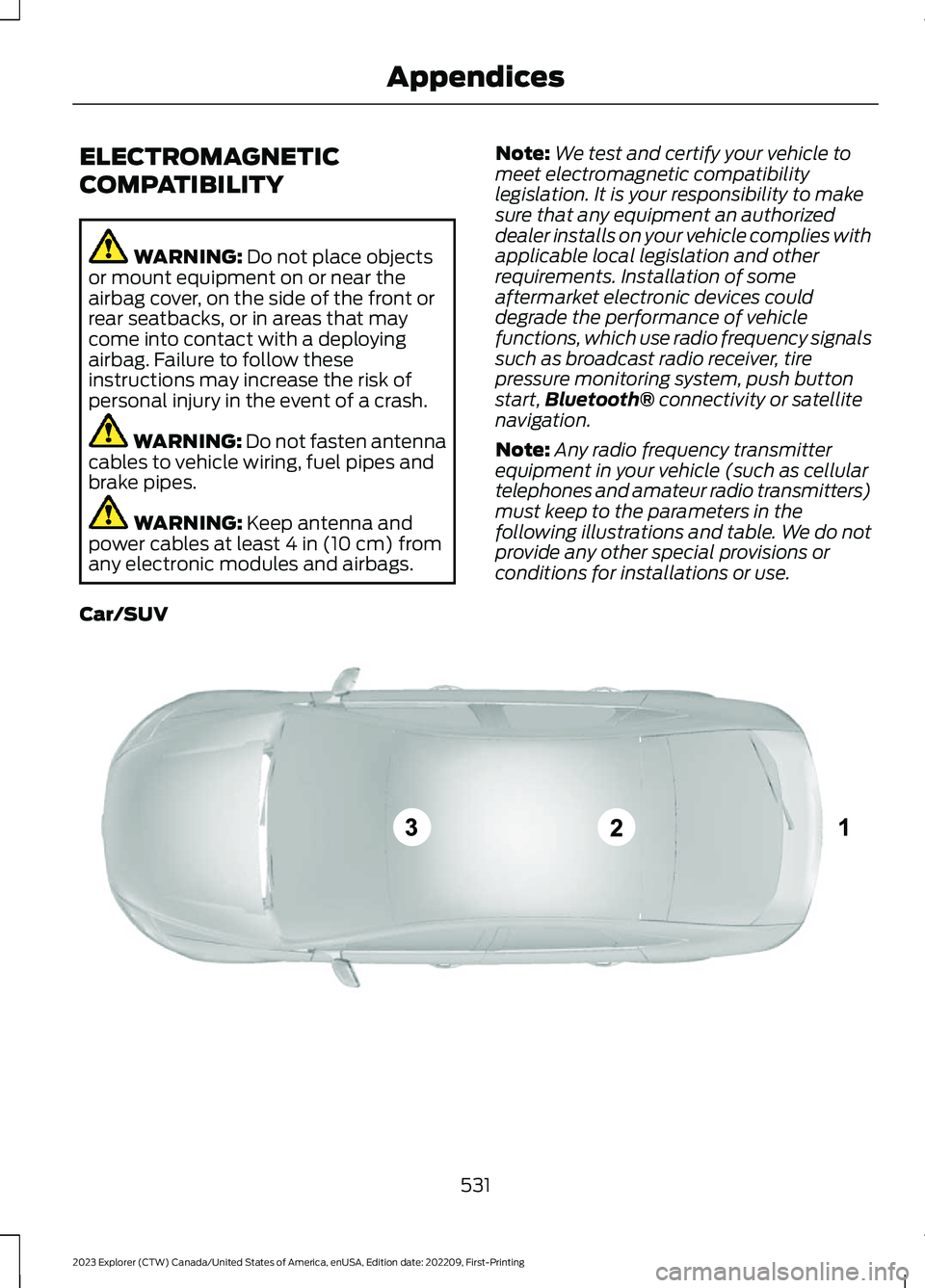
Note:Any radio frequency transmitterequipment in your vehicle (such as cellulartelephones and amateur radio transmitters)must keep to the parameters in thefollowing illustrations and table. We do notprovide any other special provisions orconditions for installations or use.
Car/SUV
531
2023 Explorer (CTW) Canada/United States of America, enUSA, Edition date: 202209, First-PrintingAppendicesE239120
Page 570 of 573
Overriding Automatic High BeamControl............................................................93Overriding Reverse Braking Assist..........217Overriding the Set Speed..........................247
P
Parking Aids...................................................225Principle of Operation......................................225Passive Anti-Theft System..........................77PATSSee: Passive Anti-Theft System......................77Pedestrian Alert System.............................54Pedestrian Protection..................................54Perchlorate.........................................................12Personalized Settings...................................117Personal Safety System™..........................45Phone...............................................................447Post-Crash Alert System..........................296Power Door LocksSee: Locking and Unlocking.............................68Power Liftgate..................................................73Power Seats....................................................147Power Steering Fluid Check.....................329Power Windows.............................................94Pre-Collision Assist....................................268Programming the Garage Door Openerto Your Garage Door OpenerMotor...............................................................161Programming the Garage Door Openerto Your Gate Opener Motor...................162Programming the Garage Door Openerto Your Hand-Held Transmitter............161Protecting the Environment........................19PunctureSee: Changing a Road Wheel........................370
R
Radio Frequency CertificationLabels...........................................................485Blind Spot Information SystemSensors............................................................485Body Control Module........................................491Cruise Control Module.....................................494Garage Door Opener.........................................497Keys and Remote Controls............................498Passive Anti-Theft System............................505
Radio Transceiver Module.............................509SYNC........................................................................511Telematics Control Unit...................................516Tire Pressure Monitoring SystemSensors..............................................................516Wireless Accessory Charging Module........523Rear Axle........................................................209Rear Occupant Alert System AudibleWarnings.......................................................159Rear Occupant Alert SystemIndicators......................................................159Rear Occupant Alert SystemLimitations...................................................158Rear Occupant Alert SystemPrecautions..................................................158Rear Occupant Alert System...................158Rear Parking Aid...........................................225Rear Passenger Climate Controls..........140Rear Seats........................................................151Rear Under Floor Storage.........................275Rear View Camera.......................................234Rear View CameraSee: Rear View Camera...................................234Rear Window Wiper and Washers...........85Rear Wiper BladesSee: Changing the Rear Wiper Blades.......337Recommended Towing Weights...........284Reduced Engine Performance...............288Refueling - Excluding: Hybrid ElectricVehicle (HEV).............................................185Refueling - Hybrid Electric Vehicle(HEV).............................................................188Remote Control...............................................57Remote Start..................................................142Repairing Minor Paint Damage..............344Replacement PartsRecommendation........................................12Replacing a Lost Key or RemoteControl............................................................63Replacing the Cabin Air Filter...................143Reporting Safety Defects (CanadaOnly)..............................................................303Reporting Safety Defects (U.S.Only)..............................................................303Reprogramming the Garage DoorOpener...........................................................163Resuming the Set Speed..........................240Reverse Braking Assist Indicators...........217
566
2023 Explorer (CTW) Canada/United States of America, enUSA, Edition date: 202209, First-PrintingIndex