instrument panel FORD EXPLORER 2023 Owner's Manual
[x] Cancel search | Manufacturer: FORD, Model Year: 2023, Model line: EXPLORER, Model: FORD EXPLORER 2023Pages: 573, PDF Size: 16.1 MB
Page 430 of 573
The USB port allows you to plug in mediaplaying devices, memory sticks and chargedevices.
Note:We recommend using only USB-IFcertified cables and adapters. Non-certifiedcables and adapters may not work.
Locating the USB Ports
The USB ports may be in the followinglocations:
•Inside the media bin.
•Inside the center console.
•On the lower instrument panel.
Note:The number and type of USB portsmay vary depending on your vehicle.
Note:Not all USB ports in your vehicle havedata transfer capabilities. See AuxiliaryPower Points (page 164).
426
2023 Explorer (CTW) Canada/United States of America, enUSA, Edition date: 202209, First-PrintingAudio System
Page 448 of 573
FunctionButton
Playlists
Artist
Albums
Songs
Genres
Podcasts
Audio books
Composers
This button allows you to choose a specificletter to view within the category you arebrowsing.
A-Z Jump
If available, this allows you to browse thefolders and files on your USB device.Explore Device
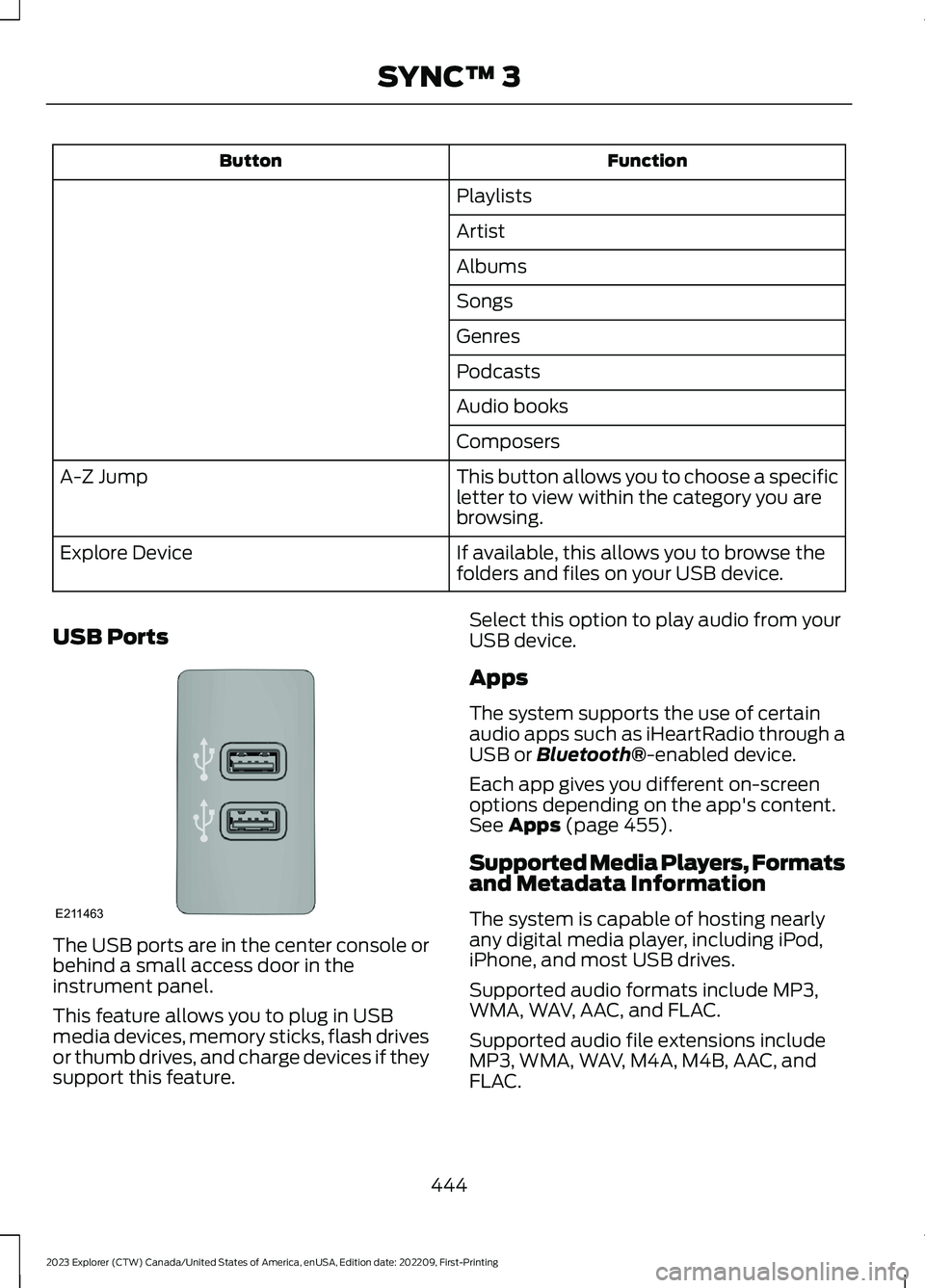
USB Ports
The USB ports are in the center console orbehind a small access door in theinstrument panel.
This feature allows you to plug in USBmedia devices, memory sticks, flash drivesor thumb drives, and charge devices if theysupport this feature.
Select this option to play audio from yourUSB device.
Apps
The system supports the use of certainaudio apps such as iHeartRadio through aUSB or Bluetooth®-enabled device.
Each app gives you different on-screenoptions depending on the app's content.See Apps (page 455).
Supported Media Players, Formatsand Metadata Information
The system is capable of hosting nearlyany digital media player, including iPod,iPhone, and most USB drives.
Supported audio formats include MP3,WMA, WAV, AAC, and FLAC.
Supported audio file extensions includeMP3, WMA, WAV, M4A, M4B, AAC, andFLAC.
444
2023 Explorer (CTW) Canada/United States of America, enUSA, Edition date: 202209, First-PrintingSYNC™ 3E211463
Page 449 of 573
Supported USB file systems include: FAT,exFAT, and NTFS.
SYNC 3 is also able to organize the mediafrom your USB device by metadata tags.Metadata tags, which are descriptivesoftware identifiers embedded in themedia files, provide information about thefile.
If your indexed media files contain noinformation embedded in these metadatatags, SYNC 3 may classify the emptymetadata tags as unknown.
SYNC 3 is capable of indexing up to50,000 songs per USB device, for up to 10devices.
CLIMATE
Touch the climate button on thetouchscreen to access the climate controlfeatures.
Note:You can switch temperature unitsbetween Fahrenheit and Celsius. SeeSettings (page 458).
Accessing the Climate ControlMenu
Touch the button to accessadditional controls for the frontclimate system.
Directing the Airflow
Touch the button to directairflow to the windshield airvents and de-mister.
Touch the button to directairflow to the instrument panelair vents.
Touch the button to directairflow to the footwell air vents.
You can direct air through any combinationof these air vents.
Setting the Blower Motor Speed
Touch up or down to increase ordecrease the volume of air thatcirculates in your vehicle.
Setting the Temperature
Touch up or down on the left-handtemperature control to set the left-handtemperature.
Note:This control also adjusts theright-hand side temperature when youswitch off dual zone mode.
Touch up or down on the right-handtemperature control to set the right-handtemperature.
Switching Auto Mode On and Off
Touch the button to switch onautomatic operation, then setthe temperature.
The system adjusts the blower motorspeed, air distribution, air conditioningoperation, and outside or recirculated airto reach and maintain the temperature youhave set.
Switching the Air Conditioning Onand Off
A pop-up appears on the screento display the air conditioningoptions.
MAX A/C: Touch the button to activateand maximize cooling. The driver andpassenger temperatures are set to LO,recirculated air flows through theinstrument panel vents, air conditioningautomatically turns on and the fanautomatically adjusts to the highest speed.
445
2023 Explorer (CTW) Canada/United States of America, enUSA, Edition date: 202209, First-PrintingSYNC™ 3E265038 E244097 E244098
Page 450 of 573
A/C: Touch to switch the air conditioningon or off. Use A/C with recirculated air toimprove cooling performance andefficiency.
Note:In certain conditions, such asmaximum defrost, the air conditioningcompressor may continue to operate eventhough you switch off the air conditioning.
Switching the Climate Control Onand Off
Touch the button.
Switching the Climate ControlledSeats On and Off
Touch the button to cyclethrough the various climatecontrolled seat settings.
Switching Dual Zone Mode On andOff
Touch the button to switch ontemperature control for theright-hand side of the vehicle.
Switching the Heated ExteriorMirrors On and Off
Touch the button.
Switching the Heated WindshieldOn and Off
Touch the button to clear thewindshield of thin ice and fog.The heated windshield turns offafter a short period of time.
Switching the Heated RearWindow On and Off
Touch the button to clear therear window of thin ice and fog.
Switching the Heated Seats Onand Off
Touch the button to cyclethrough the various heatsettings.
Switching the Heated SteeringWheel On and Off
Touch the button.
Switching Maximum AirConditioning On and Off
Touch the button for maximumcooling.
Recirculated air flows through theinstrument panel air vents, air conditioningturns on and the blower motor adjusts tothe highest speed.
Switching Maximum Defrost Onand Off
Touch the button for maximumdefrosting.
Air flows through the windshield air vents,and the blower motor adjusts to thehighest speed.
You can also use this setting to defog andclear the windshield of a thin covering ofice.
Note:To prevent window fogging, youcannot select recirculated air whenmaximum defrost is on.
446
2023 Explorer (CTW) Canada/United States of America, enUSA, Edition date: 202209, First-PrintingSYNC™ 3 E265282 E265280 E266189 E184884 E256621
Page 566 of 573
Automatic Transmission............................197Automatic Transmission FluidCheck............................................................328Auto-Start-Stop............................................176Autowipers.......................................................83Auxiliary Power Points................................164
B
BatterySee: Changing the 12V Battery - Excluding:Hybrid Electric Vehicle (HEV)..................329See: Changing the 12V Battery - Hybrid ElectricVehicle (HEV).................................................332Blind Spot Information System.............259BLISSee: Blind Spot Information System..........259Body Styling Kits.........................................346Bonnet LockSee: Opening and Closing the Hood...........315Booster Seats..................................................33Brake Fluid Check........................................328Brakes...............................................................210General Information..........................................210Breaking-In....................................................288Bulb Specification Chart............................412
C
Canceling the Set Speed..........................240Capacities and Specifications - 2.3LEcoBoost™.................................................384Capacities and Specifications -3.0L.................................................................391Capacities and Specifications - 3.3L,Gasoline.......................................................398Capacities and Specifications - 3.3L,Hybrid Electric Vehicle (HEV).............405Capacities and Specifications................378Cargo Nets......................................................276Car WashSee: Cleaning the Exterior..............................340Catalytic Converter......................................193Changing a Bulb...........................................337Changing a Fuse............................................313Changing a Road Wheel...........................370Changing the 12V Battery - Excluding:Hybrid Electric Vehicle (HEV)..............329
Changing the 12V Battery - HybridElectric Vehicle (HEV).............................332Changing the Engine Air Filter - 2.3LEcoBoost™..................................................321Changing the Engine Air Filter -3.0L.................................................................322Changing the Engine Air Filter -3.3L.................................................................323Changing the Front Wiper Blades.........336Changing the Rear Wiper Blades...........337Changing the Vehicle Wi-Fi HotspotName or Password...................................418Charging a Wireless Device......................166Checking MyKey System Status..............66Checking the Wiper Blades.....................336Child Restraint and SeatbeltMaintenance.................................................43Child Restraint Positioning.........................35Child Safety......................................................23General Information............................................23Child Safety Locks.........................................36Cleaning Leather Seats.............................343Cleaning Products.......................................339Cleaning the Engine.....................................341Cleaning the Exterior.................................340Cleaning the Instrument Panel andInstrument Cluster Lens.........................343Cleaning the Interior...................................342Cleaning the Wheels..................................344Cleaning the Windows and WiperBlades...........................................................342Clearing All MyKeys.......................................66Clearing the Garage Door Opener..........162Climate............................................................445Climate Control..............................................137Cold Weather Precautions.......................288Collision, Damage or Fire Event.............295Connected Vehicle.......................................414Connecting the Vehicle to a MobileNetwork.............................................................414Connected Vehicle Data...............................17Connected Vehicle Limitations...............414Connected Vehicle Requirements.........414Connected Vehicle – Troubleshooting -Vehicles With: Modem.............................415Connected Vehicle – Troubleshooting -Vehicles With: SYNC 3.............................416
562
2023 Explorer (CTW) Canada/United States of America, enUSA, Edition date: 202209, First-PrintingIndex
Page 569 of 573
Hybrid Vehicle Frequently AskedQuestions - Hybrid Electric Vehicle(HEV).............................................................180Hybrid Vehicle Operation - HybridElectric Vehicle (HEV)..............................178
I
Ignition Switch...............................................168In California (U.S. Only)............................299Information Display Control.......................82Information Displays....................................110General Information - Vehicles With: 12.3Inch Instrument Cluster DisplayScreen.................................................................112General Information - Vehicles With: 4.2Inch Instrument Cluster DisplayScreen.................................................................115General Information - Vehicles With: 6.5Inch Instrument Cluster DisplayScreen.................................................................110Information Messages.................................119Installing Child Restraints...........................25Instrument Cluster........................................101Instrument Lighting Dimmer......................87Instrument Panel.............................................21Interior Air Quality.........................................143Interior Lamps.................................................90Interior Mirror...................................................98Introduction........................................................9
J
Jump Starting the Vehicle........................293
K
Keyless Entry.....................................................71Keyless Starting............................................169Keys and Remote Controls.........................57
L
Lane Keeping System................................255Liftgate...............................................................73Lighting Control..............................................86Lighting..............................................................86General Information...........................................86
Limited Slip Differential............................209Load CarriersSee: Roof Racks and Load Carriers.............276Load Carrying.................................................275General Information..........................................275Load Limit........................................................277Locating the Wireless AccessoryCharger..........................................................166Locking and Unlocking................................68Lug NutsSee: Changing a Road Wheel........................370
M
Maintenance...................................................315General Information..........................................315Manual Seats.................................................146Memory Function.........................................150Message CenterSee: Information Displays................................110MirrorsSee: Windows and Mirrors................................94Mobile Communications Equipment......14Mobile Device Data........................................18Moonroof..........................................................99Motorcraft Parts - 2.3LEcoBoost™.................................................382Motorcraft Parts - 3.0L..............................382Motorcraft Parts - 3.3L..............................383MyKey – Troubleshooting...........................67MyKey™.............................................................64Principle of Operation........................................64
N
Navigation......................................................449Normal Scheduled Maintenance..........479
O
Oil Change Indicator Reset......................320Oil CheckSee: Engine Oil Check.......................................319Opening and Closing the Hood...............315Ordering Additional Owner'sLiterature.....................................................303Overhead Console........................................167
565
2023 Explorer (CTW) Canada/United States of America, enUSA, Edition date: 202209, First-PrintingIndex