light FORD F-150 2021 Owners Manual
[x] Cancel search | Manufacturer: FORD, Model Year: 2021, Model line: F-150, Model: FORD F-150 2021Pages: 796, PDF Size: 13.89 MB
Page 660 of 796
UPDATING THE VEHICLE
SYSTEMS WIRELESSLY
Over the air system updates
allow you to update your vehicle
system software wirelessly. To
make sure you receive all updates, set a
recurring schedule and connect to Wi-Fi.
Updates may take longer if not connected
to Wi-Fi, or may not download at all. See
Connected Vehicle (page 620).
Over the Air System Update
Requirements
Before updating, reference this list to make
sure your vehicle is ready be updated. If
these requirements are not met during a
scheduled update, the update will be
canceled and you can reschedule.
• Your vehicle is not running.
• Your vehicle is stopped.
• Your vehicle is parked.
• The hazard indicators are switched off.
• The alarm is not sounding.
• The doors are closed.
• The parking lights are switched off.
• You are not pressing the brake pedal.
• An emergency call is not in progress.
• Your vehicle is not in limp mode.
Enabling Over the Air Updates
1. Press
Settings on the touchscreen.
2. Press
Software Update.
3. Switch
Automatic Updates on or off.
Note: Over the air updates are enabled by
default.
Note: If you do not want to receive over the
air updates you can turn them off. You will
not be notified of new updates. Scheduling an Update
Scheduling an update allows you to set a
convenient time for the update to
complete. We recommend updating
overnight when your vehicle is not in use.
Ensure Vehicle Connectivity and Automatic
Updates are enabled. Once you complete
these steps, your schedule will be saved
for future updates. As long as an update is
not in process you can adjust your
schedule.
Note:
Some updates may be applied
outside of your set schedule. Information
about the unscheduled update appears on
the touchscreen after it is applied.
Using the Settings Menu
1. Press
Settings on the touchscreen.
2. Press
Software Update.
3. Press
Schedule Updates.
4. Use the controls to set the time and day of the update.
5. Save the schedule.
Note: You can set the updates to occur at
any time.
Using the Status Bar Icon When an update is available, tap
the notification icon and follow
the prompts on the screen.
Applying an Over the Air Update
You can see the progress of the update on
the touchscreen. An update cannot be
canceled once it has been started.
656
F-150 (TFD) Canada/United States of America, enUSA, Edition date: 202104, Second-Printing Vehicle System UpdatesE327789 E327785
Page 663 of 796
WHAT ARE THE AUXILIARY
SWITCHES
The auxiliary switchboard on the overhead
console makes aftermarket customization
easier with six prewired switches
connected to the power distribution box.
Each circuit is individually fused for
connection of electrical accessories.
LOCATING THE AUXILIARY
SWITCHES
The auxiliary switchboard on the overhead
console makes aftermarket customization
easier with six prewired switches
connected to the power distribution box.
The circuits are individually fused for
connection of electrical accessories.
The switches have labels for AUX 1 through
AUX 6. They only operate when the ignition
is in the on position, whether the engine is
running or not. We recommend that you
leave the engine running to maintain
battery charge when using the switches
for an extended time or when using higher
current draw accessories. When you turn
on a switch, the indicator light on the
switch illuminates and the circuit provides
power to the device wired to that switch.
Note:
AUX switch 1 operates the off-road
lamps when your vehicle comes with this
option. LOCATING THE AUXILIARY
SWITCH WIRING
There are three sets of blunt-cut and
sealed circuits. Two sets are under the
hood and behind the battery tray, and one
set is inside your vehicle at the passenger
footwell.
The powered set (A) is taped behind the
battery tray and has a red spot tape mark.
The second set (B) is also under the hood.
It is taped behind the battery tray and has
a white spot tape mark. This set routes to
the interior passenger footwell.
Remove the battery and battery tray to
access the underhood circuits.
659
F-150 (TFD) Canada/United States of America, enUSA, Edition date: 202104, Second-Printing Auxiliary Switches - Raptor/TremorE220728 E347548 E347399
Page 669 of 796
It is important to rely upon your dealership
to properly diagnose and repair your
vehicle.
We strongly recommend only using our
genuine or our authorized re-manufactured
replacement parts engineered for your
vehicle.
Additives and Chemicals
We do not recommend using chemicals or
additives not approved by us as part of
your vehicle
’s normal maintenance. Please
consult your warranty information.
Oils, Fluids and Flushing
In many cases, fluid discoloration is a
normal operating characteristic and, by
itself, does not necessarily indicate a
concern or that the fluid needs to be
changed. Have discolored fluids that also
show signs of overheating or foreign
material contamination checked
immediately. Make sure to change the vehicle
’s oils and
fluids at the specified intervals or in
conjunction with a repair. Flushing is a
viable way to change fluid for many vehicle
sub-systems during scheduled
maintenance. It is critical that systems are
flushed only with new fluid that is the same
as that required to fill and operate the
system or using our approved flushing
chemical.
Owner Checks and Services
Make sure you perform the following basic
maintenance checks and inspections. Check Every Month
The air filter restriction gauge. 1
The engine oil level.
Function of all interior and the exterior lights.
The tires including the spare for wear and proper pressure. The windshield washer fluid level.
The fuel and water separator. Drain if necessary or if indicated by the information display. 1
The holes and slots in the tail pipe to make sure they are functional and clear of debris. 1
1 Diesel vehicles only.
665
F-150 (TFD) Canada/United States of America, enUSA, Edition date: 202104, Second-Printing Scheduled Maintenance
Page 679 of 796
Engine Air Filter Replacement
The life of the engine air filter is dependent
on exposure to dusty and dirty conditions.
Vehicles operated in these conditions
require frequent inspection and
replacement of the engine air filter.
Diesel Particulate Filter
Over time, a slight amount of ash builds
up in the diesel particulate filter, which is
not removed during the regeneration
process. The filter may need to be replaced
with a new or remanufactured part at
approximately 250,000 mi (400,000 km).
Actual mileage varies depending on engine
and vehicle operating conditions.
In this case, the engine control system sets
a service light, a wrench icon, to inform you
to bring your vehicle to the dealer for
service. If there are any issues with the
oxidation catalyst or particulate filter
system, the engine control system sets a
service light, a wrench or engine icon, to
inform you to bring your vehicle to the
dealer for service.
SPECIAL OPERATING
CONDITIONS SCHEDULED
MAINTENANCE - GASOLINE
If you operate your vehicle primarily in any
of the following conditions, you need to
perform extra maintenance, as indicated.
If you operate your vehicle occasionally
under any of these conditions, it is not
necessary to perform the extra
maintenance. For specific
recommendations, see your dealership
service advisor or technician.
Perform the services shown in the
following tables when specified or within
3,000 mi (4,800 km) of the oil change
required message appearing in the
information display.
• Example 1: The message comes on at
28,751 mi (46,270 km)
. Perform the
30,000 mi (48,000 km) automatic
transmission fluid replacement.
• Example 2: The message has not come
on, but the odometer reads 30,000 mi
(48,000 km)
, for example, the oil
change reminder was reset at
25,000 mi (40,000 km)
. Perform the
engine air filter replacement. Towing a Trailer or Using a Car-top Carrier
Change the engine oil and filter as indicated by the
information display and perform services listed in the
normal scheduled maintenance chart.
As required
Inspect and lubricate the U-joints.
Inspect frequently, service
as required
See the axle maintenance items under Exceptions.
Replace the spark plugs.
Every
60,000 mi
(96,000 km)
675
F-150 (TFD) Canada/United States of America, enUSA, Edition date: 202104, Second-Printing Scheduled Maintenance
Page 681 of 796
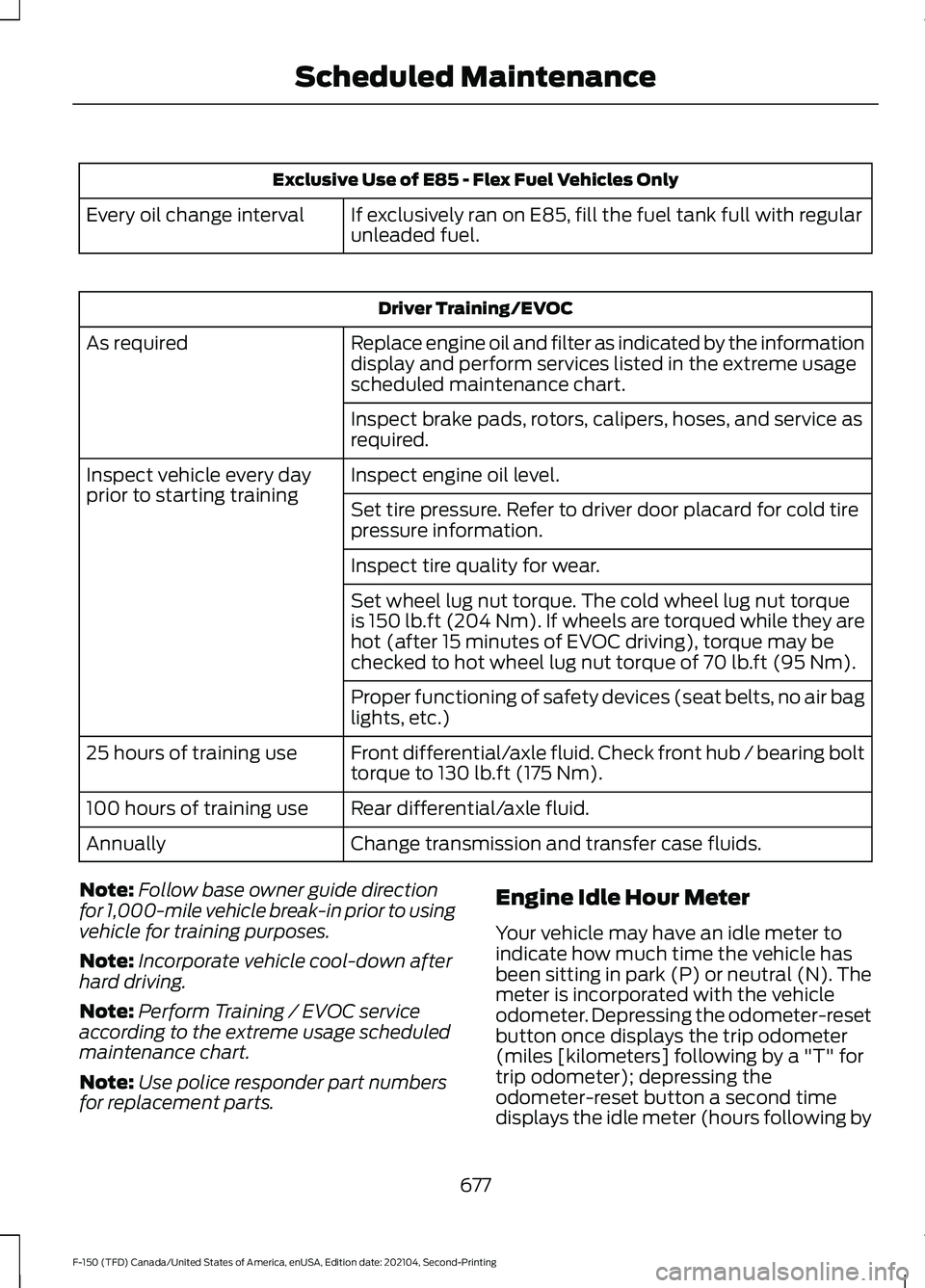
Exclusive Use of E85 - Flex Fuel Vehicles Only
If exclusively ran on E85, fill the fuel tank full with regular
unleaded fuel.
Every oil change interval Driver Training/EVOC
Replace engine oil and filter as indicated by the information
display and perform services listed in the extreme usage
scheduled maintenance chart.
As required
Inspect brake pads, rotors, calipers, hoses, and service as
required.
Inspect engine oil level.
Inspect vehicle every day
prior to starting training
Set tire pressure. Refer to driver door placard for cold tire
pressure information.
Inspect tire quality for wear.
Set wheel lug nut torque. The cold wheel lug nut torque
is 150 lb.ft (204 Nm). If wheels are torqued while they are
hot (after 15 minutes of EVOC driving), torque may be
checked to hot wheel lug nut torque of
70 lb.ft (95 Nm).
Proper functioning of safety devices (seat belts, no air bag
lights, etc.)
Front differential/axle fluid. Check front hub / bearing bolt
torque to 130 lb.ft (175 Nm).
25 hours of training use
Rear differential/axle fluid.
100 hours of training use
Change transmission and transfer case fluids.
Annually
Note: Follow base owner guide direction
for 1,000-mile vehicle break-in prior to using
vehicle for training purposes.
Note: Incorporate vehicle cool-down after
hard driving.
Note: Perform Training / EVOC service
according to the extreme usage scheduled
maintenance chart.
Note: Use police responder part numbers
for replacement parts. Engine Idle Hour Meter
Your vehicle may have an idle meter to
indicate how much time the vehicle has
been sitting in park (P) or neutral (N). The
meter is incorporated with the vehicle
odometer. Depressing the odometer-reset
button once displays the trip odometer
(miles [kilometers] following by a "T" for
trip odometer); depressing the
odometer-reset button a second time
displays the idle meter (hours following by
677
F-150 (TFD) Canada/United States of America, enUSA, Edition date: 202104, Second-Printing Scheduled Maintenance
Page 764 of 796
SUNA Products and/or Services are
intended as an aid to personal motoring
and travel planning, and do not provide
comprehensive or accurate information on
all occasions. On occasions, you may
experience additional delay as a result of
using SUNA Products and/or Services. You
acknowledge that it is not intended, or
suitable, for use in applications where time
of arrival or driving directions may impact
the safety of the public or yourself.
4. Use of SUNA Products and Services
while driving
You, and other authorized drivers of the
vehicle in which SUNA Products and/or
Services are available or installed and
active, remain at all times responsible for
observing all relevant laws and codes of
safe driving. In particular, you agree to only
actively operate SUNA Products and/or
Services when the Vehicle is at a complete
stop and it is safe to do so.
5. Service Continuity and Reception of
the SUNA Traffic Channel
We will use reasonable endeavors to
provide the SUNA Traffic Channel 24 hours
a day, 365 days a year. The SUNA Traffic
Channel may occasionally be unavailable
for technical reasons or for planned
maintenance. We will try to perform
maintenance at times when congestion is
light. We reserve the right to withdraw
SUNA Products and/or Services at any
time.
Also, we cannot assure the uninterrupted
reception of the SUNA Traffic Channel
RDS-TMC signal at any particular location.
6. Limitation of Liability
Neither Intelematics (nor its suppliers or
the manufacturer of your device (the
“Suppliers”)) shall be liable to you or to
any third party for any damages either
direct, indirect, incidental, consequential
or otherwise arising out of the use of or
inability to use SUNA Products and/or Services even if Intelematics or a Supplier
has been advised of the possibility of such
damages. You also acknowledge that the
neither Intelematics nor any Supplier
guarantees nor make any warranties that
relate to the availability, accuracy or
completeness of SUNA Products and/or
Services, and to the extent which it is
lawful to do so, both Intelematics and each
Supplier excludes any warranties which
might otherwise be implied by any State
or Federal legislation in relation to SUNA
Products and/or Services.
7. Please Note
Great care has been taken in preparing this
manual. Constant product development
may mean that some information is not
entirely up-to-date. The information in this
document is subject to change without
notice.
EMISSION LAW
WARNING: Do not remove or alter
the original equipment floor covering or
insulation between it and the metal floor
of the vehicle. The floor covering and
insulation protect occupants of the
vehicle from the engine and exhaust
system heat and noise. On vehicles with
no original equipment floor covering
insulation, do not carry passengers in a
manner that permits prolonged skin
contact with the metal floor. Failure to
follow these instructions may result in
fire or personal injury.
U.S. federal laws and certain state laws
prohibit removing or rendering inoperative
emission control system components.
Similar federal or provincial laws may
apply in Canada. We do not approve of any
vehicle modification without first
determining applicable laws.
760
F-150 (TFD) Canada/United States of America, enUSA, Edition date: 202104, Second-Printing Customer Information
Page 765 of 796
Tampering with emissions
control systems including
related sensors or the Diesel
Exhaust Fluid system can result in reduced
engine power and the illumination of the
service engine soon light.
Tampering With a Noise Control
System
Federal laws prohibit the following acts:
• Removal or rendering inoperative by
any person other than for purposes of
maintenance.
• Repair or replacement of any device or
element of the design incorporated into
a new vehicle for the purpose of noise
control prior to its sale or delivery to
the ultimate purchaser or while it is in
use.
• The use of the vehicle after any person
removes or renders inoperative any
device or element of the design.
The U.S. Environmental Protection Agency
may presume to constitute tampering as
follows:
• Removal of hood blanket, fender apron
absorbers, fender apron barriers,
underbody noise shields or acoustically
absorptive material.
• Tampering or rendering inoperative the
engine speed governor, to allow engine
speed to exceed manufacturer
specifications.
If the engine does not start, runs rough,
experiences a decrease in engine
performance, experiences excess fuel
consumption or produces excessive
exhaust smoke, check for the following:
• A plugged or disconnected air inlet
system hose.
• A plugged engine air filter element.
• Water in the fuel filter and water
separator. •
A clogged fuel filter.
• Contaminated fuel.
• Air in the fuel system, due to loose
connections.
• An open or pinched sensor hose.
• Incorrect engine oil level.
• Incorrect fuel for climatic conditions.
• Incorrect engine oil viscosity for
climactic conditions.
Note: Some vehicles have a lifetime fuel
filter that is integrated with the fuel tank.
Regular maintenance or replacement is not
needed.
Note: If these checks do not help you
correct the concern, have your vehicle
checked as soon as possible.
Noise Emissions Warranty,
Prohibited Tampering Acts and
Maintenance
On January 1, 1978, Federal regulation
became effective governing the noise
emission on trucks over 10,000 lb
(4,536 kg) Gross Vehicle Weight Rating
(GVWR). The preceding statements
concerning prohibited tampering acts and
maintenance, and the noise warranty
found in the Warranty Guide, are
applicable to complete chassis cabs over
10,000 lb (4,536 kg)
GVWR.
EXPORT UNIQUE OPTIONS
For your particular global region, your
vehicle may be equipped with features and
options that are different from the features
and options that are described in this
Owner ’s Manual. A market unique
supplement may be supplied that
complements this book. By referring to the
market unique supplement, if provided,
you can properly identify those features,
recommendations and specifications that
are unique to your vehicle. This Owner ’s
761
F-150 (TFD) Canada/United States of America, enUSA, Edition date: 202104, Second-Printing Customer Information
Page 771 of 796
3
360 Degree Camera...................................342
360 Degree Camera Settings.......................344
360 Degree Camera Guide Lines..........343
360 Degree Camera Limitations...........342
360 Degree Camera Precautions..........342
360 Degree Camera Settings.................344 Switching the 360 Degree Camera On and
Off...................................................................... 344
Switching the 360 Degree Camera View................................................................... 345
4
4WD See: Four-Wheel Drive...................................... 291
9
911 Assist
............................................................87
A
A/C See: Climate Control - Vehicles With:
Automatic Temperature Control.............186
See: Climate Control - Vehicles With: Manual Temperature Control..................................... 191
About This Publication.................................24
About Us
.............................................................21
ABS See: Brakes.......................................................... 308
Accessing Apps
............................................649
Accessing Navigation.................................653
Accessing the Passive Key Backup Position
.........................................................244
Accessories....................................................658
Active Park Assist........................................346 Active Park Assist –
Troubleshooting............................................ 348
Active Park Assist Precautions
...............346
Active Park Assist – Troubleshooting........................................348
Active Park Assist – Frequently Asked Questions........................................................ 348
Active Park Assist – Information Messages......................................................... 348Adaptive Cruise Control............................352
Adaptive Cruise Control –
Troubleshooting............................................ 362
Intelligent Adaptive Cruise Control..............361
Lane Centering................................................... 359
Adaptive Cruise Control Automatic Cancellation...............................................355
Adaptive Cruise Control Indicators
.......358
Adaptive Cruise Control Limitations..................................................353
Adaptive Cruise Control Precautions.................................................352
Adaptive Cruise Control – Troubleshooting........................................362
Adaptive Cruise Control – Information Messages......................................................... 362
Adaptive Front Lighting..............................157 How Does Adaptive Front Lighting
Work.................................................................... 157
Switching Adaptive Front Lighting On and Off....................................................................... 158
Adjustable Pedals
........................................142
Adjusting the Exterior Mirrors..................165
Adjusting the Headlamps
..........................521
Adjusting the Instrument Panel Lighting Brightness.....................................................161
Adjusting the Integrated Trailer Brake Controller Mode
........................................436
Adjusting the Map.......................................653 Changing the Format of the Map................653
Zooming the Map In and Out........................ 653
Adjusting the Pedals...................................142
Adjusting the Seatbelt Height..................66
Adjusting the Seatbelt Length..................67
Adjusting the Seatbelts During Pregnancy......................................................66
Adjusting the Sound Settings.................627
Adjusting the Steering Wheel - Vehicles With: Manual Adjustable Steering
Column..........................................................140
Adjusting the Steering Wheel - Vehicles With: Power Adjustable Steering
Column..........................................................140
Adjusting the Volume
.................................627
Aid Mode........................................................384
How Does Aid Mode Work............................. 384
What Is Aid Mode.............................................. 384
Airbag Precautions
.........................................74
767
F-150 (TFD) Canada/United States of America, enUSA, Edition date: 202104, Second-Printing Index
Page 772 of 796
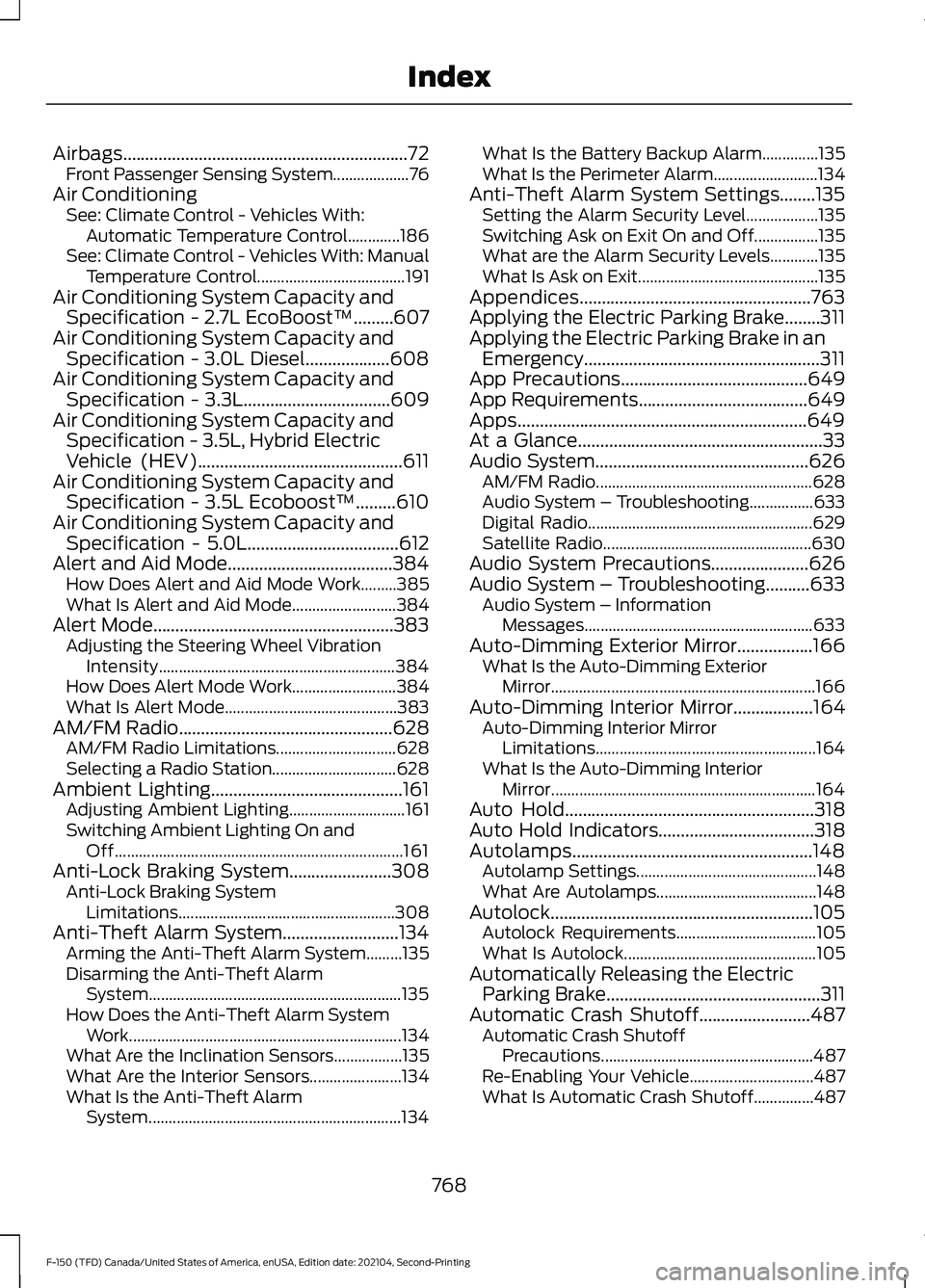
Airbags................................................................72
Front Passenger Sensing System...................76
Air Conditioning See: Climate Control - Vehicles With:
Automatic Temperature Control.............186
See: Climate Control - Vehicles With: Manual Temperature Control..................................... 191
Air Conditioning System Capacity and Specification - 2.7L EcoBoost™.........607
Air Conditioning System Capacity and Specification - 3.0L Diesel...................608
Air Conditioning System Capacity and Specification - 3.3L.................................609
Air Conditioning System Capacity and Specification - 3.5L, Hybrid Electric
Vehicle (HEV)
..............................................611
Air Conditioning System Capacity and Specification - 3.5L Ecoboost™.........610
Air Conditioning System Capacity and Specification - 5.0L
..................................612
Alert and Aid Mode.....................................384 How Does Alert and Aid Mode Work.........385
What Is Alert and Aid Mode.......................... 384
Alert Mode......................................................383 Adjusting the Steering Wheel Vibration
Intensity........................................................... 384
How Does Alert Mode Work.......................... 384
What Is Alert Mode........................................... 383
AM/FM Radio
................................................628
AM/FM Radio Limitations.............................. 628
Selecting a Radio Station............................... 628
Ambient Lighting...........................................161 Adjusting Ambient Lighting............................. 161
Switching Ambient Lighting On and Off........................................................................\
161
Anti-Lock Braking System
.......................308
Anti-Lock Braking System
Limitations...................................................... 308
Anti-Theft Alarm System..........................134 Arming the Anti-Theft Alarm System.........135
Disarming the Anti-Theft Alarm
System............................................................... 135
How Does the Anti-Theft Alarm System Work.................................................................... 134
What Are the Inclination Sensors.................135
What Are the Interior Sensors....................... 134
What Is the Anti-Theft Alarm System............................................................... 134What Is the Battery Backup Alarm..............135
What Is the Perimeter Alarm..........................
134
Anti-Theft Alarm System Settings........135 Setting the Alarm Security Level..................135
Switching Ask on Exit On and Off................135
What are the Alarm Security Levels............135
What Is Ask on Exit............................................. 135
Appendices....................................................763
Applying the Electric Parking Brake........311
Applying the Electric Parking Brake in an Emergency.....................................................311
App Precautions..........................................649
App Requirements
......................................649
Apps.................................................................649
At a Glance
.......................................................33
Audio System................................................626
AM/FM Radio...................................................... 628
Audio System – Troubleshooting................633
Digital Radio........................................................ 629
Satellite Radio.................................................... 630
Audio System Precautions......................626
Audio System – Troubleshooting
..........633
Audio System – Information
Messages......................................................... 633
Auto-Dimming Exterior Mirror
.................166
What Is the Auto-Dimming Exterior
Mirror
.................................................................. 166
Auto-Dimming Interior Mirror..................164
Auto-Dimming Interior Mirror
Limitations....................................................... 164
What Is the Auto-Dimming Interior Mirror.................................................................. 164
Auto Hold........................................................318
Auto Hold Indicators
...................................318
Autolamps......................................................148 Autolamp Settings............................................. 148
What Are Autolamps........................................ 148
Autolock...........................................................105 Autolock Requirements................................... 105
What Is Autolock................................................ 105
Automatically Releasing the Electric Parking Brake
................................................311
Automatic Crash Shutoff.........................487 Automatic Crash Shutoff
Precautions..................................................... 487
Re-Enabling Your Vehicle............................... 487
What Is Automatic Crash Shutoff...............487
768
F-150 (TFD) Canada/United States of America, enUSA, Edition date: 202104, Second-Printing Index
Page 779 of 796
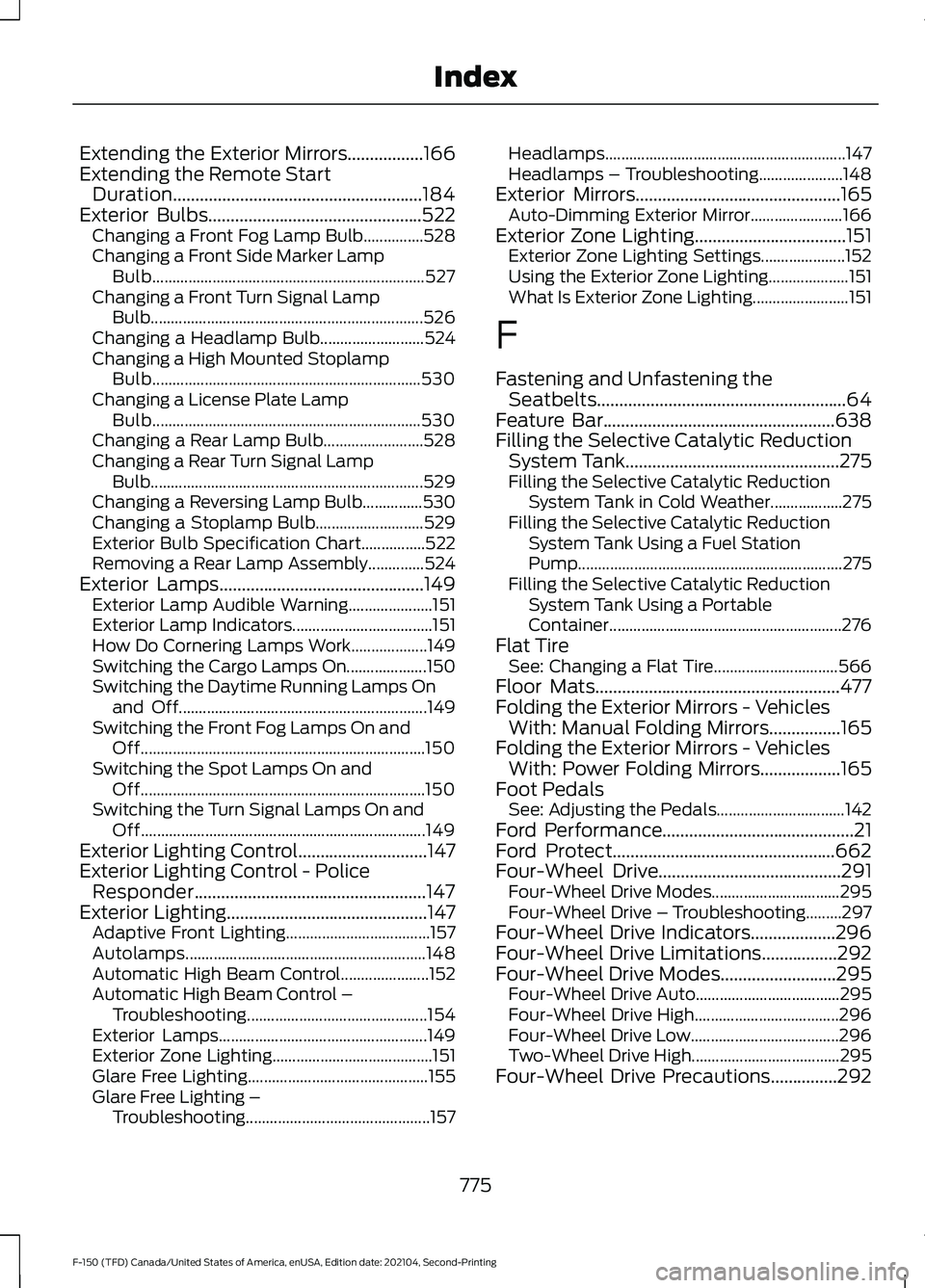
Extending the Exterior Mirrors.................166
Extending the Remote Start
Duration........................................................184
Exterior Bulbs................................................522
Changing a Front Fog Lamp Bulb...............528
Changing a Front Side Marker Lamp
Bulb.................................................................... 527
Changing a Front Turn Signal Lamp Bulb.................................................................... 526
Changing a Headlamp Bulb.......................... 524
Changing a High Mounted Stoplamp Bulb................................................................... 530
Changing a License Plate Lamp Bulb................................................................... 530
Changing a Rear Lamp Bulb......................... 528
Changing a Rear Turn Signal Lamp Bulb.................................................................... 529
Changing a Reversing Lamp Bulb...............530
Changing a Stoplamp Bulb........................... 529
Exterior Bulb Specification Chart................522
Removing a Rear Lamp Assembly..............524
Exterior Lamps
..............................................149
Exterior Lamp Audible Warning.....................151
Exterior Lamp Indicators................................... 151
How Do Cornering Lamps Work................... 149
Switching the Cargo Lamps On.................... 150
Switching the Daytime Running Lamps On and Off.............................................................. 149
Switching the Front Fog Lamps On and Off....................................................................... 150
Switching the Spot Lamps On and Off....................................................................... 150
Switching the Turn Signal Lamps On and Off....................................................................... 149
Exterior Lighting Control.............................147
Exterior Lighting Control - Police Responder....................................................147
Exterior Lighting
.............................................147
Adaptive Front Lighting.................................... 157
Autolamps............................................................ 148
Automatic High Beam Control...................... 152
Automatic High Beam Control – Troubleshooting............................................. 154
Exterior Lamps.................................................... 149
Exterior Zone Lighting........................................ 151
Glare Free Lighting............................................. 155
Glare Free Lighting – Troubleshooting.............................................. 157Headlamps............................................................
147
Headlamps – Troubleshooting.....................148
Exterior Mirrors
..............................................165
Auto-Dimming Exterior Mirror....................... 166
Exterior Zone Lighting
..................................151
Exterior Zone Lighting Settings..................... 152
Using the Exterior Zone Lighting.................... 151
What Is Exterior Zone Lighting........................ 151
F
Fastening and Unfastening the Seatbelts
........................................................64
Feature Bar....................................................638
Filling the Selective Catalytic Reduction System Tank................................................275
Filling the Selective Catalytic Reduction System Tank in Cold Weather..................275
Filling the Selective Catalytic Reduction System Tank Using a Fuel Station
Pump.................................................................. 275
Filling the Selective Catalytic Reduction System Tank Using a Portable
Container.......................................................... 276
Flat Tire See: Changing a Flat Tire............................... 566
Floor Mats.......................................................477
Folding the Exterior Mirrors - Vehicles With: Manual Folding Mirrors................165
Folding the Exterior Mirrors - Vehicles With: Power Folding Mirrors..................165
Foot Pedals See: Adjusting the Pedals................................ 142
Ford Performance...........................................21
Ford Protect
..................................................662
Four-Wheel Drive.........................................291
Four-Wheel Drive Modes................................ 295
Four-Wheel Drive – Troubleshooting.........297
Four-Wheel Drive Indicators...................296
Four-Wheel Drive Limitations.................292
Four-Wheel Drive Modes
..........................295
Four-Wheel Drive Auto.................................... 295
Four-Wheel Drive High.................................... 296
Four-Wheel Drive Low..................................... 296
Two-Wheel Drive High..................................... 295
Four-Wheel Drive Precautions...............292
775
F-150 (TFD) Canada/United States of America, enUSA, Edition date: 202104, Second-Printing Index