brake fluid FORD F-650/750 2022 Owners Manual
[x] Cancel search | Manufacturer: FORD, Model Year: 2022, Model line: F-650/750, Model: FORD F-650/750 2022Pages: 379, PDF Size: 5.29 MB
Page 7 of 379

........................................................................\
.197
Reporting Safety Defects (Canada Only) .............................................")
Reporting Safety Defects (U.S. Only)
........................................................................\
.197
Reporting Safety Defects (Canada Only) ........................................................................\
198
Fuses
Fuse Specification Chart ..........................
199
Changing a Fuse ..........................................
207
Vehicle Inspection Guide
Vehicle Inspection Information .............
209
Maintenance
General Information ...................................
218
Opening and Closing the Hood ..............
219
Under Hood Overview - 6.7L Diesel ......
221
Under Hood Overview - 7.3L ...................
222
Engine Oil Dipstick - 6.7L Diesel ............
223
Engine Oil Dipstick - 7.3L ..........................
223
Engine Oil Check - 6.7L Diesel ................
223
Engine Oil Check - 7.3L .............................
224
Changing the Engine Oil and Oil Filter ........................................................................\
225
Oil Change Indicator Reset .....................
226
Changing the Engine Air Filter - 6.7L Diesel ...........................................................
227
Changing the Engine Air Filter - 7.3L .....
229
Draining the Fuel Filter Water Trap - 6.7L Diesel ............................................................
231
Engine Coolant Check - 6.7L Diesel ......
232
Engine Coolant Check - 7.3L ...................
237
Automatic Transmission Fluid Check ........................................................................\
.
241
Brake Fluid Check .......................................
243
Power Steering Fluid Check ...................
244
Changing the 12V Battery ........................
245
Adjusting the Headlamps .......................
246
Washer Fluid Check ...................................
248
Fuel Filter - 7.3L ...........................................
248
Checking the Wiper Blades ....................
248
Changing the Wiper Blades ....................
248Removing a Headlamp
............................
249
Changing a Bulb .........................................
249
Changing the Engine-Mounted and Diesel Fuel Conditioner Module Fuel
Filters - 6.7L Diesel .................................
250
Electrical System Inspection ..................
253
Air Induction System Inspection ...........
253
Exhaust System Inspection ....................
254
Brake System Inspection .........................
254
Axle Inspection .............................................
257
Steering System Inspection ...................
258
Suspension System Inspection .............
258
Frame and Tow Hook Inspection .........
259
Rear Axle Fluid Check ...............................
259
Spring U-Bolt Check ..................................
259
Vehicle Care
General Information ...................................
261
Cleaning Products .......................................
261
Cleaning the Exterior .................................
262
Waxing ............................................................
263
Cleaning the Engine ...................................
263
Cleaning the Windows and Wiper Blades ........................................................................\
264
Cleaning the Interior ..................................
264
Cleaning the Instrument Panel and Instrument Cluster Lens ......................
265
Repairing Minor Paint Damage .............
265
Cleaning the Wheels .................................
265
Vehicle Storage ...........................................
266
Wheels and Tires
Tire Care .........................................................
268
Using Snow Chains ....................................
283
Changing a Road Wheel ..........................
283
Technical Specifications ..........................
285
Capacities and Specifications
Engine Specifications - 6.7L Diesel ......
286
4
2022 F650750 (TBC) , enUSA, Edition date: 202010, Second-Printing Table of Contents
Page 8 of 379
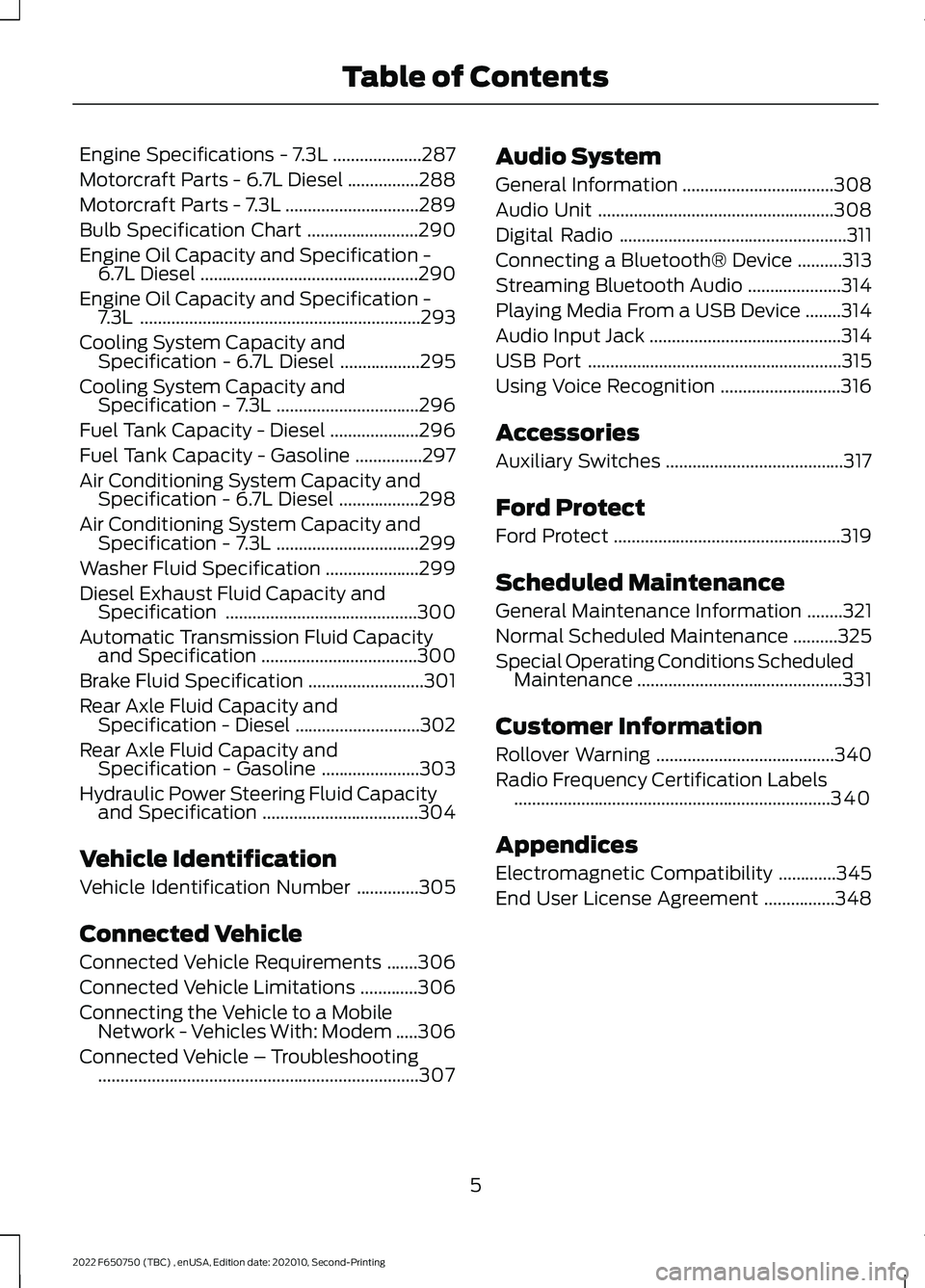
Engine Specifications - 7.3L
....................287
Motorcraft Parts - 6.7L Diesel ................
288
Motorcraft Parts - 7.3L ..............................
289
Bulb Specification Chart .........................
290
Engine Oil Capacity and Specification - 6.7L Diesel .................................................
290
Engine Oil Capacity and Specification - 7.3L ...............................................................
293
Cooling System Capacity and Specification - 6.7L Diesel ..................
295
Cooling System Capacity and Specification - 7.3L ................................
296
Fuel Tank Capacity - Diesel ....................
296
Fuel Tank Capacity - Gasoline ...............
297
Air Conditioning System Capacity and Specification - 6.7L Diesel ..................
298
Air Conditioning System Capacity and Specification - 7.3L ................................
299
Washer Fluid Specification .....................
299
Diesel Exhaust Fluid Capacity and Specification ...........................................
300
Automatic Transmission Fluid Capacity and Specification ...................................
300
Brake Fluid Specification ..........................
301
Rear Axle Fluid Capacity and Specification - Diesel ............................
302
Rear Axle Fluid Capacity and Specification - Gasoline ......................
303
Hydraulic Power Steering Fluid Capacity and Specification ...................................
304
Vehicle Identification
Vehicle Identification Number ..............
305
Connected Vehicle
Connected Vehicle Requirements .......
306
Connected Vehicle Limitations .............
306
Connecting the Vehicle to a Mobile Network - Vehicles With: Modem .....
306
Connected Vehicle – Troubleshooting ........................................................................\
307 Audio System
General Information
..................................
308
Audio Unit .....................................................
308
Digital Radio ...................................................
311
Connecting a Bluetooth® Device ..........
313
Streaming Bluetooth Audio .....................
314
Playing Media From a USB Device ........
314
Audio Input Jack ...........................................
314
USB Port .........................................................
315
Using Voice Recognition ...........................
316
Accessories
Auxiliary Switches ........................................
317
Ford Protect
Ford Protect ...................................................
319
Scheduled Maintenance
General Maintenance Information ........
321
Normal Scheduled Maintenance ..........
325
Special Operating Conditions Scheduled Maintenance ..............................................
331
Customer Information
Rollover Warning ........................................
340
Radio Frequency Certification Labels .......................................................................
340
Appendices
Electromagnetic Compatibility .............
345
End User License Agreement ................
348
5
2022 F650750 (TBC) , enUSA, Edition date: 202010, Second-Printing Table of Contents
Page 14 of 379
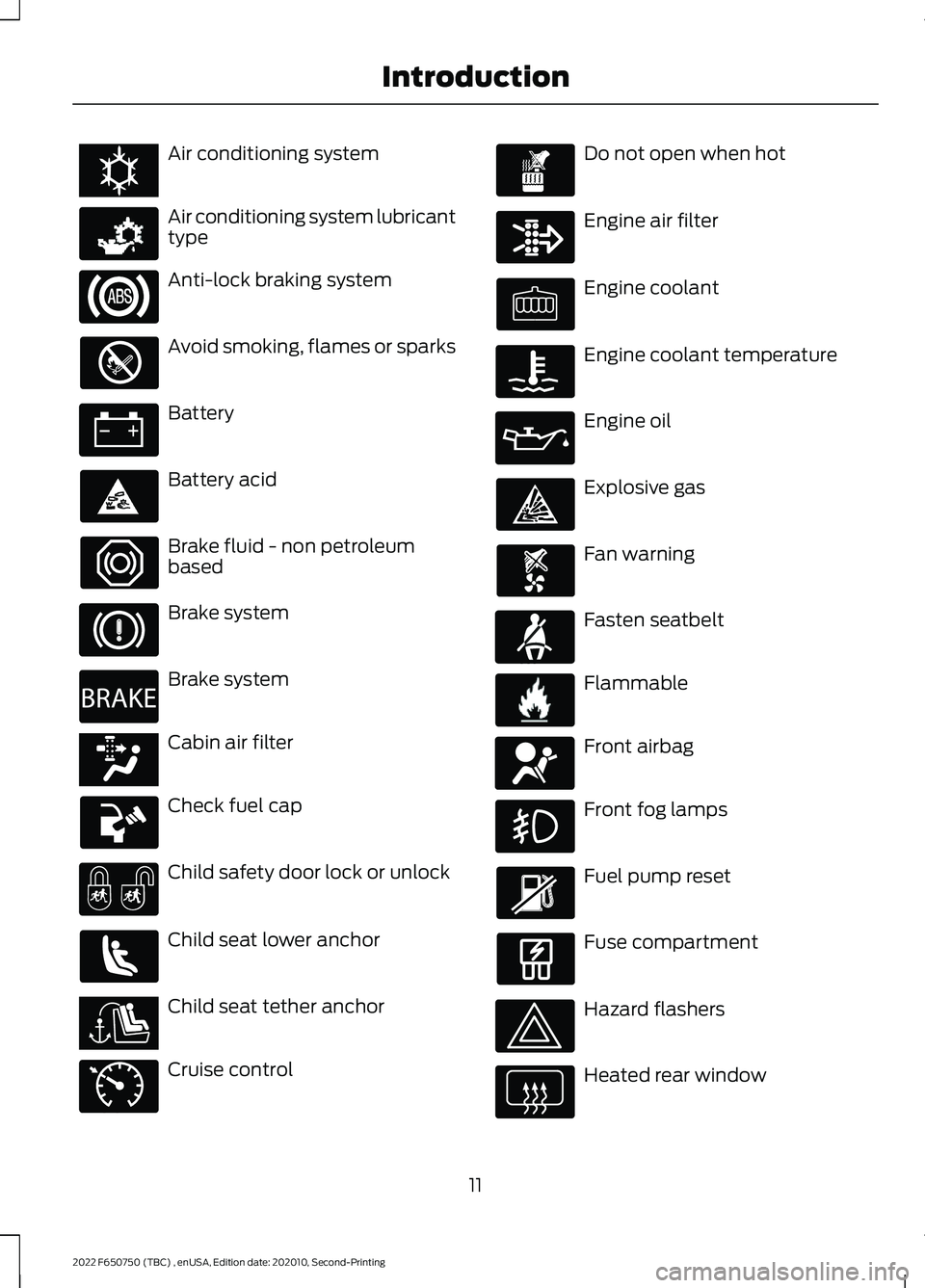
Air conditioning system
Air conditioning system lubricant
type
Anti-lock braking system
Avoid smoking, flames or sparks
Battery
Battery acid
Brake fluid - non petroleum
based
Brake system
Brake system
Cabin air filter
Check fuel cap
Child safety door lock or unlock
Child seat lower anchor
Child seat tether anchor
Cruise control Do not open when hot
Engine air filter
Engine coolant
Engine coolant temperature
Engine oil
Explosive gas
Fan warning
Fasten seatbelt
Flammable
Front airbag
Front fog lamps
Fuel pump reset
Fuse compartment
Hazard flashers
Heated rear window
11
2022 F650750 (TBC) , enUSA, Edition date: 202010, Second-Printing IntroductionE162384 E231157 E270480 E139223 E141128 E71340 E71880 E231160 E67017
Page 15 of 379
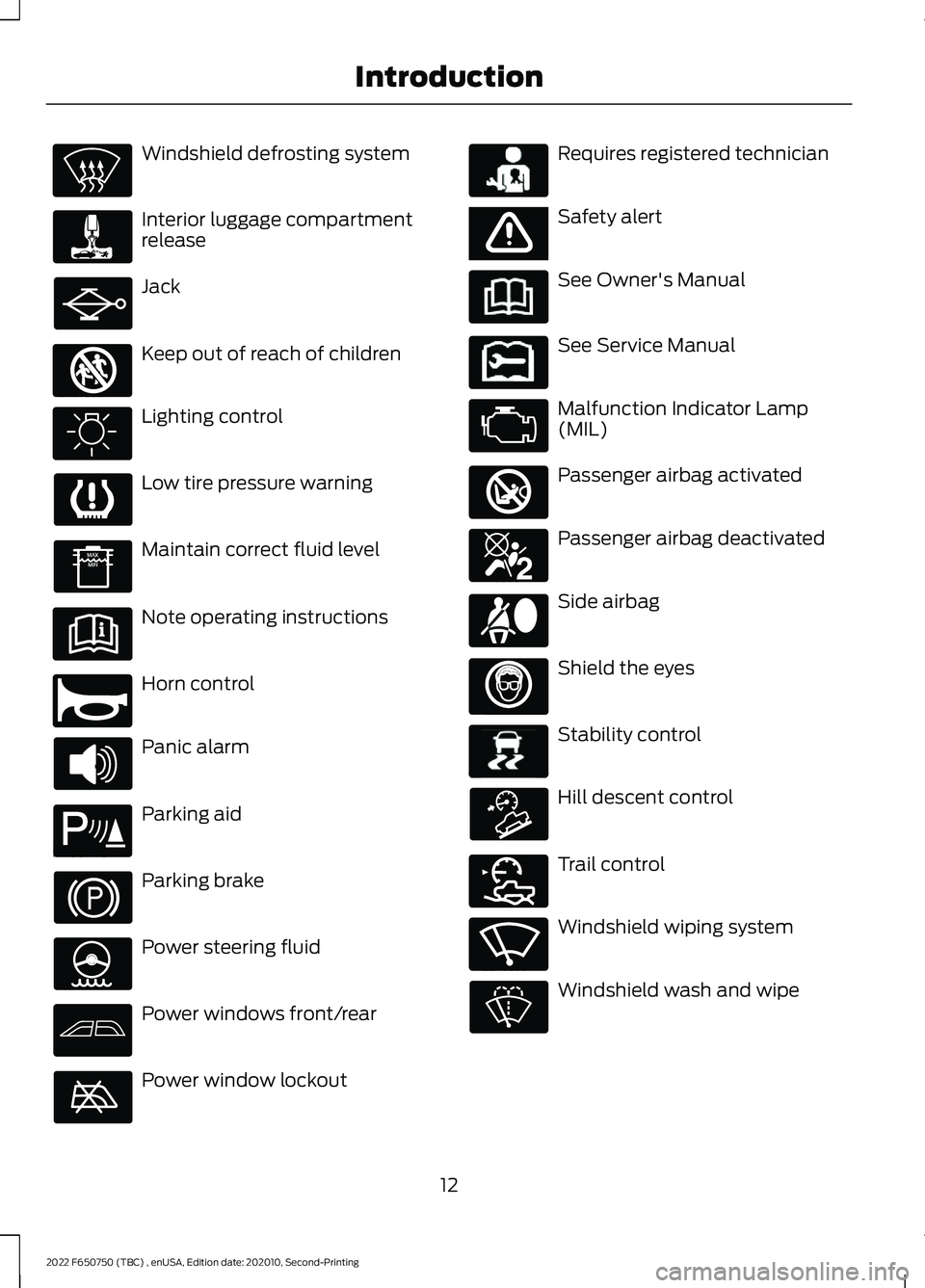
Windshield defrosting system
Interior luggage compartment
release
Jack
Keep out of reach of children
Lighting control
Low tire pressure warning
Maintain correct fluid level
Note operating instructions
Horn control
Panic alarm
Parking aid
Parking brake
Power steering fluid
Power windows front/rear
Power window lockout Requires registered technician
Safety alert
See Owner's Manual
See Service Manual
Malfunction Indicator Lamp
(MIL)
Passenger airbag activated
Passenger airbag deactivated
Side airbag
Shield the eyes
Stability control
Hill descent control
Trail control
Windshield wiping system
Windshield wash and wipe
12
2022 F650750 (TBC) , enUSA, Edition date: 202010, Second-Printing Introduction E161353 E270945 E139213 E231159 E65963 E231158 E270849 E270850 E167012 E138639 E163957 E272858 E270969
Page 69 of 379
Diesel Exhaust Fluid Gauge
Indicates the fluid level in the diesel
exhaust fluid (DEF) tank.
Voltmeter
Displays electrical system voltage.
WARNING LAMPS AND
INDICATORS
The following warning lamps and
indicators alert you to a vehicle condition
that may become serious. Some lamps
illuminate when you start your vehicle to
make sure they work. If any lamps remain
on after starting your vehicle, refer to the
respective system warning lamp for further
information.
Note:
Some warning indicators appear in
the information display and operate the
same as a warning lamp but do not
illuminate when you start your vehicle.
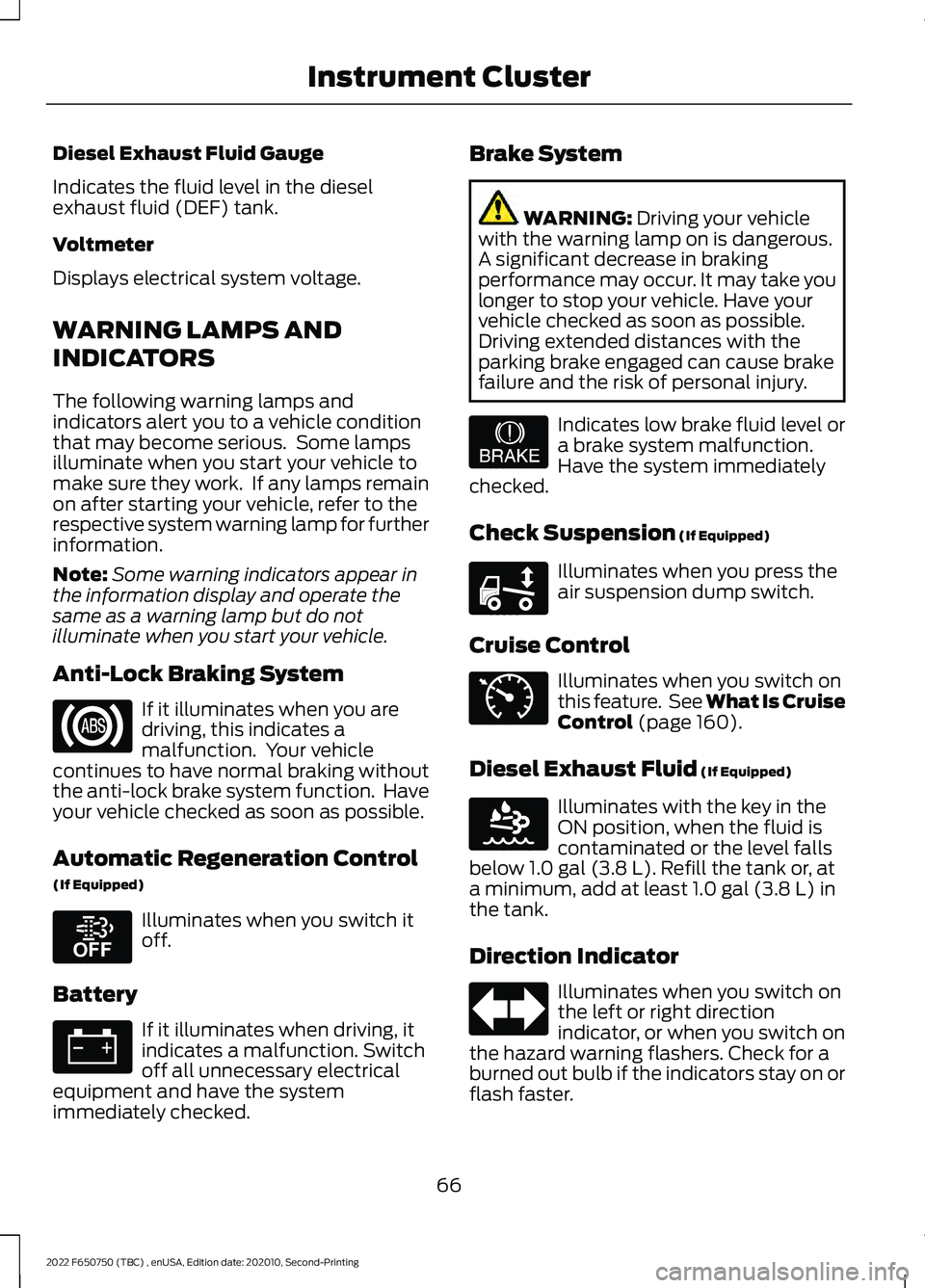
Anti-Lock Braking System If it illuminates when you are
driving, this indicates a
malfunction. Your vehicle
continues to have normal braking without
the anti-lock brake system function. Have
your vehicle checked as soon as possible.
Automatic Regeneration Control
(If Equipped) Illuminates when you switch it
off.
Battery If it illuminates when driving, it
indicates a malfunction. Switch
off all unnecessary electrical
equipment and have the system
immediately checked. Brake System WARNING: Driving your vehicle
with the warning lamp on is dangerous.
A significant decrease in braking
performance may occur. It may take you
longer to stop your vehicle. Have your
vehicle checked as soon as possible.
Driving extended distances with the
parking brake engaged can cause brake
failure and the risk of personal injury. Indicates low brake fluid level or
a brake system malfunction.
Have the system immediately
checked.
Check Suspension
(If Equipped) Illuminates when you press the
air suspension dump switch.
Cruise Control Illuminates when you switch on
this feature. See What Is Cruise
Control
(page 160).
Diesel Exhaust Fluid
(If Equipped) Illuminates with the key in the
ON position, when the fluid is
contaminated or the level falls
below
1.0 gal (3.8 L). Refill the tank or, at
a minimum, add at least 1.0 gal (3.8 L) in
the tank.
Direction Indicator Illuminates when you switch on
the left or right direction
indicator, or when you switch on
the hazard warning flashers. Check for a
burned out bulb if the indicators stay on or
flash faster.
66
2022 F650750 (TBC) , enUSA, Edition date: 202010, Second-Printing Instrument Cluster E208811 E209041 E208808 E71340 E163176
Page 72 of 379
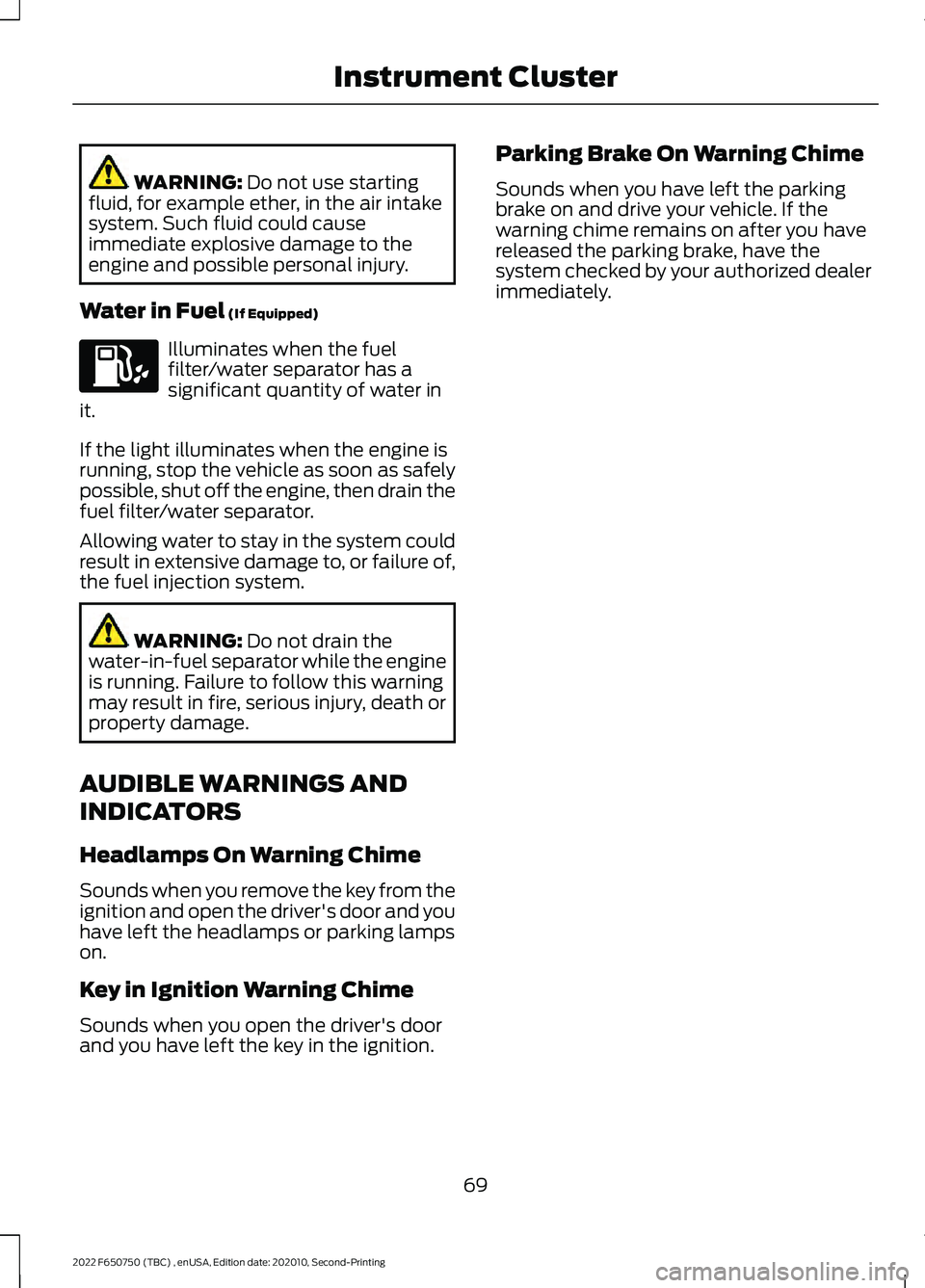
WARNING: Do not use starting
fluid, for example ether, in the air intake
system. Such fluid could cause
immediate explosive damage to the
engine and possible personal injury.
Water in Fuel
(If Equipped) Illuminates when the fuel
filter/water separator has a
significant quantity of water in
it.
If the light illuminates when the engine is
running, stop the vehicle as soon as safely
possible, shut off the engine, then drain the
fuel filter/water separator.
Allowing water to stay in the system could
result in extensive damage to, or failure of,
the fuel injection system. WARNING:
Do not drain the
water-in-fuel separator while the engine
is running. Failure to follow this warning
may result in fire, serious injury, death or
property damage.
AUDIBLE WARNINGS AND
INDICATORS
Headlamps On Warning Chime
Sounds when you remove the key from the
ignition and open the driver's door and you
have left the headlamps or parking lamps
on.
Key in Ignition Warning Chime
Sounds when you open the driver's door
and you have left the key in the ignition. Parking Brake On Warning Chime
Sounds when you have left the parking
brake on and drive your vehicle. If the
warning chime remains on after you have
released the parking brake, have the
system checked by your authorized dealer
immediately.
69
2022 F650750 (TBC) , enUSA, Edition date: 202010, Second-Printing Instrument Cluster
Page 84 of 379
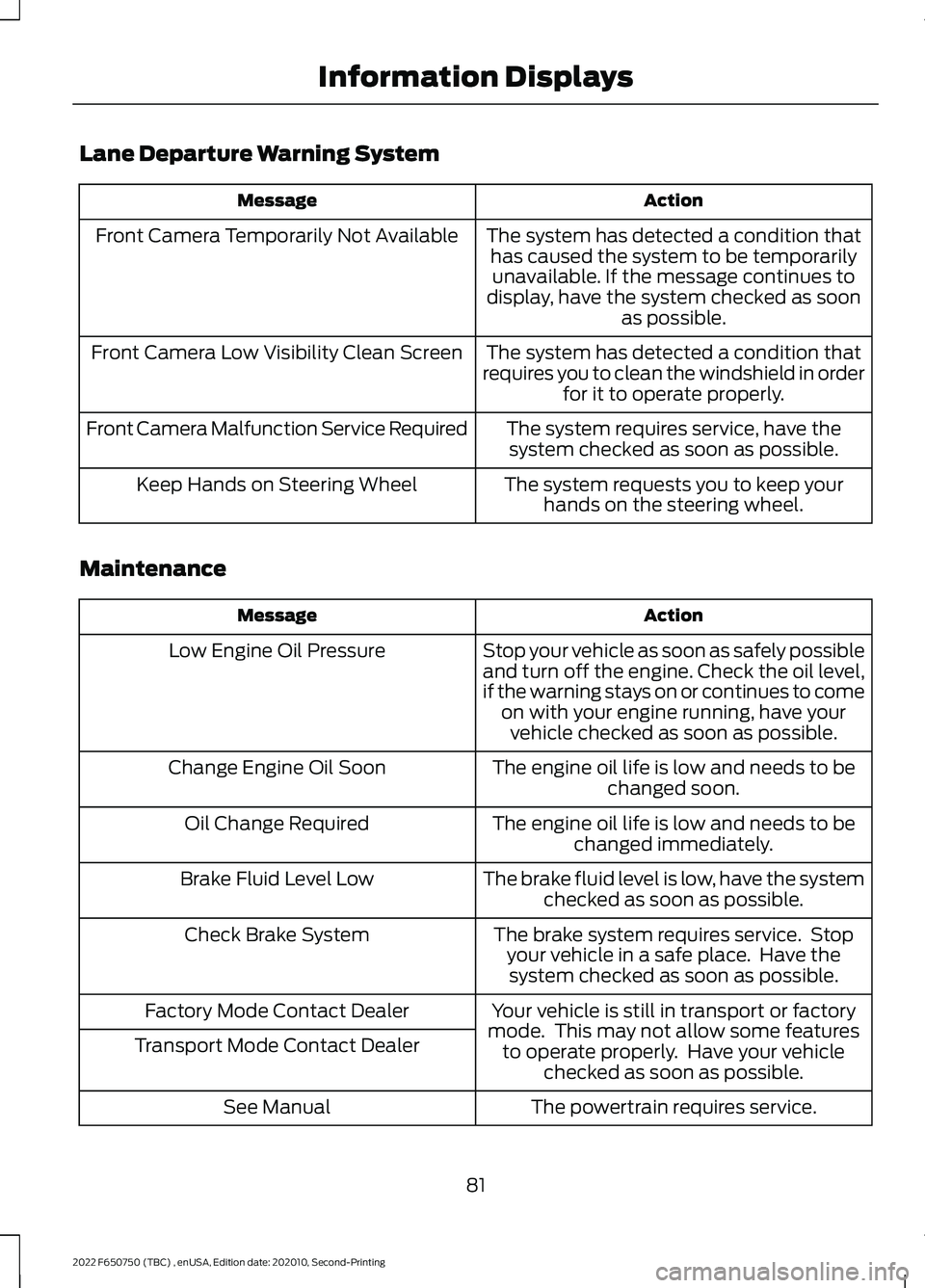
Lane Departure Warning System
Action
Message
The system has detected a condition thathas caused the system to be temporarilyunavailable. If the message continues to
display, have the system checked as soon as possible.
Front Camera Temporarily Not Available
The system has detected a condition that
requires you to clean the windshield in order for it to operate properly.
Front Camera Low Visibility Clean Screen
The system requires service, have thesystem checked as soon as possible.
Front Camera Malfunction Service Required
The system requests you to keep yourhands on the steering wheel.
Keep Hands on Steering Wheel
Maintenance Action
Message
Stop your vehicle as soon as safely possible
and turn off the engine. Check the oil level,
if the warning stays on or continues to comeon with your engine running, have yourvehicle checked as soon as possible.
Low Engine Oil Pressure
The engine oil life is low and needs to bechanged soon.
Change Engine Oil Soon
The engine oil life is low and needs to bechanged immediately.
Oil Change Required
The brake fluid level is low, have the systemchecked as soon as possible.
Brake Fluid Level Low
The brake system requires service. Stopyour vehicle in a safe place. Have thesystem checked as soon as possible.
Check Brake System
Your vehicle is still in transport or factory
mode. This may not allow some features to operate properly. Have your vehicle checked as soon as possible.
Factory Mode Contact Dealer
Transport Mode Contact Dealer
The powertrain requires service.
See Manual
81
2022 F650750 (TBC) , enUSA, Edition date: 202010, Second-Printing Information Displays
Page 105 of 379
Important Ventilating Information
If you stop your vehicle and then leave the
engine idling for long periods of time, we
recommend that you do one of the
following:
•
Open the windows at least 1 in (3 cm).
• Set your climate control to outside air.
STARTING A DIESEL ENGINE
Read all starting instructions carefully
before you start your vehicle.
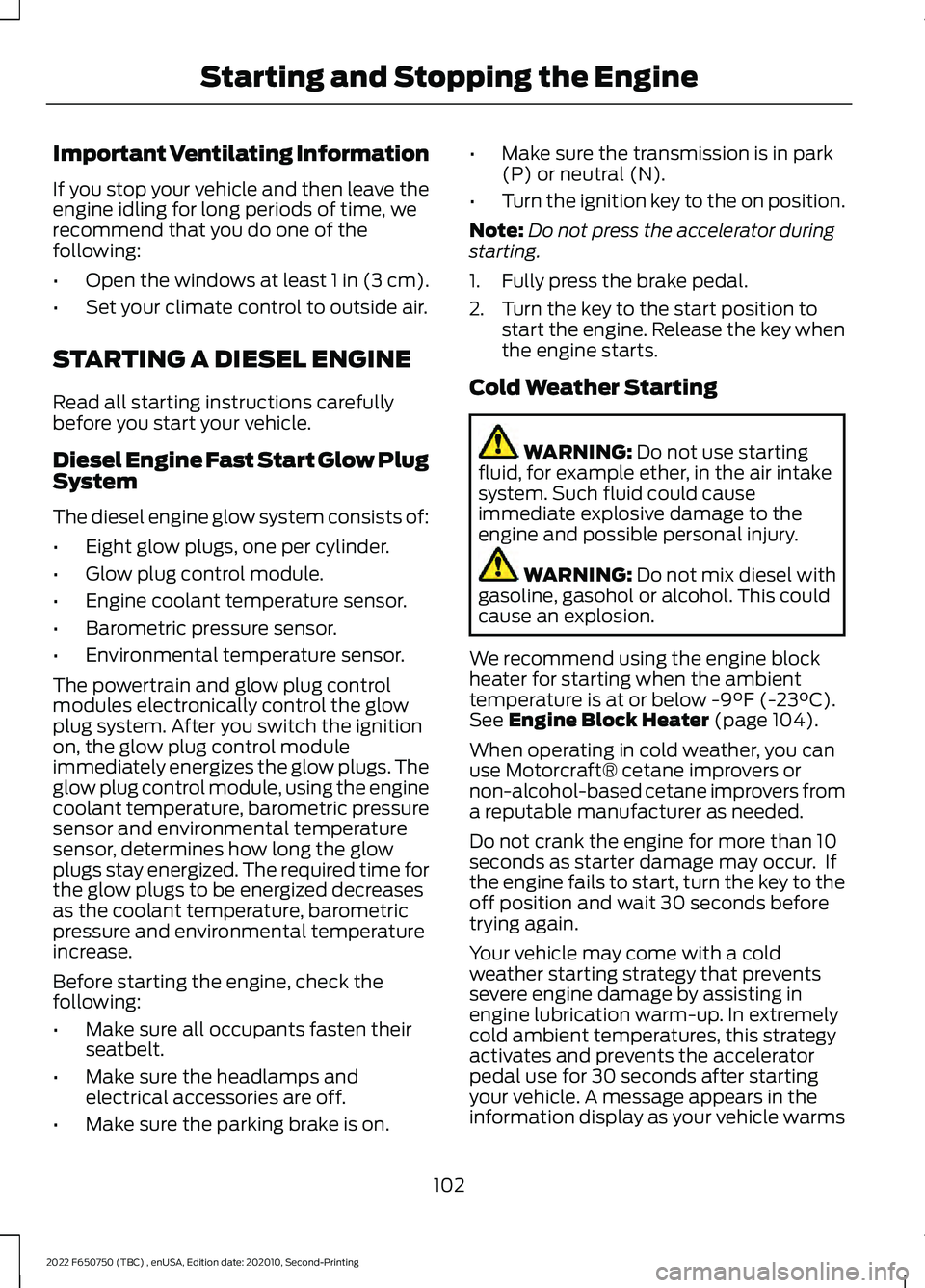
Diesel Engine Fast Start Glow Plug
System
The diesel engine glow system consists of:
• Eight glow plugs, one per cylinder.
• Glow plug control module.
• Engine coolant temperature sensor.
• Barometric pressure sensor.
• Environmental temperature sensor.
The powertrain and glow plug control
modules electronically control the glow
plug system. After you switch the ignition
on, the glow plug control module
immediately energizes the glow plugs. The
glow plug control module, using the engine
coolant temperature, barometric pressure
sensor and environmental temperature
sensor, determines how long the glow
plugs stay energized. The required time for
the glow plugs to be energized decreases
as the coolant temperature, barometric
pressure and environmental temperature
increase.
Before starting the engine, check the
following:
• Make sure all occupants fasten their
seatbelt.
• Make sure the headlamps and
electrical accessories are off.
• Make sure the parking brake is on. •
Make sure the transmission is in park
(P) or neutral (N).
• Turn the ignition key to the on position.
Note: Do not press the accelerator during
starting.
1. Fully press the brake pedal.
2. Turn the key to the start position to start the engine. Release the key when
the engine starts.
Cold Weather Starting WARNING: Do not use starting
fluid, for example ether, in the air intake
system. Such fluid could cause
immediate explosive damage to the
engine and possible personal injury. WARNING:
Do not mix diesel with
gasoline, gasohol or alcohol. This could
cause an explosion.
We recommend using the engine block
heater for starting when the ambient
temperature is at or below
-9°F (-23°C).
See Engine Block Heater (page 104).
When operating in cold weather, you can
use Motorcraft® cetane improvers or
non-alcohol-based cetane improvers from
a reputable manufacturer as needed.
Do not crank the engine for more than 10
seconds as starter damage may occur. If
the engine fails to start, turn the key to the
off position and wait 30 seconds before
trying again.
Your vehicle may come with a cold
weather starting strategy that prevents
severe engine damage by assisting in
engine lubrication warm-up. In extremely
cold ambient temperatures, this strategy
activates and prevents the accelerator
pedal use for 30 seconds after starting
your vehicle. A message appears in the
information display as your vehicle warms
102
2022 F650750 (TBC) , enUSA, Edition date: 202010, Second-Printing Starting and Stopping the Engine
Page 128 of 379
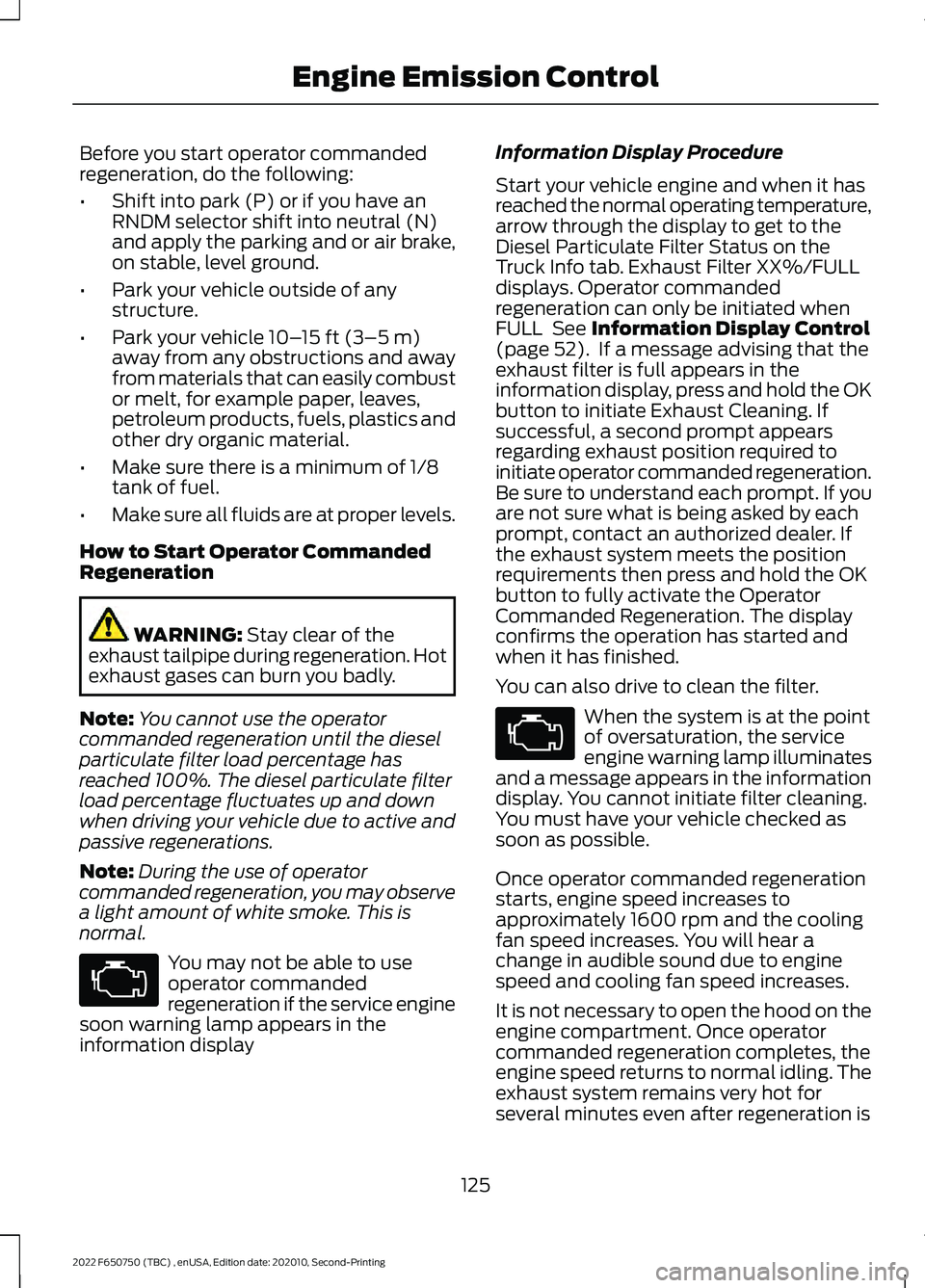
Before you start operator commanded
regeneration, do the following:
•
Shift into park (P) or if you have an
RNDM selector shift into neutral (N)
and apply the parking and or air brake,
on stable, level ground.
• Park your vehicle outside of any
structure.
• Park your vehicle 10– 15 ft (3–5 m)
away from any obstructions and away
from materials that can easily combust
or melt, for example paper, leaves,
petroleum products, fuels, plastics and
other dry organic material.
• Make sure there is a minimum of 1/8
tank of fuel.
• Make sure all fluids are at proper levels.
How to Start Operator Commanded
Regeneration WARNING:
Stay clear of the
exhaust tailpipe during regeneration. Hot
exhaust gases can burn you badly.
Note: You cannot use the operator
commanded regeneration until the diesel
particulate filter load percentage has
reached 100%. The diesel particulate filter
load percentage fluctuates up and down
when driving your vehicle due to active and
passive regenerations.
Note: During the use of operator
commanded regeneration, you may observe
a light amount of white smoke. This is
normal. You may not be able to use
operator commanded
regeneration if the service engine
soon warning lamp appears in the
information display Information Display Procedure
Start your vehicle engine and when it has
reached the normal operating temperature,
arrow through the display to get to the
Diesel Particulate Filter Status on the
Truck Info tab. Exhaust Filter XX%/FULL
displays. Operator commanded
regeneration can only be initiated when
FULL
See Information Display Control
(page 52). If a message advising that the
exhaust filter is full appears in the
information display, press and hold the OK
button to initiate Exhaust Cleaning. If
successful, a second prompt appears
regarding exhaust position required to
initiate operator commanded regeneration.
Be sure to understand each prompt. If you
are not sure what is being asked by each
prompt, contact an authorized dealer. If
the exhaust system meets the position
requirements then press and hold the OK
button to fully activate the Operator
Commanded Regeneration. The display
confirms the operation has started and
when it has finished.
You can also drive to clean the filter. When the system is at the point
of oversaturation, the service
engine warning lamp illuminates
and a message appears in the information
display. You cannot initiate filter cleaning.
You must have your vehicle checked as
soon as possible.
Once operator commanded regeneration
starts, engine speed increases to
approximately 1600 rpm and the cooling
fan speed increases. You will hear a
change in audible sound due to engine
speed and cooling fan speed increases.
It is not necessary to open the hood on the
engine compartment. Once operator
commanded regeneration completes, the
engine speed returns to normal idling. The
exhaust system remains very hot for
several minutes even after regeneration is
125
2022 F650750 (TBC) , enUSA, Edition date: 202010, Second-Printing Engine Emission Control
Page 137 of 379
GENERAL INFORMATION
WARNING: Exceeding these ratings
by overloading can cause component
failure resulting in property damage,
personal injury or death.
Fluid Temperature
If the operating temperature exceeds
250°F (121°C), the rate of axle lubrication
oxidation increases and shortens the life
of the lubricant and seals, requiring axle
lubrication changes to become more
frequent to preserve the axle. Do not
consistently run extreme pressure (EP)
lubricants above
250°F (121°C).
Axle Conversions WARNING:
When operating a
loaded vehicle, the driver must keep all
adjustable axles on the ground at all
times, supporting their share of the
vehicle ’s load. Failure to do so can
overload other axles, tires, wheels,
springs, steering components, brakes
and frames, resulting in early component
failure, loss of vehicle control, possible
property damage and personal injury.
We do not recommend, or approve,
performing axle conversions. However, we
understand that, on occasion, others install
aftermarket add-on axles on the truck
chassis that allow operator control for
weight transfer from other axles (such as
air lift axles). ELECTRONIC LOCKING
DIFFERENTIAL
(IF EQUIPPED)
Driver-Controlled Electronic
Locking Differential
Note: Never use the differential lock at
vehicle speeds above
25 mph (40 km/h).
Some drive axles have a driver-controlled
differential lock. The differential lock can
lock or unlock the differential when your
vehicle is moving or stopped. When you
require extra traction, the differential lock
provides full power to both wheels.
When you lock the differential, your
vehicle ’s turning radius increases
(under-steer).
Take care to avoid sudden accelerations
when both drive wheels are on a slippery
surface. WARNING:
Sudden acceleration
on slippery surfaces could cause the
wheels to spin, the vehicle to turn
sideways on a crowned road surface or
in a turn, possibly resulting in loss of
vehicle control and personal injury.
Activating the Electronic Locking
Differential
You can lock and unlock the differential
when your vehicle is moving at a constant
speed of less than 25 mph (40 km/h) and
while the wheels are not slipping. Do not
lock the differential when your vehicle is
traveling down steep grades and when
traction is minimal.
The differential lock and differential lock
light automatically disengage at speeds
above
25 mph (40 km/h). The differential
lock remains off until either you restart your
vehicle, or you turn the differential lock
switch off then back on.
134
2022 F650750 (TBC) , enUSA, Edition date: 202010, Second-Printing Rear Axle