lock FORD F150 2013 12.G Manual PDF
[x] Cancel search | Manufacturer: FORD, Model Year: 2013, Model line: F150, Model: FORD F150 2013 12.GPages: 570, PDF Size: 6.13 MB
Page 208 of 570
WARNING:If the parking brake is fully released, but the brake
warning lamp remains illuminated, the brakes may not be
working properly. See your authorized dealer as soon as possible.
This vehicle is equipped with a brake-shift interlock feature that prevents
the gearshift lever from being moved from P (Park) when the ignition is
in the 3 (on) position and the brake pedal is not pressed.
If you cannot move the gearshift lever out of P (Park) with ignition in
the on position and the brake pedal pressed, it is possible that a fuse has
blown or the vehicle’s brake lamps are not operating properly. Refer to
theFuseschapter.
If the fuse is not blown and the brake lamps are working properly, the
following procedure will allow you to move the gearshift lever from P
(Park):
1. Apply the parking brake. Turn the ignition key to 1 (off), then remove
the key.
2. Move the steering column to the full down and full rearward position
(toward the driver’s seat).
3. Remove the gearshift lever boot.
4. Place fingers into hole where the gearshift lever boot was removed
from and pull top half of shroud up and forward to separate it from the
lower half of the shroud. There is a hinge at the forward edge of the top
shroud. Roll the top half of the shroud upward on the hinge point to
clear the hazard flasher button, then pull straight rearward toward the
driver’s seat to remove.
5. Remove the top half of the shroud.
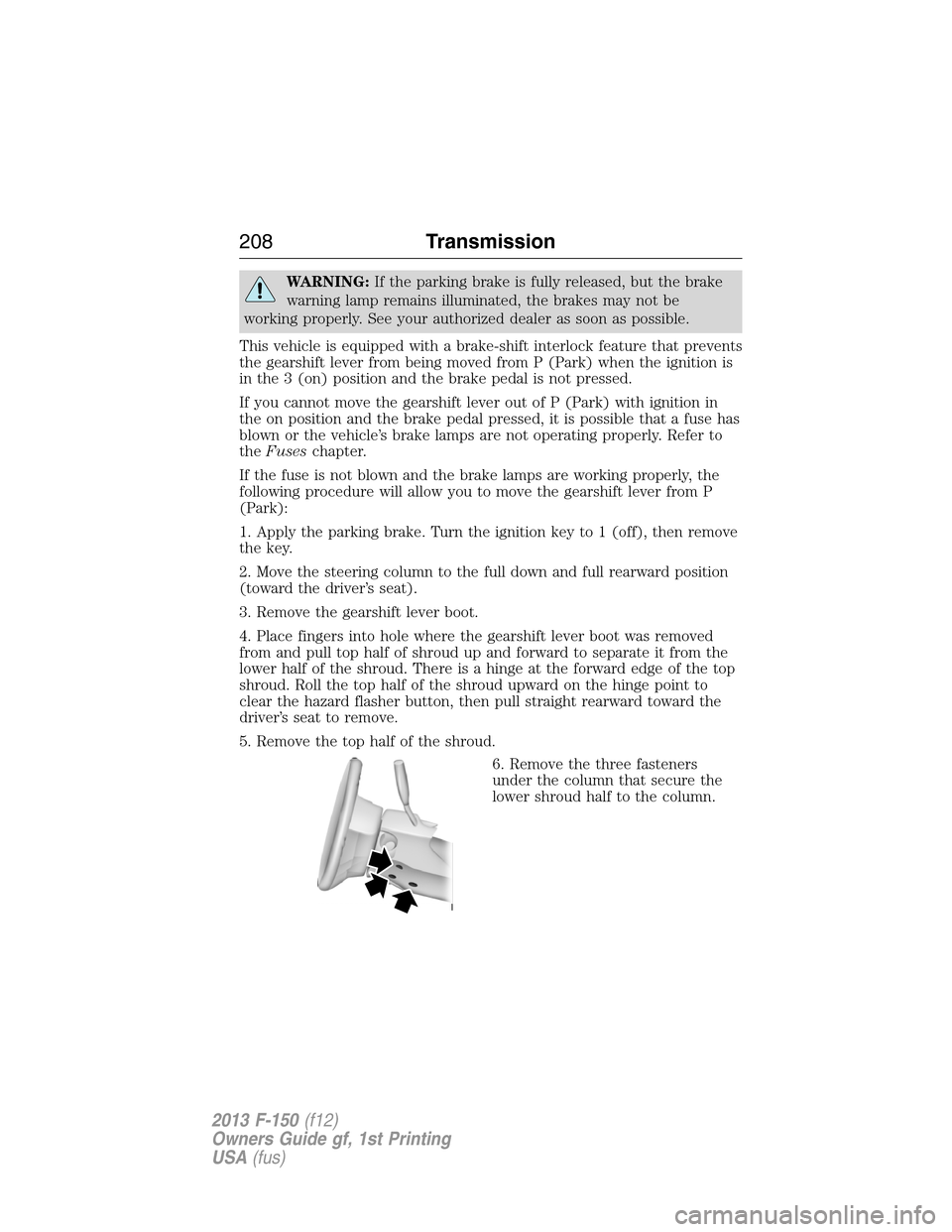
6. Remove the three fasteners
under the column that secure the
lower shroud half to the column.
208Transmission
2013 F-150(f12)
Owners Guide gf, 1st Printing
USA(fus)
Page 209 of 570
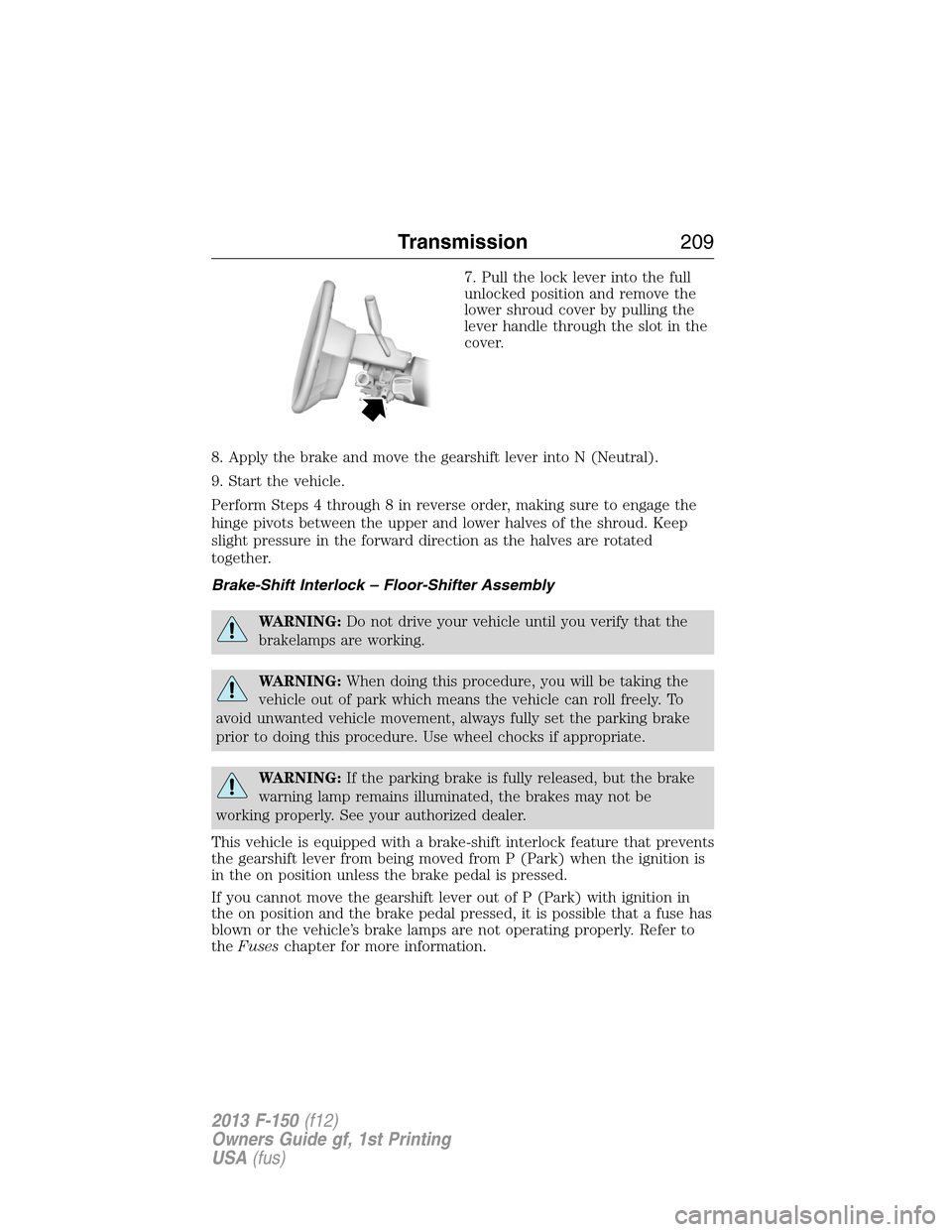
7. Pull the lock lever into the full
unlocked position and remove the
lower shroud cover by pulling the
lever handle through the slot in the
cover.
8. Apply the brake and move the gearshift lever into N (Neutral).
9. Start the vehicle.
Perform Steps 4 through 8 in reverse order, making sure to engage the
hinge pivots between the upper and lower halves of the shroud. Keep
slight pressure in the forward direction as the halves are rotated
together.
Brake-Shift Interlock – Floor-Shifter Assembly
WARNING:Do not drive your vehicle until you verify that the
brakelamps are working.
WARNING:When doing this procedure, you will be taking the
vehicle out of park which means the vehicle can roll freely. To
avoid unwanted vehicle movement, always fully set the parking brake
prior to doing this procedure. Use wheel chocks if appropriate.
WARNING:If the parking brake is fully released, but the brake
warning lamp remains illuminated, the brakes may not be
working properly. See your authorized dealer.
This vehicle is equipped with a brake-shift interlock feature that prevents
the gearshift lever from being moved from P (Park) when the ignition is
in the on position unless the brake pedal is pressed.
If you cannot move the gearshift lever out of P (Park) with ignition in
the on position and the brake pedal pressed, it is possible that a fuse has
blown or the vehicle’s brake lamps are not operating properly. Refer to
theFuseschapter for more information.
Transmission209
2013 F-150(f12)
Owners Guide gf, 1st Printing
USA(fus)
Page 210 of 570
If the fuse is not blown and the brake lamps are working properly, the
following procedure will allow you to move the gearshift lever from P
(Park):
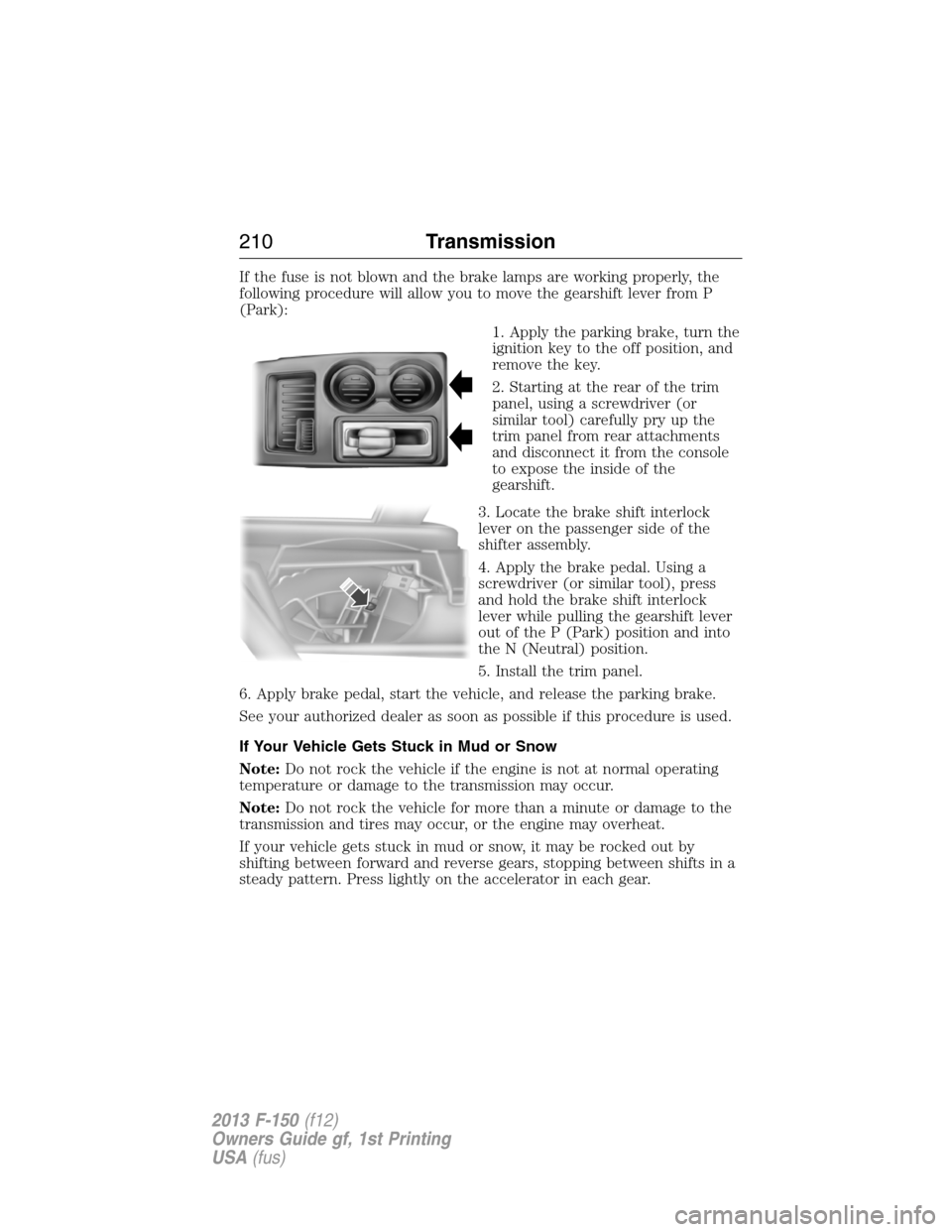
1. Apply the parking brake, turn the
ignition key to the off position, and
remove the key.
2. Starting at the rear of the trim
panel, using a screwdriver (or
similar tool) carefully pry up the
trim panel from rear attachments
and disconnect it from the console
to expose the inside of the
gearshift.
3. Locate the brake shift interlock
lever on the passenger side of the
shifter assembly.
4. Apply the brake pedal. Using a
screwdriver (or similar tool), press
and hold the brake shift interlock
lever while pulling the gearshift lever
out of the P (Park) position and into
the N (Neutral) position.
5. Install the trim panel.
6. Apply brake pedal, start the vehicle, and release the parking brake.
See your authorized dealer as soon as possible if this procedure is used.
If Your Vehicle Gets Stuck in Mud or Snow
Note:Do not rock the vehicle if the engine is not at normal operating
temperature or damage to the transmission may occur.
Note:Do not rock the vehicle for more than a minute or damage to the
transmission and tires may occur, or the engine may overheat.
If your vehicle gets stuck in mud or snow, it may be rocked out by
shifting between forward and reverse gears, stopping between shifts in a
steady pattern. Press lightly on the accelerator in each gear.
210Transmission
2013 F-150(f12)
Owners Guide gf, 1st Printing
USA(fus)
Page 213 of 570
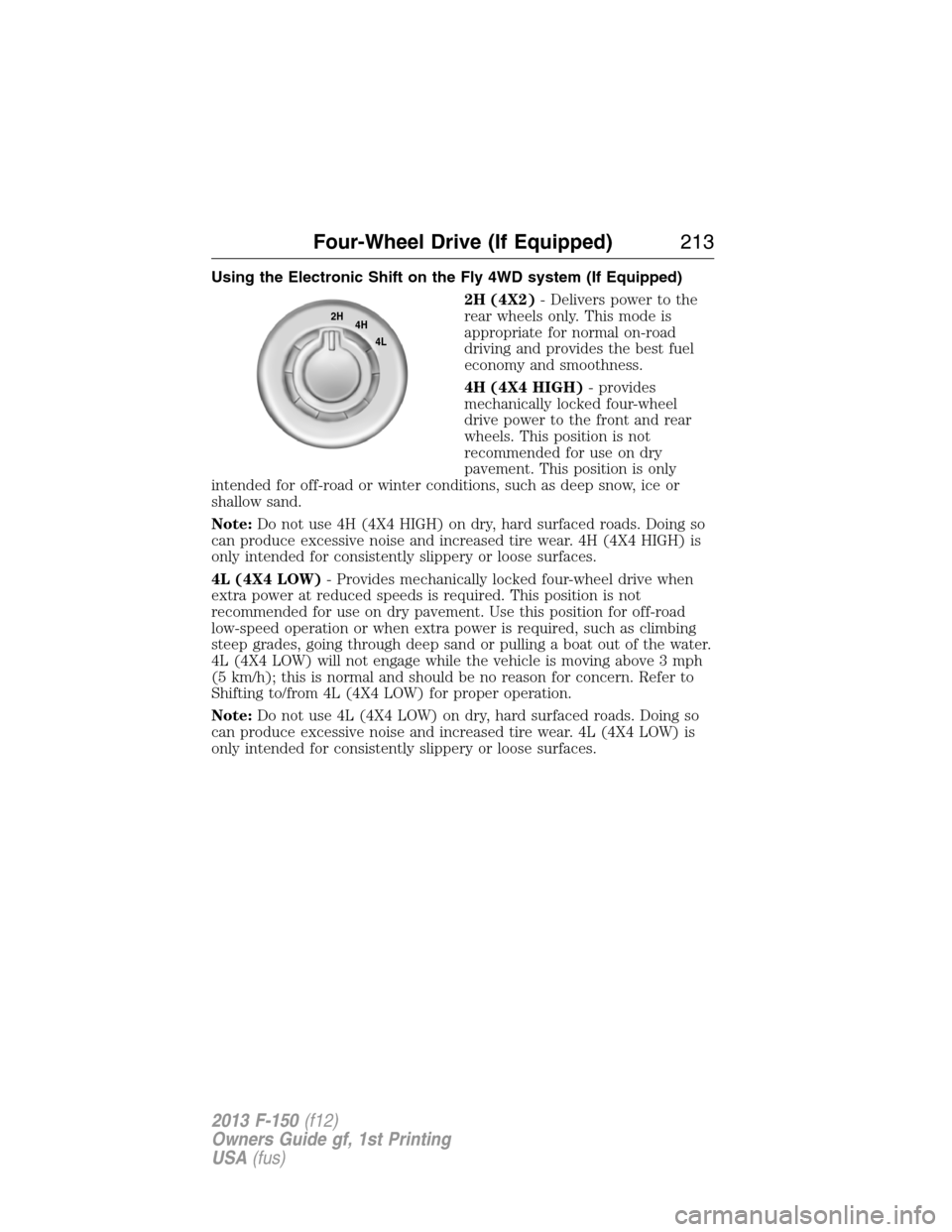
Using the Electronic Shift on the Fly 4WD system (If Equipped)
2H (4X2)- Delivers power to the
rear wheels only. This mode is
appropriate for normal on-road
driving and provides the best fuel
economy and smoothness.
4H (4X4 HIGH)- provides
mechanically locked four-wheel
drive power to the front and rear
wheels. This position is not
recommended for use on dry
pavement. This position is only
intended for off-road or winter conditions, such as deep snow, ice or
shallow sand.
Note:Do not use 4H (4X4 HIGH) on dry, hard surfaced roads. Doing so
can produce excessive noise and increased tire wear. 4H (4X4 HIGH) is
only intended for consistently slippery or loose surfaces.
4L (4X4 LOW)- Provides mechanically locked four-wheel drive when
extra power at reduced speeds is required. This position is not
recommended for use on dry pavement. Use this position for off-road
low-speed operation or when extra power is required, such as climbing
steep grades, going through deep sand or pulling a boat out of the water.
4L (4X4 LOW) will not engage while the vehicle is moving above 3 mph
(5 km/h); this is normal and should be no reason for concern. Refer to
Shifting to/from 4L (4X4 LOW) for proper operation.
Note:Do not use 4L (4X4 LOW) on dry, hard surfaced roads. Doing so
can produce excessive noise and increased tire wear. 4L (4X4 LOW) is
only intended for consistently slippery or loose surfaces.
2H
4H
4L
Four-Wheel Drive (If Equipped)213
2013 F-150(f12)
Owners Guide gf, 1st Printing
USA(fus)
Page 214 of 570

Shifting between 2H (4X2) and 4H (4X4 High)
Move the 4WD control between 2H (4X2) and 4H (4X4 HIGH) at any
forward speed. The message center will display4X4 SHIFT IN
PROGRESSduring the system shift.4X4 HIGHwill display in the
message center if 4H is selected and4X2will momentarily display in the
message center if 2H is selected.
IfSHIFT DELAYED PULL FORWARDis displayed in the message
center during the mode shift, transfer case gear tooth blockage is
present. To alleviate this condition, place the transmission in a forward
gear and move the vehicle forward approximately 5 feet (2 meters) to
allow the transfer case to complete the mode shift.
Note:Momentarily releasing the accelerator pedal while performing a
shift will improve engagement/disengagement times.
Note:Do not perform this operation if the rear wheels are slipping.
Note:Some noise may be heard as the system shifts or engages; this is
normal.
Note:4X4 high mode is not intended for use on dry pavement.
Shifting to/from 4L (4X4 low)
1. Bring the vehicle to a speed of 3 mph (5 km/h) or less.
2. Place the transmission in N (Neutral).
3. Move the 4WD control to the desired position.
The message center will display4X4 SHIFT IN PROGRESSduring the
shift. The message center will then display the system mode selected. If
any of the above shift conditions are not met, the shift will not occur and
the message center will display information guiding the driver through
the proper shifting procedures.
IfSHIFT DELAYED PULL FORWARDis displayed in the message
center, transfer case gear tooth blockage is present. To alleviate this
condition, place the transmission in a forward gear, move the vehicle
forward approximately 5 feet (1.5 m), and shift the transmission back to
neutral to allow the transfer case to complete the range shift.
Note:Some noise may be heard as the system shifts or engages; this is
normal.
Note:4x4 low mode is not intended for use on dry pavement.
214Four-Wheel Drive (If Equipped)
2013 F-150(f12)
Owners Guide gf, 1st Printing
USA(fus)
Page 215 of 570
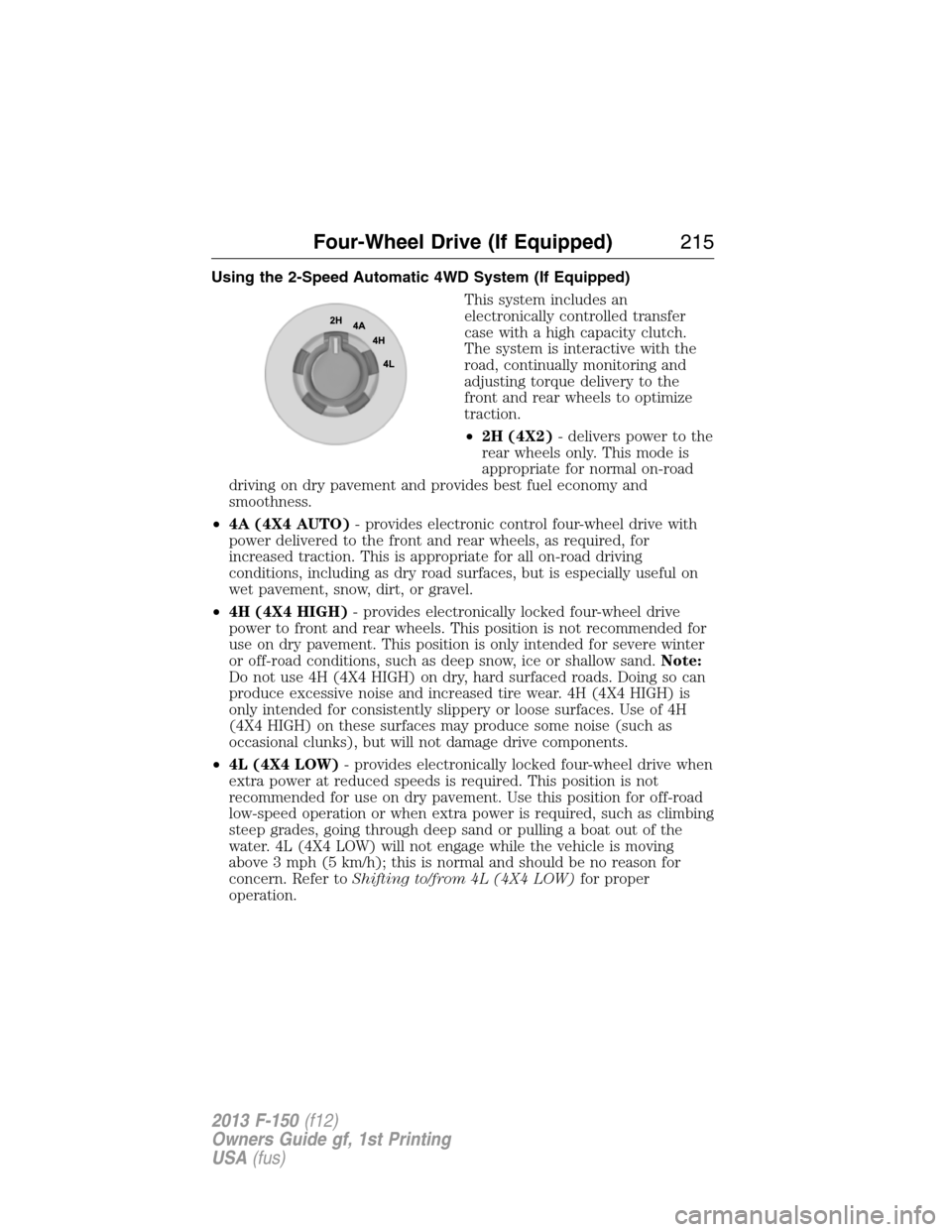
Using the 2-Speed Automatic 4WD System (If Equipped)
This system includes an
electronically controlled transfer
case with a high capacity clutch.
The system is interactive with the
road, continually monitoring and
adjusting torque delivery to the
front and rear wheels to optimize
traction.
•2H (4X2)- delivers power to the
rear wheels only. This mode is
appropriate for normal on-road
driving on dry pavement and provides best fuel economy and
smoothness.
•4A (4X4 AUTO)- provides electronic control four-wheel drive with
power delivered to the front and rear wheels, as required, for
increased traction. This is appropriate for all on-road driving
conditions, including as dry road surfaces, but is especially useful on
wet pavement, snow, dirt, or gravel.
•4H (4X4 HIGH)- provides electronically locked four-wheel drive
power to front and rear wheels. This position is not recommended for
use on dry pavement. This position is only intended for severe winter
or off-road conditions, such as deep snow, ice or shallow sand.Note:
Do not use 4H (4X4 HIGH) on dry, hard surfaced roads. Doing so can
produce excessive noise and increased tire wear. 4H (4X4 HIGH) is
only intended for consistently slippery or loose surfaces. Use of 4H
(4X4 HIGH) on these surfaces may produce some noise (such as
occasional clunks), but will not damage drive components.
•4L (4X4 LOW)- provides electronically locked four-wheel drive when
extra power at reduced speeds is required. This position is not
recommended for use on dry pavement. Use this position for off-road
low-speed operation or when extra power is required, such as climbing
steep grades, going through deep sand or pulling a boat out of the
water. 4L (4X4 LOW) will not engage while the vehicle is moving
above 3 mph (5 km/h); this is normal and should be no reason for
concern. Refer toShifting to/from 4L (4X4 LOW)for proper
operation.
Four-Wheel Drive (If Equipped)215
2013 F-150(f12)
Owners Guide gf, 1st Printing
USA(fus)
Page 217 of 570
IfSHIFT DELAYED PULL FORWARDis displayed in the message
center, transfer case gear tooth blockage is present. To alleviate this
condition, place the transmission in a forward gear, move the vehicle
forward approximately 5 feet (2 meters), and shift the transmission back
to neutral to allow the transfer case to complete the range shift.
Note:Some noise may be heard as the system shifts or engages; this is
normal.
Note:4x4 low mode is not intended for use on dry pavement
Electronic Locking Differential (ELD) (If Equipped)
Note:The ELD is designed for off-road use only and is not intended for
use on dry pavement. Using the ELD on dry pavement will result in
increased tire wear, noise and vibration.
The electronic locking differential (ELD) is a device housed in the rear
axle which allows both rear wheels to turn at the same speed. The ELD
can provide additional traction should the vehicle become stuck. The
ELD is electronically activated by the driver and can be shifted on the fly
within the ELD operating speed range. It is intended for use in mud,
rocks, sand, or any off-road condition where maximum traction is
needed. It is not intended for use on dry pavement.
The ELD is affected by the following conditions:
•The ELD will not engage if the vehicle speed is above 20 mph
(32 km/h) in 4x2, 4x4 Auto, or 4x4 High modes.
•The ELD will not engage if the vehicle speed is above or 56 mph
(90 km/h) in 4X4 Low.
•The ELD will not engage if the accelerator pedal is pressed beyond
50% during an engagement attempt
•In 4x2, 4x4 Auto, and 4x4 High modes, the ELD will automatically
disengage at speeds above 25 mph (41 km/h) and will automatically
reengage at speeds below 20 mph (32 km/h).
•In 4L (4X4 low), the ELD will automatically disengage at speeds above
62 mph (100 km/h) and will automatically reengage at speeds below
56 mph (90 km/h).
•The AdvanceTrac system has the ability to take over control of the
ELD and disable it during driving maneuvers when necessary.
If the required conditions for ELD activation are not met when the switch
is actuated, the instrument cluster will display the appropriate information
guiding the driver through the proper ELD activation process.
Four-Wheel Drive (If Equipped)217
2013 F-150(f12)
Owners Guide gf, 1st Printing
USA(fus)
Page 218 of 570
Activating the Electronic Locking Differential
Note:Do not use ELD on dry, hard surfaced roads. Doing so will
produce excessive noise and vibration and increase tire wear.
Note:If the ELD has difficulty disengaging, release the accelerator pedal
and turn the steering wheel in the opposite direction while rolling.
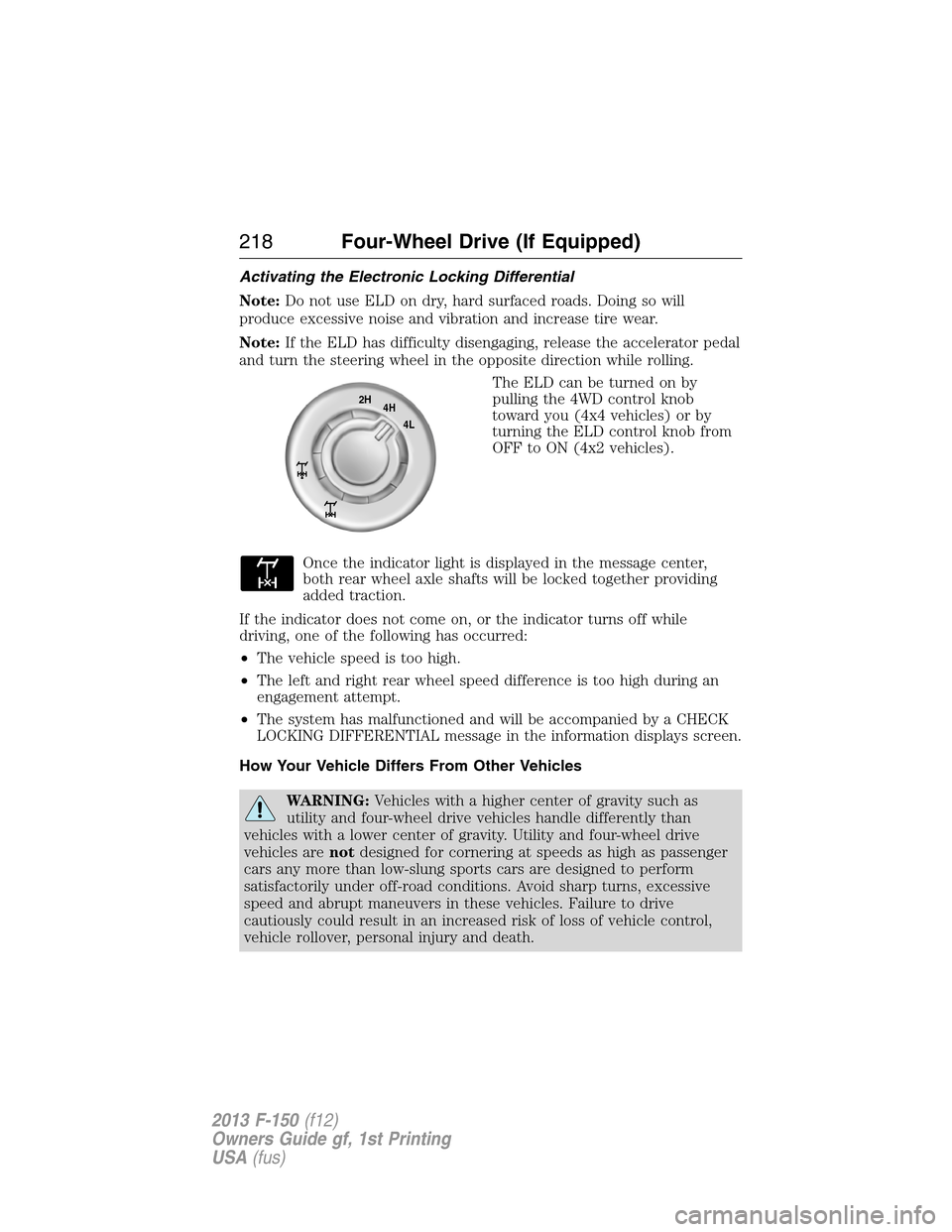
The ELD can be turned on by
pulling the 4WD control knob
toward you (4x4 vehicles) or by
turning the ELD control knob from
OFF to ON (4x2 vehicles).
Once the indicator light is displayed in the message center,
both rear wheel axle shafts will be locked together providing
added traction.
If the indicator does not come on, or the indicator turns off while
driving, one of the following has occurred:
•The vehicle speed is too high.
•The left and right rear wheel speed difference is too high during an
engagement attempt.
•The system has malfunctioned and will be accompanied by a CHECK
LOCKING DIFFERENTIAL message in the information displays screen.
How Your Vehicle Differs From Other Vehicles
WARNING:Vehicles with a higher center of gravity such as
utility and four-wheel drive vehicles handle differently than
vehicles with a lower center of gravity. Utility and four-wheel drive
vehicles arenotdesigned for cornering at speeds as high as passenger
cars any more than low-slung sports cars are designed to perform
satisfactorily under off-road conditions. Avoid sharp turns, excessive
speed and abrupt maneuvers in these vehicles. Failure to drive
cautiously could result in an increased risk of loss of vehicle control,
vehicle rollover, personal injury and death.
2H
4H
4L
218Four-Wheel Drive (If Equipped)
2013 F-150(f12)
Owners Guide gf, 1st Printing
USA(fus)
Page 219 of 570
Truck and utility vehicles can differ from some other vehicles. Your
vehicle may be higher to allow it to travel over rough terrain without
getting hung up or damaging underbody components.
The differences that make your vehicle so versatile also make it handle
differently than an ordinary passenger car.
Maintain steering wheel control at all times, especially in rough terrain.
Since sudden changes in terrain can result in abrupt steering wheel
motion, make sure you grip the steering wheel from the outside. Do not
grip the spokes.
Drive cautiously to avoid vehicle damage from concealed objects such as
rocks and stumps.
You should either know the terrain or examine maps of the area before
driving. Map out your route before driving in the area. To maintain
steering and braking control of your vehicle, you must have all four
wheels on the ground and they must be rolling, not sliding or spinning.
Driving Off-Road With Truck and Utility Vehicles
Note:On some 4WD models, the initial shift from two-wheel drive to
four-wheel drive while the vehicle is moving can cause some momentary
clunk and ratcheting sounds. This is the front drivetrain coming up to
speed and the automatic locking hubs engaging and is not cause for
concern.
Note:Your vehicle may be equipped with a front air dam that can
become damaged (due to reduced ground clearance) when taking your
vehicle off-road. This air dam can be taken off by removing two bolts.
4WD vehicles are specially equipped for driving on sand, snow, mud and
rough terrain and have operating characteristics that are somewhat
different from conventional vehicles, both on and off the road.
Power is supplied to all four wheels through a transfer case. On 4WD
vehicles, the transfer case allows you to select 4WD when necessary.
Information on transfer case operation and shifting procedures can be
found in this chapter. Information on transfer case maintenance can be
found in theMaintenancechapter. You should become thoroughly
familiar with this information before you operate your vehicle.
4WD (when you select a 4WD mode) uses all four wheels to power the
vehicle. This increases traction, enabling you to drive over terrain and
road conditions that a conventional two-wheel drive vehicle cannot.
Four-Wheel Drive (If Equipped)219
2013 F-150(f12)
Owners Guide gf, 1st Printing
USA(fus)
Page 223 of 570
Driving on hilly or sloping terrain
Note:Avoid driving crosswise or turning on steep slopes or hills.
Although natural obstacles may make it necessary to travel diagonally up
or down a hill or steep incline, you should always try to drive straight up
or straight down. . A danger lies in losing traction, slipping sideways and
possibly rolling over. Whenever driving on a hill, determine beforehand
the route you will use. Do not drive over the crest of a hill without
seeing what conditions are on the other side. Do not drive in reverse
over a hill without the aid of an observer.
When climbing a steep slope or hill, start in a lower gear rather than
downshifting to a lower gear from a higher gear once the ascent has
started. This reduces strain on the engine and the possibility of stalling.
If you do stall out, do not try to turn around because you might roll over.
It is better to back down to a safe location.
Apply just enough power to the wheels to climb the hill. Too much
power will cause the tires to slip, spin or lose traction, resulting in loss of
vehicle control.
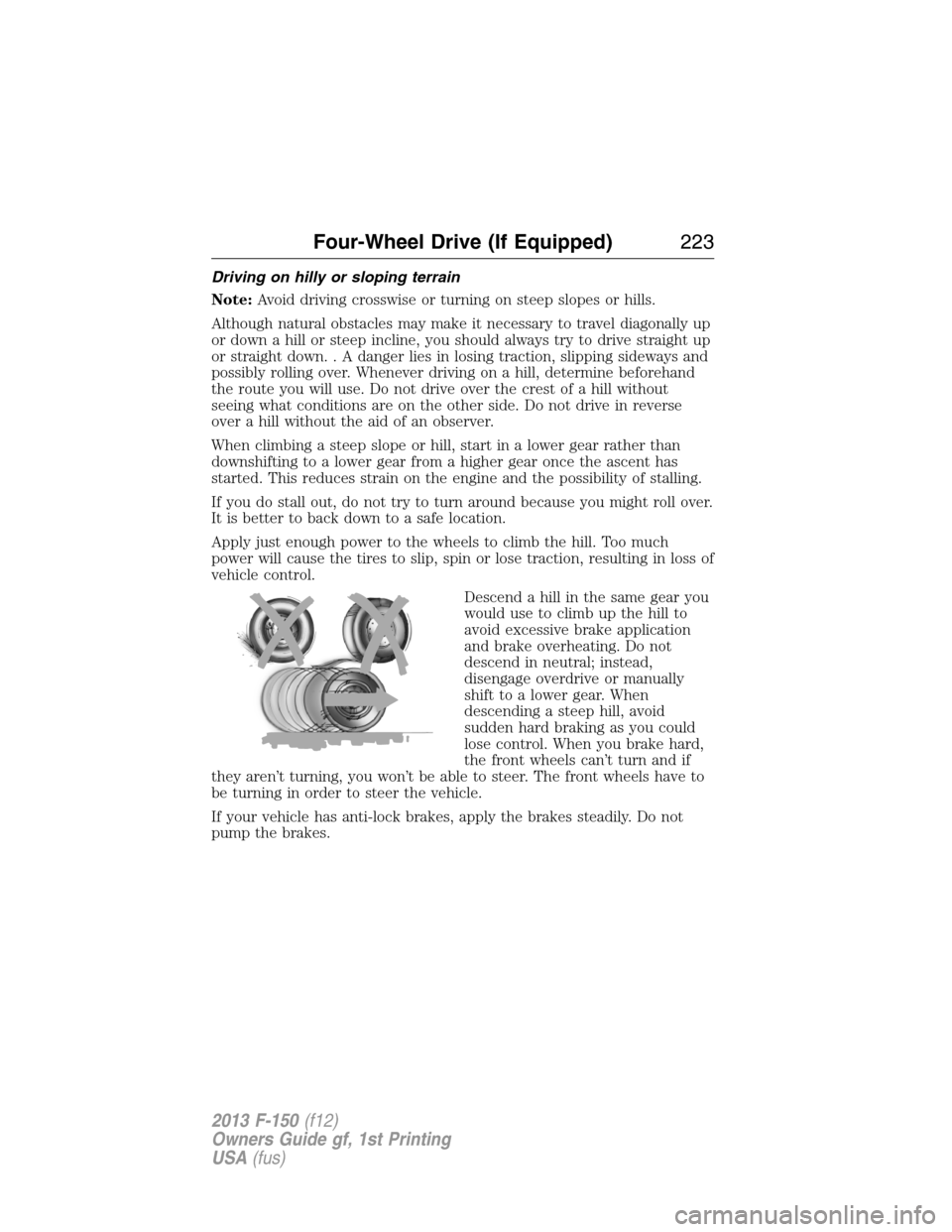
Descend a hill in the same gear you
would use to climb up the hill to
avoid excessive brake application
and brake overheating. Do not
descend in neutral; instead,
disengage overdrive or manually
shift to a lower gear. When
descending a steep hill, avoid
sudden hard braking as you could
lose control. When you brake hard,
the front wheels can’t turn and if
they aren’t turning, you won’t be able to steer. The front wheels have to
be turning in order to steer the vehicle.
If your vehicle has anti-lock brakes, apply the brakes steadily. Do not
pump the brakes.
Four-Wheel Drive (If Equipped)223
2013 F-150(f12)
Owners Guide gf, 1st Printing
USA(fus)