sensor FORD F150 2015 13.G Workshop Manual
[x] Cancel search | Manufacturer: FORD, Model Year: 2015, Model line: F150, Model: FORD F150 2015 13.GPages: 549, PDF Size: 5.97 MB
Page 423 of 549
SYNC Mobile App Voice Commands
The following voice commands are always
available:
•
"Mobile apps": SYNC prompts you to
say the name of an app to start it on
SYNC.
• "List mobile apps": SYNC lists all of the
currently available mobile apps.
• "Find new apps": searches your
connected mobile device for
SYNC-compatible mobile apps.
• "
you can say the name of a mobile app
to start the mobile app on SYNC.
• "
lists the available voice commands for
the specified app if the app is running
on SYNC.
App Permissions
App permissions are organized by groups.
You can grant these group permissions
individually. You can change a permission
group status any time when not driving, by
using the settings menu.
When you launch an app using SYNC, the
system may ask you to grant certain
permissions, for example:
• To allow your vehicle to provide vehicle
information to the app such as, but not
limited to: Fuel level, fuel economy, fuel
consumption, engine speed, rain
sensor, odometer, VIN, external
temperature, gear position, tire
pressure, and head lamp status.
• To allow your vehicle to provide driving
characteristic information such as, but
not limited to: MyKey, seat belt status,
engine revolutions per minute, gear
position, braking events, steering wheel
angle, and accelerator pedal position. •
To allow your vehicle to provide
location information, including: GPS
and speed.
• To allow the app to send push
notifications using the vehicle display
and voice capabilities while running in
a background state. Push notifications
may be particularly useful for news or
location based apps.
Note: You only need to grant permissions
the first time you use an app with SYNC.
Note: Ford is not responsible or liable for
any damages or loss of privacy relating to
usage of an app, or dissemination of any
vehicle data that you approve Ford to
provide to an app.
Enabling and Disabling App
Permissions Using the SYNC Menu
1. Press the MENU button to access the
SYNC menu.
2. Select
SyncApplications > Mobile
Apps > App Settings.
3. Select the specific app or
All Apps.
4. If push notifications are supported, this
setting is listed. Select to enable or
disable the feature as required.
Enabling SYNC Mobile Apps
In order to enable mobile apps, SYNC
requires user consent to send and receive
app authorization information and updates
using the data plan associated with the
connected device.
Data is sent to Ford in the United States
through the connected device. The
information is encrypted and includes your
VIN, SYNC module number, anonymous
usage statistics and debugging
information. Updates may take place
automatically.
Note: You must enable mobile apps for
each connected device the first time you
select a mobile app using the system.
420
F-150 (), enUSA, First Printing SYNC™
Page 482 of 549
Note:
SYNC Services requires activation
before use. Visit www.SYNCMyRide.com to
register and check your eligibility for
complimentary services. Standard phone
and message rates may apply. Subscription
may be required. You must also have the
active SYNC Services Bluetooth-enabled
cellular phone paired and connected to the
system in order to connect to, and use,
SYNC Services. See Phone (page 472).
Note: This feature does not function
properly if you have enabled caller ID
blocking on your cellular phone. Make sure
your cellular phone is not blocking caller ID
before using SYNC Services.
Note: The driver is ultimately responsible
for the safe operation of the vehicle, and
therefore, must evaluate whether it is safe
to follow the suggested directions. Any
navigation features provided are only an aid.
Make your driving decisions based on your
observations of local conditions and existing
traffic regulations. Do not follow the route
suggestions if doing so would result in an
unsafe or illegal maneuver, if you would be
placed in an unsafe situation, or if you would
be directed into an area that you consider
unsafe. Maps used by this system may be
inaccurate because of errors, changes in
roads, traffic conditions or driving
conditions. Note:
When you connect, the service uses
GPS technology and advanced vehicle
sensors to collect your vehicle's current
location, travel direction and speed to help
provide you with the directions, traffic
reports, or business searches you request.
Further, to provide the services you request,
for continuous improvement, the service
may collect and record call details and voice
communications. For more information, see
SYNC Services Terms and Conditions at
www.SYNCMyRide.com. If you do not want
Ford or its service providers to collect your
vehicle travel information or other
information identified in the Terms and
Conditions, do not subscribe or use the
service.
SYNC Services uses advanced vehicle
sensors, integrated GPS technology and
comprehensive map and traffic data, to
give you personalized traffic reports,
precise turn-by-turn directions, business
search, news, sports, weather and more.
For a complete list of services, or to learn
more, please visit www.SYNCMyRide.com.
Connecting to SYNC Services Using
Voice Commands 1. Press the voice button.
2. When prompted, say "Services". This
initiates an outgoing call to SYNC
Services using your paired and
connected Bluetooth-enabled cellular
phone.
3. Once you connect to the service, follow
the voice prompts to request the
desired service, such as "Traffic" or
"Directions". You can also say, "What
are my choices?" to receive a list of
available services from which to
choose.
4. Say, "Services" to return to the Services
main menu or for help, say, "Help".
479
F-150 (), enUSA, First Printing MyFord Touch
™
(If Equipped)E142599
Page 502 of 549
For a complete listing of the accessories
that are available for your vehicle, please
contact an authorized dealer or visit our
online store at www.Accessories.Ford.com
(United States only).
Ford Motor Company will repair or replace
any properly authorized dealer-installed
Ford Genuine Accessory found to be
defective in factory-supplied materials or
workmanship during the warranty period,
as well as any component damaged by the
defective accessories.
Ford Motor Company will warrant your
accessory through the warranty that
provides the greatest benefit:
•
24 months, unlimited mileage.
• The remainder of your new vehicle
limited warranty.
Contact an authorized dealer for details
and a copy of the warranty.
Exterior style
• Hood deflector.
• Chrome exhaust tips.
• Side window deflectors.
• Running boards.
• Splash guards.
• Custom graphics*.
Interior style
• Ambient lighting.
• Floor mats.
• Electrochromatic
compass/temperature interior mirror.
• Leather-trimmed interior seating*.
Lifestyle
• Smoker's package.
• Bedliners and bedmats.
• Bed ramps.
• Bed side step. •
Towing mirrors.
• Bed extender.
• Tonneau covers*.
• Interior cargo organization and
management.
• Racks and carriers*.
• Truck bed camping tent*.
• Sportliner cargo liner*.
• Rear-seat entertainment*.
• Trailer brake controller.
• Hitch balls and towbars.
• Truck bed cargo organization and
management.
• Trailer hitches, wiring harnesses and
accessories.
Peace of mind
• Keyless entry keypad.
• Vehicle security systems.
• Protective seat covers*.
• Locking gas plug for capless fuel
system.
• Bumper- and hitch-mounted parking
sensors*.
• Remote start.
• Wheel locks.
• Wheel well liners.
• Bed hooks*.
• Back-up alarm*.
• Tool or cargo boxes*.
499
F-150 (), enUSA, First Printing Accessories
Page 540 of 549
Child Restraint and Safety Belt
Maintenance.................................................45
Child Safety.......................................................19
General Information............................................. 19
Child Safety Locks
.........................................35
Left-Hand Side..................................................... 36
Right-Hand Side................................................... 36
Child Seat Positioning
..................................33
Cleaning Leather Seats..............................322 With King Ranch Edition................................. 323
Without King Ranch Edition........................... 322
Cleaning Products
........................................319
Cleaning the Alloy Wheels.......................323
Cleaning the Engine
....................................320
Cleaning the Exterior...................................319 Exterior Chrome Parts...................................... 319
Exterior Plastic Parts........................................ 320
Stripes or Graphics........................................... 320
Underbody........................................................... 320
Cleaning the Instrument Panel and Instrument Cluster Lens..........................321
Cleaning the Interior....................................321
Cleaning the Windows and Wiper Blades
............................................................321
Clearing All MyKeys.......................................62
Climate............................................................487 Climate Control Voice Commands............489
Climate Control
.............................................133
Climate Controlled Seats..........................148 Cooled Seats........................................................ 149
Collision Warning System
........................229
Principle Of Operation..................................... 229
Coolant Check See: Engine Coolant Check........................... 303
Crash Sensors and Airbag Indicator........53
Creating a MyKey
............................................62
Programming/Changing Configurable
Settings............................................................... 62
Cruise Control
..................................................79
Principle of Operation....................................... 213
Type 1........................................................................\
. 79
Type 2........................................................................\
79
Cruise control See: Using Cruise Control................................ 213
Customer Assistance.................................282 D
Data Recording
..................................................9
Event Data Recording........................................... 9
Service Data Recording........................................ 9
Daytime Running Lamps............................85 Type 1 - Conventional
(Non-Configurable)....................................... 85
Type 2 - Configurable......................................... 85
Digital Radio
..................................................392
HD Radio Reception and Station
Troubleshooting............................................ 393
Direction Indicators
........................................87
Lane Change.......................................................... 87
Driver Alert
.......................................................221
Using Driver Alert................................................ 221
Driver and Passenger Airbags...................48 Children and Airbags.......................................... 48
Proper Driver and Front Passenger Seating Adjustment....................................................... 48
Driving Aids
......................................................221
Driving Hints...................................................272
Driving Through Water
...............................273
DRL See: Daytime Running Lamps......................... 85
E
Economical Driving
......................................272
Electric Parking Brake.................................193 Applying the Electric Parking Brake.............193
Applying the Electric Parking Brake When
the Vehicle is Moving.................................... 194
Battery With No Charge................................... 195
Releasing the Electric Parking Brake...........194
Electronic Locking Differential................190 Activating the Electronic Locking
Differential....................................................... 190
Emission Control System...........................173 On-Board Diagnostics (OBD-II).................... 174
Readiness for Inspection/Maintenance (I/M) Testing.................................................... 175
End User License Agreement..................501 SYNC End User License Agreement
(EULA)............................................................... 501
Engine Block Heater....................................164 Using the Engine Block Heater...................... 165
537
F-150 (), enUSA, First Printing Index
Page 547 of 549
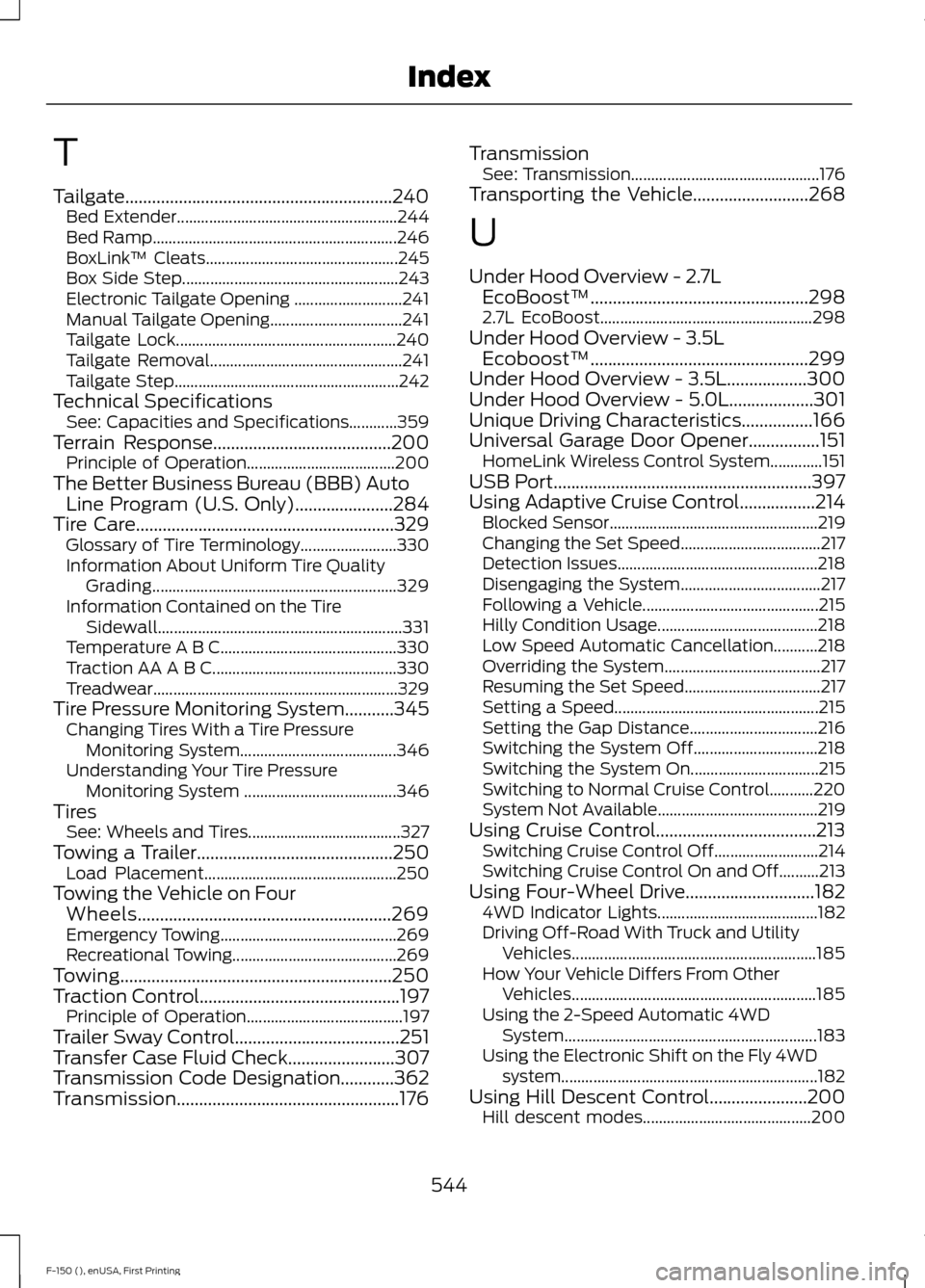
T
Tailgate............................................................240
Bed Extender....................................................... 244
Bed Ramp............................................................. 246
BoxLink ™ Cleats................................................ 245
Box Side Step...................................................... 243
Electronic Tailgate Opening ........................... 241
Manual Tailgate Opening................................. 241
Tailgate Lock....................................................... 240
Tailgate Removal................................................ 241
Tailgate Step........................................................ 242
Technical Specifications See: Capacities and Specifications............359
Terrain Response........................................200
Principle of Operation..................................... 200
The Better Business Bureau (BBB) Auto Line Program (U.S. Only)
......................284
Tire Care..........................................................329
Glossary of Tire Terminology........................ 330
Information About Uniform Tire Quality Grading............................................................. 329
Information Contained on the Tire Sidewall............................................................. 331
Temperature A B C............................................ 330
Traction AA A B C.............................................. 330
Treadwear.............................................................329
Tire Pressure Monitoring System...........345 Changing Tires With a Tire Pressure
Monitoring System....................................... 346
Understanding Your Tire Pressure Monitoring System ...................................... 346
Tires See: Wheels and Tires...................................... 327
Towing a Trailer............................................250 Load Placement................................................ 250
Towing the Vehicle on Four Wheels
.........................................................269
Emergency Towing............................................ 269
Recreational Towing......................................... 269
Towing.............................................................250
Traction Control.............................................197 Principle of Operation....................................... 197
Trailer Sway Control
.....................................251
Transfer Case Fluid Check........................307
Transmission Code Designation............362
Transmission..................................................176 Transmission
See: Transmission............................................... 176
Transporting the Vehicle
..........................268
U
Under Hood Overview - 2.7L EcoBoost™.................................................298
2.7L EcoBoost..................................................... 298
Under Hood Overview - 3.5L Ecoboost™
.................................................299
Under Hood Overview - 3.5L..................300
Under Hood Overview - 5.0L...................301
Unique Driving Characteristics
................166
Universal Garage Door Opener................151 HomeLink Wireless Control System.............151
USB Port
..........................................................397
Using Adaptive Cruise Control.................214 Blocked Sensor.................................................... 219
Changing the Set Speed................................... 217
Detection Issues.................................................. 218
Disengaging the System................................... 217
Following a Vehicle............................................ 215
Hilly Condition Usage........................................ 218
Low Speed Automatic Cancellation...........218
Overriding the System....................................... 217
Resuming the Set Speed.................................. 217
Setting a Speed................................................... 215
Setting the Gap Distance................................ 216
Switching the System Off............................... 218
Switching the System On................................ 215
Switching to Normal Cruise Control...........220
System Not Available........................................ 219
Using Cruise Control....................................213 Switching Cruise Control Off.......................... 214
Switching Cruise Control On and Off..........213
Using Four-Wheel Drive.............................182 4WD Indicator Lights........................................ 182
Driving Off-Road With Truck and Utility Vehicles............................................................. 185
How Your Vehicle Differs From Other Vehicles............................................................. 185
Using the 2-Speed Automatic 4WD System............................................................... 183
Using the Electronic Shift on the Fly 4WD system................................................................ 182
Using Hill Descent Control......................200 Hill descent modes.......................................... 200
544
F-150 (), enUSA, First Printing Index