warning FORD F150 2023 Owners Manual
[x] Cancel search | Manufacturer: FORD, Model Year: 2023, Model line: F150, Model: FORD F150 2023Pages: 786, PDF Size: 23.15 MB
Page 405 of 786
WHAT IS SPEED SIGN
RECOGNITION
Speed sign recognition detects speed limitsigns to inform you of the current speedlimit. Detected speed signs appear in theinformation display.
HOW DOES SPEED SIGN
RECOGNITION WORK
Speed sign recognition uses a sensorbehind the interior mirror to detect speedsigns.
If your vehicle has speed sign recognitionwith navigation, stored speed sign datamay influence the indicated speed limitvalue.
SPEED SIGN RECOGNITION
PRECAUTIONS
WARNING: You are responsible forcontrolling your vehicle at all times. Thesystem is designed to be an aid and doesnot relieve you of your responsibility todrive with due care and attention. Failureto follow this instruction could result inthe loss of control of your vehicle,personal injury or death.
WARNING: In cold and severeweather conditions the system may notfunction. Rain, snow and spray can alllimit sensor performance.
WARNING: The system may notoperate properly if the sensor is blocked.Keep the windshield free fromobstruction.
WARNING: Do not performwindshield repairs in the areasurrounding the sensor.
WARNING: The system may notcorrectly operate if your vehicle is fittedwith a suspension kit not approved byFord.
WARNING: Not all traffic signs canbe recognized by the system anddisplayed correctly.
Note:Always fit our original parts whenreplacing headlamp bulbs. Other bulbs mayreduce system performance. See ExteriorBulb Specification Chart (page 517).
SPEED SIGN RECOGNITION
LIMITATIONS
Speed sign recognition may not operatecorrectly due to:
•Outdated map data.
•Incorrect recognition of speed limits bythe sensor of signs on parallel roads orexit ramps.
•Missed recognition of faded, dirty, ordistorted signs.
401
2023 F-150 (TFD) Canada/United States of America, enUSA, Edition date: 202206, DOMSpeed Sign Recognition (If Equipped)
Page 406 of 786
SPEED SIGN RECOGNITION
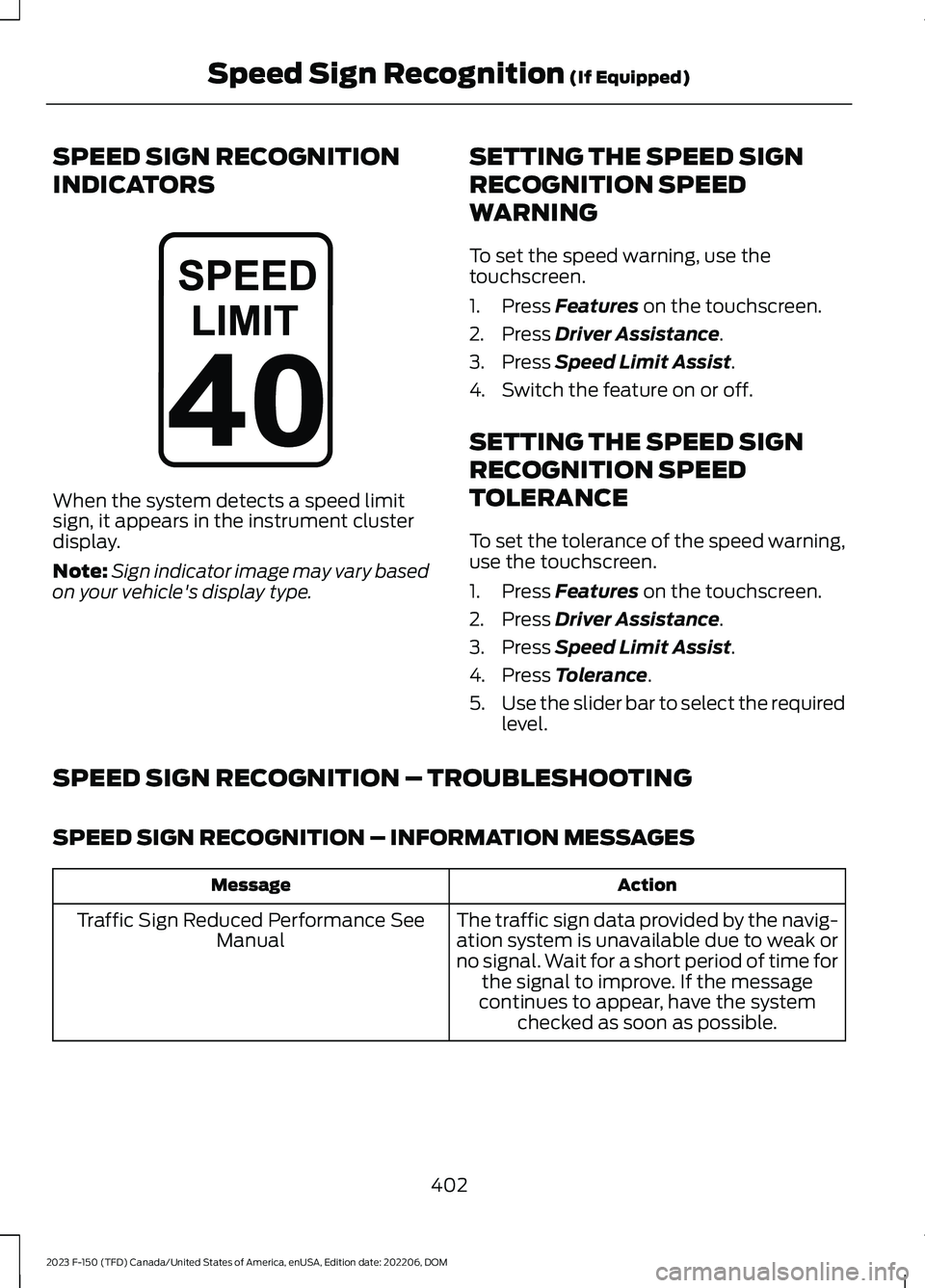
INDICATORS
When the system detects a speed limitsign, it appears in the instrument clusterdisplay.
Note:Sign indicator image may vary basedon your vehicle's display type.
SETTING THE SPEED SIGN
RECOGNITION SPEED
WARNING
To set the speed warning, use thetouchscreen.
1.Press Features on the touchscreen.
2.Press Driver Assistance.
3.Press Speed Limit Assist.
4.Switch the feature on or off.
SETTING THE SPEED SIGN
RECOGNITION SPEED
TOLERANCE
To set the tolerance of the speed warning,use the touchscreen.
1.Press Features on the touchscreen.
2.Press Driver Assistance.
3.Press Speed Limit Assist.
4.Press Tolerance.
5.Use the slider bar to select the requiredlevel.
SPEED SIGN RECOGNITION – TROUBLESHOOTING
SPEED SIGN RECOGNITION – INFORMATION MESSAGES
ActionMessage
The traffic sign data provided by the navig-ation system is unavailable due to weak orno signal. Wait for a short period of time forthe signal to improve. If the messagecontinues to appear, have the systemchecked as soon as possible.
Traffic Sign Reduced Performance SeeManual
402
2023 F-150 (TFD) Canada/United States of America, enUSA, Edition date: 202206, DOMSpeed Sign Recognition (If Equipped)E317824
Page 408 of 786
LOAD CARRYING
PRECAUTIONS
Keep your loaded vehicle weightwithin its design rating capability,with or without a trailer. Properlyloading your vehicle providesmaximum return of vehicle designperformance. Before you load yourvehicle, become familiar with thefollowing terms for determiningyour vehicle’s weight rating, withor without a trailer, from thevehicle’s Tire and LoadingInformation label or SafetyCompliance Certification label.
WARNING: Vehicles witha higher center of gravity (utilityand four-wheel drive vehicles)handle differently than vehicleswith a lower center of gravity(passenger cars). Avoid sharpturns, excessive speed andabrupt steering in these vehicles.Failure to drive cautiouslyincreases the risk of losingcontrol of your vehicle, vehiclerollover, personal injury anddeath.
WARNING: Theappropriate loading capacity ofyour vehicle can be limited eitherby volume capacity (how muchspace is available) or by payloadcapacity (how much weight thevehicle should carry). Once youhave reached the maximum
payload of your vehicle, do notadd more cargo, even if there isspace available. Overloading orimproperly loading your vehiclecan contribute to loss of vehiclecontrol and vehicle rollover.
WARNING: Exceeding theSafety Compliance Certificationlabel vehicle weight limits canadversely affect theperformance and handling ofyour vehicle, cause vehicledamage and can result in theloss of control of your vehicle,serious personal injury or death.
WARNING: Do not usereplacement tires with lowerload carrying capacities than the
original tires because they maylower your vehicle's GVWR andGAWR limitations. Replacementtires with a higher limit than theoriginal tires do not increase theGVWR and GAWR limitations.
WARNING: Do not exceedthe GVWR or the GAWRspecified on the certificationlabel.
WARNING: Exceeding anyvehicle weight rating canadversely affect theperformance and handling ofyour vehicle, cause vehicledamage and can result in theloss of control of your vehicle,serious personal injury or death.
404
2023 F-150 (TFD) Canada/United States of America, enUSA, Edition date: 202206, DOMLoad Carrying
Page 409 of 786
WARNING: When loadingthe roof racks, we recommendyou evenly distribute the load,as well as maintain a low centerof gravity. Loaded vehicles, withhigher centers of gravity, mayhandle differently than unloadedvehicles. Take extra precautions,such as slower speeds andincreased stopping distance,when driving a heavily loadedvehicle.
The gross combined weight mustnever exceed the Gross CombinedWeight Rating.
USING A SLIDE-IN CAMPER
For information regarding the use ofslide-in campers, consult the TruckCamper Loading document supplied withyour vehicle.
Note:We do not recommend using aslide-in camper on an F-150 SuperCrew cab.
Note:We do not recommend using aslide-in camper on a Raptor.
LOCATING THE SAFETY
COMPLIANCE CERTIFICATION
LABELS
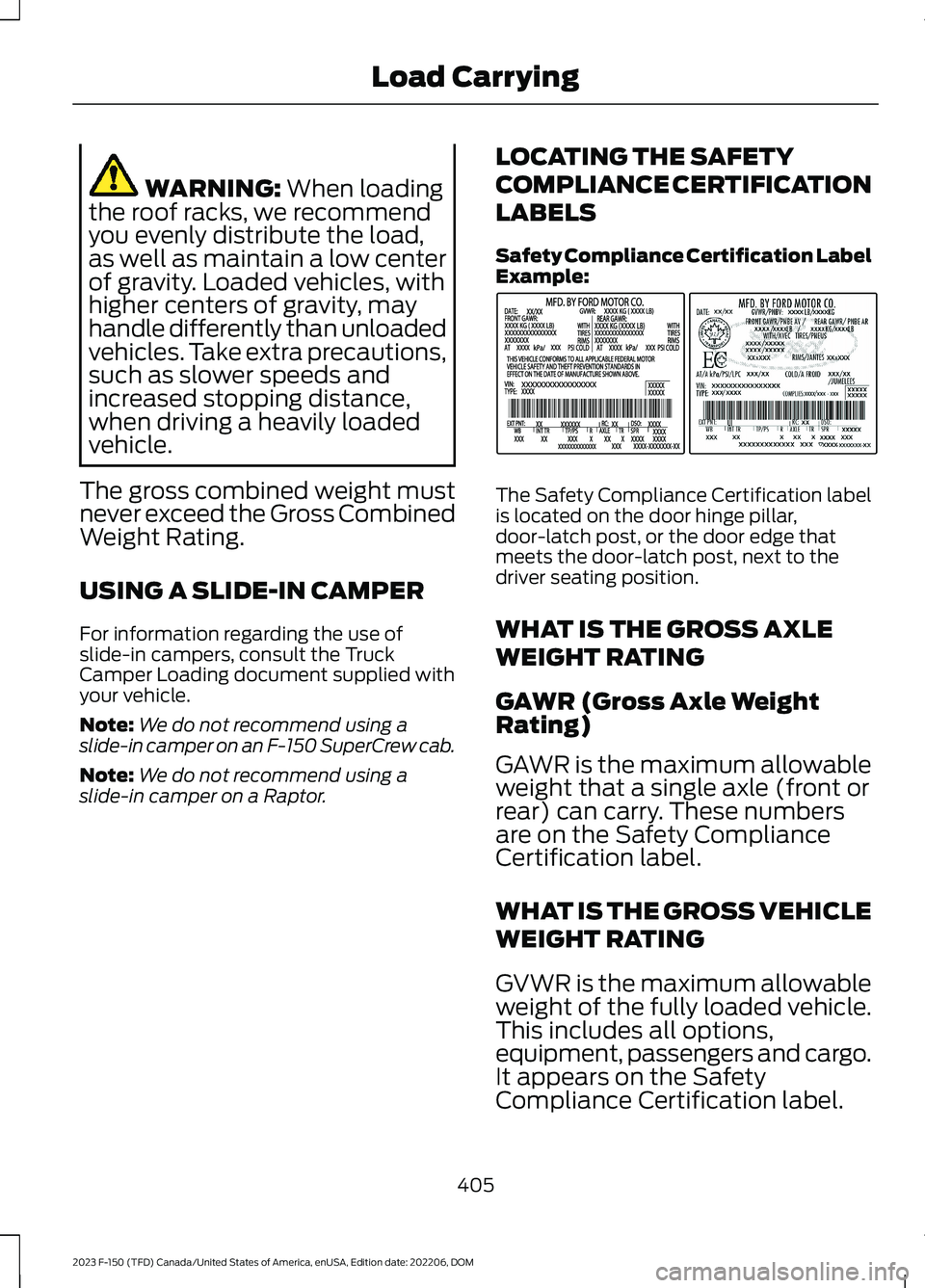
Safety Compliance Certification LabelExample:
The Safety Compliance Certification labelis located on the door hinge pillar,door-latch post, or the door edge thatmeets the door-latch post, next to thedriver seating position.
WHAT IS THE GROSS AXLE
WEIGHT RATING
GAWR (Gross Axle WeightRating)
GAWR is the maximum allowableweight that a single axle (front orrear) can carry. These numbersare on the Safety ComplianceCertification label.
WHAT IS THE GROSS VEHICLE
WEIGHT RATING
GVWR is the maximum allowableweight of the fully loaded vehicle.This includes all options,equipment, passengers and cargo.It appears on the Safety
Compliance Certification label.
405
2023 F-150 (TFD) Canada/United States of America, enUSA, Edition date: 202206, DOMLoad CarryingE198828
Page 413 of 786
PICKUP BED PRECAUTIONS
WARNING: Do not allow people oranimals in truck beds that havemodifications, such as bed covers orslide-in campers, when the engine isrunning. Exhaust fumes are toxic. Failureto follow this instruction could result inpersonal injury or death.
WARNING: It is extremelydangerous to ride in a cargo area, insideor outside of a vehicle. In a crash, peopleriding in these areas are more likely to beseriously injured or killed. Do not allowpeople to ride in any area of your vehiclethat is not equipped with seats andseatbelts. Make sure everyone in yourvehicle is in a seat and properly using aseatbelt. Failure to follow this warningcould result in serious personal injury ordeath.
PICKUP BED ANCHOR POINTS
PICKUP BED ANCHOR POINTPRECAUTIONS
WARNING: Always properly securecargo to prevent shifting cargo or cargofalling from the vehicle. Failure to do socould result in compromised vehiclestability and serious personal injury tovehicle occupants or others.
WARNING: The appropriateloading capacity of your vehicle can belimited either by volume capacity (howmuch space is available) or by payloadcapacity (how much weight the vehicleshould carry). Once you have reached
the maximum payload of your vehicle,do not add more cargo, even if there isspace available. Overloading orimproperly loading your vehicle cancontribute to loss of vehicle control andvehicle rollover.
WARNING: Do not use the loadretaining fixtures for towing. Failure tofollow this instruction could result inpersonal injury.
WARNING: Do not exceed themaximum load rating of the loadretaining fixtures. Failure to follow thisinstruction could result in personal injury.
WARNING: Check the loadretaining fixtures for damage beforeusing them. Failure to follow thisinstruction could result in personal injury.
INSTALLING AND REMOVING THEPICKUP BED TIE-DOWN CLEATS
(If Equipped)
Installing the Cleats
1.Insert the key into the lock and turnclockwise to unlock.
2.Insert the cleat into the pickup bedanchor point and slide upward.
3.Turn the key counterclockwise to lock.
409
2023 F-150 (TFD) Canada/United States of America, enUSA, Edition date: 202206, DOMPickup Bed
Page 415 of 786
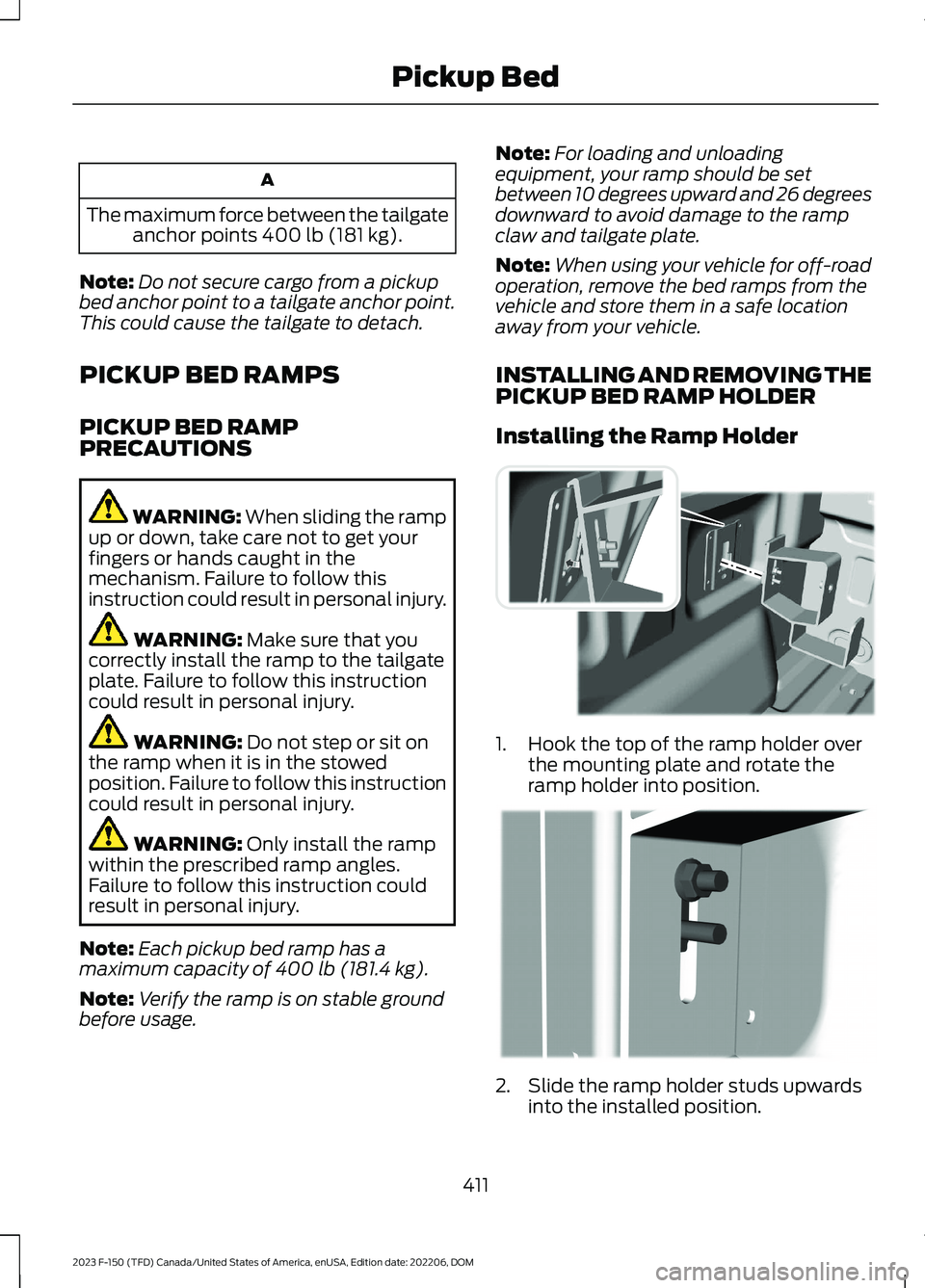
A
The maximum force between the tailgateanchor points 400 lb (181 kg).
Note:Do not secure cargo from a pickupbed anchor point to a tailgate anchor point.This could cause the tailgate to detach.
PICKUP BED RAMPS
PICKUP BED RAMPPRECAUTIONS
WARNING: When sliding the rampup or down, take care not to get yourfingers or hands caught in themechanism. Failure to follow thisinstruction could result in personal injury.
WARNING: Make sure that youcorrectly install the ramp to the tailgateplate. Failure to follow this instructioncould result in personal injury.
WARNING: Do not step or sit onthe ramp when it is in the stowedposition. Failure to follow this instructioncould result in personal injury.
WARNING: Only install the rampwithin the prescribed ramp angles.Failure to follow this instruction couldresult in personal injury.
Note:Each pickup bed ramp has amaximum capacity of 400 lb (181.4 kg).
Note:Verify the ramp is on stable groundbefore usage.
Note:For loading and unloadingequipment, your ramp should be setbetween 10 degrees upward and 26 degreesdownward to avoid damage to the rampclaw and tailgate plate.
Note:When using your vehicle for off-roadoperation, remove the bed ramps from thevehicle and store them in a safe locationaway from your vehicle.
INSTALLING AND REMOVING THEPICKUP BED RAMP HOLDER
Installing the Ramp Holder
1.Hook the top of the ramp holder overthe mounting plate and rotate theramp holder into position.
2.Slide the ramp holder studs upwardsinto the installed position.
411
2023 F-150 (TFD) Canada/United States of America, enUSA, Edition date: 202206, DOMPickup BedE194387 E194388
Page 418 of 786
CONNECTING A TRAILER
PRECAUTIONS
Do not tow a trailer until you drive yourvehicle at least 1,000 mi (1,600 km).
Consult your local motor vehicle laws fortowing a trailer.
See the instructions included with towingaccessories for the proper installation andadjustment specifications.
Service your vehicle more frequently if youtow a trailer. See Normal ScheduledMaintenance (page 670).
If you use a rental trailer, follow theinstructions the rental agency gives you.
When attaching the trailer wiring connectorto your vehicle, only use a proper fittingconnector that works with the vehicle andtrailer functions.
Account for the trailer coupler weight aspart of your vehicle load when calculatingthe total vehicle weight.
Do not exceed the load limits. SeeCalculating the Load Limit (page 407).
HITCHES
HOOKING UP A TRAILER USING AWEIGHT-DISTRIBUTING HITCH
WARNING: Do not adjust the springbars so that your vehicle's rear bumperis higher than before attaching the trailer.Doing so will defeat the function of theweight-distributing hitch, which maycause unpredictable handling, and couldresult in serious personal injury.
A weight-distributing hitch helps distributetongue load to all towing vehicle and trailerwheels. For more information, visit the linksin the following table.
WebsiteMarket
https://www.fleet.ford.com/towing-guides/
United States ofAmerica
https://www.fleet.ford.ca/towing-guides/
Canada
CONNECTING A TRAILER
Recognizing a Trailer
1.Attach the trailer and wiring connectorto your vehicle.
2.Switch on your vehicle.
3.Set up a profile for the trailer using thetouchscreen.
Note:If your vehicle does not recognize thetrailer, press and hold the brake pedal for afew seconds.
Note:Trailer profiles store trailer types,dimensions, preferences, trailer specificmileage and fuel economy.
Note:Disabling the trailer detectionnotification makes the default trailer profileactive when the system detects aconnection.
414
2023 F-150 (TFD) Canada/United States of America, enUSA, Edition date: 202206, DOMConnecting a Trailer
Page 420 of 786
When the trailer disconnects in this state,the vehicle alarm sounds and the systemsends an alert to your FordPass app.
Note:For reliable trailer detection, thetrailer’s lamps must be SAE certified foreach intended purpose.
Note:If the trailer is not compatible withthe feature, the turn signals flash twice.
Switching the Trailer ConnectionAlarm On and Off
1.Press Features on the touchscreen.
2.Press Towing.
3.Press Manage trailers.
4.Press the currently active trailer'sname.
5.Switch Trailer Connection Alarm onor off.
Note:The alarm disables by default. If thesystem detects a trailer, it can beconfigurable.
Note:Settings are applicable only for theselected trailer profile.
Trailer Connector Battery Lead
The trailer receives power from the vehicletrailer connector battery lead when thefollowing occurs:
•Your vehicle is in accessory mode orswitched on.
•The trailer wiring connector is free ofcorrosion or other damage.
•The vehicle battery is not low.
•When the trailer has a battery:
•The trailer battery voltage is within5 volts of the vehicle batteryvoltage.
•When you have the trailer batteryproperly connected.
TRAILER LIGHTING CHECK
WARNING: Never connect anytrailer lamp wiring to the vehicle's taillamp wiring; this may damage theelectrical system resulting in fire. Contactyour authorized dealer as soon aspossible for assistance in proper trailertow wiring installation. Additionalelectrical equipment may be required.
Perform a trailer light illuminationsequence to confirm that all lights arefunctioning by using the FordPass app orthe vehicle's touchscreen.
Performing the Trailer LightingCheck Using the Touchscreen
1.Press Features on the touchscreen.
2.Press Towing.
3.Press Trailer Light Check.
4.Press Start.
416
2023 F-150 (TFD) Canada/United States of America, enUSA, Edition date: 202206, DOMConnecting a Trailer
Page 421 of 786
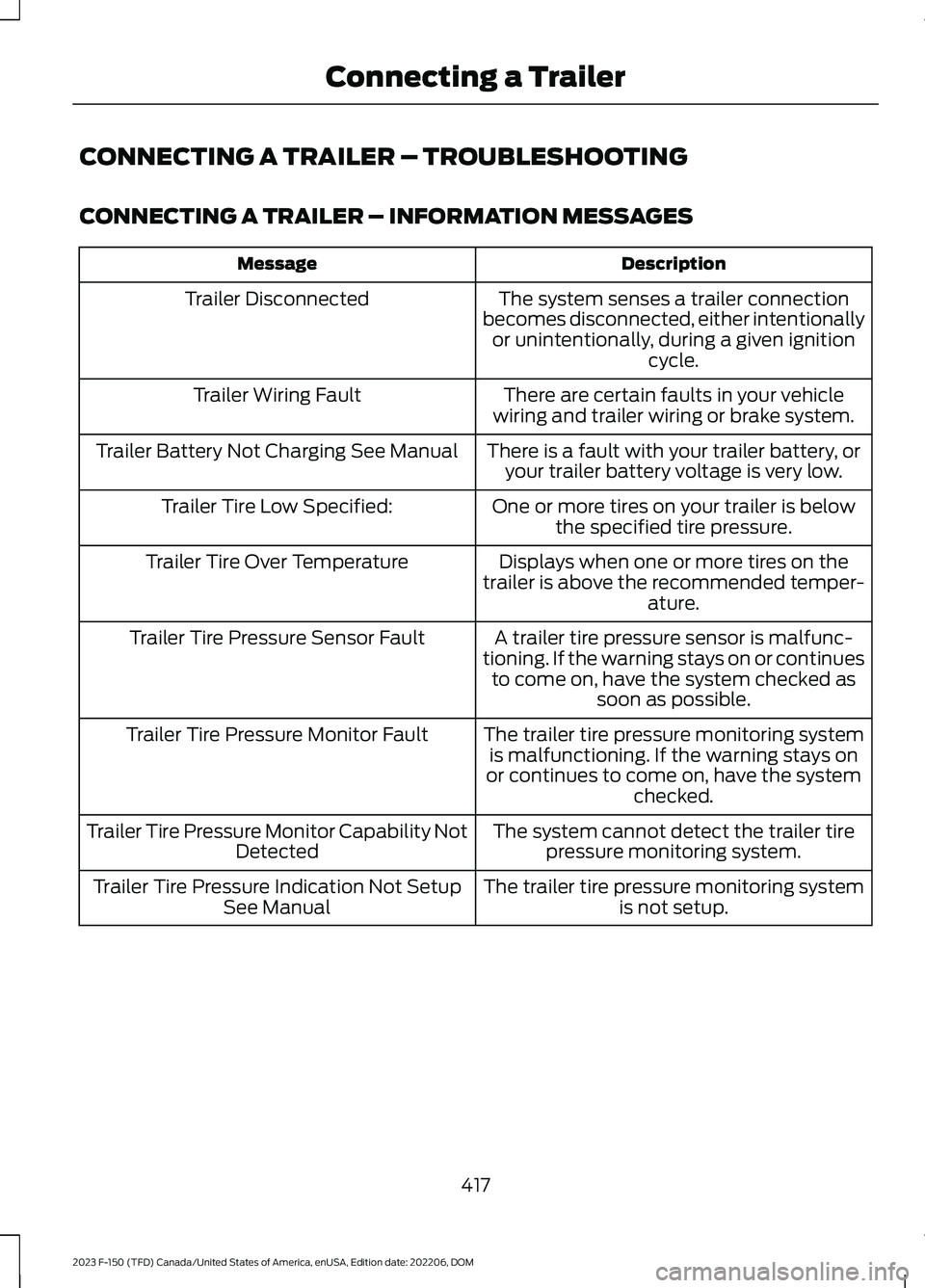
CONNECTING A TRAILER – TROUBLESHOOTING
CONNECTING A TRAILER – INFORMATION MESSAGES
DescriptionMessage
The system senses a trailer connectionbecomes disconnected, either intentionallyor unintentionally, during a given ignitioncycle.
Trailer Disconnected
There are certain faults in your vehiclewiring and trailer wiring or brake system.Trailer Wiring Fault
There is a fault with your trailer battery, oryour trailer battery voltage is very low.Trailer Battery Not Charging See Manual
One or more tires on your trailer is belowthe specified tire pressure.Trailer Tire Low Specified:
Displays when one or more tires on thetrailer is above the recommended temper-ature.
Trailer Tire Over Temperature
A trailer tire pressure sensor is malfunc-tioning. If the warning stays on or continuesto come on, have the system checked assoon as possible.
Trailer Tire Pressure Sensor Fault
The trailer tire pressure monitoring systemis malfunctioning. If the warning stays onor continues to come on, have the systemchecked.
Trailer Tire Pressure Monitor Fault
The system cannot detect the trailer tirepressure monitoring system.Trailer Tire Pressure Monitor Capability NotDetected
The trailer tire pressure monitoring systemis not setup.Trailer Tire Pressure Indication Not SetupSee Manual
417
2023 F-150 (TFD) Canada/United States of America, enUSA, Edition date: 202206, DOMConnecting a Trailer
Page 422 of 786
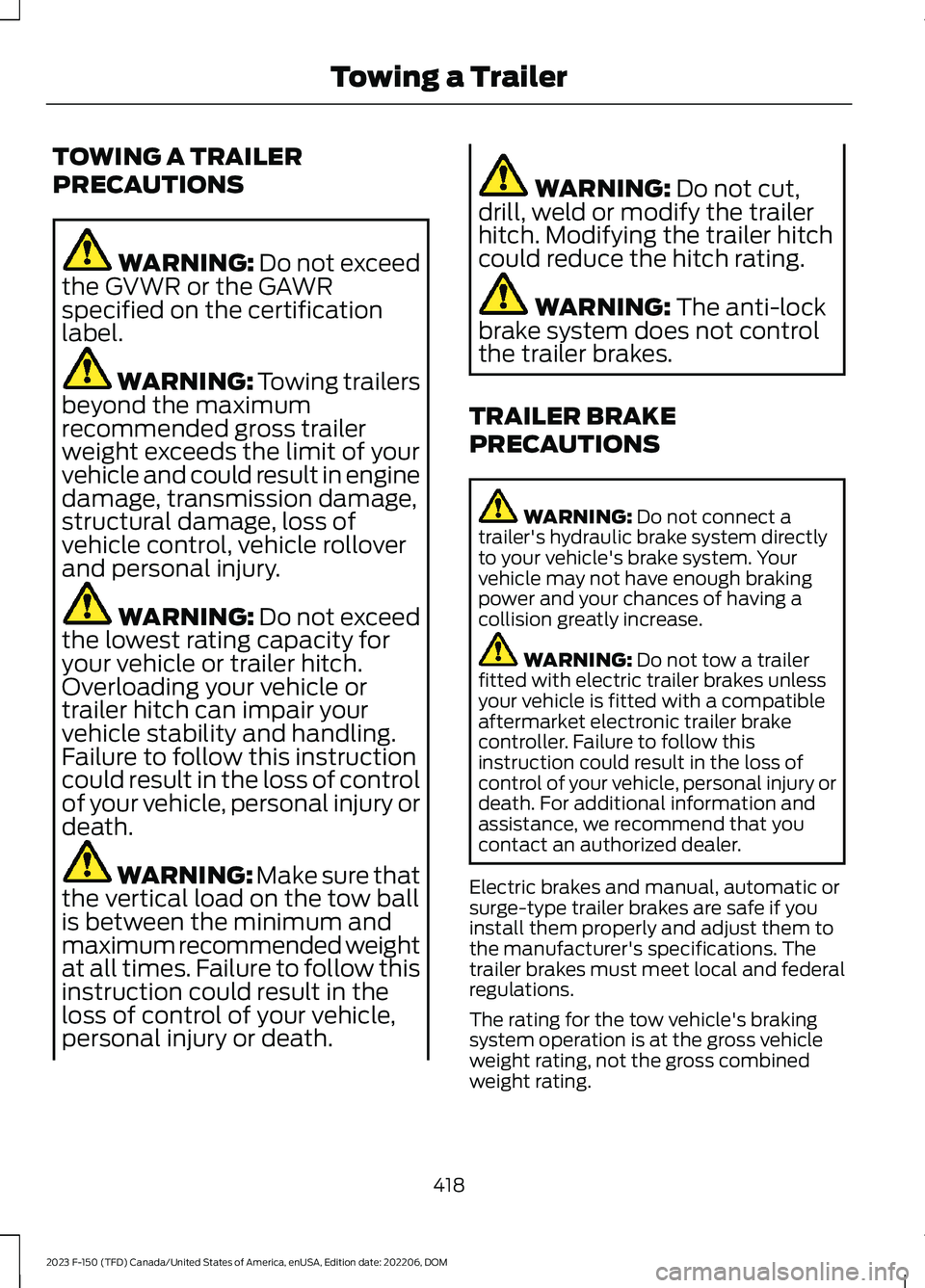
TOWING A TRAILER
PRECAUTIONS
WARNING: Do not exceedthe GVWR or the GAWRspecified on the certificationlabel.
WARNING: Towing trailersbeyond the maximumrecommended gross trailerweight exceeds the limit of yourvehicle and could result in enginedamage, transmission damage,structural damage, loss ofvehicle control, vehicle rolloverand personal injury.
WARNING: Do not exceedthe lowest rating capacity foryour vehicle or trailer hitch.Overloading your vehicle ortrailer hitch can impair yourvehicle stability and handling.Failure to follow this instructioncould result in the loss of controlof your vehicle, personal injury ordeath.
WARNING: Make sure thatthe vertical load on the tow ballis between the minimum andmaximum recommended weightat all times. Failure to follow thisinstruction could result in theloss of control of your vehicle,personal injury or death.
WARNING: Do not cut,drill, weld or modify the trailerhitch. Modifying the trailer hitchcould reduce the hitch rating.
WARNING: The anti-lockbrake system does not controlthe trailer brakes.
TRAILER BRAKE
PRECAUTIONS
WARNING: Do not connect atrailer's hydraulic brake system directlyto your vehicle's brake system. Yourvehicle may not have enough brakingpower and your chances of having acollision greatly increase.
WARNING: Do not tow a trailerfitted with electric trailer brakes unlessyour vehicle is fitted with a compatibleaftermarket electronic trailer brakecontroller. Failure to follow thisinstruction could result in the loss ofcontrol of your vehicle, personal injury ordeath. For additional information andassistance, we recommend that youcontact an authorized dealer.
Electric brakes and manual, automatic orsurge-type trailer brakes are safe if youinstall them properly and adjust them tothe manufacturer's specifications. Thetrailer brakes must meet local and federalregulations.
The rating for the tow vehicle's brakingsystem operation is at the gross vehicleweight rating, not the gross combinedweight rating.
418
2023 F-150 (TFD) Canada/United States of America, enUSA, Edition date: 202206, DOMTowing a Trailer