warning FORD F250 2013 Repair Manual
[x] Cancel search | Manufacturer: FORD, Model Year: 2013, Model line: F250, Model: FORD F250 2013Pages: 577, PDF Size: 7.74 MB
Page 138 of 577
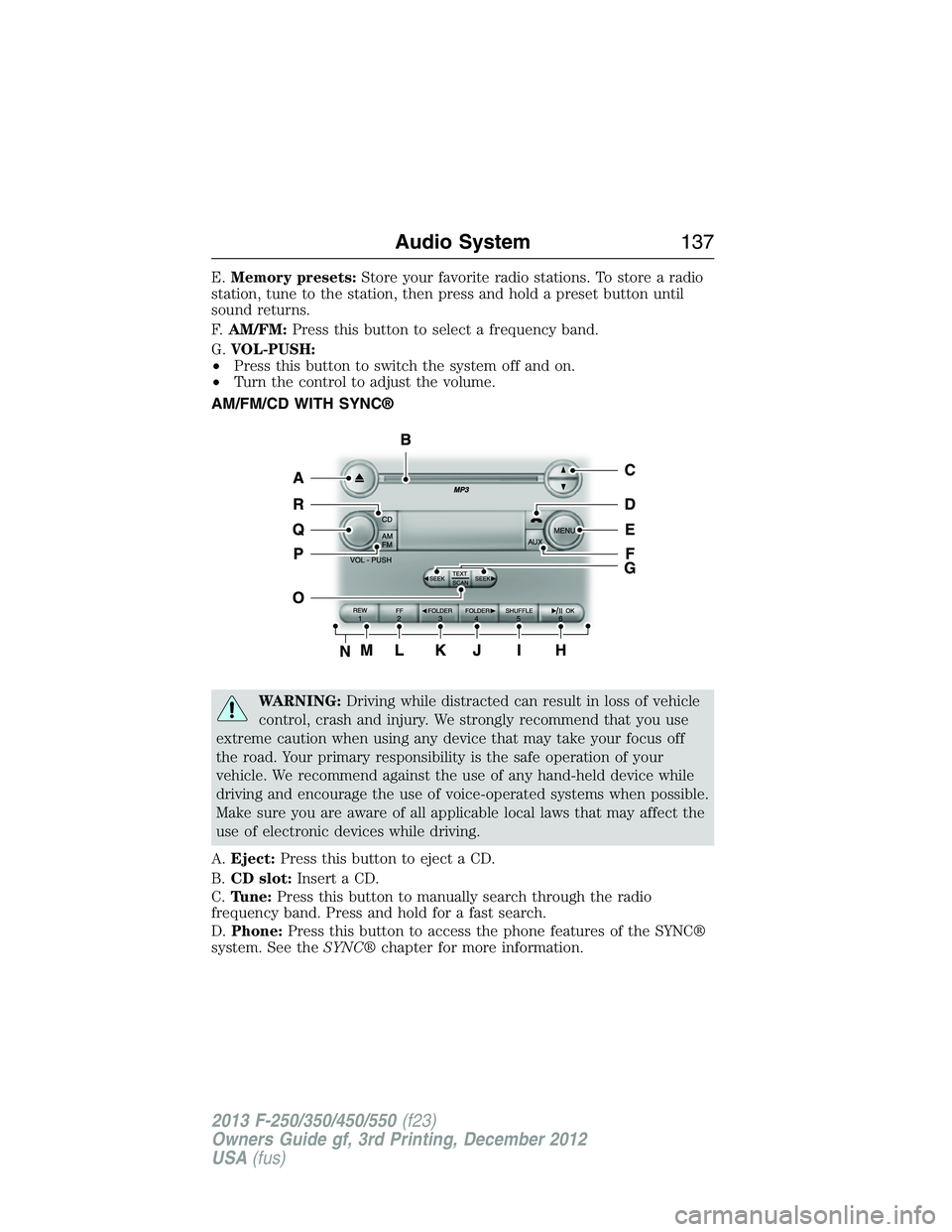
E.Memory presets:Store your favorite radio stations. To store a radio
station, tune to the station, then press and hold a preset button until
sound returns.
F.AM/FM:Press this button to select a frequency band.
G.VOL-PUSH:
•Press this button to switch the system off and on.
•Turn the control to adjust the volume.
AM/FM/CD WITH SYNC®
WARNING:Driving while distracted can result in loss of vehicle
control, crash and injury. We strongly recommend that you use
extreme caution when using any device that may take your focus off
the road. Your primary responsibility is the safe operation of your
vehicle. We recommend against the use of any hand-held device while
driving and encourage the use of voice-operated systems when possible.
Make sure you are aware of all applicable local laws that may affect the
use of electronic devices while driving.
A.Eject:Press this button to eject a CD.
B.CD slot:Insert a CD.
C.Tune:Press this button to manually search through the radio
frequency band. Press and hold for a fast search.
D.Phone:Press this button to access the phone features of the SYNC®
system. See theSYNC®chapter for more information.
Audio System137
2013 F-250/350/450/550(f23)
Owners Guide gf, 3rd Printing, December 2012
USA(fus)
Page 141 of 577
AM/FM/CD SONY AUDIO SYSTEM
WARNING:Driving while distracted can result in loss of vehicle
control, crash and injury. We strongly recommend that you use
extreme caution when using any device that may take your focus off
the road. Your primary responsibility is the safe operation of your
vehicle. We recommend against the use of any hand-held device while
driving and encourage the use of voice-operated systems when possible.
Make sure you are aware of all applicable local laws that may affect the
use of electronic devices while driving.
Note:The MyFord Touch system controls most of the audio features.
See theMyFord Touchchapter for more information.
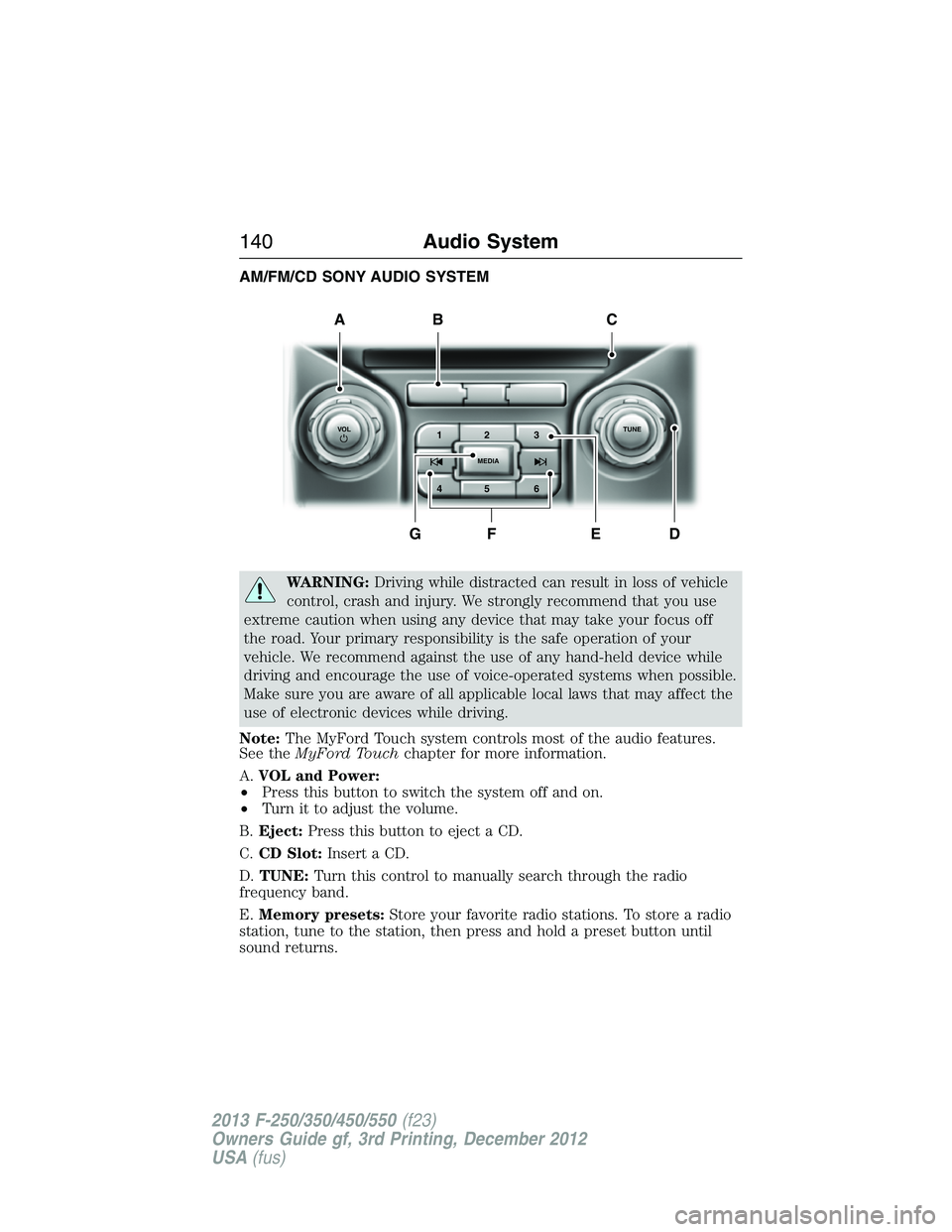
A.VOL and Power:
•Press this button to switch the system off and on.
•Turn it to adjust the volume.
B.Eject:Press this button to eject a CD.
C.CD Slot:Insert a CD.
D.TUNE:Turn this control to manually search through the radio
frequency band.
E.Memory presets:Store your favorite radio stations. To store a radio
station, tune to the station, then press and hold a preset button until
sound returns.
A
DFEG
BC
1VOLTUNE
MEDIA23
45 6
140Audio System
2013 F-250/350/450/550(f23)
Owners Guide gf, 3rd Printing, December 2012
USA(fus)
Page 142 of 577
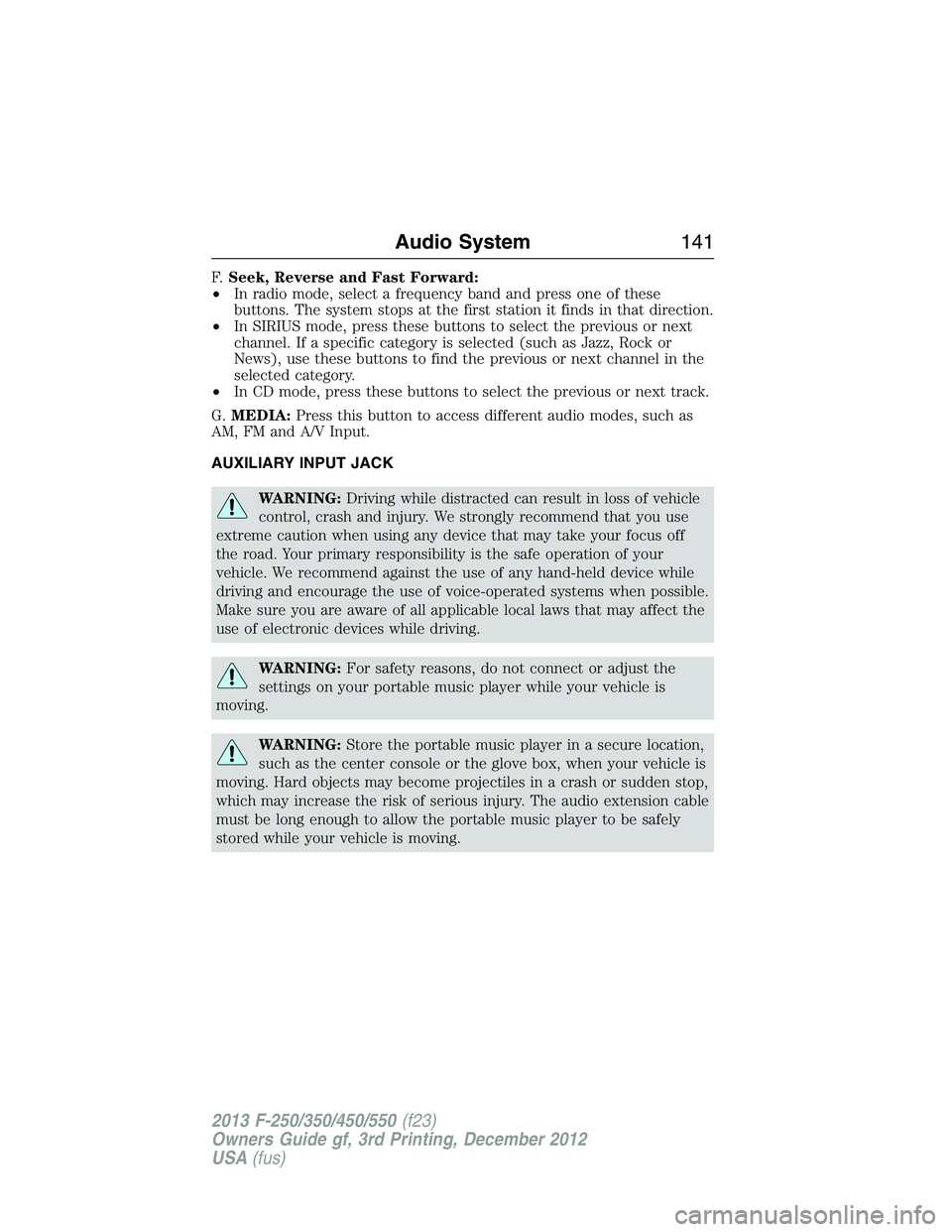
F.Seek, Reverse and Fast Forward:
•In radio mode, select a frequency band and press one of these
buttons. The system stops at the first station it finds in that direction.
•In SIRIUS mode, press these buttons to select the previous or next
channel. If a specific category is selected (such as Jazz, Rock or
News), use these buttons to find the previous or next channel in the
selected category.
•In CD mode, press these buttons to select the previous or next track.
G.MEDIA:Press this button to access different audio modes, such as
AM, FM and A/V Input.
AUXILIARY INPUT JACK
WARNING:Driving while distracted can result in loss of vehicle
control, crash and injury. We strongly recommend that you use
extreme caution when using any device that may take your focus off
the road. Your primary responsibility is the safe operation of your
vehicle. We recommend against the use of any hand-held device while
driving and encourage the use of voice-operated systems when possible.
Make sure you are aware of all applicable local laws that may affect the
use of electronic devices while driving.
WARNING:For safety reasons, do not connect or adjust the
settings on your portable music player while your vehicle is
moving.
WARNING:Store the portable music player in a secure location,
such as the center console or the glove box, when your vehicle is
moving. Hard objects may become projectiles in a crash or sudden stop,
which may increase the risk of serious injury. The audio extension cable
must be long enough to allow the portable music player to be safely
stored while your vehicle is moving.
Audio System141
2013 F-250/350/450/550(f23)
Owners Guide gf, 3rd Printing, December 2012
USA(fus)
Page 143 of 577
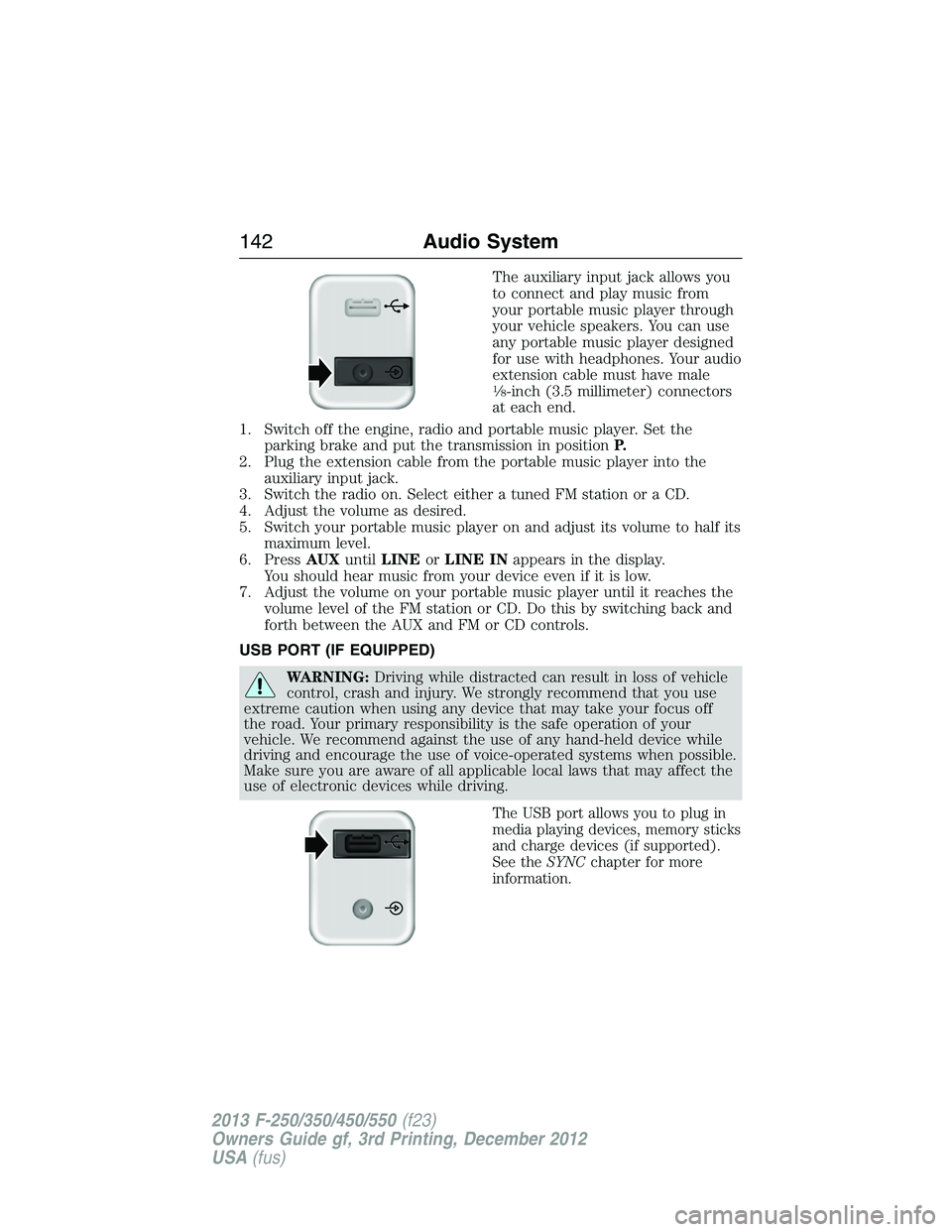
The auxiliary input jack allows you
to connect and play music from
your portable music player through
your vehicle speakers. You can use
any portable music player designed
for use with headphones. Your audio
extension cable must have male
18-inch (3.5 millimeter) connectors
at each end.
1. Switch off the engine, radio and portable music player. Set the
parking brake and put the transmission in positionP.
2. Plug the extension cable from the portable music player into the
auxiliary input jack.
3. Switch the radio on. Select either a tuned FM station or a CD.
4. Adjust the volume as desired.
5. Switch your portable music player on and adjust its volume to half its
maximum level.
6. PressAUXuntilLINEorLINE INappears in the display.
You should hear music from your device even if it is low.
7. Adjust the volume on your portable music player until it reaches the
volume level of the FM station or CD. Do this by switching back and
forth between the AUX and FM or CD controls.
USB PORT (IF EQUIPPED)
WARNING:Driving while distracted can result in loss of vehicle
control, crash and injury. We strongly recommend that you use
extreme caution when using any device that may take your focus off
the road. Your primary responsibility is the safe operation of your
vehicle. We recommend against the use of any hand-held device while
driving and encourage the use of voice-operated systems when possible.
Make sure you are aware of all applicable local laws that may affect the
use of electronic devices while driving.
The USB port allows you to plug in
media playing devices, memory sticks
and charge devices (if supported).
See theSYNCchapter for more
information.
142Audio System
2013 F-250/350/450/550(f23)
Owners Guide gf, 3rd Printing, December 2012
USA(fus)
Page 155 of 577
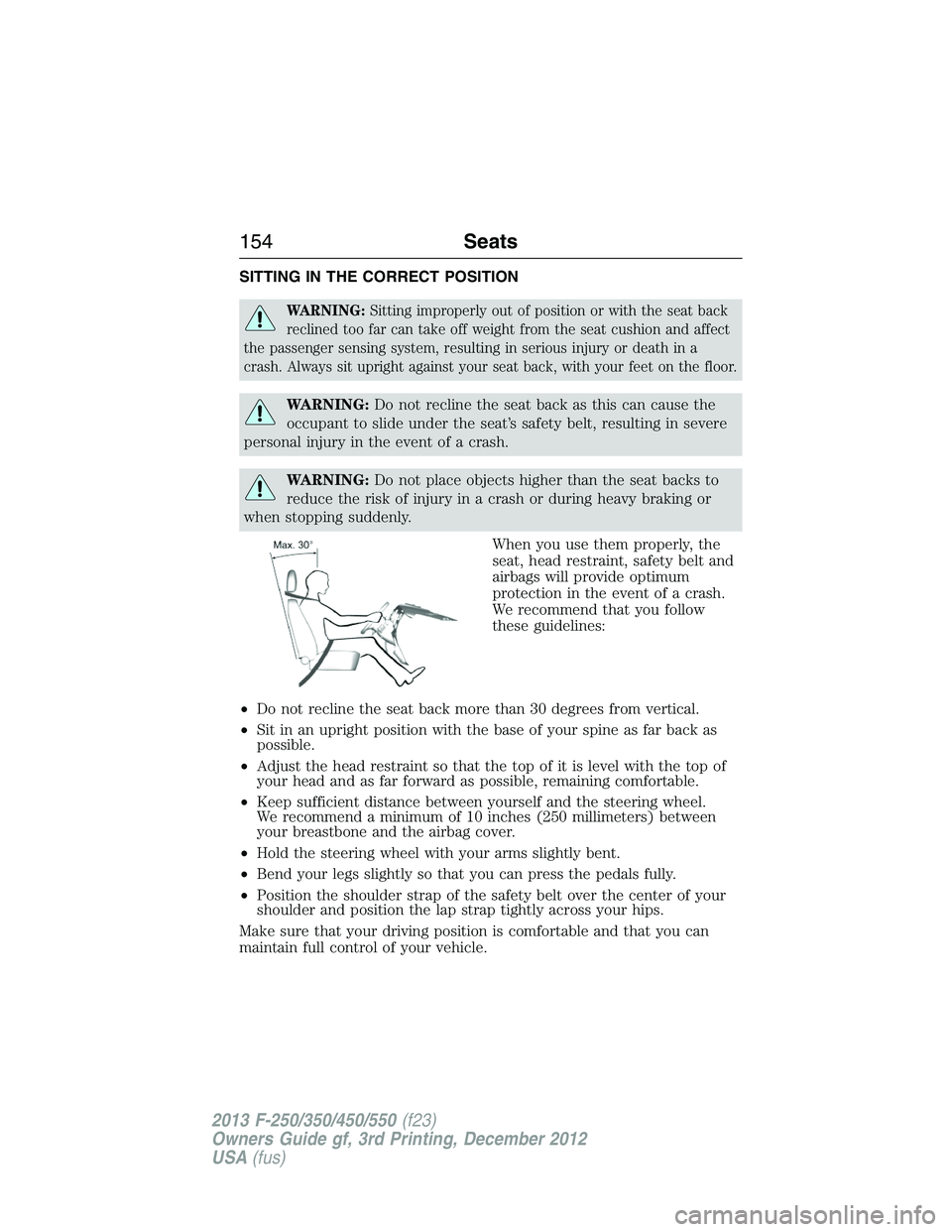
SITTING IN THE CORRECT POSITION
WARNING:Sitting improperly out of position or with the seat back
reclined too far can take off weight from the seat cushion and affect
the passenger sensing system, resulting in serious injury or death in a
crash. Always sit upright against your seat back, with your feet on the floor.
WARNING:Do not recline the seat back as this can cause the
occupant to slide under the seat’s safety belt, resulting in severe
personal injury in the event of a crash.
WARNING:Do not place objects higher than the seat backs to
reduce the risk of injury in a crash or during heavy braking or
when stopping suddenly.
When you use them properly, the
seat, head restraint, safety belt and
airbags will provide optimum
protection in the event of a crash.
We recommend that you follow
these guidelines:
•Do not recline the seat back more than 30 degrees from vertical.
•Sit in an upright position with the base of your spine as far back as
possible.
•Adjust the head restraint so that the top of it is level with the top of
your head and as far forward as possible, remaining comfortable.
•Keep sufficient distance between yourself and the steering wheel.
We recommend a minimum of 10 inches (250 millimeters) between
your breastbone and the airbag cover.
•Hold the steering wheel with your arms slightly bent.
•Bend your legs slightly so that you can press the pedals fully.
•Position the shoulder strap of the safety belt over the center of your
shoulder and position the lap strap tightly across your hips.
Make sure that your driving position is comfortable and that you can
maintain full control of your vehicle.
154Seats
2013 F-250/350/450/550(f23)
Owners Guide gf, 3rd Printing, December 2012
USA(fus)
Page 156 of 577
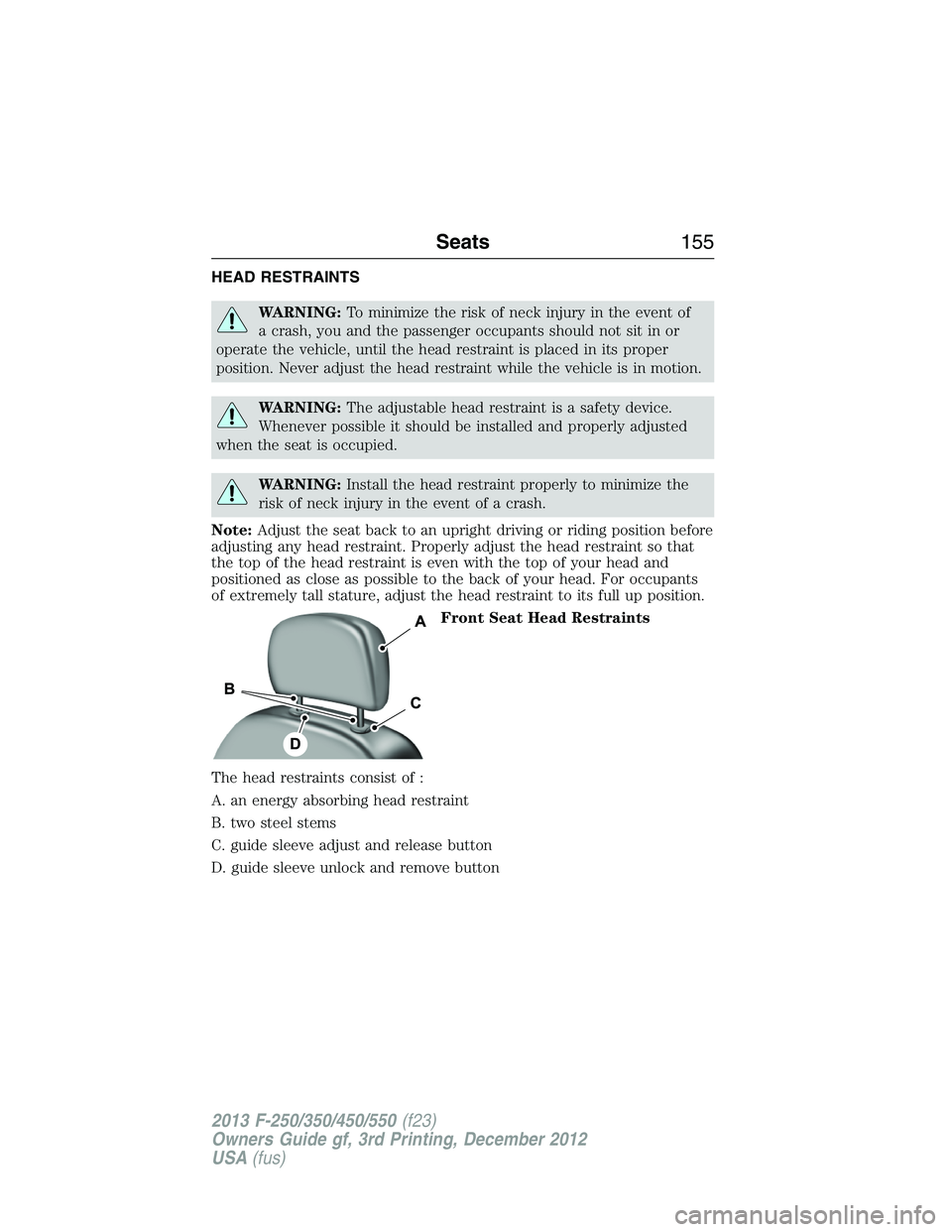
HEAD RESTRAINTS
WARNING:To minimize the risk of neck injury in the event of
a crash, you and the passenger occupants should not sit in or
operate the vehicle, until the head restraint is placed in its proper
position. Never adjust the head restraint while the vehicle is in motion.
WARNING:The adjustable head restraint is a safety device.
Whenever possible it should be installed and properly adjusted
when the seat is occupied.
WARNING:Install the head restraint properly to minimize the
risk of neck injury in the event of a crash.
Note:Adjust the seat back to an upright driving or riding position before
adjusting any head restraint. Properly adjust the head restraint so that
the top of the head restraint is even with the top of your head and
positioned as close as possible to the back of your head. For occupants
of extremely tall stature, adjust the head restraint to its full up position.
Front Seat Head Restraints
The head restraints consist of :
A. an energy absorbing head restraint
B. two steel stems
C. guide sleeve adjust and release button
D. guide sleeve unlock and remove button
Seats155
2013 F-250/350/450/550(f23)
Owners Guide gf, 3rd Printing, December 2012
USA(fus)
Page 160 of 577
POWER SEATS (IF EQUIPPED)
WARNING:Before returning the seat back to its original
position, make sure that cargo or any objects are not trapped
behind the seat back.
WARNING:Never adjust the driver’s seat or seat back when the
vehicle is moving.
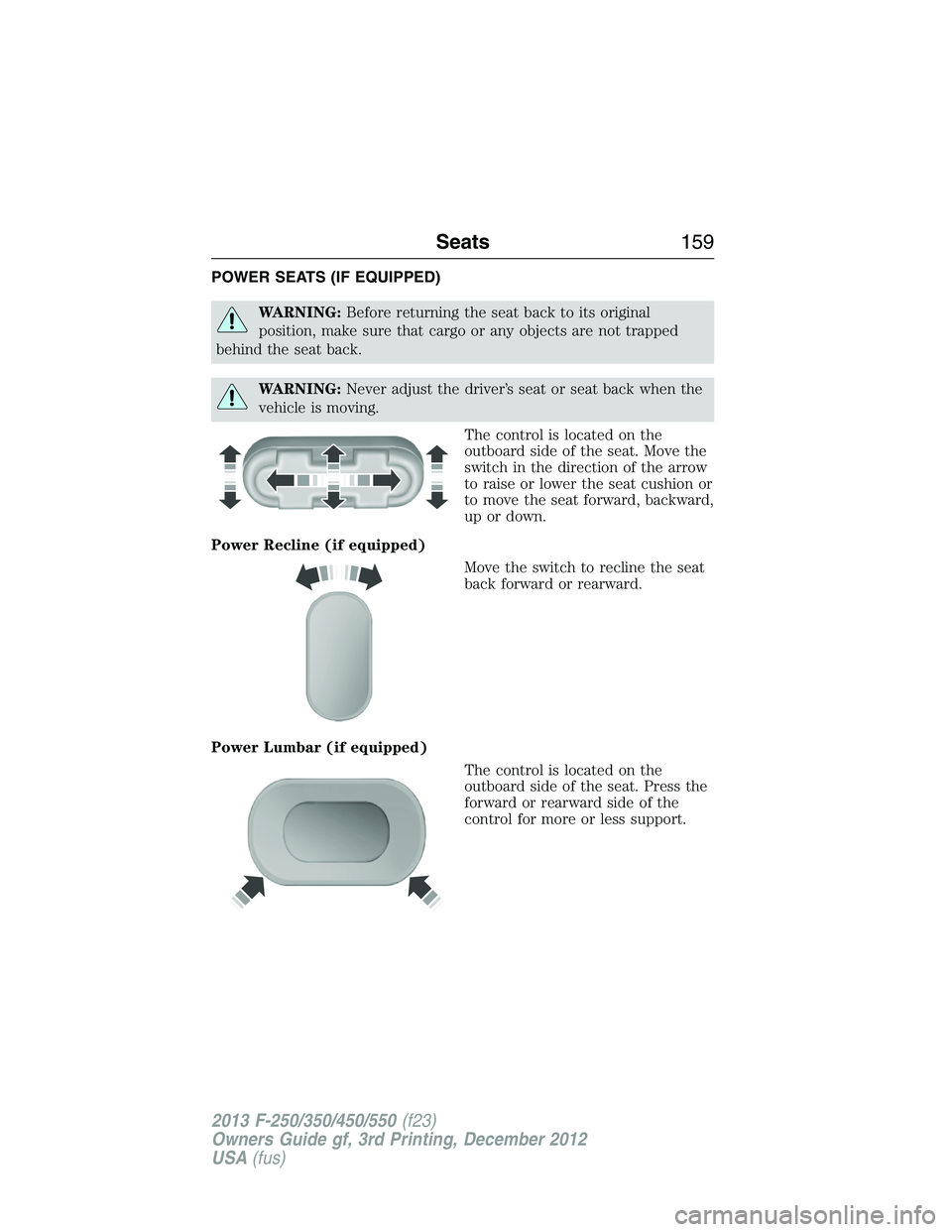
The control is located on the
outboard side of the seat. Move the
switch in the direction of the arrow
to raise or lower the seat cushion or
to move the seat forward, backward,
up or down.
Power Recline (if equipped)
Move the switch to recline the seat
back forward or rearward.
Power Lumbar (if equipped)
The control is located on the
outboard side of the seat. Press the
forward or rearward side of the
control for more or less support.
Seats159
2013 F-250/350/450/550(f23)
Owners Guide gf, 3rd Printing, December 2012
USA(fus)
Page 162 of 577
REAR SEATS
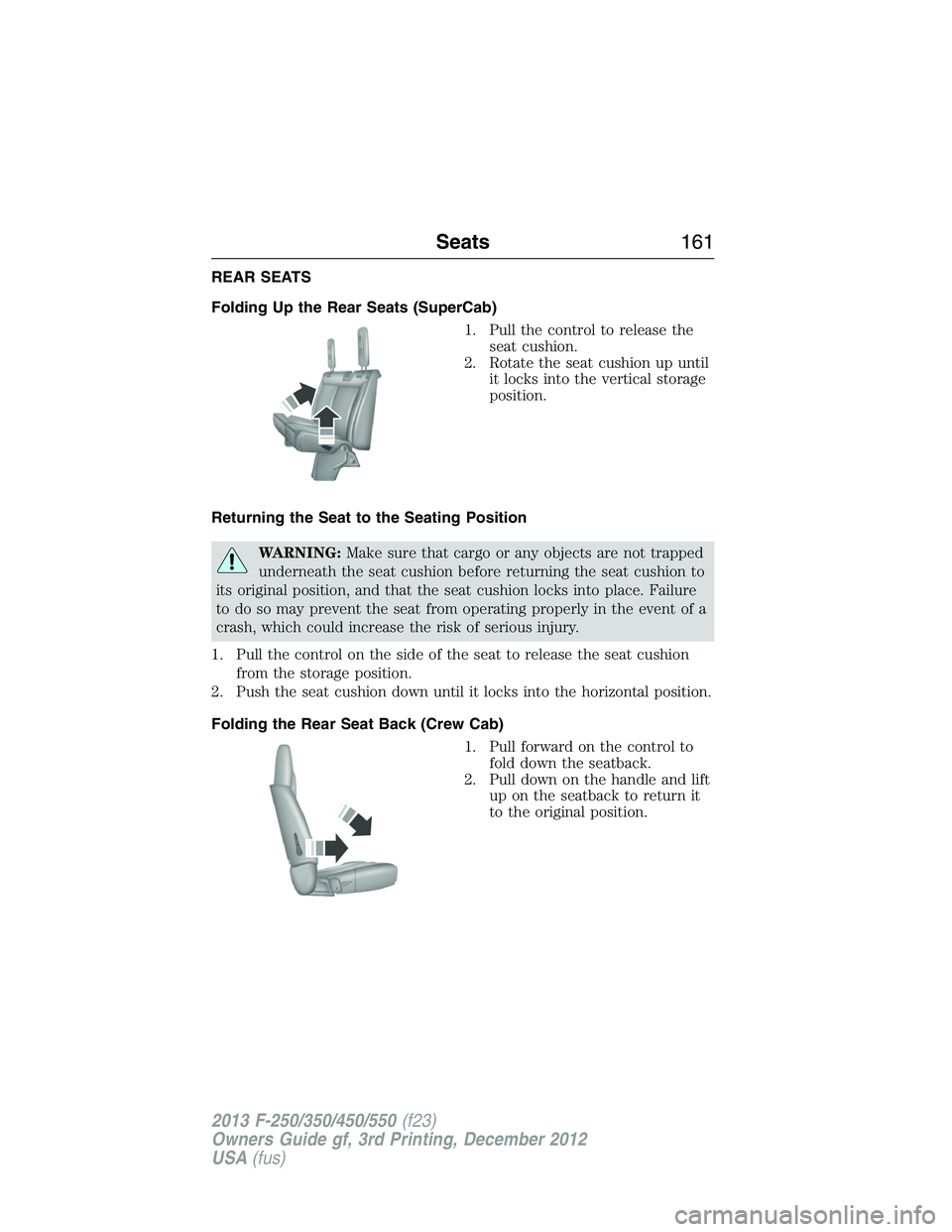
Folding Up the Rear Seats (SuperCab)
1. Pull the control to release the
seat cushion.
2. Rotate the seat cushion up until
it locks into the vertical storage
position.
Returning the Seat to the Seating Position
WARNING:Make sure that cargo or any objects are not trapped
underneath the seat cushion before returning the seat cushion to
its original position, and that the seat cushion locks into place. Failure
to do so may prevent the seat from operating properly in the event of a
crash, which could increase the risk of serious injury.
1. Pull the control on the side of the seat to release the seat cushion
from the storage position.
2. Push the seat cushion down until it locks into the horizontal position.
Folding the Rear Seat Back (Crew Cab)
1. Pull forward on the control to
fold down the seatback.
2. Pull down on the handle and lift
up on the seatback to return it
to the original position.
Seats161
2013 F-250/350/450/550(f23)
Owners Guide gf, 3rd Printing, December 2012
USA(fus)
Page 163 of 577
Folding up the Rear Seat Cushion
1. Pull the control to release the seat cushion.
2. Rotate the seat cushion up until it locks into the vertical storage
position.
Returning the Seat to the Seating Position
WARNING:Make sure that cargo or any objects are not trapped
underneath the seat cushion before returning the seat cushion to
its original position, and that the seat cushion locks into place. Failure
to do so may prevent the seat from operating properly in the event of a
crash, which could increase the risk of serious injury.
1. Pull the control on the side of the seat to release the seat cushion
from the storage position.
2. Push the seat cushion down until it locks into the horizontal position.
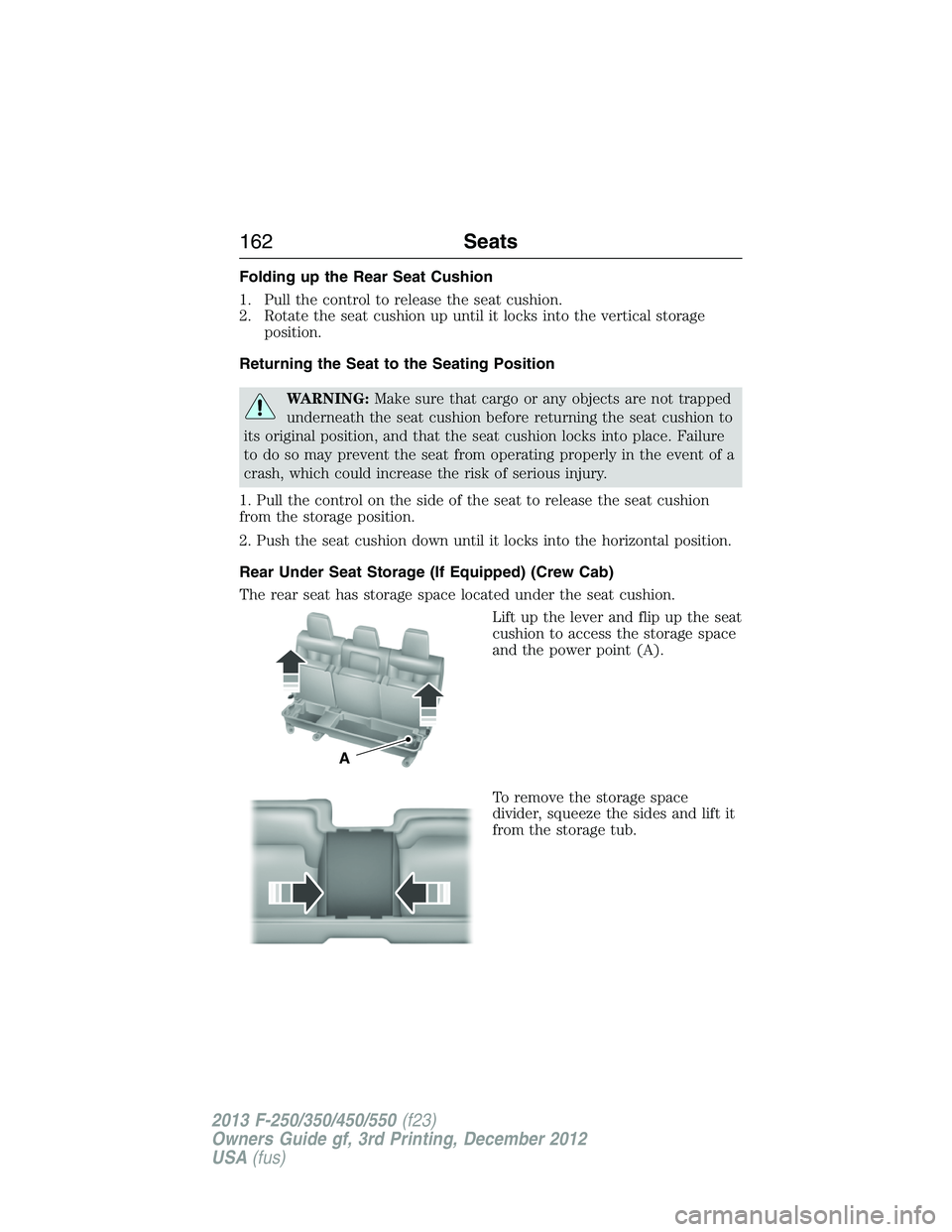
Rear Under Seat Storage (If Equipped) (Crew Cab)
The rear seat has storage space located under the seat cushion.
Lift up the lever and flip up the seat
cushion to access the storage space
and the power point (A).
To remove the storage space
divider, squeeze the sides and lift it
from the storage tub.
A
162Seats
2013 F-250/350/450/550(f23)
Owners Guide gf, 3rd Printing, December 2012
USA(fus)
Page 164 of 577
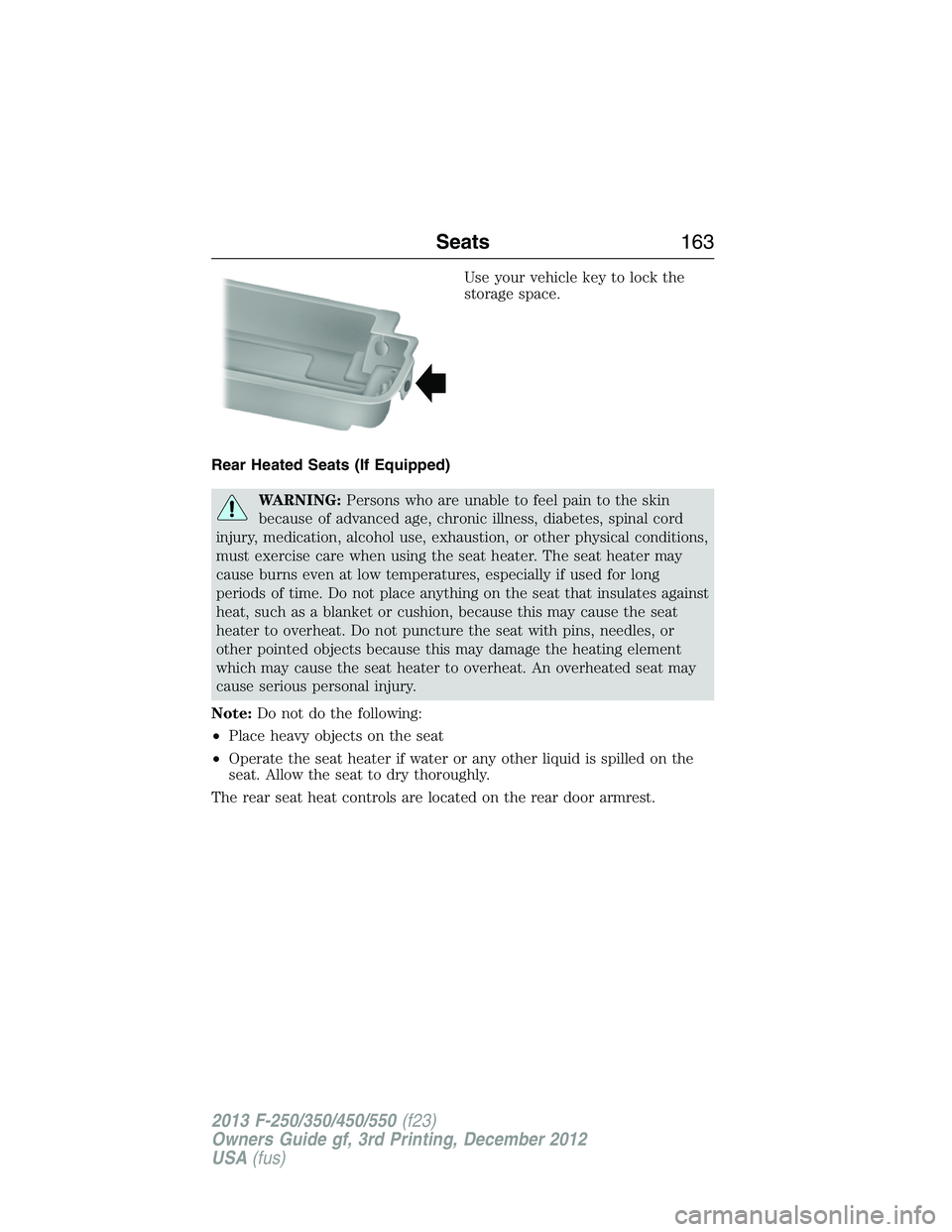
Use your vehicle key to lock the
storage space.
Rear Heated Seats (If Equipped)
WARNING:Persons who are unable to feel pain to the skin
because of advanced age, chronic illness, diabetes, spinal cord
injury, medication, alcohol use, exhaustion, or other physical conditions,
must exercise care when using the seat heater. The seat heater may
cause burns even at low temperatures, especially if used for long
periods of time. Do not place anything on the seat that insulates against
heat, such as a blanket or cushion, because this may cause the seat
heater to overheat. Do not puncture the seat with pins, needles, or
other pointed objects because this may damage the heating element
which may cause the seat heater to overheat. An overheated seat may
cause serious personal injury.
Note:Do not do the following:
•Place heavy objects on the seat
•Operate the seat heater if water or any other liquid is spilled on the
seat. Allow the seat to dry thoroughly.
The rear seat heat controls are located on the rear door armrest.
Seats163
2013 F-250/350/450/550(f23)
Owners Guide gf, 3rd Printing, December 2012
USA(fus)