instrument cluster FORD F650/750 2023 Owner's Manual
[x] Cancel search | Manufacturer: FORD, Model Year: 2023, Model line: F650/750, Model: FORD F650/750 2023Pages: 378, PDF Size: 5.65 MB
Page 160 of 378
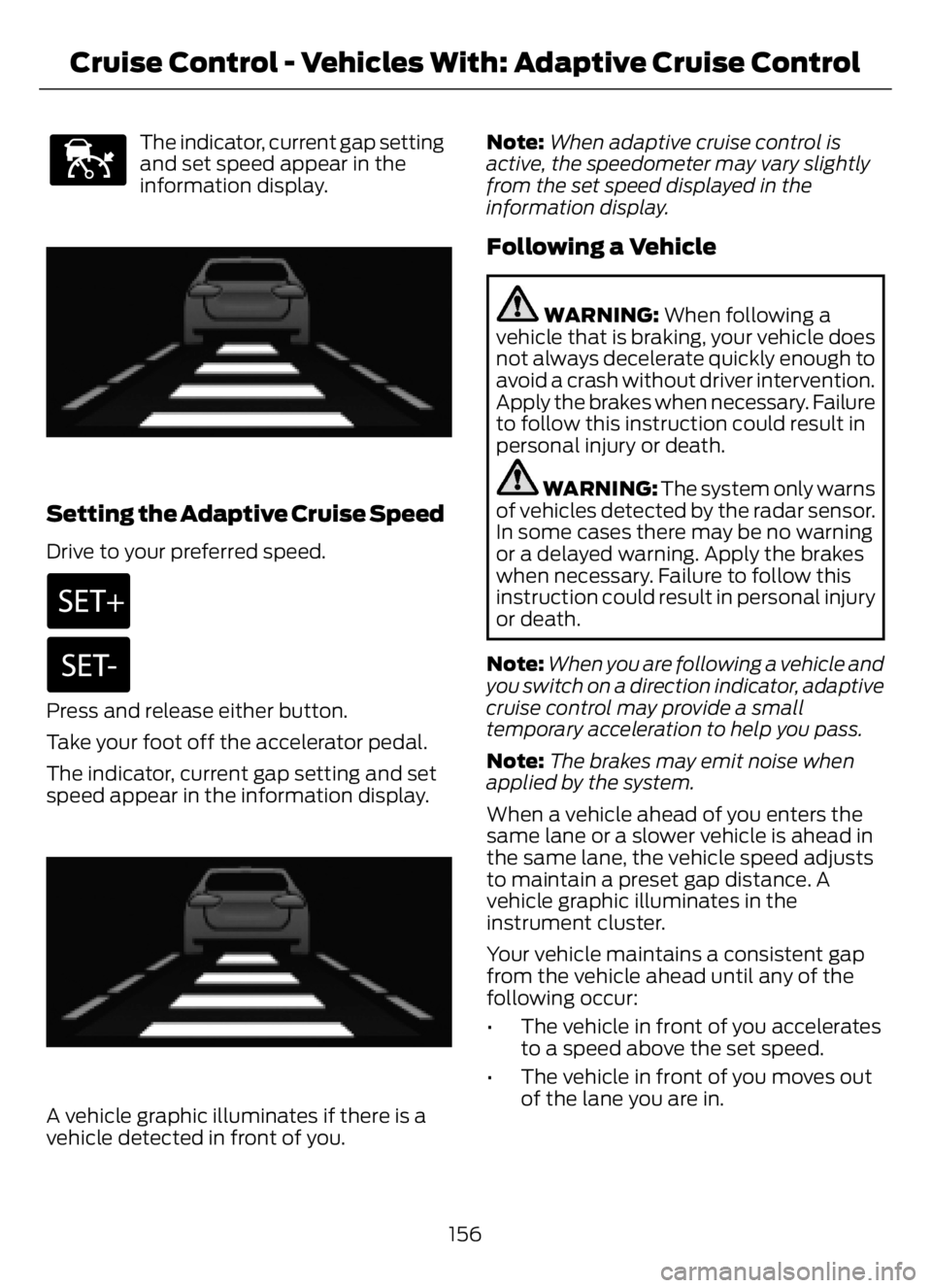
E144529
The indicator, current gap setting
and set speed appear in the
information display.
E233874E233874
Setting the Adaptive Cruise Speed
Drive to your preferred speed.
Press and release either button.
Take your foot off the accelerator pedal.
The indicator, current gap setting and set
speed appear in the information display.
E233874E233874
A vehicle graphic illuminates if there is a
vehicle detected in front of you.Note:When adaptive cruise control is
active, the speedometer may vary slightly
from the set speed displayed in the
information display.
Following a Vehicle
WARNING: When following a
vehicle that is braking, your vehicle does
not always decelerate quickly enough to
avoid a crash without driver intervention.
Apply the brakes when necessary. Failure
to follow this instruction could result in
personal injury or death.
WARNING: The system only warns
of vehicles detected by the radar sensor.
In some cases there may be no warning
or a delayed warning. Apply the brakes
when necessary. Failure to follow this
instruction could result in personal injury
or death.
Note:When you are following a vehicle and
you switch on a direction indicator, adaptive
cruise control may provide a small
temporary acceleration to help you pass.
Note:The brakes may emit noise when
applied by the system.
When a vehicle ahead of you enters the
same lane or a slower vehicle is ahead in
the same lane, the vehicle speed adjusts
to maintain a preset gap distance. A
vehicle graphic illuminates in the
instrument cluster.
Your vehicle maintains a consistent gap
from the vehicle ahead until any of the
following occur:
• The vehicle in front of you accelerates
to a speed above the set speed.
• The vehicle in front of you moves out
of the lane you are in.
156
Cruise Control - Vehicles With: Adaptive Cruise Control
Page 215 of 378
Engine compartment (with engine off)
Inspect for glazing, fraying or cracking. There should be no
more than 5-7 cracks per rib, per 1 in (2.5 cm) Belts (fan, alternator,
water pump and air
conditioning
compressor)
Inspect for signs of fluid puddles or dripping fluid on the
ground under the engine, or the underside of the engine. Fluid leaks
Inspect for debris that may have collected on the HVAC air
inlet grille or inside the exterior module as this may reduce
system performance. HVAC air inlet
Engine starting (with parking brake applied)
Before entering the cab, verify that the vehicle is equipped
with spare electrical fuses (if used), three red reflective
triangles, a properly charged and rated fire extinguisher and
wheel chocks. Safety and emergency
equipment
Walk around the vehicle and verify all steps and grab handles,
inside and out (as well as behind), are tight and clean. Use
extreme caution and a three-point stance at all times.
Inspect door latches for proper closing, latching and locking.
Set the parking brake. Make sure the gearshift lever is in
neutral (N) or park (P) (if equipped with a park position). Starting the engine
Diesel engine: Turn the key to the on position. Turn the key
to start when the wait to start indicator light in the instrument
cluster turns off.
Gasoline engine: Turn the key to start, and then release it
as soon as the engine starts.
Verify pressure builds to normal operating range. Engine oil pressure
A tone indicating low air pressure should sound immediately
after the engine starts but before the compressor has built-
up pressure. The tone should stop when the air pressure
reaches 70 psi (483 kPa). Let the air pressure build to
governed cutout pressure, which should occur between
115–130 psi (793–896 kPa). Low air pressure warning
tone (if equipped with an
air compressor)
Press the accelerator and verify that it operates smoothly,
without any binding or irregular feel. Release the pedal and
verify the engine returns to idle speed immediately. Accelerator
211
Vehicle Inspection Guide
Page 231 of 378
• Sustained, high-speed driving at the
gross vehicle weight rating.
• Use of fuels with sulfur content other
than ultra-low sulfur diesel (ULSD).
• Use of high-sulfur diesel fuel.
Only use engine oil that meets our
specifications. See Capacities and
Specifications (page 288).
OIL CHANGE INDICATOR
RESET
Base Cluster
Use the information display controls on
the steering wheel to reset the oil change
indicator.
From the main menu scroll to:
Action and Description Message
Press the right arrow button,
then from this menu scroll
to the following message. Settings
Press the down arrow
button, then from this menu
scroll to the following
message. Vehicle
Press the right arrow button,
then from this menu scroll
to the following message. Oil Life
Reset
Press and hold the OK
button until the instrument
cluster displays the
following message. Oil Life
Hold to
Reset
Press and hold the OK
button until the instrument
cluster displays the
following message. Oil Life
Hold OK
to Reset
Action and Description Message
Reset Complete
If the instrument cluster
displays the following
message, repeat the
process.
Reset Cancelled
High Series Cluster
Use the information display controls on
the steering wheel to reset the oil change
indicator.
From the main menu scroll to:
Action and Description Message
Press the down arrow
button, then from this menu
scroll to the following
message. Truck Info
Press the OK button. Mainten-
ance
Monitor
Press the down arrow
button, then from this menu
scroll to the following
message. Oil Life:
xxx%
Press the OK button. Oil Life
Press and hold the OK
button until the instrument
cluster displays the
following message. Oil Life
Hold OK to
Reset
Oil Life: 100%
When the oil change indic-
ator resets, the instrument
cluster displays 100%.
Repeat the process if the oil
change indicator does not
reset.
227
Maintenance
Page 247 of 378
1. Drive the vehicle until it reaches normal
operating temperature. This may take
up to 20 mi (30 km). Make sure that
the transmission fluid temperature
gauge on the instrument cluster is
within normal operating temperature
196–215°F (91–102°C) before
checking.
2. Make sure that your vehicle is on level
ground.
3. With the engine running, parking brake
engaged and your foot on the brake
pedal, move the gearshift lever through
all of the gear ranges. Allow sufficient
time for each gear to engage.
4. Make sure the parking brake is on. Make
sure the transmission is in park (P) or
neutral (N) and leave the engine
running.
5. Open the hood. See Opening and
Closing the Hood (page 220).
6. Remove the dipstick and wipe it with
a clean, lint-free cloth. See Under
Hood Overview (page 222).
7. Replace the dipstick and remove it
again to check the fluid level.
8. If the fluid level is correct, replace the
dipstick and make sure it is fully seated.
Note:If the fluid level is between the
maximum and minimum marks, the fluid
level is acceptable. Do not add fluid.Transmission Fluid Level
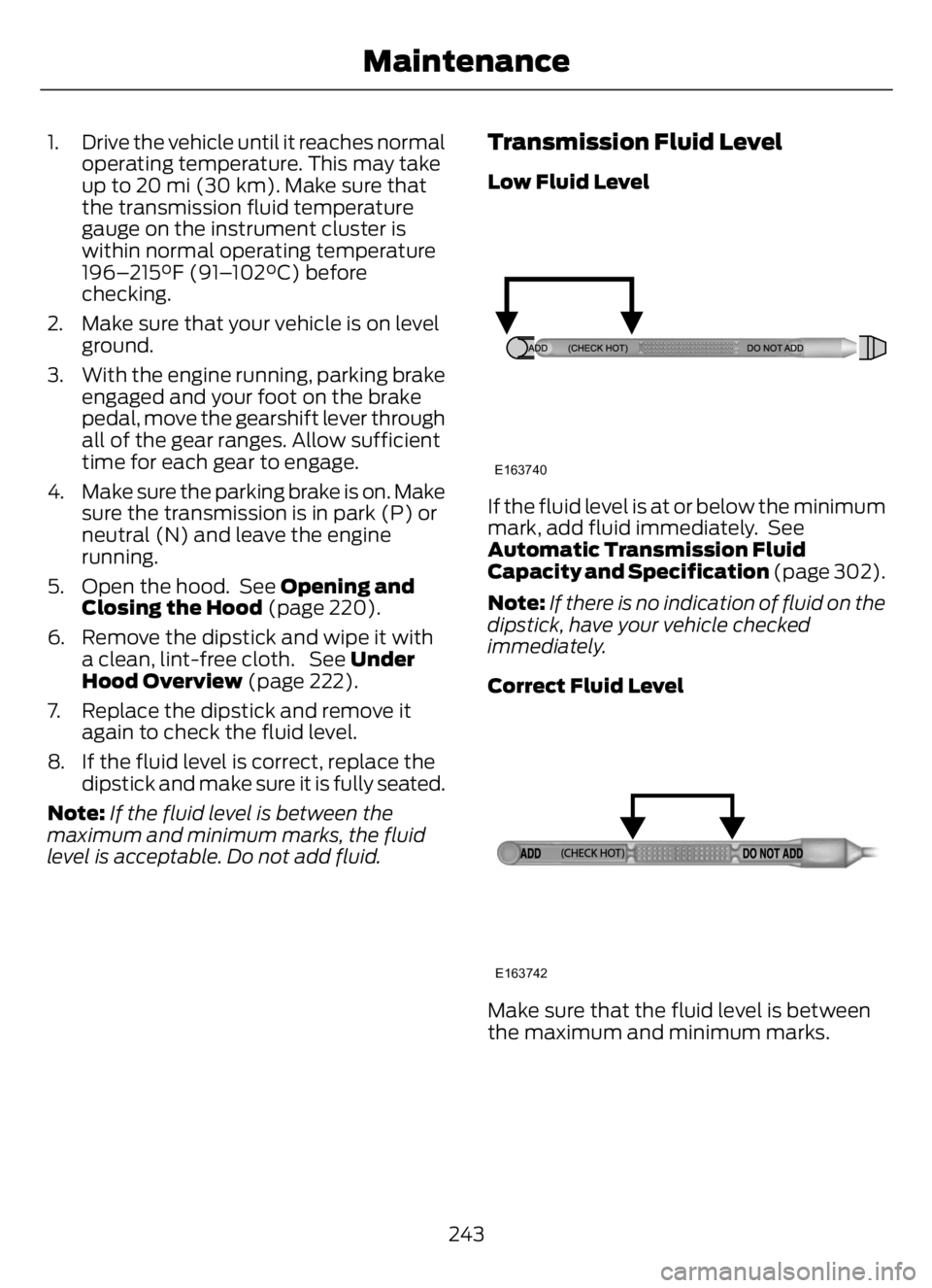
Low Fluid Level
E163740
If the fluid level is at or below the minimum
mark, add fluid immediately. See
Automatic Transmission Fluid
Capacity and Specification (page 302).
Note:If there is no indication of fluid on the
dipstick, have your vehicle checked
immediately.
Correct Fluid Level
E163742
Make sure that the fluid level is between
the maximum and minimum marks.
243
Maintenance
Page 270 of 378
CLEANING THE INSTRUMENT
PANEL AND INSTRUMENT
CLUSTER LENS
WARNING: Do not use chemical
solvents or strong detergents when
cleaning the steering wheel or
instrument panel to avoid contamination
of the airbag system.
Note:Follow the same procedure as
cleaning leather seats for cleaning leather
instrument panels and leather interior trim
surfaces.
Clean the instrument panel and cluster
lens with a clean, damp and soft cloth,
then use a clean, dry and soft cloth to dry
these areas.
• Avoid cleaners or polishes that increase
the gloss of the upper portion of the
instrument panel. The dull finish in this
area helps protect you from
undesirable windshield reflection.
• Do not use any household cleaning
products or glass cleaners as these
may damage the finish of the
instrument panel, interior trim and
cluster lens.
• Wash or wipe your hands clean if you
have been in contact with certain
products such as insect repellent and
suntan lotion to avoid possible damage
to the interior painted surfaces.
• Do not allow air fresheners and hand
sanitizers to spill onto interior surfaces.
If a spill occurs, wipe off immediately.
Your warranty may not cover these
damages.
If a staining liquid like coffee or juice has
been spilled on the instrument panel or on
interior trim surfaces:
1. Wipe up spilled liquid using a clean,
soft cloth as quickly as possible.2. Use Motorcraft Premium Leather and
Vinyl Cleaner or a commercially
available leather cleaning product for
automotive interiors. Test any cleaner
or stain remover on an inconspicuous
area.
3. Alternatively, wipe the surface with a
clean, soft cloth and a mild soap and
water solution. Dry the area with a
clean, soft cloth.
4. If necessary, apply more soap and
water solution or cleaning product to
a clean, soft cloth and press it onto the
soiled area. Allow this to set at room
temperature for 30 minutes.
5. Remove the soaked cloth, then with a
clean, damp cloth, use a rubbing
motion for 60 seconds on the soiled
area.
6. Dry the area with a clean, soft cloth.
REPAIRING MINOR PAINT
DAMAGE
Authorized dealers have touch-up paint to
match your vehicle’s color. Your vehicle
color code is printed on a sticker on the
front, left-hand side door jamb. Take your
color code to your authorized dealer to
make sure you get the correct color.
Before repairing minor paint damage, use
a cleaner to remove particles such as bird
droppings, tree sap, insect deposits, tar
spots, road salt and industrial fallout.
Read the instructions before using cleaning
products.
CLEANING THE WHEELS
1. Regularly clean them with a wheel
cleaner. We recommend that you use
Ford approved wheel cleaner if
available.
266
Vehicle Care
Page 324 of 378
A message appears in the information
display when it is time for an oil change.
Make sure you perform the oil change
within two weeks or 500 mi (800 km) of
the message appearing. Make sure you
reset the Intelligent Oil-Life Monitor after
each oil change. See Instrument Cluster
(page 63).
If your information display resets
prematurely or becomes inoperative, you
should perform the oil change interval at
six months or 5,000 mi (8,000 km) from
your last oil change. Never exceed one year
or 10,000 mi (16,000 km) between oil
change intervals.
All Vehicles
Your vehicle is very sophisticated and built
with multiple, complex, performance
systems. Every manufacturer develops
these systems using different
specifications and performance features.
That is why it is important to rely upon your
dealership to properly diagnose and repair
your vehicle.
Ford Motor Company has recommended
maintenance intervals for various parts
and component systems based upon
engineering testing. Ford Motor Company
relies upon this testing to determine the
most appropriate mileage for replacement
of oils and fluids to protect your vehicle at
the lowest overall cost to you and
recommends against maintenance
schedules that deviate from the scheduled
maintenance information.
We strongly recommend the use of only
genuine Ford, Motorcraft or
Ford-authorized re-manufactured
replacement parts engineered for your
vehicle.Additives and Chemicals
This owner's manual and the Ford
Workshop Manual list the recommended
additives and chemicals for your vehicle.
We do not recommend using chemicals or
additives not approved by us as part of
your vehicle’s normal maintenance. Please
consult your warranty information.
Oils, Fluids and Flushing
In many cases, fluid discoloration is a
normal operating characteristic and, by
itself, does not necessarily indicate a
concern or that the fluid needs to be
changed. However, a qualified expert, such
as the factory-trained technicians at your
dealership, should inspect discolored fluids
that also show signs of overheating or
foreign material contamination
immediately.
Make sure to change your vehicle’s oils and
fluids at the specified intervals or in
conjunction with a repair. Flushing is a
viable way to change fluid for many vehicle
sub-systems during scheduled
maintenance. It is critical that systems are
flushed only with new fluid that is the same
as that required to fill and operate the
system or using a Ford-approved flushing
chemical.
Scheduled Maintenance Services
Maintenance service adjustments must
conform to specifications contained in this
manual, and those shown on the Important
Engine Information decal. Perform the
following services at scheduled intervals
because they essential to the life and
performance of your vehicle. Ford
recommends that you perform
maintenance on all designated items to
achieve best vehicle operation.
320
Scheduled Maintenance
Page 374 of 378
Child Safety......................................................24General Information............................................24Child Safety Locks.........................................35
Cleaning Products.......................................262
Cleaning the Engine...................................264
Cleaning the Exterior..................................263
Cleaning the Instrument Panel and
Instrument Cluster Lens........................266
Cleaning the Interior...................................265
Cleaning the Wheels..................................266
Cleaning the Windows and Wiper
Blades...........................................................265
Climate Control..............................................85
Cold Weather Precautions........................184
Connected Vehicle.....................................308
Connected Vehicle –
Troubleshooting...........................................308
Connecting the Vehicle to a Mobile Network
- Vehicles With: Modem............................308
Connected Vehicle Limitations..............308
Connected Vehicle Requirements........308
Connected Vehicle –
Troubleshooting.......................................308
Connected Vehicle – Frequently Asked
Questions........................................................308
Connecting a Bluetooth® Device...........312
Connecting the Vehicle to a Mobile
Network - Vehicles With:
Modem.........................................................308
Connecting FordPass to the Modem.........308
Enabling and Disabling the Modem..........308
What Is the Modem.........................................308
Coolant CheckSee: Engine Coolant Check - 6.7L
Diesel.................................................................233
See: Engine Coolant Check - 7.3L................238
Cooling System Capacity and
Specification - 6.7L Diesel.....................297
Cooling System Capacity and
Specification - 7.3L..................................298
Cruise Control................................................155
Cruise Control Indicators...........................162
Cruise Control - Vehicles With: Adaptive
Cruise Control................................................51
Cruise Control - Vehicles With: Cruise
Control..............................................................51
Customer Assistance..................................194Customer Information...............................338
Radio Frequency Certification
Labels................................................................338
D
Data Recording.................................................13
Daytime Running Lamps - Vehicles With:
Configurable Daytime Running
Lamps.............................................................56
Daytime Running Lamps - Vehicles With:
Daytime Running Lamps (DRL)............56
Diesel Exhaust Fluid Capacity and
Specification..............................................302
Diesel Particulate Filter...............................122
Direction Indicators........................................57
Doors and Locks.............................................48
Draining the Fuel Filter Water Trap - 6.7L
Diesel.............................................................232
Driver Alert......................................................163
Driving Aids.....................................................163
Driving Hints...................................................183
Driving Through Water................................187
DRL
See: Daytime Running Lamps - Vehicles With:
Configurable Daytime Running
Lamps..................................................................56
See: Daytime Running Lamps - Vehicles With:
Daytime Running Lamps (DRL)................56
E
Economical Driving......................................184
Electrical System Inspection...................254
Electromagnetic Compatibility..............343
Emission Law..................................................115
End User License Agreement.................346
Engine Block Heater....................................103
Engine Coolant Check - 6.7L
Diesel.............................................................233
Engine Coolant Check - 7.3L....................238
Engine Emission Control.............................115
Engine Idle Shutdown................................102
Engine Immobilizer
See: Passive Anti-Theft System.....................50Engine Oil Capacity and Specification -
6.7L Diesel...................................................292
370
Index
Page 376 of 378
Instrument Cluster.........................................63
Instrument Lighting Dimmer.....................55
Instrument Panel............................................23
Interior Lamps..................................................57
Interior Mirror...................................................62
Introduction.........................................................7
J
Jump Starting the Vehicle.........................190
K
Keys and Remote Controls.........................45
L
Lane Keeping System.................................164
Lighting Control..............................................54
Lighting..............................................................54
General Information............................................54Load Carrying..................................................175
Load Limit........................................................175
Locating the USB Ports................................97
Locking and Unlocking................................48
Lug Nuts
See: Changing a Road Wheel.......................284
M
Maintenance..................................................219General Information..........................................219Manual Climate Control..............................85
Manual Seats..................................................90
Message Center
See: Information Displays.................................70MirrorsSee: Windows and Mirrors................................59Mobile Communications Equipment......19
Motorcraft Parts - 6.7L Diesel.................290
Motorcraft Parts - 7.3L................................291
N
Noise Pollution Control.................................21
Normal Scheduled Maintenance...........323
O
Oil Change Indicator Reset.......................227
Oil Check
See: Engine Oil Check - 6.7L Diesel.............224
See: Engine Oil Check - 7.3L...........................225
Opening and Closing the Hood..............220
Ordering Additional Owner's
Literature......................................................198
Overhead Console.........................................99
P
Parking Brake.................................................138
Passive Anti-Theft System........................50
PAT S
See: Passive Anti-Theft System.....................50Perchlorate.........................................................17
Playing Media From a USB Device.........312
Playing Media Using the USB Port...........97
Pneumatic Locking Differential
Indicators......................................................136
Pneumatic Locking Differential...............135
Pneumatic Locking Differential
Precautions..................................................135
Power Door Locks
See: Locking and Unlocking.............................48Power Seats......................................................91
Power Steering Fluid Check.....................245
Power Take-Off.............................................133
Power Windows..............................................59
Pre-Collision Assist - Vehicles With: Air
Brakes............................................................168
Pre-Collision Assist - Vehicles With:
Hydraulic Brakes........................................170
Protecting the Environment........................21
Puncture
See: Changing a Road Wheel.......................284
R
Radio Frequency Certification
Labels...........................................................338
Cruise Control Module.....................................338Rear Axle Fluid Capacity and
Specification - Diesel..............................304
Rear Axle Fluid Capacity and
Specification - Gasoline........................305
372
Index