instrument cluster FORD F650/750 2023 User Guide
[x] Cancel search | Manufacturer: FORD, Model Year: 2023, Model line: F650/750, Model: FORD F650/750 2023Pages: 378, PDF Size: 5.65 MB
Page 78 of 378
INFORMATION MESSAGES
Note: Not all messages will display or be
available depending on your vehicle options
and instrument cluster type. The
information display may abbreviate or
shorten certain messages.
E184451E184451
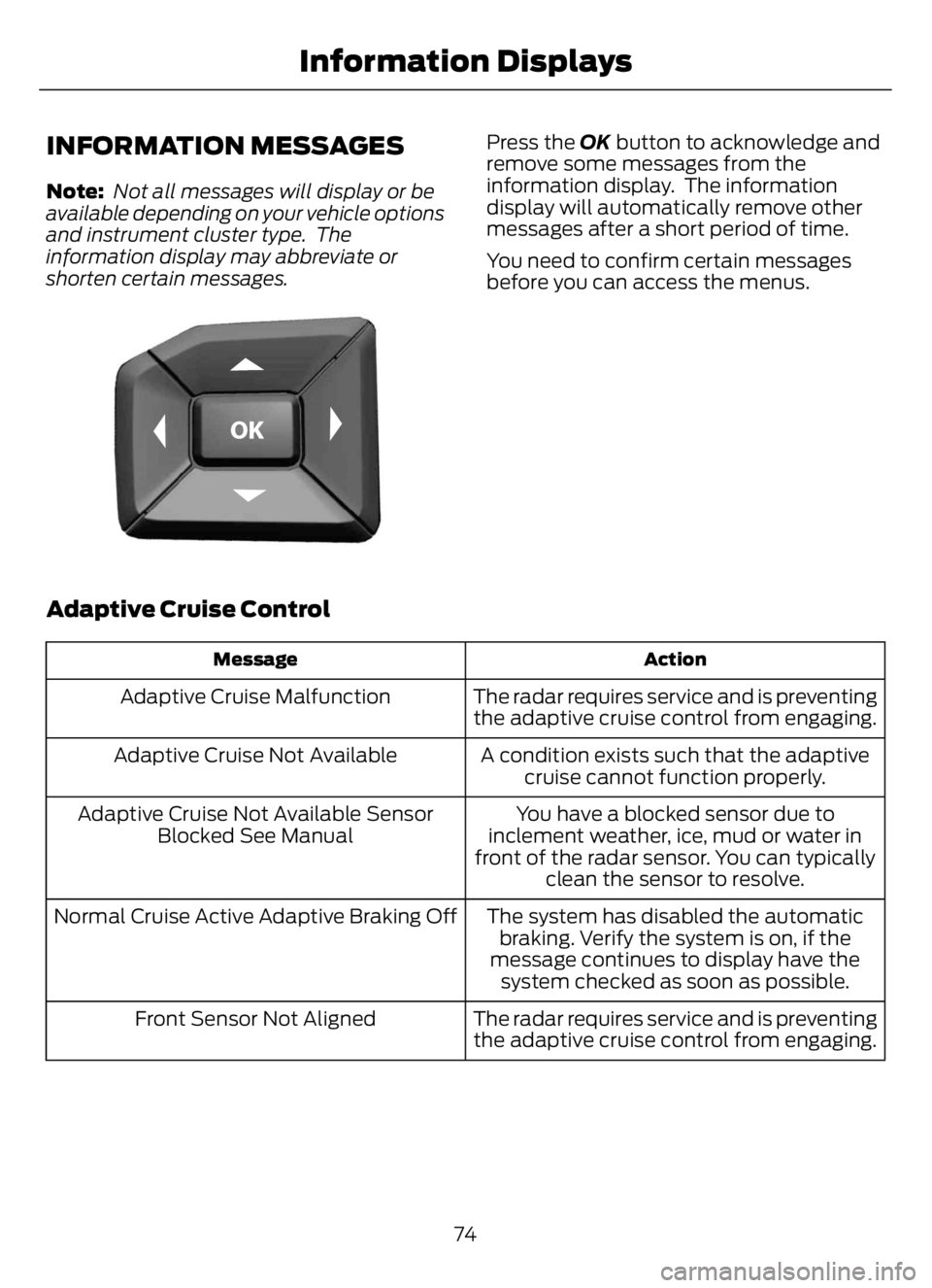
Press the OK button to acknowledge and
remove some messages from the
information display. The information
display will automatically remove other
messages after a short period of time.
You need to confirm certain messages
before you can access the menus.
Adaptive Cruise Control
Action Message
The radar requires service and is preventing
the adaptive cruise control from engaging. Adaptive Cruise Malfunction
A condition exists such that the adaptive
cruise cannot function properly. Adaptive Cruise Not Available
You have a blocked sensor due to
inclement weather, ice, mud or water in
front of the radar sensor. You can typically
clean the sensor to resolve. Adaptive Cruise Not Available Sensor
Blocked See Manual
The system has disabled the automatic
braking. Verify the system is on, if the
message continues to display have the
system checked as soon as possible. Normal Cruise Active Adaptive Braking Off
The radar requires service and is preventing
the adaptive cruise control from engaging. Front Sensor Not Aligned
74
Information Displays
Page 117 of 378
1. When your vehicle has stopped, shift
into neutral (N) or park (P).
2. Apply the parking brake and switch the
ignition off.
3. Turn the fuel filler cap
counterclockwise and remove it.
4. Refuel your vehicle as required.
5. Replace the fuel filler cap, turn it
clockwise until you feel a strong
resistance.
If the fuel cap warning lamp or a warning
message appears in the instrument cluster,
you may not have installed the fuel filler
cap correctly.
If the fuel cap warning lamp remains on,
at the next opportunity, safely pull off of
the road, remove the fuel filler cap, align
the cap properly and reinstall it. The check
fuel cap warning lamp or warning message
may not reset immediately. It may take
several driving cycles for the indicators to
turn off. A driving cycle consists of an
engine start-up (after four or more hours
with the engine off) followed by normal
city and highway driving.
FUEL CONSUMPTION
The advertised capacity is the maximum
amount of fuel that you can add to the fuel
tank after running out of fuel. Included in
the advertised capacity is an empty
reserve. The empty reserve is an
unspecified amount of fuel that remains
in the fuel tank when the fuel gauge
indicates empty.
Note:The amount of fuel in the empty
reserve varies and should not be relied upon
to increase driving range.
Filling the Fuel Tank
For consistent results when refueling:
• Turn the ignition off before fueling; an
inaccurate reading results if the engine
is left running.
• Use the same fill rate
(low-medium-high) each time the tank
is filled.
• Allow no more than one automatic
shut-off when refueling.
Results are most accurate when the filling
method is consistent.
Calculating Fuel Economy
Do not measure fuel economy during the
first 1,000 mi (1,600 km) of driving (this is
your engine’s break-in period). A more
accurate measurement is obtained after
2,000 mi (3,200 km) to 3,000 mi
(4,800 km). Also, fuel expense, frequency
of fill ups or fuel gauge readings are not
accurate ways to measure fuel economy.
1. Fill the fuel tank completely and record
the initial odometer reading.
2. Each time you fill the fuel tank, record
the amount of fuel added.
3. After at least three fill ups, fill the fuel
tank and record the current odometer
reading.
4. Subtract your initial odometer reading
from the current odometer reading.
To calculate L/100 km (liters per 100
kilometers) fuel consumption, multiply the
liters used by 100, then divide by kilometers
traveled. To calculate MPG (miles per
gallon) fuel consumption, divide miles
traveled by gallons used.
113
Fuel and Refueling
Page 132 of 378
AUTOMATIC TRANSMISSION
WARNING: Apply the parking
brake, shift into park (P), switch the
ignition off and remove the key before
you leave your vehicle. Failure to follow
this instruction could result in personal
injury or death.
WARNING: Do not apply the brake
pedal and accelerator pedal
simultaneously. Applying both pedals
simultaneously for more than a few
seconds will limit engine performance,
which may result in difficulty maintaining
speed in traffic and could lead to serious
injury.
Understanding the Shift Positions
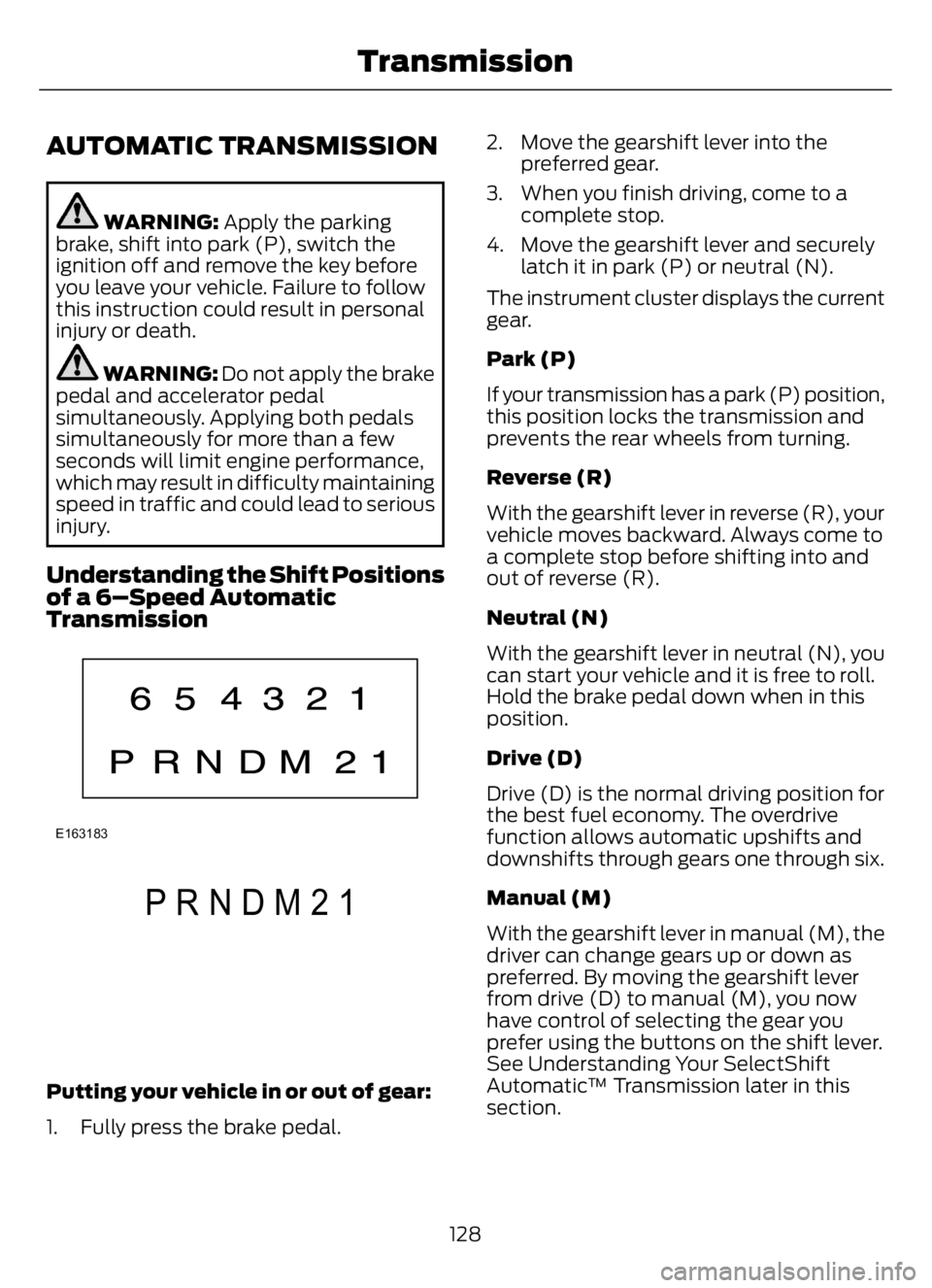
of a 6–Speed Automatic
Transmission
E163183
E307627E307627
PRNDM21
Putting your vehicle in or out of gear:
1. Fully press the brake pedal.2. Move the gearshift lever into the
preferred gear.
3. When you finish driving, come to a
complete stop.
4. Move the gearshift lever and securely
latch it in park (P) or neutral (N).
The instrument cluster displays the current
gear.
Park (P)
If your transmission has a park (P) position,
this position locks the transmission and
prevents the rear wheels from turning.
Reverse (R)
With the gearshift lever in reverse (R), your
vehicle moves backward. Always come to
a complete stop before shifting into and
out of reverse (R).
Neutral (N)
With the gearshift lever in neutral (N), you
can start your vehicle and it is free to roll.
Hold the brake pedal down when in this
position.
Drive (D)
Drive (D) is the normal driving position for
the best fuel economy. The overdrive
function allows automatic upshifts and
downshifts through gears one through six.
Manual (M)
With the gearshift lever in manual (M), the
driver can change gears up or down as
preferred. By moving the gearshift lever
from drive (D) to manual (M), you now
have control of selecting the gear you
prefer using the buttons on the shift lever.
See Understanding Your SelectShift
Automatic™ Transmission later in this
section.
128
Transmission
Page 133 of 378
To return to normal drive (D) position,
move the shift lever back from manual (M)
to drive (D).
The transmission operates in gears one
through six.
Second (2)
The transmission operates in second (2)
gear only. Use second (2) gear to just start
on slippery roads.
First (1)
• The transmission operates in first (1)
gear only.
• Provides maximum engine braking.
• Allows upshifts by moving gearshift
lever.
• Does not downshift into first (1) gear
at high speeds; allows for first (1) gear
when vehicle reaches slower speeds.
Forced downshifts
• Allowed in drive (D) with the tow/haul
feature on or off.
• Press the accelerator to the floor.
• Allows transmission to select an
appropriate gear.
Tow/Haul Mode
E161509
To activate tow/haul, press the
button on the gearshift lever
once. The TOW HAUL indicator
illuminates in the instrument cluster.The tow/haul feature:
• Delays upshifts to reduce the frequency
of transmission shifting.
• Provides engine braking in all forward
gears, which slows your vehicle and
assists you in controlling your vehicle
when descending a grade.
• Depending on driving and load
conditions, could downshift the
transmission to slow your vehicle and
help control your vehicle speed when
descending a hill, without pressing the
accelerator pedal. Tapping the brake
pedal downshifts the transmission to
provide additional braking, only if the
downshift does not cause an engine
overspeed condition.
The tow/haul feature improves
transmission operation when towing a
trailer or a heavy load. All transmission
gear ranges are available when using
tow/haul.
Note:Under certain conditions, the
automatic tow/haul feature engages, and
the TOW HAUL indicator illuminates
without pressing the tow/haul button.
To deactivate the tow/haul feature and
return to normal driving mode, press the
button on the gearshift lever twice. The
TOW HAUL indicator turns off. Tow/haul
also deactivates when you power down
your vehicle.
WARNING: Do not use tow/haul
when the road surface is slippery. Failure
to follow this instruction could result in
the loss of control of your vehicle.
WARNING: Do not use diesel
engine exhaust braking when the road
surface is slippery. Failure to follow this
instruction could result in the loss of
control of your vehicle.
129
Transmission
Page 134 of 378
Understanding Your SelectShift™
Automatic Transmission
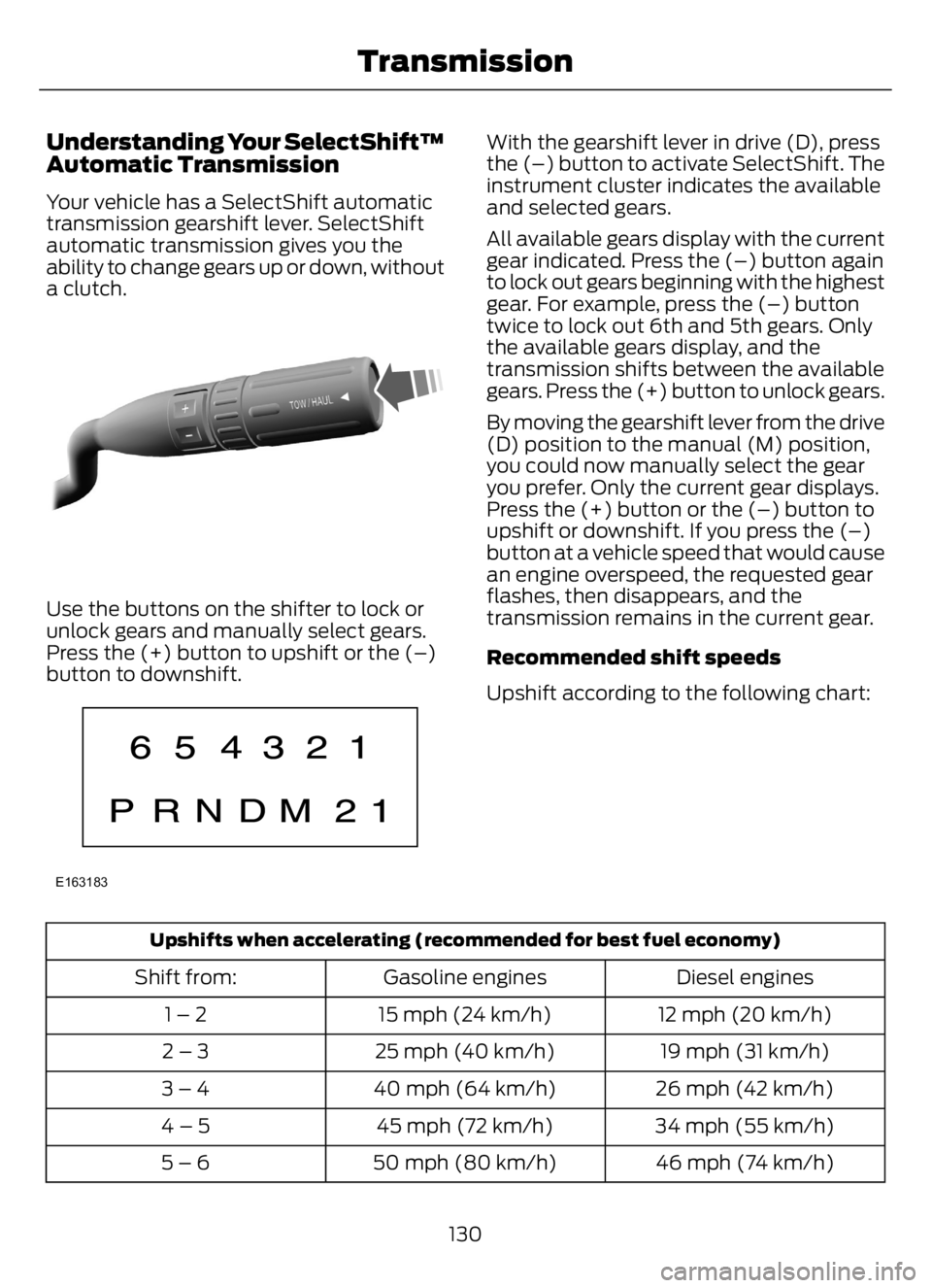
Your vehicle has a SelectShift automatic
transmission gearshift lever. SelectShift
automatic transmission gives you the
ability to change gears up or down, without
a clutch.
E318028E318028
Use the buttons on the shifter to lock or
unlock gears and manually select gears.
Press the (+) button to upshift or the (…)
button to downshift.
E163183
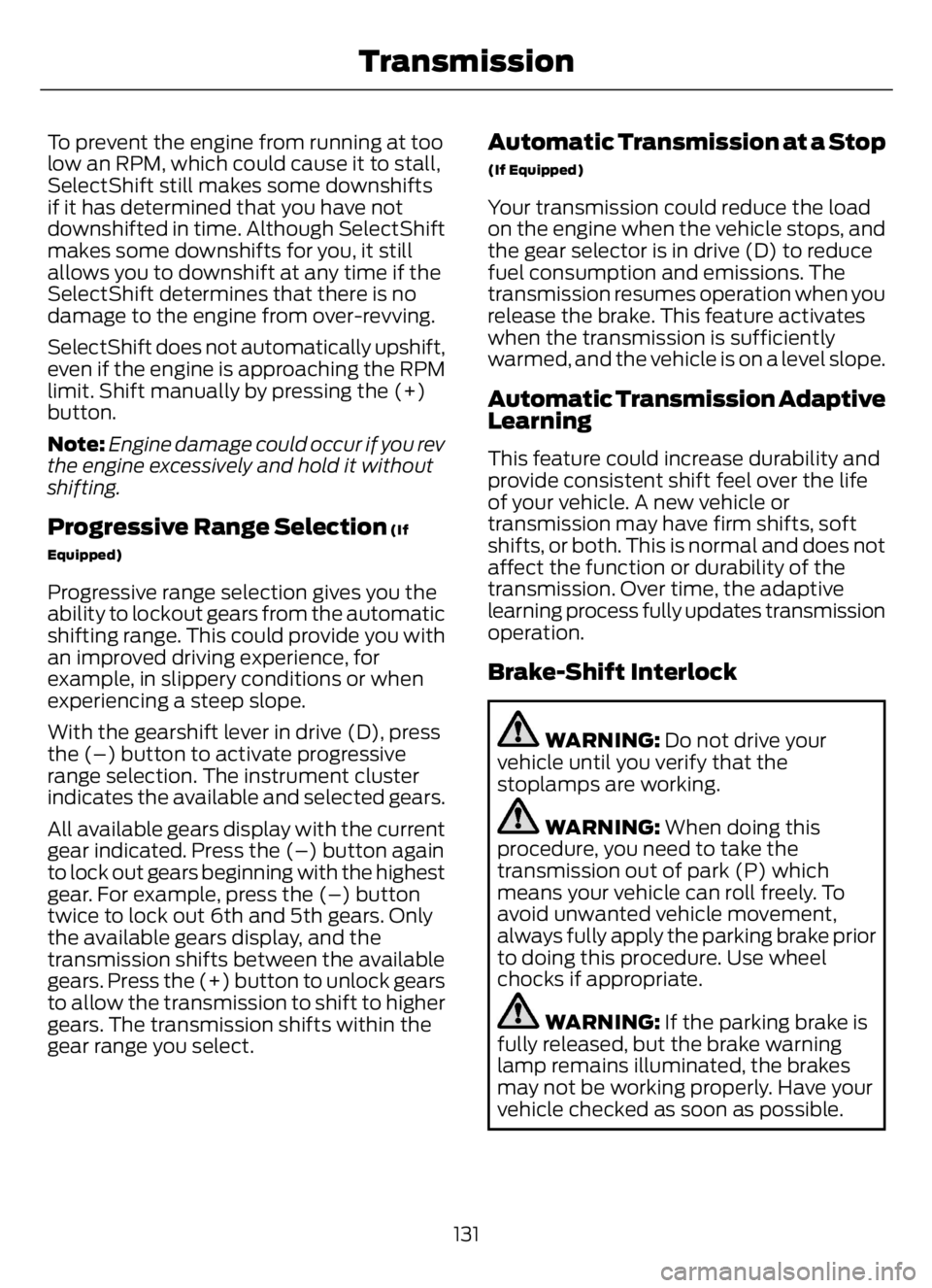
With the gearshift lever in drive (D), press
the (–) button to activate SelectShift. The
instrument cluster indicates the available
and selected gears.
All available gears display with the current
gear indicated. Press the (–) button again
to lock out gears beginning with the highest
gear. For example, press the (–) button
twice to lock out 6th and 5th gears. Only
the available gears display, and the
transmission shifts between the available
gears. Press the (+) button to unlock gears.
By moving the gearshift lever from the drive
(D) position to the manual (M) position,
you could now manually select the gear
you prefer. Only the current gear displays.
Press the (+) button or the (–) button to
upshift or downshift. If you press the (–)
button at a vehicle speed that would cause
an engine overspeed, the requested gear
flashes, then disappears, and the
transmission remains in the current gear.
Recommended shift speeds
Upshift according to the following chart:
Upshifts when accelerating (recommended for best fuel economy)
Diesel engines Gasoline engines Shift from:
12 mph (20 km/h) 15 mph (24 km/h) 1 – 2
19 mph (31 km/h) 25 mph (40 km/h) 2 – 3
26 mph (42 km/h) 40 mph (64 km/h) 3 – 4
34 mph (55 km/h) 45 mph (72 km/h) 4 – 5
46 mph (74 km/h) 50 mph (80 km/h) 5 – 6
130
Transmission
Page 135 of 378
To prevent the engine from running at too
low an RPM, which could cause it to stall,
SelectShift still makes some downshifts
if it has determined that you have not
downshifted in time. Although SelectShift
makes some downshifts for you, it still
allows you to downshift at any time if the
SelectShift determines that there is no
damage to the engine from over-revving.
SelectShift does not automatically upshift,
even if the engine is approaching the RPM
limit. Shift manually by pressing the (+)
button.
Note:Engine damage could occur if you rev
the engine excessively and hold it without
shifting.
Progressive Range Selection (If
Equipped)
Progressive range selection gives you the
ability to lockout gears from the automatic
shifting range. This could provide you with
an improved driving experience, for
example, in slippery conditions or when
experiencing a steep slope.
With the gearshift lever in drive (D), press
the (–) button to activate progressive
range selection. The instrument cluster
indicates the available and selected gears.
All available gears display with the current
gear indicated. Press the (–) button again
to lock out gears beginning with the highest
gear. For example, press the (–) button
twice to lock out 6th and 5th gears. Only
the available gears display, and the
transmission shifts between the available
gears. Press the (+) button to unlock gears
to allow the transmission to shift to higher
gears. The transmission shifts within the
gear range you select.
Automatic Transmission at a Stop
(If Equipped)
Your transmission could reduce the load
on the engine when the vehicle stops, and
the gear selector is in drive (D) to reduce
fuel consumption and emissions. The
transmission resumes operation when you
release the brake. This feature activates
when the transmission is sufficiently
warmed, and the vehicle is on a level slope.
Automatic Transmission Adaptive
Learning
This feature could increase durability and
provide consistent shift feel over the life
of your vehicle. A new vehicle or
transmission may have firm shifts, soft
shifts, or both. This is normal and does not
affect the function or durability of the
transmission. Over time, the adaptive
learning process fully updates transmission
operation.
Brake-Shift Interlock
WARNING: Do not drive your
vehicle until you verify that the
stoplamps are working.
WARNING: When doing this
procedure, you need to take the
transmission out of park (P) which
means your vehicle can roll freely. To
avoid unwanted vehicle movement,
always fully apply the parking brake prior
to doing this procedure. Use wheel
chocks if appropriate.
WARNING: If the parking brake is
fully released, but the brake warning
lamp remains illuminated, the brakes
may not be working properly. Have your
vehicle checked as soon as possible.
131
Transmission
Page 142 of 378
E209041
If the system is disabled, normal
braking is still effective. If the
brake warning lamp illuminates
with the parking brake released, have the
system checked immediately. It also
momentarily illuminates when you switch
the ignition on to confirm the lamp is
functional. If it does not illuminate when
you switch the ignition on, or begins to
flash at any time, have the system
checked.
HINTS ON DRIVING WITH
ANTI-LOCK BRAKES
The anti-lock brake system does not
eliminate the risks when:
• You drive too closely to the vehicle in
front of you.
• Your vehicle is hydroplaning.
• You take corners too fast.
• The road surface is poor.
Note: If the system activates, the brake
pedal could pulse and may travel further.
Maintain pressure on the brake pedal. You
may also hear a noise from the system. This
is normal.
PARKING BRAKE
Hydraulic Brakes (If Equipped)
WARNING: Always set the parking
brake and leave your vehicle with the
transmission in park (P).
WARNING: This control is for
parking only. Do not leave the vehicle
unattended after setting the parking
brake without placing the transmission
in park (P). We recommend using wheel
chocks for hilly or off-road
circumstances.
WARNING: Unexpected and
possibly sudden vehicle movement may
occur if you do not take these
precautions.
WARNING: If the parking brake is
fully released, but the brake warning
lamp remains illuminated, the brakes
may not be working properly. Have your
vehicle checked as soon as possible.
Apply the parking brake whenever the
vehicle is parked. To set the parking brake,
pull the handle up until it snaps into the
locked position.
When the parking brake is out of
adjustment, seek service immediately.
E208810
The parking brake warning lamp
in the instrument cluster
illuminates, and remains
illuminated (when you switch on the
ignition), until you release the parking
brake.
E210347
138
Brakes
Page 148 of 378
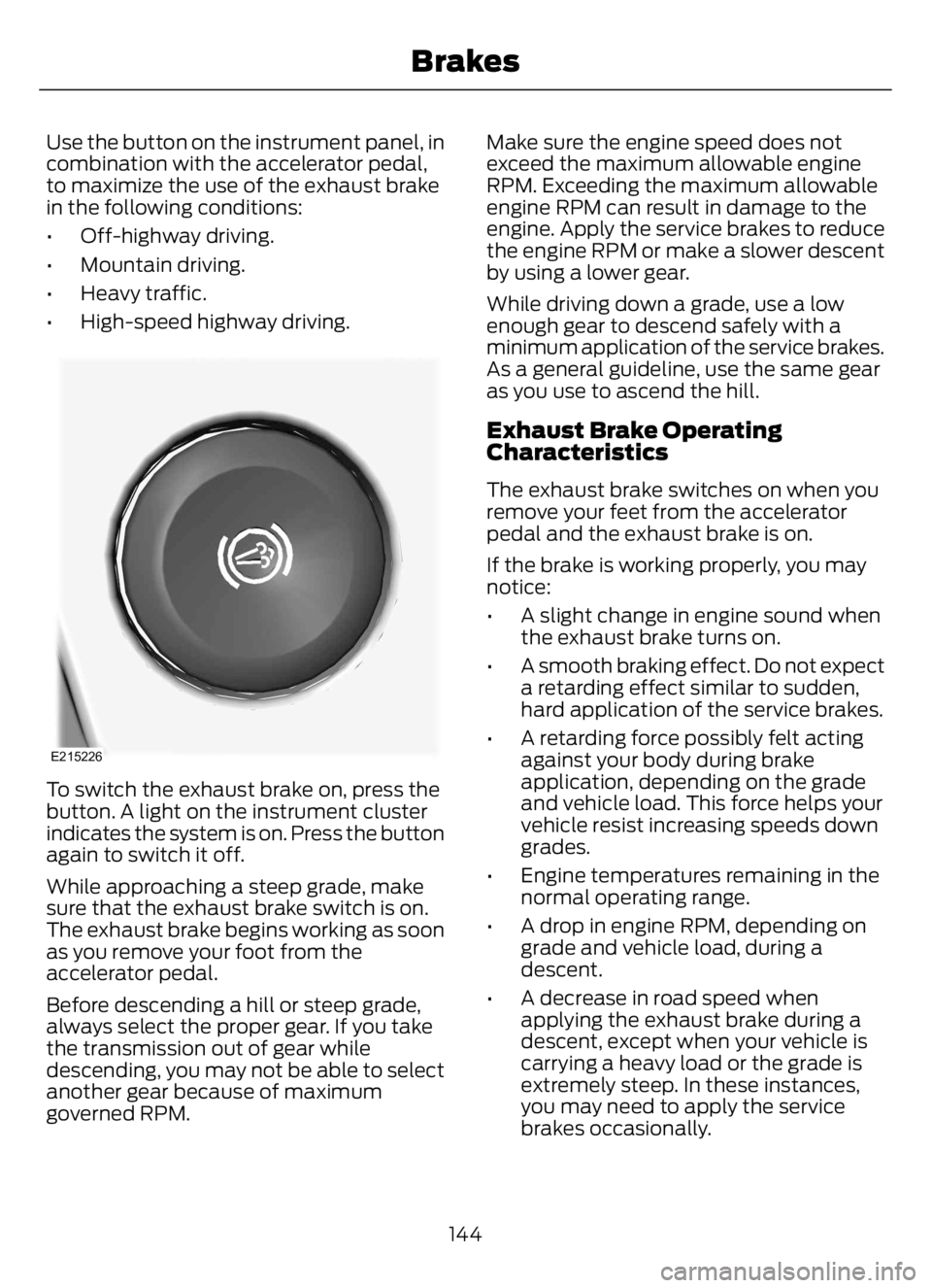
Use the button on the instrument panel, in
combination with the accelerator pedal,
to maximize the use of the exhaust brake
in the following conditions:
• Off-highway driving.
• Mountain driving.
• Heavy traffic.
• High-speed highway driving.
E215226
To switch the exhaust brake on, press the
button. A light on the instrument cluster
indicates the system is on. Press the button
again to switch it off.
While approaching a steep grade, make
sure that the exhaust brake switch is on.
The exhaust brake begins working as soon
as you remove your foot from the
accelerator pedal.
Before descending a hill or steep grade,
always select the proper gear. If you take
the transmission out of gear while
descending, you may not be able to select
another gear because of maximum
governed RPM.Make sure the engine speed does not
exceed the maximum allowable engine
RPM. Exceeding the maximum allowable
engine RPM can result in damage to the
engine. Apply the service brakes to reduce
the engine RPM or make a slower descent
by using a lower gear.
While driving down a grade, use a low
enough gear to descend safely with a
minimum application of the service brakes.
As a general guideline, use the same gear
as you use to ascend the hill.
Exhaust Brake Operating
Characteristics
The exhaust brake switches on when you
remove your feet from the accelerator
pedal and the exhaust brake is on.
If the brake is working properly, you may
notice:
• A slight change in engine sound when
the exhaust brake turns on.
• A smooth braking effect. Do not expect
a retarding effect similar to sudden,
hard application of the service brakes.
• A retarding force possibly felt acting
against your body during brake
application, depending on the grade
and vehicle load. This force helps your
vehicle resist increasing speeds down
grades.
• Engine temperatures remaining in the
normal operating range.
• A drop in engine RPM, depending on
grade and vehicle load, during a
descent.
• A decrease in road speed when
applying the exhaust brake during a
descent, except when your vehicle is
carrying a heavy load or the grade is
extremely steep. In these instances,
you may need to apply the service
brakes occasionally.
144
Brakes
Page 153 of 378
PRINCIPLE OF OPERATION
The traction control system helps avoid
drive wheel spin and loss of traction.
If your vehicle begins to slide, the system
applies the brakes to individual wheels
and, when needed, reduces engine power
at the same time. If the wheels spin when
accelerating on slippery or loose surfaces,
the system reduces engine power in order
to increase traction.
Note:The system does not apply the brakes
when vehicle speed is above 25 mph
(40 km/h).
USING TRACTION CONTROL -
VEHICLES WITH: AIR BRAKES
WARNING: Operating your vehicle
with the traction control disabled could
lead to an increased risk of loss of vehicle
control, vehicle rollover, personal injury
and death.
E330660E330660
Press the TCS Off button on the
instrument panel to enable the
mud/snow mode.
This is beneficial when your vehicle is stuck
in snow or on a slippery road surface. This
mode allows wheel spin to dig your vehicle
out and allows you to rock your vehicle.
Press the switch again to select standard
traction control. The system automatically
selects standard traction control at the
next ignition cycle.
System Indicator Light
Note:If the traction control light does not
flash during a traction control event or stays
illuminated, the system is not functioning
properly. Take your vehicle to an authorized
dealer for service.During traction control operation, the
traction control light flashes rapidly and
the engine does not rev-up when you press
further on the accelerator. This is normal
and is no reason for concern.
In mud/snow mode, the TCS OFF light
illuminates on the instrument cluster. If a
traction event occurs in either mode, the
stability and traction control light flashes
rapidly.
USING TRACTION CONTROL -
VEHICLES WITH: HYDRAULIC
BRAKES
WARNING: Operating your vehicle
with the traction control disabled could
lead to an increased risk of loss of vehicle
control, vehicle rollover, personal injury
and death.
The system turns on each time you switch
the ignition on.
E330660E330660
Use the traction control button
on the instrument panel to
switch the system off or on.
If your vehicle is stuck in mud or snow,
switching traction control off is beneficial
as this allows the wheels to spin.
Press the button again to switch the
traction control system on.
System Indicator Light
Note:If the traction control light does not
flash during a traction control event or stays
on, the system is not operating. Have the
system checked as soon as possible.
During a traction control event, the traction
control light rapidly flashes. Pressing
further on the accelerator does not cause
the engine to rev higher. This is normal and
is no reason for concern.
149
Traction Control
Page 154 of 378
When the system turns the traction control
off, the OFF light illuminates on the
instrument cluster. If a traction event
occurs in either mode, the stability and
traction control light rapidly flashes.
150
Traction Control