display FORD FIESTA 2014 Owners Manual
[x] Cancel search | Manufacturer: FORD, Model Year: 2014, Model line: FIESTA, Model: FORD FIESTA 2014Pages: 398, PDF Size: 6.09 MB
Page 5 of 398
Windshield Washers.....................................65
Rear Window Wiper and Washers..........66
Lighting
General Information......................................67
Lighting Control
..............................................67
Autolamps
........................................................68
Instrument Lighting Dimmer.....................68
Headlamp Exit Delay....................................69
Daytime Running Lamps
............................69
Front Fog Lamps............................................69
Direction Indicators
.......................................69
Interior Lamps.................................................70
Ambient Lighting
.............................................71
Windows and Mirrors
Power Windows..............................................72
Global Opening and Closing......................73
Exterior Mirrors
................................................74
Interior Mirror
....................................................75
Moonroof...........................................................76
Instrument Cluster
Gauges................................................................77
Warning Lamps and Indicators.................78
Warning Lamps and Indicators - 1.6L EcoBoost™
...................................................81
Audible Warnings and Indicators.............84
Information Displays
General Information
.....................................85
Clock...................................................................88
Trip Computer
.................................................88
Personalized Settings
..................................89
Information Messages
.................................89
Climate Control
Principle of Operation...................................97
Air Vents
.............................................................97 Manual Climate Control..............................98
Automatic Climate Control........................99
Hints on Controlling the Interior
Climate........................................................100
Heated Windows and Mirrors..................103
Cabin Air Filter...............................................103
Seats
Sitting in the Correct Position
..................105
Head Restraints............................................105
Manual Seats.................................................107
Rear Seats
......................................................108
Heated Seats.................................................109
Auxiliary Power Points
Auxiliary Power Points..................................111
Cigar Lighter
......................................................111
Storage Compartments
Cup Holders
.....................................................112
Starting and Stopping the Engine
General Information.....................................113
Ignition Switch................................................113
Keyless Starting
..............................................113
Starting a Gasoline Engine.........................115
Switching Off the Engine............................116
Engine Block Heater.....................................116
Fuel and Refueling
Safety Precautions.......................................118
Fuel Quality
......................................................119
Running Out of Fuel
.....................................119
Refueling..........................................................120
Fuel Consumption
........................................122
Emission Control System...........................123
Transmission
Manual Transmission
..................................126
2
Fiesta (CCT) Vehicles Built From: 01-04-2013, Vehicles Built Up To: 31-12-2013 Table of Contents
ProCarManuals.com
Page 7 of 398
Under Hood Overview - 1.6L
EcoBoost™..................................................181
Engine Oil Dipstick - 1.0L EcoBoost™.................................................182
Engine Oil Dipstick - 1.6L Duratec-16V Ti-VCT (88kW/120PS) - Sigma.........182
Engine Oil Dipstick - 1.6L EcoBoost™.................................................182
Engine Oil Check...........................................182
Engine Coolant Check................................183
Automatic Transmission Fluid Check............................................................185
Brake Fluid Check
.........................................185
Power Steering Fluid Check.....................185
Fuel Filter.........................................................186
Washer Fluid Check.....................................186
Changing the 12V Battery..........................186
Checking the Wiper Blades......................186
Changing the Wiper Blades
.....................186
Changing the Engine Air Filter
..................187
Adjusting the Headlamps.........................188
Removing a Headlamp..............................189
Changing a Bulb - Vehicles With: 4-Door..........................................................190
Changing a Bulb - Vehicles With: 5-Door..........................................................195
Bulb Specification Chart
...........................199
Technical Specifications - 1.0L EcoBoost™...............................................200
Technical Specifications - 1.6L EcoBoost™.................................................201
Technical Specifications - 1.6L Duratec-16V Ti-VCT (Sigma)
.............202
Vehicle Care
Cleaning Products
.......................................204
Cleaning the Exterior..................................204
Waxing.............................................................205
Cleaning the Engine...................................205
Cleaning the Windows and Wiper Blades.........................................................206
Cleaning the Interior...................................206 Repairing Minor Paint Damage
...............207
Cleaning the Instrument Panel and Instrument Cluster Lens
.......................207
Cleaning Leather Seats.............................208
Cleaning the Alloy Wheels.......................208
Vehicle Storage
............................................209
Wheels and Tires
General Information
.....................................211
Tire Care
............................................................211
Using Winter Tires.......................................226
Using Snow Chains.....................................226
Tire Pressure Monitoring System...........226
Changing a Road Wheel...........................230
Technical Specifications...........................234
Capacities and Specific- ations
Engine Specifications.................................235
Motorcraft Parts
...........................................236
Vehicle Identification Number
................237
Vehicle Certification Label........................237
Transmission Code Designation............238
Accessories
Accessories....................................................239
Ford Extended Service Plan (ESP)
Ford Extended Service Plan (ESP)........241
Audio System
General Information
...................................244
Audio unit - Vehicles With: AM/FM/CD.................................................245
Audio unit - Vehicles With: AM/FM/CD/SYNC..................................249
Audio unit - Vehicles With: Touchscreen Display.........................................................254
Audio unit - Vehicles With: Sony Audio System/Touchscreen Display.............255
4
Fiesta (CCT) Vehicles Built From: 01-04-2013, Vehicles Built Up To: 31-12-2013 Table of Contents
ProCarManuals.com
Page 51 of 398
PRINCIPLE OF OPERATION
MyKey allows you to program keys with
restricted driving modes to promote good
driving habits. All but one of the keys
programmed to the vehicle can be
activated with these restricted modes.
Any keys that have not been programmed
are referred to as administrator keys or
admin keys. These can be used to:
•
Create a MyKey
• Program configurable MyKey settings
• Clear all MyKey features
When you have programmed a MyKey, you
can access the following information using
the information display:
• How many admin keys and MyKeys are
programmed to your vehicle.
• The total distance your vehicle has
traveled using any MyKey.
Note: All MyKeys are programmed to the
same settings. You cannot program them
individually.
If a MyKey and an admin key are present,
your vehicle will recognize the admin key
only.
Note: For vehicles with intelligent access
key (push button start) keyless start, when
both a MyKey and an admin intelligent
access key (fob) are present, the admin fob
will be recognized by the vehicle to start the
engine.
Non-configurable Settings
The following settings cannot be changed
by an admin key user:
• Belt-minder. You cannot disable this
feature. The audio system will mute
when the front seat occupants' safety
belts are not fastened.
• Early low fuel. The low-fuel warning
activates earlier, giving the MyKey user
more time to refuel. •
Driver assist features, if equipped on
your vehicle, are forced on: parking aid,
blind spot information system (BLIS)
with cross traffic alert, lane departure
warning and forward collision warning
system.
• Satellite radio adult content
restrictions.
Configurable Settings
With an admin key, you can configure
certain MyKey settings when you first
create a MyKey and before you recycle the
key or restart the vehicle. You can also
change the settings afterward with an
admin key:
• Vehicle speed limits can be set.
Warnings will be shown in the display
followed by an audible tone when your
vehicle reaches the set speed. You
cannot override the set speed by fully
depressing the accelerator pedal.
• Vehicle speed minders of 45, 55 or 65
mph (75, 90 or 105 km/h). Once you
select a speed it will be shown in the
display followed by an audible tone
when the set vehicle speed is
exceeded.
• Audio system maximum volume of
45%. A message will be shown in the
display when you attempt to exceed
the limited volume. Also, the speed
sensitive compensated volume
(automatic volume control) feature
will be disabled.
• Always on setting. When this is
selected you will not be able to disable
AdvanceTrac, 911 Assist or the do not
disturb feature (if your vehicle is
equipped with these features).
CREATING A MYKEY
Use the information display to create a
MyKey.
48
Fiesta (CCT) Vehicles Built From: 01-04-2013, Vehicles Built Up To: 31-12-2013 MyKey
™ (If Equipped)
ProCarManuals.com
Page 52 of 398
1.
Insert the key you want to program into
the ignition or, if the vehicle has push
button start, hold the intelligent access
key or fob next to the steering column.
2. Using the information display controls,
access the main menu and select
Settings, then MyKey by pressing OK
or the right arrow button.
3. Press
OK to select Create MyKey.
4. When prompted, hold the
OK button
until you see a message informing you
to label this key as a MyKey. The key
will be restricted at the next start.
MyKey is successfully created. Make sure
you label it so you can distinguish it from
the admin keys.
You can program configurable settings for
the key(s). Refer to
Programming or
Changing Configurable Settings.
Programming or Changing
Configurable Settings
Use the information display to access your
configurable MyKey settings.
1. Switch the ignition on using an admin key. If the vehicle has push-button
start, hold an intelligent access admin
key or fob next to the steering column
and use the push-button start to
switch the ignition on.
2. Access the main menu and select Settings
, then MyKey by pressing OK
or the right arrow key.
3. Use the arrow buttons to get to a configurable feature.
4. Press
OK or the right arrow button to
make a selection.
Note: You can clear or change your MyKey
settings at any time during the same key
cycle as you created the MyKey. If you
switch the ignition off, however, you will
need to use an admin key to clear your
MyKeys. CLEARING ALL MYKEYS
You can clear all MyKeys within the same
key cycle as you created the MyKey. If you
switch your ignition off, however, you will
need to use an admin key to clear your
MyKeys.
Note:
When you clear your MyKeys, you
remove all restrictions and return all MyKeys
to their original admin key status at once.
To clear all MyKeys of all MyKey settings,
use the information display to do the
following:
1. Access the main menu and select Settings
, then MyKey.
2. Scroll to
Clear MyKey and press the
OK button.
3. Hold the
OK button until ALL
MYKEYS CLEARED displays.
CHECKING MYKEY SYSTEM
STATUS
You can find information about your
programmed MyKeys by using the
information display.
MyKey Distance
Tracks the distance when drivers use a
MyKey. The only way to delete the
accumulated distance is by using an admin
key to clear your MyKey. If the distance
does not accumulate as expected, then
the intended user is not using the MyKey,
or an admin key user recently cleared and
then recreated a MyKey.
Number of MyKeys
Indicates the number of MyKeys
programmed to your vehicle. Use this
feature to detect how many MyKeys you
have for your vehicle and determine when
a MyKey has been deleted.
49
Fiesta (CCT) Vehicles Built From: 01-04-2013, Vehicles Built Up To: 31-12-2013 MyKey
™
(If Equipped)
ProCarManuals.com
Page 63 of 398
PASSIVE ANTI-THEFT
SYSTEM
Note:
The system is not compatible with
non-Ford aftermarket remote start systems.
Use of these systems may result in vehicle
starting problems and a loss of security
protection.
Note: Metallic objects, electronic devices
or a second coded key on the same key
chain may cause vehicle starting problems
if they are too close to the key when starting
the engine. Prevent these objects from
touching the coded key while starting the
engine. Switch the ignition off, move all
objects on the key chain away from the
coded key and restart the engine if a
problem occurs.
Note: Do not leave a duplicate coded key
in the vehicle. Always take your keys and
lock all doors when leaving the vehicle.
SecuriLock®
The system is an engine immobilization
system. It is designed to help prevent the
engine from being started unless a coded
key programmed to your vehicle is used.
Using the wrong key may prevent the
engine from starting. A message may
appear in the information display.
If you are unable to start the engine with a
correctly coded key, a malfunction has
happened and a message may appear in
the information display.
Automatic Arming
The vehicle arms immediately after you
switch the ignition off.
Automatic Disarming
Switching the ignition on with a coded key
disarms the vehicle. Replacement Keys
Note:
Your vehicle comes equipped with
two integrated keyhead transmitters or two
intelligent access keys.
The integrated keyhead transmitter
functions as a programmed ignition key
that operates all the locks and starts the
vehicle, as well as a remote control.
The intelligent access key functions as a
programmed key that operates the driver
door lock and activates the intelligent
access with push button start system, as
well as a remote control.
If your programmed transmitters or
standard SecuriLock coded keys
(integrated keyhead transmitters only) are
lost or stolen and you do not have an extra
coded key, you will need to have your
vehicle towed to an authorized dealer. You
need to erase the key codes from your
vehicle and program new coded keys.
Store an extra programmed key away from
the vehicle in a safe place to help prevent
any inconveniences. See your authorized
dealer to purchase additional spare or
replacement keys.
Programming a Spare Integrated
Keyhead Transmitter
Note: You can program a maximum of eight
coded keys to your vehicle. All eight can be
integrated keyhead transmitters.
You can program your own integrated
keyhead transmitter or standard
SecuriLock coded keys to your vehicle. This
procedure will program both the engine
immobilizer keycode and the remote entry
portion of the remote control to your
vehicle
Only use integrated keyhead transmitters
or standard SecuriLock keys.
60
Fiesta (CCT) Vehicles Built From: 01-04-2013, Vehicles Built Up To: 31-12-2013 SecurityProCarManuals.com
Page 80 of 398
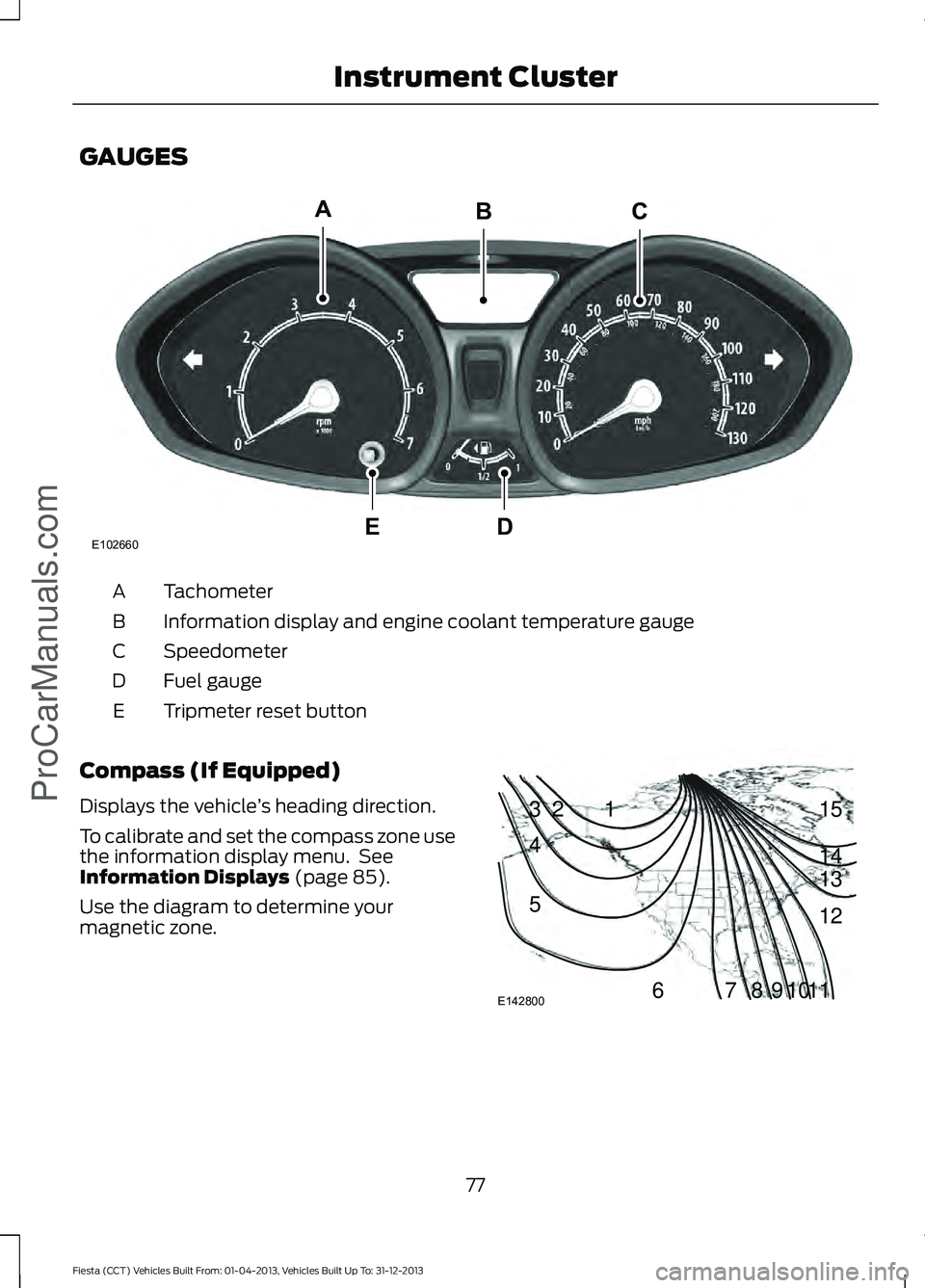
GAUGES
Tachometer
A
Information display and engine coolant temperature gauge
B
Speedometer
C
Fuel gauge
D
Tripmeter reset button
E
Compass (If Equipped)
Displays the vehicle ’s heading direction.
To calibrate and set the compass zone use
the information display menu. See
Information Displays (page 85).
Use the diagram to determine your
magnetic zone. 77
Fiesta (CCT) Vehicles Built From: 01-04-2013, Vehicles Built Up To: 31-12-2013 Instrument Cluster
ProCarManuals.comE102660
CA
DE
B 1
2
3
4
5
678910 1112 13 14 15
E142800
Page 81 of 398
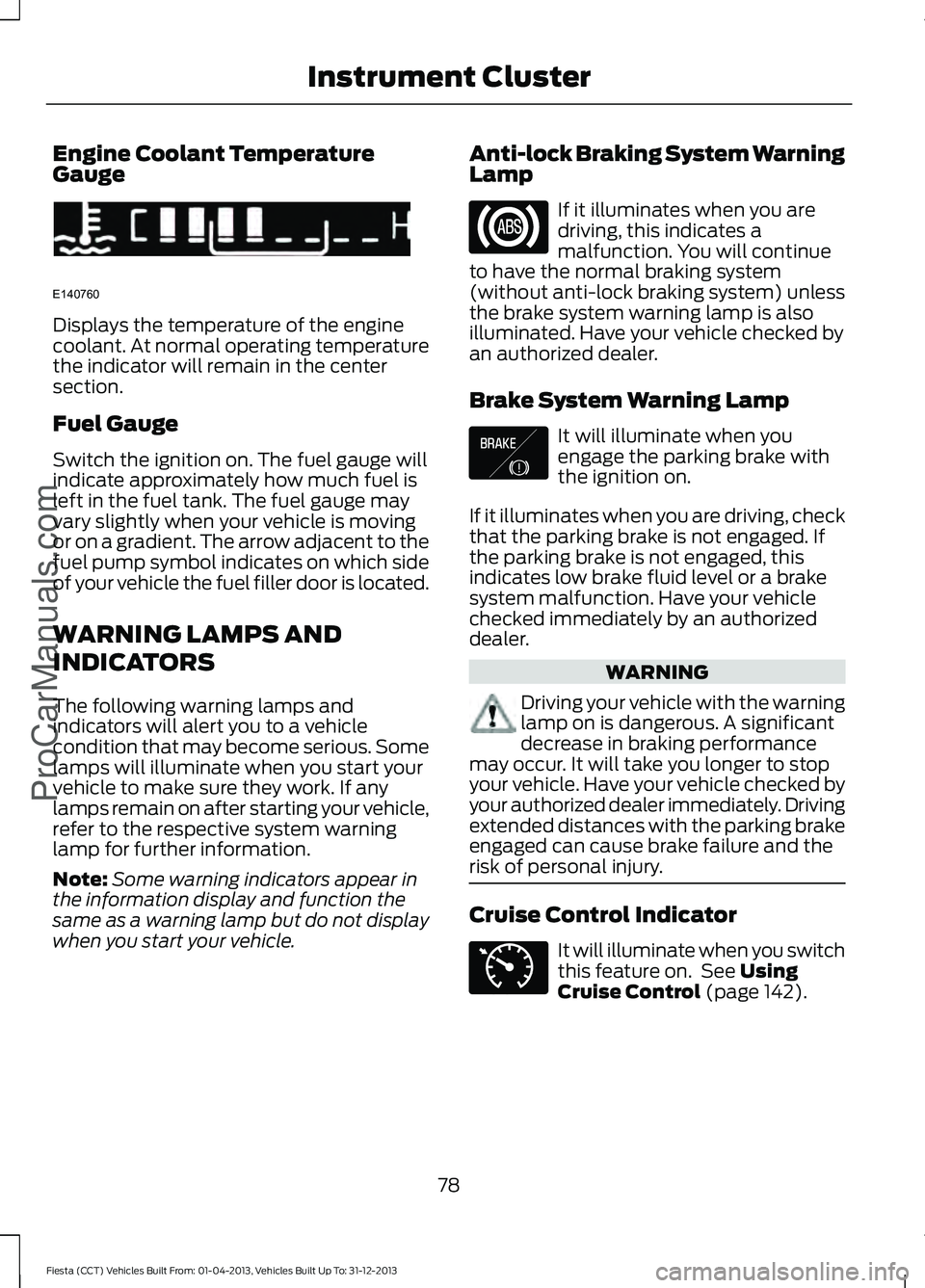
Engine Coolant Temperature
Gauge
Displays the temperature of the engine
coolant. At normal operating temperature
the indicator will remain in the center
section.
Fuel Gauge
Switch the ignition on. The fuel gauge will
indicate approximately how much fuel is
left in the fuel tank. The fuel gauge may
vary slightly when your vehicle is moving
or on a gradient. The arrow adjacent to the
fuel pump symbol indicates on which side
of your vehicle the fuel filler door is located.
WARNING LAMPS AND
INDICATORS
The following warning lamps and
indicators will alert you to a vehicle
condition that may become serious. Some
lamps will illuminate when you start your
vehicle to make sure they work. If any
lamps remain on after starting your vehicle,
refer to the respective system warning
lamp for further information.
Note:
Some warning indicators appear in
the information display and function the
same as a warning lamp but do not display
when you start your vehicle. Anti-lock Braking System Warning
Lamp If it illuminates when you are
driving, this indicates a
malfunction. You will continue
to have the normal braking system
(without anti-lock braking system) unless
the brake system warning lamp is also
illuminated. Have your vehicle checked by
an authorized dealer.
Brake System Warning Lamp It will illuminate when you
engage the parking brake with
the ignition on.
If it illuminates when you are driving, check
that the parking brake is not engaged. If
the parking brake is not engaged, this
indicates low brake fluid level or a brake
system malfunction. Have your vehicle
checked immediately by an authorized
dealer. WARNING
Driving your vehicle with the warning
lamp on is dangerous. A significant
decrease in braking performance
may occur. It will take you longer to stop
your vehicle. Have your vehicle checked by
your authorized dealer immediately. Driving
extended distances with the parking brake
engaged can cause brake failure and the
risk of personal injury. Cruise Control Indicator
It will illuminate when you switch
this feature on. See Using
Cruise Control (page 142).
78
Fiesta (CCT) Vehicles Built From: 01-04-2013, Vehicles Built Up To: 31-12-2013 Instrument Cluster
ProCarManuals.comE140760 E138644 E71340
Page 83 of 398
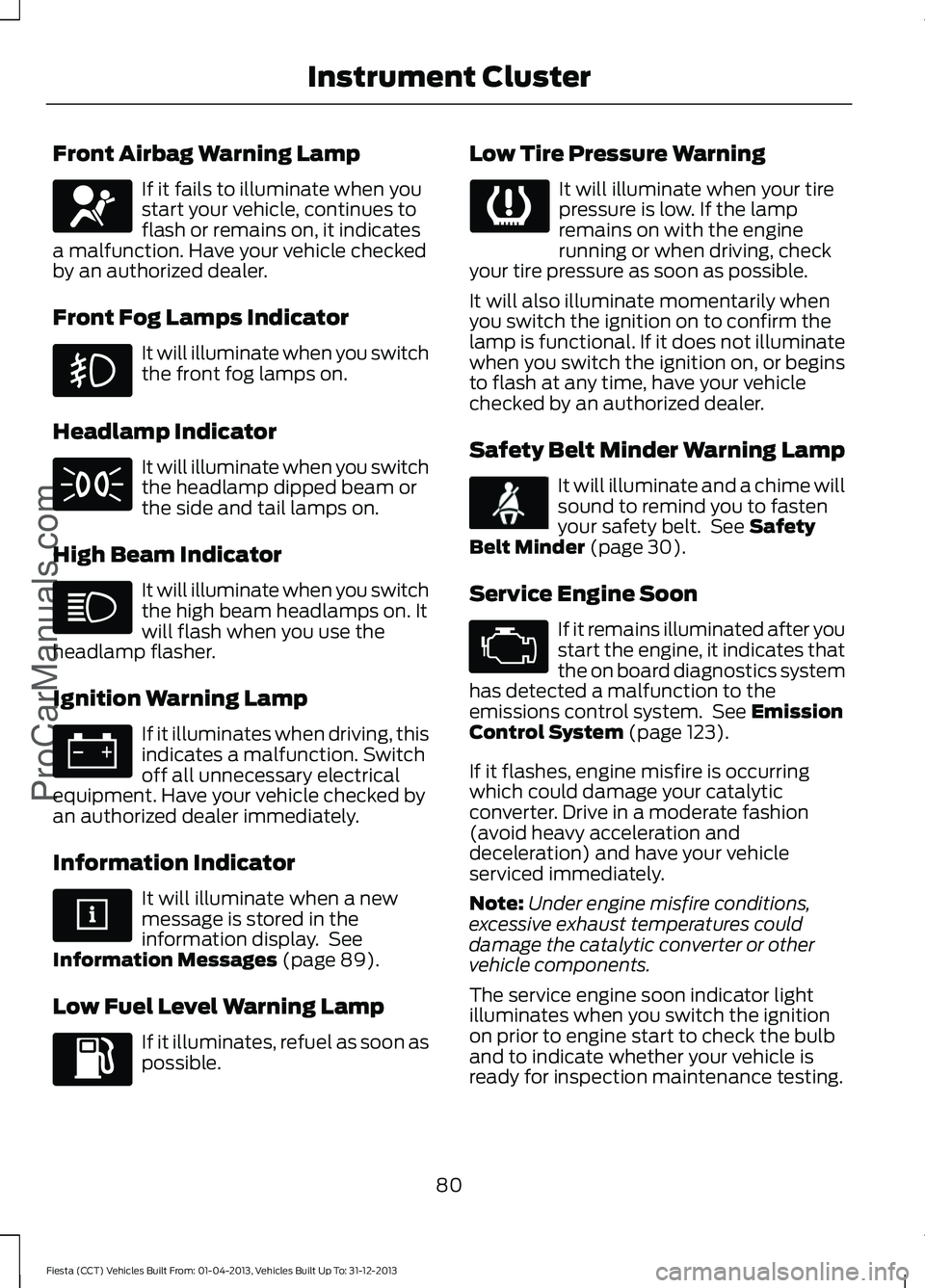
Front Airbag Warning Lamp
If it fails to illuminate when you
start your vehicle, continues to
flash or remains on, it indicates
a malfunction. Have your vehicle checked
by an authorized dealer.
Front Fog Lamps Indicator It will illuminate when you switch
the front fog lamps on.
Headlamp Indicator It will illuminate when you switch
the headlamp dipped beam or
the side and tail lamps on.
High Beam Indicator It will illuminate when you switch
the high beam headlamps on. It
will flash when you use the
headlamp flasher.
Ignition Warning Lamp If it illuminates when driving, this
indicates a malfunction. Switch
off all unnecessary electrical
equipment. Have your vehicle checked by
an authorized dealer immediately.
Information Indicator It will illuminate when a new
message is stored in the
information display. See
Information Messages (page 89).
Low Fuel Level Warning Lamp If it illuminates, refuel as soon as
possible. Low Tire Pressure Warning It will illuminate when your tire
pressure is low. If the lamp
remains on with the engine
running or when driving, check
your tire pressure as soon as possible.
It will also illuminate momentarily when
you switch the ignition on to confirm the
lamp is functional. If it does not illuminate
when you switch the ignition on, or begins
to flash at any time, have your vehicle
checked by an authorized dealer.
Safety Belt Minder Warning Lamp It will illuminate and a chime will
sound to remind you to fasten
your safety belt. See
Safety
Belt Minder (page 30).
Service Engine Soon If it remains illuminated after you
start the engine, it indicates that
the on board diagnostics system
has detected a malfunction to the
emissions control system. See
Emission
Control System (page 123).
If it flashes, engine misfire is occurring
which could damage your catalytic
converter. Drive in a moderate fashion
(avoid heavy acceleration and
deceleration) and have your vehicle
serviced immediately.
Note: Under engine misfire conditions,
excessive exhaust temperatures could
damage the catalytic converter or other
vehicle components.
The service engine soon indicator light
illuminates when you switch the ignition
on prior to engine start to check the bulb
and to indicate whether your vehicle is
ready for inspection maintenance testing.
80
Fiesta (CCT) Vehicles Built From: 01-04-2013, Vehicles Built Up To: 31-12-2013 Instrument Cluster
ProCarManuals.com
Page 84 of 398
Normally, the lamp will remain on until the
engine is cranked, then turn itself off if a
malfunction is not present. However, if
after 15 seconds the lamp flashes eight
times, it means that your vehicle is not
ready for inspection maintenance testing.
See Emission Control System (page 123).
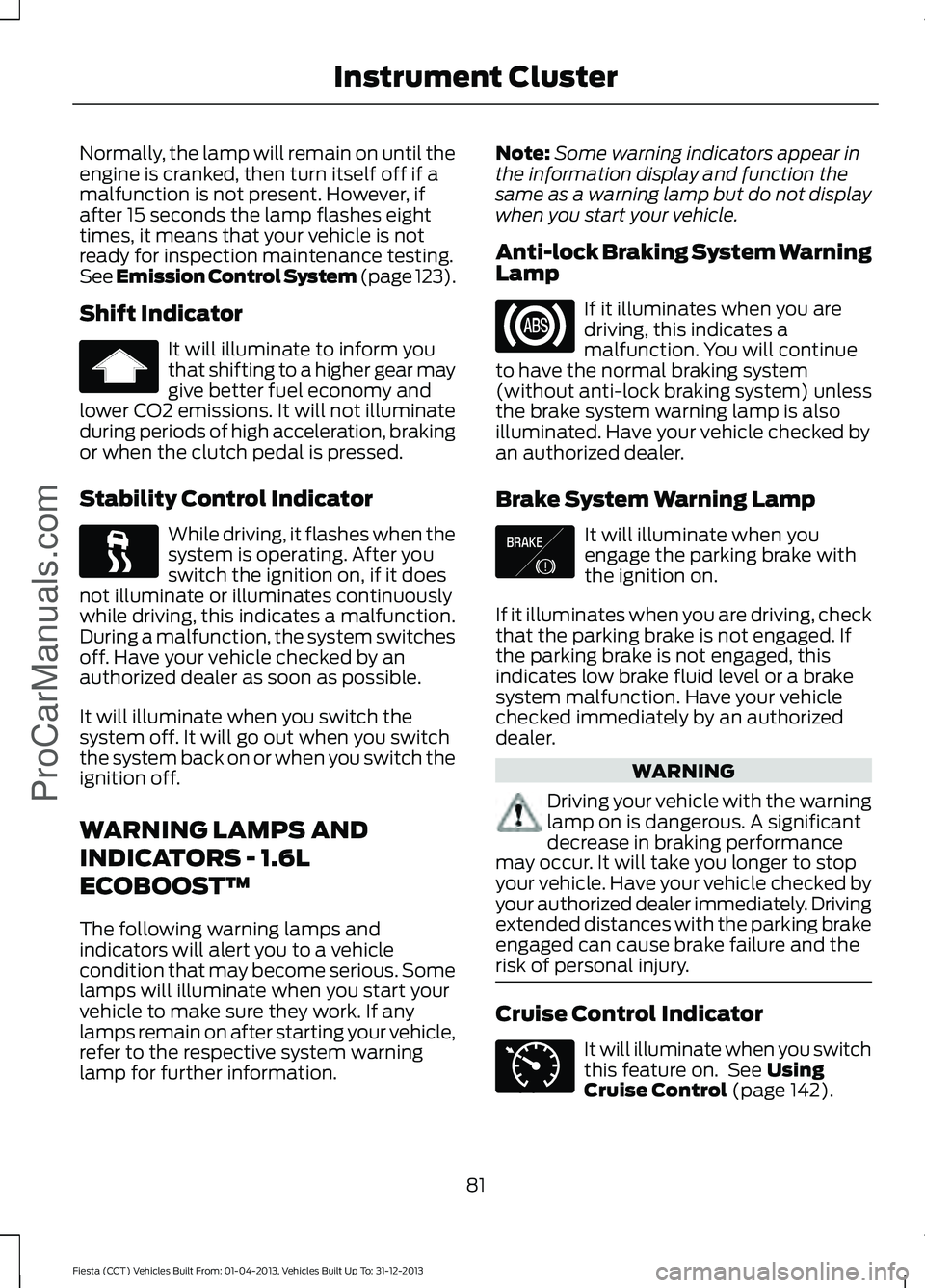
Shift Indicator
It will illuminate to inform you
that shifting to a higher gear may
give better fuel economy and
lower CO2 emissions. It will not illuminate
during periods of high acceleration, braking
or when the clutch pedal is pressed.
Stability Control Indicator While driving, it flashes when the
system is operating. After you
switch the ignition on, if it does
not illuminate or illuminates continuously
while driving, this indicates a malfunction.
During a malfunction, the system switches
off. Have your vehicle checked by an
authorized dealer as soon as possible.
It will illuminate when you switch the
system off. It will go out when you switch
the system back on or when you switch the
ignition off.
WARNING LAMPS AND
INDICATORS - 1.6L
ECOBOOST™
The following warning lamps and
indicators will alert you to a vehicle
condition that may become serious. Some
lamps will illuminate when you start your
vehicle to make sure they work. If any
lamps remain on after starting your vehicle,
refer to the respective system warning
lamp for further information. Note:
Some warning indicators appear in
the information display and function the
same as a warning lamp but do not display
when you start your vehicle.
Anti-lock Braking System Warning
Lamp If it illuminates when you are
driving, this indicates a
malfunction. You will continue
to have the normal braking system
(without anti-lock braking system) unless
the brake system warning lamp is also
illuminated. Have your vehicle checked by
an authorized dealer.
Brake System Warning Lamp It will illuminate when you
engage the parking brake with
the ignition on.
If it illuminates when you are driving, check
that the parking brake is not engaged. If
the parking brake is not engaged, this
indicates low brake fluid level or a brake
system malfunction. Have your vehicle
checked immediately by an authorized
dealer. WARNING
Driving your vehicle with the warning
lamp on is dangerous. A significant
decrease in braking performance
may occur. It will take you longer to stop
your vehicle. Have your vehicle checked by
your authorized dealer immediately. Driving
extended distances with the parking brake
engaged can cause brake failure and the
risk of personal injury. Cruise Control Indicator
It will illuminate when you switch
this feature on. See Using
Cruise Control (page 142).
81
Fiesta (CCT) Vehicles Built From: 01-04-2013, Vehicles Built Up To: 31-12-2013 Instrument Cluster
ProCarManuals.com E138644 E71340
Page 86 of 398
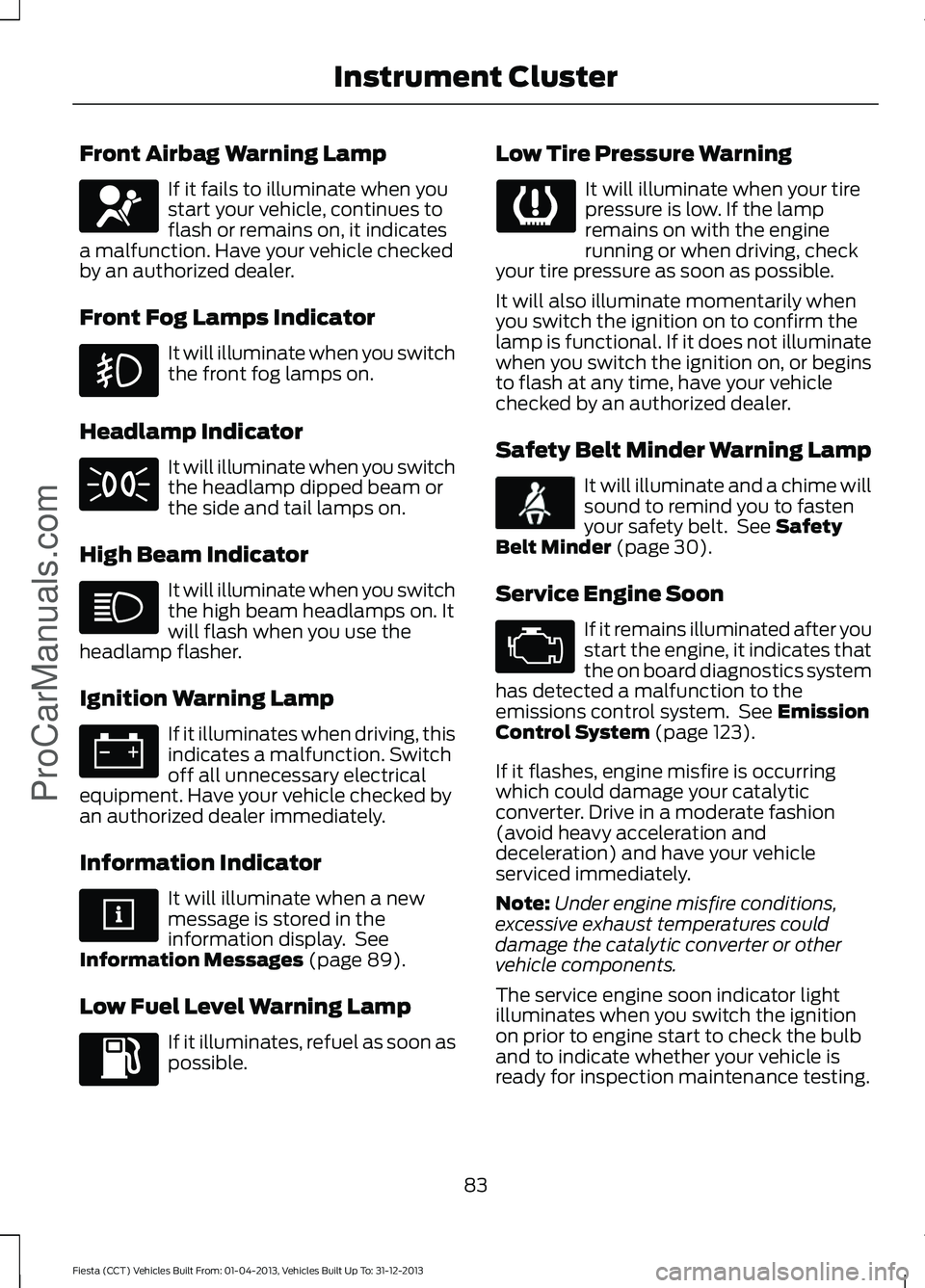
Front Airbag Warning Lamp
If it fails to illuminate when you
start your vehicle, continues to
flash or remains on, it indicates
a malfunction. Have your vehicle checked
by an authorized dealer.
Front Fog Lamps Indicator It will illuminate when you switch
the front fog lamps on.
Headlamp Indicator It will illuminate when you switch
the headlamp dipped beam or
the side and tail lamps on.
High Beam Indicator It will illuminate when you switch
the high beam headlamps on. It
will flash when you use the
headlamp flasher.
Ignition Warning Lamp If it illuminates when driving, this
indicates a malfunction. Switch
off all unnecessary electrical
equipment. Have your vehicle checked by
an authorized dealer immediately.
Information Indicator It will illuminate when a new
message is stored in the
information display. See
Information Messages (page 89).
Low Fuel Level Warning Lamp If it illuminates, refuel as soon as
possible. Low Tire Pressure Warning It will illuminate when your tire
pressure is low. If the lamp
remains on with the engine
running or when driving, check
your tire pressure as soon as possible.
It will also illuminate momentarily when
you switch the ignition on to confirm the
lamp is functional. If it does not illuminate
when you switch the ignition on, or begins
to flash at any time, have your vehicle
checked by an authorized dealer.
Safety Belt Minder Warning Lamp It will illuminate and a chime will
sound to remind you to fasten
your safety belt. See
Safety
Belt Minder (page 30).
Service Engine Soon If it remains illuminated after you
start the engine, it indicates that
the on board diagnostics system
has detected a malfunction to the
emissions control system. See
Emission
Control System (page 123).
If it flashes, engine misfire is occurring
which could damage your catalytic
converter. Drive in a moderate fashion
(avoid heavy acceleration and
deceleration) and have your vehicle
serviced immediately.
Note: Under engine misfire conditions,
excessive exhaust temperatures could
damage the catalytic converter or other
vehicle components.
The service engine soon indicator light
illuminates when you switch the ignition
on prior to engine start to check the bulb
and to indicate whether your vehicle is
ready for inspection maintenance testing.
83
Fiesta (CCT) Vehicles Built From: 01-04-2013, Vehicles Built Up To: 31-12-2013 Instrument Cluster
ProCarManuals.com