shift FORD FIESTA 2015 Owner's Manual
[x] Cancel search | Manufacturer: FORD, Model Year: 2015, Model line: FIESTA, Model: FORD FIESTA 2015Pages: 423, PDF Size: 5.5 MB
Page 262 of 423
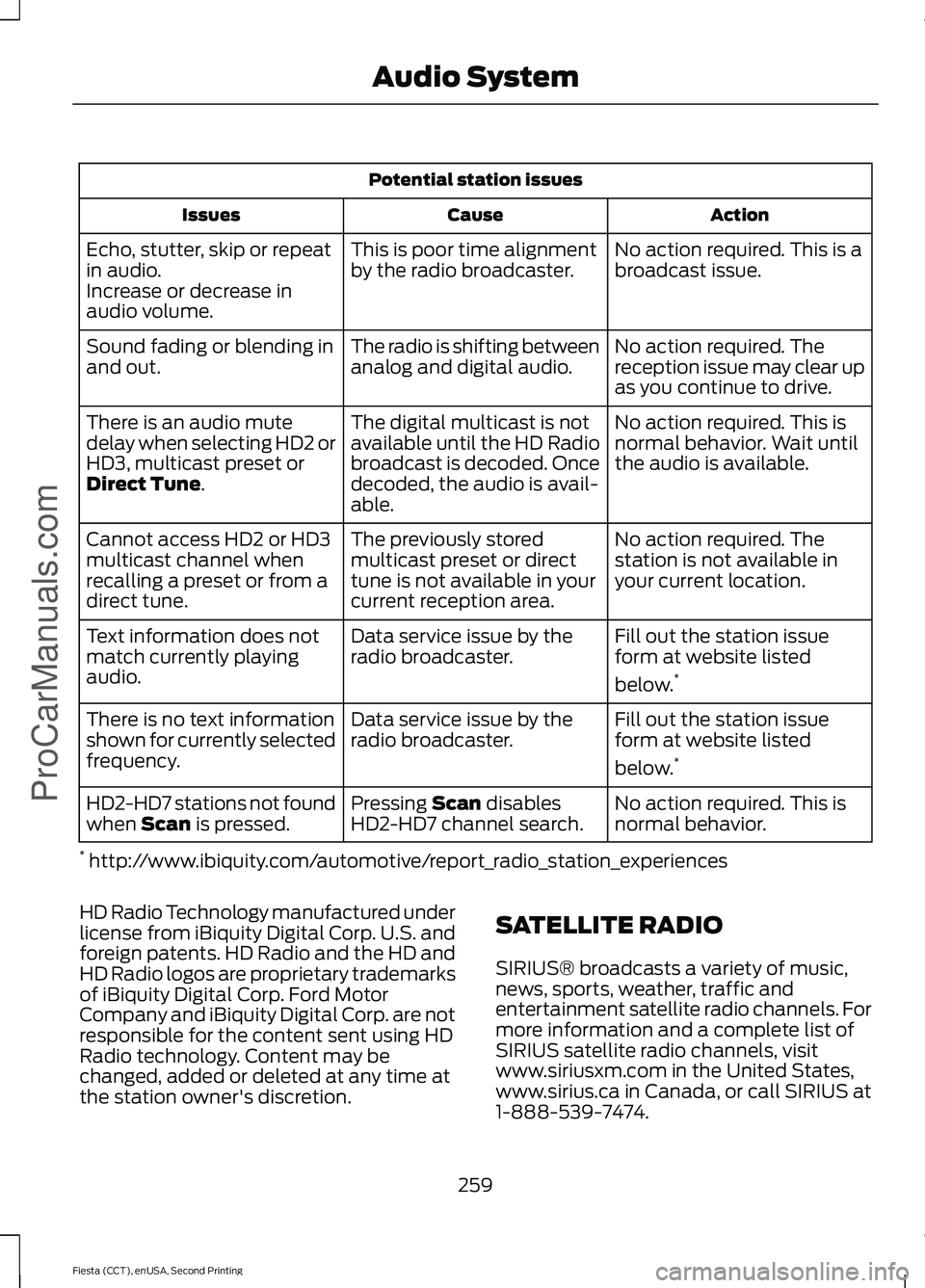
Potential station issues
Action
Cause
Issues
No action required. This is a
broadcast issue.
This is poor time alignment
by the radio broadcaster.
Echo, stutter, skip or repeat
in audio.
Increase or decrease in
audio volume.
No action required. The
reception issue may clear up
as you continue to drive.
The radio is shifting between
analog and digital audio.
Sound fading or blending in
and out.
No action required. This is
normal behavior. Wait until
the audio is available.
The digital multicast is not
available until the HD Radio
broadcast is decoded. Once
decoded, the audio is avail-
able.
There is an audio mute
delay when selecting HD2 or
HD3, multicast preset or
Direct Tune.
No action required. The
station is not available in
your current location.
The previously stored
multicast preset or direct
tune is not available in your
current reception area.
Cannot access HD2 or HD3
multicast channel when
recalling a preset or from a
direct tune.
Fill out the station issue
form at website listed
below.*
Data service issue by the
radio broadcaster.
Text information does not
match currently playing
audio.
Fill out the station issue
form at website listed
below.*
Data service issue by the
radio broadcaster.
There is no text information
shown for currently selected
frequency.
No action required. This is
normal behavior.
Pressing
Scan disables
HD2-HD7 channel search.
HD2-HD7 stations not found
when Scan is pressed.
* http://www.ibiquity.com/automotive/report_radio_station_experiences
HD Radio Technology manufactured under
license from iBiquity Digital Corp. U.S. and
foreign patents. HD Radio and the HD and
HD Radio logos are proprietary trademarks
of iBiquity Digital Corp. Ford Motor
Company and iBiquity Digital Corp. are not
responsible for the content sent using HD
Radio technology. Content may be
changed, added or deleted at any time at
the station owner's discretion. SATELLITE RADIO
SIRIUS® broadcasts a variety of music,
news, sports, weather, traffic and
entertainment satellite radio channels. For
more information and a complete list of
SIRIUS satellite radio channels, visit
www.siriusxm.com in the United States,
www.sirius.ca in Canada, or call SIRIUS at
1-888-539-7474.
259
Fiesta (CCT), enUSA, Second Printing Audio System
ProCarManuals.com
Page 334 of 423
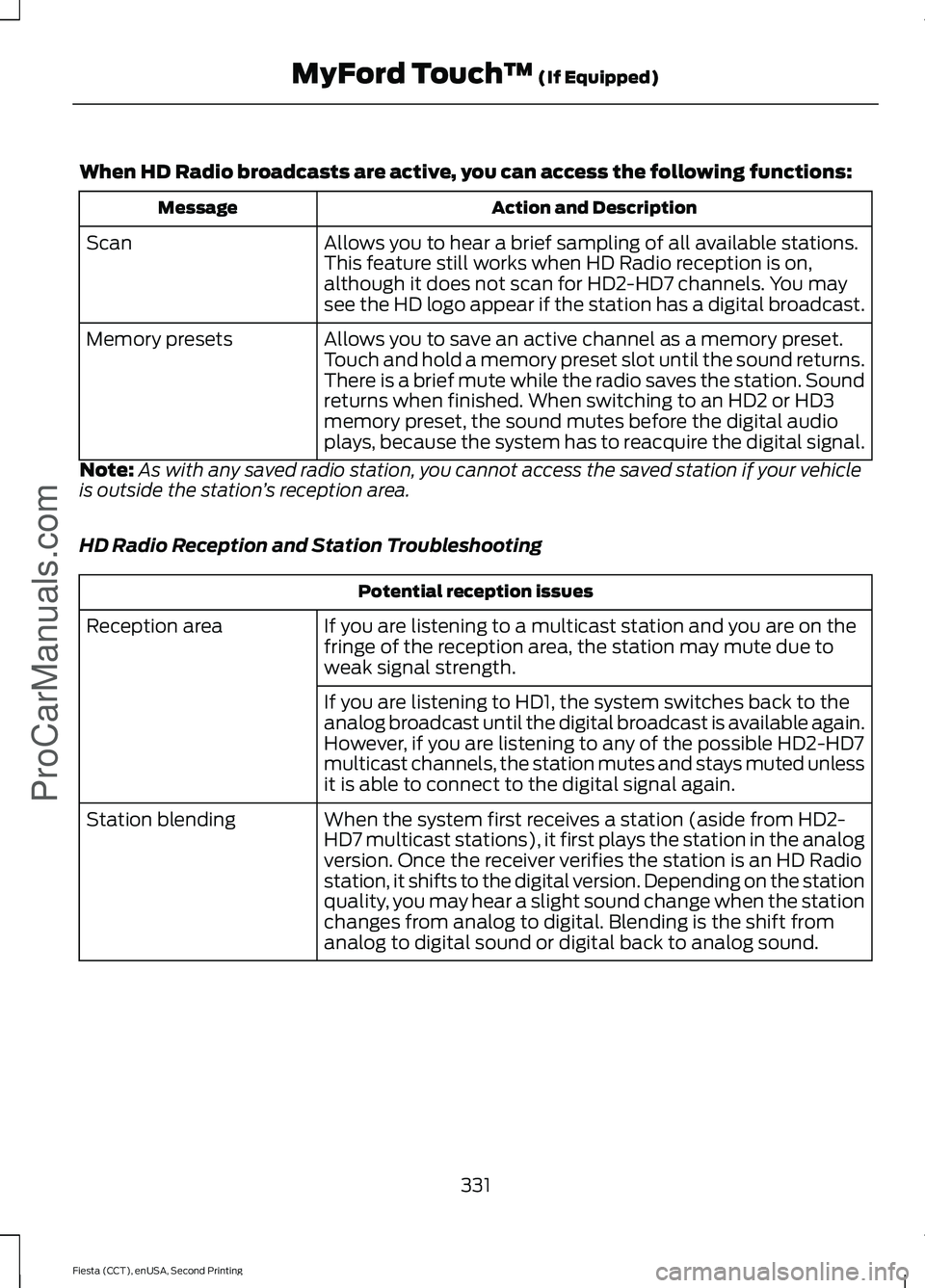
When HD Radio broadcasts are active, you can access the following functions:
Action and Description
Message
Allows you to hear a brief sampling of all available stations.
This feature still works when HD Radio reception is on,
although it does not scan for HD2-HD7 channels. You may
see the HD logo appear if the station has a digital broadcast.
Scan
Allows you to save an active channel as a memory preset.
Touch and hold a memory preset slot until the sound returns.
There is a brief mute while the radio saves the station. Sound
returns when finished. When switching to an HD2 or HD3
memory preset, the sound mutes before the digital audio
plays, because the system has to reacquire the digital signal.
Memory presets
Note: As with any saved radio station, you cannot access the saved station if your vehicle
is outside the station ’s reception area.
HD Radio Reception and Station Troubleshooting Potential reception issues
If you are listening to a multicast station and you are on the
fringe of the reception area, the station may mute due to
weak signal strength.
Reception area
If you are listening to HD1, the system switches back to the
analog broadcast until the digital broadcast is available again.
However, if you are listening to any of the possible HD2-HD7
multicast channels, the station mutes and stays muted unless
it is able to connect to the digital signal again.
When the system first receives a station (aside from HD2-
HD7 multicast stations), it first plays the station in the analog
version. Once the receiver verifies the station is an HD Radio
station, it shifts to the digital version. Depending on the station
quality, you may hear a slight sound change when the station
changes from analog to digital. Blending is the shift from
analog to digital sound or digital back to analog sound.
Station blending
331
Fiesta (CCT), enUSA, Second Printing MyFord Touch
™ (If Equipped)
ProCarManuals.com
Page 335 of 423
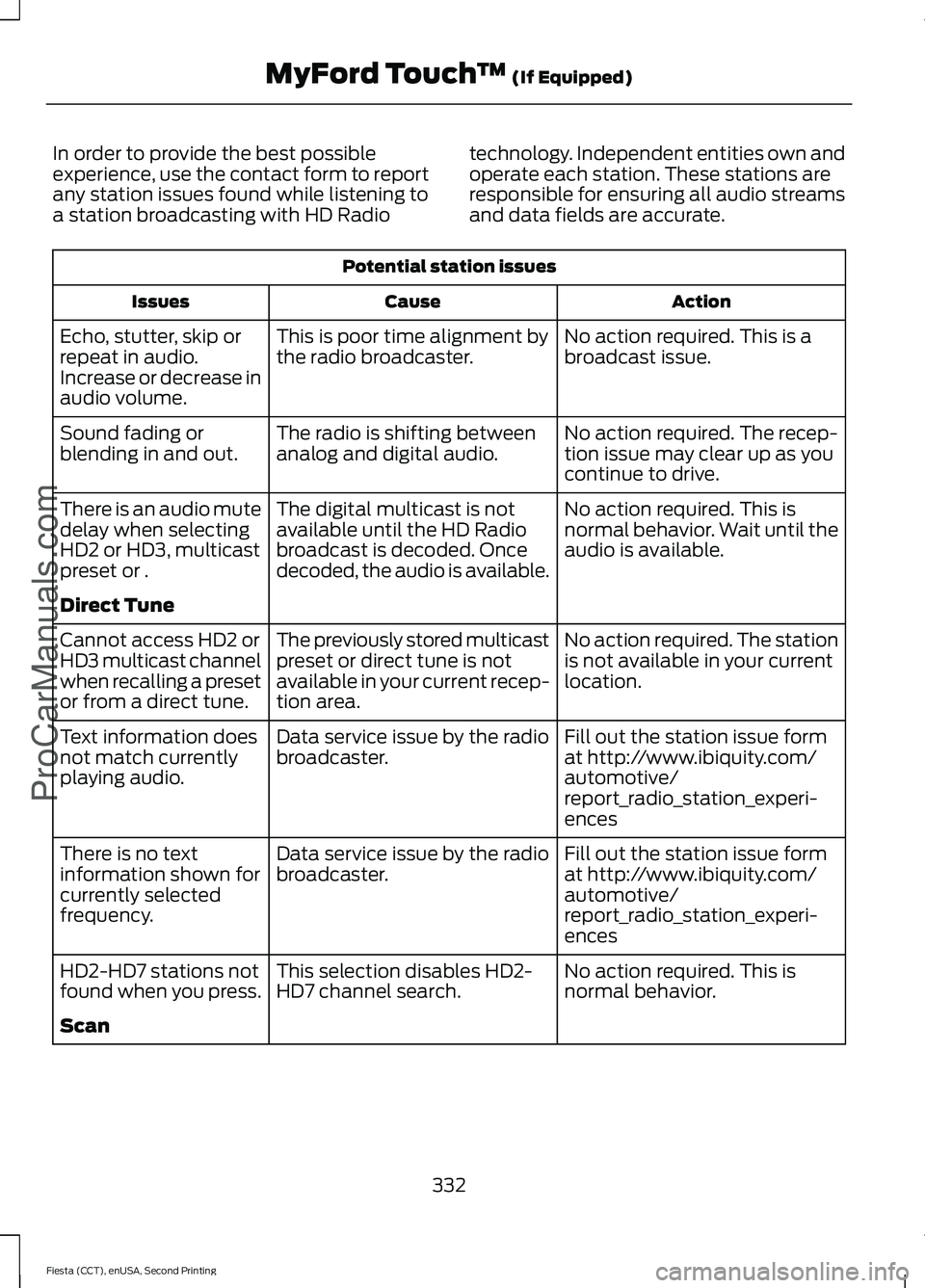
In order to provide the best possible
experience, use the contact form to report
any station issues found while listening to
a station broadcasting with HD Radio
technology. Independent entities own and
operate each station. These stations are
responsible for ensuring all audio streams
and data fields are accurate.Potential station issues
Action
Cause
Issues
No action required. This is a
broadcast issue.
This is poor time alignment by
the radio broadcaster.
Echo, stutter, skip or
repeat in audio.
Increase or decrease in
audio volume.
No action required. The recep-
tion issue may clear up as you
continue to drive.
The radio is shifting between
analog and digital audio.
Sound fading or
blending in and out.
No action required. This is
normal behavior. Wait until the
audio is available.
The digital multicast is not
available until the HD Radio
broadcast is decoded. Once
decoded, the audio is available.
There is an audio mute
delay when selecting
HD2 or HD3, multicast
preset or .
Direct Tune
No action required. The station
is not available in your current
location.
The previously stored multicast
preset or direct tune is not
available in your current recep-
tion area.
Cannot access HD2 or
HD3 multicast channel
when recalling a preset
or from a direct tune.
Fill out the station issue form
at http://www.ibiquity.com/
automotive/
report_radio_station_experi-
ences
Data service issue by the radio
broadcaster.
Text information does
not match currently
playing audio.
Fill out the station issue form
at http://www.ibiquity.com/
automotive/
report_radio_station_experi-
ences
Data service issue by the radio
broadcaster.
There is no text
information shown for
currently selected
frequency.
No action required. This is
normal behavior.
This selection disables HD2-
HD7 channel search.
HD2-HD7 stations not
found when you press.
Scan
332
Fiesta (CCT), enUSA, Second Printing MyFord Touch
™ (If Equipped)
ProCarManuals.com
Page 349 of 423
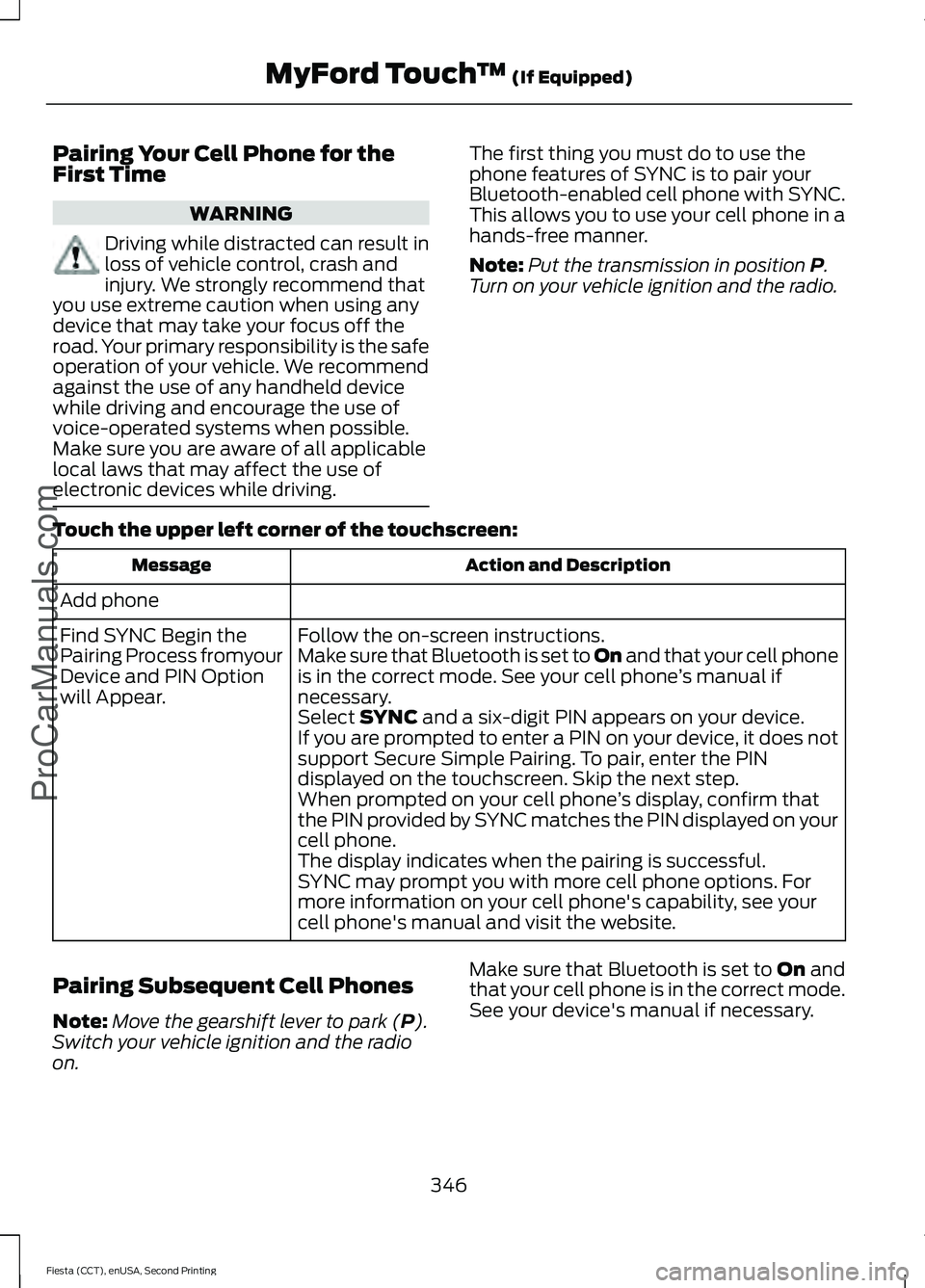
Pairing Your Cell Phone for the
First Time
WARNING
Driving while distracted can result in
loss of vehicle control, crash and
injury. We strongly recommend that
you use extreme caution when using any
device that may take your focus off the
road. Your primary responsibility is the safe
operation of your vehicle. We recommend
against the use of any handheld device
while driving and encourage the use of
voice-operated systems when possible.
Make sure you are aware of all applicable
local laws that may affect the use of
electronic devices while driving. The first thing you must do to use the
phone features of SYNC is to pair your
Bluetooth-enabled cell phone with SYNC.
This allows you to use your cell phone in a
hands-free manner.
Note:
Put the transmission in position P.
Turn on your vehicle ignition and the radio.
Touch the upper left corner of the touchscreen: Action and Description
Message
Add phone Follow the on-screen instructions.
Find SYNC Begin the
Pairing Process fromyour
Device and PIN Option
will Appear. Make sure that Bluetooth is set to On
and that your cell phone
is in the correct mode. See your cell phone ’s manual if
necessary.
Select
SYNC and a six-digit PIN appears on your device.
If you are prompted to enter a PIN on your device, it does not
support Secure Simple Pairing. To pair, enter the PIN
displayed on the touchscreen. Skip the next step.
When prompted on your cell phone ’s display, confirm that
the PIN provided by SYNC matches the PIN displayed on your
cell phone.
The display indicates when the pairing is successful.
SYNC may prompt you with more cell phone options. For
more information on your cell phone's capability, see your
cell phone's manual and visit the website.
Pairing Subsequent Cell Phones
Note: Move the gearshift lever to park (
P).
Switch your vehicle ignition and the radio
on. Make sure that Bluetooth is set to
On and
that your cell phone is in the correct mode.
See your device's manual if necessary.
346
Fiesta (CCT), enUSA, Second Printing MyFord Touch
™
(If Equipped)
ProCarManuals.com
Page 380 of 423
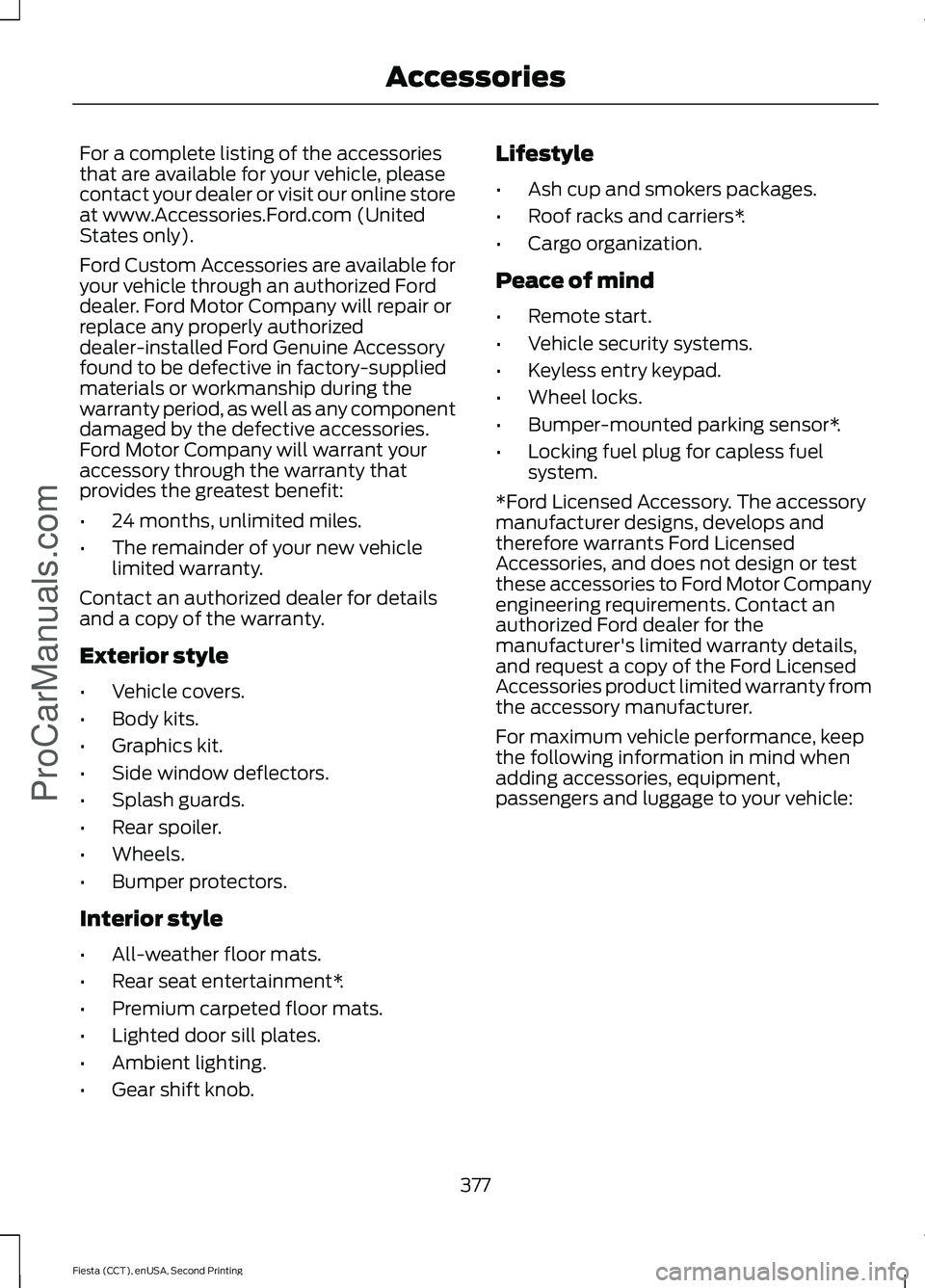
For a complete listing of the accessories
that are available for your vehicle, please
contact your dealer or visit our online store
at www.Accessories.Ford.com (United
States only).
Ford Custom Accessories are available for
your vehicle through an authorized Ford
dealer. Ford Motor Company will repair or
replace any properly authorized
dealer-installed Ford Genuine Accessory
found to be defective in factory-supplied
materials or workmanship during the
warranty period, as well as any component
damaged by the defective accessories.
Ford Motor Company will warrant your
accessory through the warranty that
provides the greatest benefit:
•
24 months, unlimited miles.
• The remainder of your new vehicle
limited warranty.
Contact an authorized dealer for details
and a copy of the warranty.
Exterior style
• Vehicle covers.
• Body kits.
• Graphics kit.
• Side window deflectors.
• Splash guards.
• Rear spoiler.
• Wheels.
• Bumper protectors.
Interior style
• All-weather floor mats.
• Rear seat entertainment*.
• Premium carpeted floor mats.
• Lighted door sill plates.
• Ambient lighting.
• Gear shift knob. Lifestyle
•
Ash cup and smokers packages.
• Roof racks and carriers*.
• Cargo organization.
Peace of mind
• Remote start.
• Vehicle security systems.
• Keyless entry keypad.
• Wheel locks.
• Bumper-mounted parking sensor*.
• Locking fuel plug for capless fuel
system.
*Ford Licensed Accessory. The accessory
manufacturer designs, develops and
therefore warrants Ford Licensed
Accessories, and does not design or test
these accessories to Ford Motor Company
engineering requirements. Contact an
authorized Ford dealer for the
manufacturer's limited warranty details,
and request a copy of the Ford Licensed
Accessories product limited warranty from
the accessory manufacturer.
For maximum vehicle performance, keep
the following information in mind when
adding accessories, equipment,
passengers and luggage to your vehicle:
377
Fiesta (CCT), enUSA, Second Printing AccessoriesProCarManuals.com
Page 414 of 423
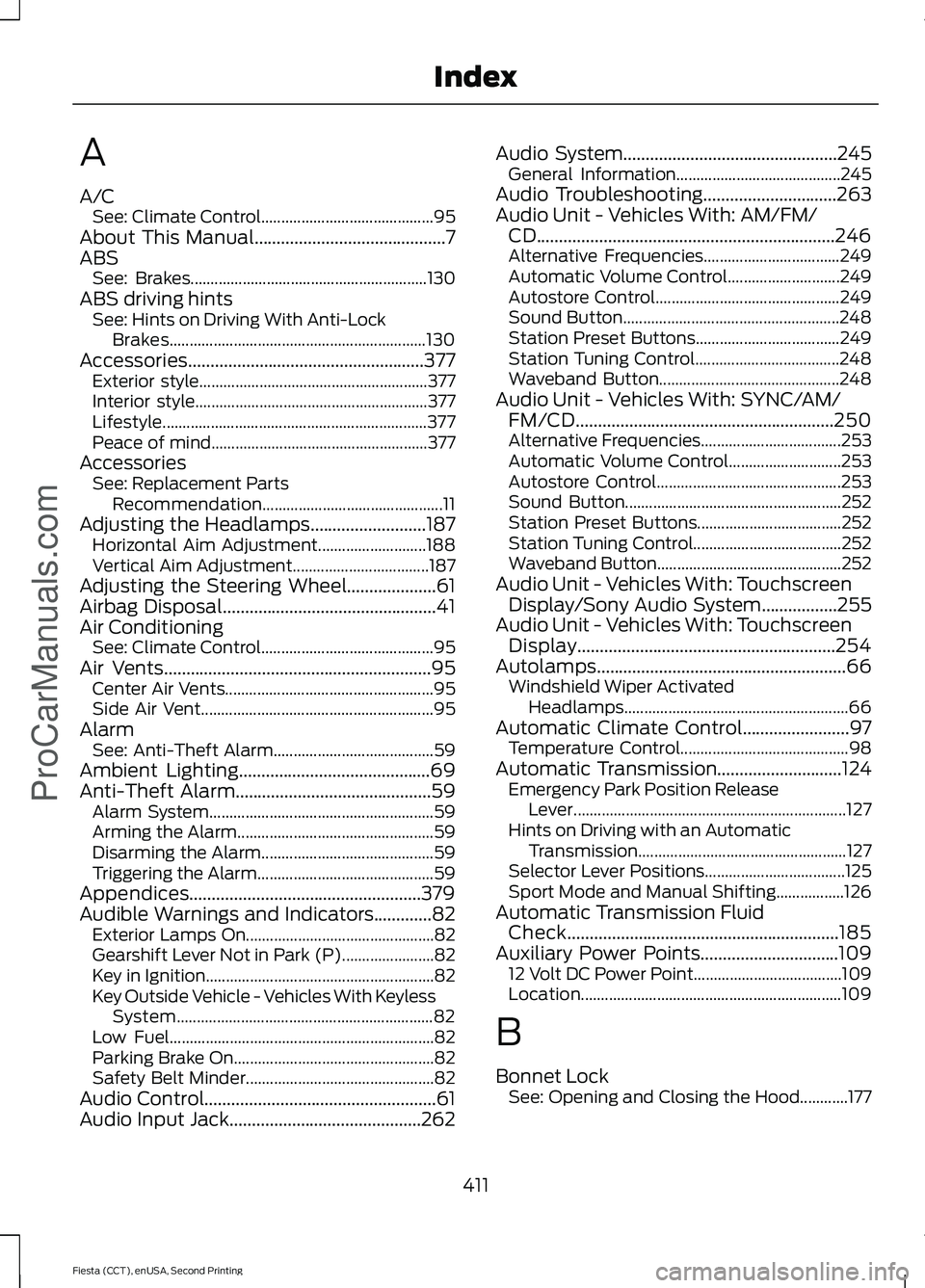
A
A/C
See: Climate Control........................................... 95
About This Manual...........................................7
ABS See: Brakes........................................................... 130
ABS driving hints See: Hints on Driving With Anti-Lock
Brakes................................................................ 130
Accessories.....................................................377 Exterior style......................................................... 377
Interior style.......................................................... 377
Lifestyle.................................................................. 377
Peace of mind...................................................... 377
Accessories See: Replacement Parts
Recommendation............................................. 11
Adjusting the Headlamps..........................187 Horizontal Aim Adjustment........................... 188
Vertical Aim Adjustment.................................. 187
Adjusting the Steering Wheel....................61
Airbag Disposal................................................41
Air Conditioning See: Climate Control........................................... 95
Air Vents............................................................95 Center Air Vents.................................................... 95
Side Air Vent.......................................................... 95
Alarm See: Anti-Theft Alarm........................................ 59
Ambient Lighting...........................................69
Anti-Theft Alarm............................................59 Alarm System........................................................ 59
Arming the Alarm................................................. 59
Disarming the Alarm........................................... 59
Triggering the Alarm............................................ 59
Appendices....................................................379
Audible Warnings and Indicators.............82 Exterior Lamps On............................................... 82
Gearshift Lever Not in Park (P)....................... 82
Key in Ignition......................................................... 82
Key Outside Vehicle - Vehicles With Keyless System................................................................ 82
Low Fuel.................................................................. 82
Parking Brake On.................................................. 82
Safety Belt Minder............................................... 82
Audio Control....................................................61
Audio Input Jack...........................................262 Audio System................................................245
General Information......................................... 245
Audio Troubleshooting
..............................263
Audio Unit - Vehicles With: AM/FM/ CD...................................................................246
Alternative Frequencies.................................. 249
Automatic Volume Control............................ 249
Autostore Control.............................................. 249
Sound Button...................................................... 248
Station Preset Buttons.................................... 249
Station Tuning Control.................................... 248
Waveband Button............................................. 248
Audio Unit - Vehicles With: SYNC/AM/ FM/CD..........................................................250
Alternative Frequencies................................... 253
Automatic Volume Control............................ 253
Autostore Control.............................................. 253
Sound Button...................................................... 252
Station Preset Buttons.................................... 252
Station Tuning Control..................................... 252
Waveband Button.............................................. 252
Audio Unit - Vehicles With: Touchscreen Display/Sony Audio System
.................255
Audio Unit - Vehicles With: Touchscreen Display
..........................................................254
Autolamps........................................................66 Windshield Wiper Activated
Headlamps........................................................ 66
Automatic Climate Control........................97 Temperature Control.......................................... 98
Automatic Transmission
............................124
Emergency Park Position Release
Lever.................................................................... 127
Hints on Driving with an Automatic Transmission.................................................... 127
Selector Lever Positions................................... 125
Sport Mode and Manual Shifting.................126
Automatic Transmission Fluid Check.............................................................185
Auxiliary Power Points
...............................109
12 Volt DC Power Point..................................... 109
Location................................................................. 109
B
Bonnet Lock See: Opening and Closing the Hood............177
411
Fiesta (CCT), enUSA, Second Printing Index
ProCarManuals.com
Page 419 of 423
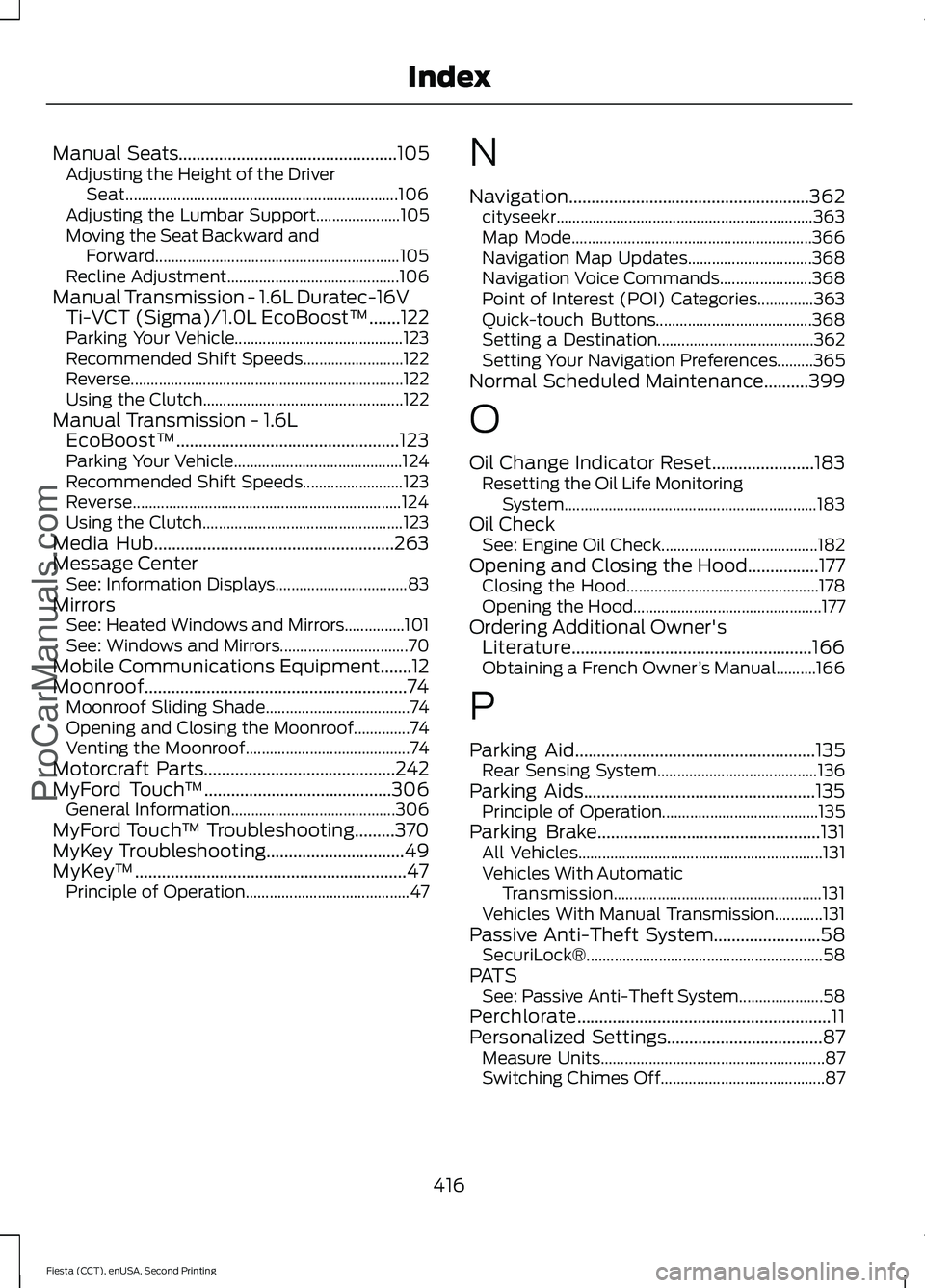
Manual Seats.................................................105
Adjusting the Height of the Driver
Seat.................................................................... 106
Adjusting the Lumbar Support..................... 105
Moving the Seat Backward and Forward............................................................. 105
Recline Adjustment........................................... 106
Manual Transmission - 1.6L Duratec-16V Ti-VCT (Sigma)/1.0L EcoBoost™.......122
Parking Your Vehicle.......................................... 123
Recommended Shift Speeds......................... 122
Reverse.................................................................... 122
Using the Clutch.................................................. 122
Manual Transmission - 1.6L EcoBoost™..................................................123
Parking Your Vehicle.......................................... 124
Recommended Shift Speeds......................... 123
Reverse................................................................... 124
Using the Clutch.................................................. 123
Media Hub......................................................263
Message Center See: Information Displays................................. 83
Mirrors See: Heated Windows and Mirrors...............101
See: Windows and Mirrors................................ 70
Mobile Communications Equipment
.......12
Moonroof...........................................................74 Moonroof Sliding Shade.................................... 74
Opening and Closing the Moonroof..............74
Venting the Moonroof......................................... 74
Motorcraft Parts
...........................................242
MyFord Touch ™..........................................306
General Information......................................... 306
MyFord Touch ™ Troubleshooting
.........370
MyKey Troubleshooting...............................49
MyKey ™.............................................................47
Principle of Operation......................................... 47N
Navigation......................................................362
cityseekr................................................................ 363
Map Mode............................................................ 366
Navigation Map Updates............................... 368
Navigation Voice Commands....................... 368
Point of Interest (POI) Categories..............363
Quick-touch Buttons....................................... 368
Setting a Destination....................................... 362
Setting Your Navigation Preferences.........365
Normal Scheduled Maintenance..........399
O
Oil Change Indicator Reset
.......................183
Resetting the Oil Life Monitoring
System............................................................... 183
Oil Check See: Engine Oil Check....................................... 182
Opening and Closing the Hood
................177
Closing the Hood................................................ 178
Opening the Hood............................................... 177
Ordering Additional Owner's Literature......................................................166
Obtaining a French Owner ’s Manual..........166
P
Parking Aid
......................................................135
Rear Sensing System........................................ 136
Parking Aids....................................................135 Principle of Operation....................................... 135
Parking Brake
..................................................131
All Vehicles............................................................. 131
Vehicles With Automatic Transmission.................................................... 131
Vehicles With Manual Transmission............131
Passive Anti-Theft System
........................58
SecuriLock®........................................................... 58
PATS See: Passive Anti-Theft System..................... 58
Perchlorate.........................................................11
Personalized Settings
...................................87
Measure Units........................................................ 87
Switching Chimes Off......................................... 87
416
Fiesta (CCT), enUSA, Second Printing Index
ProCarManuals.com
Page 423 of 423
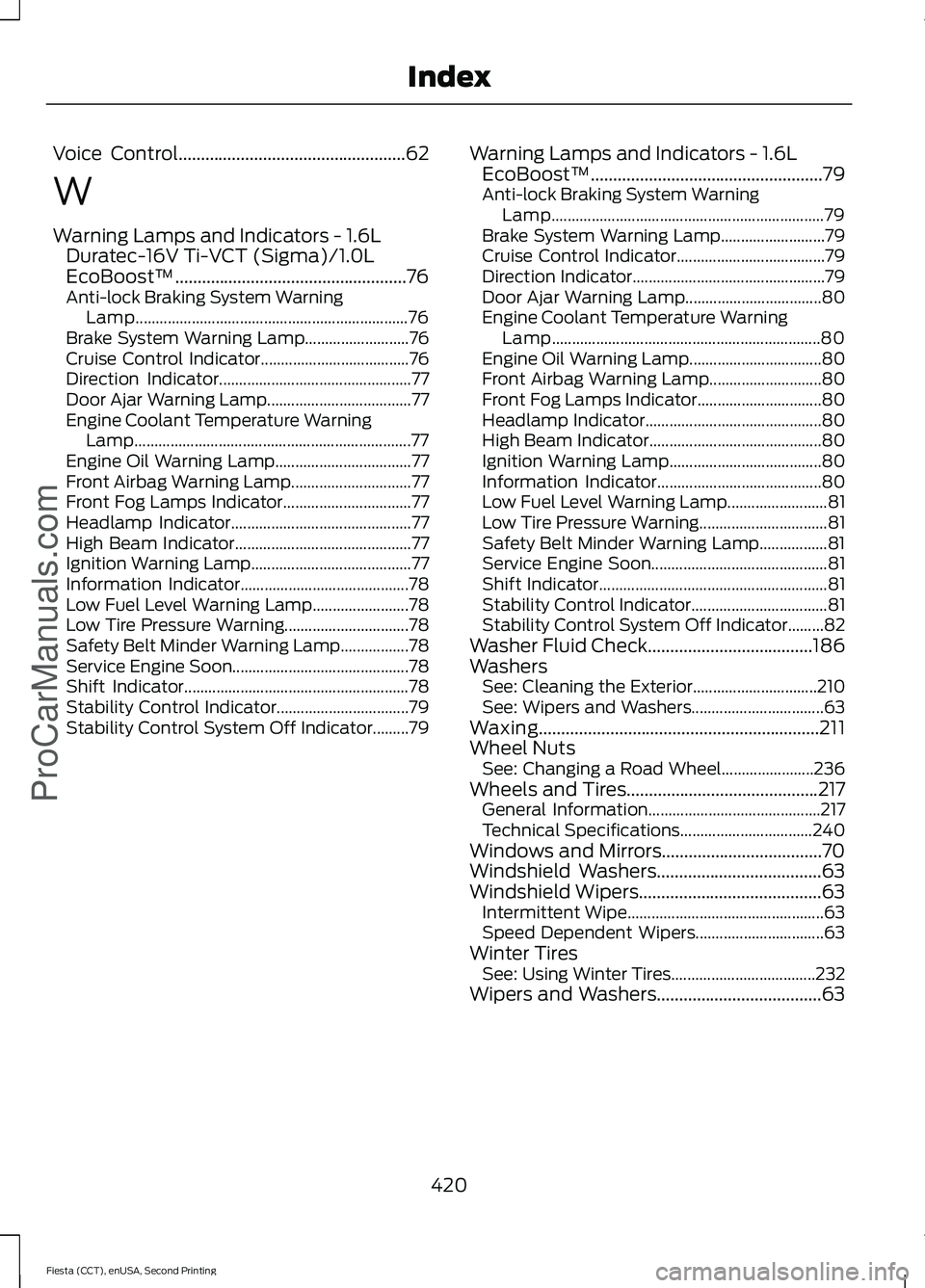
Voice Control...................................................62
W
Warning Lamps and Indicators - 1.6L
Duratec-16V Ti-VCT (Sigma)/1.0L
EcoBoost™....................................................76
Anti-lock Braking System Warning Lamp.................................................................... 76
Brake System Warning Lamp.......................... 76
Cruise Control Indicator..................................... 76
Direction Indicator................................................ 77
Door Ajar Warning Lamp.................................... 77
Engine Coolant Temperature Warning Lamp..................................................................... 77
Engine Oil Warning Lamp.................................. 77
Front Airbag Warning Lamp.............................. 77
Front Fog Lamps Indicator................................ 77
Headlamp Indicator............................................. 77
High Beam Indicator............................................ 77
Ignition Warning Lamp........................................ 77
Information Indicator.......................................... 78
Low Fuel Level Warning Lamp........................ 78
Low Tire Pressure Warning............................... 78
Safety Belt Minder Warning Lamp.................78
Service Engine Soon............................................ 78
Shift Indicator........................................................ 78
Stability Control Indicator................................. 79
Stability Control System Off Indicator.........79 Warning Lamps and Indicators - 1.6L
EcoBoost™....................................................79
Anti-lock Braking System Warning Lamp.................................................................... 79
Brake System Warning Lamp.......................... 79
Cruise Control Indicator..................................... 79
Direction Indicator................................................ 79
Door Ajar Warning Lamp.................................. 80
Engine Coolant Temperature Warning Lamp................................................................... 80
Engine Oil Warning Lamp................................. 80
Front Airbag Warning Lamp............................ 80
Front Fog Lamps Indicator............................... 80
Headlamp Indicator............................................ 80
High Beam Indicator........................................... 80
Ignition Warning Lamp...................................... 80
Information Indicator......................................... 80
Low Fuel Level Warning Lamp......................... 81
Low Tire Pressure Warning................................ 81
Safety Belt Minder Warning Lamp.................81
Service Engine Soon............................................ 81
Shift Indicator......................................................... 81
Stability Control Indicator.................................. 81
Stability Control System Off Indicator.........82
Washer Fluid Check.....................................186
Washers See: Cleaning the Exterior............................... 210
See: Wipers and Washers................................. 63
Waxing...............................................................211
Wheel Nuts See: Changing a Road Wheel....................... 236
Wheels and Tires
...........................................217
General Information........................................... 217
Technical Specifications................................. 240
Windows and Mirrors....................................70
Windshield Washers
.....................................63
Windshield Wipers.........................................63 Intermittent Wipe................................................. 63
Speed Dependent Wipers................................ 63
Winter Tires See: Using Winter Tires.................................... 232
Wipers and Washers.....................................63
420
Fiesta (CCT), enUSA, Second Printing Index
ProCarManuals.com