ECO mode FORD FIESTA 2015 Manual Online
[x] Cancel search | Manufacturer: FORD, Model Year: 2015, Model line: FIESTA, Model: FORD FIESTA 2015Pages: 423, PDF Size: 5.5 MB
Page 356 of 423
Message
Item
SYNC Services
A
Travel Link
B
Alerts
C
Calendar
D
Apps
E
Where Am I?
F If your vehicle is equipped with
Navigation, press the
Information button to access
these features. If your vehicle is not
equipped with Navigation, press the corner
of the touchscreen with the green tab.
SYNC Services (If Equipped,
United States Only)
Note: SYNC Services varies by trim level
and model year and may require a
subscription. Traffic alerts and turn-by-turn
directions available in select markets.
Message and data rates may apply. Ford
Motor Company reserves the right to change
or discontinue this product service at any
time without prior notification or incurring
any future obligation.
Note: SYNC Services requires activation
before use. Visit www.SYNCMyRide.com to
register and check your eligibility for
complimentary services. Standard phone
and message rates may apply. Subscription
may be required. You must also have the
active SYNC Services Bluetooth-enabled
cellular phone paired and connected to the
system in order to connect to, and use,
SYNC Services. See
Phone (page 345). Note:
This feature does not function
properly if you have enabled caller ID
blocking on your cellular phone. Make sure
your cellular phone is not blocking caller ID
before using SYNC Services.
Note: The driver is ultimately responsible
for the safe operation of the vehicle, and
therefore, must evaluate whether it is safe
to follow the suggested directions. Any
navigation features provided are only an aid.
Make your driving decisions based on your
observations of local conditions and existing
traffic regulations. Do not follow the route
suggestions if doing so would result in an
unsafe or illegal maneuver, if you would be
placed in an unsafe situation, or if you would
be directed into an area that you consider
unsafe. Maps used by this system may be
inaccurate because of errors, changes in
roads, traffic conditions or driving
conditions.
Note: When you connect, the service uses
GPS technology and advanced vehicle
sensors to collect your vehicle's current
location, travel direction and speed to help
provide you with the directions, traffic
reports, or business searches you request.
Further, to provide the services you request,
for continuous improvement, the service
may collect and record call details and voice
communications. For more information, see
SYNC Services Terms and Conditions at
www.SYNCMyRide.com. If you do not want
Ford or its service providers to collect your
vehicle travel information or other
information identified in the Terms and
Conditions, do not subscribe or use the
service.
SYNC Services uses advanced vehicle
sensors, integrated GPS technology and
comprehensive map and traffic data, to
give you personalized traffic reports,
precise turn-by-turn directions, business
search, news, sports, weather and more.
For a complete list of services, or to learn
more, please visit www.SYNCMyRide.com.
353
Fiesta (CCT), enUSA, Second Printing MyFord Touch
™
(If Equipped)
ProCarManuals.comE142608
Page 365 of 423
Where Am I?
For information about your current
location, select:
Action and Descrip-
tion
Message
View your vehicle'scurrent location, if your vehicle is
equipped with
navigation. If your vehicle is not
equipped with
navigation, nothing displays.
Where Am I?
NAVIGATION
Note: The navigation SD card must be in
the SD card slot to operate the navigation
system. If you need a replacement SD card,
see an authorized dealer.
Note: The SD card slot is spring-loaded. To
remove the SD card, just push the card in
and release it. Do not attempt to pull the
card out to remove it; this could cause
damage.
Your navigation system is comprised of
two main features, destination mode and
map mode.
To set a destination, press the green corner
of your touchscreen, then the Dest button
when it appears. See Setting a
Destination later in this chapter.
To view the navigation map and your
vehicle's current location, touch the green
bar in the upper right-hand corner of the
touchscreen, or, press Dest, then Map. See
Map mode
later in this chapter. Setting a Destination
Press the green corner of your touchscreen,
then the
Dest button when it appears.
Choose any of the following:
Destination Message
My Home
Favorites
Previous Destinations
Point of Interest
Emergency
Street Address
Intersection
City Center
Map
Edit Route
Cancel Route
1. Enter the necessary information into the highlighted text fields (in any
order). For address destination entry,
the Go! button appears once you enter
all the necessary information. Pressing
the
Go! button makes the address
location appear on the map. If you
choose Previous Destination, the last
20 destinations you have selected
appear.
2. Select
Set as Dest to make this your
destination. You can also choose to set
this as a waypoint (have the system
route to this point on the way to your
current destination) or save it as a
favorite. The system considers any
Avoid Areas
selections in its route
calculation.
362
Fiesta (CCT), enUSA, Second Printing MyFord Touch
™
(If Equipped)
ProCarManuals.com
Page 369 of 423
Traffic Alert Notification
Have the system display traffic alert
notifications.
Other traffic alert features allows you to
turn on certain, or all, traffic icons on the
map such as road work, incident, accidents
and closed roads. Scroll down to view all
the different types of alerts. Switch these
features ON or OFF.
Avoid Areas
Choose areas which you want the system
to avoid when calculating a route for you.
Press
Add to program an entry. Once you
make a selection, the system tries to avoid
the area(s) if possible for all routes. To
delete a selection, choose the listing on
the screen. When the screen changes to
Avoid Areas Edit
, you can press Delete
at the bottom right of the screen.
Map Mode
Press the green bar in the upper right area
of the touchscreen to view map mode. Map
mode shows advanced viewing comprised
of both 2D city maps as well as 3D
landmarks (when available).
2D city maps show detailed outlines of
buildings, visible land use and land
elements and detailed railway
infrastructure for the most essential cities
around the globe. These maps also contain
features, such as town blocks, building
footprints and railways.
3D landmarks appear as clear, visible
objects that are typically recognizable and
have a certain tourist value. The 3D
landmarks appear in 3D map mode only.
Coverage varies and improves with
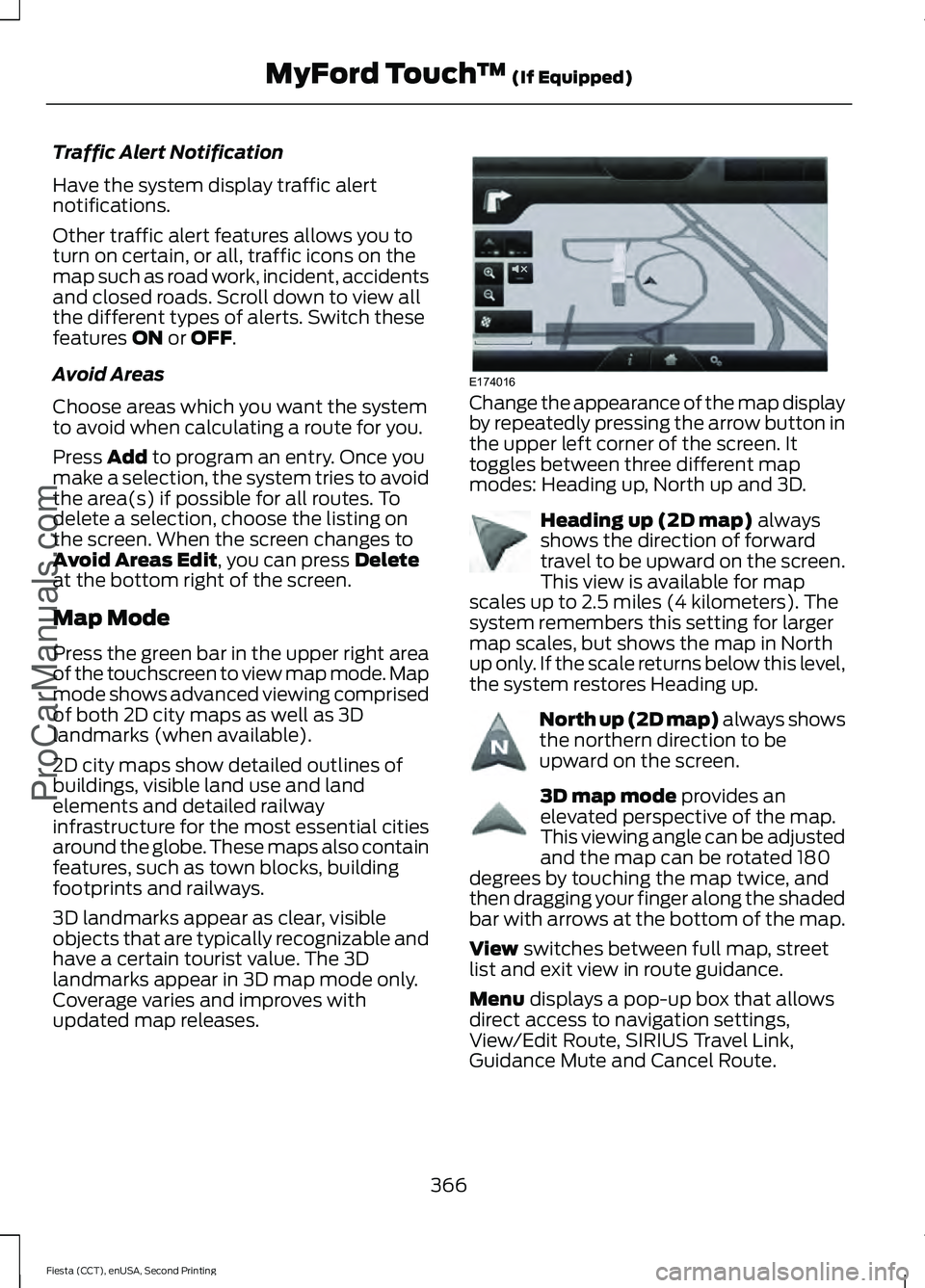
updated map releases. Change the appearance of the map display
by repeatedly pressing the arrow button in
the upper left corner of the screen. It
toggles between three different map
modes: Heading up, North up and 3D.
Heading up (2D map)
always
shows the direction of forward
travel to be upward on the screen.
This view is available for map
scales up to 2.5 miles (4 kilometers). The
system remembers this setting for larger
map scales, but shows the map in North
up only. If the scale returns below this level,
the system restores Heading up. North up (2D map) always shows
the northern direction to be
upward on the screen.
3D map mode
provides an
elevated perspective of the map.
This viewing angle can be adjusted
and the map can be rotated 180
degrees by touching the map twice, and
then dragging your finger along the shaded
bar with arrows at the bottom of the map.
View
switches between full map, street
list and exit view in route guidance.
Menu
displays a pop-up box that allows
direct access to navigation settings,
View/Edit Route, SIRIUS Travel Link,
Guidance Mute and Cancel Route.
366
Fiesta (CCT), enUSA, Second Printing MyFord Touch
™
(If Equipped)
ProCarManuals.comE174016 E142642 E142643 E142644
Page 370 of 423
Press the speaker button on the
map to mute route guidance.
When the light on the button
illuminates, the feature is on. The speaker
button appears on the map only when
route guidance is active. Re-center the map by pressing
this icon whenever you scroll the
map away from your vehicle
’s
current location.
Auto Zoom
Press the green bar to access map mode,
then select the + or - zoom button to bring
up the zoom level and Auto buttons on the
touchscreen. When you press Auto, Auto
Zoom turns on and Auto displays in the
bottom left corner of the screen in the map
scale. The map zoom level then
synchronizes with vehicle speed. The
slower your vehicle is traveling, the farther
the map zooms in; the faster your vehicle
is traveling, the farther the map zooms out.
To switch off the feature, just press the
+
or - button again.
In 3D mode, rotate the map view by
swiping your finger across the shaded bar
with the arrows.
The ETA box under the zoom buttons
appears when a route is active and
displays the distance and time to your
destination. If the button is pressed, a pop
up appears with the destination listed (and
waypoint if applicable) along with mileage
and time to destination. You may also
select to have either the estimated time
to reach your destination or your estimated
arrival time.
Map Icons Vehicle mark
shows the current
location of your vehicle. It stays
in the center of the map display,
except when in scroll mode. Scroll cursor
allows you to scroll
the map; the fixed icon is in the
center of the screen. The map
position closest to the cursor is in
a window on the top center part of the
screen. Address book entry default
icon(s)
indicates the location on
the map of an address book entry.
This is the default symbol shown
after the entry has been stored to the
Address Book by any method other than
the map. You can select from any of the
22 icons available. You can use each icon
more than once. Home
indicates the location on
the map currently stored as the
home position. You can only save
one address from the Address
Book as your Home entry. You cannot
change this icon. POI (Point Of Interest) icons
indicate locations of any point of
interest categories you choose to
display on the map. You can
choose to display three point of interest
categories on the map at one time. Starting point
indicates the
starting point of a planned route. Waypoint
indicates the location
of a waypoint on the map. The
number inside the circle is different
for each waypoint and represents
the position of the waypoint in the route
list. Destination symbol indicates the
ending point of a planned route.
Next maneuver point
indicates
the location of the next turn on the
planned route.
367
Fiesta (CCT), enUSA, Second Printing MyFord Touch
™
(If Equipped)
ProCarManuals.comE174017 E146188 E142646 E142647 E142648 E142649 E142650 E142651 E142652 E142653 E142654
Page 371 of 423
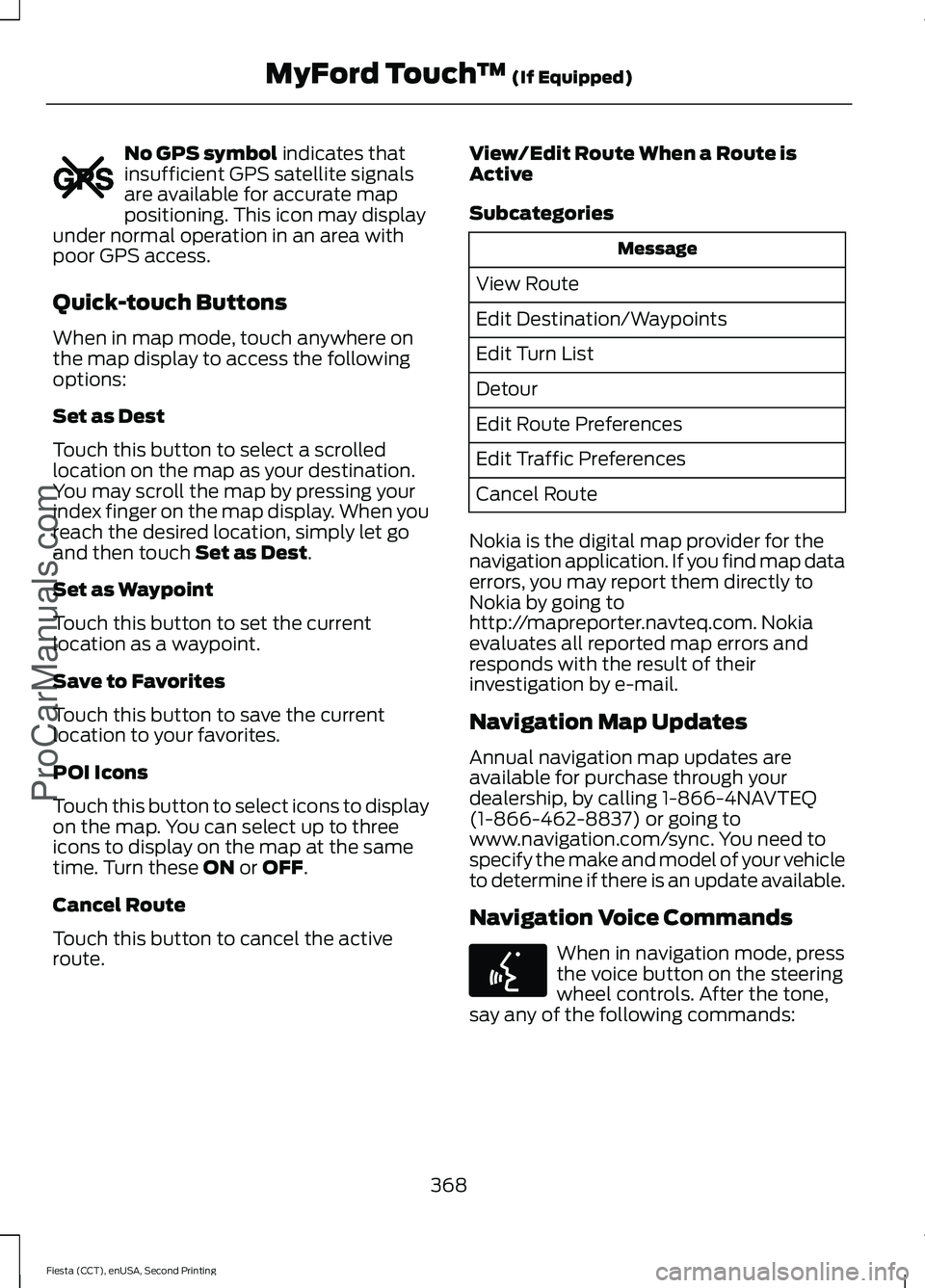
No GPS symbol indicates that
insufficient GPS satellite signals
are available for accurate map
positioning. This icon may display
under normal operation in an area with
poor GPS access.
Quick-touch Buttons
When in map mode, touch anywhere on
the map display to access the following
options:
Set as Dest
Touch this button to select a scrolled
location on the map as your destination.
You may scroll the map by pressing your
index finger on the map display. When you
reach the desired location, simply let go
and then touch
Set as Dest.
Set as Waypoint
Touch this button to set the current
location as a waypoint.
Save to Favorites
Touch this button to save the current
location to your favorites.
POI Icons
Touch this button to select icons to display
on the map. You can select up to three
icons to display on the map at the same
time. Turn these
ON or OFF.
Cancel Route
Touch this button to cancel the active
route. View/Edit Route When a Route is
Active
Subcategories Message
View Route
Edit Destination/Waypoints
Edit Turn List
Detour
Edit Route Preferences
Edit Traffic Preferences
Cancel Route
Nokia is the digital map provider for the
navigation application. If you find map data
errors, you may report them directly to
Nokia by going to
http://mapreporter.navteq.com. Nokia
evaluates all reported map errors and
responds with the result of their
investigation by e-mail.
Navigation Map Updates
Annual navigation map updates are
available for purchase through your
dealership, by calling 1-866-4NAVTEQ
(1-866-462-8837) or going to
www.navigation.com/sync. You need to
specify the make and model of your vehicle
to determine if there is an update available.
Navigation Voice Commands When in navigation mode, press
the voice button on the steering
wheel controls. After the tone,
say any of the following commands:
368
Fiesta (CCT), enUSA, Second Printing MyFord Touch
™
(If Equipped)
ProCarManuals.comE142655 E142599
Page 414 of 423
A
A/C
See: Climate Control........................................... 95
About This Manual...........................................7
ABS See: Brakes........................................................... 130
ABS driving hints See: Hints on Driving With Anti-Lock
Brakes................................................................ 130
Accessories.....................................................377 Exterior style......................................................... 377
Interior style.......................................................... 377
Lifestyle.................................................................. 377
Peace of mind...................................................... 377
Accessories See: Replacement Parts
Recommendation............................................. 11
Adjusting the Headlamps..........................187 Horizontal Aim Adjustment........................... 188
Vertical Aim Adjustment.................................. 187
Adjusting the Steering Wheel....................61
Airbag Disposal................................................41
Air Conditioning See: Climate Control........................................... 95
Air Vents............................................................95 Center Air Vents.................................................... 95
Side Air Vent.......................................................... 95
Alarm See: Anti-Theft Alarm........................................ 59
Ambient Lighting...........................................69
Anti-Theft Alarm............................................59 Alarm System........................................................ 59
Arming the Alarm................................................. 59
Disarming the Alarm........................................... 59
Triggering the Alarm............................................ 59
Appendices....................................................379
Audible Warnings and Indicators.............82 Exterior Lamps On............................................... 82
Gearshift Lever Not in Park (P)....................... 82
Key in Ignition......................................................... 82
Key Outside Vehicle - Vehicles With Keyless System................................................................ 82
Low Fuel.................................................................. 82
Parking Brake On.................................................. 82
Safety Belt Minder............................................... 82
Audio Control....................................................61
Audio Input Jack...........................................262 Audio System................................................245
General Information......................................... 245
Audio Troubleshooting
..............................263
Audio Unit - Vehicles With: AM/FM/ CD...................................................................246
Alternative Frequencies.................................. 249
Automatic Volume Control............................ 249
Autostore Control.............................................. 249
Sound Button...................................................... 248
Station Preset Buttons.................................... 249
Station Tuning Control.................................... 248
Waveband Button............................................. 248
Audio Unit - Vehicles With: SYNC/AM/ FM/CD..........................................................250
Alternative Frequencies................................... 253
Automatic Volume Control............................ 253
Autostore Control.............................................. 253
Sound Button...................................................... 252
Station Preset Buttons.................................... 252
Station Tuning Control..................................... 252
Waveband Button.............................................. 252
Audio Unit - Vehicles With: Touchscreen Display/Sony Audio System
.................255
Audio Unit - Vehicles With: Touchscreen Display
..........................................................254
Autolamps........................................................66 Windshield Wiper Activated
Headlamps........................................................ 66
Automatic Climate Control........................97 Temperature Control.......................................... 98
Automatic Transmission
............................124
Emergency Park Position Release
Lever.................................................................... 127
Hints on Driving with an Automatic Transmission.................................................... 127
Selector Lever Positions................................... 125
Sport Mode and Manual Shifting.................126
Automatic Transmission Fluid Check.............................................................185
Auxiliary Power Points
...............................109
12 Volt DC Power Point..................................... 109
Location................................................................. 109
B
Bonnet Lock See: Opening and Closing the Hood............177
411
Fiesta (CCT), enUSA, Second Printing Index
ProCarManuals.com
Page 416 of 423
Creating a MyKey............................................47
Programming or Changing Configurable
Settings............................................................... 48
Cruise Control..................................................62
Principle of Operation....................................... 139
Cruise control See: Using Cruise Control................................ 139
Cup Holders.....................................................110
Customer Assistance..................................162
D
Data Recording
..................................................9
Event Data Recording........................................... 9
Service Data Recording........................................ 9
Daytime Running Lamps.............................67
Digital Radio...................................................257 HD Radio Reception and Station
Troubleshooting............................................ 258
Direction Indicators
.......................................68
Driver and Passenger Airbags....................35 Children and Airbags........................................... 35
Proper Driver and Front Passenger Seating Adjustment........................................................ 35
Driver Knee Airbag.........................................39
Driving Aids......................................................141
Driving Hints
...................................................154
Driving Through Water................................155
DRL See: Daytime Running Lamps......................... 67
E
Economical Driving......................................154
Emission Control System...........................119 On-Board Diagnostics (OBD-II)................... 120
Readiness for Inspection/Maintenance (I/M) Testing..................................................... 121
End User License Agreement..................379 SYNC End User License Agreement
(EULA).............................................................. 379
Engine Block Heater
.....................................114
Using the Engine Block Heater....................... 115
Engine Coolant Check................................183 Adding Engine Coolant.................................... 184
Checking the Engine Coolant......................... 183
Recycled Engine Coolant................................. 185
Severe Climates.................................................. 185Engine Immobilizer
See: Passive Anti-Theft System..................... 58
Engine Oil Check...........................................182 Adding Engine Oil............................................... 183
Engine Oil Dipstick - 1.0L EcoBoost™..................................................182
Engine Oil Dipstick - 1.6L Duratec-16V Ti-VCT (Sigma)
..........................................182
Engine Oil Dipstick - 1.6L EcoBoost™..................................................182
Engine Specifications
..................................241
Drivebelt Routing................................................ 241
Entertainment...............................................327 AM/FM Radio...................................................... 328
Bluetooth Audio................................................. 344
Browsing Device Content................................ 327
CD........................................................................\
.... 338
SD Card Slot and USB Port........................... 339
SIRIUS® Satellite Radio (If Activated)........................................................ 333
Supported Media Players, Formats and Metadata Information................................ 344
Event Data Recording See: Data Recording.............................................. 9
Export Unique Options
..................................12
Extended Service Plan (ESP).................394 SERVICE PLANS (CANADA ONLY)............395
SERVICE PLANS (U.S. Only)......................... 394
Exterior Mirrors
.................................................72
Fold-Away Exterior Mirrors................................ 73
Integrated Blind Spot Mirrors........................... 73
Power Exterior Mirrors......................................... 72
F
Fastening the Safety Belts..........................27 Safety Belt Extension Assembly.................... 29
Safety Belt Locking Modes............................... 28
Using Safety Belts During Pregnancy...........27
Floor Mats
........................................................155
Fog Lamps - Front See: Front Fog Lamps......................................... 67
Ford Credit
..........................................................11
(U.S. Only)................................................................. 11
Front Fog Lamps............................................67
Front Passenger Sensing System............36
Fuel and Refueling........................................116
413
Fiesta (CCT), enUSA, Second Printing Index
ProCarManuals.com
Page 419 of 423
Manual Seats.................................................105
Adjusting the Height of the Driver
Seat.................................................................... 106
Adjusting the Lumbar Support..................... 105
Moving the Seat Backward and Forward............................................................. 105
Recline Adjustment........................................... 106
Manual Transmission - 1.6L Duratec-16V Ti-VCT (Sigma)/1.0L EcoBoost™.......122
Parking Your Vehicle.......................................... 123
Recommended Shift Speeds......................... 122
Reverse.................................................................... 122
Using the Clutch.................................................. 122
Manual Transmission - 1.6L EcoBoost™..................................................123
Parking Your Vehicle.......................................... 124
Recommended Shift Speeds......................... 123
Reverse................................................................... 124
Using the Clutch.................................................. 123
Media Hub......................................................263
Message Center See: Information Displays................................. 83
Mirrors See: Heated Windows and Mirrors...............101
See: Windows and Mirrors................................ 70
Mobile Communications Equipment
.......12
Moonroof...........................................................74 Moonroof Sliding Shade.................................... 74
Opening and Closing the Moonroof..............74
Venting the Moonroof......................................... 74
Motorcraft Parts
...........................................242
MyFord Touch ™..........................................306
General Information......................................... 306
MyFord Touch ™ Troubleshooting
.........370
MyKey Troubleshooting...............................49
MyKey ™.............................................................47
Principle of Operation......................................... 47N
Navigation......................................................362
cityseekr................................................................ 363
Map Mode............................................................ 366
Navigation Map Updates............................... 368
Navigation Voice Commands....................... 368
Point of Interest (POI) Categories..............363
Quick-touch Buttons....................................... 368
Setting a Destination....................................... 362
Setting Your Navigation Preferences.........365
Normal Scheduled Maintenance..........399
O
Oil Change Indicator Reset
.......................183
Resetting the Oil Life Monitoring
System............................................................... 183
Oil Check See: Engine Oil Check....................................... 182
Opening and Closing the Hood
................177
Closing the Hood................................................ 178
Opening the Hood............................................... 177
Ordering Additional Owner's Literature......................................................166
Obtaining a French Owner ’s Manual..........166
P
Parking Aid
......................................................135
Rear Sensing System........................................ 136
Parking Aids....................................................135 Principle of Operation....................................... 135
Parking Brake
..................................................131
All Vehicles............................................................. 131
Vehicles With Automatic Transmission.................................................... 131
Vehicles With Manual Transmission............131
Passive Anti-Theft System
........................58
SecuriLock®........................................................... 58
PATS See: Passive Anti-Theft System..................... 58
Perchlorate.........................................................11
Personalized Settings
...................................87
Measure Units........................................................ 87
Switching Chimes Off......................................... 87
416
Fiesta (CCT), enUSA, Second Printing Index
ProCarManuals.com
Page 422 of 423
Tires
See: Wheels and Tires....................................... 217
Towing a Trailer - 1.6L EcoBoost™..........151
Towing the Vehicle on Four Wheels.......151 Emergency Towing.............................................. 151
Recreational Towing.......................................... 152
Towing................................................................151
Traction Control.............................................132
Principle of Operation....................................... 132
Transmission Code Designation
............244
Transmission...................................................122
Transmission See: Transmission............................................... 122
Transporting the Vehicle.............................151
Trip Computer
.................................................86
U
Under Hood Overview - 1.0L EcoBoost™..................................................179
Under Hood Overview - 1.6L Duratec-16V Ti-VCT (Sigma).........................................180
Under Hood Overview - 1.6L EcoBoost™...................................................181
USB Port
.........................................................263
Using Cruise Control....................................139 Switching Cruise Control Off.......................... 139
Switching Cruise Control On.......................... 139
Using MyKey With Remote Start Systems..........................................................49
Using Snow Chains.....................................232
Using Stability Control - 1.6L Duratec-16V Ti-VCT (Sigma)/1.0L
EcoBoost™..................................................134
Using Stability Control - 1.6L EcoBoost™..................................................134
Switching Sport Mode On............................... 134
Switching the System Off............................... 134
Using SYNC™ With Your Media Player............................................................286
Accessing Your Play Menu.............................. 292
Connecting Your Digital Media Player to the USB Port.......................................................... 286
Media Menu Features...................................... 290
Media Voice Commands................................ 288
System Settings................................................. 294
What's Playing?................................................. 288Using SYNC™ With Your Phone............268
Accessing Features through the Phone
Menu................................................................... 272
Accessing Your Phone Settings.................... 275
Making Calls.......................................................... 271
Pairing a Phone for the First Time...............269
Pairing Subsequent Phones.......................... 269
Phone Options during an Active Call...........271
Phone Voice Commands................................ 269
Receiving Calls..................................................... 271
System Settings................................................. 276
Text Messaging................................................... 274
Using Traction Control................................132 Switching the System Off Using a
Switch................................................................. 132
Switching the System Off Using the Information Display Controls.................... 132
System Indicator Lights and Messages.......................................................... 132
Using Voice Recognition...........................266 Initiating a Voice Session................................ 266
System Interaction and Feedback..............267
Using Winter Tires
........................................232
Utilizing the Mediation/Arbitration Program (Canada Only).........................164
V
Vehicle Care
....................................................210
Vehicle Certification Label.......................243
Vehicle Identification Number................243
Vehicle Storage
..............................................214
Battery..................................................................... 215
Body........................................................................\
. 215
Brakes..................................................................... 216
Cooling system.................................................... 215
Engine...................................................................... 215
Fuel system........................................................... 215
General................................................................... 215
Miscellaneous...................................................... 216
Removing Vehicle From Storage.................. 216
Tires........................................................................\
. 216
Ventilation See: Climate Control........................................... 95
Vents See: Air Vents........................................................ 95
VIN See: Vehicle Identification Number............243
419
Fiesta (CCT), enUSA, Second Printing Index
ProCarManuals.com