USB FORD FIESTA 2018 Owners Manual
[x] Cancel search | Manufacturer: FORD, Model Year: 2018, Model line: FIESTA, Model: FORD FIESTA 2018Pages: 449, PDF Size: 6.8 MB
Page 8 of 449
Audio Unit - Vehicles With: AM/FM/CD/
SYNC ...........................................................263
Audio Unit - Vehicles With: Touchscreen Display ........................................................
267
Audio Unit - Vehicles With: Sony Audio System/Touchscreen Display ...........
268
Digital Radio .................................................
270
Satellite Radio ..............................................
272
Audio Input Jack ..........................................
275
USB Port .........................................................
275
Media Hub .....................................................
276
SYNC™
General Information ...................................
277
Using Voice Recognition ...........................
279
Using SYNC™ With Your Phone ............
281
SYNC™ Applications and Services ......
293
Using SYNC™ With Your Media Player ........................................................................\
298
SYNC™ Troubleshooting ........................
307
SYNC™ 3
General Information ...................................
315
Home Screen ................................................
325
Using Voice Recognition ...........................
327
Entertainment ..............................................
333
Phone ..............................................................
343
Navigation .....................................................
348
Apps ................................................................
356
Settings ..........................................................
359
SYNC™ 3 Troubleshooting .....................
373
Accessories
Accessories ...................................................
385
Ford Protect
Ford Protect ..................................................
387
Scheduled Maintenance
General Maintenance Information ......
389Normal Scheduled Maintenance
.........
392
Special Operating Conditions Scheduled Maintenance ............................................
394
Scheduled Maintenance Record ..........
395
Appendices
Electromagnetic Compatibility ............
406
End User License Agreement ................
408
5
2018 Fiesta (CCT) Canada/United States of America, JE8J 19A321 AB enUSA, Edition date: 201706, First-Printing Table of Contents
Page 110 of 449
12 Volt DC Power Point
WARNING: Do not plug optional
electrical accessories into the cigar lighter
socket. Incorrect use of the cigar lighter
can cause damage not covered by the
vehicle warranty, and can result in fire or
serious injury. WARNING:
Incorrect use of the
power points can cause damage not
covered by the vehicle warranty, and can
result in fire or serious injury.
Note: When you switch the ignition on, you
can use the socket to power 12 volt
appliances with a maximum current rating
of 15 amps.
If the power supply does not work after you
switch the ignition off, switch the ignition
on.
Note: Do not insert objects other than an
accessory plug into the power point. This
will damage the outlet and blow the fuse.
Note: Do not hang any accessory from the
accessory plug.
Note: Do not use the power point over the
vehicle capacity of 12 volt DC 180 watts or
a fuse may blow.
Note: Do not use a power point for
operating a cigar lighter.
Note: Always keep the power point caps
closed when not in use.
Note: Using the auxiliary power point to
charge a USB device could result in audio
system interference.
Run the vehicle for full capacity use of the
power point. To prevent the battery from running out of
charge:
•
Do not use the power point longer than
necessary when the vehicle is not
running.
• Do not leave devices plugged in
overnight or when you park your vehicle
for extended periods.
Location
Power points may be in the following
locations:
• On the center console.
• On the rear of the center console.
CIGAR LIGHTER
(If Equipped) WARNING:
Do not plug optional
electrical accessories into the cigar lighter
socket. Incorrect use of the cigar lighter
can cause damage not covered by the
vehicle warranty, and can result in fire or
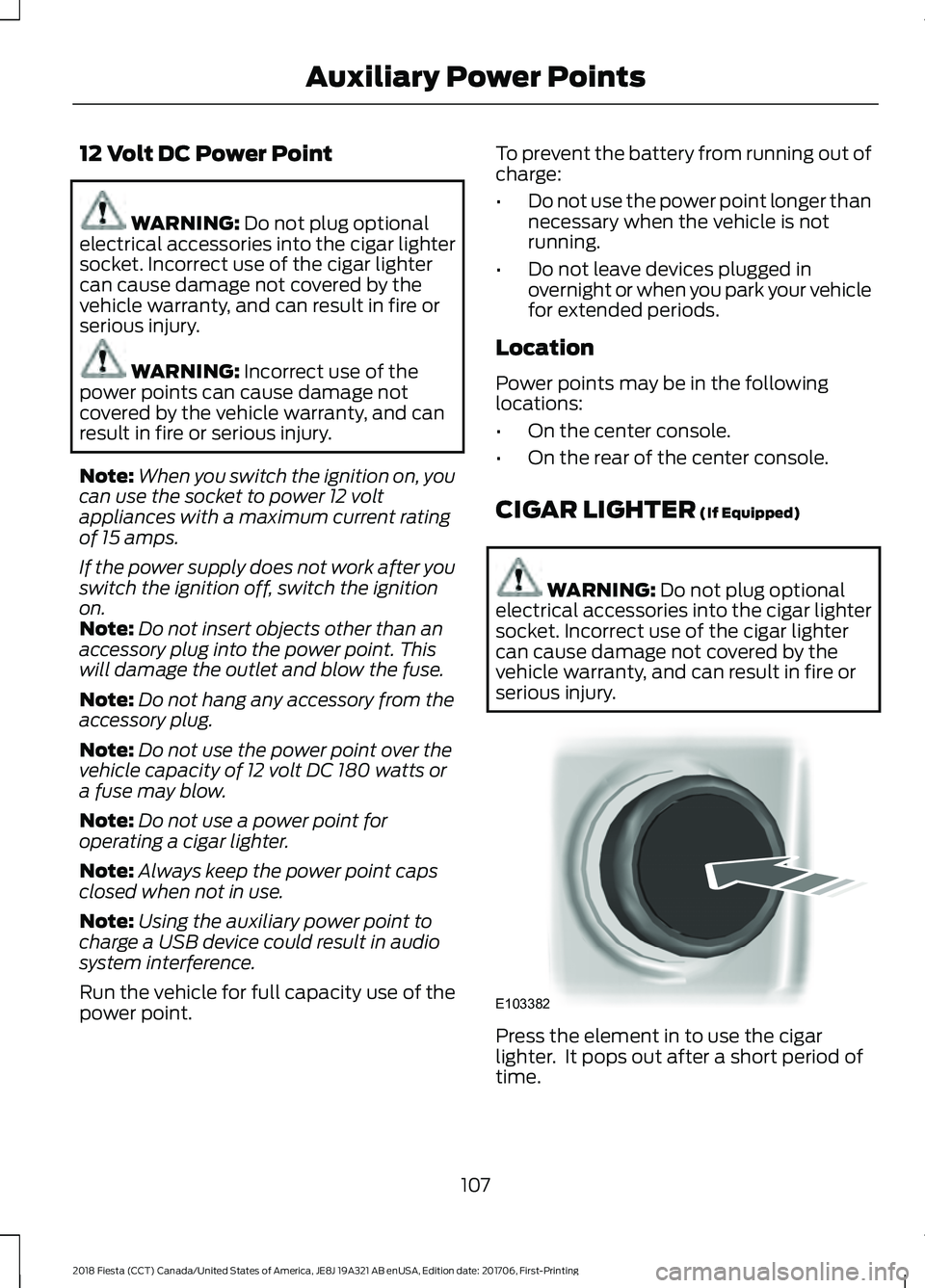
serious injury. Press the element in to use the cigar
lighter. It pops out after a short period of
time.
107
2018 Fiesta (CCT) Canada/United States of America, JE8J 19A321 AB enUSA, Edition date: 201706, First-Printing Auxiliary Power PointsE103382
Page 112 of 449
CENTER CONSOLE
Stow items in the cup holder carefully as
items may become loose during hard
braking, acceleration or crashes, including
hot drinks which may spill.
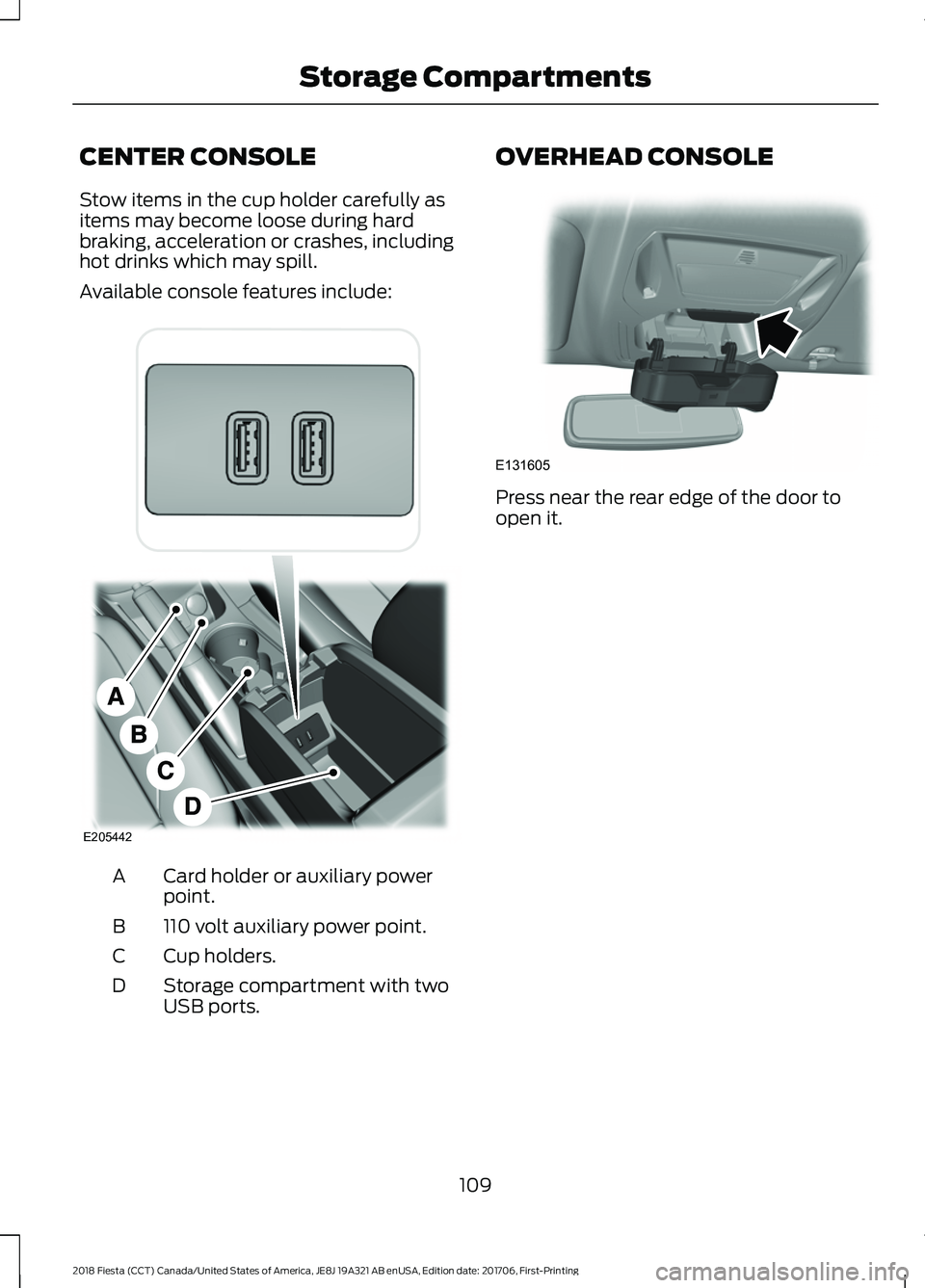
Available console features include:
Card holder or auxiliary power
point.
A
110 volt auxiliary power point.
B
Cup holders.
C
Storage compartment with two
USB ports.
D OVERHEAD CONSOLE
Press near the rear edge of the door to
open it.
109
2018 Fiesta (CCT) Canada/United States of America, JE8J 19A321 AB enUSA, Edition date: 201706, First-Printing Storage CompartmentsE205442 E131605
Page 267 of 449
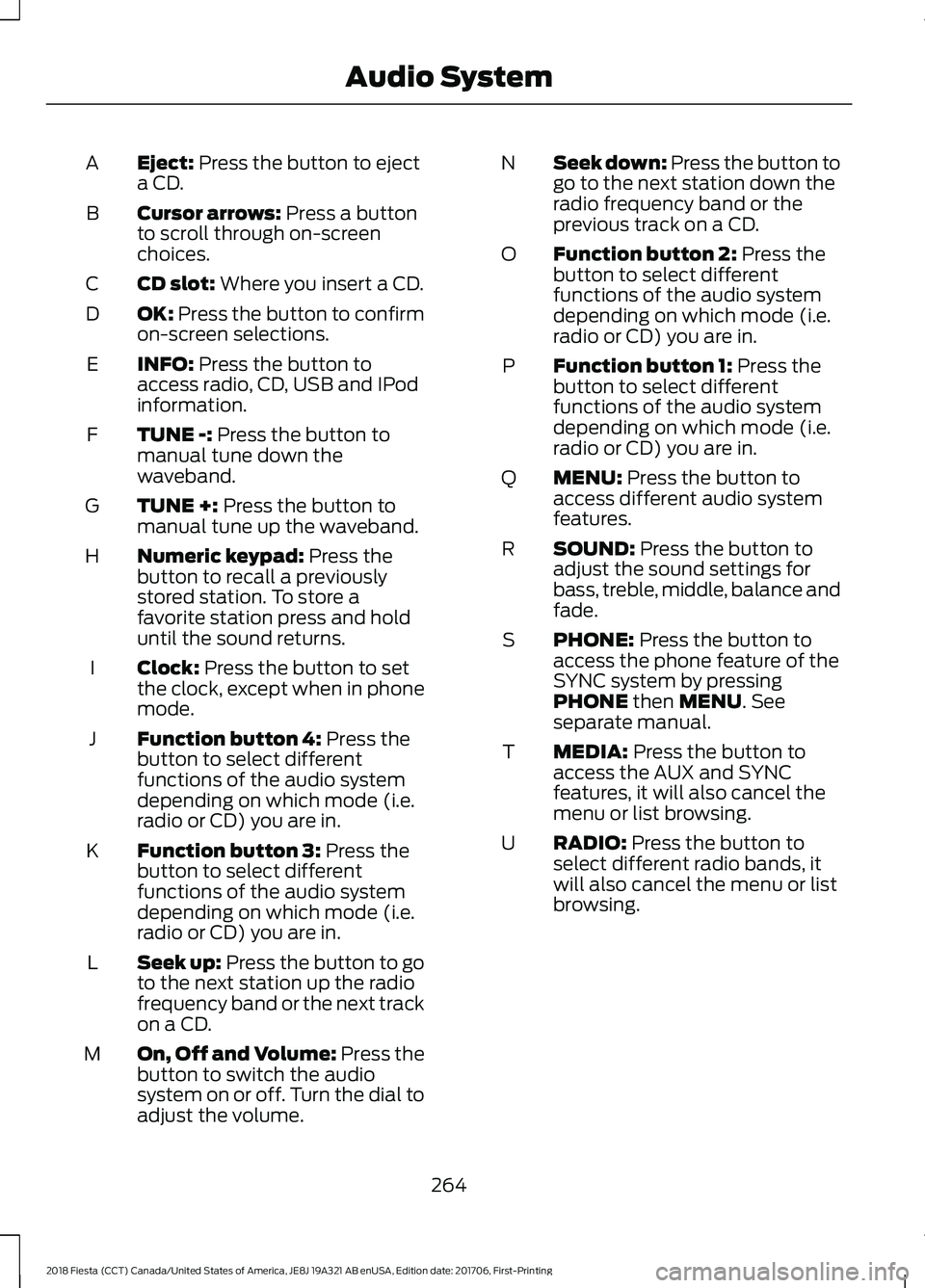
Eject: Press the button to eject
a CD.
A
Cursor arrows:
Press a button
to scroll through on-screen
choices.
B
CD slot:
Where you insert a CD.
C
OK:
Press the button to confirm
on-screen selections.
D
INFO:
Press the button to
access radio, CD, USB and IPod
information.
E
TUNE -:
Press the button to
manual tune down the
waveband.
F
TUNE +:
Press the button to
manual tune up the waveband.
G
Numeric keypad:
Press the
button to recall a previously
stored station. To store a
favorite station press and hold
until the sound returns.
H
Clock:
Press the button to set
the clock, except when in phone
mode.
I
Function button 4:
Press the
button to select different
functions of the audio system
depending on which mode (i.e.
radio or CD) you are in.
J
Function button 3:
Press the
button to select different
functions of the audio system
depending on which mode (i.e.
radio or CD) you are in.
K
Seek up:
Press the button to go
to the next station up the radio
frequency band or the next track
on a CD.
L
On, Off and Volume:
Press the
button to switch the audio
system on or off. Turn the dial to
adjust the volume.
M Seek down: Press the button to
go to the next station down the
radio frequency band or the
previous track on a CD.
N
Function button 2:
Press the
button to select different
functions of the audio system
depending on which mode (i.e.
radio or CD) you are in.
O
Function button 1:
Press the
button to select different
functions of the audio system
depending on which mode (i.e.
radio or CD) you are in.
P
MENU:
Press the button to
access different audio system
features.
Q
SOUND:
Press the button to
adjust the sound settings for
bass, treble, middle, balance and
fade.
R
PHONE:
Press the button to
access the phone feature of the
SYNC system by pressing
PHONE
then MENU. See
separate manual.
S
MEDIA:
Press the button to
access the AUX and SYNC
features, it will also cancel the
menu or list browsing.
T
RADIO:
Press the button to
select different radio bands, it
will also cancel the menu or list
browsing.
U
264
2018 Fiesta (CCT) Canada/United States of America, JE8J 19A321 AB enUSA, Edition date: 201706, First-Printing Audio System
Page 278 of 449
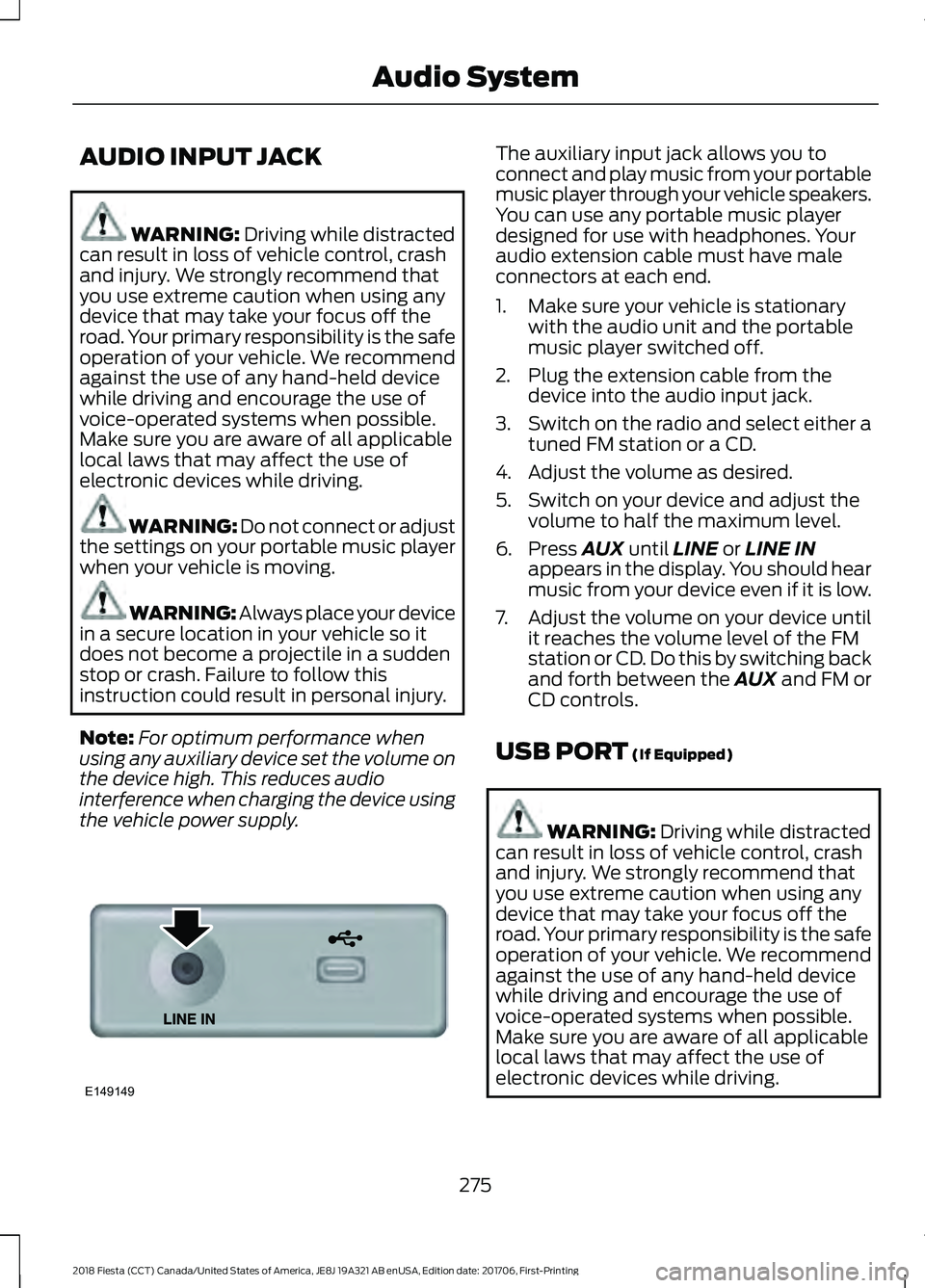
AUDIO INPUT JACK
WARNING: Driving while distracted
can result in loss of vehicle control, crash
and injury. We strongly recommend that
you use extreme caution when using any
device that may take your focus off the
road. Your primary responsibility is the safe
operation of your vehicle. We recommend
against the use of any hand-held device
while driving and encourage the use of
voice-operated systems when possible.
Make sure you are aware of all applicable
local laws that may affect the use of
electronic devices while driving. WARNING:
Do not connect or adjust
the settings on your portable music player
when your vehicle is moving. WARNING: Always place your device
in a secure location in your vehicle so it
does not become a projectile in a sudden
stop or crash. Failure to follow this
instruction could result in personal injury.
Note: For optimum performance when
using any auxiliary device set the volume on
the device high. This reduces audio
interference when charging the device using
the vehicle power supply. The auxiliary input jack allows you to
connect and play music from your portable
music player through your vehicle speakers.
You can use any portable music player
designed for use with headphones. Your
audio extension cable must have male
connectors at each end.
1. Make sure your vehicle is stationary
with the audio unit and the portable
music player switched off.
2. Plug the extension cable from the device into the audio input jack.
3. Switch on the radio and select either a
tuned FM station or a CD.
4. Adjust the volume as desired.
5. Switch on your device and adjust the volume to half the maximum level.
6. Press AUX until LINE or LINE IN
appears in the display. You should hear
music from your device even if it is low.
7. Adjust the volume on your device until
it reaches the volume level of the FM
station or CD. Do this by switching back
and forth between the AUX and FM or
CD controls.
USB PORT
(If Equipped) WARNING:
Driving while distracted
can result in loss of vehicle control, crash
and injury. We strongly recommend that
you use extreme caution when using any
device that may take your focus off the
road. Your primary responsibility is the safe
operation of your vehicle. We recommend
against the use of any hand-held device
while driving and encourage the use of
voice-operated systems when possible.
Make sure you are aware of all applicable
local laws that may affect the use of
electronic devices while driving.
275
2018 Fiesta (CCT) Canada/United States of America, JE8J 19A321 AB enUSA, Edition date: 201706, First-Printing Audio SystemE149149
Page 279 of 449
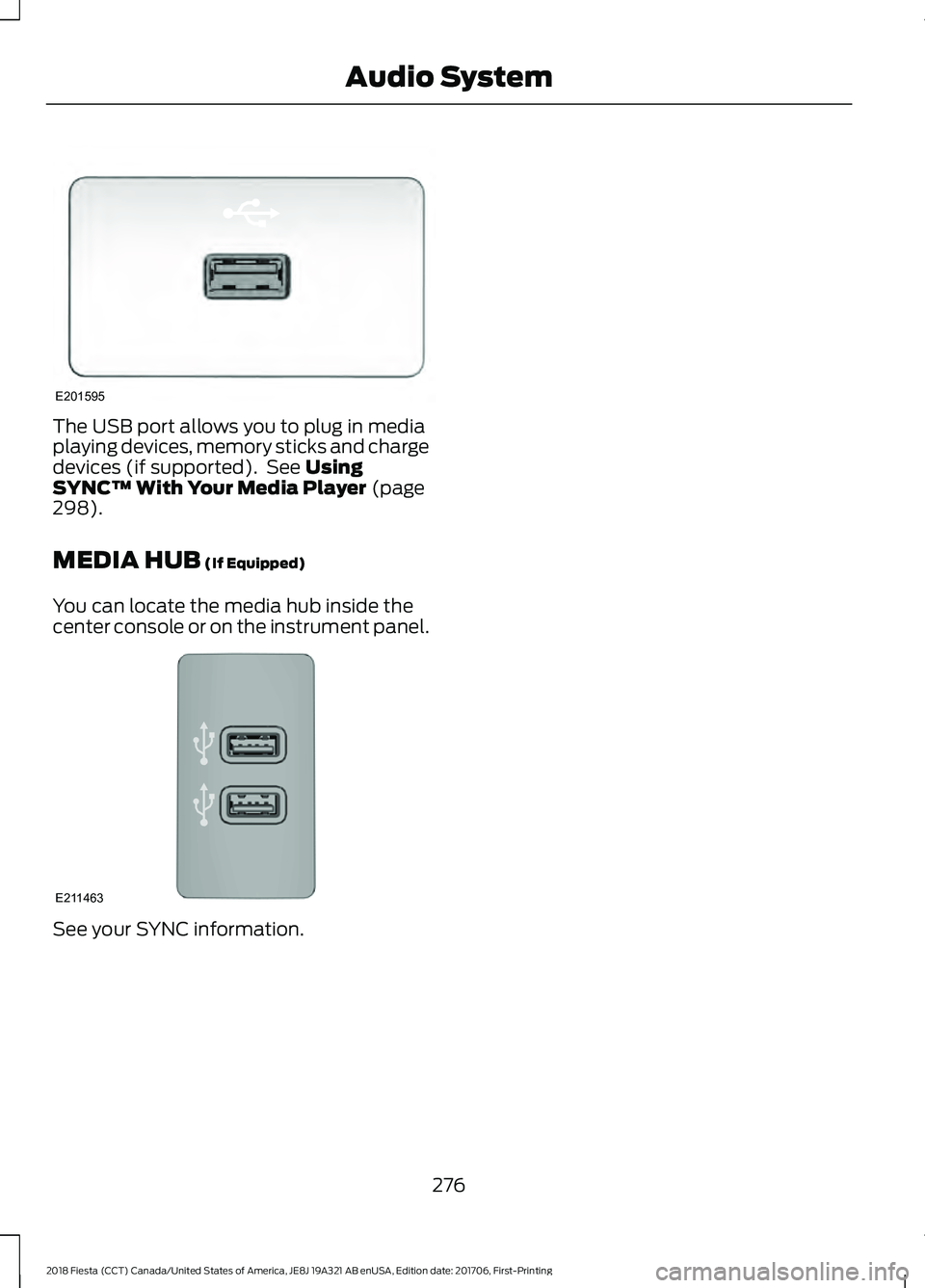
The USB port allows you to plug in media
playing devices, memory sticks and charge
devices (if supported). See Using
SYNC™ With Your Media Player (page
298).
MEDIA HUB
(If Equipped)
You can locate the media hub inside the
center console or on the instrument panel. See your SYNC information.
276
2018 Fiesta (CCT) Canada/United States of America, JE8J 19A321 AB enUSA, Edition date: 201706, First-Printing Audio SystemE201595 E211463
Page 280 of 449
GENERAL INFORMATION
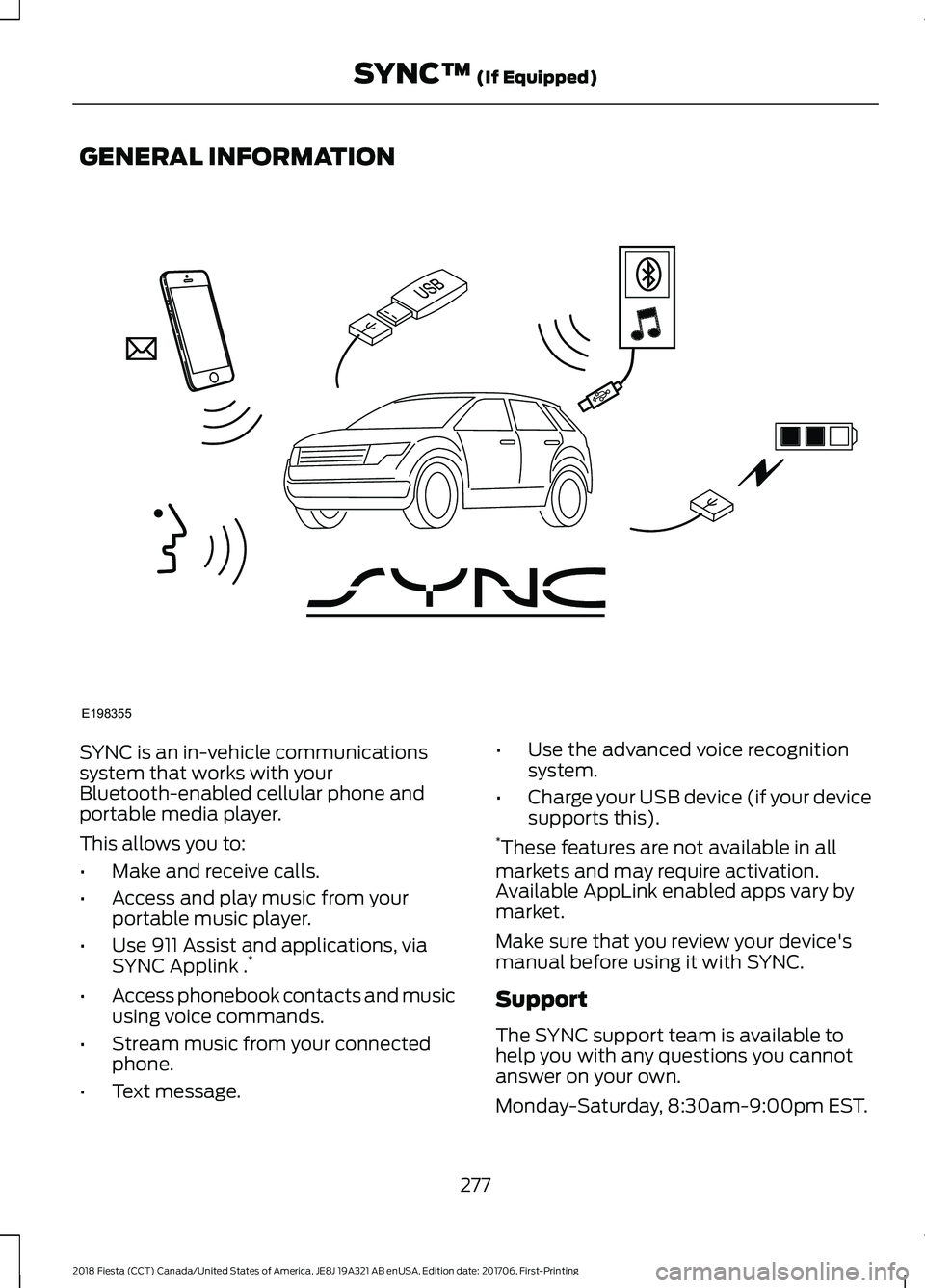
SYNC is an in-vehicle communications
system that works with your
Bluetooth-enabled cellular phone and
portable media player.
This allows you to:
•
Make and receive calls.
• Access and play music from your
portable music player.
• Use 911 Assist and applications, via
SYNC Applink . *
• Access phonebook contacts and music
using voice commands.
• Stream music from your connected
phone.
• Text message. •
Use the advanced voice recognition
system.
• Charge your USB device (if your device
supports this).
* These features are not available in all
markets and may require activation.
Available AppLink enabled apps vary by
market.
Make sure that you review your device's
manual before using it with SYNC.
Support
The SYNC support team is available to
help you with any questions you cannot
answer on your own.
Monday-Saturday, 8:30am-9:00pm EST.
277
2018 Fiesta (CCT) Canada/United States of America, JE8J 19A321 AB enUSA, Edition date: 201706, First-Printing SYNC™ (If Equipped)E198355
Page 287 of 449
![FORD FIESTA 2018 Owners Manual Voice Command
3
[text] (messages | message)
help
___ is a dynamic listing that should be the
name of a contact in your phonebook. For
example you could say "Call Home".
1 See Dial table below](/img/11/40761/w960_40761-286.png "FORD FIESTA 2018 Owners Manual Voice Command
3
[text] (messages | message)
help
___ is a dynamic listing that should be the
name of a contact in your phonebook. For
example you could say \"Call Home\".
1 See Dial table below")
Voice Command
3
[text] (messages | message)
help
___ is a dynamic listing that should be the
name of a contact in your phonebook. For
example you could say "Call Home".
1 See Dial table below.
2 These commands are only valid while in
a phone call.
3 See the text message table below.
Dial Commands
Press the voice button and when prompted
say any of the following commands: Voice Commands
411 (four-one-one), 911 (nine-one-one) 700 (seven hundred)800 (eight hundred) 900 (nine hundred)
Clear (deletes all entered digits)
Delete (deletes last set of digits entered) Number <0-9>Plus
Pound (#) Star (*)
Note: To exit dial mode, press and hold the
phone button or press any button on the
audio system. To access text messages say: Voice Command
[text] (messages | message)
Then say any of the following:
(listen to | read) ([text] message)
forward (text | [text] message)
reply to (text | [text] message)
call [sender]
Phonebook Hints
To hear how the SYNC system speaks a
name browse phonebook, select a contact
and press: Menu Item
Hear it
Changing Devices Using Voice
Commands
Using SYNC, you can easily access multiple
phones, ipods, or USB devices. to switch
devices say:
284
2018 Fiesta (CCT) Canada/United States of America, JE8J 19A321 AB enUSA, Edition date: 201706, First-Printing SYNC™
(If Equipped)
Page 288 of 449
Voice Command
You can state the name of
the desired device, such as“My iPhone ”,“My Galaxy ”
or “My iPod ”. SYNC may
ask you to confirm the type of device (Phone, USB, or Bluetooth Audio).
(connect |
device) ___
Making Calls Press the voice button. When
prompted, say:
Voice Command
call [[a] name] SYNC prompts you to say
the numbers that you wish
to dial. After you say the
numbers, the system
confirms it. You can then
say:
dial [[a]
number]
When the system has stated the
number, you say any of the following: Voice Command
This initiates the call.
(dial | send)
This erases the spoken
digits.
(delete |
correct)
To end the call, press the end call button on the steering wheel or select the end call
option in the audio display.
Receiving Calls
Accepting calls
When receiving a call, you can answer the
call by pressing the accept call button on
the steering wheel or use the screen.
To use the screen to accept a call
select:
Menu Item
Accept
Rejecting Calls
When receiving a call, you can reject the
call by pressing the reject call button on
the steering wheel or use the screen.
To use the screen to reject a call select: Menu Item
Reject
Ignore the call by doing nothing.
Phone Options during an Active
Call
During an active call, you have more menu
features that become available, such as
putting a call on hold or joining calls.
To access this menu, choose one of the
options available at the bottom of the
audio display or select More to choose
from the following options:
285
2018 Fiesta (CCT) Canada/United States of America, JE8J 19A321 AB enUSA, Edition date: 201706, First-Printing SYNC™
(If Equipped)E142599
Page 295 of 449
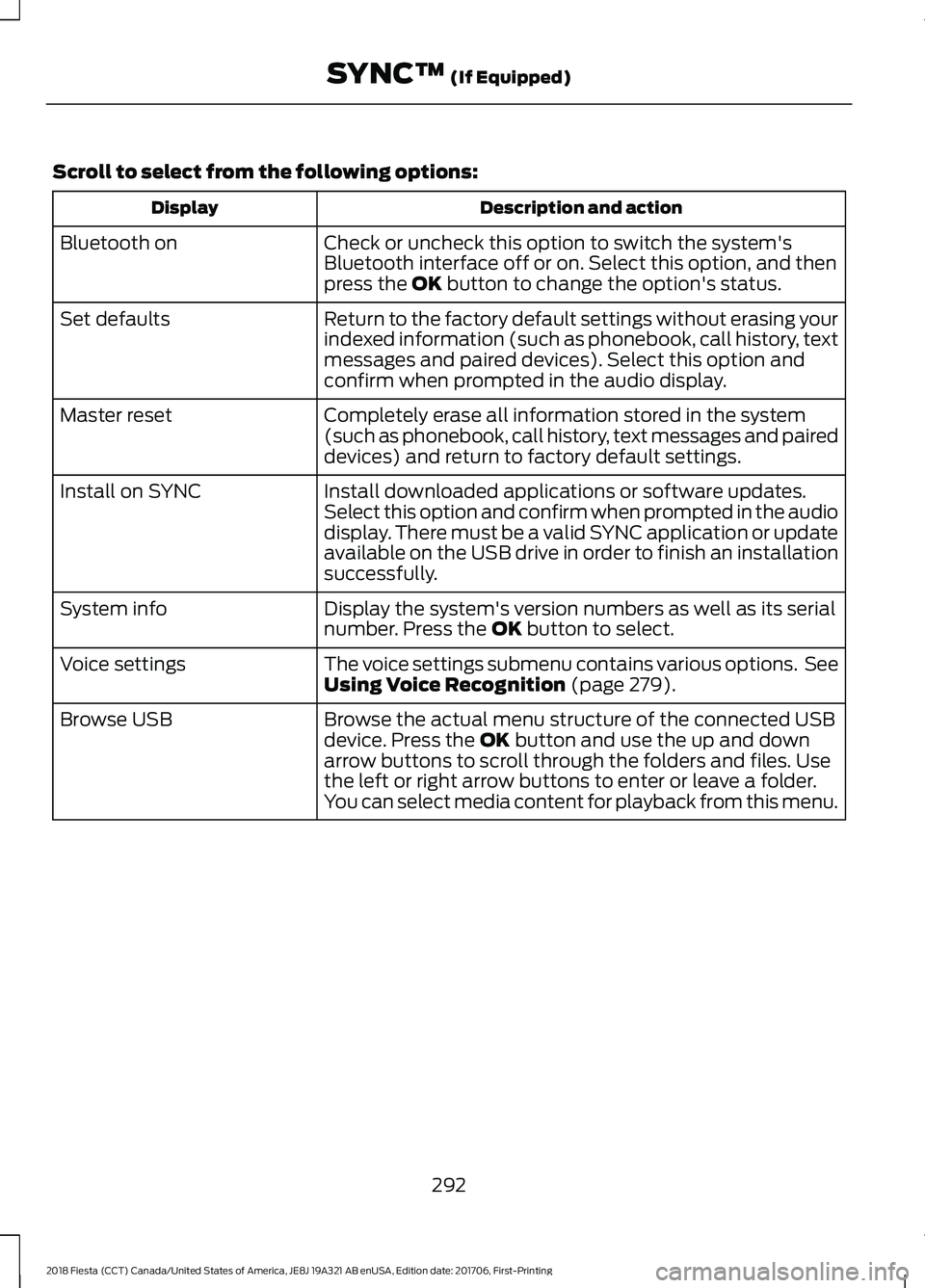
Scroll to select from the following options:
Description and action
Display
Check or uncheck this option to switch the system's
Bluetooth interface off or on. Select this option, and then
press the OK button to change the option's status.
Bluetooth on
Return to the factory default settings without erasing your
indexed information (such as phonebook, call history, text
messages and paired devices). Select this option and
confirm when prompted in the audio display.
Set defaults
Completely erase all information stored in the system
(such as phonebook, call history, text messages and paired
devices) and return to factory default settings.
Master reset
Install downloaded applications or software updates.
Select this option and confirm when prompted in the audio
display. There must be a valid SYNC application or update
available on the USB drive in order to finish an installation
successfully.
Install on SYNC
Display the system's version numbers as well as its serial
number. Press the
OK button to select.
System info
The voice settings submenu contains various options. See
Using Voice Recognition
(page 279).
Voice settings
Browse the actual menu structure of the connected USB
device. Press the
OK button and use the up and down
arrow buttons to scroll through the folders and files. Use
the left or right arrow buttons to enter or leave a folder.
You can select media content for playback from this menu.
Browse USB
292
2018 Fiesta (CCT) Canada/United States of America, JE8J 19A321 AB enUSA, Edition date: 201706, First-Printing SYNC™
(If Equipped)