steering wheel FORD FLEX 2014 1.G Owners Manual
[x] Cancel search | Manufacturer: FORD, Model Year: 2014, Model line: FLEX, Model: FORD FLEX 2014 1.GPages: 554, PDF Size: 8.04 MB
Page 3 of 554
MyKey 71
Settings, MyKey.......................................71
Creating.............................................72
Clearing.............................................73
System status.........................................73
Remote start, MyKey...................................73
Troubleshooting, MyKey.................................74
Locks 75
Locking and unlocking..................................75
SecuriCode™ keyless entry keypad.........................82
Security 86
SecuriLock® passive anti-theft system.......................86
Anti-theft alarm.......................................89
Steering Wheel 91
Adjusting the steering wheel..............................91
Steering wheel controls.................................93
Pedals 96
Adjustable pedals......................................96
Wipers and Washers 97
Windshield wipers.....................................97
Rain-sensing wipers....................................97
Windshield washers....................................98
Rear-window wiper and washer............................98
2Table of Contents
2014 Flex(471)
Owners Guide gf, 1st Printing, April 2013
USA(fus)
Page 13 of 554
may access or share among them data for vehicle improvement purposes.
For U.S. only (if equipped), if you choose to use the SYNC® Vehicle
Health Report, you consent that certain diagnostic information may also
be accessed electronically by Ford Motor Company and Ford authorized
service facilities, and that the diagnostic information may be used for any
purpose. See theSYNC®chapter for more information.
Event Data Recording
This vehicle is equipped with an event data recorder (EDR). The
main purpose of an EDR is to record, in certain crash or near
crash-like situations, such as an airbag deployment or hitting a
road obstacle; this data will assist in understanding how a
vehicle’s systems performed. The EDR is designed to record data
related to vehicle dynamics and safety systems for a short period
of time, typically 30 seconds or less. The EDR in this vehicle is
designed to record such data as:
•How various systems in your vehicle were operating;
•Whether or not the driver and passenger safety belts were
buckled/fastened;
•How far (if at all) the driver was depressing the accelerator
and/or the brake pedal;
•How fast the vehicle was travelling;
•Where the driver was positioning the steering wheel.
This data can help provide a better understanding of the
circumstances in which crashes and injuries occur.
Note: EDR data is recorded by your vehicle only if a non-trivial
crash situation occurs; no data is recorded by the EDR under
normal driving conditions and no personal data or information
(e.g., name, gender, age, and crash location) is recorded (see
limitations regarding 911 Assist and Traffic, Directions and
Information privacy below). However, parties, such as law
enforcement, could combine the EDR data with the type of
personally identifying data routinely acquired during a crash
investigation.
To read data recorded by an EDR, special equipment is required,
and access to the vehicle or the EDR is needed. In addition to the
vehicle manufacturer, other parties, such as law enforcement,
that have such special equipment, can read the information if
they have access to the vehicle or the EDR. Ford Motor Company
12Introduction
2014 Flex(471)
Owners Guide gf, 1st Printing, April 2013
USA(fus)
Page 92 of 554
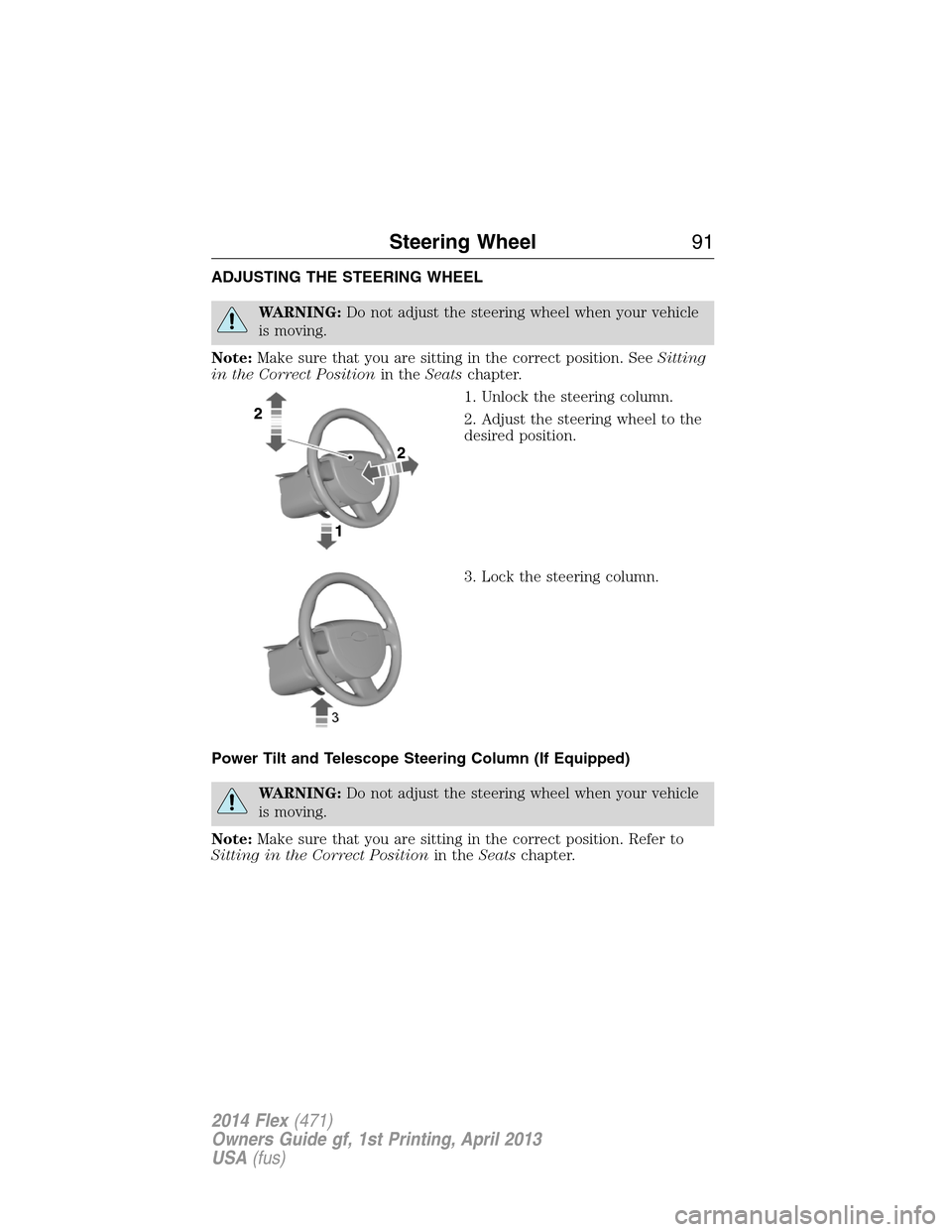
ADJUSTING THE STEERING WHEEL
WARNING:Do not adjust the steering wheel when your vehicle
is moving.
Note:Make sure that you are sitting in the correct position. SeeSitting
in the Correct Positionin theSeatschapter.
1. Unlock the steering column.
2. Adjust the steering wheel to the
desired position.
3. Lock the steering column.
Power Tilt and Telescope Steering Column (If Equipped)
WARNING:Do not adjust the steering wheel when your vehicle
is moving.
Note:Make sure that you are sitting in the correct position. Refer to
Sitting in the Correct Positionin theSeatschapter.
Steering Wheel91
2014 Flex(471)
Owners Guide gf, 1st Printing, April 2013
USA(fus)
Page 93 of 554
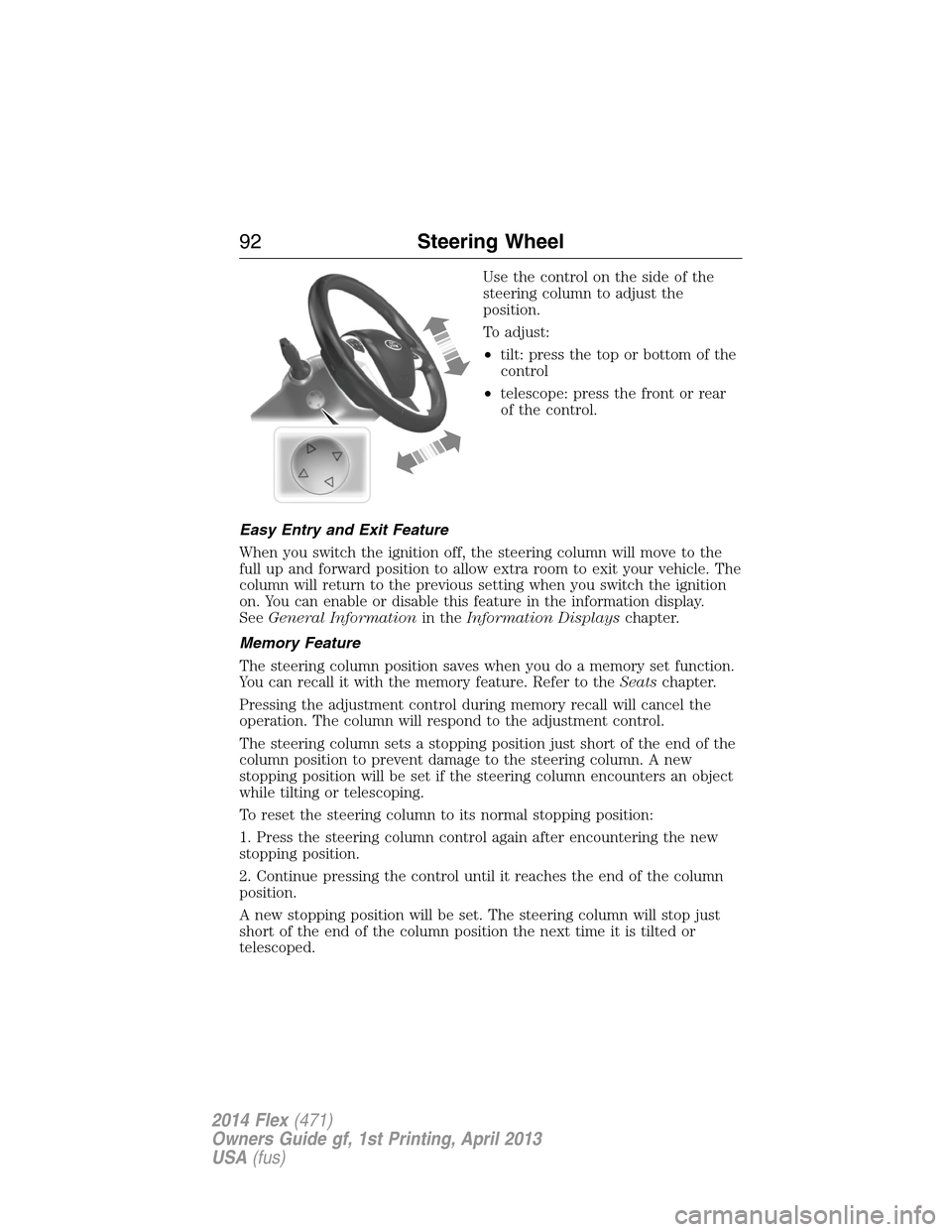
Use the control on the side of the
steering column to adjust the
position.
To adjust:
•tilt: press the top or bottom of the
control
•telescope: press the front or rear
of the control.
Easy Entry and Exit Feature
When you switch the ignition off, the steering column will move to the
full up and forward position to allow extra room to exit your vehicle. The
column will return to the previous setting when you switch the ignition
on. You can enable or disable this feature in the information display.
SeeGeneral Informationin theInformation Displayschapter.
Memory Feature
The steering column position saves when you do a memory set function.
You can recall it with the memory feature. Refer to theSeatschapter.
Pressing the adjustment control during memory recall will cancel the
operation. The column will respond to the adjustment control.
The steering column sets a stopping position just short of the end of the
column position to prevent damage to the steering column. A new
stopping position will be set if the steering column encounters an object
while tilting or telescoping.
To reset the steering column to its normal stopping position:
1. Press the steering column control again after encountering the new
stopping position.
2. Continue pressing the control until it reaches the end of the column
position.
A new stopping position will be set. The steering column will stop just
short of the end of the column position the next time it is tilted or
telescoped.
92Steering Wheel
2014 Flex(471)
Owners Guide gf, 1st Printing, April 2013
USA(fus)
Page 94 of 554
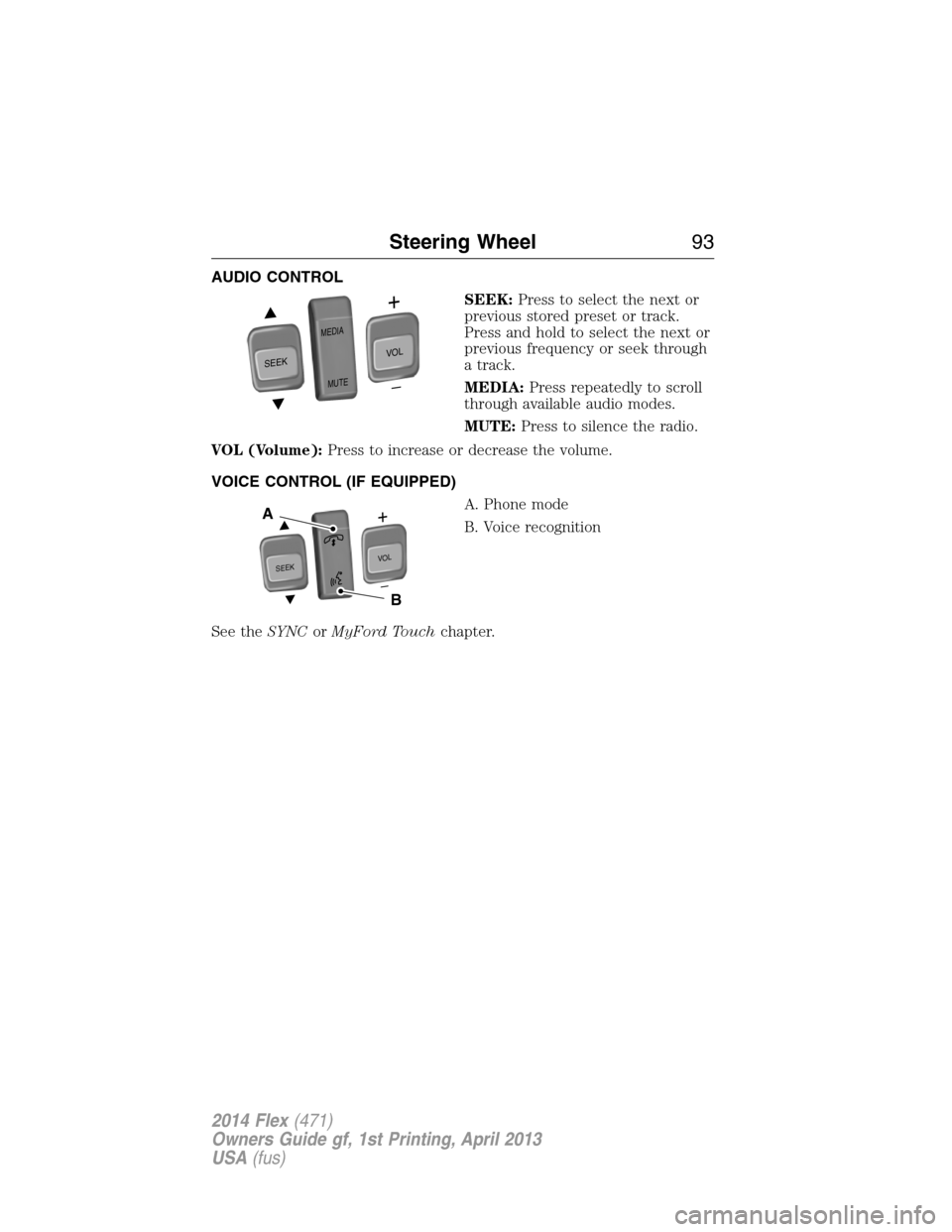
AUDIO CONTROL
SEEK:Press to select the next or
previous stored preset or track.
Press and hold to select the next or
previous frequency or seek through
a track.
MEDIA:Press repeatedly to scroll
through available audio modes.
MUTE:Press to silence the radio.
VOL (Volume):Press to increase or decrease the volume.
VOICE CONTROL (IF EQUIPPED)
A. Phone mode
B. Voice recognition
See theSYNCorMyFord Touchchapter.
SEEK
MEDIA
MUTE
V
O
L
S
E
E
KVOL
A
B
Steering Wheel93
2014 Flex(471)
Owners Guide gf, 1st Printing, April 2013
USA(fus)
Page 95 of 554
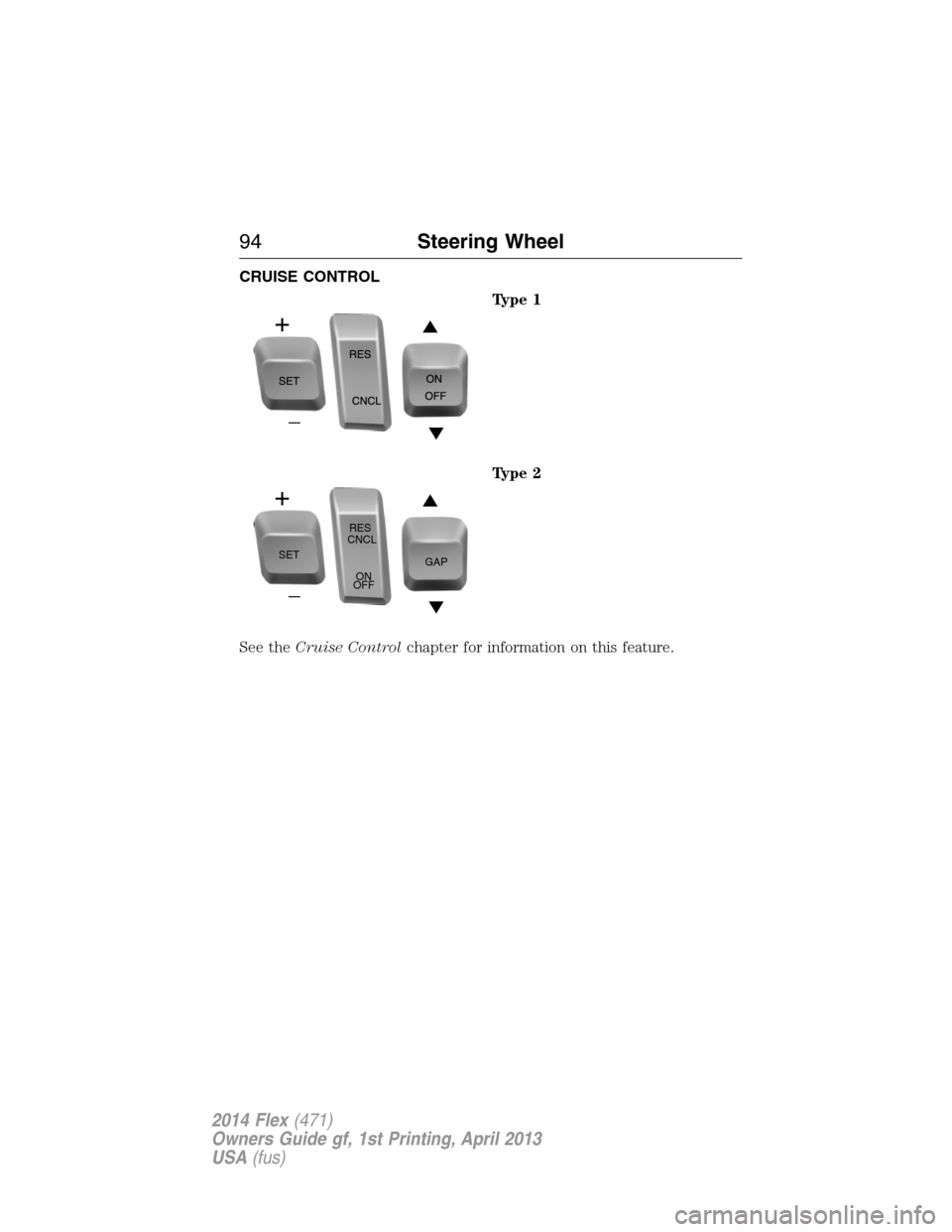
CRUISE CONTROL
Type 1
Type 2
See theCruise Controlchapter for information on this feature.
SETRES
CNCL
ON
OFFGAP
94Steering Wheel
2014 Flex(471)
Owners Guide gf, 1st Printing, April 2013
USA(fus)
Page 96 of 554
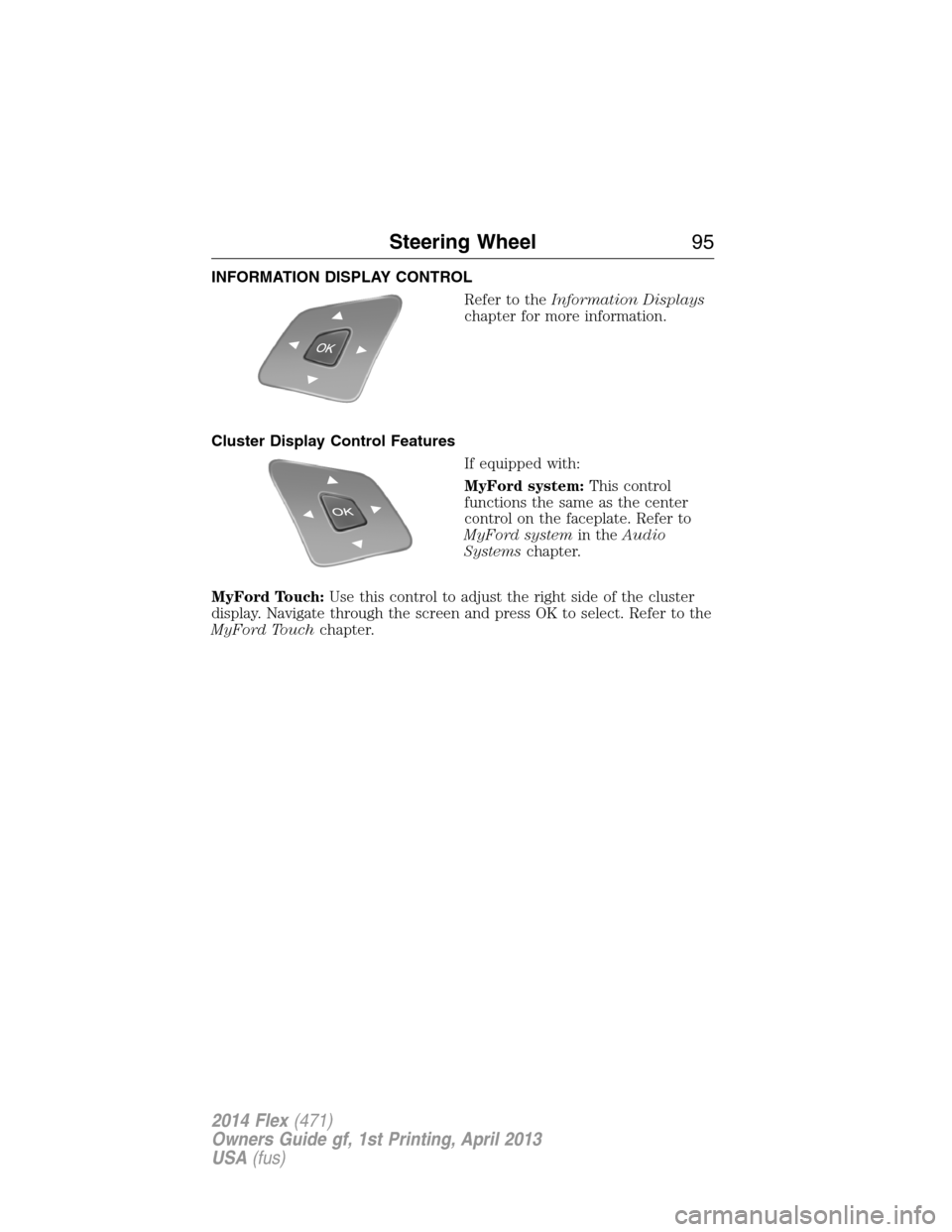
INFORMATION DISPLAY CONTROL
Refer to theInformation Displays
chapter for more information.
Cluster Display Control Features
If equipped with:
MyFord system:This control
functions the same as the center
control on the faceplate. Refer to
MyFord systemin theAudio
Systemschapter.
MyFord Touch:Use this control to adjust the right side of the cluster
display. Navigate through the screen and press OK to select. Refer to the
MyFord Touchchapter.
Steering Wheel95
2014 Flex(471)
Owners Guide gf, 1st Printing, April 2013
USA(fus)
Page 118 of 554
GENERAL INFORMATION
WARNING:Driving while distracted can result in loss of vehicle
control, accident and injury. Ford strongly recommends that drivers
use extreme caution when using any device or feature that may take their
focus off the road. Your primary responsibility is the safe operation of the
vehicle. We recommend against the use of any handheld device while
driving and that you comply with all applicable laws.
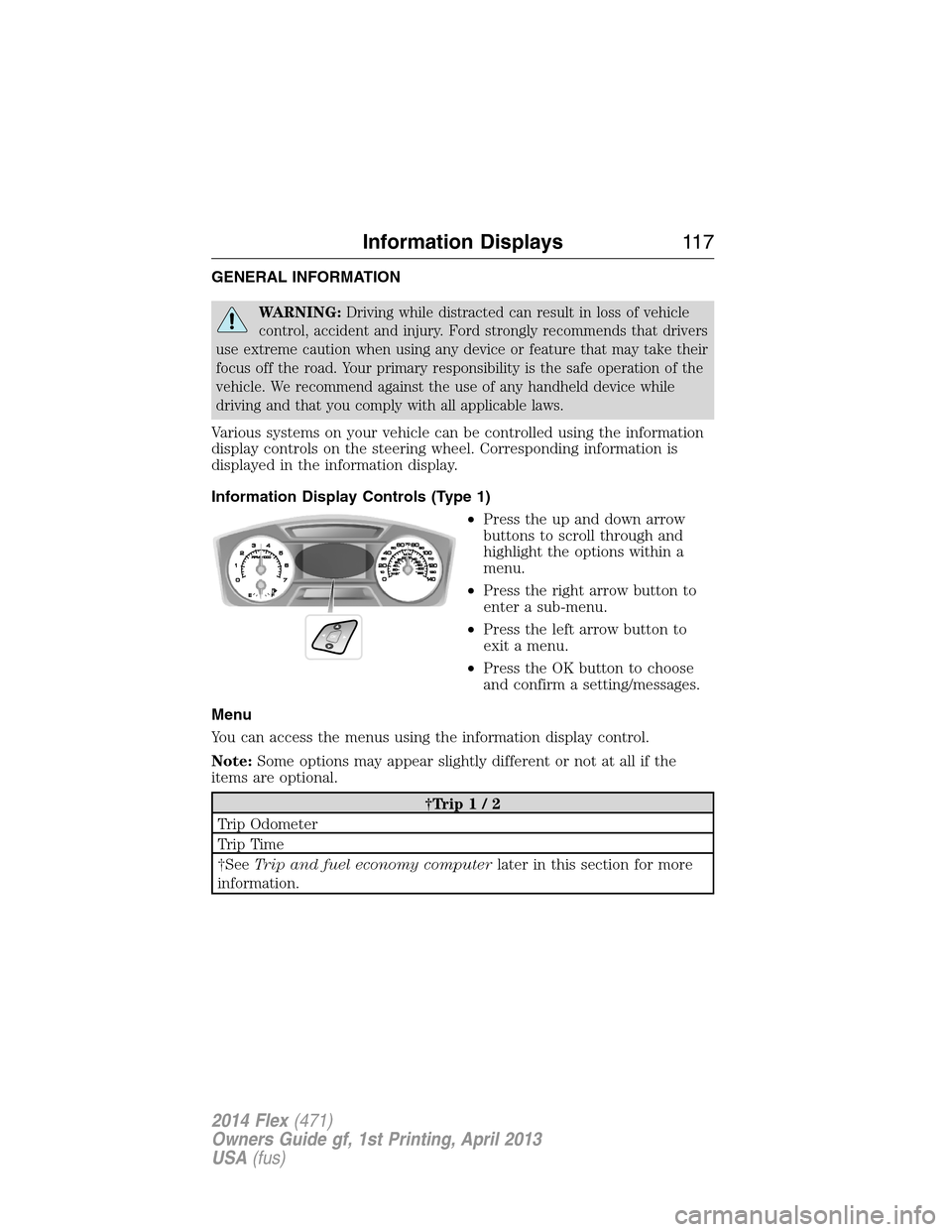
Various systems on your vehicle can be controlled using the information
display controls on the steering wheel. Corresponding information is
displayed in the information display.
Information Display Controls (Type 1)
•Press the up and down arrow
buttons to scroll through and
highlight the options within a
menu.
•Press the right arrow button to
enter a sub-menu.
•Press the left arrow button to
exit a menu.
•Press the OK button to choose
and confirm a setting/messages.
Menu
You can access the menus using the information display control.
Note:Some options may appear slightly different or not at all if the
items are optional.
†Trip1/2
Trip Odometer
Trip Time
†SeeTrip and fuel economy computerlater in this section for more
information.
Information Displays11 7
2014 Flex(471)
Owners Guide gf, 1st Printing, April 2013
USA(fus)
Page 129 of 554
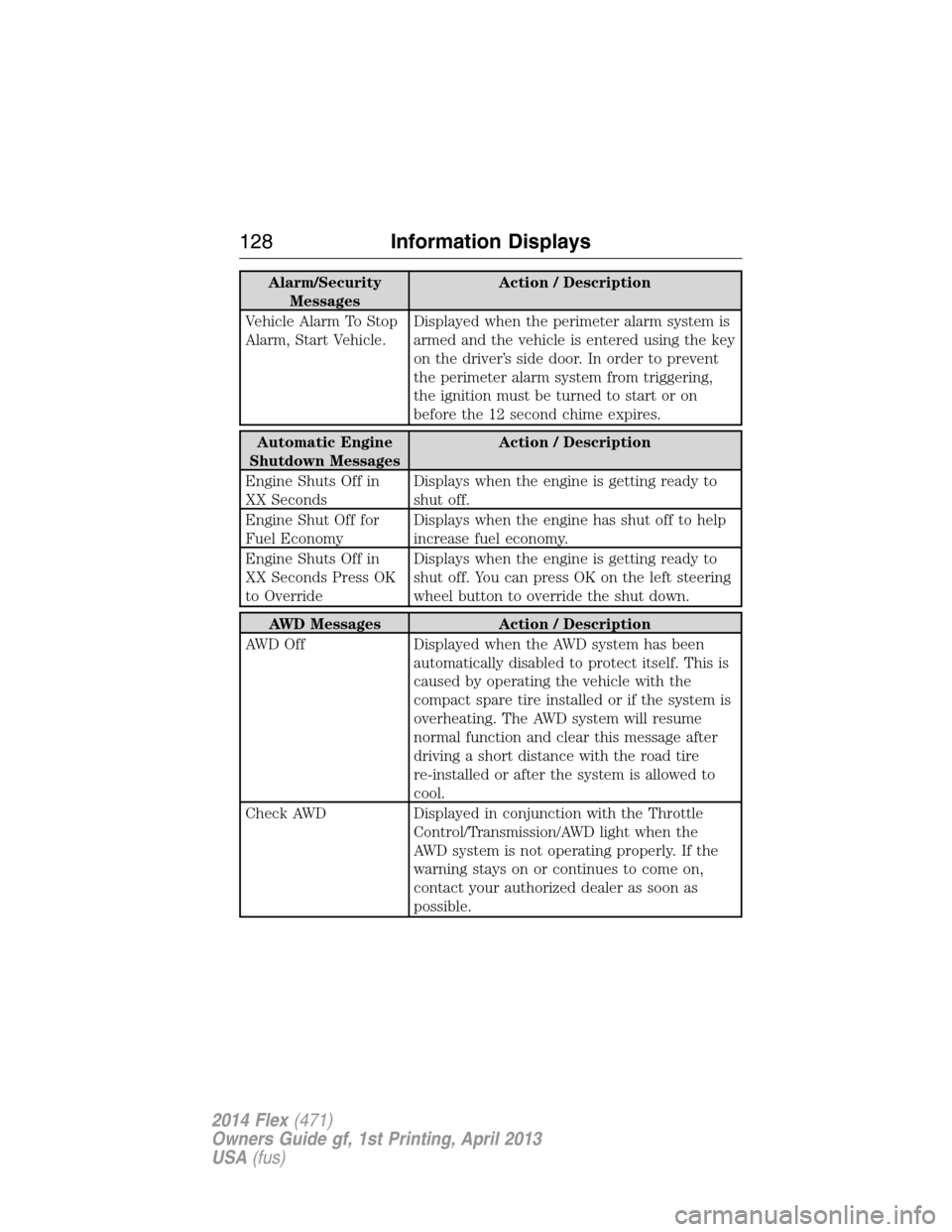
Alarm/Security
MessagesAction / Description
Vehicle Alarm To Stop
Alarm, Start Vehicle.Displayed when the perimeter alarm system is
armed and the vehicle is entered using the key
on the driver’s side door. In order to prevent
the perimeter alarm system from triggering,
the ignition must be turned to start or on
before the 12 second chime expires.
Automatic Engine
Shutdown MessagesAction / Description
Engine Shuts Off in
XX SecondsDisplays when the engine is getting ready to
shut off.
Engine Shut Off for
Fuel EconomyDisplays when the engine has shut off to help
increase fuel economy.
Engine Shuts Off in
XX Seconds Press OK
to OverrideDisplays when the engine is getting ready to
shut off. You can press OK on the left steering
wheel button to override the shut down.
AWD Messages Action / Description
AWD Off Displayed when the AWD system has been
automatically disabled to protect itself. This is
caused by operating the vehicle with the
compact spare tire installed or if the system is
overheating. The AWD system will resume
normal function and clear this message after
driving a short distance with the road tire
re-installed or after the system is allowed to
cool.
Check AWD Displayed in conjunction with the Throttle
Control/Transmission/AWD light when the
AWD system is not operating properly. If the
warning stays on or continues to come on,
contact your authorized dealer as soon as
possible.
128Information Displays
2014 Flex(471)
Owners Guide gf, 1st Printing, April 2013
USA(fus)
Page 135 of 554
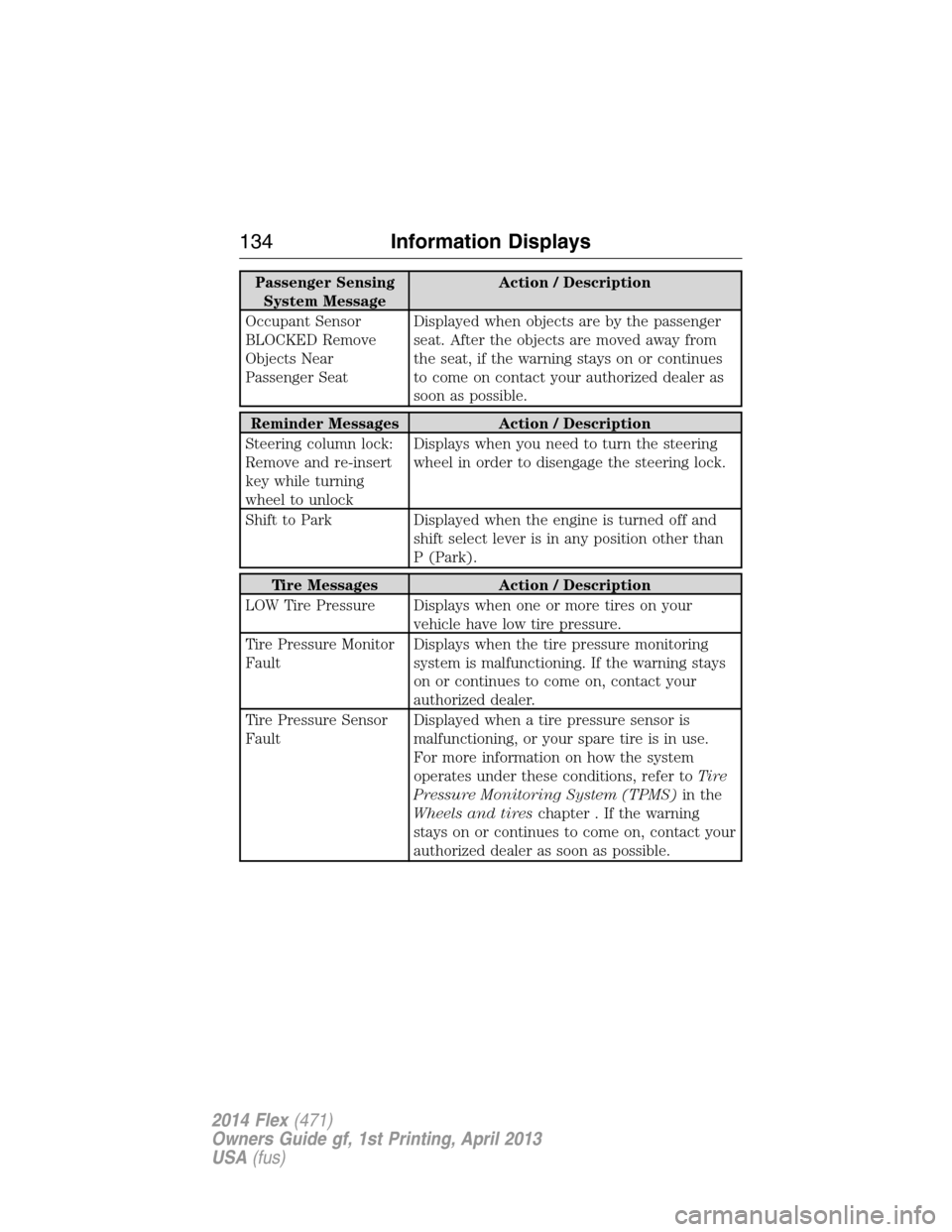
Passenger Sensing
System MessageAction / Description
Occupant Sensor
BLOCKED Remove
Objects Near
Passenger SeatDisplayed when objects are by the passenger
seat. After the objects are moved away from
the seat, if the warning stays on or continues
to come on contact your authorized dealer as
soon as possible.
Reminder Messages Action / Description
Steering column lock:
Remove and re-insert
key while turning
wheel to unlockDisplays when you need to turn the steering
wheel in order to disengage the steering lock.
Shift to Park Displayed when the engine is turned off and
shift select lever is in any position other than
P (Park).
Tire Messages Action / Description
LOW Tire Pressure Displays when one or more tires on your
vehicle have low tire pressure.
Tire Pressure Monitor
FaultDisplays when the tire pressure monitoring
system is malfunctioning. If the warning stays
on or continues to come on, contact your
authorized dealer.
Tire Pressure Sensor
FaultDisplayed when a tire pressure sensor is
malfunctioning, or your spare tire is in use.
For more information on how the system
operates under these conditions, refer toTi r e
Pressure Monitoring System (TPMS)in the
Wheels and tireschapter . If the warning
stays on or continues to come on, contact your
authorized dealer as soon as possible.
134Information Displays
2014 Flex(471)
Owners Guide gf, 1st Printing, April 2013
USA(fus)