key FORD FLEX 2018 Repair Manual
[x] Cancel search | Manufacturer: FORD, Model Year: 2018, Model line: FLEX, Model: FORD FLEX 2018Pages: 508, PDF Size: 6.31 MB
Page 406 of 508
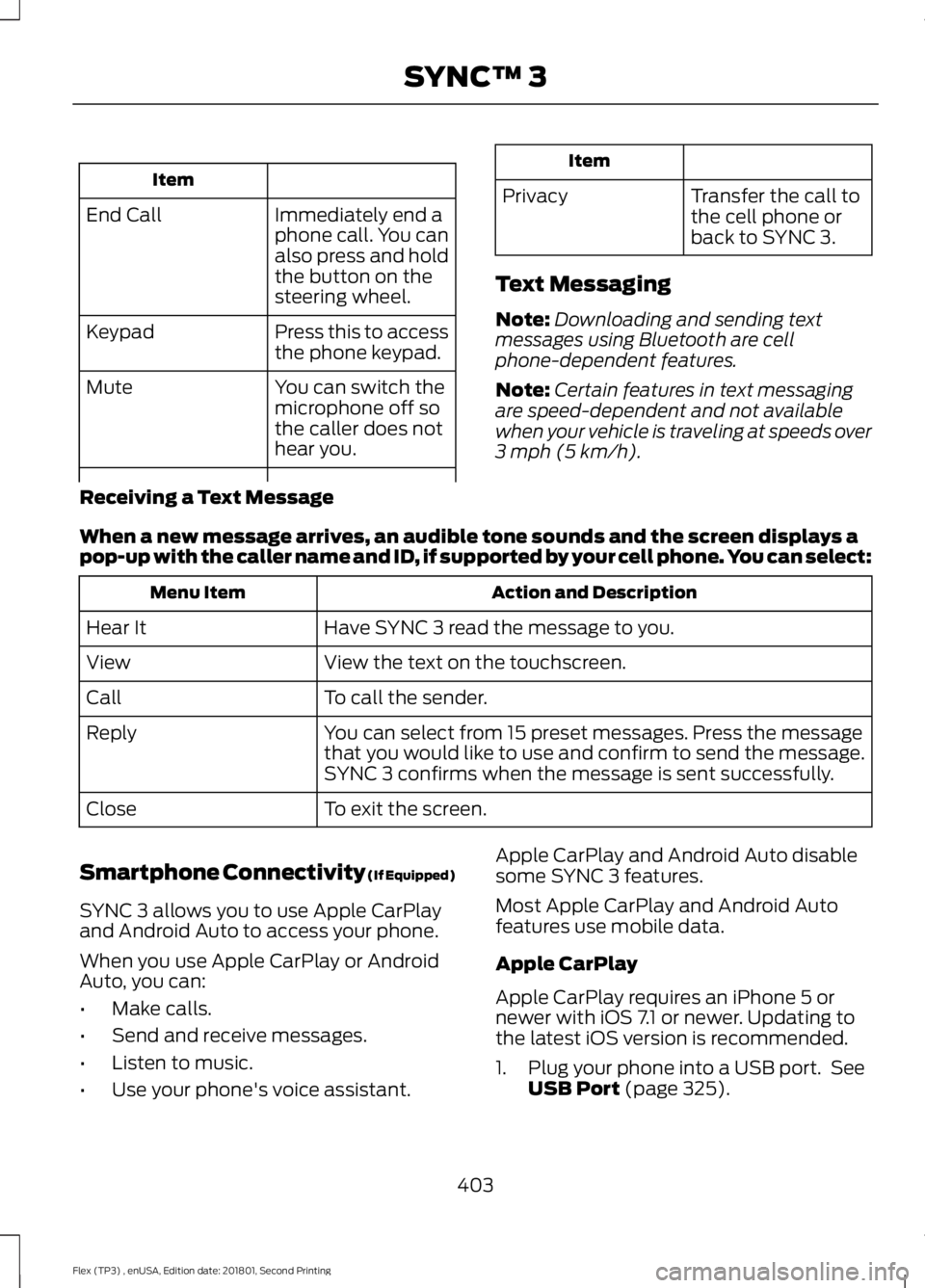
Item
Immediately end a
phone call. You can
also press and hold
the button on the
steering wheel.
End Call
Press this to access
the phone keypad.
Keypad
You can switch the
microphone off so
the caller does not
hear you.
Mute Item
Privacy Transfer the call to
the cell phone or
back to SYNC 3.
Text Messaging
Note: Downloading and sending text
messages using Bluetooth are cell
phone-dependent features.
Note: Certain features in text messaging
are speed-dependent and not available
when your vehicle is traveling at speeds over
3 mph (5 km/h).
Receiving a Text Message
When a new message arrives, an audible tone sounds and the screen displays a
pop-up with the caller name and ID, if supported by your cell phone. You can select: Action and Description
Menu Item
Have SYNC 3 read the message to you.
Hear It
View the text on the touchscreen.
View
To call the sender.
Call
You can select from 15 preset messages. Press the message
that you would like to use and confirm to send the message.
SYNC 3 confirms when the message is sent successfully.
Reply
To exit the screen.
Close
Smartphone Connectivity (If Equipped)
SYNC 3 allows you to use Apple CarPlay
and Android Auto to access your phone.
When you use Apple CarPlay or Android
Auto, you can:
• Make calls.
• Send and receive messages.
• Listen to music.
• Use your phone's voice assistant. Apple CarPlay and Android Auto disable
some SYNC 3 features.
Most Apple CarPlay and Android Auto
features use mobile data.
Apple CarPlay
Apple CarPlay requires an iPhone 5 or
newer with iOS 7.1 or newer. Updating to
the latest iOS version is recommended.
1. Plug your phone into a USB port. See
USB Port
(page 325).
403
Flex (TP3) , enUSA, Edition date: 201801, Second Printing SYNC™ 3
Page 431 of 508

Vehicle
Note:
You vehicle may not have all of these
features.
You can select the following features to
update their settings. Door Keypad Code
Select this button to add or erase a
personal door keypad code. To add or
erase a personal code, you first need to
enter the five-digit factory set code. You
can find this code on the owner's wallet
card in the glove box or from your
authorized dealer.
Camera Settings
To make adjustments using the touchscreen, select: Action and Description
Message
Camera Settings
Then select from the following: You can enable or disable this option using the slider.
Rear Camera
Delay
You can find more information on the rear-view camera system in the parking aids chapter
of your owner manual.
Onboard Modem Serial Number (ESN)
Selecting this button on the settings menu
shows you the ESN number for your
system. You need this number for certain
registrations such as Satellite Radio.
Display
To make adjustments using the touchscreen, select: Action and Description
Menu Item
The screen goes black and does not display anything. Tap the screen
to switch it back on.
Display Off
Make the screen display brighter or dimmer.
Brightness
You can select:
Mode
The screen automatically switches between day and
night modes based on the outside light level.
Auto
428
Flex (TP3) , enUSA, Edition date: 201801, Second Printing SYNC™ 3
Page 442 of 508

Voice command issues
Possible solution
Possible cause
Issue
SYNC 3 applies the phonetic pronunciation
rules of the selected language to the
contact names stored on your cell phone.
You may not be saying
the name exactly as it
appears on your phone-
book.
The SYNC 3
voice control
system is having
trouble recog-
nizing foreign
names stored
on my cell
phone.
Helpful Hint: You can select your contact
manually. Press PHONE. Select the option
for phonebook and then contact name.
Press the soft-key option to hear it. SYNC
3 will read the contact name to you, giving
you some idea of the pronunciation it is
expecting.
SYNC 3 applies the phonetic pronunciation
rules of the selected language to the names
stored on your media player or USB flash
drive. It is able to make some exceptions
for very popular artist names (for example,
U2) such that you can always use the
English pronunciation for these artists.
You may be saying the
foreign names using the
currently selected
language for SYNC 3.
The SYNC 3
voice control
system is having
trouble recog-
nizing foreign
tracks, artists,
albums, genres
and playlist
names from my
media player or
USB flash drive.
SYNC 3 uses a synthetically generated
voice rather than pre-recorded human
voice.
SYNC 3 uses text-to-
speech voice prompt
technology.
The system
generates voice
prompts and
the pronunci-
ation of some
words may not
be accurate for
my language. SYNC 3 offers several new voice control
features for a wide range of languages.
Dialing a contact name directly from the
phonebook without pre-recording (for
example,
“call John Smith ”) or selecting a
track, artist, album, genre or playlist directly
from your media player (for example, "play
artist Madonna").
439
Flex (TP3) , enUSA, Edition date: 201801, Second Printing SYNC™ 3
Page 443 of 508
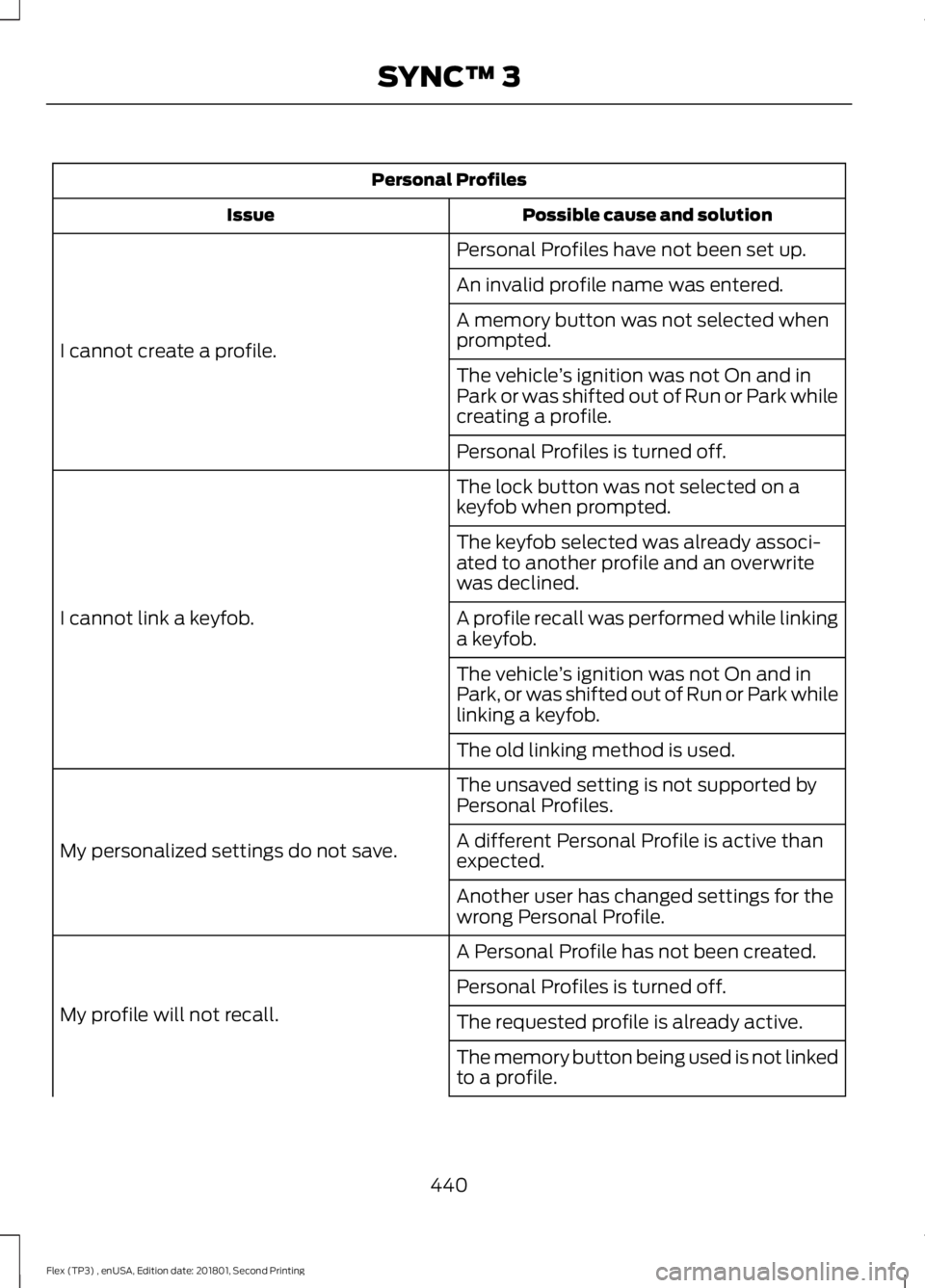
Personal Profiles
Possible cause and solution
Issue
Personal Profiles have not been set up.
I cannot create a profile. An invalid profile name was entered.
A memory button was not selected when
prompted.
The vehicle
’s ignition was not On and in
Park or was shifted out of Run or Park while
creating a profile.
Personal Profiles is turned off.
The lock button was not selected on a
keyfob when prompted.
I cannot link a keyfob. The keyfob selected was already associ-
ated to another profile and an overwrite
was declined.
A profile recall was performed while linking
a keyfob.
The vehicle
’s ignition was not On and in
Park, or was shifted out of Run or Park while
linking a keyfob.
The old linking method is used.
The unsaved setting is not supported by
Personal Profiles.
My personalized settings do not save. A different Personal Profile is active than
expected.
Another user has changed settings for the
wrong Personal Profile.
A Personal Profile has not been created.
My profile will not recall. Personal Profiles is turned off.
The requested profile is already active.
The memory button being used is not linked
to a profile.
440
Flex (TP3) , enUSA, Edition date: 201801, Second Printing SYNC™ 3
Page 444 of 508
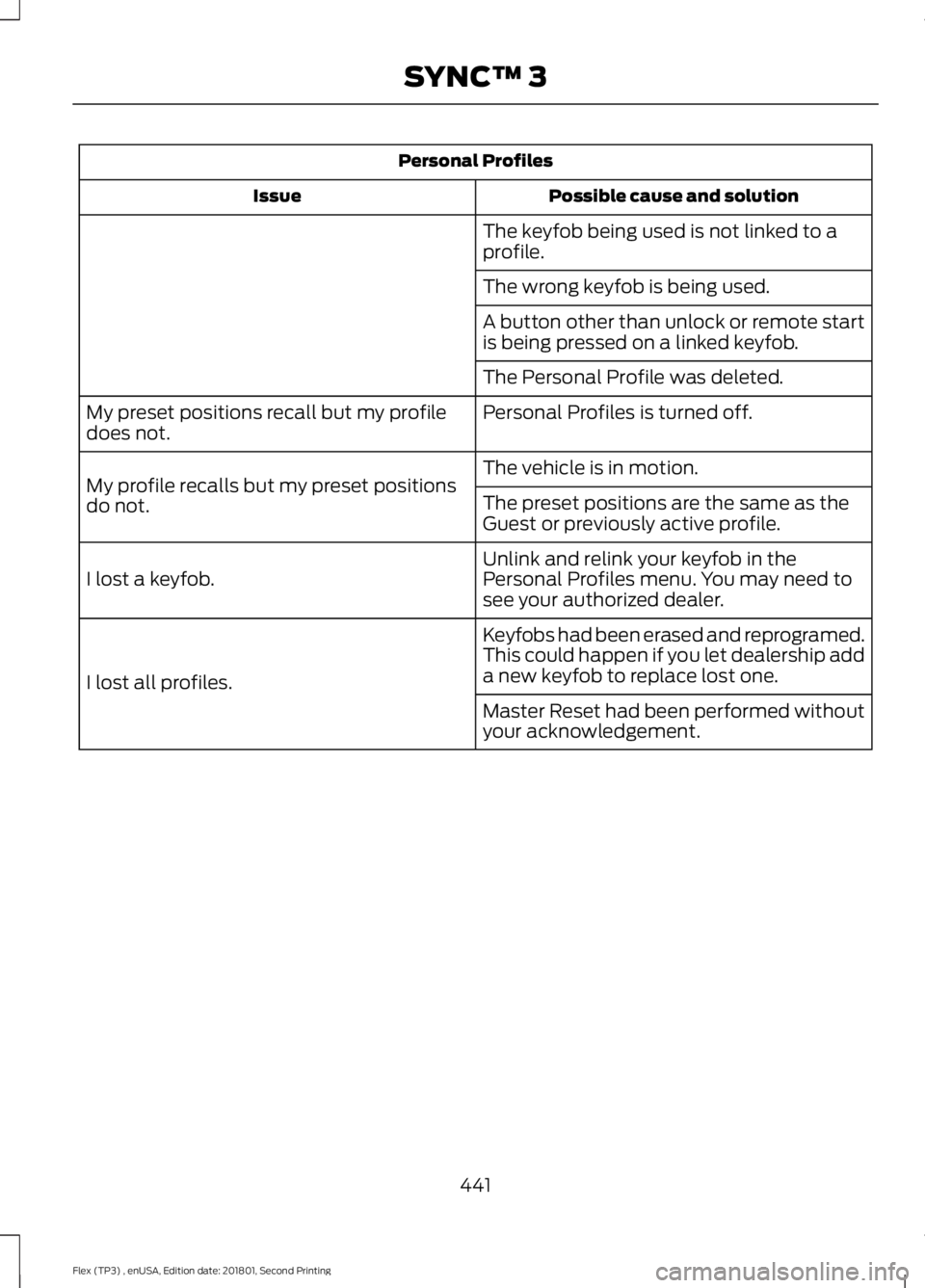
Personal Profiles
Possible cause and solution
Issue
The keyfob being used is not linked to a
profile.
The wrong keyfob is being used.
A button other than unlock or remote start
is being pressed on a linked keyfob.
The Personal Profile was deleted.
Personal Profiles is turned off.
My preset positions recall but my profile
does not.
The vehicle is in motion.
My profile recalls but my preset positions
do not. The preset positions are the same as the
Guest or previously active profile.
Unlink and relink your keyfob in the
Personal Profiles menu. You may need to
see your authorized dealer.
I lost a keyfob.
Keyfobs had been erased and reprogramed.
This could happen if you let dealership add
a new keyfob to replace lost one.
I lost all profiles.
Master Reset had been performed without
your acknowledgement.
441
Flex (TP3) , enUSA, Edition date: 201801, Second Printing SYNC™ 3
Page 498 of 508
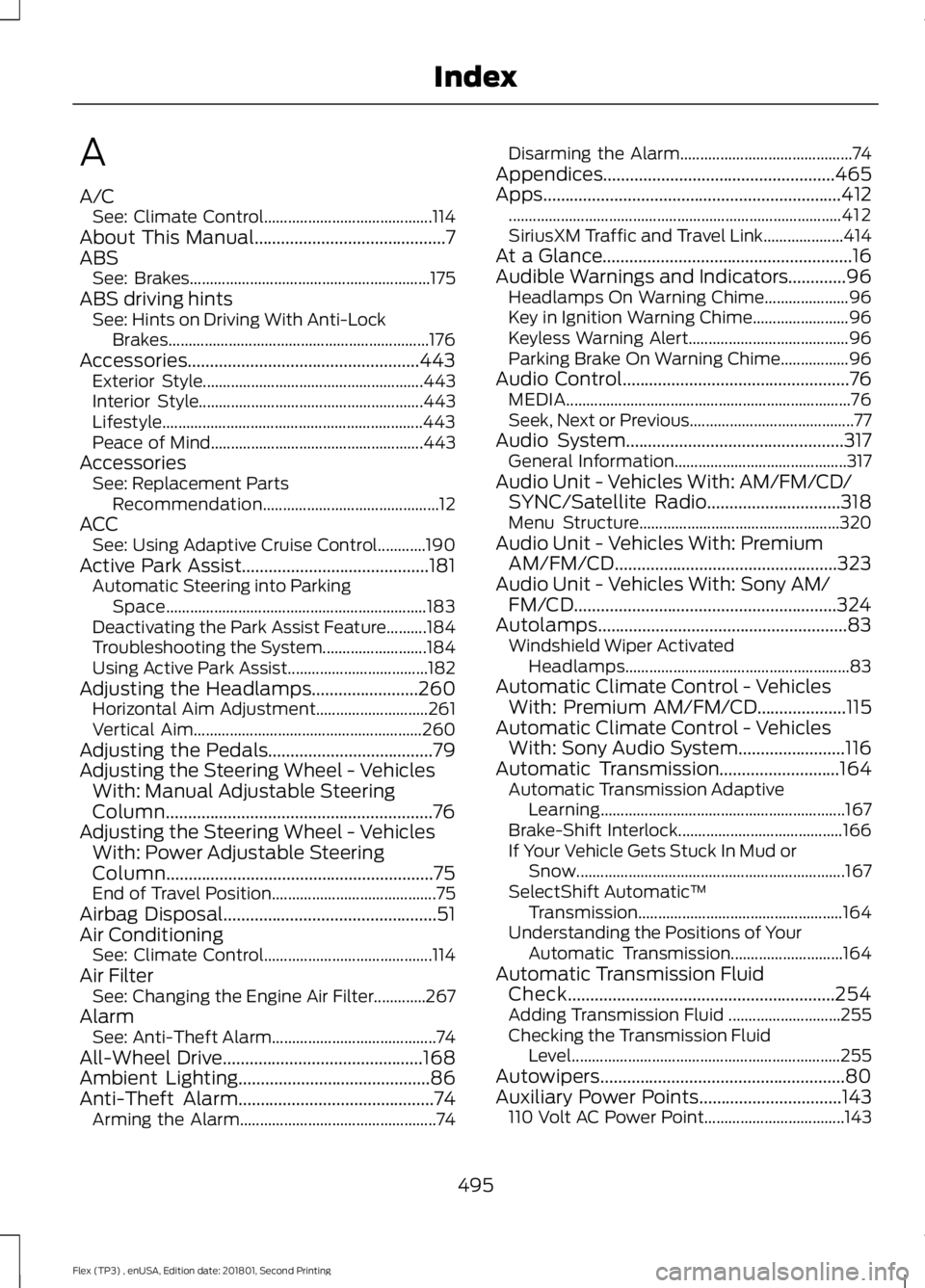
A
A/C
See: Climate Control.......................................... 114
About This Manual...........................................7
ABS See: Brakes............................................................ 175
ABS driving hints See: Hints on Driving With Anti-Lock
Brakes................................................................. 176
Accessories....................................................443 Exterior Style....................................................... 443
Interior Style........................................................ 443
Lifestyle................................................................. 443
Peace of Mind..................................................... 443
Accessories See: Replacement Parts
Recommendation............................................ 12
ACC See: Using Adaptive Cruise Control............190
Active Park Assist..........................................181 Automatic Steering into Parking
Space................................................................. 183
Deactivating the Park Assist Feature..........184
Troubleshooting the System.......................... 184
Using Active Park Assist................................... 182
Adjusting the Headlamps........................260 Horizontal Aim Adjustment............................ 261
Vertical Aim......................................................... 260
Adjusting the Pedals.....................................79
Adjusting the Steering Wheel - Vehicles With: Manual Adjustable Steering
Column............................................................76
Adjusting the Steering Wheel - Vehicles With: Power Adjustable Steering
Column............................................................75
End of Travel Position......................................... 75
Airbag Disposal................................................51
Air Conditioning See: Climate Control.......................................... 114
Air Filter See: Changing the Engine Air Filter.............267
Alarm See: Anti-Theft Alarm......................................... 74
All-Wheel Drive.............................................168
Ambient Lighting
...........................................86
Anti-Theft Alarm............................................74
Arming the Alarm................................................. 74Disarming the Alarm...........................................
74
Appendices....................................................465
Apps...................................................................412 ........................................................................\
........... 412
SiriusXM Traffic and Travel Link.................... 414
At a Glance........................................................16
Audible Warnings and Indicators.............96 Headlamps On Warning Chime..................... 96
Key in Ignition Warning Chime........................ 96
Keyless Warning Alert........................................ 96
Parking Brake On Warning Chime.................96
Audio Control
...................................................76
MEDIA....................................................................... 76
Seek, Next or Previous......................................... 77
Audio System.................................................317 General Information........................................... 317
Audio Unit - Vehicles With: AM/FM/CD/ SYNC/Satellite Radio
..............................318
Menu Structure.................................................. 320
Audio Unit - Vehicles With: Premium AM/FM/CD..................................................323
Audio Unit - Vehicles With: Sony AM/ FM/CD...........................................................324
Autolamps
........................................................83
Windshield Wiper Activated
Headlamps........................................................ 83
Automatic Climate Control - Vehicles With: Premium AM/FM/CD....................115
Automatic Climate Control - Vehicles With: Sony Audio System........................116
Automatic Transmission
...........................164
Automatic Transmission Adaptive
Learning............................................................. 167
Brake-Shift Interlock......................................... 166
If Your Vehicle Gets Stuck In Mud or Snow................................................................... 167
SelectShift Automatic ™
Transmission................................................... 164
Understanding the Positions of Your Automatic Transmission............................ 164
Automatic Transmission Fluid Check
............................................................254
Adding Transmission Fluid ............................ 255
Checking the Transmission Fluid Level................................................................... 255
Autowipers.......................................................80
Auxiliary Power Points................................143 110 Volt AC Power Point................................... 143
495
Flex (TP3) , enUSA, Edition date: 201801, Second Printing Index
Page 499 of 508
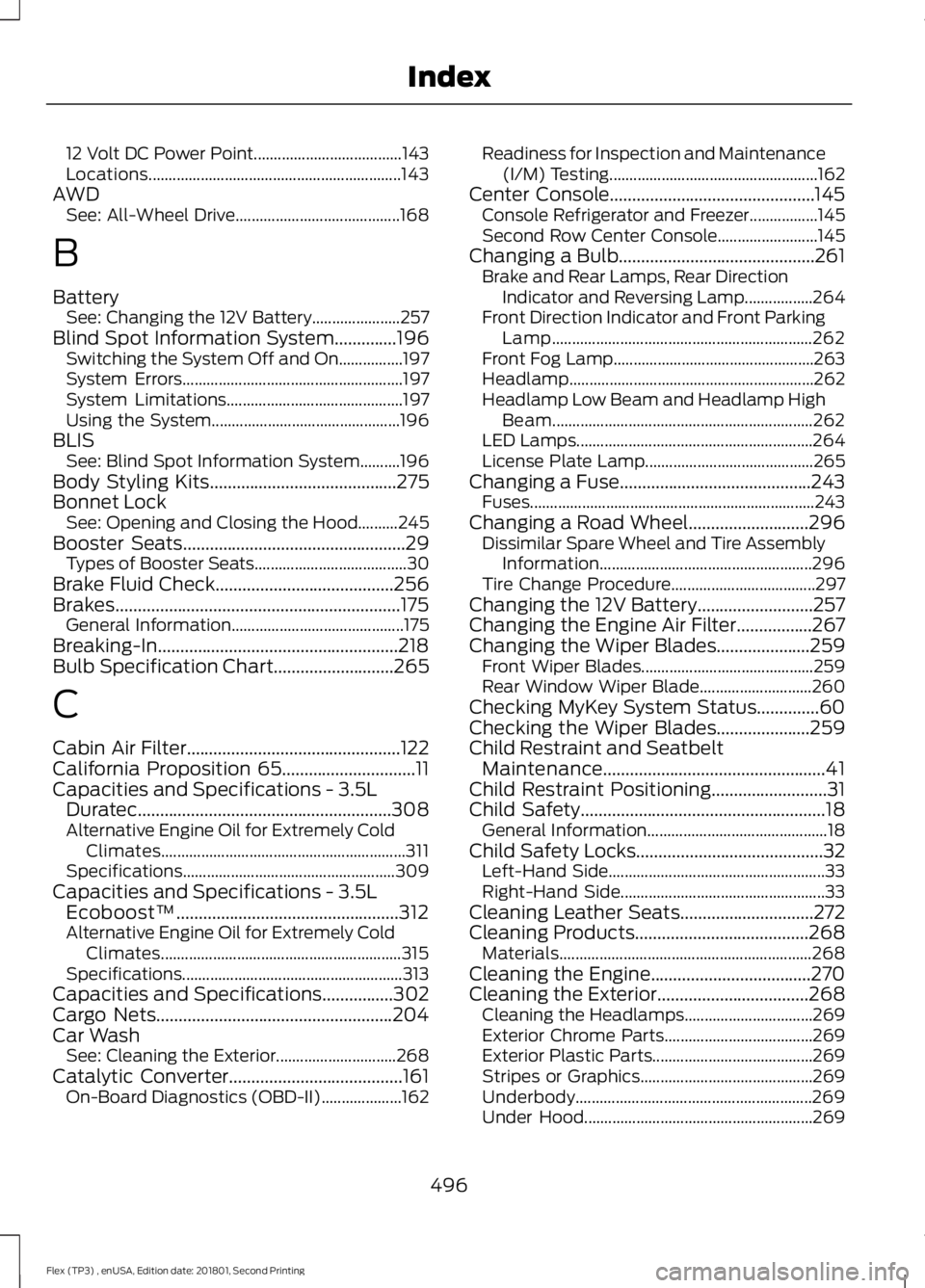
12 Volt DC Power Point.....................................
143
Locations............................................................... 143
AWD See: All-Wheel Drive......................................... 168
B
Battery See: Changing the 12V Battery...................... 257
Blind Spot Information System..............196 Switching the System Off and On................197
System Errors....................................................... 197
System Limitations............................................ 197
Using the System............................................... 196
BLIS See: Blind Spot Information System..........196
Body Styling Kits..........................................275
Bonnet Lock See: Opening and Closing the Hood..........245
Booster Seats
..................................................29
Types of Booster Seats...................................... 30
Brake Fluid Check
........................................256
Brakes................................................................175 General Information........................................... 175
Breaking-In......................................................218
Bulb Specification Chart
...........................265
C
Cabin Air Filter
................................................122
California Proposition 65..............................11
Capacities and Specifications - 3.5L Duratec
.........................................................308
Alternative Engine Oil for Extremely Cold
Climates............................................................. 311
Specifications..................................................... 309
Capacities and Specifications - 3.5L Ecoboost™..................................................312
Alternative Engine Oil for Extremely Cold Climates............................................................ 315
Specifications....................................................... 313
Capacities and Specifications................302
Cargo Nets
.....................................................204
Car Wash See: Cleaning the Exterior.............................. 268
Catalytic Converter
.......................................161
On-Board Diagnostics (OBD-II).................... 162Readiness for Inspection and Maintenance
(I/M) Testing.................................................... 162
Center Console..............................................145 Console Refrigerator and Freezer.................145
Second Row Center Console......................... 145
Changing a Bulb............................................261 Brake and Rear Lamps, Rear Direction
Indicator and Reversing Lamp.................264
Front Direction Indicator and Front Parking Lamp................................................................. 262
Front Fog Lamp.................................................. 263
Headlamp............................................................. 262
Headlamp Low Beam and Headlamp High Beam................................................................. 262
LED Lamps........................................................... 264
License Plate Lamp.......................................... 265
Changing a Fuse
...........................................243
Fuses....................................................................... 243
Changing a Road Wheel...........................296 Dissimilar Spare Wheel and Tire Assembly
Information..................................................... 296
Tire Change Procedure.................................... 297
Changing the 12V Battery..........................257
Changing the Engine Air Filter.................267
Changing the Wiper Blades.....................259 Front Wiper Blades........................................... 259
Rear Window Wiper Blade............................ 260
Checking MyKey System Status..............60
Checking the Wiper Blades.....................259
Child Restraint and Seatbelt Maintenance..................................................41
Child Restraint Positioning
..........................31
Child Safety.......................................................18
General Information............................................. 18
Child Safety Locks..........................................32 Left-Hand Side...................................................... 33
Right-Hand Side................................................... 33
Cleaning Leather Seats..............................272
Cleaning Products.......................................268 Materials............................................................... 268
Cleaning the Engine....................................270
Cleaning the Exterior..................................268 Cleaning the Headlamps................................ 269
Exterior Chrome Parts..................................... 269
Exterior Plastic Parts........................................ 269
Stripes or Graphics........................................... 269
Underbody........................................................... 269
Under Hood......................................................... 269
496
Flex (TP3) , enUSA, Edition date: 201801, Second Printing Index
Page 500 of 508
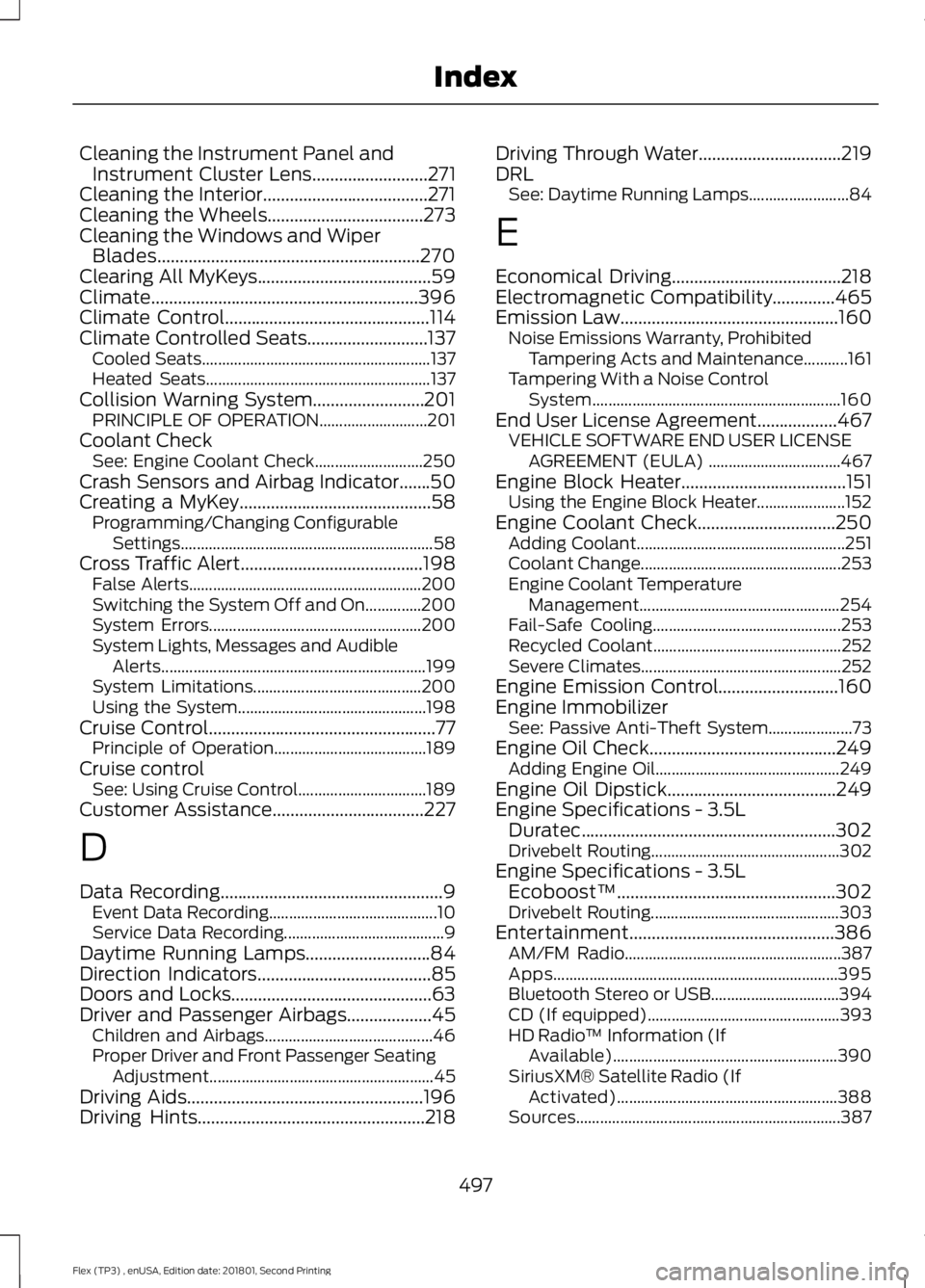
Cleaning the Instrument Panel and
Instrument Cluster Lens..........................271
Cleaning the Interior.....................................271
Cleaning the Wheels
...................................273
Cleaning the Windows and Wiper Blades...........................................................270
Clearing All MyKeys
.......................................59
Climate............................................................396
Climate Control
..............................................114
Climate Controlled Seats...........................137 Cooled Seats......................................................... 137
Heated Seats........................................................ 137
Collision Warning System.........................201 PRINCIPLE OF OPERATION........................... 201
Coolant Check See: Engine Coolant Check........................... 250
Crash Sensors and Airbag Indicator
.......50
Creating a MyKey...........................................58
Programming/Changing Configurable
Settings............................................................... 58
Cross Traffic Alert.........................................198 False Alerts.......................................................... 200
Switching the System Off and On..............200
System Errors..................................................... 200
System Lights, Messages and Audible Alerts.................................................................. 199
System Limitations.......................................... 200
Using the System............................................... 198
Cruise Control
...................................................77
Principle of Operation...................................... 189
Cruise control See: Using Cruise Control................................ 189
Customer Assistance
..................................227
D
Data Recording
..................................................9
Event Data Recording.......................................... 10
Service Data Recording........................................ 9
Daytime Running Lamps............................84
Direction Indicators
.......................................85
Doors and Locks.............................................63
Driver and Passenger Airbags...................45 Children and Airbags.......................................... 46
Proper Driver and Front Passenger Seating Adjustment........................................................ 45
Driving Aids
.....................................................196
Driving Hints...................................................218 Driving Through Water
................................219
DRL See: Daytime Running Lamps......................... 84
E
Economical Driving
......................................218
Electromagnetic Compatibility..............465
Emission Law.................................................160 Noise Emissions Warranty, Prohibited
Tampering Acts and Maintenance...........161
Tampering With a Noise Control System.............................................................. 160
End User License Agreement..................467 VEHICLE SOFTWARE END USER LICENSE
AGREEMENT (EULA) ................................. 467
Engine Block Heater
.....................................151
Using the Engine Block Heater...................... 152
Engine Coolant Check...............................250 Adding Coolant.................................................... 251
Coolant Change.................................................. 253
Engine Coolant Temperature Management.................................................. 254
Fail-Safe Cooling............................................... 253
Recycled Coolant............................................... 252
Severe Climates.................................................. 252
Engine Emission Control...........................160
Engine Immobilizer See: Passive Anti-Theft System..................... 73
Engine Oil Check..........................................249 Adding Engine Oil.............................................. 249
Engine Oil Dipstick
......................................249
Engine Specifications - 3.5L Duratec
.........................................................302
Drivebelt Routing............................................... 302
Engine Specifications - 3.5L Ecoboost™.................................................302
Drivebelt Routing............................................... 303
Entertainment..............................................386 AM/FM Radio...................................................... 387
Apps....................................................................... 395
Bluetooth Stereo or USB................................ 394
CD (If equipped)................................................ 393
HD Radio ™ Information (If
Available)........................................................ 390
SiriusXM® Satellite Radio (If Activated)....................................................... 388
Sources.................................................................. 387
497
Flex (TP3) , enUSA, Edition date: 201801, Second Printing Index
Page 502 of 508
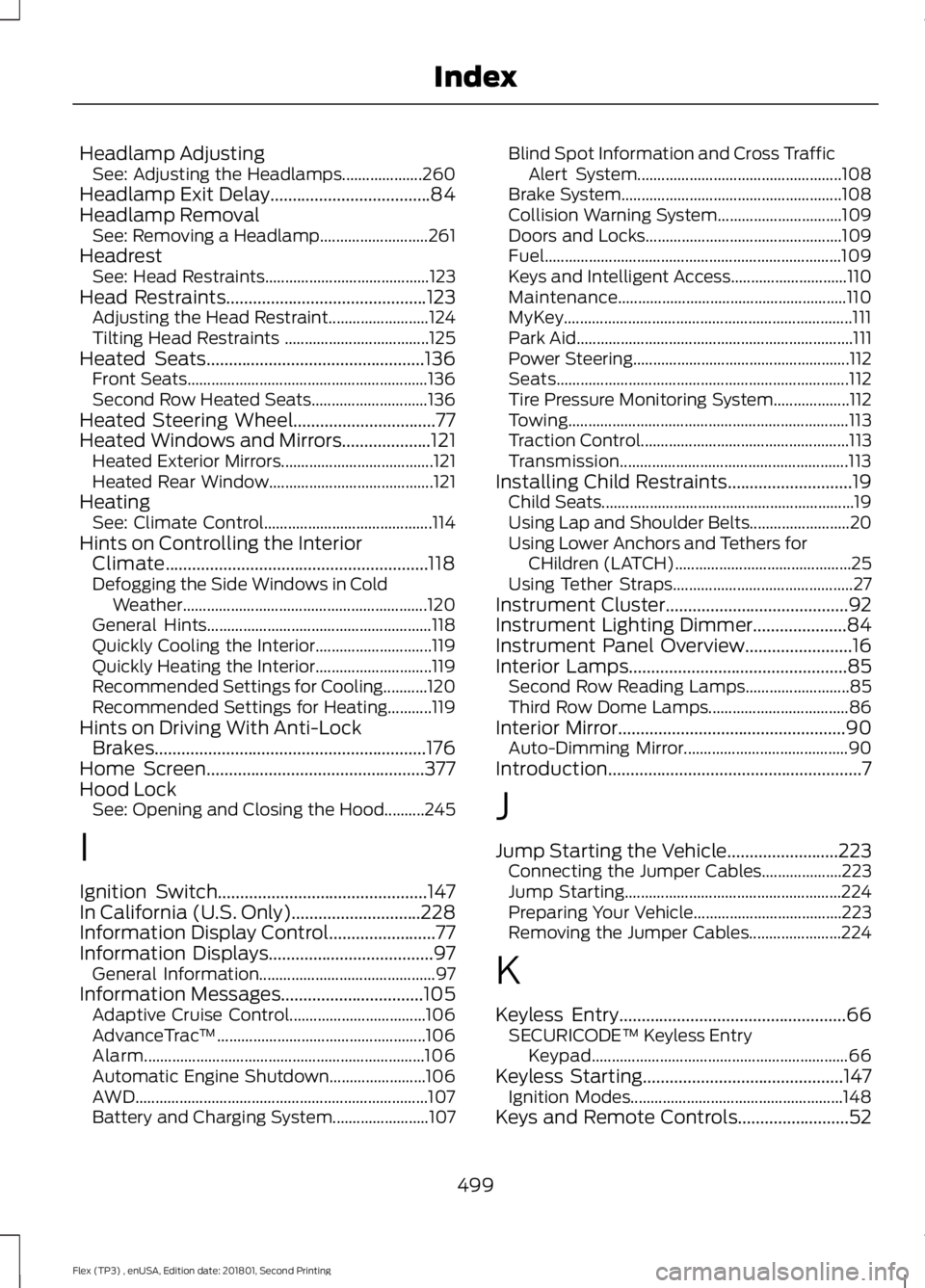
Headlamp Adjusting
See: Adjusting the Headlamps.................... 260
Headlamp Exit Delay....................................84
Headlamp Removal See: Removing a Headlamp........................... 261
Headrest See: Head Restraints......................................... 123
Head Restraints.............................................123
Adjusting the Head Restraint......................... 124
Tilting Head Restraints .................................... 125
Heated Seats.................................................136 Front Seats............................................................ 136
Second Row Heated Seats............................. 136
Heated Steering Wheel
................................77
Heated Windows and Mirrors....................121
Heated Exterior Mirrors...................................... 121
Heated Rear Window......................................... 121
Heating See: Climate Control.......................................... 114
Hints on Controlling the Interior Climate...........................................................118
Defogging the Side Windows in Cold Weather............................................................. 120
General Hints........................................................ 118
Quickly Cooling the Interior............................. 119
Quickly Heating the Interior............................. 119
Recommended Settings for Cooling...........120
Recommended Settings for Heating...........119
Hints on Driving With Anti-Lock Brakes.............................................................176
Home Screen
.................................................377
Hood Lock See: Opening and Closing the Hood..........245
I
Ignition Switch...............................................147
In California (U.S. Only).............................228
Information Display Control........................77
Information Displays.....................................97 General Information............................................ 97
Information Messages
................................105
Adaptive Cruise Control.................................. 106
AdvanceTrac ™.................................................... 106
Alarm...................................................................... 106
Automatic Engine Shutdown........................ 106
AWD........................................................................\
. 107
Battery and Charging System........................ 107Blind Spot Information and Cross Traffic
Alert System................................................... 108
Brake System....................................................... 108
Collision Warning System............................... 109
Doors and Locks................................................. 109
Fuel........................................................................\
.. 109
Keys and Intelligent Access............................. 110
Maintenance......................................................... 110
MyKey........................................................................\
111
Park Aid..................................................................... 111
Power Steering...................................................... 112
Seats........................................................................\
. 112
Tire Pressure Monitoring System................... 112
Towing...................................................................... 113
Traction Control.................................................... 113
Transmission......................................................... 113
Installing Child Restraints............................19 Child Seats............................................................... 19
Using Lap and Shoulder Belts......................... 20
Using Lower Anchors and Tethers for CHildren (LATCH)............................................ 25
Using Tether Straps............................................. 27
Instrument Cluster
.........................................92
Instrument Lighting Dimmer.....................84
Instrument Panel Overview........................16
Interior Lamps
.................................................85
Second Row Reading Lamps.......................... 85
Third Row Dome Lamps................................... 86
Interior Mirror...................................................90 Auto-Dimming Mirror......................................... 90
Introduction.........................................................7
J
Jump Starting the Vehicle.........................223 Connecting the Jumper Cables.................... 223
Jump Starting...................................................... 224
Preparing Your Vehicle..................................... 223
Removing the Jumper Cables....................... 224
K
Keyless Entry...................................................66 SECURICODE™ Keyless Entry
Keypad................................................................ 66
Keyless Starting
.............................................147
Ignition Modes..................................................... 148
Keys and Remote Controls.........................52
499
Flex (TP3) , enUSA, Edition date: 201801, Second Printing Index
Page 503 of 508
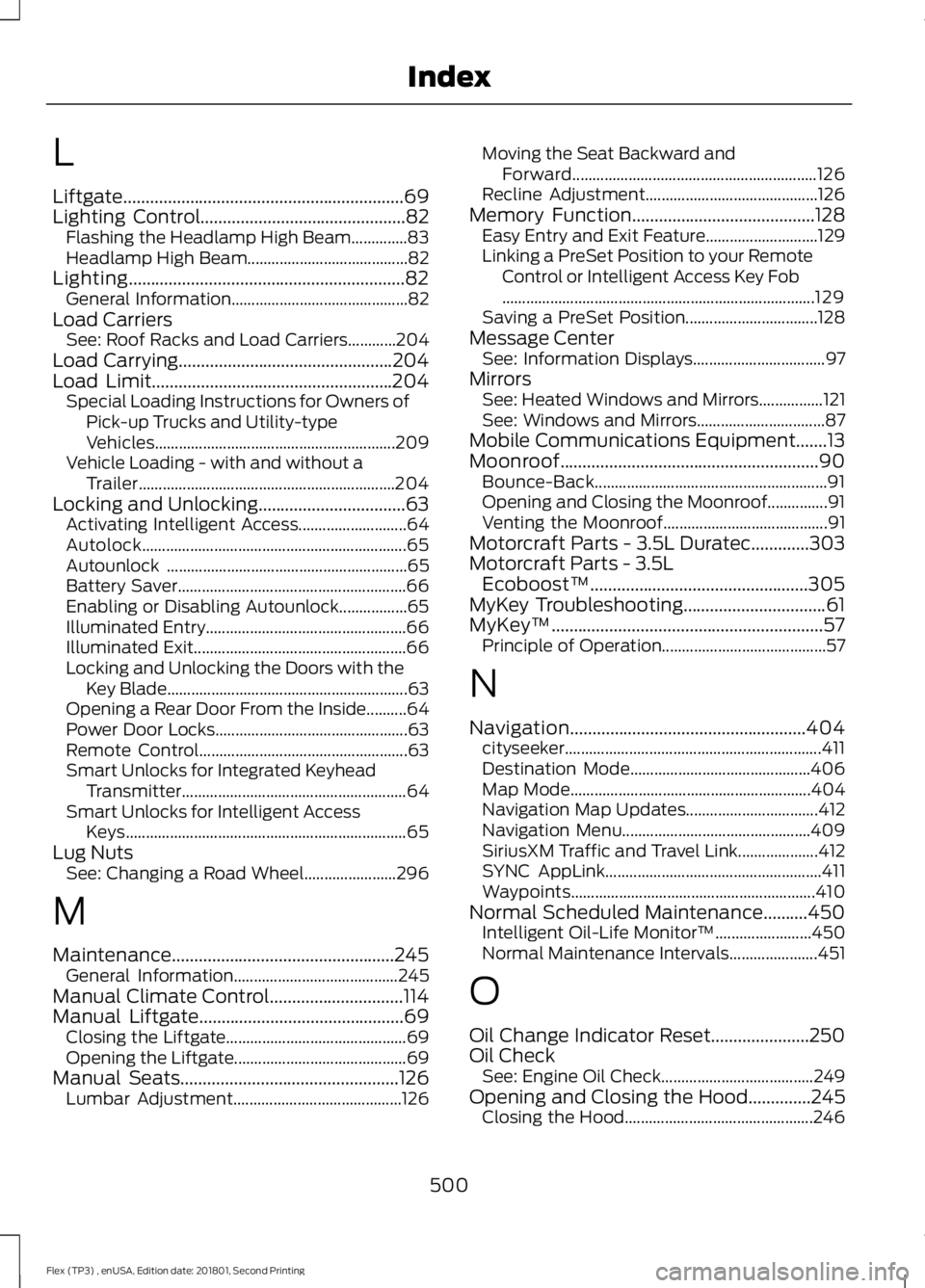
L
Liftgate...............................................................69
Lighting Control..............................................82
Flashing the Headlamp High Beam..............83
Headlamp High Beam........................................ 82
Lighting..............................................................82
General Information............................................ 82
Load Carriers See: Roof Racks and Load Carriers............204
Load Carrying
................................................204
Load Limit......................................................204 Special Loading Instructions for Owners of
Pick-up Trucks and Utility-type
Vehicles............................................................ 209
Vehicle Loading - with and without a Trailer................................................................ 204
Locking and Unlocking.................................63 Activating Intelligent Access........................... 64
Autolock.................................................................. 65
Autounlock ............................................................ 65
Battery Saver......................................................... 66
Enabling or Disabling Autounlock.................65
Illuminated Entry.................................................. 66
Illuminated Exit..................................................... 66
Locking and Unlocking the Doors with the Key Blade............................................................ 63
Opening a Rear Door From the Inside..........64
Power Door Locks................................................ 63
Remote Control.................................................... 63
Smart Unlocks for Integrated Keyhead Transmitter........................................................ 64
Smart Unlocks for Intelligent Access Keys...................................................................... 65
Lug Nuts See: Changing a Road Wheel....................... 296
M
Maintenance..................................................245 General Information......................................... 245
Manual Climate Control
..............................114
Manual Liftgate..............................................69
Closing the Liftgate............................................. 69
Opening the Liftgate........................................... 69
Manual Seats
.................................................126
Lumbar Adjustment.......................................... 126Moving the Seat Backward and
Forward............................................................. 126
Recline Adjustment........................................... 126
Memory Function
.........................................128
Easy Entry and Exit Feature............................ 129
Linking a PreSet Position to your Remote Control or Intelligent Access Key Fob
........................................................................\
...... 129
Saving a PreSet Position................................. 128
Message Center See: Information Displays................................. 97
Mirrors See: Heated Windows and Mirrors................121
See: Windows and Mirrors................................ 87
Mobile Communications Equipment.......13
Moonroof..........................................................90 Bounce-Back.......................................................... 91
Opening and Closing the Moonroof...............91
Venting the Moonroof......................................... 91
Motorcraft Parts - 3.5L Duratec.............303
Motorcraft Parts - 3.5L Ecoboost™.................................................305
MyKey Troubleshooting
................................61
MyKey ™.............................................................57
Principle of Operation......................................... 57
N
Navigation.....................................................404 cityseeker................................................................ 411
Destination Mode............................................. 406
Map Mode............................................................ 404
Navigation Map Updates................................. 412
Navigation Menu............................................... 409
SiriusXM Traffic and Travel Link.................... 412
SYNC AppLink...................................................... 411
Waypoints............................................................. 410
Normal Scheduled Maintenance..........450 Intelligent Oil-Life Monitor™........................ 450
Normal Maintenance Intervals...................... 451
O
Oil Change Indicator Reset......................250
Oil Check See: Engine Oil Check...................................... 249
Opening and Closing the Hood..............245 Closing the Hood............................................... 246
500
Flex (TP3) , enUSA, Edition date: 201801, Second Printing Index