sensor FORD FOCUS 2014 3.G User Guide
[x] Cancel search | Manufacturer: FORD, Model Year: 2014, Model line: FOCUS, Model: FORD FOCUS 2014 3.GPages: 492, PDF Size: 7.2 MB
Page 56 of 492
•a flexible headliner which opens above the side doors to allow side air
curtain deployment.
•crash sensors and monitoring system with readiness
indicator. SeeCrash sensors and Airbag Indicatorlater in
this chapter.
Children 12 years old and under should always be properly restrained in
the back seats. The side curtain airbags will not interfere with children
restrained using a properly installed child or booster seat because it is
designed to inflate downward from the headliner above the doors along
the side window opening.
The design and development of the side curtain airbags included
recommended testing procedures that were developed by a group of
automotive safety experts known as the Side Airbag Technical Working
Group. These recommended testing procedures help reduce the risk of
injuries related to the deployment of side curtain airbags.
CRASH SENSORS AND AIRBAG INDICATOR
WARNING:Modifying or adding equipment to the front end of
your vehicle (including frame, bumper, front end body structure
and tow hooks) may affect the performance of the airbag system,
increasing the risk of injury. Do not modify the front end of your vehicle.
Your vehicle has a collection of crash and occupant sensors which
provide information to the restraints control module which deploys
(activates) the front safety belt pretensioners, driver airbag, passenger
airbag, knee airbag, seat mounted side airbags, and the side curtain
airbags. Based on the type of crash (frontal impact or side impact) the
restraints control module will deploy the appropriate safety devices.
The restraints control module also monitors the readiness of the above
safety devices plus the crash and occupant sensors. The readiness of the
safety system is indicated by a warning indicator light in the instrument
cluster or by a backup tone if the warning light is not working. See the
Instrument Clusterchapter. Routine maintenance of the airbag is not
required.
Supplementary Restraints System55
2014 Focus(foc)
Owners Guide gf, 1st Printing, October 2012
USA(fus)
Page 76 of 492
Opening a Rear Door from Inside
Pull the interior door release handle twice to unlock and open a rear
door. The first pull unlocks the door and the second pull will unlatch the
door.
Activating Intelligent Access (If Equipped)
The intelligent access key must be within 3 feet (1 meter) of your
vehicle.
At the Front Doors
Pull a front exterior door handle to unlock and open the door.
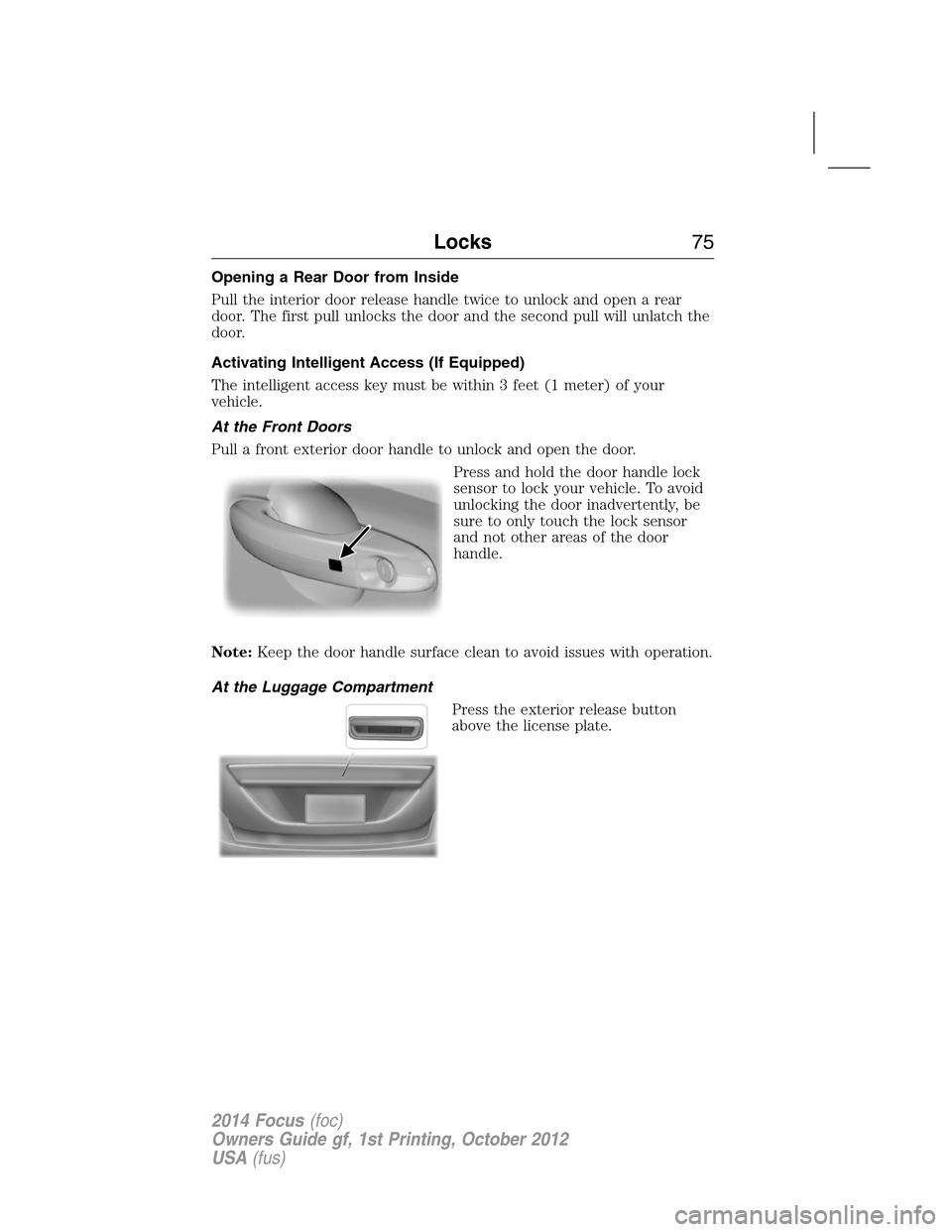
Press and hold the door handle lock
sensor to lock your vehicle. To avoid
unlocking the door inadvertently, be
sure to only touch the lock sensor
and not other areas of the door
handle.
Note:Keep the door handle surface clean to avoid issues with operation.
At the Luggage Compartment
Press the exterior release button
above the license plate.
Locks75
2014 Focus(foc)
Owners Guide gf, 1st Printing, October 2012
USA(fus)
Page 122 of 492
Transmission Message Action / Description
Transmission warming up
Please waitDisplays when the transmission
needs a warming period before it
will operate properly.
Tire pressure Monitoring System
(TPMS) MessageAction / Description
Low Tire Pressure Displays when one or more tires
on your vehicle have low tire
pressure. Refer toInflating Your
Tiresin theTires, Wheels and
Loadingchapter.
Tire Pressure Monitor Fault Displays when the tire pressure
monitoring system is
malfunctioning. If the warning
stays on or continues to come on,
contact your authorized dealer.
Tire Pressure Sensor Fault Displays when a tire pressure
sensor is malfunctioning, or your
spare tire is in use. For more
information on how the system
operates under these conditions,
refer toUnderstanding Your Tire
Pressure Monitoring System
(TPMS)in theTires, Wheels and
Loadingchapter. If the warning
stays on or continues to come on,
contact your authorized dealer.
Traction Control / AdvanceTrac®
MessageAction / Description
Traction control off Displays when the traction control
system has been switched off.
Information Displays121
2014 Focus(foc)
Owners Guide gf, 1st Printing, October 2012
USA(fus)
Page 171 of 492
the vehicle from rolling down the slope. This is an advantage when
pulling away on a slope, (for example from a car park ramp, traffic lights
or when reversing uphill into a parking space).
This feature is activated automatically on any slope that can result in
significant vehicle rollback.
Using Hill Start Assist
Note:If the engine is revved excessively, hill start assist will be
deactivated.
1. Press the brake pedal to bring the vehicle to a complete standstill.
Keep the brake pedal pressed.
2. If the sensors detect that the vehicle is on a slope, the hill start assist
feature will be activated automatically.
3. When you remove your foot from the brake pedal, the vehicle will
remain on the slope without rolling away for approximately two or three
seconds. This hold time will automatically be extended if you are in the
process of driving off.
4. Drive off in the normal manner. The brakes will be released
automatically.
Note:Using the brakes and the hill start assist is the recommended
method of holding a position on a hill. It is not recommended to use the
accelerator pedal and engine torque to hold a hill position for an
extended period of time. Doing so will over heat the clutch in vehicles
equipped with a manual transmissions.
170Transmission
2014 Focus(foc)
Owners Guide gf, 1st Printing, October 2012
USA(fus)
Page 175 of 492
PRINCIPLES OF OPERATION
WARNING:Vehicle modifications involving braking system,
aftermarket roof racks, suspension, steering system, tire
construction and wheel or tire size may change the handling
characteristics of your vehicle and may adversely affect the
performance of the AdvanceTrac® system. In addition, installing any
stereo loudspeakers may interfere with and adversely affect the
AdvanceTrac® system. Install any aftermarket stereo loudspeaker
as far as possible from the front center console, the tunnel, and the
front seats in order to minimize the risk of interfering with the
AdvanceTrac® sensors. Reducing the effectiveness of the
AdvanceTrac® system could lead to an increased risk of loss of
vehicle control, vehicle rollover, personal injury and death.
WARNING:Remember that even advanced technology cannot
defy the laws of physics. It is always possible to lose control of a
vehicle due to inappropriate driver input for the conditions. Aggressive
driving on any road condition can cause you to lose control of your
vehicle increasing the risk of personal injury or property damage.
Activation of the AdvanceTrac® system is an indication that at least
some of the tires have exceeded their ability to grip the road; this could
reduce the operator’s ability to control the vehicle potentially resulting
in a loss of vehicle control, vehicle rollover, personal injury and death.
If your AdvanceTrac® system activates, SLOW DOWN.
174Stability Control
2014 Focus(foc)
Owners Guide gf, 1st Printing, October 2012
USA(fus)
Page 177 of 492
SENSING SYSTEM (IF EQUIPPED)
WARNING:To help avoid personal injury, please read and
understand the limitations of the system as contained in this
section. Sensing is only an aid for some (generally large and fixed)
objects when moving in reverse on a flat surface at parking speeds.
Traffic control systems, inclement weather, air brakes, and external
motors and fans may also affect the function of the sensing system;
this may include reduced performance or a false activation.
WARNING:To help avoid personal injury, always use caution
when in R (Reverse) and when using the sensing system.
WARNING:This system is not designed to prevent contact with
small or moving objects. The system is designed to provide a
warning to assist the driver in detecting large stationary objects to
avoid damaging the vehicle. The system may not detect smaller objects,
particularly those close to the ground.
WARNING:Certain add-on devices such as large trailer hitches,
bike or surfboard racks and any device that may block the normal
detection zone of the system, may create false beeps.
Note:
Keep the sensors (located on the bumper/fascia) free from snow, ice
and large accumulations of dirt. If the sensors are covered, the system’s
accuracy can be affected. Do not clean the sensors with sharp objects.
Note:If your vehicle sustains damage to the bumper/fascia, leaving it
misaligned or bent, the sensing zone may be altered causing inaccurate
measurement of obstacles or false alarms.
Note:If your vehicle is equipped with MyKey®, it is possible to prevent
turning the sensing system off. Refer to theMyKey®chapter.
The sensing system warns the driver of obstacles within a certain range
of the bumper area. The system turns on automatically whenever the
ignition is switched on.
When receiving a detection warning, the radio volume is reduced to a
predetermined level. After the warning goes away, the radio volume
returns to the previous level.
176Parking Aids
2014 Focus(foc)
Owners Guide gf, 1st Printing, October 2012
USA(fus)
Page 178 of 492
Using the Front and Rear Sensing System
Rear Sensing System
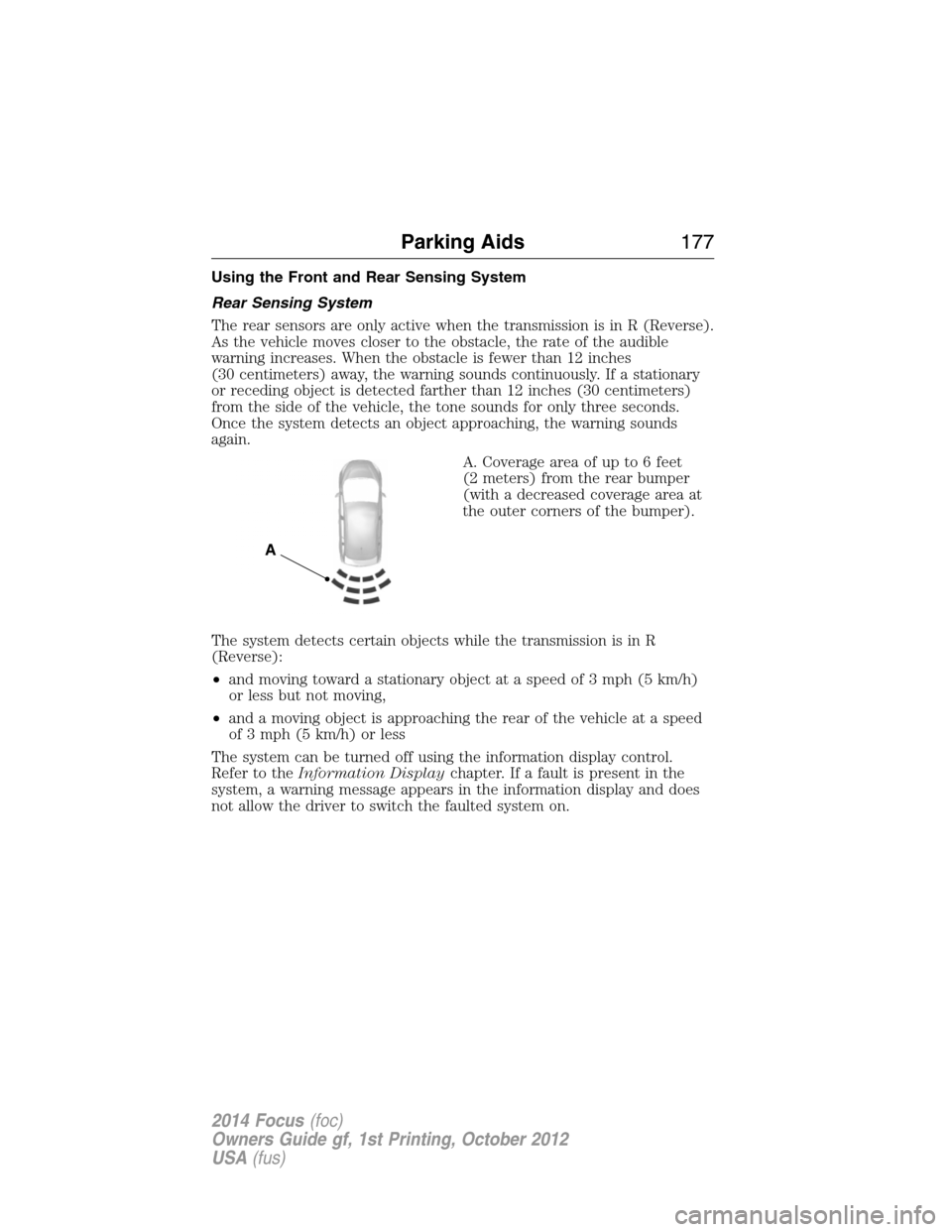
The rear sensors are only active when the transmission is in R (Reverse).
As the vehicle moves closer to the obstacle, the rate of the audible
warning increases. When the obstacle is fewer than 12 inches
(30 centimeters) away, the warning sounds continuously. If a stationary
or receding object is detected farther than 12 inches (30 centimeters)
from the side of the vehicle, the tone sounds for only three seconds.
Once the system detects an object approaching, the warning sounds
again.
A. Coverage area of up to 6 feet
(2 meters) from the rear bumper
(with a decreased coverage area at
the outer corners of the bumper).
The system detects certain objects while the transmission is in R
(Reverse):
•and moving toward a stationary object at a speed of 3 mph (5 km/h)
or less but not moving,
•and a moving object is approaching the rear of the vehicle at a speed
of 3 mph (5 km/h) or less
The system can be turned off using the information display control.
Refer to theInformation Displaychapter. If a fault is present in the
system, a warning message appears in the information display and does
not allow the driver to switch the faulted system on.
A
Parking Aids177
2014 Focus(foc)
Owners Guide gf, 1st Printing, October 2012
USA(fus)
Page 179 of 492
Front Sensing System
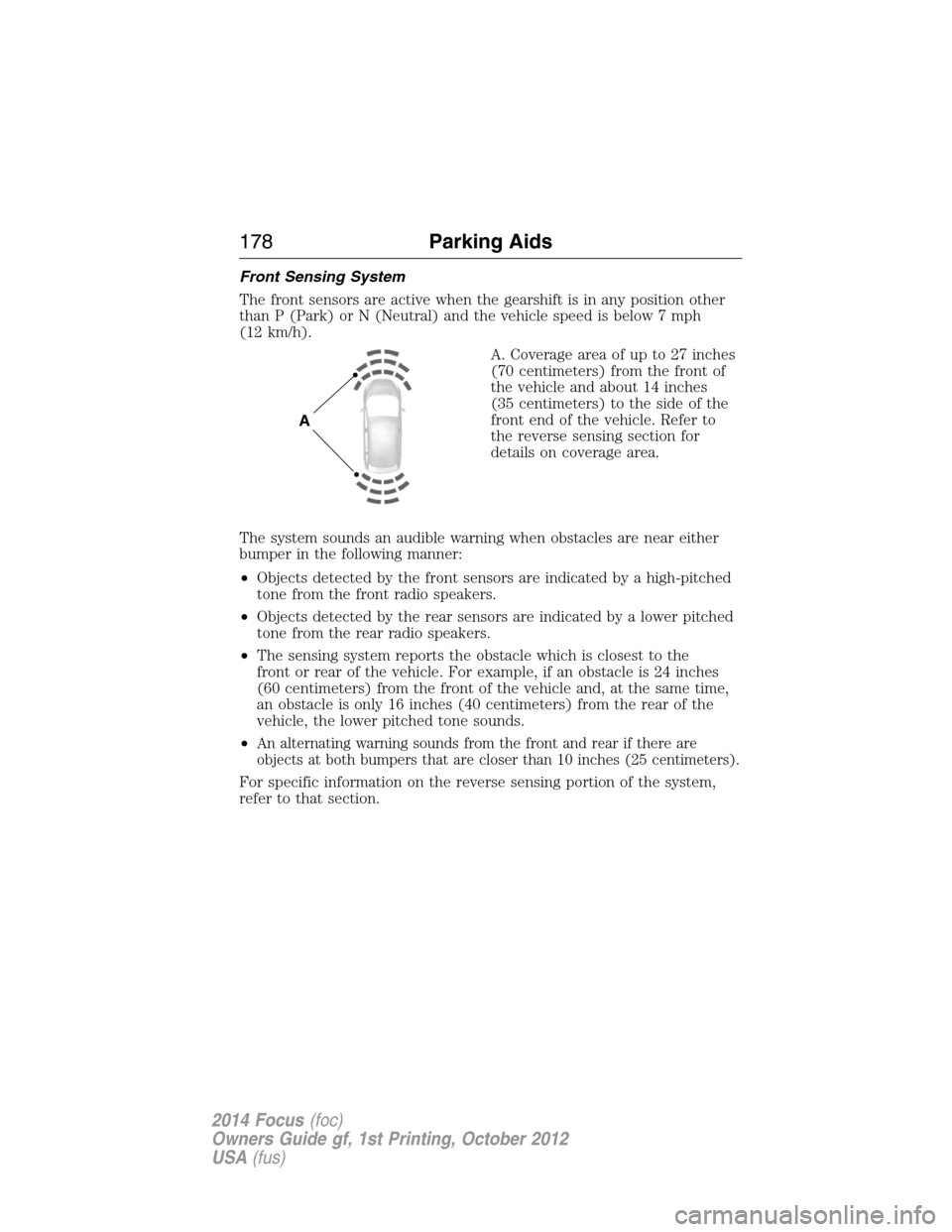
The front sensors are active when the gearshift is in any position other
than P (Park) or N (Neutral) and the vehicle speed is below 7 mph
(12 km/h).
A. Coverage area of up to 27 inches
(70 centimeters) from the front of
the vehicle and about 14 inches
(35 centimeters) to the side of the
front end of the vehicle. Refer to
the reverse sensing section for
details on coverage area.
The system sounds an audible warning when obstacles are near either
bumper in the following manner:
•Objects detected by the front sensors are indicated by a high-pitched
tone from the front radio speakers.
•Objects detected by the rear sensors are indicated by a lower pitched
tone from the rear radio speakers.
•The sensing system reports the obstacle which is closest to the
front or rear of the vehicle. For example, if an obstacle is 24 inches
(60 centimeters) from the front of the vehicle and, at the same time,
an obstacle is only 16 inches (40 centimeters) from the rear of the
vehicle, the lower pitched tone sounds.
•
An alternating warning sounds from the front and rear if there are
objects at both bumpers that are closer than 10 inches (25 centimeters).
For specific information on the reverse sensing portion of the system,
refer to that section.
A
178Parking Aids
2014 Focus(foc)
Owners Guide gf, 1st Printing, October 2012
USA(fus)
Page 180 of 492
Press the button to switch the
system off. It will remain off for the
entire ignition cycle.
ACTIVE PARK ASSIST (IF EQUIPPED)
WARNING:This system is designed to be a supplementary park
aid. It may not work in all conditions and is not intended to
replace the driver’s attention and judgment. The driver is responsible
for avoiding hazards and maintaining a safe distance and speed, even
when the system is in use.
Note:The driver is always responsible for controlling the vehicle,
supervising the system and intervening if required.
The system detects an available parallel parking space and automatically
steers the vehicle into the space (hands-free) while you control the
accelerator, gearshift and brakes. The system visually and/or audibly
instructs the driver to park the vehicle.
The system may not function correctly if something passes between the
front bumper and the parking space (i.e. a pedestrian or cyclist) or
if the edge of the neighboring parked vehicle is high from the ground
(i.e. a bus, tow truck or flatbed truck).
Note:The sensors may not detect objects in heavy rain or other
conditions that cause disruptive reflections.
Note:The sensors may not detect objects with surfaces that absorb
ultrasonic waves.
Note:After a tire change the system will go through a relearning
procedure. During this time the system performance may deteriorate.
Parking Aids179
2014 Focus(foc)
Owners Guide gf, 1st Printing, October 2012
USA(fus)
Page 181 of 492
The system should not be used if:
•a foreign object (i.e. bike rack or trailer) is attached to the front or
rear of the vehicle or at another location close to the sensors.
•an overhanging object (i.e. surfboard) is attached to the roof.
•the front bumper or side sensors are damaged (i.e. in a collision) or
obstructed by a foreign object (i.e. front bumper cover).
•a mini-spare tire is in use.
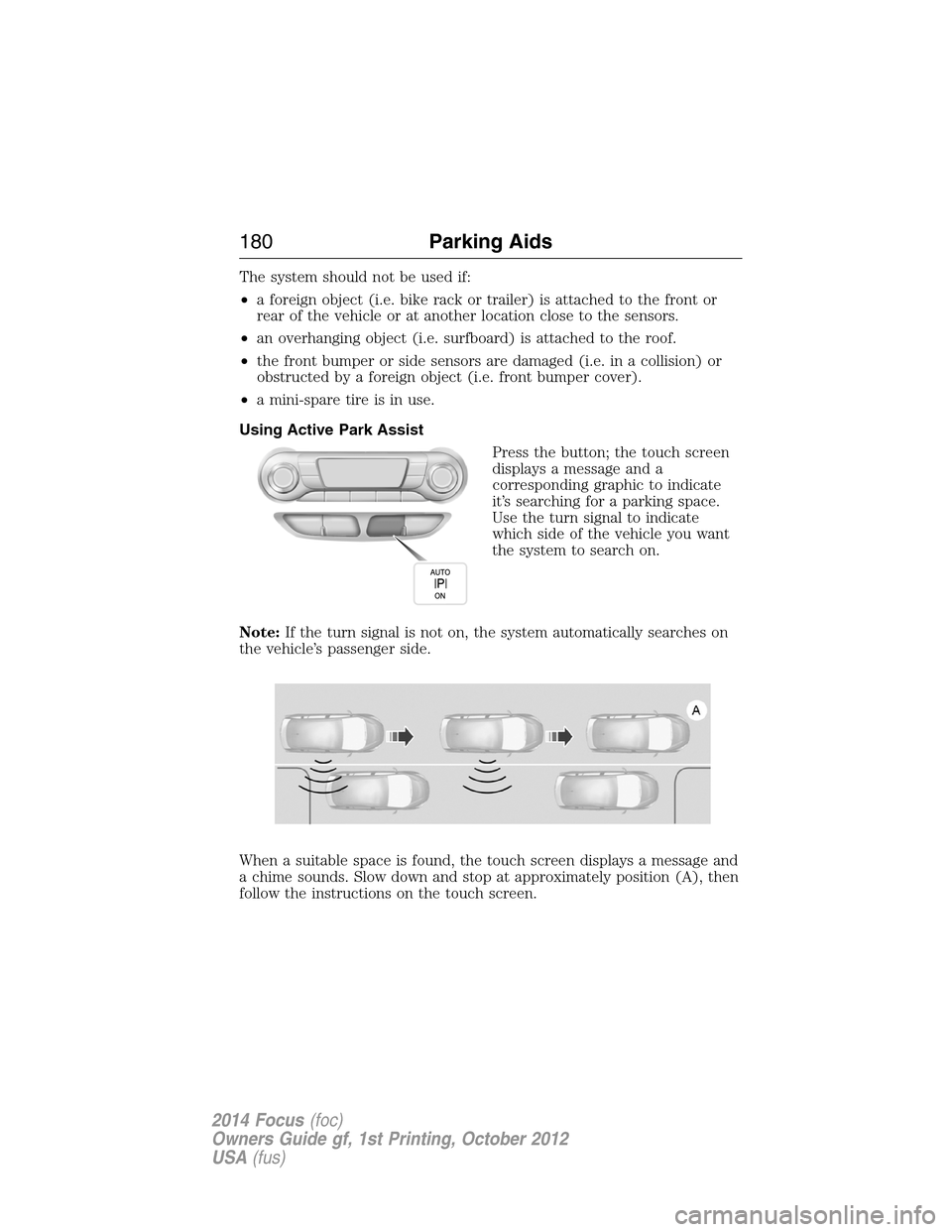
Using Active Park Assist
Press the button; the touch screen
displays a message and a
corresponding graphic to indicate
it’s searching for a parking space.
Use the turn signal to indicate
which side of the vehicle you want
the system to search on.
Note:If the turn signal is not on, the system automatically searches on
the vehicle’s passenger side.
When a suitable space is found, the touch screen displays a message and
a chime sounds. Slow down and stop at approximately position (A), then
follow the instructions on the touch screen.
180Parking Aids
2014 Focus(foc)
Owners Guide gf, 1st Printing, October 2012
USA(fus)