keyless entry FORD FOCUS 2015 3.G Owners Manual
[x] Cancel search | Manufacturer: FORD, Model Year: 2015, Model line: FOCUS, Model: FORD FOCUS 2015 3.GPages: 453, PDF Size: 5.32 MB
Page 4 of 453
Introduction
About This Manual...........................................7
Symbols Glossary
.............................................7
Data Recording
..................................................9
California Proposition 65..............................11
Perchlorate.........................................................11
Ford Credit
..........................................................11
Replacement Parts Recommendation
........................................11
Special Notices................................................12
Mobile Communications Equipment.....................................................12
Export Unique Options..................................13
Environment
Protecting the Environment........................14
At a Glance
Front Exterior Overview................................15
Rear Exterior Overview..................................16
Vehicle Interior Overview..............................17
Instrument Panel Overview
........................18
Child Safety
General Information
......................................20
Installing Child Seats
.....................................21
Booster Seats..................................................28
Child Seat Positioning
..................................30
Child Safety Locks...........................................31
Safety Belts
Principle of Operation...................................33
Fastening the Safety Belts
..........................34
Safety Belt Height Adjustment.................36
Safety Belt Warning Lamp and Indicator Chime..............................................................37
Safety Belt Minder..........................................37
Child Restraint and Safety Belt Maintenance................................................39 Personal Safety System
™
Personal Safety System ™
.........................40
Supplementary Restraints System
Principle of Operation...................................41
Driver and Passenger Airbags....................42
Front Passenger Sensing System............43
Side Airbags
.....................................................45
Driver Knee Airbag
.........................................46
Side Curtain Airbags......................................47
Crash Sensors and Airbag Indicator.......48
Airbag Disposal
..............................................49
Keys and Remote Controls
General Information on Radio Frequencies.................................................50
Remote Control -
Vehicles With:
Integrated Key Transmitter....................50
Remote Control -
Vehicles With: Keyless
Entry................................................................52
Remote Control -
Vehicles With: Keyless
Entry with Remote Start.........................54
Replacing a Lost Key or Remote Control
............................................................57
MyKey ™
Principle of Operation..................................58
Creating a MyKey...........................................59
Clearing All MyKeys
......................................60
Checking MyKey System Status
................61
Using MyKey With Remote Start Systems.........................................................62
MyKey Troubleshooting
...............................62
Locks
Locking and Unlocking.................................63
Manual Liftgate
...............................................67
Keyless Entry
...................................................68
Interior Luggage Compartment Release -
4-Door.........................................................69
1
Focus (CDH), enUSA, First Printing Table of Contents
Page 55 of 453
Sounding the Panic Alarm (If Equipped)
Press the button to sound the
panic alarm. Press the button
again or switch the ignition on to
silence it.
Note: The panic alarm only operates when
the ignition is off.
REMOTE CONTROL - VEHICLES
WITH: KEYLESS ENTRY (If
Equipped)
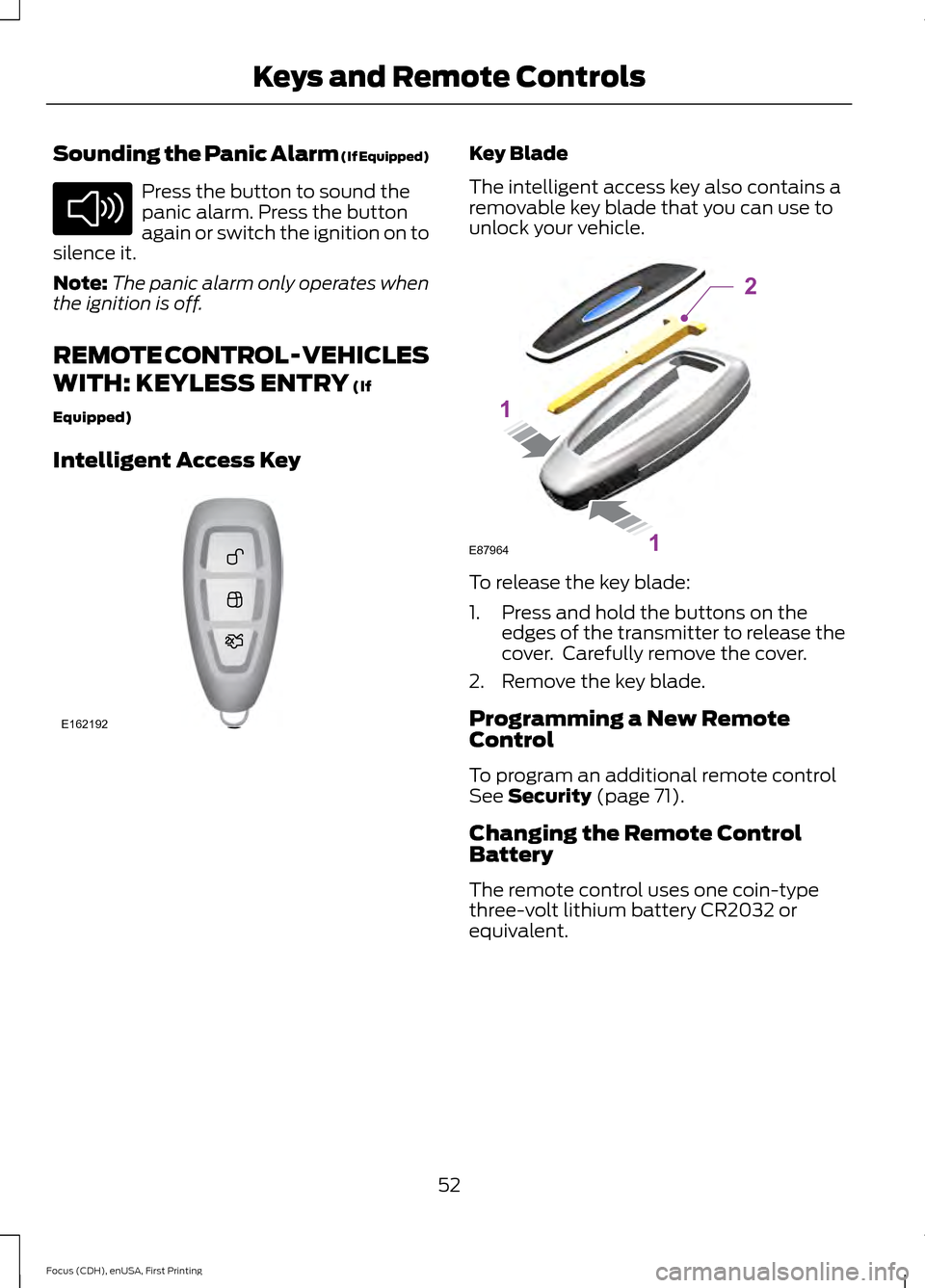
Intelligent Access Key Key Blade
The intelligent access key also contains a
removable key blade that you can use to
unlock your vehicle.
To release the key blade:
1. Press and hold the buttons on the
edges of the transmitter to release the
cover. Carefully remove the cover.
2. Remove the key blade.
Programming a New Remote
Control
To program an additional remote control
See
Security (page 71).
Changing the Remote Control
Battery
The remote control uses one coin-type
three-volt lithium battery CR2032 or
equivalent.
52
Focus (CDH), enUSA, First Printing Keys and Remote ControlsE138624 E162192 E87964
2
1
1
Page 57 of 453
Note:
Replacing the battery does not delete
the transmitter from the vehicle. The
transmitter should operate normally.
Locating Your Vehicle
Press the lock button on the key twice
within three seconds. The horn may sound
and the direction indicators flash.
The horn may sound twice and the
direction indicators do not flash if:
• Locking was not successful.
• Any door or the liftgate is open.
• The hood is open on vehicles with an
anti-theft alarm or remote start.
REMOTE CONTROL - VEHICLES
WITH: KEYLESS ENTRY WITH
REMOTE START (If Equipped)
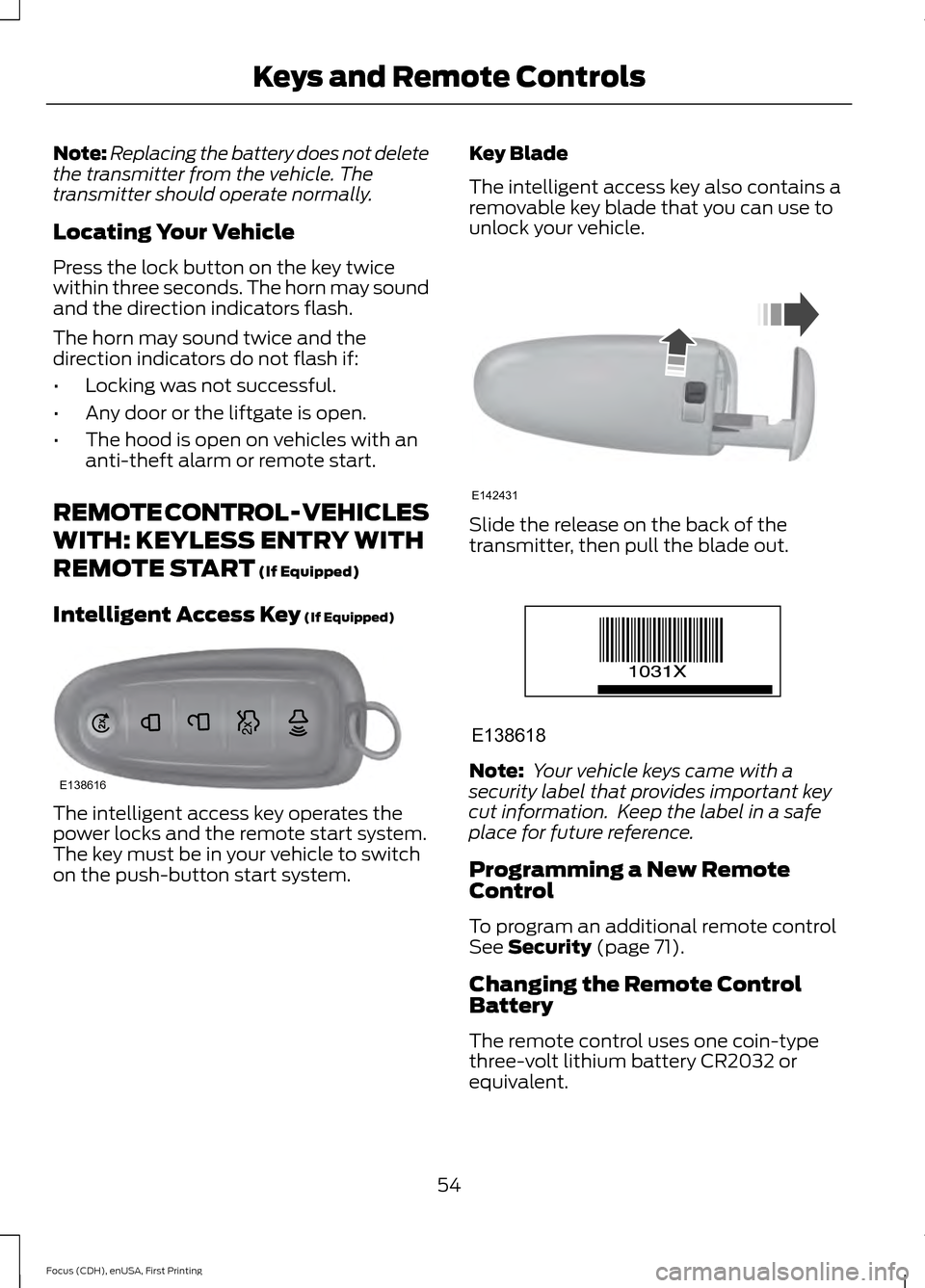
Intelligent Access Key
(If Equipped) The intelligent access key operates the
power locks and the remote start system.
The key must be in your vehicle to switch
on the push-button start system. Key Blade
The intelligent access key also contains a
removable key blade that you can use to
unlock your vehicle.
Slide the release on the back of the
transmitter, then pull the blade out.
Note:
Your vehicle keys came with a
security label that provides important key
cut information. Keep the label in a safe
place for future reference.
Programming a New Remote
Control
To program an additional remote control
See
Security (page 71).
Changing the Remote Control
Battery
The remote control uses one coin-type
three-volt lithium battery CR2032 or
equivalent.
54
Focus (CDH), enUSA, First Printing Keys and Remote ControlsE138616 E142431 E138618
Page 66 of 453
LOCKING AND UNLOCKING
You can use the power door lock control
or the remote control to lock and unlock
your vehicle.
Power Door Locks
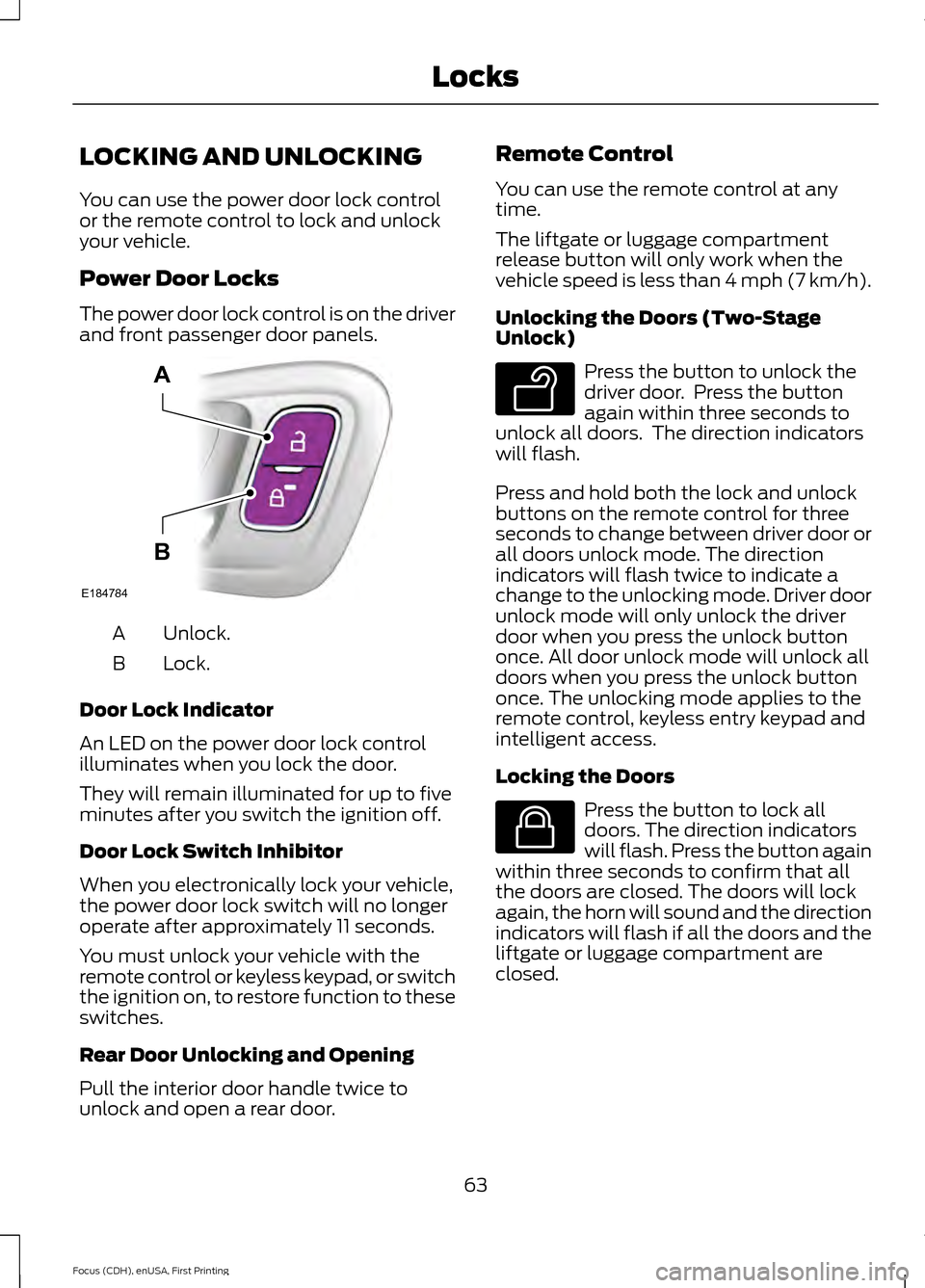
The power door lock control is on the driver
and front passenger door panels.
Unlock.
A
Lock.
B
Door Lock Indicator
An LED on the power door lock control
illuminates when you lock the door.
They will remain illuminated for up to five
minutes after you switch the ignition off.
Door Lock Switch Inhibitor
When you electronically lock your vehicle,
the power door lock switch will no longer
operate after approximately 11 seconds.
You must unlock your vehicle with the
remote control or keyless keypad, or switch
the ignition on, to restore function to these
switches.
Rear Door Unlocking and Opening
Pull the interior door handle twice to
unlock and open a rear door. Remote Control
You can use the remote control at any
time.
The liftgate or luggage compartment
release button will only work when the
vehicle speed is less than 4 mph (7 km/h).
Unlocking the Doors (Two-Stage
Unlock)
Press the button to unlock the
driver door. Press the button
again within three seconds to
unlock all doors. The direction indicators
will flash.
Press and hold both the lock and unlock
buttons on the remote control for three
seconds to change between driver door or
all doors unlock mode. The direction
indicators will flash twice to indicate a
change to the unlocking mode. Driver door
unlock mode will only unlock the driver
door when you press the unlock button
once. All door unlock mode will unlock all
doors when you press the unlock button
once. The unlocking mode applies to the
remote control, keyless entry keypad and
intelligent access.
Locking the Doors Press the button to lock all
doors. The direction indicators
will flash. Press the button again
within three seconds to confirm that all
the doors are closed. The doors will lock
again, the horn will sound and the direction
indicators will flash if all the doors and the
liftgate or luggage compartment are
closed.
63
Focus (CDH), enUSA, First Printing LocksE184784
A
B E138629 E138623
Page 68 of 453
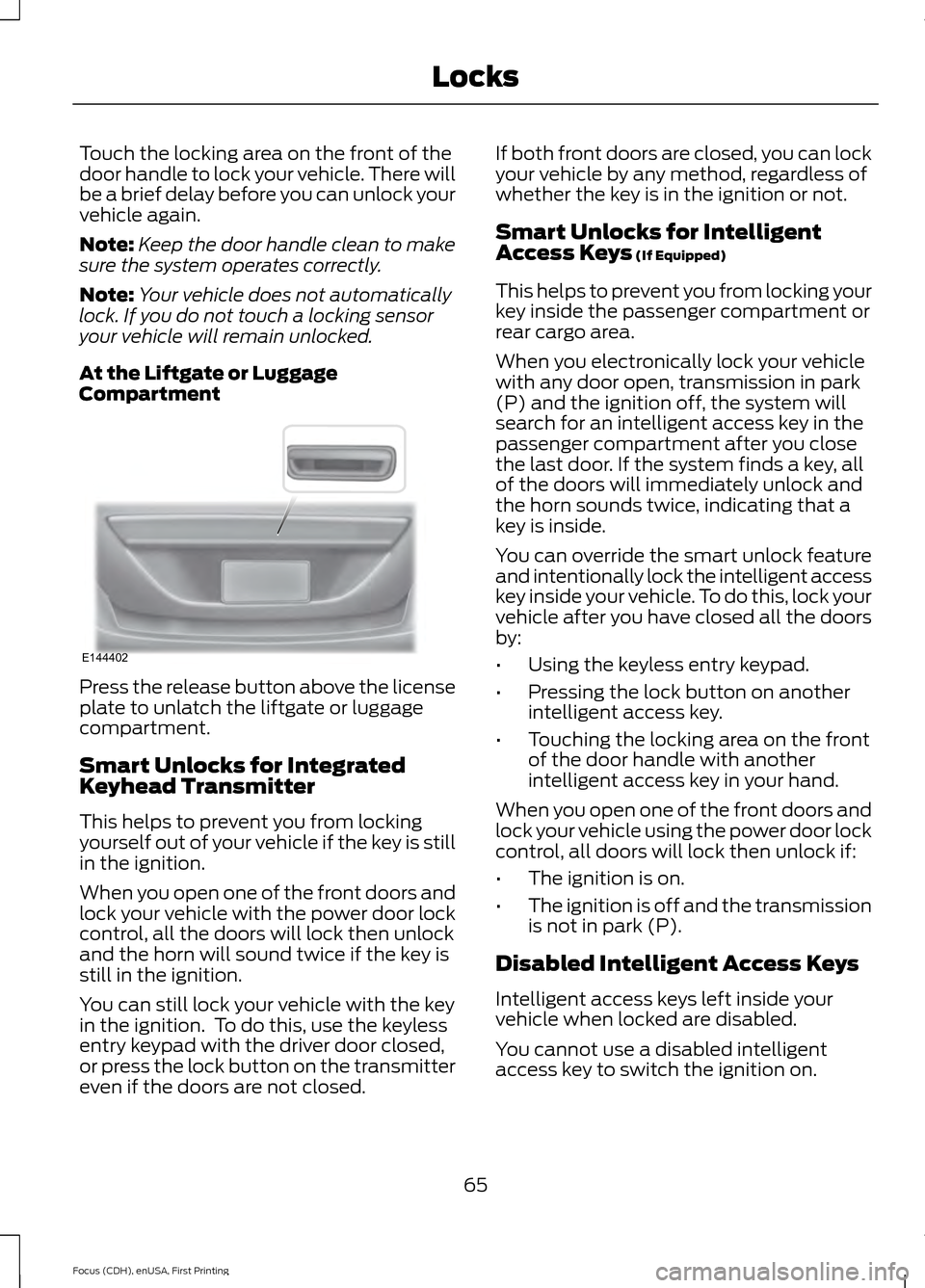
Touch the locking area on the front of the
door handle to lock your vehicle. There will
be a brief delay before you can unlock your
vehicle again.
Note:
Keep the door handle clean to make
sure the system operates correctly.
Note: Your vehicle does not automatically
lock. If you do not touch a locking sensor
your vehicle will remain unlocked.
At the Liftgate or Luggage
Compartment Press the release button above the license
plate to unlatch the liftgate or luggage
compartment.
Smart Unlocks for Integrated
Keyhead Transmitter
This helps to prevent you from locking
yourself out of your vehicle if the key is still
in the ignition.
When you open one of the front doors and
lock your vehicle with the power door lock
control, all the doors will lock then unlock
and the horn will sound twice if the key is
still in the ignition.
You can still lock your vehicle with the key
in the ignition. To do this, use the keyless
entry keypad with the driver door closed,
or press the lock button on the transmitter
even if the doors are not closed. If both front doors are closed, you can lock
your vehicle by any method, regardless of
whether the key is in the ignition or not.
Smart Unlocks for Intelligent
Access Keys (If Equipped)
This helps to prevent you from locking your
key inside the passenger compartment or
rear cargo area.
When you electronically lock your vehicle
with any door open, transmission in park
(P) and the ignition off, the system will
search for an intelligent access key in the
passenger compartment after you close
the last door. If the system finds a key, all
of the doors will immediately unlock and
the horn sounds twice, indicating that a
key is inside.
You can override the smart unlock feature
and intentionally lock the intelligent access
key inside your vehicle. To do this, lock your
vehicle after you have closed all the doors
by:
• Using the keyless entry keypad.
• Pressing the lock button on another
intelligent access key.
• Touching the locking area on the front
of the door handle with another
intelligent access key in your hand.
When you open one of the front doors and
lock your vehicle using the power door lock
control, all doors will lock then unlock if:
• The ignition is on.
• The ignition is off and the transmission
is not in park (P).
Disabled Intelligent Access Keys
Intelligent access keys left inside your
vehicle when locked are disabled.
You cannot use a disabled intelligent
access key to switch the ignition on.
65
Focus (CDH), enUSA, First Printing LocksE144402
Page 71 of 453
Note:
Be careful when opening or closing
the liftgate in a garage or other enclosed
area to avoid damaging the liftgate.
Note: Do not hang anything, for example a
bike rack, from the glass or liftgate. This
could damage the liftgate and its
components.
Note: Do not leave the liftgate open while
driving. This could damage the liftgate and
its components.
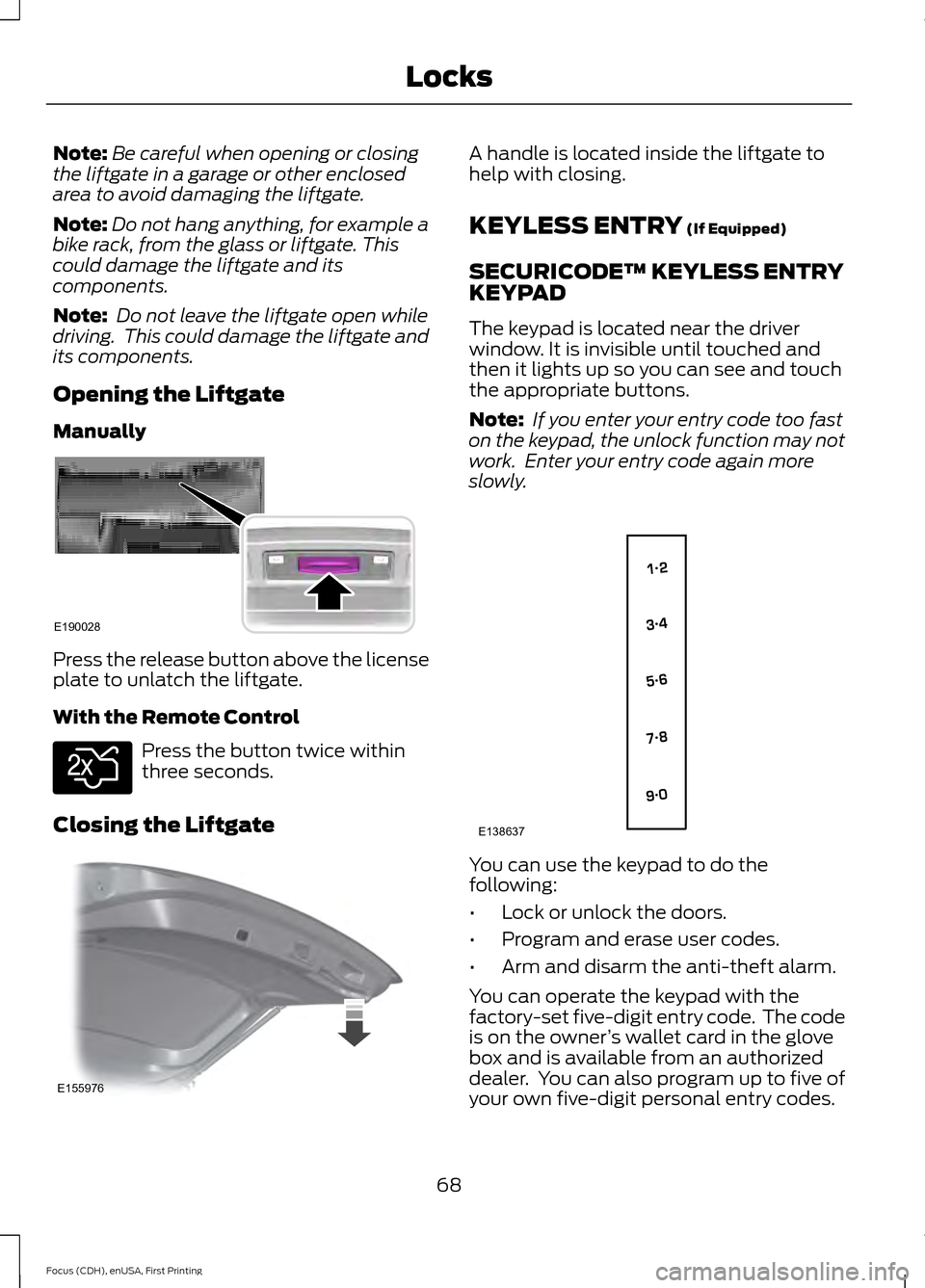
Opening the Liftgate
Manually Press the release button above the license
plate to unlatch the liftgate.
With the Remote Control
Press the button twice within
three seconds.
Closing the Liftgate A handle is located inside the liftgate to
help with closing.
KEYLESS ENTRY (If Equipped)
SECURICODE™ KEYLESS ENTRY
KEYPAD
The keypad is located near the driver
window. It is invisible until touched and
then it lights up so you can see and touch
the appropriate buttons.
Note: If you enter your entry code too fast
on the keypad, the unlock function may not
work. Enter your entry code again more
slowly. You can use the keypad to do the
following:
•
Lock or unlock the doors.
• Program and erase user codes.
• Arm and disarm the anti-theft alarm.
You can operate the keypad with the
factory-set five-digit entry code. The code
is on the owner ’s wallet card in the glove
box and is available from an authorized
dealer. You can also program up to five of
your own five-digit personal entry codes.
68
Focus (CDH), enUSA, First Printing LocksE190028 E138630 E155976 E138637
Page 76 of 453
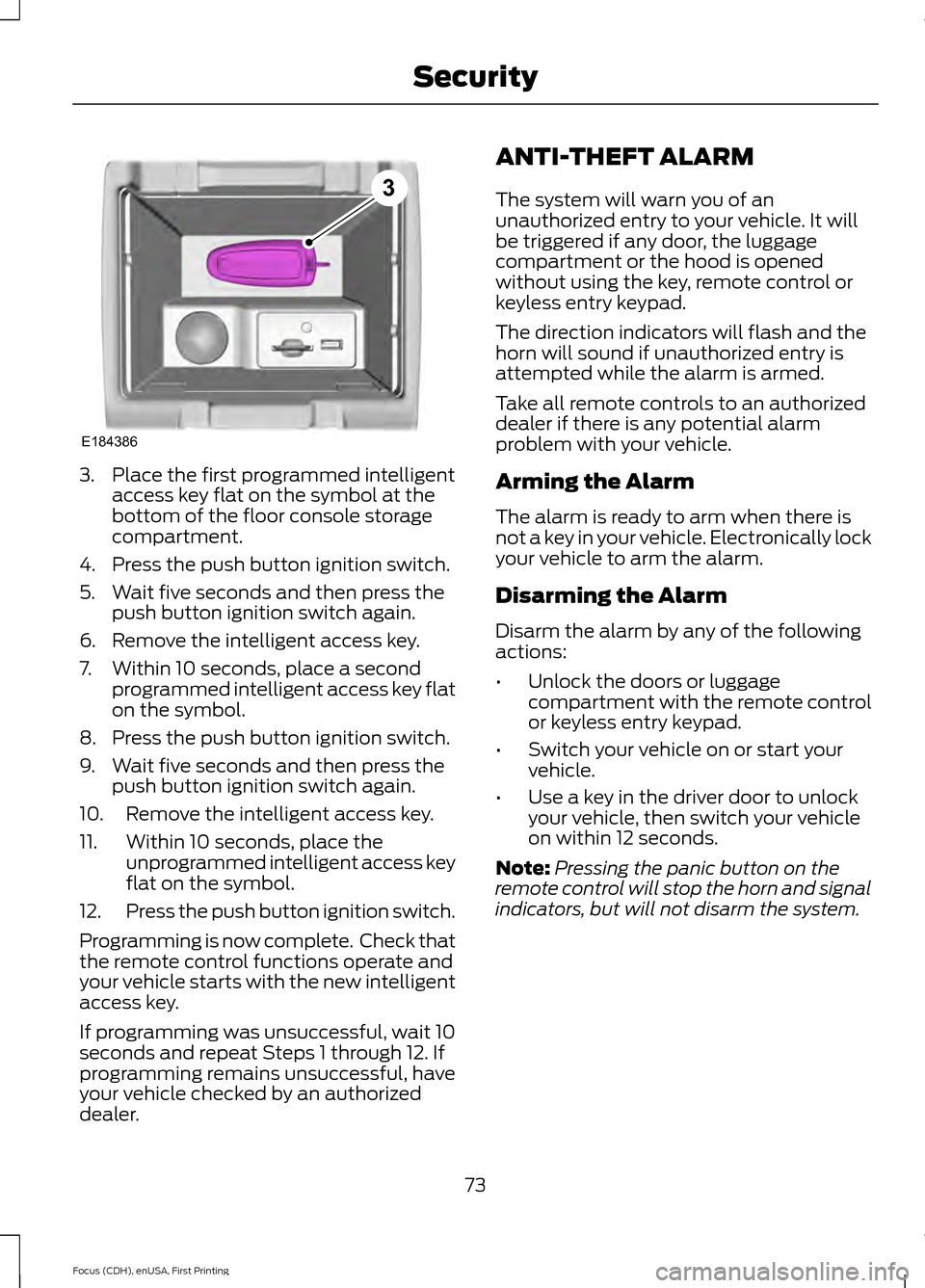
3. Place the first programmed intelligent
access key flat on the symbol at the
bottom of the floor console storage
compartment.
4. Press the push button ignition switch.
5. Wait five seconds and then press the push button ignition switch again.
6. Remove the intelligent access key.
7. Within 10 seconds, place a second programmed intelligent access key flat
on the symbol.
8. Press the push button ignition switch.
9. Wait five seconds and then press the push button ignition switch again.
10. Remove the intelligent access key.
11. Within 10 seconds, place the unprogrammed intelligent access key
flat on the symbol.
12. Press the push button ignition switch.
Programming is now complete. Check that
the remote control functions operate and
your vehicle starts with the new intelligent
access key.
If programming was unsuccessful, wait 10
seconds and repeat Steps 1 through 12. If
programming remains unsuccessful, have
your vehicle checked by an authorized
dealer. ANTI-THEFT ALARM
The system will warn you of an
unauthorized entry to your vehicle. It will
be triggered if any door, the luggage
compartment or the hood is opened
without using the key, remote control or
keyless entry keypad.
The direction indicators will flash and the
horn will sound if unauthorized entry is
attempted while the alarm is armed.
Take all remote controls to an authorized
dealer if there is any potential alarm
problem with your vehicle.
Arming the Alarm
The alarm is ready to arm when there is
not a key in your vehicle. Electronically lock
your vehicle to arm the alarm.
Disarming the Alarm
Disarm the alarm by any of the following
actions:
•
Unlock the doors or luggage
compartment with the remote control
or keyless entry keypad.
• Switch your vehicle on or start your
vehicle.
• Use a key in the driver door to unlock
your vehicle, then switch your vehicle
on within 12 seconds.
Note: Pressing the panic button on the
remote control will stop the horn and signal
indicators, but will not disarm the system.
73
Focus (CDH), enUSA, First Printing SecurityE184386
3
Page 402 of 453
For a complete listing of the accessories
that are available for your vehicle, contact
an authorized dealer or visit our online
store at www.Accessories.Ford.com
(United States only).
Ford Accessories are available for your
vehicle through an authorized Ford dealer.
Ford Motor Company repairs or replaces
any properly authorized dealer-installed
Ford Original Accessory found to be
defective in factory-supplied materials or
workmanship during the warranty period,
as well as any component damaged by the
defective accessories. Ford Motor
Company warrants your Ford Original
Accessory through the warranty that
provides the greatest benefit:
•
24 months, unlimited mileage.
• The remainder of your new vehicle
limited warranty.
Contact an authorized dealer for details
and a copy of the warranty.
Exterior style
• Accent lights.
• Graphics.
• Hitch and towing accessories.
• Keyless entry.
• Side window deflectors.
• Splash guards.
• Spoilers.
• Wheels.
Interior style
• All-weather floor mats.
• Cargo area protectors.
• Cargo organizers.
• Illuminated door sills.
• Premium carpeted floor mats.
• Rear seat entertainment*.
• Shift knobs. Lifestyle
•
Ash cup and smokers packages.
• Roof racks and carriers*.
Peace of mind
• Bumper-mounted parking sensor*.
• Full vehicle covers*.
• Locking fuel plug.
• Remote start.
• Vehicle security systems.
• Wheel locks.
*Ford Licensed Accessory. The accessory
manufacturer designs, develops and
therefore warrants Ford Licensed
Accessories, and does not design or test
these accessories to Ford Motor Company
engineering requirements. Contact an
authorized Ford dealer for the
manufacturer's limited warranty details
and request a copy of the Ford Licensed
Accessories product limited warranty from
the accessory manufacturer.
399
Focus (CDH), enUSA, First Printing Accessories
Page 448 of 453
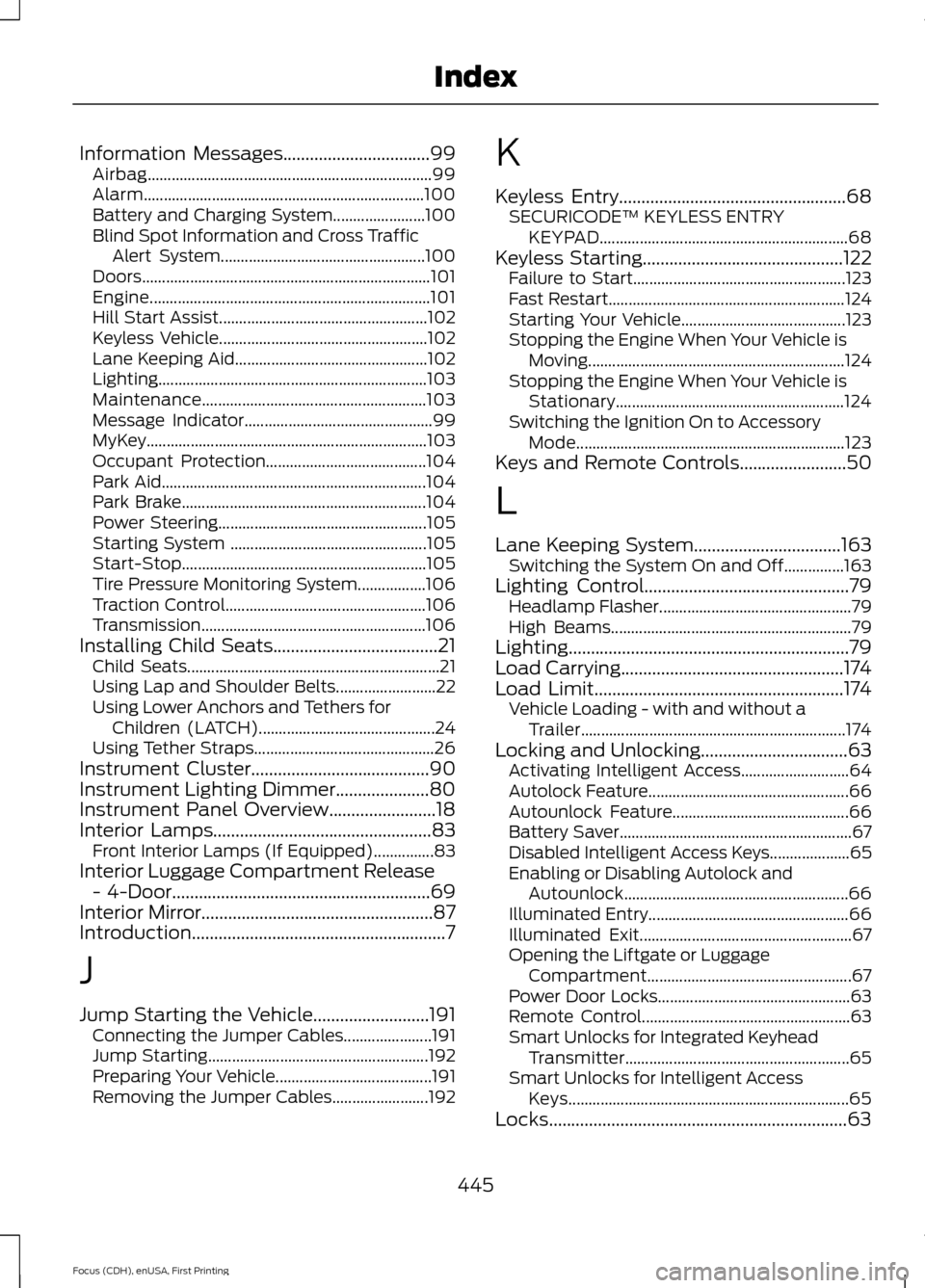
Information Messages.................................99
Airbag....................................................................... 99
Alarm...................................................................... 100
Battery and Charging System....................... 100
Blind Spot Information and Cross Traffic Alert System................................................... 100
Doors........................................................................\
101
Engine...................................................................... 101
Hill Start Assist.................................................... 102
Keyless Vehicle.................................................... 102
Lane Keeping Aid................................................ 102
Lighting................................................................... 103
Maintenance........................................................ 103
Message Indicator............................................... 99
MyKey......................................................................103
Occupant Protection........................................ 104
Park Aid.................................................................. 104
Park Brake............................................................. 104
Power Steering.................................................... 105
Starting System ................................................. 105
Start-Stop............................................................. 105
Tire Pressure Monitoring System.................106
Traction Control.................................................. 106
Transmission ........................................................ 106
Installing Child Seats
.....................................21
Child Seats............................................................... 21
Using Lap and Shoulder Belts......................... 22
Using Lower Anchors and Tethers for Children (LATCH)............................................ 24
Using Tether Straps............................................. 26
Instrument Cluster
........................................90
Instrument Lighting Dimmer.....................80
Instrument Panel Overview
........................18
Interior Lamps.................................................83
Front Interior Lamps (If Equipped)...............83
Interior Luggage Compartment Release - 4-Door
..........................................................69
Interior Mirror....................................................87
Introduction.........................................................7
J
Jump Starting the Vehicle..........................191 Connecting the Jumper Cables...................... 191
Jump Starting....................................................... 192
Preparing Your Vehicle....................................... 191
Removing the Jumper Cables........................ 192K
Keyless Entry
...................................................68
SECURICODE™ KEYLESS ENTRY
KEYPAD.............................................................. 68
Keyless Starting
.............................................122
Failure to Start..................................................... 123
Fast Restart........................................................... 124
Starting Your Vehicle......................................... 123
Stopping the Engine When Your Vehicle is Moving................................................................ 124
Stopping the Engine When Your Vehicle is Stationary......................................................... 124
Switching the Ignition On to Accessory Mode................................................................... 123
Keys and Remote Controls........................50
L
Lane Keeping System.................................163 Switching the System On and Off...............163
Lighting Control
..............................................79
Headlamp Flasher................................................ 79
High Beams............................................................ 79
Lighting
...............................................................79
Load Carrying..................................................174
Load Limit........................................................174
Vehicle Loading - with and without a
Trailer.................................................................. 174
Locking and Unlocking.................................63 Activating Intelligent Access........................... 64
Autolock Feature.................................................. 66
Autounlock Feature............................................ 66
Battery Saver.......................................................... 67
Disabled Intelligent Access Keys.................... 65
Enabling or Disabling Autolock and Autounlock........................................................ 66
Illuminated Entry.................................................. 66
Illuminated Exit..................................................... 67
Opening the Liftgate or Luggage Compartment................................................... 67
Power Door Locks................................................ 63
Remote Control.................................................... 63
Smart Unlocks for Integrated Keyhead Transmitter........................................................ 65
Smart Unlocks for Intelligent Access Keys...................................................................... 65
Locks...................................................................63
445
Focus (CDH), enUSA, First Printing Index
Page 450 of 453
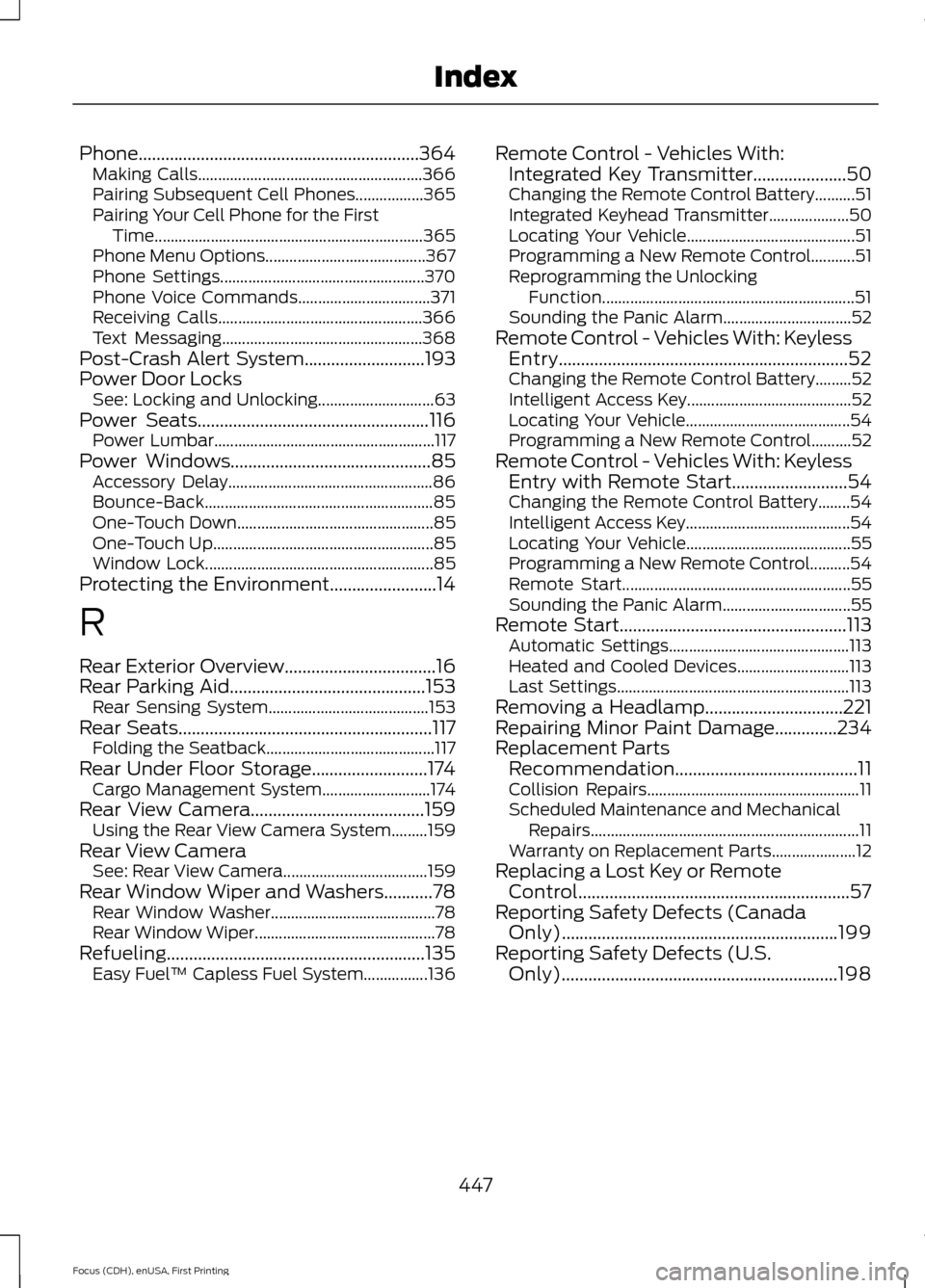
Phone...............................................................364
Making Calls........................................................ 366
Pairing Subsequent Cell Phones.................365
Pairing Your Cell Phone for the First Time................................................................... 365
Phone Menu Options........................................ 367
Phone Settings................................................... 370
Phone Voice Commands................................. 371
Receiving Calls................................................... 366
Text Messaging.................................................. 368
Post-Crash Alert System...........................193
Power Door Locks See: Locking and Unlocking............................. 63
Power Seats
....................................................116
Power Lumbar....................................................... 117
Power Windows.............................................85 Accessory Delay................................................... 86
Bounce-Back......................................................... 85
One-Touch Down................................................. 85
One-Touch Up....................................................... 85
Window Lock......................................................... 85
Protecting the Environment........................14
R
Rear Exterior Overview..................................16
Rear Parking Aid............................................153 Rear Sensing System........................................ 153
Rear Seats
.........................................................117
Folding the Seatback.......................................... 117
Rear Under Floor Storage..........................174 Cargo Management System........................... 174
Rear View Camera
.......................................159
Using the Rear View Camera System.........159
Rear View Camera See: Rear View Camera.................................... 159
Rear Window Wiper and Washers...........78 Rear Window Washer......................................... 78
Rear Window Wiper............................................. 78
Refueling..........................................................135 Easy Fuel ™ Capless Fuel System................136 Remote Control - Vehicles With:
Integrated Key Transmitter
.....................50
Changing the Remote Control Battery..........51
Integrated Keyhead Transmitter.................... 50
Locating Your Vehicle.......................................... 51
Programming a New Remote Control...........51
Reprogramming the Unlocking Function............................................................... 51
Sounding the Panic Alarm................................ 52
Remote Control - Vehicles With: Keyless Entry.................................................................52
Changing the Remote Control Battery.........52
Intelligent Access Key......................................... 52
Locating Your Vehicle......................................... 54
Programming a New Remote Control..........52
Remote Control - Vehicles With: Keyless Entry with Remote Start..........................54
Changing the Remote Control Battery........54
Intelligent Access Key......................................... 54
Locating Your Vehicle......................................... 55
Programming a New Remote Control..........54
Remote Start......................................................... 55
Sounding the Panic Alarm................................ 55
Remote Start
...................................................113
Automatic Settings............................................. 113
Heated and Cooled Devices............................ 113
Last Settings.......................................................... 113
Removing a Headlamp...............................221
Repairing Minor Paint Damage..............234
Replacement Parts Recommendation.........................................11
Collision Repairs..................................................... 11
Scheduled Maintenance and Mechanical Repairs................................................................... 11
Warranty on Replacement Parts..................... 12
Replacing a Lost Key or Remote Control.............................................................57
Reporting Safety Defects (Canada Only)
..............................................................199
Reporting Safety Defects (U.S. Only)..............................................................198
447
Focus (CDH), enUSA, First Printing Index