warning FORD FOCUS 2018 Owners Manual
[x] Cancel search | Manufacturer: FORD, Model Year: 2018, Model line: FOCUS, Model: FORD FOCUS 2018Pages: 473, PDF Size: 39.91 MB
Page 170 of 473
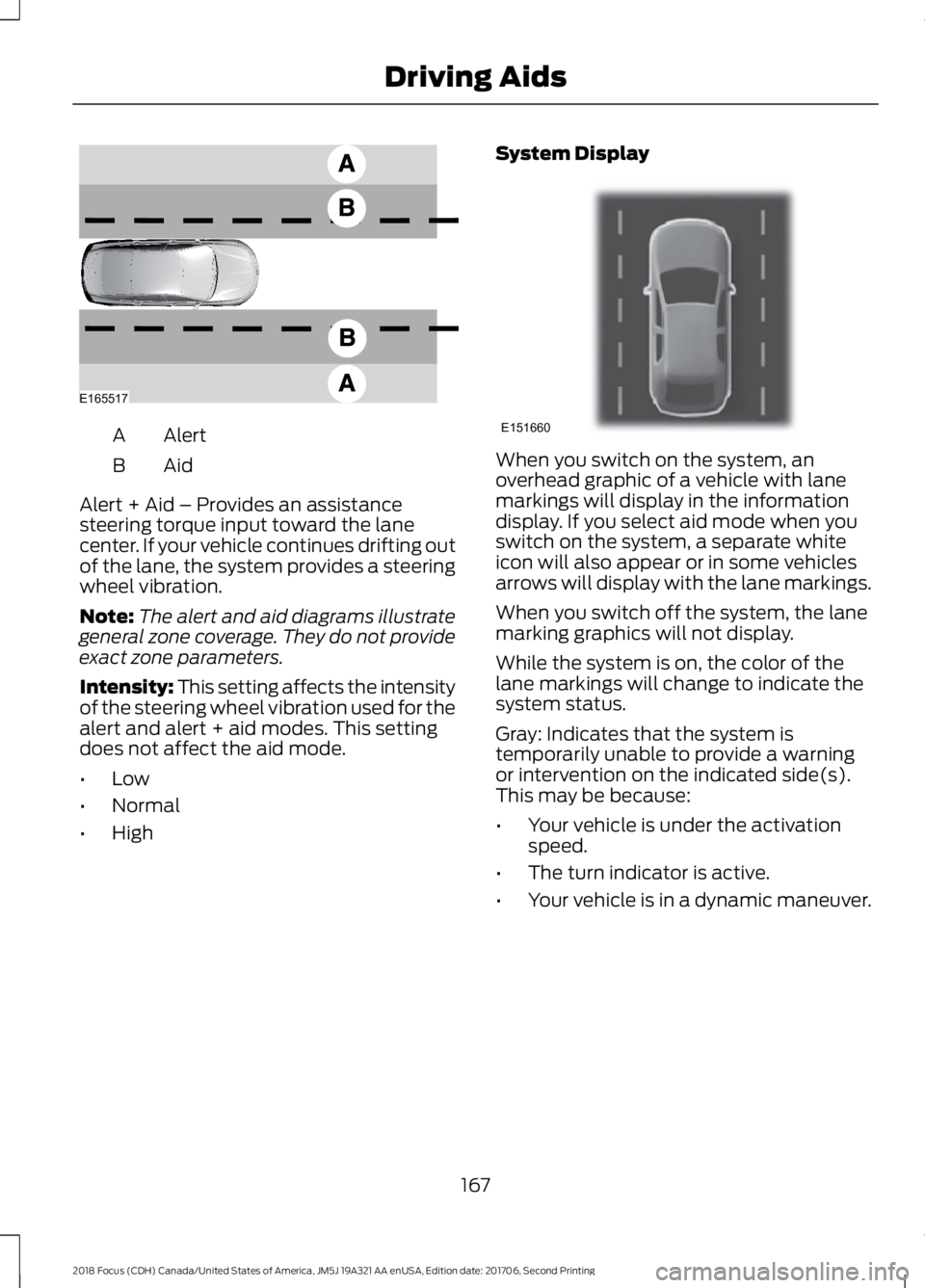
AlertA
AidB
Alert + Aid – Provides an assistancesteering torque input toward the lanecenter. If your vehicle continues drifting outof the lane, the system provides a steeringwheel vibration.
Note:The alert and aid diagrams illustrategeneral zone coverage. They do not provideexact zone parameters.
Intensity: This setting affects the intensityof the steering wheel vibration used for thealert and alert + aid modes. This settingdoes not affect the aid mode.
•Low
•Normal
•High
System Display
When you switch on the system, anoverhead graphic of a vehicle with lanemarkings will display in the informationdisplay. If you select aid mode when youswitch on the system, a separate whiteicon will also appear or in some vehiclesarrows will display with the lane markings.
When you switch off the system, the lanemarking graphics will not display.
While the system is on, the color of thelane markings will change to indicate thesystem status.
Gray: Indicates that the system istemporarily unable to provide a warningor intervention on the indicated side(s).This may be because:
•Your vehicle is under the activationspeed.
•The turn indicator is active.
•Your vehicle is in a dynamic maneuver.
1672018 Focus (CDH) Canada/United States of America, JM5J 19A321 AA enUSA, Edition date: 201706, Second PrintingDriving AidsE165517 E151660
Page 171 of 473
•The road has no or poor lane markingsin the camera field-of-view.
•The camera is obscured or unable todetect the lane markings due toenvironmental conditions (significantsun angles, shadows, snow, heavy rainor fog), traffic conditions (following alarge vehicle that is blocking orshadowing the lane), or vehicleconditions (poor headlampillumination).
See Troubleshooting for additionalinformation.
Green: Indicates that the system isavailable or ready to provide a warning orintervention, on the indicated side(s).
Yellow: Indicates that the system isproviding or has just provided a lanekeeping aid intervention.
Red: Indicates that the system is providingor has just provided a lane keeping alertwarning.
The system can be temporarily suppressedat any time by the following:
•Quick braking.
•Fast acceleration.
•Using the turn signal indicator.
•Evasive steering maneuver.
Troubleshooting
Why is the feature not available (line markings are gray) when I can see the lane markingson the road?
Vehicle speed is outside the operational range of the feature
Sun is shining directly into the camera lens
Quick intentional lane change
Staying too close to the lane marking
Driving at high speeds in curves
The last Alert warning or Aid intervention occurred a short time ago
Ambiguous lane markings (mainly in construction zones)
Rapid transition from light to dark or vice versa
Sudden offset in lane markings
ABS or AdvanceTrac activation
Camera blockage due to dirt, grime, fog, frost or water on the windshield
Driving too close to the vehicle in front of you
Transitioning between no lane markings to lane markings or vice versa
Standing water on the road
Faint lane markings (partial yellow lane markings on concrete roads)
1682018 Focus (CDH) Canada/United States of America, JM5J 19A321 AA enUSA, Edition date: 201706, Second PrintingDriving Aids
Page 172 of 473
Why is the feature not available (line markings are gray) when I can see the lane markingson the road?
Lane width too narrow or too wide
Camera not calibrated after a windshield replacement
Driving on tight roads or on uneven roads
Why does the vehicle not come back toward the middle of the lane, as expected, in theAid or Aid + Alert mode?
High cross winds
Large road crown
Rough roads, grooves, shoulder drop-offs
Heavy uneven loading of the vehicle or improper tire inflation pressure
If the tires have been exchanged (including snow tires), or the suspension has beenmodified
BLIND SPOT INFORMATION
SYSTEM
WARNINGS
Do not use the blind spot informationsystem as a replacement for usingthe interior and exterior mirrors orlooking over your shoulder before changinglanes. The blind spot information systemis not a replacement for careful driving.
The system may not operateproperly during severe weatherconditions, for example snow, ice,heavy rain and spray. Always drive withdue care and attention. Failure to take caremay result in a crash.
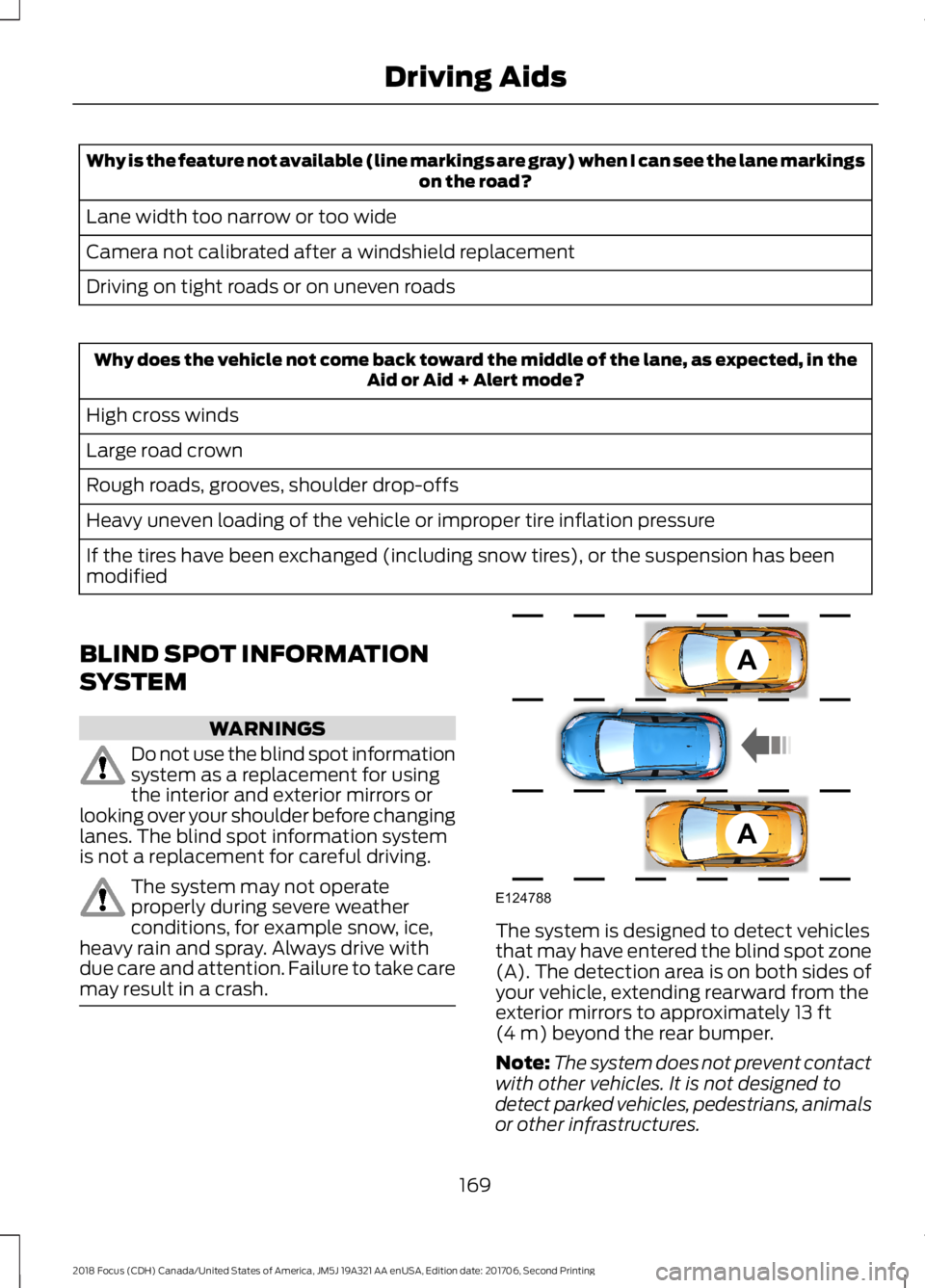
The system is designed to detect vehiclesthat may have entered the blind spot zone(A). The detection area is on both sides ofyour vehicle, extending rearward from theexterior mirrors to approximately 13 ft(4 m) beyond the rear bumper.
Note:The system does not prevent contactwith other vehicles. It is not designed todetect parked vehicles, pedestrians, animalsor other infrastructures.
1692018 Focus (CDH) Canada/United States of America, JM5J 19A321 AA enUSA, Edition date: 201706, Second PrintingDriving AidsAAE124788
Page 173 of 473
Using the Blind Spot InformationSystem
Vehicles with Automatic Transmission
The system turns on when all of thefollowing occur:
•You start your vehicle.
•You shift into drive (D).
•The vehicle speed is greater than6 mph (10 km/h).
Note:The system does not operate in park(P) or reverse (R).
Vehicles with Manual Transmission
The system turns on when all of thefollowing occur:
•You start your vehicle.
•The vehicle speed is greater than6 mph (10 km/h).
Note:The system does not operate inreverse (R).
System Lights and Messages
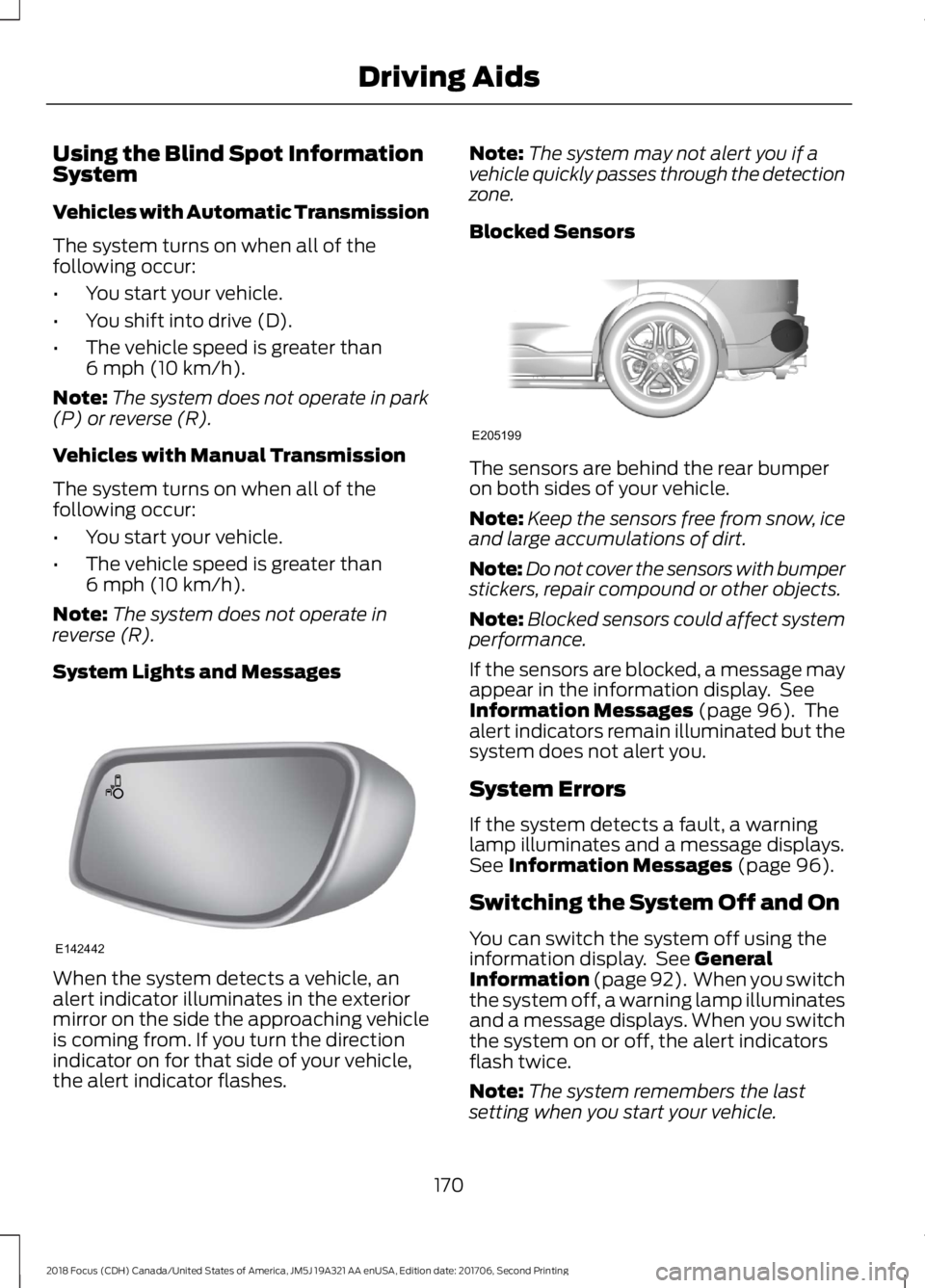
When the system detects a vehicle, analert indicator illuminates in the exteriormirror on the side the approaching vehicleis coming from. If you turn the directionindicator on for that side of your vehicle,the alert indicator flashes.
Note:The system may not alert you if avehicle quickly passes through the detectionzone.
Blocked Sensors
The sensors are behind the rear bumperon both sides of your vehicle.
Note:Keep the sensors free from snow, iceand large accumulations of dirt.
Note:Do not cover the sensors with bumperstickers, repair compound or other objects.
Note:Blocked sensors could affect systemperformance.
If the sensors are blocked, a message mayappear in the information display. SeeInformation Messages (page 96). Thealert indicators remain illuminated but thesystem does not alert you.
System Errors
If the system detects a fault, a warninglamp illuminates and a message displays.See Information Messages (page 96).
Switching the System Off and On
You can switch the system off using theinformation display. See GeneralInformation (page 92). When you switchthe system off, a warning lamp illuminatesand a message displays. When you switchthe system on or off, the alert indicatorsflash twice.
Note:The system remembers the lastsetting when you start your vehicle.
1702018 Focus (CDH) Canada/United States of America, JM5J 19A321 AA enUSA, Edition date: 201706, Second PrintingDriving AidsE142442 E205199
Page 174 of 473
Note:The system may not correctly operatewhen towing a trailer. For vehicles with atrailer tow module and tow bar approvedby us, the system turns off when you attacha trailer. For vehicles with an aftermarkettrailer tow module or tow bar, werecommend that you switch the system offwhen you attach a trailer.
To permanently switch the system off,contact an authorized dealer.
CROSS TRAFFIC ALERT
WARNINGS
Do not use the cross traffic alertsystem as a replacement for usingthe interior and exterior mirrors orlooking over your shoulder before reversingout of a parking space. The cross trafficalert system is not a replacement forcareful driving.
WARNINGS
The system may not operateproperly during severe weatherconditions, for example snow, ice,heavy rain and spray. Always drive withdue care and attention. Failure to take caremay result in a crash.
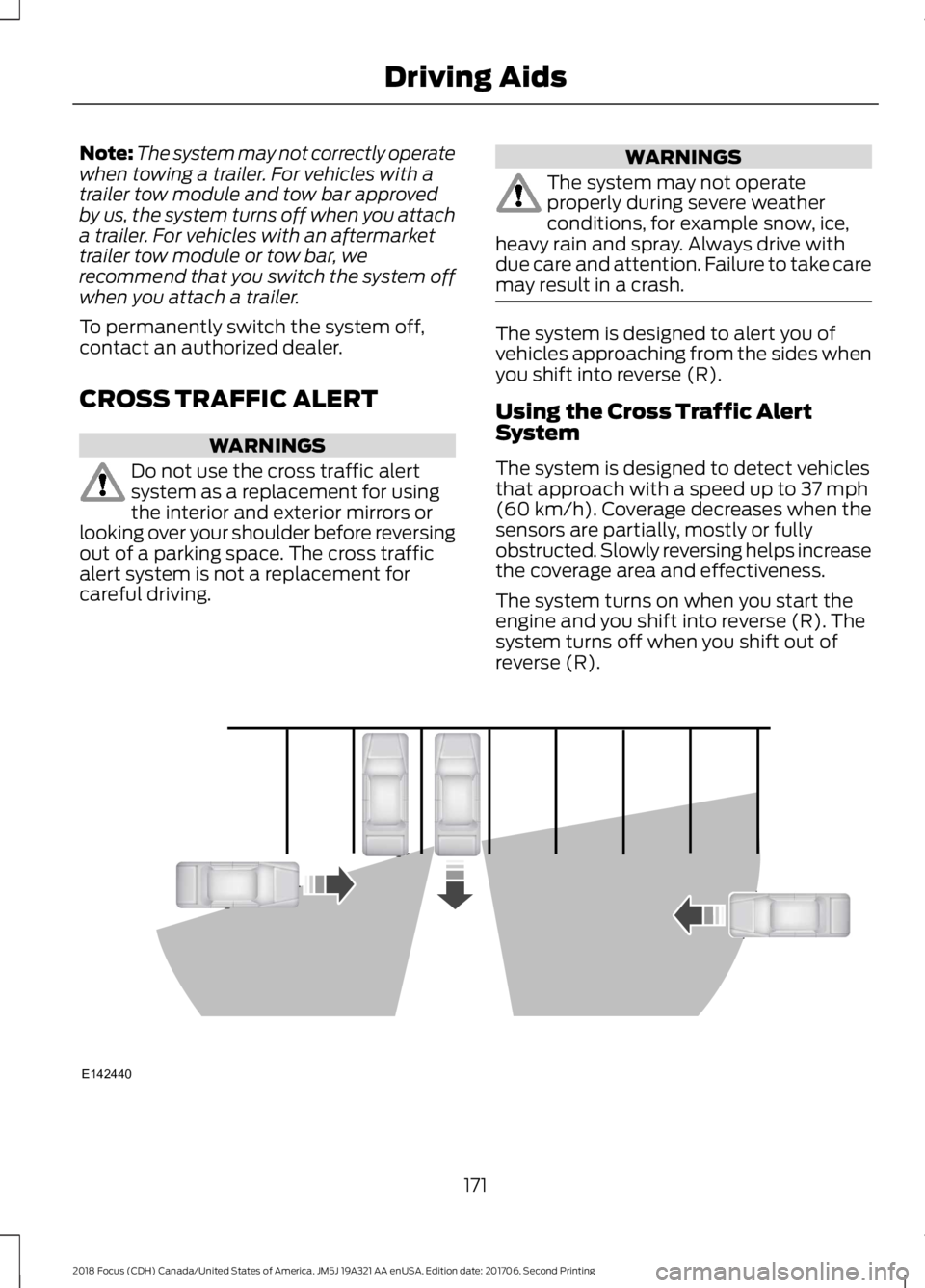
The system is designed to alert you ofvehicles approaching from the sides whenyou shift into reverse (R).
Using the Cross Traffic AlertSystem
The system is designed to detect vehiclesthat approach with a speed up to 37 mph(60 km/h). Coverage decreases when thesensors are partially, mostly or fullyobstructed. Slowly reversing helps increasethe coverage area and effectiveness.
The system turns on when you start theengine and you shift into reverse (R). Thesystem turns off when you shift out ofreverse (R).
1712018 Focus (CDH) Canada/United States of America, JM5J 19A321 AA enUSA, Edition date: 201706, Second PrintingDriving AidsE142440
Page 177 of 473
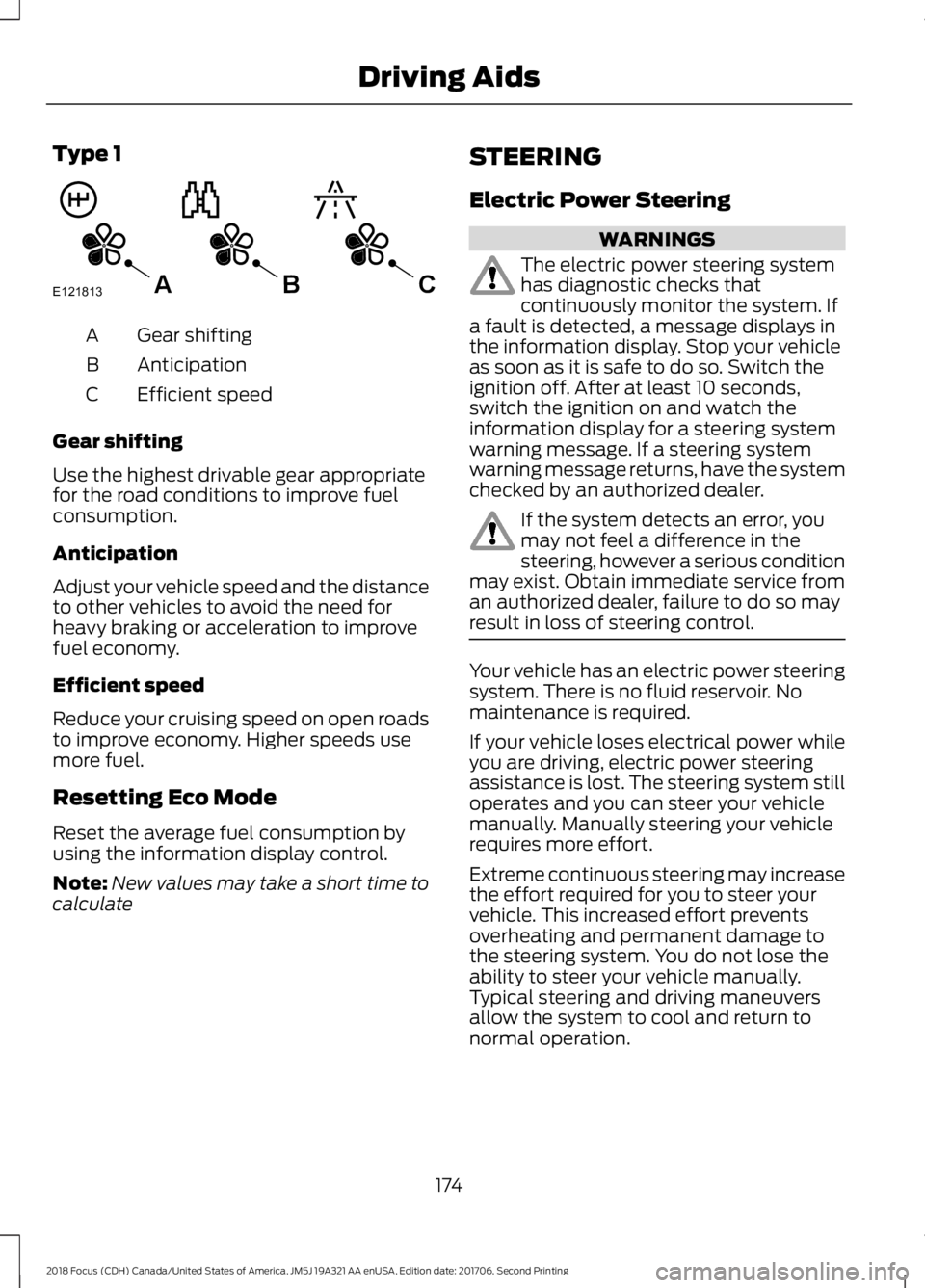
Type 1
Gear shiftingA
AnticipationB
Efficient speedC
Gear shifting
Use the highest drivable gear appropriatefor the road conditions to improve fuelconsumption.
Anticipation
Adjust your vehicle speed and the distanceto other vehicles to avoid the need forheavy braking or acceleration to improvefuel economy.
Efficient speed
Reduce your cruising speed on open roadsto improve economy. Higher speeds usemore fuel.
Resetting Eco Mode
Reset the average fuel consumption byusing the information display control.
Note:New values may take a short time tocalculate
STEERING
Electric Power Steering
WARNINGS
The electric power steering systemhas diagnostic checks thatcontinuously monitor the system. Ifa fault is detected, a message displays inthe information display. Stop your vehicleas soon as it is safe to do so. Switch theignition off. After at least 10 seconds,switch the ignition on and watch theinformation display for a steering systemwarning message. If a steering systemwarning message returns, have the systemchecked by an authorized dealer.
If the system detects an error, youmay not feel a difference in thesteering, however a serious conditionmay exist. Obtain immediate service froman authorized dealer, failure to do so mayresult in loss of steering control.
Your vehicle has an electric power steeringsystem. There is no fluid reservoir. Nomaintenance is required.
If your vehicle loses electrical power whileyou are driving, electric power steeringassistance is lost. The steering system stilloperates and you can steer your vehiclemanually. Manually steering your vehiclerequires more effort.
Extreme continuous steering may increasethe effort required for you to steer yourvehicle. This increased effort preventsoverheating and permanent damage tothe steering system. You do not lose theability to steer your vehicle manually.Typical steering and driving maneuversallow the system to cool and return tonormal operation.
1742018 Focus (CDH) Canada/United States of America, JM5J 19A321 AA enUSA, Edition date: 201706, Second PrintingDriving AidsE121813CBA
Page 179 of 473
REAR UNDER FLOOR
STORAGE
Cargo Management System (If
Equipped)
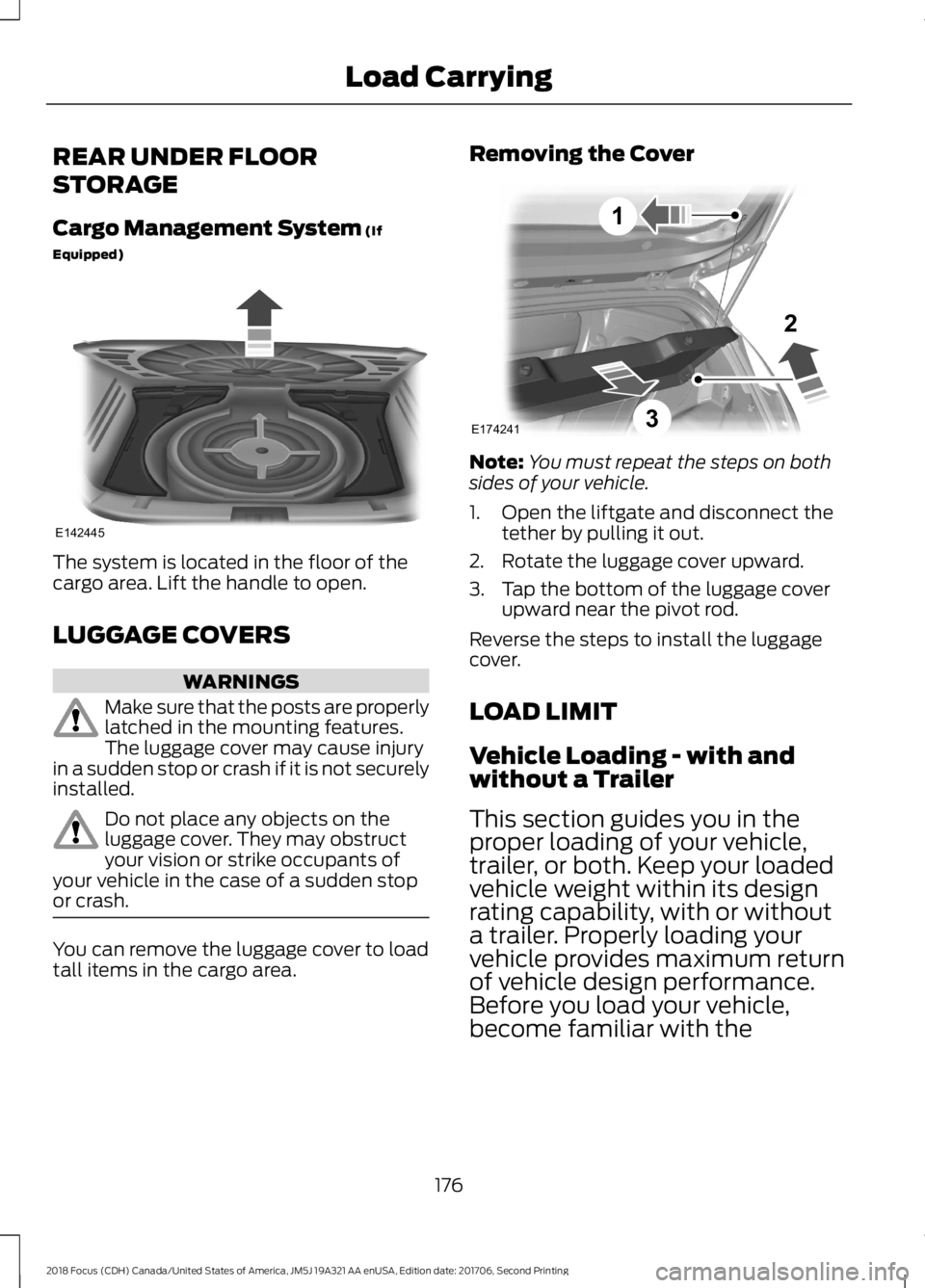
The system is located in the floor of thecargo area. Lift the handle to open.
LUGGAGE COVERS
WARNINGS
Make sure that the posts are properlylatched in the mounting features.The luggage cover may cause injuryin a sudden stop or crash if it is not securelyinstalled.
Do not place any objects on theluggage cover. They may obstructyour vision or strike occupants ofyour vehicle in the case of a sudden stopor crash.
You can remove the luggage cover to loadtall items in the cargo area.
Removing the Cover
Note:You must repeat the steps on bothsides of your vehicle.
1.Open the liftgate and disconnect thetether by pulling it out.
2.Rotate the luggage cover upward.
3.Tap the bottom of the luggage coverupward near the pivot rod.
Reverse the steps to install the luggagecover.
LOAD LIMIT
Vehicle Loading - with andwithout a Trailer
This section guides you in theproper loading of your vehicle,trailer, or both. Keep your loadedvehicle weight within its designrating capability, with or withouta trailer. Properly loading yourvehicle provides maximum returnof vehicle design performance.Before you load your vehicle,become familiar with the
1762018 Focus (CDH) Canada/United States of America, JM5J 19A321 AA enUSA, Edition date: 201706, Second PrintingLoad CarryingE142445 E174241132
Page 181 of 473
Payload is the combined weightof cargo and passengers that yourvehicle is carrying. The maximumpayload for your vehicle appearson the Tire and Loading label. Thelabel is either on the B-pillar or theedge of the driver door. Vehiclesexported outside the US andCanada may not have a tire andloading label. Look for “Thecombined weight of occupantsand cargo should never exceedXXX kg OR XXX lb” for maximumpayload. The payload listed on theTire and Loading Information labelis the maximum payload for yourvehicle as built by the assemblyplant. If you install any additionalequipment on your vehicle, youmust determine the new payload.Subtract the weight of theequipment from the payload listedon the Tire and Loading label.When towing, trailer tongueweight or king pin weight is alsopart of payload.
WARNING
The appropriate loadingcapacity of your vehicle canbe limited either by volumecapacity (how much space isavailable) or by payload capacity(how much weight the vehicleshould carry). Once you havereached the maximum payload ofyour vehicle, do not add morecargo, even if there is spaceavailable. Overloading orimproperly loading your vehicle
can contribute to loss of vehiclecontrol and vehicle rollover.
GAWR (Gross Axle WeightRating)
GAWR is the maximum allowableweight that a single axle (front orrear) can carry. These numbersare on the Safety ComplianceCertification label. The label islocated on the door hinge pillar,door-latch post, or the door edgethat meets the door-latch post,next to the driver seating position.
The total load on each axle mustnever exceed its Gross AxleWeight Rating.
GVWR (Gross Vehicle WeightRating)
GVWR is the maximum allowableweight of the fully loaded vehicle.
This includes all options,equipment, passengers and cargo.It appears on the SafetyCompliance Certification label.The label is located on the doorhinge pillar, door-latch post, or thedoor edge that meets thedoor-latch post, next to the driverseating position.
The gross vehicle weight mustnever exceed the Gross VehicleWeight Rating.
1782018 Focus (CDH) Canada/United States of America, JM5J 19A321 AA enUSA, Edition date: 201706, Second PrintingLoad Carrying
Page 182 of 473
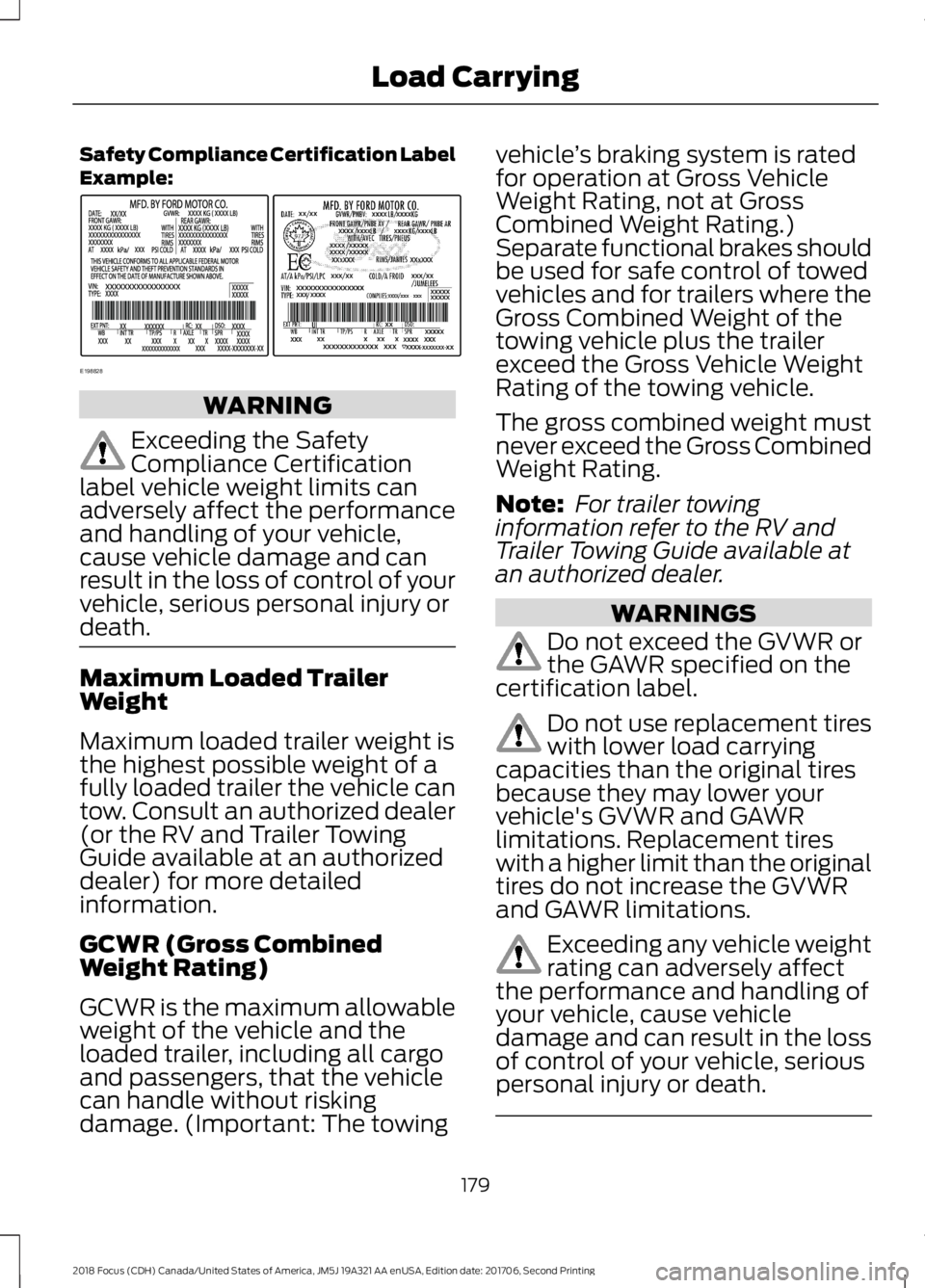
Safety Compliance Certification LabelExample:
WARNING
Exceeding the SafetyCompliance Certificationlabel vehicle weight limits canadversely affect the performanceand handling of your vehicle,cause vehicle damage and canresult in the loss of control of yourvehicle, serious personal injury ordeath.
Maximum Loaded TrailerWeight
Maximum loaded trailer weight isthe highest possible weight of afully loaded trailer the vehicle cantow. Consult an authorized dealer(or the RV and Trailer TowingGuide available at an authorizeddealer) for more detailedinformation.
GCWR (Gross CombinedWeight Rating)
GCWR is the maximum allowableweight of the vehicle and theloaded trailer, including all cargoand passengers, that the vehiclecan handle without riskingdamage. (Important: The towing
vehicle’s braking system is ratedfor operation at Gross VehicleWeight Rating, not at GrossCombined Weight Rating.)Separate functional brakes shouldbe used for safe control of towedvehicles and for trailers where theGross Combined Weight of thetowing vehicle plus the trailerexceed the Gross Vehicle WeightRating of the towing vehicle.
The gross combined weight mustnever exceed the Gross CombinedWeight Rating.
Note: For trailer towinginformation refer to the RV andTrailer Towing Guide available atan authorized dealer.
WARNINGS
Do not exceed the GVWR orthe GAWR specified on thecertification label.
Do not use replacement tireswith lower load carryingcapacities than the original tiresbecause they may lower yourvehicle's GVWR and GAWRlimitations. Replacement tireswith a higher limit than the originaltires do not increase the GVWRand GAWR limitations.
Exceeding any vehicle weightrating can adversely affectthe performance and handling ofyour vehicle, cause vehicledamage and can result in the lossof control of your vehicle, serious
personal injury or death.
1792018 Focus (CDH) Canada/United States of America, JM5J 19A321 AA enUSA, Edition date: 201706, Second PrintingLoad CarryingE198828
Page 184 of 473
- 1200 = - 240 pounds. No, you donot have enough cargo capacityto carry that much weight. Inmetric units, the calculation wouldbe: 635 kilograms - (2 x 99kilograms) - (12 x 45 kilograms) =635 - 198 - 540 = -103 kilograms.You will need to reduce the loadweight by at least 240 pounds(104 kilograms). If you removethree 100-pound (45-kilogram)cement bags, then the loadcalculation would be:1400 - (2 x220) - (9 x 100) = 1400 - 440 -900 = 60 pounds. Now you havethe load capacity to transport thecement and your friend home. Inmetric units, the calculation wouldbe: 635 kilograms - (2 x 99kilograms) - (9 x 45 kilograms) =635 - 198 - 405 = 32 kilograms.
The above calculations alsoassume that the loads arepositioned in your vehicle in amanner that does not overloadthe front or the rear gross axleweight rating specified for yourvehicle on the Safety ComplianceCertification label.
Special Loading Instructionsfor Owners of Pick-up Trucksand Utility-type Vehicles
WARNING
When loading the roof racks,we recommend you evenlydistribute the load, as well asmaintain a low center of gravity.Loaded vehicles, with highercenters of gravity, may handledifferently than unloaded vehicles.Take extra precautions, such asslower speeds and increasedstopping distance, when driving aheavily loaded vehicle.
1812018 Focus (CDH) Canada/United States of America, JM5J 19A321 AA enUSA, Edition date: 201706, Second PrintingLoad Carrying