ECO mode FORD FOCUS 2018 User Guide
[x] Cancel search | Manufacturer: FORD, Model Year: 2018, Model line: FOCUS, Model: FORD FOCUS 2018Pages: 473, PDF Size: 39.91 MB
Page 63 of 473
LOCKING AND UNLOCKING
You can use the power door lock controlor the remote control to lock and unlockyour vehicle.
Note:Always take your keys and lock alldoors when leaving your vehicle.
Power Door Locks
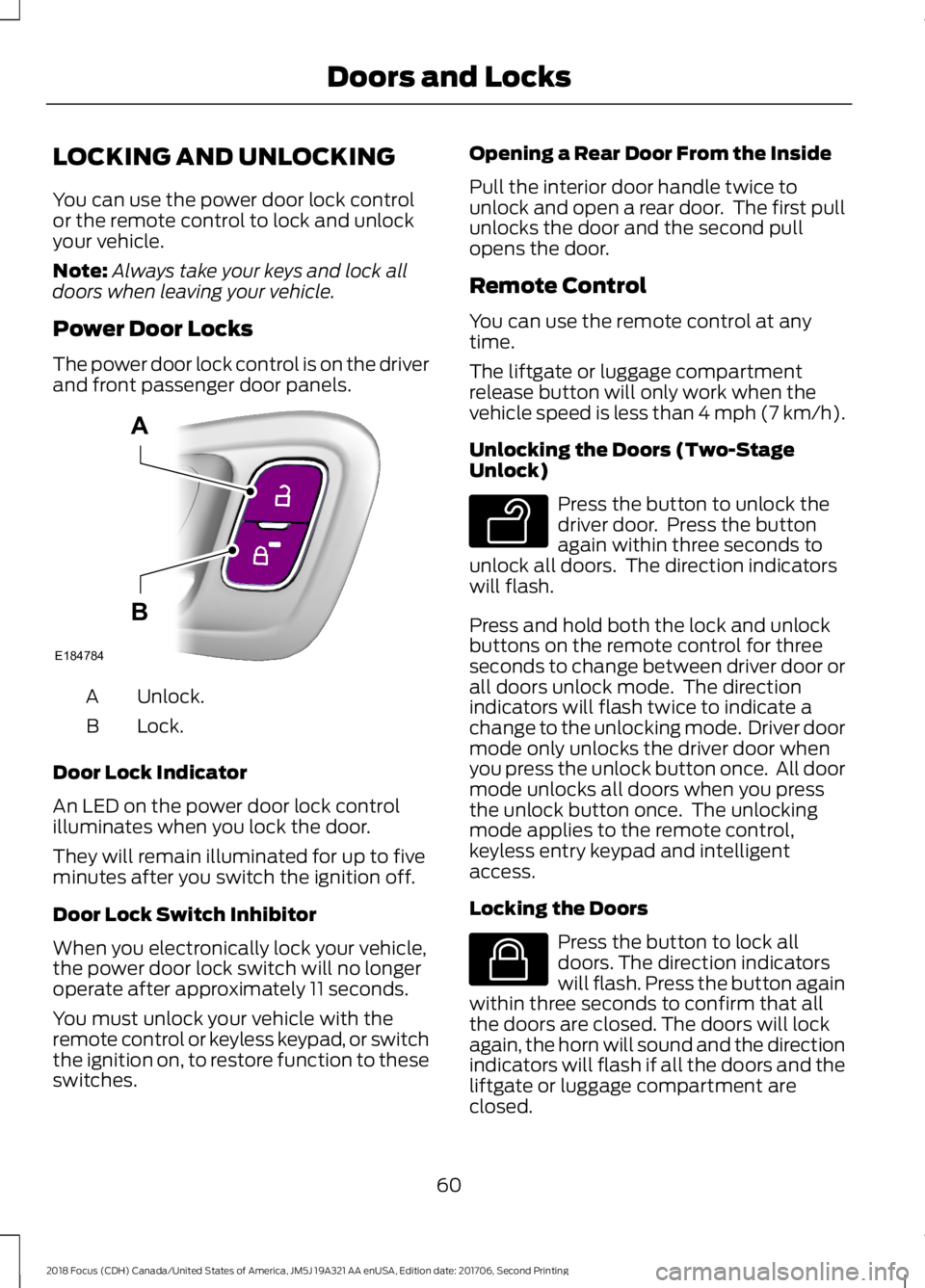
The power door lock control is on the driverand front passenger door panels.
Unlock.A
Lock.B
Door Lock Indicator
An LED on the power door lock controlilluminates when you lock the door.
They will remain illuminated for up to fiveminutes after you switch the ignition off.
Door Lock Switch Inhibitor
When you electronically lock your vehicle,the power door lock switch will no longeroperate after approximately 11 seconds.
You must unlock your vehicle with theremote control or keyless keypad, or switchthe ignition on, to restore function to theseswitches.
Opening a Rear Door From the Inside
Pull the interior door handle twice tounlock and open a rear door. The first pullunlocks the door and the second pullopens the door.
Remote Control
You can use the remote control at anytime.
The liftgate or luggage compartmentrelease button will only work when thevehicle speed is less than 4 mph (7 km/h).
Unlocking the Doors (Two-StageUnlock)
Press the button to unlock thedriver door. Press the buttonagain within three seconds tounlock all doors. The direction indicatorswill flash.
Press and hold both the lock and unlockbuttons on the remote control for threeseconds to change between driver door orall doors unlock mode. The directionindicators will flash twice to indicate achange to the unlocking mode. Driver doormode only unlocks the driver door whenyou press the unlock button once. All doormode unlocks all doors when you pressthe unlock button once. The unlockingmode applies to the remote control,keyless entry keypad and intelligentaccess.
Locking the Doors
Press the button to lock alldoors. The direction indicatorswill flash. Press the button againwithin three seconds to confirm that allthe doors are closed. The doors will lockagain, the horn will sound and the directionindicators will flash if all the doors and theliftgate or luggage compartment areclosed.
602018 Focus (CDH) Canada/United States of America, JM5J 19A321 AA enUSA, Edition date: 201706, Second PrintingDoors and LocksE184784AB E138629 E138623
Page 66 of 473
Autounlock
Autounlock unlocks all the doors when allof the following occur:
•The ignition is on, all the doors areclosed and your vehicle has been inmotion at a speed greater than 4 mph(7 km/h).
•Your vehicle comes to a stop and youswitch the ignition off or to accessory.
•You open the driver door within 10minutes of switching the ignition off orto accessory.
Note:If you electronically lock your vehicleafter you switch the ignition off with thedriver door closed, the doors will notautounlock.
To enable or disable autounlock, do thefollowing:
1.Switch the ignition on.
2.Press the power door unlock controlthree times.
3.Switch the ignition off.
4.Press the power door unlock controlthree times.
5.Switch the ignition on. The hornsounds indicating your vehicle is inprogramming mode.
6.Press the power door lock control andwithin five seconds, press the powerdoor unlock control. The horn soundsonce if disabled or twice if enabled.
7.Switch the ignition off. The horn soundsindicating programming is complete.
Illuminated Entry
The interior lamps and select exteriorlamps illuminate when you unlock thedoors with the remote entry system.
The lamps turn off if:
•The ignition is on.
•You press the remote control lockbutton.
•25 seconds have elapsed.
The lamps will not turn off if:
•You switch them on with the lightingcontrol.
•Any door is open.
Illuminated Exit
For vehicles with an integrated keyheadtransmitter, the interior lamps and selectexterior lamps illuminate when you closeall the doors, you switch the ignition offand you remove the key from the ignition.
The lamps turn off if all the doors remainclosed and:
•25 seconds have elapsed.
•You insert the key in the ignition(integrated keyhead transmitter only).
•You press the START/STOP button(intelligent access key only).
Battery Saver
If you leave the courtesy lamps, domelamps or headlamps on, the battery saverwill turn them off 10 minutes after youswitch the ignition off.
Accessory Mode Battery Saver forIntelligent Access Keys (If Equipped)
If you leave the ignition switched on andthe engine is not running, the battery saverwill turn the ignition off when it detects acertain amount of battery drain, or after45 minutes have elapsed.
632018 Focus (CDH) Canada/United States of America, JM5J 19A321 AA enUSA, Edition date: 201706, Second PrintingDoors and Locks
Page 69 of 473
2.Press 1·2 on the keypad within fiveseconds.
3.Enter your personal five-digit code. Youmust enter each number within fiveseconds of each other.
4.Press 1·2 on the keypad to savepersonal code 1.
The doors lock then unlock to confirm thatprogramming was successful.
To program additional personal entrycodes, repeat Steps 1-3, then for Step 4:
•Press 3·4 to save personal code 2.
•Press 5·6 to save personal code 3.
•Press 7·8 to save personal code 4.
•Press 9·0 to save personal code 5.
Hints:
•Do not set a code that uses five of thesame number.
•Do not use five numbers in sequentialorder.
•The factory-set code works even if youhave set your own personal code.
Erasing a Personal Code
1.Enter the factory-set five-digit code.
2.Press and release 1·2 on the keypadwithin five seconds.
3.Press and hold 1·2 for two seconds.You must do this within five secondsof completing step 2.
All personal codes erase and only thefactory-set five-digit code works.
Anti-Scan Feature
The keypad goes into an anti-scan modeif you enter the wrong code seven times.This mode turns off the keypad for oneminute and the keypad lamp flashes.
The anti-scan feature turns off after anyof the following occur:
•One minute of keypad inactivity.
•You press the unlock button on theremote control.
•You switch your vehicle on.
•You unlock the vehicle using intelligentaccess.
Locking and Unlocking the Doors
Locking All Doors
Press and hold 7·8 and 9·0 on the keypadsimultaneously with the driver door closed.You do not need to enter a code first.
Unlocking All Doors
Enter the factory-set code or your personalcode, then press 3·4 on the keypad withinfive seconds.
Unlocking Only the Driver Door
Enter the factory-set or your personalfive-digit code. You must press eachnumber within five seconds of each other.The interior lamps illuminate.
Note:All doors unlock if the two-stageunlocking feature is turned off. See Lockingand Unlocking (page 60).
INTERIOR LUGGAGE
COMPARTMENT RELEASE - 4-
DOOR
WARNINGS
Keep vehicle doors and luggagecompartment locked and keep keysand remote transmitters out of achild’s reach. Unsupervised children couldlock themselves in the trunk and risk injury.Children should be taught not to play invehicles.
662018 Focus (CDH) Canada/United States of America, JM5J 19A321 AA enUSA, Edition date: 201706, Second PrintingDoors and Locks
Page 77 of 473
WINDSHIELD WIPERS
Note:Fully defrost the windshield beforeyou switch the windshield wipers on.
Note:Make sure you switch the windshieldwipers and vehicle power off before usingan automatic car wash.
Note: If streaks or smears appear on thewindshield, clean the windshield and thewiper blades. See Checking the WiperBlades (page 223). If that does not resolvethe issue, install new wiper blades. SeeChanging the Front Wiper Blades (page223).
Note:Do not operate the wipers on a drywindshield. This may scratch the glass,damage the wiper blades or cause the wipermotor to burn out. Always use thewindshield washers before wiping a drywindshield.
Note:When wiping on dry glass, the wipersmay switch to the next lower operatingmode (low-speed or intermittent). Theprevious operation mode may resume afterthe windshield becomes wet again.
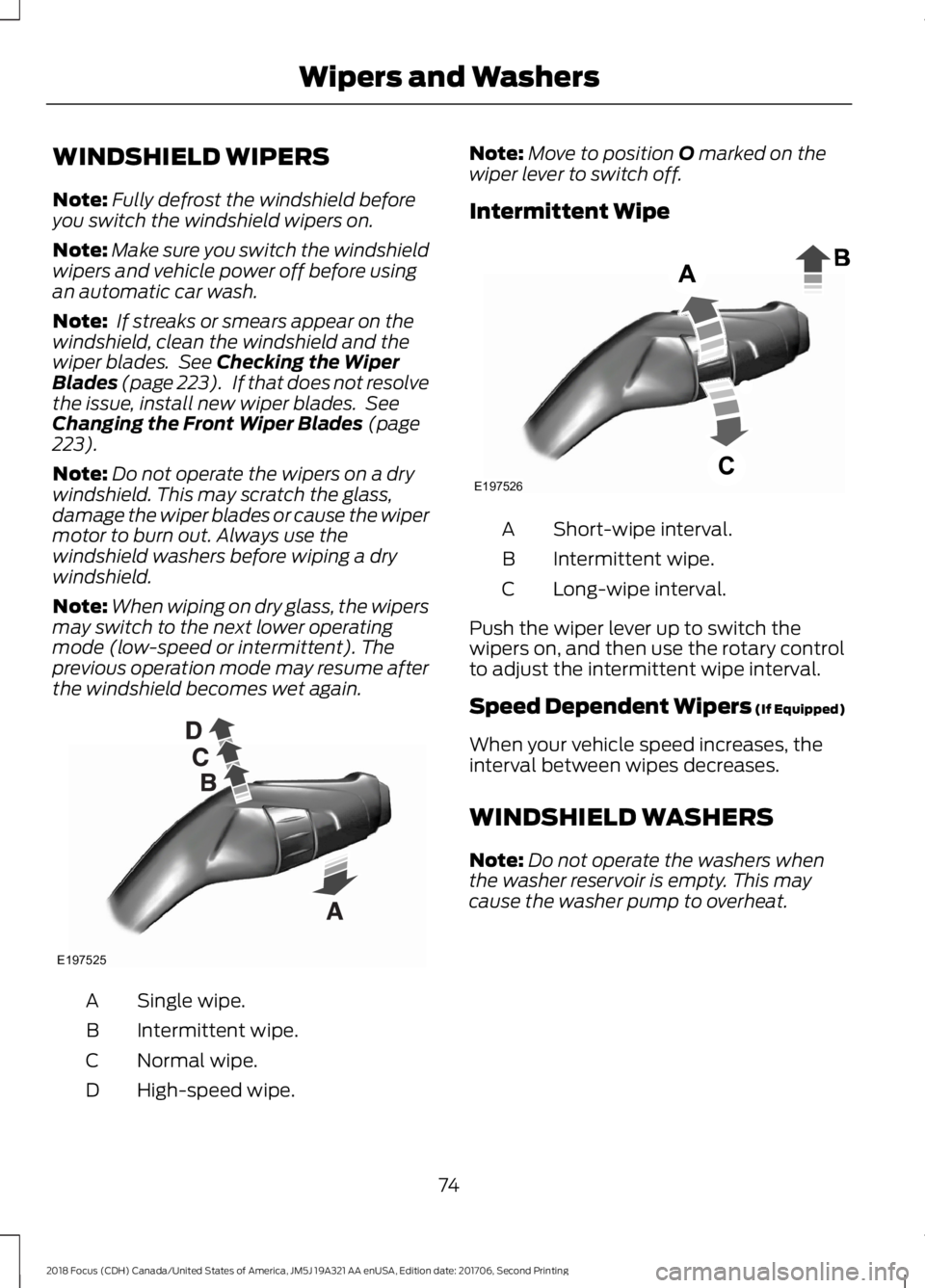
Single wipe.A
Intermittent wipe.B
Normal wipe.C
High-speed wipe.D
Note:Move to position O marked on thewiper lever to switch off.
Intermittent Wipe
Short-wipe interval.A
Intermittent wipe.B
Long-wipe interval.C
Push the wiper lever up to switch thewipers on, and then use the rotary controlto adjust the intermittent wipe interval.
Speed Dependent Wipers (If Equipped)
When your vehicle speed increases, theinterval between wipes decreases.
WINDSHIELD WASHERS
Note:Do not operate the washers whenthe washer reservoir is empty. This maycause the washer pump to overheat.
742018 Focus (CDH) Canada/United States of America, JM5J 19A321 AA enUSA, Edition date: 201706, Second PrintingWipers and WashersE197525 E197526
Page 80 of 473
Push the lever away from you to switchthe high beam on.
Push the lever forward again or pull thelever toward you to switch the high beamsoff.
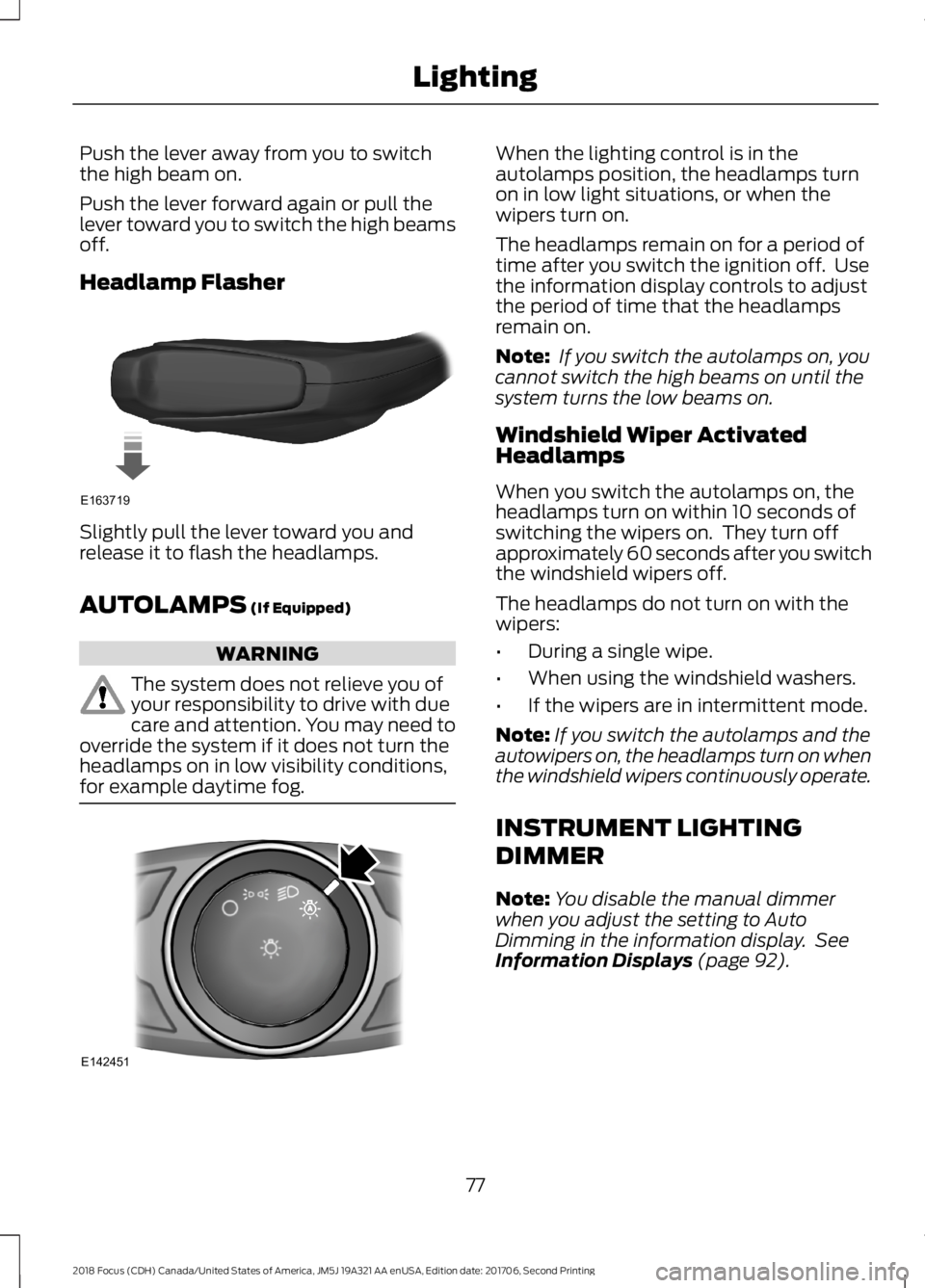
Headlamp Flasher
Slightly pull the lever toward you andrelease it to flash the headlamps.
AUTOLAMPS (If Equipped)
WARNING
The system does not relieve you ofyour responsibility to drive with duecare and attention. You may need tooverride the system if it does not turn theheadlamps on in low visibility conditions,for example daytime fog.
When the lighting control is in theautolamps position, the headlamps turnon in low light situations, or when thewipers turn on.
The headlamps remain on for a period oftime after you switch the ignition off. Usethe information display controls to adjustthe period of time that the headlampsremain on.
Note: If you switch the autolamps on, youcannot switch the high beams on until thesystem turns the low beams on.
Windshield Wiper ActivatedHeadlamps
When you switch the autolamps on, theheadlamps turn on within 10 seconds ofswitching the wipers on. They turn offapproximately 60 seconds after you switchthe windshield wipers off.
The headlamps do not turn on with thewipers:
•During a single wipe.
•When using the windshield washers.
•If the wipers are in intermittent mode.
Note:If you switch the autolamps and theautowipers on, the headlamps turn on whenthe windshield wipers continuously operate.
INSTRUMENT LIGHTING
DIMMER
Note:You disable the manual dimmerwhen you adjust the setting to AutoDimming in the information display. SeeInformation Displays (page 92).
772018 Focus (CDH) Canada/United States of America, JM5J 19A321 AA enUSA, Edition date: 201706, Second PrintingLightingE163719 E142451
Page 82 of 473
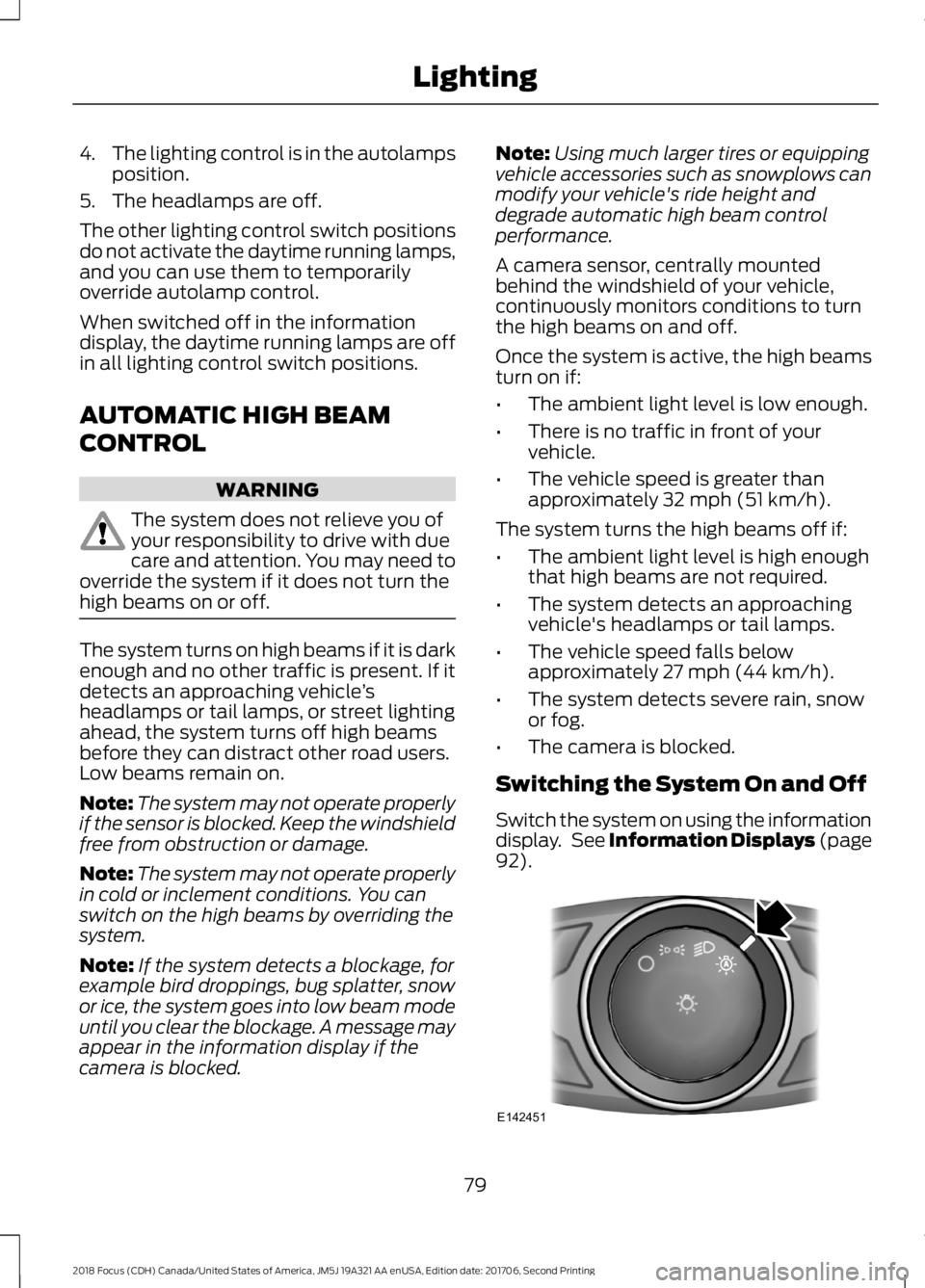
4.The lighting control is in the autolampsposition.
5.The headlamps are off.
The other lighting control switch positionsdo not activate the daytime running lamps,and you can use them to temporarilyoverride autolamp control.
When switched off in the informationdisplay, the daytime running lamps are offin all lighting control switch positions.
AUTOMATIC HIGH BEAM
CONTROL
WARNING
The system does not relieve you ofyour responsibility to drive with duecare and attention. You may need tooverride the system if it does not turn thehigh beams on or off.
The system turns on high beams if it is darkenough and no other traffic is present. If itdetects an approaching vehicle’sheadlamps or tail lamps, or street lightingahead, the system turns off high beamsbefore they can distract other road users.Low beams remain on.
Note:The system may not operate properlyif the sensor is blocked. Keep the windshieldfree from obstruction or damage.
Note:The system may not operate properlyin cold or inclement conditions. You canswitch on the high beams by overriding thesystem.
Note:If the system detects a blockage, forexample bird droppings, bug splatter, snowor ice, the system goes into low beam modeuntil you clear the blockage. A message mayappear in the information display if thecamera is blocked.
Note:Using much larger tires or equippingvehicle accessories such as snowplows canmodify your vehicle's ride height anddegrade automatic high beam controlperformance.
A camera sensor, centrally mountedbehind the windshield of your vehicle,continuously monitors conditions to turnthe high beams on and off.
Once the system is active, the high beamsturn on if:
•The ambient light level is low enough.
•There is no traffic in front of yourvehicle.
•The vehicle speed is greater thanapproximately 32 mph (51 km/h).
The system turns the high beams off if:
•The ambient light level is high enoughthat high beams are not required.
•The system detects an approachingvehicle's headlamps or tail lamps.
•The vehicle speed falls belowapproximately 27 mph (44 km/h).
•The system detects severe rain, snowor fog.
•The camera is blocked.
Switching the System On and Off
Switch the system on using the informationdisplay. See Information Displays (page92).
792018 Focus (CDH) Canada/United States of America, JM5J 19A321 AA enUSA, Edition date: 201706, Second PrintingLightingE142451
Page 90 of 473
If the needle enters the red section, theengine is overheating. Stop the engine,switch the ignition off and determine thecause once the engine has cooled down.See Engine Coolant Check (page 217).
Fuel Gauge
Note:: The fuel gauge may vary slightlywhen your vehicle is moving or on a gradient.
Switch the ignition on. The fuel gauge willindicate approximately how much fuel isleft in the fuel tank. The arrow adjacent tothe fuel pump symbol indicates on whichside of your vehicle the fuel filler door islocated.
The needle should move toward F whenyou refuel your vehicle. If the needle pointsto E after adding fuel, this indicates yourvehicle needs service soon.
After refueling some variability in needleposition is normal.
Note:It may take a short time for theneedle to reach F after leaving the gasstation. This is normal and depends uponthe slope of pavement at the gas station.
Note:The fuel amount dispensed into thetank is a little less or more than the gaugeindicated. This is normal and depends uponthe slope of pavement at the gas station.
Note:If the gas station nozzle shuts offbefore the tank is full, try a different gaspump nozzle.
Low Fuel Reminder
A low fuel reminder triggers at about 50miles (80 km). The low fuel warning lightwill light, a warning chime will sound anda pop up will be shown in the displayindicating the remaining distance to empty.You will also get a subsequent reminderat 20, 10 and 0 miles.
WARNING LAMPS AND
INDICATORS
The following warning lamps andindicators alert you to a vehicle conditionthat may become serious. Some lampsilluminate when you start your vehicle tomake sure they work. If any lamps remainon after starting your vehicle, refer to therespective system warning lamp for furtherinformation.
Note:Some warning indicators appear inthe information display and operate thesame as a warning lamp but do notilluminate when you start your vehicle.
Adaptive Cruise Control Indicator
(If Equipped)
It illuminates when you switchthe system on.
It illuminates white when the system is instandby mode. It illuminates green whenyou set the adaptive cruise speed.
Airbag Warning Lamp
If it does not illuminate when youswitch the ignition on, continuesto flash or remains on when theengine is running, this indicates amalfunction. Have your vehicle checkedas soon as possible.
Anti-Lock Brake System WarningLamp
If it illuminates when you aredriving, this indicates amalfunction. Your vehiclecontinues to have normal braking withoutthe anti-lock brake system function. Haveyour vehicle checked as soon as possible.
872018 Focus (CDH) Canada/United States of America, JM5J 19A321 AA enUSA, Edition date: 201706, Second PrintingInstrument ClusterE144524 E67017
Page 92 of 473
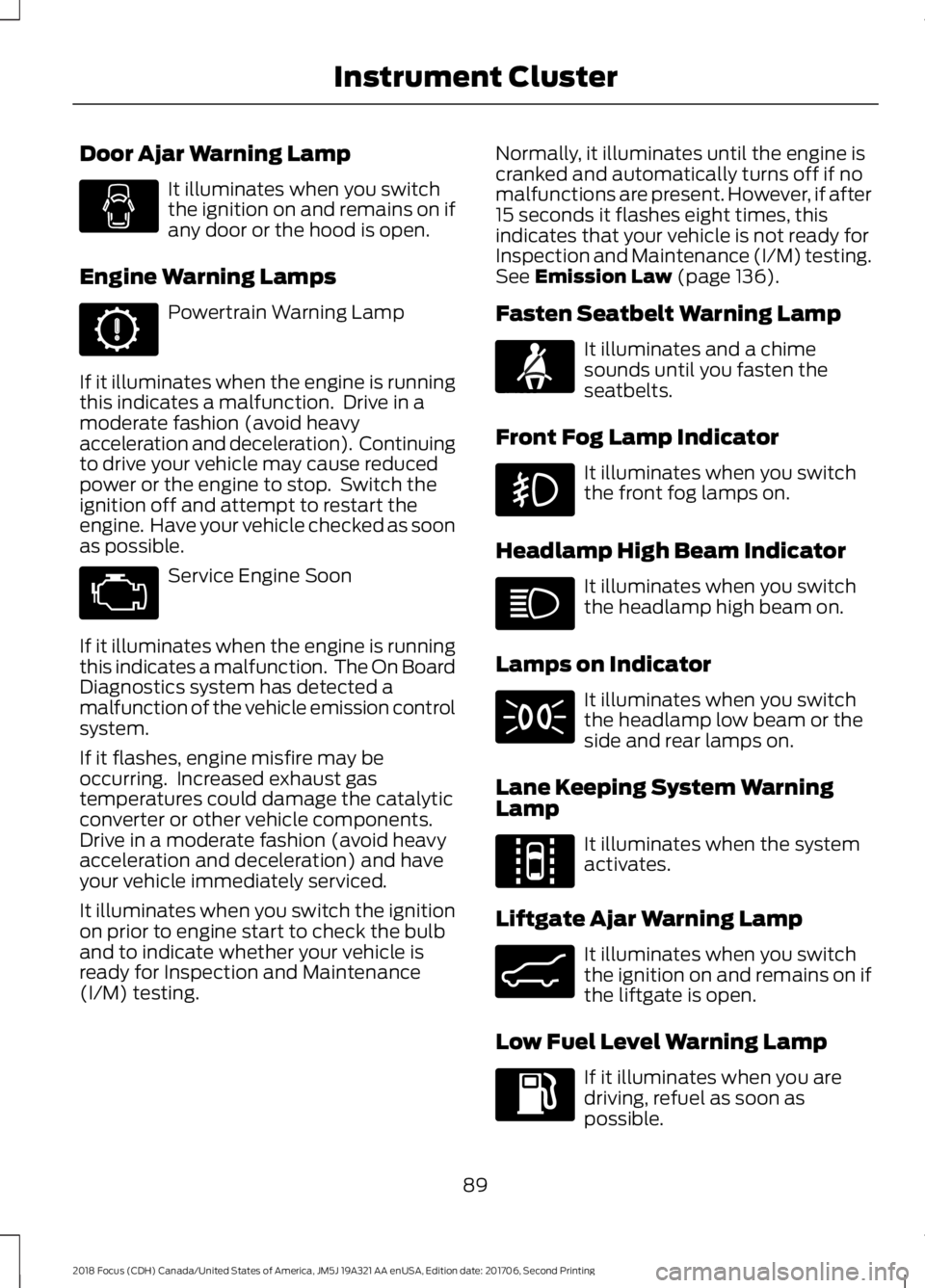
Door Ajar Warning Lamp
It illuminates when you switchthe ignition on and remains on ifany door or the hood is open.
Engine Warning Lamps
Powertrain Warning Lamp
If it illuminates when the engine is runningthis indicates a malfunction. Drive in amoderate fashion (avoid heavyacceleration and deceleration). Continuingto drive your vehicle may cause reducedpower or the engine to stop. Switch theignition off and attempt to restart theengine. Have your vehicle checked as soonas possible.
Service Engine Soon
If it illuminates when the engine is runningthis indicates a malfunction. The On BoardDiagnostics system has detected amalfunction of the vehicle emission controlsystem.
If it flashes, engine misfire may beoccurring. Increased exhaust gastemperatures could damage the catalyticconverter or other vehicle components.Drive in a moderate fashion (avoid heavyacceleration and deceleration) and haveyour vehicle immediately serviced.
It illuminates when you switch the ignitionon prior to engine start to check the bulband to indicate whether your vehicle isready for Inspection and Maintenance(I/M) testing.
Normally, it illuminates until the engine iscranked and automatically turns off if nomalfunctions are present. However, if after15 seconds it flashes eight times, thisindicates that your vehicle is not ready forInspection and Maintenance (I/M) testing.See Emission Law (page 136).
Fasten Seatbelt Warning Lamp
It illuminates and a chimesounds until you fasten theseatbelts.
Front Fog Lamp Indicator
It illuminates when you switchthe front fog lamps on.
Headlamp High Beam Indicator
It illuminates when you switchthe headlamp high beam on.
Lamps on Indicator
It illuminates when you switchthe headlamp low beam or theside and rear lamps on.
Lane Keeping System WarningLamp
It illuminates when the systemactivates.
Liftgate Ajar Warning Lamp
It illuminates when you switchthe ignition on and remains on ifthe liftgate is open.
Low Fuel Level Warning Lamp
If it illuminates when you aredriving, refuel as soon aspossible.
892018 Focus (CDH) Canada/United States of America, JM5J 19A321 AA enUSA, Edition date: 201706, Second PrintingInstrument Cluster E71880 E144813 E162453
Page 95 of 473
GENERAL INFORMATION
WARNING
Driving while distracted can result inloss of vehicle control, crash andinjury. We strongly recommend thatyou use extreme caution when using anydevice that may take your focus off theroad. Your primary responsibility is the safeoperation of your vehicle. We recommendagainst the use of any hand-held devicewhile driving and encourage the use ofvoice-operated systems when possible.Make sure you are aware of all applicablelocal laws that may affect the use ofelectronic devices while driving.
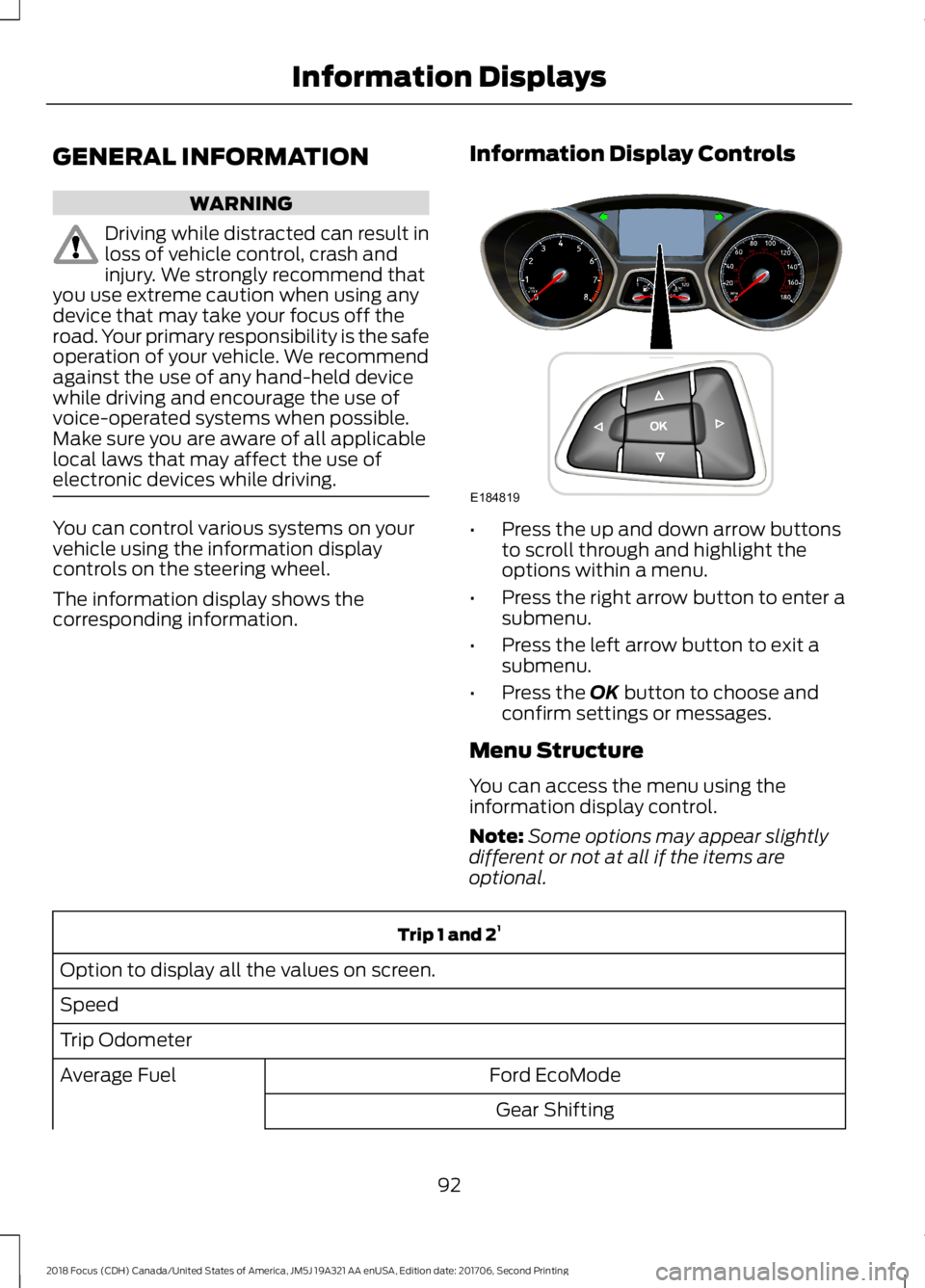
You can control various systems on yourvehicle using the information displaycontrols on the steering wheel.
The information display shows thecorresponding information.
Information Display Controls
•Press the up and down arrow buttonsto scroll through and highlight theoptions within a menu.
•Press the right arrow button to enter asubmenu.
•Press the left arrow button to exit asubmenu.
•Press the OK button to choose andconfirm settings or messages.
Menu Structure
You can access the menu using theinformation display control.
Note:Some options may appear slightlydifferent or not at all if the items areoptional.
Trip 1 and 21
Option to display all the values on screen.
Speed
Trip Odometer
Ford EcoModeAverage Fuel
Gear Shifting
922018 Focus (CDH) Canada/United States of America, JM5J 19A321 AA enUSA, Edition date: 201706, Second PrintingInformation DisplaysE184819
Page 96 of 473
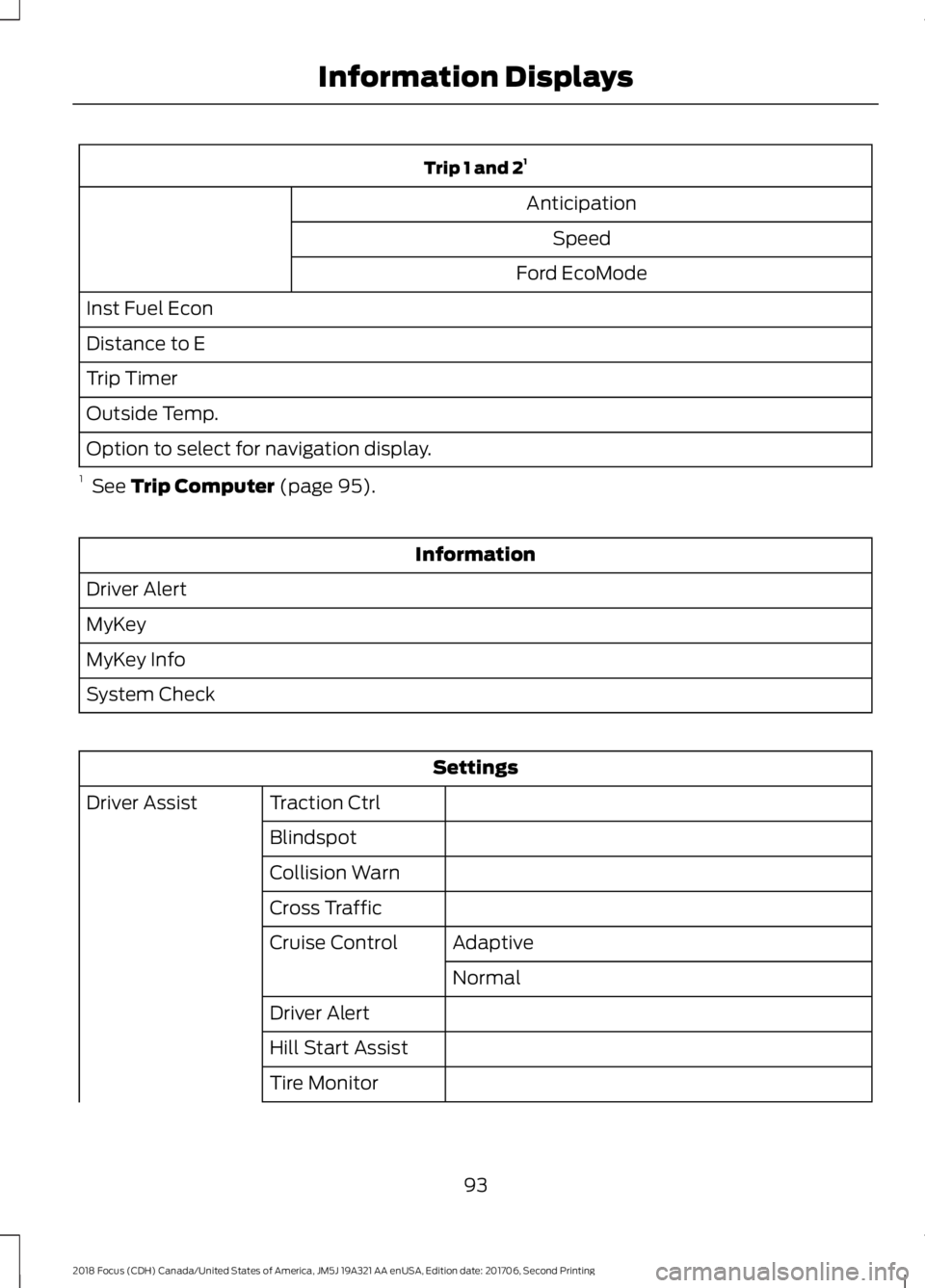
Trip 1 and 21
Anticipation
Speed
Ford EcoMode
Inst Fuel Econ
Distance to E
Trip Timer
Outside Temp.
Option to select for navigation display.
1 See Trip Computer (page 95).
Information
Driver Alert
MyKey
MyKey Info
System Check
Settings
Traction CtrlDriver Assist
Blindspot
Collision Warn
Cross Traffic
AdaptiveCruise Control
Normal
Driver Alert
Hill Start Assist
Tire Monitor
932018 Focus (CDH) Canada/United States of America, JM5J 19A321 AA enUSA, Edition date: 201706, Second PrintingInformation Displays