ECO mode FORD FOCUS ELECTRIC 2014 3.G User Guide
[x] Cancel search | Manufacturer: FORD, Model Year: 2014, Model line: FOCUS ELECTRIC, Model: FORD FOCUS ELECTRIC 2014 3.GPages: 403, PDF Size: 6.42 MB
Page 123 of 403
Dual Zone Temperature Control
Select a temperature for the passenger’s side using the rotary control on
the passenger’s side. Single zone temperature control automatically
switches off. The temperature on the driver’s side remains unchanged.
You can now adjust the driver’s side and passenger’s side temperatures
independently. The display shows the temperature settings for each side.
Switching Back to Single Zone Temperature Control
Press and holdAUTOfor 2-4 seconds. The passenger’s side temperature
switches to the driver’s side temperature setting.
HINTS ON CONTROLLING THE INTERIOR CLIMATE
•To reduce fog build-up on the windshield during humid
weather, select defrost.
•To reduce humidity build-up inside the vehicle, avoid driving with the
system switched off unless you can open a window to help circulate
fresh air.
•Do not put objects under the front seats that will interfere with the
airflow to the back seats.
•Remove any snow, ice or leaves from the air intake area at the base of
the windshield.
•To improve the air conditioning cool down, drive with the windows
open for approximately 2–3 minutes after starting the vehicle or until
the vehicle has “aired out.”
•The air conditioning system cools both the interior of the vehicle and
the high voltage battery. In hot outside temperatures, the interior
temperature may temporarily increase if the high voltage battery
requires cooling. Keep the vehicle plugged in (when possible) to
allow automatic battery cooling in high temperature conditions.
•An electrical heater warms the interior. Set the fan at a lower speed to
get a warmer outlet temperature on cold days.
•You may feel a small amount of air from the floor vent regardless of
the air distribution setting.
Maximum Cooling Performance
PressMAX A/C.The system defaults to single zone operation and the
coldest temperature setting.LOappears in the display. Air conditioning
and recirculated air are on and fan speed increases to the highest speed.
You can adjust the fan speed while in this mode.
122Climate Control
2014 Focus Electric Vehicle(fob)
Owners Guide gf, 1st Printing, May 2013
USA(fus)
Page 140 of 403
GENERAL INFORMATION
The powertrain control system meets all Canadian interference-causing
equipment standard requirements regulating the impulse electrical field
or radio noise.
KEYLESS STARTING
Note:The keyless starting system may not function if the key is close to
metal objects or electronic devices such as cellular phones.
Note:A valid key must be located inside your vehicle to switch the
ignition on and start the vehicle.
Note:When locking your vehicle, any remote controls left inside the
vehicle may become disabled. A message may appear in the information
display indicating that there is no key detected if you try to start the
vehicle. Press the unlock button on the remote control to enable it, and
then start the vehicle.
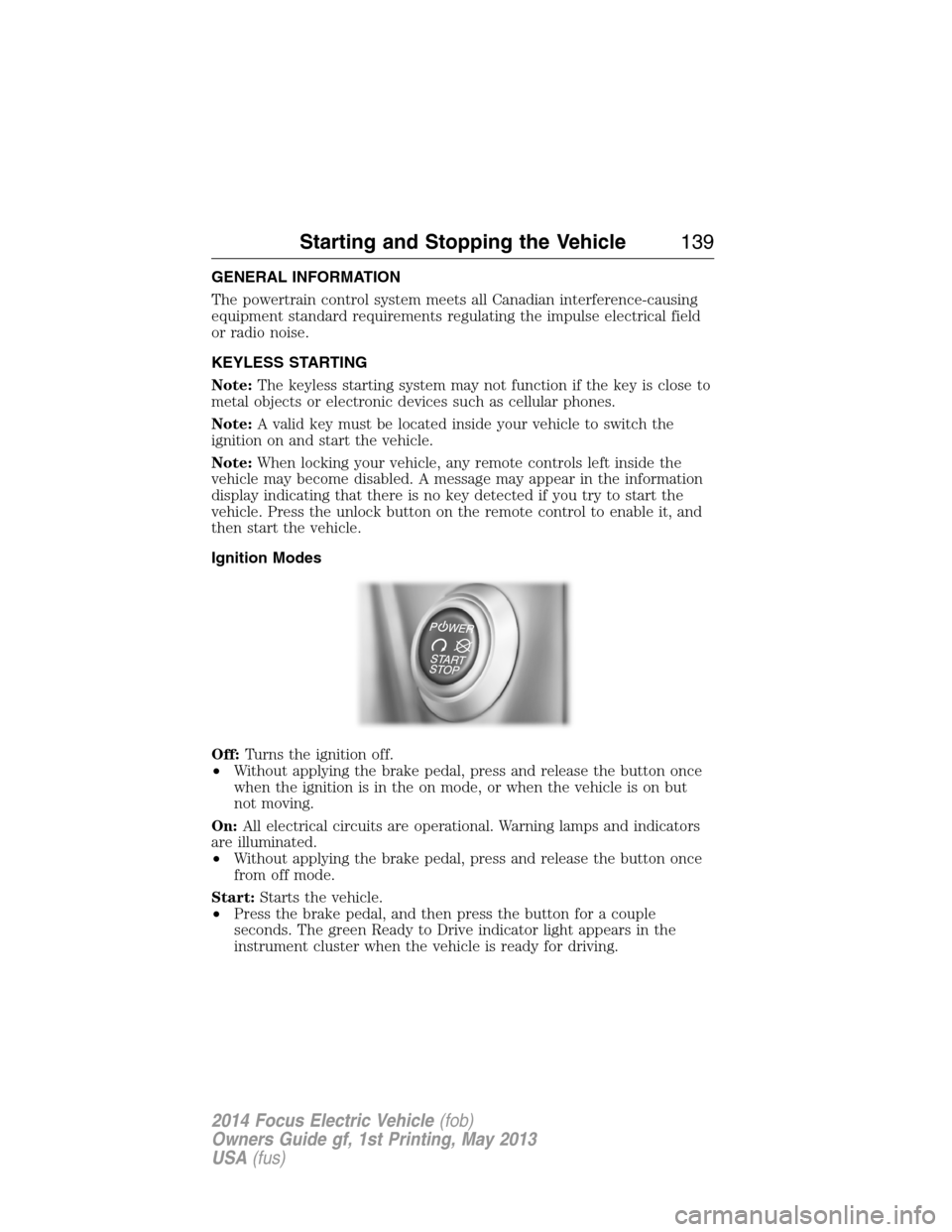
Ignition Modes
Off:Turns the ignition off.
•Without applying the brake pedal, press and release the button once
when the ignition is in the on mode, or when the vehicle is on but
not moving.
On:All electrical circuits are operational. Warning lamps and indicators
are illuminated.
•Without applying the brake pedal, press and release the button once
from off mode.
Start:Starts the vehicle.
•Press the brake pedal, and then press the button for a couple
seconds. The green Ready to Drive indicator light appears in the
instrument cluster when the vehicle is ready for driving.
Starting and Stopping the Vehicle139
2014 Focus Electric Vehicle(fob)
Owners Guide gf, 1st Printing, May 2013
USA(fus)
Page 189 of 403
•Venting/off-gassing high-voltage battery vapors are potentially toxic
and flammable.
•Physical damage to the vehicle or high-voltage battery may result in
immediate or delayed release of toxic and/or flammable gases and fire.
Vehicle information and general safety practices:
•Know the make and model of your vehicle.
•Review the Owner’s Manual and become familiar with your vehicle’s
safety information and recommended safety practices.
•Do not attempt to repair damaged electric and hybrid-electric vehicles
yourself. Contact an authorized Ford Dealer or vehicle manufacturer
representative for service.
Crashes
A crash or impact significant enough to require an emergency response
for conventional vehicles would also require the same response for an
electric or hybrid-electric vehicle.
If possible
•Move your car to a safe, nearby location and remain on the scene.
•Roll down windows before shutting vehicle off.
•Place vehicle in Park, set parking brake, turn off the vehicle, activate
hazard lights, and move key(s) at least 16 feet (5 meters) away from
the vehicle.
Always
•Call 911 if assistance is needed and advise that an electric or
hybrid-electric vehicle is involved.
•Do not touch exposed electrical components or the engine
compartment, as a shock hazard may exist.
•Avoid contact with leaking fluids and gases, and remain out of the way
of oncoming traffic until emergency responders arrive.
•When emergency responders arrive, tell them that the vehicle involved
is an electric vehicle or hybrid-electric vehicle.
188Roadside Emergencies
2014 Focus Electric Vehicle(fob)
Owners Guide gf, 1st Printing, May 2013
USA(fus)
Page 276 of 403
MP3 Track and Folder Structure
Audio systems capable of recognizing and playing MP3 individual tracks
and folder structures work as follows:
•There are two different modes for MP3 disc playback: MP3 track
mode (system default) and MP3 folder mode.
•MP3 track mode ignores any folder structure on the MP3 disc. The
player numbers each MP3 track on the disc (noted by the .mp3 file
extension) from T001 to a maximum of T255.Note:The maximum
number of playable MP3 files may be less depending on the structure
of the CD and exact model of radio present.
•MP3 folder mode represents a folder structure consisting of one level
of folders. The CD player numbers all MP3 tracks on the disc (noted
by the .mp3 file extension) and all folders containing MP3 files, from
F001 (folder) T001 (track) to F253 T255.
•Creating discs with only one level of folders helps with navigation
through the disc files.
If you are burning your own MP3 discs, it is important to understand
how the system reads the structures you create. While various files may
be present, (files with extensions other than mp3), only files with the
.mp3 extension are played; other files are ignored by the system. This
enables you to use the same MP3 disc for a variety of tasks on your work
computer, home computer and your in-vehicle system.
In track mode, the system displays and plays the structure as if it were
only one level deep (all .mp3 files play, regardless of being in a specific
folder). In folder mode, the system only plays the .mp3 files in the
current folder.
Audio System275
2014 Focus Electric Vehicle(fob)
Owners Guide gf, 1st Printing, May 2013
USA(fus)
Page 277 of 403
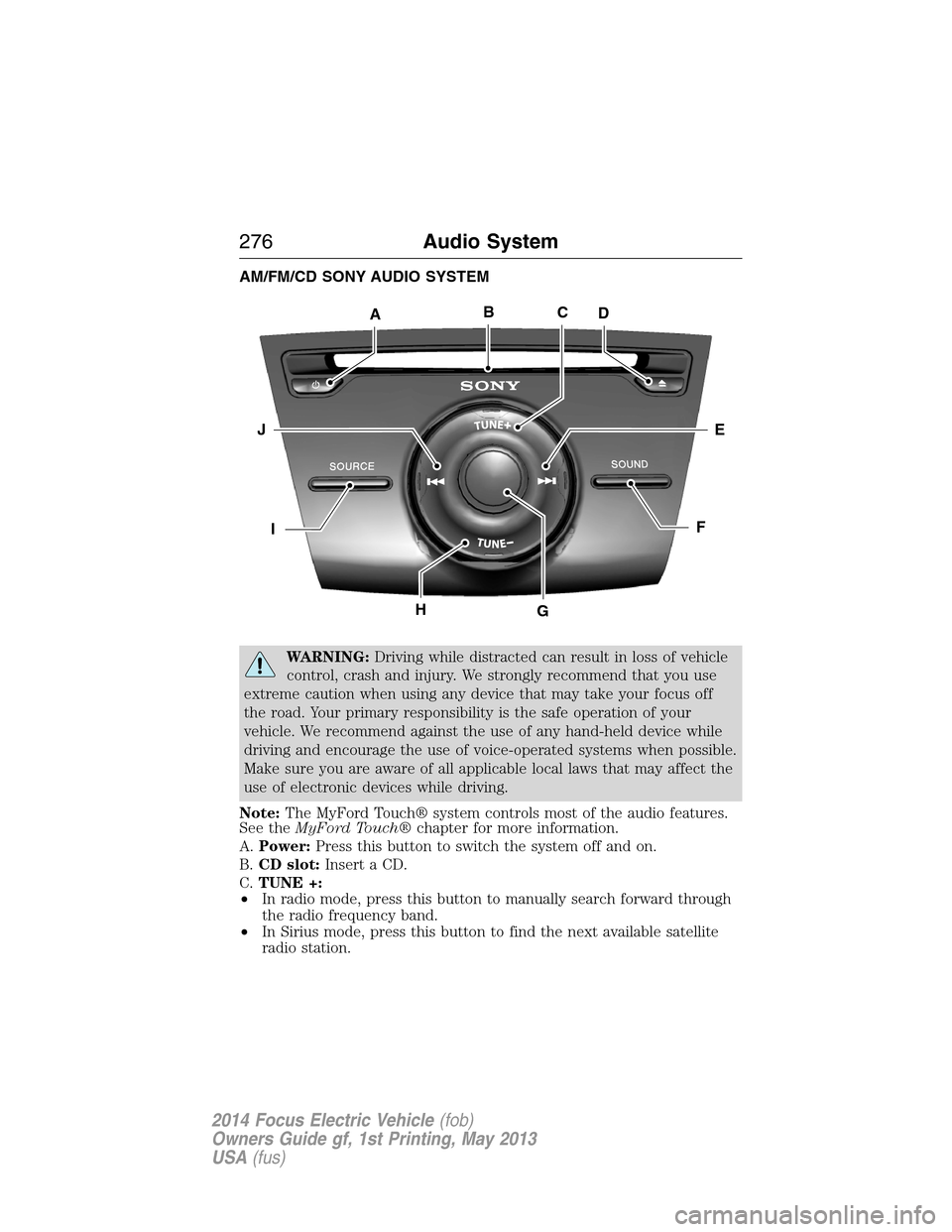
AM/FM/CD SONY AUDIO SYSTEM
WARNING:Driving while distracted can result in loss of vehicle
control, crash and injury. We strongly recommend that you use
extreme caution when using any device that may take your focus off
the road. Your primary responsibility is the safe operation of your
vehicle. We recommend against the use of any hand-held device while
driving and encourage the use of voice-operated systems when possible.
Make sure you are aware of all applicable local laws that may affect the
use of electronic devices while driving.
Note:The MyFord Touch® system controls most of the audio features.
See theMyFord Touch®chapter for more information.
A.Power:Press this button to switch the system off and on.
B.CD slot:Insert a CD.
C.TUNE +:
•In radio mode, press this button to manually search forward through
the radio frequency band.
•In Sirius mode, press this button to find the next available satellite
radio station.
ABCD
EJ
FI
HG
276Audio System
2014 Focus Electric Vehicle(fob)
Owners Guide gf, 1st Printing, May 2013
USA(fus)
Page 287 of 403
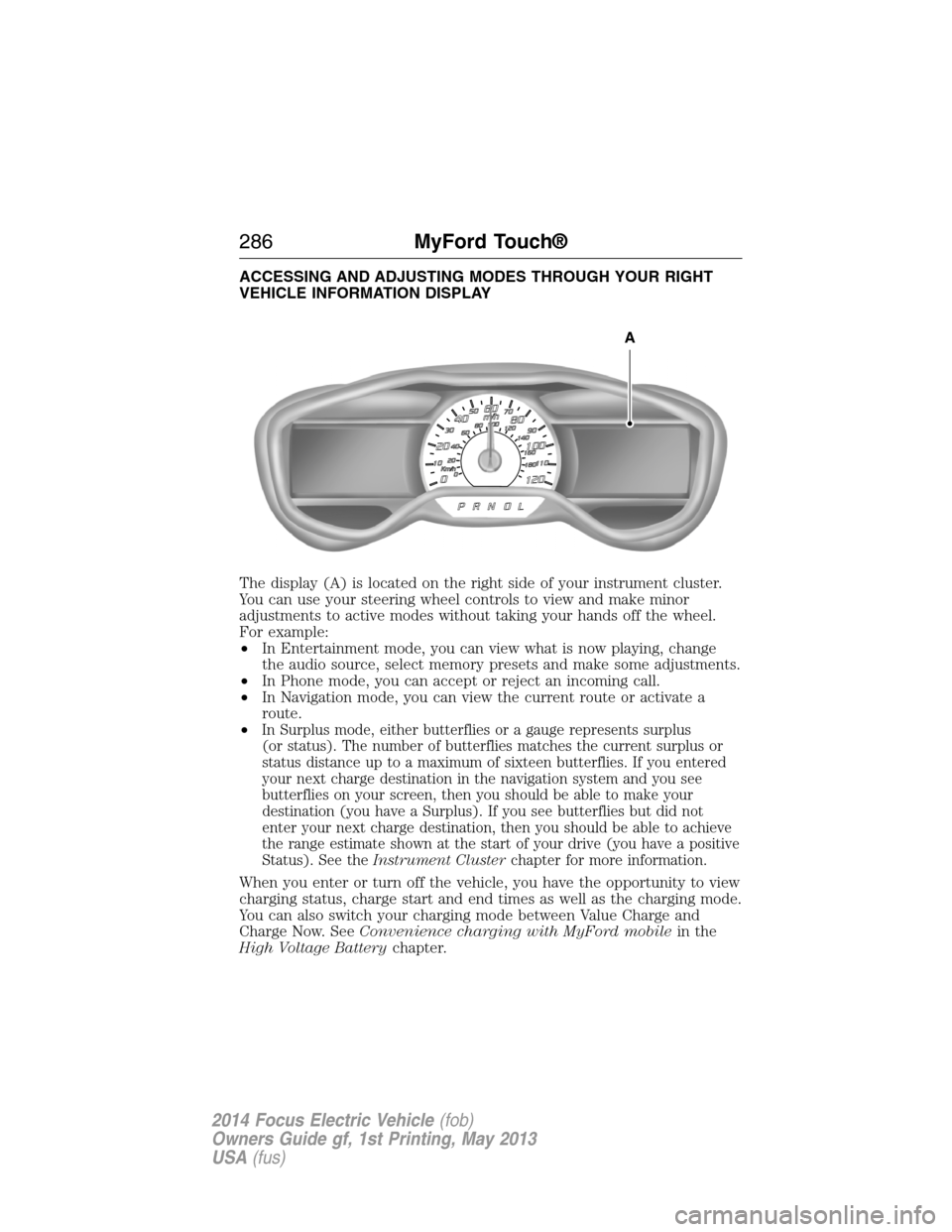
ACCESSING AND ADJUSTING MODES THROUGH YOUR RIGHT
VEHICLE INFORMATION DISPLAY
The display (A) is located on the right side of your instrument cluster.
You can use your steering wheel controls to view and make minor
adjustments to active modes without taking your hands off the wheel.
For example:
•In Entertainment mode, you can view what is now playing, change
the audio source, select memory presets and make some adjustments.
•In Phone mode, you can accept or reject an incoming call.
•In Navigation mode, you can view the current route or activate a
route.
•
In Surplus mode, either butterflies or a gauge represents surplus
(or status). The number of butterflies matches the current surplus or
status distance up to a maximum of sixteen butterflies. If you entered
your next charge destination in the navigation system and you see
butterflies on your screen, then you should be able to make your
destination (you have a Surplus). If you see butterflies but did not
enter your next charge destination, then you should be able to achieve
the range estimate shown at the start of your drive (you have a positive
Status). See theInstrument Clusterchapter for more information.
When you enter or turn off the vehicle, you have the opportunity to view
charging status, charge start and end times as well as the charging mode.
You can also switch your charging mode between Value Charge and
Charge Now. SeeConvenience charging with MyFord mobilein the
High Voltage Batterychapter.
A
286MyFord Touch®
2014 Focus Electric Vehicle(fob)
Owners Guide gf, 1st Printing, May 2013
USA(fus)
Page 288 of 403
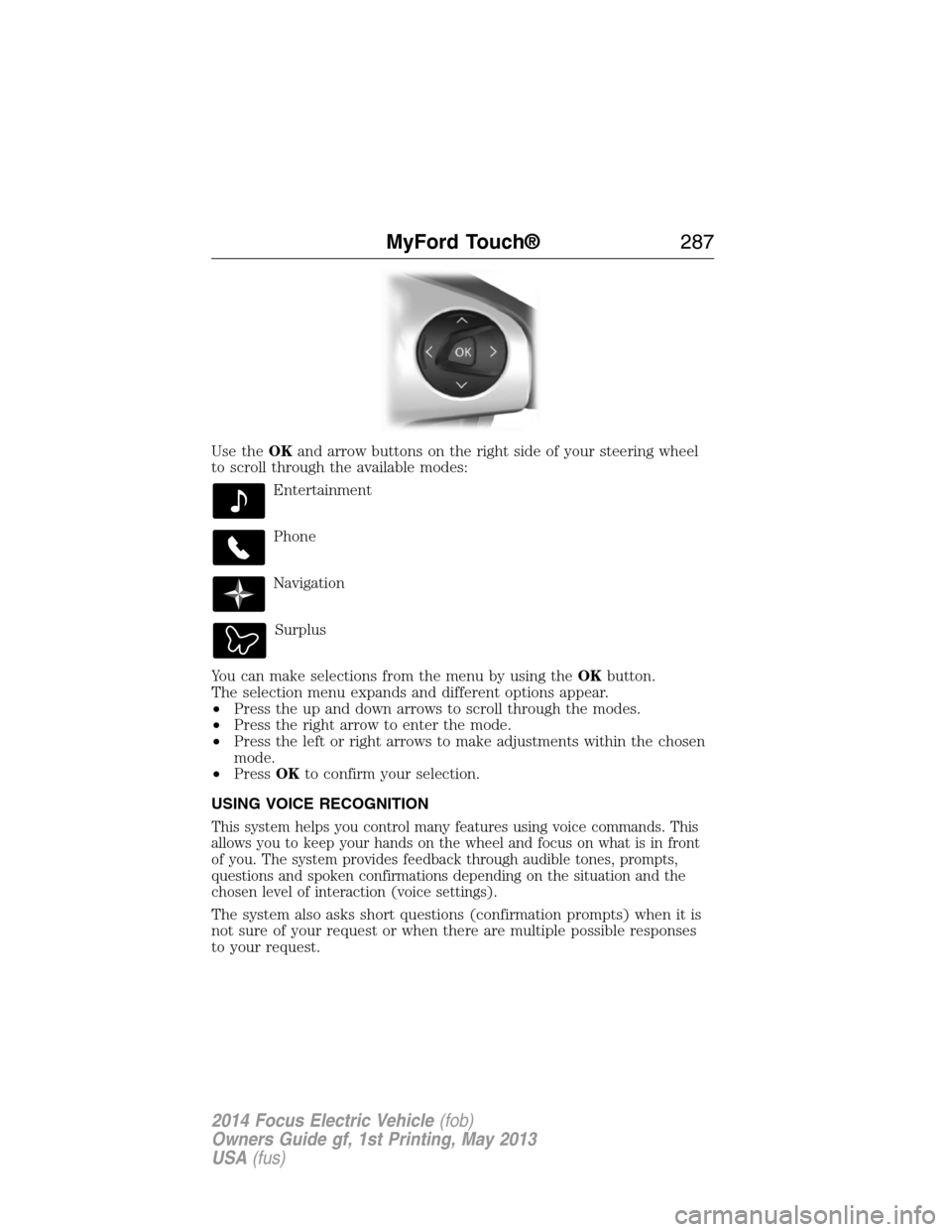
Use theOKand arrow buttons on the right side of your steering wheel
to scroll through the available modes:
Entertainment
Phone
Navigation
Surplus
You can make selections from the menu by using theOKbutton.
The selection menu expands and different options appear.
•Press the up and down arrows to scroll through the modes.
•Press the right arrow to enter the mode.
•Press the left or right arrows to make adjustments within the chosen
mode.
•PressOKto confirm your selection.
USING VOICE RECOGNITION
This system helps you control many features using voice commands. This
allows you to keep your hands on the wheel and focus on what is in front
of you. The system provides feedback through audible tones, prompts,
questions and spoken confirmations depending on the situation and the
chosen level of interaction (voice settings).
The system also asks short questions (confirmation prompts) when it is
not sure of your request or when there are multiple possible responses
to your request.
MyFord Touch®287
2014 Focus Electric Vehicle(fob)
Owners Guide gf, 1st Printing, May 2013
USA(fus)
Page 314 of 403
Pairing Your Phone for the First Time
WARNING:Driving while distracted can result in loss of vehicle
control, crash and injury. We strongly recommend that you use
extreme caution when using any device that may take your focus off
the road. Your primary responsibility is the safe operation of your
vehicle. We recommend against the use of any hand-held device while
driving and encourage the use of voice-operated systems when possible.
Make sure you are aware of all applicable local laws that may affect the
use of electronic devices while driving.
The first thing you must do to use the phone features of SYNC is to pair
your Bluetooth-enabled cellular phone with SYNC. This allows you to use
your phone in a hands-free manner.
Note:Put the transmission in positionP.Turn on your vehicle ignition
and the radio.
1. TouchAdd Phonein the upper left corner of the touchscreen.Find
SYNCappears on the screen and instructs you to begin the pairing
process from your device.
2. Make sure that Bluetooth is set toOnand that your cellular phone is
in the proper mode. See your phone’s manual if necessary.
•SelectSYNC,and a six-digit PIN appears on your device.
3. If you are prompted to enter a PIN on your device, it does not
support Secure Simple Pairing. To pair, enter the PIN displayed on
the touchscreen. Skip the next step.
4. When prompted on your phone’s display, confirm that the PIN
provided by SYNC matches the PIN displayed on your cellular phone.
5. The display indicates when the pairing is successful.
SYNC may prompt you with more phone options. For more information
on your phone’s capability, see your phone’s manual and visit the
website.
Pairing Subsequent Phones
Note:Put the transmission in positionP.Turn on your vehicle ignition
and the radio.
1. Press thePhonecorner of the touchscreen >Settings>BT
Devices>Add Device.
2. Make sure that Bluetooth is set toOnand that your cellular phone is
in the proper mode. See your phone’s manual if necessary.
•SelectSYNC,and a six-digit PIN appears on your device.
MyFord Touch®313
2014 Focus Electric Vehicle(fob)
Owners Guide gf, 1st Printing, May 2013
USA(fus)
Page 325 of 403
GO Time Schedule
Touch theEditbutton in the My GO Time section of the Settings screen
to see the GO Time Schedule.
Onturns on the GO Time schedule.
Offturns off the GO Time schedule. This also turns off the cabin
conditioning function. Use this mode to prevent using energy for cabin
preconditioning when you leave your vehicle plugged in and don’t plan to
use it for a while, such as when on vacation.
Note:If you choose to perform Value Charging with the schedule off, the
vehicle schedules charging to finish at the lowest cost within 24 hours of
plugging the vehicle in.
GO Time 1andGO Time 2display the GO Time day-of-week and time.
The blue highlighted GO Time is the present GO Time the vehicle is
using for charge scheduling and cabin conditioning. You can schedule
two GO Time events per day for each day of the week.
•GO Timeallows you to edit the GO Time and cabin conditioning
temperature.
•--:--indicates that you can add a GO Time to this slot.
Note:If you set GO Time 2 to occur before GO Time 1, a message pops
up alerting you. You need to go back to the previous screen and change
the times so GO Time 1 occurs before GO Time 2.
GO Time and Cabin Conditioning
This screen allows you to enter or change the GO Time and cabin
conditioning temperature.
Time Buttons (+ and -)changes the hours and minutes of your GO
Time. The minutes change in increments of five. You can also change the
settings for AM and PM by touching those buttons.
Cabin Conditioning Buttons (+ and -)changes the setting for your
selected cabin conditioning temperature for this GO Time event. You can
select from four settings:
•65°F (18.5°C)
•72°F (22.0°C)
•85°F (29.5°C)
•Off.
Note:Cabin conditioning can perform differently depending on if you
plug into a 120V convenience cord or 240V charging station. The power
available for conditioning is limited to the charging station power
available.
324MyFord Touch®
2014 Focus Electric Vehicle(fob)
Owners Guide gf, 1st Printing, May 2013
USA(fus)
Page 343 of 403
You can also turn the outside air temperature display on and off. It
appears at the top center of the touchscreen, next to the time and date.
The system automatically saves any updates you make to the settings.
Display
You can adjust the touchscreen display through the touchscreen or by
pressing the voice button on your steering wheel controls and when
prompted, say, “Display settings”.
Press the Settings icon >Display,then select from the
following:
Brightnessallows you to make the screen display brighter or dimmer.
Modeallows you to set the screen to a certain brightness or have the
system automatically change based on the outside light level, or turn the
display off.
•If you selectAUTOorNIGHT,you have the options of turning the
display’s Auto Dim feature on or off and changing the Auto Dim
Manual Offset feature.
Edit Wallpaper
•You can have your touchscreen display the default photo or upload
your own.
Uploading Photos for Your Home Screen Wallpaper
Note:You cannot load photos directly from your camera. You must
access the photos either from your USB mass storage device or from an
SD card.
Note:
Photographs with extremely large dimensions (such as 2048 x 1536)
may not be compatible and appear as a blank (black) image on the display.
Your system allows you to upload and view up to 32 photos.
To access, press theSettings icon >Display>Edit Wallpaper,and then
follow the system prompts to upload your photographs.
Only the photograph(s), which meets the following conditions, display:
•Compatible file formats are as follows: .jpg, .gif, .png, .bmp.
•Each file must be 1.5 MB or less.
•Recommended dimensions: 800 x 384.
342MyFord Touch®
2014 Focus Electric Vehicle(fob)
Owners Guide gf, 1st Printing, May 2013
USA(fus)