ECO mode FORD FOCUS ELECTRIC 2014 3.G Owners Manual
[x] Cancel search | Manufacturer: FORD, Model Year: 2014, Model line: FOCUS ELECTRIC, Model: FORD FOCUS ELECTRIC 2014 3.GPages: 403, PDF Size: 6.42 MB
Page 8 of 403
ABOUT THIS MANUAL
Thank you for choosing Ford. We recommend that you take some time
to get to know your vehicle by reading this manual. The more that you
know about it, the greater the safety and pleasure you will get from
driving it.
WARNING:Always drive with due care and attention when
using and operating the controls and features on your vehicle.
Note:This manual describes product features and options available
throughout the range of available models, sometimes even before they
are generally available. It may describe options not fitted to your vehicle.
Note:Some of the illustrations in this manual may be used for different
models, so may appear different to you on your vehicle. However, the
essential information in the illustrations is always correct.
Note:Always use and operate your vehicle in line with all applicable
laws and regulations.
Note:Pass on this manual when selling your vehicle. It is an integral
part of the vehicle.
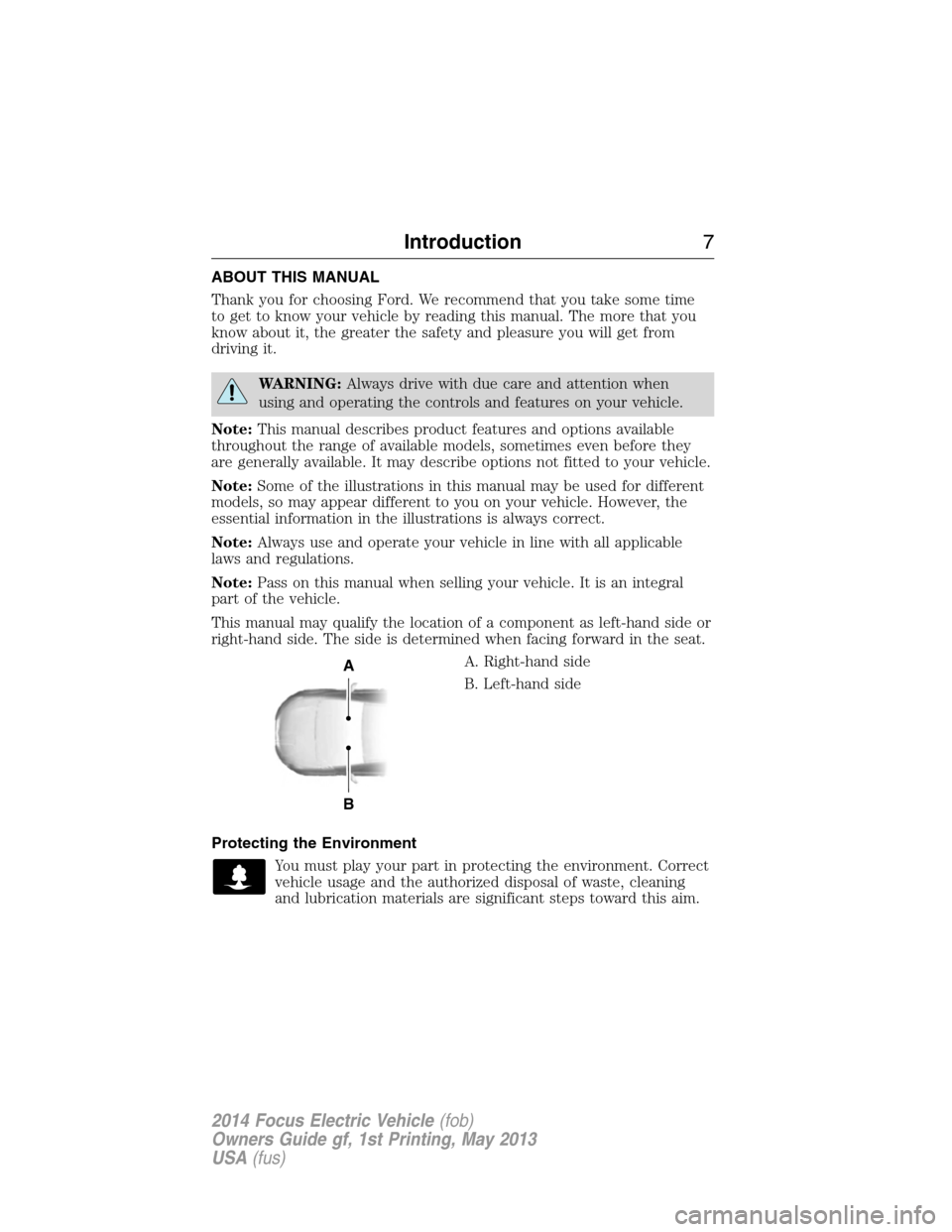
This manual may qualify the location of a component as left-hand side or
right-hand side. The side is determined when facing forward in the seat.
A. Right-hand side
B. Left-hand side
Protecting the Environment
You must play your part in protecting the environment. Correct
vehicle usage and the authorized disposal of waste, cleaning
and lubrication materials are significant steps toward this aim.
A
B
Introduction7
2014 Focus Electric Vehicle(fob)
Owners Guide gf, 1st Printing, May 2013
USA(fus)
Page 33 of 403
WARNING:When possible, all children 12 years old and under
should be properly restrained in a rear seating position. Failure
to follow this could seriously increase the risk of injury or death.
WARNING:Safety belts and seats can become hot in a vehicle
that has been closed up in sunny weather; they could burn a
small child. Check seat covers and buckles before you place a child
anywhere near them.
WARNING:Front and rear seat occupants, including pregnant
women, should wear safety belts for optimum protection in an
accident.
All seating positions in this vehicle have lap and shoulder safety belts. All
occupants of the vehicle should always properly wear their safety belts,
even when an airbag supplemental restraint system is provided.
The safety belt system consists of:
•lap and shoulder safety belts.
•shoulder safety belt with automatic locking mode, (except driver
safety belt).
•height adjuster at the front outboard seating positions.
•safety belt pretensioner at the front outboard seating positions.
•belt tension sensor at the front outboard passenger seating position.
•safety belt warning light and chime. SeeSafety belt warning
light and indicator chimelater in this chapter.
•crash sensors and monitoring system with readiness
indicator. SeeCrash sensors and airbag indicatorin the
Supplemental Restraints Systemchapter.
The safety belt pretensioners at the front seating positions are designed to
tighten the safety belts when activated. In frontal and near-frontal crashes,
the safety belt pretensioners may be activated alone or, if the crash is of
sufficient severity, together with the front airbags. The pretensioners may
also activate when a side curtain airbag is deployed.
32Safety Belts
2014 Focus Electric Vehicle(fob)
Owners Guide gf, 1st Printing, May 2013
USA(fus)
Page 40 of 403
Note:The driver and front passenger Belt-Minder are deactivated and
activated independently. When deactivating or activating one seating
position, do not buckle the other position as this will terminate the
process.
Read Steps1-4thoroughly before proceeding with the programming
procedure.
The driver and front passenger Belt-Minder features can be deactivated
or activated by performing the following procedure:
Before following the procedure, make sure that:
•the parking brake is set
•the transmission selector lever is in positionP
•the vehicle is off
•the driver and front passenger safety belts are unbuckled
1. Turn the vehicle on. Do not start the vehicle (Ready to Drive light
must not be lit)
2. Wait until the safety belt warning light turns off (about one minute).
•Once the next step is started, the procedure must be completed
within 60 seconds.
3. For the seating position being disabled, buckle then unbuckle the
safety belt four times at a moderate speed, ending in the unbuckled
state.
•After Step 3, the safety belt warning light will turn on.
4. While the safety belt warning light is on, buckle and then unbuckle the
safety belt.
•After Step 4, the safety belt warning light will flash for confirmation.
•This will disable the Belt-Minder feature for that seating position if it
is currently enabled.
•This will enable the Belt-Minder feature for that seating position if it is
currently disabled.
Safety Belts39
2014 Focus Electric Vehicle(fob)
Owners Guide gf, 1st Printing, May 2013
USA(fus)
Page 61 of 403
PRINCIPLES OF OPERATION
MyKey allows you to program keys with restricted driving modes to
promote good driving habits. All but one of the keys programmed to the
vehicle can be activated with these restricted modes.
Any keys that have not been programmed are referred to as
administrator keys or admin keys. These can be used to:
•create a MyKey
•program configurable MyKey settings
•clear all MyKey features.
When you have programmed a MyKey, you can access the following
information using the information display:
•How many admin keys and MyKeys are programmed to your vehicle.
•The total distance your vehicle has traveled using a MyKey.
Note:All MyKeys are programmed to the same settings. You cannot
program them individually.
Note:For vehicles with intelligent access key (push-button start), when
both a MyKey and an admin intelligent access key (fob) are present, the
admin fob will be recognized to start the vehicle.
Non-configurable Settings
The following settings cannot be changed:
•Belt-Minder. You cannot disable this feature. The audio system will
mute when the front seat occupants’ safety belts are not fastened.
•Early distance to stop. Warnings are displayed in the information
display control followed by an audible tone at 15 miles to stop.
•Driver assist features, if equipped on your vehicle, are forced on:
parking aid, blind spot information system (BLIS) with cross traffic
alert and the forward collision warning system.
Configurable Settings
With an admin key, you can configure certain MyKey settings when
you first create a MyKey and before you recycle the key or restart the
vehicle. You can also change the settings afterward with an admin key.
•A vehicle speed limit can be set. Warnings will be shown in the display
followed by an audible tone when your vehicle reaches the set speed.
You cannot override the set speed by fully depressing the accelerator
pedal or by setting cruise control.
•Vehicle speed minders of 45, 55 or 65 mph (75, 90 or 105 km/h). Once
you select a speed, it will be shown in the display, followed by an
audible tone when the preselected vehicle speed is exceeded.
60MyKey
2014 Focus Electric Vehicle(fob)
Owners Guide gf, 1st Printing, May 2013
USA(fus)
Page 68 of 403
LOCKING AND UNLOCKING
You can use the power door lock control or the remote control to lock
and unlock your vehicle.
Power Door Locks
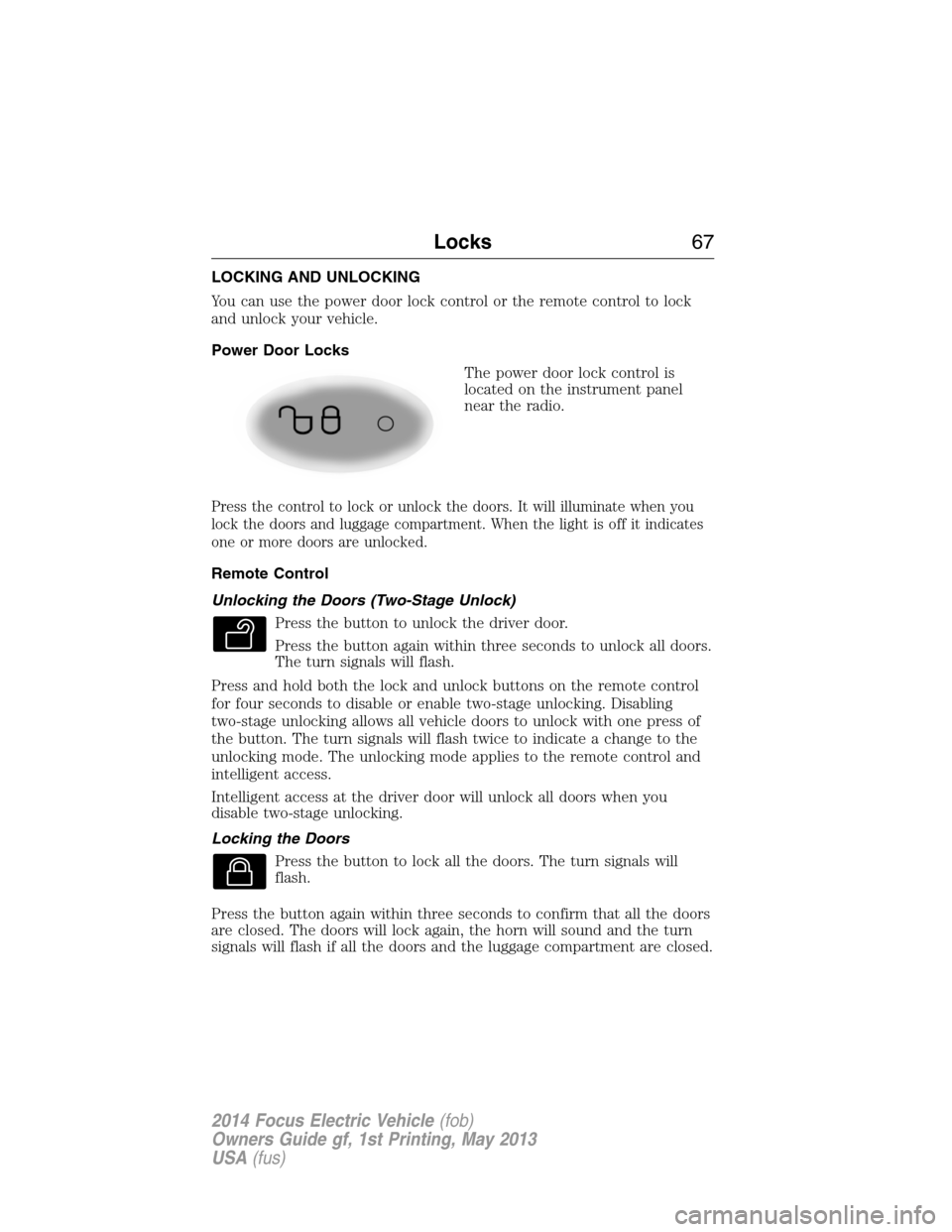
The power door lock control is
located on the instrument panel
near the radio.
Press the control to lock or unlock the doors. It will illuminate when you
lock the doors and luggage compartment. When the light is off it indicates
one or more doors are unlocked.
Remote Control
Unlocking the Doors (Two-Stage Unlock)
Press the button to unlock the driver door.
Press the button again within three seconds to unlock all doors.
The turn signals will flash.
Press and hold both the lock and unlock buttons on the remote control
for four seconds to disable or enable two-stage unlocking. Disabling
two-stage unlocking allows all vehicle doors to unlock with one press of
the button. The turn signals will flash twice to indicate a change to the
unlocking mode. The unlocking mode applies to the remote control and
intelligent access.
Intelligent access at the driver door will unlock all doors when you
disable two-stage unlocking.
Locking the Doors
Press the button to lock all the doors. The turn signals will
flash.
Press the button again within three seconds to confirm that all the doors
are closed. The doors will lock again, the horn will sound and the turn
signals will flash if all the doors and the luggage compartment are closed.
Locks67
2014 Focus Electric Vehicle(fob)
Owners Guide gf, 1st Printing, May 2013
USA(fus)
Page 71 of 403
Autounlock (If Equipped)
The autounlock feature will unlock all the doors when:
•the ignition is on, all the doors are closed, and your vehicle has been
in motion at a speed greater than 4 mph (7 km/h);
•your vehicle comes to a stop and you switch the ignition off or to
accessory; and
•you open the driver door within 10 minutes of the switching the
ignition off or to accessory.
Note:The doors will not autounlock if you electronically lock your
vehicle after you switch the ignition off and before you open the driver
door.
Enabling or Disabling Autolock and Autounlock
Note:Your authorized dealer can perform this procedure, or you can do
the procedure yourself.
To enable or disable these features, do the following:
Note:You will have 30 seconds to complete the procedure.
1. Switch the ignition on.
2. Press the power door unlock button three times.
3. Switch the ignition off.
4. Press the power door unlock button three times.
5. Switch the ignition on. The horn will sound indicating your vehicle is
in programming mode.
Autolock:Press the power door unlock button then the lock button.
The horn will sound once if disabled or twice (one short and one long) if
enabled.
Autounlock:Press the power door lock button then the unlock button.
The horn will sound once if disabled or twice (one short and one long) if
enabled.
After programming the feature, switch the ignition off. The horn will
sound once indicating programming is complete.
Note:You can enabled or disabled the autounlock feature independently
of the autolock feature.
70Locks
2014 Focus Electric Vehicle(fob)
Owners Guide gf, 1st Printing, May 2013
USA(fus)
Page 72 of 403
Illuminated Entry
The interior lamps and select exterior lamps will illuminate when you
unlock the doors with the remote entry system.
The illuminated entry system will turn off the lights if:
•you start your vehicle,
•you press the remote control lock button, or
•after 25 seconds of illumination.
The lights will not turn off if:
•you turn them on with the lamp control, or
•any door is open.
Illuminated Exit
The interior lamps and select exterior lamps will illuminate when all
doors are closed and you switch the ignition off.
The lamps will turn off if all the doors remain closed and:
•25 seconds elapse
•you lock your vehicle from the outside.
Battery Saver
If you leave the courtesy lamps or dome lamps on and switch the ignition
off, the battery saver shuts them off after some time.
Accessory Mode Battery Saver for Intelligent Access Keys
(If Equipped)
If you leave the ignition on after leaving your vehicle, it will shut off
15 minutes after you close all of the doors.
Locks71
2014 Focus Electric Vehicle(fob)
Owners Guide gf, 1st Printing, May 2013
USA(fus)
Page 98 of 403
WARNING LAMPS AND INDICATORS
These indicators can alert you to a vehicle condition that may become
serious enough to cause expensive repairs. Many lights will illuminate
when you start your vehicle to make sure they work. If any light remains
on after starting the vehicle, refer to the respective system warning light
for additional information.
Note:Some warning indicators are reconfigurable telltales (RTT). These
indicators appear in the information display and function the same as a
warning light, but do not display on startup.
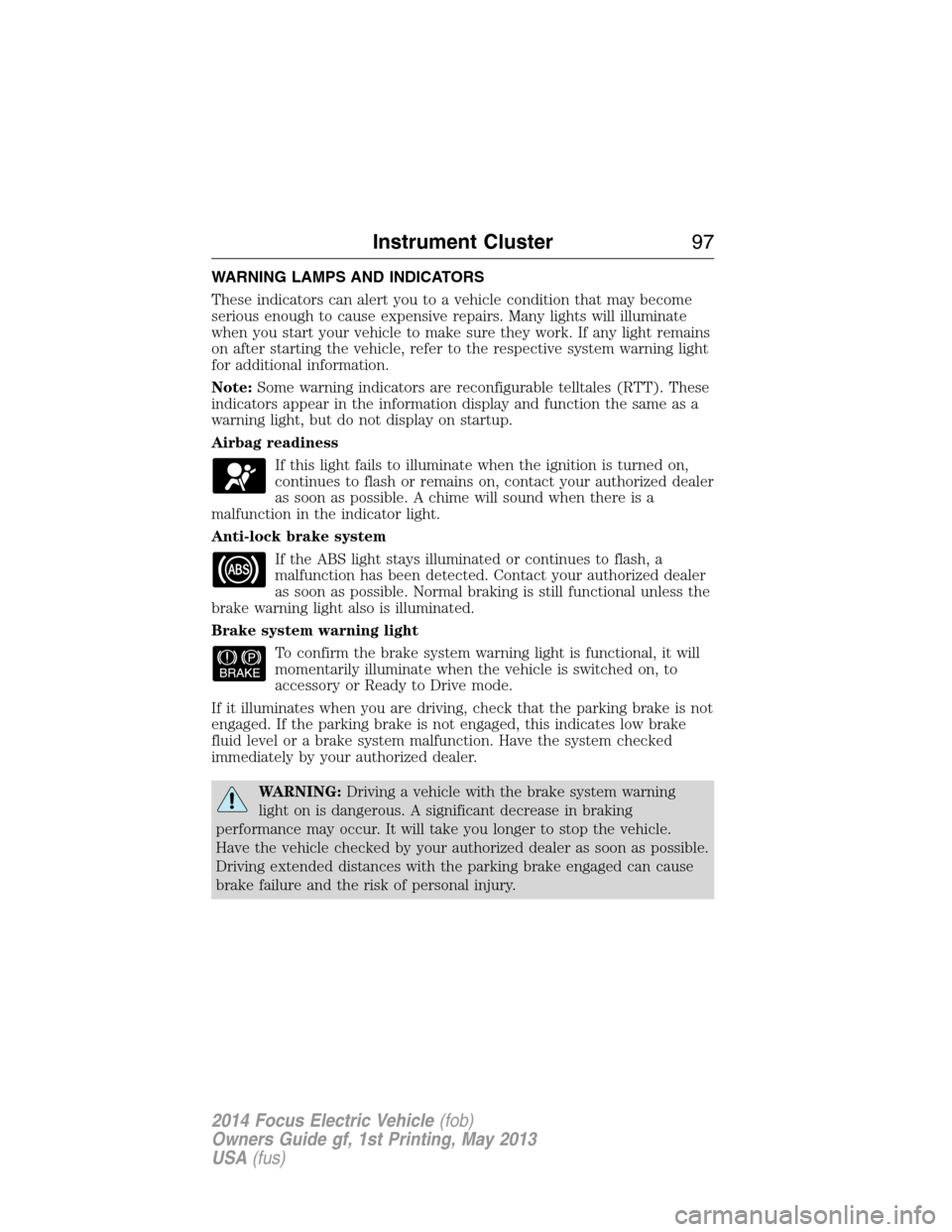
Airbag readiness
If this light fails to illuminate when the ignition is turned on,
continues to flash or remains on, contact your authorized dealer
as soon as possible. A chime will sound when there is a
malfunction in the indicator light.
Anti-lock brake system
If the ABS light stays illuminated or continues to flash, a
malfunction has been detected. Contact your authorized dealer
as soon as possible. Normal braking is still functional unless the
brake warning light also is illuminated.
Brake system warning light
To confirm the brake system warning light is functional, it will
momentarily illuminate when the vehicle is switched on, to
accessory or Ready to Drive mode.
If it illuminates when you are driving, check that the parking brake is not
engaged. If the parking brake is not engaged, this indicates low brake
fluid level or a brake system malfunction. Have the system checked
immediately by your authorized dealer.
WARNING:Driving a vehicle with the brake system warning
light on is dangerous. A significant decrease in braking
performance may occur. It will take you longer to stop the vehicle.
Have the vehicle checked by your authorized dealer as soon as possible.
Driving extended distances with the parking brake engaged can cause
brake failure and the risk of personal injury.
Instrument Cluster97
2014 Focus Electric Vehicle(fob)
Owners Guide gf, 1st Printing, May 2013
USA(fus)
Page 108 of 403
Energy
Use the arrow buttons to choose the desired energy display.
Energy
Energy History
OptionsTime intervals /
Help
Energy Coach Options Help
•Energy History: This view from left to right starts with the Budget
View gauge and adds historical Energy Use and Budget data. The data
is represented as an average for time intervals of either 1, 2 or
6 minutes, with the leftmost interval being the most recent. Total time
for the five intervals is shown at the bottom of the view. Interval time
can be selected in the Options menu. Intervals shown in grey color are
from the previous drive.
•
Energy Coach: This view provides a comparison of your recent
Acceleration, Braking and Cruising behavior to what is recommended for
most efficient use of energy under present conditions. The horizontal
bars fill from left to right with best efficiency (and Blue color) shown
as at least half full. When the bars are less than half full, the color is
Amber, suggesting that a change in behavior is needed to achieve better
energy efficiency.
Information
In this mode, you can view different vehicle system information
and perform a system check.
Warnings
XX Warnings Displays the number of warnings that need
immediate attention in red. You can only view the
warnings from the System Check menu. View them
immediately by pressing OK and then OK again to
enter system check. Use the up/down arrows to
scroll through the warnings.
Information Displays107
2014 Focus Electric Vehicle(fob)
Owners Guide gf, 1st Printing, May 2013
USA(fus)
Page 121 of 403
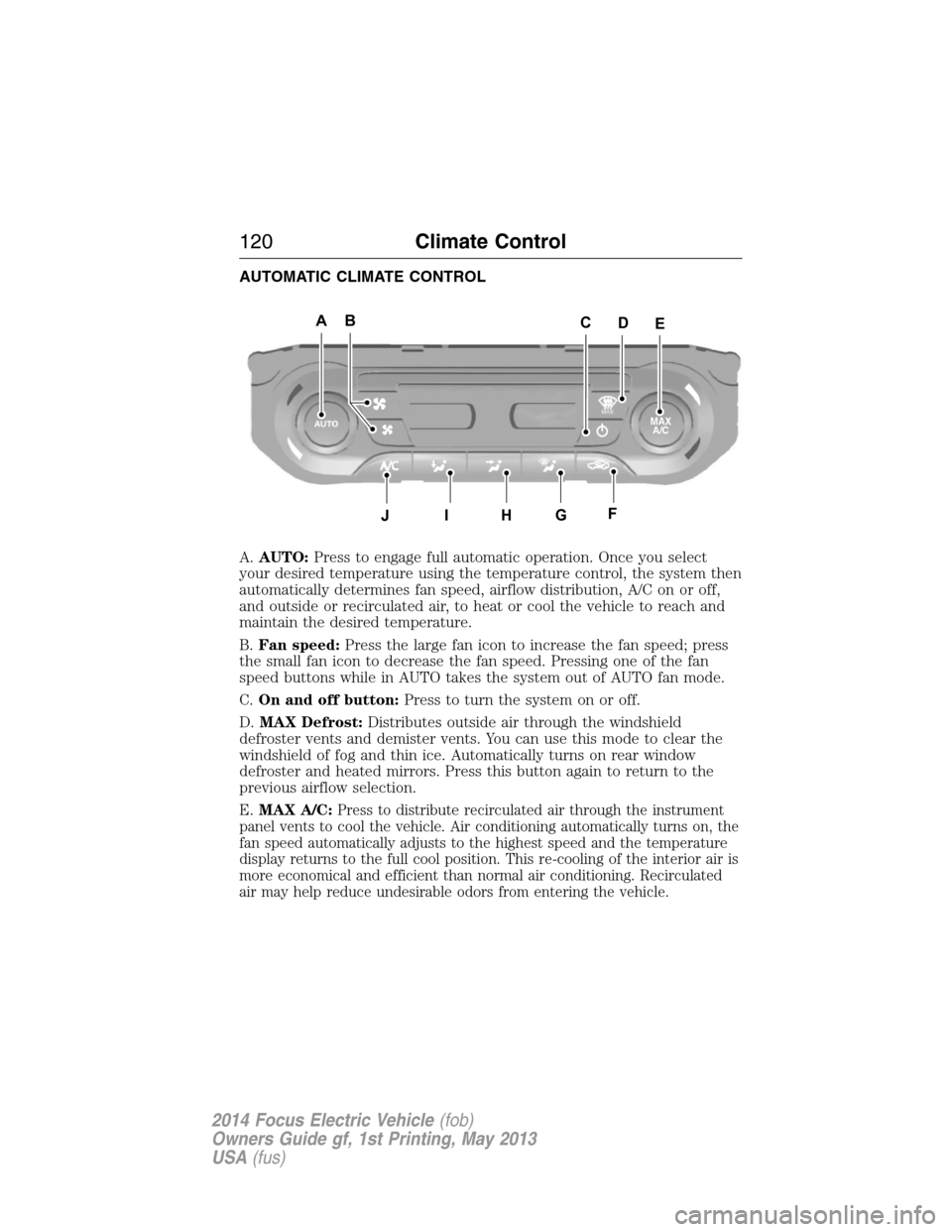
AUTOMATIC CLIMATE CONTROL
A.AUTO:Press to engage full automatic operation. Once you select
your desired temperature using the temperature control, the system then
automatically determines fan speed, airflow distribution, A/C on or off,
and outside or recirculated air, to heat or cool the vehicle to reach and
maintain the desired temperature.
B.Fan speed:Press the large fan icon to increase the fan speed; press
the small fan icon to decrease the fan speed. Pressing one of the fan
speed buttons while in AUTO takes the system out of AUTO fan mode.
C.On and off button:Press to turn the system on or off.
D.MAX Defrost:Distributes outside air through the windshield
defroster vents and demister vents. You can use this mode to clear the
windshield of fog and thin ice. Automatically turns on rear window
defroster and heated mirrors. Press this button again to return to the
previous airflow selection.
E.MAX A/C:
Press to distribute recirculated air through the instrument
panel vents to cool the vehicle. Air conditioning automatically turns on, the
fan speed automatically adjusts to the highest speed and the temperature
display returns to the full cool position. This re-cooling of the interior air is
more economical and efficient than normal air conditioning. Recirculated
air may help reduce undesirable odors from entering the vehicle.
ABAAEAAC
J
D
AHAGAFAI
MAX
A/C
120Climate Control
2014 Focus Electric Vehicle(fob)
Owners Guide gf, 1st Printing, May 2013
USA(fus)