ECO mode FORD FOCUS ELECTRIC 2015 3.G User Guide
[x] Cancel search | Manufacturer: FORD, Model Year: 2015, Model line: FOCUS ELECTRIC, Model: FORD FOCUS ELECTRIC 2015 3.GPages: 369, PDF Size: 4.53 MB
Page 93 of 369
•
Energy History - This view from left to
right starts with the Budget View gauge
and adds historical Energy Use and
Budget data. The data is represented
as an average for time intervals of
either 1, 2 or 6 minutes, with the
leftmost interval being the most recent.
Total time for the five intervals is
shown at the bottom of the view.
Interval time can be selected in the
Options menu. Intervals shown in grey
color are from the previous drive. •
Energy Coach - This view provides a
comparison of your recent
Acceleration, Braking and Cruising
behavior to what is recommended for
most efficient use of energy under
present conditions. The horizontal bars
fill from left to right with best efficiency
(and Blue color) shown as at least half
full. When the bars are less than half
full, the color is Amber, suggesting that
a change in behavior is needed to
achieve better energy efficiency.
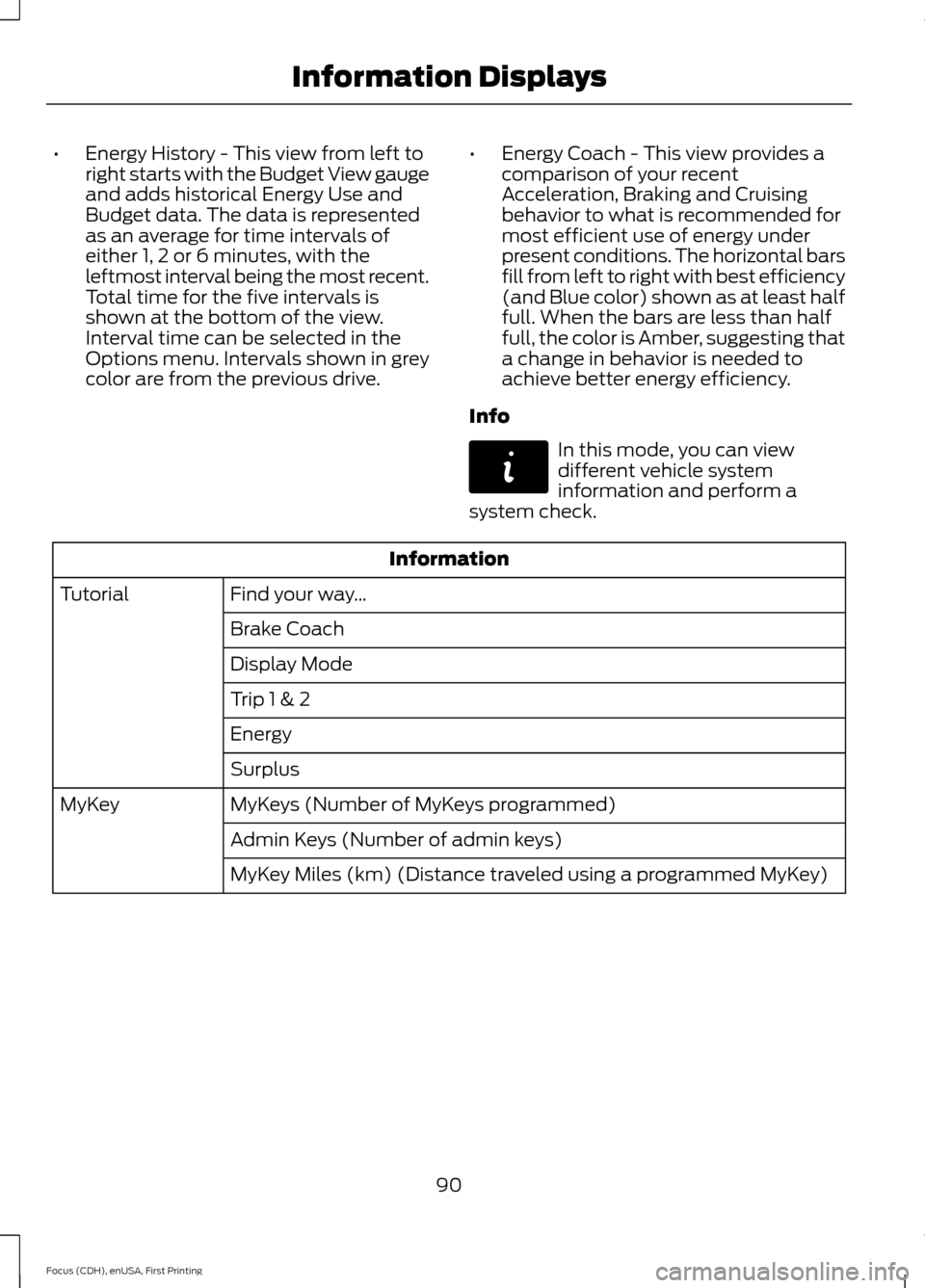
Info In this mode, you can view
different vehicle system
information and perform a
system check. Information
Find your way …
Tutorial
Brake Coach
Display Mode
Trip 1 & 2
Energy
Surplus
MyKeys (Number of MyKeys programmed)
MyKey
Admin Keys (Number of admin keys)
MyKey Miles (km) (Distance traveled using a programmed MyKey)
90
Focus (CDH), enUSA, First Printing Information DisplaysE144642
Page 103 of 369
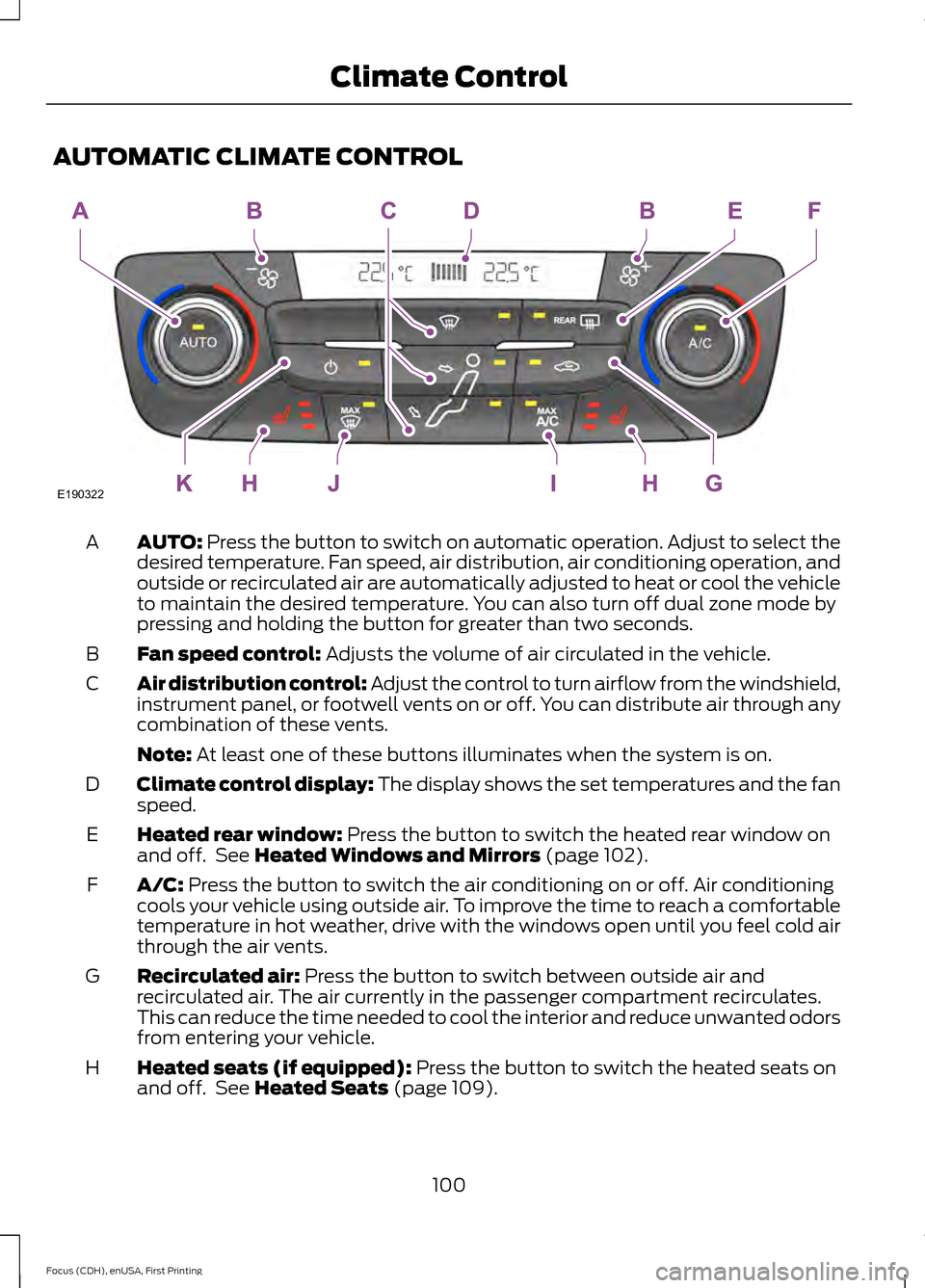
AUTOMATIC CLIMATE CONTROL
AUTO: Press the button to switch on automatic operation. Adjust to select the
desired temperature. Fan speed, air distribution, air conditioning operation, and
outside or recirculated air are automatically adjusted to heat or cool the vehicle
to maintain the desired temperature. You can also turn off dual zone mode by
pressing and holding the button for greater than two seconds.
A
Fan speed control:
Adjusts the volume of air circulated in the vehicle.
B
Air distribution control: Adjust the control to turn airflow from the windshield,
instrument panel, or footwell vents on or off. You can distribute air through any
combination of these vents.
C
Note:
At least one of these buttons illuminates when the system is on.
Climate control display: The display shows the set temperatures and the fan
speed.
D
Heated rear window:
Press the button to switch the heated rear window on
and off. See Heated Windows and Mirrors (page 102).
E
A/C:
Press the button to switch the air conditioning on or off. Air conditioning
cools your vehicle using outside air. To improve the time to reach a comfortable
temperature in hot weather, drive with the windows open until you feel cold air
through the air vents.
F
Recirculated air:
Press the button to switch between outside air and
recirculated air. The air currently in the passenger compartment recirculates.
This can reduce the time needed to cool the interior and reduce unwanted odors
from entering your vehicle.
G
Heated seats (if equipped):
Press the button to switch the heated seats on
and off. See Heated Seats (page 109).
H
100
Focus (CDH), enUSA, First Printing Climate ControlE190322
Page 104 of 369
MAX A/C: Press the button for maximum cooling. Recirculated air flows through
the instrument panel vents, air conditioning automatically turns on and the fan
automatically adjusts to the highest speed.
I
MAX Defrost: Press the button to switch on defrost. Outside air flows through
the windshield vents, air conditioning automatically turns on, and fan
automatically adjusts to the highest speed. You can also use this setting to
defrost and clear the windshield of a thin covering of ice. The heated rear window
also automatically turns on when you select maximum defrost.
J
Power: Press the button to switch the system on and off. When the system is
off, it prevents outside air from entering the vehicle.
K
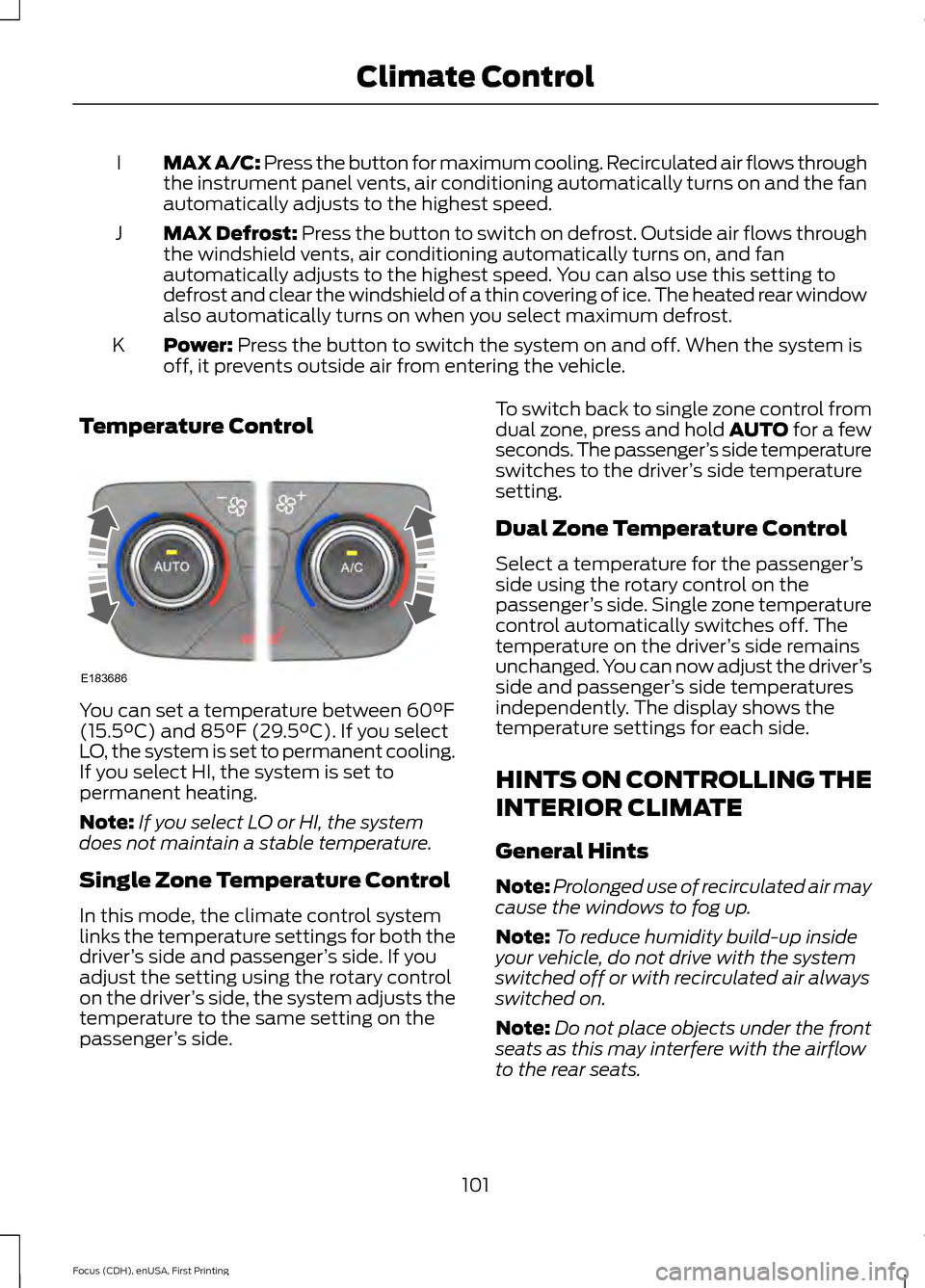
Temperature Control You can set a temperature between
60°F
(15.5°C) and 85°F (29.5°C). If you select
LO, the system is set to permanent cooling.
If you select HI, the system is set to
permanent heating.
Note: If you select LO or HI, the system
does not maintain a stable temperature.
Single Zone Temperature Control
In this mode, the climate control system
links the temperature settings for both the
driver ’s side and passenger ’s side. If you
adjust the setting using the rotary control
on the driver ’s side, the system adjusts the
temperature to the same setting on the
passenger ’s side. To switch back to single zone control from
dual zone, press and hold AUTO for a few
seconds. The passenger
’s side temperature
switches to the driver ’s side temperature
setting.
Dual Zone Temperature Control
Select a temperature for the passenger ’s
side using the rotary control on the
passenger ’s side. Single zone temperature
control automatically switches off. The
temperature on the driver ’s side remains
unchanged. You can now adjust the driver ’s
side and passenger ’s side temperatures
independently. The display shows the
temperature settings for each side.
HINTS ON CONTROLLING THE
INTERIOR CLIMATE
General Hints
Note: Prolonged use of recirculated air may
cause the windows to fog up.
Note: To reduce humidity build-up inside
your vehicle, do not drive with the system
switched off or with recirculated air always
switched on.
Note: Do not place objects under the front
seats as this may interfere with the airflow
to the rear seats.
101
Focus (CDH), enUSA, First Printing Climate ControlE183686
Page 105 of 369
Note:
Remove any snow, ice, or leaves from
the air intake area at the base of the
windshield.
Note: To improve air conditioning when
starting your vehicle, drive with the windows
slightly open for two to three minutes.
Recommended Settings for
Cooling
1. Press the AUTO button.
2. Adjust the temperature control to the desired setting.
Side Window Defogging in Cold
Weather
1. Select air distribution through the floor
vent.
2. Select air distribution through the panel
vent.
3. Select
A/C.
4. Adjust the temperature control to the desired setting.
5. Adjust the outer panel vents toward the side windows.
Note: To increase airflow to the outer panel
vents, close the vents in the middle of the
instrument panel.
Improving Vehicle Drive Range
Your vehicle is equipped with a high
voltage electric compressor and a high
voltage electric heater. You can increase
your driving range by minimizing the
amount of energy expended to cool or heat
the interior during the drive.
Pre-condition the interior temperature
during vehicle charging reduces the battery
energy use on the interior comfort and
improves range.
Note: Your vehicle may not always reach
the set cabin temperature due to charging
and ambient temperature conditions. Hot and cold temperatures make your
vehicle use more energy to achieve and
maintain a comfortable interior
temperature. Park the vehicle in the shade
or in a parking structure when hot, and in
a garage when cold.
Consider partially opening a window (or
windows) to let fresh air circulate, if
weather conditions permit. You can
achieve maximum energy savings by
switching the climate system off. Do this
only if conditions exist for safe vehicle
operation.
Reduce fan speed.
Set the
AUTO temperature a couple
degrees cooler than you normally do on
cold days and a couple degrees higher on
hot days. Use the heated seats on cold
days to increase interior comfort.
Switch the air conditioning off in mild
temperatures or low humidity conditions.
Defrost mode automatically turns the air
conditioning on to dehumidify the air, and
cannot be switched off. If defogging or
defrosting is not necessary, select a
non-defrost mode and disengage air
conditioning to extend vehicle range.
Air conditioning and heating functions are
automatically switched off (unless in
defrost mode) when driving distance to
empty is zero miles (zero km). The interior
fan will continue to operate.
HEATED WINDOWS AND
MIRRORS
Heated Rear Window
Note: Make sure the vehicle is running
before operating the heated windows.
102
Focus (CDH), enUSA, First Printing Climate Control
Page 115 of 369
STARTING THE ELECTRIC
MOTOR
Keyless Starting
Note:
The system may not function if the
passive key is close to metal objects or
electronic devices, for example keys or a cell
phone.
Note: A valid passive key must be located
inside your vehicle to switch the ignition on
and start your vehicle.
Note: Passive keys left inside your vehicle
when locked are disabled. A message may
appear in the information display indicating
that there is no key detected when you try
to start your vehicle. Press the unlock
button on the remote control to enable it,
and then start your vehicle.
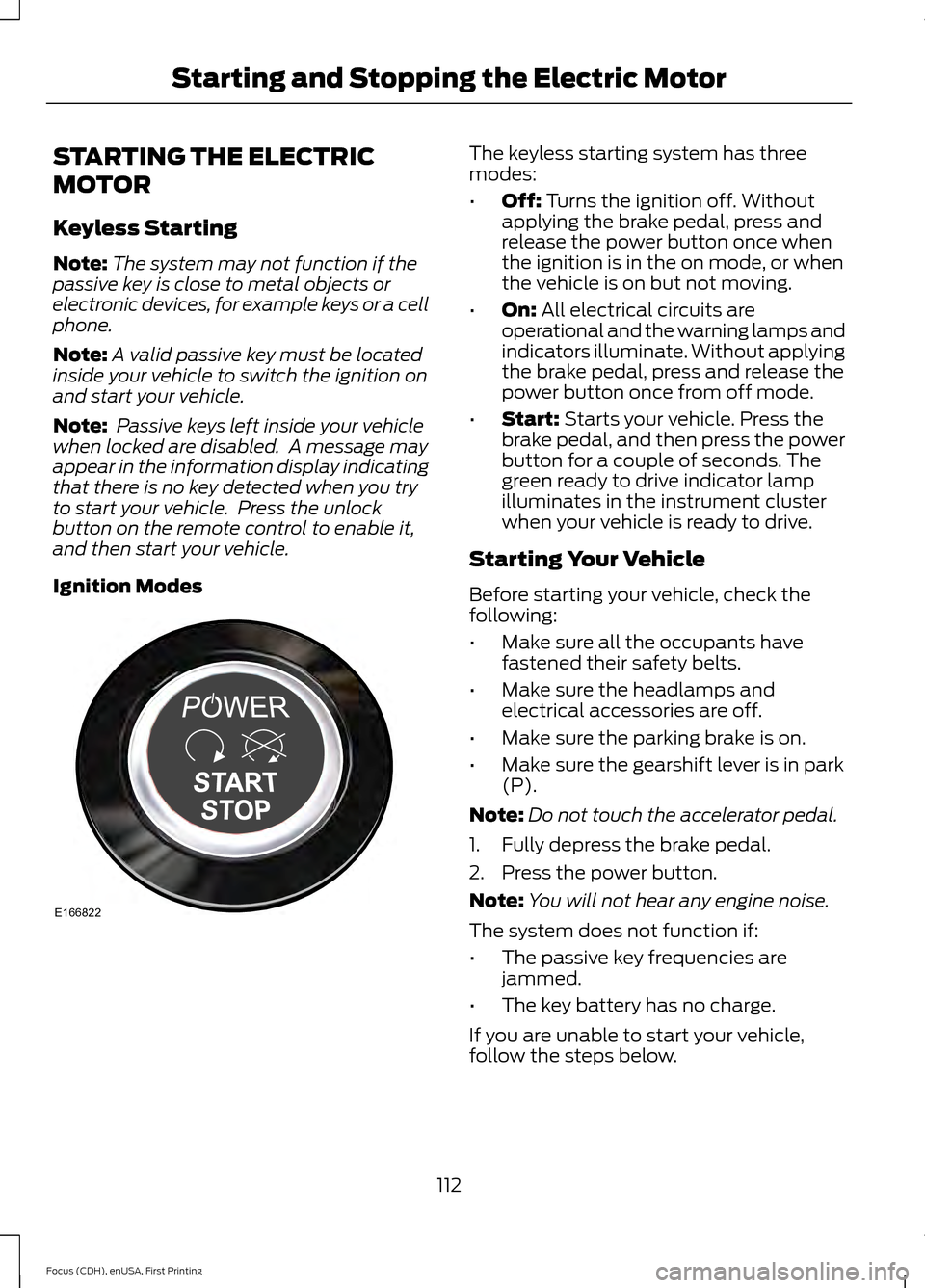
Ignition Modes The keyless starting system has three
modes:
•
Off: Turns the ignition off. Without
applying the brake pedal, press and
release the power button once when
the ignition is in the on mode, or when
the vehicle is on but not moving.
• On:
All electrical circuits are
operational and the warning lamps and
indicators illuminate. Without applying
the brake pedal, press and release the
power button once from off mode.
• Start:
Starts your vehicle. Press the
brake pedal, and then press the power
button for a couple of seconds. The
green ready to drive indicator lamp
illuminates in the instrument cluster
when your vehicle is ready to drive.
Starting Your Vehicle
Before starting your vehicle, check the
following:
• Make sure all the occupants have
fastened their safety belts.
• Make sure the headlamps and
electrical accessories are off.
• Make sure the parking brake is on.
• Make sure the gearshift lever is in park
(P).
Note: Do not touch the accelerator pedal.
1. Fully depress the brake pedal.
2. Press the power button.
Note: You will not hear any engine noise.
The system does not function if:
• The passive key frequencies are
jammed.
• The key battery has no charge.
If you are unable to start your vehicle,
follow the steps below.
112
Focus (CDH), enUSA, First Printing Starting and Stopping the Electric MotorE166822
Page 116 of 369
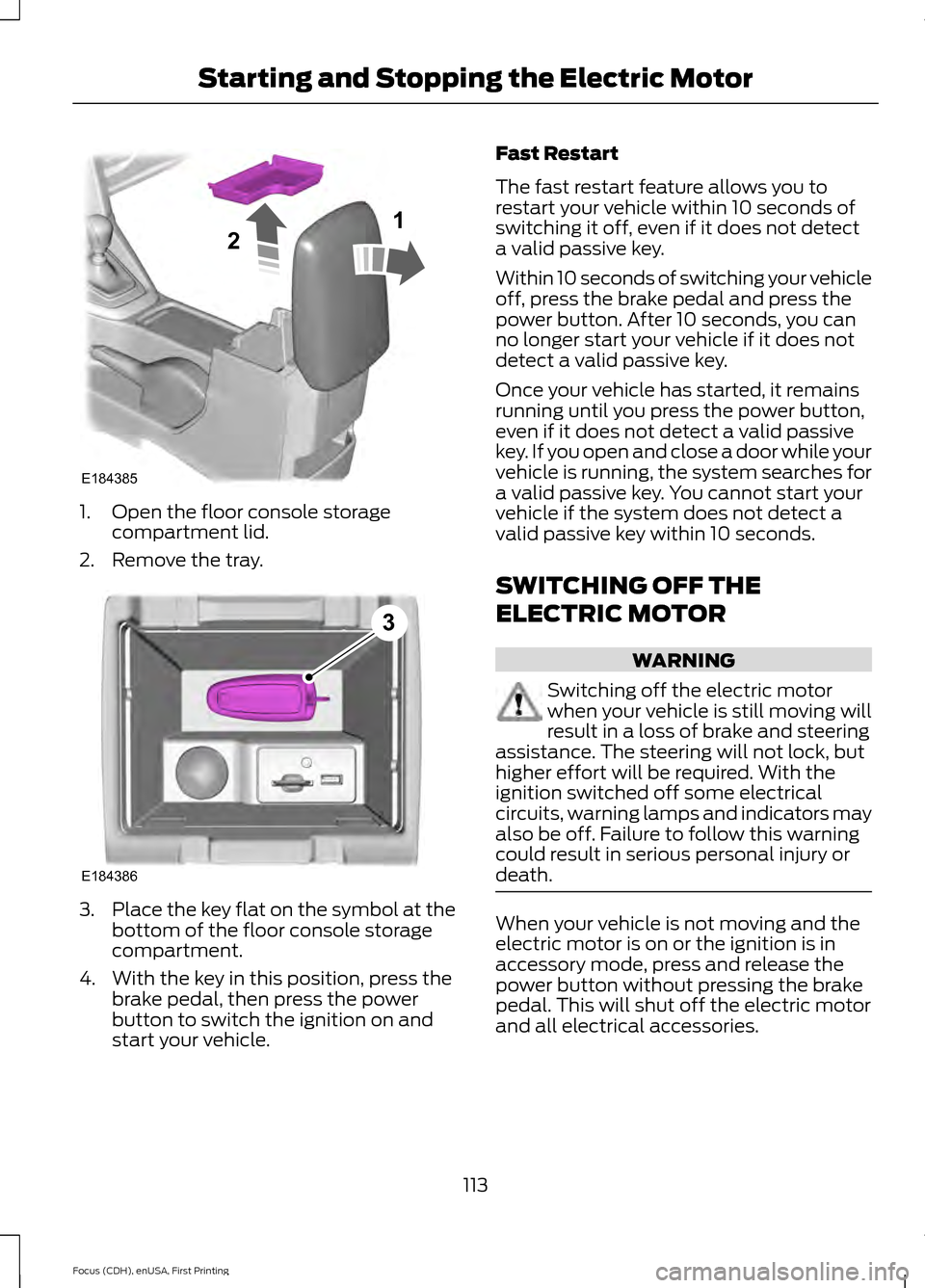
1. Open the floor console storage
compartment lid.
2. Remove the tray. 3.
Place the key flat on the symbol at the
bottom of the floor console storage
compartment.
4. With the key in this position, press the brake pedal, then press the power
button to switch the ignition on and
start your vehicle. Fast Restart
The fast restart feature allows you to
restart your vehicle within 10 seconds of
switching it off, even if it does not detect
a valid passive key.
Within 10 seconds of switching your vehicle
off, press the brake pedal and press the
power button. After 10 seconds, you can
no longer start your vehicle if it does not
detect a valid passive key.
Once your vehicle has started, it remains
running until you press the power button,
even if it does not detect a valid passive
key. If you open and close a door while your
vehicle is running, the system searches for
a valid passive key. You cannot start your
vehicle if the system does not detect a
valid passive key within 10 seconds.
SWITCHING OFF THE
ELECTRIC MOTOR
WARNING
Switching off the electric motor
when your vehicle is still moving will
result in a loss of brake and steering
assistance. The steering will not lock, but
higher effort will be required. With the
ignition switched off some electrical
circuits, warning lamps and indicators may
also be off. Failure to follow this warning
could result in serious personal injury or
death. When your vehicle is not moving and the
electric motor is on or the ignition is in
accessory mode, press and release the
power button without pressing the brake
pedal. This will shut off the electric motor
and all electrical accessories.
113
Focus (CDH), enUSA, First Printing Starting and Stopping the Electric MotorE184385
21 E184386
3
Page 153 of 369
COLLISION, DAMAGE OR FIRE
EVENT
Guidance for Ford Motor Company
Electric and Hybrid-Electric
Vehicles Equipped With High
Voltage Batteries
(Vehicle Owner/Operator/General
Public)
Electric and Hybrid-Electric Vehicle
Considerations
In the event of damage or fire involving
an electric vehicle (EV) or
hybrid-electric vehicle (HEV):
•
Always assume the high-voltage
battery and associated components
are energized and fully charged.
• Exposed electrical components, wires
and high-voltage batteries present
potential high-voltage shock hazards.
• Venting/off-gassing high-voltage
battery vapors are potentially toxic and
flammable.
• Physical damage to the vehicle or
high-voltage battery may result in
immediate or delayed release of toxic,
flammable gases and fire.
Vehicle Information and General
Safety Practices
• Know the make and model of your
vehicle.
• Review the owner ’s manual and
become familiar with your vehicle ’s
safety information and recommended
safety practices.
• Do not attempt to repair damaged
electric and hybrid-electric vehicles
yourself. Contact an authorized Ford
Dealer or vehicle manufacturer
representative for service. Crashes
A crash or impact significant enough to
require an emergency response for
conventional vehicles would also require
the same response for an electric or
hybrid-electric vehicle.
If possible
•
Move your car to a safe, nearby
location and remain on the scene.
• Roll down the windows before shutting
your vehicle off.
• Place your vehicle in Park, set the
parking brake, turn off the vehicle,
activate the hazard lights, and move
your key(s) at least 16 feet (5 meters)
away from the vehicle.
Always
• Call 911 if assistance is needed and
advise that an electric or hybrid-electric
vehicle is involved.
• Do not touch exposed electrical
components or the engine
compartment, as a shock hazard may
exist.
• Avoid contact with leaking fluids and
gases, and remain out of the way of
oncoming traffic until emergency
responders arrive.
• When emergency responders arrive,
tell them that the vehicle involved is an
electric vehicle or hybrid vehicle.
Fires
As with any vehicle, call 911 immediately if
you see sparks, smoke or flames coming
from the vehicle.
• Exit the vehicle immediately.
• Advise 911 that an electric or
hybrid-electric vehicle is involved.
150
Focus (CDH), enUSA, First Printing Roadside Emergencies
Page 230 of 369
GENERAL INFORMATION
Radio Frequencies and Reception
Factors
AM and FM frequencies are established by
the Federal Communications Commission
(FCC) and the Canadian Radio and
Telecommunications Commission (CRTC).
Those frequencies are:
•
AM: 530, 540-1700, 1710 kHz
• FM: 87.9-107.7, 107.9 MHz Radio Reception Factors
The further you travel from an AM or FM station, the
weaker the signal and the weaker the reception.
Distance and strength
Hills, mountains, tall buildings, bridges, tunnels, freeway
overpasses, parking garages, dense tree foliage and
thunderstorms can interfere with the reception.
Terrain
When you pass a ground-based broadcast repeating
tower, a stronger signal may overtake a weaker one and
result in the audio system muting.
Station overload
CD and CD Player Information
Note: CD units play commercially pressed
4.75-inch (12 centimeter) audio compact
discs only. Due to technical incompatibility,
certain recordable and re-recordable
compact discs may not function correctly
when used in Ford CD players.
Note: Do not insert CDs with homemade
paper (adhesive) labels into the CD player
as the label may peel and cause the CD to
become jammed. You should use a
permanent felt tip marker rather than
adhesive labels on your homemade CDs.
Ballpoint pens may damage CDs. Please
contact an authorized dealer for further
information.
Note: Do not use any irregularly shaped
discs or discs with a scratch protection film
attached.
Always handle discs by their edges only.
Clean the disc with an approved CD
cleaner only. Wipe it from the center of the
disc toward the edge. Do not clean in a
circular motion. Do not expose discs to direct sunlight or
heat sources for extended periods.
MP3 Track and Folder Structure
Audio systems capable of recognizing and
playing MP3 individual tracks and folder
structures work as follows:
•
There are two different modes for MP3
disc playback: MP3 track mode
(system default) and MP3 folder
mode.
• MP3 track mode ignores any folder
structure on the MP3 disc. The player
numbers each MP3 track on the disc
(noted by the .mp3 file extension) from
T001 to a maximum of T255. The
maximum number of playable MP3
files may be less depending on the
structure of the CD and exact model
of radio present.
227
Focus (CDH), enUSA, First Printing Audio System
Page 231 of 369
•
MP3 folder mode represents a folder
structure consisting of one level of
folders. The CD player numbers all MP3
tracks on the disc (noted by the .mp3
file extension) and all folders
containing MP3 files, from F001
(folder) T001 (track) to F253 T255.
• Creating discs with only one level of
folders helps with navigation through
the disc files.
If you are burning your own MP3 discs, it is
important to understand how the system
reads the structures you create. While
various files may be present, (files with
extensions other than mp3), only files with
the .mp3 extension are played; other files
are ignored by the system. This enables
you to use the same MP3 disc for a variety
of tasks on your work computer, home
computer and your in-vehicle system.
In track mode, the system displays and
plays the structure as if it were only one
level deep (all .mp3 files play, regardless
of being in a specific folder). In folder
mode, the system only plays the .mp3 files
in the current folder. AUDIO UNIT - VEHICLES WITH:
SONY AUDIO SYSTEM WARNING
Driving while distracted can result in
loss of vehicle control, crash and
injury. We strongly recommend that
you use extreme caution when using any
device that may take your focus off the
road. Your primary responsibility is the safe
operation of your vehicle. We recommend
against the use of any hand-held device
while driving and encourage the use of
voice-operated systems when possible.
Make sure you are aware of all applicable
local laws that may affect the use of
electronic devices while driving. Note:
The MyFord Touch system controls
most of the audio features. See
Entertainment (page 254).
228
Focus (CDH), enUSA, First Printing Audio System
Page 238 of 369
Support
The SYNC support team is available:
•
Monday-Saturday, 8:30am-8:00pm
EST.
• United States: 1-888-270-1055
• Canada: 1-800-565-3673
Note: Times are subject to change due to
holidays.
Safety Information WARNING
Driving while distracted can result in
loss of vehicle control, crash and
injury. We strongly recommend that
you use extreme caution when using any
device that may take your focus off the
road. Your primary responsibility is the safe
operation of your vehicle. We recommend
against the use of any hand-held device
while driving and encourage the use of
voice-operated systems when possible.
Make sure you are aware of all applicable
local laws that may affect the use of
electronic devices while driving. •
Do not attempt to service or repair the
system. Have your vehicle checked by
an authorized dealer.
• Do not operate media devices if the
power cables are broken or damaged. •
Make sure the power cables do not
interfere with the safe operation of your
vehicle's controls or affect your safe
driving abilities.
• Some SYNC functions are
speed-dependent. Their use is limited
to when your vehicle is traveling at
speeds below 3 mph (5 km/h).
Make sure that you review your device's
manual before using it with SYNC.
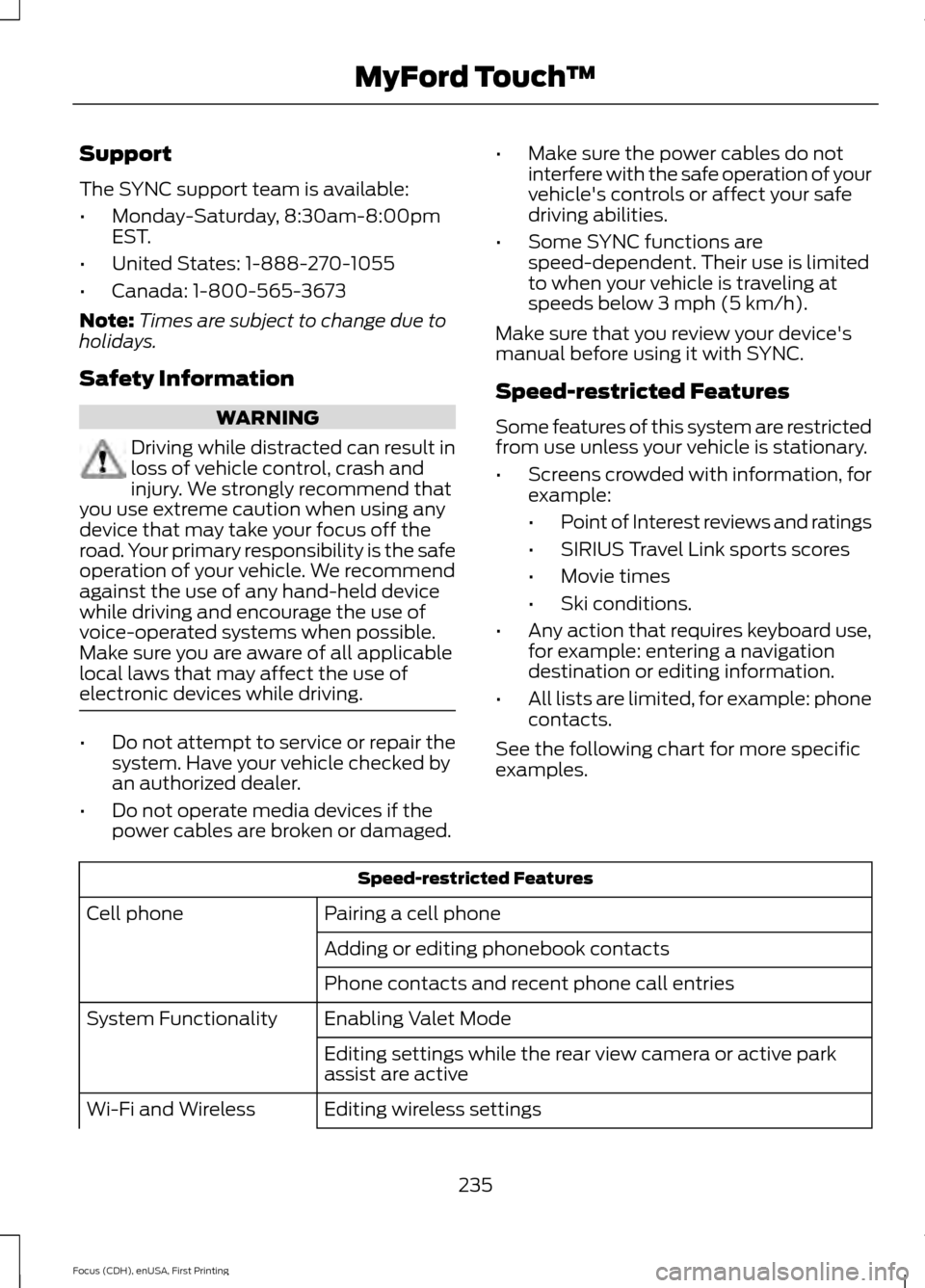
Speed-restricted Features
Some features of this system are restricted
from use unless your vehicle is stationary.
• Screens crowded with information, for
example:
•Point of Interest reviews and ratings
• SIRIUS Travel Link sports scores
• Movie times
• Ski conditions.
• Any action that requires keyboard use,
for example: entering a navigation
destination or editing information.
• All lists are limited, for example: phone
contacts.
See the following chart for more specific
examples. Speed-restricted Features
Pairing a cell phone
Cell phone
Adding or editing phonebook contacts
Phone contacts and recent phone call entries
Enabling Valet Mode
System Functionality
Editing settings while the rear view camera or active park
assist are active
Editing wireless settings
Wi-Fi and Wireless
235
Focus (CDH), enUSA, First Printing MyFord Touch
™