tow FORD FOCUS ELECTRIC 2015 3.G User Guide
[x] Cancel search | Manufacturer: FORD, Model Year: 2015, Model line: FOCUS ELECTRIC, Model: FORD FOCUS ELECTRIC 2015 3.GPages: 369, PDF Size: 4.53 MB
Page 75 of 369
GENERAL INFORMATION
Condensation in Lamp Assemblies
Exterior lamps have vents to
accommodate normal changes in air
pressure.
Condensation can be a natural by-product
of this design. When moist air enters the
lamp assembly through the vents, there is
a possibility that condensation can occur
when the temperature is cold. When
normal condensation occurs, a fine mist
can form on the interior of the lens. The
fine mist eventually clears and exits
through the vents during normal operation.
Clearing time may take as long as 48 hours
under dry weather conditions.
Examples of acceptable condensation are:
•
The presence of a fine mist (no streaks,
drip marks or large droplets).
• A fine mist covers less than 50% of the
lens.
Examples of unacceptable condensation
are:
• A water puddle inside the lamp.
• Streaks, drip marks or large droplets
present on the interior of the lens.
If you see any unacceptable condensation,
have your vehicle checked by an authorized
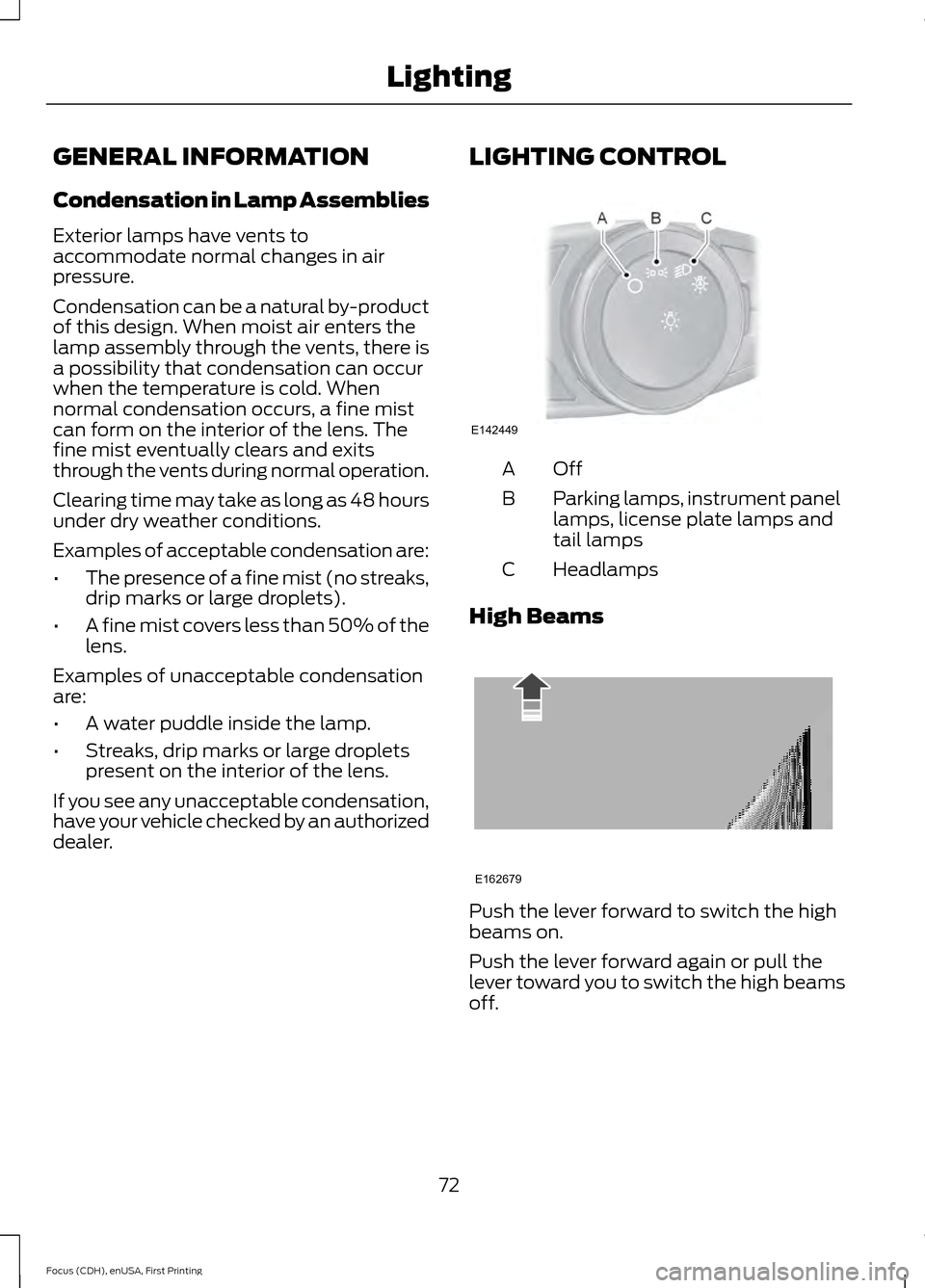
dealer. LIGHTING CONTROL OffA
Parking lamps, instrument panel
lamps, license plate lamps and
tail lamps
B
Headlamps
C
High Beams Push the lever forward to switch the high
beams on.
Push the lever forward again or pull the
lever toward you to switch the high beams
off.
72
Focus (CDH), enUSA, First Printing LightingE142449 E162679
Page 76 of 369
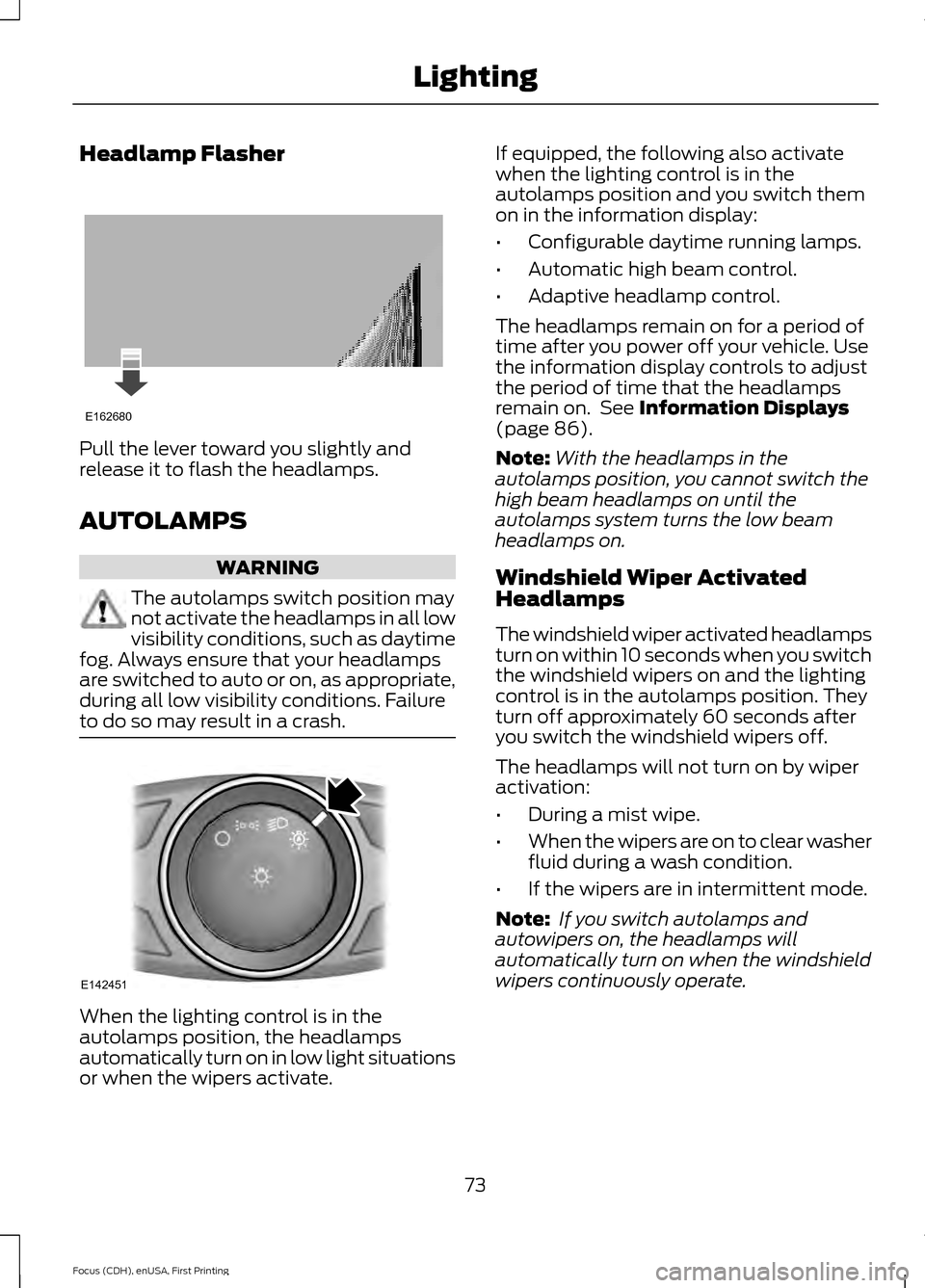
Headlamp Flasher
Pull the lever toward you slightly and
release it to flash the headlamps.
AUTOLAMPS
WARNING
The autolamps switch position may
not activate the headlamps in all low
visibility conditions, such as daytime
fog. Always ensure that your headlamps
are switched to auto or on, as appropriate,
during all low visibility conditions. Failure
to do so may result in a crash. When the lighting control is in the
autolamps position, the headlamps
automatically turn on in low light situations
or when the wipers activate. If equipped, the following also activate
when the lighting control is in the
autolamps position and you switch them
on in the information display:
•
Configurable daytime running lamps.
• Automatic high beam control.
• Adaptive headlamp control.
The headlamps remain on for a period of
time after you power off your vehicle. Use
the information display controls to adjust
the period of time that the headlamps
remain on. See Information Displays
(page 86).
Note: With the headlamps in the
autolamps position, you cannot switch the
high beam headlamps on until the
autolamps system turns the low beam
headlamps on.
Windshield Wiper Activated
Headlamps
The windshield wiper activated headlamps
turn on within 10 seconds when you switch
the windshield wipers on and the lighting
control is in the autolamps position. They
turn off approximately 60 seconds after
you switch the windshield wipers off.
The headlamps will not turn on by wiper
activation:
• During a mist wipe.
• When the wipers are on to clear washer
fluid during a wash condition.
• If the wipers are in intermittent mode.
Note: If you switch autolamps and
autowipers on, the headlamps will
automatically turn on when the windshield
wipers continuously operate.
73
Focus (CDH), enUSA, First Printing LightingE162680 E142451
Page 77 of 369
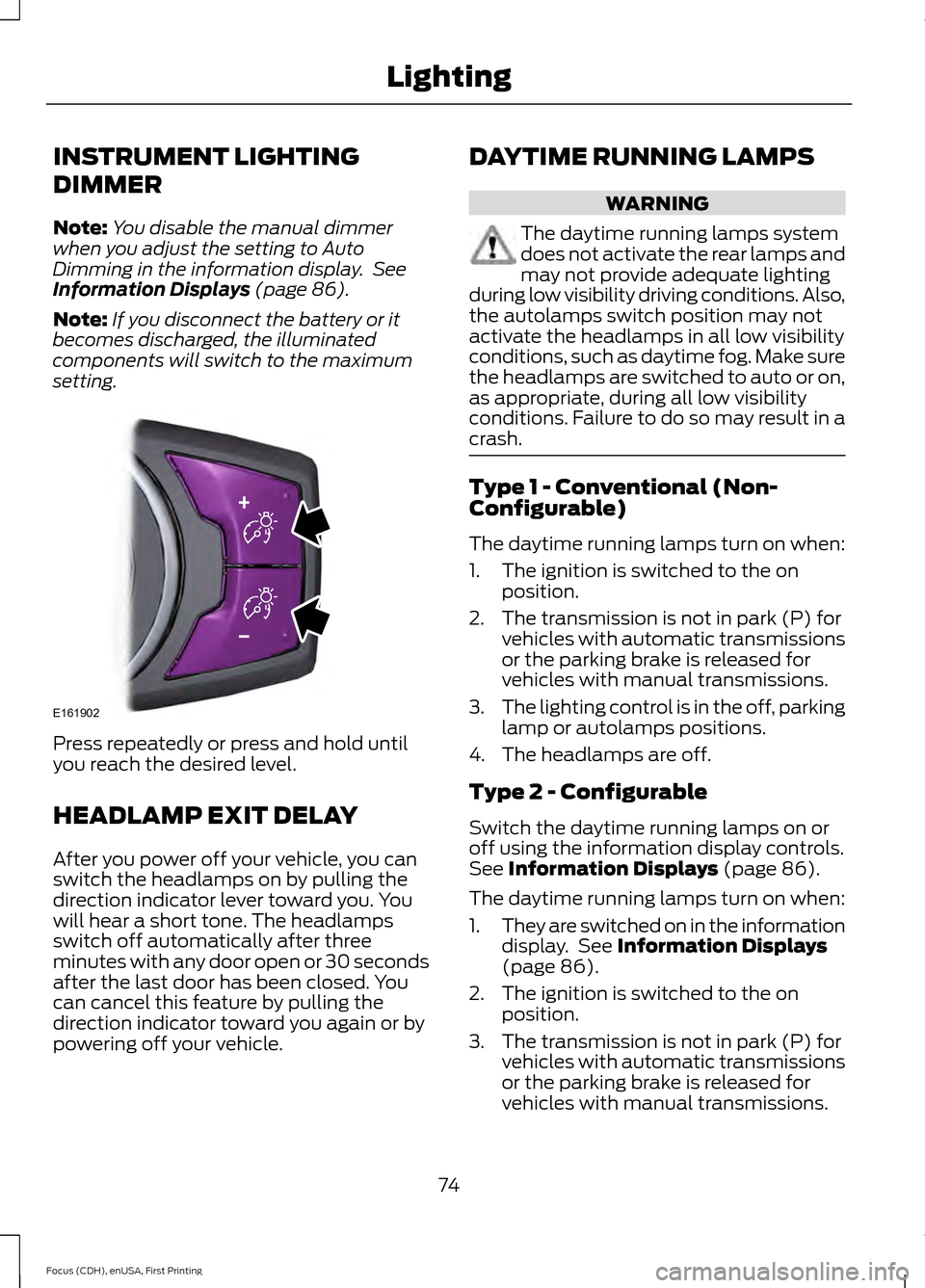
INSTRUMENT LIGHTING
DIMMER
Note:
You disable the manual dimmer
when you adjust the setting to Auto
Dimming in the information display. See
Information Displays (page 86).
Note: If you disconnect the battery or it
becomes discharged, the illuminated
components will switch to the maximum
setting. Press repeatedly or press and hold until
you reach the desired level.
HEADLAMP EXIT DELAY
After you power off your vehicle, you can
switch the headlamps on by pulling the
direction indicator lever toward you. You
will hear a short tone. The headlamps
switch off automatically after three
minutes with any door open or 30 seconds
after the last door has been closed. You
can cancel this feature by pulling the
direction indicator toward you again or by
powering off your vehicle. DAYTIME RUNNING LAMPS WARNING
The daytime running lamps system
does not activate the rear lamps and
may not provide adequate lighting
during low visibility driving conditions. Also,
the autolamps switch position may not
activate the headlamps in all low visibility
conditions, such as daytime fog. Make sure
the headlamps are switched to auto or on,
as appropriate, during all low visibility
conditions. Failure to do so may result in a
crash. Type 1 - Conventional (Non-
Configurable)
The daytime running lamps turn on when:
1. The ignition is switched to the on
position.
2. The transmission is not in park (P) for vehicles with automatic transmissions
or the parking brake is released for
vehicles with manual transmissions.
3. The lighting control is in the off, parking
lamp or autolamps positions.
4. The headlamps are off.
Type 2 - Configurable
Switch the daytime running lamps on or
off using the information display controls.
See
Information Displays (page 86).
The daytime running lamps turn on when:
1. They are switched on in the information
display. See
Information Displays
(page 86).
2. The ignition is switched to the on position.
3. The transmission is not in park (P) for vehicles with automatic transmissions
or the parking brake is released for
vehicles with manual transmissions.
74
Focus (CDH), enUSA, First Printing LightingE161902
Page 81 of 369
2. Close the window a third time to the
point of resistance. You disabled the
bounce-back feature and you can now
close the window manually. The
window travels past the point of
resistance and you can close it fully.
Contact an authorized dealer as soon as
possible if the window does not close after
the third attempt.
Resetting the Bounce-Back Feature WARNING
The bounce-back feature remains
turned off until you reset the
memory.
If you have disconnected the battery, you
must reset the bounce-back memory
separately for each window.
1. Lift and hold the control until the
window is fully closed.
2. Release the control.
3. Lift and hold the control again for a few
seconds.
4. Release the control.
5. Lift and hold the control again for a few
seconds.
6. Release the control.
7. Press and hold the control until the window is fully open.
8. Lift and hold the control until the window is fully closed.
9. Release the control.
10. Open the window and then try to close it automatically.
11. Repeat the procedure if the window does not close automatically. Accessory Delay
You can use the window controls for
several minutes after switching off the
ignition or until opening either front door.
EXTERIOR MIRRORS
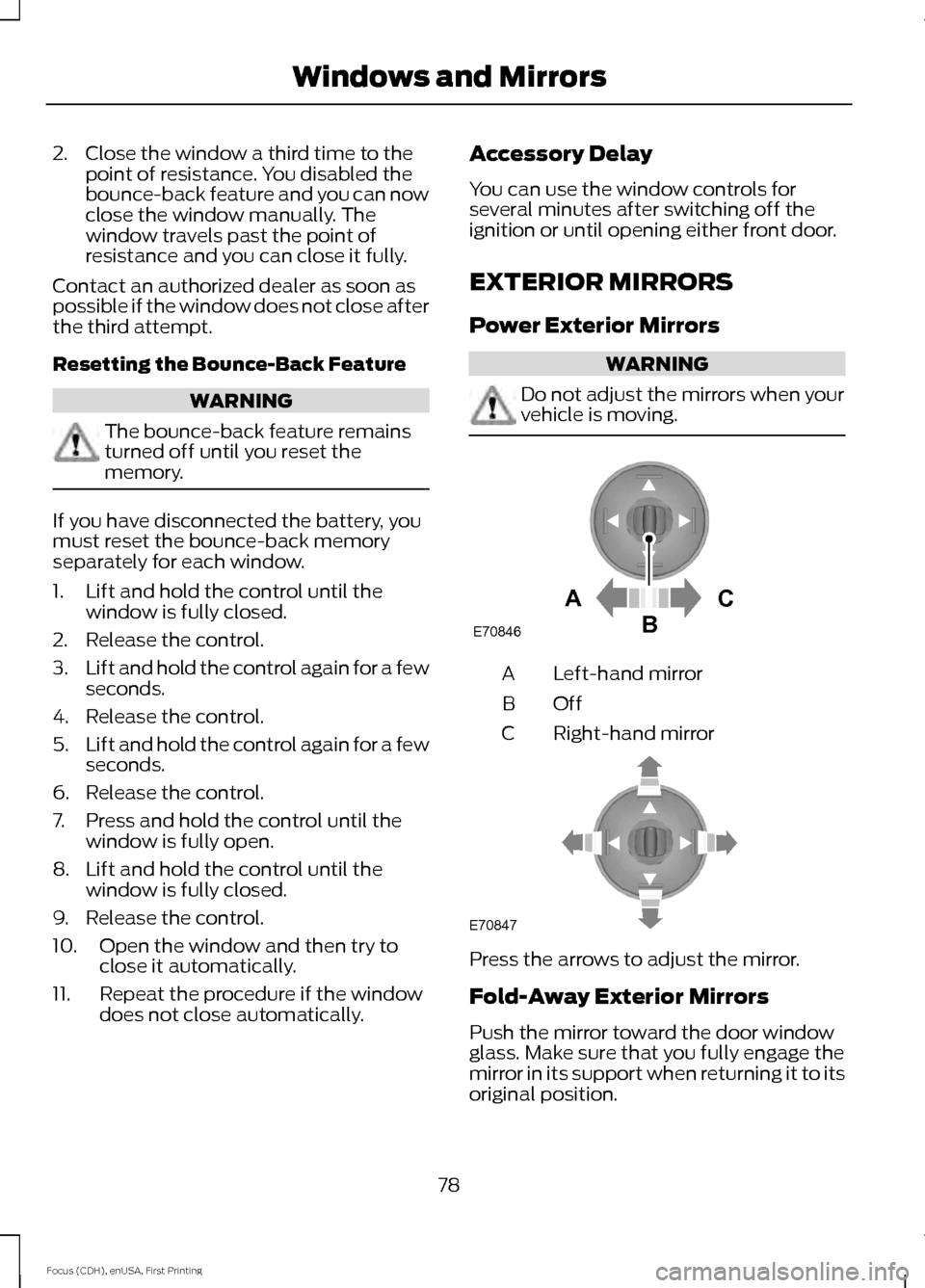
Power Exterior Mirrors WARNING
Do not adjust the mirrors when your
vehicle is moving.
Left-hand mirror
A
OffB
Right-hand mirror
C Press the arrows to adjust the mirror.
Fold-Away Exterior Mirrors
Push the mirror toward the door window
glass. Make sure that you fully engage the
mirror in its support when returning it to its
original position.
78
Focus (CDH), enUSA, First Printing Windows and MirrorsAC
B
E70846 E70847
Page 83 of 369
Note:
Do not clean the housing or glass of
any mirror with harsh abrasives, fuel or other
petroleum or ammonia-based cleaning
products.
You can adjust the interior mirror to your
preference. Some mirrors also have a
second pivot point. This lets you move the
mirror head up or down and from side to
side.
Pull the tab below the mirror toward you
to reduce glare at night.
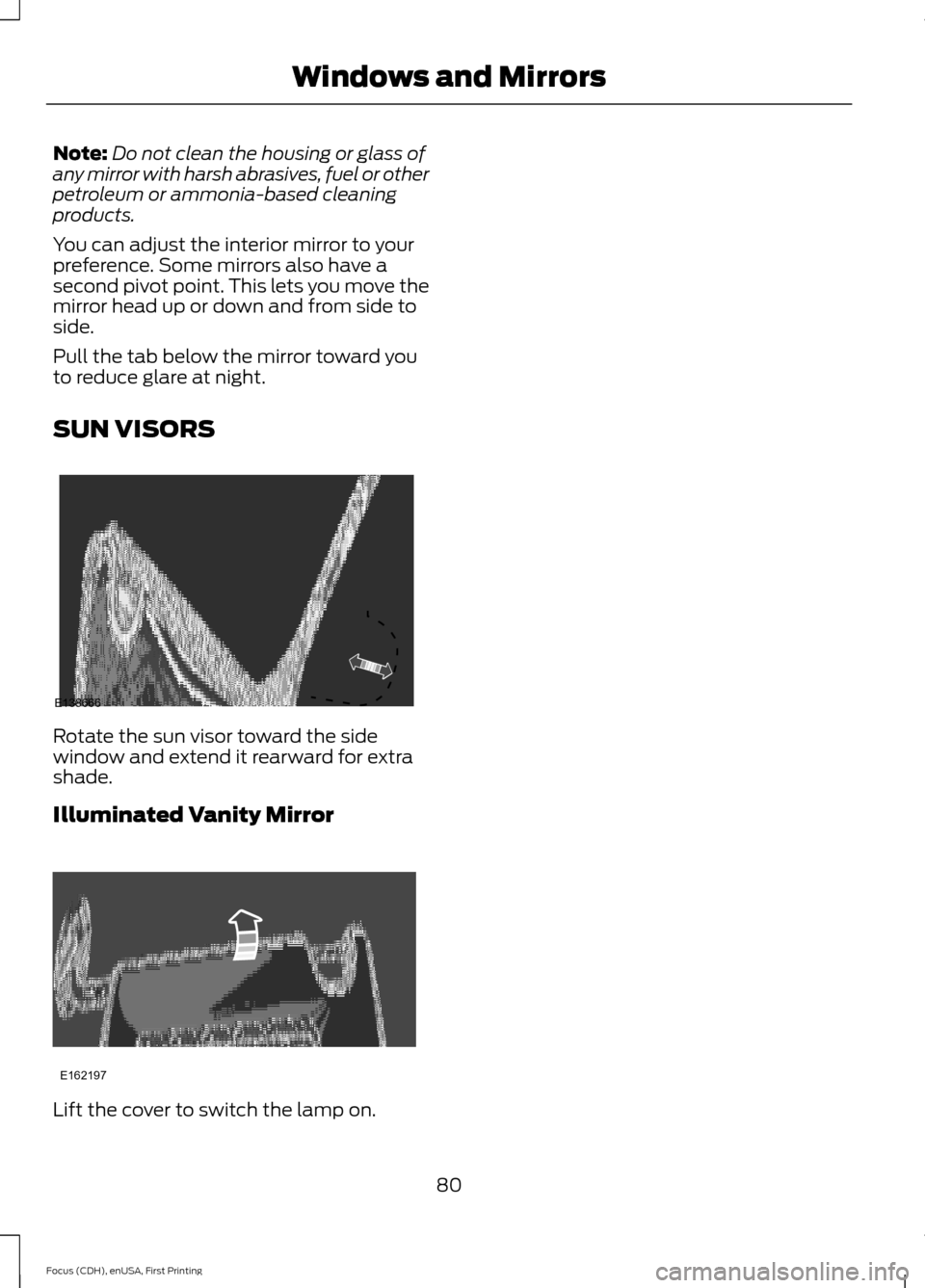
SUN VISORS Rotate the sun visor toward the side
window and extend it rearward for extra
shade.
Illuminated Vanity Mirror
Lift the cover to switch the lamp on.
80
Focus (CDH), enUSA, First Printing Windows and MirrorsE138666 E162197
Page 105 of 369
Note:
Remove any snow, ice, or leaves from
the air intake area at the base of the
windshield.
Note: To improve air conditioning when
starting your vehicle, drive with the windows
slightly open for two to three minutes.
Recommended Settings for
Cooling
1. Press the AUTO button.
2. Adjust the temperature control to the desired setting.
Side Window Defogging in Cold
Weather
1. Select air distribution through the floor
vent.
2. Select air distribution through the panel
vent.
3. Select
A/C.
4. Adjust the temperature control to the desired setting.
5. Adjust the outer panel vents toward the side windows.
Note: To increase airflow to the outer panel
vents, close the vents in the middle of the
instrument panel.
Improving Vehicle Drive Range
Your vehicle is equipped with a high
voltage electric compressor and a high
voltage electric heater. You can increase
your driving range by minimizing the
amount of energy expended to cool or heat
the interior during the drive.
Pre-condition the interior temperature
during vehicle charging reduces the battery
energy use on the interior comfort and
improves range.
Note: Your vehicle may not always reach
the set cabin temperature due to charging
and ambient temperature conditions. Hot and cold temperatures make your
vehicle use more energy to achieve and
maintain a comfortable interior
temperature. Park the vehicle in the shade
or in a parking structure when hot, and in
a garage when cold.
Consider partially opening a window (or
windows) to let fresh air circulate, if
weather conditions permit. You can
achieve maximum energy savings by
switching the climate system off. Do this
only if conditions exist for safe vehicle
operation.
Reduce fan speed.
Set the
AUTO temperature a couple
degrees cooler than you normally do on
cold days and a couple degrees higher on
hot days. Use the heated seats on cold
days to increase interior comfort.
Switch the air conditioning off in mild
temperatures or low humidity conditions.
Defrost mode automatically turns the air
conditioning on to dehumidify the air, and
cannot be switched off. If defogging or
defrosting is not necessary, select a
non-defrost mode and disengage air
conditioning to extend vehicle range.
Air conditioning and heating functions are
automatically switched off (unless in
defrost mode) when driving distance to
empty is zero miles (zero km). The interior
fan will continue to operate.
HEATED WINDOWS AND
MIRRORS
Heated Rear Window
Note: Make sure the vehicle is running
before operating the heated windows.
102
Focus (CDH), enUSA, First Printing Climate Control
Page 109 of 369
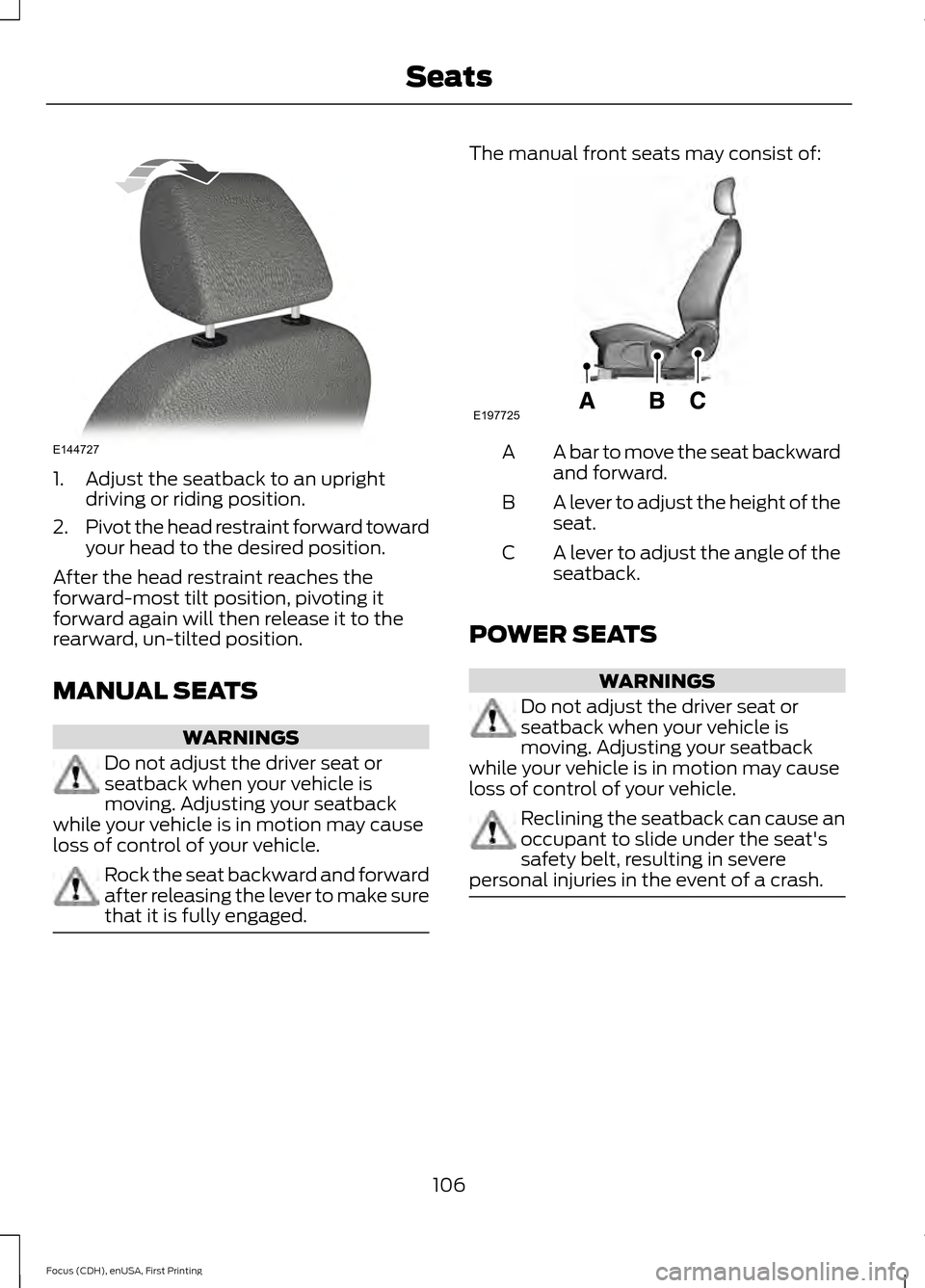
1. Adjust the seatback to an upright
driving or riding position.
2. Pivot the head restraint forward toward
your head to the desired position.
After the head restraint reaches the
forward-most tilt position, pivoting it
forward again will then release it to the
rearward, un-tilted position.
MANUAL SEATS WARNINGS
Do not adjust the driver seat or
seatback when your vehicle is
moving. Adjusting your seatback
while your vehicle is in motion may cause
loss of control of your vehicle. Rock the seat backward and forward
after releasing the lever to make sure
that it is fully engaged. The manual front seats may consist of:
A bar to move the seat backward
and forward.
A
A lever to adjust the height of the
seat.
B
A lever to adjust the angle of the
seatback.
C
POWER SEATS WARNINGS
Do not adjust the driver seat or
seatback when your vehicle is
moving. Adjusting your seatback
while your vehicle is in motion may cause
loss of control of your vehicle. Reclining the seatback can cause an
occupant to slide under the seat's
safety belt, resulting in severe
personal injuries in the event of a crash. 106
Focus (CDH), enUSA, First Printing SeatsE144727 E197725
Page 111 of 369
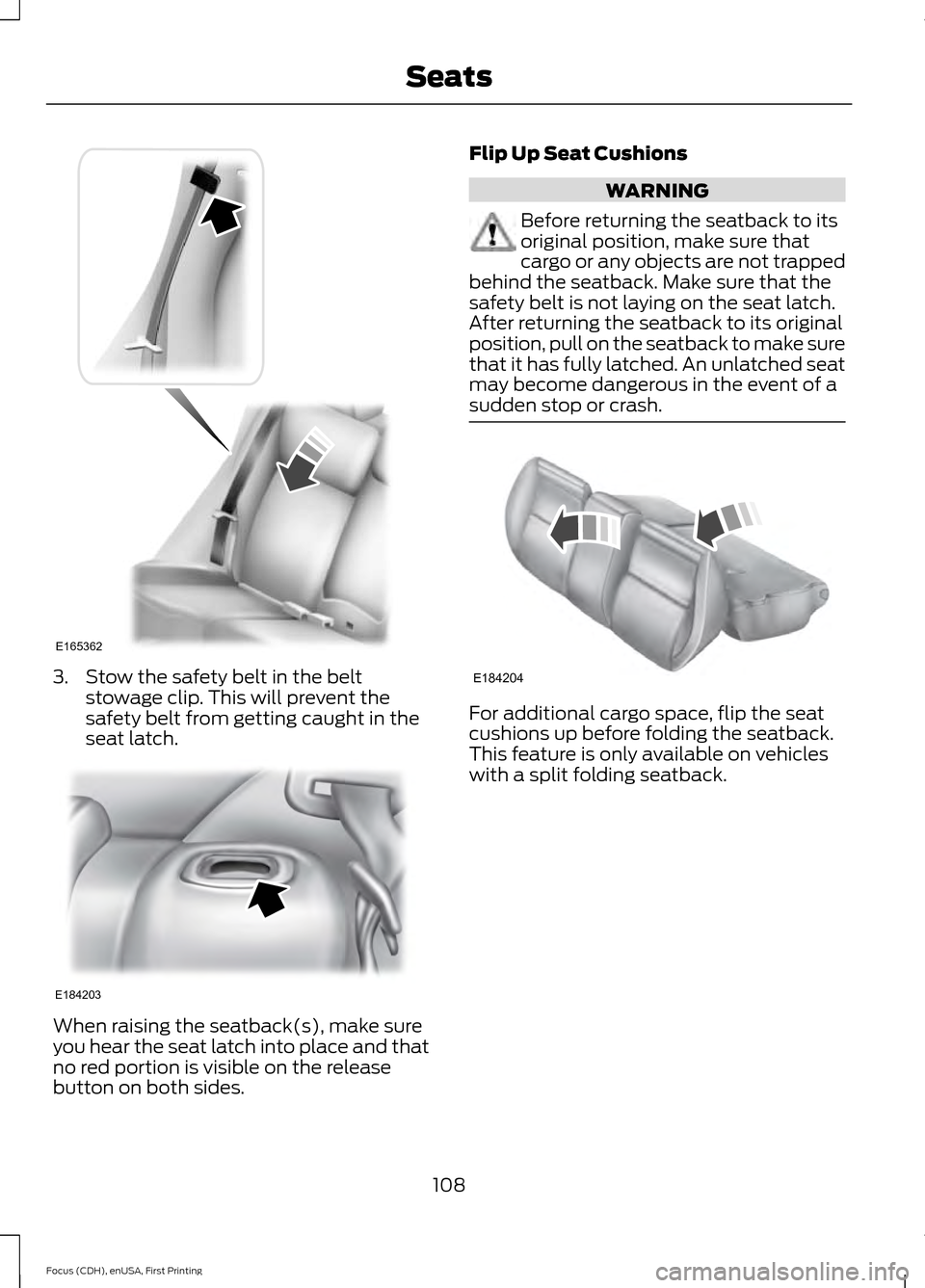
3. Stow the safety belt in the belt
stowage clip. This will prevent the
safety belt from getting caught in the
seat latch. When raising the seatback(s), make sure
you hear the seat latch into place and that
no red portion is visible on the release
button on both sides. Flip Up Seat Cushions WARNING
Before returning the seatback to its
original position, make sure that
cargo or any objects are not trapped
behind the seatback. Make sure that the
safety belt is not laying on the seat latch.
After returning the seatback to its original
position, pull on the seatback to make sure
that it has fully latched. An unlatched seat
may become dangerous in the event of a
sudden stop or crash. For additional cargo space, flip the seat
cushions up before folding the seatback.
This feature is only available on vehicles
with a split folding seatback.
108
Focus (CDH), enUSA, First Printing SeatsE165362 E184203 E184204
Page 114 of 369
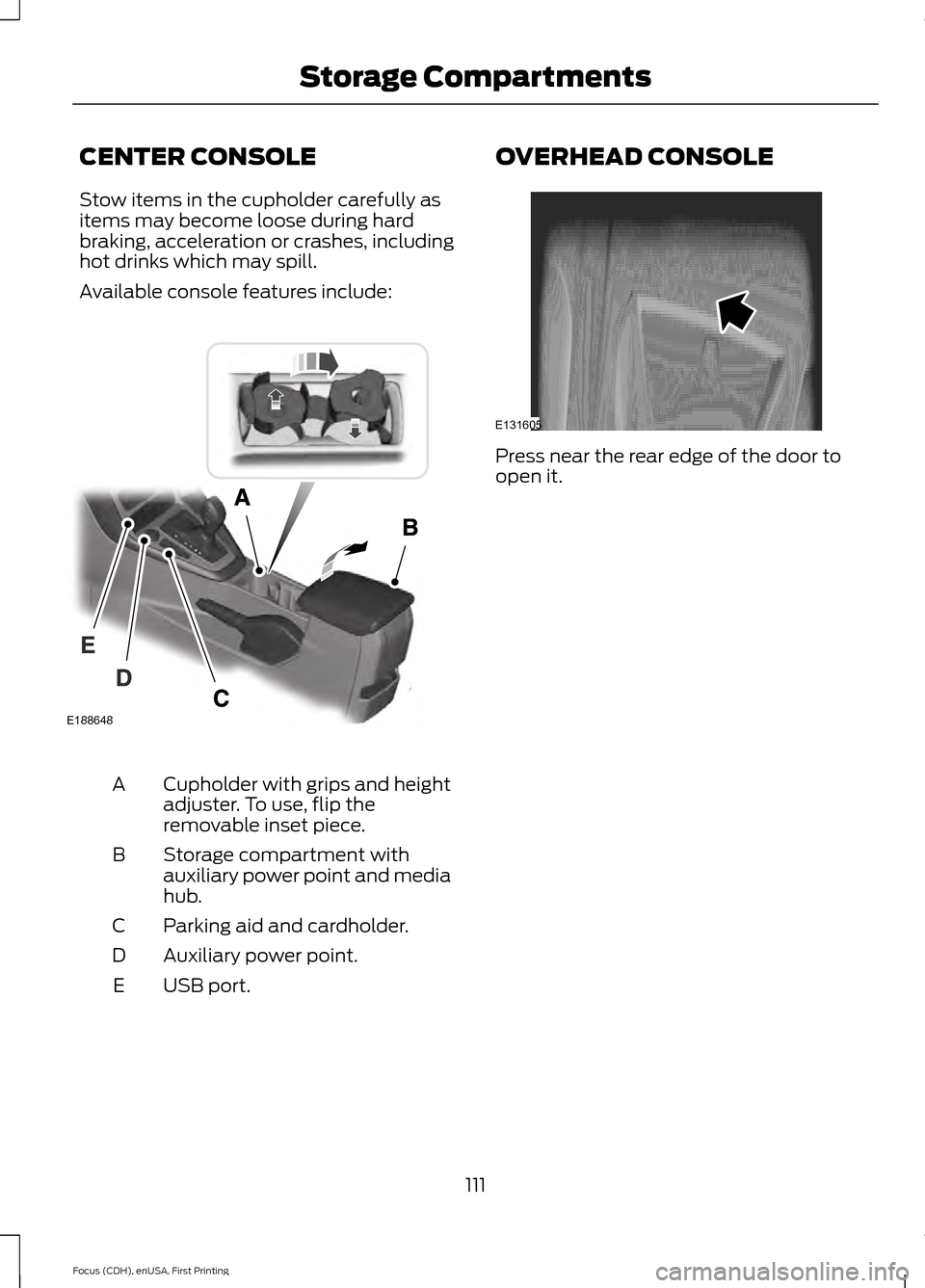
CENTER CONSOLE
Stow items in the cupholder carefully as
items may become loose during hard
braking, acceleration or crashes, including
hot drinks which may spill.
Available console features include:
Cupholder with grips and height
adjuster. To use, flip the
removable inset piece.
A
Storage compartment with
auxiliary power point and media
hub.
B
Parking aid and cardholder.
C
Auxiliary power point.
D
USB port.
E OVERHEAD CONSOLE
Press near the rear edge of the door to
open it.
111
Focus (CDH), enUSA, First Printing Storage CompartmentsE131605 E188648
Page 127 of 369
GENERAL INFORMATION
Note:
Occasional brake noise is normal. If
a metal-to-metal, continuous grinding or
continuous squeal sound is present, the
brake linings may be worn-out. Have the
system checked by an authorized dealer. If
the vehicle has continuous vibration or
shudder in the steering wheel while braking,
have it checked by an authorized dealer.
Note: Brake dust may accumulate on the
wheels, even under normal driving
conditions. Some dust is inevitable as the
brakes wear and does not contribute to
brake noise. See Cleaning the Alloy
Wheels (page 186). See
Warning Lamps and
Indicators (page 83).
Wet brakes result in reduced braking
efficiency. Gently press the brake pedal a
few times when driving from a car wash or
standing water to dry the brakes.
Brake Over Accelerator
In the event the accelerator pedal
becomes stuck or entrapped, apply steady
and firm pressure to the brake pedal to
slow the vehicle and reduce engine power.
If you experience this condition, apply the
brakes and bring your vehicle to a safe
stop. Move the transmission to park (P),
switch the engine off and apply the parking
brake. Inspect the accelerator pedal for
any interference. If none are found and the
condition persists, have your vehicle towed
to the nearest authorized dealer.
Brake Assist
Brake assist detects when you brake
heavily by measuring the rate at which you
press the brake pedal. It provides
maximum braking efficiency as long as you
press the pedal. Brake assist can reduce
stopping distances in critical situations. Anti-lock Brake System
This system helps you maintain steering
control during emergency stops by keeping
the brakes from locking. This lamp momentarily
illuminates when you turn the
ignition on. If the light does not
illuminate during start up, remains on or
flashes, the system may be disabled. Have
the system checked by an authorized
dealer. If the anti-lock brake system is
disabled, normal braking is still effective. If the brake warning lamp
illuminates when you release the
parking brake, have the system
checked by an authorized dealer.
Regenerative Braking System
This feature is used to simulate the engine
braking of an internal combustion engine
and assist the standard brake system while
recovering some of the energy of motion
and storing it in the battery to improve the
range of your vehicle. The standard brake
system is designed to fully stop the car if
regenerative braking is not available.
During regenerative braking, the motor is
spun as a generator to create electrical
current. This recharges the battery and
slows the vehicle. In effect, once the
accelerator pedal is released, the motor
changes from an energy user to an energy
producer.
When the accelerator pedal is released or
the brake pedal is applied, the brake
controller automatically detects the
amount of deceleration requested and
optimizes how much of the deceleration
will be produced by regenerative braking.
The remaining portion is generated by
124
Focus (CDH), enUSA, First Printing BrakesE144522 E144522