brake sensor FORD FUSION 2020 User Guide
[x] Cancel search | Manufacturer: FORD, Model Year: 2020, Model line: FUSION, Model: FORD FUSION 2020Pages: 497, PDF Size: 6.64 MB
Page 201 of 497
WARNING: The system only warns
of vehicles detected by the radar sensor.
In some cases there may be no warning
or a delayed warning. Apply the brakes
when necessary. Failure to follow this
instruction could result in personal injury
or death.
When a vehicle ahead of you enters the
same lane or a slower vehicle is ahead in
the same lane, the vehicle speed adjusts
to maintain a preset gap distance. A
vehicle graphic illuminates in the
instrument cluster.
Note: The brakes may emit noise when
applied by the system.
Note: When you are following a vehicle and
you switch on a direction indicator, adaptive
cruise control may provide a small
temporary acceleration to help you pass.
Your vehicle maintains a consistent gap
from the vehicle ahead until:
• The vehicle in front of you accelerates
to a speed above the set speed.
• The vehicle in front of you moves out
of the lane you are in.
• You set a new gap distance.
The system applies the brakes to slow your
vehicle to maintain a safe gap distance
from the vehicle in front. The system only
applies limited braking. You can override
the system by applying the brakes.
If the system determines that its maximum
braking level is not sufficient, an audible
warning sounds, a message appears in the
information display and an indicator
flashes when the system continues to
brake. Take immediate action. Following a Vehicle to a Complete
Stop
If your vehicle follows a vehicle to a
complete stop and remains stationary for
less than three seconds, your vehicle
accelerates from a stationary position to
follow the vehicle ahead. If your vehicle follows a vehicle
to a complete stop and remains
stationary for more than three
seconds, press to follow the vehicle ahead.
Or press the accelerator pedal.
Setting the Gap Distance
You can decrease or increase the distance
between your vehicle and the vehicle in
front by pressing the gap control. Press and release to decrease
the gap distance.
Press and release to increase the
gap distance.
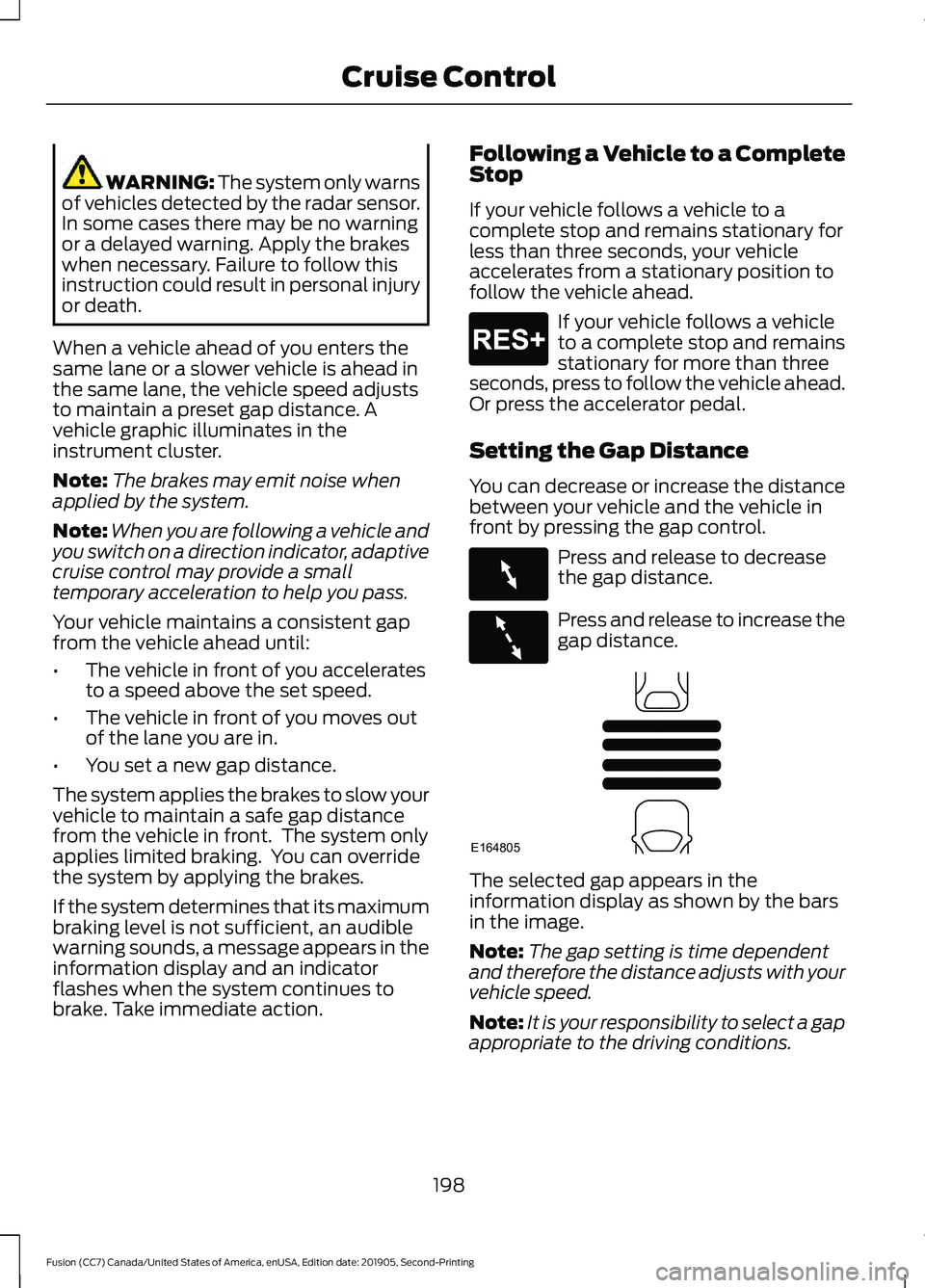
The selected gap appears in the
information display as shown by the bars
in the image.
Note:
The gap setting is time dependent
and therefore the distance adjusts with your
vehicle speed.
Note: It is your responsibility to select a gap
appropriate to the driving conditions.
198
Fusion (CC7) Canada/United States of America, enUSA, Edition date: 201905, Second-Printing Cruise ControlE265299 E263697 E263696 E164805
Page 203 of 497
Park Brake Application
Automatic parking brake application and
cancellation occurs if:
•
You unbuckle the seatbelt and open
the door after you stop the vehicle.
• You hold the vehicle at a stop
continuously for more than three
minutes.
Hilly Condition Usage
Select a lower gear when the system is
active in situations such as prolonged
downhill driving on steep grades, for
example in mountainous areas. The
system needs additional engine braking in
these situations to reduce the load on the
vehicle ’s regular brake system to prevent
it from overheating.
Note: An audible alarm sounds and the
system shuts down if it applies brakes for
an extended period of time. This allows the
brakes to cool. The system functions
normally again after the brakes cool.
Switching Adaptive Cruise Control
Off For vehicles without Speed
Limiter, press and release the
button when the system is in
standby mode or switch the ignition off. For vehicles with Speed Limiter,
press and release the button
when the system is in standby
mode or switch the ignition off.
Note: You erase the set speed when you
switch the system off. Detection Issues WARNING: On rare occasions,
detection issues can occur due to the
road infrastructures, for example bridges,
tunnels and safety barriers. In these
cases, the system may brake late or
unexpectedly. At all times, you are
responsible for controlling your vehicle,
supervising the system and intervening,
if required. WARNING:
If the system
malfunctions, have your vehicle checked
as soon as possible.
The radar sensor has a limited field of view.
It may not detect vehicles at all or detect
a vehicle later than expected in some
situations. The lead vehicle graphic does
not illuminate if the system does not
detect a vehicle in front of you.
200
Fusion (CC7) Canada/United States of America, enUSA, Edition date: 201905, Second-Printing Cruise ControlE265297 E144529
Page 204 of 497
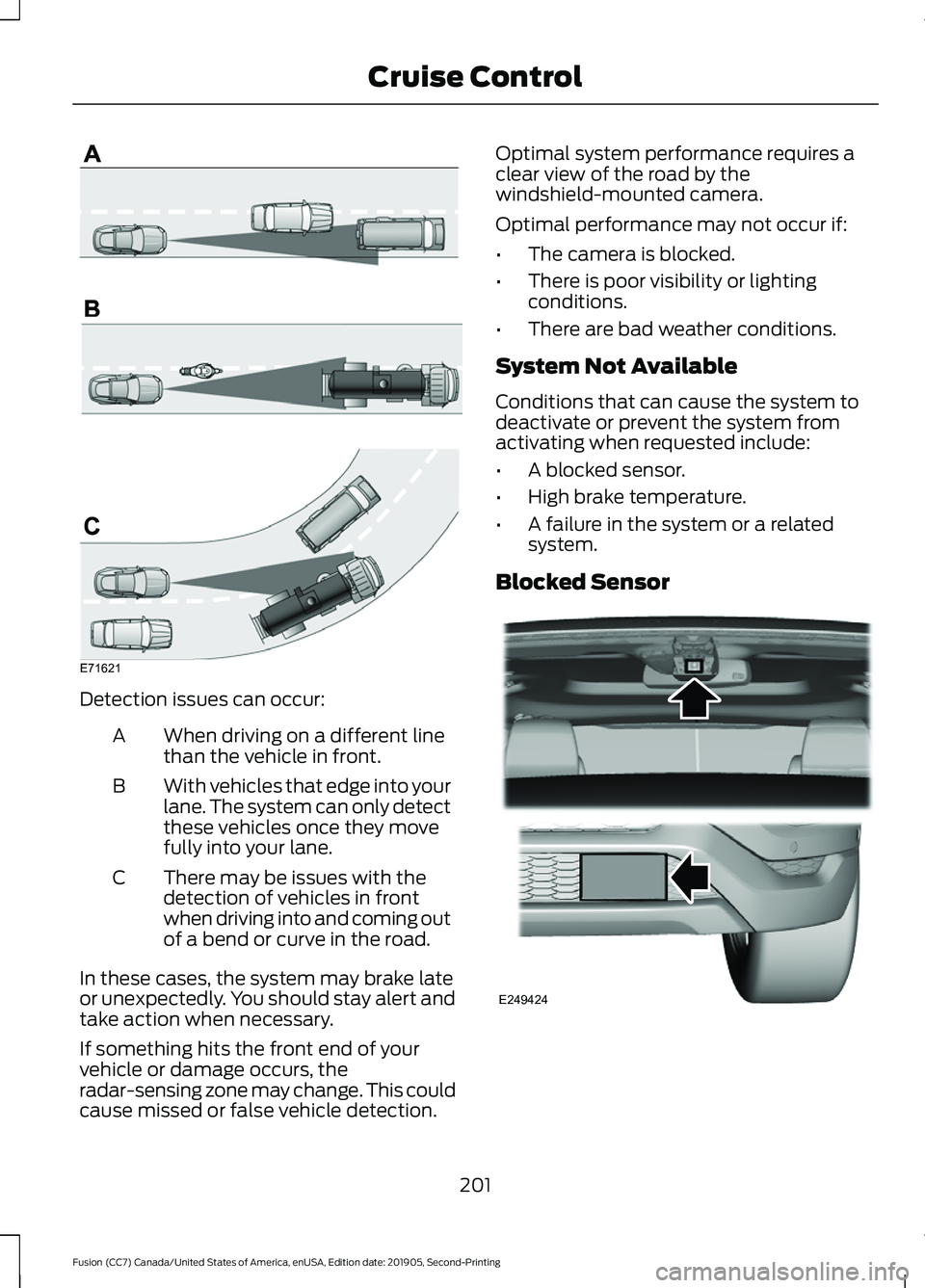
Detection issues can occur:
When driving on a different line
than the vehicle in front.
A
With vehicles that edge into your
lane. The system can only detect
these vehicles once they move
fully into your lane.
B
There may be issues with the
detection of vehicles in front
when driving into and coming out
of a bend or curve in the road.
C
In these cases, the system may brake late
or unexpectedly. You should stay alert and
take action when necessary.
If something hits the front end of your
vehicle or damage occurs, the
radar-sensing zone may change. This could
cause missed or false vehicle detection. Optimal system performance requires a
clear view of the road by the
windshield-mounted camera.
Optimal performance may not occur if:
•
The camera is blocked.
• There is poor visibility or lighting
conditions.
• There are bad weather conditions.
System Not Available
Conditions that can cause the system to
deactivate or prevent the system from
activating when requested include:
• A blocked sensor.
• High brake temperature.
• A failure in the system or a related
system.
Blocked Sensor 201
Fusion (CC7) Canada/United States of America, enUSA, Edition date: 201905, Second-Printing Cruise ControlE71621 E249424
Page 205 of 497
A message displays if something obstructs
the radar signals from the sensor. The
sensor is in the lower grille. The system
cannot detect a vehicle ahead and does
not function when something blocks the
sensor.
Note:
You cannot see the sensor. It is
behind a fascia panel.
Note: Keep the front of your vehicle free of
dirt, metal badges or objects. Vehicle front
protectors, aftermarket lights, additional
paint or plastic coatings could also degrade
sensor performance.
Possible Causes and Actions for This Message Displaying: Action
Cause
Clean the grille surface in front of the radar
or remove the object causing the obstruc-
tion.
The surface of the radar is dirty or
obstructed.
Wait a short time. It may take several
minutes for the radar to detect that it is free
from obstruction.
The surface of the radar is clean but the
message remains in the display.
Do not use the system in these conditions
because it may not detect any vehicles
ahead.
Heavy rain or snow is interfering with the
radar signals.
Do not use the system in these conditions
because it may not detect any vehicles
ahead.
Water, snow or ice on the surface of the
road may interfere with the radar signals.
Wait for a short time or switch to normal
cruise control.
You are in a desert or remote area with no
other vehicles and no roadside objects.
Due to the nature of radar technology, it is possible to get a blockage warning with no
actual block. This happens, for example, when driving in sparse rural or desert
environments. A false blocked condition either self clears, or clears after you restart your
vehicle.
Switching to Normal Cruise
Control WARNING: Normal cruise control
will not brake when your vehicle is
approaching slower vehicles. Always be
aware of which mode you have selected
and apply the brakes when necessary. The cruise control indicator light
replaces the adaptive cruise
control indicator light if you
select normal cruise control. The gap
setting does not display, and the system
does not respond to lead vehicles.
Automatic braking remains active to
maintain set speed.
You can change from adaptive cruise
control to normal cruise control through
the information display.
202
Fusion (CC7) Canada/United States of America, enUSA, Edition date: 201905, Second-Printing Cruise ControlE71340
Page 250 of 497
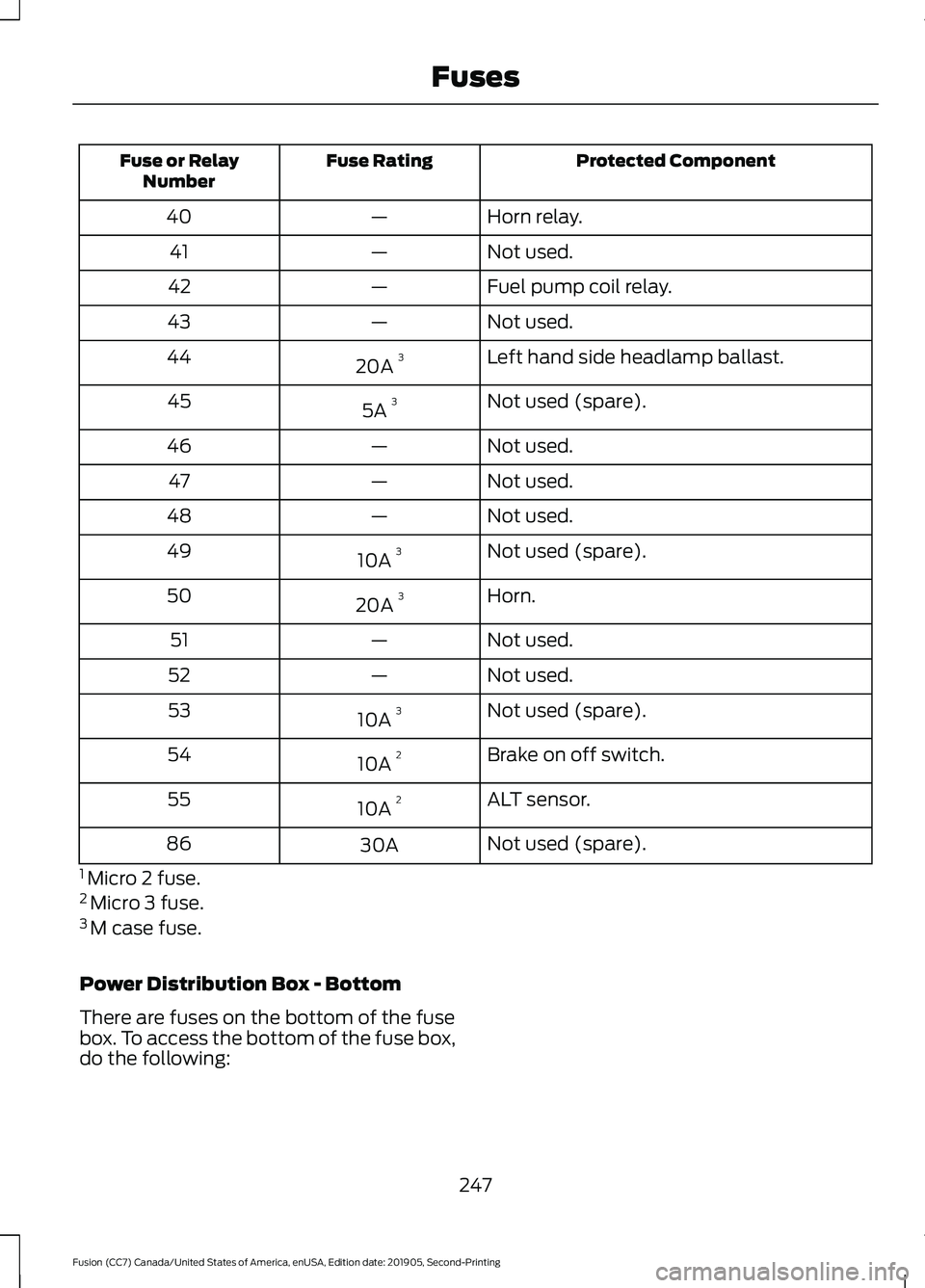
Protected Component
Fuse Rating
Fuse or Relay
Number
Horn relay.
—
40
Not used.
—
41
Fuel pump coil relay.
—
42
Not used.
—
43
Left hand side headlamp ballast.
20A 3
44
Not used (spare).
5A 3
45
Not used.
—
46
Not used.
—
47
Not used.
—
48
Not used (spare).
10A 3
49
Horn.
20A 3
50
Not used.
—
51
Not used.
—
52
Not used (spare).
10A 3
53
Brake on off switch.
10A 2
54
ALT sensor.
10A 2
55
Not used (spare).
30A
86
1 Micro 2 fuse.
2 Micro 3 fuse.
3 M case fuse.
Power Distribution Box - Bottom
There are fuses on the bottom of the fuse
box. To access the bottom of the fuse box,
do the following:
247
Fusion (CC7) Canada/United States of America, enUSA, Edition date: 201905, Second-Printing Fuses
Page 311 of 497
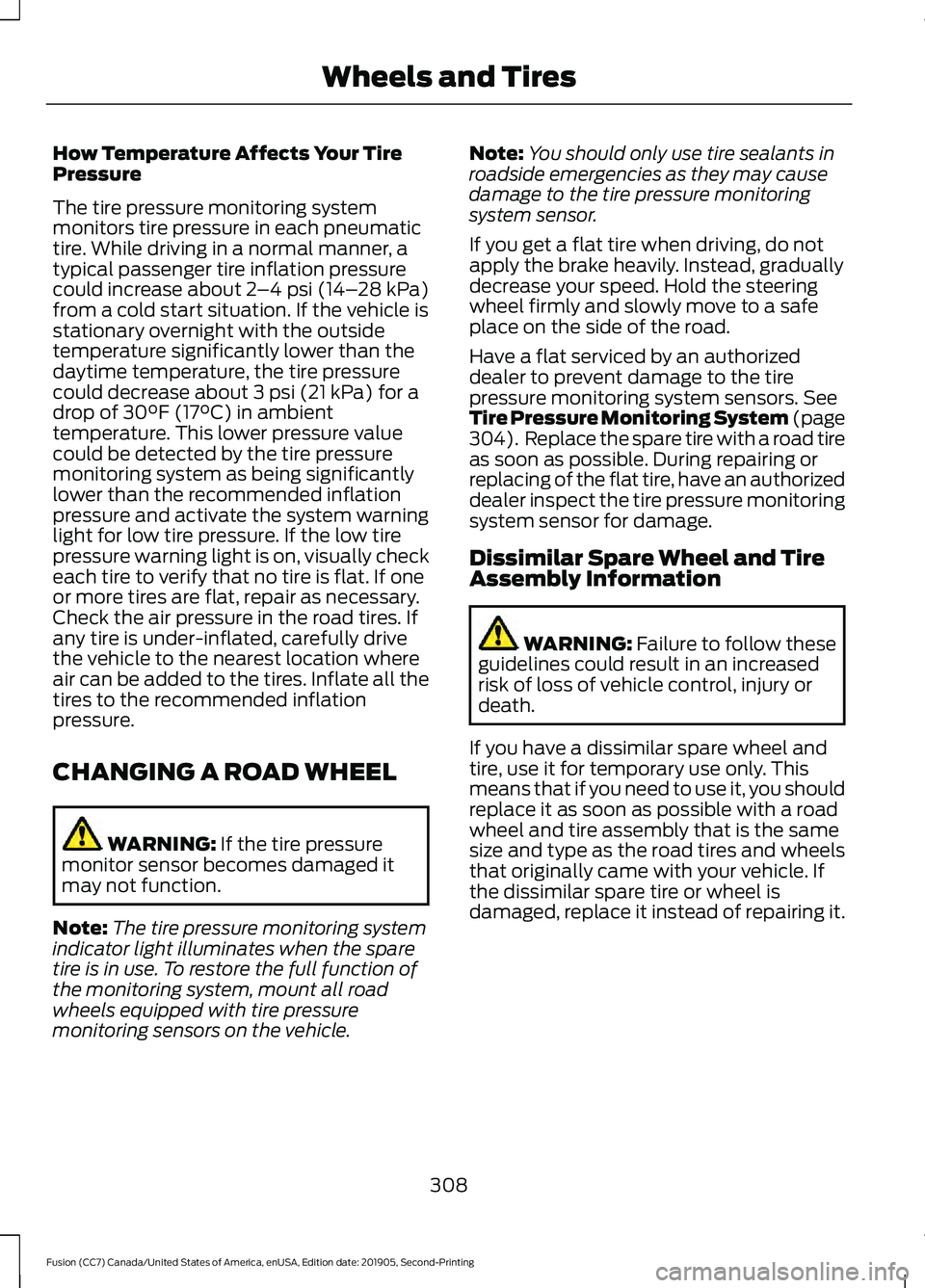
How Temperature Affects Your Tire
Pressure
The tire pressure monitoring system
monitors tire pressure in each pneumatic
tire. While driving in a normal manner, a
typical passenger tire inflation pressure
could increase about 2
–4 psi (14– 28 kPa)
from a cold start situation. If the vehicle is
stationary overnight with the outside
temperature significantly lower than the
daytime temperature, the tire pressure
could decrease about
3 psi (21 kPa) for a
drop of 30°F (17°C) in ambient
temperature. This lower pressure value
could be detected by the tire pressure
monitoring system as being significantly
lower than the recommended inflation
pressure and activate the system warning
light for low tire pressure. If the low tire
pressure warning light is on, visually check
each tire to verify that no tire is flat. If one
or more tires are flat, repair as necessary.
Check the air pressure in the road tires. If
any tire is under-inflated, carefully drive
the vehicle to the nearest location where
air can be added to the tires. Inflate all the
tires to the recommended inflation
pressure.
CHANGING A ROAD WHEEL WARNING:
If the tire pressure
monitor sensor becomes damaged it
may not function.
Note: The tire pressure monitoring system
indicator light illuminates when the spare
tire is in use. To restore the full function of
the monitoring system, mount all road
wheels equipped with tire pressure
monitoring sensors on the vehicle. Note:
You should only use tire sealants in
roadside emergencies as they may cause
damage to the tire pressure monitoring
system sensor.
If you get a flat tire when driving, do not
apply the brake heavily. Instead, gradually
decrease your speed. Hold the steering
wheel firmly and slowly move to a safe
place on the side of the road.
Have a flat serviced by an authorized
dealer to prevent damage to the tire
pressure monitoring system sensors.
See
Tire Pressure Monitoring System (page
304). Replace the spare tire with a road tire
as soon as possible. During repairing or
replacing of the flat tire, have an authorized
dealer inspect the tire pressure monitoring
system sensor for damage.
Dissimilar Spare Wheel and Tire
Assembly Information WARNING:
Failure to follow these
guidelines could result in an increased
risk of loss of vehicle control, injury or
death.
If you have a dissimilar spare wheel and
tire, use it for temporary use only. This
means that if you need to use it, you should
replace it as soon as possible with a road
wheel and tire assembly that is the same
size and type as the road tires and wheels
that originally came with your vehicle. If
the dissimilar spare tire or wheel is
damaged, replace it instead of repairing it.
308
Fusion (CC7) Canada/United States of America, enUSA, Edition date: 201905, Second-Printing Wheels and Tires
Page 488 of 497
Connected Vehicle Limitations..............353
Connected Vehicle Requirements.........353
Connected Vehicle – Troubleshooting........................................354
Connecting the Vehicle to a Mobile Network........................................................353
Connecting FordPass to the Modem.........353
Enabling and Disabling the Modem...........353
What Is the Modem.......................................... 353
Connecting the Vehicle to a Wi-Fi Network........................................................353
Coolant Check See: Engine Coolant Check............................ 262
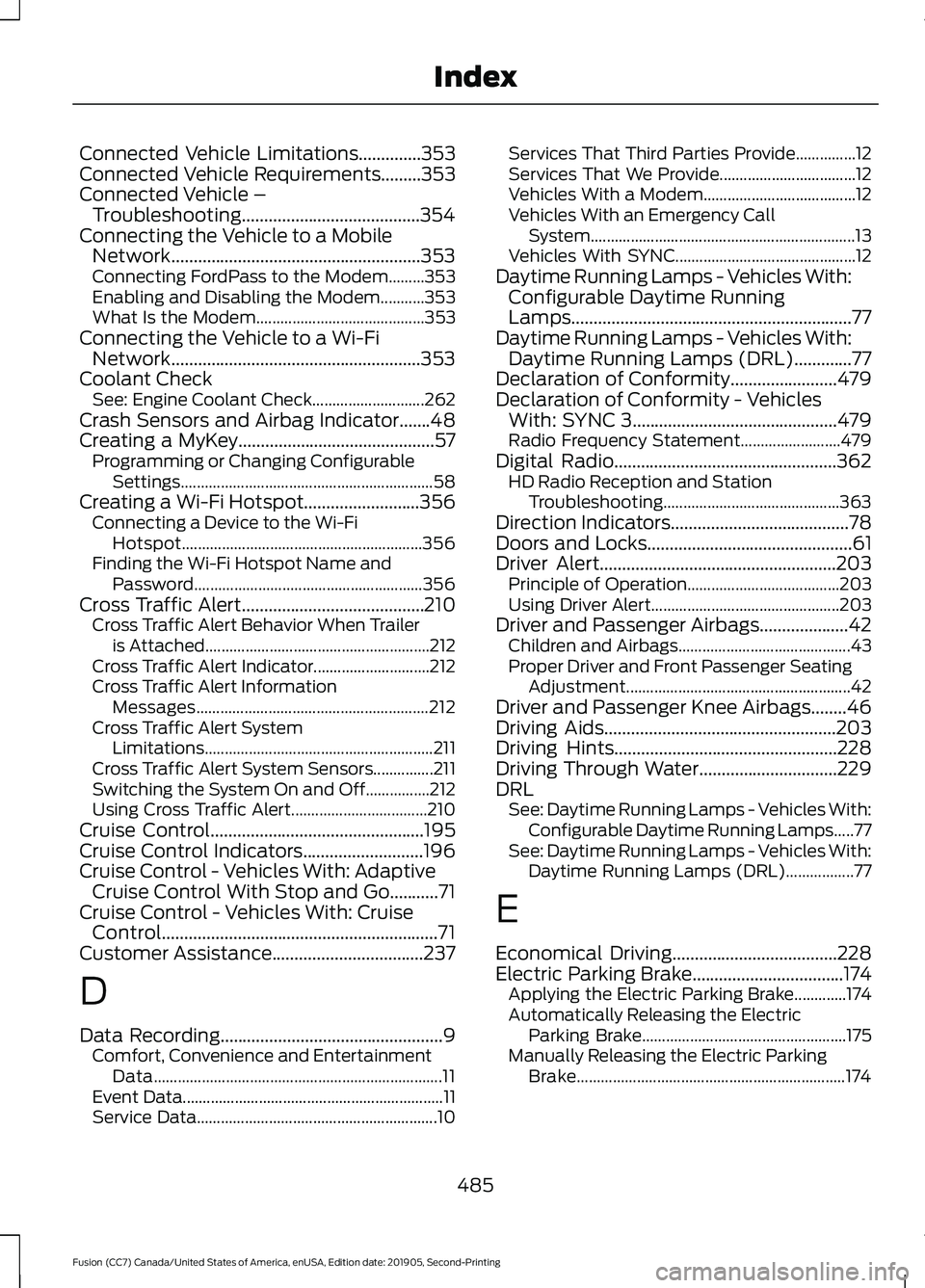
Crash Sensors and Airbag Indicator.......48
Creating a MyKey............................................57 Programming or Changing Configurable
Settings............................................................... 58
Creating a Wi-Fi Hotspot
..........................356
Connecting a Device to the Wi-Fi
Hotspot............................................................ 356
Finding the Wi-Fi Hotspot Name and Password......................................................... 356
Cross Traffic Alert.........................................210 Cross Traffic Alert Behavior When Trailer
is Attached........................................................ 212
Cross Traffic Alert Indicator............................. 212
Cross Traffic Alert Information Messages.......................................................... 212
Cross Traffic Alert System Limitations......................................................... 211
Cross Traffic Alert System Sensors...............211
Switching the System On and Off................212
Using Cross Traffic Alert.................................. 210
Cruise Control................................................195
Cruise Control Indicators...........................196
Cruise Control - Vehicles With: Adaptive Cruise Control With Stop and Go...........71
Cruise Control - Vehicles With: Cruise Control..............................................................71
Customer Assistance
..................................237
D
Data Recording
..................................................9
Comfort, Convenience and Entertainment
Data........................................................................\
11
Event Data................................................................. 11
Service Data............................................................ 10Services That Third Parties Provide...............12
Services That We Provide..................................
12
Vehicles With a Modem...................................... 12
Vehicles With an Emergency Call System.................................................................. 13
Vehicles With SYNC............................................. 12
Daytime Running Lamps - Vehicles With: Configurable Daytime Running
Lamps...............................................................77
Daytime Running Lamps - Vehicles With: Daytime Running Lamps (DRL).............77
Declaration of Conformity
........................479
Declaration of Conformity - Vehicles With: SYNC 3..............................................479
Radio Frequency Statement......................... 479
Digital Radio
..................................................362
HD Radio Reception and Station
Troubleshooting............................................ 363
Direction Indicators
........................................78
Doors and Locks..............................................61
Driver Alert.....................................................203 Principle of Operation...................................... 203
Using Driver Alert............................................... 203
Driver and Passenger Airbags....................42 Children and Airbags........................................... 43
Proper Driver and Front Passenger Seating Adjustment........................................................ 42
Driver and Passenger Knee Airbags........46
Driving Aids
....................................................203
Driving Hints..................................................228
Driving Through Water...............................229
DRL See: Daytime Running Lamps - Vehicles With:
Configurable Daytime Running Lamps.....77
See: Daytime Running Lamps - Vehicles With: Daytime Running Lamps (DRL).................77
E
Economical Driving
.....................................228
Electric Parking Brake..................................174
Applying the Electric Parking Brake.............174
Automatically Releasing the Electric
Parking Brake................................................... 175
Manually Releasing the Electric Parking Brake................................................................... 174
485
Fusion (CC7) Canada/United States of America, enUSA, Edition date: 201905, Second-Printing Index