lights FORD FUSION ENERGI 2018 Owner's Manual
[x] Cancel search | Manufacturer: FORD, Model Year: 2018, Model line: FUSION ENERGI, Model: FORD FUSION ENERGI 2018Pages: 538, PDF Size: 7.52 MB
Page 220 of 538
Zone coverage also decreases whenparking at narrow angles. The sensor onthe left-hand side is mostly obstructed andzone coverage on that side is severelyreduced.
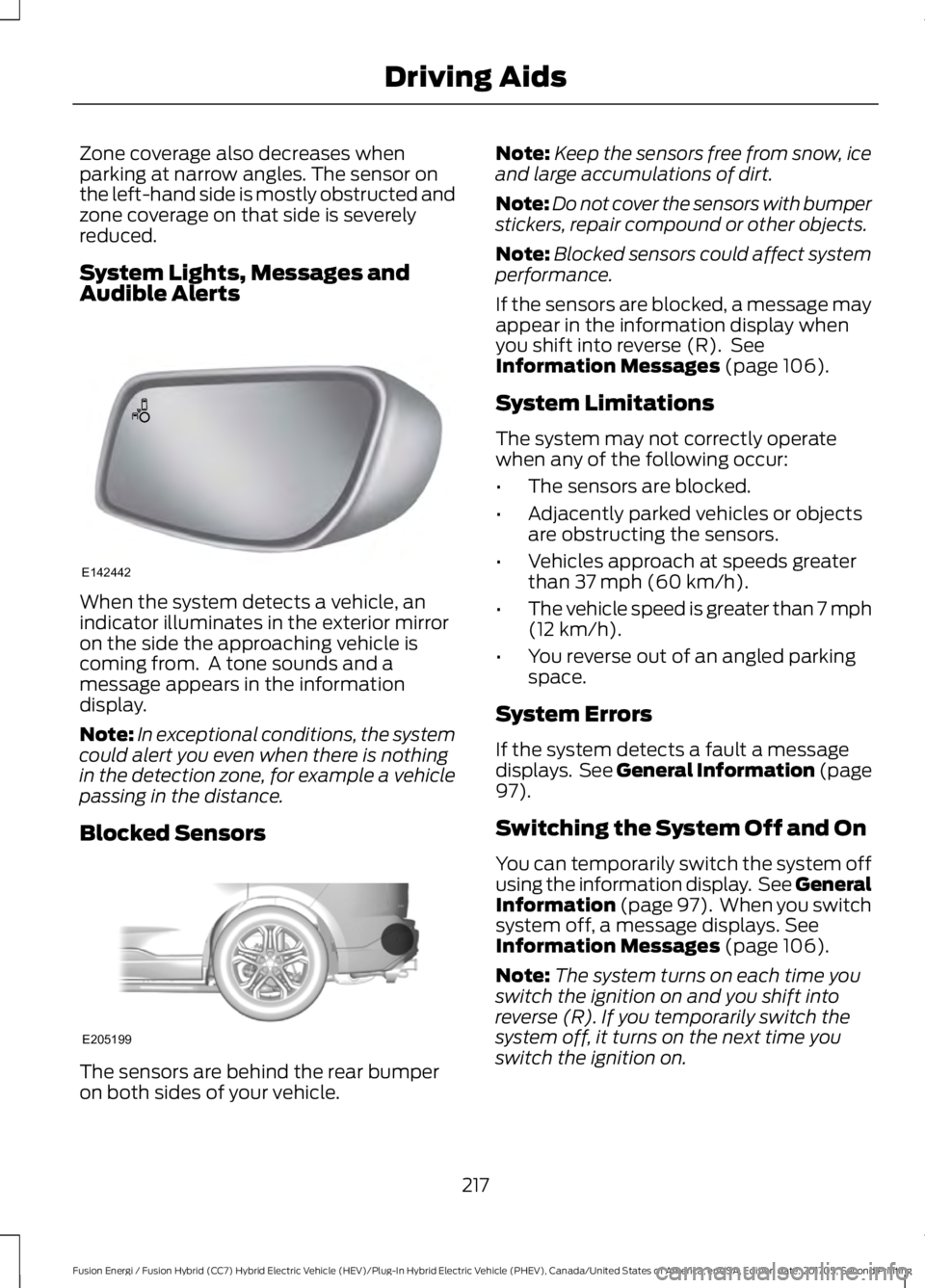
System Lights, Messages andAudible Alerts
When the system detects a vehicle, anindicator illuminates in the exterior mirroron the side the approaching vehicle iscoming from. A tone sounds and amessage appears in the informationdisplay.
Note:In exceptional conditions, the systemcould alert you even when there is nothingin the detection zone, for example a vehiclepassing in the distance.
Blocked Sensors
The sensors are behind the rear bumperon both sides of your vehicle.
Note:Keep the sensors free from snow, iceand large accumulations of dirt.
Note:Do not cover the sensors with bumperstickers, repair compound or other objects.
Note:Blocked sensors could affect systemperformance.
If the sensors are blocked, a message mayappear in the information display whenyou shift into reverse (R). SeeInformation Messages (page 106).
System Limitations
The system may not correctly operatewhen any of the following occur:
•The sensors are blocked.
•Adjacently parked vehicles or objectsare obstructing the sensors.
•Vehicles approach at speeds greaterthan 37 mph (60 km/h).
•The vehicle speed is greater than 7 mph(12 km/h).
•You reverse out of an angled parkingspace.
System Errors
If the system detects a fault a messagedisplays. See General Information (page97).
Switching the System Off and On
You can temporarily switch the system offusing the information display. See GeneralInformation (page 97). When you switchsystem off, a message displays. SeeInformation Messages (page 106).
Note:The system turns on each time youswitch the ignition on and you shift intoreverse (R). If you temporarily switch thesystem off, it turns on the next time youswitch the ignition on.
217
Fusion Energi / Fusion Hybrid (CC7) Hybrid Electric Vehicle (HEV)/Plug-In Hybrid Electric Vehicle (PHEV), Canada/United States of America, enUSA, Edition date: 201705, Second Printing
Driving AidsE142442 E205199
Page 222 of 538

PRE-COLLISION ASSIST (If
Equipped)
WARNINGS
At all times, you are responsible forcontrolling your vehicle, supervisingthe system and intervening, ifrequired. Failure to take care may result inthe loss of control of your vehicle, seriouspersonal injury or death.
The system is designed to aid thedriver. It is not intended to replaceyour attention and judgment. You arestill responsible to drive with due care andattention.
The system does not detect vehiclesthat are driving in a differentdirection, pedestrians at night,cyclists or animals. Failure to take caremay result in the loss of control of yourvehicle, serious personal injury or death.
The system does not operate duringhard acceleration or steering. Failureto take care may lead to a crash orpersonal injury.
The system may fail or operate withreduced function during cold andsevere weather conditions. Snow,ice, rain, spray and fog can adversely affectthe system. Keep the front camera andradar free of snow and ice. Failure to takecare may result in the loss of control ofyour vehicle, serious personal injury ordeath.
In situations where the vehiclecamera has limited detectioncapability, this may reduce systemperformance. These situations include butare not limited to direct or low sunlight,vehicles at night without tail lights,unconventional vehicle types, pedestrianswith complex backgrounds, running
WARNINGS
pedestrians, partly obscured pedestrians,or pedestrians that the system cannotdistinguish from a group. Failure to takecare may result in the loss of control ofyour vehicle, serious personal injury ordeath.
The system cannot help prevent allcrashes. Do not rely on this systemto replace driver judgment and theneed to maintain a safe distance andspeed.
Using the Pre-Collision AssistSystem
The system is active at speeds aboveapproximately 3 mph (5 km/h) andpedestrian detection is active at speedsup to 50 mph (80 km/h).
If your vehicle is rapidly approachinganother stationary vehicle, a vehicletraveling in the same direction as yours, ora pedestrian within your driving path, thesystem is designed to provide three levelsof functionality:
1. Alert
2. Brake Support
3. Active Braking
219
Fusion Energi / Fusion Hybrid (CC7) Hybrid Electric Vehicle (HEV)/Plug-In Hybrid Electric Vehicle (PHEV), Canada/United States of America, enUSA, Edition date: 201705, Second Printing
Driving AidsE156130 E156131
Page 232 of 538
•Do not warm up your vehicle on coldmornings.
•Do not rest your foot on the brakepedal while driving.
•Avoid carrying unnecessary weight.Approximately 1 mi (1.6 km) per gallonor 0.2 mi (0.4 km) per liter is lost forevery 400 lb (180 kg) of weight carried.
•Avoid adding accessories that increaseaerodynamic drag to your vehicle suchas bug deflectors, car top carriers andski or bike racks.
•Avoid driving with the wheels out ofalignment.
Things to keep in mind when you refuelyour vehicle:
•Fuel generates fewer vapors when it iscool and dark outside. Refuel yourvehicle in the early morning or lateevening.
•Use the recommended octane-ratedfuel. Using fuel below therecommended rating will lower yourfuel economy.
DRIVING THROUGH WATER
WARNING
Do not drive through flowing or deepwater as you may lose control of yourvehicle.
Note:Driving through standing water cancause vehicle damage.
Note:Engine damage can occur if waterenters the air filter.
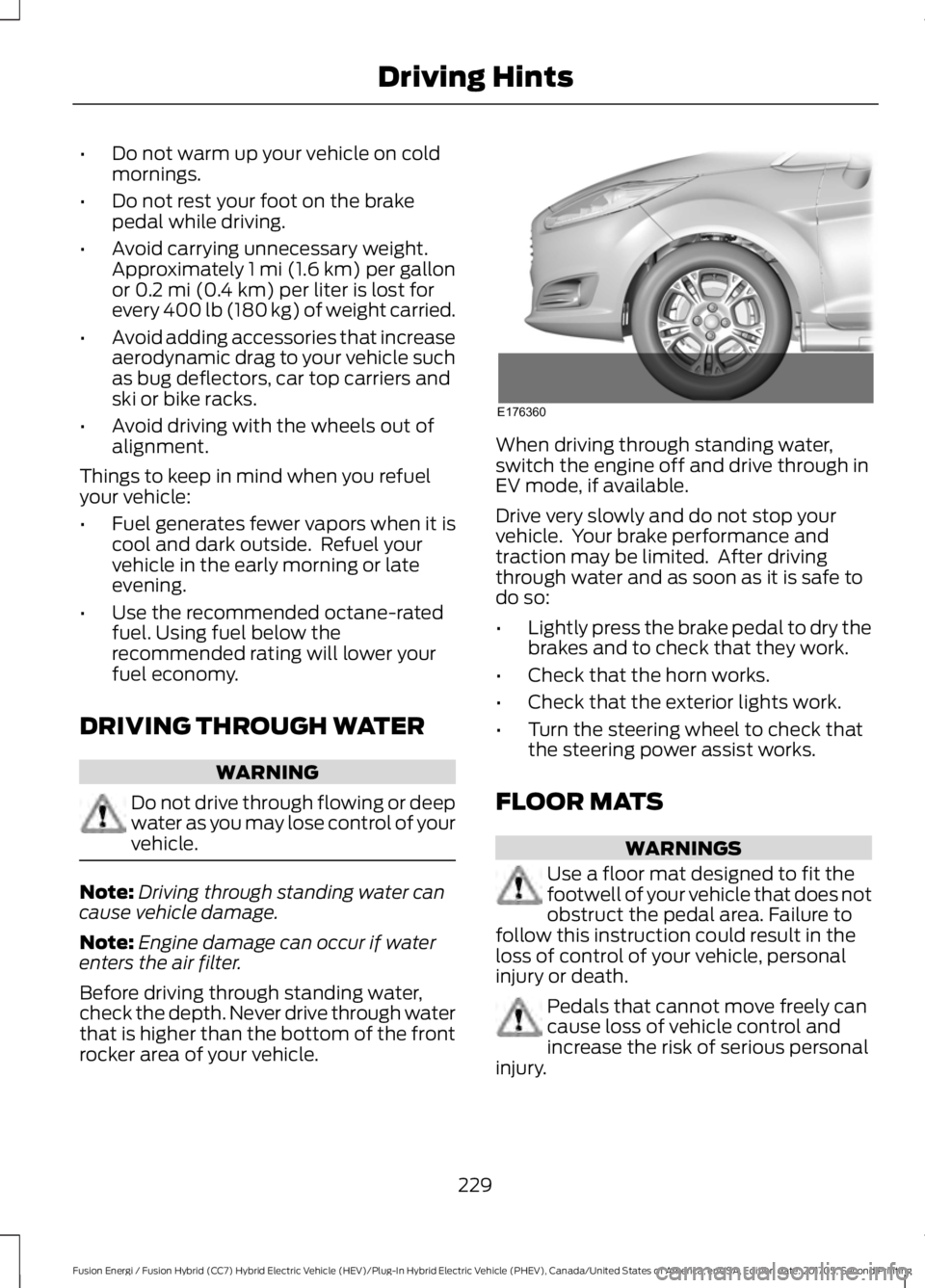
Before driving through standing water,check the depth. Never drive through waterthat is higher than the bottom of the frontrocker area of your vehicle.
When driving through standing water,switch the engine off and drive through inEV mode, if available.
Drive very slowly and do not stop yourvehicle. Your brake performance andtraction may be limited. After drivingthrough water and as soon as it is safe todo so:
•Lightly press the brake pedal to dry thebrakes and to check that they work.
•Check that the horn works.
•Check that the exterior lights work.
•Turn the steering wheel to check thatthe steering power assist works.
FLOOR MATS
WARNINGS
Use a floor mat designed to fit thefootwell of your vehicle that does notobstruct the pedal area. Failure tofollow this instruction could result in theloss of control of your vehicle, personalinjury or death.
Pedals that cannot move freely cancause loss of vehicle control andincrease the risk of serious personalinjury.
229
Fusion Energi / Fusion Hybrid (CC7) Hybrid Electric Vehicle (HEV)/Plug-In Hybrid Electric Vehicle (PHEV), Canada/United States of America, enUSA, Edition date: 201705, Second Printing
Driving HintsE176360
Page 285 of 538
General Information
WARNING
Failure to follow these guidelinescould result in an increased risk ofloss of vehicle control, injury or death.
Note:Do not use the kit if a tire has becomeseverely damaged. Only punctures locatedwithin the tire tread can be sealed with thekit.
Do not attempt to repair punctures largerthan 0.24 in (6 mm) or damage to the tire'ssidewall. The tire may not completely seal.
Loss of air pressure may adversely affecttire performance. For this reason:
Note:Do not drive the vehicle above50 mph (80 km/h).
Note:Do not drive further than 120 mi(200 km). Drive only to the closestauthorized Ford dealer or tire repair shop tohave your tire inspected.
•Drive carefully and avoid abruptsteering maneuvers.
•Periodically monitor tire inflationpressure in the affected tire; if the tireis losing pressure, have the vehicletowed.
•Read the information in the Tips forUse of the Kit section to make sure safeoperation of the kit and your vehicle.
Tips for Use of the Kit
To ensure safe operation of the kit:
•Read all instructions and cautions fully.
•Before operating the kit, make sureyour vehicle is safely off the road andaway from moving traffic. Turn on thehazard lights.
•Always set the parking brake to ensurethe vehicle doesn't move unexpectedly.
•Do not remove any foreign objects,such as nails or screws, from the tire.
•When using the kit, leave the enginerunning (only if the vehicle is outdoorsor in a well-ventilated area) so thecompressor does not drain thevehicle's battery.
•Do not allow the compressor tooperate continuously for more than 15minutes. This will help prevent thecompressor from overheating.
•Never leave the kit unattended duringoperation.
•Sealant compound contains latex.Those with latex sensitivities shoulduse appropriate precautions to avoidan allergic reaction.
•Keep the kit away from children.
•Only use the kit when the ambienttemperature is between -22°F (-30°C)and 158°F (70°C).
•Only use the sealing compound beforethe use-by date. The use-by date is ona label on the sealant canister and canbe seen through the rectangularviewing window on the bottom of thecompressor. Check the use-by dateregularly and replace the canister afterfour years of non-use.
•Do not store the kit unsecured insidethe passenger compartment of thevehicle as it may cause injury during asudden stop or crash. Always store thekit in its original location.
•After sealant use, the tire pressuremonitoring system sensor and valvestem on the wheel must be replacedby an authorized Ford dealer.
•Operating the kit could cause anelectrical disturbance in radio, CD, andDVD player operation.
282
Fusion Energi / Fusion Hybrid (CC7) Hybrid Electric Vehicle (HEV)/Plug-In Hybrid Electric Vehicle (PHEV), Canada/United States of America, enUSA, Edition date: 201705, Second Printing
Wheels and Tires
Page 286 of 538
* When inflation only is requiredfor a tire or other objects, theselector must be in the Airposition.
What to do when a Tire IsPunctured
A tire puncture within the tire's tread areacan be repaired in two stages with the kit.
•In the first stage, the tire will bereinflated with a sealing compoundand air. After the tire has been inflated,you will need to drive the vehicle ashort distance 4 mi (6 km) to distributethe sealant in the tire.
•In the second stage, you will need tocheck the tire pressure and adjust, ifnecessary, to the vehicle's specifiedtire inflation pressure.
First Stage: Reinflating the Tirewith Sealing Compound and Air
WARNINGS
Do not stand directly over the kitwhile inflating the tire. If you noticeany unusual bulges or deformationsin the tire's sidewall during inflation, stopand call roadside assistance.
If the tire does not inflate to therecommended tire pressure within15 minutes, stop and call roadsideassistance.
Do not run the engine whenoperating the air compressor unlessthe vehicle is outdoors or in awell-ventilated area.
Preparation: Park the vehicle in a safe, leveland secure area, away from moving traffic.
Turn the hazard lights on. Apply the parkingbrake and turn the engine off. Inspect theflat tire for visible damage.
Sealant compound contains latex. Useappropriate precautions to avoid anyallergic reactions.
Do not remove any foreign object that haspierced the tire. If a puncture is located inthe tire sidewall, stop and call roadsideassistance.
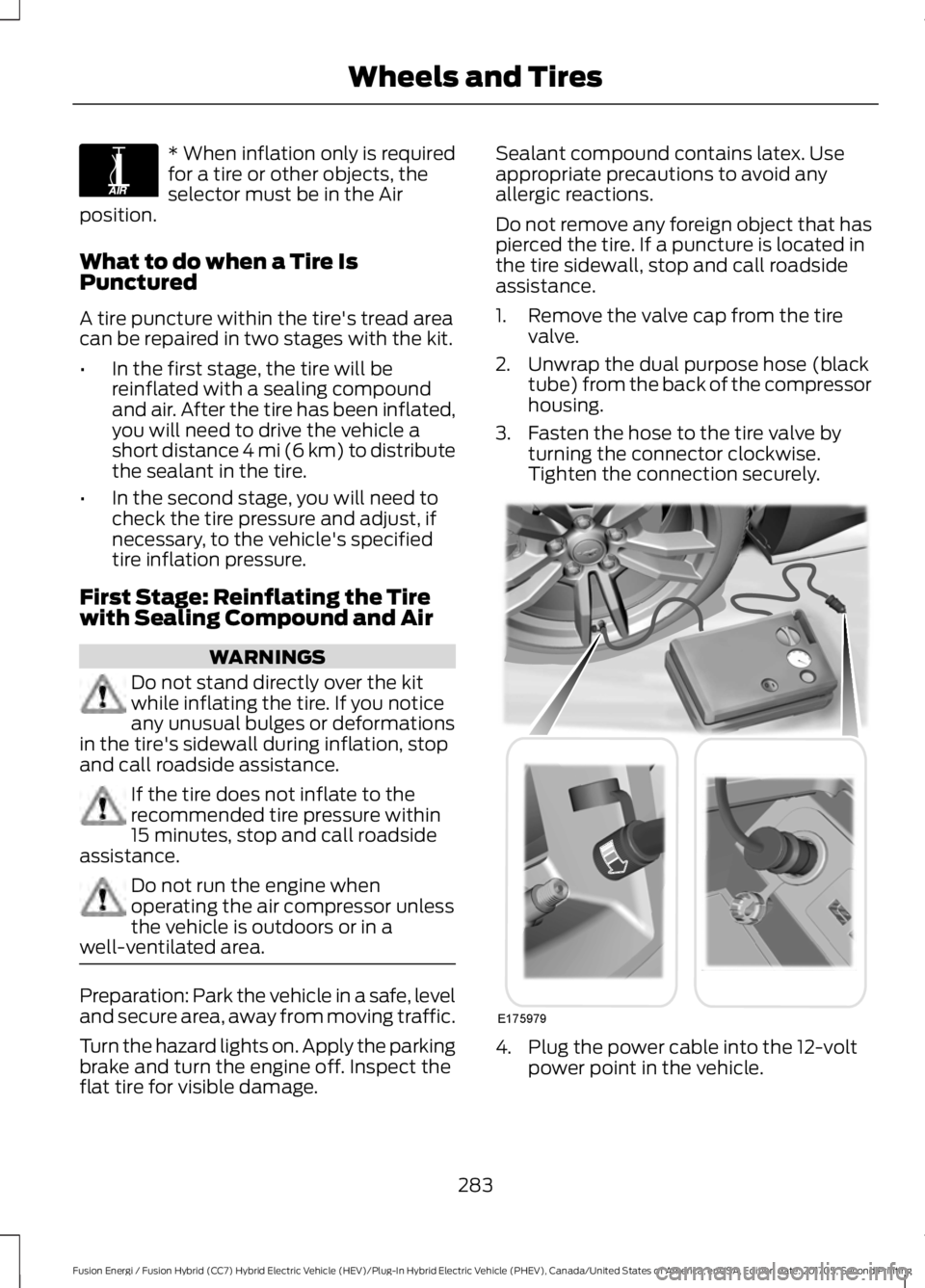
1. Remove the valve cap from the tirevalve.
2. Unwrap the dual purpose hose (blacktube) from the back of the compressorhousing.
3. Fasten the hose to the tire valve byturning the connector clockwise.Tighten the connection securely.
4. Plug the power cable into the 12-voltpower point in the vehicle.
283
Fusion Energi / Fusion Hybrid (CC7) Hybrid Electric Vehicle (HEV)/Plug-In Hybrid Electric Vehicle (PHEV), Canada/United States of America, enUSA, Edition date: 201705, Second Printing
Wheels and TiresE175978 E175979
Page 347 of 538
Sending a Text Message
Note:You can only send a text message toone recipient at a time.
1. Select the send option when thedesired selection highlights in the audiodisplay.
2. Select the confirmation option whenthe contact appears.
3. Press the OK button again to confirmwhen the system asks if you want tosend the message. A pre-definedsignature appears on each textmessage.
Note:You can send text messages eitherby choosing a contact from the phonebookand selecting the text option from the audiodisplay or by replying to a received messagein the inbox.
Accessing Your Phone Settings
These are phone-dependent features. Yourphone settings allow you to access andadjust features such as your ring tone andtext message notification, modify yourphonebook, and set up automaticdownload.
1. Press the PHONE button.
2. Scroll until the phone settings optionappears, and then press the OK button.
Scroll to select from the following options:
Description and actionMenu Item
If this option is checked, the system uses the cellular phoneas the master when there is more than one cellular phonepaired to the system. This option can be changed for allcellular phones (not only the active phone) using theBluetooth Devices menu.
Set as master
See the cellular phone name, provider name, cellularphone number, and signal level. When done, press the leftarrow buttons to return to the phone status menu.
Phone status
Select which ringtone sounds during an incoming call (oneof the system's tones or your cellular phone's). If yourphone supports in-band ringing, your phone's ringtonesounds when you choose the cellular phone ringtoneoption.
Set ringtone
1. Press the OK button to select and scroll to hear eachringtone.2. Press the OK button to select a ringtone.
Have the option of hearing an audible tone to notify youwhen a text message arrives. Press the OK button toswitch the audible tone off or on.
Text msg notify
Modify the contents of your phonebook (such as add,delete or download). Press the OK button to select andscroll between the choices in the phonebook preferencestable below.
Phonebook pref.
344
Fusion Energi / Fusion Hybrid (CC7) Hybrid Electric Vehicle (HEV)/Plug-In Hybrid Electric Vehicle (PHEV), Canada/United States of America, enUSA, Edition date: 201705, Second Printing
SYNC™
Page 405 of 538
DescriptionItemCallout
Touch the button to maximizedefrosting. Outside air flowsthrough the windshield vents,the fan automatically adjusts tothe highest speed and thetemperature dial returns to the
MAX Defrost:
full heat position. You can usethis setting to defog or clear athin covering of ice from thewindshield. The heated rearwindow also automatically turnson when you select MAX Defrost.
Touch to clear the windshield offog and thin ice. Touch again toreturn to the previous airflowselection. When on, defrostprovides outside air to reducewindow fogging and distributesair through the windshielddefroster vents and demistervents.
Defrost
Note: To prevent windowfogging, you cannot select recir-culated air when Defrost is on.
Touch the button to switch on automatic operation.Select the desired temperature using the temperaturecontrol. The system adjusts fan speed, air distribution,air conditioning operation, and selects outside air orrecirculated air to heat or cool the vehicle in order tomaintain the desired temperature.
AUTOD
Touch the button to switch the system on and off.Switching off the climate control system preventsoutside air from entering the vehicle.
PowerE
This button lights up when the passenger controls areactive. To switch the dual zone operation off and linkthe passenger temperature to the driver temperature,touch the DUAL button to switch it off.
DUALF
Touch up or down to adjust the temperature.Right-hand front seattemperatureG
Touch up or down to increase or decrease the volumeof air circulated in your vehicle.Fan speed:H
402
Fusion Energi / Fusion Hybrid (CC7) Hybrid Electric Vehicle (HEV)/Plug-In Hybrid Electric Vehicle (PHEV), Canada/United States of America, enUSA, Edition date: 201705, Second Printing
SYNC™ 3
Page 414 of 538
If you have subscribed to SiriusXM Trafficand Travel Link (where available), trafficflow will be indicated on the map by green(clear), yellow (slowing), and red(stopped) road highlights. Traffic flow isindicated where the information isavailable and varies across the US.
You can choose to display traffic icons onthe map representing twelve differenttypes of incidents. See Settings (page442).
You can set a destination by hoveringabove a location and selecting:
Button
Start
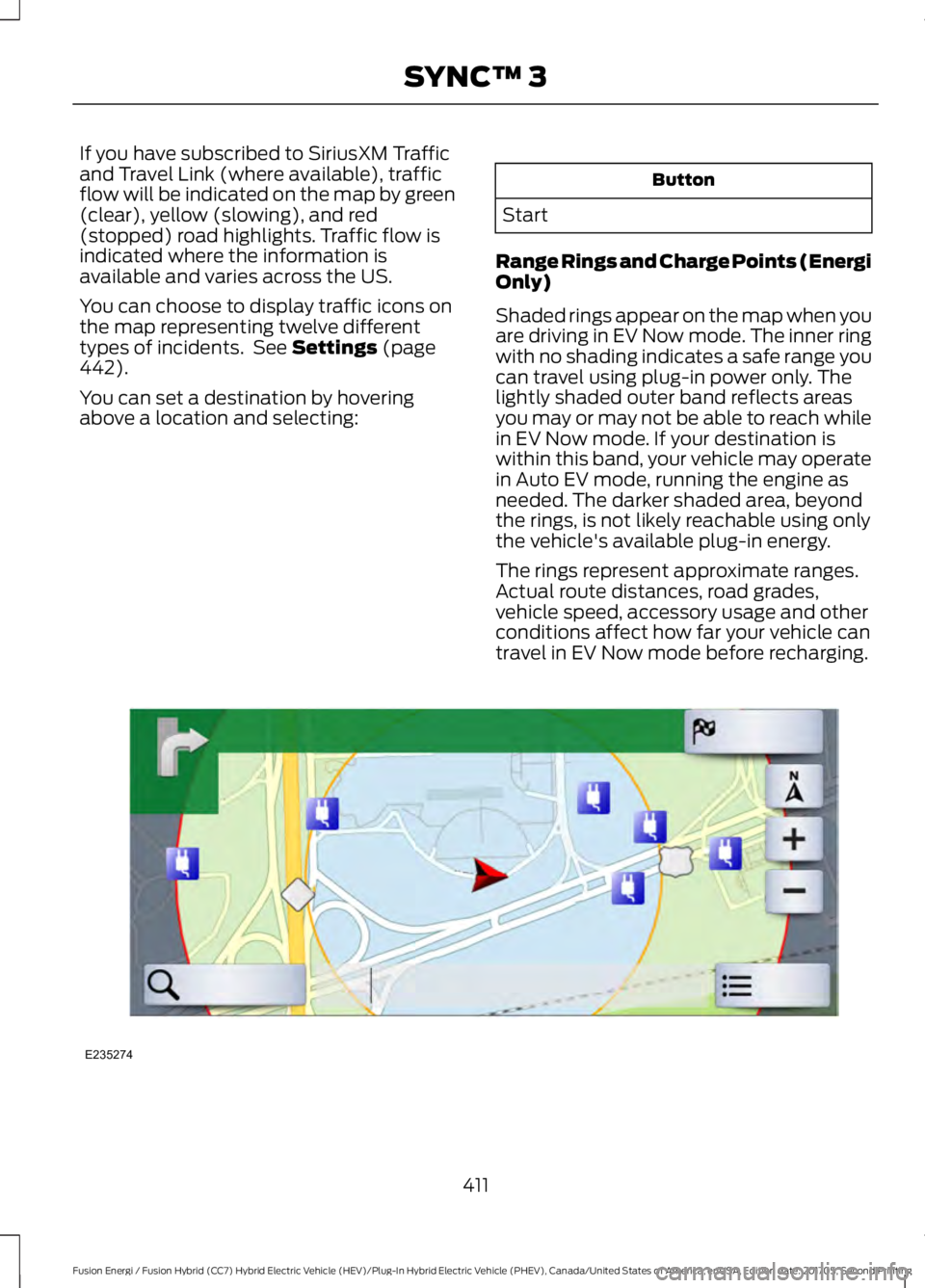
Range Rings and Charge Points (EnergiOnly)
Shaded rings appear on the map when youare driving in EV Now mode. The inner ringwith no shading indicates a safe range youcan travel using plug-in power only. Thelightly shaded outer band reflects areasyou may or may not be able to reach whilein EV Now mode. If your destination iswithin this band, your vehicle may operatein Auto EV mode, running the engine asneeded. The darker shaded area, beyondthe rings, is not likely reachable using onlythe vehicle's available plug-in energy.
The rings represent approximate ranges.Actual route distances, road grades,vehicle speed, accessory usage and otherconditions affect how far your vehicle cantravel in EV Now mode before recharging.
411
Fusion Energi / Fusion Hybrid (CC7) Hybrid Electric Vehicle (HEV)/Plug-In Hybrid Electric Vehicle (PHEV), Canada/United States of America, enUSA, Edition date: 201705, Second Printing
SYNC™ 3E235274
Page 428 of 538
Action and DescriptionMenu ItemItem
This area of the screen shows your scheduled Go Time andyour cabin conditioning information.My GO TimesA
This is the time and date of your next set drive time. Yourvehicle automatically schedules charging and cabin condi-tioning to finish by this time.
Next GO TimeB
This is the chosen cabin conditioning setting for this GOTime.TemperatureC
This accesses your GO Time Schedule (see GO TimeSchedule later in this section).EditD
This cancels the cabin conditioning for the present GO Time.Once you touch Skip, the GO Time and Temperature greyout, and the LED illuminates on the Skip button. Touch thebutton again to switch on the cabin conditioning. Thisfeature allows you to ignore the present GO Time withouthaving to delete it or having to switch off the entire schedule(see GO Time Schedule later in this section). After thepresent GO Time passes, this feature resets.
SkipE
Conflict Notification
The system alerts you to any conflicts byhighlighting areas of the screen in coloredtext.
If your battery cannot have a full charge by the scheduled drive time, the systemhighlights your next GO Time and Charge Complete time and the followingmessage appears:
Action and DescriptionMenu Item
This is normal; the vehicle is informing you of the conflicting situation.This notification only displays when the gearshift selector lever is inposition P.
Charge timenot sufficientto meetscheduledGO Timesettings
Note: Charging occurs as soon as you plug the vehicle in. The systemlimits cabin conditioning to 15 minutes before your GO Time.
425
Fusion Energi / Fusion Hybrid (CC7) Hybrid Electric Vehicle (HEV)/Plug-In Hybrid Electric Vehicle (PHEV), Canada/United States of America, enUSA, Edition date: 201705, Second Printing
SYNC™ 3
Page 440 of 538
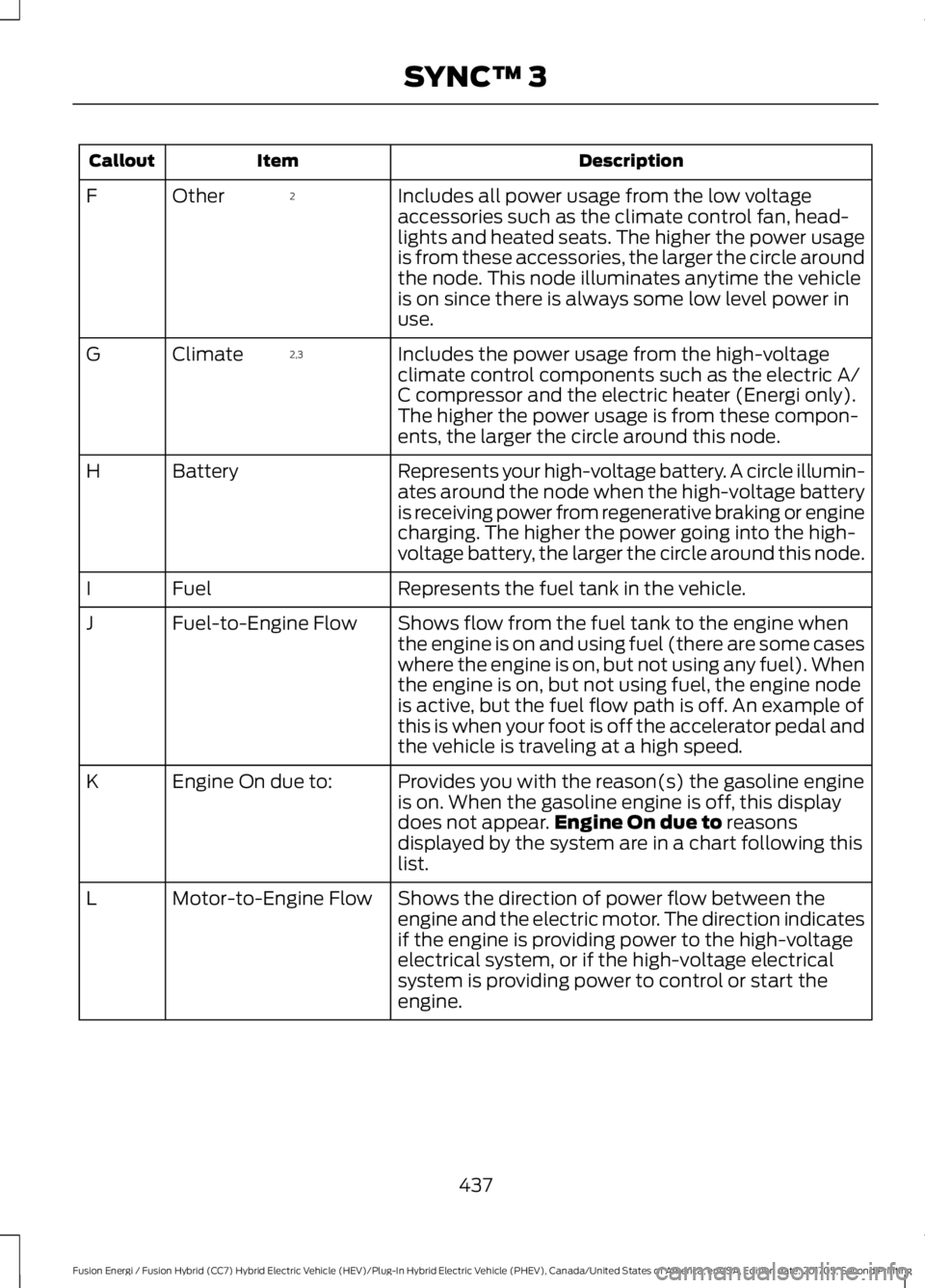
DescriptionItemCallout
Includes all power usage from the low voltageaccessories such as the climate control fan, head-lights and heated seats. The higher the power usageis from these accessories, the larger the circle aroundthe node. This node illuminates anytime the vehicleis on since there is always some low level power inuse.
2OtherF
Includes the power usage from the high-voltageclimate control components such as the electric A/C compressor and the electric heater (Energi only).The higher the power usage is from these compon-ents, the larger the circle around this node.
2,3ClimateG
Represents your high-voltage battery. A circle illumin-ates around the node when the high-voltage batteryis receiving power from regenerative braking or enginecharging. The higher the power going into the high-voltage battery, the larger the circle around this node.
BatteryH
Represents the fuel tank in the vehicle.FuelI
Shows flow from the fuel tank to the engine whenthe engine is on and using fuel (there are some caseswhere the engine is on, but not using any fuel). Whenthe engine is on, but not using fuel, the engine nodeis active, but the fuel flow path is off. An example ofthis is when your foot is off the accelerator pedal andthe vehicle is traveling at a high speed.
Fuel-to-Engine FlowJ
Provides you with the reason(s) the gasoline engineis on. When the gasoline engine is off, this displaydoes not appear.Engine On due to reasonsdisplayed by the system are in a chart following thislist.
Engine On due to:K
Shows the direction of power flow between theengine and the electric motor. The direction indicatesif the engine is providing power to the high-voltageelectrical system, or if the high-voltage electricalsystem is providing power to control or start theengine.
Motor-to-Engine FlowL
437
Fusion Energi / Fusion Hybrid (CC7) Hybrid Electric Vehicle (HEV)/Plug-In Hybrid Electric Vehicle (PHEV), Canada/United States of America, enUSA, Edition date: 201705, Second Printing
SYNC™ 3