lights FORD FUSION ENERGI 2018 Owner's Guide
[x] Cancel search | Manufacturer: FORD, Model Year: 2018, Model line: FUSION ENERGI, Model: FORD FUSION ENERGI 2018Pages: 538, PDF Size: 7.52 MB
Page 441 of 538
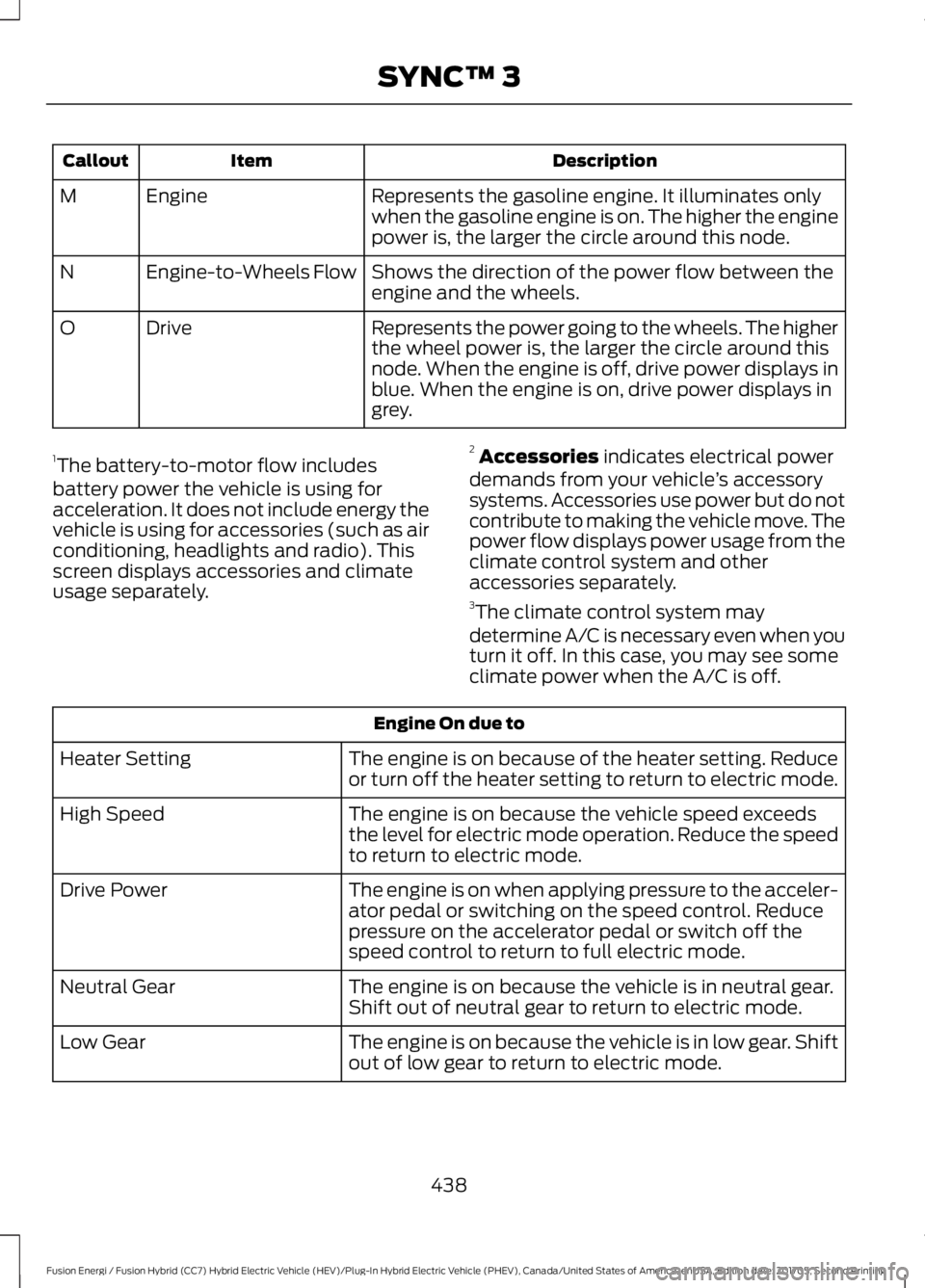
DescriptionItemCallout
Represents the gasoline engine. It illuminates onlywhen the gasoline engine is on. The higher the enginepower is, the larger the circle around this node.
EngineM
Shows the direction of the power flow between theengine and the wheels.Engine-to-Wheels FlowN
Represents the power going to the wheels. The higherthe wheel power is, the larger the circle around thisnode. When the engine is off, drive power displays inblue. When the engine is on, drive power displays ingrey.
DriveO
1The battery-to-motor flow includesbattery power the vehicle is using foracceleration. It does not include energy thevehicle is using for accessories (such as airconditioning, headlights and radio). Thisscreen displays accessories and climateusage separately.
2Accessories indicates electrical powerdemands from your vehicle’s accessorysystems. Accessories use power but do notcontribute to making the vehicle move. Thepower flow displays power usage from theclimate control system and otheraccessories separately.3The climate control system may
determine A/C is necessary even when youturn it off. In this case, you may see someclimate power when the A/C is off.
Engine On due to
The engine is on because of the heater setting. Reduceor turn off the heater setting to return to electric mode.Heater Setting
The engine is on because the vehicle speed exceedsthe level for electric mode operation. Reduce the speedto return to electric mode.
High Speed
The engine is on when applying pressure to the acceler-ator pedal or switching on the speed control. Reducepressure on the accelerator pedal or switch off thespeed control to return to full electric mode.
Drive Power
The engine is on because the vehicle is in neutral gear.Shift out of neutral gear to return to electric mode.Neutral Gear
The engine is on because the vehicle is in low gear. Shiftout of low gear to return to electric mode.Low Gear
438
Fusion Energi / Fusion Hybrid (CC7) Hybrid Electric Vehicle (HEV)/Plug-In Hybrid Electric Vehicle (PHEV), Canada/United States of America, enUSA, Edition date: 201705, Second Printing
SYNC™ 3
Page 478 of 538
Make sure to change your vehicle’s oils andfluids at the specified intervals or inconjunction with a repair. Flushing is aviable way to change fluid for many vehiclesub-systems during scheduledmaintenance. It is critical that systems areflushed only with new fluid that is the sameas that required to fill and operate the
system or using a Ford-approved flushingchemical.
Owner Checks and Services
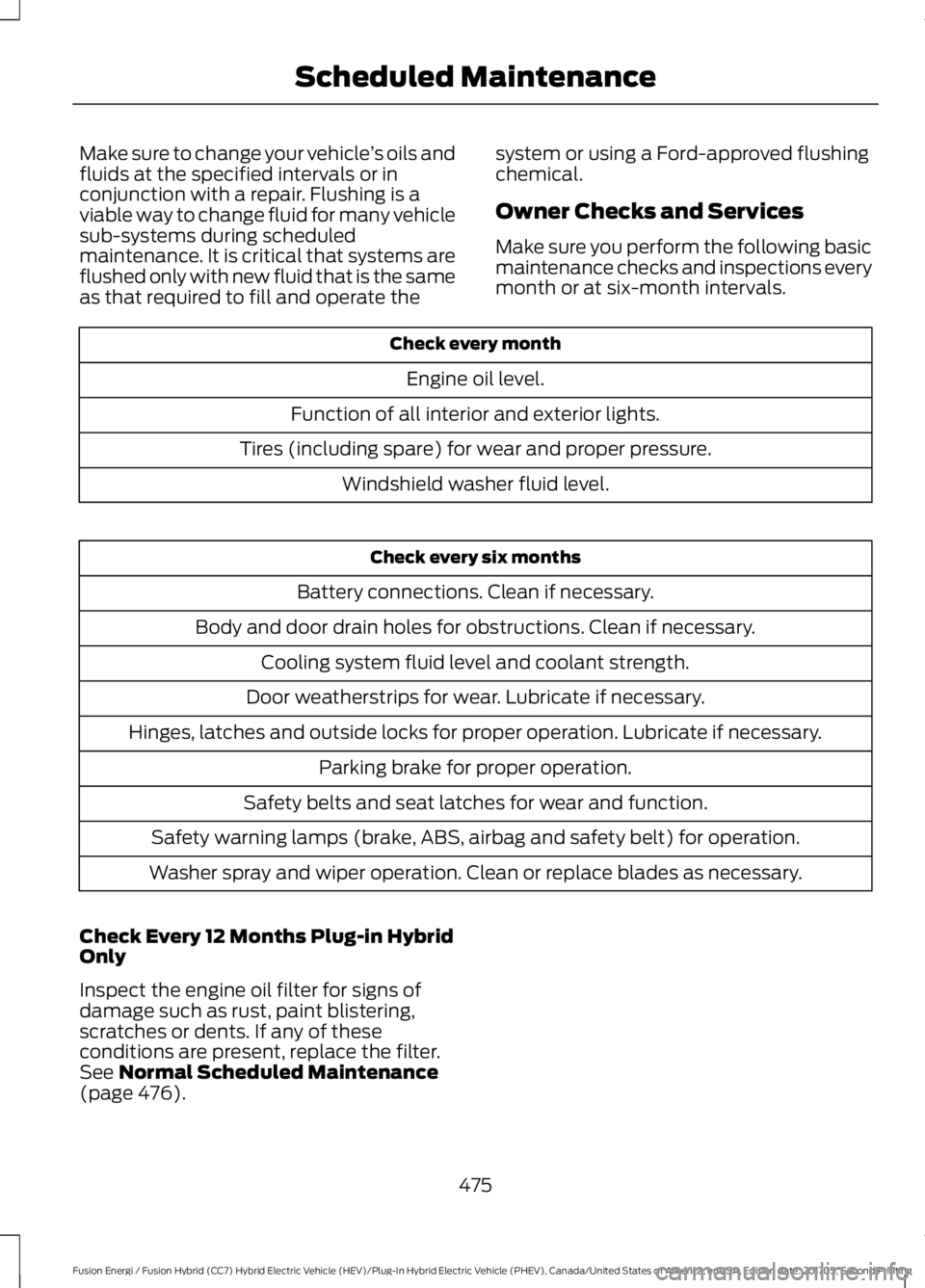
Make sure you perform the following basicmaintenance checks and inspections everymonth or at six-month intervals.
Check every month
Engine oil level.
Function of all interior and exterior lights.
Tires (including spare) for wear and proper pressure.
Windshield washer fluid level.
Check every six months
Battery connections. Clean if necessary.
Body and door drain holes for obstructions. Clean if necessary.
Cooling system fluid level and coolant strength.
Door weatherstrips for wear. Lubricate if necessary.
Hinges, latches and outside locks for proper operation. Lubricate if necessary.
Parking brake for proper operation.
Safety belts and seat latches for wear and function.
Safety warning lamps (brake, ABS, airbag and safety belt) for operation.
Washer spray and wiper operation. Clean or replace blades as necessary.
Check Every 12 Months Plug-in HybridOnly
Inspect the engine oil filter for signs ofdamage such as rust, paint blistering,scratches or dents. If any of theseconditions are present, replace the filter.See Normal Scheduled Maintenance(page 476).
475
Fusion Energi / Fusion Hybrid (CC7) Hybrid Electric Vehicle (HEV)/Plug-In Hybrid Electric Vehicle (PHEV), Canada/United States of America, enUSA, Edition date: 201705, Second Printing
Scheduled Maintenance
Page 530 of 538
Cleaning the Engine....................................276Cleaning the Exterior...................................274Cleaning the Headlamps.................................275Exterior Chrome Parts......................................275Exterior Plastic Parts.........................................275Stripes or Graphics............................................275Underbody............................................................275Under Hood..........................................................275Cleaning the Instrument Panel andInstrument Cluster Lens..........................277Cleaning the Interior....................................277Cleaning the Wheels..................................278Cleaning the Windows and WiperBlades............................................................276Clearing All MyKeys.......................................58Climate.............................................................401Climate Control..............................................119Climate Controlled Seats..........................135Cooled Seats........................................................136Collision, Damage or Fire Event..............235Guidance for Ford Motor Company Electricand Hybrid-Electric Vehicles EquippedWith High Voltage Batteries......................235Coolant CheckSee: Engine Coolant Check.............................261Crash Sensors and Airbag Indicator.......48Creating a MyKey............................................57Programming or Changing ConfigurableSettings...............................................................58Cross Traffic Alert.........................................215Blocked Sensors..................................................217Switching the System Off and On................217System Errors........................................................217System Lights, Messages and AudibleAlerts...................................................................217System Limitations.............................................217Using the Cross Traffic Alert System...........215Cruise Control..................................................72Principle of Operation.....................................200Type One..................................................................72Type Two..................................................................73Cruise controlSee: Using Cruise Control..............................200Customer Assistance.................................239
D
Data Recording..................................................9Event Data Recording..........................................10Service Data Recording........................................9Daytime Running Lamps.............................78Type One - Conventional(Non-Configurable)........................................78Type Two - Configurable...................................78Digital Radio..................................................326HD Radio Reception and StationTroubleshooting.............................................327Direction Indicators.......................................80Doors and Locks..............................................61Driver Alert.....................................................208PRINCIPLE OF OPERATION..........................208USING DRIVER ALERT....................................208Driver and Passenger Airbags....................42Children and Airbags...........................................43Proper Driver and Front Passenger SeatingAdjustment........................................................42Driver and Passenger Knee Airbags........46Driving Aids....................................................208Driving Hints..................................................228Driving Through Water...............................229DRLSee: Daytime Running Lamps.........................78
E
Economical Driving.....................................228EcoSelect........................................................154Electric Parking Brake.................................180Applying the Electric Parking brake............180Battery With No Charge...................................182Parking On a Hill (Vehicles With a ManualTransmission) ................................................180Releasing the Electric Parking Brake............181Electric Vehicle Information.....................419Charge Settings (Energi VehiclesOnly)...................................................................421Power Flow..........................................................435Electromagnetic Compatibility..............493Emission Law.................................................164Noise Emissions Warranty, ProhibitedTampering Acts and Maintenance..........165Tampering With a Noise ControlSystem...............................................................164
527
Fusion Energi / Fusion Hybrid (CC7) Hybrid Electric Vehicle (HEV)/Plug-In Hybrid Electric Vehicle (PHEV), Canada/United States of America, enUSA, Edition date: 201705, Second Printing
Index
Page 537 of 538
U
Under Hood Overview...............................259Unique Driving Characteristics................150Universal Garage Door Opener................137HomeLink Wireless Control System............137USB Port...........................................................331Using Adaptive Cruise Control................201Automatic Cancellation..................................204Blocked Sensor..................................................205Canceling the Set Speed................................204Changing the Set Speed................................204Detection Issues................................................204Following a Vehicle...........................................202Following a Vehicle to a CompleteStop...................................................................203Hilly Condition Usage......................................204Overriding the Set Speed...............................204Resuming the Set Speed................................204Setting the Adaptive Cruise Speed............202Setting the Adaptive Cruise Speed WhenYour Vehicle is Stationary..........................202Setting the Gap Distance...............................203Switching Adaptive Cruise ControlOff......................................................................204Switching Adaptive Cruise ControlOn.......................................................................202Switching to ECO Cruise.................................206Switching to Normal Cruise Control..........206System Not Available......................................205Using Cruise Control..................................200Switching Cruise Control Off........................200Switching Cruise Control On.........................200Switching to ECO Cruise..................................201Using MyKey With Remote StartSystems..........................................................59Using Snow Chains.....................................302Using Stability Control...............................186Using Summer Tires...................................302Using SYNC™ With Your MediaPlayer.............................................................353Accessing Your USB Song Library................357Bluetooth Devices and SystemSettings............................................................359Connecting Your Digital Media Player to theUSB Port...........................................................353Media Menu Features......................................356Media Voice Commands................................354
USB 2......................................................................359Voice Commands for Audio Sources.........360Using SYNC™ With Your Phone............336Accessing Features through the PhoneMenu...................................................................341Accessing Your Phone Settings...................344Bluetooth Devices.............................................345Making Calls........................................................340Pairing a Phone for the First Time...............337Pairing Subsequent Phones..........................338Phone Options during an Active Call.........340Phone Voice Commands................................338Receiving Calls...................................................340System Settings.................................................346Text Messaging...................................................342Using Traction Control...............................184Switching the System Off...............................184System Indicator Lights andMessages..........................................................184Using a Switch.....................................................184Using the Information DisplayControls.............................................................184Using Voice Recognition...........................334Audio Voice Commands.................................385Climate Voice Commands.............................386Initiating a Voice Session................................334Mobile App Voice Commands......................389Navigation Voice Commands.......................387Phone Voice Commands...............................386SiriusXM Traffic and Travel Link VoiceCommands.....................................................389System Interaction and Feedback..............335Voice Settings Commands............................390Utilizing the Mediation/ArbitrationProgram (Canada Only).........................242
V
Vehicle Care...................................................274General Information..........................................274Vehicle Certification Label.........................311Vehicle Identification Number.................310Vehicle Storage.............................................27912V Battery...........................................................280Body........................................................................279Brakes....................................................................280Cooling System..................................................280Engine.....................................................................279
534
Fusion Energi / Fusion Hybrid (CC7) Hybrid Electric Vehicle (HEV)/Plug-In Hybrid Electric Vehicle (PHEV), Canada/United States of America, enUSA, Edition date: 201705, Second Printing
Index