reset FORD FUSION ENERGI 2018 Owner's Manual
[x] Cancel search | Manufacturer: FORD, Model Year: 2018, Model line: FUSION ENERGI, Model: FORD FUSION ENERGI 2018Pages: 538, PDF Size: 7.52 MB
Page 205 of 538
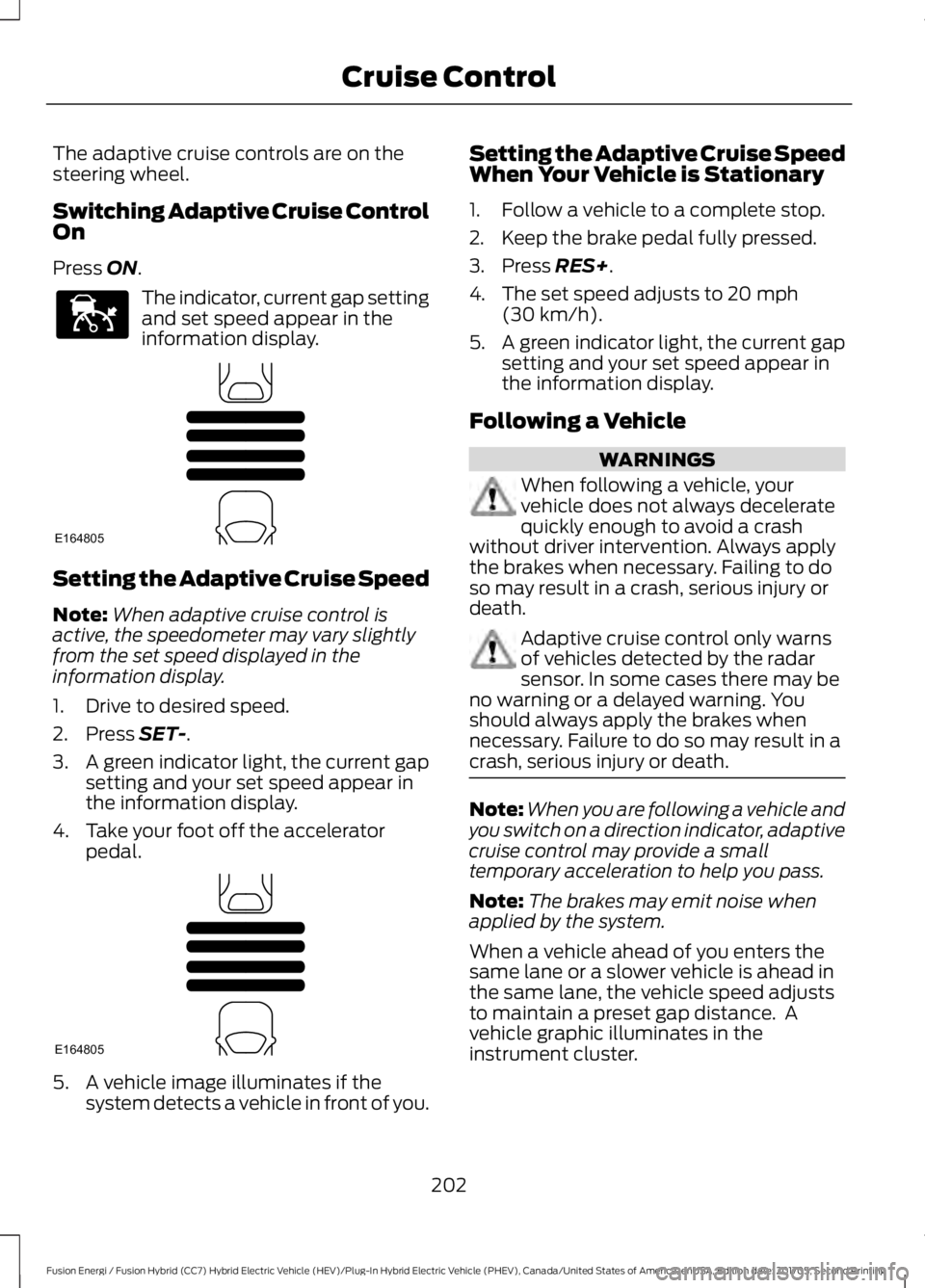
The adaptive cruise controls are on thesteering wheel.
Switching Adaptive Cruise ControlOn
Press ON.
The indicator, current gap settingand set speed appear in theinformation display.
Setting the Adaptive Cruise Speed
Note:When adaptive cruise control isactive, the speedometer may vary slightlyfrom the set speed displayed in theinformation display.
1. Drive to desired speed.
2. Press SET-.
3.A green indicator light, the current gapsetting and your set speed appear inthe information display.
4. Take your foot off the acceleratorpedal.
5. A vehicle image illuminates if thesystem detects a vehicle in front of you.
Setting the Adaptive Cruise SpeedWhen Your Vehicle is Stationary
1. Follow a vehicle to a complete stop.
2. Keep the brake pedal fully pressed.
3. Press RES+.
4. The set speed adjusts to 20 mph(30 km/h).
5.A green indicator light, the current gapsetting and your set speed appear inthe information display.
Following a Vehicle
WARNINGS
When following a vehicle, yourvehicle does not always deceleratequickly enough to avoid a crashwithout driver intervention. Always applythe brakes when necessary. Failing to doso may result in a crash, serious injury ordeath.
Adaptive cruise control only warnsof vehicles detected by the radarsensor. In some cases there may beno warning or a delayed warning. Youshould always apply the brakes whennecessary. Failure to do so may result in acrash, serious injury or death.
Note:When you are following a vehicle andyou switch on a direction indicator, adaptivecruise control may provide a smalltemporary acceleration to help you pass.
Note:The brakes may emit noise whenapplied by the system.
When a vehicle ahead of you enters thesame lane or a slower vehicle is ahead inthe same lane, the vehicle speed adjuststo maintain a preset gap distance. Avehicle graphic illuminates in theinstrument cluster.
202
Fusion Energi / Fusion Hybrid (CC7) Hybrid Electric Vehicle (HEV)/Plug-In Hybrid Electric Vehicle (PHEV), Canada/United States of America, enUSA, Edition date: 201705, Second Printing
Cruise ControlE144529 E164805 E164805
Page 212 of 538
System Display
When active the system will runautomatically in the background and onlyissue a warning if required. You can viewthe status at any time using theinformation display. See GeneralInformation (page 97).
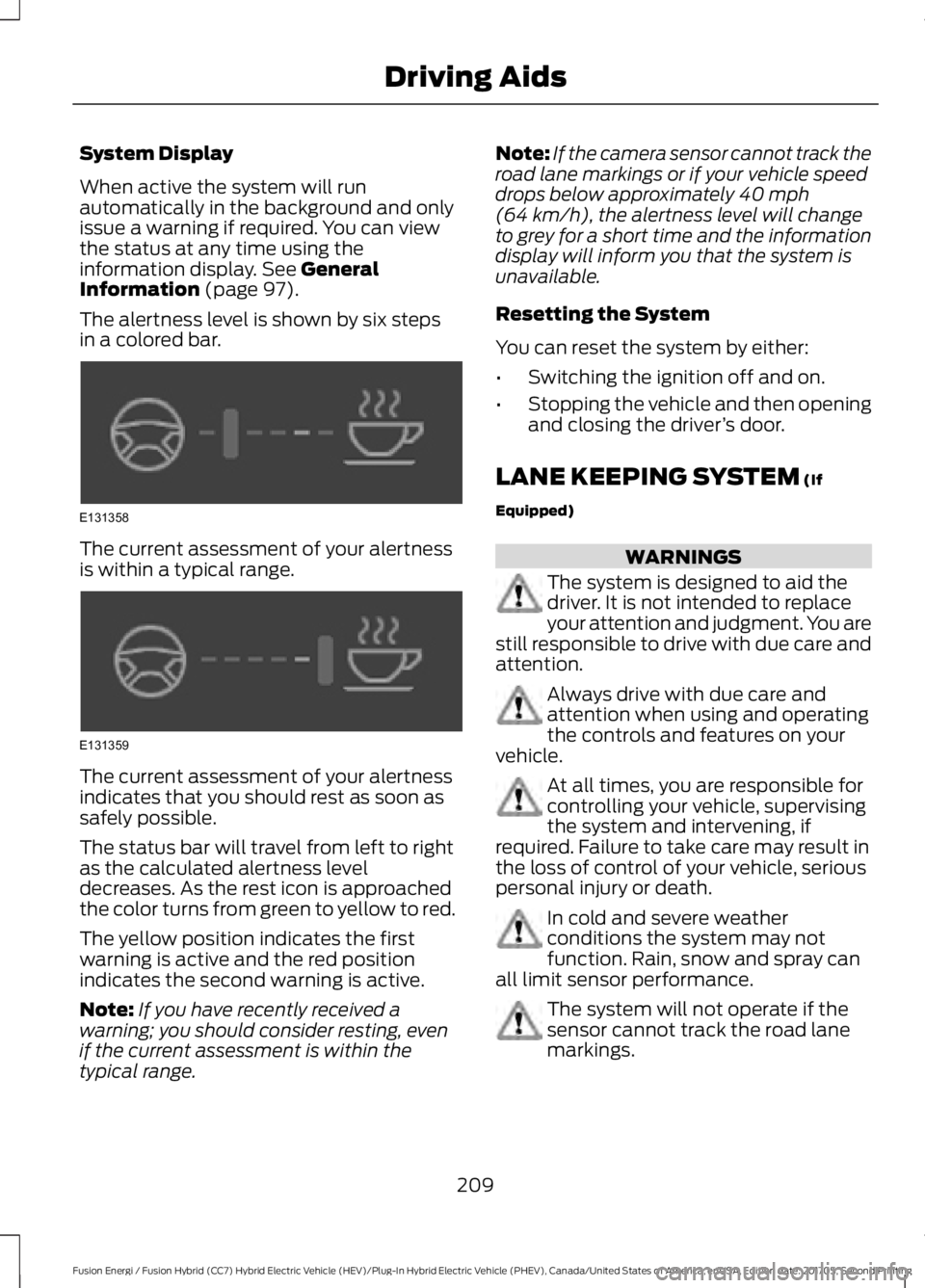
The alertness level is shown by six stepsin a colored bar.
The current assessment of your alertnessis within a typical range.
The current assessment of your alertnessindicates that you should rest as soon assafely possible.
The status bar will travel from left to rightas the calculated alertness leveldecreases. As the rest icon is approachedthe color turns from green to yellow to red.
The yellow position indicates the firstwarning is active and the red positionindicates the second warning is active.
Note:If you have recently received awarning; you should consider resting, evenif the current assessment is within thetypical range.
Note:If the camera sensor cannot track theroad lane markings or if your vehicle speeddrops below approximately 40 mph(64 km/h), the alertness level will changeto grey for a short time and the informationdisplay will inform you that the system isunavailable.
Resetting the System
You can reset the system by either:
•Switching the ignition off and on.
•Stopping the vehicle and then openingand closing the driver’s door.
LANE KEEPING SYSTEM (If
Equipped)
WARNINGS
The system is designed to aid thedriver. It is not intended to replaceyour attention and judgment. You arestill responsible to drive with due care andattention.
Always drive with due care andattention when using and operatingthe controls and features on yourvehicle.
At all times, you are responsible forcontrolling your vehicle, supervisingthe system and intervening, ifrequired. Failure to take care may result inthe loss of control of your vehicle, seriouspersonal injury or death.
In cold and severe weatherconditions the system may notfunction. Rain, snow and spray canall limit sensor performance.
The system will not operate if thesensor cannot track the road lanemarkings.
209
Fusion Energi / Fusion Hybrid (CC7) Hybrid Electric Vehicle (HEV)/Plug-In Hybrid Electric Vehicle (PHEV), Canada/United States of America, enUSA, Edition date: 201705, Second Printing
Driving AidsE131358 E131359
Page 231 of 538
BREAKING-IN
You need to break in new tires forapproximately 300 mi (480 km). Duringthis time, your vehicle may exhibit someunusual driving characteristics. The enginealso needs to break in. Avoid hardaccelerations and driving too fast for thefirst 1,000 mi (1,600 km). If possible, avoidcarrying heavy loads up steep gradesduring the break-in period.
ECONOMICAL DRIVING
Your fuel economy depends on:
•How you drive your vehicle.
•How you maintain your vehicle.
•The conditions you drive your vehiclein.
You may improve your fuel economy bykeeping these in mind:
•Drive your vehicle at reasonablespeeds. Traveling at 65 mph(105 km/h) uses about 15% less fuelthan traveling at 75 mph (121 km/h).
•Drive at steady speeds withoutstopping.
•Anticipate stops. Slowing down yourvehicle may eliminate the need to stop.
•Keep the tires properly inflated and useonly the recommended size.
•Switch off the heater if you do not needit. When you have the heater on, keepit at the lowest blower andtemperature setting necessary to becomfortable.
•When it is cold outside, park in a sunnylocation or a climate-controlledenvironment. This may save fuel byreducing the energy needed to heat thecabin.
•Switch off the air conditioning if you donot need it. When you have the airconditioning on, keep it at the lowestblower and highest temperaturesetting necessary to be comfortable.
•When it is hot or sunny outside, parkingin a shaded or climate-controlledenvironment will save fuel by reducingthe energy needed to cool the cabin.
•Switch off the heated seats if you arenot using them.
•Switch off the defroster when you nolonger need it for visibility.
•Shift into low gear (L) when enhancedengine braking is needed. Otherwise,use drive gear (D) shift position.
•Combine errands and minimizestop-and-go driving. A warmed upengine works more efficiently. Whenrunning errands, go to the farthestdestination first and then work yourway back home.
•Close the windows for high-speeddriving.
•Use the recommended engine oil. SeeCapacities and Specifications (page308).
•Perform all regularly scheduledmaintenance. See ScheduledMaintenance (page 473).
•Use the coach and brake coach displayto get feedback on your economicaldrive style. See Information Displays(page 97).
Avoid these actions because they reduceyour fuel economy:
•Avoid sudden or hard accelerations anddecelerations. Accelerate and slowdown in a smooth, moderate fashion.
•Avoid revving the engine beforeswitching off your vehicle.
•Avoid long idle periods.
228
Fusion Energi / Fusion Hybrid (CC7) Hybrid Electric Vehicle (HEV)/Plug-In Hybrid Electric Vehicle (PHEV), Canada/United States of America, enUSA, Edition date: 201705, Second Printing
Driving Hints
Page 249 of 538
FUSE SPECIFICATION CHART
Power Distribution Box
WARNINGS
Always disconnect the battery beforeservicing high current fuses.
To reduce risk of electrical shock,always replace the cover to thepower distribution box beforereconnecting the battery or refilling fluidreservoirs.
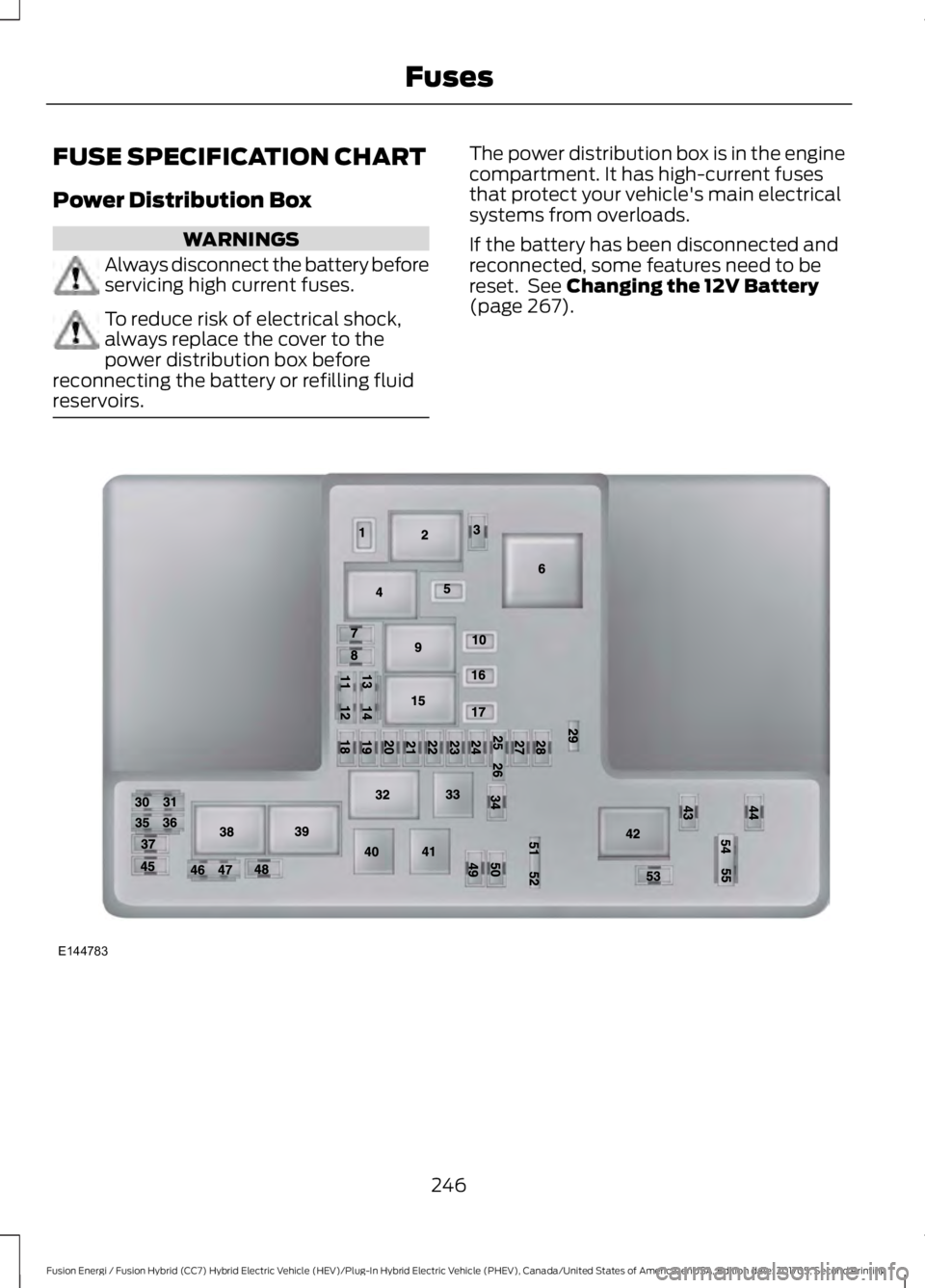
The power distribution box is in the enginecompartment. It has high-current fusesthat protect your vehicle's main electricalsystems from overloads.
If the battery has been disconnected andreconnected, some features need to bereset. See Changing the 12V Battery(page 267).
246
Fusion Energi / Fusion Hybrid (CC7) Hybrid Electric Vehicle (HEV)/Plug-In Hybrid Electric Vehicle (PHEV), Canada/United States of America, enUSA, Edition date: 201705, Second Printing
FusesE144783
Page 264 of 538
1. Remove the filler cap.
2. Add engine oil that meets the Fordspecifications. See Capacities andSpecifications (page 308).
3. Replace the filler cap. Turn it until youfeel a strong resistance.
OIL CHANGE INDICATOR
RESET
Use the information display controls onthe steering wheel to reset the oil changeindicator.
From the main menu scroll to:
Action and descriptionMessage
Press the right arrow button,then from this menu scrollto the following message.
Settings
Press the right arrow button,then from this menu scrollto the following message.
Vehicle
Press the right arrow button,then from this menu scrollto the following message.
Oil Life
Press and hold the OKbutton until the instrumentcluster displays thefollowing message.
Hold OK toReset
Reset Successful
When the oil change indic-ator resets the instrumentcluster displays 100%.
Remaining Life
{00}%
Action and descriptionMessage
If the instrument clusterdisplays one of the followingmessages, repeat theprocess.
Not Reset
Reset Cancelled
ENGINE COOLANT CHECK
WARNINGS
Never remove the coolant reservoircap when the engine is running orhot.
Do not put coolant in the windshieldwasher reservoir. If sprayed on thewindshield, coolant could make itdifficult to see through the windshield.
To reduce the risk of personal injury,make sure the engine is cool beforeunscrewing the coolant pressurerelief cap. The cooling system is underpressure. Steam and hot liquid can comeout forcefully when you loosen the capslightly.
Do not add coolant further than theMAX mark.
Your vehicle has two separate coolingsystems. One for cooling the engine and aseparate system for cooling the invertersystem controller that is specific to thehybrid operating system. The two systemsoperate similarly, with the inverter systemcontroller cooling system generallyoperating at a lower temperature andpressure.
When the engine is cold, check theconcentration and level of the coolant atthe intervals listed in the scheduledmaintenance information. See ScheduledMaintenance (page 473).
261
Fusion Energi / Fusion Hybrid (CC7) Hybrid Electric Vehicle (HEV)/Plug-In Hybrid Electric Vehicle (PHEV), Canada/United States of America, enUSA, Edition date: 201705, Second Printing
Maintenance
Page 267 of 538
Coolant Change
At specific mileage intervals, as listed inthe scheduled maintenance information,the coolant should be changed. Addprediluted coolant approved to the correctspecification. See Capacities andSpecifications (page 308).
Fail-Safe Cooling
Fail-safe cooling allows you to temporarilydrive your vehicle before any incrementalcomponent damage occurs. The fail-safedistance depends on ambienttemperature, vehicle load and terrain.
How Fail-Safe Cooling Works
If the engine begins to overheat, thecoolant temperature gauge moves towardthe red zone:
A warning lamp illuminates anda message may appear in theinformation display.
If the engine reaches a presetover-temperature condition, the engineautomatically switches to alternatingcylinder operation. Each disabled cylinderacts as an air pump and cools the engine.
When this occurs, your vehicle stilloperates, however:
•Engine power is limited.
•The air conditioning system turns off.
Continued operation increases the enginetemperature, causing the engine tocompletely shut down. Your steering andbraking effort increases in this situation.
When the engine temperature cools, youcan re-start the engine. Have your vehiclechecked as soon as possible to minimizeengine damage.
When Fail-Safe Mode Is Activated
WARNINGS
Fail-safe mode is for use duringemergencies only. Operate yourvehicle in fail-safe mode only as longas necessary to bring your vehicle to restin a safe location and seek immediaterepairs. When in fail-safe mode, yourvehicle will have limited power, will not beable to maintain high-speed operation, andmay completely shut down withoutwarning, potentially losing engine power,power steering assist, and power brakeassist, which may increase the possibilityof a crash resulting in serious injury.
Never remove the coolant reservoircap when the engine is running orhot.
Your vehicle has limited engine powerwhen in the fail-safe mode, drive yourvehicle with caution. Your vehicle does notmaintain high-speed operation and theengine may operate poorly.
Remember that the engine is capable ofautomatically shutting down to preventengine damage. In this situation:
1. Pull off the road as soon as safelypossible and switch the engine off.
2. If you are a member of a roadsideassistance program, we recommendthat you contact your roadsideassistance service provider.
3. If this is not possible, wait a shortperiod for the engine to cool.
4. Check the coolant level. If the coolantlevel is at or below the minimum mark,add prediluted coolant immediately.
5. When the engine temperature cools,you can re-start the engine. Have yourvehicle checked as soon as possible tominimize engine damage.
264
Fusion Energi / Fusion Hybrid (CC7) Hybrid Electric Vehicle (HEV)/Plug-In Hybrid Electric Vehicle (PHEV), Canada/United States of America, enUSA, Edition date: 201705, Second Printing
Maintenance
Page 271 of 538
Note:Contact an authorized dealer for lowvoltage battery access, testing orreplacement.
To make sure the battery managementsystem works correctly, do not connect anelectrical device ground connectiondirectly to the low voltage battery negativepost. This can cause inaccuratemeasurements of the battery conditionand potential incorrect system operation.
Note:If you add electrical accessories orcomponents to the vehicle, it may adverselyaffect the low voltage battery performanceand durability. This may also affect theperformance of other electrical systems inthe vehicle.
For longer, trouble-free operation, keep thetop of the battery clean and dry.
If you see any corrosion on the battery orterminals, remove the cables from theterminals and clean with a wire brush. Youcan neutralize the acid with a solution ofbaking soda and water.
Because your vehicle’s engine iselectronically-controlled by a computer,some engine control settings aremaintained by power from the low-voltagebattery. Some engine computer settings,like the idle trim and fuel trim strategy,optimize the driveability and performanceof the engine. The clock and radio stationpresets are also maintained in memory bypower from the low-voltage battery. Thesesettings are erased when a techniciandisconnects and connects the low-voltagebattery.
To restore the settings, do the following:
1. Apply the parking brake.
2. Shift into park (P) or neutral (N).
3. Switch off all accessories.
4. Press the brake pedal and start yourvehicle.
5. Run the engine until it reaches normaloperating temperature. While theengine is warming up, complete thefollowing: Reset the clock. See AudioSystem (page 317). Reset the powerwindows bounce-back feature. SeeWindows and Mirrors (page 83).Reset the radio station presets. SeeAudio System (page 317).
6.Allow the engine to idle for at least oneminute.
7.Drive the vehicle at least 10 mi (16 km)to completely relearn the idle trim andfuel trim strategy.
Note:If you do not allow the engine torelearn the idle and fuel trim strategy, theidle quality of your vehicle may be adverselyaffected until the engine computereventually relearns the idle trim and fueltrim strategy.
Make sure that you dispose of old batteriesin an environmentally friendly way. Seekadvice from your local authority aboutrecycling old batteries.
If storing your vehicle for more than 30days without recharging the battery, werecommend that you disconnect thebattery cables to maintain battery chargefor quick starting.
CHECKING THE WIPER
BLADES
Run the tip of your fingers over the edge ofthe blade to check for roughness.
268
Fusion Energi / Fusion Hybrid (CC7) Hybrid Electric Vehicle (HEV)/Plug-In Hybrid Electric Vehicle (PHEV), Canada/United States of America, enUSA, Edition date: 201705, Second Printing
MaintenanceE142463
Page 283 of 538
Cooling System
•Protect against freezing temperatures.
•When removing your vehicle fromstorage, check coolant fluid level.Confirm that there are no coolingsystem leaks and that fluid is at therecommended level.
12V Battery
•Check and recharge as necessary. Keepconnections clean.
•If storing your vehicle for more than 30days without recharging the battery,we recommend that you disconnectthe battery cables to maintain batterycharge for quick starting.
Note:It is necessary to reset memoryfeatures if you disconnect the batterycables.
We recommend the following options foryour plug-in vehicle:
•Leave your vehicle plugged in. The 12Vbattery maintains power if left pluggedin. However, this periodically useselectricity from the household outlet.
•Connect a battery charger to your 12Vbattery and leave it on a continuous,slow charge.
•Disconnect the 12V battery. If your 12Vbattery is located in the luggagecompartment, do not fully shut theluggage compartment afterdisconnecting the 12V battery. Onlyleave the luggage compartment openif your vehicle is stored in a lockedlocation.
Brakes
•Make sure the brakes and parking brakerelease fully.
Tires
•Maintain recommended air pressure.
Miscellaneous
•Make sure you cover all linkages,cables, levers and pins under yourvehicle with grease to prevent rust.
•Move vehicles at least 25 ft (7.5 m)every 15 days to lubricate working partsand prevent corrosion.
Removing Vehicle From Storage
When your vehicle is ready to come out ofstorage, do the following:
•Wash your vehicle to remove any dirtor grease film build-up on windowsurfaces.
•Check windshield wipers for anydeterioration.
•Check under the hood for any foreignmaterial that may have collectedduring storage such as mice or squirrelnests.
•Check the exhaust for any foreignmaterial that may have collectedduring storage.
•Check tire pressures and set tireinflation per the Tire Label.
•Check brake pedal operation. Driveyour vehicle 15 ft (4.5 m) back andforth to remove rust build-up.
•Check fluid levels (including coolantand gas) to make sure there are noleaks, and fluids are at recommendedlevels.
•If you remove the 12-volt battery, cleanthe cable ends and inspect.
Contact an authorized dealer if you haveany concerns or issues.
BODY STYLING KITS
The distance between the underside ofyour vehicle and the ground is less thanthat of other models. Drive with extremecare to avoid damage to your vehicle.
280
Fusion Energi / Fusion Hybrid (CC7) Hybrid Electric Vehicle (HEV)/Plug-In Hybrid Electric Vehicle (PHEV), Canada/United States of America, enUSA, Edition date: 201705, Second Printing
Vehicle Care
Page 324 of 538
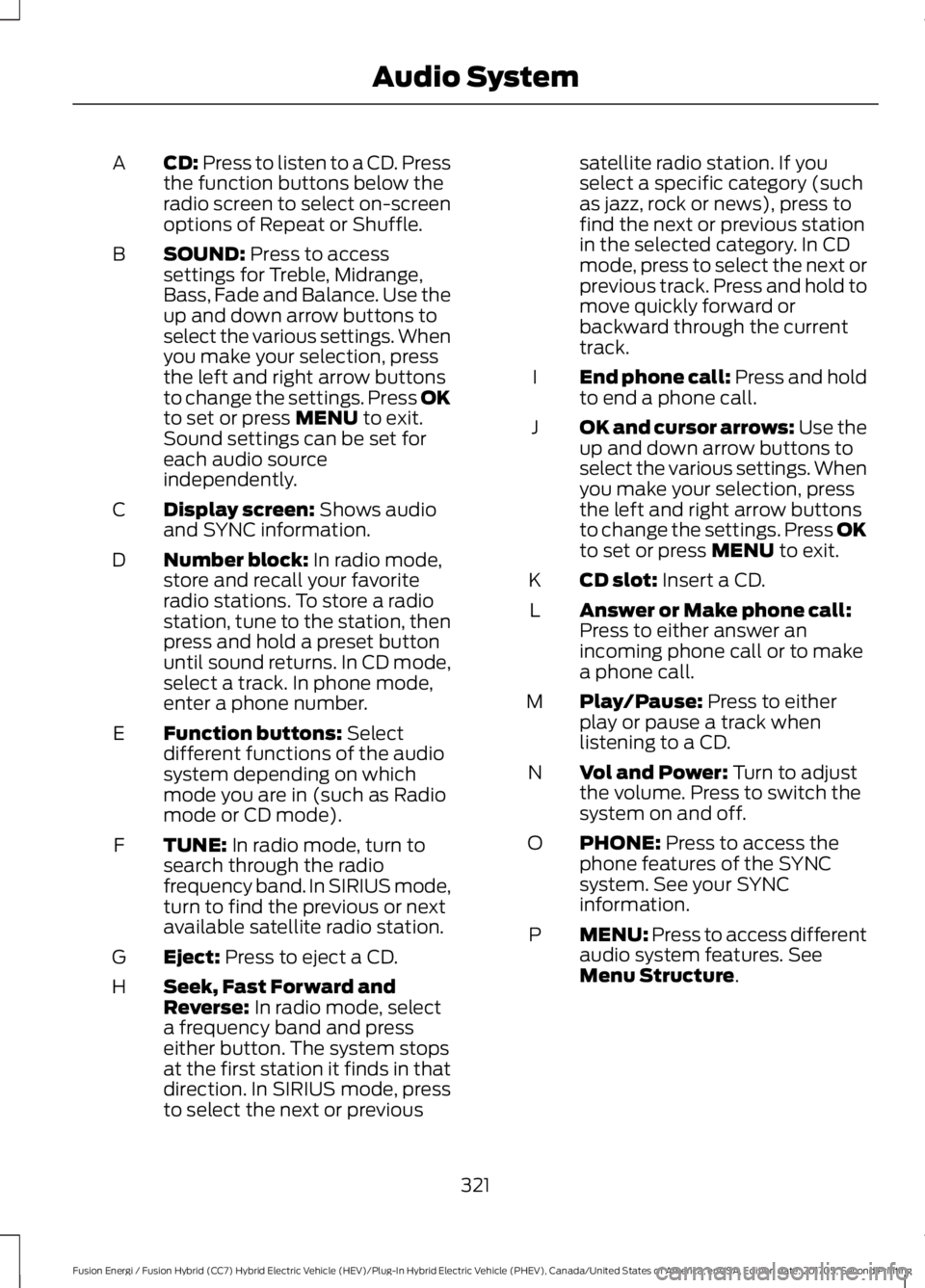
CD: Press to listen to a CD. Pressthe function buttons below theradio screen to select on-screenoptions of Repeat or Shuffle.
A
SOUND: Press to accesssettings for Treble, Midrange,Bass, Fade and Balance. Use theup and down arrow buttons toselect the various settings. Whenyou make your selection, press
B
the left and right arrow buttonsto change the settings. Press OKto set or press MENU to exit.Sound settings can be set foreach audio sourceindependently.
Display screen: Shows audioand SYNC information.C
Number block: In radio mode,store and recall your favoriteradio stations. To store a radiostation, tune to the station, thenpress and hold a preset buttonuntil sound returns. In CD mode,select a track. In phone mode,enter a phone number.
D
Function buttons: Selectdifferent functions of the audiosystem depending on whichmode you are in (such as Radiomode or CD mode).
E
TUNE: In radio mode, turn tosearch through the radiofrequency band. In SIRIUS mode,turn to find the previous or nextavailable satellite radio station.
F
Eject: Press to eject a CD.G
Seek, Fast Forward andReverse: In radio mode, selecta frequency band and presseither button. The system stopsat the first station it finds in thatdirection. In SIRIUS mode, press
H
to select the next or previous
satellite radio station. If youselect a specific category (suchas jazz, rock or news), press tofind the next or previous stationin the selected category. In CDmode, press to select the next orprevious track. Press and hold tomove quickly forward orbackward through the currenttrack.
End phone call: Press and holdto end a phone call.I
OK and cursor arrows: Use theup and down arrow buttons toselect the various settings. Whenyou make your selection, pressthe left and right arrow buttonsto change the settings. Press OKto set or press MENU to exit.
J
CD slot: Insert a CD.K
Answer or Make phone call:Press to either answer anincoming phone call or to makea phone call.
L
Play/Pause: Press to eitherplay or pause a track whenlistening to a CD.
M
Vol and Power: Turn to adjustthe volume. Press to switch thesystem on and off.
N
PHONE: Press to access thephone features of the SYNCsystem. See your SYNCinformation.
O
MENU: Press to access differentaudio system features. SeeMenu Structure.
P
321
Fusion Energi / Fusion Hybrid (CC7) Hybrid Electric Vehicle (HEV)/Plug-In Hybrid Electric Vehicle (PHEV), Canada/United States of America, enUSA, Edition date: 201705, Second Printing
Audio System
Page 329 of 538
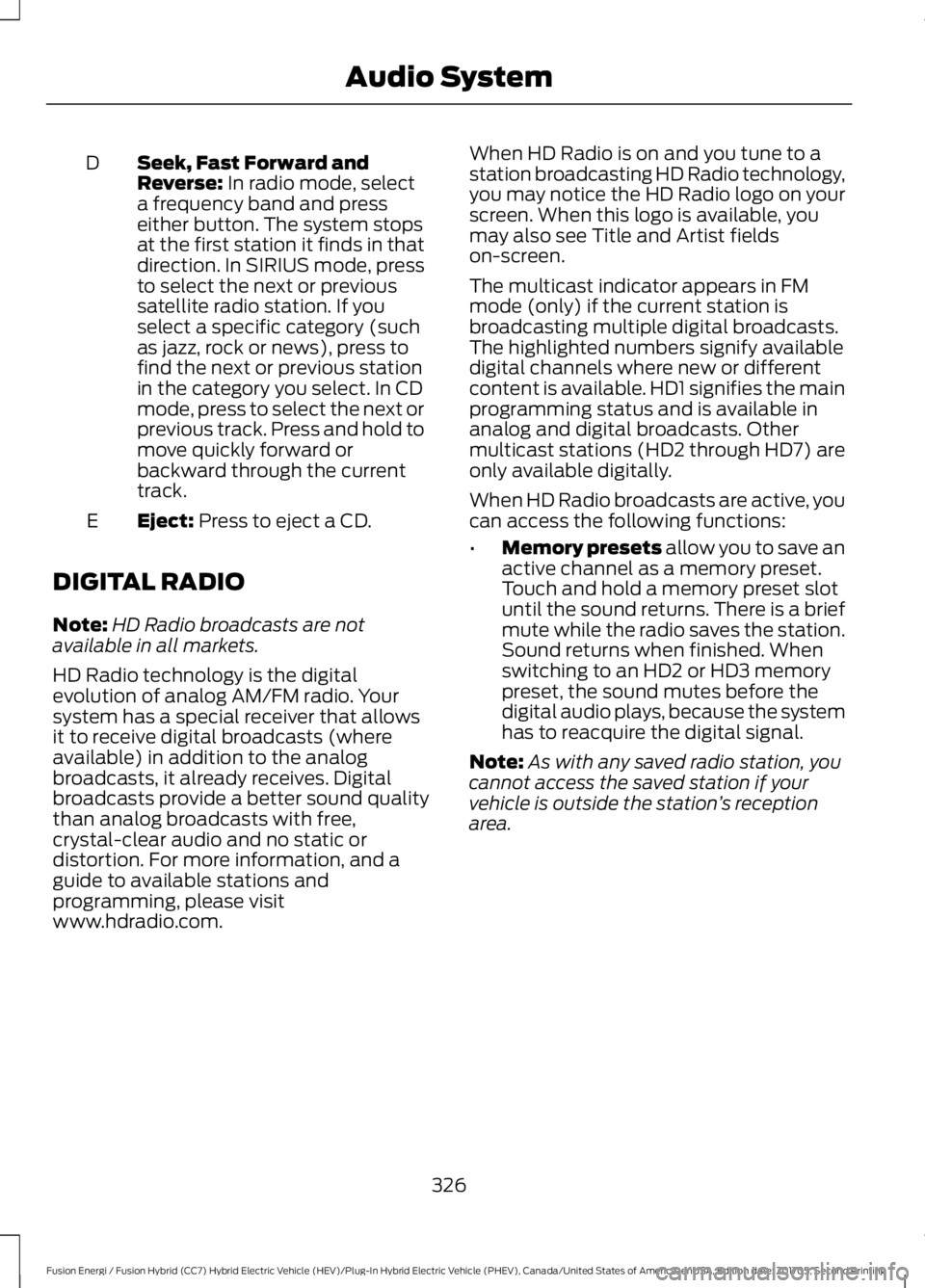
Seek, Fast Forward andReverse: In radio mode, selecta frequency band and presseither button. The system stopsat the first station it finds in thatdirection. In SIRIUS mode, press
D
to select the next or previoussatellite radio station. If youselect a specific category (suchas jazz, rock or news), press tofind the next or previous stationin the category you select. In CDmode, press to select the next orprevious track. Press and hold tomove quickly forward orbackward through the currenttrack.
Eject: Press to eject a CD.E
DIGITAL RADIO
Note:HD Radio broadcasts are notavailable in all markets.
HD Radio technology is the digitalevolution of analog AM/FM radio. Yoursystem has a special receiver that allowsit to receive digital broadcasts (whereavailable) in addition to the analogbroadcasts, it already receives. Digitalbroadcasts provide a better sound qualitythan analog broadcasts with free,crystal-clear audio and no static ordistortion. For more information, and aguide to available stations andprogramming, please visitwww.hdradio.com.
When HD Radio is on and you tune to astation broadcasting HD Radio technology,you may notice the HD Radio logo on yourscreen. When this logo is available, youmay also see Title and Artist fieldson-screen.
The multicast indicator appears in FMmode (only) if the current station isbroadcasting multiple digital broadcasts.The highlighted numbers signify availabledigital channels where new or differentcontent is available. HD1 signifies the mainprogramming status and is available inanalog and digital broadcasts. Othermulticast stations (HD2 through HD7) areonly available digitally.
When HD Radio broadcasts are active, youcan access the following functions:
•Memory presets allow you to save anactive channel as a memory preset.Touch and hold a memory preset slotuntil the sound returns. There is a briefmute while the radio saves the station.Sound returns when finished. Whenswitching to an HD2 or HD3 memorypreset, the sound mutes before thedigital audio plays, because the systemhas to reacquire the digital signal.
Note:As with any saved radio station, youcannot access the saved station if yourvehicle is outside the station’s receptionarea.
326
Fusion Energi / Fusion Hybrid (CC7) Hybrid Electric Vehicle (HEV)/Plug-In Hybrid Electric Vehicle (PHEV), Canada/United States of America, enUSA, Edition date: 201705, Second Printing
Audio System