ignition FORD FUSION HYBRID 2014 Workshop Manual
[x] Cancel search | Manufacturer: FORD, Model Year: 2014, Model line: FUSION HYBRID, Model: FORD FUSION HYBRID 2014Pages: 473, PDF Size: 5.93 MB
Page 170 of 473
Grade assist:
• Provides additional grade braking with
a combination of engine motoring and
high-voltage battery charging to help
maintain vehicle speed when
descending a grade.
• As the vehicle determines the amount
of engine motoring and high-voltage
battery charging, you may notice the
engine speed increasing and
decreasing to help maintain your
vehicle speed when descending a
grade.
• The grade assist lamp in the instrument
cluster is illuminated. E144523
The grade assist lamp will
appear in the instrument cluster
when grade assist is turned on.
Press the transmission control switch
again to return to normal D (Drive).
L (Low)
• Provides maximum engine braking.
• The transmission may be shifted into
L (Low) at any vehicle speed.
Brake-Shift Interlock WARNINGS
Do not drive your vehicle until you
verify that the brake lamps are
working.
When doing this procedure, you will
be taking the vehicle out of park
which means the vehicle can roll
freely. To avoid unwanted vehicle
movement, always fully set the parking
brake prior to doing this procedure. Use
wheel chocks if appropriate.
If the parking brake is fully released,
but the brake warning lamp remains
illuminated, the brakes may not be
working properly. See your authorized
dealer. Note: See your authorized dealer as soon
as possible if this procedure is used.
Note: For some markets this feature will be
disabled.
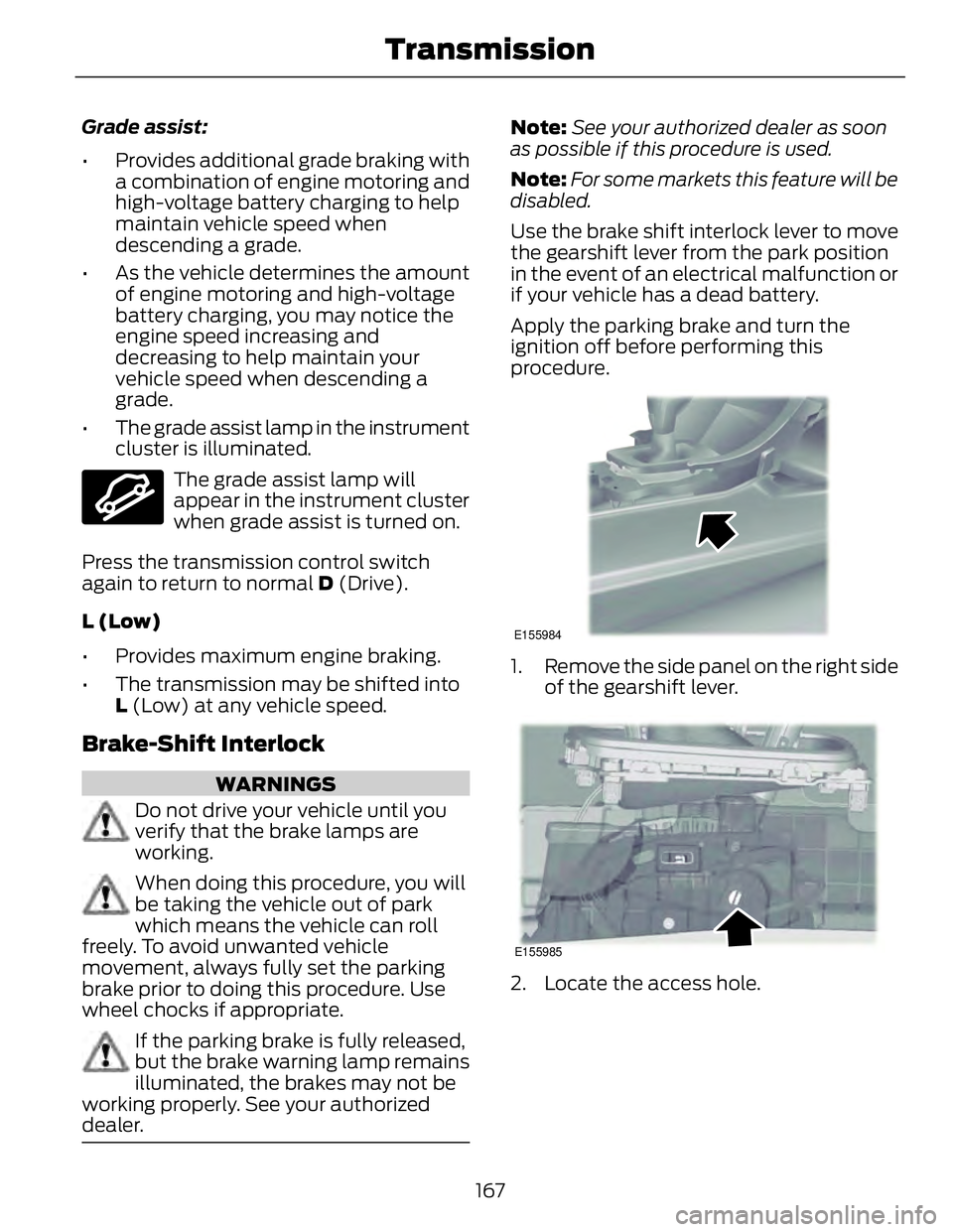
Use the brake shift interlock lever to move
the gearshift lever from the park position
in the event of an electrical malfunction or
if your vehicle has a dead battery.
Apply the parking brake and turn the
ignition off before performing this
procedure. E155984
1. Remove the side panel on the right side
of the gearshift lever.
E155985
2. Locate the access hole.
167Transmission
Page 172 of 473
GENERAL INFORMATION Note: Occasional brake noise is normal. If
a metal-to-metal, continuous grinding or
continuous squeal sound is present, the
brake linings may be worn-out. Have the
system checked by an authorized dealer. If
the vehicle has continuous vibration or
shudder in the steering wheel while braking,
have it checked by an authorized dealer.
Note: Brake dust may accumulate on the
wheels, even under normal driving
conditions. Some dust is inevitable as the
brakes wear and does not contribute to
brake noise. See Cleaning the Alloy
Wheels (page 264).E144522
See Warning Lamps and
Indicators (page 81).
Wet brakes result in reduced braking
efficiency. Gently press the brake pedal a
few times when driving from a car wash or
standing water to dry the brakes.
Brake Over Accelerator In the event the accelerator pedal
becomes stuck or entrapped, apply steady
and firm pressure to the brake pedal to
slow the vehicle and reduce engine power.
If you experience this condition, apply the
brakes and bring your vehicle to a safe
stop. Move the transmission selector lever
to position P, switch the engine off and
apply the parking brake. Inspect the
accelerator pedal for any interference. If
none are found and the condition persists,
have your vehicle towed to the nearest
authorized dealer. Brake Assist Brake assist detects when you brake
heavily by measuring the rate at which you
press the brake pedal. It provides
maximum braking efficiency as long as you
press the pedal. Brake assist can reduce
stopping distances in critical situations.
Anti-lock Brake System This system helps you maintain steering
control during emergency stops by keeping
the brakes from locking.
This lamp momentarily
illuminates when you turn the
ignition on. If the light does not
illuminate during start up, remains on or
flashes, the anti-lock braking system may
be disabled. Have the system checked by
an authorized dealer. E144522
If the system is disabled, normal
braking is still effective. If the
brake warning lamp illuminates
when you release the parking brake, have
your system checked by an authorized
dealer.
Regenerative Braking System This feature is used to simulate the engine
braking of an internal combustion engine
and assist the standard brake system while
recovering some of the energy of motion
and storing it in the battery to improve fuel
economy. The standard brake system is
designed to fully stop the car if
regenerative braking is not available.
During regenerative braking, the motor is
spun as a generator to create electrical
current. This recharges the battery and
slows the vehicle. In effect, once the
accelerator pedal is released, the motor
changes from an energy user to an energy
producer.
169Brakes
Page 173 of 473
When you release the accelerator pedal or
press the brake pedal, the brake controller
automatically detects the amount of
deceleration requested and optimizes how
much of the deceleration will be produced
by regenerative braking. The remaining
portion is generated by standard friction
braking. When the battery is almost fully
charged, the amount of regenerative
braking is limited to avoid overcharging,
and the requested deceleration is
produced by standard friction braking
alone.
Regenerative braking does not take the
place of the standard friction brakes; it only
assists them. Regenerative braking has
also been designed to interact with the
anti-lock brake system. Regenerative
braking is disabled when the anti-lock
brake system is activated or the battery is
fully charged.
HINTS ON DRIVING WITH
ANTI-LOCK BRAKES Note: When the system is operating, the
brake pedal will pulse and may travel
further. Maintain pressure on the brake
pedal. You may also hear a noise from the
system. This is normal.
The anti-lock braking system will not
eliminate the risks when:
• you drive too closely to the vehicle in
front of you
• your vehicle is hydroplaning
• you take corners too fast
• the road surface is poor.
ELECTRIC PARKING BRAKE The electric parking brake replaces the
conventional handbrake. The operating
switch is located in the center console. WARNING
Always set the parking brake and
leave your vehicle with the
transmission selector lever in
position P.
Note: When you apply the electric parking
brake in certain conditions, for example, on
a steep hill, the electric parking brake may
reapply the brakes within three to ten
minutes.
Note: You may notice various noises when
you apply and release the electric parking
brake. This is normal and no cause for
concern.
Applying the electric parking brake WARNING
If the brake system warning lamp
does not illuminate or flashes, there
could be a problem with your electric
parking brake. Have the system checked
by an authorized dealer as soon as
possible.
Note: The brake system warning lamp will
illuminate for ten seconds, if the ignition is
turned off after the electric parking brake
has been applied, or the electric parking
brake has been applied after the ignition has
been turned off.
Note: The electric parking brake will not
automatically apply. You must apply the
electric parking brake using the electric
parking brake switch.
170Brakes
Page 174 of 473
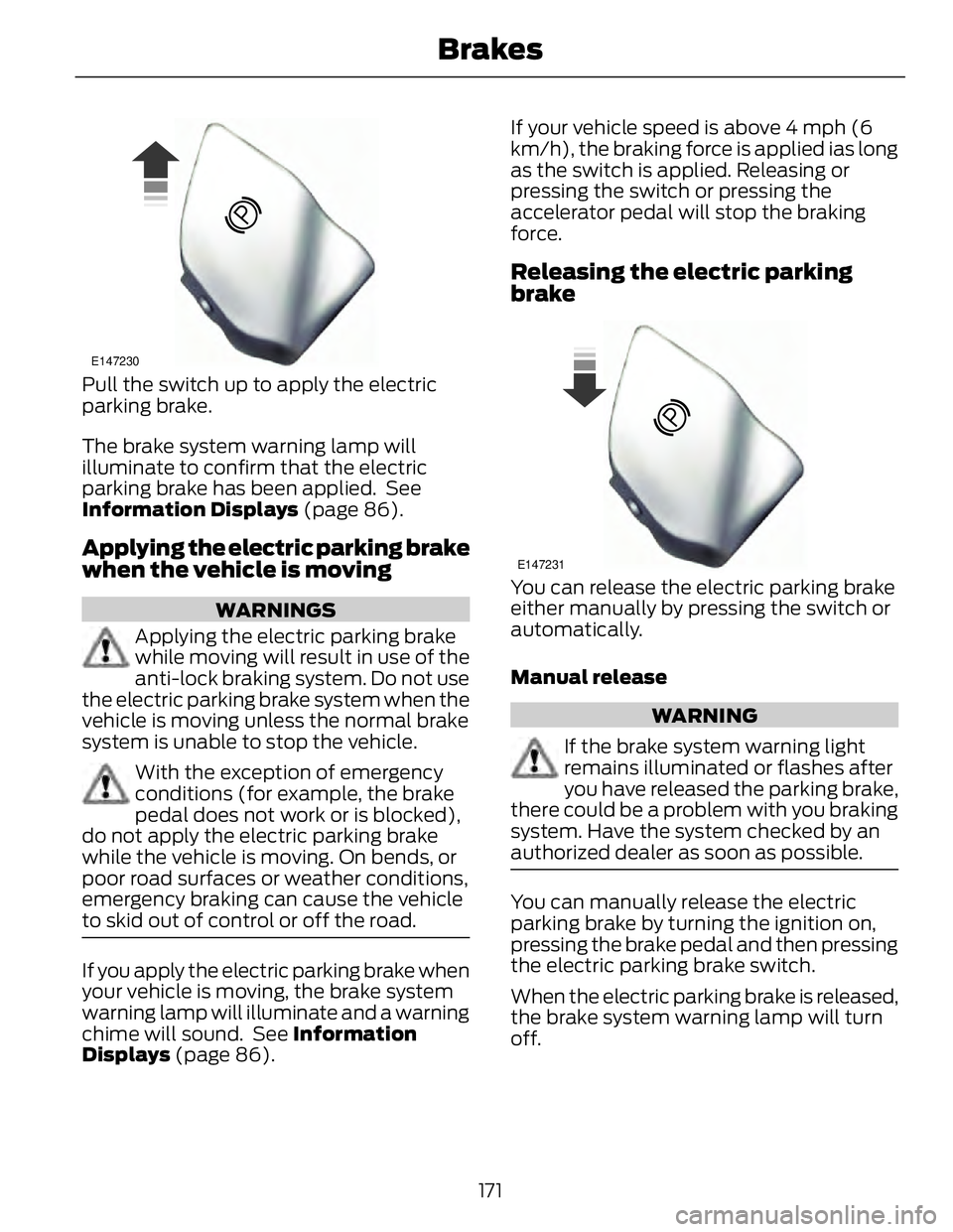
E147230
Pull the switch up to apply the electric
parking brake.
The brake system warning lamp will
illuminate to confirm that the electric
parking brake has been applied. See
Information Displays (page 86).
Applying the electric parking brake
when the vehicle is moving WARNINGS
Applying the electric parking brake
while moving will result in use of the
anti-lock braking system. Do not use
the electric parking brake system when the
vehicle is moving unless the normal brake
system is unable to stop the vehicle.
With the exception of emergency
conditions (for example, the brake
pedal does not work or is blocked),
do not apply the electric parking brake
while the vehicle is moving. On bends, or
poor road surfaces or weather conditions,
emergency braking can cause the vehicle
to skid out of control or off the road.
If you apply the electric parking brake when
your vehicle is moving, the brake system
warning lamp will illuminate and a warning
chime will sound. See Information
Displays (page 86). If your vehicle speed is above 4 mph (6
km/h), the braking force is applied ias long
as the switch is applied. Releasing or
pressing the switch or pressing the
accelerator pedal will stop the braking
force.
Releasing the electric parking
brake E147231
You can release the electric parking brake
either manually by pressing the switch or
automatically.
Manual release
WARNING
If the brake system warning light
remains illuminated or flashes after
you have released the parking brake,
there could be a problem with you braking
system. Have the system checked by an
authorized dealer as soon as possible.
You can manually release the electric
parking brake by turning the ignition on,
pressing the brake pedal and then pressing
the electric parking brake switch.
When the electric parking brake is released,
the brake system warning lamp will turn
off.
171Brakes
Page 179 of 473
PARKING AID (IF EQUIPPED)
WARNINGS
To help avoid personal injury, please
read and understand the limitations
of the system as contained in this
section. Sensing is only an aid for some
(generally large and fixed) objects when
moving in reverse on a flat surface at
parking speeds. Traffic control systems,
inclement weather, air brakes, and external
motors and fans may also affect the
function of the sensing system; this may
include reduced performance or a false
activation.
To help avoid personal injury, always
use caution when in R (Reverse) and
when using the sensing system.
This system is not designed to
prevent contact with small or moving
objects. The system is designed to
provide a warning to assist the driver in
detecting large stationary objects to avoid
damaging the vehicle. The system may not
detect smaller objects, particularly those
close to the ground.
Certain add-on devices such as large
trailer hitches, bike or surfboard racks
and any device that may block the
normal detection zone of the system, may
create false beeps.
Note: Keep the sensors, located on the
bumper or fascia, free from snow, ice and
large accumulations of dirt. If the sensors
are covered, the system’s accuracy can be
affected. Do not clean the sensors with
sharp objects.
Note: If your vehicle sustains damage to
the bumper or fascia, leaving it misaligned
or bent, the sensing zone may be altered
causing inaccurate measurement of
obstacles or false alarms. Note: If your vehicle is equipped with
MyKey®, it is possible to prevent turning the
sensing system off. See MyKey™ (page
50).
The sensing system warns the driver of
obstacles within a certain range of the
bumper area. The system turns on
automatically whenever the ignition is
switched on.
When receiving a detection warning, the
radio volume is reduced to a
predetermined level. After the warning
goes away, the radio volume returns to the
previous level.
The system can be switched off through
the information display menu or from the
pop-up message that appears once the
transmission is shifted into R . See General
Information (page 86).
If a fault is present in the system, a warning
message appears in the information
display and does not allow the driver to
switch the faulted system on. See
Information Messages (page 98).
Rear Sensing System The rear sensors are only active when the
transmission is in R . As the vehicle moves
closer to the obstacle, the rate of the
audible warning increases. When the
obstacle is fewer than 10 inches (25
centimeters) away, the warning sounds
continuously. If a stationary or receding
object is detected farther than 10 inches
(25 centimeters) from the side of the
vehicle, the tone sounds for only three
seconds. Once the system detects an
object approaching, the warning sounds
again.
176Parking Aids
Page 188 of 473
PRINCIPLE OF OPERATION Cruise control lets you maintain a set
speed without keeping your foot on the
accelerator pedal.
USING CRUISE CONTROL WARNINGS
Do not use cruise control in heavy
traffic, on winding roads or when the
road surface is slippery. This could
result in loss of vehicle control, serious
injury or death.
When you are going downhill, your
vehicle speed may increase above
the set speed. The system will not
apply the brakes. Change down a gear to
assist the system in maintaining the set
speed. Failure to do so could result in loss
of vehicle control, serious injury or death.
Note: Cruise control will disengage if the
vehicle speed decreases more than 10 mph
(16 km/h) below your set speed while
driving uphill.
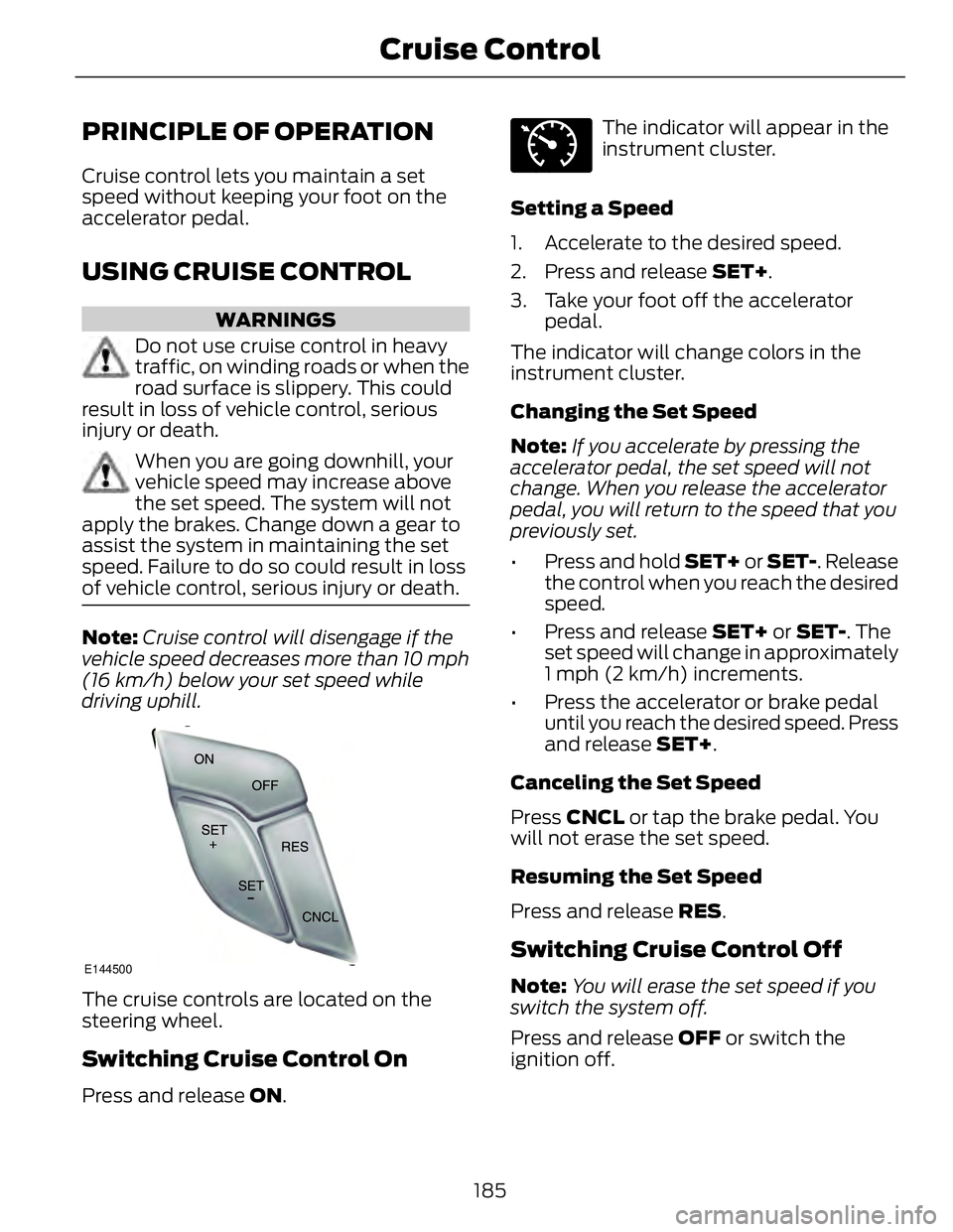
E144500
The cruise controls are located on the
steering wheel.
Switching Cruise Control On
Press and release ON . E71340
The indicator will appear in the
instrument cluster.
Setting a Speed
1. Accelerate to the desired speed.
2. Press and release SET+ .
3. Take your foot off the accelerator
pedal.
The indicator will change colors in the
instrument cluster.
Changing the Set Speed
Note: If you accelerate by pressing the
accelerator pedal, the set speed will not
change. When you release the accelerator
pedal, you will return to the speed that you
previously set.
• Press and hold SET+ or SET- . Release
the control when you reach the desired
speed.
• Press and release SET+ or SET- . The
set speed will change in approximately
1 mph (2 km/h) increments.
• Press the accelerator or brake pedal
until you reach the desired speed. Press
and release SET+ .
Canceling the Set Speed
Press CNCL or tap the brake pedal. You
will not erase the set speed.
Resuming the Set Speed
Press and release RES .
Switching Cruise Control Off
Note: You will erase the set speed if you
switch the system off.
Press and release OFF or switch the
ignition off.
185Cruise Control
Page 192 of 473
E144529
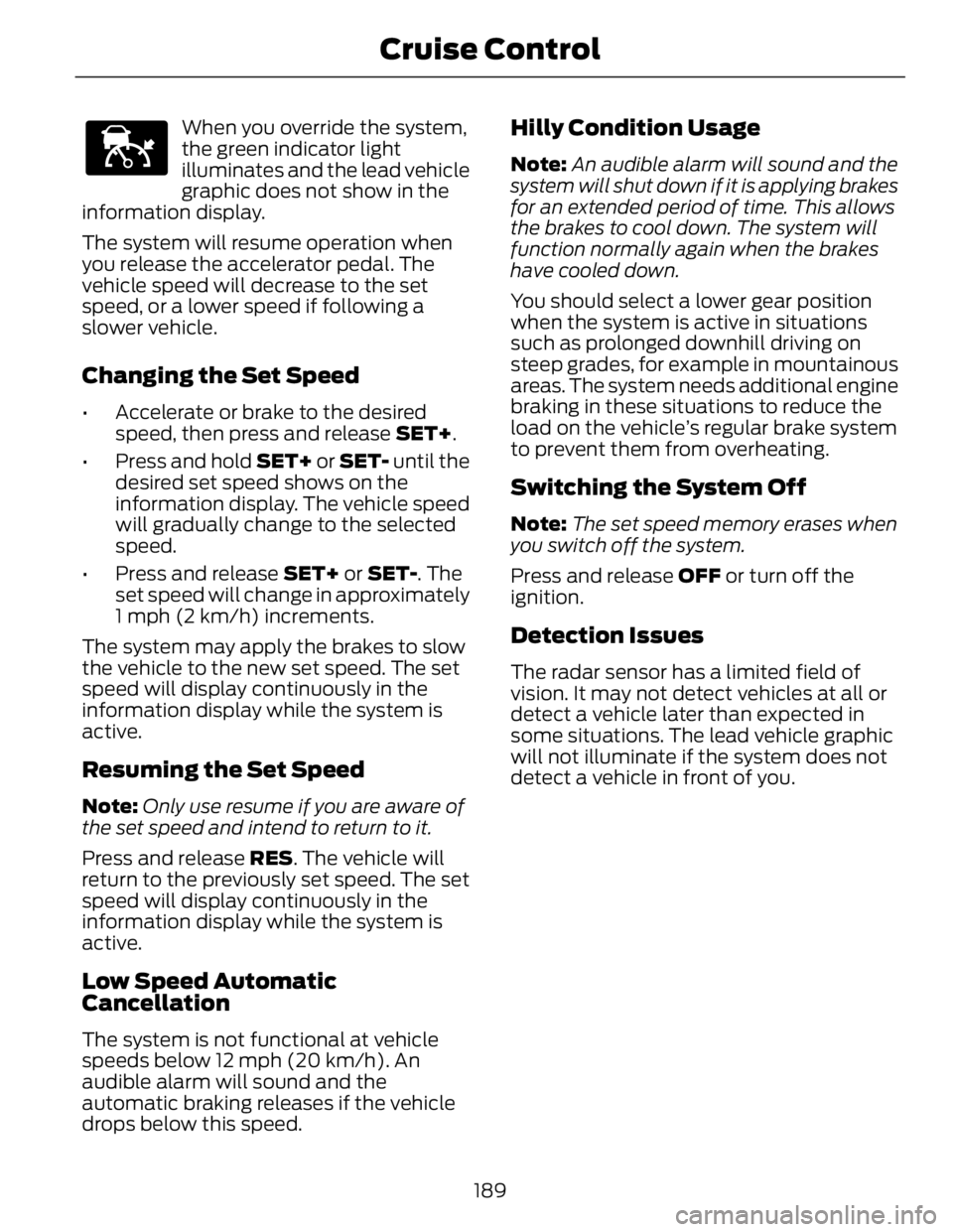
When you override the system,
the green indicator light
illuminates and the lead vehicle
graphic does not show in the
information display.
The system will resume operation when
you release the accelerator pedal. The
vehicle speed will decrease to the set
speed, or a lower speed if following a
slower vehicle.
Changing the Set Speed • Accelerate or brake to the desired
speed, then press and release SET+ .
• Press and hold SET+ or SET- until the
desired set speed shows on the
information display. The vehicle speed
will gradually change to the selected
speed.
• Press and release SET+ or SET- . The
set speed will change in approximately
1 mph (2 km/h) increments.
The system may apply the brakes to slow
the vehicle to the new set speed. The set
speed will display continuously in the
information display while the system is
active.
Resuming the Set Speed Note: Only use resume if you are aware of
the set speed and intend to return to it.
Press and release RES . The vehicle will
return to the previously set speed. The set
speed will display continuously in the
information display while the system is
active.
Low Speed Automatic
Cancellation
The system is not functional at vehicle
speeds below 12 mph (20 km/h). An
audible alarm will sound and the
automatic braking releases if the vehicle
drops below this speed. Hilly Condition Usage Note: An audible alarm will sound and the
system will shut down if it is applying brakes
for an extended period of time. This allows
the brakes to cool down. The system will
function normally again when the brakes
have cooled down.
You should select a lower gear position
when the system is active in situations
such as prolonged downhill driving on
steep grades, for example in mountainous
areas. The system needs additional engine
braking in these situations to reduce the
load on the vehicle’s regular brake system
to prevent them from overheating.
Switching the System Off Note: The set speed memory erases when
you switch off the system.
Press and release OFF or turn off the
ignition.
Detection Issues The radar sensor has a limited field of
vision. It may not detect vehicles at all or
detect a vehicle later than expected in
some situations. The lead vehicle graphic
will not illuminate if the system does not
detect a vehicle in front of you.
189Cruise Control
Page 195 of 473
DRIVER ALERT (IF EQUIPPED)
PRINCIPLE OF OPERATION WARNING
The driver alert system is designed
to aid you. It is not intended to
replace your attention and judgment.
You are still responsible to drive with due
care and attention.
Note: The system will store the on/off
setting in the information display menu
through ignition cycles.
Note: If enabled in the menu, the system
will be active at speeds above 40 mph (64
km/h). When below the activation speed,
the information display will inform the driver
that the system is unavailable.
Note: The system works as long as one lane
marking can be detected by the camera.
Note: If the camera is blocked or if the
windshield is damaged, the system may not
function.
Note: The system may not be available in
poor weather or other low visibility
conditions.
The system automatically monitors your
driving behavior using various inputs
including the front camera sensor.
If the system detects that your driving
alertness is reduced below a certain
threshold, the system will alert you using
a chime and a message in the cluster
display. USING DRIVER ALERT Switching the system on and off
You may switch the system on or off
through the information display by
selecting Settings then Driver Assist then
Driver Alert in the menu. When activated,
the system will monitor your alertness level
based upon your driving behavior in relation
to the lane markings, and other factors.
System Warnings
Note: Note: The system will not issue
warnings below approximately 40 mph (64
km/h).
The warning system is in two stages. At
first the system issues a temporary warning
that you need to take a rest. This message
will only appear for a short time. If the
system detects further reduction in driving
alertness, another warning may be issued
which will remain in the information display
for a longer time. Press OK on the steering
wheel control to clear the warning
System Display
When active the system will run
automatically in the background and only
issue a warning if required. You can view
the status at any time using the
information display. See General
Information (page 86).
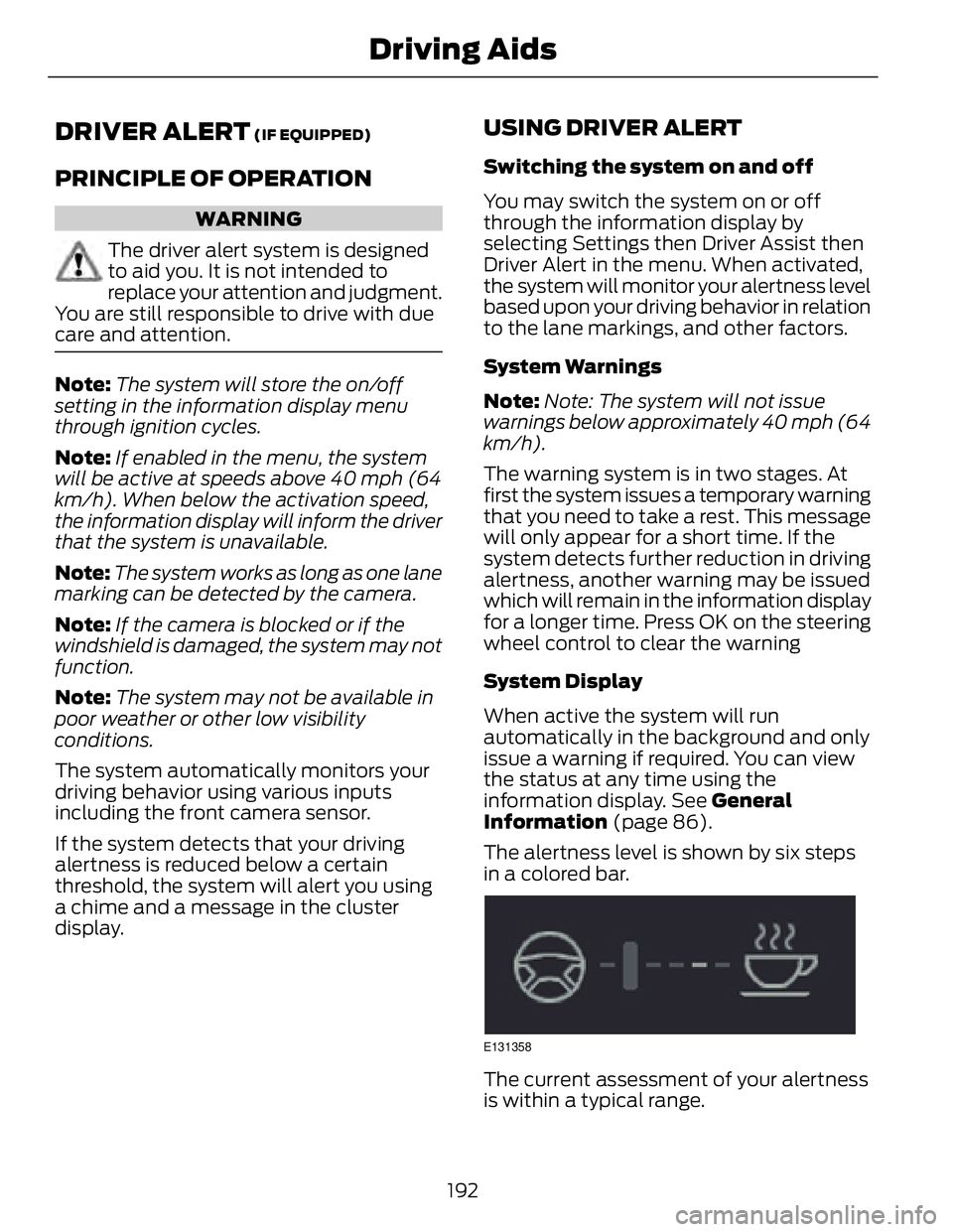
The alertness level is shown by six steps
in a colored bar.
E131358
The current assessment of your alertness
is within a typical range.
192Driving Aids
Page 196 of 473
E131359
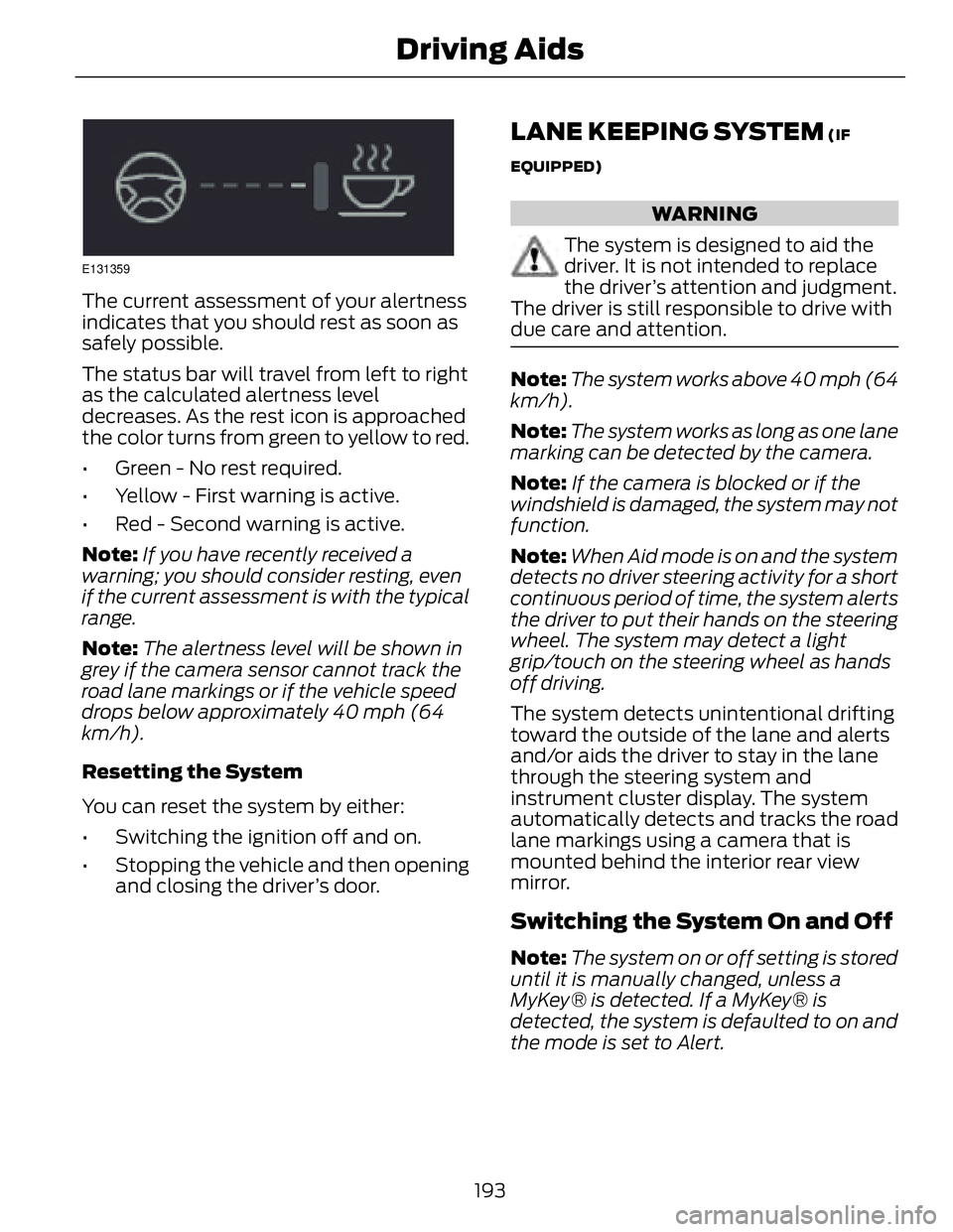
The current assessment of your alertness
indicates that you should rest as soon as
safely possible.
The status bar will travel from left to right
as the calculated alertness level
decreases. As the rest icon is approached
the color turns from green to yellow to red.
• Green - No rest required.
• Yellow - First warning is active.
• Red - Second warning is active.
Note: If you have recently received a
warning; you should consider resting, even
if the current assessment is with the typical
range.
Note: The alertness level will be shown in
grey if the camera sensor cannot track the
road lane markings or if the vehicle speed
drops below approximately 40 mph (64
km/h).
Resetting the System
You can reset the system by either:
• Switching the ignition off and on.
• Stopping the vehicle and then opening
and closing the driver’s door. LANE KEEPING SYSTEM (IF
EQUIPPED)
WARNING
The system is designed to aid the
driver. It is not intended to replace
the driver’s attention and judgment.
The driver is still responsible to drive with
due care and attention.
Note: The system works above 40 mph (64
km/h).
Note: The system works as long as one lane
marking can be detected by the camera.
Note: If the camera is blocked or if the
windshield is damaged, the system may not
function.
Note: When Aid mode is on and the system
detects no driver steering activity for a short
continuous period of time, the system alerts
the driver to put their hands on the steering
wheel. The system may detect a light
grip/touch on the steering wheel as hands
off driving.
The system detects unintentional drifting
toward the outside of the lane and alerts
and/or aids the driver to stay in the lane
through the steering system and
instrument cluster display. The system
automatically detects and tracks the road
lane markings using a camera that is
mounted behind the interior rear view
mirror.
Switching the System On and Off
Note: The system on or off setting is stored
until it is manually changed, unless a
MyKey® is detected. If a MyKey® is
detected, the system is defaulted to on and
the mode is set to Alert.
193Driving Aids
Page 203 of 473
E142443
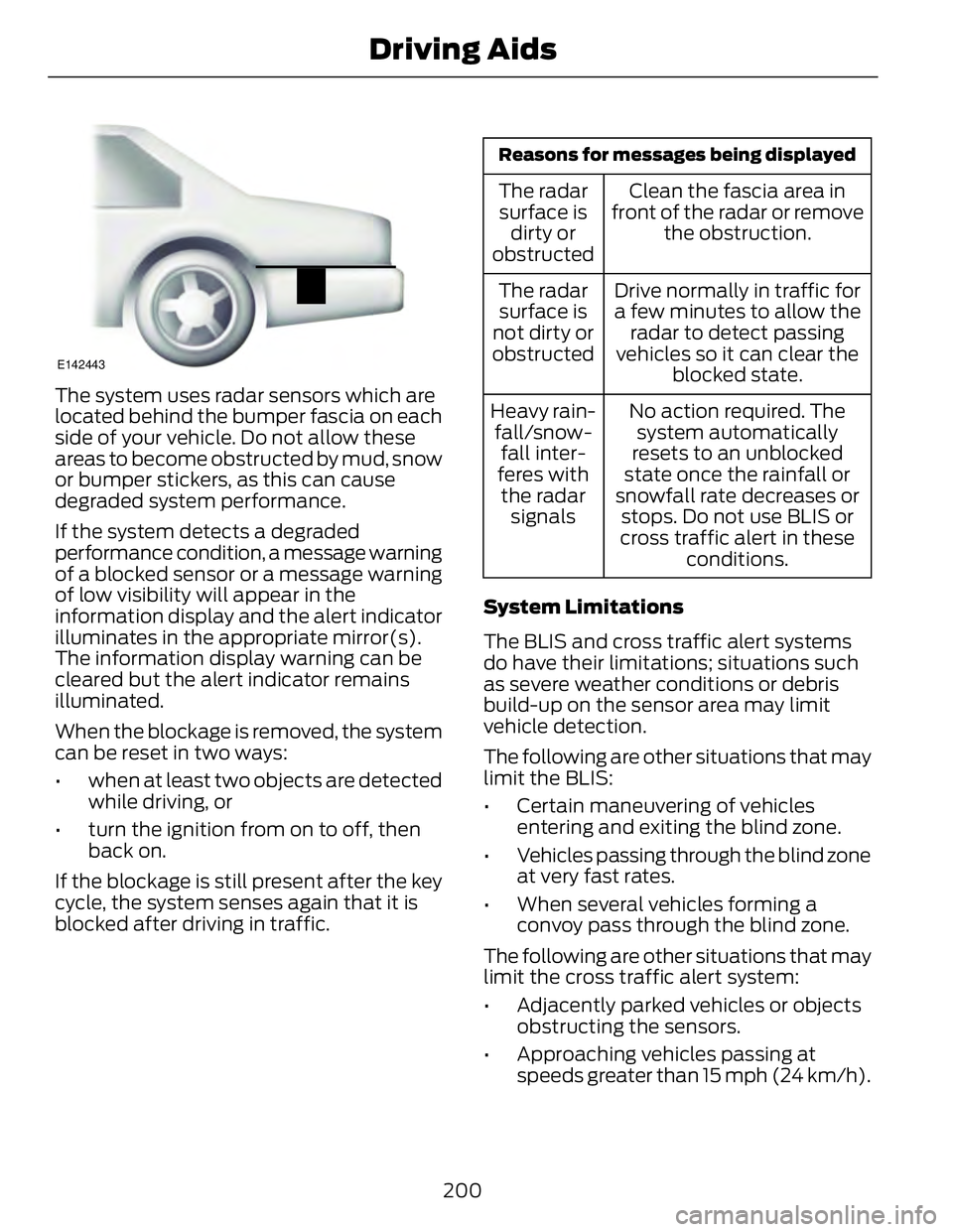
The system uses radar sensors which are
located behind the bumper fascia on each
side of your vehicle. Do not allow these
areas to become obstructed by mud, snow
or bumper stickers, as this can cause
degraded system performance.
If the system detects a degraded
performance condition, a message warning
of a blocked sensor or a message warning
of low visibility will appear in the
information display and the alert indicator
illuminates in the appropriate mirror(s).
The information display warning can be
cleared but the alert indicator remains
illuminated.
When the blockage is removed, the system
can be reset in two ways:
• when at least two objects are detected
while driving, or
• turn the ignition from on to off, then
back on.
If the blockage is still present after the key
cycle, the system senses again that it is
blocked after driving in traffic. Reasons for messages being displayed
Clean the fascia area in
front of the radar or remove
the obstruction.The radar
surface is
dirty or
obstructed
Drive normally in traffic for
a few minutes to allow the
radar to detect passing
vehicles so it can clear the
blocked state.The radar
surface is
not dirty or
obstructed
No action required. The
system automatically
resets to an unblocked
state once the rainfall or
snowfall rate decreases or
stops. Do not use BLIS or
cross traffic alert in these
conditions.Heavy rain-
fall/snow-
fall inter-
feres with
the radar
signals
System Limitations
The BLIS and cross traffic alert systems
do have their limitations; situations such
as severe weather conditions or debris
build-up on the sensor area may limit
vehicle detection.
The following are other situations that may
limit the BLIS:
• Certain maneuvering of vehicles
entering and exiting the blind zone.
• Vehicles passing through the blind zone
at very fast rates.
• When several vehicles forming a
convoy pass through the blind zone.
The following are other situations that may
limit the cross traffic alert system:
• Adjacently parked vehicles or objects
obstructing the sensors.
• Approaching vehicles passing at
speeds greater than 15 mph (24 km/h).
200Driving Aids