fuel cap FORD FUSION HYBRID 2014 Owners Manual
[x] Cancel search | Manufacturer: FORD, Model Year: 2014, Model line: FUSION HYBRID, Model: FORD FUSION HYBRID 2014Pages: 473, PDF Size: 5.93 MB
Page 7 of 473
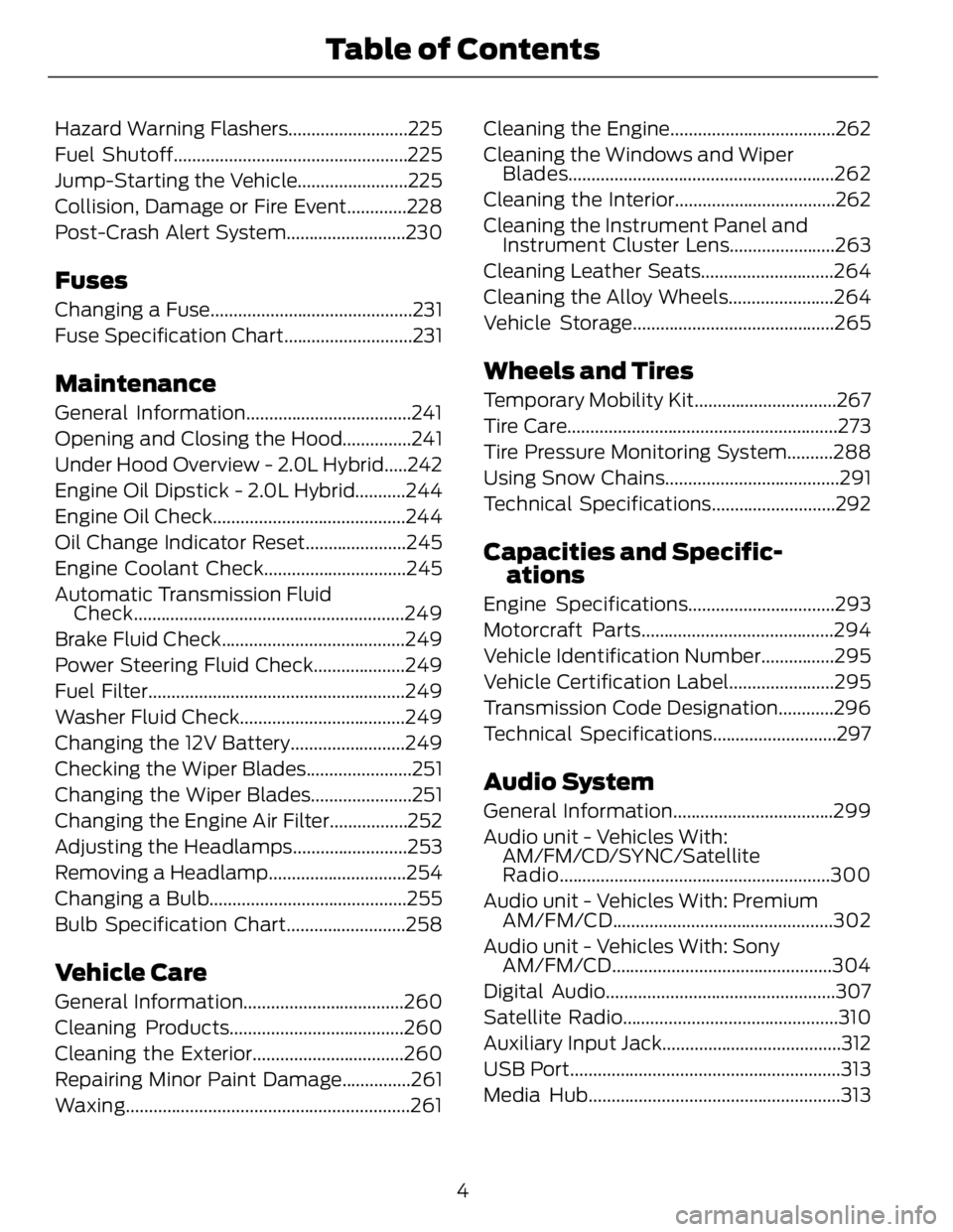
Hazard Warning Flashers..........................225
Fuel Shutoff...................................................225
Jump-Starting the Vehicle........................225
Collision, Damage or Fire Event.............228
Post-Crash Alert System..........................230
Fuses Changing a Fuse............................................231
Fuse Specification Chart............................231
Maintenance General Information....................................241
Opening and Closing the Hood...............241
Under Hood Overview - 2.0L Hybrid.....242
Engine Oil Dipstick - 2.0L Hybrid...........244
Engine Oil Check..........................................244
Oil Change Indicator Reset......................245
Engine Coolant Check...............................245
Automatic Transmission Fluid
Check...........................................................249
Brake Fluid Check........................................249
Power Steering Fluid Check....................249
Fuel Filter........................................................249
Washer Fluid Check....................................249
Changing the 12V Battery.........................249
Checking the Wiper Blades.......................251
Changing the Wiper Blades......................251
Changing the Engine Air Filter.................252
Adjusting the Headlamps.........................253
Removing a Headlamp..............................254
Changing a Bulb...........................................255
Bulb Specification Chart..........................258
Vehicle Care General Information...................................260
Cleaning Products......................................260
Cleaning the Exterior.................................260
Repairing Minor Paint Damage...............261
Waxing ..............................................................261 Cleaning the Engine....................................262
Cleaning the Windows and Wiper
Blades..........................................................262
Cleaning the Interior...................................262
Cleaning the Instrument Panel and
Instrument Cluster Lens.......................263
Cleaning Leather Seats.............................264
Cleaning the Alloy Wheels.......................264
Vehicle Storage............................................265
Wheels and Tires Temporary Mobility Kit...............................267
Tire Care...........................................................273
Tire Pressure Monitoring System..........288
Using Snow Chains......................................291
Technical Specifications...........................292
Capacities and Specific-
ations Engine Specifications................................293
Motorcraft Parts..........................................294
Vehicle Identification Number................295
Vehicle Certification Label.......................295
Transmission Code Designation............296
Technical Specifications...........................297
Audio System General Information...................................299
Audio unit - Vehicles With:
AM/FM/CD/SYNC/Satellite
Radio...........................................................300
Audio unit - Vehicles With: Premium
AM/FM/CD ................................................302
Audio unit - Vehicles With: Sony
AM/FM/CD ................................................304
Digital Audio..................................................307
Satellite Radio...............................................310
Auxiliary Input Jack.......................................312
USB Port...........................................................313
Media Hub.......................................................313
4Table of Contents
Page 11 of 473
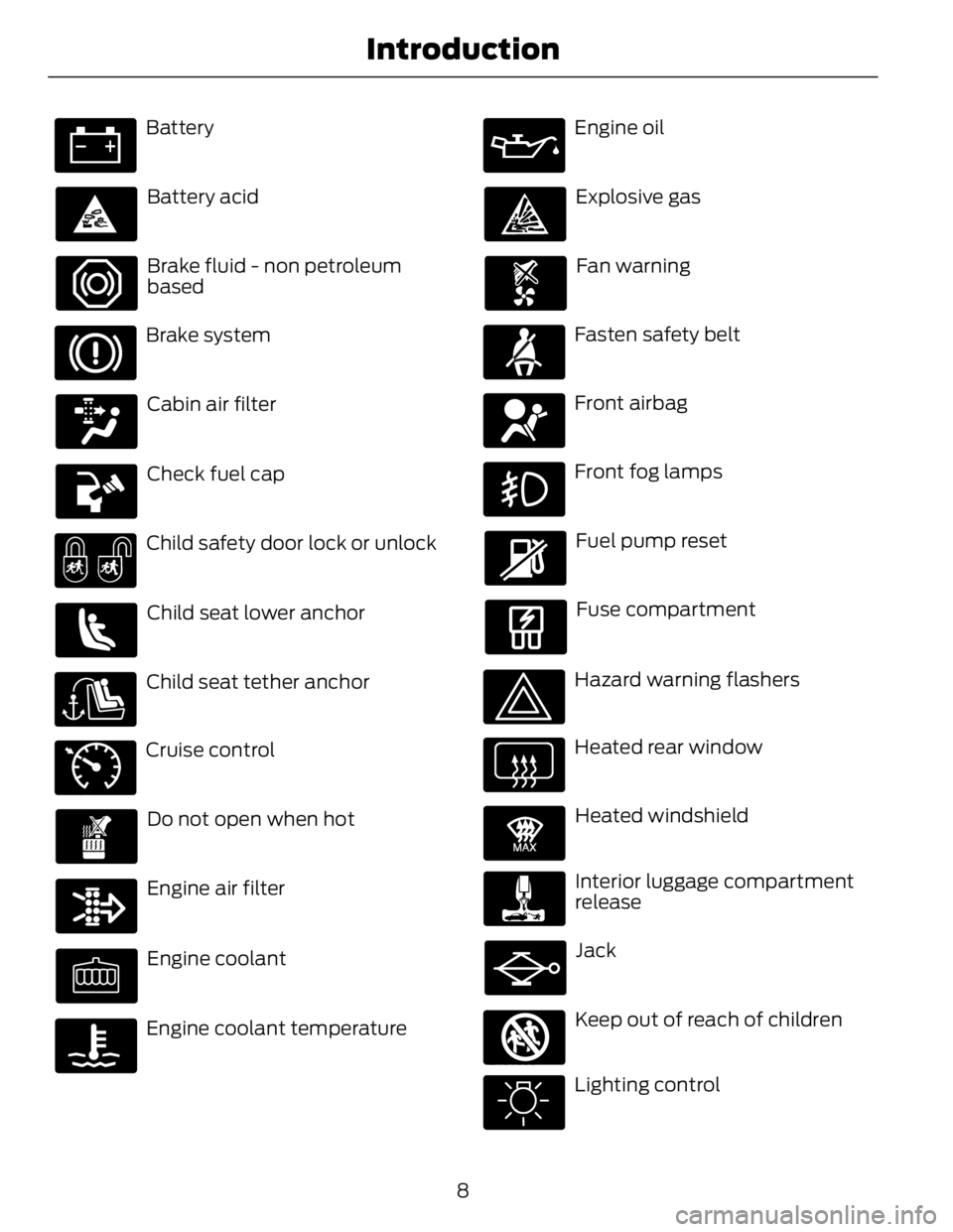
Battery
Battery acid
Brake fluid - non petroleum
based
Brake system
Cabin air filter
Check fuel cap
Child safety door lock or unlock
Child seat lower anchor
Child seat tether anchorE71340
Cruise control
Do not open when hot
Engine air filter
Engine coolant
Engine coolant temperature Engine oil
Explosive gas
Fan warning
Fasten safety belt
Front airbag
Front fog lamps
Fuel pump reset
Fuse compartment
Hazard warning flashers
Heated rear window E91392
Heated windshield
Interior luggage compartment
release
Jack
E161353
Keep out of reach of children
Lighting control
8Introduction
Page 13 of 473
The event data recorder in this vehicle
is designed to record such data as:
• How various systems in your vehicle
were operating;
• Whether or not the driver and
passenger safety belts were
buckled/ fast ened;
• How far (if at all) the driver was
depressing the accelerator and/or
the brake pedal; and
• How fast the vehicle was t ravelling;
and
• Where the driver was positioning
the steering wheel.
This data can help provide a better
understanding of the circumstances in
which crashes and injuries occur.
Note: Event data recorder data is
recorded by your vehicle only if a
non-trivial crash situation occurs; no data
is recorded by the event data recorder
under normal driving conditions and no
personal data or information (e.g., name,
gender, age, and crash location) is
recorded (see limitations regarding 911
Assist and Traffic, directions and
Information privacy below). However,
parties, such as law enforcement, could
combine the event data recorder data
with the type of personally identifying
data routinely acquired during a crash
investigation.
To read data recorded by an event data
recorder, special equipment is required,
and access to the vehicle or the event
data recorder is needed. In addition to
the vehicle manufacturer, other
parties, such as law enforcement, that
have such special equipment, can read
the information if they have access to
the vehicle or the event data recorder.
Ford Motor Company and Ford of
Canada do not access event data
recorder information without obtaining
consent, unless pursuant to court order or where required by law enforcement,
other government authorities or other
third parties acting with lawful
authority. Other parties may seek to
access the information independently
of Ford Motor Company and Ford of
Canada.
Note: Including to the extent that any
law pertaining to Event Data Recorders
applies to SYNC or its features, please
note the following: Once 911 Assist (if
equipped) is enabled (set ON), 911 Assist
may, through any paired and connected
cell phone, disclose to emergency
services that the vehicle has been in a
crash involving the deployment of an
airbag or, in certain vehicles, the
activation of the fuel pump shut-off.
Certain versions or updates to 911 Assist
may also be capable of being used to
electronically or verbally provide to 911
operators the vehicle location (such as
latitude and longitude), and/or other
details about the vehicle or crash or
personal information about the
occupants to assist 911 operators to
provide the most appropriate emergency
services. If you do not want to disclose
this information, do not activate the 911
Assist feature. See SYNC™ (page 319).
Additionally, when you connect to
Traffic, Directions and Information (if
equipped, U.S. only), the service uses
GPS technology and advanced vehicle
sensors to collect the vehicle’s current
location, travel direction, and speed
(“vehicle travel information”), only to
help provide you with the directions,
traffic reports, or business searches
that you request. If you do not want
Ford or its vendors to receive this
information, do not activate the
service. Ford Motor Company and the
10Introduction
Page 83 of 473
Right Information Display Efficiency Leaves
Efficiency leaves indicate short term driving
efficiency. The more leaves and vines that
are displayed, the better your fuel
economy. Leaves and vines will
occasionally appear and disappear to
indicate a change in driving efficiency.
Note: The efficiency leaves display can be
impacted by your use of brakes, accelerator
and accessories, as well as environmental
conditions such as hills and weather.
Common Displays Fuel Economy Displays:
Displays your average and instantaneous
fuel economy on most Display Mode
screens.
Note: You can reset your average fuel
economy by pressing and holding the OK
button on the left hand steering wheel
controls.
• Average Fuel Economy - is
continuously averaged since the last
reset. You can reset your average fuel
economy by pressing and holding the
OK button on the left hand steering
wheel controls. For Energi vehicles both
Hybrid and Plug-in Power mode
operation will be included in the
calculation.
• Instantaneous Fuel Economy - If your
instantaneous fuel economy is greater
than the maximum value displayed, a
+ sign will be shown next to the
maximum scale number. When the
vehicle is operating on battery power
only, EV is displayed and the gauge fill
is shown in blue. Battery Gauge:
Note: Battery gauge information can be
individually selected on or off through
Battery Display in the Options sub-menu.
From any main display a right arrow press
on the steering wheel controls will take you
to the Options sub-menu.
Note: For Energi vehicles there are two
versions of the battery gauge. When the
vehicle is in Hybrid Mode the information is
shown with a simple battery graphic. When
in Plug-in Power Mode an enhanced battery
graphic is provided and available electric
range is added to the display.
The high voltage battery gauge appears
on the right side of the information display
screen. This provides Charge Fill (State of
Charge), Charge Assist and Regen Display.
• Charge Fill (Hybrid Mode) - The fill
level, or State of Charge indicates the
amount of energy stored in the high
voltage battery as a percent of total
energy capacity. The level will increase
or decrease as the battery charges and
discharges during normal operation,
but the hybrid system will attempt to
control the level to approximately the
middle of the gauge under most driving
conditions.
• Charge Fill (Energi Plug-in Power
Mode) - The fill level indicates the
amount of energy stored in the high
voltage battery which is available for
Plug-in Power Mode. A full fill
represents the total amount of energy
you can get from an external charge
(plugging your vehicle in). When the fill
reaches empty your vehicle will
automatically enter Hybrid Mode.
Note: The Charge Fill is always shown for
Plug-in Power Mode, even if Charge Fill is
not selected under Battery Display in the
Options sub-menu.
80Instrument Cluster
Page 84 of 473
• Electric Range (Energi Plug-in Power
Mode) - The electric range estimate is
personalized to the driver's key. The
estimate is based on the amount of
energy presently available in the high
voltage battery and your typical energy
usage while driving. This includes your
drive habits as well as your use of
accessories such as Climate Control.
The battery energy refers to the energy
gained from charging the battery while
plugged in.
• Charge Assist - The up and down
arrows provide information about the
energy going into and out of the high
voltage battery. The up arrow above
the battery indicates battery charging
such as from regenerative braking. The
down arrow below the battery
indicates battery discharging to provide
power for propulsion or vehicle
accessories.
• Regen Display - A circular arrow
symbol appears in the center of the
Battery Gauge when energy is being
recaptured through the regenerative
braking system.
Fuel Gauge:
The fuel gauge will indicate approximately
how much fuel is left in the fuel tank. The
fuel gauge may vary slightly when your
vehicle is moving or on a gradient. The
arrow adjacent to the fuel pump symbol
indicates on which side of the vehicle the
fuel filler door is located. Brake Coach Display:
The Brake Coach appears after the vehicle
has come to a stop. It coaches you to brake
in a manner which maximizes the amount
of energy returned through the
regenerative braking system. The percent
displayed is an indication of the
regenerative braking efficiency with 100%
representing the maximum amount of
energy recovery.
Trip Summary:
Trip Summary is displayed upon shutting
off your vehicle. The data is calculated over
the last on and off cycle.
• Distance - The total distance traveled,
distance traveled on battery power
only (EV distance) and Regen distance
are displayed. Regen distance is the
estimated range gained from energy
recaptured through regenerative
braking.
• Energy Use - The average fuel economy
and total fuel used are displayed. In
addition for Energi, the total electrical
energy used while in Plug-in Power
Mode is displayed in kilowatt hours
(kWh).
• Brake Score - The average percentage
of braking energy recaptured and
returned to the high voltage battery
through regenerative braking.
WARNING LAMPS AND
INDICATORS The following warning lamps and
indicators will alert you to a vehicle
condition that may become serious. Some
lamps will illuminate when you start your
vehicle to make sure they work. If any
lamps remain on after starting your vehicle,
refer to the respective system warning
lamp for further information.
81Instrument Cluster
Page 89 of 473
GENERAL INFORMATION WARNING
Driving while distracted can result in
loss of vehicle control, crash and
injury. We strongly recommend that
you use extreme caution when using any
device that may take your focus off the
road. Your primary responsibility is the safe
operation of your vehicle. We recommend
against the use of any handheld device
while driving and encourage the use of
voice-operated systems when possible.
Make sure you are aware of all applicable
local laws that may affect the use of
electronic devices while driving.
Various systems on your vehicle can be
controlled using the information display
controls on the steering wheel.
Corresponding information is displayed in
the information display.
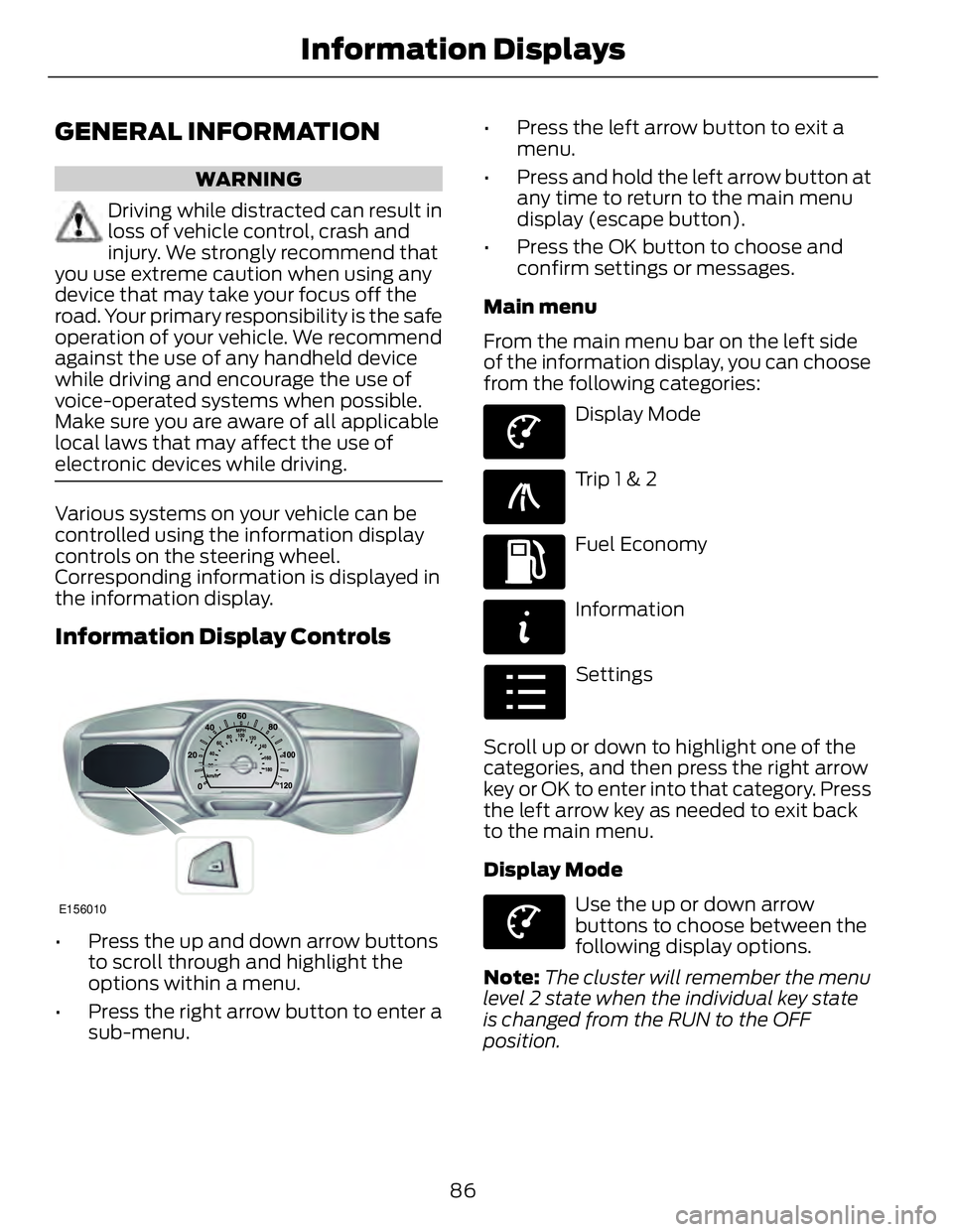
Information Display Controls
E156010
• Press the up and down arrow buttons
to scroll through and highlight the
options within a menu.
• Press the right arrow button to enter a
sub-menu. • Press the left arrow button to exit a
menu.
• Press and hold the left arrow button at
any time to return to the main menu
display (escape button).
• Press the OK button to choose and
confirm settings or messages.
Main menu
From the main menu bar on the left side
of the information display, you can choose
from the following categories: E144639
Display Mode E138660
Trip 1 & 2 E144640
Fuel Economy E144642
Information E100023
Settings
Scroll up or down to highlight one of the
categories, and then press the right arrow
key or OK to enter into that category. Press
the left arrow key as needed to exit back
to the main menu.
Display Mode E144639
Use the up or down arrow
buttons to choose between the
following display options.
Note: The cluster will remember the menu
level 2 state when the individual key state
is changed from the RUN to the OFF
position.
86Information Displays
Page 145 of 473
HYBRID ELECTRIC VEHICLE Plug-in Power Mode and Hybrid
Mode (Fusion Energi Only) You must plug in your Fusion Energi vehicle
regularly for optimal use of the high
voltage battery's extended range
capability. When you charge your vehicle,
you add electrical energy that is then used
to propel the vehicle in plug-in power
mode. You can view your estimated
electric range in this mode from the
enhanced battery gauge on the instrument
panel display. The system maximizes the
use of electric-only operation in plug-in
power mode. System conditions may
require engine operation; however, the
system uses plug-in power whenever
possible.
When your plug-in power has been
depleted, the powertrain system will
automatically switch to hybrid mode. Your
battery gauge will show an electric range
of zero before transitioning to a simple
battery graphic upon entering hybrid mode.
Hybrid mode uses both the gasoline engine
and electric motor to power your vehicle
and maximize fuel economy as with Fusion
Hybrid.
EV Modes (Fusion Energi Only) E144814
Your vehicle contains selectable
EV modes through the EV button
on the center console.
These modes are available when the
vehicle can run under high voltage battery
power. With the vehicle in driving mode,
you can change EV modes with each press
of the EV button. The current mode
displays in the left hand instrument cluster
screen. Auto EV E155152
This mode provides an
automatic use of high voltage
battery power during the drive,
staying in electric mode when possible and
running the engine when needed. This
mode will be the only one available if the
plug-in power has been depleted.
EV Now E144814
This mode provides an electric
only driving experience using
plug-in power. The left-hand
information display will change to an
Energy Use screen that supplies EV specific
tools and functions. The vehicle may
accelerate more slowly and the top speed
may be lower than in Auto mode. Your
engine may be enabled at any time by
using one of the following methods:
1. Press the OK button on the left 5–way
steering wheel control while viewing
the EV screen. The vehicle will enable
the engine as needed, and will
automatically return to EV Now after
eight seconds or when the engine is no
longer needed.
2. Press the accelerator pedal fully. A pop
up message stating Press OK to
Enable Engine will appear. Press OK
on the left steering wheel button to
activate as needed. The message will
disappear if you release the accelerator
pedal.
3. Press the EV button. This will change
the mode to EV Later and permit
engine operation.
The vehicle may automatically enter
Engine Enabled mode if system conditions
require it. A message Engine Enabled for
System Performance will display if this
occurs. This is normal function, and your
vehicle will return to EV Now when
possible.
142Unique Driving Characteristics
Page 146 of 473
The vehicle may enter Enable Engine mode
if the climate control is in a defrost mode
and the outside temperature is cold. A
message Engine Enabled Due to Defrost
will display if this occurs. If defrost is not
needed, select a different climate control
mode to permit EV Now.
When you enable EV Now, a blue EV icon
displays in the left-hand information
display. If the vehicle is in the Engine
Enabled mode, the EV icon will be yellow.
EV Now will automatically exit when the
Plug in power has been depleted.
EV Later E151263
This mode saves most of the
high voltage battery plug in
power for future use (for
example, your initial drive is at high speeds
on open roads, but later your drive will be
at low speeds in an urban area where
plug-in power usage is most efficient).
Your vehicle will run the engine as needed
and keep most of the high voltage battery
plug in power for later use in Auto Mode or
EV Now mode.
When you enable EV Later, a white EV
Later icon appears on the left-hand
information display.
The EV Later mode will automatically reset
to EV Auto mode when you power the
vehicle off. You may press the EV button
twice during the next drive to return to EV
Later mode, if desired.
Hybrid Vehicle Operation (Fusion
Hybrid and Fusion Energi)
This hybrid vehicle combines electric and
gasoline propulsion to provide
breakthrough performance and improved
efficiency. Familiarizing yourself with these
unique characteristics will provide an
optimal driving experience from your new
vehicle. Note: You may notice higher engine speeds
upon start-up. This temporary condition is
normal and necessary to heat up the cabin
and minimize emissions. E144692
Starting: When you start your
vehicle, a green ready indicator
light will appear in the lower right
portion of the instrument cluster and a
ready to drive message will appear in the
middle of the left cluster screen, letting
you know that the vehicle is ready for
driving.
The engine may not start because this
vehicle is equipped with silent key start.
This fuel saving feature allows your vehicle
to be ready–to–drive without requiring the
gas engine to be running. This indicator will
remain on while the vehicle is on, whether
the engine is running or not to indicate the
vehicle is capable of movement (using its
electric motor, engine, or both). Typically,
the engine will not start unless the vehicle
is cold, a climate control change is
requested, or the accelerator is pressed.
Driving: The gas engine automatically
starts and stops to provide power when
needed and to save fuel when not needed.
While coasting at low speeds, coming to
a stop, or standing, the gas engine normally
shuts down and the vehicle operates in
electric-only mode. Conditions that may
cause the engine to start up or remain
running include:
• Considerable vehicle acceleration
• Vehicle speed above 85 mph (137
km/h) However, the maximum speed
for electric–only operation may be
lower while driving in hot temperatures
or on hilly terrain.
• Ascending a hill
• Charge level of high voltage battery is
low
143Unique Driving Characteristics
Page 148 of 473
During certain events (such as vehicle
servicing) your low voltage 12-volt battery
may become disconnected or disabled.
Once the battery is reconnected and after
driving the vehicle, the engine may
continue to operate for three to five
seconds after the key is turned to off. This
is a normal condition.
Braking: Your hybrid is equipped with
standard hydraulic braking and
regenerative braking. Regenerative braking
is performed by your transmission and it
captures brake energy and stores it in your
high voltage battery.
Driving to optimize fuel economy
Note: Having your engine running is not
always an indication of inefficiency. In some
cases, it is actually more efficient than
driving in electric mode.
Your fuel economy should improve
throughout your hybrid's break-in period.
As with any vehicle, your driving habits and
accessory usage can significantly impact
your fuel economy. For best results, keep
in mind these tips:
• Keep the tires properly inflated and
only use the recommended size.
• Aggressive driving increases the
amount of energy required to move
your vehicle. In general, you can
achieve better fuel economy with mild
to moderate acceleration and
deceleration. Moderate braking is
particularly important since it allows
you to maximize the energy captured
by the regenerative braking system. Additional Tips:
• Do not carry extra loads.
• Be mindful of adding external
accessories that may increase
aerodynamic drag.
• Observe posted speed limits.
• Perform all scheduled maintenance.
• There is no need to wait for your engine
to warm up. The vehicle is ready to
drive immediately after starting.
EV+ Mode
Your vehicle will recognize your frequent
destinations and allow for more EV driving
as you approach them. For example, when
nearing your home it should be easier to
stay in electric mode. The EV indicator will
display EV+ when this mode is active. You
should see this about 1/8 mile (200
meters) from a frequent destination. See
Information Displays (page 86).
Note: Frequent destinations are learned by
your vehicle after two to four weeks of use.
You can clear these destinations with a
Driving History reset through the Settings
menu.
Note: The EV+ feature can be turned on or
off through the Driver Assist section of the
Settings menu.
145Unique Driving Characteristics
Page 151 of 473
SAFETY PRECAUTIONS WARNINGS
Do not overfill the fuel tank. The
pressure in an overfilled tank may
cause leakage and lead to fuel spray
and fire.
The fuel system may be under
pressure. If you hear a hissing sound
near the fuel filler door (Easy Fuel
capless fuel system), do not refuel until
the sound stops. Otherwise, fuel may spray
out, which could cause serious personal
injury.
Automotive fuels can cause serious
injury or death if misused or
mishandled.
The flow of fuel through a fuel pump
nozzle can produce static electricity,
which can cause a fire if fuel is
pumped into an ungrounded fuel container.
Fuel ethanol and gasoline may
contain benzene, which is a
cancer-causing agent.
When refueling always shut the
engine off and never allow sparks or
open flames near the filler neck.
Never smoke or use a cell phone while
refueling. Fuel vapor is extremely
hazardous under certain conditions. Avoid
inhaling excess fumes.
Observe the following guidelines when
handling automotive fuel:
• Extinguish all smoking materials and
any open flames before refueling your
vehicle.
• Always turn off the vehicle before
refueling. • Automotive fuels can be harmful or
fatal if swallowed. Fuel such as
gasoline is highly toxic and if
swallowed can cause death or
permanent injury. If fuel is swallowed,
call a physician immediately, even if no
symptoms are immediately apparent.
The toxic effects of fuel may not be
visible for hours.
• Avoid inhaling fuel vapors. Inhaling too
much fuel vapor of any kind can lead
to eye and respiratory tract irritation.
In severe cases, excessive or prolonged
breathing of fuel vapor can cause
serious illness and permanent injury.
• Avoid getting fuel liquid in your eyes. If
fuel is splashed in the eyes, remove
contact lenses (if worn), flush with
water for 15 minutes and seek medical
attention. Failure to seek proper
medical attention could lead to
permanent injury.
• Fuels can also be harmful if absorbed
through the skin. If fuel is splashed on
the skin, clothing or both, promptly
remove contaminated clothing and
wash skin thoroughly with soap and
water. Repeated or prolonged skin
contact with fuel liquid or vapor causes
skin irritation.
• Be particularly careful if you are taking
“Antabuse” or other forms of disulfiram
for the treatment of alcoholism.
Breathing gasoline vapors, or skin
contact could cause an adverse
reaction. In sensitive individuals, serious
personal injury or sickness may result.
If fuel is splashed on the skin, promptly
wash skin thoroughly with soap and
water. Consult a physician immediately
if you experience an adverse reaction.
148Fuel and Refueling